Market Wiz AI

Market Wiz

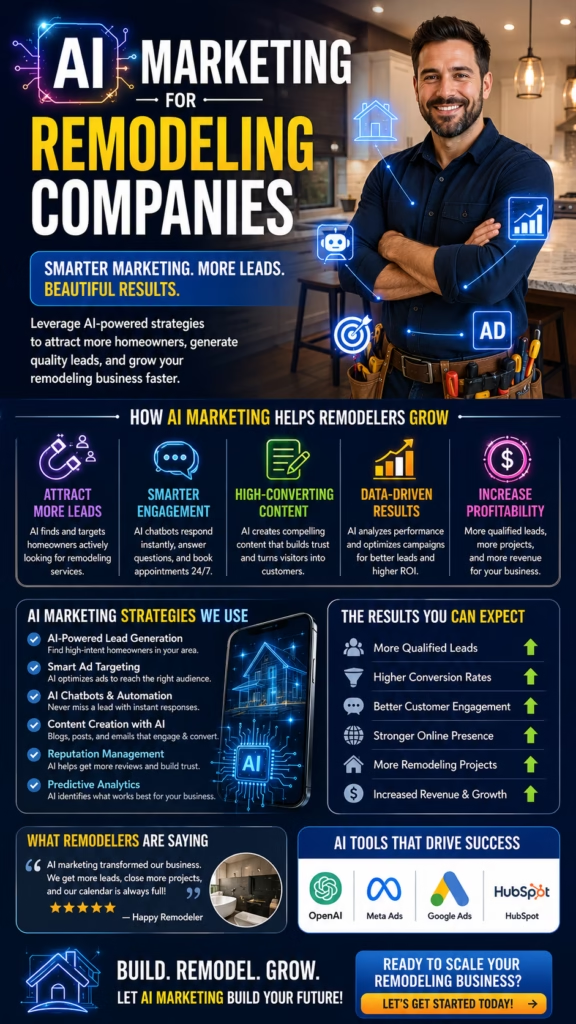
With ingenious automation fused with human dedication 24/7, Market Wiz puts the local marketing competition on notice – they’ve created a new standard operating system for dominating every digital front.All-Platform Compatibility: Facebook, Craigslist, Google, you name it. This system plays well with all the big players, ensuring your ads are everywhere they need to be.The Cherry on Top: There's a ton more under the hood, each feature adding more muscle to your marketing efforts.Bottom line: Market Wiz.ai isn’t just another tool; it’s your 24/7 digital marketing powerhouse. In the world of local advertising, it's the smartest move you’ll make.Market Wiz automates your online ads.|

Best CRM for Small Local Businesses

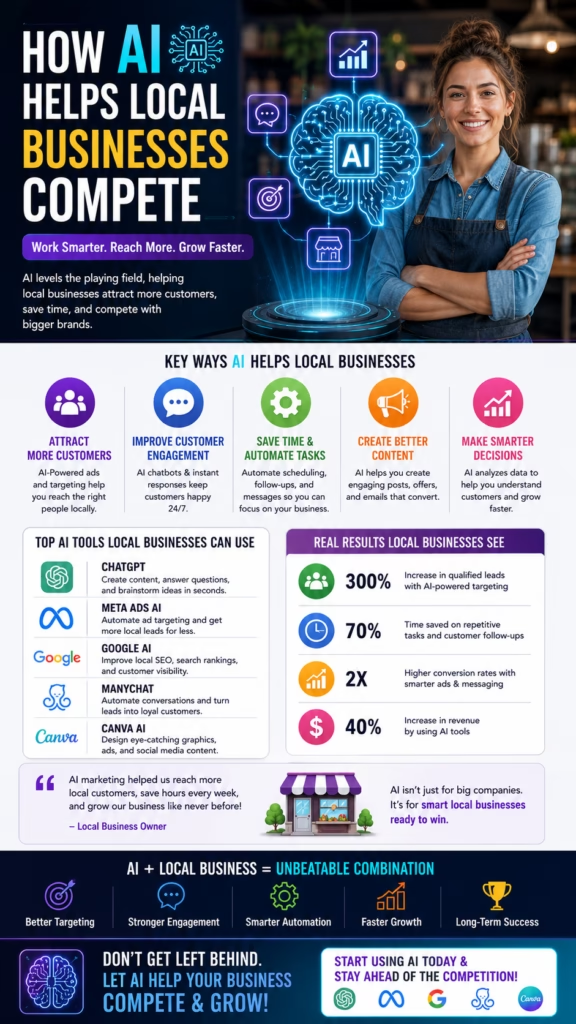
ChatGPT Image Jan 12 2026 03 08 59 PM
Best CRM for Small Local Businesses

Best CRM for Small Local Businesses

Best CRM for Small Local Businesses isn’t the one with the most features—it’s the one that makes you respond faster, stay organized, and close more jobs without dropping leads.

Local CRM “Must-Haves”: Pipeline Stages Texting + Missed-Call Text Back Follow-Up Automation Scheduling + Reminders

Note: This is general operational guidance. Always follow applicable privacy laws, consent rules, and platform policies for SMS/email marketing.

Introduction

Best CRM for Small Local Businesses is a deceptively simple search—and most people get the answer wrong because they shop for “features,” not outcomes.

For local businesses (home services, retail, contractors, clinics, real estate, rental dealers), a CRM exists to do four things:

  • Capture leads from calls, forms, messages, and ads
  • Respond fast (minutes, not hours)
  • Track follow-up so leads don’t fall through cracks
  • Report what’s working so you can scale winners

Focus keyword: Best CRM for Small Local Businesses (used throughout for SEO consistency).

Expanded Table of Contents

1) What “Best CRM for Small Local Businesses” really means

The Best CRM for Small Local Businesses is the one that creates a system your team follows every day. If your CRM doesn’t create consistent behavior, it becomes another inbox you ignore.

When choosing a CRM, the winning mindset is:

  • Less clicks → more usage
  • Clear stages → better follow-up
  • Built-in reminders → fewer lost deals
  • Texting + templates → faster conversions
  • Simple reporting → smarter marketing

Reality check: The best CRM is rarely the “biggest” CRM. It’s the CRM your team can run in under 10 minutes per day per rep—without confusion.

2) The 9 non-negotiable CRM features for local businesses

If you’re evaluating the Best CRM for Small Local Businesses, these features matter more than anything else:

1) Pipeline stages (visual deal board)

Local sales is about momentum. A pipeline board shows what’s next and what’s stuck.

2) Tasks + reminders

If your CRM can’t force follow-up, it can’t protect revenue.

3) Texting (SMS) + templates

Local leads respond faster to SMS than email. Templates keep your team consistent.

4) Missed-call text back

Missed calls are missed money. Auto text-back saves deals you never knew you lost.

5) Scheduling + reminders

Booking links, confirmations, and reminders reduce no-shows and keep your calendar full.

6) Contact timeline (single source of truth)

Calls, texts, emails, notes—one timeline so anyone can take over instantly.

7) Lead source tracking

Know whether leads came from Google, Marketplace, referrals, or ads—so you invest wisely.

8) Basic automation

Not complex “marketing journeys.” Just simple triggers: respond, remind, route, follow up.

9) Simple reporting

Response time, booked rate, show rate, close rate. If it’s not visible, it won’t improve.

Shortcut: If a CRM nails the 9 items above, it’s a top contender for Best CRM for Small Local Businesses—regardless of brand.

3) Pipelines that close: the best stages for local businesses

Most local CRMs fail because the pipeline stages are vague. The Best CRM for Small Local Businesses uses stages that match real local buying behavior.

Pipeline A: Home services / contractors

New Lead
→ Contacted
→ Qualified
→ Estimate Scheduled
→ Estimate Sent
→ Follow-Up Needed
→ Won / Job Scheduled
→ Completed
→ Lost

Pipeline B: Retail / high-ticket items (mattresses, furniture, RVs)

New Inquiry
→ Product Interest Confirmed
→ Price / Financing Sent
→ Appointment Scheduled (or Store Visit)
→ Follow-Up Needed
→ Purchase Completed
→ Delivery / Setup Scheduled
→ Completed
→ Lost

Pipeline C: Real estate / rentals / dealers

New Lead
→ Qualified
→ Showing / Tour Scheduled
→ Application / Offer Stage
→ Follow-Up Needed
→ Won
→ Lost

Rule: Every stage should answer “What is the next action?” If a stage doesn’t imply a next step, remove it.

4) Texting, missed-call text back, and speed-to-lead

The reason people keep searching Best CRM for Small Local Businesses is because they’re losing leads they already paid for. The number one fix is speed-to-lead.

Why SMS wins for local businesses

  • Most local leads are on mobile and want fast answers
  • Text threads feel personal and easy to respond to
  • Quick qualification via SMS reduces wasted calls

Missed-call text back template (copy/paste)

Hey! Sorry we missed your call 👋
What can we help you with today?

1) What service/product are you looking for?
2) What city/zip are you in?
3) Are you trying to do this ASAP or just pricing?

Reply here and we’ll help fast.

Target: first response within 5–15 minutes during business hours. Under 60 minutes at worst.

5) Automation that actually helps (not spam)

The Best CRM for Small Local Businesses uses automation to reduce manual work while keeping the customer experience human.

Automation that works for local businesses

AutomationTriggerResult
Instant replyNew lead capturedCustomer feels helped immediately
Hot lead alertKeyword intent (“price”, “today”, “financing”)Owner gets notified fast
Follow-up tasksQuote sent / estimate deliveredNo more “forgot to follow up”
No-response sequenceNo reply in 24–48 hoursBring back leads that ghost
Appointment remindersBookedReduce no-shows

2-step no-response follow-up (copy/paste)

# Follow-up 1 (24 hours)
Hey! Just checking in—do you want to move forward or would you like a couple options?

# Follow-up 2 (72 hours)
Last quick one—if timing changed, no worries. Want me to hold this spot/open time for you this week?

Best practice: Keep automation short and helpful. Too many messages feels spammy and hurts trust.

6) Scheduling, reminders, and reducing no-shows

Local businesses lose revenue from no-shows more than almost anything else. The Best CRM for Small Local Businesses makes reminders automatic and confirmations easy.

Reminder system that works

  • Confirmation message immediately after booking
  • Reminder 24 hours before
  • Reminder 2–3 hours before
  • Reschedule option included (reduces ghosting)

Appointment confirmation template

Perfect — you’re all set ✅
You’re booked for [DAY] at [TIME].

If anything changes, reply here and we’ll reschedule quickly.

7) Best CRM setups by industry (home services, retail, real estate)

Different niches need different setups. The Best CRM for Small Local Businesses is the one that matches your day-to-day workflow.

Home services (plumbing, HVAC, painting, cleaning)

  • Pipeline built around estimates + scheduling
  • SMS first response + missed call text back
  • Job reminders + review requests

Retail (mattress, furniture, appliances)

  • Product interest tracking + financing messages
  • Store visit appointment option
  • Delivery scheduling and follow-up

Real estate / rentals / dealers

  • Qualification (budget, timeline, location)
  • Tour scheduling + reminders
  • Stage tracking through application/offer

8) Moving from spreadsheets to CRM without losing data

The biggest fear for local owners is “we’ll lose everything.” You won’t—if you migrate correctly.

Safe migration steps

  1. Export spreadsheet and clean columns (name, phone, email, source, notes)
  2. Create pipeline stages and required fields first
  3. Import contacts + deals (if applicable)
  4. Spot-check 25 random records for accuracy
  5. Train the team with a daily workflow (10 minutes/day)

Key: Don’t migrate “everything.” Migrate what you’ll actually use, and archive the rest.

9) The CRM scorecard: how to choose the best one fast

Use this simple scorecard. The Best CRM for Small Local Businesses will score high on what drives revenue.

CategoryWhat to look forScore (1–5)
Ease of useTeam can update leads in under 30 seconds__
Speed-to-leadTexting + missed call text back + alerts__
Pipeline clarityStages match your real process__
AutomationTasks, reminders, basic sequences__
SchedulingBooking links + reminders__
ReportingResponse time, booked rate, close rate__
IntegrationForms, calls, ads, or marketplace sources__
CostFits budget without hidden add-ons__

Decision rule: If it scores 30+ total, it’s a strong contender for Best CRM for Small Local Businesses.

10) Setup checklist: fields, tags, templates, and permissions

Most CRM failures are setup failures. Here’s the minimum setup that makes a CRM feel “easy.”

Required fields

  • Lead Source
  • City/ZIP
  • Service/Product
  • Pipeline Stage
  • Next Step + Due Date
  • Owner (who handles it)

Templates to create first

  • Instant reply
  • Qualification questions
  • Quote sent follow-up
  • Appointment confirmation
  • No-response follow-up #1 and #2
  • Review request (after completion)

Instant reply (best all-purpose local template)

Hey! Thanks for reaching out 👋
To help fast:

1) What are you looking for?
2) What city/zip are you in?
3) Are you trying to do this ASAP or just getting pricing?

Reply here and we’ll send the next step.

11) Dashboards & KPIs that prove your CRM is working

The Best CRM for Small Local Businesses makes performance visible without spreadsheets and guesswork.

Core KPIs
• Median response time (minutes)
• Qualified lead rate
• Quote/estimate sent rate
• Booking rate
• Show rate (if appointments)
• Close rate
• Revenue per lead source (optional)

Operational KPIs
• Follow-ups completed on time
• Leads without a next step (should be near zero)
• No-response recovery rate

If your response time drops and your booked/close rates rise, your CRM is working.

12) 30–60–90 day rollout plan

Days 1–30 (Foundation)

  1. Create pipeline stages that match your real process.
  2. Add required fields + owner assignment rules.
  3. Build 8–12 templates (SMS + email).
  4. Turn on missed-call text back and instant replies.

Days 31–60 (Consistency)

  1. Enforce: every lead must have a next step + due date.
  2. Build follow-up tasks and basic no-response sequences.
  3. Create dashboard for response time + booking rate.
  4. Train team on a daily workflow (10 minutes/day).

Days 61–90 (Optimization)

  1. Refine templates based on objections and outcomes.
  2. Improve reporting by lead source and rep performance.
  3. Reduce no-shows with better reminders and reschedule flow.
  4. Document the process as an SOP so it stays consistent.

13) 25 Frequently Asked Questions

1) What is the Best CRM for Small Local Businesses?

The best CRM for small local businesses is the one your team uses daily. Prioritize texting, pipeline stages, follow-up automation, scheduling, and simple reporting.

2) Should a local business use a CRM if it’s “small”?

Yes. CRMs prevent missed leads and late follow-ups—two of the biggest revenue leaks for local businesses.

3) What CRM feature matters most?

Speed-to-lead: texting + templates + missed-call text back + tasks.

4) Do I need email marketing features?

Nice to have, but local businesses usually win with SMS + quick follow-up more than complex email automation.

5) How many pipeline stages should I use?

Usually 6–10. Enough to reflect reality, not so many that nobody updates them.

6) What’s the #1 CRM setup mistake?

Not enforcing “every lead gets a next step and due date.”

7) What’s a missed-call text back?

An automatic SMS that responds when you miss a phone call, capturing leads you’d otherwise lose.

8) How fast should I respond to leads?

Within 5–15 minutes during business hours whenever possible.

9) Can a CRM reduce no-shows?

Yes—confirmations and reminders dramatically improve show rates.

10) Do I need call tracking?

It’s very helpful for local businesses to measure lead sources and outcomes.

11) What’s the best pipeline for contractors?

New → Contacted → Qualified → Estimate Scheduled → Estimate Sent → Won/Lost.

12) What should I track for every lead?

Source, location, service/product, stage, owner, and next step due date.

13) Should I use automation?

Yes, for reminders, task creation, and basic follow-ups—keep it helpful, not spammy.

14) How do I move from spreadsheets to a CRM?

Clean your columns, import contacts, map fields, and spot-check records—then train a daily workflow.

15) What makes a CRM “easy”?

Few clicks, clear pipeline, templates, and automatic reminders.

16) Do I need a mobile app?

Usually yes—local teams respond from phones, not desks.

17) How do I get my team to actually use it?

Make it the only place leads live, keep stages simple, and enforce next-step tasks.

18) Can a CRM help with referrals?

Yes—track completed jobs, then automate review + referral requests.

19) What KPIs should I watch first?

Response time, booking rate, and close rate.

20) How much should a CRM cost?

Whatever it costs, it should pay for itself by saving missed leads and improving close rate.

21) Do I need multiple pipelines?

Only if you have truly different sales motions (e.g., services vs retail products).

22) What’s the fastest win after setup?

Turn on missed-call text back, instant reply templates, and follow-up tasks.

23) Can I track lead sources like Marketplace or Craigslist?

Yes—store lead source and account name so you can measure channel quality.

24) How do I avoid spamming customers?

Limit sequences, personalize when possible, and always provide value in messages.

25) What’s the best long-term CRM strategy?

Keep it simple, enforce next steps, improve templates monthly, and track KPIs weekly.

14) 25 Extra Keywords

  1. Best CRM for Small Local Businesses
  2. best crm for small business
  3. local business crm system
  4. crm for contractors
  5. crm for home services
  6. crm with texting
  7. missed call text back crm
  8. crm follow up automation
  9. crm appointment reminders
  10. small business pipeline stages
  11. local lead management
  12. crm for plumbers
  13. crm for HVAC companies
  14. crm for painters
  15. crm for cleaning companies
  16. crm for retail stores
  17. crm for mattress store leads
  18. crm for real estate leads
  19. move from spreadsheet to CRM
  20. small business CRM setup checklist
  21. crm templates for small business
  22. speed to lead crm
  23. best crm reporting metrics
  24. sms follow up templates
  25. pipeline management for local businesses

© 2026 Your Brand. All Rights Reserved.
General information only—confirm consent rules and applicable privacy laws before sending SMS or email marketing messages.

Best CRM for Small Local Businesses Read More »

Best Tools for Managing Multiple Marketplace Accounts

ChatGPT Image Jan 12 2026 03 08 56 PM
Best Tools for Managing Multiple Marketplace Accounts

Best Tools for Managing Multiple Marketplace Accounts

Best Tools for Managing Multiple Marketplace Accounts is about one thing: turning multi-account chaos into a repeatable system—so every listing goes out on time, every message gets answered fast, and every lead is tracked to revenue.

Marketplace Ops Stack: Listing Source of Truth Inbox + CRM Inventory + Media Automation + Reporting

Note: Always follow each platform’s policies and account rules. This guide focuses on operational organization, workflows, and compliant efficiency—not bypassing platform enforcement.

Introduction

Best Tools for Managing Multiple Marketplace Accounts starts with a truth most sellers learn the hard way: once you have more than one account (or more than one team member), your biggest risk is not “getting more visibility.” It’s losing control.

Missed messages, duplicated listings, inconsistent prices, confused photos, and random follow-up are what kill multi-account operations. The right tool stack doesn’t just “save time.” It creates certainty:

  • Every listing has one source of truth
  • Every message has an owner and a next step
  • Every lead is tracked to outcome
  • Every account has consistent naming, assets, and cadence

Focus keyword: Best Tools for Managing Multiple Marketplace Accounts (used throughout for SEO consistency).

Expanded Table of Contents

1) What you actually need to manage multiple marketplace accounts

When people search Best Tools for Managing Multiple Marketplace Accounts, they usually think they need “posting tools.” In reality, posting is only one piece. Multi-account success needs:

  • A listing database (titles, prices, locations, descriptions, photos, status)
  • An inbox system (response SLAs, tags, ownership, templates)
  • A follow-up system (next steps, reminders, no-response sequences)
  • Inventory + media management (photos, SKUs, variants, pricing)
  • Reporting (leads by account, speed-to-lead, booked rate, close rate)

Rule: If you don’t have a “single source of truth,” every tool you add just makes chaos faster.

2) The 5-layer system: listings → inbox → follow-up → inventory → reporting

Here’s the operational model behind the Best Tools for Managing Multiple Marketplace Accounts stack:

LayerWhat it controlsFailure looks like
ListingsTitles, descriptions, pricing, locations, statusDuplicates, inconsistent offers, wrong info
InboxMessage ownership, templates, response timeMissed leads, slow replies, lost buyers
Follow-upReminders, sequences, booked confirmationsNo-shows, ghosting, “lost to competitor”
Inventory + mediaPhotos, SKUs, variants, availabilityWrong product, outdated photos, pricing errors
ReportingLeads, pipeline, performance by accountNo visibility → no optimization

3) The #1 tool: a “source of truth” listing database

The most underrated answer to Best Tools for Managing Multiple Marketplace Accounts is not a “tool” at all—it’s a database. Your database can be a spreadsheet, Airtable, Notion database, or a proper inventory system. What matters is structure.

Minimum fields your listing database must include

  • Listing ID (unique)
  • Product/Service name
  • Category
  • Price + allowed range
  • Location / city / ZIP
  • Account name (who posts it)
  • Status (draft/live/sold/paused)
  • Title variants (3–10)
  • Description template (with variables)
  • Photo folder link
  • Posted date + refresh date
  • Lead count (optional)
  • Notes (issues, flags, edits)

Pro move: Store your descriptions as templates with variables: {price}, {city}, {features}, {cta}. It keeps every account consistent.

4) Inbox management tools: keeping response time under 5 minutes

If you want the Best Tools for Managing Multiple Marketplace Accounts outcome (more sales), inbox management matters more than posting volume. Many marketplaces reward responsiveness indirectly, and buyers definitely do.

Inbox workflow that scales

Inbox stepWhat happensTool requirement
CaptureAll messages arrive in one place (or are routed)Unified inbox or forwarding/alerts
TagLabel by intent + product + locationTags/labels
AssignEvery message has an ownerAssignment/mentioning
RespondUse templates + qualification questionsSaved replies/snippets
Next stepQuote sent / booking link / follow-up scheduledTasks/reminders

Template: instant reply (copy/paste)

Hey! Thanks for reaching out 👋
Quick question so I can help fast:

1) Which item/service are you interested in?
2) What city/zip are you in?
3) Are you trying to do this ASAP or just shopping?

Reply with those and I’ll send pricing + availability.

SLA target: reply in under 5–15 minutes during business hours. Under 60 minutes at worst.

5) CRM tools: tracking leads, stages, and revenue

A CRM is one of the Best Tools for Managing Multiple Marketplace Accounts because it prevents the silent killer of multi-account selling: untracked follow-up.

CRM features that matter for marketplace operations

  • Pipeline stages (New → Qualified → Quote Sent → Booked → Won/Lost)
  • Tasks + reminders (follow-up due, appointment confirm)
  • Conversation logging (notes + transcripts)
  • Lead source + account tracking (which marketplace account produced it)
  • Reporting (response time, booking rate, win rate)

Common mistake: using a CRM but never enforcing “every lead must have a next step.” That’s where wins come from.

Minimum CRM fields (copy/paste spec)

• Lead Source (Marketplace / Craigslist / OfferUp / Other)
• Account Name (Account A / Account B / Location 1 / Location 2)
• Product / Category
• City / ZIP
• Stage (New / Qualified / Quote Sent / Booked / Won / Lost)
• Next Step (task)
• Next Step Due Date
• Notes / Objections
• Value (optional)

6) Inventory + media tools: keeping photos, SKUs, and prices aligned

In multi-account operations, inventory and media drift is inevitable—unless you control it. The Best Tools for Managing Multiple Marketplace Accounts always include a clean media system.

Simple media structure (works for any niche)

/Marketplace-Media
  /Product-or-Service-Name
    /01-Hero
    /02-Lifestyle
    /03-Details
    /04-Variations
    /05-Reviews-Proof

Naming convention (prevents chaos)

[SKU-or-ID]_[Angle]_[Version]_[Date]
Example: MTR-104_Hero_V2_2026-01-10.jpg

Why it matters: consistent photos improve click-through, reduce confusion, and speed up posting across accounts.

7) Automation tools: workflows, reminders, and routing

Automation is part of the Best Tools for Managing Multiple Marketplace Accounts stack only when it supports speed and consistency. Automation should do boring things:

  • Send instant acknowledgment replies
  • Create follow-up tasks based on intent
  • Route hot leads to a human fast
  • Send reminders to reduce no-shows
  • Update a lead’s stage based on events

Important: Build automation around human outcomes (booked, sold, won) rather than “activity.”

Automation rules (examples)

IF message contains: "price", "availability", "today", "this week"
THEN: tag = High Intent, notify owner, create task due in 10 minutes

IF no response after 24 hours
THEN: send follow-up template #1, create task due in 48 hours

IF appointment booked
THEN: send confirmation + reminder schedule, tag = Booked

8) Team tools: permissions, SOPs, and quality control

When multiple people touch multiple accounts, the Best Tools for Managing Multiple Marketplace Accounts are often the boring ones: permissions and SOPs.

Non-negotiables for team operations

  • Role-based access: who can post, edit, message, or change prices
  • Checklists: posting checklist + response checklist + closeout checklist
  • Quality control: random audits of listings and message tone
  • Central templates: saved replies and offer blocks

Posting checklist (copy/paste)

✅ Correct account + location selected
✅ Title variant used (not duplicated from yesterday)
✅ Price matches database
✅ Photos in correct order (Hero → Lifestyle → Details)
✅ Description includes fit qualifiers + single CTA
✅ Tracking tag/source set (if applicable)
✅ Status updated in listing database

9) Security + access tools: account health and safe operations

Multi-account operations live or die by account health. The Best Tools for Managing Multiple Marketplace Accounts include practices that reduce mistakes and keep access controlled:

  • Password manager for secure credential storage
  • 2FA enforcement for every account
  • Access logs (who logged in, where, and when)
  • Standard operating rules for who does what on each account

Reminder: Always follow platform policies and terms. This article is about organized operations and compliance—not bypassing enforcement.

10) Recommended tool stacks (solo → team → multi-location)

Stack A: Solo seller (simple + cheap)

  • Listing database: Google Sheets (structured)
  • Media: Google Drive folders with naming convention
  • Follow-up: calendar + reminders + saved replies
  • Reporting: weekly sheet summary

Stack B: Small team (best balance)

  • Listing database: Airtable or structured sheet + views
  • CRM: pipeline + tasks + reporting
  • Automation: routing + reminders + follow-ups
  • SOPs: checklists + templates

Stack C: Multi-location / many accounts

  • Database: Airtable/Notion DB + strict naming
  • CRM: stage tracking + owner assignment + dashboards
  • Automation: lead routing by location + fast-lane alerts
  • QA: audits + change logs + permissions

Pick the simplest stack you can run consistently. Complexity without discipline is a trap.

11) Plug-and-play workflows (copy/paste SOPs)

Workflow 1: Daily posting (15–30 minutes)

  1. Open listing database view: “Ready to Post Today”
  2. Select title variant you haven’t used recently
  3. Attach photos in standard order
  4. Paste description template with variables filled
  5. Update status: Live + date posted + refresh date

Workflow 2: Inbox processing (every hour)

  1. Tag: High Intent / Normal / Low Fit
  2. Assign owner
  3. Send instant reply template
  4. Create next-step task (quote, call, booking)
  5. Move CRM stage accordingly

Workflow 3: “Hot lead” fast lane (under 10 minutes)

Trigger keywords: price, availability, today, this week, deliver, financing, pickup

Steps:
1) Respond immediately with 2–3 qualification questions
2) Offer the next step: booking link or call
3) If no reply in 2 hours: follow-up #1
4) If no reply in 24 hours: follow-up #2 + proof snippet

12) KPIs and reporting dashboards

If you’re serious about the Best Tools for Managing Multiple Marketplace Accounts, your dashboard should answer: Which accounts produce quality leads, and how fast do we convert them?

Core KPIs
• Leads per account (daily/weekly)
• Median response time (minutes)
• Conversations started (two-way)
• Qualified lead rate
• Booking rate
• Show rate
• Win rate (if tracked)

Operational KPIs
• Listings posted per day per account
• Duplicate listing errors (should be near zero)
• Price/photo mismatches found in audits

If response time drops and booking rate rises, your tool stack is doing its job.

13) 30–60–90 day rollout plan

Days 1–30 (Foundation)

  1. Build your listing database with required fields.
  2. Create folder structure + naming conventions for photos.
  3. Write 10 description templates + 30 title variants.
  4. Implement saved replies and a response SLA.

Days 31–60 (Control)

  1. Add CRM stages + tasks for follow-up.
  2. Standardize qualification questions and fast-lane routing.
  3. Start weekly audits for listing accuracy.
  4. Build a simple dashboard (leads/account, response time).

Days 61–90 (Scale)

  1. Expand title + creative variation library.
  2. Automate reminders and no-response sequences.
  3. Refine routing by location and product category.
  4. Optimize based on which accounts generate the best leads.

14) 25 Frequently Asked Questions

1) What are the best tools for managing multiple marketplace accounts?

The best tools for managing multiple marketplace accounts include a listing database (source of truth), inbox workflow tools, a CRM for follow-up, a media system for photos, and reporting dashboards.

2) Do I need a CRM to manage marketplace leads?

If you have multiple accounts or multiple team members, yes—CRM prevents missed follow-ups and creates accountability.

3) What’s the fastest way to reduce missed messages?

Set a response SLA, assign every message to an owner, and use saved replies with a next-step task.

4) What is a “source of truth” listing database?

It’s the master place where prices, titles, descriptions, photos, and statuses live so accounts stay consistent.

5) How do I prevent duplicate listings?

Use unique listing IDs, track status in your database, and schedule refresh dates rather than reposting blindly.

6) What’s the best photo order for listings?

Hero image first, lifestyle second, detail shots next, and variations last. Consistency improves posting speed.

7) How important is response time?

Very. Fast replies often double or triple conversions because high-intent buyers choose the fastest seller.

8) What should my first reply say?

Thank them, ask 2–3 short qualification questions, and give a clear next step (quote, booking, call).

9) How do I track which account produced a lead?

Add an “Account Name” field in your CRM and require it on every new lead.

10) What’s a “fast lane” lead?

A buyer showing urgency or buying language: price, availability, delivery, timeline, financing.

11) How do I keep pricing consistent across accounts?

Only update prices in the source-of-truth database and require the posting workflow to pull from it.

12) What’s the simplest multi-account stack?

A structured Google Sheet + Drive folders + saved replies + calendar reminders.

13) What’s the biggest mistake with multiple marketplace accounts?

No single source of truth—leading to inconsistent information and messy follow-up.

14) Should I use automation for replies?

Use automation for instant acknowledgment and routing. Keep human takeover for qualification and closing.

15) How do I reduce no-shows?

Confirmations, reminders, and a reschedule option dramatically improve show rates.

16) How many listings should each account post?

Start with consistency: 1+ per day per account, then scale based on quality and capacity.

17) How do I keep creatives from getting repetitive?

Rotate headline angles, proof snippets, hero images, and description hooks weekly.

18) What should my team audit weekly?

Listing accuracy, photo order, price match, response time, and follow-up completion.

19) What KPIs matter most?

Leads per account, response time, booking rate, show rate, and win rate.

20) What if I’m overwhelmed by leads?

Add qualification, fast-lane routing, and task-based follow-up so you prioritize high intent.

21) Can a spreadsheet really scale?

Yes—if it’s structured and enforced. Many teams only “outgrow” spreadsheets due to inconsistent use.

22) How do I organize multiple locations?

Add location fields, create location views, and route leads by ZIP/city automatically.

23) How do I handle multiple product categories?

Use category tags, separate media folders per category, and distinct description templates.

24) What’s the best first automation rule?

High-intent keywords → instant alert + task due in 10 minutes.

25) What’s the fastest win from this guide?

Implement a source-of-truth database and a strict inbox SLA with templates and next-step tasks.

15) 25 Extra Keywords

  1. Best Tools for Managing Multiple Marketplace Accounts
  2. manage multiple marketplace accounts
  3. facebook marketplace multiple accounts management
  4. marketplace inbox management system
  5. multi account listing workflow
  6. offerup seller management tools
  7. craigslist posting workflow
  8. marketplace lead tracking CRM
  9. inventory management for marketplace sellers
  10. marketplace follow up automation
  11. speed to lead marketplace
  12. marketplace response templates
  13. marketplace listing database
  14. multi location marketplace marketing
  15. marketplace SOP checklist
  16. how to organize marketplace listings
  17. marketplace photo naming convention
  18. marketplace reporting dashboard
  19. reduce missed marketplace messages
  20. marketplace lead routing
  21. marketplace qualification scripts
  22. marketplace posting cadence
  23. multi account account health best practices
  24. marketplace team workflow
  25. marketplace automation tools

© 2026 Your Brand. All Rights Reserved.
General information only—always follow marketplace policies, account rules, and applicable privacy laws when managing listings and messages.

Best Tools for Managing Multiple Marketplace Accounts Read More »

Marketplace Scams to Avoid (Buyer & Seller Guide)

ChatGPT Image Jan 12 2026 03 08 44 PM
Marketplace Scams to Avoid (Buyer & Seller Guide) — 2025 Safety Playbook

Marketplace Scams to Avoid (Buyer & Seller Guide)

Marketplace Scams to Avoid (Buyer & Seller Guide) is a practical safety playbook for buying and selling on Facebook Marketplace, Craigslist, OfferUp, and local marketplaces—so you keep your money, your items, and your identity safe.

Safety Basics (Always): Stay On-Platform Verify Payment In-App No Codes / No Links Public Meetups No Deposit Pressure

Note: This guide is general safety information, not legal advice. If you believe you’re being scammed, stop communicating, report the user to the platform, and consider contacting local authorities when appropriate.

Introduction

Marketplace Scams to Avoid (Buyer & Seller Guide) matters because online marketplaces work on trust—but scammers work on speed, confusion, and pressure. The good news is that most scams follow predictable patterns.

In this guide you’ll learn:

  • The most common scam types (for buyers and sellers)
  • The red flags that predict a scam early
  • Safe payment + meetup + delivery rules that prevent most losses
  • Copy/paste scripts to stay firm without sounding rude
  • A safety SOP you can apply to every transaction

Goal: Make “safe selling and buying” your default, so scams bounce off your process.

Expanded Table of Contents

1) How marketplace scams work (the scammer playbook)

Most scams succeed because they force you into one of three mistakes:

  • Leaving the platform (so you lose protections)
  • Trusting “proof” that isn’t real (screenshots, emails, fake confirmations)
  • Acting fast under pressure (deposit, shipping, code, link)

Scammer strategy: create urgency, complicate the transaction, and isolate you from the platform’s safeguards.

2) Universal red flags (buyer & seller)

These red flags apply across Facebook Marketplace, Craigslist, OfferUp, and most local marketplaces:

Pressure + urgency

  • “I need it right now” + demands exceptions
  • “I’m sending someone else” with weird constraints
  • “Pay/ship now or I’m gone”

Off-platform behavior

  • Wants to move to text/email immediately
  • Asks you to click a link to “verify”
  • Asks for codes (2FA/Google Voice)

Payment weirdness

  • Overpayment + refund request
  • Sends “confirmation” screenshots
  • “Business account upgrade” nonsense

Story doesn’t match reality

  • Too cheap to be true
  • Can’t answer basic item questions
  • Copy-paste messages that ignore your details

Rule: If you feel rushed or confused, stop. Legit buyers/sellers tolerate clarity.

3) Buyer scams to avoid (if you’re selling)

Scam #1: “I sent payment” (fake confirmation)

Buyer sends a screenshot or email claiming payment is complete.

Defense: Only trust what you see inside your own payment app/bank. No exceptions.

Scam #2: Overpayment + refund request

Buyer “accidentally” overpays and asks you to refund the difference.

Defense: Never refund from a payment you didn’t confirm fully cleared. Cancel the transaction and restart clean.

Scam #3: Code verification / Google Voice / “security code”

Buyer asks you to send a code “to prove you’re real.” That code can be used to hijack accounts.

Defense: Never share codes. Real buyers don’t need codes to buy.

Scam #4: Shipping label scam / stolen label

Buyer provides a label or insists on a specific shipping method. Sometimes it’s fraudulent.

Defense: Use your own shipping process, your own labels, and track everything.

Scam #5: “My cousin will pick it up” with weird payment instructions

Third-party pickup isn’t always a scam—but scammers use it to create confusion.

Defense: Confirm pickup name, ETA, and payment method clearly before release.

Scam #6: Chargeback-friendly payments (after pickup)

Buyer pays with a method that can be reversed after they leave.

Defense: Understand reversibility risk. Prefer methods that are verifiable and have clear transaction records.

Scam #7: “Fake support” message to recover your listing/account

You get a message pretending to be platform support asking for login info or codes.

Defense: Never provide credentials. Use official help channels inside the platform.

4) Seller scams to avoid (if you’re buying)

Scam #1: Deposit or “hold fee” pressure

Seller demands a deposit to “hold it” and disappears.

Defense: Avoid deposits to strangers. If you must, use a platform-protected method and document everything.

Scam #2: Too-good-to-be-true pricing

High-demand item priced far below market to attract quick payments.

Defense: If it’s wildly underpriced, assume risk and insist on inspection first.

Scam #3: Fake photos / stolen listing

Seller uses photos from another listing or website.

Defense: Ask for a custom photo (today’s date on a note, or a specific angle).

Scam #4: Off-platform payment link

Seller sends you a link to “pay” or “confirm.” It can be phishing.

Defense: Don’t click. Use trusted methods and official platform checkout if available.

Scam #5: Shipping-only seller who refuses local meetup

Seller claims they’re out of town but can “ship immediately.”

Defense: High risk. Use protected checkout and only buy when buyer protection is real and verifiable.

Scam #6: Bait-and-switch at meetup

Item condition or model changes at pickup.

Defense: Inspect before paying. Be willing to walk away.

5) Safe payment rules (what to accept and what to avoid)

Safe payment is less about “which app” and more about verification and reversibility.

Payment safety rules (universal)

  • Verify inside your own account (not screenshots, not emails)
  • Don’t release items before you confirm funds
  • Don’t accept weird “upgrade” or “business account” claims
  • Keep records: item, price, date, and buyer/seller name

Quick classification (practical, not perfect)

MethodSafer when…Higher risk when…
CashMeet in public, verify bills, count togetherLarge amounts with no safe meetup plan
Platform checkoutBuyer protection is clearly activeOff-platform “pay link” is used instead
Peer-to-peer appsYou verify funds in-app and understand rulesYou trust screenshots or accept “pending” as paid

Reminder: Always check your own app/account. “Pending” is not “paid.”

6) Safe meetups + pickups (no-drama checklist)

Most local transactions can be made safe with a few consistent habits.

Meetup safety checklist

  • Meet in a public place with cameras (or a police station safe-exchange zone if available).
  • Bring a friend for higher-value items.
  • Share meetup details with someone you trust.
  • Keep communication on-platform until the meetup is confirmed.
  • Inspect item before paying (buyers) / confirm payment before release (sellers).

Rule: If someone refuses safe meetup standards, it’s a decision—not a debate.

7) Shipping + delivery scams and how to prevent them

Shipping increases risk because you lose face-to-face verification. If you ship, use a system.

Seller shipping protections

  • Use tracked shipping and keep receipts.
  • Photograph the packing process for higher-value items.
  • Use your own label process; avoid “send me your email” payment links.
  • Document item condition and serial/model details (where appropriate).

Buyer shipping protections

  • Prefer platform-protected checkout when available.
  • Ask for a verification photo/video before payment.
  • Avoid “I’ll ship tomorrow, pay now” pressure.

High-risk pattern: Seller insists on off-platform payment for shipping-only deals.

8) Identity theft and phishing: links, codes, and fake support

Many marketplace “scams” are really identity theft attempts.

Never share

  • Verification codes (2FA)
  • Login credentials
  • Bank login or “confirm identity” link clicks
  • Personal data beyond what the transaction truly requires

Common phishing angles

  • “Click here to verify you’re real”
  • “Platform requires you to confirm your account”
  • “I can’t message you—send your email/phone”

Rule: If it involves a link or code, it’s a scam until proven otherwise.

9) Copy/paste safety scripts (polite but firm)

Script 1: Staying on-platform

Thanks! For safety, I keep communication and details here in the app.
If you tell me your city and pickup/delivery preference, I’ll confirm next steps.

Script 2: Refusing codes/verification

I don’t share verification codes or click external links.
Happy to continue here—what time were you hoping to meet?

Script 3: Payment verification (seller)

Sounds good. I’ll mark it as sold once payment shows as received in my app.
Screenshots/emails can be delayed, so I only go by the app itself.

Script 4: No deposits (buyer)

I don’t send deposits. I’m happy to meet and pay once I see the item.
What public location/time works for you?

Script 5: Safe meetup boundary

I only meet in public locations for safety.
If that doesn’t work, no worries—we can cancel.

Tip: Calm boundaries increase safety and also make you look more legitimate.

10) Safety checklists (buyer and seller)

Buyer checklist

  • Insist on inspection before paying
  • Avoid deposits to strangers
  • Meet in public locations
  • Beware too-good-to-be-true prices
  • No links, no codes, no “verify” requests

Seller checklist

  • Verify payment in your own app/account
  • No release before payment is confirmed
  • Keep communication on-platform
  • Use public meetups or safe exchange zones
  • Document condition for high-value items

Power move: Create a one-paragraph “Safety Policy” you paste into messages when needed.

11) Safety KPIs for high-volume sellers

Safety + Quality KPIs (weekly/monthly)
• Scam attempts flagged (count)
• Off-platform requests (count)
• Chargeback/dispute rate
• No-show rate
• Refund/return rate
• Average response time
• % of leads moved to scheduled meetup/delivery

North Star: More scheduled meetups + fewer dispute events + fewer “weird” conversations.

12) 30–60–90 day safety SOP rollout

Days 1–30 (Foundation)

  1. Create saved replies for: on-platform, no codes, payment verification, no deposits.
  2. Standardize meetup locations and safety steps.
  3. Adopt a “verify payment in-app” rule with zero exceptions.
  4. Track scam attempts and patterns weekly.

Days 31–60 (Process)

  1. Document a simple Safety SOP for your team.
  2. Add item documentation steps for high-value listings.
  3. Improve listing clarity (reduces scammy/low-quality leads).
  4. Set escalation rules (when to block/report immediately).

Days 61–90 (Optimization)

  1. Review scam patterns and refine scripts.
  2. Reduce risky transaction types (shipping-only with off-platform payment).
  3. Improve screening questions to filter suspicious leads faster.
  4. Train new team members using real examples.

Outcome: A repeatable safety system that reduces losses and increases trust and conversion.

13) 25 Frequently Asked Questions

1) What are the most common marketplace scams to avoid?

Off-platform payment requests, fake payment confirmations, overpayment/refund scams, verification-code scams, phishing links, shipping label scams, and deposit pressure scams.

2) How can sellers avoid fake payment scams?

Verify payments in your own app/account. Never trust screenshots or emails as proof of payment.

3) Is “pending” the same as paid?

No. Only release items once funds show as received and available in your account.

4) Are deposits safe on marketplaces?

Deposits are risky with strangers. If used, keep everything documented and use protected methods when possible.

5) What’s the most common buyer scam?

Fake payment confirmations and the overpayment/refund trick are very common patterns.

6) What’s the most common seller scam?

Deposit pressure on a too-good-to-be-true listing, or fake photos with shipping-only demands.

7) Why do scammers ask for my phone number?

To move you off-platform, reduce protections, or attempt verification-code scams.

8) What is a verification code scam?

They try to get you to share a code so they can hijack accounts or create accounts using your number.

9) Should I click a link to “verify” a buyer/seller?

No. Verification should happen through official platform tools and your own payment app/account.

10) Where should I meet for local transactions?

Public places with cameras, or police station safe exchange zones when available.

11) Should I meet at my home?

For safety, many prefer public meetups. If home pickup is necessary, use precautions and consider having someone with you.

12) How do I verify a seller has the item?

Request a custom photo/video: specific angle, today’s date on a note, or a unique detail.

13) How do I prevent bait-and-switch?

Inspect the item before paying and be willing to walk away.

14) Can scammers fake shipping labels?

Yes—shipping can be manipulated. Use your own shipping process and keep documentation.

15) What if a buyer says they can’t pay in-app?

Use a safe alternative you can verify. Avoid unusual methods or “upgrade” claims.

16) What does “overpayment scam” look like?

They send “extra” and ask you to refund or forward money. Later the original payment is reversed or never clears.

17) What should I do if I suspect a scam?

Stop communication, don’t click links, don’t share codes, report the user, and block if appropriate.

18) How can high-volume sellers protect themselves?

Use scripts, standardized policies, verified payments, and a documented safety SOP.

19) Is it safe to accept cash?

It can be, if you meet in a safe place, verify bills, and follow consistent rules.

20) What’s the best way to reduce scam attempts?

Clear listings, strong boundaries, staying on-platform, and refusing links/codes.

21) Are “someone else will pick it up” messages always scams?

No, but they are higher risk. Confirm identity, pickup details, and verified payment before release.

22) Can scammers impersonate platform support?

Yes. Never provide credentials or codes. Use official help inside the platform.

23) Should I give out my email address?

Usually no. Keep transactions on-platform and avoid off-platform links.

24) What if a buyer refuses public meetup?

Cancel. Safe meetups are a reasonable requirement.

25) What’s the fastest safety upgrade I can make today?

Adopt three rules: stay on-platform, verify payments in your own account, and never share codes or click links.

14) 25 Extra Keywords

  1. Marketplace Scams to Avoid (Buyer & Seller Guide)
  2. Facebook Marketplace scams to avoid
  3. Craigslist scams buyer seller guide
  4. OfferUp scams to avoid
  5. online selling scams prevention
  6. fake payment confirmation scam
  7. overpayment refund scam
  8. verification code scam marketplace
  9. phishing link marketplace scam
  10. safe payment methods marketplace
  11. public meetup safety tips
  12. avoid deposit scams online
  13. shipping scams marketplace
  14. buyer protection marketplace tips
  15. seller safety checklist marketplace
  16. buyer safety checklist marketplace
  17. how to avoid getting scammed online selling
  18. marketplace fraud prevention
  19. avoid chargebacks marketplace sellers
  20. how to verify a seller online
  21. how to verify payment marketplace
  22. safe pickup location tips
  23. marketplace identity theft prevention
  24. marketplace scam scripts
  25. marketplace safety SOP

© 2025 Your Brand. All Rights Reserved.
General safety information only—use platform reporting tools and local authorities when appropriate.

Marketplace Scams to Avoid (Buyer & Seller Guide) Read More »

Best Practices for Multi-Item Marketplace Sellers

ChatGPT Image Jan 12 2026 03 08 48 PM
Best Practices for Multi-Item Marketplace Sellers — 2025 Playbook

Best Practices for Multi-Item Marketplace Sellers

Best Practices for Multi-Item Marketplace Sellers is the no-chaos playbook for selling many items at once—using templates, inventory systems, SEO, and messaging workflows that keep leads moving.

Scale Without Chaos: Inventory + SKUs Templates Posting Cadence Fast Replies Follow-Up

Note: Always follow each platform’s rules. Account health matters more than aggressive posting.

Introduction

Best Practices for Multi-Item Marketplace Sellers matters because the thing that makes you money—posting many items—also creates the thing that breaks you: too many messages, too many “Is this available?” pings, and too many opportunities to lose track of inventory.

Single-item selling is a hobby. Multi-item selling is an operation.

This guide shows you how to run marketplaces like a real system:

  • Inventory you can trust (SKUs + availability discipline)
  • Listings that search and convert (titles + photos + templates)
  • Messaging that filters time-wasters (scripts + qualification)
  • Follow-up that closes deals (pipelines + reminders)

Goal: more sales with fewer headaches—and no “oops, it sold yesterday” moments.

Expanded Table of Contents

1) Multi-item selling mindset: systems beat hustle

When you sell many items, your biggest enemy is not competition. It’s operational drift:

  • Listings don’t match inventory.
  • Messages don’t get answered fast.
  • Pricing is inconsistent.
  • Photos vary wildly in quality.
  • Follow-ups disappear.

Principle: Consistency is a trust signal. Trust increases conversion.

2) Inventory structure: SKUs, status, and truth

Multi-item sellers need one source of truth. Without it, you’ll lose time and credibility.

Minimum inventory fields (keep it simple)

FieldExampleWhy it matters
SKU / IDMT-QUEEN-0142Routes messages + prevents confusion
Item nameQueen Memory Foam MattressConsistent naming across platforms
CategoryMattress / BedroomReporting + organization
StatusIn Stock / Pending / SoldStops “sold yesterday” issues
Price ruleMAP or Floor $299Protects margin
LocationWarehouse A / StorefrontPickup/delivery planning
Photos linkFolder/album URLFast listing creation

Truth rule: If it’s not updated in your inventory sheet/CRM, it’s not real.

3) Catalog strategy: categories, bundles, and “hero” items

Multi-item sellers win by controlling what buyers see first.

Use a simple catalog hierarchy

  • Hero items: highest demand, best photos, best availability, best reviews
  • Profit items: strongest margin and add-ons
  • Clearance items: turn inventory into cash, but don’t define your brand
  • Bundles: increase AOV (average order value) and reduce decision friction

Goal: lead with heroes, monetize with profit items, clean up with clearance.

4) Listing template that scales (and converts)

A standardized template lets you create and update listings quickly—without losing quality.

High-converting multi-item listing structure

[Title]
Primary keyword + item type + size/model + city

[First 2 lines]
• Price: $___
• Availability: In stock today (or pickup windows)
• Delivery/Pickup: [clear option]

[Quick benefits]
• 3–5 benefit bullets
• 2–3 spec bullets

[Proof / trust]
• Simple policy line
• Review/credibility line (if available)

[CTA]
Message “SKU ____” + your city + pickup/delivery preference

Why this works: It pre-qualifies buyers and routes them to the right item instantly.

5) Marketplace SEO: how to get found consistently

Search visibility is the hidden engine behind multi-item selling. You don’t need tricks—you need structure.

Title formula that scales

Formula: Primary Keyword + Item Type + Key Spec + Location

Examples

  • “Queen Memory Foam Mattress — New — Delivery — Rochester NY”
  • “Solid Wood Dining Table — 6 Seat — Pickup Today — [City]”
  • “Washer Dryer Set — Tested — Warranty — [City]”

Description SEO without keyword stuffing

  • Use the main keyword naturally in the first paragraph.
  • Include common synonyms buyers use (“sofa/couch,” “dresser/chest”).
  • Add specs buyers search (size, brand, model, material, condition).

Avoid: spammy keyword blocks in the description that reduce trust or trigger moderation.

6) Photo system: the 8-photo set that sells

Your photo system should be repeatable. The goal is not artistic perfection—it’s clarity + trust.

The “8-photo set” template

  1. Hero angle (clean background, full item)
  2. Alternate angle (shows depth/size)
  3. Close-up texture/material
  4. Feature shot (tag, label, mechanism, upgrade)
  5. Condition proof (corners, seams, surfaces)
  6. Measurement reference (tape/scale where useful)
  7. Context shot (room/space or staging)
  8. Policy/offer card image (delivery/warranty/financing if applicable)

Pro tip: Build a “photo checklist” so every item looks consistent across your catalog.

7) Pricing rules: avoid race-to-the-bottom

Multi-item sellers lose margin when pricing becomes random. Use rules.

Simple pricing rule set

  • Floor price: lowest acceptable price to protect margin
  • Target price: normal selling price based on demand
  • Promo price: time-based discount with clear reason

Offer ladders increase ROI

Instead of one option, give buyers two:

  • Budget: lowest price, limited extras
  • Best value: includes delivery/setup/warranty, most popular

Why it works: You stop competing only on price and start competing on value and certainty.

8) Posting cadence and refresh strategy

More posts isn’t always better. Sustainable cadence beats burst posting.

Cadence principles

  • Consistency: regular posting keeps you visible
  • Rotation: cycle categories to diversify demand
  • Accuracy: never out-post your ability to keep inventory current

Refresh strategy

  • Improve photos and titles before reposting.
  • Update availability, location, and terms.
  • Use “hero items” more frequently than slow movers.

Account health note: Avoid aggressive patterns that look spammy. Keep variation natural and quality high.

9) Message handling: scripts + qualification + routing

At scale, messages must become a workflow. The fastest path to higher conversion is a better first reply.

Two qualification questions (always)

  • Where are you located? (city/zip)
  • Pickup or delivery? (and timeline)

Script 1: First reply for multi-item sellers (SKU routing)

Hey! Yes—available. Quick so I confirm the right one:
1) What city are you in?
2) Pickup or delivery?
Also, which item are you asking about (SKU or screenshot)?

Script 2: “Is this available?” auto-response style

Yes—still available. To lock it in, tell me:
• Your city
• Pickup or delivery
• Best day/time
I’ll confirm the next step right away.

Script 3: Preventing time-wasters politely

Totally fair. Before we go further—are you looking to get it today/this week, or just browsing?
Either way I can help, I just want to point you to the right option.

Goal: Fast, calm, specific messaging that moves serious buyers into scheduling.

10) Pipeline & CRM: track every lead, every item

A pipeline turns chaos into clarity. It prevents “lost conversations” and shows which items actually sell.

Simple pipeline stages

Pipeline Stages
• New lead (unqualified)
• Qualified (city + timeline confirmed)
• Scheduled (pickup/delivery set)
• Pending (awaiting payment/confirmation)
• Sold
• Lost (reason tracked)

Must-have fields for multi-item sellers

  • Item SKU(s)
  • Platform source (FBM / Craigslist / OfferUp)
  • Buyer city
  • Pickup vs delivery
  • Status and next action date

Reporting win: Once SKUs are tracked, you can see your “top sellers” and scale the right items.

11) Delivery/pickup ops: reduce no-shows and refunds

Multi-item operations live or die by execution. Reduce no-shows with confirmation steps.

No-show prevention checklist

  • Confirm address and time in writing.
  • Send a “day-of” confirmation message.
  • Offer a simple reschedule option.
  • Set expectations: who to ask for, what to bring, where to park.

Trust signal: A clear process makes you look legitimate and increases show-up rates.

12) Automation that helps (without getting you flagged)

Automation is most valuable where it improves speed and consistency—without violating platform rules.

High-safety automation ideas

  • Saved replies and quick templates
  • Routing rules based on keywords/SKU
  • Follow-up reminders and task creation
  • Lead capture forms for catalog requests
  • CRM syncing (source, SKU, stage)

Automation caution: Don’t blast repetitive messages or spam listings. Prioritize quality + account health.

13) KPIs to track weekly

Marketplace KPIs (weekly)
• Listings posted / refreshed
• Leads (by platform)
• Median response time
• Reply rate
• Qualified rate
• Scheduled rate
• Close rate
• Average selling price
• Gross profit per sale (if tracked)
• No-show rate

North Star: Faster responses + higher qualified rate + higher scheduled rate = scalable multi-item selling.

14) 30–60–90 day rollout plan

Days 1–30 (Foundation)

  1. Create a SKU system and inventory source-of-truth.
  2. Standardize listing templates and photo sets.
  3. Deploy first-reply scripts + qualification questions.
  4. Track response time and lead stages weekly.

Days 31–60 (Conversion)

  1. Build a pipeline and enforce follow-up tasks.
  2. Improve titles and rotate hero listings.
  3. Add offer ladders (budget vs best value).
  4. Reduce no-shows with confirmation SOP.

Days 61–90 (Scale)

  1. Scale top categories and top SKUs.
  2. Optimize the slowest stage (qualified → scheduled usually).
  3. Create training docs so the workflow stays consistent.
  4. Automate reminders, reporting, and routing where safe.

Outcome: A repeatable system that scales listings and conversions without chaos.

15) 25 Frequently Asked Questions

1) What are the best practices for multi-item marketplace sellers?

Use inventory SKUs, standardized templates, consistent photo sets, SEO-friendly titles, a sustainable posting cadence, scripts for qualification, and a pipeline to track leads and follow-up.

2) How do multi-item sellers avoid message overload?

Fast first-reply scripts, two qualification questions, SKU routing, and pipeline tracking reduce chaos and increase conversions.

3) Do I need a SKU system?

Yes—SKUs prevent confusion, speed up responses, and make reporting possible.

4) What’s the best first reply?

Confirm availability and ask city + pickup/delivery + which item/SKU.

5) How many photos should I use?

Use a consistent set—typically 6–12 images. The 8-photo template works well for many categories.

6) Should I show pricing?

Yes—transparent pricing reduces time-wasters and increases trust.

7) What’s the best title format?

Primary keyword + item type + key spec + location.

8) How do I improve search visibility?

Use clear titles, include common synonyms, and keep listings accurate and complete.

9) How do I handle “Is this available?” messages?

Confirm availability and move straight into qualification questions.

10) How do I reduce no-shows?

Confirm time/address in writing and send day-of reminders with an easy reschedule option.

11) Should I bundle items?

Yes—bundles increase AOV and simplify decisions for buyers.

12) How do I keep inventory accurate?

Use one source of truth and update status immediately when items are pending or sold.

13) What pipeline stages should I use?

New → Qualified → Scheduled → Pending → Sold/Lost.

14) How do I track which items sell best?

Track SKU and platform source in your pipeline/CRM and review weekly.

15) Should I repost listings?

Refresh strategically with improvements rather than reposting identical content repeatedly.

16) What’s a sustainable posting cadence?

One you can support with accurate inventory updates and fast replies. Consistency beats bursts.

17) How do I price without racing to the bottom?

Use floor/target/promo pricing rules and offer ladders (budget vs best value).

18) How do I handle multiple platforms?

Standardize templates, track source, and use the same SKU and inventory system across platforms.

19) Can I automate follow-up?

Yes—use templates, reminders, and safe automation that prioritizes account health.

20) What should I avoid to protect account health?

Spammy patterns: repetitive posting bursts, copy-paste identical text across many listings, and aggressive messaging.

21) What’s the best way to qualify leads?

Ask city + pickup/delivery + timeline, then move to scheduling.

22) Should I accept deposits?

Only with clear terms and a transparent process to avoid disputes.

23) How do I improve conversion without more leads?

Improve response time, follow-up consistency, listing clarity, and offer structure.

24) What’s the most common failure point?

Not tracking leads and losing conversations—pipeline fixes this.

25) What’s the fastest improvement today?

Implement SKU routing + a first reply script + two qualification questions.

16) 25 Extra Keywords

  1. Best Practices for Multi-Item Marketplace Sellers
  2. multi-item marketplace seller workflow
  3. Facebook Marketplace multiple listings strategy
  4. marketplace inventory system
  5. marketplace SKU tracking
  6. marketplace listing templates
  7. marketplace photo checklist
  8. marketplace SEO for sellers
  9. how to scale Facebook Marketplace sales
  10. OfferUp multiple listings tips
  11. Craigslist multiple listings workflow
  12. marketplace message handling scripts
  13. marketplace follow up cadence
  14. marketplace lead pipeline
  15. best marketplace selling practices 2025
  16. inventory management for marketplace sellers
  17. marketplace pricing rules
  18. bundle strategy for marketplace sellers
  19. reduce no-shows marketplace
  20. improve reply rate marketplace
  21. marketplace sales conversion tips
  22. multi-platform marketplace selling
  23. marketplace posting cadence
  24. marketplace seller SOP
  25. marketplace automation best practices

© 2025 Your Brand. All Rights Reserved.
General information only—follow platform rules, prioritize account health, and build systems that keep listings accurate.

Best Practices for Multi-Item Marketplace Sellers Read More »

Case Study: Zero to 100 Leads in 30 Days

ChatGPT Image Jan 11 2026 01 21 35 PM
Case Study: Zero to 100 Leads in 30 Days

Case Study: Zero to 100 Leads in 30 Days

Case Study: Zero to 100 Leads in 30 Days breaks down the exact system that produced 100 inbound leads in one month—without relying on complex ad funnels. The core: a clear offer, consistent distribution, and instant follow-up.

Case Study Stack: Offer Clarity Daily Distribution Speed-to-Lead Automation + Tracking

Note: Results vary by niche, offer, competition, seasonality, and execution consistency. Use this as a replicable framework—not a guarantee.

Introduction

Case Study: Zero to 100 Leads in 30 Days happened for one reason: we stopped treating lead generation like a “campaign” and started treating it like a distribution engine.

Most small businesses don’t have a traffic problem. They have a consistency problem and a follow-up speed problem. When those two get fixed, the math changes fast.

This case study shows:

  • What offer and messaging got strangers to inquire
  • How we posted/distributed daily without burning time
  • How we turned “interested” into booked appointments
  • Which metrics mattered—and which ones didn’t
  • How to replicate this in your industry

Focus keyword: Case Study: Zero to 100 Leads in 30 Days (used throughout for SEO + internal consistency).

Expanded Table of Contents

1) Snapshot: results, timeline, and baseline

Case Study: Zero to 100 Leads in 30 Days is a short timeline by design. We wanted proof that execution speed and consistency can outperform “more complicated marketing.”

MetricBaseline (before)30-Day ResultWhat changed
Inbound leadsUnpredictable100+Daily distribution + clearer offer
Response timeHours–daysInstant to minutesAuto-reply + routing
Booked appointmentsLowUp (dependent on niche)Scripts + reminders + pre-qual
No-showsHigh/unknownDownConfirmations + reschedule flow

Important: The exact close rate depends on your service, price point, and sales skill. This case study focuses on lead volume + lead handling.

2) The problem: why leads were inconsistent

Before Case Study: Zero to 100 Leads in 30 Days, the business experienced the classic pattern:

  • Posting “when we had time” (inconsistent demand)
  • Slow replies (lost buyers to faster competitors)
  • Generic offers (“Contact us”) instead of a clear next step
  • No system for re-engagement, reminders, or follow-up
  • No clean tracking (couldn’t tell what worked)

Diagnosis: Not a marketing talent problem—a systems problem.

3) The strategy: what changed in the system

We made four changes that created the entire result:

Change #1: Offer clarity

We gave people one clear reason to message and one clear next step to take.

Change #2: Daily distribution

We stopped relying on one channel. We published daily across multiple surfaces.

Change #3: Speed-to-lead

We responded instantly with a helpful script and a short qualification step.

Change #4: Tracking + iteration

We measured signals that mattered and adjusted weekly to reduce waste.

4) Offer design: the “inquiry magnet” structure

The offer behind Case Study: Zero to 100 Leads in 30 Days was built like this:

Offer componentWhat we usedWhy it works
Specific outcomeClear result the buyer wantsReduces confusion and “just browsing”
ProofReviews, before/after, mini case studyCreates trust without a long sales pitch
Risk reducerFast quote, transparent pricing ranges, guarantee or promiseGets the first message
One CTA“Message ‘QUOTE’” or “Book a time”Higher conversion than multiple CTAs

Key: People don’t message because your offer is “good.” They message because your next step is easy.

5) Channel mix: where leads came from

In Case Study: Zero to 100 Leads in 30 Days, leads came from a diversified mix to prevent “algorithm mood swings.”

Facebook Marketplace / local groups

High intent for certain categories because people are already shopping.

Best for: inventory, local services, deals

Craigslist

Still works when postings are consistent and copy is direct.

Best for: value shoppers, local services

Short-form video

Trust builder. Converts best when paired with a clear CTA.

Best for: credibility + demand creation

Google Business Profile (optional)

When set up correctly, it captures “ready now” demand.

Best for: local intent searches

Principle: multiple channels smooth out volatility. One channel can spike; the engine keeps flowing.

6) Posting cadence: the daily distribution plan

The cadence that powered Case Study: Zero to 100 Leads in 30 Days was not complicated—it was consistent.

CadenceWhat postedPurpose
Daily1–3 listings/posts (varied titles)Capture active buyers now
3x/weekShort-form video (15–30s)Build trust + expand reach
WeeklyProof post (reviews/results)Increase conversion rate
WeeklyOffer refresh (new angle)Prevent audience fatigue

Do not post the same creative repeatedly. Rotate angles, headlines, and proof.

7) Creative + copy: what we published (examples)

These examples match the structure used in Case Study: Zero to 100 Leads in 30 Days. Adjust to your niche.

Example Listing Template (short + direct)

Headline:
[Specific Result] + [Timeframe] + [Location]

Body:
✅ What you get: [clear outcome]
✅ Who it’s for: [fit qualifier]
✅ Proof: [review snippet or result]
✅ Next step: Message “QUOTE” and we’ll send pricing + availability.

Example Video Hook (15 seconds)

Hook (0–2s): “If you’re in [city] and you need [result], don’t do this first…”
Proof (2–8s): “Here’s what we did for a customer last week…”
CTA (8–15s): “Message ‘QUOTE’ and I’ll send pricing and next openings.”

Why this works: hook + proof + single CTA beats “we offer great service” every time.

8) Follow-up engine: scripts, timing, and automation

Follow-up was the hidden weapon in Case Study: Zero to 100 Leads in 30 Days. We used a simple two-lane system:

LaneWho goes hereAction
Fast LaneHigh intent (“price?”, “availability?”, “can you start?”)Immediate reply + booking link + human handoff
Nurture LaneCurious / vague inquiriesHelpful reply + 2–3 follow-ups + proof content

Instant Reply Script (copy/paste)

Hey! Thanks for reaching out 👋
Quick question so I can get you the right info:

1) What are you looking for specifically? (size/type/service)
2) What city/zip are you in?
3) Are you trying to do this ASAP or just shopping?

Reply with those and I’ll send pricing + the next available times.

48-Hour No-Response Follow-Up

Just checking in—did you still want pricing/availability?
If you tell me your city + what you need, I can send options fast.

Rule: You don’t need “more leads” if you’re slow to respond. Speed converts what you already have.

9) Lead routing + qualification: separating buyers from browsers

To keep Case Study: Zero to 100 Leads in 30 Days efficient, we used light qualification:

  • Location match (service area / delivery radius)
  • Timeframe (this week vs someday)
  • Budget indicator (range is fine)
  • Specific need (what exactly are they buying?)

Result: fewer wasted conversations, more booked appointments.

10) Tracking: what we measured and why

Tracking in Case Study: Zero to 100 Leads in 30 Days focused on conversion, not vanity metrics.

Daily Metrics
• New leads (by channel)
• Median response time (minutes)
• Conversations started (two-way)

Weekly Metrics
• Booked appointments / scheduled calls
• Show rate (no-shows)
• Close rate (if applicable)
• Top posts by lead yield

What we did NOT obsess over: likes, impressions, and “engagement” without inquiries.

11) The numbers: lead flow, conversion rate, cost (if any)

Here’s the framework we used to evaluate the 30-day sprint:

StageMetricTargetWhy it matters
AcquisitionLeads / day3–5+Volume makes learning faster
ResponseTime to first reply< 5–15 minutesSpeed-to-lead multiplies conversions
Qualification% qualifiedVariesProtects sales time
BookingBookings / leadsImprove weeklyShows message-market fit
ShowShow rate70%+Controls revenue predictability

Key lesson: The biggest win often comes from moving response time from hours to minutes.

12) Why it worked: the 7 core drivers

  1. Offer clarity reduced friction and increased inquiries.
  2. Consistent daily distribution created compounding visibility.
  3. Multiple channels stabilized lead flow.
  4. Fast replies captured high-intent buyers before competitors.
  5. Scripts kept conversations tight and conversion-focused.
  6. Reminders reduced no-shows and increased completion.
  7. Weekly iteration killed what didn’t work and scaled what did.

13) Mistakes + fixes: what we corrected mid-month

IssueWhat happenedFix
Too many low-quality leadsVague posts attracted browsersAdded fit qualifiers + clearer CTA
Slow human handoffHot leads waited too longFast-lane alerts + priority routing
Repetitive creativesFatigue and lower reachRotated angles, proof, and headlines
No-show riskBookings weren’t confirmedConfirmation + reschedule flow

Reminder: Execution problems show up fast in a 30-day sprint—which is why sprints are so valuable.

14) Replication plan: copy this in your business

To replicate Case Study: Zero to 100 Leads in 30 Days, follow this checklist:

Week 1: Build the engine

  1. Write your offer using: outcome + proof + risk reducer + single CTA.
  2. Create 10 post variants (different headlines, same offer).
  3. Set up instant replies + qualification questions.
  4. Decide your daily cadence (minimum: 1 post/day).

Week 2: Stabilize conversions

  1. Measure response time daily and fix bottlenecks.
  2. Add reminders and a reschedule option.
  3. Improve “fit” qualifiers to reduce junk leads.

Week 3–4: Scale

  1. Double down on the top 20% of posts that create leads.
  2. Introduce proof posts (reviews, before/after, results).
  3. Create a fast-lane playbook for high-intent messages.

Bottom line: If you do daily distribution + instant follow-up for 30 days, you will learn more than in 6 months of random posting.

15) 25 Frequently Asked Questions

1) What is Case Study: Zero to 100 Leads in 30 Days?

It’s a step-by-step breakdown of a distribution + follow-up system that produced 100+ inbound leads in one month.

2) Did this require paid ads?

No. The system was designed to work with organic distribution and fast follow-up.

3) What’s the #1 factor that increased leads?

Consistency in distribution. Daily posting creates compounding visibility.

4) What’s the #1 factor that increased conversions?

Speed-to-lead. Instant replies win high-intent buyers.

5) How many posts per day are needed?

Start with 1 per day minimum. Scale to 2–5 depending on niche and platform tolerance.

6) What platforms work best?

Platforms with active shoppers (marketplaces) plus trust builders (short-form video) are a strong combo.

7) What if my niche is higher ticket?

Use stronger proof, clearer qualification, and appointment-first follow-up.

8) How do I avoid low-quality leads?

Add fit qualifiers (location, service type, budget range) inside the post and in the first reply.

9) How fast should I respond?

Minutes—not hours—especially for marketplace leads.

10) What should the first message say?

Confirm interest, ask 2–3 quick qualification questions, then give the next step.

11) Do scripts matter that much?

Yes. Scripts reduce friction and keep the conversation moving to a booking.

12) What’s a “fast lane” lead?

Someone showing buying intent: pricing, availability, timeline, or urgency.

13) How do you reduce no-shows?

Confirmation messages, reminders, and an easy reschedule option.

14) How do you track lead sources?

Simple tags and channel fields are enough to start.

15) What metrics matter most?

Leads/day, response time, conversations started, bookings, show rate, close rate.

16) What if my team can’t handle 100 leads?

Use automation for triage and prioritize fast-lane leads.

17) Should I use a CRM?

Yes if you want predictable follow-up and clean reporting.

18) What’s the best way to scale after 30 days?

Identify top-performing posts and double their frequency with fresh variations.

19) What if engagement is low but leads are coming?

That’s fine. Leads beat likes.

20) What if engagement is high but leads are low?

Your offer/CTA likely needs simplification or clearer next steps.

21) Can this work for B2B?

Yes—swap marketplace channels for email outreach, LinkedIn, and content distribution, but keep speed-to-lead.

22) Can this work for eCommerce?

Yes—optimize for “add to cart,” checkout, and abandoned cart follow-ups.

23) What’s the biggest mistake people make copying this?

Being inconsistent. Random posting produces random results.

24) How do I improve lead quality over time?

Add better qualifiers and use proof that attracts buyers, not browsers.

25) What’s the simplest version of this system?

1 post/day + instant reply + 2 follow-ups + booking link + reminders.

16) 25 Extra Keywords

  1. Case Study: Zero to 100 Leads in 30 Days
  2. 100 leads in 30 days strategy
  3. lead generation system case study
  4. organic lead generation case study
  5. marketplace lead generation
  6. facebook marketplace lead strategy
  7. craigslist lead generation
  8. speed to lead best practices
  9. follow up automation case study
  10. instant reply script
  11. lead qualification scripts
  12. reduce no shows automation
  13. lead routing workflow
  14. daily posting strategy
  15. distribution engine marketing
  16. local business lead generation
  17. service business leads
  18. appointment booking automation
  19. crm tracking for leads
  20. multi channel lead generation
  21. increase inquiry rate
  22. conversion rate improvement
  23. messaging scripts for sales
  24. organic marketing playbook
  25. lead flow tracking dashboard

© 2026 Your Brand. All Rights Reserved.
General information only—results depend on niche, offer quality, competition, and execution consistency.

Case Study: Zero to 100 Leads in 30 Days Read More »

Marketing Automation Pricing Models Explained

ChatGPT Image Jan 11 2026 01 21 37 PM
Marketing Automation Pricing Models Explained

Marketing Automation Pricing Models Explained

Marketing Automation Pricing Models Explained helps you avoid the #1 trap in automation software: choosing a plan that looks cheap today but becomes expensive the moment you scale contacts, add users, or turn on SMS and AI.

What you’ll learn: All major pricing models Hidden fees checklist True cost calculator Best-fit decision rules

Note: Pricing terms and policies vary by vendor. Always confirm current pricing, usage limits, and add-on costs before committing.

Introduction

Marketing Automation Pricing Models Explained is not just “what does the plan cost.” It’s what does it cost once you actually use it—with real contacts, real messaging volume, real team members, and real integrations.

Most businesses get surprised by one of these:

  • Per-contact tiers exploding as your list grows
  • SMS, calling, or AI fees that dwarf the base plan
  • “Essential” features locked behind higher tiers
  • Mandatory onboarding or professional services
  • Overage pricing (emails, messages, API, automation runs)

Goal of this guide: help you pick a model that stays affordable, predictable, and ROI-positive as you scale.

Expanded Table of Contents

1) The 8 common marketing automation pricing models

Marketing Automation Pricing Models Explained starts with naming the models clearly. Most vendors use one of these, or a hybrid:

ModelHow you’re chargedBest forRisk
Per User (Seat)$ per team memberSmall lists, bigger teamsCosts spike with staff growth
Per Contact$ per stored/marketable contactSmall teams, growing listsList growth becomes expensive
Per Feature / TierPlans unlock featuresClear needs, simple stackPaywalls for “basic” features
Usage-Based$ per email/SMS/minute/eventPredictable volume, high scaleOverages and surprise bills
Workflow/Run-Based$ per automation run/taskOps-heavy automationHidden multipliers at scale
Per Location$ per business locationMulti-location/local SEOBad fit for single location
Platform / Flat RateFixed monthly feePredictabilityMay cap features/usage
Performance-Based$ per lead/appointment/revenueClear attributionQuality disputes, tracking complexity

Reality: most tools are hybrid (base plan + contact tiers + usage add-ons).

2) Per-user pricing: when it’s great (and when it hurts)

Per-user (seat-based) pricing is simple: you pay based on who logs in. This is often best when:

  • You have many contacts but a small sales team
  • Automation is mostly “set and forget”
  • You want predictable cost as your list grows

Where it hurts:

  • Every new rep or admin adds cost
  • Shared inboxes require extra seats
  • Agencies or multi-client setups get expensive
Decision rule: If your team grows faster than your contact list, per-user can get expensive. If your contact list grows faster than your team, per-user can be a win.

3) Per-contact pricing: the scaling trap explained

Per-contact pricing charges you based on stored contacts, “marketing contacts,” or “active contacts.” This model looks cheap early—then becomes costly as you scale.

Why per-contact gets expensive

  • Every imported list adds recurring cost
  • Old/inactive leads still count unless you clean
  • Duplicates can silently inflate tiers
  • Multiple pipelines (multi-location) multiply contact counts

How to win with per-contact pricing

  • Define “marketable contacts” and keep cold/archived separate if possible
  • Deduplicate aggressively (email + phone + name)
  • Archive inactive leads after 90–180 days (if the tool allows)
  • Use segmentation so only real prospects count

Watch for: “Contacts” vs “Marketing Contacts” vs “Profiles” can mean very different billing.

4) Per-feature / tiered bundles: the “paywall” reality

Tiered pricing bundles features into plans. This works well when your needs are stable and you know what you want.

What to check in tiers

Feature areaOften paywalledWhy it matters
AutomationsWorkflow builders, branchingCore ROI driver—don’t compromise here
AttributionMulti-touch reportingProves ROI; prevents budget waste
IntegrationsAPI, webhooks, premium connectorsUnlocks stack efficiency
Team toolsRoles, permissions, approvalNeeded for scaling operations
Multi-locationSub-accounts, location routingCritical for franchises and dealers

Tip: Pick the tier based on your 6–12 month needs—not today’s needs.

5) Usage-based pricing: messages, minutes, and events

Usage-based pricing charges by volume: emails sent, SMS segments, phone minutes, AI tokens, events tracked, or API calls.

Common usage meters

  • SMS: per segment, per conversation, or per message
  • Calling: minutes, recordings, IVR, routing
  • Email: monthly sends, warmup limits
  • AI: per message, per token, per agent, per seat
  • Events: tracked actions (pageviews, conversions, webhooks)

The danger: Usage-based is predictable only if your volumes are predictable. Otherwise it becomes “variable rent.”

Decision rule: If your marketing volume is spiky (promos, seasonal surges), insist on clear caps, alerts, and predictable overage rates.

6) Workflow / automation-run pricing: the quiet multiplier

Some platforms charge based on automation runs, tasks, or workflow executions. This can be great for light automation—but expensive for operational use cases.

Where runs multiply fast

  • One lead triggers 10+ steps (tag, route, notify, follow-up, reminders)
  • Multi-channel sequences (email + SMS + tasks + call prompts)
  • High-volume intake (Marketplace leads, inbound forms, chat)
  • Automation loops (daily checks, re-enrollment logic)

Best practice: Ask vendors how they count “runs.” Then model your worst week, not your average week.

7) Per-location pricing: best for multi-location businesses

Per-location pricing is popular for dealers, franchises, and local service networks. It’s attractive because it matches business structure.

Per-location is great when

  • Each location needs its own inbox, listings, and reputation management
  • You want reporting by location
  • You route leads by geography

Per-location can be a trap when

  • Locations are “micro territories” (cost multiplies fast)
  • You have shared inventory across regions
  • Your system isn’t actually location-specific

8) Performance-based pricing: pay per lead/sale

Performance-based pricing charges based on outcomes (lead, appointment, or revenue share). This can be powerful when attribution is clean.

Pros

  • Costs align with outcomes
  • Easier to justify ROI
  • Lower upfront risk

Cons

  • Lead quality disputes (“that wasn’t real”)
  • Attribution complexity (multi-touch, offline closes)
  • Incentives may optimize for quantity over quality

Must-have: define “qualified lead” in writing and include a dispute window.

9) Hybrid models: what most vendors actually do

Most marketing automation stacks are hybrid:

  • Base subscription (tiered by features)
  • Contacts (tiered by list size)
  • Usage add-ons (SMS, calling, AI, events)
  • Seats (optional or included)
  • Onboarding (one-time or required)

Marketing Automation Pricing Models Explained means you must evaluate the full bundle, not just the headline price.

10) True cost calculator: how to estimate your real monthly spend

Use this framework to estimate what you’ll actually pay:

TOTAL MONTHLY COST =
Base Plan
+ (Seats × Seat Price)
+ (Contacts Tier Price)
+ (SMS Messages × Cost)
+ (Call Minutes × Cost)
+ (AI Usage × Cost)
+ (Email Sends Overages)
+ (Integrations / Add-ons)
+ (Onboarding amortized monthly)
+ (Support / Premium SLA if needed)

Quick “sanity check” questions

  • What happens to cost if contacts double?
  • What happens if team size doubles?
  • What happens during a promo month (2–3x messages)?
  • Are overages billed automatically or paused?

Rule: Always model your top 20% busiest month. If it’s unaffordable, the plan is wrong.

11) Hidden fees checklist (the stuff that surprises teams)

Common hidden costs

  • Mandatory onboarding
  • Premium integrations (Zapier-like connectors)
  • Extra inboxes/phone numbers
  • SMS compliance features
  • AI “assistant” add-ons
  • Additional pipelines/brands
  • Reporting / attribution upgrades

Operational costs

  • Migration and setup time
  • Data cleanup and deduplication
  • Template building and QA
  • Deliverability (email warmup)
  • Training and adoption
  • Ongoing admin and governance

Tip: Ask vendors for an “all-in monthly cost” estimate with your real volumes. Make them show the math.

12) How to choose the best pricing model for your business

Use these decision rules:

Your situationUsually best modelWhy
Big list, small teamPer-user or flat-rateAvoid contact-tier explosions
Small list, growing teamPer-contact or tieredSeats would become expensive
High SMS/calling volumeFlat-rate + predictable usageOverages can kill ROI
Multi-location/localPer-locationMatches routing and reporting
Need strong automationTier/feature with full workflowsROI lives in workflow power
Want low riskPerformance-basedCosts tied to outcomes

Best overall approach: choose predictable cost first, then optimize feature depth second. Unpredictable pricing kills adoption.

13) Negotiation tips: how to get better terms

  • Ask for annual discount and a pilot period with fixed pricing.
  • Negotiate contact tier caps or “marketing contacts” definitions.
  • Request overage alerts + “pause on overage” safeguards.
  • Bundle seats or locations into a single predictable rate.
  • Get onboarding waived or converted into outcomes-based milestones.

Never sign without clarity on: contacts counting rules, SMS/calling rates, and what features are included.

14) KPIs to prove ROI and prevent tool sprawl

Revenue KPIs
• Lead → appointment rate
• Appointment → close rate
• Cost per lead / cost per appointment
• Time-to-first-response (by channel)

Efficiency KPIs
• Sales touches per closed-won
• Automated vs manual follow-ups (%)
• No-show rate and reschedule rate
• Speed-to-lead improvement

Tool Health KPIs
• Active users / adoption
• Workflows firing correctly (error rate)
• Overages and usage spikes
• Data quality (duplicates, missing fields)

If ROI isn’t visible: pricing feels expensive no matter what. Dashboards are part of cost control.

15) 30–60–90 day rollout plan

Days 1–30 (Model + tracking)

  1. List your volumes: contacts, SMS/month, calls/month, emails/month.
  2. Pick the pricing model that stays predictable at 2x scale.
  3. Confirm what counts for billing (contacts, seats, events, runs).
  4. Build the first 5 workflows that drive ROI (capture → route → follow-up).

Days 31–60 (Adoption + optimization)

  1. Train team on pipeline stages and response time expectations.
  2. Set overage alerts and dashboards.
  3. Implement data cleanup rules (dedupe + inactive handling).
  4. Expand workflows by channel (forms, calls, SMS, inbound messages).

Days 61–90 (Scale + governance)

  1. Measure ROI and cost per outcome.
  2. Remove unused tools/features to prevent sprawl.
  3. Negotiate renewal based on proven usage patterns.
  4. Document your automation system as an SOP.

16) 25 Frequently Asked Questions

1) What does Marketing Automation Pricing Models Explained mean?

It means understanding how automation tools bill (seats, contacts, features, usage, workflows, locations, outcomes) so you can predict total cost.

2) What’s the most common pricing model?

Hybrid: a base plan with tiered features plus contact tiers and usage add-ons.

3) Which model is best for big contact lists?

Per-user or flat-rate tends to be safer if contacts scale faster than staff.

4) Which model is best for growing teams?

Per-contact or tiered bundles can be better if you add team members often.

5) What’s the biggest hidden cost?

SMS/calling/AI usage and add-ons that aren’t included in the base plan.

6) Why does per-contact pricing get expensive?

Because every stored/marketable contact pushes you into higher tiers—even inactive leads.

7) How do I reduce contact-tier costs?

Deduplicate, archive inactive contacts, and segment “marketable” vs “stored” lists.

8) Are automation runs ever billed?

Yes in some tools—workflow/run-based billing can multiply with complex sequences.

9) Should I choose a tier for today or future?

Choose based on 6–12 months ahead so you don’t pay migration costs later.

10) What should I confirm before buying?

Billing definitions for contacts, usage rates, included features, and overage handling.

11) Are seats always required?

No. Some tools include seats or bill seats only for advanced roles.

12) How do I avoid surprise overages?

Set usage alerts, confirm overage rates, and request “pause on overage” options.

13) When is performance-based pricing good?

When lead attribution is clear and “qualified lead” is defined contractually.

14) What’s the risk of performance-based pricing?

Quality disputes and incentives that optimize for quantity over quality.

15) What’s the best model for multi-location businesses?

Per-location pricing often fits routing, reporting, and location-level operations.

16) Is flat-rate always best?

It’s predictable, but may include caps or limits that create hidden constraints.

17) What matters more: features or pricing?

Predictable pricing first; features second—unpredictable pricing kills adoption and ROI.

18) How do I compare vendors fairly?

Use the same volumes (contacts, SMS, calls, emails) and calculate true monthly cost.

19) What’s a good “true cost” test?

Model your busiest month. If it breaks your budget, the model is wrong.

20) Should I pay for onboarding?

Sometimes it’s worth it—ask for milestones, deliverables, and clear scope.

21) Do integrations increase cost?

Often. Some tools lock webhooks, APIs, or premium connectors behind higher tiers.

22) What’s the best negotiation lever?

Annual terms, contact caps, included seats, and predictable overage protections.

23) How do I prove ROI quickly?

Track speed-to-lead, appointment rate, close rate, and cost per appointment.

24) What’s the biggest mistake after buying?

Not standardizing workflows and governance—tool sprawl and confusion increase cost.

25) What’s the simplest model for most small businesses?

A predictable base plan with clear included features and controlled usage costs.

17) 25 Extra Keywords

  1. Marketing Automation Pricing Models Explained
  2. marketing automation software pricing
  3. crm automation pricing model
  4. per user pricing marketing automation
  5. per contact pricing marketing automation
  6. marketing contacts billing
  7. usage based pricing automation
  8. sms overage costs marketing automation
  9. call tracking automation pricing
  10. workflow run based pricing
  11. tiered marketing automation plans
  12. marketing automation hidden fees
  13. automation cost calculator
  14. automation roi by plan
  15. best pricing model for small business crm
  16. flat rate marketing automation
  17. per location crm pricing
  18. performance based marketing automation
  19. qualified lead pricing model
  20. automation subscription comparison
  21. email marketing automation pricing
  22. ai marketing automation pricing
  23. marketing ops software cost
  24. crm total cost of ownership
  25. avoid crm pricing traps

© 2026 Your Brand. All Rights Reserved.
General information only—confirm vendor pricing, usage limits, and policy terms before purchase.

Marketing Automation Pricing Models Explained Read More »

Best Free vs Paid Marketing Tools Comparison

ChatGPT Image Jan 11 2026 01 21 32 PM
Best Free vs Paid Marketing Tools Comparison — 2025 Guide

Best Free vs Paid Marketing Tools Comparison

Best Free vs Paid Marketing Tools Comparison helps you pick tools based on what actually makes money: faster lead response, better follow-up, cleaner tracking, and less manual work.

“Worth Paying For” Triggers: Missed Leads Manual Follow-Up No Reporting Team Chaos No Automation

Note: Tool plans change often. Use this guide as a decision framework and choose specific vendors that fit your workflow and budget.

Introduction

Best Free vs Paid Marketing Tools Comparison isn’t about “free is good” or “paid is better.” It’s about knowing when free tools cost you more—in time, missed leads, and lost revenue—than a paid subscription ever would.

Free tools can be perfect when you’re early-stage and doing things manually. But as soon as you have:

  • Multiple lead sources (calls, forms, ads, marketplaces)
  • Multiple team members touching leads
  • Any need for consistent follow-up
  • A desire to know what’s actually working

…paid tools often become the cheaper option.

Expanded Table of Contents

1) The decision framework: how to compare free vs paid tools

Most people compare tools by features. Better comparison: outcomes.

Score each tool on these 5 “money questions”

QuestionWhy it mattersWhat “good” looks like
Does it capture every lead?Missed leads = lost revenueForms/calls/messages flow into one inbox/CRM
Does it improve response speed?Fast replies convert moreAuto-replies + notifications + routing
Does it automate follow-up?Most sales happen after follow-upSequences, reminders, pipelines, tasks
Does it measure results?No tracking = guessingSource attribution + conversion reporting
Does it reduce time?Time is a real costTemplates, automations, clean workflows

Rule: If a paid tool saves you time and prevents missed leads, it often pays for itself quickly.

2) Tool categories that matter most (and what to use)

Marketing stacks get expensive when you pay for everything. Focus on the categories that protect revenue.

Category A: Lead capture + tracking

  • Free: basic website forms + spreadsheet tracking
  • Paid: CRM pipelines, call tracking, source attribution

Pay first when: you have multiple lead sources or a team.

Category B: Follow-up automation

  • Free: manual reminders, saved replies
  • Paid: SMS/email sequences, missed call text-back, booking links

Pay first when: you lose leads to “no response” or “forgot to follow up.”

Category C: Design + content creation

  • Free: basic templates and editors
  • Paid: brand kits, team libraries, faster production workflows

Usually not priority #1 unless content is your main acquisition engine.

Category D: Analytics + reporting

  • Free: basic analytics, simple dashboards
  • Paid: attribution, call tracking dashboards, multi-channel reporting

Pay when: you spend money/time on multiple channels and can’t tell what works.

3) When free tools are enough (and when they’re not)

Free tools are often enough when:

  • You’re under ~10–20 leads/week
  • You respond fast manually
  • You have one main channel (e.g., referrals only)
  • You don’t need reporting beyond basic counts

Free tools break when:

  • Leads come from multiple places and get lost
  • You miss follow-ups
  • Response time slows down
  • Multiple team members touch the same leads
  • You can’t attribute revenue to a channel

Reality: Once you’re busy, free tools can turn into an expensive mess.

5) Recommended stacks by budget (starter → growth)

Below are category stacks (not brand-specific) so you can choose vendors you like.

Stack 1: $0–$100/month (starter)

  • Basic website + form
  • Spreadsheet pipeline (stages + next follow-up date)
  • Calendar booking link
  • Saved replies / templates
  • Basic analytics

Stack 2: $100–$300/month (serious local business)

  • CRM with pipeline + tasks
  • SMS + email follow-up sequences
  • Call tracking number per channel
  • Simple reporting dashboard

Stack 3: $300–$1,000+/month (growth)

  • CRM + automation + team routing
  • Multi-location tracking and reporting
  • Ad + marketplace posting workflows
  • Integrated review requests and reputation workflows
  • QA logging and sales scripts

Guidance: Start with conversion tools (CRM + follow-up). Add content tools later.

6) ROI math: the “time vs subscription” calculation

The most practical comparison between free vs paid is:

What does your time cost, and what does a missed lead cost?

Quick ROI math template

Assumptions
• Leads per month: ___
• Close rate: ___%
• Gross profit per sale: $___
• Current missed leads per month: ___
• Time spent per week on manual work: ___ hours
• Your hourly value: $___/hr
• Tool cost: $___/mo

Value
• Value of recovered missed leads = missed_leads × close_rate × gross_profit
• Value of time saved = hours_per_week × 4.3 × hourly_value

ROI
• ROI = (recovered_value + time_saved_value − tool_cost) ÷ tool_cost

Reality check: If a tool helps you close even one extra job/month, it can justify itself.

7) Tool selection checklist (to avoid bad subscriptions)

Must-have questions

  • Does it integrate with my lead sources?
  • Does it work well on mobile?
  • Can it automate follow-ups?
  • Can I track lead source and revenue?
  • Can my team use it without training pain?

Red flags

  • Reporting is unclear or “vanity only”
  • Automation is limited or requires heavy dev work
  • Mobile is clunky
  • Support is slow
  • Pricing jumps dramatically as you scale

8) Common mistakes when building a marketing stack

  • Paying for too many tools at once (stack bloat).
  • Buying design tools before conversion tools (pretty but not profitable).
  • No central CRM (leads scattered across inboxes).
  • No follow-up cadence (leads die quietly).
  • No weekly reporting ritual (no learning loop).

Best move: Pick a “source of truth” CRM and integrate everything into it.

9) KPIs to measure tool ROI

Conversion KPIs
• Speed-to-lead (minutes)
• Reply rate (%)
• Close rate (%)
• Cost per lead (CPL)
• Customer acquisition cost (CAC)

Operations KPIs
• Follow-ups completed
• No-response rate
• Lead-to-appointment rate
• Appointment-to-sale rate

Financial KPIs
• Gross profit per sale
• ROI by channel

North Star: Better conversion + less manual labor = tools paying for themselves.

10) 30–60–90 day rollout plan

Days 1–30 (Foundation)

  1. Choose one CRM (or tracking hub) as your source of truth.
  2. Connect lead sources (forms, calls, messages).
  3. Build pipeline stages and templates.
  4. Start tracking: leads, appointments, sales, gross profit.

Days 31–60 (Automation)

  1. Deploy follow-up sequences (SMS/email).
  2. Add missed-call text-back.
  3. Set up assignments and routing.
  4. Review weekly dashboards and fix the biggest drop-off stage.

Days 61–90 (Scale)

  1. Cut unused tools (reduce stack bloat).
  2. Expand to additional channels with attribution.
  3. Improve scripts and templates using real objections.
  4. Document your workflow as an SOP.

Outcome: A lean tool stack that’s measured, automated, and aligned with ROI.

11) 25 Frequently Asked Questions

1) What is the best free vs paid marketing tools comparison approach?

Compare tools by outcomes: lead capture reliability, speed-to-lead, follow-up automation, reporting, and time saved.

2) When should I stop using free marketing tools?

When free tools cause missed leads, slow response, inconsistent follow-up, or reporting blind spots.

3) What tools are worth paying for first?

CRM + automation, call/SMS tracking, and analytics/reporting that connect to revenue.

4) Is a free CRM enough?

Sometimes early-stage, but many free CRMs limit automation, reporting, users, and integrations.

5) What’s the biggest hidden cost of free tools?

Manual work and missed follow-ups that quietly reduce conversion.

6) Are paid tools always better?

No. Paid tools are better when they remove bottlenecks and increase conversion, not just add features.

7) What’s the simplest tool stack?

A CRM + a calendar link + a consistent follow-up system.

8) Do I need separate tools for email and SMS?

Not always. Many systems combine both; the key is reliable automation and tracking.

9) How do I avoid buying too many tools?

Pick a core CRM and add tools only when you have a proven bottleneck.

10) What should I track to measure tool ROI?

Speed-to-lead, reply rate, close rate, CPL/CAC, and gross profit per sale.

11) Should I pay for design tools early?

Usually not—conversion tools come first unless content is your primary engine.

12) What’s the best “cheap win” tool upgrade?

Missed-call text-back + automated follow-up sequence.

13) How do I calculate whether a tool is worth it?

Estimate time saved + recovered leads and compare to monthly cost.

14) Are free analytics enough?

Often for basic traffic, but paid reporting helps with attribution and call tracking.

15) Do I need a social scheduler?

Only if consistent publishing is important. It’s usually secondary to lead handling tools.

16) What’s the best way to reduce manual marketing tasks?

Automation for follow-ups, routing, templates, and reporting.

17) Should I pay for SEO tools?

If SEO is a major channel and you need competitive research or tracking, paid tools can help.

18) Can one tool do everything?

Some try, but “all-in-one” can be great or restrictive. Choose based on workflow and integrations.

19) What if my team won’t adopt tools?

Choose mobile-first tools and keep workflows simple with strong defaults and automation.

20) What are the signs a tool is overkill?

You’re using only 10% of features and still doing most work manually.

21) Should I pay annually to save money?

Only after you confirm it fits your workflow and produces measurable gains.

22) Can free tools scale to multi-location?

Usually not well—multi-location needs reporting, permissions, and automation.

23) What is the best first automation?

First reply + follow-up cadence + appointment scheduling.

24) How many tools is too many?

If data is fragmented and your team is confused, you have too many.

25) What’s the fastest improvement I can make today?

Centralize leads into one pipeline and add a follow-up sequence.

12) 25 Extra Keywords

  1. Best Free vs Paid Marketing Tools Comparison
  2. free marketing tools 2025
  3. paid marketing tools 2025
  4. marketing automation tools comparison
  5. email marketing tools comparison
  6. CRM free vs paid
  7. best CRM for small business marketing
  8. SMS marketing tools comparison
  9. call tracking tools for marketing
  10. lead generation tools free vs paid
  11. marketing analytics tools comparison
  12. marketing reporting dashboard tools
  13. best marketing tech stack
  14. small business marketing software
  15. local business marketing tools
  16. social media posting tools comparison
  17. content creation tools free vs paid
  18. SEO tools free vs paid
  19. conversion tracking tools
  20. marketing tool ROI calculation
  21. best tools for lead follow up
  22. marketing workflow automation
  23. business growth marketing tools
  24. digital marketing tools checklist
  25. best marketing software for teams

© 2025 Your Brand. All Rights Reserved.
General information only—choose tools based on your workflow, integrations, and measurable ROI.

Best Free vs Paid Marketing Tools Comparison Read More »

Marketplace Marketing ROI: What’s Realistic?

ChatGPT Image Jan 11 2026 01 21 30 PM
Marketplace Marketing ROI: What’s Realistic? — 2025 Benchmarks & Playbook

Marketplace Marketing ROI: What’s Realistic?

Marketplace Marketing ROI: What’s Realistic? is a practical guide to setting real expectations for lead volume, close rate, and profit when you market on Facebook Marketplace, Craigslist, OfferUp, and similar platforms.

ROI Drivers That Matter Most: Offer Fit Response Speed Listing Quality Inventory/Availability Follow-Up

Note: This is general marketing guidance. Your results depend on niche, location, seasonality, and operational capacity to respond and fulfill.

Introduction

Marketplace Marketing ROI: What’s Realistic? starts with one honest truth: marketplaces can produce amazing ROI, but only when you measure correctly and run them like a system.

Many businesses “think” marketplaces aren’t working because they don’t track the real numbers:

  • They track messages instead of booked appointments or paid invoices.
  • They track revenue instead of gross profit.
  • They ignore the largest lever of all: speed-to-lead.

This playbook gives you a clear ROI framework, realistic ranges, and the levers to pull to improve performance fast.

Expanded Table of Contents

1) How to calculate Marketplace marketing ROI (the right way)

If you want a realistic answer, you need a realistic formula. Most businesses accidentally inflate or distort ROI by using revenue only.

Use gross profit, not revenue

ROI formula: ROI = (Gross Profit from Marketplace − Marketplace Costs) ÷ Marketplace Costs

What counts as “Marketplace Costs”?

  • Posting software/tools (if used)
  • Ad spend (if boosting or running marketplace-adjacent campaigns)
  • Call/SMS tools and tracking numbers
  • Labor time for responses and scheduling (estimate it honestly)
  • Discounts and promotions directly tied to Marketplace leads

Reality check: If your follow-up takes 3 hours/day and you ignore labor cost, your ROI is not real.

2) Marketplace Marketing ROI: what’s realistic by business type

Marketplace ROI can be extremely strong because many marketplaces produce organic reach that behaves like “free distribution.” But the realistic outcome depends on your offer type.

Business typeWhy Marketplace works (or doesn’t)Realistic ROI expectations
Retail items (mattresses, furniture, appliances)High browsing intent + visual products + local pickup/deliveryOften strong when inventory, pricing, and response speed are consistent
Local home services (painting, roofing, HVAC, plumbing)Works best with clear offer, fast qualification, and proofCan be strong when lead handling is fast and scheduling is simple
Real estate / rentalsHigh inquiry volume, mixed lead qualityCan work well but requires strict qualification + rapid response
B2B servicesLower Marketplace intent for business-to-businessUsually weaker unless offer is very local and tangible

Key takeaway: Marketplace ROI isn’t “one number.” It’s a function of offer fit + speed + ops.

3) The biggest ROI drivers (what actually moves the needle)

To make Marketplace ROI realistic and repeatable, focus on the five levers below.

Driver #1: Offer fit (what you sell and how you frame it)

Marketplaces reward clear, tangible, local offers. The better your “buyer intent match,” the higher the ROI.

  • Clear pricing or ranges
  • Clear availability
  • Clear delivery/pickup or service area
  • Simple next step

Driver #2: Speed-to-lead (fast replies = higher conversion)

Marketplaces are competitive. The buyer messages multiple sellers. If you respond late, you often lose—even if your offer is better.

Best practice: Reply in under 5 minutes whenever possible for highest-intent leads.

Driver #3: Listing quality (clarity beats hype)

High-ROI listings reduce questions and attract serious buyers.

  • Real photos (proof of ownership/service)
  • Specs and inclusions
  • Pricing and terms
  • FAQ-style answers inside the description

Driver #4: Follow-up system (where most ROI is created)

Most wins come from the second and third follow-up, not the first message.

If you don’t follow up: your Marketplace ROI will look “random” even when demand exists.

Driver #5: Operational capacity (can you fulfill fast?)

If your schedule is full or your inventory is inconsistent, you’ll generate leads that you can’t convert. That kills ROI.

4) Lead quality: why some Marketplace leads feel “bad”

Marketplace leads often feel lower-quality because buyers behave differently in chat-first environments.

Common “bad lead” patterns:

  • Price shoppers who message 10 sellers
  • Low-commitment buyers browsing casually
  • Unqualified leads outside your service area
  • No-show risk if you don’t confirm details

Fix: Improve your listing to pre-qualify and add a fast qualification script.

5) Tracking setup: how to measure ROI without guesswork

To measure realistic ROI, your tracking must connect Marketplace inquiries to outcomes.

Minimum viable tracking stack

  • Unique phone number for Marketplace (call tracking)
  • Lead source field in your CRM (Marketplace / Craigslist / OfferUp)
  • Stage tracking: new lead → scheduled → sold
  • Weekly export: leads, booked, sold, revenue, gross profit

Simple lead outcome categories

Outcomes
• Sold / Booked
• No response
• Price not a fit
• Out of area
• Not available / inventory mismatch
• No-show
• Lost to competitor

Why this matters: Without outcomes, you can’t diagnose whether the problem is offer, speed, follow-up, or operations.

6) Practical benchmarks to watch (CPL, close rate, CAC)

Instead of chasing vanity metrics, track the four numbers that determine Marketplace ROI.

Core Marketplace Metrics
• Lead volume (weekly)
• Reply rate (%)
• Close rate (% of leads that buy/book)
• Gross profit per sale

What “good” looks like (in plain language)

  • Reply rate increases when you respond fast and ask a clear next-step question.
  • Close rate increases when your listing pre-qualifies and you follow up consistently.
  • Gross profit per sale increases when you sell packages/options, not just “lowest price.”

Rule of thumb: If you know your gross profit per sale and your close rate, you can calculate a realistic maximum cost per lead.

7) ROI math examples (3 realistic scenarios)

Scenario A: Local retail product (mid-ticket)

Assume:

  • 50 Marketplace leads/month
  • Close rate: 8% (4 sales)
  • Gross profit per sale: $250
  • Marketplace costs (tools/labor): $500/month

Gross profit: 4 × $250 = $1,000 → ROI: ($1,000 − $500) ÷ $500 = 100%

Scenario B: Home service job (higher ticket)

Assume:

  • 30 leads/month
  • Close rate: 10% (3 jobs)
  • Gross profit per job: $900
  • Costs: $600/month

Gross profit: 3 × $900 = $2,700 → ROI: ($2,700 − $600) ÷ $600 = 350%

Scenario C: Low close rate (slow responses)

Assume:

  • 60 leads/month
  • Close rate: 2% (1–2 sales)
  • Gross profit per sale: $250
  • Costs: $500/month

Gross profit: 1–2 × $250 = $250–$500 → ROI ranges from -50% to 0%

Same lead volume, totally different ROI—because follow-up and speed changed the close rate.

8) 10-point optimization playbook to increase ROI

  1. Rewrite titles for intent: include category + key benefit + location.
  2. Use 6–12 real photos (proof beats perfect).
  3. Put the price and what’s included near the top.
  4. Answer the top 5 objections inside the description.
  5. Use a single CTA: “Message with your city + timeline.”
  6. Respond in under 5 minutes when possible.
  7. Ask 2 qualification questions immediately.
  8. Follow up 3–5 times (helpful, not spam).
  9. Track outcomes weekly and fix the biggest drop-off stage.
  10. Scale what works (best product/service + best cities).

Most common win: Speed + qualification scripts increase close rate without increasing lead volume.

9) Scripts that increase conversions and reduce time-wasters

Script 1: First reply (fast + qualifying)

Hey! Yes, it’s available. Quick questions so I can help:
1) What city are you in?
2) Are you looking for pickup/delivery (or service this week vs later)?
Once I have that, I’ll confirm next steps.

Script 2: Price shopper filter (without attitude)

Totally understand. The price includes [what’s included].
If you tell me your goal, I can give you two options:
• Best value (most popular)
• Budget option (lowest cost)
Which one do you want?

Script 3: Follow-up that doesn’t feel pushy

Quick check—did you still want help with this?
If you share your timeline, I can confirm availability and the simplest next step.

Why scripts matter: Marketplace ROI improves when your replies feel calm, specific, and fast.

10) KPIs to monitor weekly

Weekly Scoreboard
• Leads generated (by platform)
• Median response time
• Reply rate
• Appointments/pickups scheduled
• Close rate
• Gross profit from Marketplace leads
• Marketplace costs (tools + labor + spend)
• ROI

North Star: Higher close rate + stable gross profit per sale = scalable Marketplace ROI.

11) 30–60–90 day rollout plan

Days 1–30 (Fix tracking + listings)

  1. Implement unique phone number / source tracking.
  2. Standardize listing template (photos, price, inclusions, CTA).
  3. Deploy first-reply + qualification scripts.
  4. Track response time and reply rate weekly.

Days 31–60 (Increase conversion)

  1. Build a follow-up cadence (3–5 touches).
  2. Add proof content (reviews, photos, before/after).
  3. Test 3 title formats and 2 pricing angles.
  4. Identify the pipeline bottleneck and fix it.

Days 61–90 (Scale)

  1. Scale the top categories/cities that convert best.
  2. Create “offer ladders” (budget vs premium options).
  3. Automate reporting and outcomes.
  4. Document the workflow as an SOP so it stays consistent.

Outcome: Predictable, trackable Marketplace ROI that you can scale confidently.

12) 25 Frequently Asked Questions

1) What is realistic Marketplace marketing ROI?

It depends on niche, margins, close rate, and speed-to-lead. Marketplaces can be high ROI because of organic reach, but results vary.

2) How do you calculate Marketplace marketing ROI?

Use gross profit: (Gross profit from Marketplace leads − Marketplace costs) ÷ Marketplace costs.

3) Should I calculate ROI using revenue?

No—use gross profit to avoid misleading numbers.

4) What costs should I include?

Tools/software, ad spend (if any), call/SMS costs, and labor time for lead handling.

5) Are Marketplace leads lower quality?

They can be more price-sensitive, but strong listings and scripts improve quality quickly.

6) What’s the biggest ROI lever?

Response speed and follow-up consistency.

7) What’s a good reply time?

Under 5 minutes is a strong target for high-intent chats.

8) Do I need follow-ups?

Yes—most conversions come after the first message.

9) How many follow-ups are reasonable?

Usually 3–5 helpful touches over 7–10 days.

10) Should I show pricing?

Yes—price transparency reduces time-wasters and increases trust.

11) What’s the best CTA?

Ask for city + timeline (or pickup/delivery) to qualify quickly.

12) How do I track Marketplace leads?

Use a unique number, source fields in CRM, and outcome categories.

13) What’s a good close rate?

It varies by niche, but improving response time and follow-up often raises close rate materially.

14) What if I get lots of messages but few sales?

That’s usually a qualification, pricing, or follow-up issue—not a volume issue.

15) How do I stop price shoppers?

Pre-qualify in your listing and offer options (budget vs premium) in chat.

16) Should I use automation?

Yes—automation helps respond fast and follow up consistently.

17) Does inventory matter?

Yes—availability and consistent listings improve conversion and ROI.

18) Is Marketplace better than Google Ads?

They serve different intent. Marketplace can be lower cost; Google can be higher intent. Many businesses use both.

19) Can Marketplace work for services?

Yes, especially local services with clear offers and fast scheduling.

20) Should I boost posts?

Boosting can help, but often the biggest win is improving listing quality and response speed.

21) What is CAC?

Customer acquisition cost: total marketplace costs divided by number of customers acquired.

22) How do I compute my max CPL?

Max CPL ≈ (Gross profit per sale × close rate) minus overhead/cost buffer.

23) What’s the best weekly metric?

Booked jobs/pickups and gross profit—not just message count.

24) How long does it take to see ROI?

Often quickly once follow-up and tracking are set, but depends on niche and consistency.

25) What’s the fastest improvement today?

Implement a fast first-reply script + two qualification questions + a follow-up cadence.

13) 25 Extra Keywords

  1. Marketplace Marketing ROI: What’s Realistic?
  2. marketplace marketing ROI
  3. Facebook Marketplace ROI
  4. Craigslist ROI
  5. OfferUp ROI
  6. marketplace lead generation ROI
  7. marketplace conversion rate
  8. marketplace close rate
  9. marketplace cost per lead
  10. organic marketplace marketing
  11. marketplace sales funnel
  12. marketplace lead tracking
  13. marketplace attribution
  14. marketplace follow up strategy
  15. speed to lead marketplace
  16. marketplace messaging scripts
  17. marketplace listing optimization
  18. how to calculate marketing ROI
  19. marketplace customer acquisition cost
  20. marketplace lead quality
  21. marketplace marketing benchmarks
  22. Facebook Marketplace lead strategy
  23. Craigslist lead strategy
  24. OfferUp lead strategy
  25. local marketplace marketing strategy

© 2025 Your Brand. All Rights Reserved.
General information only—track results in your market and adjust by niche, seasonality, and capacity.

Marketplace Marketing ROI: What’s Realistic? Read More »

Storage Building Rent-to-Own Marketing Strategy

ChatGPT Image Jan 10 2026 01 35 29 PM
Storage Building Rent-to-Own Marketing Strategy

Storage Building Rent-to-Own Marketing Strategy

Storage Building Rent-to-Own Marketing Strategy is how shed and portable building dealers turn “How much?” messages into booked deliveries—by selling the monthly payment, simplifying approval, and running follow-up like a real pipeline.

RTO Lead Stack: Payment-First Titles Photo-Driven Listings Fast Quote Replies Finance Pre-Qual Script Retarget + Reviews

Note: This is general marketing guidance—not legal/financial advice. Confirm financing disclosures, advertising rules, and platform policies before publishing claims about payments or approvals.

Introduction

Storage Building Rent-to-Own Marketing Strategy works because most buyers aren’t shopping “a 10x16 shed.” They’re shopping a monthly payment, an approval outcome, and a delivery timeline.

That’s why generic ads like “Great sheds for sale!” underperform. Your best leads come from messaging that answers the real questions upfront:

  • What’s the payment?
  • How much down?
  • Is credit checked?
  • How fast can it be delivered?
  • What sizes/styles are available?

Outcome of a strong RTO system: More leads, higher conversion rate, fewer tire-kickers, and a predictable weekly delivery pipeline.

Expanded Table of Contents

1) Positioning: how rent-to-own buyers think

Storage Building Rent-to-Own Marketing Strategy starts with one mindset shift: buyers don’t want to “finance a building.” They want a simple monthly plan that feels easy and safe.

What buyers want

  • Simple payment options
  • Clarity on down payment
  • Fast approval (without embarrassment)
  • Delivery schedule they can trust
  • Confidence in quality (proof)

What buyers fear

  • Hidden fees
  • Hard credit pulls
  • Getting “sold” aggressively
  • Delivery delays
  • Unclear warranty/quality

Marketing rule: Lead with simplicity and proof. Push complexity (terms, fine print) into the follow-up conversation.

2) Offer design: payments, approvals, and what to say (and not say)

The best-performing rent-to-own offers are structured. You want consistent language across every listing and every rep.

The “RTO Offer Triangle”

  • Payment anchor: “Payments starting at $X/mo” (only if accurate and supportable)
  • Approval simplicity: “Quick approval” / “easy application”
  • Speed + convenience: “Fast delivery available” / “setup options”

Avoid risky claims like “guaranteed approval,” “no credit check” (if not true), or exact payments without size/model context. Use ranges and “starting at” language only when legitimate.

Offer examples (safe and clear)

Payment-first:
“Rent-to-own options available. Payments can start low depending on size/style. Message your zip code and size needed for a quick quote.”
Speed-first:
“Need storage fast? Ask about in-stock buildings and delivery windows. We’ll match you with options in your budget.”
Family-friendly:
“No pressure. We’ll show sizes and monthly options that fit your space. Send your city + use-case (tools, lawn, business, animals).”

3) Best channels for rent-to-own storage building leads

Rent-to-own shed leads usually come from three buckets:

  • Marketplace demand: high volume, fast response needed (Facebook Marketplace, OfferUp in some areas)
  • Search intent: fewer leads but higher intent (Google Search, GBP, Maps)
  • Remarketing: converts window shoppers who weren’t ready on day one

Best strategy: Use Marketplace for volume + Google/GBP for intent + retargeting for conversion lift.

4) Facebook Marketplace listing strategy that ranks and converts

Your Marketplace listing is your storefront. It must do two jobs at once:

  • Rank in search (Marketplace SEO)
  • Convert clicks into messages and calls

Marketplace SEO checklist

  • Title includes size + product + payment angle (without spam)
  • First photo is the best hero shot (clean, bright, centered)
  • Description repeats keywords naturally: shed, storage building, portable building, barn, rent-to-own, delivery
  • Location set correctly (don’t post 2 hours away unless you deliver there consistently)
  • Fast replies (Marketplace boosts responsive sellers)

Title formulas that convert

FormulaExampleWhy it works
Size + Product + RTO“10x16 Storage Shed — Rent-to-Own Options”Clear intent + keyword match
Use-case + Payment Angle“Tool Storage Shed — Easy Monthly Options”Matches buyer motivation
In-Stock + Delivery“In-Stock Barn Shed — Fast Delivery Available”Reduces buying friction

Marketplace anti-flag tip: Avoid keyword stuffing, excessive caps, or misleading price/payment claims. Keep it clean and specific.

5) Photos, pricing strategy, and the “payment-first” headline formula

For storage buildings, photos are the #1 conversion driver. Your buyer is thinking: “Does this look legit?” and “Will this fit my yard?”

Photo set that sells (minimum 8)

  1. Hero exterior (front angle)
  2. Second exterior angle (depth)
  3. Door detail + lock/hinges
  4. Interior wide shot
  5. Flooring close-up
  6. Side profile showing roofline
  7. Color options or lineup (if available)
  8. Proof: your lot, trucks, or signage (trust)

Pricing strategy for rent-to-own listings

Many dealers use a “starting price” or “example building price” to open conversations. Your goal is to avoid confusion:

  • If you show a price, clarify: “Example building shown” and “payments vary by size/style”.
  • If you don’t show a price, you must compensate with: size + benefits + proof + fast quote CTA.
Payment-first headline formula:
[Size] + [Product type] + [RTO availability] + [Fast delivery / in-stock]
Example: “12x20 Lofted Barn — Rent-to-Own Available — In Stock / Fast Delivery”

6) Lead capture systems: forms, messages, calls, and pre-qual

Your lead capture should do one thing: move the buyer to a quote and a visit (or a remote close) quickly.

3 questions that qualify 80% of buyers

  • Where are you located? (city/zip)
  • What size do you need? (and use-case)
  • Are you looking for cash pricing or rent-to-own monthly options?

Tip: This feels helpful to the buyer—and it gives you everything needed to respond with the right options.

Pre-qual message (Marketplace / SMS)

Hey! Thanks for reaching out 👋
To get you accurate options, what city/zip are you in and what size are you looking for?

Also—are you looking for cash price, or rent-to-own monthly options?
If you tell me your use-case (tools, lawn equipment, business storage, animals), I’ll recommend the best styles.

Call script (short and friendly)

“Quick question so I can help: what size do you need and what are you storing?
Are you hoping for cash price or monthly rent-to-own options?
Perfect—based on that, I can give you 2–3 best matches and delivery timing.”

7) Follow-up that converts: scripts, sequences, and booking

Most rent-to-own sales are won by the dealer who follows up correctly. Buyers ask “how much?” then vanish because nobody creates a clear next step.

The conversion sequence (simple)

TimingMessage GoalWhat to send
0–5 minutesRespond fast + qualifyZip + size + cash vs RTO question
15–30 minutesProvide options2–3 building options + delivery window + CTA
Same dayBook next step“Want to come by today or tomorrow?”
Next dayReduce fearProof: reviews, photos, warranty note
Day 3Create urgency“In-stock buildings move fast—want me to hold a slot?”
Day 7Re-open conversationNew arrivals / seasonal offer / delivery openings

Option message template (copy/paste)

Based on your zip and size, here are 3 good options:

1) [Size/Model] — great for [use-case]
2) [Size/Model] — best value (more space)
3) [Size/Model] — premium option (upgrades)

If you want rent-to-own monthly options, I can send estimated monthly ranges and the quick application steps.
Do you prefer to stop by today or tomorrow to see them in person?

Close mechanic: Always offer two times. “Today or tomorrow?” converts better than “Let me know.”

8) Handling common objections: credit, down payment, delivery, price

Objection: “Is it a credit check?”

Great question. The approval steps depend on the rent-to-own provider and the option you choose.
If you tell me your zip and the size you want, I’ll send the simplest path and what info they typically ask for.

Objection: “How much down?”

Down payment depends on the building size/style and the rent-to-own option.
If you tell me the size you want and your city/zip, I’ll give you 2–3 choices with different monthly ranges.

Objection: “That’s expensive.”

I hear you. Most people compare the wrong thing at first.
If your priority is lowest monthly payment, I can show a couple options that fit the budget.
What’s the monthly range you’re hoping to stay under?

Objection: “How soon can it be delivered?”

It depends on in-stock vs custom and your area.
If you send your zip code, I’ll confirm the fastest delivery window and the buildings available now.

9) Local SEO + GBP for high-intent “near me” shed searches

Marketplace creates demand. Local SEO captures buyers who are already searching “rent to own sheds near me.”

GBP checklist

  • Correct primary category (portable building dealer / shed builder / similar)
  • Service areas set (cities/zip)
  • Products added (top sizes/models as GBP products)
  • Weekly posts (new arrivals, RTO info, delivery, seasonal)
  • Reviews: steady requests + replies

Location page keyword targets

“Rent-to-own sheds in [City]”
Add proof + delivery info + monthly options CTA.
“Portable buildings near [City]”
Focus on inventory, sizes, and visiting the lot.
“Storage buildings with financing [City]”
Emphasize easy options + disclaimers + quick quote.

11) KPIs, dashboards, and what “good” looks like

Marketplace KPIs
• Response time (minutes) — biggest driver
• Lead → quote rate
• Quote → visit rate (or remote close)
• Lead quality (zip matches, real phone numbers)

Sales KPIs
• Close rate by model/size
• Average time-to-close
• Follow-up touches per sale
• Delivery lead time impact on close

Brand/Trust KPIs
• Review velocity (new reviews/month)
• Photo cadence (new photos/week)
• GBP actions (calls, website clicks)

If you only fix one KPI: reduce response time. Fast replies create Marketplace momentum and more conversions.

12) 30–60–90 day rollout plan

Days 1–30 (Foundation)

  1. Build listing templates (titles, descriptions, disclaimers, CTA).
  2. Create a photo SOP for every building (8+ shots).
  3. Set response-time SLA and scripts (zip/size/cash vs RTO).
  4. Track leads: source, response time, quote, visit, close.

Days 31–60 (Scale)

  1. Increase inventory coverage: post multiple sizes/styles weekly.
  2. Launch GBP weekly posts + product listings.
  3. Add retargeting for visitors and engagers.
  4. Standardize follow-up sequences across the team.

Days 61–90 (Optimize)

  1. Identify top converting sizes/models and feature them more.
  2. Improve lead quality with better pre-qual and routing.
  3. Refine pricing/payment messaging for clarity (reduce confusion).
  4. Build dashboards and monthly performance review cadence.

13) 25 Frequently Asked Questions

1) What is a Storage Building Rent-to-Own Marketing Strategy?

It’s a structured approach to selling portable buildings by emphasizing monthly options, simplifying approval steps, and using fast follow-up to convert leads.

2) Why does rent-to-own messaging convert better?

Because many buyers are payment-driven. Clear monthly framing reduces sticker shock and increases inquiries.

3) What’s the biggest mistake in RTO shed ads?

Not mentioning payment options or not clarifying what “starting at” means.

4) Is Facebook Marketplace good for sheds?

Yes—often one of the highest-volume sources, especially with strong photos and quick replies.

5) What should my listing title include?

Size + product type + rent-to-own availability (and optionally in-stock/delivery).

6) Should I post cash price or monthly?

Either can work. If you post price, clarify it’s example pricing and payments vary by size/style.

7) How many photos do I need?

At least 8, including interior and detail shots.

8) How fast should we reply to leads?

Ideally within minutes. Response time is a major conversion driver.

9) What are the best qualifying questions?

Zip/city, size needed, and whether they want cash or rent-to-own options.

10) How do we reduce tire-kickers?

Ask for size and zip early, and respond with 2–3 matched options instead of generic answers.

11) What’s a good follow-up sequence?

Immediate reply, same-day option message, next-day proof, day-3 urgency, day-7 re-open.

12) What’s the best CTA?

“Send your zip and size for a quick quote” and “Want to come by today or tomorrow?”

13) How do I handle “is it a credit check?” questions?

Be honest and provider-specific. Offer to explain the simplest approval path after you know size/zip.

14) How do I handle “how much down?”

Explain it varies and give option ranges once size and zip are known.

15) Should we use Google Business Profile?

Yes. It captures high-intent searches and supports trust.

16) How often should we post on GBP?

Weekly minimum; add new photos regularly.

17) What keywords should location pages target?

“rent to own sheds [city]”, “portable buildings [city]”, “storage buildings financing [city]”.

18) Do paid ads work for sheds?

Yes, especially click-to-message ads and retargeting.

19) What should retargeting ads say?

Proof: reviews, delivery photos, in-stock inventory, and easy quote CTAs.

20) What KPIs matter most?

Response time, lead-to-quote, quote-to-visit, close rate, and review velocity.

21) How do we improve close rate?

Offer matched options quickly, create a next step (visit), and follow up with proof.

22) What’s the best way to scale postings?

Templates + consistent photo SOP + a weekly posting cadence across top models.

23) What if buyers only ask “monthly payment”?

Ask size and zip first, then provide a range with 2–3 options.

24) How do we keep messaging compliant?

Avoid guarantees and misleading claims; use accurate “starting at” language with context.

25) What’s the fastest win?

Payment-first titles + better photos + faster replies.

14) 25 Extra Keywords

  1. Storage Building Rent-to-Own Marketing Strategy
  2. rent to own shed marketing
  3. portable building dealer marketing
  4. storage shed lead generation
  5. facebook marketplace shed ads
  6. rent to own portable buildings
  7. storage building financing ads
  8. shed sales follow up scripts
  9. portable barn marketing
  10. lofted barn rent to own
  11. utility shed marketing strategy
  12. in stock shed advertising
  13. shed delivery marketing
  14. local seo for shed dealers
  15. google business profile shed dealer
  16. portable building ad templates
  17. rent to own monthly payment ads
  18. how to sell sheds online
  19. best shed marketplace listings
  20. click to message shed ads
  21. retargeting ads for sheds
  22. portable building quote script
  23. shed dealer content ideas
  24. storage building marketing funnel
  25. rent to own shed lead nurturing

© 2026 Your Brand. All Rights Reserved.
General information only—confirm financing disclosures, consent requirements, and platform policies before advertising payment terms.

Storage Building Rent-to-Own Marketing Strategy Read More »

Franchise Builder Marketing: Multi-Location Coordination

ChatGPT Image Jan 10 2026 01 35 27 PM
Franchise Builder Marketing: Multi-Location Coordination

Franchise Builder Marketing: Multi-Location Coordination

Franchise Builder Marketing: Multi-Location Coordination turns scattered “every location does their own thing” marketing into one repeatable system—so every unit gets local results without breaking brand consistency.

Multi-Location Coordination Stack: Brand Core + Local Layer Offer Governance Location Pages + GBP Shared Creative Library Unified Reporting

Note: This is general marketing/operations guidance. Confirm your franchise agreements, brand requirements, and platform policies before implementation.

Introduction

Franchise Builder Marketing: Multi-Location Coordination is the difference between scaling smoothly and scaling into chaos.

When you go from 1 location to 5, 10, or 50, marketing usually breaks in predictable ways:

  • Brand looks inconsistent (logos, messaging, offers, tone)
  • Local SEO becomes fragmented (wrong NAP, duplicate pages, weak GBP posting)
  • Lead response varies by location (some convert, some waste leads)
  • Reporting becomes unusable (“What’s working?” becomes a debate)

The fix is a coordination system that gives every location freedom inside guardrails: centralized standards + localized execution.

Goal: One brand, many locations, consistent growth—without bottlenecks.

Expanded Table of Contents

1) What multi-location coordination actually means

Franchise Builder Marketing: Multi-Location Coordination is a system for getting three things true at the same time:

  • Consistency: brand messaging, visuals, offers, and positioning are unified.
  • Local performance: each location ranks, converts, and wins in their service area.
  • Scalability: adding locations doesn’t multiply workload linearly.

If you feel “marketing gets harder every time we add a location,” you don’t have a coordination system yet—you have a collection of tactics.

2) The franchise marketing operating system (central vs local)

Think of your brand as two layers:

  • Brand Core: positioning, main offer framework, creative rules, messaging, tone, and standards.
  • Local Layer: city pages, local proof (reviews), localized ads, local promos within limits, and community content.
Marketing AssetCentralized (Brand Core)Localized (Local Layer)
Logo / colors / typographyYesNo
Primary offer structureYesLocal variations allowed
Location pagesTemplate + rulesYes (city + proof)
Google Business Profile (GBP)Standards + SOPYes (posting + photos)
Paid ad creativeApproved libraryYes (geo + budget)
Sales scripts / follow-upYesMinor tweaks allowed
Reporting KPIsYesYes (location view)

Common mistake: letting each location build their own messaging and offer wording. That’s how brands get diluted fast.

3) Governance: standards, approvals, and what locations can change

Governance sounds corporate, but it’s actually how you keep growth from turning into inconsistency. The simplest structure is a Marketing Playbook that includes:

Non-negotiables (must follow)

  • Approved logo files and usage
  • Approved brand colors + typography
  • Voice/tone rules and messaging pillars
  • Offer claims and compliance guidelines
  • Approved CTAs and booking flow

Editable local elements (allowed changes)

  • Service area cities/zip codes
  • Local photos, staff, trucks, storefront
  • Local testimonials and job photos
  • Seasonal promos within price guardrails
  • Community posts and local partnerships

Rule: Locations can customize within templates—templates cannot be redesigned by locations.

4) Offer strategy at scale: promotions without brand damage

Multi-location brands often break because offers get inconsistent. One location discounts aggressively, another location refuses, and customers compare screenshots online.

Use an “Offer Ladder”

Offer TierPurposeExampleWho controls it
Tier 1: Brand StandardAlways-on conversion“Free estimate” / “Same-day availability”Central
Tier 2: SeasonalSpike demand“Spring tune-up special”Central approves
Tier 3: Local TacticalLocal competition response“$X off first service in [City]”Local within guardrails
Tier 4: Rescue / RecoveryFill schedule gaps“Last-minute openings today”Local, time-limited

Guardrail: Define price floors and claim rules so promotions don’t create a race to the bottom.

5) Local SEO coordination: location pages + GBP + reviews

If you’re scaling locations, local SEO is not optional—it’s your lowest-cost lead engine. Multi-location coordination requires consistency across:

  • NAP (name, address, phone) accuracy per location
  • Location pages with unique local proof
  • GBP optimization and weekly posting
  • Review velocity with consistent review requests

Location page template structure (scalable)

/locations/[state]/[city]/
H1: Service + City
Sections:
• Quick intro (brand core messaging + city name)
• Services (standard list + local top sellers)
• Local proof (reviews, photos, case studies)
• Service area map / zip list
• FAQs (city-specific)
• CTA (call, book, estimate)

Rule: Every location page must include unique proof (photos, reviews, staff) to avoid thin/duplicate content problems.

7) Content at scale: the “core + local layer” content engine

To publish consistently across many units, you need a content engine that creates:

  • Core content: evergreen topics, FAQs, how-it-works, brand stories.
  • Local content: city posts, local projects, local promotions, local proof.

Core content examples

  • “How to choose the right [service]”
  • “Pricing guide”
  • “What to expect during service”
  • “Warranty / guarantee explanations”

Local content examples

  • “Completed [job] in [city]”
  • “Before/after from [location]”
  • “Meet the team at [location]”
  • “Local customer story”

Publishing rule: 70% core content reused across all locations + 30% location-specific proof.

8) CRM + lead management: routing, SLAs, and consistency

Multi-location marketing breaks when lead handling is inconsistent. You need a standardized intake and SLA.

Required lead fields for multi-location reporting

  • Location ID (or location name)
  • Lead source
  • Service requested
  • Status/stage (new → contacted → booked → closed)
  • First response timestamp
  • Booked timestamp
  • Revenue (if available)

Simple SLA targets

Lead TypeTarget ResponseRouting
High-intent (call/form “urgent”)0–5 minutesFast lane alert + immediate owner
Normal inquiry0–15 minutesCSR queue + backup if late
After-hoursAuto-confirm + next-day callMorning priority list

Executive rule: If a location consistently violates SLA, marketing spend for that location should be reduced until operations improve.

9) Reporting that executives and locations both trust

Franchises fail reporting when data becomes subjective. Build a shared dashboard with one definition per metric.

Core multi-location KPI dashboard

Top-Level (Brand View)
• Total leads (all locations)
• Lead → booked rate
• Booked → closed rate
• Cost per lead / cost per booked (if ads)
• Avg response time + % within SLA
• Revenue per lead (if tracked)

Location View (Per Unit)
• Leads by source (GBP, ads, referral, marketplace)
• Response time and SLA compliance
• Booking rate
• Close rate
• Review velocity + rating
• Local SEO visibility (rank/traffic trends)

Trust rule: every location gets visibility into their numbers, but cannot redefine the metrics.

10) Plug-and-play SOP templates for multi-location execution

Template A: Weekly location marketing checklist

Weekly Checklist (Per Location)
1) GBP: 2 posts + 5 new photos
2) Reviews: send review request to last week’s customers
3) Local page: add 1 proof element (photo/testimonial/job note)
4) Paid ads: confirm budget + creative rotation
5) CRM: check response time SLA and missed leads
6) Report: submit weekly notes (wins, issues, inventory/services)

Template B: Offer request approval (local → central)

Offer Approval Request
• Location:
• Proposed offer:
• Start/end dates:
• Target audience:
• Expected lead volume:
• Price floor compliance (yes/no):
• Creative needed (yes/no):
• Landing page needed (yes/no):

Template C: Creative library structure

/creative-library/
  /brand-core/
    • logos
    • color rules
    • typography
    • approved headlines
  /ads/
    • 10 evergreen ad templates
    • seasonal variations
  /social/
    • 30 post templates
  /local-proof/
    /location-001/
    /location-002/

When you standardize templates, scaling locations becomes “plug in location data,” not “reinvent marketing.”

11) 12 common franchise marketing failures (and fixes)

FailureWhat happensFix
Locations redesign brandingBrand dilutionNon-negotiable brand kit + template enforcement
Inconsistent offersPrice confusion + margin lossOffer ladder + guardrails
No unique local proofWeak SEO + low trustProof requirements per location page/GBP
Uneven lead responseWasted spendSLA + backup alerts + training
Reporting definitions differNo accountabilitySingle metric dictionary + shared dashboard
Ad accounts are fragmentedTracking breaksCentral tracking + standardized campaigns
Content produced ad-hocInconsistent publishingCore + local layer content engine
GBP neglectedMap pack lossWeekly posting SOP + photo cadence
Local pages are thinDuplicate content issuesUnique proof + city-specific FAQs
No approvals processChaosSimple request form + turnaround SLA
Training is not documentedInconsistent executionSOP library + onboarding checklist
Central becomes a bottleneckSlow executionTemplates + self-serve playbooks for local teams

12) 30–60–90 day rollout plan

Days 1–30 (Standardize)

  1. Create the brand kit: rules, templates, and approved messaging.
  2. Define offer ladder + guardrails (price floors, claim rules).
  3. Standardize CRM fields and lead routing for locations.
  4. Build the shared dashboard with one KPI dictionary.

Days 31–60 (Deploy)

  1. Roll out location page templates and GBP SOP across all units.
  2. Launch shared paid campaign structure (geo localized, creative centralized).
  3. Publish the first “core + local layer” content calendar.
  4. Train locations on the weekly checklist and SLA targets.

Days 61–90 (Optimize)

  1. Compare performance by location and identify top playbooks.
  2. Fix bottlenecks: response time, operations, offer inconsistency.
  3. Improve review velocity and local proof intake.
  4. Refine budgets: allocate more spend to high-SLA locations.

Outcome: predictable multi-location performance with a system that scales as you add more units.

13) 25 Frequently Asked Questions

1) What is Franchise Builder Marketing: Multi-Location Coordination?

It’s the system of aligning brand standards, offers, local SEO, ads, content, and reporting across multiple locations to scale without inconsistency.

2) What’s the biggest mistake in multi-location marketing?

Letting each location market like a separate business with no shared standards.

3) How do you balance brand consistency with local flexibility?

Use “brand core + local layer”: central templates and messaging, with local proof and localized targeting.

4) Who should own marketing: corporate or locations?

Both. Corporate owns standards and systems; locations own localized execution within guardrails.

5) What assets should be centralized?

Brand kit, templates, tracking, conversion events, core creative, KPI definitions.

6) What should be localized?

Service areas, job photos, local reviews, local posts, and localized landing page proof.

7) How do we prevent brand dilution?

Non-negotiable brand rules + template enforcement + an approvals process.

8) What is an offer ladder?

A structured set of promotions: brand standard, seasonal, local tactical, and rescue offers—each with control rules.

9) Should every location have its own website?

Usually no. A unified site with structured location pages is simpler and better for brand and SEO.

10) How should location pages be structured?

Use a template: service + city, services list, unique proof, FAQs, service area, and a strong CTA.

11) How important is Google Business Profile for franchises?

Critical. It’s often the #1 source of local intent leads.

12) How often should locations post on GBP?

At least weekly, ideally 2+ posts plus new photos.

13) What’s the fastest way to scale content?

70% reusable core content + 30% local proof content.

14) How do we standardize lead handling?

Define SLAs, scripts, routing rules, and required CRM fields.

15) What’s a good response-time SLA?

5 minutes for high intent during business hours; immediate auto-confirmation after hours with morning follow-up.

16) What KPIs matter most across locations?

Leads, booking rate, close rate, response time, CPL (if ads), and review velocity.

17) How do we keep reporting trustworthy?

One KPI dictionary and one dashboard structure for everyone.

18) Should locations run their own ads?

They can manage budgets and geo settings, but creative/tracking should remain standardized.

19) What causes uneven performance between locations?

Operations differences (response time, service quality) and inconsistent local proof/review cadence.

20) What’s the best way to improve weak locations?

Fix SLA, add proof and reviews, and give them the same templates top locations use.

21) How do we stop corporate from becoming a bottleneck?

Self-serve templates + clear playbooks + simple approval workflows.

22) How often should brand review marketing execution?

Weekly for KPIs, monthly for strategy and budget allocation.

23) What’s the best onboarding system for new locations?

A checklist: GBP setup, NAP validation, location page, ad geo settings, CRM fields, review process, weekly SOP.

24) What’s the biggest hidden risk in multi-location marketing?

Inconsistent lead handling—marketing can generate leads, but operations must convert them.

25) What’s the fastest win to implement first?

Standardize location pages + GBP SOP + response-time SLA across all units.

14) 25 Extra Keywords

  1. Franchise Builder Marketing: Multi-Location Coordination
  2. multi-location marketing strategy
  3. franchise marketing coordination
  4. multi unit marketing playbook
  5. franchise brand consistency
  6. local seo multi location
  7. location page template
  8. google business profile franchise
  9. multi location reporting dashboard
  10. franchise marketing SOP
  11. offer ladder franchise
  12. multi location content engine
  13. brand core local layer marketing
  14. multi location paid media
  15. geo targeting multi location ads
  16. franchise lead routing
  17. multi location CRM tracking
  18. local proof content strategy
  19. review velocity franchise
  20. franchise marketing governance
  21. marketing template library
  22. multi location campaign structure
  23. franchise marketing operations
  24. how to scale local marketing
  25. centralized marketing decentralized execution

© 2026 Your Brand. All Rights Reserved.
General information only—confirm franchise agreements, compliance, and platform policies before implementing campaigns and operational workflows.

Franchise Builder Marketing: Multi-Location Coordination Read More »

Scroll to Top