Market Wiz AI

Market Wiz

With ingenious automation fused with human dedication 24/7, Market Wiz puts the local marketing competition on notice – they’ve created a new standard operating system for dominating every digital front.All-Platform Compatibility: Facebook, Craigslist, Google, you name it. This system plays well with all the big players, ensuring your ads are everywhere they need to be.The Cherry on Top: There's a ton more under the hood, each feature adding more muscle to your marketing efforts.Bottom line: Market Wiz.ai isn’t just another tool; it’s your 24/7 digital marketing powerhouse. In the world of local advertising, it's the smartest move you’ll make.Market Wiz automates your online ads.|

Nextdoor Marketing for Community-Based Businesses

ChatGPT Image Apr 20 2026 02 40 54 PM
Nextdoor Marketing for Community-Based Businesses

Nextdoor Marketing for Community-Based Businesses

Nextdoor Marketing for Community-Based Businesses explains how neighborhood visibility, local trust, community relevance, and consistent local engagement help businesses become more familiar, more trusted, and more effective at reaching nearby customers.

Introduction

Nextdoor Marketing for Community-Based Businesses is one of the most practical local marketing strategies for companies that depend on trust, neighborhood relevance, and nearby visibility. Many businesses spend too much time thinking about reach in the broadest sense possible, but community-based growth usually comes from something much more specific. It comes from being known, recognized, and trusted in the local areas where real customers live.

That is why neighborhood-centered marketing matters so much. A business that serves real communities needs more than random impressions. It needs attention from people in the area, familiarity with local residents, and a visible presence in the same neighborhoods where decisions are being made. Nextdoor supports that kind of visibility because it is built around community identity rather than broad, generic traffic.

Nextdoor Marketing for Community-Based Businesses works because it places local visibility inside neighborhood-based environments where trust, proximity, and local relevance influence customer attention.

This makes it especially useful for businesses that thrive on word-of-mouth, local reputation, repeat exposure, and geographic trust. Contractors, painters, roofers, cleaners, pet services, mattress stores, wellness providers, real estate professionals, landscapers, movers, and many other community-based businesses often perform best when local people see them as part of the neighborhood, not just another business trying to advertise.

The strength of Nextdoor marketing is not only that it reaches people. It reaches people in a setting where local awareness feels natural. That changes how a business is perceived. Instead of showing up in a random feed, it appears in a local space where neighborhood context matters. That difference can make visibility more meaningful and more likely to build recognition over time.

Main idea: Nextdoor Marketing for Community-Based Businesses helps local brands connect more effectively by combining neighborhood visibility, local trust, and community relevance in one local-focused environment.

Table of Contents

  • 1) Why community-based businesses need local visibility
  • 2) What makes Nextdoor marketing different
  • 3) Why neighborhood context matters in local marketing
  • 4) How local trust shapes customer decisions
  • 5) Why Nextdoor fits community-based businesses so well
  • 6) The value of nearby relevance
  • 7) How consistency builds neighborhood familiarity
  • 8) Community recognition and local brand strength
  • 9) Why Nextdoor supports service businesses effectively
  • 10) Why retail and storefront brands benefit too
  • 11) Content approaches that feel more local
  • 12) Common mistakes in Nextdoor marketing
  • 13) A practical workflow for local growth
  • 14) Why long-term consistency matters
  • 15) Final thoughts
  • 16) FAQs
  • 17) Extra keywords

1) Why Community-Based Businesses Need Local Visibility

Community-based businesses grow through local recognition. They usually do not need attention from everyone. They need attention from the right people nearby. That means visibility works best when it happens close to the customer, close to the area being served, and close to the actual neighborhood where buying decisions happen. Broad awareness has value, but for local businesses, nearby awareness often matters more.

Nextdoor marketing fits this need because it supports visibility in a local environment instead of a general one. The people seeing the business are far more likely to be relevant to the company’s actual service area. This helps turn impressions into meaningful local awareness instead of wasted attention from people who will never become customers.

Local visibility often helps improve:

  • Neighborhood recognition
  • Brand familiarity with nearby residents
  • Trust through repeated exposure
  • Relevance of local impressions
  • Potential future customer action

Community-based businesses perform better when the people seeing them are actually part of the communities they want to serve.

2) What Makes Nextdoor Marketing Different

Nextdoor marketing is different because it centers around neighborhoods. Many platforms prioritize entertainment, mass reach, or broad discovery. Nextdoor creates a more local experience. That makes the business visibility feel more grounded in place. When a business appears in a neighborhood-oriented setting, the impression can feel more relevant because the surrounding environment already signals local life and local community.

This difference matters because community-based businesses often rely on trust and recognition more than pure reach. They need to feel familiar and locally established. A platform designed around neighborhoods helps support that type of connection in a more natural way.

Generic visibility = broad reach
Neighborhood visibility = local relevance
Broad reach = more people
Local relevance = better-fit people

The biggest advantage of Nextdoor marketing is not raw reach. It is better local fit.

3) Why Neighborhood Context Matters in Local Marketing

Neighborhood context changes how people interpret business visibility. A business seen inside a local setting often feels more immediate, more credible, and more relevant than a business seen in a generic digital environment. That is because the platform context influences the meaning of the message. In a community-centered setting, even simple visibility can start to feel like local presence.

For community-based businesses, that is powerful. They are not only trying to get attention. They are trying to feel like part of the area. The more a business feels tied to real neighborhood life, the more naturally it can connect with nearby residents.

Nextdoor Marketing for Community-Based Businesses becomes powerful when the business is not just visible locally, but visible inside a neighborhood context that supports trust and familiarity.

4) How Local Trust Shapes Customer Decisions

Local trust shapes decisions because customers usually prefer businesses that feel dependable, familiar, and close to home. This is especially true for home services, health and wellness, personal services, and any category where the customer wants confidence before taking action. Trust is often what separates a business that gets considered from one that gets ignored.

Nextdoor marketing supports this because it helps a business appear where local credibility matters. Repeated neighborhood visibility can strengthen recognition. Recognition can support familiarity. Familiarity can lower hesitation. That makes the business easier to remember and easier to trust when the need appears.

Local trust is one of the strongest drivers of community-based business growth, and neighborhood visibility can play a major role in building it.

5) Why Nextdoor Fits Community-Based Businesses So Well

Community-based businesses usually win through proximity, trust, recognition, and area-specific relevance. Those strengths align naturally with what makes Nextdoor valuable. Instead of pushing a business into a broad audience, Nextdoor helps keep the business connected to nearby communities. That makes the marketing feel more aligned with how local businesses actually grow.

A neighborhood platform helps businesses show up in the same local spaces where residents think about home needs, local shopping, recommendations, services, and community life. That local framing helps support better connection over time.

Nextdoor is especially effective for community-based businesses because both the platform and the business model revolve around local relevance.

6) The Value of Nearby Relevance

Nearby relevance matters because not every impression has equal value. A view from someone in the service area matters more than a view from someone far away. A business that serves real neighborhoods benefits most from being seen by people who actually live nearby and are likely to need local products or services in the future.

Nextdoor marketing helps concentrate visibility in a more locally meaningful way. This improves the quality of exposure. The business is not just being seen. It is being seen by people who are more likely to matter.

Nearby relevance improves local marketing because a local business needs real neighborhood attention, not generic audience size.

7) How Consistency Builds Neighborhood Familiarity

Consistency is one of the most important parts of local marketing. People rarely trust or remember a business after one impression. Familiarity usually grows through repetition. When a business appears consistently in local spaces, it starts to feel more established. That is true even before any direct contact happens.

On Nextdoor, this repeated presence can help a brand feel like part of the neighborhood landscape. Over time, that familiarity can become one of the business’s biggest assets. When local need appears, people are more likely to think of businesses they have seen before.

Nextdoor Marketing for Community-Based Businesses works best when the business is visible often enough to become familiar, not just visible once.

8) Community Recognition and Local Brand Strength

Community recognition is more than awareness. It is the feeling that the business belongs in the local area. That is a powerful form of branding for community-based companies. A local brand becomes stronger when nearby people start to recognize it as part of their everyday environment.

This kind of recognition can support future leads, referrals, visits, and trust. It can also help reduce the friction of first contact because the business no longer feels unfamiliar. Nextdoor supports this by giving businesses repeated opportunities to stay connected to neighborhood attention.

Community recognition often supports:

  • Stronger local recall
  • More neighborhood familiarity
  • Better trust signals
  • Higher chance of future contact
  • Improved word-of-mouth potential

A strong local brand is often built through repeated community recognition rather than one-time exposure.

9) Why Nextdoor Supports Service Businesses Effectively

Service businesses often depend on trust more than almost any other type of company. People want to know who they are bringing into their homes, who they are hiring, and who they can rely on when something matters. Nextdoor marketing supports this because it helps service providers show up in a local environment where neighborhood context makes trust easier to build.

Painters, roofers, plumbers, HVAC companies, electricians, cleaners, pet services, movers, landscapers, and similar businesses often benefit from being visible inside the communities they serve. It helps them feel closer, more familiar, and more relevant.

Nextdoor helps service businesses by making local trust part of the discovery process instead of leaving the business to rely only on generic advertising.

10) Why Retail and Storefront Brands Benefit Too

Retail and storefront businesses also benefit from local familiarity. Many purchases begin with a simple local question: what is nearby, what feels known, and what feels worth visiting? When a community-based retailer has stronger neighborhood recognition, it becomes easier for local customers to remember that store when a need appears.

Mattress stores, furniture stores, local boutiques, pet supply stores, wellness shops, and similar storefront brands can all benefit from this kind of neighborhood awareness. Nextdoor can help keep the business visible to the people most likely to visit in person.

Retail businesses often grow faster locally when nearby residents already recognize the store as part of the area.

11) Content Approaches That Feel More Local

Businesses usually perform better on neighborhood platforms when their content feels useful, grounded, and community-aware. This does not mean the content has to be casual. It means it should feel relevant to nearby residents rather than overly generic. Community-based businesses connect more effectively when they sound like they understand local needs.

Content can support local connection when it reflects real neighborhood timing, practical value, seasonal relevance, trust-building information, helpful reminders, or business updates that matter to nearby people. The goal is not just to post. The goal is to feel present in a way that fits the local environment.

Local relevance
Useful information
Consistent presence
Professional tone
Neighborhood familiarity

Generic content weakens local connection because it does not feel rooted in the specific communities the business wants to serve.

12) Common Mistakes in Nextdoor Marketing

Many businesses miss the full value of Nextdoor marketing because they approach it with the wrong mindset. They may expect instant results, treat it like a generic ad channel, or fail to stay consistent enough to build recognition. Local marketing usually rewards patience, trust, and relevance more than random bursts of promotion.

Common mistakes include:

  • Using generic messaging with no neighborhood relevance
  • Posting inconsistently
  • Ignoring trust-building opportunities
  • Focusing only on impressions instead of local familiarity
  • Failing to present the business professionally
  • Forgetting that neighborhood context shapes perception
  • Expecting broad-platform behavior from a local platform

Big mistake: treating Nextdoor marketing like standard advertising instead of treating it like a long-term neighborhood visibility strategy.

13) A Practical Workflow for Local Growth

If a business wants to apply Nextdoor Marketing for Community-Based Businesses in a practical way, it helps to follow a local-first process.

Step 1: Define the neighborhoods and service areas that matter most
Step 2: Build a professional local presence
Step 3: Use messaging that feels useful and community-relevant
Step 4: Stay consistent so recognition can build over time
Step 5: Focus on trust and familiarity, not just views
Step 6: Align the business with neighborhood needs and timing
Step 7: Reinforce local visibility repeatedly
Step 8: Improve local relevance and brand familiarity together

This works because community-based business growth usually comes from repeated local relevance, not from one-time broad exposure. The business needs to feel known in the area. That is what this process supports.

The strongest Nextdoor marketing results usually come from businesses that treat local visibility as a trust-building system rather than a quick traffic tactic.

14) Why Long-Term Consistency Matters

Long-term consistency matters because neighborhood familiarity compounds. A business that stays visible and locally relevant over time becomes easier to remember. That memory creates value. Even if local residents do not need the business immediately, repeated exposure can make the company the first one they think of later.

This is one of the biggest reasons Nextdoor marketing can be so powerful for community-based businesses. It supports the type of steady local awareness that strengthens trust, improves recognition, and keeps the brand connected to the communities it serves. Over time, that can become a major competitive advantage.

Long-term local visibility builds stronger results because trust and recognition usually grow through repetition, not instant bursts.

15) Final Thoughts

Nextdoor Marketing for Community-Based Businesses is powerful because it aligns with how local business growth really happens. Community-based companies do not just need attention. They need relevant attention from nearby people who are likely to become real customers. They need trust, familiarity, and neighborhood recognition. Nextdoor supports all of those goals by placing business visibility inside a local environment where community relevance matters.

The businesses that benefit most usually understand that local growth is not only about promotion. It is about presence. A business that feels present in the neighborhood becomes easier to remember and easier to trust. That is the deeper value of community-based marketing. It helps the business feel like part of the area rather than just another company trying to sell something.

Final takeaway: Nextdoor Marketing for Community-Based Businesses works by combining neighborhood visibility, local trust, repeated familiarity, and area-specific relevance so businesses can build stronger connections with the communities they serve.

16) FAQs

1) What is Nextdoor marketing for community-based businesses?

It is a local marketing strategy focused on neighborhood visibility, trust, and relevance for businesses that serve nearby communities.

2) Why is Nextdoor useful for local businesses?

Because it provides local exposure in a neighborhood-centered environment where nearby residents matter most.

3) Can Nextdoor marketing help build trust?

Yes. Consistent local visibility can help businesses feel more familiar and more credible.

4) What types of businesses benefit most?

Home services, local retailers, wellness brands, pet services, contractors, and other businesses that depend on nearby customers often benefit strongly.

5) What is the biggest mistake businesses make?

They treat Nextdoor like a generic ad platform instead of a neighborhood trust platform.

6) Why does neighborhood visibility matter so much?

Because nearby awareness is more valuable to local businesses than broad untargeted attention.

7) Does proximity affect marketing quality?

Yes. The closer the audience is to the service area, the more meaningful the visibility becomes.

8) Why is consistency important?

Because local familiarity usually builds through repeated exposure over time.

9) Can service businesses benefit more than others?

Often yes, because service businesses rely heavily on local trust and neighborhood confidence.

10) Can retail stores benefit too?

Yes. Storefront brands gain value when nearby residents recognize them before they are ready to buy.

11) What kind of content works best?

Content that feels useful, local, relevant, and professionally aligned with neighborhood needs tends to work best.

12) Why do generic posts underperform?

Because they do not feel rooted in the actual community the business wants to reach.

13) Is Nextdoor marketing only about direct leads?

No. It also supports familiarity, trust, and long-term local brand recognition.

14) How does community recognition help business growth?

It makes the business easier to remember and easier to trust when a future need appears.

15) Why is local trust so important?

Because many customers prefer businesses that feel dependable and familiar within their area.

16) Does repeated visibility improve local memory?

Yes. Businesses that appear consistently are more likely to stay top of mind.

17) What weakens Nextdoor marketing performance?

Inconsistency, generic messaging, poor relevance, and lack of trust-building usually weaken performance.

18) Is broad reach always better than local reach?

Not for community-based businesses. Local relevance often matters more than total audience size.

19) Why do community-based businesses need neighborhood fit?

Because local customers respond more strongly when the business feels connected to their area.

20) Can Nextdoor support word-of-mouth value?

Yes. Neighborhood familiarity can strengthen the conditions that support recommendations and local credibility.

21) Should businesses expect instant results?

Usually not. Strong local recognition often builds over time through steady presence.

22) What should businesses focus on most?

They should focus on local relevance, trust, consistency, and neighborhood familiarity.

23) Why does community context matter?

Because it changes how business visibility feels and can make local communication more credible.

24) Can Nextdoor make a business feel more established?

Yes. A visible and consistent presence can make a business seem more rooted in the community.

25) What is the core principle behind Nextdoor Marketing for Community-Based Businesses?

The core principle is that neighborhood visibility becomes more valuable when it is combined with local trust, relevance, and repeated familiarity.

17) Extra Keywords

  1. Nextdoor Marketing for Community-Based Businesses
  2. Nextdoor marketing
  3. community-based business marketing
  4. neighborhood marketing
  5. local business visibility
  6. Nextdoor local leads
  7. community trust marketing
  8. local neighborhood advertising
  9. community business promotion
  10. Nextdoor business strategy
  11. local customer connection
  12. neighborhood brand awareness
  13. local business trust
  14. community-based local marketing
  15. Nextdoor for service businesses
  16. Nextdoor for retail businesses
  17. local business familiarity
  18. neighborhood customer engagement
  19. community-first marketing
  20. local relevance marketing
  21. Nextdoor neighborhood visibility
  22. local business recognition
  23. community-based lead generation
  24. local audience marketing strategy
  25. neighborhood trust building

© 2026 Your Brand

Nextdoor Marketing for Community-Based Businesses Read More Β»

How Nextdoor Helps Businesses Connect With Local Customers

ChatGPT Image Apr 19 2026 05 35 26 PM
How Nextdoor Helps Businesses Connect With Local Customers

How Nextdoor Helps Businesses Connect With Local Customers

How Nextdoor Helps Businesses Connect With Local Customers explains how businesses can use neighborhood visibility, community trust, local relevance, and consistent engagement to build stronger local recognition and connect with nearby customers more effectively.

Introduction

How Nextdoor Helps Businesses Connect With Local Customers is one of the most important questions local brands can explore when trying to build stronger neighborhood awareness. Many businesses spend time chasing broad reach, but local growth often comes from something much simpler: being visible and trusted in the communities right around them. That is exactly why a neighborhood-focused platform matters. Nextdoor puts businesses closer to the people they actually want to reach.

For many local companies, visibility is not the real problem. The deeper challenge is relevance. A business may advertise in many places, but if the people seeing it are not nearby, not familiar with the area, or not actively looking for local help, that exposure can feel wasted. Nextdoor changes that dynamic by placing businesses inside a community-based environment where location, trust, and neighborhood familiarity shape how people respond.

Nextdoor helps businesses connect with local customers by creating visibility inside neighborhood-driven spaces where proximity, trust, and local relevance influence who gets noticed and remembered.

This matters across countless industries. Home services, painters, roofers, plumbers, mattress stores, cleaners, landscapers, real estate professionals, pet services, moving companies, wellness businesses, and many more depend heavily on local trust. They do not just need impressions. They need recognition from nearby people who are likely to become actual customers. A platform designed around neighborhoods can support that goal far better than broad, untargeted reach alone.

That is why businesses that understand local growth often pay close attention to platforms that mirror real local behavior. People rely on community opinions, nearby recommendations, and familiar neighborhood context when deciding who to call, visit, or hire. Nextdoor supports that behavior by giving businesses a space where local connection can happen more naturally.

Main idea: Nextdoor helps businesses connect with local customers by making local visibility more relevant, more community-centered, and more trust-driven than generic exposure on broader platforms.

Table of Contents

  • 1) Why local businesses need neighborhood-based visibility
  • 2) What makes Nextdoor different from broader social platforms
  • 3) How community context improves local connection
  • 4) Why local trust matters so much in customer decisions
  • 5) How Nextdoor supports neighborhood awareness
  • 6) Why proximity increases marketing relevance
  • 7) Recommendations and local credibility
  • 8) How consistent presence improves recognition
  • 9) Why local businesses benefit from community alignment
  • 10) Content types that help businesses feel more local
  • 11) How Nextdoor can support service-based businesses
  • 12) Why retail and storefront businesses can benefit too
  • 13) Common mistakes businesses make on Nextdoor
  • 14) A practical workflow for stronger Nextdoor visibility
  • 15) Final thoughts
  • 16) FAQs
  • 17) Extra keywords

1) Why Local Businesses Need Neighborhood-Based Visibility

Local businesses grow differently than national brands do. They do not usually need everyone to know who they are. They need the right nearby people to know who they are. That difference changes everything. A business serving a city, suburb, or neighborhood often benefits most from being seen by residents who are physically close, familiar with the area, and likely to need local services at some point. Neighborhood-based visibility helps make marketing more practical.

That is where Nextdoor becomes valuable. Instead of placing businesses into a broad digital crowd, it allows them to become part of the local conversation. That does not just improve exposure. It improves the quality of attention. Being seen by nearby residents is more meaningful than being seen by random audiences who may never become real customers.

Neighborhood-based visibility often improves:

  • Local recognition
  • Trust with nearby residents
  • Relevance of impressions
  • Community familiarity
  • Likelihood of future local inquiries

Businesses connect more effectively with local customers when visibility happens in the same communities those customers actually live in.

2) What Makes Nextdoor Different From Broader Social Platforms

What makes Nextdoor different is its local structure. Many platforms are built around entertainment, broad discovery, or personal networking. Nextdoor is built around neighborhoods. That means the environment itself is shaped by geography, local relevance, and community interaction. For businesses, this matters because it changes how attention works. A message seen in a local neighborhood setting often feels more immediate and more personally relevant than one seen in a broad social feed.

Broader platforms can still be useful, but Nextdoor provides a different kind of opportunity. It creates a setting where businesses can feel more locally embedded. Instead of only fighting for attention, they can build recognition in the exact areas they serve. That local framing helps turn marketing from a visibility game into a familiarity game.

Broad platform = wide attention
Neighborhood platform = local attention
Wide attention = more reach
Local attention = more relevance

A business can get plenty of impressions elsewhere and still miss the deeper value of neighborhood-specific trust and local relevance.

3) How Community Context Improves Local Connection

Community context changes how people process information. A recommendation, post, or business presence inside a neighborhood environment does not feel like random advertising in the same way. It feels closer to the real world. That matters because local buying decisions are often emotional as much as practical. People want to feel that a business belongs in the area, understands the community, and is genuinely nearby.

When businesses show up in a neighborhood-focused space, they benefit from that context. They are not just another brand speaking at people. They are participating inside a local environment where nearby homeowners, families, renters, and residents already spend time discussing the area. That naturally strengthens connection.

Nextdoor helps businesses connect with local customers by surrounding business visibility with neighborhood context, which makes local communication feel more relevant and more trusted.

4) Why Local Trust Matters So Much in Customer Decisions

Local trust is one of the biggest drivers of local business growth. People do not only choose based on price or convenience. They also choose based on confidence. They want to know that the business is real, nearby, dependable, and aligned with community expectations. Nextdoor can support that trust because it is rooted in neighborhood visibility and local interaction.

This matters even more in service categories where a business is entering someone’s home, advising a purchase, or solving a stressful problem. In those moments, trust often becomes more important than flashy messaging. A business that feels familiar to the neighborhood starts with an advantage. That familiarity can come from repeated exposure, local relevance, or community recognition.

Nextdoor strengthens local connection because trust is easier to build when a business feels present inside the customer’s own community environment.

5) How Nextdoor Supports Neighborhood Awareness

Neighborhood awareness means more than being recognized once. It means becoming part of the local mental map. When people think about services, stores, or solutions in their area, businesses with consistent local visibility are more likely to come to mind. Nextdoor can help businesses reach that position by keeping them present where neighborhood attention is already focused.

That awareness compounds over time. A single impression may not create action immediately, but repeated local exposure can build familiarity. Then, when a real need appears, the business already feels known. This is one of the most underrated parts of local marketing. Many conversions do not begin with a cold first impression. They begin with repeated recognition.

Nextdoor helps businesses connect with local customers by supporting repeated neighborhood visibility, which often turns into future recognition and stronger response when local need appears.

6) Why Proximity Increases Marketing Relevance

Proximity matters because local customers often prefer businesses that feel close, convenient, and familiar to their immediate area. Even when two businesses offer similar services, the one that feels more local often wins attention. Nextdoor naturally supports that preference because it emphasizes neighborhood structure and nearby residents.

For a business, this means less wasted messaging. Instead of broadcasting to broad audiences, it can stay relevant to people in the service area. That increases the practical value of visibility. More of the people seeing the business are more likely to matter.

Proximity makes marketing more effective because a nearby business usually feels more convenient, more relevant, and more trustworthy to local customers.

7) Recommendations and Local Credibility

Recommendations are powerful because they reduce uncertainty. When people choose a local business, they often want reassurance that someone nearby already knows, trusts, or has heard of that business. Nextdoor is especially valuable in this area because neighborhood-based environments naturally support local word-of-mouth dynamics.

Even when a business is not receiving direct recommendations in every moment, simply existing in a platform where community-driven trust is normal can strengthen how it is perceived. Businesses that maintain a consistent, local, professional presence are often in a better position when community conversations or neighborhood referrals happen.

Businesses connect more strongly on Nextdoor because neighborhood credibility and local recommendations can make a business feel safer to contact or consider.

8) How Consistent Presence Improves Recognition

Consistency matters because local awareness is rarely built in a single moment. People usually need repeated exposure before a business becomes memorable. On a neighborhood platform, this repeated exposure can help a business feel like part of the local landscape rather than a stranger appearing once and disappearing again.

That is why businesses that approach local marketing seriously often focus on consistency rather than random bursts of activity. A steady local presence supports memory. Memory supports recognition. Recognition supports trust. And trust makes future customer action easier.

Consistent presence helps businesses connect with local customers because repeated local exposure makes the brand easier to remember and easier to trust later.

9) Why Local Businesses Benefit From Community Alignment

Community alignment means that a business does not just appear locally. It feels like it belongs locally. That feeling matters because local customers often prefer businesses that understand the area, speak in a relevant way, and feel connected to neighborhood needs. Nextdoor makes this more possible because its structure naturally keeps business visibility grounded in local life.

Businesses that communicate with community relevance tend to perform better than businesses that sound generic. A local audience can sense when messaging feels too broad or disconnected from neighborhood reality. The more aligned a business feels with the local setting, the stronger its connection can become.

Local audience
Local message
Local relevance
Local familiarity
Stronger connection

One reason businesses underperform locally is that their message sounds generic instead of connected to real neighborhood context.

10) Content Types That Help Businesses Feel More Local

Businesses usually connect better on neighborhood-focused platforms when their content feels useful, grounded, and community-aware. That does not mean every message must be informal. It means the content should feel relevant to nearby people rather than written for an anonymous internet audience. A local business often benefits most from content that signals practical value, professional presence, and neighborhood understanding.

Examples of local-feeling content may include helpful service reminders, seasonal neighborhood relevance, local business updates, professional introductions, business milestones, community-oriented announcements, or trust-building information. The common thread is that the content feels tied to real people in a real area.

Content that often feels more local includes:

  • Neighborhood-relevant updates
  • Seasonal service reminders
  • Local introductions and trust-building posts
  • Community-focused business announcements
  • Educational content tied to local needs

Businesses feel more connected on Nextdoor when their content reflects the real needs, timing, and interests of nearby residents.

11) How Nextdoor Can Support Service-Based Businesses

Service-based businesses often depend on local trust more than almost any other category. When someone needs a painter, cleaner, roofer, electrician, HVAC company, mobile detailer, landscaper, or handyman, they are usually looking for someone nearby who feels credible and accessible. Nextdoor supports this need because it helps place the business inside a local community environment where residents already think in neighborhood terms.

That kind of positioning can make service businesses feel more approachable. The customer is not just seeing a business in an ad feed. They are seeing a business within a familiar local setting. That difference can improve how the business is perceived before any direct contact even happens.

Nextdoor helps service businesses connect with local customers by making local trust and neighborhood familiarity part of the business discovery experience.

12) Why Retail and Storefront Businesses Can Benefit Too

Retail and storefront businesses can benefit from Nextdoor as well because local shopping decisions are often influenced by convenience, familiarity, and neighborhood recognition. A mattress store, furniture store, boutique, wellness shop, pet supply business, or local retailer gains value from being known within the nearby community. Many buying decisions begin with a simple thought: what is close, trusted, and worth visiting?

Nextdoor helps support that awareness. It gives nearby residents more chances to become familiar with the store before they ever walk in. When the need arises, recognition can shorten the path between awareness and action.

Retail businesses connect better with local customers when nearby residents already recognize the store as part of the local area.

13) Common Mistakes Businesses Make on Nextdoor

Many businesses miss the value of Nextdoor because they approach it the wrong way. They may treat it like a generic ad platform, post inconsistently, ignore local tone, or fail to align their presence with community expectations. The result is that the business appears, but it does not actually connect.

Common mistakes include:

  • Posting generic content with no local relevance
  • Appearing inconsistently and disappearing for long periods
  • Ignoring the importance of neighborhood trust
  • Using overly broad messaging instead of local language
  • Failing to present the business professionally
  • Expecting instant results without building recognition
  • Treating community presence as purely transactional

Big mistake: trying to force broad marketing tactics onto a neighborhood platform instead of building local familiarity and community trust over time.

14) A Practical Workflow for Stronger Nextdoor Visibility

If a business wants to apply How Nextdoor Helps Businesses Connect With Local Customers in a practical way, it helps to follow a simple local-first workflow.

Step 1: Clarify the exact neighborhoods or service areas that matter most
Step 2: Build a professional and locally relevant business presence
Step 3: Use content that feels useful and community-aware
Step 4: Stay consistent so local recognition can grow
Step 5: Focus on trust, not just impressions
Step 6: Align messaging with real neighborhood needs
Step 7: Reinforce visibility over time instead of expecting one post to do everything
Step 8: Keep improving local familiarity and local relevance together

This works because local connection usually happens through repeated relevance, not random exposure. Businesses that stay visible, credible, and community-aligned tend to build stronger local response over time.

The strongest Nextdoor results usually come from businesses that treat neighborhood visibility as a trust-building system, not just an advertising shortcut.

15) Final Thoughts

How Nextdoor Helps Businesses Connect With Local Customers comes down to one clear principle: local businesses grow more effectively when they become known in the communities they serve. Nextdoor supports that process by creating a setting where neighborhood visibility, local trust, and community relevance matter. Instead of simply being seen, a business can become familiar.

That familiarity is powerful. It helps businesses feel more local, more credible, and more connected to real nearby residents. When customers are choosing who to contact, visit, or recommend, the businesses that feel rooted in the community often have the advantage. That is why neighborhood-based marketing remains so important for long-term local growth.

Final takeaway: Nextdoor helps businesses connect with local customers by combining neighborhood visibility with trust, relevance, and repeated local familiarity, making it easier for nearby residents to notice, remember, and feel comfortable choosing the business.

16) FAQs

1) How does Nextdoor help businesses connect with local customers?

It helps by placing businesses in a neighborhood-focused environment where local visibility and community relevance matter more.

2) Why is Nextdoor useful for local marketing?

Because it centers attention around nearby residents rather than broad, untargeted audiences.

3) Can small businesses build trust on Nextdoor?

Yes. A consistent and professional local presence can help small businesses feel more credible to nearby residents.

4) What makes Nextdoor different from other platforms?

Its neighborhood structure makes local visibility more relevant and community-driven.

5) What is the biggest mistake businesses make on Nextdoor?

They often treat it like a generic ad channel instead of a neighborhood trust platform.

6) Why does neighborhood context matter so much?

Because local customers respond more strongly when a business feels connected to their real community.

7) Does Nextdoor help with local recognition?

Yes. Repeated local visibility can improve neighborhood awareness and familiarity.

8) Why is local trust important for business growth?

Because people often choose nearby businesses they feel confident are real, dependable, and familiar.

9) Can service businesses benefit from Nextdoor?

Yes. Service businesses often rely heavily on local trust and neighborhood familiarity.

10) Can retail businesses benefit too?

Yes. Retail stores can use local recognition to stay top of mind with nearby shoppers.

11) Why is consistency important on Nextdoor?

Because local trust and recognition usually build over repeated exposure, not one-time activity.

12) What kind of content works best?

Content that feels useful, local, professional, and relevant to nearby residents usually works best.

13) Does proximity really affect local response?

Yes. Businesses that feel nearby often seem more convenient and more relevant to local customers.

14) Can Nextdoor support word-of-mouth dynamics?

Yes. Its neighborhood setting naturally aligns with local recommendations and community-driven credibility.

15) Why do generic posts underperform?

Because they do not feel grounded in local reality or neighborhood needs.

16) Is Nextdoor only about direct selling?

No. It can also help businesses build familiarity and trust before any direct action happens.

17) What should businesses focus on most?

They should focus on local relevance, trust, consistency, and professional community presence.

18) Can businesses expect instant results?

Usually not. Local familiarity often builds gradually through repeated exposure and relevance.

19) Why do local platforms sometimes outperform broader ones?

Because they offer more relevant attention from people who actually live nearby.

20) Does neighborhood familiarity influence buying decisions?

Yes. People often choose businesses that feel known and local over unfamiliar options.

21) Can Nextdoor help businesses feel more established?

Yes. A steady local presence can make a business appear more rooted in the community.

22) What weakens a business’s Nextdoor performance?

Inconsistency, generic messaging, weak local relevance, and lack of trust-building usually weaken results.

23) Is local relevance more important than broad reach?

For many local businesses, yes. Relevant local attention often creates more value than broad untargeted exposure.

24) Why do community-based platforms matter for local businesses?

Because they reflect how real local decisions are often made through trust, familiarity, and nearby awareness.

25) What is the core principle behind how Nextdoor helps businesses connect with local customers?

The core principle is that neighborhood visibility becomes more valuable when it is combined with trust, relevance, and community familiarity.

17) Extra Keywords

  1. How Nextdoor Helps Businesses Connect With Local Customers
  2. Nextdoor for business
  3. local business marketing
  4. neighborhood marketing
  5. community marketing
  6. Nextdoor local leads
  7. local customer trust
  8. Nextdoor business visibility
  9. local business awareness
  10. neighborhood customer connection
  11. Nextdoor community engagement
  12. local business recognition
  13. Nextdoor neighborhood trust
  14. community-based business marketing
  15. Nextdoor small business strategy
  16. local service business marketing
  17. Nextdoor local audience
  18. local brand familiarity
  19. neighborhood advertising strategy
  20. local relevance marketing
  21. Nextdoor business growth
  22. community trust for businesses
  23. local business community presence
  24. Nextdoor for neighborhood visibility
  25. local customer acquisition strategy

© 2026 Your Brand

How Nextdoor Helps Businesses Connect With Local Customers Read More Β»

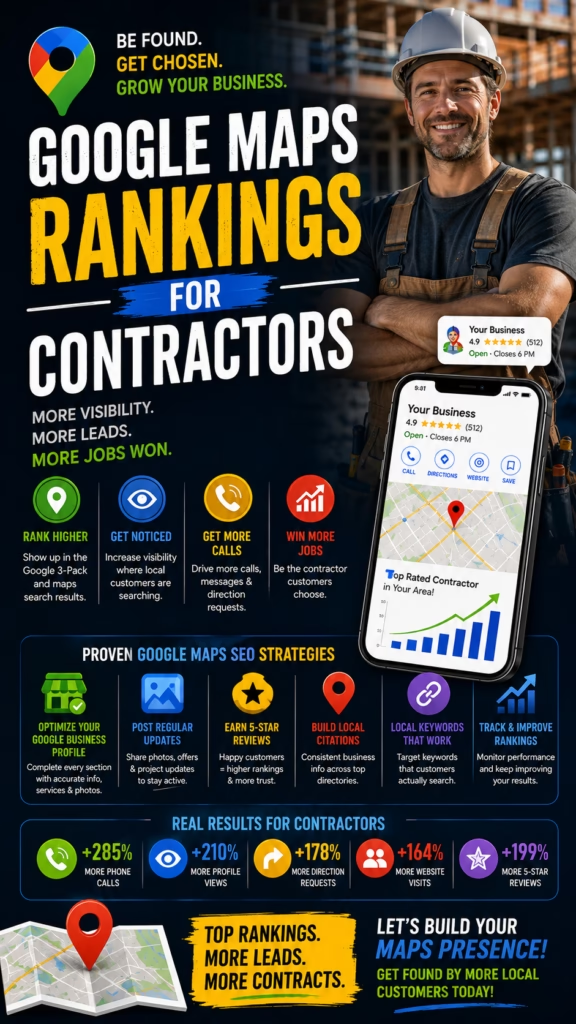
How Google Maps Rankings Influence Customer Calls

ChatGPT Image Apr 18 2026 12 36 49 PM 1
How Google Maps Rankings Influence Customer Calls

How Google Maps Rankings Influence Customer Calls

How Google Maps Rankings Influence Customer Calls explains how stronger Google Maps rankings increase local visibility, improve Google Business Profile performance, and create more customer phone calls by putting a business in front of nearby high-intent searchers more often.

Introduction

How Google Maps Rankings Influence Customer Calls is one of the most practical questions any local business can ask. Most businesses want more calls, but not every business understands how strongly those calls are tied to ranking position in Google Maps. Local search behavior is fast. People often search with immediate need, compare a few businesses quickly, and tap the call button on the option that feels both visible and trustworthy. That means rankings matter not only for visibility, but for call opportunity.

Still, rankings alone do not tell the whole story. A business may rank well and still underperform if the profile feels weak. The reverse is also true. A strong profile that rarely appears misses the chance to be chosen. That is why understanding the relationship between rankings and call volume is so important. Rankings influence who gets seen. Profile quality influences who gets called. The businesses that win usually improve both together.

Google Maps rankings influence customer calls because higher visibility creates more chances to be contacted, especially when the business appears at the exact moment local need is strongest.

This matters across many industries. Painters, plumbers, mattress stores, roofers, HVAC businesses, chiropractors, cleaners, electricians, landscapers, and many other local companies often depend heavily on phone calls from local searchers. If the business rises in Maps visibility and the profile feels strong enough to earn trust, call volume often rises too. If rankings fall, the call opportunities usually shrink.

That is why Maps rankings are not just about SEO vanity. They are directly tied to lead flow. Businesses that improve rankings gain more exposure to nearby searchers. Businesses that pair those rankings with stronger categories, reviews, photos, services, and profile completeness make those impressions much more likely to turn into calls.

Main idea: Google Maps rankings influence customer calls by controlling how often a business is seen in local search and how often high-intent searchers have the chance to choose it first.

Table of Contents

  • 1) Why Google Maps rankings matter for customer calls
  • 2) How rankings influence local search visibility
  • 3) Why higher visibility often leads to more phone calls
  • 4) The role of intent in Maps-driven call behavior
  • 5) Why ranking alone is not enough
  • 6) Categories and ranking relevance
  • 7) Reviews and their effect on call conversion
  • 8) Photos and how they affect call decisions
  • 9) Service details that strengthen the ranking-to-call path
  • 10) Trust signals that increase call confidence
  • 11) Why top-ranking businesses often get disproportionate calls
  • 12) Common mistakes that weaken Maps call performance
  • 13) A practical workflow for improving rankings and calls
  • 14) Why ongoing optimization matters for long-term call growth
  • 15) Final thoughts
  • 16) FAQs
  • 17) Extra keywords

1) Why Google Maps Rankings Matter for Customer Calls

Google Maps rankings matter because local searchers often call the businesses they see first or the businesses that feel strongest among the top results. If a company rarely appears in the most visible part of Maps, it gets fewer opportunities to earn the call. More visibility usually means more profile views, and more profile views create more chances for a phone call to happen.

This is especially true in urgent or practical local searches. Someone looking for help nearby often does not scroll endlessly. They compare a few visible options, decide quickly, and act. That means ranking position influences whether the business is even part of the conversation.

Higher Maps rankings often improve:

  • Local search visibility
  • Profile impressions
  • Brand familiarity in the area
  • Call opportunities
  • Lead flow from high-intent searchers

Customer calls often begin with ranking visibility because businesses usually need to be seen before they can be chosen.

2) How Rankings Influence Local Search Visibility

Google Maps rankings influence local visibility by determining where and how often a business appears for searches related to its services or products. When the profile appears closer to the top of the most relevant results, it naturally receives more attention from nearby searchers. That attention is the first stage in the path toward a call.

Stronger rankings do not guarantee calls, but they increase the number of local people who can evaluate the business. Without visibility, even an excellent profile cannot perform. That is why rankings remain a central part of Maps call strategy.

Search happens
Business appears in Maps
Profile gets noticed
Searcher compares options
Call becomes possible

A business with weak Maps rankings often loses calls before the profile even gets the chance to compete.

3) Why Higher Visibility Often Leads to More Phone Calls

Higher visibility often leads to more calls because it increases exposure to local people with real intent. Google Maps users are frequently looking for a nearby solution they can contact right away. The more often the business appears in that decision window, the more likely it is to receive calls from people ready to act.

This relationship is not complicated. More relevant impressions create more profile interactions. More profile interactions create more opportunities for people to tap the phone number or call button. The key is that the visibility must be relevant and locally aligned with the search.

Google Maps rankings influence calls most strongly when the business is visible for searches tied to immediate local need.

4) The Role of Intent in Maps-Driven Call Behavior

Intent is one of the biggest reasons Google Maps rankings matter so much. Many local searchers using Maps are not just researching. They are actively looking for a business to contact, visit, or hire. That makes visibility inside Maps especially powerful compared with more passive forms of traffic.

A searcher looking for a nearby mattress store, HVAC company, painter, or plumber may be one click away from making a decision. If the business ranks well at that moment, the ranking directly affects whether the call opportunity exists.

Google Maps rankings influence calls more strongly than many other channels because Maps often captures people closer to action.

5) Why Ranking Alone Is Not Enough

Although rankings matter, ranking alone is not enough. A business can appear prominently in Maps and still lose the call if the profile feels weak, incomplete, or less trustworthy than nearby competitors. Searchers compare more than position. They compare reviews, photos, categories, service details, and overall confidence.

That is why Maps call growth is really a two-part system. The ranking creates the opportunity. The profile quality converts the opportunity.

Higher rankings create more chances for customer calls, but profile strength determines how many of those chances become real conversations.

6) Categories and Ranking Relevance

Categories matter because they shape how relevant the listing is to the search in the first place. Strong category selection helps the business appear for the right searches, and it also helps the searcher understand quickly whether the business is a fit. That means categories influence both visibility and call potential.

When the business uses stronger primary and supporting categories, it improves the likelihood of showing up in front of people who are more likely to call. Weak categories may attract the wrong visibility or reduce visibility altogether.

Better categories make Google Maps rankings more valuable by helping the business appear for searches more likely to produce phone calls.

7) Reviews and Their Effect on Call Conversion

Reviews play a major role in how rankings influence calls. A top-ranking listing with poor review strength may still lose attention to a slightly lower listing with stronger credibility. Searchers often use reviews as the deciding factor once a business appears in front of them.

That is why reviews amplify the impact of rankings. Higher visibility plus stronger review trust often produces much better call conversion than visibility alone.

Reviews strengthen the ranking-to-call relationship because they reduce hesitation when the searcher is deciding which visible business feels safest to contact.

8) Photos and How They Affect Call Decisions

Photos affect call decisions because they help the profile feel more real, active, and professional. Searchers often compare several businesses quickly, and visuals help shape which one feels more current or credible. Better photos can reinforce the trust created by ranking position.

For service businesses, photos may show work examples, vehicles, team presence, or real project evidence. For retail businesses, they may show the storefront, products, showroom, or buying environment. In both cases, stronger visuals support stronger call behavior.

Photos help rankings influence more calls because they make the visible business easier to trust at first glance.

9) Service Details That Strengthen the Ranking-to-Call Path

Service details matter because searchers want confirmation that the business handles the exact need they have in mind. When a Maps listing clearly communicates services, specialties, or categories of work, the path from ranking to call becomes much smoother.

Without clear service detail, the searcher may hesitate, open a competitor, or choose a different listing that feels more directly aligned with the problem. Businesses that dominate call volume often remove this uncertainty.

Rankings influence more calls when the profile clearly tells the searcher that the business is relevant to the exact job or need being searched.

10) Trust Signals That Increase Call Confidence

Trust signals make it easier for the searcher to act quickly. Reviews, complete information, strong categories, accurate hours, useful photos, and a professional profile all help reinforce the decision to call. These signals reduce the emotional cost of choosing one visible business over another.

Strong review profile
Accurate business details
Useful service information
Better photos
Clear category fit
Professional profile appearance

Rankings create more calls only when the profile feels trustworthy enough to turn visibility into confidence.

11) Why Top-Ranking Businesses Often Get Disproportionate Calls

Top-ranking businesses often get a disproportionate share of calls because local search behavior is compressed. Many people do not evaluate every option. They focus on the most visible businesses and make decisions quickly. That means even a small ranking improvement can sometimes create a large difference in call volume.

When that top-ranking visibility is combined with stronger reviews and stronger profile quality, the advantage grows even more. The business becomes both easier to notice and easier to trust.

Top Maps rankings often influence customer calls disproportionately because local searchers usually make decisions from a short list, not the full market.

12) Common Mistakes That Weaken Maps Call Performance

Many businesses try to improve rankings but overlook the factors that actually convert rankings into calls. They may have weak photos, thin reviews, incomplete services, poor categories, or outdated information. As a result, the business appears but does not get contacted as often as it could.

Common mistakes include:

  • Focusing only on visibility without improving the profile
  • Using weak or inaccurate categories
  • Ignoring review growth and freshness
  • Using poor or outdated photos
  • Leaving services unclear
  • Failing to keep profile information accurate
  • Treating Maps optimization like a one-time task

Big mistake: assuming that better rankings automatically create more calls when the listing itself is not strong enough to win the customer’s trust.

13) A Practical Workflow for Improving Rankings and Calls

If a business wants to apply How Google Maps Rankings Influence Customer Calls in a practical way, it helps to follow a simple workflow.

Step 1: Improve primary and supporting categories
Step 2: Complete all core business profile details
Step 3: Strengthen reviews and review strategy
Step 4: Add better photos and trust-building visuals
Step 5: Clarify services and relevance
Step 6: Keep hours and contact details accurate
Step 7: Monitor local visibility and call activity
Step 8: Improve both ranking and conversion signals continuously

This works because call growth usually comes from improving both profile visibility and profile strength together.

Businesses get more calls from Google Maps when they strengthen the full ranking-to-conversion path instead of only chasing rank position.

14) Why Ongoing Optimization Matters for Long-Term Call Growth

Ongoing optimization matters because local competition changes and profile strength changes over time. A business that keeps improving categories, reviews, photos, services, and accuracy usually maintains stronger visibility and stronger call conversion than a business that stops updating its profile.

This ongoing attention is one of the reasons some businesses steadily increase Maps call volume while others plateau. Long-term call growth often reflects long-term profile management.

Google Maps rankings influence customer calls most consistently when optimization stays active and the profile keeps getting stronger over time.

15) Final Thoughts

How Google Maps Rankings Influence Customer Calls comes down to one simple truth: local visibility creates call opportunity. When a business ranks better, it appears in front of more nearby searchers with real intent. That increased exposure can directly lead to more customer calls, especially when the profile looks strong enough to earn trust quickly.

The businesses that benefit most from this usually improve more than rank position. They improve categories, reviews, profile details, photos, service clarity, and overall profile strength. That complete approach helps rankings influence calls more powerfully. Instead of just being visible, the business becomes the option local searchers actually feel comfortable contacting first.

Final takeaway: Google Maps rankings influence customer calls by increasing visibility to local high-intent searchers, but the strongest call growth happens when ranking strength is matched with a profile strong enough to convert that visibility into immediate trust and action.

16) FAQs

1) How do Google Maps rankings influence customer calls?

They influence customer calls by increasing how often a business appears in front of nearby searchers ready to act.

2) Why do higher rankings usually lead to more calls?

Because higher visibility puts the business into more local decisions and creates more chances for the call button to be clicked.

3) Can a business rank well and still get weak call volume?

Yes. Weak reviews, weak photos, unclear services, and low trust can limit calls even when rankings are strong.

4) What factors help rankings influence calls more strongly?

Strong categories, better reviews, accurate details, stronger photos, clear services, and overall profile trust help.

5) What is the biggest mistake businesses make?

One of the biggest mistakes is improving rankings without improving the profile’s ability to convert local searchers into calls.

6) Why do Maps rankings matter so much for local businesses?

Because Maps often captures people with stronger local intent who are ready to contact a business quickly.

7) Do categories really affect call volume?

Yes. Better categories improve relevance, which helps the business appear for more call-worthy searches.

8) Why do reviews matter after the ranking is earned?

Because reviews help determine whether the visible business feels safe and proven enough to contact.

9) Do photos really influence call decisions?

Yes. Stronger photos help the business feel more real, current, and trustworthy.

10) How do service details help?

They help by showing the searcher that the business is directly relevant to the need they have in mind.

11) What are trust signals in a Google Maps profile?

Trust signals include reviews, accurate details, useful photos, clear services, strong category fit, and profile completeness.

12) Why is profile completeness important?

Because complete profiles usually feel more dependable and easier to choose.

13) Do top-ranking businesses get more than their fair share of calls?

Often yes, because local searchers usually choose from a small visible group of businesses.

14) What usually weakens Maps call performance?

Weak reviews, poor visuals, inaccurate info, weak categories, unclear services, and stale optimization often weaken it.

15) Is ranking more important than profile quality?

Neither works well alone. Rankings create visibility, and profile quality creates conversion.

16) Can small businesses improve Maps calls without ads?

Yes. Better Google Business Profile optimization can improve call volume without paid ads.

17) What should businesses track?

They should track rankings, profile views, calls, clicks, reviews, and local engagement signals.

18) Is ongoing optimization really necessary?

Yes. Ongoing improvements help rankings and conversion stay strong over time.

19) Why do some visible businesses still get skipped?

Usually because the listing does not look as trustworthy or as complete as the nearby alternatives.

20) Does local intent make Maps more valuable than some other channels?

Yes. Many Maps users are closer to action than general browsing users are.

21) Can review growth improve calls quickly?

Yes. Better reviews often make the listing more persuasive very quickly.

22) Is this more about SEO or conversion?

It is about both, but conversion determines how much business value the rankings actually create.

23) What is the main goal of Maps ranking strategy?

The main goal is to turn stronger local search visibility into more real customer actions, especially calls.

24) Can incomplete listings still rank?

Sometimes yes, but they usually generate fewer calls than stronger profiles do.

25) What is the core principle behind how Maps rankings influence calls?

The core principle is that better local visibility creates more chances to be chosen, and stronger profile trust turns more of those chances into phone calls.

17) Extra Keywords

  1. How Google Maps Rankings Influence Customer Calls
  2. Google Maps rankings
  3. customer calls from Google Maps
  4. Google Business Profile
  5. local SEO
  6. Google Maps marketing
  7. local business calls
  8. Google Maps call volume
  9. Google Maps visibility
  10. Google Maps local intent
  11. Google Maps reviews
  12. Google Maps categories
  13. Google Maps photos
  14. Google Maps trust signals
  15. Google Maps service details
  16. Google Business Profile calls
  17. Google Maps lead generation
  18. Google Maps ranking strategy
  19. Google Maps local conversion
  20. Google Maps business profile optimization
  21. Google Maps phone leads
  22. Google Maps local rankings
  23. Google Maps call conversion
  24. Google Maps small business marketing
  25. Google Maps SEO and calls

© 2026 Your Brand

How Google Maps Rankings Influence Customer Calls Read More Β»

Nextdoor Strategies for Consistent Lead Flow

ChatGPT Image Apr 17 2026 03 31 34 PM
Nextdoor Strategies for Consistent Lead Flow

Nextdoor Strategies for Consistent Lead Flow

Nextdoor Strategies for Consistent Lead Flow explains how local businesses use neighborhood trust, local visibility, stronger business presence, recommendations, and better response systems to create more dependable lead flow from nearby residents.

Introduction

Nextdoor Strategies for Consistent Lead Flow is one of the most practical topics for local businesses that want more steady neighborhood inquiries instead of random bursts of attention. Many businesses can get a few leads from neighborhood platforms, but consistency is the real challenge. A one-time post may create a little interest. A stronger Nextdoor strategy creates repeated local visibility, stronger trust, and a much better chance that nearby residents think of the business when they actually need help.

This matters because lead flow is not just about being seen once. It is about becoming familiar enough, trusted enough, and relevant enough that local people feel comfortable reaching out over time. Nextdoor is especially useful for that because it is built around neighborhoods, local interaction, and community trust. Businesses that fit into that environment well often create warmer leads than they would get from broader platforms with less local context.

Consistent lead flow on Nextdoor comes from repeatable neighborhood trust, not just occasional promotional visibility.

For painters, cleaners, landscapers, movers, handymen, junk removal companies, pest control providers, pet services, local retailers, wellness businesses, and many other community-based companies, Nextdoor can become a strong lead source when used the right way. But the businesses that get steady results usually do more than just post offers. They build a strong presence, stay locally relevant, encourage recommendations, communicate helpfully, and respond fast when inquiries appear.

That is why Nextdoor lead generation is not just about traffic. It is about local familiarity turning into local trust and local trust turning into local action. Businesses that understand this are much more likely to create a flow of inquiries that feels repeatable rather than random.

Main idea: Nextdoor lead flow becomes more consistent when businesses combine stronger neighborhood visibility, better local trust, and better lead handling into one ongoing system.

Table of Contents

  • 1) What consistent lead flow means on Nextdoor
  • 2) Why neighborhood trust matters more than broad promotion
  • 3) How local familiarity creates steadier inquiries
  • 4) Building a stronger business presence on Nextdoor
  • 5) Profile details that support more consistent leads
  • 6) Posting strategies that improve long-term lead flow
  • 7) Recommendations and why they matter for consistency
  • 8) Local relevance and neighborhood connection
  • 9) Calls to action that create more inquiries
  • 10) Fast response and protecting neighborhood leads
  • 11) Follow-up and recovering warm local prospects
  • 12) Common Nextdoor mistakes that weaken lead flow
  • 13) A practical workflow for consistent Nextdoor lead generation
  • 14) Why consistency matters more than occasional activity
  • 15) Final thoughts
  • 16) FAQs
  • 17) Extra keywords

1) What Consistent Lead Flow Means on Nextdoor

Consistent lead flow on Nextdoor means creating a repeatable stream of neighborhood inquiries instead of depending on one successful post once in a while. For local businesses, this usually means more messages, quote requests, service inquiries, and nearby customer conversations arriving with greater regularity.

That kind of consistency is valuable because local businesses need more than spikes. They need dependable attention from nearby people who may become real customers. When lead flow is steady, the business can plan better, respond better, and grow more predictably.

Consistent Nextdoor lead flow often includes:

  • Recurring neighborhood inquiries
  • More predictable local demand
  • Warmer customer conversations
  • Stronger referral and recommendation effects
  • Better long-term neighborhood visibility

On Nextdoor, consistency matters because local trust usually compounds over time instead of appearing all at once.

2) Why Neighborhood Trust Matters More Than Broad Promotion

Neighborhood trust matters because Nextdoor is not built like a general advertising platform. It is built around local conversation, recommendations, and familiarity. That means businesses that sound too promotional often miss the deeper advantage of the platform. People are not only looking for offers. They are looking for businesses that feel known, safe, and locally credible.

That is why broad promotional energy often performs worse than neighborhood relevance and helpfulness. The strongest businesses on Nextdoor usually sound like part of the community, not like outsiders pushing a sale.

Businesses generate steadier Nextdoor leads when they earn neighborhood trust instead of relying on one-off promotional pushes.

3) How Local Familiarity Creates Steadier Inquiries

Local familiarity is one of the biggest drivers of consistent lead flow. A resident may not contact the business the first time they see it. But if they notice the name again later, see a recommendation, or recognize it in a local context, the business starts to feel more familiar. That familiarity lowers hesitation when the person eventually needs the service or product.

Seen by neighbors
Recognized again later
Associated with trust
Remembered when a need appears
Contacted more easily

That is why Nextdoor can create steadier results over time. It helps local businesses stay in the neighborhood memory, not just the neighborhood feed.

Without local familiarity, lead generation on Nextdoor often stays sporadic instead of becoming dependable.

4) Building a Stronger Business Presence on Nextdoor

A stronger business presence is the foundation of steadier lead flow. Residents want to know who the business is, what it does, where it operates, and why it deserves trust. If the presence feels weak or incomplete, local visibility has a harder time turning into action.

A strong presence makes the business feel like a real part of the local market. It tells the resident that this is not just another random name in the feed. It is an actual neighborhood option worth remembering.

Lead flow improves when the business presence feels complete, credible, and closely connected to the surrounding area.

5) Profile Details That Support More Consistent Leads

Profile details matter because they help residents quickly understand whether the business is relevant and trustworthy. A better profile supports both visibility and conversion. It makes the business easier to discover and easier to contact when a local need appears.

Strong profile details usually include:

  1. A clear business name
  2. A useful description of services or products
  3. Specific local service area relevance
  4. Reliable contact information
  5. Professional imagery or recognizable branding
  6. Clear indication of what makes the business useful locally

Businesses get steadier Nextdoor leads when their profile reduces uncertainty and makes local decision-making easier.

6) Posting Strategies That Improve Long-Term Lead Flow

Posting helps create lead flow when it supports neighborhood visibility in a way that feels natural. Helpful, relevant, and local posts usually create more durable value than overly promotional content. The goal is not to post constantly. The goal is to stay visible in a way that builds trust and keeps the business top of mind.

That may include local updates, simple reminders, useful seasonal information, community-relevant service mentions, or clear business availability when appropriate. The tone should match the platform. It should feel neighbor-aware rather than ad-heavy.

Consistent Nextdoor lead flow improves when posting feels useful and local enough to strengthen familiarity instead of exhausting attention.

7) Recommendations and Why They Matter for Consistency

Recommendations are one of the strongest drivers of steady lead flow because they turn neighborhood awareness into neighborhood validation. A resident may notice a business more than once, but a recommendation often gives them the confidence to actually reach out. That social proof is especially powerful on a neighborhood platform.

Recommendations do not just help one lead at a time. They support consistency because they keep improving how the business is perceived by future residents who discover it.

Businesses often get more consistent Nextdoor leads when recommendations reinforce trust every time a new local prospect sees the business.

8) Local Relevance and Neighborhood Connection

Local relevance matters because people on Nextdoor care about what is nearby, practical, and familiar to their area. Businesses that feel connected to neighborhood needs are more likely to stay visible in a meaningful way and more likely to earn the kind of trust that leads to contact.

This local connection may come through service-area clarity, neighborhood language, understanding of local timing, or the way the business participates in community-related conversations. These elements help the business feel like a genuine local option rather than a generic advertiser.

Steady lead flow grows faster when the business feels woven into neighborhood life instead of merely advertised to it.

9) Calls to Action That Create More Inquiries

Even on a trust-based platform, residents still need a clear next step. A strong call to action helps convert neighborhood familiarity into actual inquiries. It should feel natural and low-pressure while still making the invitation to contact clear.

Examples:

Message us if you need help this week.
Reach out for local availability.
Contact us for a quick quote.
Send a message if you want more details.

These work because they make the next step easy without feeling overly promotional.

Nextdoor lead flow becomes more consistent when businesses make it simple for nearby residents to move from recognition into contact.

10) Fast Response and Protecting Neighborhood Leads

When a resident reaches out, speed matters. Even on a trust-based platform like Nextdoor, a slow response can weaken momentum and send the lead somewhere else. A fast reply confirms that the business is present, organized, and ready to help.

Thanks for reaching out.
Yes, we serve your area.
Would you like a quick quote or availability details?

Thanks for your message.
We can help with that.
Send a few details and we can guide you to the next step.

These kinds of replies work because they are clear, respectful, and easy to continue.

Consistent lead flow becomes much more valuable when businesses respond quickly enough to convert neighborhood interest into real conversations.

11) Follow-Up and Recovering Warm Local Prospects

Not every warm local prospect acts immediately. Some compare options. Some get distracted. Some intend to reply later. That is why follow-up matters. It helps the business recover value from the trust and visibility it already earned.

Follow-up can help:

  • Reconnect with warm prospects
  • Restart paused neighborhood conversations
  • Clarify unanswered questions
  • Improve conversion from existing local attention

Steadier Nextdoor lead flow comes not only from earning more neighborhood attention, but also from saving more of the opportunities already created.

12) Common Nextdoor Mistakes That Weaken Lead Flow

Many businesses weaken their own lead flow by using the platform the wrong way. They may sound too promotional, build a weak profile, ignore neighborhood tone, fail to encourage recommendations, or respond too slowly when leads appear. These issues often make the platform seem weaker than it really is.

Common mistakes include:

  • Treating Nextdoor like a generic ad board
  • Using weak or incomplete business profiles
  • Posting with no local relevance
  • Ignoring recommendations and trust-building
  • Using no clear call to action
  • Responding too slowly
  • Failing to stay consistently visible over time

Big mistake: expecting steady Nextdoor leads without building the steady neighborhood trust that makes people want to contact the business in the first place.

13) A Practical Workflow for Consistent Nextdoor Lead Generation

If a business wants to apply Nextdoor Strategies for Consistent Lead Flow in a practical way, it helps to follow a simple workflow.

Step 1: Build a complete and trustworthy local business presence
Step 2: Clarify services, local relevance, and neighborhood fit
Step 3: Use helpful neighborhood-friendly posting
Step 4: Encourage and strengthen recommendations
Step 5: Add clear calls to action
Step 6: Respond quickly to every serious inquiry
Step 7: Follow up with warm local prospects
Step 8: Stay consistently visible over time

This works because consistent lead flow usually comes from consistent local trust-building, not isolated bursts of activity.

Businesses create steadier Nextdoor lead flow when they treat neighborhood trust as a system they maintain, not a result they hope for occasionally.

14) Why Consistency Matters More Than Occasional Activity

Consistency matters because local trust compounds. A resident may not act the first time they see the business, but repeated, positive, local visibility makes future action more likely. Occasional activity may create a few short-term leads. Consistency creates a stronger long-term pipeline.

This is one of the biggest differences between random success and dependable growth on Nextdoor. Businesses that stay present in a helpful, relevant, trustworthy way often become the business people remember first when the need finally appears.

On Nextdoor, consistent visibility plus trust usually produces better long-term lead flow than occasional high-promotion bursts.

15) Final Thoughts

Nextdoor Strategies for Consistent Lead Flow comes down to one central principle: steady local leads come from steady local trust. Nextdoor is powerful for neighborhood-based businesses because it creates the kind of environment where familiarity, recommendations, and community relevance actually matter. Businesses that understand that can turn the platform into a much more dependable lead source.

The businesses that usually win on Nextdoor do not just post harder. They build stronger profiles, stay locally relevant, participate helpfully, encourage recommendations, invite action clearly, respond fast, and follow up well. Together, those actions make the business easier to remember, easier to trust, and easier to contact. That is what creates lead flow that feels more consistent instead of random.

Final takeaway: Nextdoor strategies create more consistent lead flow when the business combines local visibility, neighborhood trust, helpful presence, and strong inquiry handling into one repeatable system.

16) FAQs

1) What are Nextdoor strategies for consistent lead flow?

They are the methods businesses use to create steady neighborhood visibility, trust, recommendations, and inquiries over time.

2) Why is Nextdoor good for consistent lead flow?

Because it is built around neighborhoods and local trust, which helps create more repeatable local visibility and warmer inquiries.

3) How do businesses get consistent leads from Nextdoor?

They do it by building strong profiles, posting helpfully, encouraging recommendations, staying locally relevant, and responding quickly.

4) What types of businesses can generate leads on Nextdoor?

Home services, local retailers, cleaners, landscapers, painters, movers, handymen, pest control providers, pet services, and many others.

5) What is the biggest mistake businesses make?

One of the biggest mistakes is treating Nextdoor like a generic ad platform instead of a neighborhood trust platform.

6) Does local trust really matter that much?

Yes. Local trust is one of the biggest reasons residents choose one nearby business over another.

7) Why does familiarity matter?

Because repeated local visibility makes the business easier to remember and easier to trust later.

8) Do profile details affect lead flow?

Yes. Strong profile details reduce uncertainty and help residents understand the business more quickly.

9) What kind of posting works best on Nextdoor?

Posting that feels local, helpful, relevant, and neighbor-friendly usually works best.

10) Why are recommendations so important?

Because they turn neighborhood awareness into neighborhood validation and make contact feel safer.

11) Does local relevance improve consistency?

Yes. Businesses that feel more tied to the neighborhood often generate steadier inquiries.

12) Should businesses still use calls to action?

Yes. Clear but natural calls to action help residents know exactly how to move forward.

13) Does fast response really matter on Nextdoor?

Yes. Fast replies help protect neighborhood leads before interest fades.

14) Why is follow-up important?

Because many warm local prospects pause or compare options, and follow-up helps recover them.

15) Is occasional posting enough for steady lead flow?

No. Occasional activity may help a little, but steady lead flow usually requires stronger consistency.

16) What weakens Nextdoor lead flow?

Weak profiles, over-promotion, no local relevance, few recommendations, slow replies, and no follow-up weaken it.

17) Can smaller businesses compete well on Nextdoor?

Yes. Smaller businesses often do well when they feel more local, more responsive, and more trustworthy.

18) What should businesses track?

They should track inquiries, response speed, recommendations, profile engagement, and lead outcomes.

19) Is consistency more important than volume?

Usually yes. Helpful, steady visibility often works better than random bursts of high activity.

20) Why do some businesses get seen but not contacted?

Usually because the visibility is not supported by enough trust, relevance, or a clear next step.

21) Can one good recommendation really help future leads?

Yes. Recommendations often improve trust for many future neighborhood prospects.

22) Is Nextdoor more about relationships or traffic?

It is about both, but relationships and trust often determine how much value the traffic creates.

23) What is the main goal of Nextdoor lead strategy?

The main goal is to turn neighborhood visibility into more dependable local inquiries and customers.

24) What mindset works best on Nextdoor?

The best mindset is to be locally relevant, trustworthy, helpful, responsive, and consistent.

25) What is the core principle behind consistent Nextdoor lead flow?

The core principle is that steady neighborhood trust creates steadier neighborhood leads.

17) Extra Keywords

  1. Nextdoor Strategies for Consistent Lead Flow
  2. Nextdoor lead flow
  3. Nextdoor marketing
  4. Nextdoor local leads
  5. neighborhood marketing
  6. Nextdoor recommendations
  7. local business visibility
  8. Nextdoor neighborhood leads
  9. Nextdoor trust strategy
  10. Nextdoor business profile
  11. Nextdoor local visibility
  12. Nextdoor lead generation
  13. Nextdoor community trust
  14. Nextdoor neighborhood marketing
  15. Nextdoor response strategy
  16. Nextdoor local inquiries
  17. Nextdoor warm leads
  18. Nextdoor profile optimization
  19. Nextdoor local business growth
  20. Nextdoor lead consistency
  21. Nextdoor helpful posting strategy
  22. Nextdoor small business leads
  23. Nextdoor neighborhood visibility
  24. Nextdoor lead workflow
  25. Nextdoor consistent local leads

© 2026 Your Brand

Nextdoor Strategies for Consistent Lead Flow Read More Β»

How Businesses Dominate Local Searches on Google Maps

ChatGPT Image Apr 16 2026 12 51 19 PM
How Businesses Dominate Local Searches on Google Maps

How Businesses Dominate Local Searches on Google Maps

How Businesses Dominate Local Searches on Google Maps explains how local businesses improve Google Maps visibility, strengthen Google Business Profile performance, and turn stronger local search presence into more calls, more clicks, and more customer opportunities.

Introduction

How Businesses Dominate Local Searches on Google Maps is one of the most practical questions any local business can ask. Many companies want more visibility, more calls, and more leads from local search, but only a smaller group actually rises to the top of Google Maps results in a consistent way. The difference usually is not luck. It comes from stronger local optimization, better trust-building signals, clearer relevance, and a business profile that feels more complete and more convincing than the nearby alternatives.

Google Maps matters because local search is often immediate. A person searching on Maps is not always browsing casually. They may be ready to call a business, visit a location, request directions, compare reviews, or make a decision quickly. That makes Google Maps different from many other marketing channels. When a business dominates local Maps searches, it often captures stronger intent and shorter paths to customer action.

Businesses dominate local Google Maps searches when they make their profile more relevant, more trusted, and easier to choose than the competing listings nearby.

This matters across many industries. Painters, roofers, mattress stores, HVAC companies, chiropractors, plumbers, cleaners, landscapers, pet services, restaurants, wellness brands, and many other local businesses can all benefit from stronger Maps performance. The businesses that win often do the same broad things well. They pick better categories. They build stronger reviews. They improve profile completeness. They use better photos. They clarify services. They stay accurate. And they build the kind of local trust that makes searchers feel comfortable clicking or calling right away.

That is why dominating Maps searches is not just about rankings. It is about ranking well and converting well. A business that appears but feels weak may still lose. A business that appears and feels like the best local choice has a much stronger chance of turning visibility into real customer action.

Main idea: Businesses dominate local searches on Google Maps when they combine stronger relevance, stronger trust, stronger profile quality, and stronger conversion signals into one complete local search strategy.

Table of Contents

  • 1) What it really means to dominate local Google Maps searches
  • 2) Why Google Maps is so important for local business growth
  • 3) How Google Maps rankings and conversions work together
  • 4) Categories that strengthen local search dominance
  • 5) Business information that improves Maps authority
  • 6) Reviews and why they influence local search power
  • 7) Photos that strengthen Maps performance
  • 8) Service details and relevance signals
  • 9) Trust signals that help businesses win the click
  • 10) Local relevance and proximity-based search intent
  • 11) Why listing completeness matters so much
  • 12) Common mistakes that stop businesses from dominating Google Maps
  • 13) A practical workflow for dominating local Maps searches
  • 14) Why ongoing optimization matters more than one-time setup
  • 15) Final thoughts
  • 16) FAQs
  • 17) Extra keywords

1) What It Really Means to Dominate Local Google Maps Searches

Dominating local Google Maps searches means more than showing up once in a while. It means appearing consistently for the right local searches, looking strong when the searcher sees the profile, and converting that visibility into action. Real domination is not only about rank position. It is about becoming one of the most relevant and trusted local options in the searcher’s mind.

That is important because a business can technically appear in Maps and still underperform. If the listing feels incomplete, weak, or less credible than nearby alternatives, the visibility does not create much value. Strong Maps dominance happens when the listing earns attention and wins confidence at the same time.

Local Google Maps dominance usually means:

  • Stronger visibility in relevant local searches
  • Better profile trust and credibility
  • More calls, clicks, and directions
  • Higher local conversion from search traffic
  • More consistent customer demand from Maps

To dominate local Maps searches, a business must win both relevance and trust, not just rank position alone.

2) Why Google Maps Is So Important for Local Business Growth

Google Maps is important because it often captures people at the exact moment of local need. Someone looking for a nearby service or store on Maps is often closer to action than someone browsing general search results. That makes Maps one of the strongest places for local businesses to earn calls, visits, and real lead intent.

For many businesses, Google Maps is not just a support channel. It is one of the front doors to the company. If that front door is stronger than the local competition, the business can capture a meaningful share of local demand.

Businesses grow faster locally when they treat Google Maps like a direct revenue channel, not just a profile that happens to exist online.

3) How Google Maps Rankings and Conversions Work Together

Ranking matters because the business needs to be seen. Conversion matters because being seen is not enough. The strongest Google Maps businesses understand that both have to work together. A listing that ranks but feels weak may still get skipped. A listing that looks strong but rarely appears also misses opportunity.

Appear in local search
Get noticed among nearby options
Build trust through the profile
Encourage the searcher to call, click, or visit

This is why Google Maps domination is a combination of visibility and profile strength. The best results come when businesses improve both sides of that equation.

Local search dominance breaks down when businesses focus only on ranking but ignore the profile quality that turns rankings into real customer action.

4) Categories That Strengthen Local Search Dominance

Categories help Google understand what the business is and when it should appear. They also shape how relevant the listing feels to local searchers. Strong category selection improves the chance that the business shows up for the right searches and that the searcher immediately understands the fit.

When categories are weak or inaccurate, the listing often loses both relevance and confidence. A stronger category strategy supports domination because it aligns the profile with high-value local intent.

Businesses dominate Maps more easily when the profile categories match the real local searches they want to win.

5) Business Information That Improves Maps Authority

Accurate and complete business information helps a profile feel authoritative. Searchers want to know the basics without uncertainty. Google also favors profiles that are more complete and useful. That means business name, phone number, hours, address or service area, website, and profile description all play important roles.

Strong profile information usually includes:

  1. Correct business name
  2. Reliable phone number
  3. Accurate hours
  4. Clear address or service area
  5. Useful website and business description
  6. Consistent local details everywhere they matter

Maps authority improves when the profile feels complete, dependable, and easy for both Google and searchers to trust.

6) Reviews and Why They Influence Local Search Power

Reviews are one of the strongest trust and conversion signals on Google Maps. Searchers use them quickly to judge whether a business feels proven and reliable. Stronger review volume, stronger sentiment, and fresher local feedback all make the listing more persuasive and often help it compete more effectively.

Reviews do more than improve appearances. They help reduce risk in the searcher’s mind. When the person sees that others nearby trusted the business, the next step feels easier.

Businesses dominate Maps more effectively when reviews support both local trust and local decision-making at the exact moment the search happens.

7) Photos That Strengthen Maps Performance

Photos matter because they make the profile feel real and current. Searchers often compare multiple listings quickly, and visuals help shape whether a business feels more professional, more active, and more worth contacting. Better photos also help reinforce the kind of quality the business wants local customers to associate with the brand.

For service businesses, photos may show work quality, team presence, or real project examples. For retailers, they may show the storefront, products, interior, or shopping environment. In both cases, stronger visuals support stronger conversion from Maps visibility.

Businesses dominate local Maps searches more easily when the profile visually reinforces trust instead of leaving the searcher with uncertainty.

8) Service Details and Relevance Signals

Service details matter because local searchers want quick confidence that the business handles the need they have in mind. A listing that clearly communicates relevant services, specialties, or types of work makes the profile more useful. That clarity often improves both visibility and conversion.

When service details are weak or missing, the searcher may hesitate or choose a competitor whose listing feels more directly aligned with the problem. Businesses that dominate Maps usually reduce that uncertainty.

Google Maps performance gets stronger when the business clearly signals the exact services that local searchers are looking for.

9) Trust Signals That Help Businesses Win the Click

Trust signals are what make the searcher feel that the business is the safe local choice. Reviews, complete business details, photo quality, active profile management, service clarity, and professional presentation all contribute to that feeling. On Google Maps, trust usually works very fast. The searcher scans a few details and decides.

That is why trust signals are so powerful in local domination. The strongest businesses do not merely appear. They look more dependable than the alternatives.

Strong reviews
Complete business details
Relevant services
Better visuals
Accurate hours
Clear category fit

Businesses often lose local Maps dominance not because they are invisible, but because their profile is less convincing than nearby competitors.

10) Local Relevance and Proximity-Based Search Intent

Local relevance matters because Google Maps is built around location and intent. Businesses that dominate local search usually do a better job of matching both. They are relevant to the keyword, relevant to the searcher’s need, and relevant to the local area being searched.

This relevance can be strengthened through categories, service areas, business details, review signals, and clarity about what the business actually does. The stronger the local match, the more likely the business is to appear and to win the action once it appears.

Maps domination becomes more realistic when the business aligns strongly with both the place and the purpose behind the local search.

11) Why Listing Completeness Matters So Much

Listing completeness matters because incomplete profiles create doubt. Both Google and the searcher benefit from more complete information. A fully built profile feels more active, more cared for, and more useful. Those qualities support stronger local performance over time.

Businesses that dominate Maps usually do not leave important parts of the profile empty. They treat completeness like part of the optimization strategy, not an optional extra.

Complete listings dominate local search more effectively because they remove friction from both discovery and decision-making.

12) Common Mistakes That Stop Businesses From Dominating Google Maps

Many businesses fail to dominate local Maps results because they stop after basic setup. The categories may be weak, the review strategy may be thin, the photos may be poor, and the services may be unclear. The business appears in Maps, but the listing does not feel strong enough to outperform better-managed competitors.

Common mistakes include:

  • Choosing weak or inaccurate categories
  • Leaving the profile incomplete
  • Building a weak review presence
  • Using poor or outdated photos
  • Failing to clarify services
  • Ignoring listing consistency
  • Treating Maps like a setup task instead of an optimization asset

Big mistake: thinking Google Maps dominance comes from having a profile at all instead of from building a stronger profile than nearby competitors.

13) A Practical Workflow for Dominating Local Maps Searches

If a business wants to apply How Businesses Dominate Local Searches on Google Maps in a practical way, it helps to follow a repeatable optimization workflow.

Step 1: Choose the strongest primary and supporting categories
Step 2: Complete every core business detail
Step 3: Improve reviews and customer feedback strategy
Step 4: Add stronger photos and visual trust signals
Step 5: Clarify services and local relevance
Step 6: Keep hours and contact details accurate
Step 7: Review profile strength regularly
Step 8: Continue improving trust and conversion signals over time

This workflow works because local Maps dominance is built through consistent profile strength, not one-time setup.

Businesses dominate local Maps searches more effectively when optimization becomes a repeatable habit instead of a single project.

14) Why Ongoing Optimization Matters More Than One-Time Setup

Ongoing optimization matters because local competition changes, customer behavior changes, and profile strength changes over time. A business that improves reviews, updates photos, maintains accuracy, and keeps services clear usually becomes more competitive than a business that set up the profile once and stopped paying attention.

That is one of the main reasons some businesses slowly dominate their market on Maps while others fade. The dominant businesses continue earning trust signals and strengthening their profile as a living local asset.

Maps dominance grows more reliably when the business keeps strengthening the profile over time instead of assuming one setup will stay competitive forever.

15) Final Thoughts

How Businesses Dominate Local Searches on Google Maps comes down to one central idea: local search is won by the businesses that look most relevant and most trusted in the moments that matter. A stronger Google Business Profile makes that happen. It helps the business appear more often, feel safer to choose, and convert more local searchers when they are ready to act.

The businesses that dominate Google Maps usually do not rely on one shortcut. They improve categories, reviews, photos, services, completeness, local relevance, and trust all together. That complete approach is what makes the profile stronger than nearby alternatives. Once that happens consistently, local search visibility becomes much more powerful and much more profitable.

Final takeaway: Businesses dominate local Google Maps searches when they make their profile the most relevant, complete, and trusted local option for the searches they want to win.

16) FAQs

1) How do businesses dominate local searches on Google Maps?

They do it by improving relevance, trust, completeness, reviews, photos, categories, and local profile strength over time.

2) Why is Google Maps so important for local search dominance?

Because many local searchers use Maps with strong intent and are often ready to call, visit, or hire quickly.

3) What makes one Google Maps listing outrank another?

Usually stronger relevance, stronger trust signals, better reviews, better optimization, and a more complete profile.

4) Can small businesses dominate Maps without paid ads?

Yes. Better Google Business Profile optimization can create strong local Maps results without paid ads.

5) What is the biggest mistake businesses make with Maps SEO?

One of the biggest mistakes is treating the profile like a one-time setup instead of an ongoing optimization asset.

6) Do categories matter that much?

Yes. Categories strongly influence both relevance and the type of searches the business can compete in.

7) Why do reviews matter so much?

Because they build trust and help local searchers feel more comfortable choosing the business.

8) Do photos really affect Maps performance?

Yes. Better photos help the profile feel more real, active, and trustworthy.

9) How do service details help local domination?

They help by making the business more clearly relevant to the searcher’s actual need.

10) What are trust signals on Google Maps?

Trust signals include reviews, complete details, clear services, better visuals, accurate hours, and strong profile quality.

11) Why does local relevance matter so much?

Because Google Maps is built around proximity, intent, and local usefulness.

12) Is listing completeness really important?

Yes. Complete listings usually feel more authoritative and easier to choose.

13) Can businesses rank and still fail to dominate?

Yes. A ranking that does not convert well is not true local domination.

14) What usually stops businesses from dominating Maps?

Weak categories, incomplete profiles, weak reviews, outdated photos, unclear services, and inconsistent optimization usually stop them.

15) Do service businesses benefit more than retailers?

Both can benefit, but service businesses often rely especially heavily on local Maps visibility and calls.

16) What should businesses track?

They should track visibility, calls, clicks, direction requests, reviews, and profile engagement.

17) Is ongoing optimization necessary?

Yes. Ongoing improvements help the business stay competitive and strengthen over time.

18) Can better reviews improve Maps dominance quickly?

Yes. Better reviews often improve trust and strengthen local conversion quickly.

19) Why do some visible businesses still get skipped?

Usually because the profile does not feel as strong or as trustworthy as nearby alternatives.

20) Should businesses update photos regularly?

Yes. Updated photos help the business feel more current and credible.

21) Is Maps dominance more about rankings or conversions?

It is about both, but conversions determine how much business value the rankings create.

22) Can incomplete listings still show up?

Sometimes yes, but they usually perform worse than stronger, more complete listings.

23) What is the main goal of dominating Maps?

The main goal is to turn stronger local visibility into more real customer actions and business growth.

24) Does profile quality matter more over time?

Yes. Over time, stronger profiles tend to separate from weaker ones more clearly.

25) What is the core principle behind dominating local Google Maps searches?

The core principle is that better relevance plus stronger trust plus stronger profile quality creates stronger local search dominance.

17) Extra Keywords

  1. How Businesses Dominate Local Searches on Google Maps
  2. dominate Google Maps
  3. Google Maps local SEO
  4. Google Business Profile optimization
  5. local search rankings
  6. Google Maps marketing
  7. local business visibility
  8. Google Maps SEO strategy
  9. Google Maps dominance
  10. Google Business Profile rankings
  11. Google Maps reviews
  12. Google Maps categories
  13. Google Maps photos
  14. Google Maps trust signals
  15. Google Maps service relevance
  16. Google Maps local conversion
  17. Google Maps business growth
  18. Google Maps profile optimization
  19. Google Maps local leads
  20. Google Maps business calls
  21. Google Maps ranking tips
  22. Google Maps local visibility strategy
  23. Google Business Profile local SEO
  24. Google Maps optimization workflow
  25. Google Maps search domination

© 2026 Your Brand

How Businesses Dominate Local Searches on Google Maps Read More Β»

OfferUp Marketing Systems That Scale

ChatGPT Image Apr 15 2026 02 57 22 PM
OfferUp Marketing Systems That Scale

OfferUp Marketing Systems That Scale

OfferUp Marketing Systems That Scale explains how businesses create repeatable OfferUp workflows using stronger listings, local trust, response systems, and better lead handling so marketplace visibility can grow into more predictable customer acquisition.

Introduction

OfferUp Marketing Systems That Scale is one of the most useful topics for businesses that want more than occasional marketplace success. Many companies can create a few listings, get some messages, and close a few deals. The bigger challenge is repeatability. A business does not truly scale on OfferUp just because one listing performs well once. It scales when there is a system behind the listing quality, the posting consistency, the response speed, and the follow-up process. That system is what turns random marketplace wins into dependable lead generation.

This matters because growth usually breaks down where systems are weak. A business may post more often, but if the titles are weak, the photos are inconsistent, the descriptions are vague, and the inbox is handled slowly, more activity does not create better results. It simply creates more scattered attention. Scalable marketing on OfferUp requires the opposite. It requires a listing framework that stays strong even as volume increases, and a lead-handling process that keeps up as more inquiries come in.

OfferUp marketing systems scale when businesses build repeatable quality, not just repeatable posting.

For mattress stores, furniture sellers, appliance businesses, home goods retailers, wellness brands, electronics sellers, and certain service businesses, OfferUp can become a strong source of local leads. But scaling that channel means treating it like a real business system. That includes identifying which listings attract the right buyers, creating consistent trust-building presentation, maintaining local relevance, and responding fast enough to convert interest before it fades.

Scalable systems help because they make the business less dependent on guessing. Instead of reinventing every listing, the company works from stronger templates. Instead of reacting slowly to messages, it uses a clearer first-response process. Instead of losing warm leads, it follows up more consistently. This is what makes OfferUp more predictable and more useful as a real growth channel.

Main idea: OfferUp marketing systems scale when businesses create repeatable listing quality, repeatable trust, and repeatable lead handling across the full buyer journey.

Table of Contents

  • 1) What a scalable OfferUp marketing system actually is
  • 2) Why random posting does not scale well
  • 3) The core stages of a scalable OfferUp system
  • 4) Listing frameworks that improve repeatability
  • 5) Titles that scale without losing quality
  • 6) Photo systems that support consistent trust
  • 7) Description systems that save time and improve conversion
  • 8) Pricing and value frameworks for scalable listing performance
  • 9) Trust signals that should appear in every listing
  • 10) Local relevance and scaling across nearby demand
  • 11) Response systems that protect more leads
  • 12) Follow-up systems that recover more value
  • 13) Common scaling mistakes businesses make on OfferUp
  • 14) A practical workflow for building OfferUp systems that scale
  • 15) Final thoughts
  • 16) FAQs
  • 17) Extra keywords

1) What a Scalable OfferUp Marketing System Actually Is

A scalable OfferUp marketing system is a repeatable process that helps a business create strong listings, attract the right local buyers, respond efficiently, and convert marketplace attention into customers without relying on guesswork every time. It is not one great listing. It is a structured way of producing many good listings and handling the resulting lead flow well.

That system usually includes listing templates, title structures, photo standards, response workflows, and follow-up habits. The point is to make quality easier to repeat as activity increases.

A scalable OfferUp system often includes:

  • Repeatable listing structure
  • Consistent visual standards
  • Reliable pricing and value framing
  • Fast message response process
  • Simple follow-up workflow

Scalability begins when the business can create strong OfferUp performance on purpose instead of by accident.

2) Why Random Posting Does Not Scale Well

Random posting does not scale because it creates inconsistent quality. One listing may perform well while another fails, and the business has no clear reason why. As posting volume increases, the lack of structure becomes even more expensive. Weak titles, low-quality photos, vague descriptions, and slow lead handling create more waste with every additional listing.

This is one reason businesses often get stuck. They try to scale by increasing activity first, but the foundation is too weak. A system solves that by improving the quality of each step before more volume is added.

Posting more without stronger systems usually creates more inconsistency, not more growth.

3) The Core Stages of a Scalable OfferUp System

A scalable OfferUp marketing system usually moves through a few practical stages. First, the business creates a listing framework. Then it strengthens the first impression through titles and photos. After that, it improves trust and clarity inside the description and pricing. Once leads arrive, it uses fast replies and follow-up to improve conversion. Each stage supports the next.

Create repeatable listing framework
Improve title and image quality
Strengthen trust and clarity
Generate more inquiries
Respond quickly
Follow up and convert more leads

If one stage is weak, scaling the others will not create the full result the business wants.

4) Listing Frameworks That Improve Repeatability

Listing frameworks help businesses scale because they reduce decision fatigue and improve quality control. Instead of building each post from scratch, the business works from a proven structure that already supports better performance. That does not mean every listing must look identical. It means the strongest parts of good listings become standard.

A strong listing framework usually includes:

  1. A clear title format
  2. A consistent photo order
  3. A simple description template
  4. Standard value points
  5. A clear next-step invitation

Frameworks make scaling easier because they turn quality into a repeatable habit instead of a one-time effort.

5) Titles That Scale Without Losing Quality

Titles matter because they influence whether the right buyer opens the listing at all. A business that wants to scale on OfferUp needs a title structure that can be reused across many listings without becoming generic or weak. Strong titles usually combine the item or service with a useful detail and a practical buyer hook.

Examples:

  • Queen Mattress Set – Local Delivery Available
  • Sectional Sofa – Great Condition and Ready This Week
  • Dining Table Set – Solid Wood and Seats Six
  • Adjustable Bed Base – Excellent Condition
  • Wellness Device – Local Pickup Available

When businesses standardize strong title patterns, they make it easier to keep quality high even at larger posting volume.

Titles scale well when the business reuses a strong structure without letting the listing become vague or repetitive.

6) Photo Systems That Support Consistent Trust

Photos are one of the strongest trust-building elements in any OfferUp listing, which means they need to be part of the system too. A scalable photo system helps businesses show products consistently, clearly, and credibly. That keeps trust higher as listing volume grows.

A good photo system may include the same types of images in the same order for most listings. For example, the first image may show the main appeal, the second may show another angle, the third may show condition details, and so on. That consistency helps listings feel more professional and easier to trust.

Photo systems improve scalable marketing because trust becomes more repeatable when visual quality stops depending on random effort.

7) Description Systems That Save Time and Improve Conversion

A scalable description system helps businesses write faster without sacrificing clarity. Instead of guessing what to include every time, the business uses a reliable pattern that covers the details most buyers need. This saves time and improves conversion because the best information appears more consistently.

A useful description system often includes:

  1. A short summary line
  2. Main item or service details
  3. Condition or feature notes
  4. Local pickup or delivery information
  5. A direct call to action

Descriptions that follow a strong system reduce confusion and help the buyer feel more comfortable messaging.

Description systems help OfferUp scale because they make clarity easier to repeat and easier to improve over time.

8) Pricing and Value Frameworks for Scalable Listing Performance

Pricing needs a framework too because inconsistent value presentation weakens trust and makes performance harder to predict. A scalable OfferUp system should help the business present price and value in a way that stays believable, clear, and aligned with the offer across many listings.

That may mean consistently showing delivery value, bundle logic, condition-based pricing, or convenience-based justification. The point is not just to set a number. It is to make that number make sense quickly to the local buyer.

Pricing systems help scale performance because buyers respond better when value is explained consistently instead of randomly.

9) Trust Signals That Should Appear in Every Listing

Trust signals are especially important in scalable systems because they protect performance as volume increases. If every listing includes the same trust-building elements, the business makes credibility more repeatable. Those signals may include real photos, clear wording, useful details, local relevance, and a professional tone.

Trust should not depend on whether one person happened to write a better listing that day. It should be designed into the system.

Real photos
Clear title
Useful details
Believable value
Local context
Simple next step

Businesses scale better on OfferUp when trust is built into every listing by default instead of added occasionally.

10) Local Relevance and Scaling Across Nearby Demand

Local relevance helps scalable OfferUp systems because the platform is built around nearby action. Businesses that want to scale should not only create more listings. They should create more listings that feel practical and local to the people seeing them. That means using pickup, delivery, timing, or city-based details that make the offer feel easy to act on.

Local scaling works when the business keeps that practical relevance high across all listings rather than becoming generic as posting volume increases.

Scalable OfferUp growth is stronger when the business expands repeatable local relevance, not just repeatable posting.

11) Response Systems That Protect More Leads

As inquiry volume increases, response systems become even more important. A business may generate more leads, but if replies are slow or inconsistent, scaling breaks down at the inbox. A response system solves that by making fast first replies easier to repeat.

Thanks for reaching out.
Yes, this is available.
Would you like pickup details, delivery info, or more information?

This type of message works because it is fast, simple, and easy for the buyer to continue. It preserves momentum while the lead is still warm.

OfferUp systems scale better when response quality stays strong even as inquiry volume increases.

12) Follow-Up Systems That Recover More Value

Not every lead converts immediately, which is why follow-up must be part of scalable marketing too. Businesses that recover warm conversations create more value from the visibility they already earned. Without follow-up, more leads may simply create more abandoned opportunities.

Follow-up systems help by making sure paused conversations are not forgotten. They also make the business feel more consistent and dependable during the buyer journey.

Follow-up systems often help:

  • Recover warm leads
  • Restart paused conversations
  • Clarify missing details
  • Increase conversion from existing inquiries

Businesses scale more efficiently when they improve the value of the leads they already have, not just the number of leads they create.

13) Common Scaling Mistakes Businesses Make on OfferUp

Many businesses try to scale OfferUp by increasing listing volume before improving the underlying system. That usually creates more inconsistent results. Weak titles, poor photos, unclear descriptions, confusing value, slow replies, and missing follow-up all become more expensive as volume grows.

Common mistakes include:

  • Scaling weak listings
  • Using no repeatable templates
  • Ignoring trust-building consistency
  • Posting more without improving response speed
  • Having no follow-up structure
  • Letting quality vary too much from listing to listing

Big mistake: trying to scale posting before building the systems that make better results repeatable.

14) A Practical Workflow for Building OfferUp Systems That Scale

If a business wants to apply OfferUp Marketing Systems That Scale in a practical way, it helps to follow a simple workflow.

Step 1: Build a repeatable title framework
Step 2: Create a photo standard that supports trust
Step 3: Use a consistent description template
Step 4: Clarify pricing and value presentation
Step 5: Include trust signals in every listing
Step 6: Keep local relevance strong
Step 7: Use fast first-response messaging
Step 8: Follow up on warm leads consistently

This works because it turns strong performance into a process instead of a lucky outcome.

The most scalable OfferUp businesses are usually the ones that make good results easier to repeat, not the ones that simply post more often.

15) Final Thoughts

OfferUp Marketing Systems That Scale comes down to one central principle: systems create predictable growth where random effort cannot. A business can get occasional wins with scattered listings, but scale happens when quality becomes repeatable. That means repeatable titles, repeatable trust, repeatable local relevance, repeatable fast response, and repeatable follow-up.

The businesses that grow best on OfferUp usually follow that logic. They stop reinventing every listing. They stop treating the inbox like an afterthought. They stop relying on random good posts. Instead, they build a repeatable path from first impression to first inquiry to final conversion. That is what makes OfferUp useful not just as a marketplace, but as a scalable local marketing channel.

Final takeaway: OfferUp marketing systems scale when the business turns listing quality, trust, response, and follow-up into repeatable habits that work across more than one listing and more than one day.

16) FAQs

1) What are OfferUp marketing systems that scale?

They are repeatable processes businesses use to create stronger listings, generate inquiries, and convert those inquiries into customers over time.

2) Why do businesses need a system instead of random posting?

Because random posting creates inconsistent results, while a system makes stronger lead generation easier to repeat.

3) How do OfferUp marketing systems help businesses grow?

They help by improving listing consistency, trust, response speed, and conversion handling across many listings.

4) Can small businesses build scalable systems without ads?

Yes. Better templates, better trust signals, and better lead workflows can create more repeatable results organically.

5) What is the biggest mistake businesses make when trying to scale?

One of the biggest mistakes is trying to scale weak listings instead of improving the foundation first.

6) Do titles matter in a scalable system?

Yes. Strong title frameworks help maintain quality as posting volume increases.

7) Why do photo systems matter?

Because they make trust-building more consistent across many listings.

8) Do description templates really help?

Yes. They save time and improve conversion by making clarity easier to repeat.

9) Why does pricing need a system too?

Because buyers respond better when value is presented clearly and consistently.

10) What trust signals should be included in every listing?

Clear wording, real photos, useful details, local relevance, believable value, and a simple next step.

11) Why does local relevance matter when scaling?

Because the business still needs listings to feel practical and nearby even as listing volume grows.

12) Does fast response matter more when scaling?

Yes. More inquiries require stronger systems so lead quality is not wasted after the message arrives.

13) Why is follow-up part of a scalable system?

Because it helps recover warm leads and improves the value of the traffic already earned.

14) Can weak listings still scale if volume is high enough?

No. More weak listings usually create more weak results, not better performance.

15) What usually breaks scaling first?

Listing inconsistency, slow replies, missing follow-up, and weak trust signals often break scaling first.

16) Should every listing look identical?

No. The structure should stay strong, but the specifics should still fit the item or offer.

17) What should businesses track in a scalable OfferUp system?

They should track views, messages, response speed, lead quality, conversion outcomes, and follow-up performance.

18) Is more posting always the answer?

No. Better systems usually matter more than raw listing volume.

19) Can smaller businesses compete with systems like this?

Yes. Smaller businesses often compete well when they are more structured, clearer, and faster than bigger competitors.

20) Why do some businesses get initial success but fail to scale?

Usually because they had occasional strong listings but no repeatable system behind them.

21) Do scalable systems help with trust too?

Yes. They make trust-building more consistent across all listings.

22) Can better follow-up alone improve scale?

Yes. Better follow-up often increases the value of existing leads without needing more visibility first.

23) What is the main goal of an OfferUp marketing system?

The main goal is to turn marketplace activity into more predictable lead and customer growth.

24) Is scaling more about visibility or conversion?

It is about both, but conversion systems determine how much value visibility actually creates.

25) What is the core principle behind OfferUp marketing systems that scale?

The core principle is that repeatable quality and repeatable lead handling create repeatable growth.

17) Extra Keywords

  1. OfferUp Marketing Systems That Scale
  2. OfferUp marketing systems
  3. OfferUp lead generation
  4. OfferUp business growth
  5. OfferUp listing systems
  6. OfferUp local marketing
  7. OfferUp customer acquisition
  8. OfferUp scalable listings
  9. OfferUp response systems
  10. OfferUp follow-up workflow
  11. OfferUp listing templates
  12. OfferUp marketplace systems
  13. OfferUp repeatable lead generation
  14. OfferUp conversion systems
  15. OfferUp listing consistency
  16. OfferUp trust signals
  17. OfferUp local relevance
  18. OfferUp scalable marketing
  19. OfferUp small business systems
  20. OfferUp buyer inquiries
  21. OfferUp workflow strategy
  22. OfferUp marketplace growth
  23. OfferUp business processes
  24. OfferUp scalable customer growth
  25. OfferUp listing optimization systems

© 2026 Your Brand

OfferUp Marketing Systems That Scale Read More Β»

OfferUp Customer Acquisition Strategies

ChatGPT Image Apr 14 2026 11 24 30 AM
OfferUp Customer Acquisition Strategies

OfferUp Customer Acquisition Strategies

OfferUp Customer Acquisition Strategies explains how businesses use stronger listings, better visuals, clearer offers, local trust, and faster response systems to attract more nearby buyers and turn OfferUp activity into real customers.

Introduction

OfferUp Customer Acquisition Strategies is one of the most useful topics for local businesses that want more than views and messages. Many companies post on OfferUp hoping for attention, but attention alone is not customer acquisition. A business does not grow simply because people see a listing. It grows when that listing attracts the right local person, builds enough trust to start a conversation, and moves that person toward becoming a real customer. That full process is what customer acquisition means on OfferUp.

This matters because OfferUp can be a practical local acquisition channel when used well. The platform already brings together people browsing for products, comparing options, and often looking for a local solution they can act on quickly. Businesses that understand how to present their offer clearly and credibly can tap into that local intent. Businesses that post weak listings often waste it.

OfferUp customer acquisition works best when the business treats the listing as the first step in a conversion path, not just a post sitting in a marketplace feed.

For mattress stores, furniture sellers, appliance businesses, home goods retailers, wellness brands, electronics shops, and even some service companies, OfferUp can help create a direct line to nearby buyers. But the businesses that actually acquire customers through the platform usually focus on the full buyer journey. They improve visibility, make the offer easier to understand, reduce hesitation, and respond quickly enough to protect the opportunity once the buyer reaches out.

That is why customer acquisition on OfferUp is not only about getting more clicks. It is about building listings that feel more trustworthy, more locally relevant, and easier to act on. Then it is about handling the response well enough that the buyer keeps moving forward instead of drifting to another seller.

Main idea: Businesses acquire more customers through OfferUp when they strengthen every step from first impression to first message to final local conversion.

Table of Contents

  • 1) What customer acquisition means on OfferUp
  • 2) Why local buyer intent makes OfferUp valuable
  • 3) The first impression that starts customer acquisition
  • 4) Titles that attract the right local customer
  • 5) Photos that improve trust and buyer action
  • 6) Descriptions that move prospects toward becoming customers
  • 7) Pricing and value presentation in customer acquisition
  • 8) Trust signals that help listings convert
  • 9) Local relevance and why it affects customer growth
  • 10) Calls to action that improve customer response
  • 11) Response speed and customer conversion
  • 12) Follow-up and recovering warm buyer opportunities
  • 13) Common customer acquisition mistakes on OfferUp
  • 14) A practical OfferUp customer acquisition workflow
  • 15) Final thoughts
  • 16) FAQs
  • 17) Extra keywords

1) What Customer Acquisition Means on OfferUp

Customer acquisition on OfferUp means turning local marketplace attention into actual paying customers. That sounds simple, but it involves several stages. First, the listing must attract the right attention. Then it must feel trustworthy enough to open. After that, it has to make enough sense that the person sends a message. Finally, the business must handle that inquiry well enough to move the buyer toward a decision.

Many businesses focus only on the first stage. They think getting views or messages is the whole goal. In reality, those are only steps along the way. Customer acquisition happens when the full path works together.

Seen in the feed
Opened by the right local person
Trusted enough to message
Handled well after the inquiry
Converted into a real customer

OfferUp customer acquisition is not just about traffic. It is about turning local visibility into real business outcomes.

2) Why Local Buyer Intent Makes OfferUp Valuable

OfferUp is valuable because it often brings in local people who are already in shopping mode. That matters because customer acquisition is easier when the person is already comparing options and thinking about action. On some platforms, the business must create intent from scratch. On OfferUp, a lot of that intent already exists.

This does not mean every viewer is serious. It means the platform has enough practical local shopping behavior that strong listings can convert well. That is especially useful for businesses that sell products people want nearby, quickly, or with local convenience.

OfferUp helps businesses acquire customers because it places local offers in front of people who are already closer to decision-making than a general audience often is.

3) The First Impression That Starts Customer Acquisition

The first impression matters because it determines whether the acquisition path begins at all. Buyers on OfferUp often scan quickly. They notice the title, the main photo, and the visible price or offer. That first glance shapes whether they open the listing or move on.

A strong first impression does a few things well. It creates curiosity without confusion. It suggests the item is real. It makes the value feel worth exploring. It feels more credible than competing listings around it.

If the first impression is weak, customer acquisition fails before the business ever gets the chance to respond.

4) Titles That Attract the Right Local Customer

Titles matter because they influence who enters the listing. A strong title helps the right local customer understand the offer quickly and feel interested enough to click. Weak titles often attract the wrong attention or not enough attention at all.

Good acquisition-focused titles usually include the item or service, an important useful detail, and sometimes a practical hook. The point is not to sound dramatic. The point is to sound relevant and clear.

Examples:

  • Queen Mattress Set – Local Delivery Available
  • Sectional Sofa – Great Condition and Ready This Week
  • Dining Table Set – Solid Wood and Seats Six
  • Adjustable Bed Base – Excellent Condition
  • Wellness Device – Local Pickup Available

Customer acquisition improves when titles make it easier for the right local person to recognize the offer immediately.

5) Photos That Improve Trust and Buyer Action

Photos matter because they shape both interest and trust. A buyer often decides within seconds whether the listing feels real enough to take seriously. Strong photos show the actual item clearly, reduce uncertainty, and make the offer feel worth asking about.

Better photos do not only make a listing more attractive. They also help the buyer imagine ownership, convenience, or usefulness. That emotional movement is part of customer acquisition because it encourages the buyer to keep moving toward contact.

Photos improve OfferUp customer acquisition because they help the buyer believe in the offer before the conversation starts.

6) Descriptions That Move Prospects Toward Becoming Customers

Once the listing is open, the description helps determine whether interest turns into inquiry. A strong description should explain what the item is, what matters most about it, and why contacting the seller makes sense. It should reduce confusion and help the buyer feel ready for the next step.

A customer-acquisition description usually includes:

  1. A short opening summary
  2. Main item or service details
  3. Condition, features, or useful specs
  4. Pickup, delivery, or local relevance details
  5. A simple invitation to message

Descriptions that are vague or cluttered weaken acquisition because they leave the buyer unsure whether the offer is worth pursuing.

Descriptions help customer acquisition when they make the path from curiosity to inquiry feel easier and safer.

7) Pricing and Value Presentation in Customer Acquisition

Pricing matters because it affects how believable and worthwhile the offer feels. A buyer may click because the price looks interesting, but if it feels inconsistent with the listing or the value is unclear, the path toward acquisition can break.

This does not mean every listing must compete by being cheapest. It means the listing should help the buyer understand why the offer deserves attention. Condition, convenience, bundle value, availability, and delivery can all support the price when presented clearly.

OfferUp customer acquisition improves when the price feels believable enough to support a real next step rather than just casual curiosity.

8) Trust Signals That Help Listings Convert

Trust signals help customer acquisition because buyers need reasons to believe the listing is real and worth engaging with. Clear wording, real photos, consistent information, local cues, and a professional tone all contribute to that comfort.

Without trust signals, even good offers often stall. With them, the buyer feels safer about taking the first step and continuing after the first reply.

Strong trust signals include:

  • Clear and honest wording
  • Real item photos
  • Useful details
  • Believable pricing
  • Local pickup or delivery info
  • Professional tone

Customer acquisition gets stronger when the listing removes reasons for doubt before the buyer has to ask questions.

9) Local Relevance and Why It Affects Customer Growth

Local relevance supports acquisition because nearby buyers are more likely to act when the listing feels practical and accessible. OfferUp is a local platform, so a listing that feels grounded in a real nearby transaction often converts better than one that feels generic.

Local relevance can appear through pickup wording, delivery options, city-based context, and timing details that make the buyer feel like this is not just a listing online but a real opportunity close by.

Businesses acquire more customers on OfferUp when the listing feels easy to act on in real local life, not just appealing on the screen.

10) Calls to Action That Improve Customer Response

A strong call to action helps move the buyer from interest into response. It should not feel aggressive. It should feel simple and natural. The goal is to reduce hesitation and show the buyer exactly what kind of contact is welcome.

Examples:

Message now for availability.
Reach out for pickup or delivery details.
Send a message today if you want more information.

These work because they make the next step obvious without creating pressure.

OfferUp customer acquisition improves when the listing clearly invites the buyer to take the first easy step forward.

11) Response Speed and Customer Conversion

Once the inquiry arrives, response speed becomes part of customer acquisition. Buyers may message several sellers quickly. The business that responds first, clearly, and helpfully often has a major advantage.

Thanks for reaching out.
Yes, this is available.
Would you like pickup details, delivery info, or more information?

This kind of response works because it keeps the momentum alive. The buyer does not have to wait, guess, or move on to another listing.

Fast response helps turn inquiries into customers because it protects the interest the listing worked to create.

12) Follow-Up and Recovering Warm Buyer Opportunities

Not every interested buyer will close immediately. Some compare options. Some get distracted. Some pause but remain interested. That is why follow-up matters. It helps the business recover more value from the opportunities it already earned.

Follow-up can help by:

  • Restarting paused conversations
  • Clarifying missing details
  • Recovering warm buyer intent
  • Increasing conversion from existing inquiries

Customer acquisition gets stronger when businesses recover more warm opportunities instead of assuming every paused conversation is lost.

13) Common Customer Acquisition Mistakes on OfferUp

Many businesses weaken customer acquisition by treating OfferUp like a simple posting tool instead of a real conversion channel. They may use weak titles, poor images, vague descriptions, confusing pricing, no clear call to action, and slow replies. These issues cause listings to lose buyers at different stages.

Common mistakes include:

  • Focusing only on views
  • Using weak first impressions
  • Posting low-trust visuals
  • Writing vague descriptions
  • Making value hard to understand
  • Responding too slowly
  • Ignoring follow-up

Big mistake: assuming exposure alone will create customers when the listing and response process are not strong enough to convert local interest.

14) A Practical OfferUp Customer Acquisition Workflow

If a business wants to apply OfferUp Customer Acquisition Strategies in a practical way, the easiest approach is to follow a simple workflow.

Step 1: Choose products or services with local demand
Step 2: Write strong, clear titles
Step 3: Use real visuals that build trust
Step 4: Create simple and useful descriptions
Step 5: Present pricing and value clearly
Step 6: Add a direct call to action
Step 7: Respond quickly to inquiries
Step 8: Follow up on warm buyer opportunities

This works because acquisition improves when every stage of the buyer path becomes easier and more trustworthy.

Businesses acquire more customers through OfferUp when they treat the full listing and response path as one connected system.

15) Final Thoughts

OfferUp Customer Acquisition Strategies comes down to one central truth: listings do not create customers by accident. Businesses get better results when they intentionally build listings that attract the right local people, earn trust quickly, and make the next step easy. Then they protect those opportunities by replying fast and following up well.

That combination is what makes OfferUp useful as a customer acquisition channel. A strong title earns the click. Better photos build trust. Clear descriptions reduce hesitation. Believable pricing supports interest. Local relevance makes the offer practical. Fast response protects the lead. And follow-up helps recover even more value. Together, those steps turn simple marketplace attention into real customer growth.

Final takeaway: OfferUp customer acquisition works best when the business strengthens every step from visibility to trust to inquiry to conversion.

16) FAQs

1) What are OfferUp customer acquisition strategies?

They are the methods businesses use to attract local buyers and turn OfferUp visibility into real customers.

2) How does OfferUp help businesses acquire customers?

It helps by placing local offers in front of nearby people already browsing for solutions they may act on quickly.

3) Why do some businesses get customers and others do not?

Usually because stronger listings build more trust, relevance, and clarity than weaker ones do.

4) Can OfferUp work for both product and service businesses?

Yes. It can work for both when the offer fits local demand and is presented clearly.

5) What is the biggest acquisition mistake businesses make?

One of the biggest mistakes is focusing on posting without improving conversion into actual customers.

6) Do titles matter for customer acquisition?

Yes. Titles strongly influence whether the right local person enters the listing at all.

7) Why are photos important?

Because photos shape trust and help buyers believe in the offer quickly.

8) Does the description matter after the click?

Yes. The description helps reduce confusion and move the buyer toward inquiry.

9) How does pricing affect acquisition?

Pricing affects whether the value feels believable and worth pursuing.

10) What are trust signals on OfferUp?

Trust signals include clear wording, real photos, useful details, believable pricing, local info, and a professional tone.

11) Why does local relevance matter?

Because nearby buyers are more likely to act when the offer feels practical and accessible.

12) What should the call to action do?

It should make the next step clear and easy, such as messaging for availability or details.

13) Does response speed really change customer results?

Yes. Fast replies help protect the lead before the buyer moves on to another option.

14) Why is follow-up important?

Because many warm buyers pause, compare, or get distracted, and follow-up helps recover them.

15) Is OfferUp only about views and messages?

No. The real goal is turning those into actual customer outcomes.

16) What usually weakens customer acquisition?

Weak titles, poor photos, vague descriptions, confusing value, slow replies, and no follow-up usually weaken it.

17) Is customer acquisition more about visibility or conversion?

It is about both, but conversion determines how much value the visibility creates.

18) Can smaller businesses compete well on OfferUp?

Yes. Smaller businesses often compete well when they are clearer, faster, and more trustworthy.

19) What should businesses track?

They should track views, messages, response speed, lead quality, follow-up outcomes, and conversions.

20) Is more posting always the answer?

No. Better listing quality and better lead handling often matter more than posting more.

21) Can visuals alone improve customer acquisition?

Yes. Better visuals can improve trust and response quickly.

22) Why do some listings get views but not many customers?

Usually because the listing attracted attention but failed to build enough trust or conversion after the click.

23) What is the main goal of OfferUp customer acquisition?

The main goal is to turn local marketplace attention into real customers, not just activity.

24) Can strong follow-up really change results?

Yes. Strong follow-up often recovers warm opportunities that would otherwise be lost.

25) What is the core principle behind OfferUp customer acquisition?

The core principle is that better listings plus better response handling create more local customers.

17) Extra Keywords

  1. OfferUp Customer Acquisition Strategies
  2. OfferUp customer acquisition
  3. OfferUp marketing
  4. OfferUp leads
  5. OfferUp local customers
  6. OfferUp listing optimization
  7. OfferUp buyer inquiries
  8. OfferUp conversion strategy
  9. OfferUp local lead generation
  10. OfferUp product marketing
  11. OfferUp service marketing
  12. OfferUp buyer trust
  13. OfferUp better titles
  14. OfferUp better photos
  15. OfferUp pricing strategy
  16. OfferUp local relevance
  17. OfferUp response strategy
  18. OfferUp follow-up system
  19. OfferUp customer growth
  20. OfferUp marketplace conversion
  21. OfferUp local sales opportunities
  22. OfferUp listing workflow
  23. OfferUp small business marketing
  24. OfferUp inquiry-to-customer path
  25. OfferUp customer conversion tips

© 2026 Your Brand

OfferUp Customer Acquisition Strategies Read More Β»

Multi-Platform Listing Strategies for Local Businesses

ChatGPT Image Apr 13 2026 11 41 29 AM
Multi-Platform Listing Strategies for Local Businesses

Multi-Platform Listing Strategies for Local Businesses

Multi-Platform Listing Strategies for Local Businesses explains how local businesses use stronger listings, platform-specific positioning, local relevance, trust signals, and better follow-up systems to create more visibility and more leads across multiple local platforms.

Introduction

Multi-Platform Listing Strategies for Local Businesses is one of the most practical topics for companies that want more local visibility without depending on a single source of leads. Local buyers and prospects do not all search in the same place. Some browse Facebook Marketplace casually. Others compare product options on OfferUp. Some respond to direct posts on Craigslist. Others look for services on Google Maps or ask neighbors for help on Nextdoor. That spread in behavior creates both a challenge and an opportunity. Businesses that show up in only one place miss local demand happening elsewhere. Businesses that list strategically across several platforms create more chances to be discovered.

That said, simply posting everywhere is not a strategy. Real multi-platform listing success comes from understanding how each channel works and shaping listings so they match user intent on that platform. A Craigslist post may need direct practical clarity. A Facebook Marketplace listing may depend more on visual stopping power. A Google Maps profile must communicate trust quickly enough to earn calls. A Nextdoor presence may depend more on neighborhood credibility. The strongest businesses adapt the listing while keeping the core offer consistent.

Multi-platform listing strategies work best when the business stays consistent in value but flexible in presentation across different local channels.

This matters for local businesses because lead generation is not just about volume. It is about qualified local attention. A furniture store wants nearby product inquiries. A painter wants estimate requests from homeowners in the right service area. A mattress store wants more calls, messages, and showroom visits. A junk removal company wants faster local bookings. Multi-platform listings help make those outcomes more likely by increasing the number of local paths into the business.

The businesses that usually perform best across multiple platforms focus on a few core strengths. They write better titles. They use stronger visuals. They explain offers more clearly. They build trust. They make the next step simple. Then they respond fast when leads come in. That combination is what turns multiple listings into a real local marketing system instead of scattered online activity.

Main idea: Local businesses generate better multi-platform results when they use stronger listings, platform-aware messaging, and fast lead handling across every channel where local customers already search.

Table of Contents

  • 1) Why local businesses need multi-platform listing strategies
  • 2) The difference between posting everywhere and listing strategically
  • 3) How buyer behavior changes across platforms
  • 4) Core listing elements that work across every channel
  • 5) Titles that improve cross-platform performance
  • 6) Visuals that help listings stand out on different marketplaces
  • 7) Descriptions that turn attention into action
  • 8) Trust signals that improve results across platforms
  • 9) Local relevance and why it matters on every listing site
  • 10) Platform-specific adaptation without losing consistency
  • 11) Response speed and cross-platform lead conversion
  • 12) Follow-up systems that protect marketplace leads
  • 13) Common mistakes businesses make with multi-platform listings
  • 14) A practical workflow for managing listings across channels
  • 15) Final thoughts
  • 16) FAQs
  • 17) Extra keywords

1) Why Local Businesses Need Multi-Platform Listing Strategies

Local businesses need multi-platform listing strategies because local attention is fragmented. Customers do not all search the same way. One customer may browse product listings while relaxing at night. Another may search Google Maps during the day with immediate intent. Another may ask for neighborhood recommendations. If the business only appears in one place, it misses opportunities created by those different behaviors.

That is why a broader listing presence often creates stronger lead flow. More local touchpoints mean more chances for the right person to discover the business at the right moment. The key is making sure those touchpoints are useful rather than random.

Multi-platform listing strategies help businesses:

  • Reach more local buyers and prospects
  • Reduce dependence on one channel
  • Create more daily lead opportunities
  • Increase local brand familiarity
  • Turn different platform behaviors into one lead system

Businesses grow better locally when they are discoverable in more than one place where nearby customers already search.

2) The Difference Between Posting Everywhere and Listing Strategically

There is a major difference between posting everywhere and listing strategically. Posting everywhere often means copying weak content across many channels with no thought for platform behavior. Listing strategically means understanding how each platform works and adapting the presentation so the offer matches the user mindset there.

A strategic approach keeps the brand message consistent while adjusting the wording, visuals, and structure to fit the platform. That is why strategy usually outperforms raw posting volume.

Multi-platform success comes from adaptation, not just duplication.

3) How Buyer Behavior Changes Across Platforms

Buyer behavior changes depending on the platform. Facebook Marketplace often supports casual browsing and impulse attention. OfferUp users often compare nearby product options quickly. Craigslist users may respond to direct, practical posts. Google Maps users tend to show stronger local intent and may be ready to call. Nextdoor users often rely more on neighborhood trust and familiarity.

Because these behaviors differ, the listing should fit the context. A business that understands the mindset behind each channel is much more likely to convert local visibility into real action.

Facebook Marketplace: broad local discovery
OfferUp: local item comparison and quick inquiry
Craigslist: direct practical response
Google Maps: high-intent local action
Nextdoor: neighborhood trust and familiarity

Businesses lose performance when they assume every platform attracts the same kind of local attention.

4) Core Listing Elements That Work Across Every Channel

Even though each platform behaves differently, some listing elements work almost everywhere. Strong titles attract attention. Good visuals create trust. Clear descriptions reduce confusion. Local relevance increases practicality. Trust signals reduce hesitation. A clear next step helps create inquiries.

These core elements form the backbone of multi-platform listing strategy. When businesses strengthen them, they improve not just one listing but the whole system.

The best multi-platform listings are built on a few universal principles: clarity, trust, local relevance, and action.

5) Titles That Improve Cross-Platform Performance

The title is one of the first things people judge, no matter the platform. Strong titles help the right local person understand the offer quickly and decide whether it is worth opening. Weak titles get ignored, create low-quality clicks, or fail to attract the intended buyer entirely.

Good titles usually combine the product or service with a useful detail or local hook. The exact wording may change depending on the platform, but the goal remains the same: immediate clarity with enough relevance to stop the scroll.

Examples:

  • Queen Mattress Set – Local Delivery Available
  • Sectional Sofa – Great Condition and Ready This Week
  • Interior Painting Service – Local and Reliable
  • Junk Removal – Fast Local Pickup Available
  • Wellness Device – Excellent Condition

Cross-platform lead flow improves when titles make the offer clear before the viewer has to think too hard.

6) Visuals That Help Listings Stand Out on Different Marketplaces

Visuals matter across every platform because they influence whether a listing feels real, current, and worth clicking. On product-heavy platforms, the image often drives the first impression. On service-oriented channels, visuals still matter because they shape credibility and professionalism.

Strong visuals should make the business or offer easier to trust. Product listings benefit from clear photos of the actual item. Service listings benefit from proof-of-work images, clean brand visuals, or before-and-after examples that support legitimacy.

Visuals improve cross-platform listing performance because they help buyers and prospects trust what they are seeing before they ever reach out.

7) Descriptions That Turn Attention Into Action

Descriptions help convert attention into leads. Once the title and image earn the click, the description should explain the offer clearly, answer basic questions, and make the next step easy. It should not overwhelm the reader, but it should remove enough uncertainty that the person feels comfortable responding.

A strong multi-platform description usually includes:

  1. A short opening summary
  2. Main details of the product or service
  3. Condition, features, or service value
  4. Local pickup, delivery, or service-area relevance
  5. A direct next step

Descriptions drive better cross-platform results when they make the offer easy to evaluate and easy to act on.

8) Trust Signals That Improve Results Across Platforms

Trust signals matter on every platform because local buyers want to feel that the business is legitimate and worth contacting. Real photos, professional wording, specific details, believable pricing, reviews or recommendations when available, and local context all contribute to trust.

Trust is especially important when businesses use several platforms because people may encounter the brand more than once. Consistent trust signals across those encounters help the business feel more established instead of random.

Multi-platform listing strategies work better when every channel reinforces the same core message: this business is clear, real, local, and trustworthy.

9) Local Relevance and Why It Matters on Every Listing Site

Local relevance matters on every platform because nearby customers want offers that feel practical and reachable. Whether the person wants pickup, delivery, service-area coverage, or neighborhood convenience, the listing performs better when it feels rooted in the local market.

This local relevance may appear through city wording, service-area mentions, neighborhood references, delivery availability, or timing cues that make the offer feel current and close by. These small details help the listing feel more actionable.

Local businesses get more results from multi-platform listings when every listing feels connected to a real nearby opportunity.

10) Platform-Specific Adaptation Without Losing Consistency

One of the most important multi-platform skills is knowing how to adapt a listing without making the brand feel inconsistent. The business should still feel like the same company across platforms, but the listing should respect the behavior of each channel.

That may mean slightly different titles, different lead hooks, different image ordering, or different description structure. The key is maintaining core clarity and trust while adjusting presentation to fit the marketplace.

Same offer
Same local business
Same trust signals
Different platform behavior
Slightly adapted presentation

Businesses weaken results when they either copy everything exactly or change so much that the offer feels inconsistent from one platform to another.

11) Response Speed and Cross-Platform Lead Conversion

Response speed matters even more in a multi-platform environment because buyers may contact several businesses across several channels at once. A business that replies quickly has a better chance of capturing the lead before interest shifts elsewhere.

Thanks for reaching out.
Yes, this is available.
Would you like pickup details, delivery info, or more information?

Thanks for your message.
Yes, we serve your area.
Would you like a quick quote or scheduling details?

These responses work because they are simple and easy to continue. The platform may change, but fast, clear communication helps on every channel.

Cross-platform lead generation becomes much stronger when businesses respond fast enough to keep local interest alive wherever it appears.

12) Follow-Up Systems That Protect Marketplace Leads

Not every lead converts immediately. Some buyers compare options. Some prospects pause. Some people mean to reply later and forget. That is why follow-up is part of strong multi-platform listing strategy. Without it, businesses lose value from leads they already worked to earn.

Follow-up helps by:

  • Recovering warm leads
  • Restarting paused conversations
  • Clarifying unanswered questions
  • Increasing conversion from existing visibility

Multi-platform listing strategies create more total value when businesses protect lead opportunities after the first message, not just before it.

13) Common Mistakes Businesses Make With Multi-Platform Listings

Many businesses lose results because they approach multi-platform listings with weak execution. They post the same poor listing everywhere, ignore platform behavior, fail to build trust, and respond too slowly. As a result, they create more visibility without creating much more lead flow.

Common mistakes include:

  • Using generic titles
  • Posting weak or low-quality visuals
  • Writing vague descriptions
  • Ignoring local relevance
  • Using inconsistent messaging
  • Failing to adapt to platform behavior
  • Having no clear response or follow-up system

Big mistake: assuming that being present on multiple platforms will create results automatically when the listings themselves are not strong enough to convert local attention into leads.

14) A Practical Workflow for Managing Listings Across Channels

If a business wants to apply Multi-Platform Listing Strategies for Local Businesses in a practical way, it helps to follow a repeatable workflow.

Step 1: Identify the local platforms that matter most
Step 2: Clarify the core product or service offer
Step 3: Build strong titles, visuals, and descriptions
Step 4: Add trust signals and local relevance
Step 5: Adapt the presentation to each platform
Step 6: Keep the message consistent across channels
Step 7: Respond quickly to all serious inquiries
Step 8: Follow up and improve the full listing system regularly

This works because it turns scattered online activity into a more organized local lead-generation process.

Businesses generate stronger results when they manage listings across channels like one coordinated system instead of a collection of random posts.

15) Final Thoughts

Multi-Platform Listing Strategies for Local Businesses comes down to one simple idea: local customers search in more than one place, so businesses should be ready to meet them there. But the real advantage does not come from being everywhere. It comes from being strong everywhere that matters. That means better listings, stronger trust, more local relevance, and better follow-up across the platforms where local demand already exists.

The businesses that usually win with multi-platform listings do a few things well. They stay consistent in the value they offer. They adapt the presentation to fit each marketplace. They make the offer easy to understand. They build trust fast. They respond quickly. And they treat all incoming inquiries as part of one real local lead system. That is what turns multiple platforms into a stronger growth engine instead of just more online clutter.

Final takeaway: Multi-platform listing strategies help local businesses generate more leads when the business combines stronger listings, smarter platform adaptation, and faster response into one clear system.

16) FAQs

1) What are multi-platform listing strategies for local businesses?

They are the methods businesses use to create and manage strong listings across multiple local platforms at the same time.

2) Why should local businesses use multiple listing platforms?

Because local customers search in different places, and appearing in several channels creates more opportunities to be found.

3) How do businesses create listings that work across several platforms?

They keep the core offer clear while adapting titles, visuals, descriptions, and next steps to fit each platform.

4) What is the biggest mistake businesses make?

One of the biggest mistakes is posting the same weak listing everywhere without adapting it or strengthening the lead path.

5) Can small businesses do this without paid ads?

Yes. Strong listing quality, local relevance, trust, and fast response can create organic leads across platforms.

6) Do all platforms attract the same type of buyer?

No. Each platform tends to attract different local behaviors and intent patterns.

7) Do titles matter across all marketplaces?

Yes. Titles strongly affect attention and click-through almost everywhere.

8) Why are visuals important too?

Because visuals help the listing feel real, current, and trustworthy.

9) Do descriptions still matter after the click?

Yes. Descriptions help turn attention into messages by reducing confusion and clarifying the offer.

10) What are trust signals in multi-platform listings?

Trust signals include real visuals, clear wording, useful details, local relevance, reviews or recommendations, and professional tone.

11) Why does local relevance matter on every site?

Because nearby customers respond more when the offer feels practical, reachable, and connected to their area.

12) Should the same post be copied exactly everywhere?

No. The core message should stay consistent, but the presentation should fit the platform.

13) Does response speed matter on every platform?

Yes. Fast replies help protect leads before they shift attention elsewhere.

14) Why is follow-up important?

Because many warm leads pause or compare, and follow-up helps recover them.

15) Can both service and product businesses use multi-platform strategies?

Yes. Both can benefit when the listings match the behavior of the platform and local audience.

16) What usually weakens multi-platform performance?

Weak listings, low-quality visuals, vague descriptions, poor trust signals, inconsistent messaging, and slow replies usually weaken performance.

17) What should businesses track?

They should track views, clicks, messages, calls, lead quality, reply speed, and conversion outcomes.

18) Is more posting always better?

No. Better quality and better lead handling usually matter more than raw listing volume.

19) Can smaller businesses compete well with this approach?

Yes. Smaller businesses often compete well when they are clearer, faster, and more trustworthy across channels.

20) Why do some businesses get views but not many leads?

Usually because the visibility is not supported by enough trust, clarity, or response quality after the click.

21) Should each platform play a different role?

Often yes. One may drive product inquiries, another may drive calls, and another may strengthen neighborhood familiarity.

22) Is consistency really that important?

Yes. Consistency makes repeated local exposure more believable and easier to trust.

23) What is the main goal of multi-platform listing strategy?

The main goal is to turn broader local visibility into stronger total lead flow.

24) Is this more about traffic or conversion?

It is about both, but conversion determines how much value the visibility creates.

25) What is the core principle behind successful multi-platform listings?

The core principle is that stronger listings plus smarter platform adaptation create stronger local business results.

17) Extra Keywords

  1. Multi-Platform Listing Strategies for Local Businesses
  2. multi-platform listings
  3. local business listings
  4. marketplace strategy
  5. Facebook Marketplace listings
  6. OfferUp listings
  7. Craigslist listings
  8. Google Maps marketing
  9. Nextdoor business listings
  10. local marketplace strategy
  11. cross-platform listings
  12. listing optimization for local businesses
  13. marketplace lead generation
  14. local lead flow strategy
  15. listing trust signals
  16. local visibility strategy
  17. multi-channel listing system
  18. small business listing strategy
  19. marketplace conversion strategy
  20. local listing performance
  21. cross-platform lead generation
  22. marketplace response strategy
  23. local business marketing system
  24. multi-platform local sales
  25. local listing workflow

© 2026 Your Brand

Multi-Platform Listing Strategies for Local Businesses Read More Β»

How Businesses Generate Leads Across Multiple Marketplaces

ChatGPT Image Apr 12 2026 11 15 09 AM
How Businesses Generate Leads Across Multiple Marketplaces

How Businesses Generate Leads Across Multiple Marketplaces

How Businesses Generate Leads Across Multiple Marketplaces explains how businesses use stronger listings, local visibility, trust signals, response systems, and cross-platform consistency to generate more leads across platforms like OfferUp, Facebook Marketplace, Craigslist, Google Maps, Nextdoor, and other local marketplaces.

Introduction

How Businesses Generate Leads Across Multiple Marketplaces is one of the most practical questions for local businesses that want more opportunities without relying on one platform alone. Many businesses post in one place and hope for steady lead flow, but marketplace behavior is fragmented. Some buyers spend time on Facebook Marketplace. Others check OfferUp. Some search Craigslist. Others go straight to Google Maps or neighborhood-focused platforms like Nextdoor. Businesses that understand this spread their visibility across more than one marketplace and create more chances to be found.

This matters because lead generation is often a visibility problem and a conversion problem at the same time. A business needs to show up where local people are looking, but it also needs to make those people feel comfortable enough to respond. That means cross-platform lead generation is not just about posting everywhere. It is about posting well, matching each marketplace to the right buyer behavior, and creating consistent trust across all channels.

Businesses generate better multi-marketplace lead flow when they combine broader local visibility with stronger listing quality and faster response systems.

For mattress stores, furniture sellers, appliance businesses, home service companies, wellness brands, movers, cleaners, painters, contractors, repair companies, and many other local businesses, multiple marketplaces can work together as one lead system. One platform may create fast product inquiries. Another may produce neighborhood trust. Another may generate high-intent phone calls. When combined well, these platforms create more daily opportunities than any single channel alone.

The businesses that usually win do not treat marketplaces like separate random posts. They treat them like coordinated lead channels. They improve titles, visuals, trust signals, local relevance, response speed, and consistency so that every platform supports the same broader goal: more qualified leads.

Main idea: Businesses generate leads across multiple marketplaces by combining strong listings, platform-specific relevance, local trust, and fast lead handling into one repeatable system.

Table of Contents

  • 1) Why multiple marketplaces matter for local lead generation
  • 2) The difference between visibility and real lead flow
  • 3) How buyer behavior changes by marketplace
  • 4) Listings that work across more than one platform
  • 5) Titles and visuals that improve cross-platform lead flow
  • 6) Trust signals that travel across marketplaces
  • 7) Local relevance and marketplace-specific intent
  • 8) Why consistency matters across multiple channels
  • 9) Response speed and lead conversion across platforms
  • 10) Lead handling systems that improve marketplace results
  • 11) Common mistakes businesses make with multi-marketplace marketing
  • 12) Platform roles: OfferUp, Facebook Marketplace, Craigslist, Google Maps, and Nextdoor
  • 13) A practical workflow for multi-marketplace lead generation
  • 14) Why businesses scale better with a marketplace system
  • 15) Final thoughts
  • 16) FAQs
  • 17) Extra keywords

1) Why Multiple Marketplaces Matter for Local Lead Generation

Multiple marketplaces matter because local attention is spread across different platforms. A business that only uses one marketplace often misses nearby people who search elsewhere. By appearing across more than one platform, the business increases the number of ways local buyers or prospects can discover it.

This is especially useful because not every platform serves the same purpose. Some marketplaces are stronger for fast product inquiries. Some are better for neighborhood trust. Some are stronger for direct call intent. Businesses that use several channels well reduce dependence on one algorithm, one audience, or one type of user behavior.

Using multiple marketplaces helps businesses:

  • Increase local visibility
  • Reach different buyer behaviors
  • Create more lead opportunities
  • Reduce platform dependence
  • Build broader local familiarity

Businesses grow faster across marketplaces when they stop treating local demand as if it lives in only one place.

2) The Difference Between Visibility and Real Lead Flow

Visibility alone does not guarantee lead flow. A business can appear on several platforms and still generate weak results if the listings do not build trust, clarity, and action. Real lead flow happens when visibility is paired with listings that make the next step feel worth taking.

That means businesses must think beyond impressions and views. They need to ask whether the visibility is attracting the right local people and whether those people feel comfortable enough to message, call, or schedule.

Multi-marketplace lead generation works best when businesses focus not just on being seen in more places, but on converting local attention into real conversations.

3) How Buyer Behavior Changes by Marketplace

Each marketplace attracts slightly different behavior. Buyers on OfferUp may be comparing local product options quickly. Facebook Marketplace users may be browsing items more casually but at scale. Craigslist users may respond to practical listings and direct offers. Google Maps users often have higher local intent and may be ready to call. Nextdoor users may lean more heavily on community trust and neighborhood familiarity.

Because buyer behavior changes, businesses should not use exactly the same mindset everywhere. The offer may stay similar, but the presentation and expected next step often need to match the platform.

OfferUp: quick local product interest
Facebook Marketplace: broad local browsing and product discovery
Craigslist: practical listings and direct response
Google Maps: high-intent local calls and service discovery
Nextdoor: neighborhood trust and community familiarity

Businesses lose leads when they treat every marketplace like the exact same buyer environment.

4) Listings That Work Across More Than One Platform

Strong multi-marketplace listings share a few common qualities. They are clear, useful, trustworthy, and easy to act on. Even when the platform changes, the core principles stay consistent. Buyers want to know what is being offered, whether it feels real, whether the value makes sense, and how to move forward.

This means businesses should focus on transferable strengths: better titles, better visuals, clearer descriptions, believable pricing or offer framing, and strong local relevance. These elements improve results almost everywhere.

Listings work across multiple marketplaces when they combine clarity, trust, and local usefulness in a way that fits each platform’s audience.

5) Titles and Visuals That Improve Cross-Platform Lead Flow

Titles and visuals are often the first factors that influence whether a local person clicks or scrolls past. A strong title explains the offer quickly. A strong image or visual makes the offer feel current, real, and worth opening. Across marketplaces, those first-impression elements often decide whether a lead path begins at all.

For product businesses, titles and images should highlight the item and the most useful value hook. For service businesses, they should highlight the service, the local relevance, and the practical next step. The exact wording may change by platform, but the job stays the same: attract relevant attention.

Cross-platform lead flow improves when businesses use titles and visuals that make the offer easy to understand and easy to trust at a glance.

6) Trust Signals That Travel Across Marketplaces

Trust signals help on every platform. Buyers and prospects want to feel that the business is legitimate, responsive, and worth contacting. Real photos, clear wording, honest descriptions, reviews or recommendations, local relevance, and professional tone all support trust regardless of the channel.

Some trust signals are platform-specific, but many travel well. A business that sounds clear and organized on Facebook Marketplace is more likely to sound trustworthy on Craigslist too. A business that uses strong visuals and believable descriptions on OfferUp is more likely to improve trust on other product platforms as well.

Trust signals travel across marketplaces because local buyers usually want the same basic thing everywhere: a business that feels real, clear, and safe to contact.

7) Local Relevance and Marketplace-Specific Intent

Local relevance is one of the most important parts of multi-marketplace lead generation. Businesses win more leads when the listing feels connected to the local need and the local area. That may mean service-area wording, pickup details, delivery availability, city references, or neighborhood relevance depending on the platform.

Marketplace-specific intent matters because different users arrive with different goals. Some want nearby pickup. Some want a local recommendation. Some want a fast quote. The more clearly the listing matches that intent, the better the lead flow becomes.

Businesses generate more marketplace leads when the offer feels local enough to act on and specific enough to match the reason the person is browsing that platform.

8) Why Consistency Matters Across Multiple Channels

Consistency matters because local trust often builds through repeated exposure. A buyer may see the business on Facebook Marketplace, then notice it again on OfferUp, then search it on Google Maps later. If the business looks inconsistent, trust drops. If it feels stable, clear, and coherent across platforms, confidence grows.

This consistency applies to tone, overall offer quality, clarity of message, and lead handling. It helps the business feel more established instead of random.

Cross-platform consistency improves lead generation because repeated local visibility becomes more convincing when the business feels recognizable everywhere it appears.

9) Response Speed and Lead Conversion Across Platforms

Once the lead appears, speed matters. A business may do everything right to generate the message, but if the reply is slow, the opportunity can disappear. This is especially true in multi-marketplace environments where buyers often contact more than one option.

Thanks for reaching out.
Yes, this is available.
Would you like pickup details, delivery options, or more information?

Thanks for your message.
Yes, we serve your area.
Would you like a quick quote or scheduling details?

These kinds of replies work because they are simple and easy to continue. They reduce drop-off while the person is still interested.

Businesses generate more value from multiple marketplaces when they respond fast enough to convert visibility into active conversation before interest fades.

10) Lead Handling Systems That Improve Marketplace Results

Multi-marketplace success depends not only on posting but also on lead handling. Businesses that treat every incoming message as part of one coordinated lead system usually outperform businesses that respond randomly. Organization helps protect opportunities that come from different platforms.

A stronger lead handling system usually includes:

  1. Fast first response
  2. Clear next-step messaging
  3. Follow-up for warm leads
  4. Basic tracking of source and lead quality
  5. Consistent communication tone

Marketplace lead generation improves when businesses manage all incoming interest like one real pipeline instead of separate disconnected inboxes.

11) Common Mistakes Businesses Make With Multi-Marketplace Marketing

Many businesses post on several platforms and still get weak results because the underlying strategy is weak. They may use poor titles, weak visuals, vague descriptions, inconsistent tone, or slow replies everywhere at once. In that case, more platforms simply create more weak exposure.

Common mistakes include:

  • Posting inconsistently across channels
  • Using weak listings on every platform
  • Ignoring platform-specific user behavior
  • Failing to build trust signals
  • Having no fast response system
  • Failing to follow up on warm leads
  • Treating platforms as random posts instead of a coordinated system

Big mistake: assuming more platforms alone will create more leads when the listings and lead handling are not strong enough to convert attention into action.

12) Platform Roles: OfferUp, Facebook Marketplace, Craigslist, Google Maps, and Nextdoor

Each platform can play a different role in a multi-marketplace strategy. OfferUp can create local product inquiries. Facebook Marketplace can provide broad product visibility and casual discovery at scale. Craigslist can drive direct local response with practical listings. Google Maps can create high-intent local calls. Nextdoor can support neighborhood trust and relationship-based lead flow.

Businesses do better when they understand that each channel does not need to do the exact same job. Instead, each one can strengthen a different part of the local lead system.

The strongest multi-marketplace businesses assign each platform a practical role instead of expecting every channel to perform in exactly the same way.

13) A Practical Workflow for Multi-Marketplace Lead Generation

If a business wants to apply How Businesses Generate Leads Across Multiple Marketplaces in a practical way, it helps to follow a simple workflow.

Step 1: Identify the marketplaces where local buyers already search
Step 2: Match the offer to the behavior of each platform
Step 3: Strengthen titles, visuals, and descriptions
Step 4: Add trust signals and local relevance
Step 5: Keep messaging consistent across channels
Step 6: Respond quickly to all serious leads
Step 7: Follow up on warm inquiries
Step 8: Review results and improve the full system regularly

This works because it turns scattered posting into a repeatable lead-generation process.

Businesses generate stronger cross-platform lead flow when they operate with a system instead of a platform-by-platform guessing approach.

14) Why Businesses Scale Better With a Marketplace System

Businesses scale better when they treat marketplaces as a system because systems are easier to improve. A business can refine titles, visuals, lead response, trust signals, and local relevance over time. That improvement compounds across several platforms instead of being trapped inside one channel.

As the process gets stronger, visibility becomes more productive, lead handling becomes more organized, and local brand familiarity grows across the market. That is when multiple marketplaces start working together instead of competing for attention internally.

Businesses scale faster across marketplaces when the entire lead path improves together, from first impression to first response to follow-up.

15) Final Thoughts

How Businesses Generate Leads Across Multiple Marketplaces comes down to one central principle: more platforms only help when the business knows how to use them together. The strongest businesses do not simply post everywhere. They create stronger local visibility, clearer offers, better trust signals, and faster response systems across all the places their customers already search.

That is what turns scattered marketplace activity into real lead flow. OfferUp, Facebook Marketplace, Craigslist, Google Maps, Nextdoor, and similar channels can each contribute to local growth. But the real advantage appears when they are treated like one coordinated system. That system makes the business easier to find, easier to trust, and easier to contact wherever the local customer happens to be looking.

Final takeaway: Businesses generate leads across multiple marketplaces when they combine broader local exposure with better listing quality, stronger trust, and a response process built to turn visibility into real opportunity.

16) FAQs

1) How do businesses generate leads across multiple marketplaces?

They do it by combining strong listings, local relevance, trust signals, visibility across platforms, and fast lead handling.

2) Why use multiple marketplaces instead of one?

Because different local buyers search in different places, and multiple marketplaces create more opportunities to be found.

3) What marketplaces help businesses generate leads?

Platforms like OfferUp, Facebook Marketplace, Craigslist, Google Maps, Nextdoor, and similar local channels can all help.

4) What is the biggest mistake businesses make?

One of the biggest mistakes is using weak listings and inconsistent lead handling across every platform.

5) Can small businesses do this without ads?

Yes. Strong organic marketplace lead generation is possible with better listings, local relevance, and strong response systems.

6) Do all marketplaces attract the same kind of buyer?

No. Each marketplace tends to attract slightly different user behavior and local intent.

7) Do titles and photos matter across every marketplace?

Yes. Titles and visuals strongly affect first impressions almost everywhere.

8) Why is trust so important across platforms?

Because local buyers want to feel that the business is real, clear, and safe to contact no matter where they find it.

9) Does local relevance matter on every platform too?

Yes. Local relevance helps the listing feel practical and worth acting on.

10) Why is consistency important?

Because repeated local visibility becomes more convincing when the business feels stable and recognizable everywhere.

11) Does fast response really matter that much?

Yes. Leads often compare multiple options, so fast response can protect the opportunity.

12) Why do businesses need a follow-up system?

Because many warm leads do not close immediately, and follow-up helps recover them.

13) Can service businesses use multi-marketplace lead generation too?

Yes. Service businesses often benefit from mixing Maps, Nextdoor, Craigslist, Facebook, and other local platforms.

14) Can retail or product businesses use this strategy?

Yes. Product businesses often benefit from combining OfferUp, Facebook Marketplace, Craigslist, and Google Maps.

15) What weakens cross-platform lead generation?

Weak listings, poor visuals, vague descriptions, inconsistent messaging, and slow replies usually weaken it.

16) Should the same exact post be used everywhere?

Not always. The core message can stay consistent, but the presentation should fit the platform behavior.

17) What should businesses track?

They should track views, messages, calls, response speed, lead quality, follow-up outcomes, and conversions.

18) Is more posting always better?

No. Better quality and better conversion usually matter more than raw posting volume.

19) Can smaller businesses compete well this way?

Yes. Smaller businesses often compete well when they are clearer, faster, and more trustworthy across channels.

20) Do platforms need different goals?

Often yes. One platform may drive calls, another may drive product inquiries, and another may build neighborhood trust.

21) Why do some businesses get views across platforms but few leads?

Usually because the visibility is not supported by strong enough trust, clarity, or response handling.

22) What is the main goal of multi-marketplace lead generation?

The main goal is to turn distributed local visibility into more real conversations and sales opportunities.

23) Is this more about traffic or conversion?

It is about both, but conversion determines how much value the visibility actually creates.

24) Can one marketplace still matter more than the others?

Yes. A business may have one strongest channel, but multiple marketplaces usually improve total opportunity and resilience.

25) What is the core principle behind generating leads across multiple marketplaces?

The core principle is that broader local visibility plus stronger trust and faster handling creates stronger total lead flow.

17) Extra Keywords

  1. How Businesses Generate Leads Across Multiple Marketplaces
  2. marketplace lead generation
  3. multi-marketplace marketing
  4. Facebook Marketplace leads
  5. OfferUp leads
  6. Craigslist leads
  7. Google Maps leads
  8. Nextdoor leads
  9. local marketplace marketing
  10. cross-platform lead generation
  11. multi-channel local leads
  12. marketplace listing optimization
  13. local lead flow strategy
  14. marketplace trust signals
  15. marketplace response strategy
  16. local business visibility
  17. marketplace conversion strategy
  18. Facebook Marketplace marketing
  19. OfferUp marketing strategy
  20. Craigslist lead generation
  21. Google Maps local calls
  22. Nextdoor neighborhood leads
  23. small business lead generation
  24. local sales opportunities
  25. multi-marketplace business growth

© 2026 Your Brand

How Businesses Generate Leads Across Multiple Marketplaces Read More Β»

Google Maps Listings That Increase Customer Calls

ChatGPT Image Apr 11 2026 10 41 20 AM
Google Maps Listings That Increase Customer Calls

Google Maps Listings That Increase Customer Calls

Google Maps Listings That Increase Customer Calls explains how local businesses use stronger Google Business Profile listings, better trust signals, clearer service information, stronger reviews, and better local visibility to generate more direct customer calls.

Introduction

Google Maps Listings That Increase Customer Calls is one of the most practical topics for local businesses that want more direct leads from local search. Many companies focus on traffic, rankings, and visibility, but the real goal is usually not just being seen. The real goal is getting contacted. For many local businesses, the most valuable action inside Google Maps is the phone call. A call often comes from a nearby person who needs help soon and is ready to talk to a real business right away.

This is why a strong Google Maps listing matters so much. A weak listing may still appear in search, but it will not convert as well. If the business information is incomplete, the photos are weak, the reviews are thin, or the categories are unclear, the searcher may skip the listing and call someone else instead. On the other hand, a complete and trustworthy profile makes the business feel easier to choose. That difference often shows up directly in call volume.

Google Maps listings increase customer calls when they make the business look relevant, trustworthy, and easy to contact at the exact moment local demand appears.

This matters especially for businesses like painters, roofers, plumbers, mattress stores, HVAC companies, chiropractors, cleaners, movers, handymen, pest control providers, and many other local companies where a phone call is one of the fastest paths to a lead. A strong Google Maps presence helps the searcher make a quick decision. If the listing feels like the safest and most useful option, the call becomes much more likely.

The businesses that get more calls from Google Maps usually do not rely on one single factor. They strengthen the full listing. They choose better categories. They build more reviews. They use stronger photos. They clarify services. They keep hours accurate. They improve local relevance. Then they support that visibility with trust signals that make the searcher feel ready to contact them now.

Main idea: Google Maps listings generate more customer calls when the profile is complete, credible, locally relevant, and strong enough to turn search visibility into immediate action.

Table of Contents

  • 1) Why Google Maps calls matter for local businesses
  • 2) How Google Maps visibility turns into phone calls
  • 3) Categories that improve call-driving relevance
  • 4) Business information that supports more calls
  • 5) Reviews and why they influence call behavior
  • 6) Photos that improve listing confidence
  • 7) Service details that reduce hesitation
  • 8) Trust signals that help searchers call faster
  • 9) Local relevance and intent-based calling
  • 10) Calls to action inside Google Maps behavior
  • 11) Mobile convenience and why it matters for calls
  • 12) Common Google Maps mistakes that lower call volume
  • 13) A practical workflow for increasing customer calls
  • 14) Why consistency matters in Maps optimization
  • 15) Final thoughts
  • 16) FAQs
  • 17) Extra keywords

1) Why Google Maps Calls Matter for Local Businesses

Customer calls matter because they often represent strong local intent. Someone who taps or dials directly from Google Maps is usually not casually browsing. They are often evaluating whether the business can help them right now, today, or soon. That makes phone calls especially valuable for service businesses, appointment-based companies, local retailers, and any business where speed of contact matters.

A call is different from a passive view. It is a step into real conversation. It creates a direct opportunity for the business to answer questions, set expectations, book appointments, or move the person toward a sale.

Google Maps calls often signal:

  • High local intent
  • Immediate need or strong interest
  • Trust in the business listing
  • Willingness to move forward
  • Real lead potential

For many local businesses, customer calls are one of the clearest signs that Google Maps visibility is turning into real business opportunity.

2) How Google Maps Visibility Turns Into Phone Calls

Google Maps visibility turns into calls when the business appears in front of the right local searcher and the listing feels strong enough to earn immediate trust. The person may search for a service, compare a few listings, scan the profile details, reviews, and photos, and then decide whether the business feels worth contacting.

That means rankings are only part of the story. Visibility gets the business into the decision set. The quality of the listing helps the business win the call.

Search happens
Business appears in Maps
Profile details are judged
Trust and relevance are evaluated
Call button gets clicked

A listing can rank well and still miss calls if it does not feel trustworthy or complete enough to win the decision.

3) Categories That Improve Call-Driving Relevance

Categories matter because they help Google understand what the business is and when it should appear. They also shape how relevant the listing feels to the searcher. If the primary and supporting categories match the real local intent of the business, the profile has a better chance of appearing in front of people who are more likely to call.

Choosing the right category helps both discoverability and conversion. The listing feels more aligned with the searcher’s need, which makes the call more likely when the business appears.

Better category selection increases customer calls by improving both local relevance and the quality of the searcher seeing the listing.

That is why category strategy is one of the most practical parts of Google Maps optimization.

4) Business Information That Supports More Calls

Complete business information helps calls happen because it removes uncertainty. Searchers want to know who the business is, whether it is open, where it is located, whether it serves the area, and how they can reach it. Missing or inconsistent information weakens confidence.

Important call-supporting details include:

  1. Accurate business name
  2. Correct phone number
  3. Updated hours
  4. Address or service area clarity
  5. Website and contact support
  6. Clear business description

These details matter because people often decide within seconds whether a listing feels dependable enough to call.

Customer calls increase when the Google Maps profile makes the business easier to understand and easier to contact without hesitation.

5) Reviews and Why They Influence Call Behavior

Reviews are one of the strongest call-driving trust signals on Google Maps. Local searchers often use them to judge whether the business feels proven, reliable, and worth contacting. The review count, the overall sentiment, and the freshness of customer feedback all shape whether the listing feels safe enough to call.

That does not mean only perfect ratings matter. What matters most is that the business looks active, legitimate, and trusted by real customers. Reviews help shorten the decision process by reducing fear and increasing comfort.

Reviews increase customer calls because they replace uncertainty with social proof at the exact moment the searcher is comparing options.

6) Photos That Improve Listing Confidence

Photos help customer calls because they make the listing feel more real. Searchers want visual cues that the business is current, professional, active, and trustworthy. Weak or outdated visuals may not block a call entirely, but strong visuals often make the listing easier to choose.

For service businesses, photos can show work quality, team presence, branded vehicles, or real job examples. For retail businesses, they can show the storefront, inventory, interior, product quality, and shopping environment. In both cases, photos help support confidence.

Photos improve Google Maps call volume because they help the searcher feel like the business is real and ready to serve them.

7) Service Details That Reduce Hesitation

Service details matter because local searchers do not want to call a business if they are unsure whether it actually offers what they need. When the listing clearly communicates services, categories of work, or practical details about what the business does, the searcher feels more confident contacting the company.

This clarity reduces friction. Instead of making the person guess whether the business is a fit, the listing helps answer that question before the call happens.

Google Maps listings get more calls when they make it obvious that the business handles the exact need the searcher has in mind.

8) Trust Signals That Help Searchers Call Faster

Trust signals are the details that make a business feel safer to contact. On Google Maps, those signals may include reviews, completeness, photo quality, business activity, accurate information, and the overall impression of professionalism. The more credible the profile looks, the less mental resistance the searcher feels about tapping the call button.

Trust matters because Google Maps users are often looking for the easiest good decision. A trusted listing removes doubt and speeds up action.

Strong reviews
Clear details
Accurate hours
Useful photos
Strong category fit
Relevant services

Customer calls often drop when the listing feels incomplete, outdated, or less trustworthy than the other options nearby.

9) Local Relevance and Intent-Based Calling

Local relevance matters because people usually call from Google Maps when the business feels close enough, useful enough, and appropriate for the exact local need. The stronger the match between search intent and listing relevance, the more likely the call becomes.

This relevance comes from several areas working together. Categories align with the search. Services align with the need. Reviews support confidence. The business feels local and reachable. When those signals combine, customer calls become much easier to generate.

Google Maps listings increase calls when they match not only the location of the searcher, but also the urgency and purpose behind the search.

10) Calls to Action Inside Google Maps Behavior

Google Maps works a little differently than a standard webpage because the platform itself already encourages action. The searcher sees buttons to call, get directions, visit the website, or view more details. That means the listing does not need aggressive sales language. It needs enough clarity and trust to make the built-in action feel safe.

In that sense, the real call to action is the quality of the profile itself. A complete, useful, and trustworthy listing acts like an invitation to contact the business right now.

On Google Maps, stronger listing quality often functions as the most powerful call to action because it makes the call button feel easier to press.

11) Mobile Convenience and Why It Matters for Calls

Many Google Maps searches happen on mobile devices, and that makes customer calls even more important. A searcher can find the business, read a few details, and tap to call within seconds. That convenience means the listing has a very small window to win the decision.

If the profile feels strong right away, mobile behavior helps the business. If the profile feels weak, the same convenience helps the competitor instead. That is why mobile-first call behavior is such an important part of Maps optimization.

Google Maps listings get more calls when they make quick mobile decisions feel easy, low-risk, and immediately useful.

12) Common Google Maps Mistakes That Lower Call Volume

Many businesses lose customer calls because the listing is underbuilt. The categories are weak, the details are incomplete, the hours are outdated, the photos are thin, or the reviews are not strong enough. Sometimes the business appears, but the listing does not give the searcher enough confidence to call.

Common mistakes include:

  • Using weak or inaccurate categories
  • Leaving key business information incomplete
  • Having too few quality reviews
  • Using poor or outdated photos
  • Failing to clarify services
  • Ignoring listing consistency
  • Creating a profile that feels inactive or less credible

Fixing these issues often improves call performance faster than chasing visibility alone.

Big mistake: assuming rankings alone will generate calls when the profile itself is not strong enough to win trust.

13) A Practical Workflow for Increasing Customer Calls

If a business wants to apply Google Maps Listings That Increase Customer Calls in a practical way, it helps to follow a clear workflow.

Step 1: Choose the best primary and supporting categories
Step 2: Complete all core business information
Step 3: Improve photos and visual trust signals
Step 4: Strengthen review quantity and quality
Step 5: Clarify services and business relevance
Step 6: Keep hours and contact details accurate
Step 7: Make the profile feel active and complete
Step 8: Review the profile regularly for consistency

This workflow works because calls do not usually come from one small tweak. They come from a stronger overall profile that feels easier to trust and easier to contact.

Businesses increase Google Maps customer calls fastest when they improve the entire profile instead of chasing one isolated ranking factor.

14) Why Consistency Matters in Maps Optimization

Consistency matters because local trust grows when the business details stay accurate and the profile feels dependable over time. A searcher may see the listing more than once. They may compare it with others across different moments. If the business looks stable, complete, and well-managed, the chance of a call increases.

That is why Maps optimization should not be treated like a one-time task. A business that keeps improving reviews, updating photos, maintaining accuracy, and preserving clarity usually gets better long-term performance from the platform.

Google Maps call volume often grows more steadily when the listing stays complete, current, and consistently trustworthy over time.

15) Final Thoughts

Google Maps Listings That Increase Customer Calls comes down to one simple truth: local searchers call the businesses that feel easiest to trust in the moment of need. A strong profile makes that decision easier. It reduces uncertainty, improves relevance, and gives the searcher a clear reason to take immediate action.

The businesses that get more calls usually follow the same broad pattern. They choose smarter categories. They complete the profile fully. They improve reviews. They use stronger photos. They clarify services. They keep details current. And they maintain a professional local presence that feels worth calling. Together, those improvements turn Google Maps from a passive listing into a direct lead source.

Final takeaway: Google Maps listings increase customer calls when they combine stronger local relevance, stronger trust signals, and a profile strong enough to make contacting the business feel like the safest next step.

16) FAQs

1) How do Google Maps listings increase customer calls?

They increase customer calls by making the business more visible, more relevant, and more trustworthy to nearby searchers ready to take action.

2) Why are customer calls important on Google Maps?

Because they often come from high-intent local searchers who are close to making a decision.

3) What makes a listing more likely to get calls?

Better categories, complete information, strong reviews, good photos, service clarity, and overall trust.

4) Can small businesses improve call volume without ads?

Yes. Better optimization of the Google Business Profile can improve call volume without paid ads.

5) What is the biggest mistake businesses make?

One of the biggest mistakes is leaving the listing incomplete or weak even when it does show up in search.

6) Do categories really matter for customer calls?

Yes. Categories strongly affect relevance, which influences both visibility and call quality.

7) Why do reviews affect calls so much?

Because reviews help searchers judge trust and confidence before deciding to call.

8) Do photos make a difference?

Yes. Good photos help make the business feel more real, active, and trustworthy.

9) How do service details help?

They reduce uncertainty by showing the searcher that the business handles the exact need they have.

10) What are trust signals on Google Maps?

Trust signals include reviews, complete details, updated photos, accurate hours, relevant categories, and professional presence.

11) Why does local relevance matter?

Because local searchers are more likely to call businesses that feel close, relevant, and appropriate for the need.

12) Does the listing need strong calls to action?

Not in the usual way. On Google Maps, listing quality itself often functions as the call to action.

13) Why is mobile behavior important?

Because many Maps users search on mobile and can call in seconds if the listing feels strong enough.

14) What usually lowers call volume?

Weak categories, incomplete details, poor reviews, weak photos, unclear services, and outdated information often lower calls.

15) Is ranking alone enough to get calls?

No. Ranking helps visibility, but the profile still has to win the customer’s trust.

16) Can service businesses benefit more than retailers?

Both can benefit, but service businesses often depend especially heavily on calls from local search.

17) What should businesses track?

They should track views, calls, direction requests, website clicks, review growth, and profile engagement.

18) Is consistency really important?

Yes. A profile that stays accurate and strong over time tends to generate better long-term results.

19) Can stronger reviews improve calls quickly?

Yes. Better reviews often improve trust and can increase the chance of being contacted.

20) Why do some visible listings still get skipped?

Usually because the profile does not feel complete or trustworthy enough compared with alternatives.

21) Should businesses update photos regularly?

Yes. Updated photos help the profile feel more active and credible.

22) What is the main goal of Maps optimization?

The main goal is to turn local search visibility into real customer action, including phone calls.

23) Is Google Maps more about SEO or conversion?

It is about both, but conversion determines how much value the visibility creates.

24) Can incomplete listings still rank?

Sometimes, yes. But incomplete listings usually convert worse than stronger profiles.

25) What is the core principle behind Google Maps listings that increase calls?

The core principle is that better relevance plus stronger trust produces more direct local customer action.

17) Extra Keywords

  1. Google Maps Listings That Increase Customer Calls
  2. Google Maps listings
  3. Google Business Profile
  4. Google Maps marketing
  5. local SEO
  6. customer calls from Google Maps
  7. Google Maps lead generation
  8. Google Maps phone calls
  9. Google Business Profile optimization
  10. Google Maps reviews
  11. Google Maps categories
  12. Google Maps photos
  13. Google Maps trust signals
  14. Google Maps local relevance
  15. Google Maps customer inquiries
  16. Google Maps service listings
  17. Google Maps local business visibility
  18. Google Maps call volume
  19. Google Maps business profile calls
  20. Google Maps lead flow
  21. Google Maps ranking and calls
  22. Google Maps local conversion
  23. Google Business Profile calls
  24. Google Maps small business marketing
  25. Google Maps optimization tips

© 2026 Your Brand

Google Maps Listings That Increase Customer Calls Read More Β»

Scroll to Top