OfferUp Traffic Strategies for Local Businesses
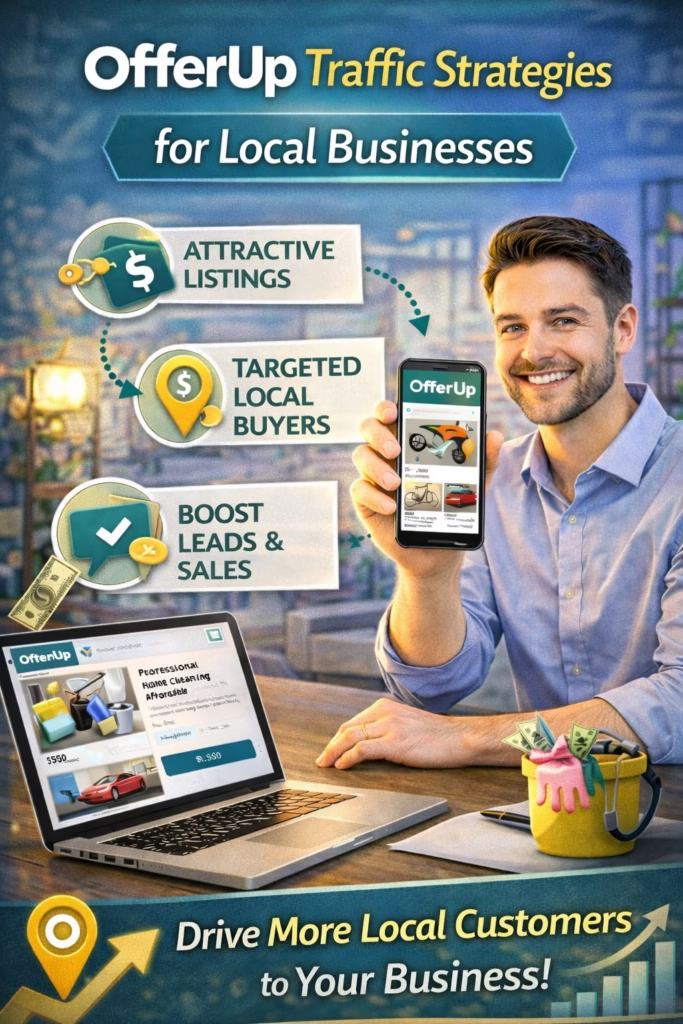
OfferUp Traffic Strategies for Local Businesses
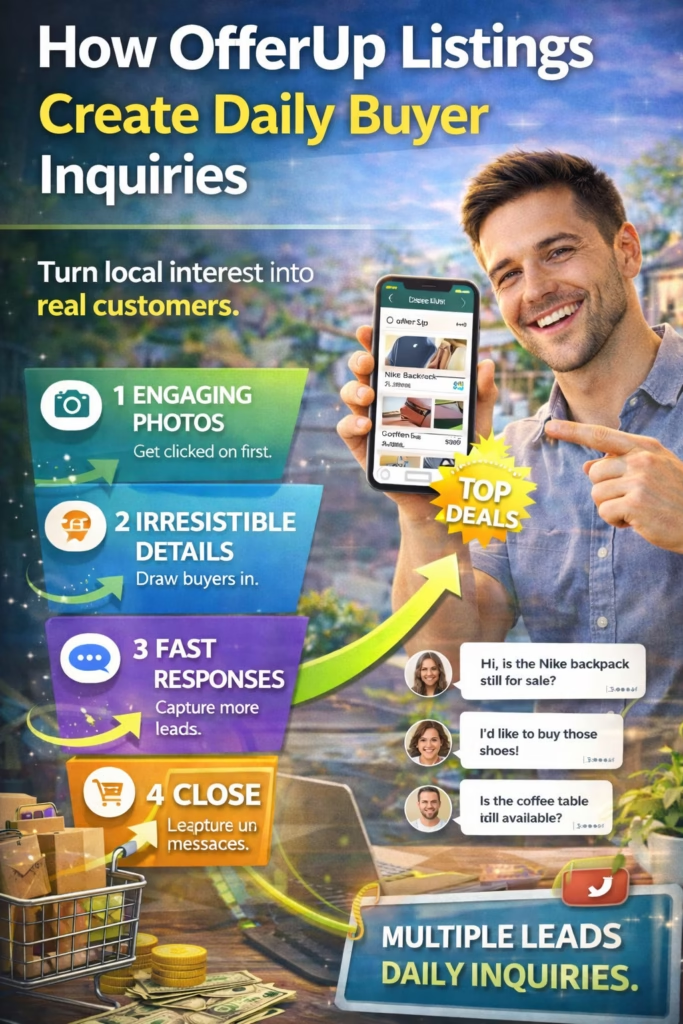
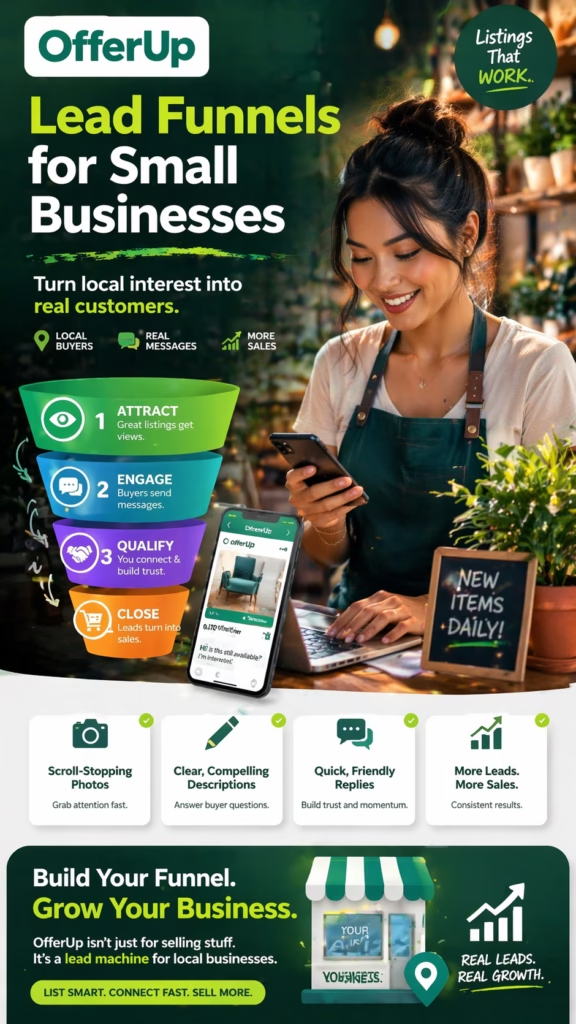
OfferUp Traffic Strategies for Local Businesses explains how local businesses generate more marketplace visibility, attract better local clicks, increase buyer and customer messages, and turn stronger OfferUp traffic into real sales opportunities.
Introduction
OfferUp Traffic Strategies for Local Businesses is one of the most practical subjects for companies that want more local visibility without relying entirely on traditional ads. Many businesses post on OfferUp and expect traffic to appear automatically. Sometimes it does. Sometimes it does not. Usually, the difference is not luck. It comes down to whether the business is using traffic strategies that help listings earn attention, build trust, and invite action from nearby people.
Traffic on OfferUp is not valuable simply because it exists. The right traffic matters much more than raw views. A business does not need random people glancing at a listing and moving on. It needs nearby buyers or prospects who actually feel interested enough to click, read, message, and continue the conversation. That is why better traffic strategies matter. They improve not only how much exposure a listing gets, but how useful that exposure becomes.
OfferUp traffic becomes more valuable when it comes from the right local audience and leads to real next steps.
For local businesses, this matters because time, attention, and response speed all affect results. A weak listing can waste traffic. A stronger listing can create more value from the same platform. That is why OfferUp traffic strategies are really about improving the entire path from first impression to first inquiry to final outcome.
Retail sellers, furniture stores, mattress businesses, appliance dealers, electronics shops, wellness brands, home goods companies, repair providers, cleaning services, painters, movers, contractors, and many other local businesses can all benefit from better OfferUp traffic strategy. The businesses that win usually do not just post more. They post smarter.
Main idea: Better OfferUp traffic strategies help local businesses generate more relevant visibility, more clicks, more inquiries, and more real sales opportunities.
Table of Contents
- 1) What OfferUp traffic really means for local businesses
- 2) Why traffic quality matters more than random views
- 3) The first impression that drives marketplace traffic
- 4) Titles that increase OfferUp traffic
- 5) Photos that improve click-through and attention
- 6) Descriptions that help traffic turn into messages
- 7) Pricing strategy and traffic performance
- 8) Trust signals that protect traffic from bouncing
- 9) Local relevance as a traffic multiplier
- 10) Calls to action that move traffic into action
- 11) Response speed and traffic conversion
- 12) Follow-up and getting more value from traffic
- 13) Common traffic mistakes businesses make on OfferUp
- 14) A practical OfferUp traffic workflow
- 15) Final thoughts
- 16) FAQs
- 17) Extra keywords
1) What OfferUp Traffic Really Means for Local Businesses
OfferUp traffic means the stream of local attention that reaches a listing. That attention may begin with impressions, continue with clicks, and then move into messages or inquiries if the listing does its job well. For local businesses, traffic matters because it creates the opportunity for real conversations with nearby people who may be ready to buy, schedule, or ask for more information.
Not all traffic is useful. Some traffic is casual and disappears immediately. Better traffic is traffic that feels connected to local intent. It comes from people who are more likely to care, compare, and act. That is why smart traffic strategy focuses on attracting the right eyes, not just more eyes.
For local businesses, strong OfferUp traffic is traffic that leads to action, not just traffic that creates numbers.
This is the difference between vanity views and traffic that actually helps a business grow.
2) Why Traffic Quality Matters More Than Random Views
Many businesses make the mistake of chasing more views without considering who is actually seeing the listing. Traffic quality matters more because the wrong traffic produces weak outcomes. A listing may get attention from people who are not local, not serious, or not interested enough to take the next step. That kind of traffic rarely helps.
Better OfferUp traffic usually means:
- More relevant local clicks
- Stronger buyer or prospect intent
- More useful messages
- Less wasted attention
- Higher value from each listing
That is why the goal is not just traffic growth. It is traffic improvement. Better traffic leads to better conversations, and better conversations create better business results.
OfferUp traffic quality matters because relevant local attention is what turns listings into opportunities.
3) The First Impression That Drives Marketplace Traffic
The first impression determines whether the listing earns a click at all. Buyers and prospects scroll quickly. They notice the title, glance at the photo, compare the visible price or offer, and decide whether the listing feels worth their time. That decision often happens in seconds.
Listings that attract more traffic usually do a few things well. They make the offer easy to understand. They look current and believable. They appear relevant to local need. They feel more useful or trustworthy than nearby alternatives. Those elements create the kind of first impression that earns traffic.
Title + Photo + Price/Offer + Trust = Better chance of trafficIf the first impression is weak, traffic strategies fail before the listing ever gets opened.
4) Titles That Increase OfferUp Traffic
The title is one of the biggest traffic drivers because it influences attention and click-through. A vague title often gets ignored. A stronger title helps nearby people understand the offer quickly and decide that it feels relevant enough to open.
Good traffic-focused titles often combine the product or service with a useful detail or local buyer hook. The goal is clarity first, then interest.
Examples:
- Queen Mattress Set – Local Delivery Available
- Sectional Sofa – Great Condition and Ready This Week
- Dining Table Set – Solid Wood and Seats Six
- Interior Painting Service – Local and Reliable
- Junk Removal – Fast Local Pickup Available
These titles work because they communicate what the offer is and why a local person may want to click now.
Stronger titles increase OfferUp traffic by helping the right local audience notice the listing faster.
5) Photos That Improve Click-Through and Attention
Photos play a major role in traffic performance because they help determine whether the listing stands out in the feed. Strong photos make the offer feel real, appealing, and worth opening. Weak photos create doubt or let the listing blend in too easily.
For product-based businesses, better photos highlight condition, quality, and usefulness. For service companies, better visuals show professionalism, results, and trustworthiness. In both cases, the visual job is the same: reduce hesitation and increase curiosity.
Better photos improve OfferUp traffic because they give buyers and prospects a quicker reason to stop scrolling.
This is why visual quality often has an outsized effect on listing traffic.
6) Descriptions That Help Traffic Turn Into Messages
Getting traffic is only part of the process. Once a person opens the listing, the description helps decide whether that traffic turns into an inquiry. A weak description causes drop-off. A strong description helps traffic continue deeper into the sales path.
A traffic-friendly description usually includes:
- A short opening summary
- The main product or service details
- Condition, features, or local service value
- Pickup, delivery, or service-area details
- A direct invitation to message
This structure works because it reduces confusion. Instead of forcing the viewer to figure everything out, it helps them understand quickly and keep moving.
Traffic becomes more useful when the description makes the next step feel clear and easy.
7) Pricing Strategy and Traffic Performance
Pricing affects traffic because visible value influences whether a listing feels worth opening. If the price or offer is confusing, unrealistic, or disconnected from the rest of the listing, traffic often weakens. If it feels believable and relevant, traffic usually improves.
For product listings, pricing should support the condition, convenience, and overall value story. For service listings, the offer structure should make it obvious what kind of help is being offered and why the viewer should care. Traffic improves when the value is easier to understand.
Better pricing presentation improves OfferUp traffic when it supports curiosity instead of creating doubt.
In local marketplaces, sensible value positioning often performs better than gimmicky pricing.
8) Trust Signals That Protect Traffic From Bouncing
Even strong traffic can be lost if the listing fails to build trust after the click. That is why trust signals matter. They help protect the attention the listing already earned and make the viewer more likely to continue into a message.
Important trust signals include:
- Clear and honest wording
- Real images
- Useful details
- Consistent pricing or offer structure
- Local availability information
- Professional tone
These elements reduce uncertainty and help viewers feel like they are dealing with a real business rather than a confusing or risky listing.
Traffic is wasted when the listing gets opened but fails to feel trustworthy enough to continue.
9) Local Relevance as a Traffic Multiplier
Local relevance matters on OfferUp because the platform is built around nearby action. Buyers want practical local options. Service prospects want providers in their area. Listings that feel more local usually attract better traffic because the viewer can imagine a real transaction or next step more easily.
Local relevance can appear through city wording, pickup details, delivery availability, service areas, timing, or simple cues that make the offer feel grounded in the nearby market. These small elements often act like traffic multipliers because they make the listing feel more useful.
OfferUp traffic grows stronger when the listing feels clearly connected to the local market the viewer lives in.
This is why generic listings often underperform compared with locally framed ones.
10) Calls to Action That Move Traffic Into Action
Traffic means very little if the viewer is unsure what to do next. A strong call to action bridges the gap between interest and response. It helps turn local clicks into local conversations.
Examples:
Message now for availability.
Reach out for local pickup or delivery details.
Send a message today for pricing or scheduling info.
Contact us for a quick local quote.
These calls to action work because they reduce uncertainty and make the next step feel simple and acceptable.
OfferUp traffic creates more value when the listing tells the viewer exactly how to respond.
11) Response Speed and Traffic Conversion
Once traffic becomes a message, speed matters. Local buyers and prospects often compare more than one option. A fast response helps turn the traffic into a live opportunity before attention shifts somewhere else.
Thanks for reaching out.
Yes, this is available.
Would you like pickup details, delivery options, or more information?

Thanks for your message.
Yes, we service your area.
Would you like a quote or scheduling details?
These responses work because they are simple, helpful, and easy to continue. They keep the traffic alive by moving the interaction forward while intent is still warm.
Fast response is one of the most important OfferUp traffic strategies because it turns attention into momentum.
12) Follow-Up and Getting More Value From Traffic
Not every person who messages will close immediately. Some pause. Some compare. Some get distracted. That is why follow-up is part of a strong traffic strategy. It helps businesses get more value from the traffic they already worked to generate.
Follow-up helps:
- Recover warm leads
- Restart paused buyer conversations
- Clarify questions
- Increase conversion from existing traffic
For local businesses, this matters because it is often easier to recover warm intent than to create brand-new traffic from scratch.
Traffic becomes more profitable when businesses extract more value from the people who already showed interest.
13) Common Traffic Mistakes Businesses Make on OfferUp
Most weak OfferUp traffic results come from a few repeated problems. The title is too generic. The photos are weak. The description is unclear. The offer feels confusing. The listing lacks trust. The reply comes too late. These issues reduce traffic quality and waste the attention the listing does manage to attract.
Common mistakes include:
- Chasing views instead of qualified traffic
- Using weak or unclear titles
- Posting low-quality visuals
- Writing vague descriptions
- Making the offer hard to understand
- Having no clear call to action
- Responding too slowly
Fixing these issues usually improves results faster than simply trying to increase raw posting volume.
Big mistake: trying to get more OfferUp traffic before fixing the listing and response problems that waste the traffic already coming in.
14) A Practical OfferUp Traffic Workflow
If a business wants to apply OfferUp Traffic Strategies for Local Businesses in a practical way, it helps to follow a repeatable workflow.
Step 1: Choose products or services with local demand
Step 2: Write titles that attract relevant nearby attention
Step 3: Use visuals that help the listing stand out
Step 4: Build a clear and easy-to-scan description
Step 5: Present price or offer value clearly
Step 6: Add a direct call to action
Step 7: Respond quickly to all serious messages
Step 8: Follow up with warm leads that pause
This workflow works because it improves the full path from visibility to click to message to outcome. Instead of treating traffic as random, it turns traffic into a process the business can strengthen over time.
Local businesses get better OfferUp traffic results when they improve the entire buyer path, not just the surface appearance of the listing.
15) Final Thoughts
OfferUp Traffic Strategies for Local Businesses comes down to one central idea: traffic is created and improved through better marketplace execution. The businesses that get more value from OfferUp are usually not the ones relying on luck. They are the ones using better titles, better visuals, stronger trust signals, clearer offers, faster replies, and smarter follow-up.
OfferUp can still be a powerful source of local attention, but that attention only becomes valuable when the listing makes the right people want to act. Strong traffic strategy helps local businesses do exactly that. It improves visibility, increases relevance, and turns more of that marketplace activity into real business opportunity.
Final takeaway: OfferUp traffic strategies work best when they attract the right local attention and move that attention smoothly toward real conversations and sales opportunities.
16) FAQs
1) What are OfferUp traffic strategies for local businesses?
They are the methods local businesses use to increase relevant visibility, local clicks, and buyer or customer inquiries on OfferUp.
2) How do local businesses get more traffic on OfferUp?
They get more traffic by improving titles, visuals, descriptions, trust signals, local relevance, and posting consistency.
3) Why do some OfferUp listings get traffic and others do not?
Because stronger listings earn attention faster and feel more relevant and trustworthy to nearby people.
4) Can OfferUp traffic help a local business grow?
Yes. OfferUp traffic can help when it leads to real conversations, appointments, pickups, deliveries, or sales.
5) What is the biggest traffic mistake businesses make?
One of the biggest mistakes is chasing more views without improving listing quality and traffic conversion.
6) Do titles really affect traffic that much?
Yes. Titles strongly influence attention, click-through, and traffic quality.
7) Why are photos important for OfferUp traffic?
Because photos help the listing stand out and influence whether people stop scrolling and click.
8) Does the description affect traffic too?
Yes. While it may not drive the initial click as much as the title and photo, it strongly affects whether traffic turns into messages.
9) How does pricing affect traffic?
Pricing affects whether the offer feels worth exploring. Clear, believable pricing usually supports stronger traffic.
10) What are trust signals on OfferUp?
Trust signals include clear wording, real visuals, useful details, local info, and a professional tone.
11) Why does local relevance improve traffic?
Because people are more likely to click and respond when the listing feels practical and nearby.
12) What should the call to action do?
It should show the viewer exactly how to move forward, such as messaging for availability, details, or a quote.
13) Does reply speed matter for traffic results?
Yes. Reply speed helps convert traffic into real opportunities before interest fades.
14) Why is follow-up part of traffic strategy?
Because it helps businesses get more value from people who already clicked and showed interest.
15) Is OfferUp traffic useful for both retail and service businesses?
Yes. Both types of businesses can benefit when the traffic is local and relevant.
16) What usually weakens traffic performance?
Weak titles, poor visuals, unclear descriptions, confusing offers, weak trust, and slow replies usually weaken it.
17) Should traffic strategy focus only on impressions?
No. It should focus on qualified local attention and what happens after the click.
18) Can smaller businesses compete well on OfferUp?
Yes. Smaller businesses often compete well when they are clearer, faster, and more trustworthy than others nearby.
19) What should businesses track?
They should track views, clicks, messages, response speed, lead quality, and sales results.
20) Is more posting always the answer?
No. Better quality and better conversion often matter more than simply posting more.
21) Can better photos alone improve traffic?
Yes. Stronger visuals can noticeably improve attention and click-through.
22) Why do some listings get traffic but no inquiries?
Usually because the listing fails to build enough trust, clarity, or urgency after the click.
23) What is the real goal of OfferUp traffic strategy?
The real goal is to turn relevant local visibility into real business opportunity.
24) Is OfferUp traffic more about visibility or conversion?
It is about both, but conversion determines how much value the visibility creates.
25) What is the core principle behind better OfferUp traffic?
The core principle is that better listings and better handling create better local attention and better outcomes.
17) Extra Keywords
- OfferUp Traffic Strategies for Local Businesses
- OfferUp traffic
- OfferUp local traffic
- OfferUp marketing
- OfferUp local buyers
- OfferUp lead generation
- local business traffic
- OfferUp buyer inquiries
- OfferUp click-through
- OfferUp listing optimization
- OfferUp better titles
- OfferUp better photos
- OfferUp pricing strategy
- OfferUp trust signals
- OfferUp local relevance
- OfferUp marketplace traffic
- OfferUp local visibility
- OfferUp local demand
- OfferUp message conversion
- OfferUp response strategy
- OfferUp small business marketing
- OfferUp listing workflow
- OfferUp local selling tips
- OfferUp sales opportunities
- OfferUp traffic conversion