Market Wiz AI

Market Wiz

With ingenious automation fused with human dedication 24/7, Market Wiz puts the local marketing competition on notice – they’ve created a new standard operating system for dominating every digital front.All-Platform Compatibility: Facebook, Craigslist, Google, you name it. This system plays well with all the big players, ensuring your ads are everywhere they need to be.The Cherry on Top: There's a ton more under the hood, each feature adding more muscle to your marketing efforts.Bottom line: Market Wiz.ai isn’t just another tool; it’s your 24/7 digital marketing powerhouse. In the world of local advertising, it's the smartest move you’ll make.Market Wiz automates your online ads.|

Free Lead Generation Strategies That Still Work in 2025

ChatGPT Image Jan 18 2026 12 55 18 PM
Free Lead Generation Strategies That Still Work in 2025

Free Lead Generation Strategies That Still Work in 2025

Free Lead Generation Strategies That Still Work in 2025 is a practical, system-first playbook to generate consistent leads without paid ads—built on visibility, proof, speed-to-lead, and repeatable weekly actions.

Free Lead Engine Stack: Google Business Profile Reviews Local SEO Referrals Partnerships Community

Note: This is general marketing guidance. If you use SMS/email outreach, confirm consent requirements and applicable privacy rules.

Introduction

Free Lead Generation Strategies That Still Work in 2025 are not “hacks”—they are fundamentals executed with consistency. Most businesses don’t fail because they lack ideas. They fail because they’re hard to find, don’t look credible, or respond too slowly when leads arrive.

In 2025, the best free lead generation comes from three realities: (1) people still search locally on Google Maps and local search, (2) proof still converts better than claims, and (3) speed-to-lead still wins because most businesses are slow.

Big idea: Free lead generation compounds. A review, a local page, and a partnership can keep producing leads long after you publish them.

Expanded Table of Contents

1) The 5 principles behind free lead generation that still works

Free Lead Generation Strategies That Still Work in 2025 follow predictable principles. If you apply these rules, the tactics become easier and more effective.

Principle 1: Capture intent first

Prioritize channels where people are already looking: Google Maps, local search, referrals, and community questions.

Principle 2: Proof wins in 2025

Reviews, before/after photos, and mini case studies outperform “best in town” claims.

Principle 3: Remove friction

One-tap call/text/book. Leads die when contacting you feels hard or confusing.

Principle 4: Consistency beats volume

One high-quality post weekly + steady review requests beats bursts of effort followed by silence.

Principle 5: Speed-to-lead multiplies results

Responding quickly is the easiest free conversion increase available to most businesses.

Shortcut: If you do nothing else, improve GBP + reviews + response speed. That trio alone can change your lead flow.

2) #1 Google Business Profile: the highest-intent free lead source

Google Business Profile (GBP) is still one of the most powerful free lead generation tools in 2025 for local businesses. Maps searches are high intent: people want a solution now.

GBP optimization checklist

  • Choose the best primary category (most important)
  • Add accurate secondary categories
  • Fill out services/products with descriptions and pricing ranges
  • Upload real photos weekly (work, team, location, products)
  • Enable messaging only if you can respond fast
  • Keep business hours accurate (especially holidays)

Quick win: Add 10–20 service entries and attach short descriptions to each.

3) #2 Review velocity: the simplest compounding lever

Reviews are a free sales team. In 2025, it’s not just the total number of reviews—it’s the steady flow of new ones that signals relevance and trust.

Review request SMS template (copy/paste)

Hey! Quick favor 🙏
If we did a great job, could you leave a short review? It helps local customers find us.

(Review link)
Thank you!

Review engine workflow

  1. Ask right after a win (when the customer is happy)
  2. Make it easy (one link)
  3. Reply to every review (trust signal)
  4. Track review velocity weekly

Rule: Your goal is consistent new reviews, not just a high total count.

4) #3 Local SEO pages: service + city pages that rank

Local SEO is free traffic that compounds. You don’t need hundreds of pages—just the pages that match what people search in your area.

High-intent page formula

[Service] in [City]
• What you do
• What it costs (range)
• How fast you can start
• Proof (photos/reviews)
• FAQs
• Call/Text/Book CTA

Quick win: Build pages for your top 5 services + your top 3 cities/areas.

5) #4 Weekly proof content: convert attention into trust

In 2025, proof content still converts because it feels real. Your goal is simple: show evidence of quality consistently.

Proof content formats

  • Before/After: 2 photos + 2 sentences
  • Review screenshot: customer quote + thank you
  • Mini case study: problem → what you did → result
  • FAQ answer: “People ask us this a lot…”

Avoid: generic motivational posts. Buyers want specifics.

6) #5 Community groups: help-first posting that earns leads

Community groups still work in 2025—if you don’t spam. The “help-first” approach builds trust and invites inbound questions.

Community post template (copy/paste)

Quick tip for anyone dealing with [problem]:
• Sign #1:
• Sign #2:
• Sign #3:

If you want, comment your area + what you’re seeing and I’ll tell you the likely cause.

Why it works: You position as the expert without begging for business.

7) #6 Partnerships: warm leads with trust baked in

Partnerships are still one of the highest ROI free lead sources because the lead arrives with trust already built.

Adjacent partner examples

  • Contractor ↔ plumber ↔ electrician ↔ HVAC
  • Realtor ↔ inspector ↔ cleaner ↔ handyman
  • Mattress store ↔ furniture store ↔ moving company
  • Auto detailer ↔ mechanic ↔ tint ↔ body shop

Partner outreach script

Hey [Name] — I run [Business]. We serve [area] and we often get asked for [their service].
If I send you 3–5 referrals a month, would you be open to doing the same when you get asked for [your service]?

Happy to start simple and see if it’s a good fit.

8) #7 Referrals: a simple offer people actually share

Referrals still work because they’re trust-based. But they require a clear ask and a simple reward.

ModelOfferBest for
Cash$25–$100 per referralHigher-ticket services
Credit$50 credit toward next serviceRepeat customers
GiftGift card / upgradeRetail + local services

Referral ask: “If you know anyone who needs this, send them my number and I’ll take great care of them.”

9) #8 Directory listings: citations + discovery

Directory listings are not glamorous, but they help with discoverability and consistent business information.

Directory checklist

  • Google Business Profile (required)
  • Bing Places
  • Apple Business Connect
  • Industry directories
  • Local chamber/community directories

Important: Keep NAP consistent (name, address, phone).

10) #9 Short-form video: local credibility clips

Short-form video still works in 2025 when it’s local, simple, and useful. You don’t need to go viral—just credible.

10-second hooks

  • “If you’re in [City] and you’re seeing [problem], here’s what it usually means…”
  • “Most people overpay for [service] because they don’t know this…”
  • “Here’s how to tell if you need [service] this week…”

Best format: Problem → explanation → next step (“message your city”).

11) #10 Public FAQs: turn questions into inbound leads

Every question your customers ask can become inbound lead content. FAQs reduce friction and increase conversions because they remove uncertainty.

FAQ content categories

  • Pricing and what affects it
  • Timeline and scheduling
  • What to expect
  • Guarantees/warranties
  • Common mistakes and DIY warnings (when appropriate)

12) #11 Direct outreach: the 10/day script

Direct outreach still works in 2025 when it’s targeted, respectful, and consistent.

Outreach script (copy/paste)

Hey [Name] — quick question.
Do you ever need help with [service] in [city/area]?

If so, I can send pricing and availability. If not, no worries at all.

Best targets: realtors, property managers, adjacent businesses, local organizers, business owners.

13) #12 Follow-up sequences: recover leads you’d lose

Follow-up is free money. Most businesses lose leads simply because they don’t follow up consistently.

Follow-up sequence

Day 0: Answer + offer next step (quote/schedule)
Day 1: “Still want help with this?”
Day 3: “Want me to send pricing ranges?”
Day 7: “Last check-in — should I close this out?”

Rule: Keep it polite and focused on the next step.

14) #13 Reactivate past customers: free money

Past customers already trust you. Reactivation is one of the highest ROI free lead strategies that still works in 2025.

Reactivation message (copy/paste)

Hey [Name] 👋
Just checking in — do you need anything related to [service] this season?
If you want, I can share availability and a quick price range.

Pro move: Offer a seasonal check-up or quick inspection if it fits your business.

15) #14 Improve response time: the no-cost conversion boost

Response time turns attention into bookings. Improving it is a free conversion multiplier.

When leads reach outWhat to doWhy it works
During business hoursRespond in 5–15 minutesIntent is highest now
After hoursAuto-reply + morning follow-upPrevents lead from going cold
Missed callsInstant text-backRecovers lost leads

Missed-call text template

Hey! Sorry I missed your call — this is [Business].
How can I help? If you tell me your city + what you need, I’ll reply ASAP.

16) #15 KPI tracking: measure, fix, repeat

Tracking is what makes free lead generation scalable. If you track weekly, you can improve the weakest link every week.

Simple KPI table (copy into a spreadsheet)

WeekCallsMessagesBookingsNew ReviewsAvg Response TimeTop Lead SourceOne Improvement Next Week
Week 1
Week 2
Week 3
Week 4

Weekly loop: Measure → fix one bottleneck → repeat.

17) Copy/paste free lead generation checklists

Weekly routine (60 minutes)

[ ] Post 1 proof update (before/after or review)
[ ] Send 5 review requests
[ ] Reply to reviews/messages
[ ] Message 2 partners or referral sources
[ ] Post 1 helpful tip in a community group
[ ] Add 1 new photo to GBP

Monthly routine (2–3 hours)

[ ] Add/refresh 1 service + city page
[ ] Audit GBP: categories, services, photos
[ ] Ask top customers for referrals
[ ] Review KPI trends: calls, bookings, response time
[ ] Reactivate past customer list

18) 30–60–90 day rollout plan

Days 1–30 (Fast leads)

  1. Optimize GBP fully + add services
  2. Implement review request system
  3. Add click-to-call/text everywhere
  4. Post weekly proof and community tips
  5. Start 10/day outreach to partners and local targets

Days 31–60 (Compounding)

  1. Create 5–10 service + city pages
  2. Build 3 partnerships that exchange referrals
  3. Publish FAQ content based on real questions
  4. Begin past customer reactivation

Days 61–90 (Systemize)

  1. Track KPIs weekly and improve weak links
  2. Standardize scripts (inquiry → quote → booking)
  3. Document the routine so it runs even when busy
  4. Scale what works (more pages, more proof, more partnerships)

19) 25 Frequently Asked Questions

1) What are the best free lead generation strategies that still work in 2025?

GBP optimization, review velocity, local SEO pages, community help posts, partnerships, referrals, proof content, outreach scripts, and follow-up.

2) Which free strategy produces leads the fastest?

Reviews, community posts, partnerships, and direct outreach can generate leads within days.

3) Which free strategy compounds the most?

Local SEO pages + consistent reviews compound over time and can become your top inbound engine.

4) Do I need social media for free lead generation?

No, but it helps. GBP + reviews + local SEO can carry many businesses without heavy social activity.

5) How often should I post to get free leads?

One proof-based post per week is enough if your follow-up and GBP systems are strong.

6) How do I get more Google reviews?

Ask immediately after successful service delivery, use a single link, and follow up once if needed.

7) Does responding faster really matter?

Yes. Faster responses often win leads because the buyer contacts multiple businesses.

8) What should I post on GBP?

Before/after proof, offers, and quick educational tips.

9) Are community groups still effective in 2025?

Yes, when you use a help-first format and avoid spammy posts.

10) How do partnerships generate leads?

Adjacent businesses send warm referrals when their customers ask for your service.

11) What’s a good referral offer?

Cash per referral for high-ticket services, or a credit/gift for repeat purchases.

12) Do directory listings still matter?

Yes, especially for NAP consistency and local SEO support.

13) Should I write blog posts or service pages?

For local leads, service + city pages often outperform generic blog posts.

14) How many pages do I need?

Start with 5 pages, then build to 10–15 as you expand coverage.

15) What content converts best?

Proof content: reviews, before/after photos, and mini case studies.

16) How do I track free lead generation?

Track weekly calls, messages, bookings, review velocity, and response time in a simple sheet.

17) What’s the most common mistake?

Inconsistent activity and poor follow-up.

18) Can free leads replace paid ads?

Often yes over time, but paid ads can accelerate growth while organic systems compound.

19) What’s the best strategy for service businesses?

GBP + reviews + fast response + local SEO pages + partnerships.

20) What’s the best strategy for retail businesses?

GBP, reviews, product photos, community involvement, and simple referral programs.

21) How do I make my content look legitimate?

Use real photos, consistent branding, and proof-based captions.

22) How many outreach messages should I send?

10 per day for 30 days is a strong start for building partnerships and referral sources.

23) What follow-up sequence works best?

Day 0 response, Day 1 check-in, Day 3 value offer, Day 7 close-the-loop message.

24) How do I reactivate old customers?

Send a seasonal check-in and offer availability or a price range.

25) What’s the fastest improvement I can make today?

Set up a missed-call text-back template and start requesting reviews consistently.

20) 25 Extra Keywords

  1. Free Lead Generation Strategies That Still Work in 2025
  2. free lead generation methods 2025
  3. how to generate leads without ads
  4. organic lead generation for small business
  5. Google Business Profile lead generation
  6. Google Maps marketing strategies
  7. get more reviews fast
  8. review request script
  9. local SEO strategies 2025
  10. service and city pages
  11. free marketing checklist
  12. community group lead generation
  13. help-first posting template
  14. partnership marketing local business
  15. referral marketing offer ideas
  16. free directory listings for SEO
  17. short form video for local leads
  18. local content ideas that convert
  19. direct outreach script for leads
  20. follow up sequence for leads
  21. reactivate past customers
  22. improve speed to lead
  23. local business lead tracking
  24. 30 60 90 day marketing plan
  25. free customer acquisition strategies

© 2026 Your Brand. All Rights Reserved.
General information only—confirm consent rules and applicable privacy laws before sending SMS or email marketing messages.

Free Lead Generation Strategies That Still Work in 2025 Read More »

How Local Businesses Get 100+ Leads Using Free Tools

ChatGPT Image Jan 18 2026 12 55 10 PM
How Local Businesses Get 100+ Leads Using Free Tools

How Local Businesses Get 100+ Leads Using Free Tools

How Local Businesses Get 100+ Leads Using Free Tools is a 2025 system for consistent inbound leads without paying for ads—built on visibility, proof, speed-to-lead, and simple weekly habits.

Free Tool Lead Stack: Google Business Profile Reviews Local SEO Community Groups Partnerships Tracking

Note: This is general marketing guidance. If you use SMS/email outreach, confirm consent requirements and applicable privacy rules.

Introduction

How Local Businesses Get 100+ Leads Using Free Tools isn’t about “posting more.” It’s about using the right free tools in the right order so buyers can find you, trust you, and contact you with minimal friction. Most local businesses already have demand around them—the problem is they’re invisible, they look unverified, or they respond too slowly when leads arrive.

This playbook gives you the exact framework used by high-performing local brands: Google Maps visibility, review velocity, simple local pages, proof content, and fast follow-up. When the system is working, “100+ leads” becomes math—not luck.

Big idea: Free lead generation is a compounding system. One review, one post, one partner, and one page can generate leads for months.

Expanded Table of Contents

1) The 5 principles behind 100+ free leads

How Local Businesses Get 100+ Leads Using Free Tools becomes predictable when you follow five principles:

Principle 1: Be findable where intent exists

Google Maps, local search, and referrals beat “random attention.” You want buyers who are actively looking.

Principle 2: Proof beats promises

Reviews, photos, before/after, and mini case studies convert better than any sales copy.

Principle 3: Reduce friction

One tap to call/text/book. If contacting you feels hard, you lose leads you already earned.

Principle 4: Consistency beats intensity

One proof post weekly + steady review requests beats a month of effort followed by silence.

Principle 5: Speed-to-lead multiplies conversion

Fast responses can double conversions without changing traffic. It’s the easiest win.

Reality check: Many businesses could get 100+ leads with the traffic they already have—if they improved proof + speed.

2) #1 Optimize Google Business Profile (the highest-intent free tool)

For most local businesses, Google Business Profile (Maps) is the single strongest free lead tool because it captures high intent. People searching on Maps are closer to buying.

GBP optimization checklist

  • Choose the best primary category (most important ranking factor you control)
  • Add accurate secondary categories
  • Fill out services/products with short keyword-rich descriptions
  • Add real photos weekly (work, team, storefront, vehicles, before/after)
  • Ensure NAP consistency (name, address, phone) everywhere
  • Enable messaging only if you can respond quickly

Quick win: Add 10–20 service entries and attach a short description to each.

3) #2 Build a review engine (velocity beats total count)

Reviews are the “conversion tool” inside your free lead stack. The goal is consistent new reviews, not just a high total number.

Review request SMS template (copy/paste)

Hey! Quick favor 🙏
If we did a great job, could you leave a short review? It helps local customers find us.

(Review link)
Thank you!

Review engine workflow

  1. Ask immediately after a win (job completed, customer happy)
  2. Make it easy (one link only)
  3. Reply to every review (signals trust)
  4. Track review velocity weekly (how many new reviews)

Rule: 2–5 new reviews per week can change your inbound volume over time.

4) #3 Create 5–15 high-intent local pages (free compounding traffic)

Local SEO is “free traffic that compounds.” You don’t need hundreds of pages. You need pages that match real searches: [service] + [city].

High-intent page formula

[Service] in [City]
• What you do
• What it costs (range)
• How fast you can start
• Proof (photos, reviews, short case study)
• FAQs
• Call/Text/Book CTA

Simple page plan

  • Pick your top 5 services
  • Pick your top 3 cities/areas
  • Create pages for the highest-intent combos first

Quick win: Start with 5 pages. Improve them monthly instead of publishing random blogs.

5) #4 Set up free tracking (so you know what’s working)

Most “free marketing” fails because owners can’t tell what’s actually producing leads. Simple tracking fixes that.

What to track (minimum viable)

  • Calls (count)
  • Messages (count)
  • Bookings/appointments (count)
  • Lead source (GBP, website, community, referrals)
  • Response time (minutes)

KPI tracking table (copy into a spreadsheet)

WeekGBP CallsGBP MessagesWebsite LeadsCommunity LeadsReferral LeadsAvg Response TimeBookings
Week 1
Week 2
Week 3
Week 4

Goal: One sheet that tells you what lever to pull next week.

6) #5 Turn every job into proof content (5 posts per job)

Content doesn’t need to be “creative.” It needs to be real, local, and proof-driven. One job can generate a full week of trust content.

AssetWhat to postWhere
1) Before/After2 photos + 2 sentencesGBP, Facebook, IG
2) Short tip“Here’s what caused the problem”Reels/Shorts
3) Review screenshotCustomer quote + thanksFacebook, IG
4) FAQ answerAnswer a common objectionBlog, GBP
5) Process clip15 seconds “how we work”TikTok/IG/YouTube

Weekly habit: One completed job = one week of marketing assets.

7) #6 Use community groups the “help-first” way

Community groups can produce quick leads if you don’t spam. Be useful, answer questions, and offer help.

Community post template (help-first)

Quick tip for anyone dealing with [problem]:
• Sign #1:
• Sign #2:
• Sign #3:

If you want, comment your area + what you’re seeing and I’ll tell you the likely cause.

Why it works: You become the local expert without begging for business.

8) #7 Claim free directory listings (citations + discovery)

Directory listings act like “free distribution” and can support local SEO via consistent business info.

Directory checklist

  • Google Business Profile (required)
  • Bing Places (easy win)
  • Apple Business Connect (iPhone users)
  • Industry-specific directories
  • Local chamber/community directories

Important: Keep NAP consistent (name, address, phone) everywhere.

9) #8 Create partnerships that send warm referrals

Partnerships are “free ads” with trust built in. Think about businesses that share your customers but don’t compete.

Adjacent partner examples

  • Painter ↔ realtor ↔ handyman ↔ cleaner
  • HVAC ↔ electrician ↔ plumber
  • Mattress store ↔ furniture store ↔ moving company
  • Auto detailer ↔ mechanic ↔ tint shop

Partner outreach script

Hey [Name] — I run [Business]. We serve [area] and we often get asked for [their service].
If I send you 3–5 referrals a month, would you be open to doing the same when you get asked for [your service]?

Happy to start simple and see if it’s a good fit.

10) #9 Run a referral offer people actually share

Referrals fail when there’s no clear ask. Keep it simple and easy to remember.

ModelOfferBest for
Cash$25–$100 per referralHigher-ticket services
Credit$50 credit toward next serviceRepeat customers
GiftGift card / upgradeRetail + local services

Referral ask: “If you know anyone who needs this, send them my number and I’ll take great care of them.”

11) #10 Short-form video with a local trust angle

Short-form video works best for local businesses when it’s simple and specific. Your goal is trust, not virality.

10-second hooks

  • “If you’re in [City] and you’re seeing [problem], here’s what it usually means…”
  • “Most people overpay for [service] because they don’t know this…”
  • “Here’s how to tell if you need [service] this week…”

Best format: Problem → explanation → next step (“message us your city”).

12) #11 Build a “response speed” advantage (free conversion lift)

Speed-to-lead is a free advantage. Most businesses respond hours later—so if you respond in minutes, you win.

SituationWhat to doWhy it works
During business hoursRespond in 5–15 minutesIntent is highest now
After hoursAuto-reply + morning follow-upPrevents leads from going cold
Missed callsInstant text backRecovers lost opportunities

Missed-call text template

Hey! Sorry I missed your call — this is [Business].
How can I help? If you tell me your city + what you need, I’ll reply ASAP.

Fast win: Save 3 reply templates today (new lead, quote request, scheduling).

13) #12 Follow-up sequences (recover leads you’d lose)

Most leads don’t convert on the first message. Follow-up is where “100+ leads” becomes real bookings.

Simple follow-up sequence

Day 0: Answer + offer next step (quote/schedule)
Day 1: “Still want help with this?”
Day 3: “Want me to send pricing ranges?”
Day 7: “Last check-in — should I close this out?”

Rule: Follow-up should be short, polite, and focused on the next step.

14) #13 Direct outreach: the 10/day script

Direct outreach works when it’s targeted and respectful. Ten messages a day for 30 days can create partnerships and referral sources.

Outreach script (copy/paste)

Hey [Name] — quick question.
Do you ever need help with [service] in [city/area]?

If so, I can send pricing and availability. If not, no worries at all.

Best targets: realtors, property managers, small business owners, community organizers, adjacent service providers.

15) #14 Reactivate past customers (free money)

Past customers already trust you. Reactivation is one of the highest ROI “free tool” plays because the trust barrier is gone.

Reactivation message

Hey [Name] 👋
Just checking in — do you need anything related to [service] this season?
If you want, I can share availability and a quick price range.

Pro move: Offer a seasonal check-up or “quick inspection” if it fits your business.

16) #15 Weekly KPI review + improvement loop

To get 100+ leads consistently, you need a weekly feedback loop. Don’t guess—improve the weakest link.

Weekly review questions

  • Where did leads come from this week?
  • Which source converted best to bookings?
  • What was our average response time?
  • Did we get new reviews?
  • What single improvement would increase next week’s bookings?

Simple loop: Measure → fix one bottleneck → repeat weekly.

17) Copy/paste checklists

Weekly free lead routine (60 minutes)

[ ] Post 1 proof update (before/after or review)
[ ] Send 5 review requests
[ ] Reply to reviews/messages
[ ] Message 2 partners or referral sources
[ ] Post 1 helpful tip in a community group
[ ] Add 1 new photo to GBP

Monthly free lead routine (2–3 hours)

[ ] Add/refresh 1 service + city page
[ ] Audit GBP: categories, services, photos
[ ] Ask top customers for referrals
[ ] Review KPI trends: calls, bookings, response time
[ ] Reactivate past customer list

18) 30–60–90 day rollout plan

Days 1–30 (Fast leads)

  1. Optimize GBP fully + add services
  2. Implement review request system
  3. Add click-to-call/text everywhere
  4. Post weekly proof and community tips
  5. Start 10/day outreach to partners or local targets

Days 31–60 (Compounding)

  1. Create 5–10 service + city pages
  2. Build 3 partnerships that exchange referrals
  3. Publish FAQ content based on real customer questions
  4. Begin past customer reactivation

Days 61–90 (Systemize)

  1. Track KPIs weekly and improve weak links
  2. Standardize scripts (inquiry → quote → booking)
  3. Document the routine so it runs when you’re busy
  4. Scale what works (more pages, more proof, more partners)

Outcome: A repeatable lead engine that produces 100+ leads without paid ads—because the system compounds.

19) 25 Frequently Asked Questions

1) Can a local business really get 100+ leads using free tools?

Yes. How Local Businesses Get 100+ Leads Using Free Tools works when GBP, reviews, local pages, and fast follow-up run weekly.

2) What free tool produces the most leads?

For many local businesses, Google Business Profile (Maps) is the strongest free lead source.

3) How long does it take to see results?

Outreach, reviews, and community posts can work in days. Local SEO can take weeks/months but compounds.

4) Do I need social media?

No, but it helps. GBP + reviews + local pages can be enough for many categories.

5) How many reviews do I need?

There’s no magic number. Consistent new reviews (velocity) often matters more than total count.

6) How often should I ask for reviews?

Every week—right after successful service delivery.

7) What should I post on GBP?

Before/after, offers, and education posts that match local buyer questions.

8) What’s the best free “content” for local businesses?

Proof content: before/after photos, reviews, short case studies, and FAQ answers.

9) What’s the biggest free marketing mistake?

Inconsistency and slow follow-up.

10) How can I respond faster?

Use saved templates, notifications, and a simple “missed call text-back” system.

11) Are directories worth it?

Yes when they’re reputable and your NAP is consistent.

12) How many local pages should I make?

Start with 5. Build up to 15 over time, prioritizing high-intent services and cities.

13) What should be on a local service page?

Service overview, pricing range, proof, FAQs, and a strong call/text/book CTA.

14) How do partnerships work?

You exchange referrals with adjacent businesses serving the same customers.

15) What’s a good referral offer?

$25–$100 per referral for high-ticket services, or a credit/gift for retail/local services.

16) What community groups work best?

Local neighborhood groups and niche groups where problems you solve are discussed.

17) How do I avoid looking spammy in groups?

Use a help-first post format and offer useful info before you pitch anything.

18) How do I track leads without expensive software?

Use a spreadsheet with weekly counts and source notes.

19) What KPIs matter most?

Response time, inquiries, bookings, and review velocity.

20) How do I get more bookings from the same leads?

Improve follow-up sequences and reduce friction in scheduling.

21) Should I publish blog posts?

For local leads, service+city pages and FAQ content often outperform generic blogs.

22) How many posts per week do I need?

One high-quality proof post per week can work if your follow-up is strong.

23) What’s the simplest weekly system?

Proof post + 5 review asks + fast replies + 2 partner messages.

24) How do I reactivate past customers?

Send a seasonal check-in message and offer availability or a price range.

25) What’s the fastest improvement I can make today?

Set up a missed-call text-back message and start a weekly review ask routine.

20) 25 Extra Keywords

  1. How Local Businesses Get 100+ Leads Using Free Tools
  2. free lead generation for local business
  3. 100 leads a month without ads
  4. Google Business Profile lead generation
  5. Google Maps marketing free tools
  6. local SEO free strategy
  7. service + city pages local SEO
  8. how to get more Google reviews
  9. review request template
  10. free marketing tools for small business
  11. community group marketing strategy
  12. local business partnerships referrals
  13. referral marketing offer ideas
  14. short form video for local leads
  15. local business content ideas
  16. speed to lead local business
  17. missed call text back template
  18. follow up sequence for leads
  19. local outreach script template
  20. reactivate past customers
  21. free customer acquisition methods
  22. local marketing plan 30 60 90
  23. track marketing KPIs free
  24. organic marketing for local business
  25. how to generate leads without paid ads

© 2026 Your Brand. All Rights Reserved.
General information only—confirm consent rules and applicable privacy laws before sending SMS or email marketing messages.

How Local Businesses Get 100+ Leads Using Free Tools Read More »

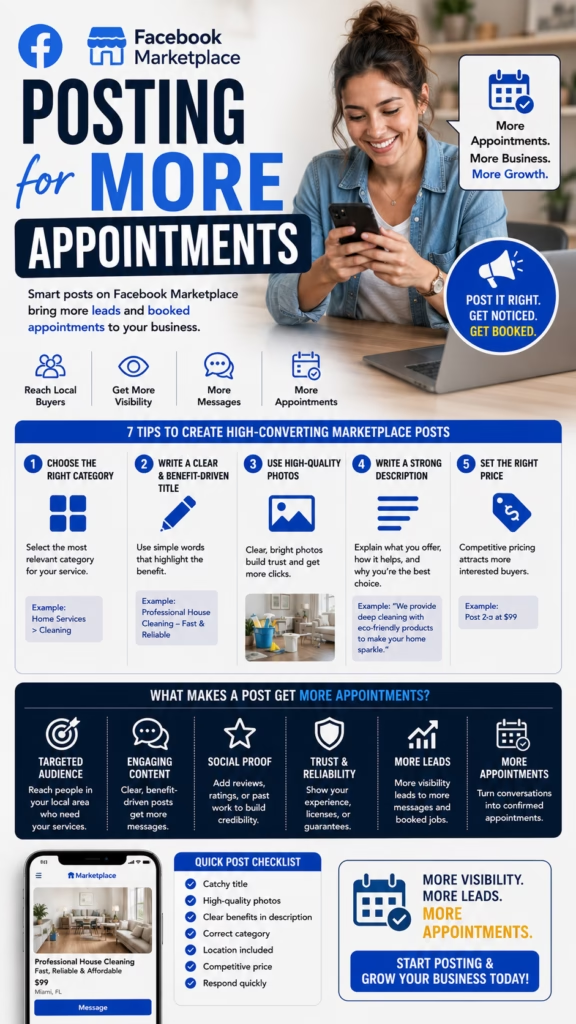
Facebook Marketplace Listing Mistakes That Kill Lead Flow

ChatGPT Image Jan 18 2026 01 02 09 PM
Facebook Marketplace Listing Mistakes That Kill Lead Flow

Facebook Marketplace Listing Mistakes That Kill Lead Flow

Facebook Marketplace listing mistakes can quietly crush your visibility, views, and messages—even when you’re selling something great. This guide shows the top mistakes that kill lead flow and exactly how to fix them.

Lead Flow Killers: Weak Title Bad Photos Wrong Category Pricing Issues No CTA Slow Replies

Note: Marketplace performance varies by account history, category, and local competition. These fixes improve conversion and consistency without relying on “tricks.”

Introduction

You can have the perfect product, a fair price, and a great description—and still get almost no messages on Marketplace. Why? Because lead flow on Facebook Marketplace is mostly driven by scroll behavior and buyer trust.

Facebook Marketplace Listing Mistakes That Kill Lead Flow is built to help you diagnose the exact reason your listing is underperforming. You’ll learn the top conversion killers and how to fix each one in a way that increases views, saves, and messages.

Big idea: If you fix the first photo, title clarity, and reply speed, you can revive lead flow without changing what you’re selling.

Quick Answer (TL;DR)

If your Marketplace listing gets low messages, the issue is almost always one of these: (1) weak first photo, (2) vague title, (3) wrong category or missing location detail, (4) pricing that doesn’t match local expectations, (5) description that doesn’t answer buyer questions, (6) no clear CTA, or (7) slow response time. Fix those seven areas first. Then refresh your listing by updating the hero photo, rewriting the title, and posting during a high-browsing window.

Fast fix: Replace your first photo + rewrite your title with clear keywords + add a 1-line CTA: “Message me your city + when you want pickup.”

Table of Contents

1) The Most Common “Lead Flow” Symptoms

Most Marketplace problems show up in a few predictable ways:

Symptom A: Low views

This often points to timing, category mismatch, or account-level visibility issues.

Symptom B: Views but no messages

This is usually a conversion problem: photos, title clarity, pricing, or no CTA.

Symptom C: Messages but low close rate

This is often a follow-up and trust issue: slow responses, unclear terms, friction.

Symptom D: Lots of “Is this available?” then ghosting

This can happen when the listing isn’t clear, price feels off, or scheduling is hard.

Diagnosis rule: If you have views but few messages, fix conversion. If you have messages but few closes, fix response speed and scheduling.

2) Mistake #1: Weak First Photo (Hero Image)

The first image is your entire listing in one frame. Buyers scroll fast. If your hero image doesn’t instantly explain value, you lose clicks—and lead flow dies.

Common photo mistakes

  • Dark photos or messy background
  • Too zoomed in (buyers can’t tell what it is)
  • Stock photos or “not your real item”
  • Too many screenshots or text-heavy images
  • First photo isn’t the best angle

Fix it (fast)

  • Take one bright photo with clean background
  • Show the full item/property first
  • Use a consistent angle and lighting
  • Make photo #1 the most informative

Quick win: Replace only the first photo and watch the message rate change.

3) Mistake #2: Vague Titles That Don’t Match Searches

Marketplace search relies heavily on your title. A vague title kills discovery.

Bad title examples

  • “Great deal!”
  • “Must see”
  • “For sale”
  • “Nice item”

Better title formula

[Category keyword] + [brand/model/size] + [condition] + [key feature]

Examples

  • “Sectional Sofa – 3-Piece – Like New – Smoke-Free Home”
  • “Queen Mattress – Medium Firm – Clean – Delivery Available”
  • “3BR Rental – Near Downtown – Pet Friendly – Available Now”

Rule: If your title doesn’t answer “what is it?” in 2 seconds, lead flow drops.

4) Mistake #3: Wrong Category or Missing Attributes

Wrong category = wrong buyers. Missing attributes = less exposure.

Fix it

  • Select the most accurate category
  • Fill in all attributes (size, brand, condition, etc.)
  • Use consistent pricing format
  • Use the correct location radius or city

Fast check: If you’re not showing up in search for your keyword, your category/attributes are usually the reason.

5) Mistake #4: Pricing That Triggers Distrust or Ignores Comps

Pricing is psychological. Too high = no messages. Too low = “scam vibe” or junk leads.

Pricing mistakes

  • Overpricing without explaining value
  • Underpricing so much it looks suspicious
  • Using weird numbers without reason (unless strategy)
  • Not stating what’s included

Fix it

  • Check 10 comparable local listings
  • Price slightly under average to generate messages
  • State what’s included clearly
  • Add “OBO” only if you’ll actually negotiate

Rule: Your price should feel “normal” for your area and category.

6) Mistake #5: Description That Doesn’t Answer Buyer Questions

Most descriptions are fluff. Buyers want quick answers.

Buyer questions you must answer

  • What is it exactly?
  • Condition and age?
  • What’s included?
  • Where are you located?
  • Pickup/delivery/tour process?
  • When are you available?

Description template (copy/paste)

✅ Item: [what it is + key details]
✅ Condition: [new/like new/good/fair + any honest notes]
✅ Included: [what’s included]
📍 Location: [city/area]
🕒 Availability: [best days/times]
👉 Message me your city + when you want to pick up / see it.

Quick win: Put location + availability in the first 3 lines.

7) Mistake #6: No Call-to-Action (CTA)

Without a CTA, people browse and bounce. A simple CTA increases messages.

Simple CTAs that work

  • “Message me your city + when you want pickup.”
  • “Send ‘INFO’ and I’ll send details.”
  • “Want the address and showing times? Message ‘TOUR’.”

Rule: Always tell the buyer exactly what to do next.

8) Mistake #7: Slow Replies (Leads Go Cold)

Marketplace is fast. If you reply late, buyers move on.

Fix it

  • Turn on notifications
  • Use quick replies
  • Send an instant response template
  • Ask one question at a time

Instant reply template

Yes — it’s available.
What city are you in, and when would you like to pick up / see it?

Speed-to-lead rule: Aim to reply within 5–15 minutes whenever possible.

9) Mistake #8: Spam Patterns (Reposts, Duplicates, Copy/Paste)

Reposting identical content too frequently can reduce reach and create account issues. The goal is consistent activity without repetitive patterns.

Fix it

  • Create 3–5 title variants per item type
  • Rotate photos (change hero image)
  • Refresh listings before reposting
  • Space out reposts and only repost with meaningful updates

Avoid: Delete + repost + delete + repost cycles. Refresh first.

10) Mistake #9: Poor Location Strategy (Too Broad / Too Narrow)

Your location affects who sees your listing. If the location is vague, buyers hesitate. If it’s too far from your buyers, you get low engagement.

Fix it

  • Use city/area in description
  • Be transparent about pickup/tour location
  • If you serve multiple cities, use variants and rotate

Rule: Location clarity reduces “ghost messages” and improves serious inquiries.

11) Mistake #10: Listing Looks “Too Salesy” or Risky

Marketplace buyers are cautious. If your listing feels like an ad, they hesitate.

Trust boosters

  • Real photos
  • Honest condition notes
  • Clear pickup/tour process
  • Simple language
  • Fast response

Pro move: Add one honest flaw note if applicable (“small scratch shown in photo”). It increases trust.

12) The 10-Minute Listing Fix Checklist

[ ] Replace first photo (bright + clear)
[ ] Rewrite title using category keywords
[ ] Confirm category + attributes
[ ] Add city/area in first 2 lines
[ ] Add availability and pickup/tour info
[ ] Add a clear CTA
[ ] Set realistic price based on comps
[ ] Turn on notifications / quick replies
[ ] Refresh (small update) instead of reposting immediately
[ ] Track messages for 48 hours

Result: Most listings improve within 1–2 days when these are corrected.

13) Copy/Paste Response Scripts That Increase Conversion

Script 1: Availability + schedule

Yes — it’s available.
What city are you in, and what time works best for pickup / a quick look?

Script 2: Price question

Price is $[X]. If you’re ready to pick up this week, I can work with you a bit.
What day are you thinking?

Script 3: Ghost follow-up

Quick check — still interested?
If so, tell me your city + a time window and I’ll confirm availability.

Script 4: Too many “Is it available?”

Yes — available right now.
To hold it, what time today can you pick up?

Rule: Always end with a question. Questions move the conversation forward.

14) 30-Day Marketplace Optimization Plan

Week 1: Fix conversion basics

[ ] Upgrade hero photos
[ ] Rewrite titles with keywords
[ ] Add CTA + location clarity
[ ] Improve response speed with templates

Week 2: Improve targeting and timing

[ ] Test 2 posting windows (morning vs evening)
[ ] Adjust pricing using local comps
[ ] Optimize categories/attributes

Week 3: Scale with variants

[ ] Create 3 title variants per listing type
[ ] Rotate photos and hooks
[ ] Refresh listings instead of constant reposts

Week 4: Track and optimize

[ ] Track messages per post
[ ] Keep what works and remove what doesn’t
[ ] Standardize your best-performing template

Want a done-for-you Marketplace lead system?

Book a Demo   |   Get the Automation Checklist

15) 25 Frequently Asked Questions

1) Why am I getting views but no messages on Facebook Marketplace?

Usually your listing isn’t converting: weak first photo, vague title, unclear details, no CTA, or slow replies.

2) What is the biggest Marketplace listing mistake?

A poor hero photo and vague title—buyers scroll past without clicking.

3) Why do my listings get low views?

Often wrong category, weak timing, or low early engagement. Fix title/category and post in high-browsing windows.

4) Do titles really matter on Marketplace?

Yes. Titles drive search discovery and click-through.

5) How many photos should I use?

Use enough to build trust—typically 6–10 clear photos.

6) What should my first photo be?

Your clearest, brightest, most informative image showing the full item.

7) Does pricing affect lead flow?

Yes. Too high reduces messages; too low can attract junk leads or look suspicious.

8) Should I put “OBO” in my listing?

Only if you’ll actually negotiate. Otherwise it invites time-wasters.

9) How do I write a Marketplace description?

Answer what it is, condition, included items, location, availability, and next step CTA.

10) Why do people ask “Is it available?” then disappear?

Often they’re impulse browsing. Respond fast and ask a scheduling question to filter serious buyers.

11) Does response time matter?

Yes. Faster replies convert more inquiries.

12) Should I repost my listing every day?

No. Refresh first. Constant reposting can hurt performance and create account issues.

13) What’s the best time to post?

Common strong windows are morning, lunch, and early evening—but test your market.

14) What category should I choose?

The most accurate category for your item. Wrong category reduces relevance and exposure.

15) How do I increase Marketplace messages?

Improve hero photo, title clarity, pricing, and add a clear CTA plus fast replies.

16) What’s the best CTA?

“Message your city + when you want pickup/tour.” It moves buyers to action.

17) Should I include my address?

For safety, share the exact address only when scheduling, but include city/area publicly.

18) How do I reduce time-wasters?

Be specific in the listing and ask scheduling questions to filter serious buyers.

19) Why do I get messages from far away?

Your location strategy may be too broad. Add city/area and clarify pickup/tour location.

20) What if my listing looks “too salesy”?

Use real photos, simple language, and honest details—buyers trust authenticity.

21) How quickly do fixes work?

Many improvements show within 24–48 hours after updating photos/title and response behavior.

22) What should I fix first?

Hero photo, title, CTA, and response time.

23) Can I use templates without looking spammy?

Yes—rotate hook and wording, keep facts consistent, and vary photos.

24) How do I track lead flow?

Track views, saves, messages per post, and reply time for each listing.

25) What’s the simplest system to maintain?

A weekly routine: upgrade photos, post consistently, respond fast, and refresh listings strategically.

16) 25 Extra Keywords

  1. Facebook Marketplace Listing Mistakes That Kill Lead Flow
  2. Facebook Marketplace listing mistakes
  3. Marketplace mistakes
  4. why Marketplace listings get no messages
  5. Marketplace low views fix
  6. Marketplace title mistakes
  7. Marketplace photo mistakes
  8. Marketplace description mistakes
  9. Marketplace pricing mistakes
  10. how to improve Marketplace listing
  11. increase Marketplace messages
  12. increase Marketplace views
  13. Marketplace conversion tips
  14. Marketplace CTA examples
  15. Marketplace response time tips
  16. Marketplace refresh strategy
  17. when to repost Marketplace listings
  18. avoid Marketplace spam patterns
  19. Marketplace listing optimization
  20. Marketplace location strategy
  21. Marketplace category selection
  22. Marketplace lead generation
  23. why buyers ghost on Marketplace
  24. Marketplace follow up scripts
  25. Marketplace 30 day plan

© 2026 Your Brand. All Rights Reserved.
General information only—Marketplace performance varies by location, category, and account behavior.

Facebook Marketplace Listing Mistakes That Kill Lead Flow Read More »

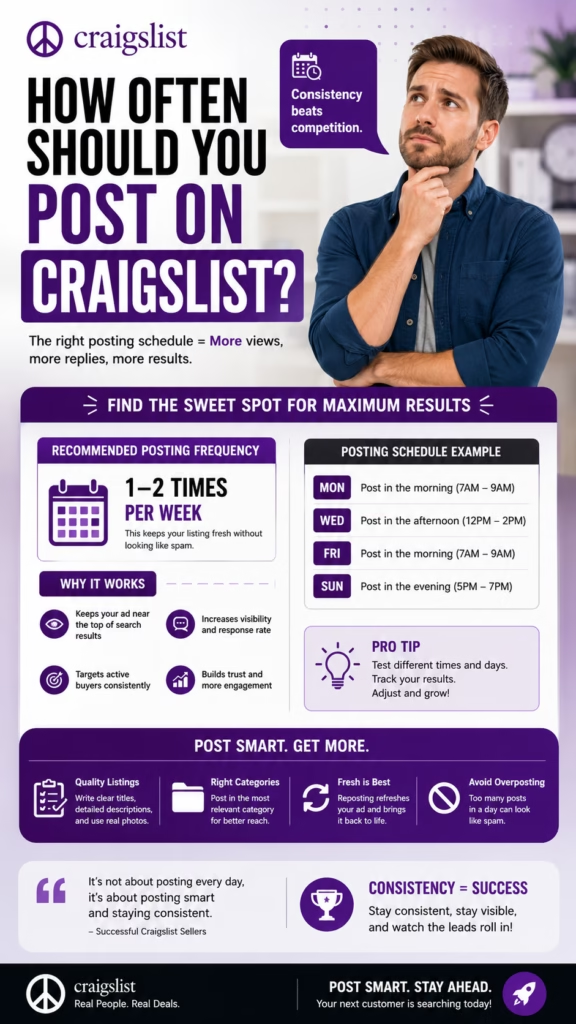
Best Times to Post on Facebook Marketplace for Maximum Visibility

ChatGPT Image Jan 18 2026 12 54 52 PM
Best Times to Post on Facebook Marketplace for Maximum Visibility

Best Times to Post on Facebook Marketplace for Maximum Visibility

Best times to post on Facebook Marketplace depend on local behavior—but there are consistent time windows that reliably increase views, saves, and messages when paired with strong titles, photos, and fast replies.

Marketplace Visibility Stack: Timing Windows Weekday vs Weekend Category Timing Refresh Strategy Repost Rules 30-Day Testing

Note: Facebook Marketplace visibility can vary by location, account history, category, and competition. This guide focuses on practical testing and repeatable scheduling.

Introduction

If you’ve ever posted a great item (or property) on Facebook Marketplace and gotten almost no views, you already know the truth: timing matters. But timing alone isn’t the whole story. The best results happen when the right item appears in front of the right local buyers at the moment they’re actively browsing—and when your listing converts that attention into messages.

Best Times to Post on Facebook Marketplace for Maximum Visibility is a playbook for finding your best posting windows, building a consistent schedule, and using refresh + repost strategy to keep listings alive without “spam patterns.”

Key idea: You don’t need perfect timing. You need consistent timing + fast response + strong listing quality.

Quick Answer (TL;DR)

In most local markets, the best times to post on Facebook Marketplace are typically early morning, lunch, and early evening when people browse on breaks or after work. Weekends often perform well for higher-consideration purchases because buyers have time to compare and meet. The fastest way to find your exact best windows is to run a 30-day test: post the same category at consistent quality across 3 time blocks, track views/messages, and double down on the winners.

Fast win: Post at 7–9am, 11am–1pm, or 6–9pm for 14 days and track which window produces the most messages.

Table of Contents

1) How Marketplace Visibility Works (Simple Model)

Marketplace visibility is driven by a few core forces. You don’t need to know the “secret algorithm.” You need to control what you can control:

Inputs you control

  • Time you post
  • Category + price + location accuracy
  • Photos and first image strength
  • Title and keywords
  • Response time to messages
  • Listing edits (refresh behavior)

Signals Marketplace responds to

  • Early engagement (views, saves, messages)
  • Relevance to local buyers
  • Listing completeness and clarity
  • Seller behavior patterns (spam vs normal)
  • Buyer satisfaction (replies, follow-through)

Visibility principle: The first 30–120 minutes after posting matters. If buyers engage early, you often get more distribution.

2) Best Posting Windows (Weekday + Weekend)

These are the most reliable “high browsing” windows for Marketplace in many areas. You should still test your market, but start here.

Weekday windows (most consistent)

WindowWhy it worksBest for
7:00–9:00amMorning scroll + commute downtimeFast-moving categories, daily deals
11:00am–1:00pmLunch break browsingGeneral items, services, rentals
6:00–9:00pmAfter work + evening leisureHigher consideration buys, properties

Weekend windows (often strong)

WindowWhy it worksBest for
9:00am–12:00pmWeekend planning + errandsFurniture, cars, rentals, properties
6:00–10:00pmRelaxed browsing + messagingAnything with photos + story

Starter schedule: Post 3x per week at 7–9am and 3x per week at 6–9pm, then compare results.

3) Category-Specific Timing (What Performs When)

Different categories behave differently. Think about buyer intent: “quick pickup” vs “serious decision.”

Category typeBest windowsWhy
Fast pickup items (low price)7–9am, 11–1pmPeople plan day pickups, impulse buys
Furniture / appliancesEvenings + weekendsMore time to coordinate logistics
Cars / motorcyclesEvenings + weekend morningsBuyers browse longer and compare
Rentals / housing6–10pm + weekend morningsPeople message after work and plan tours
Real estate buyer lead hooks6–9pm + weekend morningsMore serious conversations happen then

Rule: If it requires scheduling (tour/pickup/inspection), evenings and weekends tend to win.

4) The Weekly “Visibility Schedule” You Can Follow

If you want predictable visibility, build a predictable rhythm. Here are two schedules depending on your volume.

Schedule A (low volume: 5 posts/week)

Mon: 6–8pm
Tue: 7–9am
Wed: 6–8pm
Fri: 11am–1pm
Sat: 9–11am

Schedule B (higher volume: 14–21 posts/week)

Mon–Fri: 7–9am + 6–9pm (2 posts/day)
Sat: 9–12pm (2–3 posts)
Sun: 6–10pm (2 posts)

Consistency beats randomness: Even if your time window isn’t “perfect,” a consistent schedule helps you learn what works and improve weekly.

5) Refresh vs Repost: What to Do and When

People ruin visibility by spamming reposts. You want strategic refresh behavior that improves engagement signals.

When to refresh (preferred)

  • Update the first photo (stronger hero image)
  • Improve title keywords (clarity + category words)
  • Add a short line to description (new detail)
  • Adjust price slightly (if appropriate)
  • Reply to messages faster (boosts momentum)

When to repost (only when necessary)

  • Listing is buried and no longer getting views
  • Major changes: price drop, new photos, new availability
  • Allowed by platform rules and your account health is strong

Avoid: deleting and reposting the same content repeatedly. That pattern can reduce distribution and create account issues.

6) Listing Quality Factors That Multiply Visibility

Timing helps you get early eyes. Quality converts those eyes into messages and saves—creating more visibility.

Marketplace listing quality checklist

[ ] Clear title with category keyword + main feature
[ ] First image is the best, brightest, most informative
[ ] Price is realistic (wild prices reduce engagement)
[ ] Description includes: location, condition/details, pickup/next step
[ ] Category is correct
[ ] Respond within 5–15 minutes when possible
[ ] No misleading claims or bait-and-switch

Pro move: Make the first 2 lines of your description “skimmable” and action-driven.

7) Speed-to-Lead: The Hidden Visibility Booster

Most people think Marketplace is only about posting times. But conversion signals matter too. If you reply quickly, your listing stays “alive” in the conversation ecosystem—more messages can mean more distribution.

Instant reply template (copy/paste)

Yes — it’s available.
What city are you in, and when would you like to pick it up / see it?

Rule: If you can’t reply fast, post less often but with higher quality + better timing.

8) 30-Day Testing Plan (Find Your Best Time)

Stop guessing. Test. Here’s a simple plan that works without fancy tools.

Step-by-step test

  1. Choose one category (keep it consistent)
  2. Use similar listing quality (photos + titles)
  3. Post in 3 time blocks: morning, lunch, evening
  4. Track results for each post for 48 hours
  5. After 30 days, choose the top 2 time windows and double down

Tracking sheet (simple columns)

Date | Time Window | Category | Views (24h) | Saves | Messages | Sold/Booked | Notes

Goal: identify the time window that produces the most messages per post.

9) KPIs to Track Weekly

KPIWhy it mattersWhat to change
Views per post (24h)Visibility signalTiming + title + category
Messages per postConversionPhotos + pricing + CTA
Reply timeWin rateNotifications + auto replies
Save rateBuyer intentBetter photos + clarity
Close rateRevenueFollow-up + scheduling

Rule: Optimize for messages, not just views. Messages pay the bills.

10) Common Mistakes and Fixes

Mistake 1: Posting at random times

Fix: pick 2 windows and stay consistent for 2 weeks, then review.

Mistake 2: Weak first photo

Fix: upgrade the hero image and repost only when necessary.

Mistake 3: No call-to-action

Fix: include a clear next step: “Message me your city + availability.”

Mistake 4: Slow response

Fix: use notifications, quick replies, or an auto-response system.

Mistake 5: Over-reposting

Fix: refresh listings first; repost only with meaningful updates and spacing.

Winning mindset: Marketplace is a system—timing + quality + speed + consistency.

11) 25 Frequently Asked Questions

1) What is the best time to post on Facebook Marketplace?

In many markets, early morning, lunch, and early evening tend to perform best—then test your local results to confirm.

2) Do weekends perform better on Marketplace?

Often yes for higher-consideration purchases because buyers have more time to browse and coordinate meetups.

3) What weekday is best to post?

Weekdays with steady browsing (often midweek) can perform well, but time window matters more than the specific day.

4) Should I post in the morning or at night?

Try both. Morning and evening are commonly strong; your category may lean one way.

5) What time gets the most messages?

For many categories, 6–9pm performs strongly because people can message and plan after work.

6) Does lunch time posting work?

Yes—11am–1pm can be a great browsing window, especially for quick pickup items and services.

7) How often should I repost a listing?

Repost only when necessary and when allowed; refresh first by improving photos/title/price and spacing changes.

8) What’s better: refresh or repost?

Refresh is usually better because it improves performance without spam-like patterns.

9) How long does a Marketplace listing stay visible?

Visibility tends to peak early, then declines; refresh behavior and engagement can extend lifespan.

10) Why do my listings get low views?

Common reasons include poor timing, weak photos, incorrect category, unrealistic pricing, or account health issues.

11) Does posting too much hurt visibility?

It can, especially if posts look repetitive or spammy. Quality and spacing matter.

12) Should I post the same item in multiple groups?

Only where allowed and relevant. Avoid blasting many groups with identical content.

13) What’s the best title format?

Use category keyword + main feature + size/brand/model when applicable.

14) Do photos matter more than timing?

Photos often matter more for conversion, but timing helps you get early attention.

15) How many photos should I use?

Use enough to build trust: usually 6–10 high-quality photos for most categories.

16) Should I include location?

Yes, at least city/area to reduce back-and-forth and increase relevance.

17) Does replying fast increase visibility?

It can indirectly help by increasing engagement and message activity.

18) What’s the best CTA?

Ask a simple next step: “Message me your city + availability.”

19) How do I test my best time quickly?

Post consistently in 3 time blocks for 14 days and compare messages per post.

20) Do different categories have different best times?

Yes—high-consideration items often perform better evenings/weekends.

21) What’s a good weekly posting schedule?

Pick 2 windows (morning + evening) and post consistently across the week, then optimize.

22) What’s the biggest timing mistake?

Posting randomly and changing too many variables at once, making it impossible to learn.

23) How do I increase saves?

Use clear photos, accurate pricing, and a strong first image that helps buyers decide quickly.

24) How do I increase messages?

Improve title clarity, use better photos, add a clear CTA, and respond quickly.

25) What should I do first today?

Choose two posting windows, improve your titles/photos, and commit to consistent posting for 14 days.

12) 25 Extra Keywords

  1. Best Times to Post on Facebook Marketplace for Maximum Visibility
  2. best time to post on Facebook Marketplace
  3. Facebook Marketplace posting times
  4. when to post on Facebook Marketplace
  5. Facebook Marketplace visibility tips
  6. Facebook Marketplace algorithm
  7. Marketplace posting schedule
  8. Marketplace weekday vs weekend
  9. best Marketplace time windows
  10. increase Marketplace views
  11. get more Marketplace messages
  12. Marketplace refresh strategy
  13. when to repost on Marketplace
  14. how often to repost Marketplace listing
  15. Marketplace listing lifespan
  16. Marketplace views low
  17. Marketplace listing optimization
  18. best time to list items on Marketplace
  19. Marketplace morning posting
  20. Marketplace evening posting
  21. Marketplace weekend posting
  22. Marketplace lead generation
  23. Marketplace engagement tips
  24. Marketplace response time
  25. Marketplace A/B testing plan

© 2026 Your Brand. All Rights Reserved.
General information only—Marketplace performance varies by location, category, and account behavior.

Best Times to Post on Facebook Marketplace for Maximum Visibility Read More »

How Small Businesses Generate Leads Without Paid Ads

ChatGPT Image Jan 16 2026 01 34 35 PM
How Small Businesses Generate Leads Without Paid Ads

How Small Businesses Generate Leads Without Paid Ads

How Small Businesses Generate Leads Without Paid Ads is your 2026 playbook for consistent inbound leads using trust, visibility, and simple systems that compound—without needing a daily ad budget.

Free Lead Engine Stack: Google Business Profile Reviews Local SEO Referrals Partnerships Community

Note: This is general marketing guidance. If you use SMS/email outreach, confirm consent requirements and applicable privacy rules.

Introduction

How Small Businesses Generate Leads Without Paid Ads works because most lead generation isn’t an “ad platform” problem. It’s a visibility + proof + follow-up problem.

Local customers are already searching for what you sell: services, repairs, rentals, products, appointments, deliveries. The businesses that get the calls aren’t always the best—they’re the ones that are easiest to find, easiest to trust, and fastest to respond.

Big idea: Organic lead generation compounds. One review, one partnership, one helpful post can produce leads for months.

Expanded Table of Contents

1) The 5 rules behind “free” lead generation

How Small Businesses Generate Leads Without Paid Ads becomes simple when you follow five rules:

Rule 1: Be findable where intent already exists

Google Maps, local search, community groups, and referrals beat “random attention.”

Rule 2: Proof beats promises

Reviews, photos, before/after, and mini case studies convert better than claims.

Rule 3: Reduce friction

Make it one tap to call/text/book. Leads die when contact feels hard.

Rule 4: Consistency beats intensity

One weekly routine outperforms “bursts” that stop when you get busy.

Rule 5: Speed-to-lead multiplies results

Fast replies can double conversion without increasing traffic.

Operator mindset: Organic leads come from systems you run weekly—not one-time hacks.

2) #1 Win Google Maps with Google Business Profile (GBP)

If you only do one thing from How Small Businesses Generate Leads Without Paid Ads, do this. For many local businesses, GBP is the #1 source of free inbound leads.

GBP optimization checklist

  • Choose the best primary category (most important)
  • Add secondary categories that match real services
  • Fill out services/products with keywords + pricing ranges
  • Upload real photos weekly (team, work, location, products)
  • Turn on messaging only if you can respond fast
  • Add a booking link if you have one (or a simple “Request a Quote” form)

Quick win: Add 10–20 service entries and attach a short description to each.

“One-tap CTA” rule

Everywhere customers find you (GBP, website, social profiles), you should make it easy to take action:

  • Call button
  • Text option
  • Book link (if relevant)

3) #2 Build a review engine (not “ask sometimes”)

Reviews are free salespeople. The difference between “no leads” and “too many leads” is often review velocity—how many fresh reviews you earn each month.

Review request SMS template (copy/paste)

Hey! Quick favor 🙏
If we did a great job, could you leave a short review? It helps local customers find us.

(Review link)
Thank you!

Simple review engine (repeat weekly)

  1. Ask at the right moment (right after success)
  2. Make it easy (one link)
  3. Reply to every review (shows trust)
  4. Track review velocity weekly

Rule: Your goal is consistent new reviews, not just a high total count.

Review KPI scoreboard

KPIWhat it meansTarget direction
New reviews per monthFresh trust signalsUp
Average ratingQuality signalStable/Up
Response rate (reply to reviews)Trust + engagement100%

4) #3 Create service + city pages that match real searches

Local SEO is “free traffic that compounds.” You don’t need 100 blog posts. You need a small set of pages that match high-intent searches.

High-intent page formula

[Service] in [City]
• What you do
• What it costs (range)
• How fast you can start
• Proof photos + reviews
• FAQs
• Call/Text/Book CTA

Start with the highest intent pages

  • Your top 5 services
  • Your top 3 cities/areas
  • Common “near me” alternatives (neighborhoods, suburbs)

Quick win: Build 8 pages total (5 services + 3 cities). That alone can start compounding.

Example SEO topic map (simple)

Page typeExampleWhy it converts
Service + City“HVAC Repair in [City]”High buyer intent
Pricing“[Service] Cost in [City]”Captures shoppers ready to buy
Comparison“DIY vs Pro: [Service]”Handles objections
Emergency / Same-day“Same-day [Service] [City]”Urgency converts fast

5) #4 Turn proof into weekly content (simple system)

Content doesn’t need to be creative—it needs to be real. If you can capture proof, you can generate leads without ads.

One job = one week of content

AssetWhat to postWhere
1) Before/After2 photos + 2 sentencesGBP, Facebook, IG
2) Short tip“Here’s what caused the problem”Reels/Shorts
3) Review screenshotCustomer quote + thanksFacebook, IG
4) FAQ answerAnswer one objectionBlog, GBP
5) Process clip15 seconds “how we work”TikTok/IG/YouTube

Weekly habit: Post proof once. Ask for reviews. Reply fast. Repeat.

6) #5 Community groups the right way (help-first)

Community groups can generate leads fast, but only if you avoid spam behavior. The winning pattern is: help first, offer next steps second.

Help-first community post template (copy/paste)

Quick tip for anyone dealing with [problem]:
• Sign #1:
• Sign #2:
• Sign #3:

If you want, comment your area + what you’re seeing and I’ll tell you the most likely cause.

Why it works: You position as the expert without begging for business.

Community “lead capture” follow-up (safe + simple)

Happy to help. If you want a quick estimate, message me:
1) Your area
2) Photos (if relevant)
3) Timeline (today/this week/this month)

I’ll reply with the next step.

7) #6 Directory + citation strategy (clean + consistent)

Directories help with discovery and can support local SEO through consistent business information (NAP: name, address, phone).

High-value directory checklist

  • Google Business Profile (required)
  • Bing Places
  • Apple Business Connect
  • Industry directories (your niche)
  • Chamber of commerce / local directories

Important: Keep NAP consistent everywhere. Inconsistency creates trust issues for both buyers and search engines.

NAP consistency checklist

  • Same spelling of business name
  • Same address formatting
  • Same primary phone number
  • Same service areas (where applicable)

8) #7 Partnerships that send referrals every month

Partnerships are “free ads with trust baked in.” If someone already trusts a business, their referral arrives warmer than cold traffic.

Examples of adjacent partners

  • Contractor ↔ plumber ↔ electrician ↔ HVAC
  • Realtor ↔ inspector ↔ cleaner ↔ handyman
  • Mattress store ↔ furniture store ↔ moving company
  • Auto detailer ↔ mechanic ↔ tint ↔ body shop

Partner outreach script (copy/paste)

Hey [Name] — I run [Business]. We serve [area] and we often get asked for [their service].
If I send you 3–5 referrals a month, would you be open to doing the same when you get asked for [your service]?

Happy to start simple and see if it’s a good fit.

Fast win: Start with 10 partner messages. The goal is 3 referral partners in 30 days.

9) #8 A referral offer people actually share

Referrals don’t happen consistently unless you make the “ask” easy and the reward clear.

ModelOfferBest for
Cash$25–$100 per referralHigher-ticket services
Credit$50 credit toward next serviceRepeat customers
GiftGift card / upgradeRetail + local services

Referral ask (copy/paste)

If you know anyone who needs [service], can you send them my number?
I’ll take great care of them. As a thank-you, I’ll send you [reward] if they book.

Rule: People share what’s easy. Keep it one sentence and one step.

10) #9 Re-engage past customers (free money)

Past customers already trust you. Re-engagement is one of the highest ROI ways small businesses generate leads without paid ads.

Reactivation message (copy/paste)

Hey [Name] 👋
Just checking in — do you need anything related to [service] this season?
If you want, I can share current availability and a quick price range.

Why it works

  • You’re not “selling” — you’re following up
  • The customer already knows your quality
  • It reopens conversations that went quiet

Fast win: Message 20 past customers this week. Track replies and bookings.

11) #10 Follow-up systems that double close rate

Free lead generation often fails at one point: leads come in, but nobody follows up consistently. Your follow-up system is the “profit lever.”

Simple 4-touch follow-up sequence

Touch 1 (immediate): Answer + next step
Touch 2 (2–4 hours): “Want me to hold a time for you?”
Touch 3 (next day): “Today or tomorrow work better?”
Touch 4 (day 3): “No worries—want me to message you when we have an opening?”

Why it works: Most buyers are busy. The business that follows up wins.

12) #11 Short-form video trust content (no “viral” needed)

Short-form video works because it compresses trust. You don’t need a production team—just simple answers and proof.

10-second hooks (copy/paste)

  • “If you’re in [City] and you’re seeing [problem], here’s what it usually means…”
  • “Most people overpay for [service] because they don’t know this…”
  • “Here’s how to tell if you need [service] this week…”

Best format: Problem → quick explanation → next step (“text your city + timeline”).

13) #12 Answer questions publicly (FAQ content that ranks)

Every question your customers ask is a lead asset. If you answer it publicly, you earn trust and capture search traffic.

Top FAQ categories

  • Pricing and what affects it
  • Timeline and scheduling
  • What to expect (process)
  • Guarantees/warranties
  • Common mistakes and DIY warnings (when appropriate)

Pro move: Turn each FAQ into a short post + one website FAQ section update.

14) #13 Direct outreach scripts (targeted + respectful)

Direct outreach is the “fast lever.” It’s not spam when it’s targeted, respectful, and easy to decline.

10-a-day outreach script (copy/paste)

Hey [Name] — quick question.
Do you ever need help with [service] in [city/area]?

If so, I can send pricing and availability. If not, no worries at all.

Best outreach targets

  • Property managers
  • Realtors
  • Small business owners
  • Community organizers
  • Adjacent service providers

Fast win: Do 10 messages/day for 30 days. Track replies and referrals.

15) #14 Lead magnets + simple conversion upgrades

You don’t need fancy funnels. You need simple ways to capture and convert interest.

Simple lead magnets that work locally

1-page pricing guide

“Typical cost range + what affects price” builds trust and reduces ghosting.

Checklist

“Before you book, here’s what to check” positions you as the expert.

Quote form

Simple form: name, phone, city, timeline, notes, photos upload.

Scheduling link

Reduce friction: “Pick a time” converts better than long back-and-forth.

Missed-call text-back template (copy/paste)

Hey! Sorry I missed your call — how can I help?
Reply with your city + what you need, and I’ll text you pricing + availability.

Why it matters: Many “lost leads” are simply missed calls or slow responses.

16) #15 KPIs: what to track weekly so it compounds

Organic lead generation isn’t mysterious when you track a few numbers. These metrics tell you what to improve.

KPIWhat it measuresWhy it mattersTarget direction
Calls/messagesInbound demandTop-line lead flowUp
Response timeSpeed-to-leadConversion multiplierDown (faster)
Reviews/monthTrust velocityMaps ranking + conversionUp
BookingsSales outcomeReal revenue impactUp
Referral partnersWarm channelsPredictable monthly leadsUp

Fast win: If you’re overwhelmed, focus on response time + reviews. Those two often lift everything else.

17) Copy/paste checklists

Weekly “no ads” lead routine (60 minutes)

[ ] Post 1 proof update (before/after or review)
[ ] Send 5 review requests
[ ] Reply to all reviews/messages
[ ] Message 2 partners or referral sources
[ ] Post 1 helpful tip in a community group
[ ] Upload 1 new photo to GBP

Monthly routine (2–3 hours)

[ ] Add/refresh 1 service + city page
[ ] Audit GBP: categories, services, photos
[ ] Ask top customers for referrals
[ ] Review KPI: response time, calls, bookings
[ ] Re-engage past customers list

Lead handling checklist (daily)

[ ] Reply in 5–15 minutes during business hours
[ ] Ask 2–3 qualification questions
[ ] Offer 2 specific time options for the next step
[ ] Follow up with non-responders (2–3 touches)
[ ] Log common questions to turn into FAQ content

18) 30–60–90 day rollout plan

Days 1–30 (Fast leads)

  1. Optimize GBP fully + add services
  2. Implement review request system
  3. Add click-to-call/text everywhere
  4. Post weekly proof + help-first community tips
  5. Start 10/day outreach to partners or local targets
  6. Set missed-call text back

Days 31–60 (Compounding)

  1. Create 5–10 service + city pages
  2. Build 3 partnerships that exchange referrals
  3. Publish FAQ content from real customer questions
  4. Begin reactivation campaign to past customers
  5. Create one simple lead magnet (pricing guide or checklist)

Days 61–90 (Systemize)

  1. Track KPIs weekly and improve the weak link
  2. Standardize scripts (inquiry → quote → booking)
  3. Document the routine so it runs even when busy
  4. Scale what works: more pages, more proof, more partners

Outcome: A repeatable lead engine that does not rely on paid ads to survive.

19) 25 Frequently Asked Questions

1) How do small businesses generate leads without paid ads?

How Small Businesses Generate Leads Without Paid Ads comes down to visibility + proof + follow-up: GBP optimization, consistent reviews, local SEO pages, partnerships, referrals, community visibility, and fast response.

2) What’s the fastest way to get leads for free?

Referrals, partnerships, community posts, and direct outreach to warm local targets are often the fastest.

3) What free channel compounds the most?

Local SEO + reviews compounds over months and can become the primary inbound engine.

4) Do I need social media to get leads without ads?

No. Many businesses win with GBP + reviews + local SEO + partnerships. Social can help, but it’s not required.

5) How many reviews do I need?

There’s no magic number. A steady flow of recent reviews often matters more than a high total count.

6) How often should I ask for reviews?

Every week. Consistency beats occasional bursts.

7) What should I post on Google Business Profile?

Proof (before/after), offers, and short educational tips tied to what local customers need now.

8) What’s the biggest mistake with free lead generation?

Not following up fast. Speed-to-lead is one of the biggest multipliers.

9) How do partnerships work?

You exchange referrals with adjacent businesses that share the same customers.

10) What’s a good referral offer?

Keep it simple: cash, credit, or a gift card with a clear “ask” and one easy step to share.

11) Is local SEO worth it?

Yes if you want compounding inbound leads. Start small (5–10 pages) and build from results.

12) Do I need a blog?

Not always. Service + city pages and FAQ pages often outperform generic blogs for local intent.

13) How do I get leads if I’m brand new?

Start with GBP basics, outreach to partners, community help posts, and direct outreach while building reviews.

14) Can free marketing replace paid ads?

Often yes over time, but paid ads can accelerate growth while organic systems compound.

15) What should my first week look like?

Fix GBP, add CTAs, post proof, ask for reviews, message partners, and set up follow-up scripts.

16) What if I don’t have time for content?

Use the “one job = five assets” method. Proof content is fast and converts well.

17) What if my GBP isn’t ranking?

Check category accuracy, services, photos, reviews velocity, and response speed. Improve consistency.

18) How do I re-engage past customers?

Send a seasonal check-in message and offer availability and price range.

19) What’s the best free marketing for service businesses?

GBP + reviews + fast response + local SEO pages + partnerships.

20) What’s the best free marketing for retail stores?

GBP, product photos, review strategy, local community involvement, and promotions posted consistently.

21) How do I make my brand look more credible?

Use real photos, clear service descriptions, consistent branding, and proof-based captions.

22) How many posts per week do I need?

One quality proof post per week can work if your follow-up and GBP systems are strong.

23) What’s the simplest weekly routine?

Proof post + 5 review asks + reply fast + 2 partner messages.

24) How do I know it’s working?

Track calls/messages, bookings, review velocity, and response time trends.

25) What’s the fastest improvement I can make today?

Add click-to-call/text everywhere and set a missed-call text back message.

20) 25 Extra Keywords

  1. How Small Businesses Generate Leads Without Paid Ads
  2. generate leads without paid ads
  3. free lead generation for small business
  4. organic lead generation strategies
  5. how to get customers without ads
  6. google business profile lead generation
  7. how to rank on Google Maps
  8. get more Google reviews
  9. local SEO without ads
  10. service + city pages
  11. small business referral system
  12. partnership marketing for small business
  13. community group marketing tips
  14. Nextdoor marketing strategy
  15. short form video for local business
  16. proof based marketing
  17. speed to lead system
  18. missed call text back
  19. follow up sequence for leads
  20. re-engage past customers
  21. small business lead tracking KPIs
  22. free marketing checklist
  23. organic marketing plan 30 60 90
  24. local business growth without ads
  25. how to get leads for free

© 2026 Your Brand. All Rights Reserved.
General information only—confirm consent rules and applicable privacy laws before sending SMS or email marketing messages.

How Small Businesses Generate Leads Without Paid Ads Read More »

How the Facebook Marketplace Algorithm Works in 2025

ChatGPT Image Jan 16 2026 01 34 33 PM
How the Facebook Marketplace Algorithm Works in 2025

How the Facebook Marketplace Algorithm Works in 2025

How the Facebook Marketplace Algorithm Works in 2025 is your practical playbook for ranking listings, getting more messages, and turning views into real leads—using the signals Marketplace rewards most: freshness, engagement, listing quality, pricing, trust, and response speed.

Marketplace Ranking Stack: Freshness Engagement Listing Quality Pricing Seller Trust Speed-to-Lead

Note: This is general marketing guidance. Follow Facebook policies and local laws. Avoid spammy behavior, deceptive listings, or unsafe transactions. If you do outreach off-platform (SMS/email), confirm consent requirements and applicable privacy rules.

Introduction

How the Facebook Marketplace Algorithm Works in 2025 can feel mysterious because Marketplace doesn’t publish a simple “ranking checklist.” But in practice, it behaves like most recommendation systems: it tests your listing with a small group of people, watches what they do, and then decides whether to show it to more.

The goal of Marketplace is simple: help buyers quickly find a good match while reducing spam and poor experiences. That means the algorithm tends to reward listings that look trustworthy, get clicked, get saved, earn messages, and lead to smooth outcomes.

Big idea: Marketplace ranking is not one lever. It’s a stack. You win by improving the whole system: listing quality → engagement → response → follow-up.

Expanded Table of Contents

1) The 5 principles behind Marketplace distribution

Before the tactics, you need the rules. How the Facebook Marketplace Algorithm Works in 2025 becomes predictable when you follow these principles:

Principle 1: Marketplace tests first, scales later

Listings often start with a “small test” audience. If engagement is strong, distribution expands.

Principle 2: Engagement is the fuel

Clicks, saves, shares, and messages signal relevance. Low engagement signals “not a good match.”

Principle 3: Trust filters everything

Account health and buyer experience signals can reduce reach even if your listing looks great.

Principle 4: Freshness matters more than most people think

New or meaningfully refreshed listings get more opportunities to be tested.

Principle 5: Conversion loops back into future distribution

Smooth interactions (fast replies, clear info) improve outcomes, which supports long-term performance.

Operator mindset: Your goal is not “post and pray.” Your goal is “post, measure engagement, improve, repost the winner.”

2) #1 The Marketplace “distribution loop” explained

Here’s a simple way to understand Marketplace distribution in 2025:

StageWhat Marketplace doesWhat you should do
Stage 1: Initial testShows your listing to a small set of nearby/likely buyersMake the first 30–60 minutes count: strong photos + clear title + competitive price
Stage 2: Engagement evaluationMeasures clicks, saves, messages, and buyer behaviorRespond fast, answer questions, reduce friction (pickup, delivery, availability)
Stage 3: Expansion or suppressionExpands reach if performance is strong, or limits reach if signals are weakRefresh or rebuild listings that underperform; scale variants that win

Why this matters: If your listing fails the test, you may never see “big reach,” even if the item/service is solid. That’s why optimization is about the first impression.

3) #2 Freshness signals: why new posts get a boost

Freshness is one of the most consistent patterns people observe in Marketplace performance. New listings often get a short-term visibility boost because they give the algorithm new inventory to test.

What “freshness” usually means

  • New listing: a new post is often tested quickly
  • Meaningful updates: improved photos, updated price, clearer description
  • Repost cycle: for items/services that need consistent demand
  • Stale decay: older listings may lose distribution if engagement slows

Avoid: spam-editing every hour or repeatedly reposting identical content. That can look low-quality and may reduce trust signals. Instead, use a measured cadence and meaningful improvements.

Quick win: If a listing is dead, rebuild it with new photos + new title angle + updated price range, then repost as a new variant.

4) #3 Engagement signals: clicks, saves, messages

Engagement signals are Marketplace’s way of asking: “Do buyers care?” Most distribution decisions follow engagement patterns.

High-impact engagement signals

Clicks / Tap-through

Do people open the listing after seeing the thumbnail + title + price?

Saves / Favorites

Saves can signal “strong match” even if buyers aren’t ready to message yet.

Messages / Inquiries

Messages signal intent. More messages generally correlates with more distribution.

Low negative signals

Less hiding/reporting and fewer “is this available?” dead ends helps performance.

How to increase engagement without tricks

  • Use a clear “what it is” title (avoid vague hype)
  • Lead with your best photo (not a logo or text-only graphic)
  • Set a price that matches the buyer’s expectation range
  • Answer the top 5 questions in the description (so buyers feel safe)
  • Offer simple next steps (pickup/delivery/availability)

Fast win: Add a “next step” line: Message me your area + when you want it and I’ll confirm availability.

5) #4 Listing quality signals: photos, title, category

Marketplace is visual-first. Listing quality is not just “nice branding”—it directly affects click-through and message rate, which affects distribution.

Listing quality checklist

  • Category accuracy: correct category reduces mismatch and increases relevance
  • Title clarity: include item/service + key qualifier (size, brand, location, condition)
  • Photo quality: well-lit, real photos, consistent angles
  • Description completeness: what it is, condition, what’s included, delivery/pickup, timeline
  • Trust signals: realistic details, no bait-and-switch language

Title framework (copy/paste)

[Primary keyword item/service] – [Key benefit / spec] – [City/Area]
Examples:
• “Apartment for Rent – 2BR Near Downtown – [City]”
• “Queen Mattress – Like New – Free Delivery – [City]”
• “Fence Installation – Fast Quotes – [City]”

Why titles matter: Titles influence search matching and click-through. A better title improves engagement, and engagement improves distribution.

6) #5 Pricing signals: the hidden filter most sellers miss

Pricing is a powerful signal because it shapes buyer behavior. If your price is far above the typical range, people scroll past—lower engagement means lower distribution.

Pricing signals Marketplace “feels” indirectly

  • High price → fewer clicks → fewer messages → lower distribution
  • Competitive price → higher clicks → more messages → more distribution
  • Confusing price (e.g., “$1”) → low trust → lower quality signals

Smart pricing strategy

  1. Start near the buyer’s expected range (not your “wish price”)
  2. Use a clear price or a clear starting range (avoid bait pricing)
  3. Include what’s included (delivery, installation, accessories) to justify value
  4. If you need higher price, stack proof: condition photos, receipts, warranty, availability

Quick win: Test two price points for 48–72 hours each and compare message rate per view.

7) #6 Local relevance: distance, availability, timing

Marketplace is fundamentally local. Even for shipping-enabled categories, local relevance still matters for a large portion of distribution.

Local relevance factors

  • Distance: closer listings typically get prioritized for local buyers
  • Local demand: what people in your area are searching/saving
  • Availability signals: fast pickup/delivery increases conversion and engagement
  • Timing: posts often perform better when buyers are browsing (evenings/weekends in many markets)

Local advantage: Add clear service area coverage and easy scheduling—buyers choose the listing that feels easiest to complete.

8) #7 Seller trust & account health signals

Trust filters everything. Marketplace tries to reduce spam and protect buyer experience. That means account behavior matters as much as listing content.

Trust signals that help distribution

  • Consistent profile information and normal activity patterns
  • Clear, accurate listings that match what buyers receive
  • Low rate of reports/blocks/hides
  • Reliable communication and follow-through

Trust signals that can hurt distribution

  • Repeated identical posts that look like spam
  • Bait-and-switch pricing or misleading descriptions
  • Too many listings posted too quickly (especially if low quality)
  • Links, off-platform payment pressure, or suspicious patterns

Safety note: Keep transactions safe and transparent. Avoid unsafe payment requests and follow platform rules.

9) #8 Response time and messaging behavior

Response speed affects conversion. Conversion affects engagement. Engagement affects distribution. This is one of the most “controllable” algorithm levers.

Response speedBuyer behaviorAlgorithm impact
0–5 minutesBuyer is still shopping; replies feel trustworthyHigher message-to-deal conversion
15–60 minutesBuyer may be comparing; you lose some dealsLower conversion signals
2–24 hoursBuyer often moved onWeak engagement outcomes

Instant reply template (copy/paste)

Thanks for reaching out! Yes, it’s available.

Quick questions so I can help fast:
1) What area are you in?
2) When do you want to pick up / start?
3) Any must-have details (size, budget, timeline)?

Reply with those and I’ll confirm the next step.

Fast win: Your first message should reduce friction and guide the next step—not just “Yes.”

10) #9 Content uniqueness and duplicate suppression

Marketplace doesn’t want the feed full of repeated, identical posts. If you reuse the same content over and over, your listings can be treated as low value—or simply fail to get fresh engagement.

How to keep content unique (without overworking)

  • Rotate titles (angle + benefit + qualifier)
  • Rotate lead photo (different hero image)
  • Change the first 2 lines of the description (hook)
  • Use real, varied photos (different sets/angles)
  • Rotate offer details (delivery, warranty, availability, bundles)

Simple rule: Create 3–5 listing “variants” per product/service. Post them on a schedule and keep the winners.

11) #10 Marketplace SEO: keywords that actually help

Marketplace SEO is not the same as Google SEO, but keywords still matter—especially in titles and category matching.

Where keywords matter most

  • Title: strongest signal for matching searches and boosting click-through
  • Category: ensures you’re shown to the right buyers
  • Description: supports relevance and answers objections (increasing messages)

Keyword strategy (practical)

  1. Use the buyer’s exact phrase (what they type)
  2. Add 1–2 qualifiers: condition, size, brand, city
  3. Avoid keyword stuffing—write for humans
  4. Include synonyms naturally (e.g., “sofa/couch,” “apartment/rental,” “mattress/bed”)

Quick win: Put the primary keyword in the first 5 words of your title whenever possible.

12) #11 Photo strategy: how images change distribution

Photos don’t just “look good.” They change your click-through rate and your message rate. That’s algorithm-critical.

Photo order that tends to perform

  • Photo 1 (Hero): clean, bright, shows the full item/service outcome
  • Photo 2: close-up detail (quality, texture, features)
  • Photo 3: proof (receipt, brand tag, measurements, before/after)
  • Photo 4: lifestyle/context (in a room, installed, in use)
  • Photo 5: accessories or included extras

Photo checklist

  • Use natural light (or consistent lighting)
  • Keep background clean
  • Use consistent angles across listings
  • Avoid heavy text overlays on the first image (can reduce clicks)
  • Show scale (measurements or comparison)

Pro move: Test your hero image first. A better hero photo can outperform a “better description” because it increases click-through.

13) #12 Boosting conversion: scripts + qualification

Conversion is the bridge between engagement and revenue. Better conversion often increases engagement signals (more messages, more saves), which helps future distribution.

Buyer qualification (copy/paste)

Awesome — quick questions so I can confirm the best option:
1) What’s your area?
2) What’s your timeline (today/this week/this month)?
3) Any must-haves (size, budget, delivery/pickup)?

Once I have that, I’ll confirm availability and the next step.

Follow-up sequence (simple + respectful)

Follow-up #1 (2–4 hours later):
Just checking in — do you still want to grab this? I can confirm the next available time.

Follow-up #2 (next day):
What day works best for you — today or tomorrow?

Follow-up #3 (day 3):
No worries if now isn’t the time. Want me to message you if another option like this becomes available?

Important: Keep messaging respectful and within platform norms. Avoid spammy behavior that creates blocks/reports.

14) #13 A/B testing: how to improve without guessing

If you want consistent results, treat Marketplace like a testable system. Small changes in titles, photos, and price can produce big changes in engagement.

What to test (in order)

  • Hero photo: brightest/cleanest vs lifestyle context
  • Title angle: feature-first vs benefit-first
  • Price: competitive vs premium (with proof)
  • Offer: pickup-only vs delivery available
  • Description hook: first 2 lines (the “scroll stop” text)

Simple testing framework

Test duration: 48–72 hours per variant
Track: Views → Clicks → Messages → Booked/Committed → Completed

Winner = highest messages per 100 views (and best quality of leads)

Fast win: Don’t test 5 changes at once. Test 1 variable so you know what caused the lift.

15) #14 KPI tracking: the dashboard that reveals the truth

Most people can’t “feel” what the algorithm is doing. You need numbers. Track performance so you can see what’s actually improving distribution.

Marketplace KPI table

KPIWhat it measuresWhy it mattersTarget direction
ViewsDistributionHow often you’re being shownUp
MessagesIntentRelevance + conversionUp
Messages per 100 viewsEfficiencyEngagement qualityUp
Response timeSpeed-to-leadConversion and trustDown (faster)
Close/commit rateOutcomeReal business resultUp

Weekly scoreboard (copy/paste)

Marketplace Weekly Scoreboard

Listings posted: __
Average views per listing: __
Messages per listing: __
Messages per 100 views: __
Avg response time: __ minutes
Commit/close rate: __%

Best listing variant: __________________
Change to test next week: ______________

Operator tip: Messages per 100 views is one of the most useful “algorithm proxy” metrics because it blends relevance + conversion.

16) #15 Troubleshooting: why views drop and how to fix it

Views dropping can be frustrating, but it’s usually explainable. Use this troubleshooting table to diagnose quickly.

ProblemCommon causeFix (safe + practical)
Views suddenly droppedListing is stale; engagement fell; competition increasedCreate a new variant (new hero photo + new title angle + updated price); repost
High views, low messagesPoor offer clarity; pricing mismatch; weak trustAdd price clarity, delivery/pickup details, and proof photos; tighten title
Many “Is this available?” then ghostingToo little detail; slow responses; unclear next stepsUse instant reply + qualification questions + “next available time”
Listings feel suppressedDuplicate posts, inconsistent behavior, low-quality signalsSlow down cadence, improve uniqueness, use better photos, rebuild descriptions
Good messages, low closesFriction: scheduling, unclear process, safety concernsOffer 2 pickup/delivery time options, confirm location, provide simple steps

Fast win: If you can only fix one thing: improve the hero photo + respond faster. Those two changes often lift results quickly.

17) Copy/paste checklists for ranking + leads

Marketplace “Rank Boost” checklist (15 minutes)

[ ] Hero photo: bright, clean, full view
[ ] Title: keyword + key qualifier + area
[ ] Category: correct match
[ ] Description: answers top 5 buyer questions
[ ] Price: within buyer expectation range
[ ] Offer: pickup/delivery + availability
[ ] CTA: “Message your area + timeline”

Daily lead-handling checklist (10 minutes)

[ ] Respond to new messages within 5–15 minutes
[ ] Use qualification questions
[ ] Offer 2 specific next-step times
[ ] Follow up with no-response leads (respectfully)
[ ] Log performance notes: what buyers ask most

Weekly optimization routine (60 minutes)

[ ] Review messages per 100 views
[ ] Identify top 2 listing winners
[ ] Create 2 new variants to test
[ ] Replace underperforming hero photos
[ ] Adjust pricing where needed
[ ] Document what changed and results

18) 30–60–90 day rollout plan

Days 1–30 (Stabilize + create winners)

  1. Create 3–5 listing variants per product/service
  2. Upgrade photo sets and titles for clarity
  3. Implement instant reply + qualification questions
  4. Track weekly scoreboard (views, messages, messages per 100 views)
  5. Repost improved variants instead of endlessly editing stale listings

Days 31–60 (Optimize conversion + reduce friction)

  1. Test price points and offers (pickup vs delivery)
  2. Build follow-up sequences for no-response leads
  3. Improve trust elements: better details, proof photos, consistent process
  4. Identify best posting times for your market
  5. Scale the top winners and stop posting weak variants

Days 61–90 (Systemize + scale safely)

  1. Standardize templates for titles, descriptions, and scripts
  2. Create a posting cadence you can sustain without spam patterns
  3. Build a library: 20+ photo sets and 10+ description hooks
  4. Run ongoing A/B tests (one variable at a time)
  5. Review monthly: winners, losers, and next experiments

Outcome: A repeatable Marketplace engine where you consistently produce listings the algorithm wants to distribute.

19) 25 Frequently Asked Questions

1) How the Facebook Marketplace algorithm works in 2025?

How the Facebook Marketplace Algorithm Works in 2025 can be summarized as: Marketplace tests listings, measures engagement and trust, and expands or limits distribution based on relevance, quality, pricing signals, local factors, and response behavior.

2) What ranking signals matter most on Marketplace?

Freshness, engagement (clicks/saves/messages), listing quality (photos/title/category), pricing alignment, seller trust, and response time are the most consistent high-impact signals.

3) Does editing a listing boost it?

Meaningful updates (photos, price, description clarity) can help, but constant spam edits can hurt. If a listing is dead, a rebuilt variant often performs better.

4) Why do new listings get more views?

New listings are easier for the system to test. They often receive an initial visibility opportunity to gather engagement signals.

5) Why do Marketplace views drop after a day or two?

If engagement isn’t strong enough during the initial test window, distribution can taper. Improve the listing and repost a better variant.

6) What is the best time to post on Marketplace?

It varies by market, but many sellers see stronger engagement during evenings and weekends. Track your own results and follow the winners.

7) How do I get more messages?

Improve the hero photo, clarify the title, keep the price competitive, answer common questions in the description, and respond fast with a next-step script.

8) Does price affect ranking?

Yes indirectly. Pricing affects clicks and messages. More engagement typically leads to better distribution.

9) Should I use $1 or $0 pricing?

Avoid misleading pricing. It can reduce trust and lead quality. Use real prices or clear ranges if appropriate for your category.

10) Does Marketplace have SEO like Google?

Not the same, but keywords in titles and accurate categories help you appear in relevant searches and improve click-through.

11) Do photos matter more than text?

Often yes for click-through. Better photos increase engagement, and engagement influences distribution.

12) Should I put text overlays on images?

Small, tasteful overlays can help on later images, but heavy text on the first image can reduce clicks. Test it with variants.

13) Why do I get “Is this available?” and then nothing?

Buyers often tap quickly. Your response speed and your next-step questions determine whether they continue.

14) What should my first message be?

Confirm availability and ask 2–3 qualification questions (area, timeline, must-haves) to move toward a clear next step.

15) How fast should I respond?

Within 5–15 minutes during active hours is a strong target. Faster usually converts better.

16) Can posting too much hurt reach?

Excessive or repetitive posting can create spam-like patterns and reduce trust signals. Use a sustainable cadence and unique variants.

17) What is duplicate suppression?

Platforms may reduce distribution of near-identical content to avoid feed spam. Unique photos and varied hooks help.

18) How do I keep listings unique without rewriting everything?

Rotate titles, swap hero photos, change the first 2 lines, vary the offer detail, and use different photo sets.

19) Do links in descriptions help?

Links can reduce trust and may cause issues depending on the context. Keep the flow simple and safe, and follow platform rules.

20) How do I track what’s working?

Track views, messages, messages per 100 views, response time, and close/commit rate by listing variant.

21) What’s the best single KPI for Marketplace optimization?

Messages per 100 views is a strong “proxy KPI” because it reflects both relevance and conversion efficiency.

22) How long should I test a listing variant?

Usually 48–72 hours is enough to see signal, depending on your market size and category demand.

23) What causes “suppressed” feeling listings?

Low engagement, stale content, repetitive posting patterns, trust issues, or increased competition can all reduce distribution.

24) Is reposting better than editing?

If a listing is truly dead, rebuilding and reposting a meaningfully improved variant is often more effective than endless minor edits.

25) What’s the fastest improvement I can make today?

Upgrade your hero photo and implement an instant reply script with next-step questions.

20) 25 Extra Keywords

  1. How the Facebook Marketplace Algorithm Works in 2025
  2. facebook marketplace algorithm 2025
  3. how to rank on facebook marketplace
  4. facebook marketplace views down
  5. marketplace listing optimization
  6. facebook marketplace posting strategy
  7. marketplace freshness boost
  8. marketplace engagement signals
  9. facebook marketplace SEO keywords
  10. best time to post on marketplace
  11. how to get more messages on marketplace
  12. facebook marketplace title formula
  13. marketplace photo strategy
  14. messages per 100 views KPI
  15. marketplace repost vs edit
  16. facebook marketplace duplicate listings
  17. marketplace distribution troubleshooting
  18. facebook marketplace response time tips
  19. marketplace lead qualification script
  20. marketplace follow up sequence
  21. marketplace seller trust signals
  22. facebook marketplace listing quality checklist
  23. marketplace A/B testing framework
  24. facebook marketplace ranking factors
  25. marketplace optimization plan 30 60 90

© 2026 Your Brand. All Rights Reserved.
General information only—follow platform policies and applicable laws. Avoid spammy behavior, deceptive listings, and unsafe transactions. Confirm consent rules before sending SMS or email marketing messages.

How the Facebook Marketplace Algorithm Works in 2025 Read More »

AI Lead Response Systems That Convert 10X More Inquiries

ChatGPT Image Jan 16 2026 01 34 29 PM
AI Lead Response Systems That Convert 10X More Inquiries

AI Lead Response Systems That Convert 10X More Inquiries

AI lead response systems that convert 10X more inquiries are built on one principle: respond instantly, qualify intelligently, follow up consistently, and route leads to the right next step every time.

10X Conversion Stack: Speed-to-Lead Instant Replies Qualification Follow-Up Routing Booking

Compliance note: If you use SMS/email automation, follow applicable consent rules, provide opt-out, and respect do-not-contact requests. This is general guidance, not legal advice.

Introduction

If your business gets inquiries but they don’t turn into appointments, you don’t need “more leads.” You need a better response system.

AI lead response systems that convert 10X more inquiries win because they remove the two biggest killers of conversion: slow response time and inconsistent follow-up. When people reach out, they’re often contacting multiple providers. The first one to respond clearly, ask the right questions, and offer an easy next step usually wins.

Core truth: Conversion is a process problem. AI fixes process problems.

Quick Answer (TL;DR)

To convert 10X more inquiries, your lead response system must do five things automatically: (1) respond in under 60 seconds, (2) ask 3–5 qualification questions, (3) route hot leads to a human immediately, (4) run a 7–14 day follow-up sequence for non-responders, and (5) push every qualified lead to a clear next step—usually a booking link or a quote process.

Fastest win: Instant reply + missed-call text back + booking link + 7-day follow-up.

Table of Contents

1) Why Inquiries Don’t Convert (Even With Good Traffic)

You can have strong marketing and still lose most inquiries if your response system is weak. The most common reasons:

Slow response

Even a 30–60 minute delay can lose the lead to a faster competitor.

Unclear next step

“Let me know” is not a next step. Booking is a next step.

No qualification

If you can’t identify hot leads, you waste time on low-intent leads and miss winners.

Inconsistent follow-up

Many leads need 5–12 touches. Most businesses stop at 1–2.

AI’s advantage: It never “forgets” to follow up, and it responds instantly every time.

2) Speed-to-Lead: The #1 Lever

Speed-to-lead is how quickly you respond after an inquiry. It’s the simplest metric that predicts conversions across most industries.

Response speedWhat usually happensFix
Instant (0–60 sec)Lead feels “handled” and keeps talkingAuto-reply + qualification flow
5–15 minStill competitive; some drop-offNotifications + templates
30–120 minCompetitors often winAI responder + routing
Next dayMostly dead leadsAfter-hours automation + next-day sequence

Goal: Instant reply for every channel (forms, DMs, missed calls, chat).

3) What an AI Lead Response System Includes

A real system is more than a chatbot. It’s a workflow that moves every inquiry toward an outcome.

  • Channel intake: web forms, chat, DMs, missed calls
  • Instant reply: acknowledge + set expectation
  • Qualification: 3–5 questions, one at a time
  • Lead scoring: hot/warm/cold based on answers
  • Routing: notify the right person instantly
  • Follow-up: 7–14 day sequence for non-responders
  • Booking: link + reminders + no-show recovery
  • CRM logging: stage, tags, notes, source
  • Reporting: weekly KPIs and bottlenecks

Design rule: Every lead must end up in one of three bins: Booked, Nurture, or Closed out.

4) Designing Your Lead Flow: The 6-Stage Pipeline

If you want predictable conversion, map your flow in stages. Here’s a simple pipeline that works in most industries:

StageDefinitionAutomation trigger
1) New InquiryLead contacted youInstant reply + first question
2) EngagedLead respondsAsk next qualification question
3) QualifiedFit confirmedOffer booking / quote process
4) Appointment SetTime scheduledConfirm + reminders
5) Appointment CompletedCall/visit doneSend next steps + proposal
6) Won/Lost/NurtureOutcome recordedReview request / reactivation

Simple is powerful: If your team can’t explain the pipeline, your system won’t run consistently.

5) Qualification Questions That Increase Conversion

The best qualification questions don’t feel like an interrogation. They feel like help.

The “3 Questions” starter set

  1. Need: “What are you trying to accomplish?”
  2. Timeline: “How soon are you looking to start?”
  3. Location: “What city/area are you in?”

Add-ons (choose 1–2)

  • Budget range: “Do you have a target budget range?”
  • Decision maker: “Are you the one making the decision?”
  • Urgency: “Is this urgent or flexible?”

Tip: Ask one question at a time. Multi-question paragraphs reduce replies.

6) Routing Rules and Lead Scoring

Routing is how you ensure hot leads get human attention immediately while everything else stays nurtured automatically.

Lead scoring example

SignalScoreMeaning
Timeline: 0–7 days+3Hot
Budget stated+2High intent
Requested call/quote+3Ready
No timeline / vague-1Warm/cold
Non-responsive after 3 touches-2Nurture

Routing rules (simple)

  • Hot lead: instant notification to owner/sales + call attempt
  • Warm lead: booking link + 7-day sequence
  • Cold lead: monthly value check-ins

7) Follow-Up Sequences That Don’t Feel Spammy

The secret is value + brevity. Each follow-up should have one purpose: move to the next step.

7-day follow-up (multi-touch)

DayMessageGoal
0Instant reply + first questionEngage
1“Still need help with this?”Recover
2“If you tell me your timeline, I’ll send next steps.”Qualify
3Share a quick tip / proof pointTrust
5“Want a quick 10-min call?” + linkBook
7“I can close this out or keep it open—what do you prefer?”Decision

Compliance reminder: If your channel is SMS/email, confirm consent rules and provide opt-out where required.

8) Copy/Paste Scripts (DM, SMS, Email)

Instant reply (universal)

Thanks for reaching out — I can help.
Quick question so I point you the right way:
What are you looking to accomplish?

Qualification (follow-up question)

Got it. How soon are you hoping to get this done?

Booking prompt

Perfect. The fastest way is a quick 10-min call.
Want me to send a booking link?

Missed-call text back

Hey! Sorry I missed your call — how can I help?
If you tell me what you need + your city, I’ll reply with next steps.

“Close the loop” follow-up

Just checking in — do you still want help with this?
If not, no worries. I can close this out on my end.

9) Human Handoff + Appointment Booking

AI should hand off at the right moment: when the lead is qualified and ready for a human conversation.

When to hand off

  • Lead has timeline + budget + clear need
  • Lead asks complex questions or objections
  • Lead shows urgency (“today”, “ASAP”, “need quote now”)

Handoff message

Perfect — I’ve got you.
I’m going to loop in [Name] to take great care of you.
What’s the best time today for a quick call?

Booking rule: Remove friction. One link. Two time options. Confirmations + reminders.

10) KPIs and Weekly Optimization Loop

AI systems are not “set and forget.” Track KPIs weekly and improve the weakest step.

KPITargetIf low, fix this
Speed-to-lead< 60 secondsInstant reply + alerts
Engagement rate30–60%Simpler first question
Qualification rate20–50%Shorter flow + one question at a time
Booking rate10–30%Clear CTA + booking link
No-show rateLow/decliningReminders + confirmations

Weekly loop: Review KPI → identify bottleneck → update one script → test for 7 days.

11) Common Mistakes and Fixes

Mistake 1: Only automating the first reply

Fix: add qualification + follow-up + booking. First reply alone doesn’t create appointments.

Mistake 2: Sending walls of text

Fix: keep messages short. One question at a time.

Mistake 3: No routing rules

Fix: define hot/warm/cold, and notify humans only when needed.

Mistake 4: No reporting

Fix: track speed-to-lead and booking rate weekly. Optimize the weakest step.

12) 30-Day Rollout Plan

Week 1: Foundation

[ ] Instant reply on every channel
[ ] Missed-call text back
[ ] 3-question qualification flow
[ ] Lead tags: hot / warm / cold

Week 2: Follow-up engine

[ ] 7-day follow-up sequence
[ ] “Close the loop” message on day 7
[ ] Basic routing rules

Week 3: Booking + handoff

[ ] Booking link + reminders
[ ] Handoff message template
[ ] No-show recovery sequence

Week 4: Optimize

[ ] Weekly KPI report
[ ] Improve one script based on replies
[ ] Test new first-question variations

Want a done-for-you lead response system?

Book a Demo   |   Get the Automation Checklist

13) 25 Frequently Asked Questions

1) What is an AI lead response system?

It’s an automated workflow that replies instantly, qualifies inquiries, routes leads, follows up, and drives the next step (booking or quote).

2) Does speed-to-lead really impact conversions?

Yes. Faster responses typically increase engagement and appointment rates because leads are time-sensitive and contact multiple providers.

3) What’s the best first message?

A short acknowledgment plus one easy question (e.g., “What are you looking to accomplish?”).

4) How many questions should I ask?

Start with 3 core questions: need, timeline, and location. Add budget if necessary.

5) What channels should be automated?

Website forms, DMs, chat, missed calls, and email—wherever inquiries arrive.

6) How do I avoid sounding robotic?

Use short, natural language and keep messages conversational. Avoid long “salesy” scripts.

7) Do I need a CRM?

It helps significantly for tracking stages, tags, and follow-ups, especially at higher lead volume.

8) How long should follow-up last?

Most businesses benefit from 7–14 days of follow-up, then lighter nurture over time.

9) What if leads don’t respond?

Keep a short sequence and then move them into a nurture list with occasional value check-ins.

10) What is lead scoring?

A system that tags leads as hot/warm/cold based on urgency, fit, and intent.

11) When should AI hand off to a human?

When the lead is qualified, urgent, or has complex questions or objections.

12) What’s the best next step after qualification?

A booking link for a quick call or a clearly defined quote/estimate process.

13) How do reminders help?

They reduce no-shows and increase completed appointments.

14) What’s a missed-call text back?

An automatic SMS that goes out when you miss a call, prompting the lead to explain what they need.

15) Can AI increase lead quality?

It can filter and qualify leads, so you spend more time on higher-intent prospects.

16) How do I measure system performance?

Track response time, engagement rate, qualification rate, booking rate, and no-show rate.

17) What’s the biggest mistake?

Only automating the first reply and ignoring follow-up, routing, and booking.

18) How do I keep follow-up from feeling spammy?

Keep messages short, helpful, and spaced appropriately. Make it easy to opt out.

19) Should I use email or SMS?

Use the channel your leads prefer. SMS is fast; email works well for longer info and nurturing.

20) What about compliance?

Follow consent rules for outreach, respect opt-outs, and comply with applicable policies and regulations.

21) How fast can I implement this?

Many businesses can implement core workflows in 1–2 weeks, then improve weekly.

22) Does this work for local businesses?

Yes—local businesses often see major gains from faster response and consistent follow-up.

23) Does this work for high-ticket sales?

Yes—qualification and routing are especially important for high-ticket offers.

24) What’s the best way to improve results over time?

Run a weekly optimization loop: review KPIs, update one script, test for 7 days.

25) What should I do today?

Turn on instant reply, add missed-call text back, and write your first qualification question.

14) 25 Extra Keywords

  1. AI Lead Response Systems That Convert 10X More Inquiries
  2. AI lead response system
  3. speed to lead automation
  4. instant reply automation
  5. AI lead qualification
  6. automated follow up sequences
  7. CRM lead routing automation
  8. appointment booking automation
  9. AI sales assistant
  10. lead conversion automation
  11. inquiry conversion system
  12. missed call text back automation
  13. lead response scripts
  14. AI chatbot for lead conversion
  15. lead nurturing automation
  16. pipeline automation for sales
  17. sales follow up automation
  18. AI texting automation
  19. AI email automation
  20. lead scoring automation
  21. inbound lead routing
  22. reduce lead leakage
  23. convert more inquiries
  24. increase appointment rate
  25. weekly KPI optimization loop

© 2026 Your Brand. All Rights Reserved.
General information only—follow applicable consent and privacy requirements for SMS/email automation, and respect opt-outs.

AI Lead Response Systems That Convert 10X More Inquiries Read More »

How AI Saves Business Owners 15+ Hours Per Week

ChatGPT Image Jan 16 2026 01 34 27 PM
How AI Saves Business Owners 15+ Hours Per Week

How AI Saves Business Owners 15+ Hours Per Week

How AI saves business owners 15+ hours per week is simple: automate repetitive decisions (messages, scheduling, follow-up, reporting), keep humans for exceptions, and run a weekly improvement loop.

Time-Saving Automation Stack: Inbox & DMs Lead Follow-Up Scheduling Content Reporting SOPs

Note: This is general business guidance. For regulated industries or customer outreach via SMS/email, confirm consent requirements and applicable privacy rules.

Introduction

If you’re a business owner, your calendar gets eaten by the same repeating problems: answering the same questions, chasing the same leads, rescheduling the same appointments, rewriting the same posts, checking the same dashboards, and trying to remember who needs what next.

How AI saves business owners 15+ hours per week is not by adding “one more tool.” It’s by replacing repetitive micro-tasks with a simple automation system: capture → respond → qualify → schedule → follow up → report.

Big idea: You don’t need AI everywhere. You need AI where repetition is highest and mistakes are low-risk.

Quick Answer (TL;DR)

Most business owners can reclaim 15+ hours per week by automating five categories: (1) inbox/DM replies, (2) lead capture + follow-up, (3) appointment scheduling, (4) content drafting + repurposing, and (5) weekly reporting. The key is building SOP-based rules so AI handles routine cases and escalates exceptions to a human.

Fastest wins: Instant replies + missed-call text back + appointment booking + 7-day follow-up sequences.

Table of Contents

1) Where Your 15+ Hours Actually Go

Most owners underestimate how much time disappears into “tiny” tasks. Here are the usual time leaks that AI can reduce dramatically:

Time leakWhat it looks likeAI/Automation fix
Inbox & DMsSame questions, slow replies, missed messagesInstant replies + FAQ routing + escalation
Lead follow-up“I’ll call them later” → never happens7–14 day follow-up sequences
SchedulingBack-and-forth texts and reschedulesBooking links + reminders + confirmations
Quotes/estimatesRepeating the same pricing explanationTemplate-based quote drafts + intake forms
Content marketingStaring at a blank pageDrafts + repurposing from a single source
ReportingChecking multiple dashboards manuallyWeekly automated digest + alerts

Reality: You don’t need more motivation. You need fewer manual steps.

2) The 6 Principles of Safe, Profitable AI Automation

If you want AI to save time without creating new problems, follow these principles:

Principle 1: Automate “repeatable,” not “critical judgment”

Start with FAQs, scheduling, follow-up, and reporting—then expand.

Principle 2: SOPs before AI

If you can’t explain the process in 10 steps, AI can’t run it reliably.

Principle 3: Escalate exceptions

AI handles routine cases; humans handle edge cases and sensitive issues.

Principle 4: Track and improve weekly

Automation is a living system. Improve scripts based on real replies.

Principle 5: Optimize speed-to-lead

Fast response often improves conversion without increasing traffic.

Principle 6: Keep it simple

One good workflow beats five messy ones that nobody trusts.

3) The AI Stack (Tools by Category, Not Brand Hype)

Think in categories. Your “stack” is the minimum set of building blocks to automate repetitive work.

Capture

Forms, chat widgets, DM intake prompts, call tracking.

Lead forms Website chat DM keyword prompts

Respond

Instant replies, FAQ answering, routing to the right next step.

Instant replies FAQ library Escalation rules

Qualify

Ask 3–5 questions to determine fit and urgency.

Qualification Lead scoring Tags

Schedule

Booking links, confirmations, reminders, reschedule flow.

Calendars Reminders Reschedule logic

Follow Up

Multi-touch sequences that nurture leads without being annoying.

7–14 day sequences Reactivation No-show recovery

Report

Weekly digest: leads, bookings, response time, conversion.

Dashboards Weekly email Alerts

Key takeaway: The stack isn’t “more tools.” It’s a clean handoff from one stage to the next.

4) High-Impact Use Cases That Save Hours Fast

Here are the highest ROI use cases for most local and online businesses.

Use Case A: Inbox & FAQ automation

  • Instantly answer common questions (pricing range, hours, service areas)
  • Route complex questions to a human
  • Collect missing info before a human steps in

Use Case B: Missed-call + DM auto-response

  • Missed call → instant text back
  • DM inquiry → instant reply + qualification
  • After-hours → set expectations + book link

Use Case C: Lead follow-up sequences

  • Day 0–7: quick touches to move toward booking
  • Week 2–4: light nurture to stay top-of-mind
  • Month 2+: reactivation campaigns

Use Case D: Scheduling + reminders

  • Booking link removes back-and-forth
  • Reminders reduce no-shows
  • Reschedule link saves staff time

Use Case E: Content drafting + repurposing

  • One long post → 5 short posts
  • One FAQ → 1 blog section + 1 social post
  • One customer story → 1 case study + 1 testimonial post

Where the 15+ hours comes from: A few minutes saved per interaction, multiplied by dozens of interactions weekly.

5) Ready-to-Implement Workflows (Triggers + Actions)

Workflow 1: New lead → instant reply → qualification

Trigger: New website form / DM / inbound message
Action 1: Instant reply (acknowledge + set expectation)
Action 2: Ask 3 questions (need, location, timeline)
Action 3: Tag lead (hot/warm/cold)
Action 4: Offer booking link for a quick call
Action 5: Start 7-day follow-up if no response

Workflow 2: Missed call → text back

Trigger: Missed call
Action: Instant SMS: “Sorry I missed you—what can I help with?”
Action: Ask 2 intake questions + booking link

Workflow 3: Quote request → intake → quote draft

Trigger: Quote request
Action: Collect details (size, location, timeline, budget)
Action: Generate draft quote response using SOP pricing ranges
Action: Escalate to human for approval when needed

Workflow 4: Weekly reporting digest

Trigger: Every Friday 5pm
Action: Summarize leads, response time, bookings, revenue (if available)
Action: Highlight what's up/down vs last week
Action: Suggest 1 improvement for next week

Tip: Build 2–3 workflows first, then expand. Complexity is the enemy of adoption.

6) Scripts & Templates (Copy/Paste)

Instant reply (general)

Thanks for reaching out! I can help.
Quick question so I point you in the right direction:
1) What are you looking to accomplish?
2) What’s your timeline?
3) What city/area are you in?

After-hours reply

Thanks for the message! We’re currently closed, but I’ll get you a response first thing.
If you answer these now, we can move faster:
1) What do you need help with?
2) What’s your timeline?
3) Best phone/email to reach you?

Missed-call text back

Hey! Sorry I missed your call — how can I help?
If you tell me what you need + your city, I’ll reply with next steps.

Follow-up nudge (Day 2)

Quick check-in — do you still need help with this?
If yes, what’s the best day/time for a quick call?

Reactivation (past customers/leads)

Hey! Just checking in — do you need anything related to [service] this season?
If you want, I can share current availability and a quick price range.

7) KPIs to Track Weekly

AI saves time, but your goal is also better conversion. Track these weekly:

KPIWhy it mattersHow to improve
Response timeSpeed-to-lead drives conversionInstant replies + routing
Lead-to-appointment rateMeasures follow-up qualityShort scripts + booking link
No-show rateWasted hoursReminders + confirmations
Hours savedDirect time ROIAutomate next bottleneck
Escalation rateQuality controlImprove SOP + FAQ answers

Weekly habit: Change one script or one step per week based on what’s underperforming.

8) Common Mistakes (And How to Fix Them)

Mistake 1: Automating before documenting SOPs

Fix: write a simple SOP checklist first. AI follows rules, not vibes.

Mistake 2: Long, complicated messages

Fix: shorter is better. Ask one question, then the next.

Mistake 3: No escalation rules

Fix: define “when to hand off to a human” (pricing disputes, complaints, refunds, sensitive topics).

Mistake 4: Not tracking response time

Fix: make response time a core KPI. Most businesses can improve this quickly.

Remember: The goal is reliability. A simple reliable system beats a complex system nobody trusts.

9) 30-Day Implementation Plan

Week 1: Foundation

[ ] List your top 25 FAQs
[ ] Write your SOP for intake + qualification
[ ] Turn FAQs into 5–8 short scripts
[ ] Install instant reply + missed-call text back

Week 2: Follow-up engine

[ ] Build a 7-day follow-up sequence
[ ] Add booking link + reminders
[ ] Create pipeline stages and tags

Week 3: Content & repurposing

[ ] Create 4 weekly content templates
[ ] Turn 1 long post into 5 short posts
[ ] Start a weekly “wins + proof” routine

Week 4: Reporting & optimization

[ ] Weekly digest with KPIs
[ ] Identify bottleneck (reply, qualify, book)
[ ] Improve one script and one workflow step
[ ] Document changes for your team

Outcome: A simple automation system that consistently saves time and increases conversion.

10) 25 Frequently Asked Questions

1) How does AI save business owners time each week?

By handling repetitive tasks like FAQs, inbox triage, scheduling, lead follow-up, content drafts, and reporting—while humans handle exceptions.

2) What tasks should I automate first?

Start with inbox/DM responses, missed-call text back, booking links, and follow-up sequences.

3) Do I need to be technical to use AI automation?

No. Most time-saving workflows can be built with templates and simple rule-based tools.

4) Is AI automation expensive?

It can be affordable if you focus on a few high-impact workflows rather than adopting many tools at once.

5) Can AI handle customer support?

Yes for common questions and routing. Escalate complaints, billing disputes, and sensitive issues to humans.

6) Will AI sound robotic?

Not if you keep messages short, natural, and based on your real tone and SOPs.

7) Can AI help with scheduling?

Yes—booking links, confirmations, reminders, and rescheduling flows are easy wins.

8) Can AI follow up with leads?

Yes—automated sequences prevent leads from being forgotten and increase appointments booked.

9) What is speed-to-lead?

How quickly you respond after a lead reaches out. Faster response usually increases conversion.

10) How do I measure hours saved?

Track how long routine tasks used to take and compare after automation—especially inbox and scheduling time.

11) What is the biggest automation mistake?

Automating without SOPs and without clear escalation rules.

12) Can AI write content for my business?

Yes, especially drafts and repurposed posts. You should review for accuracy and brand voice.

13) Can AI create reports automatically?

Yes—weekly KPI summaries are one of the easiest automations to implement.

14) Will automation hurt customer experience?

If done poorly, yes. Done well, it improves response time and consistency.

15) Do I need a CRM?

It’s strongly recommended so leads don’t get lost across channels and you can track stages.

16) What kinds of businesses benefit most?

Businesses with repeat questions, inbound leads, appointment scheduling, and follow-up needs.

17) Can AI help with internal operations?

Yes—SOP checklists, task routing, summaries, and weekly planning can be automated.

18) What about data privacy?

Use reputable tools, minimize sensitive data, and follow applicable privacy requirements.

19) What about SMS compliance?

Get consent where required, provide opt-out options, and follow relevant regulations and policies.

20) How many workflows should I build first?

Start with 2–3 core workflows, then expand after they’re stable.

21) How long does it take to see results?

Many businesses see time savings in week 1; lead conversion improvements often show within weeks.

22) Can AI replace employees?

It can reduce repetitive workload, but humans still handle complex decisions and relationships.

23) What should I automate last?

Anything high-risk or requiring deep judgment—legal, medical, major financial decisions—should stay human-led.

24) How do I keep quality high?

Use SOPs, escalation rules, and weekly script improvements based on real conversations.

25) What’s the first step I should take today?

List your top FAQs and create an instant reply + missed-call text back workflow.

11) 25 Extra Keywords

  1. How AI Saves Business Owners 15+ Hours Per Week
  2. AI automation for small business
  3. save time with AI
  4. business process automation
  5. AI customer support automation
  6. AI lead follow up automation
  7. AI scheduling automation
  8. AI marketing automation
  9. AI reporting automation
  10. automate repetitive tasks
  11. inbox automation for business
  12. missed call text back automation
  13. appointment booking automation
  14. AI chatbot for local business
  15. AI sales assistant for small business
  16. AI workflow automation
  17. SOP based automation
  18. AI tools for business owners
  19. AI productivity for entrepreneurs
  20. automated follow up sequences
  21. reduce admin time with automation
  22. AI for customer communication
  23. AI operations automation
  24. AI content repurposing
  25. weekly KPI reporting automation

© 2026 Your Brand. All Rights Reserved.
General information only—follow applicable consent and privacy requirements for SMS/email automation, and your business policies.

How AI Saves Business Owners 15+ Hours Per Week Read More »

AI Lead Generation vs Traditional Marketing (ROI Breakdown)

ChatGPT Image Jan 15 2026 02 00 50 PM
AI Lead Generation vs Traditional Marketing (ROI Breakdown)

AI Lead Generation vs Traditional Marketing (ROI Breakdown)

AI Lead Generation vs Traditional Marketing (ROI Breakdown) is a practical framework to measure what actually produces profit—by comparing total cost (tools + labor + spend) against revenue, conversion rate, and lifetime value.

ROI Breakdown Stack: CPL CPA Close Rate Speed-to-Lead Labor Cost LTV

Note: This is general marketing guidance. If you use SMS/email outreach, confirm consent requirements and applicable privacy rules. Avoid deceptive practices and follow platform policies.

Introduction

AI Lead Generation vs Traditional Marketing (ROI Breakdown) matters because most businesses compare marketing the wrong way. They look at cost per lead and stop there.

But ROI is not “cheap leads.” ROI is profit after you count everything: ad spend, tools, team time, missed calls, slow responses, and the leads you never followed up with. Traditional marketing can work—but it often leaks money through inconsistency and labor-heavy processes. AI-based lead generation can win because it reduces those leaks.

Big idea: ROI is a math problem. AI wins when it improves conversion speed and reduces labor per sale.

Expanded Table of Contents

1) The 5 principles of a real ROI breakdown

Before you compare channels, you need rules. AI Lead Generation vs Traditional Marketing (ROI Breakdown) is accurate only when these principles are followed:

Principle 1: Measure profit, not activity

Clicks, impressions, and “brand awareness” are not ROI unless they become revenue you can attribute.

Principle 2: Count total cost

Include ad spend, tools, contractor fees, and labor time (including follow-up time).

Principle 3: CPL is not the goal—CPA is

Cheap leads that don’t close are expensive. Cost per acquisition (CPA) is the real measure.

Principle 4: Speed-to-lead changes conversion

Fast response often increases conversion without increasing spend. AI usually improves speed-to-lead.

Principle 5: LTV decides the winner

A channel with a higher CPA can still win if the lifetime value (LTV) is significantly higher.

Operator truth: If you don’t track source → booked → closed, you’re not doing ROI. You’re guessing.

2) #1 What “traditional marketing” actually includes

Traditional marketing means many different things depending on your business. For ROI comparison, group it into categories based on how leads are generated.

Common traditional marketing buckets

  • Offline: direct mail, door hangers, flyers, signage, networking, events, sponsorships
  • Manual digital: social posting by hand, manual outreach, basic email newsletters
  • Paid media: Google Ads, Facebook Ads, display ads, local radio/print ads
  • Agency services: “done-for-you” marketing retainers with varying accountability

Where ROI leaks happen: traditional marketing often depends on human consistency. When things get busy, follow-up slows and the system breaks.

3) #2 What “AI lead generation” actually includes

AI lead generation is not just “using ChatGPT.” It’s a system that reduces manual labor and increases conversion reliability.

Core AI lead generation components

  • Automated distribution: consistent posting across channels where buyers search
  • AI auto-replies: instant responses that sound human and move the lead forward
  • Qualification: filters out spam and tire-kickers with smart questions
  • Follow-up sequences: recovers leads you would otherwise lose
  • Routing + booking: hot leads go to humans quickly; qualified leads book calls/tours
  • Tracking: source → lead → booked → closed, so you scale winners

Quick win: AI doesn’t need to “replace” your team. It should protect your team’s time for closing.

4) #3 The ROI formula (with copy/paste examples)

If you want a clean comparison for AI Lead Generation vs Traditional Marketing (ROI Breakdown), use the same formula for every channel.

ROI formula

ROI % = ((Revenue - Total Cost) / Total Cost) x 100

Total Cost = Ad Spend + Tools + Labor Cost + Agency/Contractor Cost
Labor Cost = (Hours per week x Hourly rate) x Weeks

Example ROI snapshot (simple)

Channel: Traditional Flyers
Revenue: $12,000
Total Cost: $4,000 (printing + distribution + labor)
ROI: ((12,000 - 4,000) / 4,000) x 100 = 200%

Channel: AI Automation
Revenue: $18,000
Total Cost: $5,000 (tools + labor + spend)
ROI: ((18,000 - 5,000) / 5,000) x 100 = 260%

Key: The winning channel is not always the one with lowest spend. It’s the one with highest profit per unit of time and cost.

5) #4 CPL vs CPA: the most common ROI mistake

Many businesses compare lead sources by cost per lead (CPL), then wonder why the cheapest leads don’t create profit.

CPL vs CPA

MetricWhat it meansWhy it matters
CPLCost per leadMeasures volume efficiency (not profitability)
CPACost per acquisition (closed sale)Measures what it costs to get a paying customer

Rule: Optimize CPL only after your CPA and close rate are healthy.

6) #5 Labor cost: the hidden tax in traditional marketing

Traditional marketing often looks “cheap” because businesses forget to count labor. But labor is a real cost—especially when your team is doing repetitive work: posting, replying, follow-up, scheduling, and CRM updates.

Hidden labor tasks (common)

  • Manual posting across multiple platforms
  • Copy/paste replies to similar inquiries
  • Chasing leads that stopped responding
  • Scheduling appointments back-and-forth
  • Updating spreadsheets/CRMs manually

Where AI wins: It reduces labor per lead and labor per sale, which often increases ROI even if spend stays the same.

7) #6 Speed-to-lead: where AI usually wins hardest

Speed-to-lead is one of the biggest ROI levers. If your reply happens hours later, the lead often goes cold.

Speed-to-lead impact table

Response timeWhat typically happensROI effect
0–5 minLead is still actively shoppingHigher conversion
15–60 minLead may start comparing alternativesConversion drops
2–24 hoursLead often moved onHigh leakage

Fast win: Implement instant auto-replies + next-step questions today.

8) #7 Lead quality and qualification: volume vs value

Traditional marketing sometimes produces fewer leads but higher intent. AI lead generation can produce more leads—but you must qualify them.

Qualification questions (copy/paste)

Thanks for reaching out — I can help.
Quick questions so I can send the right pricing and availability:
1) What city/area are you in?
2) What’s your timeline (today/this week/this month)?
3) What’s your budget range?

Rule: Your system should route only qualified leads to your calendar/sales team.

9) #8 Attribution: how to know what actually worked

Attribution is the difference between scaling and guessing. If you run multiple channels, you need a consistent method to track source and outcome.

Simple attribution method (works for most businesses)

  • Use unique phone numbers or tracking links by channel where possible
  • Ask “How did you hear about us?” and record it in your CRM
  • Tag leads by source at the first touch
  • Report weekly: leads → qualified → booked → closed

Fast win: If you do nothing else, add a “Source” field and require it on every lead.

10) #9 Budget breakdowns (small, medium, aggressive)

Here are budget structures you can use to compare AI Lead Generation vs Traditional Marketing (ROI Breakdown) with clarity.

Budget tierTraditional focusAI focusGoal
SmallOne core channel + manual follow-upAutomation for replies + follow-up + trackingStop leakage, increase conversion
Medium2–3 channels + part-time helpAutomated posting + AI replies + bookingIncrease volume without more labor
AggressivePaid + offline + agencyMulti-channel automation + attribution + scalingDominate market share

Note: “Budget” isn’t just spend. It’s time + effort + systems.

11) #10 What to automate first (highest ROI moves)

If you want ROI fast, automate the most repetitive and revenue-critical steps first.

Highest ROI Automation #1: Instant replies

Stops leads from going cold. Improves conversion without increasing spend.

Highest ROI Automation #2: Follow-up sequences

Recovers no-response leads and missed calls (often “free money”).

Highest ROI Automation #3: Qualification + routing

Protects sales time and increases close rate by focusing on high-intent leads.

Highest ROI Automation #4: Tracking + dashboards

Turns marketing into a machine by scaling winners and cutting losers.

12) #11 A/B testing plan for ROI improvement

ROI improves through testing. Keep it simple: test one variable at a time and measure qualified rate and CPA.

What to test (in order)

  • Hook (first 2 lines)
  • Offer clarity (price range + service area)
  • Creative (image/video)
  • Qualification questions
  • Follow-up timing and wording

Rule: Test for qualified leads and closed deals, not just replies.

13) #12 Funnel upgrades: ads → replies → bookings

Your funnel is where ROI is won. Traditional marketing can send leads, but if the funnel is slow or confusing, conversion drops.

Funnel leakage points

  • No clear CTA (leads don’t know what to do)
  • Slow response (lead goes cold)
  • No qualification (time wasted on low intent)
  • No follow-up (lead slips away)
  • No booking step (too much back-and-forth)

AI advantage: A well-built automated funnel reduces each leakage point automatically.

14) #13 Scripts: replies, follow-up, and reactivation

Scripts are the “operating system” of ROI. Use these to standardize conversations and improve conversion.

Instant reply template

Thanks for reaching out! I can help.

Quick questions so I can send the right info:
1) What city are you in?
2) What’s your timeline?
3) What’s your budget range?

Reply with those and I’ll send pricing + next steps.

3-touch follow-up sequence

Day 0: Just checking in — do you want pricing + availability for [service] in [city]?
Day 1: What’s your timeline — this week or later this month?
Day 3: No worries if now isn’t the time. Want the best option under $[range]?

Reactivation message (past customers)

Hey [Name] 👋 quick check-in — do you need anything related to [service] this season?
If you want, I can share current availability + a quick price range.

15) #14 KPI dashboard you can run weekly

Use a simple weekly dashboard so your ROI decisions are based on reality.

Weekly ROI scoreboard (copy/paste)

Weekly ROI Scoreboard

Channel: ____________
Spend: $____
Tools: $____
Labor hours: __ (rate $__/hr)
Total cost: $____

Leads: __
Qualified leads: __
Booked: __
Closed: __
Revenue: $____

CPL: $____
CPA: $____
ROI %: ____%

Fix this week: __________________

Fast win: You can run this dashboard in 15 minutes weekly.

16) #15 Common ROI killers (and fixes)

Most ROI failures are operational, not “marketing problems.” Here are common killers and how to fix them.

ProblemWhat happensFix
Slow responseLeads go coldInstant AI reply + missed-call text back
No follow-upGhosts become lost deals3-touch follow-up automation
Vague offersLow-quality leadsAdd price range + service area + CTA
Tracking missingYou scale the wrong channelSource tagging + weekly dashboard
No qualificationCalendar fills with tire-kickersLead scoring + routing rules

Bottom line: ROI improves when you eliminate leakage and reduce labor per sale.

17) Copy/paste ROI checklists

Weekly ROI routine (60–90 minutes)

[ ] Review leads by source
[ ] Calculate CPL, CPA, ROI %
[ ] Check response time and missed leads
[ ] Review qualified rate and booking rate
[ ] Improve 1 script (reply or follow-up)
[ ] Refresh 1 ad/offer variation
[ ] Scale winners, cut losers

Monthly ROI routine (2–3 hours)

[ ] Update attribution / tracking accuracy
[ ] Audit funnel leakage points
[ ] Create 2 new ad hooks and test
[ ] Improve proof assets (reviews, case studies)
[ ] Re-engage past customers list
[ ] Optimize qualification rules

18) 30–60–90 day rollout plan

Days 1–30 (Measure + stop leakage)

  1. Define ROI formula and required metrics (CPL, CPA, close rate, LTV)
  2. Implement source tracking for every lead
  3. Deploy instant replies + qualification questions
  4. Deploy follow-up sequences for no-response leads
  5. Run weekly dashboard and fix the biggest leak

Days 31–60 (Improve conversion)

  1. A/B test hooks and offer clarity (price range, service area)
  2. Add proof injection to your messaging flow
  3. Improve booking step (two options, fewer steps)
  4. Route high-intent leads to humans immediately
  5. Identify top 2 channels and focus energy there

Days 61–90 (Scale winners)

  1. Scale posting and distribution on top ROI channels
  2. Automate more of the handoff and CRM updates
  3. Segment follow-ups by lead type
  4. Build monthly reporting for long-term trends
  5. Systemize SOPs so ROI stays high even when busy

Outcome: A measurement-driven marketing system that improves ROI through speed, qualification, and reduced labor per sale.

19) 25 Frequently Asked Questions

1) What does ROI mean in marketing?

ROI is the return on investment—how much profit you generate relative to the total cost of marketing (spend + tools + labor).

2) What’s the difference between AI lead generation and traditional marketing?

Traditional marketing often relies on manual processes and offline/paid channels. AI lead generation uses automation to post, respond, qualify, follow up, and track conversions more consistently.

3) Is AI lead generation always higher ROI?

Not always. AI wins when it improves speed-to-lead, qualification, and follow-up while tracking results accurately.

4) What is CPL?

CPL is cost per lead—total cost divided by the number of leads generated.

5) What is CPA?

CPA is cost per acquisition—total cost divided by the number of closed customers.

6) Which matters more, CPL or CPA?

CPA matters more because it measures the cost to get a paying customer.

7) What is LTV?

LTV is lifetime value—how much profit a customer generates over time, including repeat business.

8) How do I track ROI across channels?

Track lead source at first contact and follow the lead through booking and closing, then compare revenue and costs by channel.

9) What’s the biggest ROI mistake?

Measuring clicks or leads without tracking closed revenue and total cost.

10) How does AI improve ROI?

AI improves speed-to-lead, reduces labor, automates follow-up, and increases conversion reliability.

11) Can traditional marketing still work?

Yes—especially when it has consistent execution and strong follow-up systems.

12) What traditional tactics are often high ROI?

Referrals, partnerships, local networking, and consistent Google Business Profile optimization can be very high ROI.

13) How do I calculate labor cost for ROI?

Multiply hours spent on marketing tasks by the hourly rate, then add it to spend and tools.

14) What is speed-to-lead?

How quickly you respond after a lead reaches out. Faster response often improves conversion.

15) What should an AI auto-reply include?

Acknowledgement, a helpful tone, 2–3 qualification questions, and a clear next step.

16) How many follow-ups should I send?

A 3-touch sequence is a strong baseline, adjusted for your audience and consent requirements.

17) How do I improve lead quality?

Add offer clarity (price range, service area) and qualification questions before booking calls.

18) Why do leads ghost?

Often due to slow response, unclear pricing, too many steps, or competing options responding faster.

19) Does AI replace my sales team?

No. AI supports your team by handling repetitive tasks so humans can focus on closing.

20) What should I automate first?

Instant replies, missed-call text back, follow-up sequences, and tracking.

21) How do I know which channel to scale?

Scale the channel with the best CPA and ROI after accounting for lead quality and close rate.

22) What if one channel has higher CPA but higher LTV?

It can still win. Higher LTV can justify a higher CPA if overall profit increases.

23) How often should I review ROI?

Weekly for operational metrics and monthly for trend analysis.

24) Do I need a CRM to measure ROI?

It helps a lot, but you can start with a spreadsheet as long as you track source, booked, and closed.

25) What’s the fastest ROI win?

Reduce leakage: respond instantly, qualify leads, and follow up automatically.

20) 25 Extra Keywords

  1. AI Lead Generation vs Traditional Marketing (ROI Breakdown)
  2. AI lead generation ROI
  3. traditional marketing ROI comparison
  4. marketing ROI calculator
  5. cost per lead vs cost per acquisition
  6. AI marketing automation ROI
  7. lead generation ROI framework
  8. how to measure marketing ROI
  9. marketing attribution for small business
  10. labor cost in marketing ROI
  11. speed to lead conversion impact
  12. AI follow up sequences
  13. lead qualification scoring
  14. ROI dashboard template
  15. best lead generation strategy 2026
  16. traditional advertising ROI
  17. offline marketing ROI
  18. AI vs agency marketing costs
  19. reduce marketing leakage
  20. improve close rate with automation
  21. cost per acquisition optimization
  22. lifetime value vs CPA
  23. marketing KPI scoreboard
  24. automated lead routing
  25. business marketing ROI breakdown

© 2026 Your Brand. All Rights Reserved.
General information only—confirm consent rules and applicable privacy laws before sending SMS or email marketing messages. Follow platform policies and avoid deceptive practices.

AI Lead Generation vs Traditional Marketing (ROI Breakdown) Read More »

How AI Ad Automation Generates Leads While You Sleep

ChatGPT Image Jan 15 2026 02 00 48 PM
How AI Ad Automation Generates Leads While You Sleep

How AI Ad Automation Generates Leads While You Sleep

How AI Ad Automation Generates Leads While You Sleep explains the real mechanics behind “24/7 leads”: distribution, instant response, qualification, follow-up, and booking—run by systems that don’t clock out.

Always-On Lead Engine Stack: Automated Posting AI Auto-Replies Qualification Follow-Up Booking Tracking

Note: This is general marketing guidance. If you use SMS/email outreach, confirm consent requirements and applicable privacy rules. Follow platform rules and avoid deceptive practices.

Introduction

How AI Ad Automation Generates Leads While You Sleep is not about magic. It’s about removing the two biggest causes of lost revenue: inconsistent distribution and slow follow-up.

Most leads arrive when you’re busy, driving, eating, with family—or asleep. If you respond hours later, the buyer has already moved on. AI ad automation fixes that by keeping your ads active and responding instantly with the right questions and next steps.

Big idea: Traffic creates opportunity. Speed-to-lead creates revenue. Automation makes speed-to-lead possible at scale.

Expanded Table of Contents

1) The 5 principles of “leads while you sleep”

How AI Ad Automation Generates Leads While You Sleep becomes simple when you understand these five principles:

Principle 1: Distribution creates demand capture

Automation increases exposure by posting consistently across platforms where your buyers already search.

Principle 2: Speed-to-lead wins the sale

Instant replies beat “we’ll get back to you tomorrow,” especially at night and on weekends.

Principle 3: Qualification protects your time

Automation isn’t just replying—it’s filtering low-quality inquiries with smart questions.

Principle 4: Follow-up recovers revenue

Most buyers don’t convert on the first message. Sequences turn “maybe later” into booked appointments.

Principle 5: Tracking turns marketing into a machine

If you don’t track source → lead → booking → sale, you can’t scale what works.

Operator truth: “Leads while you sleep” means your system is awake—posting, responding, filtering, and booking.

2) #1 Distribution: post everywhere your buyers already are

AI ad automation starts with distribution. If your offer is only visible in one place, you’re relying on luck. When you post across multiple marketplaces, directories, and social channels, you catch demand wherever it shows up.

High-intent vs attention channels

Channel typeWhat people are doingBest forHow automation helps
High-intentSearching to buy nowLocal services, rentals, productsConsistent posting + quick replies
AttentionScrolling / browsingBrand awareness + retargetingContent repurposing at scale

Rule: Start with high-intent channels first. Then repurpose into attention channels.

3) #2 Creative + offer clarity: stop attracting low-quality leads

Automation multiplies whatever you put into it. If your ad is vague, automation will produce more vague leads. Clear offers create qualified replies.

The clarity block (add to every ad)

✅ What it is: [Offer]
✅ Who it’s for: [Target]
✅ Price / range: [Optional but powerful]
✅ Location / service area: [City/Region]
✅ Next step: Reply “INFO” (or book here)

3 clarity upgrades that instantly improve lead quality

  • Price anchor: a range reduces “how much?” messages and filters bargain hunters
  • Service area: prevents out-of-area inquiries
  • One action CTA: a single next step increases conversion

Quick win: If you’re drowning in junk leads, add price range + service area + qualification question.

4) #3 AI auto-replies: instant response without sounding robotic

The #1 reason “AI leads while you sleep” works is simple: instant response. People message multiple sellers. The first helpful reply usually wins.

Best practice: acknowledge + qualify

Thanks for reaching out! I can help.

Quick question so I can point you the right way:
1) What city are you in?
2) What are you looking for (or what problem are you trying to solve)?
3) When are you hoping to start?

Reply with those and I’ll send pricing + availability.

Why this works: It feels human, moves the conversation forward, and filters time-wasters.

5) #4 Qualification: filter tire-kickers automatically

Lead generation is easy. Lead quality is the game. AI automation should qualify leads before they hit your calendar.

Qualification questions (choose 3)

  • Where are you located / what city?
  • What’s your timeline (today / this week / this month)?
  • What’s your budget range?
  • What exactly do you need (details)?
  • Is this for you or for someone else?

Lead quality scoring (0–3)

ScoreDefinitionWhat automation does
0Spam / irrelevantClose safely or ignore
1Low intent / incompleteAsk clarifying questions
2Potentially qualifiedSend options + next steps
3High intentBook appointment / route to sales

Fast win: Your AI should only book calls for score 3 leads.

6) #5 Follow-up sequences: recover missed calls and “no replies”

Most leads don’t convert on the first message. Automation turns “ghosts” into customers by following up politely and consistently.

Simple 3-touch follow-up sequence (copy/paste)

Touch 1 (same day):
Just checking in — do you want pricing + availability for [offer] in [city]?

Touch 2 (next day):
If it helps, what’s your timeline — this week or later this month?

Touch 3 (2–3 days later):
No worries if now isn’t the time. Want me to send the best option under $[range]?

Why it works: You stay helpful, not pushy—and you recover leads you already paid for (or earned).

7) #6 Booking automation: convert chat into appointments

Automation should move conversations toward a next step: a call, a quote, a tour, or a checkout. The longer the chat stays vague, the lower the close rate.

“Two options” booking message

Perfect — I can get you taken care of.

What works best:
A) Quick 10-minute call today, or
B) Text quote with pricing + next available times?

Reply A or B.

Quick win: Offering two options increases conversion and reduces back-and-forth.

8) #7 Lead routing: get the right lead to the right person

When volume increases, routing matters. The goal is simple: hot leads go to closers immediately; colder leads stay in automated nurture.

Routing rules (simple)

  • Score 3: alert sales/owner + book appointment
  • Score 2: send pricing + ask one more qualifier
  • Score 1: run follow-up sequence
  • Score 0: close or ignore safely

Operational win: Routing prevents your team from wasting time on tire-kickers.

9) #8 Tracking: know which channels actually produce revenue

AI ad automation is only “real” when you measure conversion. Otherwise you’re guessing.

Minimum tracking stack

  • Lead source (platform + campaign)
  • Response time
  • Qualified vs unqualified
  • Appointments booked
  • Deals closed / revenue

Weekly KPI scoreboard (copy/paste)

Weekly Automation Scoreboard

Channel: ____________
Leads: __
Qualified (2–3): __
Booked: __
Closed: __
Revenue: $__
Avg Response Time: __ min
Notes / Fix This Week: ____________

Rule: Scale what closes, not what chats.

10) #9 Content repurposing: one asset becomes 10 posts

Automation makes content easy when you treat it like a factory. One job, one customer story, one product demo becomes multiple posts.

1 AssetRepurpose intoWhere
Before/afterShort post + carousel + storyIG/FB/GBP
Customer Q&AFAQ post + short videoShorts/TikTok/Reels
Offer explanation2 ad variations + pinned postMarketplaces + socials

Result: Your ads stay fresh without you “creating content all day.”

11) #10 “Set and refresh”: keep ads alive without spam

Platforms reward consistency and relevance. Instead of constantly “blasting,” use a refresh strategy that keeps your listings and posts active.

Weekly refresh checklist

  • Swap primary image
  • Update first 2 lines with a new hook
  • Add 1 proof point (review, result, photo)
  • Adjust targeting or locations (if applicable)
  • Remove underperforming variations

Fast win: Small changes weekly beat big changes monthly.

12) #11 Trust layer: reviews, proof, and social validation

AI can generate leads. Trust closes them. Automation should pull proof into every conversation and every ad.

Proof you should automate into your flow

  • Top 3 reviews (short, specific, local)
  • Before/after images
  • Mini case study (“what we did + result”)
  • Credentials (license/insurance where relevant)

Proof drop message

Here are a couple quick examples of results we’ve delivered:
• [Result 1]
• [Result 2]

If you tell me your city + timeline, I’ll recommend the best option.

13) #12 Guardrails: compliance, consent, and platform rules

Automation is powerful—so guardrails matter. Keep your system compliant, honest, and platform-safe.

Consent matters

If you use SMS/email sequences, ensure you have appropriate consent and opt-out handling.

Platform rules

Don’t use deceptive posting, fake identities, or prohibited tactics. Stay within posting policies.

Privacy

Don’t collect sensitive data in chat. Use secure forms for payment or sensitive info.

Honesty

Automation should clarify, not exaggerate. Trust drives long-term conversion.

Rule: Build the lead engine you can run for years—not the one that gets flagged.

14) #13 Automation playbooks by business type

Different businesses need different automation emphasis. Here are quick playbooks that work across niches.

Local services (HVAC, painting, roofing, etc.)

  • Instant reply + city + job type + timeline
  • Photo proof + review injection
  • Booking or on-site estimate scheduling

Retail (mattresses, furniture, etc.)

  • Offer clarity + price anchors
  • Product availability + delivery timeline
  • Fast “yes we have it” response automation

Real estate / rentals

  • Qualification questions + tour scheduling
  • Confirmation loops to reduce no-shows
  • Lead scoring + application routing

High-ticket B2B

  • Qualification + decision-maker check
  • Case study / ROI proof
  • Calendar booking for qualified leads only

15) #14 Templates: scripts, prompts, and KPIs

Templates are how you scale. Here are copy/paste assets to deploy immediately.

Missed-call text back (must-have)

Hey! Sorry I missed your call — I can help.
What city are you in and what are you looking for?

“Price + next step” message

Pricing is usually $[low]–$[high] depending on [factor].
If you share your city + timeline, I’ll confirm an exact quote and next available time.

Top KPIs to track weekly

  • Leads (by channel)
  • Qualified rate (%)
  • Appointments booked
  • Close rate
  • Cost per lead (if paid)
  • Speed-to-lead (minutes)
  • Follow-up recovery rate

16) #15 Scale: from 5 leads/day to 50+ without breaking

Scaling is mostly operational. The system must handle volume without losing speed or quality.

Scaling checklist

  • Standardize offers and FAQs
  • Use lead scoring and routing
  • Automate follow-up sequences
  • Build a simple dashboard (source → booked → closed)
  • Improve handoff to humans (only for qualified leads)

Scaling truth: Automation doesn’t replace sales. It protects sales time for the leads that matter.

17) Copy/paste checklists

Always-on lead engine checklist (weekly)

[ ] Publish/refresh ads across top channels
[ ] Rotate creative (image/hook) for freshness
[ ] Ensure instant reply + qualification is active
[ ] Review lead score distribution (0–3)
[ ] Follow-up sequence runs on no-response leads
[ ] Book qualified leads and route hot leads to sales
[ ] Review KPI scoreboard and kill losers / scale winners

Launch checklist (first 7 days)

[ ] Define offer + price range + service area
[ ] Create 3 ad variations (hooks + images)
[ ] Build AI reply templates (acknowledge + qualify)
[ ] Build follow-up sequence (3 touches)
[ ] Configure booking flow for qualified leads only
[ ] Setup tracking (source, booked, closed)
[ ] Run and refine daily for 7 days

18) 30–60–90 day rollout plan

Days 1–30 (Foundation + fast wins)

  1. Standardize offer, pricing range, service area, and proof assets
  2. Launch automated posting across your top channels
  3. Implement instant AI replies with qualification questions
  4. Enable missed-call text back + basic follow-up sequence
  5. Track leads → qualified → booked weekly

Days 31–60 (Conversion upgrades)

  1. Refine ad hooks and images based on response rate
  2. Add proof injection (reviews, before/after) in follow-up
  3. Improve booking flow (two options, confirmation loops)
  4. Route hot leads to a human fast
  5. Start pruning channels with low qualified rate

Days 61–90 (Scale what works)

  1. Expand to additional locations/cities
  2. Increase posting frequency on top-performing channels
  3. Segment follow-ups by lead type and intent
  4. Build a simple dashboard for revenue attribution
  5. Document SOPs so the system runs without you

Outcome: A consistent lead engine that captures demand 24/7 and turns it into booked appointments and sales.

19) 25 Frequently Asked Questions

1) What is AI ad automation?

AI ad automation uses software and AI agents to post ads, respond to leads, qualify inquiries, follow up, and route appointments with minimal manual effort.

2) How does AI generate leads while you sleep?

It keeps your ads active and responds instantly to inquiries with qualification questions and next steps, capturing leads that would otherwise go cold overnight.

3) Does automation work for local businesses?

Yes—especially when combined with proof (reviews, photos) and fast response times.

4) What’s the fastest improvement I can make?

Implement instant replies with qualification questions and a missed-call text back.

5) Will automation increase lead quality?

It can—if you use clarity blocks and qualification questions. Otherwise it may increase volume without quality.

6) What should my AI reply first?

Thank them, confirm you can help, and ask 2–3 questions to qualify and route the lead.

7) How many follow-ups should I send?

A simple 3-touch sequence is a strong baseline. Adjust based on your audience and consent requirements.

8) Should AI book appointments automatically?

Only for qualified leads. Otherwise it can fill your calendar with low-intent calls.

9) What’s lead scoring?

It’s a simple way to label inquiries as spam (0), low-intent (1), potentially qualified (2), or high-intent (3).

10) What KPIs matter most?

Qualified lead rate, appointments booked, close rate, and speed-to-lead.

11) How do I reduce spam?

Add price ranges, service area, and require basic details before moving forward.

12) Can AI handle customer service questions?

Yes—FAQs and templates handle most common questions and improve response speed.

13) Will automation replace my sales team?

No. It protects your sales time by handling repetitive tasks and filtering leads.

14) What’s the biggest automation mistake?

Automating low-quality offers or vague ads—automation multiplies whatever you publish.

15) Should I post on multiple platforms?

Yes—start with high-intent channels and expand as you prove what converts.

16) How do I keep ads fresh?

Use weekly refreshes: rotate images, change hooks, add proof, and improve clarity.

17) What is “speed-to-lead”?

How fast you respond after a lead reaches out. Faster response typically improves conversion.

18) How do I route leads properly?

Send high-intent leads to a human quickly and nurture lower-intent leads automatically.

19) What’s a “clarity block”?

A short set of lines that clearly states the offer, who it’s for, price/range, location, and next step.

20) How do I track which channel closes deals?

Track lead source through booking and closing, then compare revenue by channel.

21) Can AI write my ad variations?

Yes—use multiple hooks and clarity-first structures, then test based on response quality.

22) Does automation work for rentals?

Yes—especially for instant replies, screening, tour scheduling, and confirmation loops.

23) Does automation work for retail?

Yes—availability replies, pricing clarity, and delivery scheduling are strong automation wins.

24) What’s a good starting posting frequency?

Start with consistent posting and weekly refreshes. Scale frequency once you track quality and conversions.

25) What’s the goal of “leads while you sleep”?

To ensure your system is always active—posting, responding, qualifying, and booking—so you never miss demand.

20) 25 Extra Keywords

  1. How AI Ad Automation Generates Leads While You Sleep
  2. AI ad automation
  3. automated lead generation
  4. AI marketing automation
  5. AI auto reply for leads
  6. automated ad posting
  7. AI follow up sequences
  8. lead routing automation
  9. appointment booking automation
  10. speed to lead automation
  11. missed call text back automation
  12. AI sales agent for small business
  13. AI customer service automation
  14. automated marketplace posting
  15. Facebook Marketplace automation leads
  16. Craigslist automation leads
  17. OfferUp automation leads
  18. local business marketing automation
  19. AI lead qualification
  20. automated nurturing sequences
  21. lead tracking dashboard
  22. marketing attribution for leads
  23. 24/7 lead generation system
  24. how to get leads while you sleep
  25. AI automation for marketing ROI

© 2026 Your Brand. All Rights Reserved.
General information only—confirm consent rules and applicable privacy laws before sending SMS or email marketing messages. Follow platform policies and avoid deceptive practices.

How AI Ad Automation Generates Leads While You Sleep Read More »

Scroll to Top