

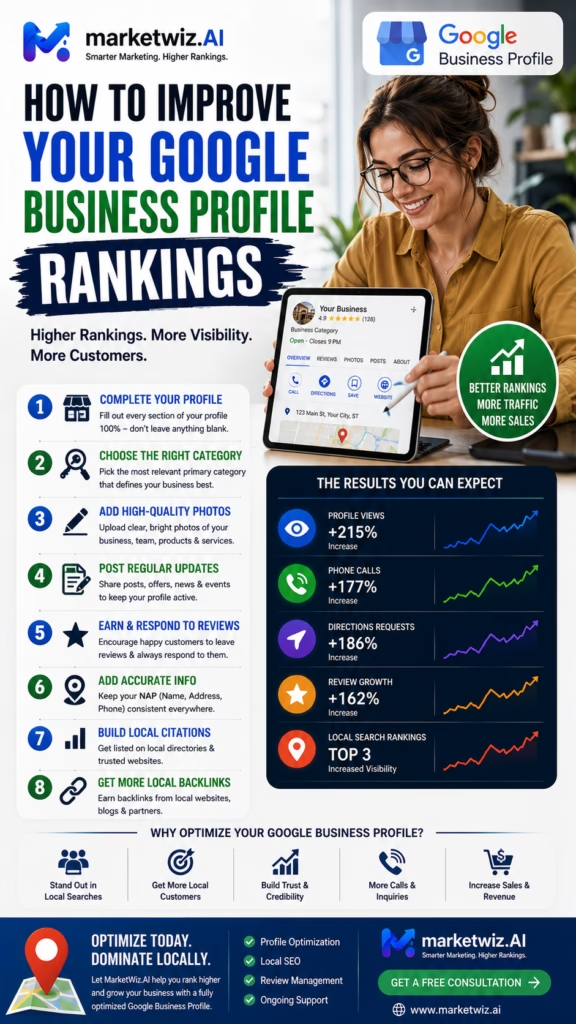
How to Improve Your Google Business Profile Rankings
How to improve your Google Business Profile rankings is one of the most important local marketing questions for contractors, retailers, professional services, medical practices, dealerships, restaurants, home service companies, and other location-based businesses. Stronger rankings require accurate profile information, relevant categories, useful services, genuine reviews, original photos, strong website support, local authority, customer engagement, fast lead response, and consistent performance measurement.
Improving Google Business Profile rankings is not about finding one hidden setting or repeating the same keyword throughout the profile.
Strong local visibility usually comes from several connected signals that help search engines and customers understand the business. These signals include the primary category, secondary categories, services, products, website content, customer reviews, original photos, business data, local mentions, and real customer engagement.
Distance also matters. A company may rank strongly near its location but appear differently several miles away. Search results may also change by keyword, customer location, device, time, competition, and search intent.
This means a responsible ranking strategy should not focus only on one position inside one ranking report. The business should measure whether stronger visibility produces qualified calls, website visits, direction requests, messages, appointments, estimate requests, store visits, purchases, and revenue.
The best strategy combines ranking improvement with customer trust, conversion, lead response, sales follow-up, and measurable business outcomes.
The Google Business Profile Ranking Formula
Accurate Profile + Relevant Categories + Strong Website + Genuine Reviews + Original Photos + Local Authority + Customer Engagement + Fast Response = Stronger Local Visibility and Better Business Results
Understand the Reality of Google Business Profile Rankings
Rankings Change by Location
A business may appear strongly near its address and differently across other neighborhoods or service areas.
Rankings Change by Search
The same profile may perform differently for broad categories, specific services, products, and local-intent phrases.
Competition Matters
Visibility depends partly on how strong, relevant, trusted, and established nearby competitors appear.
Ranking Is Only One Metric
A high position has limited value when the profile produces few qualified calls, visits, appointments, or customers.
No Responsible Company Can Guarantee One Permanent Ranking
Local search results are dynamic. They may change based on customer location, device, search wording, competition, profile updates, business activity, and other contextual factors.
Understand the Main Google Business Profile Ranking Factors
Relevance
Relevance describes how well the profile and connected website match what the customer is searching for. Categories, services, products, descriptions, review language, website pages, and local content can help communicate relevance.
Distance
Distance reflects how far the business may be from the customer or location connected with the search. Businesses cannot completely control distance, but they can accurately represent their location and service areas.
Prominence
Prominence relates to how established, trusted, and recognized the business appears. Reviews, website authority, local mentions, directories, links, business history, customer activity, and brand recognition may support prominence.
Customer Experience
Even when customer experience is not described as a single ranking factor, poor hours, unanswered calls, inaccurate information, weak reviews, and confusing website pages can reduce the business value of improved visibility.
Audit the Existing Google Business Profile
Review Every Important Field
- Business name
- Primary category
- Secondary categories
- Address
- Service areas
- Phone number
- Website link
- Business hours
- Special hours
- Services
- Products
- Description
- Appointment links
- Photos
Test Customer Actions
Call the listed phone number, open the website link, test the appointment page, confirm directions, review forms, and check whether mobile customers can complete the next step easily.
Document Existing Performance
Record current visibility, calls, website visits, direction requests, messages, appointments, qualified leads, sales, and revenue before making major changes.
Confirm Profile Ownership and User Access
Identify the Primary Owner
The business should know which account controls the profile and how that account can be recovered.
Review Managers and Agencies
Remove former employees, old vendors, previous agencies, and other users who no longer need access.
Protect Business Continuity
Avoid allowing one employee or outside provider to become the only person capable of accessing the profile.
Document Access Procedures
Maintain a secure internal record of ownership, authorized users, recovery options, and vendor responsibilities.
Use the Correct Real-World Business Name
Match Customer-Facing Branding
The profile should use the name customers see on the website, storefront, office, invoices, signs, vehicles, and business materials.
Avoid Keyword Stuffing
Do not add unnecessary cities, services, promotional claims, prices, phone numbers, or slogans that are not part of the actual business name.
Keep the Name Consistent
Use consistent branding across websites, social channels, directories, advertising, customer documents, and business listings.
Update Rebrands Carefully
Legitimate name changes should be reflected across the complete customer-facing ecosystem.
Choose the Best Primary Business Category
Match the Main Business Activity
The primary category should describe the business’s principal service, product category, profession, or customer-facing activity.
Do Not Choose Based Only on Search Volume
A high-volume category may be a poor choice when it does not accurately represent the company.
Align the Website With the Category
The homepage or linked landing page should clearly explain the main activity represented by the primary category.
Review the Category When the Business Changes
New divisions, acquisitions, service changes, and revenue shifts may justify a category review.
Use Relevant Secondary Categories
Represent Real Additional Services
Secondary categories can describe legitimate specialties, departments, service lines, or related business activities.
Avoid Category Overload
Adding unrelated categories can weaken clarity and attract customers who want services the business does not provide.
Support Categories With Content
Important secondary categories should connect with website pages, services, products, reviews, or original business content.
Review Lead Quality
If certain categories consistently generate irrelevant calls, consider whether they accurately represent the business.
Configure the Business Address Correctly
Use a Real Customer-Facing Location
Storefronts, offices, clinics, restaurants, showrooms, and other eligible locations should display accurate address information.
Verify the Map Pin
Confirm that directions lead customers to the correct building, entrance, suite, parking area, or customer-access point.
Add Helpful Location Photos
- Exterior signage
- Main entrance
- Parking area
- Building exterior
- Reception area
- Showroom or waiting area
Avoid Ineligible Locations
Unsupported virtual offices, mailboxes, and locations that do not meet current requirements can create profile problems.
Configure Service Areas Accurately
Use Real Operational Coverage
Add cities and areas the business can realistically serve with its staff, vehicles, equipment, scheduling, travel time, pricing, and licensing.
Do Not Expect Service Areas to Create Rankings
Listing a city does not automatically make the business rank there. Distance, competition, reviews, website content, relevance, and authority still matter.
Hide the Address When Appropriate
Eligible service-area businesses that travel to customers and do not serve customers at the business address may hide the address.
Keep Coverage Current
Update service areas when crews, territories, travel policies, or business capacity change.
Optimize the Business Phone Number
Use a Working Local Business Number
Customers should reach the correct company, department, store, office, or call-routing system.
Test Routing and Voicemail
Check transfers, extensions, voicemail, call queues, after-hours rules, and employee notifications.
Use a Professional Greeting
Thank you for calling [Business Name]. How can we help you today?
Track the Lead Source
Calls should be identified as Google Maps or Google Business Profile leads when possible.
Maintain Accurate Regular and Special Hours
Match Hours With Real Availability
Customers should be able to call, visit, schedule, or receive a response during the hours shown.
Update Holiday Hours
Use special hours for holidays, seasonal schedules, weather closures, events, and temporary changes.
Be Accurate About 24-Hour Service
Do not advertise around-the-clock availability unless the business can genuinely answer and respond.
Create an After-Hours Process
Use voicemail, AI voice response, scheduling links, missed-call texts, and callback tasks.
Use the Best Website Link
Single-Location Businesses
A homepage may work when it clearly explains the business, primary services, location, hours, reviews, and contact options.
Multi-Location Businesses
Each profile may benefit from linking to a matching location page with unique information.
Service-Specific Businesses
The linked page should align with the profile’s primary category and the most important customer needs.
Track Website Actions
Measure calls, forms, appointments, product views, purchases, and other actions taken after profile visits.
Add Complete and Accurate Services
Use Customer-Friendly Service Names
Service names should match the language real customers use when describing their needs.
Organize Services Clearly
- Primary services
- Repair services
- Installation services
- Maintenance services
- Consultation services
- Emergency services
- Residential services
- Commercial services
Add Useful Details
Include service areas, customer types, appointment requirements, pricing context, project minimums, or availability when helpful.
Remove Outdated Services
Do not continue advertising services the company no longer provides.
Add Products When Relevant
Show Important Product Categories
Retailers, dealers, showrooms, and product-based businesses can highlight featured product groups.
Use Accurate Product Details
- Product name
- Category
- Description
- Price or pricing context
- Availability
- Original photo
- Product page
- Customer next step
Keep Inventory Information Current
Remove unavailable items or explain ordering, restocking, delivery, and alternative options.
Write a Strong Business Description
Explain the Main Business Activity
Summarize what the company offers, who it helps, and where it operates.
Use Natural Language
Avoid forcing long lists of cities, products, services, and keywords into the description.
Communicate the Customer Benefit
Explain how the business helps customers solve problems, complete projects, find products, save time, or receive professional support.
Avoid Unsupported Claims
Do not claim guaranteed rankings, guaranteed savings, or unverified superiority.
Build a Consistent Google Review Strategy
Request Reviews at the Right Time
- After completed service
- After a purchase
- After delivery
- After a successful appointment
- After project completion
- After resolving a concern
Make the Review Process Easy
Send a direct review path through email, SMS, receipts, customer portals, or follow-up workflows.
Request Reviews Consistently
A steady review process generally appears more natural and useful than one short campaign followed by months of inactivity.
Allow Honest Feedback
Customers should choose their own rating and wording without being pressured to include specific keywords or claims.
Detailed Reviews Help Customers Make Better Decisions
Reviews that naturally describe services, products, employees, communication, locations, projects, and outcomes can strengthen customer confidence.
Respond to Reviews Professionally
Thank Positive Reviewers
Acknowledge the customer naturally and reinforce appreciation.
Respond Calmly to Negative Feedback
Avoid arguments, accusations, threats, or public disclosure of private customer information.
Move Complex Issues Offline
Billing disputes, refund concerns, damage claims, complaints, and sensitive matters may require private management follow-up.
Use Feedback to Improve Operations
Repeated comments about scheduling, communication, wait times, employee behavior, product quality, or cleanliness should guide business improvements.
Use Original Photos to Improve Trust and Engagement
Show the Real Business
- Storefronts
- Offices
- Showrooms
- Employees
- Vehicles
- Products
- Equipment
- Completed projects
- Before-and-after work
- Customer-facing spaces
Add Photos Regularly
New projects, employees, equipment, products, renovations, events, and locations create ongoing photo opportunities.
Use Clear and Relevant Images
Photos should be well lit, understandable, and representative of the actual business.
Protect Customer Privacy
Avoid showing private addresses, personal documents, license plates, children, or sensitive customer information without appropriate permission.
Publish Useful Google Business Profile Posts
Post Ideas
- New services
- New products
- Seasonal information
- Appointment availability
- Completed projects
- Customer education
- Events
- Special hours
Focus on Customer Value
Every post should explain why the update matters to the customer.
Use One Main Call to Action
Encourage the customer to call, visit, schedule, request pricing, shop, or learn more.
Verify Every Detail
Confirm dates, links, prices, services, locations, availability, and offer terms before publishing.
Manage Google Questions and Answers
Monitor Common Customer Questions
- What are your hours?
- Do you serve my area?
- Do I need an appointment?
- Do you have this item in stock?
- Do you provide estimates?
- Where should I park?
- How quickly can you help?
- Do you offer financing?
Provide Accurate Answers
Responses should be current, helpful, direct, and easy to understand.
Turn Questions Into Website Content
Repeated questions can become FAQs, service-page sections, product guides, videos, emails, and employee scripts.
Review Public Answers
Incorrect user-submitted information may confuse customers and should be addressed through available profile tools.
Strengthen the Website Connected to the Profile
Match the Profile
Business name, address, phone number, hours, services, products, locations, and service areas should remain consistent.
Create a Mobile-Friendly Experience
Customers should be able to call, schedule, request pricing, submit a form, or find directions easily from a phone.
Build Trust
- Customer reviews
- Original photos
- Employee information
- Business experience
- Service explanations
- Product information
- Local proof
- Frequently asked questions
Use Clear Calls to Action
Make the next step obvious throughout the website.
Build Strong Service Pages
Explain the Customer Need
Describe common problems, symptoms, projects, goals, and reasons a customer may need the service.
Explain the Process
- Customer contacts the business
- Team confirms the need
- Appointment or consultation is scheduled
- Service recommendation is provided
- Customer approves the next step
- Work is completed
- Customer receives follow-up
Add Proof
- Customer reviews
- Project examples
- Original photos
- Employee experience
- Relevant qualifications
- Local customer stories
Add a Clear Next Step
Encourage the customer to call, schedule, request pricing, or submit a form.
Build Useful Location Pages
Use Unique Local Information
Explain services, neighborhoods, local needs, directions, parking, service coverage, hours, and location-specific customer questions.
Add Local Proof
- Local customer reviews
- Original location photos
- Nearby project examples
- Community involvement
- Employee information
- Neighborhood references
Use Accurate Contact Information
Display the correct phone number, address, hours, service area, and appointment options.
Avoid Duplicate City Pages
Every location page should provide meaningful customer value beyond replacing the city name.
Create Local Content That Demonstrates Real Expertise
Useful Local Content Ideas
- Local service guides
- Seasonal maintenance advice
- Neighborhood resources
- Local product guides
- Project case studies
- Customer checklists
- Local regulations
- Community-event information
Include Real Local Proof
Add original photos, customer examples, neighborhood references, real project details, and local business experience.
Avoid Generic Location Repetition
Repeating city names without useful information does not create a strong customer resource.
Maintain Consistent Local Business Information
Review Important Data
- Business name
- Address
- Phone number
- Website URL
- Hours
- Categories
- Services
- Products
- Location status
Correct Old Information
Previous addresses, disconnected numbers, outdated hours, and old business names can confuse customers.
Prioritize Relevant Platforms
Focus on trusted directories, social profiles, industry websites, customer platforms, and local business organizations.
Avoid Low-Quality Listing Spam
Large numbers of irrelevant directory listings do not automatically create strong local authority.
Build Real Local Authority and Prominence
Earn Relevant Local Mentions
- Local news websites
- Business associations
- Chambers of commerce
- Community organizations
- Industry groups
- Local partnerships
- Events
- Sponsorships
Create Useful Resources
Publish guides, comparisons, checklists, local explanations, and answers to common customer questions.
Build a Recognizable Brand
Consistent service, signage, customer referrals, reviews, advertising, social activity, and community participation can strengthen recognition.
Focus on Authentic Business Activity
Local authority should come from expertise, customer service, community presence, and useful information.
Improve Google Business Profile Conversion
Make the Business Easy to Understand
Customers should quickly know what the business offers, where it is located, when it is open, and how to contact it.
Reduce Customer Uncertainty
- Accurate hours
- Clear services
- Current products
- Original photos
- Recent reviews
- Pricing context
- Appointment information
- Directions and parking
Use the Right Customer Actions
Contractors may focus on calls and estimates, while retailers may prioritize directions, inventory, and store visits.
Match the Offline Experience
Employees, phone systems, schedules, products, and services should reflect what the profile promises.
Improve Lead Response Speed and Quality
Answer Calls Professionally
Use the business name, identify the customer’s need, collect useful details, and offer a clear next step.
Respond to Forms Quickly
Send immediate confirmation and assign every valid inquiry to an employee or automated workflow.
Recover Missed Calls
Thank you for calling [Business Name]. We are sorry we missed you. Please reply with what you need and your location, and our team will follow up.
Use AI Carefully
AI voice and chat systems can collect information, answer approved questions, schedule appointments, and route leads when accurate business data and human escalation are available.
Track Rankings and Business Results
Visibility Metrics
- Local ranking coverage
- Profile views
- Keyword visibility
- Location coverage
- Website visits
- Photo engagement
Customer Action Metrics
- Phone calls
- Messages
- Direction requests
- Appointment clicks
- Form submissions
- Product interactions
Lead and Sales Metrics
- Qualified leads
- Response time
- Appointment rate
- Show rate
- Sales conversion
- Average transaction value
Revenue Metrics
- Customer acquisition cost
- Revenue
- Gross profit
- Repeat-customer rate
- Referral rate
- Customer lifetime value
| Metric | What It Shows |
|---|---|
| Local ranking coverage | Where and how often the profile appears for important searches |
| Qualified calls | Whether visibility produces relevant customer conversations |
| Appointments and visits | Whether profile interactions become real customer opportunities |
| Sales conversion | Whether qualified opportunities become paying customers |
| Revenue and gross profit | The financial value created by local search customers |
| Return on investment | Whether the complete local SEO program is profitable |
Common Google Business Profile Ranking Mistakes
Using an Inaccurate Business Name
Adding extra services, cities, or promotional phrases can create profile and trust problems.
Choosing Categories Based Only on Search Volume
Categories should accurately represent real business activities.
Ignoring the Website
Weak service and location pages can limit relevance and conversion.
Buying or Manipulating Reviews
Fake reviews create policy, legal, and customer-trust risks.
Using Only Stock Photos
Customers want to see the real business, products, employees, vehicles, and completed work.
Publishing Duplicate City Pages
Thin pages provide little customer value and weak local differentiation.
Ignoring Incorrect Hours
Customers may call or visit when the business is unavailable.
Missing Calls and Forms
High-intent customers may quickly choose a competitor.
Tracking Only Rankings
Rankings should be connected with calls, appointments, customers, revenue, and profit.
Expecting Immediate Results
Improvement timing varies by competition, location, profile history, website quality, reviews, authority, and consistency.
A 30-Day Google Business Profile Ranking Plan
Week 1: Audit Accuracy and Relevance
- Confirm profile ownership
- Review user access
- Review the business name
- Review the primary category
- Review secondary categories
- Confirm address or service areas
- Test phone routing
- Document current visibility
Week 2: Improve Profile Quality
- Update hours and special hours
- Improve services and products
- Update the description
- Add original photos
- Create a review-request workflow
- Respond to recent reviews
- Review questions and answers
- Publish a useful post
Week 3: Strengthen Website and Local Content
- Improve the linked website page
- Improve important service pages
- Improve location pages
- Add internal links
- Add local customer proof
- Create useful local content
- Correct major business-data inconsistencies
- Review local authority opportunities
Week 4: Improve Conversion and Measurement
- Improve mobile click-to-call
- Shorten contact forms
- Improve appointment scheduling
- Create missed-call recovery
- Connect CRM source tracking
- Measure qualified leads
- Measure sales conversion
- Calculate revenue and ROI
End-of-Month Outcome
After 30 days, the business should have a more accurate profile, stronger category alignment, improved services and products, better reviews and photos, stronger website support, clearer customer actions, faster lead response, and improved visibility into which local search interactions produce customers and revenue.
Final Takeaway: Improve Rankings by Building a Better Local Business System
Learning how to improve your Google Business Profile rankings requires understanding that local SEO is not controlled by one profile field.
Stronger visibility usually comes from accurate business information, relevant categories, complete services, useful products, genuine customer reviews, original photos, strong website content, location pages, consistent data, and real local authority.
Distance and competition also influence performance, which means rankings can vary across neighborhoods, cities, devices, keywords, customers, and times.
Businesses should avoid focusing only on a single ranking position. The real objective is to turn local visibility into calls, website visits, direction requests, messages, appointments, store visits, estimates, purchases, positive reviews, repeat customers, and referrals.
The Google Business Profile should accurately represent the business. The website should reinforce the profile with strong service pages, useful location pages, customer proof, original content, and easy mobile conversion.
Reviews should come from real customers. Photos should show the actual company, staff, products, facilities, vehicles, equipment, and completed work.
Calls and forms should receive fast professional responses. Missed-call workflows, appointment automation, AI voice support, customer reminders, CRM tracking, and sales follow-up can help businesses convert more local opportunities.
Performance should be measured through visibility, qualified calls, appointments, direction requests, website conversions, sales, acquisition cost, revenue, gross profit, repeat customers, customer lifetime value, and return on investment.
When profile optimization, website strength, customer trust, local authority, response speed, and business measurement work together, stronger Google Business Profile rankings can become meaningful and sustainable business growth.
Frequently Asked Questions
1. How can I improve my Google Business Profile rankings?
Improve profile accuracy, choose relevant categories, add complete services, earn genuine reviews, publish original photos, strengthen local website pages, build authority, and respond quickly to leads.
2. What affects Google Business Profile rankings?
Local visibility is commonly influenced by relevance, distance, prominence, competition, customer location, profile quality, reviews, and website strength.
3. Does completing every profile field improve rankings?
Completing relevant fields improves accuracy and usefulness, but it does not guarantee higher rankings.
4. Why is the primary category important?
The primary category identifies the main business activity and helps connect the profile with relevant customer searches.
5. Should I add many secondary categories?
Use only categories that accurately represent real services, products, departments, or specialties.
6. Do Google reviews help local rankings?
Reviews build trust, describe customer experiences, and may support the prominence of a local business.
7. How can I get more Google reviews?
Ask real customers after completed services, purchases, appointments, projects, deliveries, or resolved concerns.
8. Should I respond to reviews?
Yes. Professional responses demonstrate attentiveness and help future customers understand how the business communicates.
9. Do photos improve profile performance?
Original photos can improve trust and conversion by showing the real business, employees, products, locations, and completed work.
10. How often should I upload photos?
Add useful original photos whenever new projects, products, staff, equipment, locations, or events are available.
11. Do profile posts improve rankings?
Posts can improve profile usefulness and customer engagement, but they should not be treated as a guaranteed ranking shortcut.
12. Should I add services to the profile?
Yes. Accurate services help customers understand the business and reinforce profile relevance.
13. Should retailers add products?
Retailers can add important product categories and featured items when the information remains accurate.
14. Does the description affect rankings?
The description helps customers understand the business but should not be used for excessive keyword stuffing.
15. Can service-area businesses improve rankings?
Eligible service-area businesses can improve categories, services, reviews, photos, local pages, authority, and customer response.
16. Does adding more service areas help rankings?
No. Distance, relevance, reviews, competition, content, and local authority still influence visibility.
17. Does the website affect profile rankings?
A strong website can reinforce services, products, locations, authority, business information, and local relevance.
18. Should every service have a page?
Important services can benefit from dedicated pages that explain customer needs, process, proof, FAQs, and next steps.
19. Do location pages help rankings?
Useful location pages can support local relevance with unique services, reviews, photos, neighborhoods, and contact details.
20. Can duplicate city pages hurt SEO?
Thin pages that only replace city names provide limited customer value.
21. Does business information consistency matter?
Yes. Consistent names, addresses, phone numbers, hours, websites, and services reduce confusion.
22. Can local links and mentions help?
Relevant local mentions, partnerships, news coverage, associations, and community relationships may strengthen local authority.
23. How can I improve profile conversion?
Improve reviews, photos, services, hours, phone accessibility, website pages, appointment links, and customer-response systems.
24. How quickly should I respond to local leads?
Respond promptly because high-intent customers may contact several local businesses.
25. Can AI help improve lead response?
AI voice and chat systems can collect information, answer approved questions, schedule appointments, and route leads.
26. How should missed calls be handled?
Use voicemail, missed-call text response, callback tasks, AI voice support, appointment links, and CRM alerts.
27. How long does ranking improvement take?
Timing varies by competition, location, category, profile history, reviews, website quality, and authority.
28. Can rankings be guaranteed?
No responsible provider can guarantee the same position for every keyword, customer, neighborhood, device, or time.
29. What metrics should I track?
Track visibility, calls, website visits, directions, appointments, qualified leads, customers, revenue, profit, and ROI.
30. What is the main goal of improving profile rankings?
The goal is to turn stronger local visibility into qualified customer actions, sales, reviews, repeat business, and measurable growth.
30 Additional SEO Keywords
Use these supporting phrases naturally across Google Business Profile guides, local SEO pages, service pages, location pages, ranking content, case studies, FAQs, and internal links.
Improve Your Google Business Profile Visibility, Leads, and Local Growth
MarketWiz.ai helps local businesses strengthen Google Maps visibility, improve Google Business Profile information, build review workflows, create local service and location content, improve customer response, recover missed calls, connect AI voice and CRM systems, schedule appointments, and measure customers, revenue, gross profit, and return on investment.
This article provides general marketing, local SEO, automation, and business information and does not provide legal, financial, privacy, telecommunications, consumer-protection, platform-compliance, or regulatory advice. Google Business Profile features, requirements, interfaces, local results, and ranking behavior may change. Businesses should review current Google requirements and applicable call-recording, consent, SMS, email, privacy, data-use, advertising, review-request, and industry-specific requirements before collecting customer data, recording calls, using tracking numbers, requesting reviews, or implementing automated customer-response systems. Rankings, calls, visits, appointments, sales, revenue, and other results cannot be guaranteed and depend on location, competition, customer demand, profile quality, website quality, pricing, capacity, customer behavior, service quality, and sales execution.













