

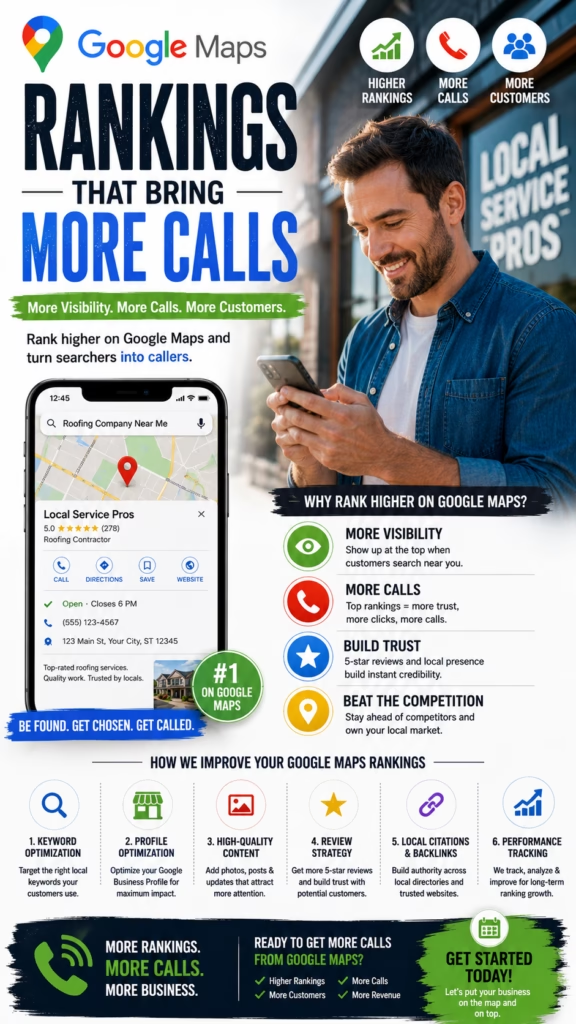
Google Maps Rankings That Bring More Calls
Google Maps rankings that bring more calls require more than appearing near the top of local search results. A business also needs an accurate Google Business Profile, relevant services, strong reviews, original photos, useful website pages, clear calls to action, responsive phone handling, and a system for turning local search activity into appointments, customers, revenue, and gross profit.
Ranking on Google Maps is valuable only when visibility turns into meaningful customer action.
A business may appear prominently for several local searches and still receive few calls because the profile looks incomplete, reviews are weak, photos are outdated, hours are incorrect, the phone number is difficult to reach, or the business does not clearly explain what it provides.
Another company may rank slightly lower but receive more qualified calls because its profile creates greater trust. Customers can quickly understand the services, see recent reviews, view real photos, confirm hours, visit a useful website, and contact a responsive team.
Successful Google Maps marketing therefore requires two connected systems. The first system improves local visibility. The second converts that visibility into calls, appointments, estimates, visits, purchases, and booked work.
Businesses should optimize for the full customer journey rather than measuring rank positions alone.
The Google Maps Call Growth Formula
Local Visibility + Accurate Profile + Strong Reviews + Useful Photos + Relevant Website + Clear Phone CTA + Fast Call Response + Consistent Follow-Up = More Qualified Calls
Google Maps Rankings Versus Calls That Produce Revenue
Visibility Creates Opportunity
Higher local visibility can place the business in front of more nearby customers searching for relevant services.
Trust Creates the Call
Reviews, photos, accurate information, and a professional profile influence whether the customer chooses to contact the business.
Call Handling Creates the Appointment
A call must be answered, qualified, and guided toward a useful next step.
Sales Execution Creates the Customer
Appointment quality, estimates, communication, pricing, and follow-up determine whether the opportunity closes.
Tracking Creates Better Decisions
Call volume must be connected with lead quality, bookings, completed sales, and gross profit.
Retention Creates Long-Term Value
A Maps-generated customer may become a repeat buyer, reviewer, referral source, and long-term account.
Understand the Main Local Ranking Factors
Relevance
Relevance describes how closely the business information matches what the customer is searching for. Categories, services, products, website content, reviews, and profile information can help communicate relevance.
Distance
Google considers the relationship between the customer’s location, the search location, and the business or service area. A business cannot completely control this factor.
Prominence
Prominence relates to how established and trusted the business appears. Reviews, website authority, local mentions, brand recognition, directories, links, and customer activity may support overall prominence.
Important Reality
No legitimate local SEO provider can guarantee the same position for every customer, device, neighborhood, keyword, or time of day. Local results can vary based on location, personalization, competition, relevance, and search context.
Build a Strong Google Business Profile Foundation
Complete Every Relevant Field
- Business name
- Primary category
- Additional categories
- Address or service area
- Phone number
- Website
- Business hours
- Holiday hours
- Services
- Products
- Business description
- Appointment link
Verify Ownership and Access
Owners should understand who controls the profile, which email accounts have access, and how former employees or agencies will be removed.
Use Accurate Information
Incorrect hours, phone numbers, categories, addresses, services, and URLs can create customer frustration and profile risk.
Review the Profile Regularly
Information can become outdated as the business adds services, changes hours, moves locations, changes staff, or updates its website.
Use the Correct Real-World Business Name
Avoid Unnecessary Keyword Additions
The profile name should represent the business as it is known in the real world. Adding extra cities, services, prices, slogans, or promotional phrases can create policy and trust problems.
Keep Branding Consistent
The website, signage, invoices, social profiles, business documents, and Google Business Profile should use consistent branding.
Handle Legitimate Rebrands Carefully
A real business-name change should be reflected across customer touchpoints, legal records when applicable, the website, signage, directories, and local profiles.
Choose Categories That Match Real Customer Searches
Select the Strongest Primary Category
The primary category should closely describe the business’s main activity rather than a minor service.
Add Relevant Secondary Categories
Additional categories can describe legitimate services but should not be added simply to target unrelated searches.
Review Categories as the Business Changes
New services, discontinued services, and changes in business focus may require profile updates.
Align Categories With Website Content
The website should clearly explain the services represented by the selected categories.
Configure the Address and Service Areas Correctly
Storefront Businesses
Businesses that serve customers at a staffed location should use an accurate address and ensure customers can find the entrance, hours, signage, parking information, and phone number.
Service-Area Businesses
Eligible businesses that travel to customers can use appropriate service-area settings and may hide the address when customers are not served there.
Avoid Virtual or Ineligible Locations
Businesses should not create profiles for locations that do not meet current eligibility and staffing requirements.
Use Realistic Service Areas
Listing an extremely broad service area does not guarantee ranking across every city. Website content, real operations, distance, and competition still matter.
Optimize the Phone Number for More Calls
Use a Working Business Number
Customers should reach the correct business, department, location, or call-routing system.
Answer With the Business Name
A professional greeting immediately confirms that the customer contacted the correct company.
Keep the Number Consistent
The website, profile, major directories, advertising, and customer materials should use a consistent primary number or a properly configured tracking system.
Test the Number Regularly
Confirm that calls connect, routing works, voicemail is active, business hours are current, and employees receive notifications.
Maintain Accurate Business and Holiday Hours
Incorrect Hours Lose Calls
Customers may avoid calling when the profile appears closed or become frustrated when a business claims to be open but nobody answers.
Add Special Hours
Holidays, seasonal schedules, temporary closures, special events, and emergency changes should be reflected when appropriate.
Match Phone Coverage to Listed Hours
If the profile says the business is open, the phone system should be prepared to answer, route, or capture the call.
Use After-Hours Workflows
Voicemail, AI voice response, missed-call text messages, online scheduling, and next-day callback tasks can recover opportunities.
Add Accurate Services and Products
Describe Core Services Clearly
Service names should use language customers understand and should match what the business actually provides.
Explain Important Service Details
- Service type
- Customer type
- Service area
- Appointment requirements
- Pricing context
- Emergency availability
- Minimum project size
- Relevant qualifications
Maintain Product Availability
Retailers and dealers should avoid promoting products that are no longer available without providing alternatives.
Connect Services With Website Pages
Customers who click through should find a page that expands on the same service and offers a clear next step.
Improve the Google Business Profile Description
Explain the Business Clearly
Describe who the business serves, what it provides, where it operates, what makes it useful, and how customers can get started.
Use Natural Language
Avoid forcing long lists of keywords, cities, and services into an unreadable paragraph.
Set Customer Expectations
Mention appointment requirements, service areas, business type, major specialties, or customer segments when relevant.
Keep Promotional Claims Accurate
Do not use unsupported statements about being the best, cheapest, fastest, highest-rated, guaranteed, or number one.
Build a Consistent Google Review Strategy
Ask Real Customers for Genuine Feedback
Review requests can be sent after completed services, successful deliveries, purchases, appointments, support interactions, and other appropriate customer experiences.
Make the Review Process Easy
Provide a direct review path through email, text, receipts, follow-up pages, or customer-service workflows.
Build Review Consistency
A steady review process is usually more sustainable than collecting many reviews during one short campaign and then stopping.
Do Not Control the Customer’s Wording
Customers should provide honest feedback in their own words. Businesses should not require specific keywords, ratings, or positive statements.
Review Quality Matters
Detailed reviews that naturally describe services, employees, products, neighborhoods, communication, and outcomes can help future customers understand the business.
Respond to Reviews Professionally
Thank Positive Reviewers
Use a natural response that acknowledges the customer without repeating private information.
Address Negative Reviews Calmly
Avoid arguments, accusations, threats, or detailed public disclosures. Invite the customer to continue the conversation privately when appropriate.
Use Responses to Reinforce Service Quality
Briefly mention the company’s commitment to communication, reliability, customer service, or issue resolution.
Escalate Serious Claims
Safety concerns, fraud allegations, legal threats, discrimination claims, injuries, and sensitive customer issues require management review.
Use Original Photos to Increase Calls
Show the Real Business
- Storefront or office
- Service vehicles
- Employees
- Equipment
- Products
- Completed projects
- Showrooms
- Customer-facing spaces
Add Photos Regularly
New projects, inventory, staff, locations, events, seasonal work, and completed services create ongoing photo opportunities.
Use Clear, Well-Lit Images
Customers should be able to understand what the image shows. Avoid blurry, misleading, heavily edited, or irrelevant photos.
Connect Photos With Customer Questions
Show what the service looks like, where customers should enter, what products are available, how large a project may be, or what the final result can resemble.
Publish Useful Google Business Profile Posts
Post Topics
- New services
- Seasonal availability
- Product arrivals
- Local projects
- Customer education
- Business updates
- Events
- Appointment opportunities
Use a Clear Customer Benefit
Explain why the update matters to a potential customer.
Add an Appropriate Next Step
Encourage the customer to call, schedule, visit, learn more, view inventory, or request information.
Do Not Treat Posts as a Ranking Guarantee
Posts can improve profile usefulness and engagement, but they should be one part of a broader local strategy.
Manage Google Questions and Answers
Monitor Customer Questions
Customers may ask about services, hours, pricing, parking, appointments, products, accessibility, service areas, and availability.
Provide Accurate Answers
Responses should match current business policies and avoid unsupported claims.
Turn Common Questions Into Website Content
Repeated questions can become FAQs, service-page sections, blog posts, appointment instructions, or customer guides.
Review User-Submitted Answers
Incorrect public answers may confuse customers and should be handled through available profile-management tools.
Strengthen the Website Behind the Google Maps Profile
Match the Profile and Website
Business names, addresses, phone numbers, hours, services, and locations should remain consistent.
Create a Mobile-Friendly Experience
Local customers frequently visit websites from phones. Pages should load clearly, display readable content, and make calling or scheduling easy.
Use Clear Phone Calls to Action
The phone number should be easy to find and tap, especially on service, location, and contact pages.
Build Trust Before Asking for the Call
- Real reviews
- Original project photos
- Business experience
- Clear services
- Customer process
- Service areas
- Relevant FAQs
- Professional contact details
Create Location Pages That Support Local Calls
Use Unique Local Information
Each page should explain services, neighborhoods, customer needs, local examples, business coverage, and location-specific details.
Include Clear Contact Information
Show the correct phone number, hours, address or service-area information, directions, and appointment process.
Add Local Proof
- Local customer reviews
- Completed projects
- Original photos
- Neighborhood references
- Local service examples
- Community involvement
Avoid City-Name Swapping
Pages should not be created by replacing only the city name inside otherwise identical content.
Create Service Pages That Match Local Search Intent
Explain the Service
Describe what is included, who it is for, common problems, the process, service areas, timing, and the next step.
Use Customer Questions
Answer pricing, scheduling, preparation, material, warranty, availability, eligibility, and service-area questions.
Add Conversion Elements
- Click-to-call number
- Estimate request
- Appointment link
- Short contact form
- Customer reviews
- Project examples
- Service guarantees when accurate
- Frequently asked questions
Link Services and Locations
Help customers and search systems understand which services are available in which legitimate locations or service areas.
Maintain Consistent Local Business Information
Important Business Fields
- Business name
- Address
- Phone number
- Website
- Hours
- Categories
- Services
- Location status
Correct Major Inconsistencies
Old addresses, disconnected numbers, previous business names, duplicate profiles, and outdated websites can confuse customers.
Prioritize Trusted Platforms
Focus on accurate information across important directories, industry platforms, local organizations, social profiles, and customer-facing listings.
Avoid Low-Quality Directory Spam
Large numbers of irrelevant listings do not automatically create meaningful local authority.
Build Real Local Authority and Prominence
Earn Local Mentions
- Local news
- Community organizations
- Business associations
- Chambers of commerce
- Local sponsorships
- Industry organizations
- Local partnerships
- Customer case studies
Create Useful Local Resources
Publish guides that answer real questions about local services, permits, weather, neighborhoods, product availability, scheduling, maintenance, and customer decisions.
Build a Recognizable Brand
Consistent service, community visibility, reviews, customer referrals, social activity, and offline reputation can strengthen local prominence.
Focus on Customer Value
Authority should come from real expertise, useful information, and strong customer experiences rather than manufactured signals.
Turn Google Maps Profile Views Into Phone Calls
Make the Phone Number Easy to Trust
Use a recognizable business number, clear business identity, and consistent contact information.
Show Why the Customer Should Call
- Fast appointment availability
- Local service coverage
- Relevant expertise
- Product availability
- Emergency response
- Estimate process
- Customer reviews
- Professional support
Reduce Uncertainty
Accurate hours, service descriptions, photos, pricing context, reviews, and appointment details make customers more comfortable calling.
Match the Call Experience to the Profile
Employees should know the services, offers, hours, service areas, and information promoted through Google Maps.
Improve the Way Google Maps Calls Are Handled
Use a Professional Greeting
Thank you for calling [Business Name]. How can we help you today?
Ask Useful Qualification Questions
- What service or product do you need?
- What city or ZIP code are you located in?
- How soon do you need help?
- Have you already received an estimate?
- What is the best phone number and email?
- Which appointment time works best?
Offer a Clear Next Step
Schedule the appointment, transfer the caller, provide accurate information, request photos, send a form, or create a callback task.
Record the Lead Source
The CRM or call-tracking system should identify Google Maps or Google Business Profile as the source when possible.
Recover Missed Google Maps Calls
Use Missed-Call Text Response
Thank you for calling [Business Name]. We are sorry we missed you. Please reply with the service you need and your location, and our team will follow up.
Create a Callback Task
Missed calls should be assigned to an employee with a clear response deadline.
Use Professional Voicemail
Identify the business, request key information, explain expected response timing, and provide alternative scheduling options.
Measure Missed-Call Recovery
Track how many missed calls become conversations, appointments, estimates, and customers.
Use AI Voice Automation for Local Calls
AI Voice Applications
- Answer calls after hours
- Collect customer information
- Confirm service areas
- Answer approved questions
- Schedule appointments
- Route urgent callers
- Send confirmation messages
- Create CRM records
Use Current Business Information
The system should have access to accurate hours, services, locations, availability, appointment rules, and escalation contacts.
Transfer Complex Calls
Complaints, negotiation, billing issues, emergencies, legal questions, technical problems, and sensitive information require human handling.
Review Call Quality
Monitor incorrect answers, failed transfers, appointment errors, caller frustration, and unresolved conversations.
Track Google Maps Calls Correctly
Call Metrics
- Total calls
- Answered calls
- Missed calls
- Unique callers
- Qualified calls
- Appointment calls
- Spam calls
- Average call duration
Sales Metrics
- Appointments scheduled
- Appointments completed
- Estimates sent
- Jobs booked
- Average sale value
- Revenue
- Gross profit
- Repeat customers
Use Proper Source Attribution
Calls should be connected with the correct profile, location, campaign, page, and customer record.
Protect Customer Privacy
Businesses should review applicable call-recording, consent, retention, security, and disclosure requirements.
Reduce Spam Calls and Improve Lead Quality
Separate Spam From Real Customers
Track sales calls, wrong numbers, vendor solicitations, robocalls, employment inquiries, and legitimate customer requests separately.
Use Basic Qualification
Confirm location, service need, timeline, customer type, and contact details before assigning the lead.
Review Search Intent
Poor calls may indicate that categories, services, website content, or profile information are attracting irrelevant searches.
Do Not Judge Performance by Call Volume Alone
Ten qualified calls may be more valuable than fifty irrelevant or low-intent calls.
Track Google Maps Performance That Matters
Visibility Metrics
- Local search visibility
- Profile views
- Keyword coverage
- Location coverage
- Website visits
- Direction requests
Engagement Metrics
- Phone calls
- Messages
- Appointment clicks
- Product interactions
- Photo engagement
- Review activity
Conversion Metrics
- Qualified call rate
- Appointment rate
- Show rate
- Estimate rate
- Sales conversion rate
- Average sale value
Business Metrics
- Customer acquisition cost
- Revenue
- Gross profit
- Repeat purchase rate
- Referral rate
- Customer lifetime value
Measure Revenue and Google Maps ROI
Qualified Call Rate
Qualified Call Rate = Qualified Google Maps Calls ÷ Total Valid Google Maps Calls × 100
Appointment Conversion Rate
Appointment Rate = Appointments Scheduled From Maps Calls ÷ Qualified Maps Calls × 100
Call-to-Customer Conversion Rate
Call-to-Customer Rate = New Customers From Maps Calls ÷ Qualified Maps Calls × 100
Cost per Qualified Call
Cost per Qualified Call = Total Google Maps Marketing Cost ÷ Qualified Maps Calls
Customer Acquisition Cost
Customer Acquisition Cost = Total Local Marketing and Sales Cost ÷ New Maps-Attributed Customers
Google Maps Marketing ROI
ROI = (Gross Profit From Google Maps Customers − Total Google Maps Marketing Cost) ÷ Total Google Maps Marketing Cost × 100
| Metric | What It Measures |
|---|---|
| Profile visibility | Whether customers can discover the business locally |
| Qualified call rate | Whether visibility creates relevant customer conversations |
| Appointment rate | Whether phone handling moves callers to the next step |
| Sales conversion | Whether Maps-generated opportunities become customers |
| Revenue | Total sales connected with Google Maps customers |
| Attributed gross profit | Profit connected with the complete local marketing system |
Common Google Maps Ranking and Call Mistakes
Focusing Only on Rank Positions
Rankings do not automatically create qualified calls, appointments, customers, or revenue.
Using an Inaccurate Business Name
Unnecessary keywords and locations can create profile and trust problems.
Choosing Irrelevant Categories
Categories should reflect real business activities rather than every possible customer search.
Ignoring Reviews
Weak review activity can reduce customer confidence even when the profile ranks well.
Using Stock Photos Only
Customers want to see the real business, employees, products, vehicles, projects, and location.
Publishing Thin Location Pages
Replacing city names inside duplicated content provides little local value.
Listing Hours Without Phone Coverage
Customers may call during listed hours and reach nobody.
Failing to Recover Missed Calls
A missed high-intent call may become a competitor’s customer.
Using Unreliable Call Tracking
Incorrect configuration can create inconsistent numbers, attribution problems, and customer confusion.
Measuring Calls Instead of Profit
Call volume should be connected with lead quality, appointments, customers, revenue, gross profit, and long-term value.
A 30-Day Google Maps Call Growth Action Plan
Week 1: Audit the Profile
- Confirm profile ownership
- Review business name
- Review categories
- Confirm address or service areas
- Test the phone number
- Review business hours
- Review services and products
- Document current call volume
Week 2: Improve Trust and Conversion
- Update the description
- Add original photos
- Create a review-request workflow
- Respond to recent reviews
- Update questions and answers
- Improve phone greetings
- Create missed-call recovery
- Add appointment options
Week 3: Strengthen the Website
- Correct business information
- Improve mobile call buttons
- Update service pages
- Improve location pages
- Add customer reviews
- Add project photos
- Add local FAQs
- Connect call tracking
Week 4: Measure and Optimize
- Track total calls
- Track answered and missed calls
- Measure qualified calls
- Measure appointments
- Measure booked customers
- Review poor-quality calls
- Improve employee scripts
- Calculate revenue and ROI
End-of-Month Outcome
After 30 days, the business should have a more accurate profile, stronger customer trust, better review and photo activity, a clearer website experience, improved phone coverage, working missed-call recovery, and measurable insight into which Google Maps calls create appointments and revenue.
Final Takeaway: Rankings Matter Most When the Phone Rings
Effective Google Maps rankings that bring more calls require more than trying to reach the top of a local search grid.
The business must provide accurate information, choose relevant categories, maintain current hours, explain services, publish original photos, earn genuine reviews, respond professionally, build useful website pages, and create a clear reason for customers to call.
Strong local visibility should be connected with professional call handling, qualification, appointment booking, missed-call recovery, employee follow-up, CRM organization, and sales conversion.
Businesses should also remember that local results vary by customer location, distance, relevance, competition, device, timing, and search intent. No single ranking report tells the entire story.
Performance should be measured through profile visibility, calls, qualified calls, appointment rate, show rate, estimate rate, sales conversion, average transaction value, revenue, gross profit, repeat business, and return on investment.
Google Maps becomes even more effective when connected with local SEO, service pages, location pages, paid advertising, customer reviews, AI voice response, missed-call automation, email, SMS, appointment calendars, and disciplined CRM follow-up.
When the entire system works together, a local search can become a profile view, trusted impression, phone call, qualified conversation, scheduled appointment, completed sale, positive review, repeat customer, referral, and measurable business growth.
Frequently Asked Questions
1. What are Google Maps rankings that bring more calls?
They combine strong local visibility with an accurate, trusted, conversion-focused profile that encourages qualified customers to contact the business.
2. How can a business rank higher on Google Maps?
Maintain accurate information, choose relevant categories, earn genuine reviews, improve the website, add original photos, and strengthen local authority.
3. Does ranking number one guarantee more phone calls?
No. Calls also depend on demand, distance, reviews, profile quality, hours, phone coverage, services, and competition.
4. What are the main Google Maps ranking factors?
Google commonly describes local results through relevance, distance, and prominence.
5. How important is a Google Business Profile?
It is central to Maps visibility because it contains business information, reviews, photos, services, products, links, and customer actions.
6. How do reviews affect Google Maps calls?
Reviews increase trust, provide service context, and influence which business a customer chooses to call.
7. How many reviews does a business need?
There is no universal number. Focus on genuine, recent, consistent reviews from real customers.
8. Should a business respond to Google reviews?
Yes. Professional responses demonstrate attentiveness and help future customers understand how the business communicates.
9. Do Google Business Profile categories matter?
Yes. Categories help connect the profile with relevant local searches and should accurately describe the business.
10. Can adding too many categories hurt a profile?
Irrelevant categories can create confusion. Use only categories that represent real business activities.
11. Do Google Maps photos help generate calls?
Original photos can improve confidence by showing real employees, products, projects, vehicles, equipment, and locations.
12. How often should profile photos be added?
Add useful original photos whenever new projects, products, staff, equipment, events, or customer-relevant updates are available.
13. Do Google Business Profile posts improve rankings?
Posts can improve profile usefulness and engagement but should not be treated as a guaranteed ranking shortcut.
14. Does the business name affect Google Maps rankings?
Use the real-world business name. Unnecessary keyword additions can create profile and trust problems.
15. Does the business address affect Maps rankings?
Distance can influence local results, so businesses should use accurate addresses and service-area settings.
16. Can a service-area business rank without showing its address?
Eligible service-area businesses can hide their address and list appropriate service areas while following profile requirements.
17. Does the website influence Google Maps visibility?
A useful website can reinforce services, locations, expertise, customer proof, accurate information, and local relevance.
18. Should each location have its own website page?
Legitimate locations and service areas can benefit from useful, unique pages with local information and clear contact options.
19. What should a location page include?
Include services, neighborhoods, hours, phone details, local proof, photos, reviews, directions, FAQs, and appointment information.
20. Can duplicate location pages hurt local SEO?
Thin pages that only replace city names provide limited value. Each page should contain meaningful local information.
21. How can a business get more calls from existing rankings?
Improve reviews, photos, hours, phone access, services, products, appointment links, website conversion, and call handling.
22. Should a tracking number be used on Google Business Profile?
Properly configured call tracking can be used while maintaining consistent primary business information.
23. How should Google Maps calls be answered?
Answer promptly with the business name, professional greeting, useful qualification questions, accurate information, and a clear next step.
24. Can AI help respond to Google Maps calls?
AI voice systems can answer calls, collect details, confirm service areas, schedule appointments, route callers, and notify employees.
25. What happens when Google Maps calls are missed?
Missed calls may become lost opportunities. Use voicemail, missed-call text response, AI voice, callback tasks, and CRM alerts.
26. How can businesses track Google Maps call quality?
Track answered calls, missed calls, qualified calls, appointments, spam calls, booked work, revenue, and profit.
27. Can a suspended Google Business Profile lose calls?
Yes. Suspensions and visibility issues can reduce discovery and customer actions.
28. How long does Google Maps optimization take?
Timing varies by competition, profile history, website quality, reviews, location, category, and consistency.
29. What metrics matter most for Google Maps marketing?
Track visibility, calls, qualified calls, appointments, customers, revenue, acquisition cost, gross profit, and ROI.
30. What is the main goal of Google Maps rankings that bring more calls?
The goal is to connect local visibility with trusted information, qualified phone conversations, booked appointments, and profitable customers.
30 Additional SEO Keywords
Use these supporting phrases naturally across Google Maps pages, local SEO content, service pages, location pages, profile optimization guides, case studies, FAQs, and internal links.
Turn Google Maps Visibility Into More Qualified Calls and Customers
MarketWiz.ai helps local businesses strengthen Google Maps visibility, improve Google Business Profile information, build review workflows, create local content, optimize customer response, recover missed calls, connect AI voice and CRM systems, track qualified calls, and measure appointments, revenue, gross profit, and return on investment.
This article provides general marketing, local SEO, automation, and business information and does not provide legal, financial, privacy, telecommunications, consumer-protection, platform-compliance, or regulatory advice. Google Business Profile features, requirements, local results, interfaces, ranking behavior, and policies may change. Businesses should review current Google requirements and applicable call-recording, consent, SMS, email, privacy, data-use, advertising, and industry-specific requirements before collecting customer data, recording calls, using tracking numbers, requesting reviews, or implementing automated response and follow-up systems. Rankings, phone calls, appointments, revenue, and other marketing outcomes cannot be guaranteed and depend on market demand, location, competition, customer behavior, profile quality, website quality, sales execution, and other factors.













