Market Wiz AI

Market Wiz

With ingenious automation fused with human dedication 24/7, Market Wiz puts the local marketing competition on notice – they’ve created a new standard operating system for dominating every digital front.All-Platform Compatibility: Facebook, Craigslist, Google, you name it. This system plays well with all the big players, ensuring your ads are everywhere they need to be.The Cherry on Top: There's a ton more under the hood, each feature adding more muscle to your marketing efforts.Bottom line: Market Wiz.ai isn’t just another tool; it’s your 24/7 digital marketing powerhouse. In the world of local advertising, it's the smartest move you’ll make.Market Wiz automates your online ads.|

Multi-Platform Marketing That Drives Consistent Leads

ChatGPT Image May 8 2026 07 42 39 PM
Multi-Platform Marketing That Drives Consistent Leads

Multi-Platform Marketing That Drives Consistent Leads

Multi-Platform Marketing That Drives Consistent Leads explains how businesses can combine local search, Google Maps, marketplaces, community platforms, social media, automation, and follow-up systems to create a steady flow of customer inquiries.

Introduction

Multi-Platform Marketing That Drives Consistent Leads is important because customers do not discover businesses in only one place anymore. A local customer may find a company on Google Maps, see a listing on Facebook Marketplace, ask neighbors on Nextdoor, browse Craigslist, click an OfferUp post, watch a short-form video, or visit a website before making a decision.

That means businesses that rely on only one channel often struggle with inconsistent results. One week Google Maps may produce calls. Another week marketplace listings may generate messages. Another week a social post may create awareness. A multi-platform strategy connects these channels into a stronger lead generation system.

Multi-platform marketing drives consistent leads by creating repeated visibility across the places customers already search, browse, compare, and ask for recommendations.

The goal is not to post everywhere randomly. The goal is to create a coordinated system. Each platform should have a purpose. Google Maps captures high-intent local searches. Marketplaces create buyer conversations. Nextdoor builds neighborhood trust. Social media creates awareness. Websites convert interest. Automation and follow-up prevent leads from slipping away.

When these channels work together, businesses create more opportunities for customers to find them and more chances to convert attention into calls, messages, quote requests, appointments, store visits, and booked jobs.

Main idea: Multi-platform marketing creates consistent leads by combining visibility, trust, offers, content, automation, and fast response across multiple customer discovery channels.

Table of Contents

  • 1) Why multi-platform marketing matters
  • 2) How customers move across platforms
  • 3) Google Maps for high-intent local leads
  • 4) Local SEO and website conversion
  • 5) Facebook Marketplace for buyer inquiries
  • 6) Craigslist and classified lead generation
  • 7) OfferUp for local marketplace traffic
  • 8) Nextdoor for neighborhood trust
  • 9) Social media for awareness and retargeting
  • 10) Automation and posting systems
  • 11) Lead response and follow-up workflows
  • 12) Tracking leads by platform
  • 13) Building a weekly multi-platform plan
  • 14) Common mistakes that reduce consistency
  • 15) Final thoughts
  • 16) FAQs
  • 17) Extra keywords

1) Why Multi-Platform Marketing Matters

Multi-platform marketing matters because customers behave differently across channels. Some customers search on Google when they need something immediately. Others browse marketplaces for deals. Others ask neighbors for trusted recommendations. Others discover brands through short-form videos or social posts.

A business that only focuses on one channel can miss many potential customers. A business that appears across multiple relevant platforms increases its chances of being seen, remembered, trusted, and contacted.

Multi-platform marketing can help businesses increase:

  • Local visibility
  • Phone calls
  • Website visits
  • Marketplace messages
  • Quote requests
  • Appointments
  • Store visits
  • Neighborhood recommendations
  • Brand trust
  • Lead consistency

Multi-platform marketing that drives consistent leads works because it reduces dependence on one single traffic source.

2) How Customers Move Across Platforms

Customers often move across several platforms before taking action. A person may first see a business on Facebook Marketplace, then search the business on Google, then read reviews, then visit the website, then call. Another customer may ask for recommendations on Nextdoor and later check Google Maps before booking.

This customer journey is not always linear. Businesses need a presence across the discovery path so customers see consistent information and feel more confident.

Customer sees offer on marketplace
Customer searches business on Google
Customer checks reviews and website
Customer compares options
Customer calls, messages, books, or visits

Consistent multi-platform visibility helps customers trust the business before they take action.

3) Google Maps for High-Intent Local Leads

Google Maps is one of the strongest platforms for high-intent local leads because customers often use it when they are ready to act. They may search for nearby services, compare reviews, check hours, request directions, or tap the call button.

Businesses should optimize their Google Business Profile with accurate information, strong categories, clear services, photos, reviews, posts, and website links. This makes the profile more useful and trustworthy.

Google Maps can generate:

  • Phone calls
  • Direction requests
  • Website clicks
  • Store visits
  • Quote requests
  • Appointment bookings
  • Review-driven leads

Google Maps supports multi-platform marketing by capturing customers who are actively searching for nearby solutions.

4) Local SEO and Website Conversion

Local SEO helps businesses show up in search results beyond Maps. A strong website can explain services, locations, pricing, reviews, FAQs, and customer benefits in more detail. It also gives customers a place to convert through phone calls, forms, booking links, or quote requests.

The website should support every platform. Marketplace listings, social media profiles, Nextdoor posts, and Google Maps profiles can all point customers back to a strong website or landing page.

Platform traffic
Website visit
Service or offer page
Trust signals and reviews
Call, quote request, booking, or purchase

A website turns multi-platform attention into deeper trust and measurable customer action.

5) Facebook Marketplace for Buyer Inquiries

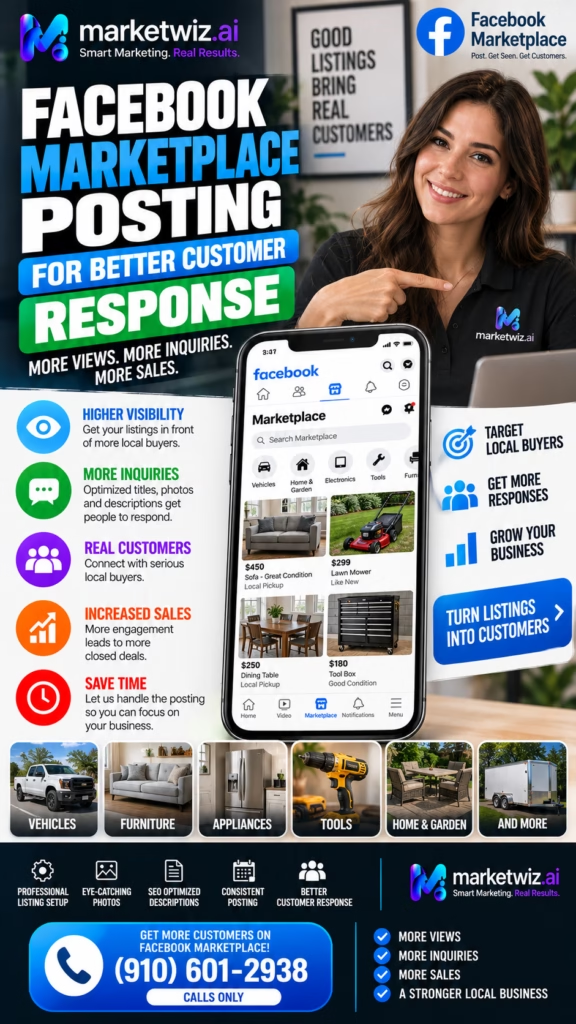
Facebook Marketplace can generate strong buyer inquiries for products, local offers, mobile homes, furniture, mattresses, appliances, vehicles, property opportunities, and certain services. Marketplace users often browse with buying intent and may message quickly when an offer looks clear.

Businesses should use strong photos, clear titles, honest descriptions, local keywords, and fast replies. Listings should be written for conversion, not just visibility.

Facebook Marketplace works well for:

  • Furniture
  • Mattresses
  • Mobile homes
  • Appliances
  • Vehicles
  • Local deals
  • Property offers
  • Service promotions

Facebook Marketplace supports consistent leads by turning local browsing into direct buyer messages.

6) Craigslist and Classified Lead Generation

Craigslist and classified platforms can still create local leads when listings are clear, specific, and properly categorized. These platforms often work well for services, housing, furniture, local deals, used items, jobs, and community-based offers.

Businesses should use clean titles, detailed descriptions, realistic pricing, local contact options, and varied post formats. Classified posting should be consistent but not spammy.

Classified listing strategy:
Clear title
Specific local details
Helpful description
Trust-building information
Contact method
Follow-up process

Classified platforms can add another lead source when businesses use clean, compliant, local listing strategies.

7) OfferUp for Local Marketplace Traffic

OfferUp can help businesses capture local marketplace traffic from buyers who are browsing nearby deals. Strong OfferUp listings use clear photos, simple titles, fair pricing, location clarity, and message-focused calls to action.

OfferUp works best when businesses respond quickly. A buyer may message multiple sellers at the same time, so speed and clarity can make a major difference.

OfferUp lead elements include:

  • Strong first photo
  • Searchable title
  • Clear price
  • Location detail
  • Helpful description
  • Availability note
  • Message CTA
  • Fast response

OfferUp supports multi-platform lead generation by creating another path for nearby buyers to start conversations.

8) Nextdoor for Neighborhood Trust

Nextdoor is powerful for neighborhood trust because residents often use it to ask for recommendations, discuss local services, and discover nearby businesses. For home services, retailers, restaurants, wellness businesses, and local providers, Nextdoor can create community-based visibility.

Businesses should build complete profiles, ask satisfied customers for recommendations, post helpful local content, promote relevant offers, and respond quickly to resident questions.

Neighbor has a need
Neighbor asks or browses Nextdoor
Business appears through post or recommendation
Trust builds
Customer messages, calls, or visits

Nextdoor strengthens multi-platform marketing by adding neighborhood credibility and recommendation-based visibility.

9) Social Media for Awareness and Retargeting

Social media platforms like Facebook, Instagram, TikTok, and YouTube Shorts can build awareness and trust. They may not always generate immediate leads, but they help customers recognize the brand, understand the offer, and see proof over time.

Short-form videos, testimonials, before-and-after content, educational posts, promotions, and behind-the-scenes content can all support lead generation. Social content should connect back to offers, websites, booking links, or message CTAs.

Useful social media content includes:

  • Short-form videos
  • Before-and-after posts
  • Customer testimonials
  • Educational tips
  • Offer announcements
  • Behind-the-scenes content
  • Local proof posts
  • Service explanations

Social media supports consistent leads by keeping the business visible and familiar before customers are ready to act.

10) Automation and Posting Systems

Automation helps businesses manage multiple platforms without becoming overwhelmed. A business can use templates, content calendars, AI-assisted listing variations, saved replies, scheduling tools, lead routing, and CRM workflows to stay consistent.

Automation should improve quality, not create spam. Each platform should still receive content that feels natural and relevant to that audience.

Offer or campaign created
Platform-specific content generated
Posts and listings scheduled or organized
Responses routed into follow-up system
Leads tracked by source
Results reviewed weekly

Automation helps multi-platform marketing drive consistent leads by keeping visibility and follow-up organized.

11) Lead Response and Follow-Up Workflows

Leads are only valuable if the business responds quickly. A marketplace message, Google call, website form, Nextdoor inquiry, or social media DM can lose value if it sits unanswered. Fast response is one of the simplest ways to improve lead conversion.

Businesses should use saved replies, missed-call text-back, appointment links, CRM reminders, email follow-up, and lead source tracking. Every lead should move toward a clear next step.

A strong follow-up workflow includes:

  • Fast initial response
  • Lead qualification
  • Clear next step
  • Appointment or quote scheduling
  • Reminder messages
  • CRM tracking
  • Follow-up after no response
  • Closed-sale reporting

Multi-platform marketing becomes more consistent when every lead source connects to a fast follow-up system.

12) Tracking Leads by Platform

Tracking leads by platform helps businesses understand which channels are producing results. Without tracking, a business may not know whether leads are coming from Google Maps, Facebook Marketplace, Craigslist, OfferUp, Nextdoor, social media, or the website.

Businesses can track leads using CRM tags, spreadsheets, call tracking, form source fields, unique landing pages, and simple customer intake questions.

Track these platform metrics:

  • Calls
  • Messages
  • Website clicks
  • Quote requests
  • Appointments
  • Store visits
  • Booked jobs
  • Closed sales
  • Lead source
  • Cost or time invested

Tracking helps businesses improve lead consistency by showing which platforms deserve more attention.

13) Building a Weekly Multi-Platform Plan

A weekly plan keeps multi-platform marketing organized. Instead of posting randomly, businesses should decide which offers, platforms, content types, and follow-up actions will be used each week.

The plan should include Google Maps updates, marketplace listings, social posts, Nextdoor engagement, website content, and lead follow-up review. Consistency matters more than random bursts of activity.

Weekly plan example:
Monday: Google Business Profile post
Tuesday: Marketplace listing batch
Wednesday: Social video or customer proof post
Thursday: Nextdoor post or recommendation request
Friday: Lead tracking and follow-up review
Weekend: Refresh top-performing offers

A weekly multi-platform plan helps businesses create predictable visibility and more consistent leads.

14) Common Mistakes That Reduce Consistency

Many businesses fail with multi-platform marketing because they post randomly, use weak offers, ignore platform differences, or fail to follow up. More platforms do not automatically mean more leads. The system must be organized.

  • Posting without a clear offer
  • Using the same copy on every platform
  • Ignoring Google Maps optimization
  • Weak marketplace photos
  • No Nextdoor trust strategy
  • No social proof content
  • Slow response to messages
  • No lead tracking
  • No CRM or follow-up system
  • Inconsistent posting schedule
  • Not testing titles and offers
  • Focusing on views instead of leads

Big mistake: using multiple platforms without connecting them to a clear lead generation and follow-up system.

15) Final Thoughts

Multi-Platform Marketing That Drives Consistent Leads works because customers discover businesses in many different places. A strong strategy meets customers across search, maps, marketplaces, community platforms, social media, and websites while keeping messaging clear and follow-up fast.

The strongest systems combine Google Maps for local intent, marketplace listings for buyer conversations, Nextdoor for neighborhood trust, social media for awareness, websites for conversion, automation for consistency, and CRM workflows for lead tracking.

Final takeaway: Multi-platform marketing drives consistent leads when businesses combine visibility, trust, platform-specific content, automation, fast response, and clear lead tracking.

16) FAQs

1) What is multi-platform marketing that drives consistent leads?

It is a strategy that uses several marketing channels together to create steady customer inquiries, calls, messages, bookings, and sales opportunities.

2) Why is multi-platform marketing important?

It matters because customers discover businesses across search, maps, marketplaces, social media, websites, and community platforms.

3) Can multi-platform marketing generate consistent leads?

Yes. It can generate consistent leads when channels are connected with clear offers, good content, fast follow-up, and tracking.

4) Which platforms should local businesses use?

Google Maps, websites, Facebook Marketplace, Craigslist, OfferUp, Nextdoor, Facebook, Instagram, TikTok, and YouTube Shorts can all help.

5) Why is Google Maps important?

Google Maps captures customers who are actively searching for nearby services, products, directions, calls, and appointments.

6) Why are marketplaces useful?

Marketplaces can generate buyer messages from people browsing local products, deals, services, and offers.

7) Why is Nextdoor useful?

Nextdoor helps build neighborhood trust, recommendations, and local service inquiries.

8) Does social media generate leads?

Yes. Social media can build awareness, trust, retargeting value, and direct inquiries when paired with strong calls to action.

9) Should every platform use the same content?

No. Each platform should have content adapted to its format, audience, and conversion style.

10) What is the biggest multi-platform mistake?

The biggest mistake is posting randomly without a clear offer, response system, or lead tracking process.

11) Can automation help?

Yes. Automation can help with templates, scheduling, listing variations, saved replies, lead routing, and tracking.

12) Should businesses track leads by platform?

Yes. Tracking shows which platforms produce calls, messages, bookings, and sales.

13) What should businesses track?

Businesses should track calls, messages, website clicks, quote requests, appointments, booked jobs, and closed sales.

14) How does a website support multi-platform marketing?

A website gives customers deeper information and helps convert traffic from other platforms into leads.

15) Can multi-platform marketing help service businesses?

Yes. Service businesses can use multiple platforms to increase quote requests, calls, appointments, and booked jobs.

16) Can multi-platform marketing help retailers?

Yes. Retailers can use Google Maps, marketplaces, social media, and websites to drive product inquiries and store visits.

17) How often should businesses post?

Posting frequency depends on the platform, but consistency is more important than random bursts.

18) Should businesses use video?

Yes. Short-form video can help build awareness, trust, and engagement across social platforms.

19) How do businesses improve lead consistency?

They improve consistency by using multiple channels, strong offers, regular posting, fast follow-up, and performance tracking.

20) Should businesses use CRM tools?

Yes. CRM tools help organize leads, follow-ups, appointments, and closed sales by platform.

21) Can local SEO work with marketplaces?

Yes. Local SEO captures search demand while marketplaces capture local browsing and buyer messages.

22) What role do reviews play?

Reviews build trust and help customers choose the business after discovering it on any platform.

23) What role does follow-up play?

Follow-up is critical because leads can be lost quickly if messages, calls, or forms are not answered fast.

24) Is multi-platform marketing expensive?

It can be affordable when businesses use organic listings, local SEO, automation, and structured posting systems.

25) What is the main goal of multi-platform marketing?

The main goal is to create consistent visibility and turn that visibility into steady leads and customers.

17) Extra Keywords

  1. Multi-Platform Marketing That Drives Consistent Leads
  2. multi-platform marketing
  3. local lead generation
  4. Google Maps marketing
  5. Facebook Marketplace marketing
  6. Craigslist marketing
  7. OfferUp marketing
  8. Nextdoor marketing
  9. local SEO strategy
  10. marketplace lead generation
  11. multi-channel lead generation
  12. local customer acquisition
  13. automated marketing system
  14. local business marketing
  15. Google Business Profile optimization
  16. marketplace posting automation
  17. community marketing
  18. social media lead generation
  19. local service leads
  20. storefront lead generation
  21. website conversion strategy
  22. lead tracking system
  23. CRM follow-up workflow
  24. consistent lead generation
  25. multi-platform local marketing

© 2026 Your Brand

Multi-Platform Marketing That Drives Consistent Leads Read More »

How Businesses Automate Marketplace Posting

ChatGPT Image May 8 2026 07 42 32 PM
How Businesses Automate Marketplace Posting

How Businesses Automate Marketplace Posting

How Businesses Automate Marketplace Posting explains how companies use structured listing systems, AI tools, scheduling workflows, response automation, and lead tracking to save time, increase visibility, and generate more local buyer inquiries.

Introduction

How Businesses Automate Marketplace Posting is an important topic for companies that rely on local visibility, buyer messages, product inquiries, appointments, and service leads. Platforms like Facebook Marketplace, Craigslist, OfferUp, and local classifieds can create strong opportunities, but posting manually across multiple platforms can become repetitive and time-consuming.

Marketplace posting automation helps businesses create a more consistent system. Instead of writing every listing from scratch, uploading every image manually, and tracking every message separately, businesses can organize their offers, rotate listing variations, schedule posting workflows, manage responses, and track leads more efficiently.

Businesses automate marketplace posting to increase local visibility, save time, keep offers active, improve response speed, and turn marketplace attention into leads.

Automation does not mean posting low-quality duplicate content everywhere. The best systems still use strong titles, clear photos, platform-specific descriptions, accurate pricing, local keywords, trustworthy details, and compliance-aware posting practices. Automation should improve consistency and quality, not replace strategy.

For local businesses, marketplace automation can be especially useful for furniture, mattresses, mobile homes, appliances, vehicles, land, home services, local deals, rentals, equipment, and other offers where nearby buyers search frequently. When done correctly, it can become a repeatable lead generation engine.

Main idea: Marketplace posting automation helps businesses publish better listings more consistently, respond faster, track leads, and convert local buyer interest into real customer opportunities.

Table of Contents

  • 1) Why businesses automate marketplace posting
  • 2) How marketplace posting automation works
  • 3) Creating listing templates
  • 4) Rotating titles and descriptions
  • 5) Organizing photos and creative assets
  • 6) Platform-specific listing optimization
  • 7) Local keywords and marketplace visibility
  • 8) Response automation and buyer follow-up
  • 9) Lead tracking and CRM workflows
  • 10) Automation for product-based businesses
  • 11) Automation for service businesses
  • 12) Avoiding spammy or duplicate posting
  • 13) Measuring marketplace posting performance
  • 14) Common automation mistakes
  • 15) Final thoughts
  • 16) FAQs
  • 17) Extra keywords

1) Why Businesses Automate Marketplace Posting

Businesses automate marketplace posting because manual posting can take too much time. A company may need to post multiple products, services, locations, offers, or listing variations every week. Doing that manually across several platforms can slow the business down and create inconsistent results.

Automation helps businesses stay active. More consistent posting can increase the number of local buyers who see the offer. Better systems can also help businesses respond faster, test different listing angles, and understand which posts generate the best leads.

Marketplace posting automation can help businesses:

  • Save time
  • Post more consistently
  • Create listing variations
  • Improve local visibility
  • Manage photos and descriptions
  • Respond faster to buyer messages
  • Track leads by platform
  • Reduce repetitive manual work
  • Test offers more easily
  • Generate more customer inquiries

Businesses automate marketplace posting because consistency, speed, and organization can improve local lead generation.

2) How Marketplace Posting Automation Works

Marketplace posting automation usually begins with structured information. The business organizes offer details such as title, price, description, photos, location, category, contact information, platform rules, and response instructions. Then the system helps turn those details into platform-ready listings.

Automation may include AI writing support, listing templates, content rotation, image organization, scheduled reminders, lead tracking, saved replies, CRM updates, or multi-platform workflows. The exact setup depends on the business and the platforms being used.

Offer details collected
Listing template generated
Titles and descriptions rotated
Photos organized
Posts prepared for each platform
Buyer responses tracked
Leads moved into follow-up system

The best marketplace posting automation systems combine structure, creativity, platform awareness, and lead follow-up.

3) Creating Listing Templates

Listing templates are one of the most important parts of automation. A template gives the business a repeatable structure while still allowing each listing to feel unique. Templates can include title formulas, description sections, feature lists, pricing notes, pickup or delivery details, and calls to action.

Good templates make listings faster to create while keeping the quality high. The business can adjust the wording, photos, title, and offer details for each platform.

A strong marketplace listing template should include:

  • Clear title
  • Short opening hook
  • Main features
  • Price or offer details
  • Location or service area
  • Pickup, delivery, or appointment details
  • Trust-building notes
  • Simple call to action

Templates help businesses automate marketplace posting without losing clarity, structure, or conversion focus.

4) Rotating Titles and Descriptions

Title and description rotation helps listings avoid feeling repetitive. Different platforms and buyers may respond to different angles. One title may highlight price, another may highlight availability, another may highlight delivery, and another may highlight condition.

Rotating descriptions also helps businesses test what produces more messages. A listing that focuses on urgency may perform differently from one that focuses on features or local convenience.

Title angle examples:
Budget-friendly offer
Same-day delivery available
Move-in ready option
Local pickup today
Updated and clean condition
Limited-time pricing

Businesses automate marketplace posting more effectively when they rotate listing angles instead of repeating the same copy every time.

5) Organizing Photos and Creative Assets

Photos are one of the biggest factors in marketplace performance. Automation works better when images are organized by offer, platform, product, location, and listing variation. A messy image system can slow posting and reduce quality.

Businesses should create photo folders, label images clearly, use strong first images, and prepare different creative versions when needed. For some offers, branded graphics can support the listing, but real photos usually build the strongest trust.

Useful image organization categories:

  • Main listing image
  • Detail photos
  • Condition photos
  • Before-and-after photos
  • Product feature photos
  • Delivery or pickup visuals
  • Platform-specific images
  • Branded graphics

Organized visuals help marketplace automation produce listings that look more trustworthy and professional.

6) Platform-Specific Listing Optimization

Each marketplace platform has its own style, audience, categories, and posting expectations. A listing that works on Craigslist may need different formatting than a listing for Facebook Marketplace or OfferUp. Automation should account for those differences.

Businesses should create platform-specific versions of listings. This can include different title lengths, description tone, contact instructions, category choices, image order, and calls to action.

Platform-specific workflow:
Facebook Marketplace: visual, simple, message-focused
Craigslist: detailed, clear, local, search-friendly
OfferUp: short, mobile-friendly, message-focused
Local classifieds: direct, category-specific, contact-focused

Marketplace posting automation works best when each platform receives a listing formatted for its own audience and rules.

7) Local Keywords and Marketplace Visibility

Local keywords help listings get found by nearby buyers. Buyers may search by product, service, city, neighborhood, condition, size, price, availability, or delivery option. Listings should include relevant search terms naturally.

The goal is not to stuff listings with repeated keywords. The goal is to help buyers immediately understand what is available and where it applies.

Useful marketplace keywords may include:

  • City or neighborhood
  • Product type
  • Service category
  • Condition
  • Size or model
  • Delivery availability
  • Pickup location
  • Budget-friendly offer
  • Same-day availability
  • Limited-time price

Businesses automate marketplace posting more successfully when listings include natural local keywords that match buyer searches.

8) Response Automation and Buyer Follow-Up

Posting is only the first step. Businesses also need to respond to buyer inquiries quickly. A buyer may message several sellers at the same time. The business that replies faster and more clearly often has a better chance of winning the lead.

Response automation can include saved replies, AI-assisted answers, qualification questions, appointment links, delivery details, pricing confirmations, and missed-message follow-up. The goal is to move interested buyers toward a real next step.

Buyer message received
Saved reply or AI-assisted response sent
Availability confirmed
Buyer question answered
Next step offered
Lead tracked in CRM or spreadsheet

Marketplace posting automation becomes more valuable when businesses also automate or systematize response follow-up.

9) Lead Tracking and CRM Workflows

Lead tracking helps businesses understand which platforms, listings, titles, photos, and offers produce results. Without tracking, businesses may post frequently but not know what is working.

Businesses can track marketplace leads in a CRM, spreadsheet, lead dashboard, or simple pipeline. Important details include platform, listing title, buyer name, contact method, interest level, next step, appointment date, and final outcome.

Marketplace lead tracking should include:

  • Lead source platform
  • Listing title
  • Buyer message
  • Contact information
  • Product or service interest
  • Appointment or pickup status
  • Follow-up date
  • Closed sale result

Lead tracking turns marketplace posting automation into a measurable sales system.

10) Automation for Product-Based Businesses

Product-based businesses can benefit heavily from marketplace posting automation. Mattress stores, furniture stores, appliance sellers, vehicle sellers, equipment dealers, mobile home sellers, and retailers often have many items or offers to promote.

Automation can help these businesses create listing batches, rotate product descriptions, manage image folders, update pricing, and track which items receive the most messages.

Product-based automation can help with:

  • Inventory listing creation
  • Photo organization
  • Price updates
  • Delivery messaging
  • Product variation posts
  • Buyer inquiry tracking
  • Store visit follow-up
  • Promotion testing

Product-based businesses automate marketplace posting to keep inventory visible and generate more buyer messages.

11) Automation for Service Businesses

Service businesses can also use marketplace posting automation to promote local offers, service availability, seasonal deals, quote requests, and appointment openings. Examples include cleaners, landscapers, painters, mobile repair providers, moving services, contractors, and local specialty services.

For services, listings should focus on the problem solved, service area, availability, proof, and next step. Automation can help rotate different service angles and offers.

Service listing structure:
Problem or need
Service offered
Local area served
Proof or trust signal
Availability
Call or message CTA

Service businesses automate marketplace posting to stay visible in local markets and generate more quote requests.

12) Avoiding Spammy or Duplicate Posting

Automation should not create spam. Businesses should avoid posting identical listings repeatedly, using misleading information, posting in irrelevant categories, or ignoring platform rules. Quality matters more than raw volume.

Better automation uses unique wording, accurate details, real photos, appropriate categories, reasonable posting schedules, and platform-specific formatting. The goal is to create helpful listings that buyers trust.

Better automation practices include:

  • Use unique listing variations
  • Keep information accurate
  • Use real photos
  • Choose relevant categories
  • Avoid misleading urgency
  • Follow platform guidelines
  • Track performance
  • Prioritize buyer experience

Important: Marketplace automation should improve listing quality and consistency, not create spammy duplicate content.

13) Measuring Marketplace Posting Performance

Performance tracking helps businesses improve their marketplace posting system. Views alone are not enough. Businesses should track messages, calls, appointments, store visits, delivery requests, quote requests, and closed sales.

When the business understands which titles, photos, platforms, and offers perform best, it can improve future posting campaigns.

Important marketplace metrics include:

  • Listings posted
  • Listing views
  • Buyer messages
  • Phone calls
  • Response time
  • Appointments booked
  • Pickup or delivery requests
  • Store visits
  • Qualified leads
  • Closed sales

Businesses automate marketplace posting more effectively when they measure real leads and sales, not just posting activity.

14) Common Automation Mistakes

Many businesses make the mistake of automating before they have a strong listing strategy. Automation can multiply good systems, but it can also multiply weak ones. If the titles, photos, descriptions, offers, and follow-up are poor, automation will not fix the core problem.

  • Posting duplicate listings repeatedly
  • Using weak titles
  • Uploading poor-quality photos
  • Ignoring platform-specific formatting
  • Not tracking lead source
  • Slow replies to buyer messages
  • No saved response system
  • No CRM or spreadsheet tracking
  • Using vague descriptions
  • Posting in wrong categories
  • Not testing listing variations
  • Focusing on volume instead of lead quality

Big mistake: automating marketplace posting without a strong listing, response, and tracking system.

15) Final Thoughts

How Businesses Automate Marketplace Posting comes down to building a repeatable system for visibility, consistency, response speed, and lead tracking. Automation can help businesses save time, create better listings, manage multiple platforms, and respond to buyer interest more efficiently.

The strongest marketplace posting systems combine automation with quality. Businesses should use clear titles, strong photos, unique descriptions, platform-specific formatting, local keywords, fast responses, and lead tracking. When those pieces work together, marketplace posting becomes a more reliable local lead generation channel.

Final takeaway: Businesses automate marketplace posting to save time, increase local visibility, improve consistency, respond faster, and turn marketplace traffic into real leads.

16) FAQs

1) How do businesses automate marketplace posting?

Businesses automate marketplace posting by using systems for templates, listing variations, image organization, scheduling workflows, response handling, and lead tracking.

2) Why automate marketplace posting?

Automation saves time, improves consistency, increases visibility, and helps businesses manage buyer inquiries more efficiently.

3) What platforms can businesses automate posting for?

Businesses may systematize posting for Facebook Marketplace, Craigslist, OfferUp, local classifieds, and other marketplace platforms.

4) Can marketplace posting automation generate leads?

Yes. Better posting consistency, stronger listings, and faster responses can help generate more marketplace leads.

5) What should a marketplace listing template include?

It should include a clear title, main features, price, location, photos, trust details, and a simple call to action.

6) Should businesses rotate listing titles?

Yes. Rotating titles helps test different angles and reduces repetitive listing patterns.

7) Are photos important for automated marketplace posting?

Yes. Strong photos are one of the biggest drivers of clicks, trust, and buyer messages.

8) Should each platform get a different listing version?

Yes. Facebook Marketplace, Craigslist, OfferUp, and local classifieds often perform better with platform-specific formatting.

9) Can AI help with marketplace posting?

Yes. AI can help generate listing variations, titles, descriptions, response templates, and lead follow-up messages.

10) What is response automation?

Response automation uses saved replies, AI-assisted answers, and follow-up workflows to respond to buyer inquiries faster.

11) Why is lead tracking important?

Lead tracking helps businesses understand which platforms, listings, and offers produce real messages, appointments, and sales.

12) Can product-based businesses automate marketplace posting?

Yes. Product-based businesses can automate inventory listings, photo organization, pricing updates, and buyer follow-up.

13) Can service businesses automate marketplace posting?

Yes. Service businesses can automate local offer posts, service-area listings, quote request posts, and response workflows.

14) Is automated posting the same as spam?

No. Good automation creates organized, accurate, unique, and platform-appropriate listings. Spam repeats low-quality content.

15) What is the biggest automation mistake?

The biggest mistake is automating weak, duplicate, or low-quality listings without strong photos, descriptions, and follow-up.

16) Should businesses track calls from marketplace posts?

Yes. Calls, messages, appointments, visits, and closed sales should all be tracked.

17) How can businesses avoid duplicate listings?

They can use unique titles, different descriptions, varied photos, accurate details, and platform-specific formatting.

18) What local keywords should marketplace listings use?

Listings can include city names, product terms, service terms, delivery options, condition, size, and availability.

19) Can automation improve response speed?

Yes. Saved replies and response workflows can help businesses answer buyer messages faster.

20) Should businesses use a CRM for marketplace leads?

Yes. A CRM or tracking sheet helps organize inquiries, follow-ups, appointments, and sales outcomes.

21) Can marketplace automation help local stores?

Yes. Local stores can use automation to promote inventory, deals, delivery options, and store visit opportunities.

22) Can marketplace automation help mobile home or property sellers?

Yes. Sellers can use structured listings, photo organization, lead tracking, and follow-up workflows to manage inquiries.

23) How often should businesses post?

Posting frequency should depend on platform rules, inventory, local demand, and listing quality. Consistency matters more than spammy volume.

24) What should businesses measure?

Businesses should measure views, messages, calls, response time, appointments, visits, qualified leads, and closed sales.

25) What is the main goal of marketplace posting automation?

The main goal is to save time, increase visibility, improve consistency, and turn marketplace interest into real leads and customers.

17) Extra Keywords

  1. How Businesses Automate Marketplace Posting
  2. marketplace posting automation
  3. Facebook Marketplace automation
  4. Craigslist posting automation
  5. OfferUp automation
  6. automated ad posting
  7. business marketplace marketing
  8. local lead generation
  9. marketplace lead generation
  10. automated listing creation
  11. multi-platform posting
  12. marketplace listing templates
  13. AI marketplace posting
  14. automated buyer responses
  15. marketplace CRM tracking
  16. local classifieds automation
  17. Facebook Marketplace lead generation
  18. Craigslist lead generation
  19. OfferUp lead generation
  20. local selling automation
  21. marketplace message automation
  22. listing rotation strategy
  23. automated local advertising
  24. marketplace posting software
  25. local customer acquisition automation

© 2026 Your Brand

How Businesses Automate Marketplace Posting Read More »

Multi-Channel Lead Generation Systems Explained

ChatGPT Image May 8 2026 07 42 23 PM
Multi-Channel Lead Generation Systems Explained

Multi-Channel Lead Generation Systems Explained

Multi-Channel Lead Generation Systems Explained shows how businesses can capture more qualified leads across Google Maps, websites, Craigslist, Facebook Marketplace, OfferUp, Nextdoor, paid ads, social media, and automated follow-up workflows.

Introduction

Multi-Channel Lead Generation Systems Explained is about building a complete business growth engine instead of relying on one platform, one ad, or one source of traffic. Modern customers do not all come from the same place. Some search on Google Maps. Some browse Facebook Marketplace. Some check Craigslist. Some use OfferUp. Some ask neighbors on Nextdoor. Some visit websites, click ads, read reviews, or respond to social media posts.

A business that depends on only one channel can miss many opportunities. A multi-channel system helps capture leads from different customer behaviors and different stages of intent. It also creates more stability because the business is not relying on one platform to produce all calls, messages, bookings, and quote requests.

A multi-channel lead generation system combines visibility, trust, conversion, tracking, automation, and follow-up across multiple platforms.

The goal is not to randomly post everywhere. The goal is to build an organized system where each platform has a clear role. Google Maps captures high-intent local searches. Websites explain services and convert visitors. Craigslist, Marketplace, and OfferUp capture local shoppers and message-based leads. Nextdoor builds neighborhood trust. Social media creates awareness. Automation and CRM tools keep every inquiry organized.

When all these pieces work together, a business can generate more leads, respond faster, track performance, and improve conversion over time. A strong multi-channel lead generation system does not stop at getting attention. It turns attention into conversations, conversations into appointments, and appointments into customers.

Main idea: Multi-Channel Lead Generation Systems Explained means building a repeatable process that captures leads from multiple platforms and turns them into measurable business growth.

Table of Contents

  • 1) What multi-channel lead generation means
  • 2) Why one channel is not enough
  • 3) Google Maps as a high-intent lead channel
  • 4) Website and SEO lead capture
  • 5) Craigslist, Marketplace, and OfferUp leads
  • 6) Nextdoor and neighborhood trust
  • 7) Social media and content-driven awareness
  • 8) Paid ads and targeted lead capture
  • 9) Landing pages and conversion paths
  • 10) Lead magnets, offers, and calls to action
  • 11) CRM tracking and source attribution
  • 12) Automation and fast follow-up
  • 13) Lead qualification and appointment setting
  • 14) Common mistakes that reduce results
  • 15) Final thoughts
  • 16) FAQs
  • 17) Extra keywords

1) What Multi-Channel Lead Generation Means

Multi-channel lead generation means using more than one marketing channel to attract, capture, track, and convert leads. Instead of depending only on ads, only SEO, only social media, or only referrals, the business creates several ways for customers to discover and contact it.

A true system connects each channel into one organized process. Leads from Google Maps, websites, Craigslist, Marketplace, OfferUp, Nextdoor, ads, social media, email, and SMS should all be captured, labeled, tracked, and followed up with.

A complete multi-channel lead generation system includes:

  • Multiple traffic sources
  • Clear offers
  • Optimized listings and pages
  • Lead capture forms
  • Phone and message tracking
  • CRM organization
  • Fast response workflows
  • Follow-up automation
  • Lead qualification
  • Appointment booking
  • Performance reporting

Multi-Channel Lead Generation Systems Explained starts with one principle: every channel should feed into one clear lead management process.

2) Why One Channel Is Not Enough

One channel can work, but relying on only one channel is risky. Platform algorithms change. Ad costs rise. Search rankings move. Marketplace listings expire. Social media reach fluctuates. A business that depends on one source may experience unstable lead flow.

Multi-channel lead generation creates more opportunities and more balance. If one channel slows down, other channels can continue producing inquiries. It also helps the business reach customers in different ways, depending on how they search, browse, compare, and buy.

Single-channel risk:
One platform changes
Lead volume drops
Business has no backup

Multi-channel system:
Several platforms create leads
Tracking shows what works
Follow-up converts more opportunities

A multi-channel system helps businesses create more consistent lead flow and reduce dependence on one platform.

3) Google Maps as a High-Intent Lead Channel

Google Maps is one of the strongest lead channels for local businesses because customers often use it when they are ready to act. They may search for a service, compare nearby options, read reviews, check photos, call, request directions, or book appointments.

Google Maps works best when the business has a complete Google Business Profile, accurate categories, detailed services, strong reviews, fresh photos, consistent information, and a website that supports local SEO.

Google Maps can generate:

  • Phone calls
  • Website clicks
  • Direction requests
  • Messages
  • Bookings
  • Quote requests
  • Store visits
  • Local customer inquiries

Google Maps should be a core part of any local multi-channel lead generation system.

4) Website and SEO Lead Capture

A website gives customers more information after they discover the business. It also gives search engines more context about services, locations, reviews, FAQs, and expertise. A strong website supports both organic search and conversion.

The website should include service pages, city pages, contact forms, clickable phone numbers, reviews, photos, FAQs, calls to action, and fast mobile performance. It should make it easy for visitors to call, book, request a quote, or submit a form.

Website lead capture elements:

  • Clear service pages
  • Location or city pages
  • Strong headline
  • Contact forms
  • Click-to-call buttons
  • Reviews and testimonials
  • FAQ sections
  • Project photos
  • Booking links
  • Tracking pixels and analytics

Your website should act as the central conversion hub for every lead generation channel.

5) Craigslist, Marketplace, and OfferUp Leads

Craigslist, Facebook Marketplace, and OfferUp can help businesses reach local buyers and message-driven customers. These platforms work well for products, services, vehicles, mobile homes, furniture, equipment, home services, local deals, and appointment-based offers.

The key is to use clear titles, strong photos, benefit-focused descriptions, accurate city targeting, realistic pricing, and fast replies. Each platform should have listings adapted to its audience and format.

Marketplace lead flow:
Customer sees listing
Customer views photos and description
Customer sends message or calls
Business replies quickly
Lead is tracked and followed up with
Customer books, visits, or buys

Marketplace platforms can add strong message-based lead flow to a multi-channel system.

6) Nextdoor and Neighborhood Trust

Nextdoor is useful for businesses that depend on neighborhood trust, especially contractors, home service companies, local retailers, repair providers, and service-area businesses. Customers often use Nextdoor to ask neighbors for recommendations.

Businesses can use Nextdoor to post helpful local content, share offers, show project photos, collect recommendations, and respond to nearby customer inquiries. It works best when the business provides value instead of only posting sales messages.

Nextdoor can support:

  • Neighborhood visibility
  • Local recommendations
  • Homeowner leads
  • Service requests
  • Referral conversations
  • Project inquiries
  • Community trust

Nextdoor adds local credibility to a multi-channel lead generation system.

7) Social Media and Content-Driven Awareness

Social media helps businesses stay visible, educate customers, build brand familiarity, and create demand over time. While some customers may not be ready to buy immediately, consistent content can keep the business top of mind until they need help.

Useful content can include before-and-after posts, short videos, customer stories, educational tips, behind-the-scenes clips, offers, testimonials, FAQs, and local proof. Social media can also drive people to websites, forms, messages, and booking links.

Social media lead content can include:

  • Short-form videos
  • Before-and-after posts
  • Customer testimonials
  • Educational tips
  • Local service reminders
  • Promotional offers
  • Team introductions
  • Project highlights
  • Call-to-action posts

Social media supports multi-channel lead generation by building awareness and trust before customers are ready to buy.

8) Paid Ads and Targeted Lead Capture

Paid ads can create faster visibility when organic channels take time. Businesses can use search ads, social ads, local service ads, retargeting ads, and marketplace boosts to reach specific audiences or promote specific offers.

Paid ads work best when they send traffic to a strong landing page, booking form, call button, lead form, or message workflow. Without tracking and follow-up, ad spend can be wasted.

Paid ad system:
Target the right audience
Promote a clear offer
Send traffic to a landing page or message flow
Capture the lead
Track source and cost
Follow up quickly

Paid ads should not work alone. They should feed into the same tracking and follow-up system as every other channel.

9) Landing Pages and Conversion Paths

Landing pages help turn traffic into leads. A landing page should be focused on one offer, one service, one location, or one customer problem. It should not overwhelm the visitor with too many options.

A strong landing page includes a clear headline, benefits, trust signals, photos, reviews, FAQs, offer details, and a simple call to action. It should work well on mobile because many leads come from phones.

Landing page conversion elements:

  • Clear headline
  • Specific service or offer
  • Local relevance
  • Customer benefits
  • Photos or proof
  • Reviews or testimonials
  • FAQ section
  • Short form
  • Click-to-call button
  • Fast mobile loading

Landing pages give every channel a focused place to convert visitors into leads.

10) Lead Magnets, Offers, and Calls to Action

Every lead generation system needs clear reasons for customers to respond. Offers and calls to action make the next step obvious. Depending on the business, the offer may be a free estimate, consultation, appointment, inspection, quote, discount, pickup window, financing option, or service availability.

Calls to action should be simple and direct. Customers should know exactly what to do next and what they will receive after taking action.

CTA examples:
Call for a free estimate
Request a quote today
Book your appointment
Message us for availability
Schedule a consultation
Claim this local offer
Get pricing details

Clear offers and calls to action help convert attention into measurable inquiries.

11) CRM Tracking and Source Attribution

CRM tracking is what turns scattered inquiries into an organized lead system. Every lead should be tagged by source, service requested, location, status, follow-up date, and outcome. This helps the business understand which channels are producing real customers.

Source attribution is important because not all channels perform equally. Google Maps may produce the most calls. Marketplace may produce the most messages. Nextdoor may produce the strongest referrals. Paid ads may produce fast volume but require better qualification.

CRM fields to track:

  • Lead name
  • Phone or email
  • Lead source
  • Platform or campaign
  • Service requested
  • Location
  • Lead status
  • Follow-up date
  • Appointment status
  • Closed revenue

Multi-Channel Lead Generation Systems Explained requires tracking every inquiry so the business knows what actually works.

12) Automation and Fast Follow-Up

Speed matters in lead generation. Many customers contact multiple businesses. The company that replies first with a clear, helpful response often wins the conversation. Automation helps make response and follow-up more consistent.

Automation can send instant text replies, notify staff, tag leads by source, create follow-up tasks, send appointment reminders, request reviews, and reactivate old leads. It should support human follow-up, not replace it completely.

Automation workflow:
Lead comes in
Source is tagged
Team is notified
Lead receives confirmation
Follow-up task is created
Appointment reminder is sent
Outcome is tracked

Fast follow-up helps businesses convert more leads without needing more traffic.

13) Lead Qualification and Appointment Setting

Not every inquiry is a good fit. Lead qualification helps businesses focus on customers who are serious, local, ready, and aligned with the service or product. This saves time and improves close rates.

Qualification can include asking about location, service needed, timeline, budget range, property type, product interest, availability, and decision-making status. Once qualified, the lead should be moved toward an appointment, quote, visit, or purchase.

Lead qualification questions may include:

  • What service or product are you interested in?
  • What city or area are you located in?
  • When do you need help?
  • Are you looking for a quote, appointment, or more information?
  • Do you have photos or details?
  • What is your preferred contact method?
  • Are you the decision maker?

Qualification turns raw leads into better appointments and stronger sales opportunities.

14) Common Mistakes That Reduce Results

Many businesses use multiple channels but still struggle because they do not have a real system. They post randomly, ignore tracking, respond slowly, fail to follow up, or do not know which channels are producing revenue.

  • Posting on many platforms without a strategy
  • No central CRM or lead tracker
  • No source attribution
  • Slow responses
  • No follow-up process
  • Weak calls to action
  • Generic offers
  • No landing pages
  • Inconsistent messaging
  • No lead qualification
  • No reporting
  • No automation support
  • Stopping too early before enough data is collected

Big mistake: confusing activity with a system. Posting everywhere is not the same as building a lead generation machine.

15) Final Thoughts

Multi-Channel Lead Generation Systems Explained comes down to building a complete process that captures attention from multiple places and turns it into measurable customer action. The best systems do not depend on one platform. They combine visibility, trust, conversion, tracking, automation, and follow-up.

Google Maps captures high-intent searchers. Websites convert visitors. Marketplace platforms create message-based leads. Nextdoor builds neighborhood trust. Social media creates awareness. Paid ads accelerate reach. CRM and automation organize everything. Follow-up turns inquiries into appointments and customers.

Final takeaway: A multi-channel lead generation system helps businesses turn scattered marketing activity into organized, trackable, repeatable customer growth.

16) FAQs

1) What is a multi-channel lead generation system?

A multi-channel lead generation system captures leads from multiple platforms and organizes them through tracking, follow-up, qualification, and conversion workflows.

2) Why is multi-channel lead generation important?

It helps businesses reach customers across different platforms and reduces dependence on one lead source.

3) What channels can businesses use?

Businesses can use Google Maps, websites, SEO, Craigslist, Facebook Marketplace, OfferUp, Nextdoor, paid ads, social media, email, SMS, and referrals.

4) How does Google Maps fit into the system?

Google Maps captures high-intent local customers who are actively searching for nearby businesses.

5) How does a website support lead generation?

A website explains services, builds trust, captures forms, supports SEO, and gives customers a clear path to contact the business.

6) Can marketplace platforms generate leads?

Yes. Craigslist, Marketplace, and OfferUp can generate calls, messages, product inquiries, service leads, and appointment requests.

7) Can Nextdoor generate leads?

Yes. Nextdoor can generate neighborhood-based leads through local posts, recommendations, offers, and community trust.

8) Do paid ads belong in a multi-channel system?

Yes. Paid ads can create faster visibility when connected to tracking, landing pages, and follow-up workflows.

9) What is source attribution?

Source attribution is the process of identifying which platform, campaign, or channel produced each lead.

10) Why is CRM tracking important?

CRM tracking helps businesses organize leads, monitor follow-up, measure performance, and understand which channels create revenue.

11) What should businesses track?

Track lead source, customer contact, service requested, location, status, follow-up date, appointment status, and closed revenue.

12) Can automation help with lead generation?

Yes. Automation can help with lead alerts, text replies, appointment reminders, follow-up tasks, and review requests.

13) Why does response speed matter?

Response speed matters because customers often contact multiple businesses, and the fastest helpful reply can win the lead.

14) What is lead qualification?

Lead qualification is the process of determining whether an inquiry is a good fit based on service need, location, timing, budget, and decision status.

15) What is the biggest multi-channel mistake?

The biggest mistake is using many platforms without tracking, follow-up, qualification, or a central lead management process.

16) Should every channel use the same message?

The core offer should be consistent, but each platform should have copy and formatting adapted to its audience.

17) How do landing pages help?

Landing pages give customers a focused place to understand the offer and take action.

18) What makes a good call to action?

A good call to action is clear, direct, easy to follow, and tied to a specific next step.

19) Can local businesses use multi-channel lead generation?

Yes. Local businesses can benefit because customers search, browse, compare, and message across many platforms.

20) Can service businesses use this system?

Yes. Service businesses can use multi-channel lead generation to capture calls, quotes, bookings, and appointments.

21) How often should businesses review results?

Businesses should review lead source performance regularly so they can improve what works and stop wasting effort on weak channels.

22) What role does follow-up play?

Follow-up helps convert leads that do not book immediately and prevents inquiries from being lost.

23) Is multi-channel lead generation expensive?

It can be built at different budget levels. The key is using the right channels, tracking results, and improving conversion.

24) How do businesses improve lead quality?

Businesses improve lead quality with clear offers, better targeting, qualification questions, strong landing pages, and accurate service descriptions.

25) What is the main goal of a multi-channel lead generation system?

The main goal is to turn multiple traffic and inquiry sources into organized, trackable, repeatable customer growth.

17) Extra Keywords

  1. Multi-Channel Lead Generation Systems Explained
  2. multi-channel lead generation
  3. local lead generation
  4. Google Maps leads
  5. Google Business Profile leads
  6. Craigslist lead generation
  7. Facebook Marketplace leads
  8. OfferUp lead generation
  9. Nextdoor marketing
  10. lead tracking system
  11. CRM lead management
  12. lead source attribution
  13. local customer acquisition
  14. multi-platform marketing
  15. lead generation automation
  16. appointment booking system
  17. quote request system
  18. local SEO leads
  19. paid ads lead generation
  20. social media lead generation
  21. marketplace lead system
  22. website lead capture
  23. landing page conversion
  24. lead follow-up automation
  25. business growth system

© 2026 Your Brand

Multi-Channel Lead Generation Systems Explained Read More »

How Businesses Capture Leads Across Craigslist, Marketplace, and OfferUp

ChatGPT Image May 8 2026 07 42 15 PM
How Businesses Capture Leads Across Craigslist, Marketplace, and OfferUp

How Businesses Capture Leads Across Craigslist, Marketplace, and OfferUp

How Businesses Capture Leads Across Craigslist, Marketplace, and OfferUp explains how local businesses can use multi-platform listings, strong offers, optimized copy, quality photos, fast replies, and lead tracking systems to generate more calls, messages, appointments, and customers.

Introduction

How Businesses Capture Leads Across Craigslist, Marketplace, and OfferUp is one of the most practical local marketing topics for companies that want more direct conversations with nearby buyers. These platforms are not only for casual selling. When used strategically, they can become powerful lead channels for service businesses, local retailers, home service companies, mobile home sellers, furniture stores, auto dealers, equipment companies, contractors, and other local businesses.

Craigslist, Facebook Marketplace, and OfferUp all attract people who are already browsing with intent. Some users are looking for products. Some are comparing services. Some want local deals. Some are ready to message immediately. Businesses that show up with clear listings, strong photos, local trust, and fast replies can turn that attention into real leads.

Businesses capture leads across Craigslist, Marketplace, and OfferUp by combining local visibility, clear offers, fast communication, and organized follow-up.

The key is not simply posting more. The key is posting better. A listing should clearly explain what is available, who it helps, why it is valuable, where it is located, and what the customer should do next. The business should also respond quickly, track every inquiry, and follow up until the lead is closed, booked, or disqualified.

When these platforms work together, they create a multi-channel lead system. Craigslist can reach search-based local buyers. Facebook Marketplace can reach high-volume local browsers. OfferUp can reach mobile-first shoppers who want quick conversations. A business that uses all three with a smart process can capture more opportunities than relying on one channel alone.

Main idea: How Businesses Capture Leads Across Craigslist, Marketplace, and OfferUp comes down to better listings, better local targeting, faster replies, stronger tracking, and consistent follow-up.

Table of Contents

  • 1) Why multi-platform marketplace lead generation matters
  • 2) How customers search and message on these platforms
  • 3) Craigslist lead generation strategy
  • 4) Facebook Marketplace lead generation strategy
  • 5) OfferUp lead generation strategy
  • 6) Listing titles that attract local attention
  • 7) Photos that build trust and increase messages
  • 8) Descriptions that turn views into leads
  • 9) Local targeting and city selection
  • 10) Pricing, offers, and urgency
  • 11) Fast replies and message conversion
  • 12) Lead tracking across platforms
  • 13) Follow-up systems and automation
  • 14) Common mistakes that reduce marketplace leads
  • 15) Final thoughts
  • 16) FAQs
  • 17) Extra keywords

1) Why Multi-Platform Marketplace Lead Generation Matters

Multi-platform marketplace lead generation matters because customers do not all search in the same place. Some people still use Craigslist for local services, rentals, vehicles, equipment, furniture, and classified listings. Others browse Facebook Marketplace daily. Others prefer OfferUp because it is simple, mobile-friendly, and conversation-driven.

A business that posts on only one platform may miss large portions of local demand. By using Craigslist, Marketplace, and OfferUp together, businesses can increase visibility, test different offers, reach different buyer groups, and create more chances for customer conversations.

Multi-platform marketplace marketing can help businesses generate:

  • Phone calls
  • Direct messages
  • Product inquiries
  • Service inquiries
  • Appointment requests
  • Quote requests
  • Local pickup interest
  • Showroom visits
  • Financing conversations
  • Booked customers

Businesses capture more leads when they meet local customers across multiple high-intent marketplace platforms.

2) How Customers Search and Message on These Platforms

Customers use Craigslist, Marketplace, and OfferUp differently, but the decision process is similar. They search or browse, compare options, look at photos, read the description, check price or offer details, and message the seller or business if the listing feels relevant.

Most leads begin with curiosity. The customer sees an item, service, property, vehicle, offer, or local solution that matches a need. The listing must then build enough confidence for the customer to ask a question, request details, schedule a visit, or call.

Customer browses or searches locally
Customer sees listing title and photo
Customer opens listing and reads details
Customer compares price, trust, location, and offer
Customer messages, calls, visits, books, or requests more info

Marketplace leads happen when a listing makes the next step feel simple and worthwhile.

3) Craigslist Lead Generation Strategy

Craigslist can still be useful for lead generation because many users go there with specific local intent. They may be searching for services, items for sale, housing, vehicles, jobs, equipment, local deals, or business offerings. Craigslist listings should be clear, direct, and easy to scan.

Businesses should avoid overly generic posts. A Craigslist post should include a strong title, accurate location, clear offer, simple description, real photos, trust details, and a direct call to action. The more specific and useful the listing is, the better chance it has of generating quality inquiries.

Craigslist lead generation elements:

  • Clear local title
  • Accurate category
  • Strong first sentence
  • Specific offer details
  • Real photos
  • Local pickup or service information
  • Phone number or reply option
  • Simple call to action
  • Fresh posting schedule

Craigslist works best when listings are specific, local, trustworthy, and easy to respond to.

4) Facebook Marketplace Lead Generation Strategy

Facebook Marketplace can generate strong local leads because it has high user volume and a built-in messaging experience. Customers can quickly message sellers, ask questions, save listings, compare options, and share listings with others.

Businesses using Marketplace should focus on photos, titles, pricing, location, category fit, and fast replies. Marketplace users often move quickly, so response speed matters. A good listing should answer the most common questions before the customer asks.

Facebook Marketplace lead generation elements:

  • Attention-grabbing main photo
  • Clear product or service title
  • Accurate price or offer
  • Local city targeting
  • Simple description
  • Benefit-focused bullet points
  • Messenger-ready response process
  • Follow-up script
  • Lead tracking notes

Facebook Marketplace leads improve when listings are visual, clear, locally relevant, and supported by fast messaging.

5) OfferUp Lead Generation Strategy

OfferUp is built around fast local buying and selling. It works especially well for mobile-first users who want quick conversations. Businesses can use OfferUp to promote products, local inventory, vehicles, furniture, home goods, equipment, service-related items, and local offers.

OfferUp listings should be simple, clean, and direct. Because users often browse from phones, the first photo and title are extremely important. The description should explain the offer quickly and include a clear next step.

OfferUp lead generation elements:

  • Strong mobile-friendly photo
  • Short clear title
  • Accurate condition or offer details
  • Local pickup or service area
  • Simple pricing
  • Trust-building details
  • Fast app response
  • Follow-up message flow

OfferUp lead generation works best when listings are easy to understand and easy to message about from a phone.

6) Listing Titles That Attract Local Attention

The title is one of the most important parts of a marketplace listing. A title must quickly tell the customer what the listing is, why it matters, and whether it is relevant. Vague titles usually get weaker clicks.

Good titles are specific, local, and benefit-focused. They should avoid looking spammy, but they should still create interest. A title can mention the product, service, location, price point, condition, urgency, or main benefit.

Title examples:
Move-In Ready Mobile Home – Local Deal Available
Affordable Mattress Set – Same-Day Local Pickup
Exterior Painting Estimates Available This Week
Used Work Truck Available – Clean Title
Local Landscaping Help – Free Estimate Available

Businesses capture more leads when listing titles are clear enough to earn the click and relevant enough to attract the right customer.

7) Photos That Build Trust and Increase Messages

Photos are often the first thing customers notice. A strong photo can stop the scroll, build trust, and make the listing feel real. Weak photos can make even a good offer look unprofessional.

Businesses should use clear, bright, real photos whenever possible. For products, show the item from multiple angles. For services, show completed work, before-and-after examples, team members, vehicles, tools, or project results. For local offers, use images that make the value obvious.

Marketplace photos should show:

  • The real item or service result
  • Clear lighting
  • Multiple angles
  • Condition details
  • Before-and-after proof
  • Scale or size when needed
  • Brand or model details
  • Clean backgrounds
  • Trust-building visuals

Better photos usually create better clicks, better trust, and more marketplace messages.

8) Descriptions That Turn Views Into Leads

A good description should answer the customer’s main questions quickly. It should explain what is being offered, why it is valuable, where it is located, what condition it is in, what is included, and how to take the next step.

The description should be easy to scan. Short paragraphs, bullets, clear benefits, and direct calls to action usually work better than long blocks of text. The goal is to move the customer from interest to message.

Listing description formula:
What it is
Who it is for
Main benefits
Location or service area
Price or offer details
Trust details
Call to action

Descriptions convert better when they remove confusion and make the next step obvious.

9) Local Targeting and City Selection

Local targeting matters because marketplace platforms are location-driven. A business should choose cities, neighborhoods, and nearby markets where customers are most likely to respond and where the business can realistically serve or deliver.

City selection should consider customer demand, distance, delivery options, service area, competition, income level, seasonal demand, and listing category. Testing different cities can reveal which areas produce the best inquiries.

Local targeting should consider:

  • Primary business location
  • Nearby high-demand cities
  • Delivery or pickup range
  • Service area limits
  • Customer demographics
  • Competition level
  • Category demand
  • Travel time
  • Lead quality by area

Businesses capture better leads when listings appear in the local markets most likely to produce real customers.

10) Pricing, Offers, and Urgency

Pricing and offers can strongly affect marketplace response. Customers often browse these platforms looking for value, availability, or a good local deal. Businesses should make pricing as clear as possible when appropriate.

Urgency can also help, but it should be realistic. Examples include limited availability, appointment openings, local pickup windows, seasonal promotions, move-in-ready offers, free estimates, or limited inventory. The offer should feel believable and useful.

Offer ideas for marketplace lead generation:

  • Free estimate
  • Same-day availability
  • Limited-time local offer
  • Move-in ready deal
  • Financing available
  • Local pickup option
  • Delivery available
  • Appointment openings
  • Bundle pricing

Clear offers help customers understand why they should message now instead of continuing to browse.

11) Fast Replies and Message Conversion

Fast replies are critical across Craigslist, Marketplace, and OfferUp. Many customers message multiple sellers or businesses at the same time. The first clear and helpful response often wins the conversation.

Businesses should prepare response scripts for common questions. The reply should confirm availability, answer the question, ask for the next detail, and guide the customer toward a call, visit, appointment, quote, or purchase.

Fast reply example:
Yes, this is still available.
We can help with that in your area.
Would you like the next available appointment, pickup window, or quote details?
You can also call/text us here for faster help.

Marketplace lead generation improves when every message gets a fast, clear, and action-focused reply.

12) Lead Tracking Across Platforms

Lead tracking is what turns marketplace posting into a real business system. Without tracking, businesses may not know which platform, city, title, photo, or offer produced the best leads.

Businesses should track where every inquiry came from, what the customer asked about, whether the lead was qualified, whether an appointment was booked, and whether the lead became revenue.

Marketplace lead tracking should include:

  • Platform source
  • Listing title
  • City or location
  • Customer name
  • Phone or message contact
  • Product or service requested
  • Lead status
  • Follow-up date
  • Appointment or visit status
  • Closed sale or booked job

Tracking helps businesses double down on the platforms, listings, and offers that create real leads.

13) Follow-Up Systems and Automation

Many marketplace leads are lost because the business responds once and then stops. Follow-up is important because customers may be busy, comparing options, waiting for details, or not ready immediately.

A follow-up system can include saved replies, text reminders, appointment confirmations, CRM notes, missed call text-back, quote follow-up, and lead nurturing. Automation can help make sure every inquiry gets handled consistently.

Follow-up workflow:
Lead sends message
Business replies quickly
Lead details are saved
Next step is offered
Follow-up reminder is created
Lead is called, texted, booked, or closed

Businesses capture more value from Craigslist, Marketplace, and OfferUp when every inquiry enters a follow-up process.

14) Common Mistakes That Reduce Marketplace Leads

Many businesses struggle with marketplace lead generation because they post without a system. They use weak photos, vague titles, inconsistent pricing, slow replies, no tracking, and no follow-up. These mistakes reduce lead volume and lead quality.

  • Generic listing titles
  • Poor-quality photos
  • Vague descriptions
  • No clear price or offer
  • No local targeting strategy
  • Posting in the wrong category
  • Slow message responses
  • No saved reply system
  • No lead tracking
  • No follow-up process
  • No testing of titles or photos
  • No clear call to action

Big mistake: treating Craigslist, Marketplace, and OfferUp like random posting platforms instead of organized local lead generation channels.

15) Final Thoughts

How Businesses Capture Leads Across Craigslist, Marketplace, and OfferUp comes down to building a repeatable local marketplace system. The business needs strong listings, good photos, clear descriptions, local targeting, fast replies, tracking, and follow-up.

Each platform has its own style, but the fundamentals are the same. The listing must attract attention, build trust, answer questions, and make the next step easy. The business must then respond quickly and keep the conversation moving.

Final takeaway: Businesses capture leads across Craigslist, Marketplace, and OfferUp by turning local marketplace visibility into organized conversations, tracked inquiries, appointments, sales, and booked customers.

16) FAQs

1) How do businesses capture leads across Craigslist, Marketplace, and OfferUp?

Businesses capture leads by posting clear local listings, using strong photos, writing helpful descriptions, including calls to action, replying quickly, tracking inquiries, and following up consistently.

2) Can Craigslist generate business leads?

Yes. Craigslist can generate leads when listings are specific, local, clear, and easy to respond to.

3) Can Facebook Marketplace generate leads?

Yes. Facebook Marketplace can generate messages, calls, product inquiries, service leads, and local customer conversations.

4) Can OfferUp generate leads?

Yes. OfferUp can generate local inquiries when listings are mobile-friendly, visual, and supported by fast responses.

5) Why use all three platforms?

Using all three platforms helps businesses reach different local audiences and capture more opportunities.

6) What makes a marketplace listing convert?

A strong title, clear photos, useful description, local relevance, price or offer details, trust signals, and fast replies help listings convert.

7) What should a listing title include?

A listing title should include the product or service, main benefit, location or urgency when useful, and a clear reason to click.

8) Do photos matter for marketplace leads?

Yes. Photos are often the first thing customers notice and can strongly affect clicks and messages.

9) What should the description include?

The description should explain what is offered, key benefits, condition or service details, location, price, trust details, and next step.

10) How fast should businesses reply?

Businesses should reply as quickly as possible because marketplace customers often message multiple sellers or providers.

11) Should businesses track leads by platform?

Yes. Tracking by platform helps businesses know whether Craigslist, Marketplace, or OfferUp is producing the best results.

12) What should businesses track?

Businesses should track platform source, listing title, city, customer contact, inquiry type, lead status, follow-up, appointment, and closed sale.

13) Do offers help marketplace listings?

Yes. Clear offers such as free estimates, local pickup, delivery, financing, or limited availability can increase response.

14) What is the biggest marketplace lead generation mistake?

The biggest mistake is posting generic listings without clear offers, good photos, fast replies, tracking, or follow-up.

15) Can service businesses use these platforms?

Yes. Service businesses can use these platforms to promote estimates, appointments, seasonal services, emergency availability, and local offers.

16) Can retailers use these platforms?

Yes. Retailers can use listings to promote products, inventory, local pickup, delivery, financing, and showroom visits.

17) Should businesses use saved replies?

Yes. Saved replies help businesses respond faster and keep messaging consistent.

18) Can automation help marketplace leads?

Yes. Automation can help with lead alerts, missed call text-back, follow-up reminders, CRM updates, and appointment confirmations.

19) How do businesses improve lead quality?

Businesses can improve lead quality by being clear about price, location, service area, availability, requirements, and next steps.

20) Should listings be different on each platform?

Yes. Listings should be adjusted for each platform’s audience, format, category structure, and messaging style.

21) How often should businesses post?

Businesses should post consistently while keeping listings fresh, accurate, and compliant with each platform’s rules.

22) What industries can benefit?

Home services, furniture, mattresses, vehicles, mobile homes, equipment, local retail, contractors, repair companies, and service providers can benefit.

23) What role does local targeting play?

Local targeting helps businesses reach customers in cities and neighborhoods where they can actually sell, deliver, or provide service.

24) What is the goal of marketplace lead generation?

The goal is to turn marketplace views into messages, calls, quote requests, appointments, sales, and booked customers.

25) Is marketplace lead generation a one-time task?

No. It works best as an ongoing system with posting, testing, replying, tracking, and follow-up.

17) Extra Keywords

  1. How Businesses Capture Leads Across Craigslist, Marketplace, and OfferUp
  2. Craigslist lead generation
  3. Facebook Marketplace leads
  4. OfferUp lead generation
  5. local marketplace marketing
  6. business listings
  7. local lead generation
  8. marketplace lead system
  9. Craigslist business leads
  10. Marketplace marketing strategy
  11. OfferUp business marketing
  12. multi-platform lead generation
  13. local classified ads
  14. classified ad lead generation
  15. local buyer leads
  16. marketplace listing optimization
  17. Craigslist posting strategy
  18. Facebook Marketplace posting
  19. OfferUp posting strategy
  20. local sales leads
  21. service business marketplace leads
  22. product listing lead generation
  23. local customer acquisition
  24. marketplace message conversion
  25. lead tracking for marketplace platforms

© 2026 Your Brand

How Businesses Capture Leads Across Craigslist, Marketplace, and OfferUp Read More »

Google Maps Optimization Techniques for 2025

ChatGPT Image May 7 2026 07 57 51 PM
Google Maps Optimization Techniques for 2025

Google Maps Optimization Techniques for 2025

Google Maps Optimization Techniques for 2025 explains how local businesses can improve Maps visibility, strengthen trust, optimize Google Business Profiles, and turn nearby searches into calls, direction requests, website visits, bookings, and leads.

Introduction

Google Maps Optimization Techniques for 2025 are essential for local businesses that want to be found when nearby customers search for products, services, directions, appointments, quotes, or trusted local providers. Whether a company is a contractor, plumber, painter, HVAC business, mattress store, restaurant, landscaper, dentist, retailer, med spa, or local marketing agency, Google Maps visibility can directly affect customer calls and leads.

Google Maps has become one of the most important local discovery tools because customers often use it when they are close to action. They may be ready to call, visit, get directions, compare reviews, check hours, view photos, or request service. A business that appears with a complete profile, strong reviews, clear services, and fresh photos has a better chance of being chosen.

Google Maps optimization techniques for 2025 focus on relevance, trust, profile quality, customer engagement, local SEO, and conversion.

Many businesses create a Google Business Profile but never fully optimize it. They may have missing services, outdated hours, weak photos, few reviews, poor categories, inconsistent business information, or no tracking system. These gaps can cause valuable local traffic to go to competitors.

The strongest Google Maps optimization strategy is ongoing. Businesses should improve their Google Business Profile, build reviews, upload photos, publish posts, update services, strengthen website SEO, clean up citations, and track calls and leads. When these pieces work together, Maps visibility becomes a real local growth channel.

Main idea: Google Maps optimization techniques for 2025 help businesses become easier to find, easier to trust, and easier to contact when nearby customers are ready to act.

Table of Contents

  • 1) Why Google Maps optimization matters in 2025
  • 2) How local customers use Google Maps
  • 3) Google Business Profile completeness
  • 4) Categories and search relevance
  • 5) Services, products, and customer intent
  • 6) Reviews and reputation growth
  • 7) Photos and videos that build trust
  • 8) Local keywords and location signals
  • 9) Website SEO that supports Maps rankings
  • 10) Citations and business information consistency
  • 11) Posts, offers, and profile activity
  • 12) Conversion-focused profile improvements
  • 13) Tracking calls, clicks, and leads
  • 14) Common Google Maps optimization mistakes
  • 15) Final thoughts
  • 16) FAQs
  • 17) Extra keywords

1) Why Google Maps Optimization Matters in 2025

Google Maps optimization matters in 2025 because customers increasingly use Maps to make fast local decisions. They do not always browse multiple websites first. They may compare ratings, read reviews, check photos, confirm hours, and tap the call or directions button directly from the Maps result.

This makes Google Maps a high-intent channel. A customer searching for a nearby service is often much closer to taking action than someone casually scrolling social media. Strong Maps visibility can turn that intent into measurable results.

Google Maps optimization can help increase:

  • Phone calls
  • Website clicks
  • Direction requests
  • Store visits
  • Quote requests
  • Appointment bookings
  • Local brand awareness
  • Customer trust
  • Review visibility
  • Lead generation

Google Maps Optimization Techniques for 2025 matter because local visibility can directly influence customer action.

2) How Local Customers Use Google Maps

Local customers use Google Maps to discover, compare, and contact businesses. They may search by service, category, city, neighborhood, brand, urgency, or “near me” phrase. Then they compare businesses based on reviews, distance, photos, hours, services, and trust signals.

A strong profile can win attention quickly. A weak profile can lose the customer even if the business provides excellent service. The profile must answer the customer’s key questions before they move on.

Customer searches locally
Google Maps shows nearby businesses
Customer compares reviews, photos, services, hours, and distance
Customer chooses a trusted option
Customer calls, clicks, visits, books, or requests directions

Google Maps optimization works best when the profile helps customers decide quickly and confidently.

3) Google Business Profile Completeness

Google Business Profile completeness is the foundation of Google Maps optimization. A complete profile helps customers understand the business and helps search systems better match it to relevant local searches.

Businesses should complete every relevant field, including name, address or service area, phone number, website, hours, categories, services, products, business description, attributes, photos, posts, and review responses.

A complete Google Business Profile should include:

  • Accurate business name
  • Correct address or service area
  • Current phone number
  • Website link
  • Accurate business hours
  • Primary category
  • Secondary categories
  • Services and products
  • Business description
  • Photos and videos
  • Review responses

A complete profile helps improve Google Maps optimization by strengthening clarity, trust, and local relevance.

4) Categories and Search Relevance

Categories are one of the most important Google Maps optimization elements. The primary category tells Google and customers what the business mainly does. Secondary categories can support additional offerings when they are accurate and relevant.

A wrong category can reduce visibility for important searches. A precise category helps the business appear for customers looking for that exact service or product. Businesses should choose categories based on their main revenue-driving service, not vague or unrelated options.

Accurate categories improve Google Maps optimization by helping the business match relevant local searches.

5) Services, Products, and Customer Intent

Services and products help connect a business to customer intent. A customer may search for a specific service like “cabinet painting,” “AC repair,” “same-day mattress delivery,” or “roof inspection.” If the profile clearly lists those services, the business becomes easier to understand and compare.

Businesses should write service and product details in language customers actually use. The wording should be clear, specific, and helpful.

Service optimization example:
Main service: Emergency AC repair
Supporting services: HVAC maintenance, heating repair, system inspection
Local relevance: Serving nearby homeowners
CTA: Call to check availability

Google Maps optimization techniques for 2025 should include clear service and product details that match customer search intent.

6) Reviews and Reputation Growth

Reviews are one of the strongest trust signals on Google Maps. Customers often compare star ratings, review quantity, review recency, written feedback, and business responses before choosing who to contact.

A strong review strategy should be consistent and ethical. Businesses should ask satisfied customers for honest feedback, make the review process easy, and respond professionally to both positive and negative reviews.

Review strategy should focus on:

  • Consistent review requests
  • Recent customer feedback
  • Detailed customer experiences
  • Professional review responses
  • Service-specific review language
  • Reputation monitoring
  • Customer experience improvement

Reviews improve Google Maps optimization by increasing trust, engagement, and customer confidence.

7) Photos and Videos That Build Trust

Photos and videos help customers see what the business offers before they contact it. A profile with fresh, real visuals often feels more active and trustworthy than a profile with no images or outdated photos.

Businesses should upload real photos of their storefront, team, projects, products, service vehicles, interiors, before-and-after results, displays, and customer-facing experiences. Visual proof can increase profile engagement and confidence.

Useful Google Maps visuals include:

  • Storefront photos
  • Interior photos
  • Team photos
  • Before-and-after project photos
  • Product displays
  • Service vehicles
  • Short videos
  • Branded graphics
  • Customer experience photos

Fresh visuals help Google Maps optimization by making the business look real, active, and trustworthy.

8) Local Keywords and Location Signals

Local keywords help connect the profile and website to customer searches. These keywords should appear naturally in services, descriptions, posts, website pages, FAQs, and city or service-area content. The goal is relevance, not repetition.

Businesses should include service terms, city names, neighborhood references, product terms, problem-based searches, and customer-friendly language where appropriate.

Local keyword examples:
AC repair near me
Mattress store in Rochester NY
House painter in Fort Worth TX
Emergency plumber open now
Google Maps SEO for local businesses
Restaurant near me

Local keywords support Google Maps optimization by aligning business content with how nearby customers search.

9) Website SEO That Supports Maps Rankings

A strong local website can support Google Maps optimization by reinforcing services, locations, trust, and authority. The website should match the information on the Google Business Profile and give customers deeper details.

Businesses should build service pages, location pages, FAQ sections, review sections, schema markup, contact pages, and fast mobile experiences. The website should make calling, booking, or requesting a quote easy.

Website elements that support Google Maps SEO:

  • Local service pages
  • City or area landing pages
  • Consistent name, address, and phone number
  • Embedded map or location details
  • Customer reviews
  • FAQ sections
  • Local schema markup
  • Fast mobile speed
  • Clickable phone numbers

Google Maps optimization becomes stronger when the website and Google Business Profile support the same local signals.

10) Citations and Business Information Consistency

Citations are mentions of a business’s name, address, phone number, and website across online directories, social profiles, review platforms, and local listing sites. Consistent information helps reduce confusion and builds trust.

If a business has different phone numbers, old addresses, or inconsistent names across the web, customers may hesitate. Keeping business information consistent supports a stronger local presence.

Business information consistency supports Google Maps optimization by improving trust and reducing customer confusion.

11) Posts, Offers, and Profile Activity

Posts, offers, and updates can keep a Google Business Profile fresh and useful. Businesses can share seasonal reminders, service availability, promotions, events, product updates, company news, and appointment openings.

Profile posts should be short, local, clear, and action-focused. They should give customers a reason to call, click, visit, book, or request a quote.

Useful post structure:
Headline: Clear offer or update
Body: Short explanation of value
Local relevance: Mention service area when helpful
CTA: Call, book, visit, or request quote

Active profile updates help Google Maps optimization by keeping the business fresh, relevant, and customer-focused.

12) Conversion-Focused Profile Improvements

Google Maps optimization should not only focus on visibility. It should also focus on conversion. Once customers find the profile, they should know exactly what to do next. That may include calling, visiting the website, requesting directions, booking, messaging, or visiting the store.

Businesses should make sure phone numbers work, hours are accurate, websites load quickly, forms are simple, and staff can handle incoming calls or messages.

Important conversion actions include:

  • Phone calls
  • Website clicks
  • Direction requests
  • Messages
  • Appointment clicks
  • Quote requests
  • Store visits
  • Bookings

The best Google Maps optimization techniques turn visibility into measurable customer actions.

13) Tracking Calls, Clicks, and Leads

Tracking is essential because businesses need to know whether their Google Maps optimization is producing real results. Visibility is useful, but calls, clicks, direction requests, bookings, store visits, and closed customers matter more.

Businesses can track performance using Google Business Profile performance data, website analytics, call tracking, CRM tags, booking reports, customer intake questions, and lead source reporting.

Important Google Maps metrics include:

  • Search views
  • Map views
  • Phone calls
  • Website clicks
  • Direction requests
  • Messages
  • Photo views
  • Review growth
  • Bookings
  • Closed customers

Tracking helps businesses improve Google Maps optimization based on real customer behavior.

14) Common Google Maps Optimization Mistakes

Many businesses underperform on Google Maps because they do not maintain or improve their profile consistently. They may create a listing once and then ignore it. Over time, competitors with stronger profiles, better reviews, and clearer information can capture more local traffic.

  • Incomplete Google Business Profile
  • Wrong primary category
  • Outdated business hours
  • Missing services or products
  • Few or no reviews
  • No review responses
  • Low-quality photos
  • Inconsistent business information online
  • Weak website local SEO
  • No tracking system
  • No profile posts or updates
  • No clear conversion path

Big mistake: treating Google Maps optimization as a one-time setup instead of an ongoing visibility, trust, and lead-generation process.

15) Final Thoughts

Google Maps Optimization Techniques for 2025 come down to building a complete, trustworthy, locally relevant presence that helps nearby customers find and choose the business. Visibility matters, but trust and conversion matter just as much.

The strongest approach includes Google Business Profile optimization, accurate categories, detailed services, strong reviews, fresh photos, local keywords, website SEO, citation consistency, profile posts, and performance tracking. When these techniques work together, Google Maps can become a consistent source of local calls, visits, bookings, and leads.

Final takeaway: Google Maps optimization techniques for 2025 help businesses improve local visibility, build customer trust, match search intent, and turn nearby searches into real customer action.

16) FAQs

1) What are Google Maps optimization techniques for 2025?

They are strategies that help businesses improve Google Maps visibility through profile optimization, reviews, photos, local keywords, services, website SEO, citations, and tracking.

2) Why is Google Maps optimization important?

It helps nearby customers find, compare, trust, and contact local businesses when they are ready to act.

3) Can Google Maps optimization generate leads?

Yes. It can generate phone calls, website clicks, direction requests, quote requests, appointments, bookings, and store visits.

4) What is Google Business Profile optimization?

It is the process of improving profile information, categories, services, photos, reviews, posts, and contact details.

5) Do reviews help Google Maps optimization?

Yes. Reviews build trust and can influence customer decisions in local search results.

6) Do photos help Google Maps performance?

Yes. Photos can improve trust, engagement, and customer confidence.

7) What categories should businesses choose?

Businesses should choose the most accurate primary category and relevant secondary categories.

8) Should businesses add services to their profile?

Yes. Services help customers and Google understand what the business offers.

9) Does a website support Google Maps optimization?

Yes. A strong local website can reinforce services, locations, trust, and conversion.

10) What are citations?

Citations are online mentions of a business’s name, address, phone number, and website.

11) Why is information consistency important?

Consistent business information helps customers and search systems trust the business details.

12) Should businesses respond to reviews?

Yes. Review responses show professionalism and customer care.

13) Do profile posts help?

Posts can keep the profile active and communicate offers, events, services, and updates.

14) What is the biggest Google Maps optimization mistake?

The biggest mistake is creating a profile and then leaving it incomplete, outdated, or inactive.

15) How do local keywords help?

Local keywords help match the business to searches involving services, cities, neighborhoods, products, and customer intent.

16) Can service-area businesses optimize Google Maps?

Yes. Service-area businesses can optimize with accurate service areas, services, reviews, photos, website content, and lead tracking.

17) How long does Google Maps optimization take?

Results vary based on competition, location, profile quality, reviews, website strength, and consistency.

18) Should businesses update holiday hours?

Yes. Accurate holiday hours prevent confusion and improve customer experience.

19) What should businesses track?

Businesses should track calls, website clicks, direction requests, messages, bookings, reviews, and closed customers.

20) Can Google Maps help storefronts?

Yes. Storefronts can use Google Maps to increase directions, calls, visits, and product discovery.

21) Can Google Maps help contractors?

Yes. Contractors can show services, reviews, project photos, service areas, and contact options.

22) Should businesses add videos?

Yes. Videos can show products, services, team members, projects, and customer experience.

23) Is Google Maps optimization a one-time task?

No. It works best as an ongoing process involving profile updates, reviews, photos, posts, website improvements, and tracking.

24) What makes a business stand out on Google Maps?

Strong reviews, complete information, clear services, fresh photos, accurate hours, helpful posts, and easy contact options can help a business stand out.

25) What is the main goal of Google Maps optimization?

The main goal is to help nearby customers find, trust, and contact the business.

17) Extra Keywords

  1. Google Maps Optimization Techniques for 2025
  2. Google Maps SEO
  3. Google Business Profile optimization
  4. local SEO 2025
  5. Google Maps ranking
  6. Google Maps visibility
  7. Google Maps marketing
  8. local business visibility
  9. local search optimization
  10. local map pack SEO
  11. Google reviews strategy
  12. local citation building
  13. business listing consistency
  14. Google Business Profile services
  15. Google Maps lead generation
  16. near me searches
  17. local customer search
  18. service area SEO
  19. storefront SEO
  20. Google Maps profile optimization
  21. Google Maps customer calls
  22. direction requests
  23. local customer acquisition
  24. Google Maps discovery strategy
  25. Google Maps optimization checklist

© 2026 Your Brand

Google Maps Optimization Techniques for 2025 Read More »

How Businesses Capture Local Traffic Using Maps

ChatGPT Image May 7 2026 07 57 47 PM
How Businesses Capture Local Traffic Using Maps

How Businesses Capture Local Traffic Using Maps

How Businesses Capture Local Traffic Using Maps explains how local companies can improve Maps visibility, build trust, optimize their profile, and turn nearby searches into calls, direction requests, visits, bookings, and leads.

Introduction

How Businesses Capture Local Traffic Using Maps is one of the most important topics for local companies that depend on nearby customers. When someone searches for a contractor, plumber, painter, HVAC company, mattress store, restaurant, landscaper, dentist, repair service, retailer, or local agency, Maps often becomes the fastest path from search to action.

Local traffic is valuable because it usually comes from people close enough to call, visit, book, request directions, or schedule service. A business that appears strongly in Maps results can capture attention at the exact moment a customer is looking for a solution nearby.

Businesses capture local traffic using Maps when they combine strong visibility, accurate information, reviews, photos, local keywords, website support, and clear customer action steps.

Many businesses create a Google Business Profile but do not fully optimize it. They may have missing services, outdated hours, weak photos, few reviews, poor categories, inconsistent information, or no tracking. These gaps can cause local traffic to go to competitors instead.

The best Maps strategy is not just about appearing in results. It is about being chosen. Businesses need to look trustworthy, relevant, active, and easy to contact. That requires a complete profile, strong reviews, fresh visuals, service clarity, local SEO, website support, and fast follow-up.

Main idea: Businesses capture local traffic using Maps by turning nearby search visibility into measurable customer actions like calls, clicks, directions, visits, bookings, and leads.

Table of Contents

  • 1) Why Maps traffic matters for local businesses
  • 2) How customers use Maps to choose businesses
  • 3) Google Business Profile optimization
  • 4) Categories and relevance signals
  • 5) Services and products that capture intent
  • 6) Reviews that convert local traffic
  • 7) Photos and videos that build trust
  • 8) Local keywords and search behavior
  • 9) Website SEO that supports Maps traffic
  • 10) Citations and information consistency
  • 11) Posts, offers, and profile activity
  • 12) Turning Maps traffic into leads
  • 13) Tracking local traffic from Maps
  • 14) Common mistakes that lose Maps traffic
  • 15) Final thoughts
  • 16) FAQs
  • 17) Extra keywords

1) Why Maps Traffic Matters for Local Businesses

Maps traffic matters because nearby customers often use Maps when they are close to making a decision. They may need directions, business hours, a phone number, reviews, photos, or a website link. These actions often happen when intent is high.

For local businesses, this traffic can directly affect revenue. A restaurant may get more visits. A contractor may get more estimate requests. A mattress store may get more direction requests. A plumber may get urgent calls. A local agency may get website clicks or consultation requests.

Maps traffic can help businesses increase:

  • Phone calls
  • Website visits
  • Direction requests
  • Store visits
  • Quote requests
  • Appointment bookings
  • Local brand awareness
  • Customer trust
  • Review visibility
  • Lead generation

Businesses capture local traffic using Maps because Maps connects nearby customer intent with immediate action options.

2) How Customers Use Maps to Choose Businesses

Customers use Maps to compare businesses quickly. They look at distance, ratings, reviews, photos, business hours, services, location, website links, and call buttons. In many cases, the customer makes a decision without visiting multiple websites.

This means the Maps profile functions like a mini sales page. If the business looks complete, trusted, active, and relevant, the customer is more likely to choose it. If the profile looks weak or outdated, the customer may choose a competitor.

Customer searches locally
Maps shows nearby businesses
Customer compares reviews, photos, hours, services, and distance
Customer chooses the most trusted option
Customer calls, clicks, visits, books, or requests directions

Maps traffic is captured when a business profile gives customers enough confidence to take action.

3) Google Business Profile Optimization

The Google Business Profile is the foundation of capturing local traffic using Maps. A complete profile helps Google understand the business and helps customers decide whether to contact it.

Businesses should complete every important section of the profile, including contact information, address or service area, hours, categories, services, products, description, photos, attributes, posts, and review responses.

A traffic-focused Google Business Profile should include:

  • Accurate business name
  • Correct address or service area
  • Current phone number
  • Website link
  • Accurate hours
  • Primary category
  • Secondary categories
  • Services and products
  • Business description
  • Photos and videos
  • Review responses

A complete Google Business Profile helps businesses capture more Maps traffic by improving clarity, relevance, and trust.

4) Categories and Relevance Signals

Categories help Maps understand what the business does. The primary category should match the main service or product. Secondary categories can support additional offerings when they are accurate and relevant.

A business with the wrong category may miss important searches. A business with accurate categories has a better chance of appearing when customers search for relevant services nearby.

Category accuracy is one of the strongest ways to help Maps match a business with local customer intent.

5) Services and Products That Capture Intent

Services and products help capture local search intent. Customers often search for specific services or items, not just broad business names. A profile that clearly lists services and products can better match those searches.

For service businesses, this may include repairs, installations, estimates, inspections, maintenance, emergency service, consultations, or delivery. For retailers, this may include product categories, brands, financing, delivery, or featured inventory.

Service optimization example:
Main service: AC repair
Supporting services: HVAC maintenance, heating repair, emergency service
Local relevance: Serving nearby homeowners
CTA: Call to check availability

Businesses capture local traffic using Maps when their services and products match what nearby customers are searching for.

6) Reviews That Convert Local Traffic

Reviews can help convert Maps traffic into customer action. People often compare ratings, review quantity, review recency, written feedback, and business responses. Strong reviews can make a business feel safer and more trustworthy.

Businesses should build a consistent review process. They should ask satisfied customers for honest feedback and respond professionally to reviews. Review responses show that the business is active and cares about customers.

Review factors that help convert traffic:

  • Star rating
  • Review quantity
  • Recent reviews
  • Detailed customer feedback
  • Service-specific mentions
  • Owner responses
  • Customer photos
  • Trust-building language

Reviews help businesses capture Maps traffic by turning visibility into customer confidence.

7) Photos and Videos That Build Trust

Photos and videos help customers understand the business quickly. A profile with real, fresh visuals often feels more active and credible than one with no photos or outdated images.

Businesses should upload photos of projects, products, storefronts, team members, interiors, vehicles, before-and-after results, displays, and customer-facing experiences. Visual proof can increase engagement and trust.

Useful Maps visuals include:

  • Storefront photos
  • Interior photos
  • Team photos
  • Before-and-after project photos
  • Product displays
  • Service vehicles
  • Short videos
  • Branded graphics
  • Customer experience photos

Strong visuals help capture local traffic by making the business look real, active, and trustworthy.

8) Local Keywords and Search Behavior

Local keywords help businesses match customer search behavior. People may search by service, city, neighborhood, urgency, product, brand, or problem. These keywords should appear naturally in services, business descriptions, posts, website pages, FAQs, and local landing pages.

The goal is not keyword stuffing. The goal is to clearly communicate what the business does and where it serves.

Local keyword examples:
AC repair near me
Mattress store in Rochester NY
House painter in Fort Worth TX
Emergency plumber open now
Google Maps SEO for local businesses
Restaurant near me

Businesses capture local traffic using Maps when their profile and website match real customer search behavior.

9) Website SEO That Supports Maps Traffic

A strong website can help support Maps visibility and conversion. When customers click from Maps to the website, they should find clear services, location information, trust signals, reviews, photos, and calls to action.

The website should support the same business information shown in Maps. Service pages, city pages, FAQs, schema markup, reviews, and fast mobile performance can help reinforce local relevance.

Website elements that support Maps traffic:

  • Local service pages
  • City or area pages
  • Consistent name, address, and phone number
  • Embedded map or location details
  • Customer reviews
  • FAQ sections
  • Local schema markup
  • Fast mobile speed
  • Clickable phone numbers

Maps traffic converts better when the website reinforces trust, location relevance, and customer action.

10) Citations and Information Consistency

Citations are mentions of business information across directories, social profiles, industry websites, and local platforms. Consistent information helps customers and search engines trust that the business is real and accurate.

If the business has different names, phone numbers, addresses, or hours across the web, it can create confusion. Keeping information consistent supports stronger local trust.

Information consistency helps businesses capture local traffic by reducing confusion and strengthening local credibility.

11) Posts, Offers, and Profile Activity

Posts, offers, and updates can keep a profile active and useful. Businesses can use posts to share service availability, seasonal reminders, local offers, product updates, events, appointment openings, or company news.

Profile activity can give customers a reason to call, click, visit, book, or request a quote. Active profiles often feel more trustworthy than neglected profiles.

Useful profile post structure:
Headline: Clear offer or update
Body: Short explanation of value
Local relevance: Mention service area when helpful
CTA: Call, book, visit, or request quote

Active profiles help businesses capture more local traffic by staying fresh, relevant, and action-focused.

12) Turning Maps Traffic Into Leads

Capturing traffic is only valuable if the business converts it. Customers should have clear ways to call, click, request directions, book, message, or visit. A strong Maps strategy should always include conversion planning.

Businesses should make sure phone numbers work, websites load quickly, forms are simple, staff answers calls, and follow-up systems are in place. Traffic without follow-up often becomes wasted opportunity.

Conversion actions from Maps include:

  • Phone calls
  • Website clicks
  • Direction requests
  • Messages
  • Appointment clicks
  • Quote requests
  • Store visits
  • Bookings

Businesses capture local traffic using Maps most effectively when visibility turns into measurable customer actions.

13) Tracking Local Traffic From Maps

Tracking is important because businesses need to understand whether Maps is producing results. Visibility matters, but calls, clicks, directions, visits, bookings, and sales matter more.

Businesses can track performance with Google Business Profile performance data, website analytics, call tracking, CRM tags, appointment tracking, lead source questions, and conversion reporting.

Important Maps traffic metrics:

  • Search views
  • Map views
  • Phone calls
  • Website clicks
  • Direction requests
  • Messages
  • Photo views
  • Review growth
  • Bookings
  • Closed customers

Tracking helps businesses improve Maps traffic strategy based on real customer behavior.

14) Common Mistakes That Lose Maps Traffic

Many businesses lose Maps traffic because they do not maintain their profile or support it with a complete local SEO strategy. A weak profile may still appear sometimes, but it may fail to convert customers.

  • Incomplete Google Business Profile
  • Wrong primary category
  • Outdated hours
  • Missing services or products
  • Few or no reviews
  • No review responses
  • Low-quality photos
  • Inconsistent business information online
  • Weak website local SEO
  • No call tracking
  • No profile posts or updates
  • No clear conversion path

Big mistake: focusing only on Maps visibility without improving trust, conversion, follow-up, and tracking.

15) Final Thoughts

How Businesses Capture Local Traffic Using Maps comes down to visibility, trust, relevance, and conversion. A business must not only appear in local results. It must look like the best option for the customer’s need.

The strongest strategies include Google Business Profile optimization, accurate categories, clear services, reviews, photos, local keywords, website SEO, citations, posts, and tracking. When these pieces work together, businesses can turn nearby search traffic into real leads and customers.

Final takeaway: Businesses capture local traffic using Maps by becoming easier to find, easier to trust, and easier to contact when nearby customers are ready to act.

16) FAQs

1) How do businesses capture local traffic using Maps?

Businesses capture local traffic by optimizing their Google Business Profile, improving local SEO, building reviews, adding photos, and making customer actions easy.

2) Why is Maps traffic important?

Maps traffic is important because nearby customers often use Maps when they are ready to call, visit, book, or buy.

3) Can Maps traffic generate leads?

Yes. Maps traffic can generate phone calls, website clicks, direction requests, appointments, quote requests, and store visits.

4) What is Google Business Profile optimization?

It is the process of improving profile information, categories, services, photos, reviews, posts, and contact details.

5) Do reviews help capture local traffic?

Yes. Reviews build trust and help customers choose one business over another.

6) Do photos help Maps performance?

Yes. Photos can improve trust, engagement, and customer confidence.

7) What categories should businesses choose?

Businesses should choose the most accurate primary category and relevant secondary categories.

8) Should businesses list services?

Yes. Services help customers and Maps understand what the business offers.

9) Does a website support Maps traffic?

Yes. A strong website can reinforce services, locations, trust, and conversion.

10) What are citations?

Citations are online mentions of business information such as name, address, phone number, and website.

11) Why is information consistency important?

Consistency helps customers and search engines trust the business information.

12) Should businesses respond to reviews?

Yes. Review responses show professionalism and customer care.

13) Do profile posts help?

Posts can keep the profile active and communicate offers, events, services, and updates.

14) What is the biggest Maps traffic mistake?

The biggest mistake is focusing only on visibility without improving trust, conversion, and follow-up.

15) How do local keywords help?

Local keywords help match the business to searches involving services, cities, neighborhoods, and customer intent.

16) Can service-area businesses capture Maps traffic?

Yes. Service-area businesses can capture traffic with accurate service areas, services, reviews, photos, and website support.

17) How long does Maps SEO take?

Results vary depending on competition, profile quality, reviews, website strength, and consistency.

18) Should businesses update holiday hours?

Yes. Accurate holiday hours prevent confusion and improve customer experience.

19) What should businesses track?

Businesses should track calls, website clicks, direction requests, messages, bookings, reviews, and closed customers.

20) Can Maps help storefront businesses?

Yes. Storefronts can use Maps to increase directions, calls, visits, and product discovery.

21) Can Maps help contractors?

Yes. Contractors can use Maps to show services, reviews, project photos, service areas, and contact options.

22) Should businesses add videos?

Yes. Videos can show products, services, team members, projects, and customer experience.

23) Is Maps optimization a one-time task?

No. It works best as an ongoing process involving profile updates, reviews, photos, posts, website improvements, and tracking.

24) What makes a business stand out on Maps?

Strong reviews, complete information, clear services, fresh photos, accurate hours, and helpful profile activity can help a business stand out.

25) What is the main goal of capturing local traffic using Maps?

The main goal is to turn nearby searches into calls, clicks, directions, visits, bookings, and customers.

17) Extra Keywords

  1. How Businesses Capture Local Traffic Using Maps
  2. Google Maps SEO
  3. local traffic
  4. local SEO
  5. Google Business Profile optimization
  6. Google Maps marketing
  7. local search visibility
  8. Google Maps ranking
  9. local customer acquisition
  10. Google Maps lead generation
  11. near me searches
  12. local map pack SEO
  13. Google reviews strategy
  14. local citation building
  15. business listing consistency
  16. Google Maps customer calls
  17. direction requests
  18. local customer search
  19. service area SEO
  20. storefront SEO
  21. Google Maps profile optimization
  22. Maps traffic strategy
  23. local business visibility
  24. Google Maps discovery
  25. local lead generation

© 2026 Your Brand

How Businesses Capture Local Traffic Using Maps Read More »

Google Maps SEO That Drives Customer Inquiries

ChatGPT Image May 7 2026 07 57 40 PM
Google Maps SEO That Drives Customer Inquiries

Google Maps SEO That Drives Customer Inquiries

Google Maps SEO That Drives Customer Inquiries explains how local businesses can improve Google Maps visibility, build trust, optimize their Google Business Profile, and turn nearby searches into calls, messages, quote requests, appointments, and bookings.

Introduction

Google Maps SEO That Drives Customer Inquiries is one of the most important local marketing strategies for businesses that depend on nearby customers. When people search for a service, product, appointment, repair, contractor, store, restaurant, clinic, or local provider, Google Maps often becomes the first place they compare options and decide who to contact.

Customer inquiries do not happen by accident. A business needs to appear for relevant local searches, look trustworthy, provide clear information, show proof, and make it easy for customers to take action. Google Maps SEO connects these pieces together.

Google Maps SEO drives customer inquiries when local visibility, trust signals, and conversion actions work together.

The goal is not just to rank. Ranking is only useful if it produces calls, messages, bookings, website visits, direction requests, quote forms, and real customer conversations. A strong Google Maps SEO strategy turns a business profile into a lead-generating local asset.

This requires a complete Google Business Profile, accurate categories, detailed services, fresh photos, strong reviews, consistent business information, website SEO support, local keywords, active profile updates, lead tracking, and fast follow-up. When these elements work together, more customers feel confident enough to reach out.

Main idea: Google Maps SEO That Drives Customer Inquiries helps businesses get discovered, trusted, contacted, and booked by nearby customers.

Table of Contents

  • 1) Why Google Maps SEO matters for inquiries
  • 2) How customers turn searches into inquiries
  • 3) Google Business Profile optimization
  • 4) Categories, services, and relevance
  • 5) Reviews and trust signals
  • 6) Photos and visual proof
  • 7) Local keywords and search intent
  • 8) Website SEO that supports inquiries
  • 9) Citations and business information consistency
  • 10) Profile posts and active updates
  • 11) Conversion actions that create inquiries
  • 12) Tracking calls, messages, and bookings
  • 13) Follow-up systems that close leads
  • 14) Common mistakes that reduce inquiries
  • 15) Final thoughts
  • 16) FAQs
  • 17) Extra keywords

1) Why Google Maps SEO Matters for Inquiries

Google Maps SEO matters because customers often search locally when they are close to making a decision. They may need help today, compare a few businesses, check reviews, look at photos, confirm hours, and then call or message the provider that feels most trustworthy.

For local businesses, this means Google Maps can become a direct source of customer inquiries. A strong profile can generate calls, bookings, website clicks, quote requests, and direction requests. A weak profile may be ignored, even if the business provides excellent service.

Google Maps SEO can help generate:

  • Phone calls
  • Messages
  • Quote requests
  • Appointment bookings
  • Website visits
  • Direction requests
  • Store visits
  • Service inquiries
  • Emergency requests
  • Repeat customer interest

Google Maps SEO That Drives Customer Inquiries is valuable because it reaches people when they are actively looking for a local solution.

2) How Customers Turn Searches Into Inquiries

Customers usually follow a fast decision process on Google Maps. They search for a service or product, scan the map results, compare ratings and photos, read a few reviews, check hours, and then take action. That action becomes the inquiry.

The business that looks relevant, trusted, and easy to contact has a better chance of getting the call. The business that looks incomplete, outdated, or confusing may lose the opportunity.

Customer searches locally
Customer sees Google Maps results
Customer compares ratings, reviews, photos, services, and hours
Customer chooses the most trusted option
Customer calls, messages, books, requests directions, or submits a form

Google Maps SEO works best when the business profile removes doubt and makes the next step obvious.

3) Google Business Profile Optimization

The Google Business Profile is the center of Google Maps SEO. A complete and optimized profile helps Google understand the business and helps customers feel confident enough to inquire. Every profile section should support visibility, trust, and action.

Businesses should make sure their name, address, phone number, website, hours, categories, services, products, description, photos, reviews, attributes, posts, and booking options are accurate and complete.

A profile built for customer inquiries should include:

  • Accurate business name
  • Correct phone number
  • Website link
  • Updated hours
  • Location or service area
  • Primary category
  • Secondary categories
  • Detailed services
  • Business description
  • Photos and videos
  • Review responses
  • Booking or quote options

Google Maps SEO That Drives Customer Inquiries starts with a complete, accurate, and conversion-focused Google Business Profile.

4) Categories, Services, and Relevance

Categories and services help Google and customers understand what the business does. The primary category should match the main service or product. Secondary categories should support additional offerings when they are accurate.

Service listings should be specific. Instead of vague terms, businesses should list clear services customers actually search for. This helps the profile match local intent and helps customers understand whether the business can solve their problem.

Service clarity example:
Primary category: Painting company
Services: Interior painting, exterior painting, cabinet painting, drywall repair
Customer action: Call or request a free estimate

Relevance drives visibility, and clarity drives inquiries.

5) Reviews and Trust Signals

Reviews are one of the most powerful drivers of customer inquiries. When people compare businesses on Google Maps, they often look at star rating, review count, review recency, review details, and how the business responds.

A business with strong recent reviews can feel safer to contact. Reviews that mention specific services, cities, quality, punctuality, communication, and customer experience can help prospects make a decision faster.

Review signals that drive inquiries:

  • High star rating
  • Recent reviews
  • Detailed customer feedback
  • Service-specific comments
  • Location-specific comments
  • Professional review responses
  • Customer photos
  • Consistent review growth

Reviews build trust, and trust turns Google Maps views into customer inquiries.

6) Photos and Visual Proof

Photos help customers see that the business is real, active, and professional. Visual proof is especially important for contractors, service businesses, storefronts, restaurants, retailers, clinics, and local providers.

Businesses should upload fresh, real photos of their work, team, location, products, vehicles, equipment, before-and-after results, and customer experience. Strong visuals can help customers feel more confident before calling or booking.

Photos that support inquiries include:

  • Storefront photos
  • Interior photos
  • Team photos
  • Service vehicle photos
  • Before-and-after project photos
  • Completed work photos
  • Product photos
  • Equipment photos
  • Short videos

Visual proof helps customers move from interest to inquiry.

7) Local Keywords and Search Intent

Local keywords help connect the business with the way customers search. These keywords should appear naturally in the profile, services, description, posts, website pages, FAQs, headings, and local content.

The goal is to match real search intent. Customers may search by service, product, city, neighborhood, problem, urgency, or “near me” phrase. A strong Google Maps SEO strategy supports those search patterns.

Local keyword examples:
Google Maps SEO That Drives Customer Inquiries
Google Maps SEO
Google Business Profile optimization
Plumber near me
HVAC repair in Rochester NY
House painter in Fort Worth
Local SEO for service businesses
Emergency roof repair near me

Google Maps SEO drives more inquiries when the business matches the language customers already use.

8) Website SEO That Supports Inquiries

The website supports Google Maps SEO by reinforcing the business’s services, locations, credibility, and calls to action. Many customers click from Google Maps to the website before making contact.

A strong website should confirm the same information shown on the Google Business Profile. It should include service pages, city pages, reviews, photos, FAQs, contact forms, clickable phone numbers, fast mobile performance, and local schema markup.

Website elements that support customer inquiries:

  • Service pages
  • City or area pages
  • Consistent phone number
  • Clear contact forms
  • Clickable call buttons
  • Customer reviews
  • Project photos
  • FAQ sections
  • Fast mobile speed
  • Local business schema

The Google Business Profile and website should work together to turn local visibility into inquiries.

9) Citations and Business Information Consistency

Citations are mentions of a business’s name, address, phone number, and website across directories, social platforms, review sites, local listings, and industry websites. Consistency helps build trust.

If customers see different phone numbers, addresses, names, or hours across the internet, they may hesitate. Consistent information supports credibility and helps customers feel confident contacting the business.

Consistent business information strengthens Google Maps SEO and reduces customer hesitation.

10) Profile Posts and Active Updates

Google Business Profile posts and updates help keep a business profile active and useful. Businesses can post offers, seasonal reminders, events, service updates, product highlights, appointment availability, and company news.

Active updates can give customers a reason to inquire now. They also show that the business is current, responsive, and engaged.

Profile post formula:
Headline: Clear service, offer, or update
Body: Explain the value
Proof: Mention review, result, or benefit
Location: Include service area if relevant
CTA: Call, book, message, or request a quote

Active profile updates help turn Google Maps visibility into timely customer inquiries.

11) Conversion Actions That Create Inquiries

A customer inquiry happens when someone takes action. On Google Maps, that action may be a call, website click, message, booking, direction request, appointment click, or quote request. Businesses should make these actions easy.

The profile should clearly show what the business does, when it is available, how to contact it, and why customers should trust it. The easier the action, the more likely the inquiry.

Important inquiry actions include:

  • Phone calls
  • Messages
  • Website clicks
  • Booking clicks
  • Quote requests
  • Direction requests
  • Form submissions
  • Store visits
  • Appointment requests

Google Maps SEO That Drives Customer Inquiries should make every customer action simple and clear.

12) Tracking Calls, Messages, and Bookings

Tracking helps businesses understand whether Google Maps SEO is producing real results. Visibility is useful, but the main goal is customer inquiries and revenue. Businesses should track calls, messages, website clicks, bookings, quote requests, and closed customers.

Tracking can be done through Google Business Profile performance data, website analytics, CRM tags, call tracking, booking software, contact forms, UTM links, and customer intake questions.

Important metrics to track:

  • Profile views
  • Search appearances
  • Phone calls
  • Messages
  • Website clicks
  • Direction requests
  • Bookings
  • Quote requests
  • Closed customers
  • Revenue from inquiries

Tracking turns Google Maps SEO from guesswork into a measurable customer inquiry system.

13) Follow-Up Systems That Close Leads

Getting inquiries is only the beginning. A business also needs to respond quickly and follow up properly. Many customers contact more than one business, so response speed can directly affect conversion.

A strong follow-up system can include missed call text-back, appointment reminders, quote follow-up, CRM pipeline tracking, email responses, SMS updates, and review requests after service is completed.

Inquiry follow-up workflow:
Customer calls, messages, or submits form
Business responds quickly
Lead details are saved
Appointment or quote is scheduled
Follow-up reminders are sent
Lead becomes a booked customer

Google Maps SEO drives more revenue when customer inquiries are answered quickly and followed up consistently.

14) Common Mistakes That Reduce Inquiries

Many businesses lose customer inquiries because their Google Maps presence is incomplete, confusing, outdated, or poorly tracked. Even if a business appears in search results, weak trust signals can stop customers from contacting it.

  • Incomplete Google Business Profile
  • Wrong primary category
  • Missing services
  • Outdated hours
  • Incorrect phone number
  • Few or outdated reviews
  • No review responses
  • Low-quality photos
  • Weak website pages
  • No clear call to action
  • No call tracking
  • Slow follow-up
  • Missed calls

Big mistake: focusing on rankings while ignoring the profile details and follow-up systems that actually create customer inquiries.

15) Final Thoughts

Google Maps SEO That Drives Customer Inquiries is about more than appearing in local search results. It is about building a complete path from discovery to trust to action.

A business needs visibility, but it also needs proof. It needs reviews, photos, accurate information, services, website support, local keywords, tracking, and fast response. When these pieces work together, Google Maps can become a consistent source of calls, messages, bookings, and quote requests.

Final takeaway: Google Maps SEO drives customer inquiries when local visibility, trust, conversion, tracking, and follow-up all work together.

16) FAQs

1) What is Google Maps SEO that drives customer inquiries?

It is the process of optimizing Google Maps visibility, profile content, reviews, photos, website support, and calls to action so more local customers contact the business.

2) How does Google Maps SEO create inquiries?

It helps customers find the business, trust the profile, and take action through calls, messages, bookings, quote requests, or website clicks.

3) What businesses benefit from Google Maps SEO?

Contractors, service providers, storefronts, restaurants, medical offices, retailers, agencies, repair companies, and local professionals can benefit.

4) What is Google Business Profile optimization?

It is the process of improving a business profile with accurate information, categories, services, photos, reviews, posts, and contact options.

5) Do reviews help drive inquiries?

Yes. Reviews build trust and help customers feel confident enough to contact the business.

6) Do photos help Google Maps SEO?

Yes. Photos create visual proof and can increase confidence before a customer reaches out.

7) What are customer inquiry actions?

Customer inquiry actions include calls, messages, quote requests, bookings, direction requests, website clicks, and form submissions.

8) Why are categories important?

Categories help Google understand what the business does and match it with relevant local searches.

9) Should businesses list services?

Yes. Clear service listings help customers understand what the business offers and whether it can help them.

10) Does website SEO support Google Maps inquiries?

Yes. Website SEO supports inquiries by reinforcing services, locations, trust, and conversion options.

11) What are local keywords?

Local keywords are search phrases based on services, cities, neighborhoods, problems, urgency, and “near me” intent.

12) Why is tracking important?

Tracking helps businesses understand which Google Maps actions become inquiries, appointments, customers, and revenue.

13) Should businesses use call tracking?

Call tracking can help businesses measure how many phone inquiries come from Google Maps and other channels.

14) How fast should businesses respond to inquiries?

Businesses should respond as quickly as possible because customers often contact multiple providers.

15) Can automation help with inquiries?

Yes. Automation can help with missed call text-back, appointment reminders, quote follow-up, lead alerts, and review requests.

16) What is the biggest Google Maps SEO mistake?

The biggest mistake is chasing rankings while ignoring trust signals, conversion actions, tracking, and follow-up.

17) Can service-area businesses use Google Maps SEO?

Yes. Service-area businesses can use Google Maps SEO to generate calls, messages, bookings, and quote requests.

18) Can storefront businesses use Google Maps SEO?

Yes. Storefronts can use Google Maps SEO to increase calls, website visits, direction requests, and store visits.

19) How often should a profile be updated?

Profiles should be updated whenever services, hours, photos, offers, or important business details change.

20) Do posts help customer inquiries?

Posts can help by sharing offers, updates, seasonal reminders, and clear calls to action.

21) What makes a profile convert better?

Strong reviews, real photos, clear services, accurate information, easy contact options, and fast follow-up can improve conversion.

22) Do citations matter?

Yes. Consistent citations help support trust and business information accuracy.

23) Is Google Maps SEO a one-time task?

No. It works best as an ongoing process involving updates, reviews, photos, website improvements, tracking, and follow-up.

24) How can businesses improve inquiry quality?

Businesses can improve inquiry quality by clearly describing services, targeting the right locations, adding FAQs, and using qualification questions.

25) What is the main goal of Google Maps SEO?

The main goal is to turn local visibility into trusted customer inquiries, appointments, bookings, and revenue.

17) Extra Keywords

  1. Google Maps SEO That Drives Customer Inquiries
  2. Google Maps SEO
  3. Google Business Profile optimization
  4. Google Maps customer inquiries
  5. local SEO
  6. Google Maps lead generation
  7. local customer inquiries
  8. Google Maps marketing
  9. Google Maps profile optimization
  10. Google Business Profile leads
  11. local business inquiries
  12. customer calls from Google Maps
  13. quote requests from Google Maps
  14. Google Maps booking inquiries
  15. near me lead generation
  16. local search visibility
  17. Google Maps ranking strategy
  18. service business SEO
  19. contractor Google Maps SEO
  20. home service lead generation
  21. local map pack SEO
  22. Google reviews strategy
  23. business listing optimization
  24. local SEO inquiries
  25. Google Maps conversion tracking

© 2026 Your Brand

Google Maps SEO That Drives Customer Inquiries Read More »

Google Maps Lead Generation Systems Explained

ChatGPT Image May 7 2026 07 57 35 PM
Google Maps Lead Generation Systems Explained

Google Maps Lead Generation Systems Explained

Google Maps Lead Generation Systems Explained shows how local businesses can turn Google Maps visibility into calls, website clicks, quote requests, appointments, bookings, store visits, and real customers through a complete local marketing system.

Introduction

Google Maps Lead Generation Systems Explained is about understanding how local visibility becomes measurable business growth. Google Maps is not just a place where customers find directions. It is one of the strongest local lead generation channels for service businesses, contractors, storefronts, medical offices, restaurants, agencies, retailers, repair companies, and professional service providers.

When customers search locally, they are often ready to act. They may need a plumber, painter, HVAC company, dentist, mattress store, restaurant, landscaper, attorney, mechanic, cleaner, or marketing agency. Google Maps helps them compare nearby options, check reviews, view photos, read services, confirm hours, call, visit websites, request directions, or book appointments.

A Google Maps lead generation system turns local searches into customer actions by combining visibility, trust, conversion, tracking, and follow-up.

The mistake many businesses make is thinking Google Maps lead generation is only about ranking higher. Ranking matters, but it is only one part of the system. A business also needs a complete Google Business Profile, strong reviews, accurate information, relevant services, real photos, a strong website, local SEO support, clear calls to action, lead tracking, and fast response.

A true Google Maps lead generation system does not stop when a customer finds the business. It continues through the entire customer journey. The customer finds the profile, trusts the business, takes action, enters a follow-up process, receives a response, books an appointment, and becomes a paying customer.

Main idea: Google Maps Lead Generation Systems Explained means building a complete process that attracts local customers, earns trust, captures leads, tracks results, and converts inquiries into revenue.

Table of Contents

  • 1) What a Google Maps lead generation system is
  • 2) Why Google Maps is powerful for local leads
  • 3) Google Business Profile optimization
  • 4) Visibility, relevance, distance, and prominence
  • 5) Reviews and trust signals
  • 6) Photos, videos, and proof
  • 7) Services, products, and offer clarity
  • 8) Local keywords and search intent
  • 9) Website SEO that supports Maps leads
  • 10) Conversion actions from Google Maps
  • 11) Lead tracking and attribution
  • 12) Follow-up systems and response speed
  • 13) Automation and CRM workflows
  • 14) Common mistakes that reduce leads
  • 15) Final thoughts
  • 16) FAQs
  • 17) Extra keywords

1) What a Google Maps Lead Generation System Is

A Google Maps lead generation system is a structured process that helps a business get found locally, build trust quickly, encourage customer action, capture lead information, track performance, and follow up until the lead becomes a customer.

This system includes more than the Google Business Profile. It connects Google Maps, the business website, reviews, photos, service pages, local SEO, phone calls, forms, CRM tools, and customer follow-up into one organized process.

A complete Google Maps lead generation system includes:

  • Google Business Profile optimization
  • Accurate business categories
  • Detailed services and products
  • Strong customer reviews
  • Fresh photos and videos
  • Local keyword strategy
  • Website SEO support
  • Clear calls to action
  • Lead tracking
  • Fast follow-up
  • CRM or appointment workflow

Google Maps Lead Generation Systems Explained starts with one concept: visibility only matters when it turns into measurable customer action.

2) Why Google Maps Is Powerful for Local Leads

Google Maps is powerful because customers use it when they are close to making a decision. A person searching locally may already need help, directions, a quote, an appointment, or a nearby provider. That makes Google Maps traffic highly valuable.

Unlike broad advertising, Google Maps captures existing demand. The customer is already searching. The business needs to appear, look trustworthy, and make the next step easy.

Customer searches locally
Google Maps displays nearby businesses
Customer compares ratings, photos, services, and hours
Customer clicks, calls, books, messages, or requests directions
Business follows up and converts the lead

Google Maps lead generation works because it reaches customers when they are already looking for a local solution.

3) Google Business Profile Optimization

The Google Business Profile is the core of any Google Maps lead generation system. A complete profile helps Google understand the business and helps customers trust it. An incomplete profile can reduce both visibility and conversion.

Businesses should make sure every major profile section is accurate and useful. This includes the business name, phone number, website, address or service area, hours, categories, services, products, description, photos, reviews, attributes, and posts.

Profile elements that support lead generation:

  • Correct business name
  • Working phone number
  • Website link
  • Accurate hours
  • Service area or location
  • Primary category
  • Secondary categories
  • Service list
  • Business description
  • Photos and videos
  • Review responses
  • Booking or quote options

A complete Google Business Profile creates the foundation for Google Maps lead generation.

4) Visibility, Relevance, Distance, and Prominence

Google Maps visibility is influenced by how relevant the business is to the search, how close it is to the searcher or target area, and how prominent or trusted the business appears online. A lead generation system should support all three areas.

Relevance comes from accurate categories, services, keywords, descriptions, and website content. Distance is based on location or service area. Prominence is supported by reviews, citations, website authority, engagement, and overall local reputation.

Visibility signals:
Relevance: services, categories, keywords, website content
Distance: location, service area, city targeting
Prominence: reviews, citations, reputation, engagement

Google Maps lead generation improves when the business becomes more relevant, trusted, and locally connected.

5) Reviews and Trust Signals

Reviews are one of the strongest parts of a Google Maps lead generation system. Customers use reviews to decide whether a business is worth contacting. They look at rating, review count, recent feedback, service details, and owner responses.

A business with strong reviews may convert more profile views into calls. A business with few reviews, old reviews, or unanswered negative reviews may lose leads even if it appears in search results.

Review signals that help generate leads:

  • High star rating
  • Recent reviews
  • Detailed customer feedback
  • Service-specific review language
  • Location-specific review language
  • Owner responses
  • Customer photos
  • Consistent review growth

Reviews turn Google Maps visibility into trust, and trust turns searchers into leads.

6) Photos, Videos, and Proof

Photos and videos help customers understand the business before contacting it. For service businesses, photos can show completed work, team members, vehicles, job sites, before-and-after results, products, or customer experiences. For storefronts, photos can show the location, interior, products, staff, and atmosphere.

Visual proof helps reduce doubt. A profile with real, fresh visuals usually feels more active and trustworthy than one with no photos or outdated images.

Useful visuals for lead generation:

  • Storefront photos
  • Interior photos
  • Team photos
  • Service vehicle photos
  • Before-and-after photos
  • Completed project photos
  • Product photos
  • Short videos
  • Customer experience photos

Visual proof helps customers feel confident enough to call, book, or request a quote.

7) Services, Products, and Offer Clarity

Services and products help customers understand what the business actually offers. If the profile is vague, customers may not know whether the business can solve their problem. Clear service details improve both relevance and conversion.

Businesses should list their main services or products in simple language that customers use. Service providers should include specific offers such as repair, installation, inspection, maintenance, emergency service, estimates, consultations, delivery, or specialty work.

Offer clarity example:
Main service: Exterior painting
Supporting services: Interior painting, cabinet painting, drywall repair
Trust proof: Photos, reviews, project examples
CTA: Call for a free estimate

Google Maps Lead Generation Systems Explained includes making every service clear enough for customers to take action.

8) Local Keywords and Search Intent

Local keywords help connect a business to customer search intent. These keywords should appear naturally in the profile, services, posts, website pages, FAQs, headings, and location content. The goal is not keyword stuffing. The goal is clear relevance.

Customers may search by service, product, city, neighborhood, problem, urgency, brand, price, or “near me” intent. A strong lead generation system aligns profile content and website content with these search patterns.

Local keyword examples:
Google Maps lead generation
Google Maps SEO
Plumber near me
HVAC repair in Rochester NY
House painter in Fort Worth
Emergency roof repair
Local SEO service provider
Mattress store near me

Google Maps lead generation improves when the business matches real customer search language.

9) Website SEO That Supports Maps Leads

The website is a major part of the Google Maps lead generation system. Many customers click from the Google Business Profile to the website before calling or booking. The website should confirm the business’s services, location, credibility, reviews, photos, and next steps.

A strong local website includes service pages, city pages, contact forms, clickable phone numbers, reviews, FAQs, photos, fast mobile loading, and local schema markup. It should make the customer feel confident and make contacting the business easy.

Website elements that support Maps leads:

  • Local service pages
  • City or service area pages
  • Consistent phone number
  • Clear contact forms
  • Customer reviews
  • Project photos
  • FAQ sections
  • Fast mobile performance
  • Clickable call buttons
  • Local business schema

Google Maps and website SEO work together to attract, inform, and convert local leads.

10) Conversion Actions From Google Maps

Lead generation happens when a customer takes action. On Google Maps, that action may be a phone call, website click, direction request, message, booking, appointment click, quote request, or store visit. The profile should be designed to encourage these actions.

Businesses should make sure the phone number works, the website is mobile-friendly, the hours are accurate, services are clear, photos are trustworthy, and the call to action is simple.

Important Google Maps conversion actions:

  • Phone calls
  • Website clicks
  • Direction requests
  • Messages
  • Appointment bookings
  • Quote requests
  • Form submissions
  • Store visits
  • Review engagement
  • Photo views

A Google Maps lead generation system should make every customer action easy, clear, and trackable.

11) Lead Tracking and Attribution

Tracking is what turns Google Maps marketing into a real system. Businesses need to know where leads come from, which actions customers take, which services get the most interest, and which leads turn into customers.

Tracking can include Google Business Profile performance data, website analytics, call tracking, CRM tags, booking forms, quote forms, UTM links, and customer intake questions. The goal is to connect visibility to revenue.

Lead tracking should measure:

  • Profile views
  • Search appearances
  • Phone calls
  • Website clicks
  • Direction requests
  • Messages
  • Bookings
  • Quote requests
  • Closed customers
  • Revenue from Maps leads

Google Maps Lead Generation Systems Explained means tracking not just traffic, but real customer outcomes.

12) Follow-Up Systems and Response Speed

Fast follow-up is critical. A Google Maps lead can disappear quickly if the business does not answer the phone, respond to messages, return calls, or follow up with form submissions. Many customers contact multiple businesses at once.

A strong follow-up system helps convert more leads without needing more traffic. Businesses should have a clear process for missed calls, voicemail, text messages, email follow-up, quote requests, appointment reminders, and customer nurture.

Follow-up workflow:
Lead calls or submits form
Business responds quickly
Lead details are captured
Appointment or quote is scheduled
Reminder is sent
Follow-up continues until closed or disqualified

Response speed can be the difference between a Google Maps lead becoming your customer or a competitor’s customer.

13) Automation and CRM Workflows

Automation can make a Google Maps lead generation system more consistent. When a lead comes in, the business can automatically capture contact information, send a confirmation message, assign follow-up, notify the team, and track the opportunity.

A CRM or lead management system can help organize calls, website forms, booking requests, customer notes, appointment status, and closed deals. This prevents leads from falling through the cracks.

Useful automation workflows include:

  • New lead notifications
  • Missed call text-back
  • Form submission alerts
  • Appointment reminders
  • Quote follow-up sequences
  • Review request messages
  • CRM pipeline updates
  • Lead source tagging
  • Customer reactivation campaigns

Automation helps businesses convert more Google Maps leads by improving speed, consistency, and follow-up.

14) Common Mistakes That Reduce Leads

Many businesses struggle with Google Maps lead generation because they focus on only one piece of the system. Some chase rankings but ignore reviews. Others get calls but fail to answer. Some have visibility but weak photos, poor websites, or no tracking.

  • Incomplete Google Business Profile
  • Wrong primary category
  • Missing services
  • Outdated hours
  • Weak or old reviews
  • No review responses
  • Low-quality photos
  • Weak website landing pages
  • No call tracking
  • No CRM process
  • Slow follow-up
  • Missed calls
  • No clear call to action

Big mistake: treating Google Maps as a listing instead of a complete lead generation system.

15) Final Thoughts

Google Maps Lead Generation Systems Explained comes down to building a complete process from visibility to conversion. A business needs to get found, look trustworthy, make action easy, track every lead, and follow up quickly.

The businesses that win on Google Maps usually do more than appear in search results. They optimize their Google Business Profile, earn reviews, upload real photos, clarify services, support visibility with website SEO, track performance, and respond to leads fast.

Final takeaway: Google Maps lead generation works best as a system that combines local visibility, customer trust, conversion actions, tracking, automation, and follow-up.

16) FAQs

1) What is a Google Maps lead generation system?

A Google Maps lead generation system is a structured process for attracting local customers through Google Maps, capturing their actions, tracking leads, and following up until they become customers.

2) How does Google Maps generate leads?

Google Maps generates leads when customers call, click the website, request directions, send messages, book appointments, or request quotes from a business profile.

3) What businesses can use Google Maps lead generation?

Service businesses, contractors, storefronts, restaurants, medical offices, repair companies, agencies, retailers, and local professionals can use Google Maps lead generation.

4) What is Google Business Profile optimization?

It is the process of improving a profile with accurate information, categories, services, photos, reviews, posts, and calls to action.

5) Do reviews help generate leads?

Yes. Reviews build trust and help customers feel confident enough to call, book, or request a quote.

6) Do photos help Google Maps leads?

Yes. Photos show proof, build trust, and make the profile more engaging.

7) What are Google Maps conversion actions?

Conversion actions include calls, website clicks, messages, bookings, quote requests, direction requests, and store visits.

8) Why is tracking important?

Tracking shows which Google Maps actions turn into leads, appointments, customers, and revenue.

9) Should businesses use call tracking?

Call tracking can help businesses understand how many phone leads come from Google Maps and other channels.

10) Does website SEO support Google Maps leads?

Yes. Website SEO supports Google Maps by reinforcing services, locations, trust, and conversion paths.

11) What role do local keywords play?

Local keywords help connect a business with searches based on services, locations, problems, and “near me” intent.

12) What is the biggest Google Maps lead generation mistake?

The biggest mistake is focusing only on visibility without building trust, tracking, conversion, and follow-up systems.

13) How fast should businesses respond to Google Maps leads?

Businesses should respond as quickly as possible because customers often contact multiple competitors.

14) Can automation help Google Maps leads?

Yes. Automation can help with missed call text-back, lead notifications, appointment reminders, follow-up, and review requests.

15) What should a CRM track?

A CRM should track contact details, lead source, service requested, appointment status, follow-up notes, and closed revenue.

16) Can service-area businesses use Google Maps lead generation?

Yes. Service-area businesses can generate leads by optimizing service areas, services, reviews, photos, and website content.

17) Can storefronts use Google Maps lead generation?

Yes. Storefronts can generate direction requests, calls, website visits, product interest, and store visits.

18) Should businesses update their Google Business Profile regularly?

Yes. Regular updates help keep information accurate and show customers that the business is active.

19) What metrics matter most?

Important metrics include calls, website clicks, direction requests, messages, bookings, quote requests, closed customers, and revenue.

20) Can Google Maps leads be automated?

Parts of the lead process can be automated, including notifications, text-back, reminders, follow-up, and review requests.

21) Do citations help Google Maps lead generation?

Yes. Consistent citations can support local trust and business information accuracy.

22) What makes a profile convert better?

Strong reviews, real photos, clear services, accurate hours, easy contact options, and a strong website can improve conversion.

23) Is Google Maps lead generation a one-time setup?

No. It works best as an ongoing process involving optimization, reviews, photos, posts, tracking, and follow-up.

24) How do businesses improve lead quality?

Businesses can improve lead quality by clarifying services, targeting the right locations, adding strong content, and using better qualification steps.

25) What is the main goal of a Google Maps lead generation system?

The main goal is to turn local searches into calls, bookings, quote requests, appointments, customers, and revenue.

17) Extra Keywords

  1. Google Maps Lead Generation Systems Explained
  2. Google Maps lead generation
  3. Google Maps SEO
  4. Google Business Profile optimization
  5. local lead generation
  6. local SEO
  7. Google Maps marketing
  8. Google Maps leads
  9. local business leads
  10. Google Business Profile leads
  11. Google Maps call tracking
  12. local search lead generation
  13. Google Maps profile optimization
  14. service business lead generation
  15. contractor lead generation
  16. home service SEO
  17. near me lead generation
  18. local customer acquisition
  19. Google Maps conversion tracking
  20. Google Maps appointment bookings
  21. quote requests from Google Maps
  22. phone calls from Google Maps
  23. Google Maps ranking strategy
  24. local SEO lead system
  25. Google Maps customer growth

© 2026 Your Brand

Google Maps Lead Generation Systems Explained Read More »

Nextdoor Lead Generation for Neighborhood Services

ChatGPT Image May 6 2026 08 48 27 PM
Nextdoor Lead Generation for Neighborhood Services

Nextdoor Lead Generation for Neighborhood Services

Nextdoor Lead Generation for Neighborhood Services explains how local service businesses can build neighborhood trust, earn recommendations, increase visibility, and turn nearby residents into calls, messages, quote requests, bookings, and leads.

Introduction

Nextdoor Lead Generation for Neighborhood Services is important because many local customers begin their buying journey by asking neighbors who they trust. When a homeowner needs a painter, plumber, HVAC company, cleaner, landscaper, roofer, handyman, pest control provider, mover, pet service, or other neighborhood service, Nextdoor can become a powerful place for that business to get discovered.

Unlike broad social platforms, Nextdoor is built around local communities. That gives neighborhood service businesses a chance to reach nearby residents who are more likely to become actual customers. A business does not need attention from everyone. It needs attention from the right people in the right service area.

Nextdoor lead generation for neighborhood services works when businesses combine local trust, helpful content, recommendations, strong profiles, clear offers, and fast follow-up.

Many local service businesses struggle because their marketing is too broad or too inconsistent. They may post ads without building trust. They may have no recommendation strategy. They may not respond quickly when someone asks a question. These gaps can cause potential leads to disappear.

The best Nextdoor lead generation strategy treats the platform like a local trust-building system. Businesses should complete their profile, show proof, ask happy customers for recommendations, share useful posts, explain service areas, promote relevant offers, and guide interested residents toward calls, messages, estimates, bookings, or appointments.

Main idea: Nextdoor helps neighborhood service businesses generate leads by turning local visibility and neighborhood trust into real customer inquiries.

Table of Contents

  • 1) Why Nextdoor works for neighborhood service leads
  • 2) How local service intent creates opportunities
  • 3) Building a profile that generates inquiries
  • 4) Recommendations and neighborhood trust
  • 5) Helpful posts that attract local residents
  • 6) Offers that turn attention into leads
  • 7) Service-area clarity for better lead quality
  • 8) Photos and proof that build confidence
  • 9) Calls to action that increase inquiries
  • 10) Fast response systems for service leads
  • 11) Nextdoor lead strategy for home services
  • 12) Nextdoor lead strategy for wellness and specialty services
  • 13) Tracking Nextdoor leads and booked jobs
  • 14) Common mistakes that reduce leads
  • 15) Final thoughts
  • 16) FAQs
  • 17) Extra keywords

1) Why Nextdoor Works for Neighborhood Service Leads

Nextdoor works for neighborhood service leads because residents often use the platform to ask for trusted local recommendations. Service businesses depend heavily on trust. A resident may not want to hire a random company. They want someone reliable, nearby, responsive, and recommended by people in the area.

This makes Nextdoor especially useful for service businesses that rely on local reputation. When neighbors mention a business, recommend it, or engage with its posts, the business can gain credibility before the first phone call.

Nextdoor can help service businesses generate:

  • Direct messages
  • Phone calls
  • Quote requests
  • Estimate appointments
  • Website visits
  • Service bookings
  • Referral leads
  • Repeat local awareness
  • Neighborhood recommendations
  • Booked jobs

Nextdoor lead generation for neighborhood services works because local residents often look for businesses they can trust nearby.

2) How Local Service Intent Creates Opportunities

Local service intent appears when residents have a practical need. They may need a repair, estimate, cleaning, inspection, installation, appointment, delivery, or consultation. These needs can create strong lead opportunities because the customer is already looking for help.

Nextdoor can place a service business near those moments of need. A homeowner asking about roof repair, lawn care, painting, plumbing, or pest control may be ready to contact a provider soon. If the business appears with trust and clarity, it can win the inquiry.

Resident has a local service need
Resident asks neighbors or browses local posts
Business appears through profile, post, offer, or recommendation
Resident checks trust signals
Resident calls, messages, or requests an estimate

The strongest Nextdoor lead opportunities happen when a business appears near real neighborhood service demand.

3) Building a Profile That Generates Inquiries

The business profile is the foundation of Nextdoor lead generation. When a resident sees a recommendation or post, they may click the profile before contacting the business. The profile should quickly answer what the business does, where it works, how to contact it, and why it is trustworthy.

An incomplete profile can reduce lead conversion. A complete profile makes the business look active, professional, and easy to contact.

A lead-focused Nextdoor profile should include:

  • Clear business name
  • Accurate service area
  • Phone number or contact option
  • Website link
  • Business category
  • Service description
  • Photos or project examples
  • Customer recommendations
  • Clear call to action

A strong profile helps convert neighborhood visibility into messages, calls, and service inquiries.

4) Recommendations and Neighborhood Trust

Recommendations are one of the most valuable parts of Nextdoor lead generation. When a nearby resident recommends a business, the recommendation can influence others who need the same service. This creates visible neighborhood proof.

Service businesses should ask satisfied customers to recommend them naturally after a positive job. This should be based on real experiences. Fake or forced engagement can damage trust. Real recommendations can support long-term local reputation.

Recommendations help generate leads by:

  • Building credibility
  • Reducing customer hesitation
  • Increasing profile visits
  • Creating local proof
  • Encouraging quote requests
  • Supporting word-of-mouth
  • Making the business feel familiar

Neighborhood recommendations can turn satisfied customers into a steady source of local service leads.

5) Helpful Posts That Attract Local Residents

Helpful posts can attract local residents without making the business sound overly promotional. A post can share seasonal tips, service reminders, common problem warnings, maintenance advice, project examples, local availability, or neighborhood-specific offers.

For example, a plumber can post about signs of a hidden leak. A painter can explain when to repaint exterior trim. An HVAC company can remind residents to check systems before summer heat. A cleaner can share move-out cleaning tips. These posts create value and keep the business visible.

Helpful post formula:
Local problem
Simple advice
Service relevance
Proof or availability
Clear next step

Helpful posts increase Nextdoor leads by building familiarity before the customer needs service.

6) Offers That Turn Attention Into Leads

Offers can turn attention into action when they are clear, honest, and locally relevant. A service business can promote free estimates, same-week openings, seasonal service specials, inspection offers, first-time customer discounts, or neighborhood-only availability.

The offer should be simple. Residents should immediately understand what is available, who it helps, where it applies, and how to respond.

Lead-generating offer examples:

  • Free local estimate this week
  • Same-week appointments available
  • Seasonal maintenance special
  • Neighborhood-only discount
  • First-time customer offer
  • Emergency availability update
  • Limited service openings

Offers generate leads when they give nearby residents a clear reason to call, message, or request a quote now.

7) Service-Area Clarity for Better Lead Quality

Service-area clarity improves lead quality because residents need to know whether the business serves their location. A vague service area may create confusion. Specific cities, neighborhoods, ZIP codes, or regions can help residents decide faster.

Clear service-area messaging also helps the business sound more local. When residents recognize their neighborhood or city, the post feels more relevant and trustworthy.

Nextdoor lead generation for neighborhood services improves when businesses clearly explain where they work and who they serve.

8) Photos and Proof That Build Confidence

Photos and proof help residents trust a service business before contacting it. People want to see real work, real results, real team members, or real equipment. Visual proof can make a business feel active and reliable.

Service businesses should share before-and-after photos, completed projects, team photos, service vehicles, branded graphics, and neighborhood-relevant examples. The more real the visuals feel, the stronger the trust signal.

Useful visuals for service businesses:

  • Before-and-after photos
  • Completed project images
  • Team photos
  • Service vehicle photos
  • Equipment photos
  • Customer-friendly branded graphics
  • Local project examples
  • Offer graphics

Proof-based visuals increase lead conversion by making the business feel credible, real, and local.

9) Calls to Action That Increase Inquiries

A call to action tells residents what to do next. Without a clear CTA, even interested residents may move on. Service businesses should invite people to call, message, request an estimate, schedule a consultation, ask about availability, or visit the website.

The CTA should match the service. A plumber may ask residents to call for urgent help. A painter may invite quote requests. A cleaner may encourage scheduling. A landscaper may ask residents to message for seasonal availability.

CTA examples:
Message us for a free local estimate.
Call today to check availability.
Ask about same-week service openings.
Send a message for pricing details.
Book your neighborhood service appointment.
Request a quote today.

Clear calls to action increase Nextdoor leads by making the next step easy for nearby residents.

10) Fast Response Systems for Service Leads

Fast response is critical for service leads. A resident who messages one service business may also contact several competitors. The business that replies quickly, answers clearly, and guides the customer forward is more likely to win the job.

Businesses should use saved replies, call scripts, appointment links, missed-message follow-up, CRM tags, and reminder systems. Every inquiry should move toward a clear next step.

A strong service lead response system includes:

  • Quick replies
  • Clear answers
  • Service qualification questions
  • Estimate scheduling
  • Phone call follow-up
  • Appointment reminders
  • CRM tracking
  • Professional tone

Nextdoor leads become more valuable when businesses respond quickly and move residents toward estimates, bookings, or appointments.

11) Nextdoor Lead Strategy for Home Services

Home services are one of the strongest fits for Nextdoor because residents often need trusted help for their homes. Painting, plumbing, roofing, HVAC, landscaping, cleaning, pest control, handyman work, electrical work, remodeling, and moving services can all benefit from local visibility.

Home service businesses should focus on project proof, clear service areas, estimate offers, helpful homeowner tips, and customer recommendations. The goal is to become the trusted local option before the resident starts searching elsewhere.

Home service lead post ideas:

  • Seasonal maintenance reminders
  • Before-and-after project examples
  • Free estimate availability
  • Emergency service availability
  • Common problem warning signs
  • Neighborhood service openings
  • Customer recommendation requests

Home service businesses can use Nextdoor to turn neighborhood trust into booked jobs.

12) Nextdoor Lead Strategy for Wellness and Specialty Services

Wellness and specialty services can also benefit from Nextdoor when the messaging is educational, professional, and trust-focused. These businesses may include wellness clinics, pet care providers, tutoring services, personal services, real estate professionals, local consultants, and specialty providers.

Because these categories often require personal trust, businesses should focus on helpful education, customer experience, clear service details, and easy consultation steps.

Specialty service lead flow:
Educational local post
Trust-building profile
Helpful response
Consultation or appointment offer
Follow-up system
Booked service

Specialty services generate better Nextdoor leads when they build trust before asking for action.

13) Tracking Nextdoor Leads and Booked Jobs

Tracking is important because businesses need to know which Nextdoor activity produces actual results. Engagement is useful, but the real goal is customer inquiries, estimates, bookings, and revenue.

Businesses can track results using dedicated phone numbers, website landing pages, CRM tags, lead source questions, appointment notes, quote tracking, and closed-job reporting.

Important Nextdoor lead metrics include:

  • Profile views
  • Post engagement
  • Recommendations
  • Direct messages
  • Phone calls
  • Website clicks
  • Quote requests
  • Estimates scheduled
  • Jobs booked
  • Revenue from leads

Tracking helps service businesses understand which Nextdoor strategies generate real booked jobs.

14) Common Mistakes That Reduce Leads

Many service businesses fail to generate strong leads from Nextdoor because they use a weak or inconsistent approach. They may post only promotions, ignore comments, fail to ask for recommendations, or respond too slowly to messages.

Nextdoor works best when businesses are helpful, specific, local, and responsive. A generic ad-style approach usually performs worse than a trust-building approach.

  • Incomplete business profile
  • No service-area clarity
  • Generic promotional posts
  • No recommendations
  • No project photos
  • Slow replies
  • No quote request CTA
  • No follow-up system
  • No lead tracking
  • Not connecting Nextdoor to website or booking
  • Posting inconsistently
  • Using vague service descriptions

Big mistake: treating Nextdoor like a simple ad board instead of a neighborhood trust and lead-generation channel.

15) Final Thoughts

Nextdoor Lead Generation for Neighborhood Services works because local service decisions are built on trust, timing, and relevance. Residents want businesses that feel nearby, credible, recommended, and easy to contact.

The strongest strategy includes a complete profile, helpful posts, real recommendations, service-area clarity, strong visuals, clear offers, fast replies, and lead tracking. When these pieces work together, Nextdoor can become a reliable source of local customer inquiries and booked jobs.

Final takeaway: Nextdoor lead generation for neighborhood services turns local visibility into trust, conversations, quote requests, bookings, and paying customers.

16) FAQs

1) What is Nextdoor lead generation for neighborhood services?

It is the process of using Nextdoor to generate service inquiries, messages, calls, quote requests, appointments, and booked jobs from nearby residents.

2) Can service businesses generate leads on Nextdoor?

Yes. Service businesses can generate leads by building trust, earning recommendations, posting helpful content, and responding quickly.

3) What services work well on Nextdoor?

Painting, plumbing, HVAC, cleaning, landscaping, roofing, handyman work, pest control, moving, pet care, wellness, and real estate services can work well.

4) Why do recommendations matter?

Recommendations matter because residents often trust feedback from nearby neighbors before hiring a service business.

5) What should a Nextdoor business profile include?

It should include contact information, service areas, service details, photos, website link, recommendations, and a clear CTA.

6) What kind of posts generate leads?

Helpful tips, seasonal reminders, project examples, free estimate offers, service availability, and local promotions can generate leads.

7) Should businesses post offers on Nextdoor?

Yes. Clear offers such as free estimates or same-week availability can encourage residents to inquire.

8) How important is response speed?

Response speed is very important because residents may contact multiple service providers.

9) Should service businesses use photos?

Yes. Photos of projects, teams, vehicles, and before-and-after results can build trust.

10) Can Nextdoor generate quote requests?

Yes. Strong posts, clear CTAs, and trust signals can encourage residents to request quotes.

11) Can Nextdoor generate phone calls?

Yes. A complete profile and clear offer can lead nearby residents to call directly.

12) Should businesses mention service areas?

Yes. Service-area clarity helps residents know whether the business serves their location.

13) What is the biggest mistake with Nextdoor lead generation?

The biggest mistake is posting generic promotions without building trust, proof, recommendations, or clear next steps.

14) How should businesses track leads?

They can track messages, calls, website clicks, quote requests, appointments, booked jobs, and customers who mention Nextdoor.

15) Should businesses connect Nextdoor to a website?

Yes. A website helps residents learn more, request quotes, book appointments, and verify the business.

16) Is Nextdoor good for home services?

Yes. Home services are a strong fit because residents often ask neighbors for trusted providers.

17) Is Nextdoor good for wellness services?

Yes. Wellness and specialty services can benefit when they use educational, trust-focused messaging.

18) How often should businesses post?

Businesses should post consistently without spamming. Weekly or seasonal content can work well.

19) Should posts be educational or promotional?

The best posts are often educational first, with a clear but natural service CTA.

20) Can Nextdoor support local SEO?

Yes. Nextdoor can support local awareness alongside Google Maps, website SEO, reviews, and other local channels.

21) How do service businesses build trust?

They build trust with recommendations, photos, clear service details, helpful posts, and professional replies.

22) Can Nextdoor help new service businesses?

Yes. New service businesses can use Nextdoor to build early neighborhood awareness and collect recommendations.

23) Should businesses ask customers for recommendations?

Yes. Satisfied customers can help create valuable local proof through recommendations.

24) Is Nextdoor lead generation a one-time task?

No. It works best as an ongoing local visibility, trust, and follow-up system.

25) What is the main goal of Nextdoor lead generation?

The main goal is to turn nearby residents into calls, messages, quote requests, appointments, booked jobs, and customers.

17) Extra Keywords

  1. Nextdoor Lead Generation for Neighborhood Services
  2. Nextdoor lead generation
  3. neighborhood services marketing
  4. local service leads
  5. Nextdoor marketing
  6. Nextdoor for business
  7. local customer acquisition
  8. neighborhood marketing
  9. home service leads
  10. Nextdoor recommendations
  11. local quote requests
  12. Nextdoor customer inquiries
  13. service business marketing
  14. local business leads
  15. community-based marketing
  16. neighborhood customer leads
  17. local trust marketing
  18. word-of-mouth marketing
  19. Nextdoor service leads
  20. local service area marketing
  21. home improvement leads
  22. contractor lead generation
  23. local appointment bookings
  24. Nextdoor customer acquisition
  25. neighborhood business growth

© 2026 Your Brand

Nextdoor Lead Generation for Neighborhood Services Read More »

OfferUp Lead Generation for Local Markets

ChatGPT Image May 6 2026 08 48 21 PM
OfferUp Lead Generation for Local Markets

OfferUp Lead Generation for Local Markets

OfferUp Lead Generation for Local Markets explains how businesses and sellers can use marketplace visibility, optimized listings, stronger photos, better messaging, and faster follow-up to turn nearby buyers into real leads.

Introduction

OfferUp Lead Generation for Local Markets matters because many buyers search marketplace platforms when they are ready to compare options, ask questions, schedule a pickup, request more details, or make a purchase. Local buyers often want convenient offers close to them, and OfferUp can help sellers meet that demand.

For businesses, OfferUp can be more than a casual selling app. It can become a local lead generation channel. Furniture stores, mattress stores, mobile home sellers, appliance sellers, equipment sellers, property marketers, local dealers, and service-based businesses can use OfferUp listings to attract buyer messages and create real sales opportunities.

OfferUp lead generation for local markets works when listings are clear, visual, trustworthy, locally relevant, and built to start conversations.

The challenge is that many sellers post listings that get views but do not generate quality leads. The photos may be weak, the title may be vague, the description may miss important details, the pricing may be confusing, or the seller may reply too slowly. These mistakes cause interested buyers to move on.

Strong OfferUp lead generation requires a system. Sellers need strong titles, clean photos, clear descriptions, local keywords, accurate pricing, trust signals, simple calls to action, and fast follow-up. When those pieces work together, OfferUp can turn marketplace traffic into messages, calls, appointments, store visits, and sales.

Main idea: OfferUp lead generation for local markets turns nearby marketplace attention into buyer conversations, qualified inquiries, appointments, visits, and sales opportunities.

Table of Contents

  • 1) Why OfferUp works for local lead generation
  • 2) How local buyers use OfferUp
  • 3) Writing titles that attract qualified leads
  • 4) Photos that create trust and clicks
  • 5) Descriptions that turn interest into messages
  • 6) Pricing strategy for local response
  • 7) Local keywords and marketplace visibility
  • 8) Trust signals that improve lead quality
  • 9) Calls to action that generate inquiries
  • 10) Fast reply systems and follow-up
  • 11) OfferUp for product-based businesses
  • 12) OfferUp for local service and property leads
  • 13) Tracking OfferUp lead generation results
  • 14) Common mistakes that reduce leads
  • 15) Final thoughts
  • 16) FAQs
  • 17) Extra keywords

1) Why OfferUp Works for Local Lead Generation

OfferUp works for local lead generation because it connects sellers with buyers who are already browsing nearby offers. A buyer may be looking for a mattress, sofa, appliance, vehicle, mobile home, land offer, equipment, or local deal. If the listing is strong, the buyer may message quickly.

Unlike broad advertising, marketplace platforms often reach people with active interest. The buyer is not only seeing an ad. The buyer is searching, comparing, saving, clicking, and messaging. That makes the listing itself a local lead capture tool.

OfferUp can help generate:

  • Buyer messages
  • Phone calls
  • Pickup requests
  • Delivery questions
  • Appointment bookings
  • Store visits
  • Product inquiries
  • Financing questions
  • Showing requests
  • Closed sales opportunities

OfferUp lead generation works because it connects local offers with people already searching for nearby buying opportunities.

2) How Local Buyers Use OfferUp

Local buyers use OfferUp to discover options, compare prices, ask questions, check availability, and decide whether to move forward. They often browse quickly and make decisions based on photos, titles, price, location, condition, and seller responsiveness.

A buyer may click several listings in the same category. The seller who provides the clearest information and responds fastest often has the best chance of earning the lead.

Buyer searches local marketplace
Buyer compares titles, photos, and prices
Buyer clicks promising listing
Listing answers key questions
Buyer messages seller
Seller responds and moves buyer to next step

OfferUp lead generation improves when sellers understand how quickly local buyers compare options.

3) Writing Titles That Attract Qualified Leads

The title is one of the most important parts of an OfferUp listing. A strong title helps the right buyers notice the listing. It should clearly explain what is available and include the most important selling point when possible.

Good titles are specific, searchable, and easy to understand. They do not need to be complicated. The buyer should instantly know what the offer is.

Strong OfferUp title examples:

  • Queen Mattress Set - Same-Day Delivery Available
  • Move-In Ready 2 Bed Mobile Home - Tucson
  • Clean Sectional Sofa - Ready for Pickup
  • Updated Mobile Home - Affordable Local Deal
  • Washer and Dryer Set - Local Pickup Today
  • Budget-Friendly Home Available Now

Strong titles improve OfferUp lead generation by attracting buyers who are more likely to click and message.

4) Photos That Create Trust and Clicks

Photos often determine whether buyers stop scrolling. Clear, bright, honest photos can increase clicks and build trust. Poor photos can make even a good offer look questionable.

Sellers should use multiple photos that show the item, property, product, or offer from different angles. Photos should be clean, well-lit, and accurate. If there are important details, show them clearly.

Lead-generating photos should show:

  • Main item or offer clearly
  • Multiple angles
  • Condition details
  • Size or layout when relevant
  • Important features
  • Clean background
  • Pickup or delivery context
  • Real product or property proof

Photos create the first layer of trust, and trust is what turns local clicks into leads.

5) Descriptions That Turn Interest Into Messages

The description should answer the buyer’s most important questions. A buyer wants to know what is available, where it is located, what condition it is in, what features it includes, whether delivery or pickup is available, and how to respond.

A strong description should be easy to scan. It should not be confusing, exaggerated, or missing key details. The goal is to give the buyer enough confidence to message.

Strong description structure:
Opening: What is available
Details: Condition, size, features, included items
Location: City or pickup area
Availability: Ready now or limited availability
Trust: Clean, updated, maintained, real photos
CTA: Message today for more info or to schedule

Descriptions improve OfferUp lead generation by removing uncertainty and making the next step easy.

6) Pricing Strategy for Local Response

Pricing plays a major role in OfferUp lead generation. Buyers often compare similar listings side by side. If the price feels unclear, unrealistic, or unsupported by the listing details, buyers may skip the offer.

Pricing should feel fair and easy to understand. Sellers can also mention delivery, financing, limited-time pricing, bundle options, or promotional pricing when relevant and accurate.

Pricing elements that can increase response:

  • Clear listed price
  • Discounted price when accurate
  • Financing available
  • Delivery available
  • Pickup discount
  • Limited-time price
  • Bundle option
  • First-come availability

A clear pricing strategy helps buyers understand value and makes them more likely to message.

7) Local Keywords and Marketplace Visibility

Local keywords help buyers find the listing. Buyers may search by item type, city, neighborhood, condition, size, brand, feature, or urgency. Listings that naturally include relevant search terms can attract more qualified views.

Keywords should be used naturally in the title and description. The goal is not keyword stuffing. The goal is to match how local buyers search.

Local keyword examples:
Tucson mobile home
Rochester mattress
same-day delivery
move-in ready
2 bed 1 bath
local pickup
budget-friendly home
clean used sofa
appliance delivery

OfferUp lead generation improves when listings match the language local buyers use while searching.

8) Trust Signals That Improve Lead Quality

Trust signals help buyers feel safe enough to message. Buyers may hesitate if a listing feels vague, fake, incomplete, or too risky. A trustworthy listing uses real photos, clear details, accurate condition notes, location clarity, and professional wording.

Trust is especially important for higher-ticket offers such as mobile homes, furniture packages, vehicles, appliances, land, equipment, or business offers. The more expensive the item or offer, the more confidence the buyer needs.

Trust-building details include:

  • Real photos
  • Accurate condition notes
  • Clear location
  • Availability details
  • Pickup or delivery instructions
  • Professional tone
  • Additional photos available
  • Clear next step

Trust signals improve lead quality because serious buyers are more likely to message listings that feel real and complete.

9) Calls to Action That Generate Inquiries

A call to action tells buyers exactly what to do next. Without a clear CTA, buyers may click and leave. A strong CTA should be simple, direct, and matched to the offer.

Examples include asking buyers to message for availability, request more photos, schedule a showing, ask about delivery, confirm pickup, or check current pricing.

CTA examples:
Message today to check availability.
Send a message for more photos.
Ask about same-day delivery.
Message now to schedule a showing.
Reach out today before it is gone.
Message with any questions.

Clear CTAs improve OfferUp lead generation by making the next step obvious for interested buyers.

10) Fast Reply Systems and Follow-Up

Fast replies are one of the most important parts of OfferUp lead generation. A buyer may message multiple sellers at the same time. The seller who responds quickly and clearly often has the best chance of moving the lead forward.

Businesses should use saved replies, clear next-step messages, appointment scheduling, phone call follow-up, and lead tracking when possible. The goal is to turn a message into a qualified conversation.

A strong reply system should:

  • Answer quickly
  • Confirm availability
  • Answer the buyer’s question
  • Ask a simple qualifying question
  • Offer pickup, delivery, showing, or appointment options
  • Move serious buyers toward call or visit
  • Track the lead source

OfferUp messages become valuable leads when sellers respond quickly and guide buyers toward action.

11) OfferUp for Product-Based Businesses

Product-based businesses can use OfferUp to reach nearby buyers who are actively browsing. Mattress stores, furniture stores, appliance sellers, equipment sellers, home goods businesses, and local dealers can use listings to promote inventory and generate messages.

Product listings should highlight condition, size, delivery options, pricing, availability, and reasons to act. Businesses should also rotate titles and photos to test what creates the best response.

Product-based OfferUp listing ideas:

  • Mattress sets
  • Furniture packages
  • Appliances
  • Home goods
  • Equipment
  • Seasonal inventory
  • Clearance items
  • Delivery-friendly offers

Product-based businesses can use OfferUp lead generation to turn inventory visibility into buyer messages and store visits.

12) OfferUp for Local Service and Property Leads

OfferUp can also support certain local service and property-related lead generation when listings are written carefully and clearly. Sellers can use marketplace-style posts to promote available homes, lots, mobile homes, property opportunities, repair services, delivery options, or local consultations.

These listings should focus on clarity and trust. They should avoid vague claims and instead explain the offer, location, availability, pricing, and next step.

Local lead listing structure:
Offer type
Location
Key features
Price or starting point
Availability
Proof or photos
Message CTA

OfferUp can support local service and property leads when listings are specific, compliant, trustworthy, and easy to respond to.

13) Tracking OfferUp Lead Generation Results

Tracking helps businesses know which listings produce real leads. Views are useful, but messages, appointments, calls, visits, and sales matter more. If a listing gets views but no messages, the photos, description, price, or CTA may need improvement.

Businesses should track listing variations, title performance, photo performance, price response, message volume, qualified leads, appointments, calls, and closed sales.

OfferUp lead generation metrics include:

  • Listing views
  • Clicks
  • Messages
  • Response time
  • Qualified leads
  • Appointments booked
  • Pickup requests
  • Delivery requests
  • Store visits
  • Closed sales

Tracking helps businesses improve OfferUp lead generation based on real buyer behavior.

14) Common Mistakes That Reduce Leads

Many OfferUp listings fail because they create doubt or friction. Buyers need quick clarity. If the listing is confusing, incomplete, or slow to respond, the buyer may move on to another seller.

  • Weak or vague title
  • Poor photos
  • Only one image
  • Missing condition details
  • Unclear price
  • No location information
  • No clear call to action
  • Slow replies
  • No follow-up process
  • Overly aggressive wording
  • Not testing listing variations
  • Not tracking results

Big mistake: treating OfferUp like a simple posting platform instead of a local lead generation system.

15) Final Thoughts

OfferUp Lead Generation for Local Markets is about turning local marketplace attention into buyer action. Strong listings attract the right people, clear photos build trust, descriptions answer questions, pricing supports response, and fast follow-up converts messages into leads.

The businesses that get better results usually build a repeatable system. They test titles, improve photos, write clearer descriptions, use local keywords, respond quickly, track lead quality, and optimize based on what buyers actually do.

Final takeaway: OfferUp lead generation for local markets works when businesses combine optimized listings, trust-building details, local visibility, fast replies, and clear next steps.

16) FAQs

1) What is OfferUp lead generation for local markets?

It is the process of using OfferUp listings to attract nearby buyers and turn marketplace clicks into messages, calls, appointments, visits, and sales opportunities.

2) Can businesses use OfferUp for leads?

Yes. Businesses can use OfferUp to generate local buyer leads with optimized listings and fast follow-up.

3) What businesses can use OfferUp lead generation?

Furniture stores, mattress stores, appliance sellers, mobile home sellers, equipment sellers, property marketers, and local dealers can benefit.

4) What makes an OfferUp listing generate leads?

A strong title, clear photos, helpful description, fair pricing, local keywords, trust signals, and clear CTA help generate leads.

5) Do photos matter on OfferUp?

Yes. Photos are one of the biggest factors influencing clicks, trust, and messages.

6) How important is response speed?

Response speed is very important because buyers may message multiple sellers at once.

7) Should OfferUp listings include local keywords?

Yes. Local and category keywords help buyers find the listing.

8) What should the description include?

It should include what is available, condition, features, location, pricing, availability, and next step.

9) Can OfferUp generate phone calls?

Yes. Sellers can move serious buyers from message to phone call when appropriate.

10) Can OfferUp generate store visits?

Yes. Local businesses can use OfferUp to drive interested buyers to a storefront or showroom.

11) What is a good OfferUp CTA?

A good CTA is simple, such as “Message today to check availability” or “Ask about delivery.”

12) Should listings mention delivery?

Yes, if delivery is available. Delivery can reduce friction and increase buyer response.

13) What is the biggest OfferUp lead generation mistake?

The biggest mistake is posting vague listings with poor photos, missing details, and slow responses.

14) How can sellers build trust?

Sellers can build trust with real photos, accurate descriptions, clear pricing, location details, and professional replies.

15) Should sellers test multiple titles?

Yes. Testing different titles can help identify what attracts better buyers.

16) Can OfferUp work for mobile home leads?

Yes. Clear mobile home listings with price, features, photos, location, and availability can generate local leads.

17) Can OfferUp work for mattress leads?

Yes. Mattress sellers can use OfferUp to promote inventory, delivery options, pricing, and local availability.

18) What if a listing gets views but no messages?

The seller should improve the photos, pricing, description, trust signals, or call to action.

19) Should sellers track results?

Yes. Tracking helps sellers understand which listings generate leads and sales.

20) How often should listings be updated?

Listings should be updated when inventory, price, photos, availability, or response performance changes.

21) Can businesses use OfferUp with other platforms?

Yes. OfferUp can work alongside Facebook Marketplace, Craigslist, Google Maps, Nextdoor, and local SEO.

22) Should listings use urgency?

Yes, when accurate. Phrases like available now or limited-time price can encourage action.

23) Are long descriptions better?

Descriptions should be complete but easy to scan. Clarity matters more than length.

24) How do sellers improve lead quality?

Sellers improve lead quality by being specific, honest, clear about price and availability, and quick with replies.

25) What is the main goal of OfferUp lead generation?

The main goal is to turn local marketplace visibility into qualified buyer conversations, appointments, visits, and sales.

17) Extra Keywords

  1. OfferUp Lead Generation for Local Markets
  2. OfferUp lead generation
  3. OfferUp marketing
  4. OfferUp listings
  5. local marketplace leads
  6. marketplace lead generation
  7. OfferUp selling strategy
  8. OfferUp listing optimization
  9. local buyer leads
  10. OfferUp buyer messages
  11. OfferUp business leads
  12. OfferUp local selling
  13. marketplace listing strategy
  14. OfferUp conversion strategy
  15. OfferUp response strategy
  16. OfferUp clicks to leads
  17. OfferUp sales leads
  18. classified ad optimization
  19. local selling platform strategy
  20. OfferUp message conversion
  21. mobile home leads
  22. mattress store leads
  23. furniture leads
  24. local customer acquisition
  25. high converting OfferUp listings

© 2026 Your Brand

OfferUp Lead Generation for Local Markets Read More »

Scroll to Top