Market Wiz AI

Market Wiz

With ingenious automation fused with human dedication 24/7, Market Wiz puts the local marketing competition on notice – they’ve created a new standard operating system for dominating every digital front.All-Platform Compatibility: Facebook, Craigslist, Google, you name it. This system plays well with all the big players, ensuring your ads are everywhere they need to be.The Cherry on Top: There's a ton more under the hood, each feature adding more muscle to your marketing efforts.Bottom line: Market Wiz.ai isn’t just another tool; it’s your 24/7 digital marketing powerhouse. In the world of local advertising, it's the smartest move you’ll make.Market Wiz automates your online ads.|

The Business Case for AI-Managed Leads

ChatGPT Image Feb 20 2026 12 48 28 PM
The Business Case for AI-Managed Leads

The Business Case for AI-Managed Leads

The Business Case for AI-Managed Leads is the measurable argument for converting more of the traffic you already have—by responding instantly, qualifying consistently, and following up without fail.

ROI Levers: Speed-to-Lead 24/7 Coverage Qualification Routing Follow-Up CRM Hygiene

Note: This is general guidance. Ensure automated messaging complies with platform rules and applicable privacy/consent requirements.

Introduction

The Business Case for AI-Managed Leads is simple: most businesses don’t have a traffic problem. They have a response problem.

Every local business pays for attention—either with cash (ads), time (organic posting), or effort (content, partnerships, referrals). But attention only becomes revenue when it becomes a conversation. And conversations die when your team can’t reply fast, can’t follow up consistently, or can’t keep the pipeline organized.

AI-managed lead handling fixes the weakest link in most funnels: the gap between interest and response. When that gap shrinks, conversion rises—even with the same traffic.

Big idea: If you can’t answer instantly, you’re paying to send leads to your competitors.

Expanded Table of Contents

1) What “AI-managed leads” actually means

AI-managed leads are not “AI doing sales.” They are a system that ensures every lead gets handled the same way—fast, clean, and consistently.

Core functions of AI-managed leads

  • Instant response: replies within seconds, not minutes
  • Qualification: captures one key detail (timeline, location, budget, need)
  • Routing: sends the lead to the correct offer or team member
  • Follow-up: nudges with value and options until next step is booked
  • Tracking: logs outcomes so teams can optimize conversion

Rule: AI should remove delay and repetition so humans can focus on high-trust steps: closing, advising, and problem-solving.

2) The economics of speed-to-lead

Speed-to-lead is the highest-leverage conversion driver in most local funnels because buyers are impatient and competitive offers are one tap away.

What speed changes

Conversation share

Fast responders get a larger percentage of total buyer replies.

Perceived professionalism

Instant responses feel like a real business with real availability.

Price sensitivity

When trust increases, price objections decrease.

Booking rate

Immediate options and scheduling convert curiosity into action.

Pro move: Treat response time like a paid channel. Improve it weekly and measure it like ROI.

3) Missed-call and missed-message math

Most businesses underestimate missed leads because missed opportunities don’t show up on the P&L as a line item. They show up as “slow weeks,” “seasonality,” or “ads not working.”

Where leads leak

  • Missed calls after hours
  • Inbox backlog and late replies
  • “I’ll respond later” that never happens
  • Unassigned leads with no owner

Rule: If you can’t measure your response time, you’re probably losing leads silently.

4) 24/7 response coverage as a competitive advantage

Buyers message when it’s convenient for them—often at night, on weekends, or during breaks. If you only reply during office hours, you’re competing in a smaller window.

Why 24/7 matters

  • After-hours leads are often urgent intent
  • Instant replies prevent “shopping drift”
  • Weekend coverage wins weekend demand spikes

Avoid: letting automation promise exact availability if you cannot fulfill it. Use options and confirmation language.

5) Staff utilization: what humans should do vs AI

The best ROI comes when AI does the repetitive parts and humans do the trust parts.

AI should handleHumans should handle
Instant repliesComplex objections
FAQ responsesNegotiation / closing
Simple qualificationConsulting / recommendations
Routing + scheduling optionsHigh-touch follow-through
Follow-up remindersRelationship building

Rule: Humans should only join once the lead is warmed, qualified, or ready to book.

6) Qualification and routing that increases bookings

Qualification increases bookings when it feels like help. One question at a time is the difference between “smooth” and “annoying.”

Best one-question qualifiers

  • Timeline: “Are you looking to do this today, this week, or later?”
  • Location: “What city/zip are you in?”
  • Fit: “Do you prefer option A or option B?”
  • Budget: “What range are you trying to stay under?”

Routing example

If timeline = today → send fastest options + booking windows
If timeline = this week → send best-fit options + booking windows
If timeline = later → send nurture sequence + ask preference

Pro move: The routing step should trigger a specific next step, not a generic reply.

7) Follow-up SOPs: consistent without sounding spammy

Follow-up isn’t spam when it’s helpful. AI-managed systems win because they never forget to follow up—and they do it in a structured, option-based way.

3-touch follow-up cadence

TimingMessage StyleGoal
20–40 minutesHelpful nudge + questionRe-engage
Same dayOffer optionsBook next step
Next dayAlternate optionSave lead

Follow-up templates

#1 Quick check-in ✅
Did you still want to move forward?
If yes, tell me [city/zip or timeline] and I’ll confirm the best option.

#2 Scheduling options ✅
Which works better:
A) Today 4–6
B) Tomorrow 12–2
C) Saturday 10–12
Reply A/B/C and I’ll confirm.

#3 Alternate option ✅
If that one isn’t perfect, tell me your [budget + timeline] and I’ll send a better match.

8) CRM hygiene: pipeline visibility and clean data

AI-managed leads improve ROI not only by replying fast, but by keeping the pipeline organized.

Minimum viable pipeline

  • New → inquiry received
  • Qualified → key detail captured
  • Options sent → recommendation delivered
  • Booked → next step scheduled
  • Closed → converted
  • Lost → no response after SOP

Rule: If a lead is not in a stage, it is invisible—and invisible leads don’t close.

9) ROI models and KPI benchmarks

The strongest argument for AI-managed leads is measurable: it increases conversion from existing traffic.

KPIs to track weekly

KPIWhy it mattersTarget direction
Median response timePredicts conversation winsDownward (< 5 min good, < 1 min best)
Qualification rateShows script effectivenessUpward
Booked rateMeasures real conversionUpward
Follow-up recoveryRecovers “lost” leadsUpward

Pro move: If you want a clean ROI story, measure “booked” outcomes, not just messages.

10) Scripts and templates (copy/paste)

Instant reply (universal)

Yes — I can help ✅
Are you looking to do this today or this week?

What city/zip are you in? I’ll confirm the fastest options.

Price + next step

Yep ✅ That one is $___.
To confirm availability and timing, what city are you in?

Options-based booking

I can get you scheduled ✅
Which works better:
A) Today 4–6
B) Tomorrow 12–2
C) Saturday 10–12
Reply A/B/C and I’ll confirm.

Soft qualification

Quick question ✅
Is your priority the lowest price, or the best overall fit/quality?

11) 30–60–90 day rollout plan

Days 1–30 (Stop the bleeding)

  1. Deploy instant reply automation across top channels
  2. Standardize 3–5 scripts and one qualifier question
  3. Implement the 3-touch follow-up SOP
  4. Start tracking response time and booked outcomes

Days 31–60 (Increase bookings)

  1. Add routing paths based on timeline or location
  2. Use options-based booking in every thread
  3. Improve CRM stage assignment automatically
  4. Review KPI trends weekly and adjust scripts

Days 61–90 (Scale predictably)

  1. Expand automation coverage to more lead sources
  2. Refine objection handling scripts
  3. Improve lead scoring and prioritization
  4. Build weekly reporting and accountability

Outcome: Higher conversion without increasing ad spend—because fewer leads fall through the cracks.

12) 25 Frequently Asked Questions

1) What are AI-managed leads?

Leads handled by automation that responds instantly, qualifies, routes, follows up, and tracks outcomes.

2) Do AI-managed leads replace sales teams?

No. They remove delay and repetition so teams can focus on closing and high-touch steps.

3) What’s the biggest ROI driver?

Speed-to-lead and consistent follow-up.

4) How fast should we reply?

Under 5 minutes is good; under 1 minute is best.

5) What should the first message include?

Confirmation, one qualifier question, and a clear next step.

6) How do we qualify without annoying people?

Ask one question at a time and keep it helpful.

7) How many follow-ups should we send?

Three touches is a strong baseline.

8) How do we avoid sounding spammy?

Use options and value, not generic “checking in” messages.

9) Can AI-managed leads work for local businesses?

Yes. Local buyers often choose whoever replies first and schedules fastest.

10) What if our team already replies fast?

AI still helps with off-hours coverage and consistent follow-up.

11) What KPIs should we track?

Response time, qualification rate, booked rate, and follow-up recovery.

12) Does AI improve conversion without more traffic?

Often yes—because it reduces leakage.

13) What if leads stop responding?

Shorten scripts and offer booking options.

14) What’s the best qualifier question?

Timeline or location in most niches.

15) How do we route leads properly?

Fork paths based on one answer (timeline/budget) and present the next step.

16) Should we include links in the first reply?

Only if necessary. Prioritize engagement first.

17) How do we handle price shoppers?

Ask if they want lowest price or best fit, then route.

18) Can AI help with scheduling?

Yes—options-based scheduling is one of the best uses of automation.

19) What about compliance?

Follow platform rules and applicable privacy/consent requirements.

20) Do AI-managed leads work on marketplaces?

Yes, but avoid spammy duplication and keep messaging compliant.

21) What’s the biggest implementation mistake?

Using long scripts and asking too many questions.

22) How soon can we see results?

Often within weeks once speed and follow-up improve.

23) How do we measure ROI?

Track booked outcomes and close rate changes from baseline.

24) Does AI improve staff efficiency?

Yes—humans spend less time on repetitive replies.

25) What’s the fastest improvement today?

Deploy an instant reply with one qualifier question and a booking option.

13) 25 Extra Keywords

  1. The Business Case for AI-Managed Leads
  2. AI-managed leads
  3. AI lead management
  4. automated lead response
  5. speed to lead ROI
  6. AI follow up system
  7. lead conversion automation
  8. 24/7 lead response
  9. missed lead recovery
  10. AI lead qualification
  11. lead routing automation
  12. appointment booking automation
  13. conversation conversion system
  14. CRM hygiene automation
  15. pipeline stage automation
  16. reduce lead leakage
  17. increase booked rate
  18. reduce response time
  19. lead follow up cadence
  20. AI chat for sales
  21. automated messaging scripts
  22. local business lead automation
  23. predictable lead volume
  24. conversion optimization automation
  25. ROI of AI sales automation

© 2026 Your Brand. All Rights Reserved.
General information only—confirm compliance with platform policies and applicable privacy/consent rules before automating marketing messages.

The Business Case for AI-Managed Leads Read More »

How Automation Turns Interest Into Conversations

ChatGPT Image Feb 20 2026 12 48 30 PM
How Automation Turns Interest Into Conversations

How Automation Turns Interest Into Conversations

How Automation Turns Interest Into Conversations is a repeatable system to convert attention into real buyer conversations—using speed-to-lead, smart routing, simple qualification, and consistent follow-up.

Conversation Conversion Engine: Capture Instant Reply Qualify Route Follow-Up Book

Note: This is general guidance. Ensure your messaging practices comply with platform rules and applicable privacy laws before automating outbound follow-up.

Introduction

How Automation Turns Interest Into Conversations starts with a hard truth: most leads don’t disappear because your offer is bad. They disappear because your response was slow, your next step was unclear, or your follow-up didn’t happen.

In 2025–2026, buyers have unlimited options and near-zero patience. They message multiple sellers, click multiple ads, and compare multiple properties or products at once. Whoever responds first—clearly—wins the conversation.

Automation doesn’t replace trust. It removes delay. And in competitive local markets, removing delay is the highest-leverage change you can make.

Big idea: The best funnel is the one that starts a conversation while your competitors are still “getting back to them.”

Expanded Table of Contents

1) Why interest dies before it becomes a conversation

Leads rarely “go cold” because they changed their mind. Most go cold because the process created friction.

Slow response

Minutes feel like hours when a buyer is comparing options. Speed is perceived competence.

Unclear next step

Buyers don’t want homework. They want options: “today or tomorrow?”

No follow-up

People get distracted. Follow-up is not annoying when it’s helpful.

Wrong path

Leads routed to the wrong person or offer creates delays and confusion.

Rule: Every lead should receive a helpful reply within 60 seconds, and every reply should end with one simple question.

2) Speed-to-lead: the conversion lever most teams ignore

Automation’s first job is simple: reply instantly, then push the lead toward a next step.

Why speed matters

  • Buyers message multiple options at once
  • Fast replies feel legitimate and professional
  • Speed reduces price objections because trust increases
  • Speed turns “curiosity” into “commitment”

Pro move: Use automation to respond instantly, then let a human step in once the lead is qualified or booked.

3) Capture intent without friction (forms vs messages)

Forms can work—but message-first capture works faster in local markets because it feels conversational.

Capture MethodProsCons
Contact formStructured infoLower completion rate
Click-to-messageFast, high intentRequires fast replies
CallHigh conversionMissed calls lose leads

Rule: If you generate interest, you must be able to respond immediately—or automation must.

4) The instant reply framework that feels human

The best automated reply does three things: confirms, clarifies, and advances.

Instant reply framework

  1. Confirm: acknowledge the exact thing they asked about
  2. Clarify: ask one simple qualifier question
  3. Advance: offer the next step (options-based)
✅ Yes — it’s available.
Quick question: are you looking for [Option A] or [Option B]?

I can help today. Which works better: A) ___ or B) ___?

Avoid: long paragraphs, links without context, or asking 5 questions at once.

5) Qualification that increases bookings

Qualification should feel like help, not interrogation. The goal is to route them to the right solution.

Best qualifying questions (pick one)

  • Timeline: “Are you looking to do this today, this week, or later?”
  • Location: “What city/zip are you in?”
  • Budget: “What range are you trying to stay under?”
  • Fit: “Do you prefer option A or option B?”

Rule: One question at a time. One clear next step.

6) Routing leads to the right offer in seconds

Routing is what turns “interest” into “conversation.” When a lead hits the right path, they feel understood immediately.

Routing map example

If they say…Route to…Next step
“Need it today”Fastest fulfillmentOffer times / pickup / delivery
“Just browsing”Nurture sequenceSend best options + ask preference
“Price?”Offer clarityConfirm price + ask location/timeline

Pro move: Automation should “fork” the conversation based on the buyer’s answer, not repeat the same reply to everyone.

7) Follow-up automation that doesn’t sound spammy

Follow-up works when it provides value and options. “Just checking in” is weak. “Here are 2 options” is strong.

3-touch follow-up sequence

TimingMessage TypeGoal
20–40 minHelpful nudge + questionRe-engage
Same dayOffer optionsBook next step
Next dayAlternate optionSave lead

Follow-up #1

Quick check-in ✅
Did you want to move forward?

If yes, tell me [one qualifier] and I’ll confirm the best option.

Follow-up #2

Heads up ✅ I can get you scheduled.
Which works better: A) ___ or B) ___?

Follow-up #3

If that option isn’t perfect ✅
Tell me your [budget/timeline] and I’ll send a better match.

8) Copy/paste scripts (reply, qualify, book)

Universal instant reply

Yes — it’s available ✅
Are you looking to do this today or this week?

What city/zip are you in? I’ll confirm the fastest options.

Options-based booking

I can help ✅
Which works better:
A) Today 4–6
B) Tomorrow 12–2
C) Saturday 10–12

Reply A/B/C and I’ll confirm.

Handle “lowest price?”

I can help ✅
Is your priority the lowest price, or the best fit/comfort?

Tell me your budget + timeline and I’ll send the best option.

9) Tracking and pipeline: stop losing hot leads

Automation without tracking creates chaos. Use a simple pipeline so every lead has a next step.

Pipeline stages

  • New (inquiry received)
  • Qualified (one key detail captured)
  • Options sent
  • Booked (call/tour/visit)
  • Closed
  • Lost (no response after sequence)

Rule: Every lead should have an owner and a next action within minutes.

10) KPIs that predict predictable lead volume

KPIWhat it meansTarget direction
Median response timeSpeed-to-lead strengthLower is better (< 5 min good, < 1 min best)
Qualification rateLeads providing key infoUpward trend
Booked rateConversations to scheduled next stepUpward trend
Follow-up recovery rateGhosts reactivatedUpward trend

Pro move: If lead volume is strong but bookings are weak, your scripts need more options and fewer words.

11) 30–60–90 day rollout plan

Days 1–30 (Instant reply + scripts)

  1. Deploy instant reply automation
  2. Standardize 3–5 primary scripts
  3. Implement 3-touch follow-up SOP
  4. Track response time and booked rate weekly

Days 31–60 (Routing + personalization)

  1. Fork conversation paths based on answers
  2. Improve qualification questions (one at a time)
  3. Add options-based booking in every thread
  4. Measure follow-up recovery

Days 61–90 (Scale and optimize)

  1. Expand automation coverage to more channels
  2. Refine scripts based on objections
  3. Improve pipeline visibility and ownership
  4. Build weekly KPI review habits

12) 25 Frequently Asked Questions

1) How does automation turn interest into conversations?

By responding instantly, qualifying with one question, routing correctly, and following up with helpful options.

2) What’s the most important automation step?

Speed-to-lead: sending the first reply within 60 seconds.

3) Will automation feel robotic?

Not if it’s short, helpful, and ends with a simple question.

4) How many questions should I ask?

One at a time. Too many questions increase drop-off.

5) What should the first message include?

Confirmation, one qualifier, and the next step.

6) How do I automate follow-up without being spammy?

Provide options and value, not generic check-ins.

7) How many follow-ups should I send?

Three touches is a strong baseline.

8) What’s the best follow-up timing?

20–40 minutes, same day, and next day.

9) What’s the best qualifier question?

Timeline or location usually works best.

10) How do I book more calls/tours?

Offer options (A/B/C) instead of asking open-ended questions.

11) What KPIs matter most?

Response time, qualification rate, and booked rate.

12) What if leads respond but don’t book?

Shorten scripts and add clearer options.

13) What if leads don’t respond at all?

Improve the first message and follow-up value.

14) Should automation replace humans?

No—automation should remove delay and route to humans when needed.

15) Can automation work on marketplaces?

Yes, but follow platform rules and avoid spammy duplication.

16) What’s the best structure for scripts?

Short sentences, one question, and a clear next step.

17) How do I handle price shoppers?

Ask whether they prioritize lowest price or best fit, then route.

18) How do I track performance?

Use a pipeline and review KPIs weekly.

19) How soon can I see results?

Often within weeks once response time drops and follow-up is consistent.

20) What’s the biggest mistake teams make?

Replying too slowly and not following up.

21) Should I use links in the first message?

Only if needed. First message should prioritize engagement.

22) How do I keep automation compliant?

Follow platform rules and applicable privacy requirements.

23) How do I reduce drop-off?

Ask fewer questions and offer options.

24) Can automation improve conversion without more traffic?

Yes—speed and follow-up can double conversion in many cases.

25) What’s the fastest improvement today?

Deploy an instant reply that ends with one qualifier question.

13) 25 Extra Keywords

  1. How Automation Turns Interest Into Conversations
  2. automation for lead conversion
  3. speed to lead automation
  4. conversation funnel automation
  5. automated lead response system
  6. automated follow up system
  7. AI messaging for leads
  8. lead routing automation
  9. qualification scripts automation
  10. options based booking scripts
  11. reduce lead ghosting
  12. increase booked calls automation
  13. marketplace lead automation
  14. turn interest into conversations
  15. lead response time improvement
  16. pipeline tracking leads
  17. conversation conversion KPIs
  18. instant reply scripts
  19. follow up cadence automation
  20. lead nurturing without ads
  21. conversion rate automation
  22. local lead automation system
  23. messaging automation strategy
  24. automated appointment booking
  25. predictable lead volume system

© 2026 Your Brand. All Rights Reserved.
General information only—confirm compliance with platform policies and applicable privacy rules before automating marketing messages.

How Automation Turns Interest Into Conversations Read More »

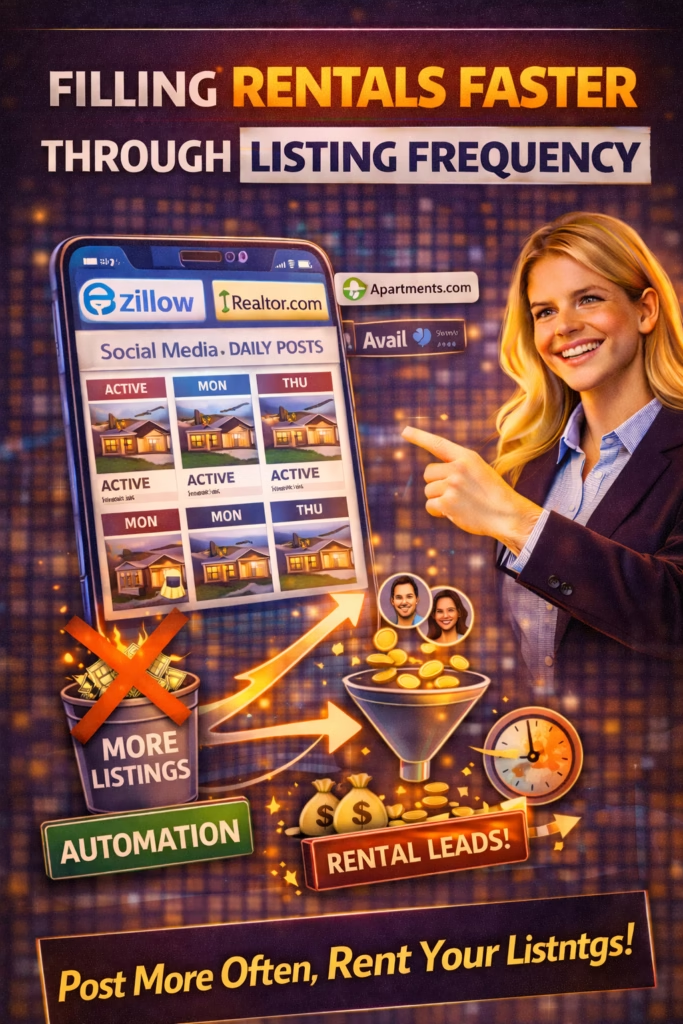
Filling Rentals Faster Through Listing Frequency

ChatGPT Image Feb 20 2026 12 48 24 PM
Filling Rentals Faster Through Listing Frequency

Filling Rentals Faster Through Listing Frequency

Filling Rentals Faster Through Listing Frequency is the practical blueprint for reducing vacancy days: increase visibility surface area with a responsible posting cadence, then convert inquiries with proof photos, instant replies, and follow-up SOPs.

Vacancy Reduction System: Listing Cadence Proof Photos Offer Clarity Speed-to-Lead Showings Follow-Up

Note: This is general guidance. Keep listings accurate, avoid spammy duplication, and follow platform rules. Use fair housing-safe language and consistent screening criteria.

Introduction

Filling Rentals Faster Through Listing Frequency starts with a simple truth: most vacancies aren’t caused by “no demand.” They’re caused by visibility gaps and conversion gaps.

Visibility gaps happen when your listing isn’t showing up when renters are searching. Conversion gaps happen when renters do see it—but your listing doesn’t build trust, your reply arrives late, or the showing process is unclear.

Big idea: Frequency gets you found. Systems get you leased.

Expanded Table of Contents

1) What listing frequency actually means

Listing frequency is your visibility engine. It includes:

  • Publishing: posting the listing across platforms
  • Refreshing: updating the listing to regain visibility
  • Redistributing: posting variants that capture different renter intents

Pro move: Frequency is not “duplicates.” It’s consistent visibility across time and intent.

2) Why frequency fills rentals faster

Renters are not browsing forever. They often decide quickly once they see a clean listing and a fast path to a showing.

Frequency matters because it increases the chances you’re visible at the exact moment they’re ready to act.

ProblemWhat you seeWhat frequency fixes
Visibility decayInquiries slow after a few daysRefresh cadence restores reach
Peak-time gapsCompetitors dominate weekendsConsistent posting keeps you present
Intent mismatchWrong leads, low qualityVariants target budget/location/amenities

Rule: If you want fewer vacancy days, you need fewer “dead days” in your listing visibility.

3) Surface area strategy for rentals

Surface area is how many opportunities renters have to find you. The fastest renters-to-lease systems use volume + variety.

Examples of renter intent angles

IntentAngleWhat it attracts
Budget-first“Best value in [area]”Price-sensitive renters
Move-in urgent“Available now / quick move-in”Immediate demand
Amenities“Pet-friendly / parking / laundry”Feature-driven renters
Commute“Minutes to downtown / hospital / campus”Location-driven renters
Trust“Transparent fees & requirements”Qualified applicants

Pro move: Use different first photos and first lines for each intent angle—without changing core facts.

4) The right refresh cadence (without spam)

Frequency fails when it becomes repetitive. The goal is responsible refresh + tasteful variation.

Simple cadence model

  • Daily: respond to inquiries immediately; update availability notes if needed
  • 2–3x weekly: refresh listings (where allowed) by changing first photo + title clarity
  • Weekly: rotate one listing variant (amenities / commute / pet-friendly angle)
  • Monthly: replace stale creative; reshoot key photos if needed

Avoid: posting identical copies back-to-back. Keep messaging accurate and rotate responsibly.

5) Proof photo framework that converts

Frequency gets attention. Photos get trust. Use a repeatable proof framework:

  1. Bright hero image (best room angle)
  2. Kitchen + bath (must-have proof)
  3. Bedrooms (clean and wide)
  4. Key upgrades (new floors, appliances, fixtures)
  5. Exterior + entryway
  6. Amenities: laundry, parking, storage
  7. Optional: simple layout cue (even a labeled photo)

Rule: If the photos answer questions, your inbox gets easier and lead quality improves.

6) Listing copy that reduces back-and-forth

Your copy should reduce friction and pre-qualify fairly. Make everything obvious.

Rental listing clarity block (copy/paste)

✅ Rent: $____ /mo
✅ Deposit: $____
✅ Availability: ____ (date)
✅ Lease term: ____ months
✅ Utilities: ____ (included / tenant pays)
✅ Pet policy: ____ (if applicable)
✅ Requirements: ____ (income/credit/background - consistent criteria)
✅ Next step: Reply with your move-in date + preferred showing day/time

Fair housing note: Describe the property and objective criteria—avoid describing “ideal tenants.”

7) Speed-to-lead: instant reply scripts

Renters message multiple listings. The first helpful response that offers a showing often wins.

Instant reply (universal)

Yes — it’s available ✅
Quick questions so I can get you scheduled:

1) When are you looking to move in?
2) What day/time works best for a showing?
3) How many people will live there?

Fast showing options (reduces ghosting)

Great ✅ I can do showings:
A) Today 4–6
B) Tomorrow 11–1
C) Saturday 10–12

Which one works best?

Rule: Don’t just answer “yes.” Book the showing.

8) Showings: book fast, reduce no-shows

Showings are your revenue bottleneck. The faster you schedule, the fewer days you sit vacant.

No-show reduction checklist

  • Send confirmation message with address + parking note
  • Send reminder 2–3 hours before
  • Ask for a simple “YES” confirmation reply

Confirmation message (copy/paste)

Confirmed ✅
Address: ________
Time: ________
Quick reply YES to confirm you’re still good for this time.

9) Follow-up SOP that recovers leads

If a renter pauses, follow up in a helpful way. Keep it short.

3-touch follow-up sequence

TimingMessageGoal
20–40 minQuick check-in + showingsBook showing
Same dayClarify availability + ask move-inQualify
Next dayAlternate option / waitlistSave lead

Follow-up #1

Quick check-in ✅
Did you still want to schedule a showing?
What move-in date are you aiming for?

Follow-up #2

I have a couple showing windows ✅
A) Today 4–6  B) Tomorrow 11–1  C) Saturday 10–12
Which one works?

Follow-up #3

If timing changed, no problem ✅
What’s your target move-in date + budget? I’ll tell you the best next option.

10) Screening workflows that protect time

Filling faster isn’t just more showings—it’s better applicants. Keep screening consistent and objective.

Simple screening flow

  1. Pre-screen questions (move-in, household size, income range)
  2. Showings for pre-screened leads
  3. Application link after showing
  4. Verification + decision
  5. Lease signing + deposit

Pro move: If you’re getting lots of low-quality inquiries, tighten clarity in the listing and ask 2–3 pre-screen questions up front.

11) KPIs that prove it’s working

KPIMeaningTarget direction
Vacancy daysTime unoccupiedDown
Inquiries/dayDemand captureUp
Median response timeSpeed-to-leadDown
Showings scheduledMomentumUp
Applications startedQualityUp
Lease signedOutcomeUp

Rule: If inquiries rise but leases don’t, your gap is conversion (photos, price clarity, showings, follow-up).

12) 30–60–90 day rollout plan

Days 1–30 (Visibility + speed)

  1. Standardize photos + listing clarity block
  2. Publish across your platform mix
  3. Set instant reply + showing options script
  4. Implement 3-touch follow-up SOP
  5. Track response time + showings scheduled

Days 31–60 (Conversion)

  1. Rotate first photo and title weekly
  2. Create 2–3 listing variants for different renter intents
  3. Reduce no-shows with confirmations + reminders
  4. Refine pre-screen questions to improve quality

Days 61–90 (Scale)

  1. Increase frequency responsibly in peak times
  2. Double down on best-performing angles
  3. Retire stale content and reshoot key images
  4. Optimize weekly by KPIs

13) 25 Frequently Asked Questions

1) What does listing frequency mean for rentals?

How often you publish, refresh, or redistribute your rental listing to maintain visibility and inquiry volume.

2) Does listing frequency fill rentals faster?

Yes—more consistent visibility typically reduces vacancy days.

3) Biggest mistake with listing frequency?

Posting identical duplicates repeatedly.

4) How often should I refresh?

Weekly refreshes with updated first photo/title are a strong baseline where allowed.

5) Best platforms for rental leads?

Major rental portals, local groups, messaging channels, and local SEO—mix depends on market.

6) What is speed-to-lead?

How fast you respond to inquiries.

7) Target response time?

Under 5 minutes; under 1 minute is best.

8) What should instant replies include?

Availability + move-in date + showing time + household size.

9) Do photos matter more than frequency?

Both matter—frequency gets views, photos convert.

10) What photos convert best?

Bright hero, kitchen, bath, bedrooms, upgrades, exterior.

11) Include screening requirements?

Yes—clearly and consistently.

12) Avoid fair housing issues how?

Describe the property, not the tenant; use objective criteria.

13) What is a showing pipeline?

A tracking system from inquiry → showing → application → lease.

14) How many follow-ups?

Three touches is a strong baseline.

15) Why do renters ghost?

They’re messaging multiple listings and pick the easiest next step.

16) Best next step to offer?

Schedule a showing immediately.

17) Should I automate scheduling?

Yes if volume is high—reduces back-and-forth.

18) Pricing mistakes that increase vacancy?

Unclear pricing, hidden fees, slow adjustments.

19) Improve lead quality how?

Clear requirements + pre-screen questions + proof photos.

20) One perfect listing or many variants?

Responsible variants often work better to capture different intents.

21) What is listing surface area?

Total number of places and ways renters can find your listing.

22) What should I track?

Inquiries, response time, showings, applications, lease signed.

23) How fast can this work?

Visibility improves in days; conversions compound over 30–60 days.

24) Can I fill rentals without ads?

Often yes—with frequency, proof, speed, and follow-up.

25) Fastest improvement today?

Instant reply + 3-touch follow-up that books showings.

14) 25 Extra Keywords

  1. Filling Rentals Faster Through Listing Frequency
  2. listing frequency for rentals
  3. reduce vacancy days
  4. rental listing cadence
  5. property manager listing strategy
  6. rental inquiry conversion
  7. speed to lead rentals
  8. instant reply scripts for rentals
  9. rental follow up SOP
  10. book showings faster
  11. reduce rental no shows
  12. rental screening workflow
  13. rental lead generation without ads
  14. rental listing refresh strategy
  15. multi platform rental distribution
  16. rental proof photos checklist
  17. rental listing copy template
  18. property management KPIs
  19. applications to lease process
  20. how to lease units faster
  21. renter intent angles
  22. rental marketing system 2026
  23. optimize rental listings
  24. increase rental inquiries
  25. shorten vacancy period

© 2026 Your Brand. All Rights Reserved.
General information only—follow platform rules and applicable fair housing and privacy requirements. Keep listings accurate and screening consistent.

Filling Rentals Faster Through Listing Frequency Read More »

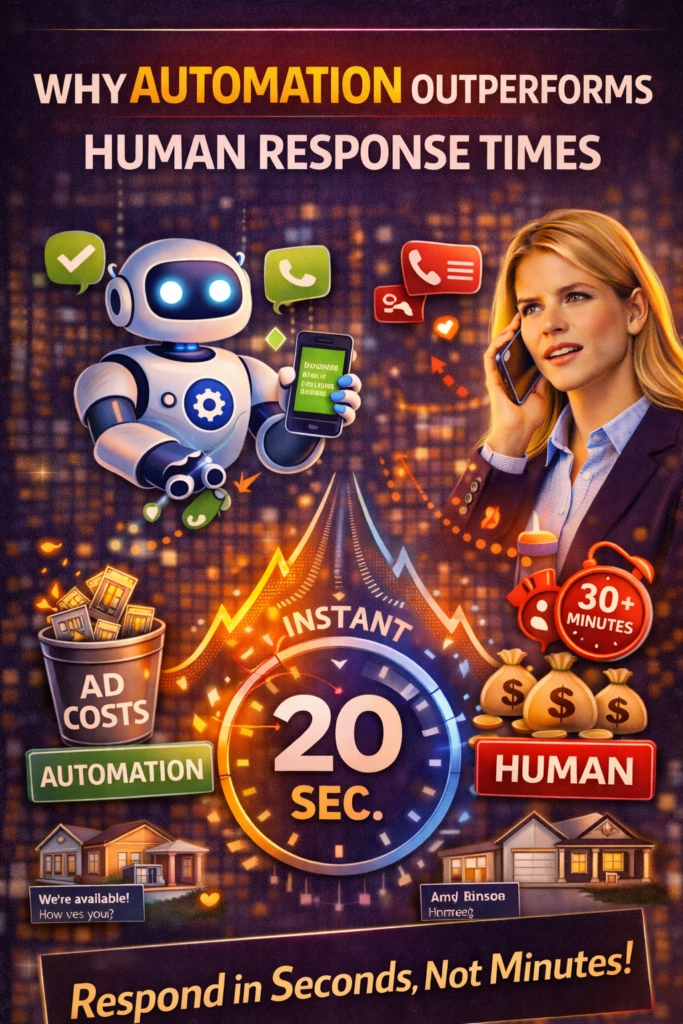
Why Automation Outperforms Human Response Times

ChatGPT Image Feb 20 2026 12 48 26 PM
Why Automation Outperforms Human Response Times

Why Automation Outperforms Human Response Times

Why Automation Outperforms Human Response Times explains the real economics of speed-to-lead—and how instant replies, routing, and follow-up automation convert more inquiries into booked appointments and revenue.

Response-Time Advantage: Instant Reply Qualification Routing Scheduling Follow-Up KPI Tracking

Note: This is general guidance. Keep messages truthful, respect privacy and consent rules, and follow platform policies. Avoid spammy repetition and provide opt-outs where required.

Introduction

Why Automation Outperforms Human Response Times isn’t a “robots are better than people” argument. It’s a reality check about physics, attention, and time.

Humans are amazing at empathy, judgment, negotiation, and closing. But humans are also constrained by:

  • Business hours
  • Context switching
  • High inbox volume
  • Meetings, tours, installs, deliveries
  • Simple fatigue

Automation outperforms on one critical dimension: instant, consistent action—the moment a lead raises their hand.

Big idea: The fastest responder doesn’t “win the lead.” They win the next step—and next steps win revenue.

Expanded Table of Contents

1) The economics of response time

Response time is a multiplier, not a tactic. When a lead inquires, they’re at peak intent. Every minute you wait is a minute competitors can:

  • Reply first
  • Offer options
  • Book a call/tour
  • Lock in the next step

Why speed wins in plain language

Most buyers don’t keep searching because they love searching. They keep searching because nobody made it easy to finish.

Pro move: The goal of a first response isn’t to “explain everything.” It’s to create momentum.

A simple conversion math framework

MetricMeaningWhy it matters
InquiriesPeople raising handsTop-of-funnel demand
Booked next stepsCalls/tours/demos scheduledPredicts revenue
Show ratePeople who show upQuality + reminders
Close rateDeals wonOutcome metric

Rule: Automation increases revenue by increasing booked next steps—not by “sending more messages.”

2) Why human-only response breaks at scale

Even great teams fall behind when:

  • Volume spikes (weekends, promotions, seasonality)
  • Staff are on tours/calls
  • Inquiries come after hours
  • Multiple channels fragment the inbox (Marketplace, SMS, email, forms)

The hidden killer: context switching

Humans don’t just “reply.” They read, interpret, check details, decide what to say, then write it. That’s expensive time.

Truth: A human-only system is usually “fast sometimes.” Automation is “fast always.”

3) What automation does better (and what it shouldn’t do)

Automation wins at

  • Instant replies (seconds)
  • Consistency (same SOP every time)
  • After-hours coverage
  • Qualification questions
  • Follow-up sequences
  • Routing + tagging

Humans should own

  • Complex negotiations
  • Exception handling
  • High-empathy situations
  • Custom proposals
  • Final closing
  • Edge-case compliance calls

Pro move: Use automation to get to the moment where humans are strongest: the live conversation.

4) Channel-by-channel response-time benchmarks

ChannelBuyer behaviorBest response targetWhy
Facebook Marketplace / DMsFast shopping< 1 minuteHigh competition, multi-message behavior
Website chatResearch + intent< 1 minuteThey’re live on the page right now
SMSHigh immediacy< 1 minuteText is conversational and time-sensitive
Contact formsMixed intent< 5 minutesFast improves show/booking rates
EmailSlower channel< 60 minutesStill benefits from speed, but less urgent

Rule: Automate the fastest channels first. That’s where response-time advantage is most profitable.

5) The perfect instant reply formula

The best instant replies do three things:

  1. Confirm the inquiry
  2. Ask one simple qualifying question
  3. Offer a next step

Universal instant reply (copy/paste)

Yes — I can help ✅
Quick question so I can point you to the right option:

What city/zip are you in, and are you looking to do this today or this week?

Instant reply + scheduling option (copy/paste)

Got it ✅
If you want to lock this in, which works better?

A) Today: 4–6
B) Tomorrow: 11–1
C) Saturday: 10–12

Avoid: Long paragraphs, multiple links, or “call us” without context. Make it easy to reply.

6) Qualification flows that raise lead quality

Automation doesn’t just respond faster—it can qualify better by asking the same essential questions every time.

Qualification checklist (general)

  • Location
  • Timeline
  • Budget range (if relevant)
  • Service/product type
  • Preferred next step (call/appointment/quote)

3-question flow (copy/paste)

Perfect ✅
1) What city/zip are you in?
2) Are you looking for today or this week?
3) What’s your budget range (roughly)?

Pro move: The goal is not interrogation. The goal is routing + next step.

7) Routing rules that prevent bottlenecks

Most teams don’t lose deals because they “didn’t try.” They lose deals because leads hit the wrong inbox.

Routing rules that work

Rule typeExampleOutcome
LocationZip → closest rep/storeFaster fulfillment
Service typeInstall vs repairCorrect expert
Urgency“Today” → priority queueHigher close rate
BudgetHigh-ticket → senior closerBetter conversion

Rule: Routing turns speed into certainty. Fast replies without correct handoff still lose deals.

8) Follow-up automation: where hidden revenue lives

Most leads don’t say “no.” They just go quiet. Follow-up automation recovers those leads without staff time.

3-touch follow-up sequence (universal)

TimingMessageGoal
20–40 minQuick check-in + questionRestart conversation
Same dayOffer optionsBook next step
Next dayAlternate optionSave the lead

Follow-up #1

Quick check-in ✅
Do you still want to do this?

What city are you in, and are you looking for today or this week?

Follow-up #2

I can get you scheduled ✅
Which works better: A) today, B) tomorrow, or C) Saturday?

Follow-up #3

Still shopping? ✅
If this isn’t the right fit, tell me your budget + what you need and I’ll point you to the best option.

Pro move: Follow-up should feel like service, not pressure.

9) Booking next steps automatically

Automation wins when it converts messages into scheduled actions. The fastest path to revenue is a booked next step.

Booking script (copy/paste)

Let’s lock it in ✅
What’s the best phone number (or email) for the confirmation?

And which time window works best:
A) 4–6
B) 11–1
C) 10–12

Rule: If you don’t ask for a next step, you’re hoping. Systems don’t hope.

10) Compliance and brand guardrails

High-performing automation is safe automation. Keep these guardrails:

  • Truth: no misleading claims
  • Consent: follow applicable SMS/email rules
  • Opt-out: include where required
  • Frequency caps: avoid spam patterns
  • Human handoff: easy escalation path

Note: Policies vary by platform and region. When in doubt, use simpler messaging and fewer touches.

11) KPIs that prove it’s working

KPIWhat it measuresTarget direction
Time-to-first-responseSpeed-to-leadDown
Booked next stepsSales momentumUp
Qualification rateLead quality captureUp
Follow-up completionSOP adherenceUp
Close rateRevenue outcomeUp

Pro move: Track “booked” as your North Star. Leads are noise; booked is signal.

12) 30–60–90 day rollout plan

Days 1–30 (Win response time)

  1. Unify inboxes (DMs/SMS/forms/email) into one view
  2. Deploy universal instant reply + 1-question qualification
  3. Set routing rules (location/service/urgency)
  4. Implement 3-touch follow-up SOP
  5. Track response time + booked next steps weekly

Days 31–60 (Win booking rate)

  1. Add scheduling prompts (A/B/C windows)
  2. Refine qualification flow (2–3 questions max)
  3. Improve handoff to humans (alerts + summaries)
  4. Cut message length; increase clarity

Days 61–90 (Scale responsibly)

  1. Add knowledge base updates and accuracy checks
  2. Implement frequency caps and safety guardrails
  3. Optimize by channel (Marketplace vs web vs SMS)
  4. Expand to more offers/locations after KPIs stabilize

13) 25 Frequently Asked Questions

1) What does it mean that automation outperforms human response times?

Automation replies instantly and consistently, while human teams naturally delay due to workload and hours.

2) Why does response time matter?

Because buyers contact multiple providers and choose whoever makes the next step easiest first.

3) What is speed-to-lead?

The time between a lead’s inquiry and your first response.

4) What response time should I target?

Under 5 minutes is strong; under 1 minute is best-in-class.

5) Does automation replace humans?

Usually no—automation handles first response and follow-up; humans close.

6) What inquiries should be automated first?

High-volume FAQs: availability, pricing ranges, scheduling, and basic qualification.

7) What is lead leakage?

Lost revenue from missed responses, weak follow-up, and no next-step booking.

8) How does automation reduce leakage?

It guarantees immediate responses and consistent timed follow-ups.

9) Are instant replies the same as follow-up?

No—instant replies start the conversation; follow-up recovers stalled leads.

10) Can automation feel spammy?

Yes—if it’s long, repetitive, or pushy. Keep it short and helpful.

11) Best first message structure?

Confirm + ask one question + offer next step.

12) Simplest qualification question?

City/zip + timeline (today vs this week).

13) How do you route leads automatically?

Rules based on location, service type, urgency, and budget.

14) Does after-hours automation help?

Yes—after-hours is where many teams lose leads to faster responders.

15) How do you keep answers accurate?

Maintain a small, updated knowledge base and refresh it routinely.

16) What compliance risks exist?

Consent, privacy, and platform rules—avoid misleading claims and spam patterns.

17) Which KPIs improve most?

Response time and booked next steps, then show and close rate.

18) How do you measure ROI?

Compare booked next steps and closed revenue before and after automation.

19) What is a booked next step?

A scheduled call/tour/demo/appointment that predicts revenue.

20) Can automation qualify out bad leads?

Yes—by asking consistent questions and routing accordingly.

21) Which channels benefit most?

Fast channels like Marketplace, web chat, and SMS.

22) Biggest automation mistake?

Long generic messages with no question and no next step.

23) Does it work for high-ticket services?

Yes—high-ticket buyers still want fast answers and scheduling.

24) How fast do results appear?

Immediately for response time; 1–3 weeks for booking improvements.

25) Fastest win to implement?

Universal instant reply + 3-touch follow-up sequence.

14) 25 Extra Keywords

  1. Why Automation Outperforms Human Response Times
  2. speed to lead automation
  3. instant reply system
  4. response time conversion
  5. lead response automation
  6. AI auto reply
  7. follow up automation
  8. sales response time strategy
  9. after hours lead capture
  10. appointment booking automation
  11. inbound lead automation
  12. lead routing rules
  13. lead qualification automation
  14. reduce lead leakage
  15. speed-to-lead KPI
  16. booked next steps metric
  17. Marketplace instant reply
  18. website chat automation
  19. SMS follow up sequences
  20. increase booking rate
  21. automated sales assistant
  22. customer response automation
  23. conversion rate improvement system
  24. sales automation 2026
  25. lead management automation

© 2026 Your Brand. All Rights Reserved.
General information only—ensure compliance with platform policies, privacy/consent rules, and messaging regulations. Avoid spammy repetition and keep claims accurate.

Why Automation Outperforms Human Response Times Read More »

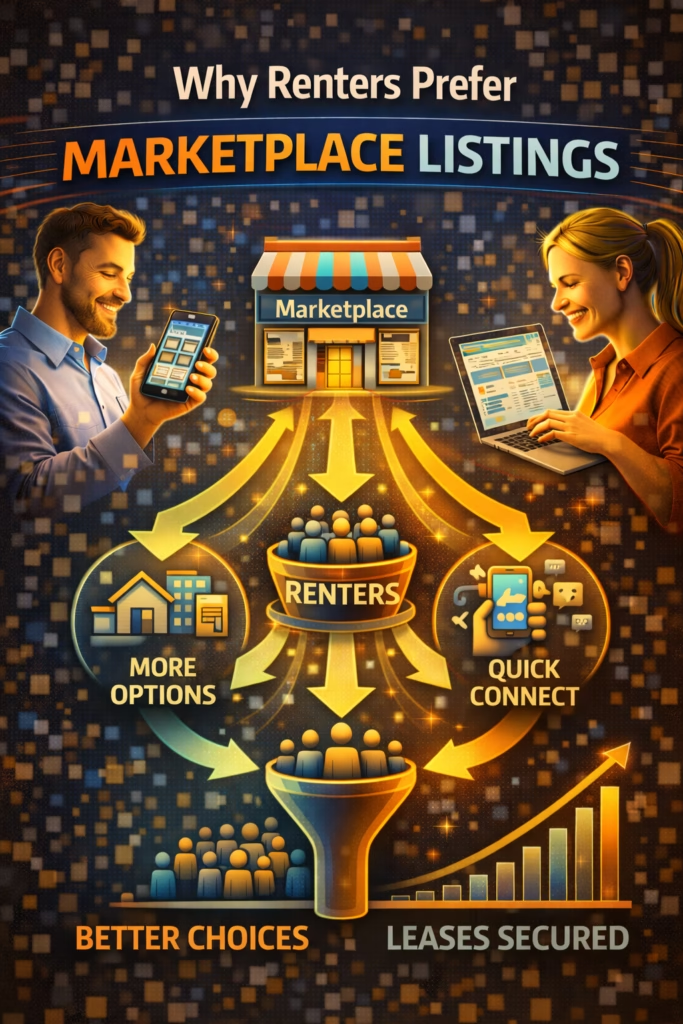
Why Renters Prefer Marketplace Listings

ChatGPT Image Feb 19 2026 01 15 42 PM
Why Renters Prefer Marketplace Listings

Why Renters Prefer Marketplace Listings

Why Renters Prefer Marketplace Listings explains the renter behavior shift toward marketplaces—and how managers win by using proof-driven listings, clear terms, fast replies, and frictionless showing workflows.

Marketplace Rental Advantage: Fast Discovery Local Intent Proof Photos Instant Messaging Tour Scheduling Follow-Up SOP

Note: This is general guidance. Confirm fair housing compliance and local advertising rules before publishing rental marketing.

Introduction

Why Renters Prefer Marketplace Listings comes down to one thing: renters are optimizing for speed and certainty.

Renters don’t have time for long portal browsing, endless filters, or waiting for a call back. Many renters need a place in days or weeks, not months. Marketplaces fit that urgency because discovery is instant, listings feel local, and messaging is one tap away.

This shift changes how you market rentals. The winning strategy is not “post everywhere” — it’s “show up where renters start, prove legitimacy fast, and book tours first.”

Big idea: Marketplaces reduce friction at every step—and renters choose the path of least friction.

Expanded Table of Contents

1) The renter discovery shift: portals vs marketplaces

Portals are still used, but marketplaces changed the starting point. Renters browse marketplaces because they feel like a local bulletin board where availability is current.

PortalsMarketplacesWhat renters feel
Filter-heavy searchFast browsing + simple search“I can find options quickly”
Form-based lead captureInstant messaging“I can ask right now”
Mixed listing freshnessFreshness bias“This is probably available”
Less context proofVisual + local cues“This feels real”

Rule: In marketplaces, renters expect a human response, not an automated delay.

2) Speed wins: why renters prefer message-first platforms

Renters message multiple listings. The first property manager who responds with clarity and tour options usually wins the showing.

What renters want immediately

  • Is it available?
  • What’s the total monthly cost?
  • When can I tour?
  • What do I need to qualify?

Pro move: Don’t answer with a paragraph. Answer with availability + tour options + one qualifier.

3) Proof and trust signals: how renters avoid scams

Scams are common in rental search, and renters are trained to detect red flags. They prefer marketplace listings that feel “real” and accountable.

Trust signals that increase inquiries

  • Bright, real photos (not only stock images)
  • Kitchen + bathroom included (missing these is a red flag)
  • Clear rent, deposit, and availability date
  • Consistent posting style (looks like a real manager, not a one-off post)
  • Context proof (building exterior, sign, consistent brand image)

Avoid: vague “DM for price” posts. Lack of transparency looks like a scam.

4) Local intent: how marketplace browsing changes renter behavior

Marketplaces are inherently local. That changes renter psychology: they message because it feels close, current, and feasible.

Marketplace creates “micro-urgency”

  • Renters assume someone else is messaging too
  • They choose convenience over perfection
  • They book the earliest tour they can get

Rule: Your job is to be the easiest “yes” among comparable options.

5) Marketplace listing SEO: titles that attract high intent

Renters search by beds/baths, neighborhood, and price. Your title must match those exact terms.

Title formula

[Beds/Baths] + [Neighborhood/City] + [Hook] + [Availability]
Examples:
• 2BR / 1BA — Downtown — In-Unit Laundry — Available Now
• 3BR Home — West Side — Pet Friendly — Tour This Week
• Studio — Near Campus — Utilities Included — Move-In Ready

Keyword hooks to rotate

available now tour today move-in ready pet friendly utilities included parking laundry updated near downtown near campus

6) Photo system: make your listing feel “real” instantly

Your first photo is your headline. It determines whether renters scroll past or message.

8-photo minimum proof set

  1. Best wide hero room (bright)
  2. Living room wide
  3. Kitchen wide
  4. Bathroom (clean)
  5. Main bedroom
  6. Second bedroom/office (if applicable)
  7. Exterior/building
  8. Key amenity (laundry, parking, balcony, yard)

Fast win: If you can only fix one thing, fix lighting and the hero shot.

7) Offer clarity: rent, fees, utilities, and availability

Renters prefer listings that remove uncertainty. Clarity reduces questions, increases showings, and filters out mismatches.

Clarity checklist

  • Rent: $____ / month
  • Deposit: $____
  • Utilities: what’s included vs tenant-paid
  • Availability: available now / move-in date
  • Pets: yes/no + fees if applicable
  • Tour process: how to schedule + time windows

Compliance note: Always follow fair housing guidelines and avoid discriminatory language or targeting.

8) Copy/paste templates for descriptions and CTAs

Template A: High-intent “available now”

✅ [Beds/Baths] in [Neighborhood] — Available Now
Rent: $____/mo • Deposit: $____
Utilities: [Included / Tenant pays ___]

Highlights:
• [Feature 1]
• [Feature 2]
• [Feature 3]

Tours: [Today / This week]
Reply “TOUR” + your move-in date and I’ll send available times.

Template B: Family-friendly home

✅ [Beds/Baths] Home — [City/Neighborhood]
Rent: $____/mo • Deposit: $____
Pets: [Allowed/Not allowed] • Yard: [Yes/No]

Included:
• [Parking/garage]
• [Laundry]
• [Updated kitchen / etc.]

Reply with your move-in date + preferred tour day and I’ll confirm times.

Template C: Budget + speed

✅ Clean [Beds/Baths] — Move-In Ready
Rent: $____/mo • Deposit: $____

If you’d like a tour, reply with:
1) Move-in date
2) # of occupants
And I’ll send the next available times.

9) Messaging funnel + scripts that book tours

Messaging is the conversion engine. Your goal is to move from inquiry to tour booking in as few messages as possible.

Instant reply script

Yes — it’s available ✅
When are you looking to move in?

I can send tour times for today or this week—what works best?

Options-based scheduling

Tours are available ✅
Which works better:
A) Today 4–6pm
B) Tomorrow 12–2pm
C) Saturday 10–12

Pick A/B/C and I’ll confirm the exact time.

Soft qualification

Quick question ✅
How many adults will be living there, and do you have any pets?

Once I have that, I’ll confirm the best tour time.

Rule: Every message should move toward a tour time.

10) Follow-up SOP to recover ghost inquiries

Ghosting is common because renters are comparing options. Follow-up recovers the leads that were interested but distracted.

3-touch follow-up SOP

TimingMessageGoal
30–60 minConfirm interest + offer tour windowsRe-engage
Same dayShare availability + urgencyBook tour
Next dayOffer alternate listingSave lead

Follow-up #1

Quick check-in ✅
Did you still want to tour it?

If yes, tell me today or this week and I’ll send times.

Follow-up #2

Heads up ✅ We’re scheduling tours now.
If you want a slot, tell me which day works best.

Follow-up #3

Still looking? ✅
If this one isn’t perfect, tell me your budget + beds/baths and I’ll send another option.

11) KPIs and benchmarks that predict fast leasing

KPIWhat it predictsTarget direction
Median response timeTour booking speedLower is better (< 5 min good, < 1 min best)
Inquiry-to-tour booking rateConversion strengthUpward trend
Tour show rateScheduling qualityUpward trend
Tour-to-application rateOffer quality + property fitUpward trend
Days vacantRevenue impactDownward trend

Pro move: If you’re getting inquiries but not tours, fix the reply script and tour windows first.

12) 30–60–90 day rollout plan

Days 1–30 (Increase trust + speed)

  1. Standardize photo proof system
  2. Rewrite titles with beds/baths + location + availability
  3. Deploy instant replies and routing coverage
  4. Implement the 3-touch follow-up SOP

Days 31–60 (Increase tours)

  1. Add options-based scheduling to every inquiry
  2. Include tour windows in listing descriptions
  3. Track inquiry-to-tour booking rate weekly
  4. Improve clarity around rent/deposit/utilities

Days 61–90 (Scale and eliminate gaps)

  1. Scale listing cadence responsibly
  2. Systemize pipeline ownership across staff
  3. Optimize weekly based on KPI trends
  4. Start marketing upcoming vacancies early

13) 25 Frequently Asked Questions

1) Why do renters prefer Marketplace listings?

Because discovery is fast, listings feel local and current, and messaging is instant.

2) Is Marketplace better than portals?

It can be faster for inquiries, but many managers use both for maximum coverage.

3) What makes a Marketplace listing convert?

Proof photos, clear pricing/fees, availability, and fast replies with tour options.

4) How fast should I reply?

Under 5 minutes is good; under 1 minute is best.

5) Why do renters ghost?

They message multiple listings and choose the easiest, fastest option.

6) What should my title include?

Beds/baths, neighborhood/city, hook, and availability.

7) What photos matter most?

Bright hero shot, kitchen, bathroom, bedrooms, and exterior.

8) Should I post rent and deposit?

Yes—clarity increases serious inquiries and filters mismatches.

9) Should I mention utilities?

Yes. Renters care about total monthly cost.

10) How do I schedule tours faster?

Offer time windows (A/B/C) instead of asking “when are you free?”

11) What’s the best first message to send?

Confirm availability, ask move-in date, and offer tour options.

12) How many follow-ups should I send?

Three touches is a strong baseline.

13) What’s the best follow-up style?

Short, helpful, and offering tour windows.

14) How do I reduce scams and skepticism?

Use real photos, clear details, consistent branding, and quick responses.

15) Should I use video tours?

Optional, but short walkthrough clips can increase trust and inquiries.

16) What if my inquiries are low?

Improve the hero photo, rewrite title keywords, and add clear pricing/availability.

17) What if inquiries are high but tours are low?

Fix your reply scripts and use options-based scheduling.

18) What’s the most important KPI?

Median response time and inquiry-to-tour booking rate.

19) How often should I refresh listings?

Weekly for winners; monthly to retire stale listings.

20) Should I list multiple units?

Yes, but avoid exact duplicates. Rotate photos and titles.

21) How do I avoid being flagged?

Avoid exact duplication, keep details accurate, and rotate creative.

22) How soon can I see results?

Often 30–90 days once systems and cadence are consistent.

23) Can Marketplace help eliminate vacancy gaps?

Yes—especially when paired with fast replies and showing workflows.

24) Do renters trust Marketplace?

They trust the listings that show proof and respond professionally.

25) What’s the fastest improvement today?

Upgrade your hero photo and deploy an instant reply script with tour options.

14) 25 Extra Keywords

  1. Why Renters Prefer Marketplace Listings
  2. marketplace rentals strategy
  3. Facebook Marketplace rentals
  4. rental inquiries from Marketplace
  5. property management rental marketing
  6. renter behavior 2026
  7. speed to lead rentals
  8. rental listing SEO
  9. rental title formula
  10. rental photo proof system
  11. proof signals rental listings
  12. how to book more rental tours
  13. options based tour scheduling
  14. follow up SOP rental inquiries
  15. reduce renter ghosting
  16. how renters choose rentals
  17. move in ready listing strategy
  18. rent deposit utilities clarity
  19. increase rental showings
  20. inquiry to tour conversion
  21. tour to application rate
  22. vacancy gap prevention
  23. local renter lead generation
  24. rental marketing system 2026
  25. predictable rental inquiries

© 2026 Your Brand. All Rights Reserved.
General information only—confirm fair housing compliance and local advertising rules before publishing or automating rental marketing.

Why Renters Prefer Marketplace Listings Read More »

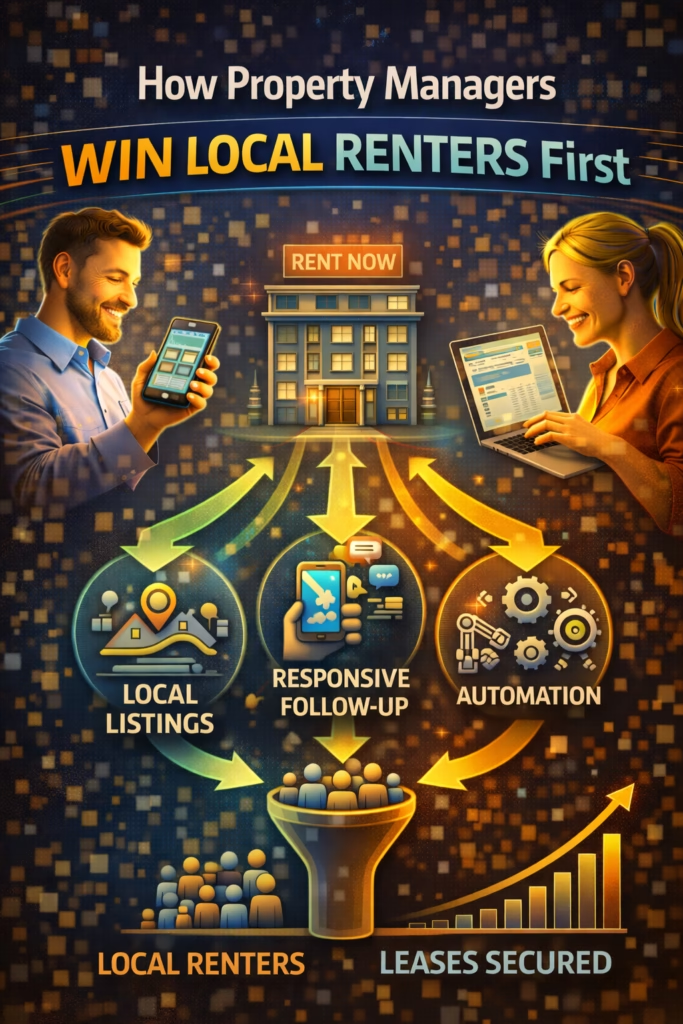
How Property Managers Win Local Renters First

ChatGPT Image Feb 19 2026 01 15 44 PM
How Property Managers Win Local Renters First

How Property Managers Win Local Renters First

How Property Managers Win Local Renters First is a repeatable system to generate higher-intent rental inquiries—using proof-driven listings, clear terms, fast replies, and a showing + follow-up SOP that eliminates vacancy gaps.

Local Renter Acquisition Engine: Listing SEO Proof Photos Offer Clarity Speed-to-Lead Showings Follow-Up

Note: This is general guidance. Confirm fair housing compliance and local advertising rules before publishing rental marketing.

Introduction

How Property Managers Win Local Renters First comes down to a single reality: renters move fast.

Most renters are not casually browsing. They’re facing a deadline—lease ending, job relocation, roommate change, family shift, or an urgent need for a safer or better location. When they find a property that feels real and available, they message immediately.

That speed creates a competitive advantage for property managers who can respond quickly, present clear terms, and schedule showings without friction.

Big idea: In rental marketing, the “best property” doesn’t always win. The fastest, clearest process wins.

Expanded Table of Contents

1) Local renter behavior: how decisions really happen

Renters choose based on speed and confidence. They’re typically comparing:

  • Availability: can I tour quickly and move soon?
  • Total monthly cost: rent + utilities + fees
  • Trust: is this listing real or a scam?
  • Convenience: how hard is it to book a showing?

Rule: If your listing isn’t clear on cost and next step, renters will message someone else.

2) Where local renters discover listings first

Portals still matter, but local renters increasingly discover on social platforms and marketplaces—because it’s faster and feels more local.

Marketplaces

High-intent, local, message-first behavior. Great for speed and volume.

Social feeds

Short-form tours and “available now” posts create discovery mid-scroll.

Google

Trust validation: property/company reviews, photos, location confirmation.

Referrals

Local network effect: current tenants, neighborhood groups, friends.

Pro move: Treat discovery and conversion as different jobs. Discovery brings messages. Conversion books showings.

3) Listing SEO: titles that rank and attract high intent

Local renters search by beds/baths, location, and price. Your title should match that language.

Rental title formula

[Beds/Baths] + [Neighborhood/City] + [Hook] + [Availability]
Examples:
• 2BR / 1BA Apartment — Downtown Rochester — Available Now
• 3BR Home — Southside — Pet Friendly — Tour This Week
• Studio — Near Campus — Utilities Included — Move-In Ready

High-intent hooks to rotate

available now tour today move-in ready pet friendly utilities included in-unit laundry parking updated kitchen near downtown near campus

Avoid: vague titles like “Nice apartment.” Make it searchable.

4) Proof photos that stop scrolling and trigger inquiries

Renters are trained to suspect scams. Your photos must communicate legitimacy and clarity instantly.

The 10-photo rental proof system

  1. Hero shot (bright, wide, best room)
  2. Living room wide angle
  3. Kitchen wide angle
  4. Bathroom (clean, bright)
  5. Main bedroom
  6. Second bedroom / office
  7. Closets/storage
  8. Exterior (front + street feel)
  9. Key amenity (laundry, parking, yard, balcony)
  10. Context proof (building sign / managed property marker / consistent brand visual)

Fast win: Replace dark photos first. Lighting increases inquiry rate more than “better copy.”

Photo mistakes that reduce inquiries

  • Blurry, low light, messy rooms
  • Missing kitchen or bathroom photos
  • Only exterior photos
  • No context proof (listing feels anonymous)

5) Offer clarity: pricing, fees, and requirements

Renters move fast when costs and requirements are clear. You don’t need to overshare, but you do need to remove uncertainty.

Clarity checklist

  • Rent: $____ / month
  • Deposit: $____
  • Utilities: what’s included vs tenant-paid
  • Availability: move-in date window
  • Pets: yes/no + fees (if applicable)
  • Showing process: how to schedule

Compliance note: Always follow fair housing guidance. Avoid discriminatory language or requirements that violate local/state/federal rules.

6) Description templates (copy/paste)

Template A: Apartment rental

✅ [Beds/Baths] in [Neighborhood/City] — Available [Date/Now]
Rent: $____/mo • Deposit: $____
Utilities: [Included / Tenant pays ___]

Highlights:
• [Top feature 1]
• [Top feature 2]
• [Top feature 3]

Tour options: [Today / This week]
Reply with your move-in date + # of occupants and I’ll send the next available tour times.

Template B: Single-family home

✅ [Beds/Baths] Home — [Neighborhood/City]
Rent: $____/mo • Deposit: $____
Pets: [Allowed / Not allowed] • Yard: [Yes/No]

Included:
• [Parking / garage]
• [Laundry]
• [Updated kitchen / HVAC / etc.]

Reply with your move-in date + city/zip and I’ll confirm showing availability.

Template C: “Move-in ready” urgency

✅ Move-In Ready — Available Now
Rent: $____/mo • Deposit: $____

First showings: [Day/Time window]
Reply “TOUR” + your move-in date and I’ll send available times today.

7) Speed-to-lead scripts that convert “Is it available?”

The first reply should confirm availability, ask one qualifier, and push toward a showing.

Instant reply

Yes — it’s available ✅
When are you looking to move in?

And what’s the best day/time for a tour (today or this week)?

Qualify gently

Great ✅
How many adults will be living there, and do you have any pets?

I’ll send the next available tour times.

Handle “price negotiable?”

I can help ✅
The rent is $____/mo. The best next step is to tour it—availability moves fast.

When are you looking to move in?

Rule: Every message should move toward a tour time.

8) Showing system: schedule faster than competitors

Winning local renters first usually means winning the showing slot first.

Simple showing workflow

  1. Confirm availability
  2. Collect move-in date + basic qualifier
  3. Offer 2–3 time windows (options-based scheduling)
  4. Send address + tour instructions
  5. Confirm 2 hours before showing

Options-based scheduling script

I can do tours ✅
Which works better:
A) Today 4–6pm
B) Tomorrow 12–2pm
C) Saturday 10–12

Pick A/B/C and I’ll confirm the exact time + address details.

Pro move: Always offer options. Options reduce back-and-forth and increase booking rate.

9) Follow-up SOP to recover ghost inquiries

Many renters ghost because they’re comparing. Follow-up recovers the ones who were interested but overwhelmed.

3-touch follow-up SOP

TimingMessageGoal
30–60 minConfirm interest + offer tour optionsRe-engage
Same dayShare availability window + next stepsCreate urgency
Next dayOffer alternate unit/optionSave lead

Follow-up #1

Quick check-in ✅
Did you still want to tour it?

If yes, tell me today or this week and I’ll send times.

Follow-up #2

Heads up ✅ We’re scheduling tours now.
If you want a slot, tell me which day works and I’ll confirm.

Follow-up #3 (alternate option)

Still looking? ✅
If this one isn’t perfect, tell me your budget + beds/baths and I’ll send another available option.

10) Pipeline tracking: inquiry → showing → application

A simple pipeline prevents leads from slipping through when inquiry volume rises.

Pipeline stages

  • New inquiry
  • Qualified (move-in date + household basics)
  • Tour options sent
  • Tour booked
  • Toured
  • Application sent
  • Application received
  • Approved / lease sent
  • Leased
  • Lost (no response)

Rule: Every inquiry should have an owner and a next action within minutes.

11) KPIs that predict “filled before month-end”

KPIWhy it mattersTarget direction
Median response timeRenters message multiple listingsLower is better (< 5 min good, < 1 min best)
Inquiry-to-tour booking rateShows capture strengthUpward trend
Tour show rateConfirms scheduling qualityUpward trend
Tour-to-application rateProof + offer effectivenessUpward trend
Days vacantRevenue impactDownward trend

Pro move: If inquiries are high but tours are low, fix clarity and scheduling scripts—not traffic.

12) 30–60–90 day rollout plan

Days 1–30 (Win speed + proof)

  1. Standardize photo proof system
  2. Rewrite titles with beds/baths + location + availability
  3. Deploy instant reply scripts and routing coverage
  4. Implement 3-touch follow-up SOP

Days 31–60 (Increase booked tours)

  1. Use options-based scheduling for every inquiry
  2. Add “tour windows” to listing descriptions
  3. Track inquiry-to-tour booking rate weekly
  4. Improve screening questions to reduce wasted tours

Days 61–90 (Eliminate vacancy gaps)

  1. Scale marketplace and social posting cadence responsibly
  2. Systemize pipeline stages for your team
  3. Optimize based on KPI trends
  4. Build a repeatable pre-leasing process for upcoming vacancies

13) 25 Frequently Asked Questions

1) How do property managers win local renters first?

They win by improving listing proof, clarity, response time, and showing scheduling speed—plus consistent follow-up.

2) What platform produces the fastest renter inquiries?

Often marketplaces and social platforms because messaging is instant and discovery is local.

3) What matters most in a rental listing?

Clear rent/deposit, strong photos, location clarity, and an easy showing path.

4) How fast should I respond to inquiries?

Under 5 minutes is good; under 1 minute is best.

5) Why do renters ghost?

They message multiple listings and choose whoever replies fastest and schedules showings easiest.

6) What photos increase inquiries most?

Bright hero shots, kitchen/bathroom photos, and context proof that confirms legitimacy.

7) Should I include requirements in the listing?

Share clear, compliant basics that reduce uncertainty without using discriminatory language.

8) How do I avoid scams or skepticism?

Use real photos, clear details, consistent branding, and quick professional communication.

9) What’s the best title format?

Beds/baths + neighborhood/city + hook + availability.

10) How do I increase showings?

Use options-based scheduling and always ask for move-in date.

11) What’s the best first reply?

Confirm availability, ask move-in date, and offer tour times.

12) How many follow-ups should I send?

Three touches is a strong baseline.

13) What’s the best follow-up message?

Short, helpful, and offering tour options.

14) Should I mention utilities?

Yes—clarity reduces friction and increases inquiries.

15) Should I mention pets?

If applicable, yes. It’s a key decision factor for many renters.

16) How do I reduce vacancy gaps?

Start marketing early, respond fast, schedule tours quickly, and run follow-up consistently.

17) What’s the best KPI to watch?

Response time and inquiry-to-tour booking rate.

18) What if inquiries are high but applications are low?

Improve screening, clarity, and tour quality, and ensure requirements are communicated properly.

19) How do I prevent no-shows?

Send confirmations and reminders with clear instructions.

20) How often should I refresh listings?

Weekly for winners; monthly to retire stale listings.

21) Should I post on multiple platforms?

Yes, if you have the process to respond quickly and manage volume.

22) How do I handle “Is it available?” messages?

Confirm, ask move-in date, offer tour times.

23) How do I keep renters moving forward?

Always provide a next step and options.

24) How long to see consistent results?

Often 30–90 days once systems and cadence are stable.

25) What’s the fastest improvement today?

Upgrade the first photo and deploy an instant reply script.

14) 25 Extra Keywords

  1. How Property Managers Win Local Renters First
  2. property manager rental leads
  3. local renter inquiries
  4. Facebook Marketplace rentals strategy
  5. rental lead generation system
  6. how to fill vacancies fast
  7. vacancy gap elimination
  8. rental listing SEO
  9. rental title formula
  10. rental photo proof system
  11. rental marketing cadence
  12. speed to lead rentals
  13. rental messaging scripts
  14. options based scheduling
  15. showing booking rate
  16. follow up SOP rental leads
  17. reduce renter ghosting
  18. inquiry to showing conversion
  19. tour to application rate
  20. property management pipeline
  21. rental marketing 2026
  22. local rental demand capture
  23. how renters choose listings
  24. move in ready listing strategy
  25. predictable rental inquiries

© 2026 Your Brand. All Rights Reserved.
General information only—confirm fair housing compliance and local advertising rules before publishing or automating rental marketing.

How Property Managers Win Local Renters First Read More »

Rental Demand Generation Without Advertising Spend

ChatGPT Image Feb 19 2026 01 15 36 PM
Rental Demand Generation Without Advertising Spend

Rental Demand Generation Without Advertising Spend

Rental Demand Generation Without Advertising Spend is the blueprint for leasing faster without paid ads—using intent channels (Marketplace + local search), proof-heavy listings, consistent cadence, and speed-to-lead systems that convert.

No-Ad Demand Engine: Marketplaces Local SEO Proof Photos Cadence Speed Follow-Up

Note: This is general guidance. Follow Fair Housing laws, local advertising rules, and your screening compliance process. Keep all claims accurate and avoid discriminatory language or policies.

Introduction

Rental Demand Generation Without Advertising Spend is not about “doing nothing” and hoping renters magically appear. It’s about building an organic system that makes demand show up because you’re visible where renters already shop—and you respond faster than anyone else.

Most property teams default to paid ILS placement or ad budgets when vacancies rise. But in many markets, there’s a cheaper lever that produces faster results:

Fix the conversion system first: listings + proof + cadence + speed-to-lead + follow-up.

When you do that, the same market demand produces more tours, more applications, and fewer vacant days—even without paid ads.

Expanded Table of Contents

1) What rental demand generation without ad spend really is

Rental demand generation without advertising spend is a repeatable organic system that produces consistent renter inquiries by combining:

1) Visibility (surface area)

More entry points across renter search behavior—without duplicates and spam.

2) Trust (proof)

Clear photos, accurate details, transparent requirements, and consistency.

3) Conversion (speed)

Fast responses, quick tour options, and minimal back-and-forth.

4) Recovery (follow-up)

A short SOP to re-engage prospects who pause or ghost.

Pro move: Organic demand isn’t “free.” You pay with discipline: cadence + response speed.

2) Intent channels: where renters actually start

To generate rental demand without ad spend, you must show up where renters already look—when they’re ready to move.

ChannelRenter mindsetStrengthHow you win
Facebook MarketplaceShoppingFast inbound messagesProof + speed + tour slots
Google (Local)Need-drivenHigh-intent callsGBP + consistency + reviews
ILS organic placementComparingStable demandGreat photos + responsiveness
ReferralsTrust-basedHigh qualitySimple referral CTA

Rule: Demand is already there. Your job is to capture it faster and convert it cleaner.

3) Marketplace-first: why Facebook Marketplace converts

Marketplace is powerful because it turns browsing intent into instant messaging. There’s no form friction. That creates more conversations—if your listing is clear and your responses are fast.

Marketplace advantages (no-ad-spend)

  • Built-in renter traffic
  • Tap-to-message contact flow
  • Local visibility
  • Fast feedback loop (you see what works quickly)

Important: Marketplace is time-sensitive. If you respond late, renters book elsewhere.

4) Local SEO: “free demand” from Google

When renters search “apartments near me” or “rentals in [city],” local visibility can generate calls and form leads without paid ads.

Local SEO essentials

  • Optimized Google Business Profile (complete categories, photos, description)
  • Consistent NAP (name, address, phone) everywhere
  • Weekly photo updates and posts (light cadence)
  • Fast review responses and ongoing review generation
  • Simple, clear landing page (even one page helps)

Pro move: Treat local SEO as a “demand savings account.” It compounds over time.

5) Surface area: more entry points without spamming

Surface area means you show up for different renter intents: budget, pets, move-in timing, features, and location cues.

Surface area map (examples)

Renter intentListing angleHook example
Move-in ASAPAvailability“Available this week — tour slots open”
Budget-drivenValue“Best value option near [landmark]”
Pet ownersPet-friendly“Pet-friendly options — ask about policy”
AmenitiesFeature-led“Washer/dryer + parking — see details”
TrustProof-first“Real photos + transparent requirements”

Rule: The goal is variety and relevance, not duplication.

6) Proof photo framework that increases inquiries

Proof photos reduce skepticism and increase inquiry-to-tour conversion. Renters are wary of scams and outdated listings—proof wins.

Proof photo checklist

  1. Bright hero shot (best room or exterior)
  2. Kitchen + bathroom clarity
  3. Bedrooms with scale reference
  4. Close-ups of condition details
  5. Floor plan (if available)
  6. Neighborhood cue (entrance, parking, nearby landmark)

Pro move: Add one “trust line” in every listing: “Real photos. Happy to confirm availability—tell me your move-in date.”

7) Offer clarity: what renters need to see immediately

Confusion kills demand. The fastest way to increase renter messages is to make the offer obvious.

Offer clarity rules

  • Price: show it (or a truthful range)
  • Availability date: be specific
  • Location cue: neighborhood/landmark
  • Requirements: basic screening notes (policy-based)
  • Next step: tour booking question

Rental listing offer block (copy/paste)

✅ Rent: $____ / month
✅ Available: (date / this week)
✅ Beds/Baths: __ / __
✅ Key features: ________
✅ Next step: Tours available — reply with your move-in date + city/zip

Compliance note: Keep requirements consistent and policy-based. Avoid any language that could violate Fair Housing.

8) Cadence that compounds visibility

No-ad demand requires presence. Cadence keeps your listings fresh and keeps you visible in renter browsing patterns.

Cadence model (safe and sustainable)

  • Daily/near-daily: refresh or rotate a small set of listings (varied)
  • Weekly: update top performers (new first photo + title)
  • Monthly: retire stale listings and replace with new angles

Rule: Consistency beats intensity. Don’t batch-post and disappear.

9) Speed-to-lead: the conversion multiplier

Speed is the biggest reason no-ad demand strategies work. Renters message multiple options. If you respond first and book a tour, you win.

Instant reply (copy/paste)

Yes — it’s available ✅
Quick question so I can confirm the best option:
What move-in date are you targeting, and what city/zip are you in?

If you share your preferred tour day/time window, I’ll send available slots.

Pro move: Always ask 1–2 questions. If you don’t ask, the conversation stalls.

10) Follow-up SOP: where hidden leases come from

Many prospects pause because they got busy or they’re comparing. Follow-up recovers demand your competitors lose.

3-touch follow-up sequence

TimingMessageGoal
20–40 minQuick check-in + questionRe-engage
Same dayTour optionsBook a step
Next dayAlternate unit/optionSave the lead

Follow-up #1

Quick check-in ✅
Did you still want to take a look?

Reply with your move-in date + city/zip and I’ll confirm tour options.

Follow-up #2

Tours are available ✅
Which works better?

A) Today: 4–6
B) Tomorrow: 11–1
C) Saturday: 10–12

Follow-up #3

Still searching? ✅
If this unit isn’t perfect, tell me your budget + must-haves and I’ll share the closest match.

11) Tour booking system without staff overload

A no-ad demand engine breaks if tours are slow to schedule. Use simple, repeatable scheduling that reduces back-and-forth.

Tour booking framework

  • Offer 2–3 windows instantly (A/B/C)
  • Confirm address + instructions
  • Send reminders (24h + 2h)
  • Offer reschedule options

Rule: Don’t ask “When can you tour?” Offer options. Options book faster.

12) Application acceleration without pressure

Applications stall when prospects feel uncertain. Make the next step clear and easy.

Application message (copy/paste)

Awesome ✅ Here’s the fastest next step:
Apply here: [link]

To make it quick, have these ready:
• ID
• Proof of income
• Basic rental history info

If you tell me your move-in date, I’ll confirm availability while you apply.

Pro move: “Confirm availability while you apply” creates urgency without pressure.

13) Pipeline + tracking: stop lead leakage

Demand is wasted when leads sit untracked in inboxes. Use a simple pipeline so every lead moves forward.

Pipeline stages

  • New → inquiry received
  • Qualified → budget + move-in date captured
  • Tour Scheduled → time booked
  • Toured → completed
  • Application Sent → link delivered
  • Submitted → received
  • Approved → ready to sign
  • Leased → complete
  • Lost → no response after SOP

Weekly tracking checklist

[ ] active listings (by channel)
[ ] inbound messages/week
[ ] time-to-first-response
[ ] tour bookings
[ ] show rate
[ ] application completion rate
[ ] time-to-lease trend

Rule: If demand is there, pipeline discipline turns it into leases.

14) KPIs that prove demand is improving

KPIWhat it meansTarget direction
Inbound messages/weekDemand captureUp
Time-to-first-responseSpeed-to-leadDown
Tour booking rateInquiry → tourUp
Show rateTour completionUp
Application completion rateTour → submittedUp
Time-to-leaseVacancy timeDown

Pro move: Measure “booked next steps” (tours) to predict leases earlier.

15) 30–60–90 day rollout plan

Days 1–30 (Build demand capture + speed)

  1. Standardize listing templates + proof photos
  2. Deploy Marketplace-first posting cadence (varied angles)
  3. Optimize Google Business Profile + basic local SEO hygiene
  4. Implement instant replies and qualification questions
  5. Track response time and tour bookings weekly

Days 31–60 (Convert more of the same demand)

  1. Identify top listing angles and replicate variations
  2. Implement follow-up SOP across all leads
  3. Improve tour booking flow (A/B/C slots + reminders)
  4. Reduce application friction with checklists and nudges

Days 61–90 (Scale responsibly)

  1. Increase surface area with new angles and updated photos
  2. Retire weak listings and double down on winners
  3. Standardize pipeline for team use
  4. Measure time-to-lease and optimize weekly

16) 25 Frequently Asked Questions

1) What is rental demand generation without ad spend?

A repeatable organic system that produces renter inquiries using intent channels, proof, speed, and follow-up.

2) Can you lease fast without paid ads?

Yes—especially with Marketplace + local SEO + strong response systems.

3) Biggest lever for organic demand?

Speed-to-lead and consistent follow-up.

4) Best channels for no-ad rental leads?

Marketplace, Google local SEO/GBP, organic ILS, and referrals.

5) Do proof photos matter?

Yes—proof increases trust and conversion.

6) How often should I post/refresh?

Consistently—several times per week or daily, depending on capacity.

7) How do I avoid duplicate issues?

Use real variations and avoid identical repeats.

8) What is a marketplace-first strategy?

Prioritizing intent platforms that produce messages quickly.

9) What should listings include?

Price, availability, key features, location cues, and a tour CTA question.

10) Target response time?

Under 5 minutes good; under 1 minute best.

11) Why do renters ghost?

They’re comparing. Slow response and unclear next steps lose them.

12) How many follow-ups?

Three touches is a strong baseline.

13) How do I increase tour bookings?

Offer immediate options and reduce back-and-forth.

14) How does local SEO help?

Captures renters searching on Google in need-driven moments.

15) Do I need a website?

Not required, but it improves trust and reduces repetitive questions.

16) What is application acceleration?

Moving prospects from interest to submitted faster.

17) Can automation help without ads?

Yes—automation boosts speed and follow-up consistency.

18) What KPIs matter?

Messages/week, response time, tours booked, show rate, application completion, time-to-lease.

19) How long to see results?

Signals in 1–3 weeks; compounding over 60–90 days.

20) Will it work in slow markets?

It helps, but pricing/condition/offer clarity matter more.

21) How to improve lead quality?

Clear requirements, stronger proof, and consistent qualification.

22) Simplest qualification question?

Move-in date + monthly budget.

23) Biggest mistake?

Inconsistent posting and slow responses.

24) Is it risky to rely on organic only?

Only if you stop being consistent. Systems reduce that risk.

25) Fastest improvement today?

Instant replies + 3-touch follow-up SOP + immediate tour options.

17) 25 Extra Keywords

  1. Rental Demand Generation Without Advertising Spend
  2. rental demand without ads
  3. generate renter leads organically
  4. no ad spend rental marketing
  5. organic rental leads
  6. property demand generation
  7. leasing without paid ads
  8. Facebook Marketplace rental leads
  9. local SEO for rentals
  10. Google Business Profile rentals
  11. proof photos rental listing
  12. rental listing cadence strategy
  13. speed to lead leasing
  14. rental follow up SOP
  15. tour booking scripts rentals
  16. reduce vacancy time organically
  17. application acceleration rentals
  18. increase tour bookings without ads
  19. organic renter inquiries
  20. lease faster without advertising
  21. rental marketing system 2026
  22. multi platform rental listings
  23. reduce rental lead leakage
  24. property manager organic marketing
  25. no paid ads leasing strategy

© 2026 Your Brand. All Rights Reserved.
General information only—follow Fair Housing laws, local advertising rules, and your screening compliance process. Avoid discriminatory language and do not make eligibility promises.

Rental Demand Generation Without Advertising Spend Read More »

How AI Reduces Time-to-Lease for Properties

ChatGPT Image Feb 19 2026 01 15 38 PM
How AI Reduces Time-to-Lease for Properties

How AI Reduces Time-to-Lease for Properties

How AI Reduces Time-to-Lease for Properties is the playbook for shortening vacancy time with faster responses, consistent follow-up, instant qualification, and frictionless tour-to-application workflows.

Lease-Faster Stack: Speed-to-Lead 24/7 Replies Qualification Tours Applications Follow-Up

Note: This is general guidance. Follow Fair Housing laws, local advertising rules, and your screening compliance process. Keep claims accurate and avoid discriminatory language or policies.

Introduction

How AI Reduces Time-to-Lease for Properties starts with an uncomfortable reality: most vacancies aren’t caused by “lack of demand.” They’re caused by lead leakage.

Prospects inquire. Nobody responds fast enough. A few messages get missed. Tours take too long to schedule. Applications stall. The unit sits vacant while the team stays busy.

AI changes the outcome by doing what humans struggle to do at scale:

  • Respond instantly, 24/7
  • Qualify every prospect consistently
  • Offer tour times immediately
  • Follow up without fail
  • Move prospects from “interested” to “applied” faster

Big idea: AI reduces time-to-lease by compressing the time between steps—especially response, scheduling, and application completion.

Expanded Table of Contents

1) What time-to-lease really means

Time-to-lease is the total time from when a unit becomes available (or is listed) to when the lease is signed. In practice, it includes:

  • Marketing visibility
  • Lead response and qualification
  • Tour scheduling and showings
  • Applications started and submitted
  • Screening and approvals
  • Lease signing and move-in coordination

Pro move: Break time-to-lease into micro-metrics (response time, time-to-tour, time-to-application). AI improves these first.

2) Where leasing timelines break (and why)

Most leasing delays happen in the “middle.” The top of funnel may be fine (you have inquiries), but conversion slows down between steps.

StageWhere delays happenAI lever
InquirySlow replies, missed messagesInstant response + routing
QualificationBack-and-forth questionsConsistent question flow
ToursScheduling friction, no-showsInstant slots + reminders
ApplicationsProspects stall, confusionGuided steps + follow-up
ApprovalMissing docs, slow handoffsStatus nudges + checklists

Rule: If you shorten the time between steps, you shorten time-to-lease—even with the same inquiry volume.

3) Speed-to-lead: the #1 lever AI improves

Prospects message multiple properties. The team that responds first and books a tour often wins.

Target response times

  • < 5 minutes: strong performance
  • < 1 minute: best-in-class
  • 30+ minutes: leads decay rapidly

Pro move: Treat inquiries like “fresh food.” The longer they sit, the less they convert.

4) 24/7 AI leasing assistants: what they do well

AI leasing assistants reduce time-to-lease by handling the first conversation and moving prospects forward—anytime, day or night.

What AI does best

  • Instant replies and FAQs
  • Qualification questions
  • Tour slot suggestions
  • Sending application links
  • Follow-up sequences

What humans still do best

  • Exceptions and edge cases
  • Complex negotiations
  • In-person tours and closing
  • Compliance decisions
  • Relationship nuance

Rule: AI doesn’t replace leasing agents—it replaces the dead time between steps.

5) Instant qualification that increases tour quality

Bad tours waste time. Good qualification increases show rate and reduces wasted scheduling.

Core qualification questions (friendly)

  • Move-in date / timeline
  • Budget range
  • Bedrooms needed / occupants
  • Pets (type/size)
  • Credit/income screening requirements (policy-aligned)

Qualification script (copy/paste)

Thanks for reaching out! ✅
So I can confirm the best fit, quick questions:

1) When are you looking to move in?
2) What budget range are you targeting?
3) Any pets? (type/size)

If you share your preferred tour day/time window, I’ll send available slots.

Compliance note: Keep questions consistent and policy-based. Avoid discriminatory language and follow Fair Housing requirements.

6) Tour scheduling automation and no-show reduction

Tour scheduling is often the biggest bottleneck. AI reduces delays by removing back-and-forth.

What the AI should do

  • Offer 2–3 tour options immediately
  • Confirm contact info
  • Send directions + access instructions
  • Send reminders (24h + 2h)
  • Provide reschedule options

Tour booking message (copy/paste)

Great — I can get you scheduled ✅
Which works better?

A) Today: 4:30–6:00
B) Tomorrow: 11:00–1:00
C) Saturday: 10:00–12:00

Reply A, B, or C (and your best time inside that window).

Pro move: “Pick A/B/C” reduces decision fatigue and increases bookings.

7) Application acceleration: move prospects to “submitted”

Applications stall because prospects get busy or confused. AI reduces time-to-lease by guiding them through the steps and nudging completion.

Application acceleration checklist

  • Send the link instantly after tour interest
  • Answer common questions (fees, deposits, screening)
  • Provide a short “what you need” checklist
  • Follow up until submitted (value-based)

Application message (copy/paste)

Awesome ✅ Here’s the quickest next step:
Application link: [link]

To make it fast, have these ready:
• ID
• Proof of income
• Basic rental history info

If you want, tell me your move-in date and I’ll confirm availability while you apply.

Rule: If you can reduce “application confusion,” you reduce vacancy time.

8) Screening workflow support (without compliance risk)

AI can support screening workflows by clarifying requirements and collecting information, but final decisions must follow your legal process and screening provider policies.

Safe screening support actions

  • Explain screening requirements consistently
  • Collect missing documents
  • Update applicant status (“received,” “in review,” “missing item”)
  • Schedule calls with a human for exceptions

Important: Avoid offering legal advice or making eligibility promises. Keep to policy statements and documented criteria.

9) Tenant communications that reduce staff load

Even before move-in, prospects ask the same questions repeatedly. AI reduces staff burden and keeps response time low by handling FAQs.

Common leasing FAQs AI can handle

  • Availability and pricing ranges (kept updated)
  • Deposits, fees, and utilities
  • Pet policy
  • Parking and amenities
  • Tour instructions and directions

Pro move: Maintain a “property facts sheet” and update weekly so AI answers stay accurate.

10) Pipeline and tracking: stop lead leakage

AI improves time-to-lease most when paired with a simple pipeline that forces every lead to move forward.

Pipeline stages

  • New → inquiry received
  • Qualified → budget + timeline captured
  • Tour Scheduled → time booked
  • Toured → completed tour
  • Application Sent → link delivered
  • Application Submitted → received
  • Approved → ready to sign
  • Lease Signed → done
  • Lost → no response after SOP

Weekly tracking checklist

[ ] inquiries per unit/week
[ ] median response time
[ ] qualification rate
[ ] tour booking rate
[ ] show rate (tours completed / tours booked)
[ ] application start rate
[ ] application completion rate
[ ] time-to-lease trend

Rule: If you don’t track it, you can’t shrink it.

11) KPIs that prove time-to-lease is shrinking

KPIWhat it measuresTarget direction
Time-to-first-responseSpeed-to-leadDown
Time-to-tour bookedScheduling frictionDown
Tour booking rateInquiry → tour conversionUp
Show rateNo-show reductionUp
Application completion rateTour → submittedUp
Total time-to-leaseVacancy timeDown

Pro move: Your first win is usually response time. Your biggest win is applications completed faster.

12) Copy/paste scripts and templates

Instant reply (universal)

Thanks for reaching out ✅
I can help fast — what move-in date are you targeting and what budget range?

If you share your preferred tour day/time window, I’ll send available slots.

Tour confirmation

You’re confirmed ✅
Tour time: [day/time]
Address: [address]
Instructions: [lockbox/self-guided/leasing office]

Reply “CONFIRM” so I know you’re set. If you need to reschedule, tell me a better window.

Post-tour nudge

How did the tour feel? ✅
If you want to move forward, here’s the fastest next step:
Apply here: [link]

If you tell me your move-in date, I’ll confirm availability while you apply.

Application follow-up

Quick check-in ✅
Did you get a chance to submit your application?

If you hit any issues, tell me what screen you’re on and I’ll help you finish it.

13) 30–60–90 day rollout plan

Days 1–30 (Fix speed + follow-up)

  1. Centralize inquiries (email/SMS/web/Marketplace) into one inbox/CRM
  2. Deploy instant replies + qualification questions
  3. Set tour booking workflow with “A/B/C slots”
  4. Implement reminders to reduce no-shows
  5. Track response time and tour bookings weekly

Days 31–60 (Accelerate applications)

  1. Send application links automatically after tour interest
  2. Provide “what you need” checklist
  3. Automate follow-up until submitted
  4. Improve FAQs/knowledge base accuracy

Days 61–90 (Scale and optimize)

  1. Expand AI coverage to more channels
  2. Optimize scripts based on KPIs
  3. Standardize pipeline across properties
  4. Measure time-to-lease trend and iterate weekly

14) 25 Frequently Asked Questions

1) What does time-to-lease mean?

The total time from availability/listing to lease signed.

2) How does AI reduce time-to-lease?

Instant responses, consistent qualification, faster tours, follow-up, and application acceleration.

3) Biggest reason for longer vacancies?

Slow responses and inconsistent follow-up.

4) What is speed-to-lead?

How quickly you respond after an inquiry.

5) Target response time?

Under 5 minutes good; under 1 minute best.

6) Can AI replace leasing agents?

AI augments teams—humans still handle tours, exceptions, and closing.

7) What channels can AI manage?

ILS inquiries, Marketplace, email, SMS, web chat—depending on your stack.

8) How does AI improve qualification?

Consistent questions and routing of qualified prospects.

9) How does AI increase tour bookings?

Instant slot suggestions and reduced back-and-forth.

10) Can AI reduce no-shows?

Yes—reminders and easy rescheduling reduce no-shows.

11) What is application acceleration?

Reducing time from interest to submitted application.

12) How does AI help follow-up?

Consistent reminders and value-based nudges without staff load.

13) Does AI help with screening?

It can guide steps, but final decisions must follow compliance processes.

14) How does AI reduce workload?

Automates FAQs, links, qualification, tagging, scheduling, and follow-up.

15) Best AI leasing workflow?

Capture → respond → qualify → schedule → remind → apply → follow-up → sign.

16) Can AI help with Marketplace leads?

Yes—Marketplace is time-sensitive; AI improves speed and consistency.

17) Which properties benefit most?

High-inquiry portfolios and teams managing multiple vacancies.

18) What KPIs should I track?

Response time, tour booking, show rate, application completion, time-to-lease.

19) How fast will I see results?

Immediate response-time improvements; bookings often within 2–4 weeks.

20) Will AI hurt resident experience?

No—if accurate, helpful, and with easy human handoff.

21) How do I keep AI answers accurate?

Maintain a property facts sheet and update it regularly.

22) Common mistakes?

Inaccurate info, slow handoffs, no clear tour CTA, weak follow-up.

23) Does AI help with reviews?

AI can draft responses, but review for accuracy and tone.

24) Biggest lever AI improves?

Speed-to-lead and follow-up consistency.

25) Core takeaway?

AI compresses time between steps—response, tours, and applications—reducing vacancy time.

15) 25 Extra Keywords

  1. How AI Reduces Time-to-Lease for Properties
  2. AI time to lease
  3. reduce vacancy time AI
  4. leasing automation
  5. property management AI
  6. AI leasing assistant
  7. lease faster with AI
  8. speed to lead leasing
  9. tour scheduling automation
  10. reduce tour no-shows
  11. application acceleration
  12. increase application completion
  13. leasing follow up SOP
  14. property lead qualification AI
  15. ILS lead response automation
  16. Facebook Marketplace leasing leads
  17. 24/7 leasing chatbot
  18. lease signing workflow automation
  19. tenant screening workflow support
  20. leasing KPI tracking
  21. time to first response leasing
  22. time to tour booked
  23. tour booking rate optimization
  24. shorten vacancy period
  25. property leasing automation 2026

© 2026 Your Brand. All Rights Reserved.
General information only—follow Fair Housing laws, local advertising rules, and your screening compliance process. Avoid discriminatory language and do not make eligibility promises.

How AI Reduces Time-to-Lease for Properties Read More »

The Modern Buyer Acquisition Strategy for Realtors

ChatGPT Image Feb 18 2026 12 18 49 PM
The Modern Buyer Acquisition Strategy for Realtors

The Modern Buyer Acquisition Strategy for Realtors

The Modern Buyer Acquisition Strategy for Realtors is a repeatable system to generate high-intent buyer inquiries—by showing up where discovery happens, proving trust fast, and converting with speed-to-lead follow-up.

Buyer Acquisition Stack: Social Discovery Marketplace Visibility Short-Form Content Google Maps Trust Messaging Funnel Follow-Up SOP

Note: This is general marketing guidance. Confirm compliance with platform policies and applicable real estate advertising rules in your area.

Introduction

The Modern Buyer Acquisition Strategy for Realtors begins with a shift: buyers didn’t stop searching for homes—they changed how and where they discover them.

In the past, portals and lead forms dominated. Today, buyers often start on social platforms and marketplaces, where discovery is instant, proof is visual, and messaging is frictionless.

That means the best agents don’t just “run ads.” They build a system that captures buyer attention early and converts it quickly into a consult, a showing, or a pre-approval conversation.

Big idea: Modern buyer acquisition is less about “lead generation” and more about buyer discovery + speed-to-lead conversion.

Expanded Table of Contents

1) The buyer journey shift in 2025–2026

Buyers still use portals, but discovery increasingly happens earlier on social platforms. They scroll, compare, watch neighborhood clips, and message agents sooner than they fill out forms.

Old journey

Portal Search → Filter → Click Listing → Fill Form → Wait → Talk to Agent

Modern journey

Social Discovery → Watch Proof → Message → Quick Qualify → Book Call/Showing → Portal Confirmation

Pro move: Stop treating social as “branding only.” Social is now the top of the buyer funnel.

2) Your buyer acquisition positioning (what you’re known for)

Buyers choose agents that feel specialized. Your positioning determines who messages you first.

High-performing positioning angles

  • First-time buyer guide (simple, supportive, step-by-step)
  • Neighborhood insider (walkthroughs, schools, commute, lifestyle)
  • New construction navigator (builder incentives, timelines, inspections)
  • Investor-friendly agent (cashflow, rental demand, repairs, ROI mindset)
  • Relocation concierge (remote buyers, virtual tours, fast coordination)

Rule: If you try to attract everyone, your messaging looks generic—and generic doesn’t get DMs.

3) The channel stack: social, marketplace, maps, and referrals

The modern buyer acquisition stack is multi-channel. Not because you need to “do everything,” but because buyers move across platforms while deciding.

1) Social (IG/TikTok/FB)

Discovery and trust building through short-form proof and neighborhood clips.

2) Marketplace

High-intent, fast-action buyers messaging from listings and local browsing.

3) Google Maps

Trust validation: reviews, photos, profile completeness, authority signals.

4) Referral amplification

Systems that turn happy clients into repeatable inbound introductions.

Avoid: using one channel only. Buyer discovery is distributed.

4) Short-form content system that drives inbound buyer DMs

Short-form video is the modern “agent introduction.” It lets buyers decide if they trust you before they ever talk to you.

Content pillars that generate buyer inquiries

  • Neighborhood micro-tours: “Here’s what $___ buys in ___”
  • Buyer myth-busting: down payment, rates, inspections, timelines
  • New listings + context: not just the home—why it’s a good buy
  • Process clarity: “what happens after you message me”
  • Proof: client wins, offer strategy, timeline results (no hype)

DM CTA (copy/paste)

Want options that match your budget?
Message me: “BUYER” + your city + your price range.
I’ll send 3–5 homes that fit what you want.

Rule: Content should produce a simple DM action, not a complex form.

5) Marketplace strategy for buyer inquiries

Marketplace can work for buyer acquisition when you treat it as an inquiry engine, not a listing dump.

What to post

  • “Homes under $___ in [City]” (carousel-style photos)
  • “3-bedroom options this week” (availability urgency)
  • “Rent-to-own / owner financing education” (if applicable and compliant)
  • “New construction incentives explained”
  • “Open house this weekend”

Marketplace title formula

[City] Homes Under $___ + [Hook] + [Time Window]
Examples:
• Rochester Homes Under $250K — New Listings This Week
• Tulsa 3-Bed Homes — Move-In Ready Options
• Nashville Starter Homes — What $350K Buys Right Now

Avoid: misleading pricing or bait listings. Trust is the currency in buyer acquisition.

6) Proof signals that make buyers trust you fast

When buyers discover you on social, they validate you quickly. Proof signals shorten decision time.

High-trust proof signals

  • Professional headshot + consistent branding
  • Client reviews and screenshots (with permission)
  • Neighborhood and showing footage (real, not overly polished)
  • Clear “what happens next” process
  • Google Business Profile with reviews and photos (when applicable)

Pro move: Create one “Start Here” pinned post/video: who you help, where, and your 3-step process.

7) Messaging funnel: scripts that convert “still looking?”

Buyer acquisition is won in messaging. Buyers message multiple agents. The best agent responds fastest and asks the right questions.

Instant reply (DM or Marketplace)

Yes — I can help ✅
Are you looking to buy in the next 30–60 days, or later?

What city/area + price range are you aiming for? I’ll send options.

Minimum viable buyer qualification (MVQ)

  • Timeline (now / 30–60 / later)
  • Location (city + neighborhoods)
  • Budget range
  • Bedrooms/bathrooms (optional but helpful)
  • Pre-approval status (optional; depends on tone)

Pre-approval question (soft)

Quick question ✅
Are you already pre-approved, or still exploring numbers?
Either is fine—I’ll guide you.

Rule: Your first 2 messages should clarify timeline + location + budget. That’s enough to move forward.

8) Follow-up SOP to prevent buyer lead leakage

Buyer leads often disappear because they’re overwhelmed, not because they’re uninterested. Follow-up keeps you “top of mind.”

3-touch follow-up SOP

TimingMessageGoal
20–40 minQuick check-in + clarify needsRe-engage
Same daySend 2–3 options + ask preferenceCreate momentum
Next dayOffer alternate neighborhoods/price rangeSave lead

Follow-up #1

Quick check-in ✅
Still looking in [City]?

Send me your budget + beds/baths and I’ll send a few options today.

Follow-up #2

I pulled a few options ✅
Do you prefer (A) newer/updated or (B) bigger space for the price?

Tell me which and I’ll refine the list.

Follow-up #3

Still shopping? ✅
If your budget or area changed, tell me the new range and I’ll send better matches.

Avoid: repeated “just checking in” with no value. Always provide options.

9) Pipeline stages: from inquiry to showing to offer

Buyer acquisition becomes scalable when every buyer goes into a pipeline with clear next actions.

Simple buyer pipeline

  • New inquiry
  • Qualified (timeline + location + budget)
  • Options sent
  • Consult booked (call or meeting)
  • Showings scheduled
  • Offer strategy
  • Under contract
  • Closed
  • Long-term nurture (later buyers)

Rule: “New inquiry” should never stay unassigned. Ownership prevents leakage.

10) KPIs and benchmarks for buyer acquisition

KPIWhat it measuresTarget direction
Median response timeSpeed advantageLower is better (< 5 min good, < 1 min best)
Qualified rateQuality of inquiriesUpward trend
Consult booked rateDemand capturedUpward trend
Showing scheduled rateBuyer seriousnessUpward trend
Offer rateTrue pipeline progressionStable or improving

Pro move: Track which content topics produce the most qualified DMs, not just views.

11) 30–60–90 day rollout plan

Days 1–30 (Build capture systems)

  1. Deploy instant reply scripts + routing coverage
  2. Implement follow-up SOP
  3. Create a pinned “Start Here” buyer process post
  4. Post 3–5 short-form videos/week (neighborhood + myth-busting)

Days 31–60 (Expand visibility)

  1. Add marketplace posts 3–7x/week with city + price hooks
  2. Strengthen proof signals (reviews, story highlights, testimonials)
  3. Standardize buyer pipeline stages
  4. Track KPIs weekly (response time, consult booked rate)

Days 61–90 (Scale and optimize)

  1. Double down on top-performing content topics
  2. Improve booking scripts and options-based scheduling
  3. Build a nurture flow for “later buyers”
  4. Optimize weekly based on KPI trends

12) 25 Frequently Asked Questions

1) What is the modern buyer acquisition strategy for realtors?

A system that combines social discovery, marketplace visibility, proof content, fast messaging, follow-up SOPs, and pipeline stages to convert inquiries into booked consults and showings.

2) Why are buyer leads shifting to social?

Buyers discover options faster in feeds and marketplaces and prefer messaging over form fills.

3) Are portals still important?

Yes, but many buyers now discover agents and listings on social first.

4) What content drives buyer DMs?

Neighborhood tours, price-point breakdowns, myth-busting, and clear “how I help buyers” process content.

5) How often should a realtor post short-form content?

3–5 times per week is a strong baseline.

6) Does Marketplace work for buyer leads?

Yes, if you post high-intent hooks (city + budget + availability) and respond quickly.

7) What’s the best first DM script?

Confirm help, ask timeline, and ask city + budget.

8) How fast should I respond?

Under 5 minutes is good; under 1 minute is best.

9) What’s the biggest mistake realtors make?

Inconsistent posting and slow response time.

10) What proof signals matter most?

Real footage, clear process, consistent branding, and reviews/testimonials.

11) Should I ask about pre-approval immediately?

Ask softly. Don’t make buyers feel judged—guide them.

12) How do I reduce ghosting?

Offer options and follow up with value-based messages.

13) How many follow-ups should I send?

Three touches is a strong baseline.

14) What should I track weekly?

Response time, qualified rate, consult booked rate, and showing scheduled rate.

15) Can social replace paid ads?

It can reduce reliance on ads by creating compounding inbound attention.

16) What’s the best CTA?

“Message ‘BUYER’ + your city + price range.” Simple and actionable.

17) How do I handle “just browsing” buyers?

Offer a short list and invite them to share preferences.

18) Do I need a website?

Helpful for trust, but messaging funnels can work without one.

19) How do I get more qualified buyers?

Ask MVQ questions and post content that attracts your niche.

20) How do I get more consult bookings?

Use options-based scheduling and a clear next step.

21) What’s the best way to nurture later buyers?

Weekly check-ins with new listings, rate changes, and neighborhood updates.

22) How long until I see results?

Typically 30–90 days with consistent posting and fast follow-up.

23) What markets does this work in?

Most local markets; the content and hooks should be localized.

24) How do I avoid compliance issues?

Use accurate claims, disclose required info, and follow local advertising rules.

25) What’s the fastest improvement today?

Deploy an instant reply script and follow-up SOP.

13) 25 Extra Keywords

  1. The Modern Buyer Acquisition Strategy for Realtors
  2. buyer acquisition strategy for realtors
  3. realtor buyer lead generation
  4. real estate buyer leads 2026
  5. social buyer discovery real estate
  6. Facebook Marketplace real estate leads
  7. how to get buyer leads as a realtor
  8. short form video for realtors
  9. neighborhood tour content
  10. what $300k buys in [city]
  11. realtor DM scripts
  12. speed to lead real estate
  13. follow up SOP for buyer leads
  14. real estate messaging funnel
  15. buyer pipeline stages
  16. consultation booking scripts
  17. showing scheduled rate
  18. qualified buyer inquiries
  19. Google Maps for realtors
  20. realtor proof signals
  21. realtor content system
  22. inbound buyer leads system
  23. 30 60 90 day realtor plan
  24. how to reduce buyer lead ghosting
  25. predictable buyer lead volume

© 2026 Your Brand. All Rights Reserved.
General information only—confirm compliance with platform policies and applicable real estate advertising rules before marketing to consumers.

The Modern Buyer Acquisition Strategy for Realtors Read More »

The Shift From Portals to Social Buyer Discovery

ChatGPT Image Feb 18 2026 12 18 51 PM
The Shift From Portals to Social Buyer Discovery

The Shift From Portals to Social Buyer Discovery

The Shift From Portals to Social Buyer Discovery explains why buyers increasingly discover products, rentals, and services inside social platforms—and how businesses turn that attention into predictable inbound leads.

Social Discovery Engine: Algorithmic Feeds Marketplace Search Proof Content Messaging Funnels Speed-to-Lead Follow-Up SOP

Note: This is general guidance. Keep platform activity compliant with marketplace/social policies and avoid spammy duplication.

Introduction

The Shift From Portals to Social Buyer Discovery is not a trend—it’s a behavioral change.

For years, buyers relied on portals and directories: big websites where you search, filter, submit a form, and wait. Today, buyers increasingly discover what they want inside social feeds and marketplaces where browsing is effortless, proof is visual, and messaging is instant.

This matters because discovery shapes conversion. If buyers start on social, the businesses that win are the ones that build visibility and capture demand where discovery happens.

Big idea: Buyers didn’t stop searching—they changed where they search.

Expanded Table of Contents

1) Why buyers are shifting away from portals

Portals aren’t “dead,” but the center of gravity has moved. Buyers are shifting because social platforms deliver three things portals struggle to match:

1) Faster discovery

Feeds and recommendations show options instantly—no long filtering process.

2) Visual proof

Photos, video, and real-world context help buyers validate quickly.

3) Frictionless action

Instead of forms, buyers message. Messaging is faster and feels lower commitment.

Rule: When friction drops, competition rises. Your system must respond faster than the market.

2) Social-first discovery: how buying starts now

Social-first discovery means buyers encounter offers while they’re already scrolling. They don’t always “search” first—they discover first, then validate and compare.

The new path

Scroll → See → Click → Validate → Message → Compare → Decide

What social buyers do differently

  • Message multiple sellers quickly
  • Choose the fastest and clearest responder
  • Trust proof content more than sales copy
  • Prefer options-based replies over long explanations

Pro move: Treat every message as a “micro-interview” where the buyer is testing your reliability.

3) Algorithmic feeds vs portal search: what’s different

Portals are pull-based: buyers search and pull results. Social is push-based: platforms push options to buyers based on behavior.

Portal DiscoverySocial DiscoveryWhat it means for you
Search intent starts firstDiscovery happens mid-scrollYour hook must work instantly
Text-heavy listingsVisual-first contentPhotos/video matter more
Forms and callsMessaging and DMsReply speed becomes the edge
One portal dominatesMulti-platform realityVisibility must be distributed

Rule: Social discovery rewards consistency more than perfection.

4) Marketplaces: the new “high-intent portal”

Marketplaces (like Facebook Marketplace) combine both worlds: social browsing and search intent. That’s why they produce high-intent leads.

Why marketplaces win intent

  • Buyers search with urgent intent (“need it now”)
  • Listings are local and action-ready
  • Messaging is immediate
  • Proof content reduces uncertainty

Avoid: treating marketplaces like a portal where you post once and wait. Marketplaces reward cadence.

5) Proof content: the new trust requirement

Social buyers see scams and low-quality posts constantly. Proof is the filter they use to decide who’s real.

Proof signals that increase messages

  • Real photos (not only stock images)
  • Context shots (subtle brand/store/worksite proof)
  • Specific details (dimensions, availability windows, included items)
  • Consistency (same tone, same style, repeatable structure)

Pro move: Add one “context proof” photo to every listing/post—enough to feel real, not spammy.

6) Messaging funnels replace lead forms

On portals, forms were the gateway. On social, messaging is the gateway—and buyers expect speed.

The messaging funnel

Message → Qualify → Offer Options → Book Next Step → Confirm → Close

Instant reply (universal)

Yes — I can help ✅
Are you looking to do this today or this week?

What city/zip are you in? I’ll confirm the fastest next step.

Rule: The first reply should collect timeline + location. Everything else comes after.

7) Speed-to-lead becomes the conversion advantage

Portals conditioned buyers to wait. Social conditioned buyers to move immediately. Whoever responds fastest often wins—not because they’re the best, but because they create momentum.

What speed communicates

  • Reliability
  • Professionalism
  • Availability

Avoid: long, generic replies. Social buyers want fast clarity and next steps.

8) Offer clarity: why social buyers message faster

Social discovery is fast. Buyers message when the offer feels “easy.” Your offer should be understood in 10 seconds.

Offer clarity block (copy/paste)

✅ [Offer/Item/Service] — $___
✅ [Top 2 benefits / features]
✅ Availability: [today / this week]
✅ Next step: [pickup / delivery / appointment]

Reply with your city + timeline and I’ll confirm options.

Rule: Clarity creates action. Confusion creates scrolling.

9) The visibility + capture system that wins

To win social buyer discovery, you need two systems working together:

System A: Visibility

  • Consistent cadence
  • Keyword coverage
  • Proof content
  • Multiple platforms

System B: Capture

  • Instant replies
  • Qualification question
  • Options-based next steps
  • 3-touch follow-up SOP

Pro move: Most businesses try to scale visibility first. Scale capture first so you don’t leak leads.

10) KPIs and benchmarks for social buyer discovery

KPIWhat it measuresTarget
Median response timeSpeed-to-lead< 5 min good, < 1 min best
Messages per weekInbound lead volumeUpward trend
Qualified rateConversation qualityUpward trend
Booked rateReal outcomesUpward trend
Lead leakageUnanswered/unfollowed leadsNear zero

Rule: Social is “fast.” Your KPI focus should be speed and booking.

11) 30–60–90 day rollout plan

Days 1–30 (Fix capture)

  1. Deploy instant replies and routing coverage
  2. Implement the 3-touch follow-up SOP
  3. Standardize offer clarity blocks
  4. Track response time weekly

Days 31–60 (Build distributed visibility)

  1. Increase posting cadence responsibly
  2. Improve proof content and photo systems
  3. Rotate keyword-driven titles and hooks
  4. Measure which angles produce the most messages

Days 61–90 (Scale and optimize)

  1. Double down on top-performing offers
  2. Strengthen options-based scheduling
  3. Reduce lead leakage to near zero
  4. Optimize weekly using KPI trends

12) 25 Frequently Asked Questions

1) Why are buyers moving from portals to social discovery?

Because social platforms offer faster discovery, richer proof content, and frictionless messaging.

2) Are portals still relevant?

Yes, but social discovery increasingly drives the first touch and decision momentum.

3) What replaces portal lead forms?

Messaging funnels—DMs and marketplace messages with fast responses.

4) Why is messaging better for buyers?

It’s faster, lower commitment, and easy to compare multiple options.

5) What matters most in social buyer discovery?

Proof, clarity, and speed-to-lead.

6) What’s speed-to-lead?

How quickly you respond to an inquiry.

7) How fast should I respond?

Under 5 minutes is good; under 1 minute is best.

8) Why do buyers ghost on social?

They message multiple sellers and choose whoever responds best and fastest.

9) How do I reduce ghosting?

Use an options-based reply and a follow-up SOP.

10) What is a follow-up SOP?

A simple multi-touch sequence to re-engage leads at set times.

11) How many follow-ups should I send?

Three touches is a strong baseline.

12) What are proof signals?

Real photos, context, specifics, and consistent brand presence.

13) Should I use stock photos?

Use real photos as primary. Stock-only reduces trust.

14) What’s the best first reply?

Confirm availability and ask city + timeline.

15) What CTA works best?

“What city/zip are you in and is this for today or this week?”

16) Why do marketplaces produce high-intent leads?

Because buyers are searching with urgency and can message instantly.

17) Do I need to be on multiple platforms?

Often yes. Social discovery is distributed.

18) What’s the biggest mistake businesses make?

Scaling visibility without fixing capture systems.

19) How do I track performance?

Track response time, messages, qualified rate, booked rate, and close rate.

20) What matters more: content or systems?

Both, but systems keep leads from being wasted.

21) Can social discovery replace portals completely?

In some niches it can dominate, but many businesses benefit from both.

22) How do I avoid being flagged?

Use variation, avoid exact duplicates, and keep offers accurate.

23) How long to see consistent results?

Often 30–90 days with consistent cadence and fast follow-up.

24) What’s the long-term advantage of social discovery?

Compounding visibility and lower reliance on portal fees and paid ads.

25) What’s the fastest improvement I can make today?

Deploy instant replies and a 3-touch follow-up SOP.

13) 25 Extra Keywords

  1. The Shift From Portals to Social Buyer Discovery
  2. portals to social discovery
  3. social buyer discovery
  4. social first discovery
  5. marketplace lead generation
  6. Facebook Marketplace buyer discovery
  7. social platforms lead funnel
  8. messaging funnels replace forms
  9. DM lead generation
  10. speed to lead social
  11. instant reply scripts
  12. follow up SOP social leads
  13. proof signals social marketing
  14. trust signals in listings
  15. algorithmic feeds marketing
  16. distributed visibility strategy
  17. social demand generation
  18. social demand capture
  19. offer clarity social conversion
  20. how buyers discover on social
  21. replacing portals with marketplace
  22. organic leads without portals
  23. social conversion system
  24. 30 60 90 social rollout plan
  25. predictable inbound leads social

© 2026 Your Brand. All Rights Reserved.
General information only—confirm compliance with platform policies and applicable privacy rules before scaling posting or automating messaging.

The Shift From Portals to Social Buyer Discovery Read More »

Scroll to Top