

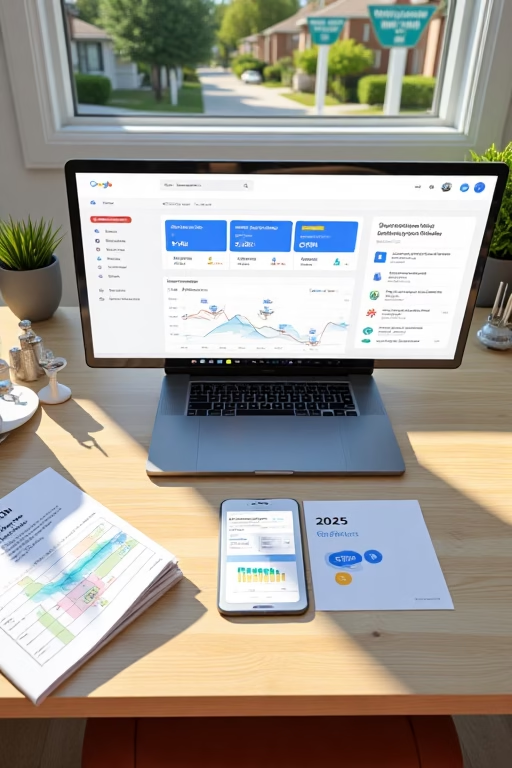
New Google Business Profile Tactics for Real Estate Companies (2025 Update)
Stay ahead in local property search with the freshest GBP strategies
Table of Contents
- Introduction
- 1. Why the 2025 GBP Update Matters
- 1.1 Evolving Local Search Signals
- 1.2 New Features Agents Must Use
- 2. Profile Setup & Verification
- 2.1 Choosing Primary & Secondary Categories
- 2.2 Service Areas & Attributes
- 2.3 Multi‑Location Considerations
- 3. Content & Engagement Tactics
- 3.1 Optimized Business Description
- 3.2 AI‑Generated Google Posts
- 3.3 Offer & Event Posts
- 3.4 Q&A and Messaging
- 4. Reviews & Reputation Management
- 4.1 Fast‑Track Reviews with Short Links
- 4.2 Responding & Showcasing Testimonials
- 4.3 Managing Negative Feedback
- 5. Visual & Virtual Tour Enhancements
- 5.1 Geo‑Tagged Photos & Videos
- 5.2 360° Virtual Tours
- 5.3 Highlighting Featured Listings
- 6. Analytics & Ongoing Optimization
- 7. Case Studies
- 8. Conclusion & Next Steps
- 9. 25 FAQs
- 10. 25 Extra Keywords
Introduction
New Google Business Profile Tactics for Real Estate Companies (2025 Update) dives into the latest GBP enhancements and advanced strategies tailored for agents and brokerages. We cover setup, content, reviews, visuals, and analytics to ensure your profile outperforms the competition and drives consistent local leads.
1. Why the 2025 GBP Update Matters
1.1 Evolving Local Search Signals
Google’s algorithm now prioritizes real‑time engagement metrics, AI‑verified data, and user behavior—making timely GBP optimization critical.
1.2 New Features Agents Must Use
Features like “Business Highlights,” automated Q&A suggestions, and auto‑generated attribute insights help your profile stand out.
2. Profile Setup & Verification
2.1 Choosing Primary & Secondary Categories
Select “Real Estate Agency” as primary, then add secondary categories like “Real Estate Agents” and “Brokerage” to broaden reach.
2.2 Service Areas & Attributes
Define exact city, neighborhood, and ZIP code service areas. Enable attributes like “Women‑led,” “Veteran‑owned,” and “Appointment required.”
2.3 Multi‑Location Considerations
For brokerages, create separate GBP entries per office. Use consistent NAP and localized descriptions to avoid cannibalization.
3. Content & Engagement Tactics
3.1 Optimized Business Description
Incorporate your focus keyword naturally within the first 100 characters: “New Google Business Profile Tactics for Real Estate Companies (2025 Update) shows our expertise in local property sales.”
3.2 AI‑Generated Google Posts
Leverage AI tools to draft weekly posts about market updates, new listings, and agent spotlights—keeping your profile active and relevant.
3.3 Offer & Event Posts
Use the “Offers” feature to promote free home valuations and the “Events” feature for open houses, driving clicks and engagement.
3.4 Q&A and Messaging
Pre‑populate common questions (“What’s my home worth?”) and enable messaging so prospects can inquire directly from your GBP.
4. Reviews & Reputation Management
4.1 Fast‑Track Reviews with Short Links
Create a direct review link, shorten it, and share via email/SMS post‑transaction to boost volume and recency.
4.2 Responding & Showcasing Testimonials
Reply to every review within 24 hours. Highlight five‑star feedback in your posts to reinforce social proof.
4.3 Managing Negative Feedback
Address concerns publicly, offer solutions offline, and request updated reviews to demonstrate your service commitment.
5. Visual & Virtual Tour Enhancements
5.1 Geo‑Tagged Photos & Videos
Embed GPS in property photos and team headshots to strengthen location signals and authenticity.
5.2 360° Virtual Tours
Upload immersive tours of listings and office spaces—engaging users longer and boosting your profile’s relevance.
5.3 Highlighting Featured Listings
Use the “Products” section to showcase top properties with images, prices, and “Contact agent” buttons.
6. Analytics & Ongoing Optimization
Monitor GBP Insights: search queries, profile views, direction requests, and calls. Set monthly goals and refine your tactics based on data.
7. Case Studies
7.1 UrbanKey Realty
After adopting AI‑driven posts and 360° tours, UrbanKey saw a 70% lift in profile clicks and a 45% increase in lead form submissions within two months.
7.2 Heritage Homes
By fast‑tracking reviews and optimizing their GBP description, Heritage Homes moved into the top three map positions and doubled foot traffic from Google Maps.
8. Conclusion & Next Steps
Implementing the New Google Business Profile Tactics for Real Estate Companies (2025 Update) will future‑proof your local presence. Start by auditing your profile, layering in AI‑generated content, and measuring results to stay ahead in the competitive real estate market.
9. 25 Frequently Asked Questions
1. What’s changed in GBP for 2025?
Google added AI‑driven posts suggestions, enhanced Q&A automation, and attribute insights for businesses.
2. How often should I post?
Weekly posts keep your profile active and signal freshness to Google.
3. Can I use all new attributes?
Yes—select relevant ones like “Virtual appointments” and “In‑person tours.”
4. How to enable messaging?
Toggle on “Message” in your GBP settings and install the Google My Business app for mobile replies.
5. What’s the ideal number of photos?
At least 20, including office, team, and featured listings shots.
6. Do virtual tours improve ranking?
They boost dwell time, a positive engagement signal for Google.
7. How to get more reviews?
Share your direct review link immediately after closing or consultation.
8. Should I use the Products section?
Yes—highlight your top listings with prices and CTAs to capture interest.
9. How to handle duplicates?
Merge or remove duplicate GBP entries to consolidate authority and avoid confusion.
10. Can I run Offers on GBP?
Yes—promote free valuations or special commission rates via the Offers feature.
11. What schema is best?
Use LocalBusiness and Product schema to help search engines parse your data.
12. How to track calls?
Use a call-tracking number in your GBP website link or phone field for analytics.
13. Are hashtags useful?
They have limited impact—focus on rich descriptions and clear CTAs.
14. What’s the best response time?
Respond to reviews and messages within 24 hours to boost engagement metrics.
15. How to optimize for voice search?
Include conversational phrases like “Where to find real estate agent near me” in your description.
16. Should I geo-tag team photos?
Yes—embedding GPS data reinforces your location authenticity.
17. How to measure “direction requests”?
Check GBP Insights under “Customer actions” for “Requests for directions.”
18. Can I edit my business name?
Only to reflect your official trading name—avoid keyword stuffing.
19. How to avoid suspension?
Follow Google’s guidelines: accurate data, genuine reviews, and no prohibited content.
20. What’s the ideal business description length?
250–300 words, with focus keyword in the first sentence.
21. Do short links boost reviews?
Yes—making the process frictionless increases submission rates.
22. How to enable virtual tour?
Upload 360° photos in the “Photos” tab under “Virtual Tour.”
23. Are event posts tracked?
Yes—Google logs clicks on “Event” CTAs in Insights.
24. Should I link to my website?
Include your homepage and a booking or contact page to guide users.
25. Where to learn more?
Visit Market Wiz AI’s blog for in-depth GBP playbooks, templates, and expert tips.
10. 25 Extra Keywords
- GBP real estate 2025 tactics
- new Google Business features
- real estate local SEO update
- AI Google Posts for agents
- 360 virtual tours GBP
- review automation real estate
- Q&A Google My Business
- geo-tagged property photos
- Map Pack optimization 2025
- Offers feature real estate
- Google Business attributes
- call tracking GBP
- LocalBusiness schema realty
- voice search real estate
- duplicate GBP listings fix
- event posts Google
- service area setup GBP
- messaging on GBP
- insights for realtors
- short review links
- responsive GBP profile
- domain verification My Business
- AI Q&A suggestions
- real estate map pack
- Market Wiz AI GBP guide













