Market Wiz AI

Market Wiz

With ingenious automation fused with human dedication 24/7, Market Wiz puts the local marketing competition on notice – they’ve created a new standard operating system for dominating every digital front.All-Platform Compatibility: Facebook, Craigslist, Google, you name it. This system plays well with all the big players, ensuring your ads are everywhere they need to be.The Cherry on Top: There's a ton more under the hood, each feature adding more muscle to your marketing efforts.Bottom line: Market Wiz.ai isn’t just another tool; it’s your 24/7 digital marketing powerhouse. In the world of local advertising, it's the smartest move you’ll make.Market Wiz automates your online ads.|

Best Platforms for Marketing Rental Properties 2025

ChatGPT Image Nov 25 2025 12 10 08 PM
Best Platforms for Marketing Rental Properties 2025 — Complete Playbook

Best Platforms for Marketing Rental Properties 2025

Where renters actually look now — and how to meet them with listings, short video, and instant replies that book showings.

First-90-Day Targets: +20–40% qualified inquiries −15–30% time-to-first-reply +10–25% showing-to-lease conversion

Compliance: Follow current housing policies and fair-housing laws. Avoid discriminatory language, publish accurate terms, and disclose fees clearly.

Introduction

Best Platforms for Marketing Rental Properties 2025 is your field-tested map of channels that consistently generate showings and leases this year. Instead of blasting everywhere, you’ll pick a smart mix, craft conversion-ready creatives, capture leads with the right form fields, and deploy AI follow-ups that respond in under a minute.

Expanded Table of Contents

1) 2025 Landscape: Where Renters Start

  • Listing networks concentrate inventory and comparisons (great for searchers).
  • Local search (Google Business Profile) captures “near me” intent for property managers.
  • Social + short video spark discovery and drive DMs for quick tours.
  • Midterm/corporate channels reduce turnovers and boost occupancy stability.

2) Platform Matrix & Scorecard

PlatformReachLead IntentCost/Fees*Policy RiskBest For
Zillow GroupHighHighVariesLowSingle-family, small multis
Apartments.com NetworkHighHighVariesLowMultifamily, lease-ups
Realtor.com RentalsMediumHighVariesLowAgents, brokerages
Facebook (Marketplace/Groups/Pages)HighMediumLowMediumLocal discovery & DMs
CraigslistMediumMediumLow–MedLowPrice-sensitive local leads
Google Business ProfileMediumHighLowLowProperty managers/communities
Furnished Finder/CorporateMediumHighLow–MedLow30–90 day stays
Short-form video (IG/TikTok/Shorts)HighMediumLowLowBrand + tour demand

*Fees and availability change by market and time. Always confirm current terms before budgeting.

3) Zillow Group (Zillow • Trulia • HotPads)

  • Leverage full data fields: income requirements, pet policy, parking, utilities, application link.
  • Photos: lead with brightest living area, then kitchen, bedroom, bathroom, and floorplan.
  • Response: auto-reply with pre-screen (move-in date, occupants, monthly income).

4) Apartments.com Network (Apartments.com • ForRent, etc.)

  • Ideal for communities and lease-ups; publish unit types, specials, and availability windows.
  • Use 3D tours/interactive maps where available; add neighborhood walk/bike/transit info.

5) Realtor.com Rentals

  • Strong for agent-represented rentals; syncs with MLS feeds in many markets.
  • Keep remarks fair-housing safe and benefit-driven (avoid exclusionary phrasing).

6) Facebook (Marketplace, Pages, Groups) — Discovery & DMs

  • Follow current housing policies. If Marketplace visibility is limited, lean on brand Pages and local groups.
  • Format: 1:1 or 4:5 images, minimal overlays, CTA to “Comment TOUR” or DM for showing times.
  • Use an AI responder for instant replies, qualification, and calendar links.

7) Craigslist — Local, Price-Anchored Leads

  • Short, scannable copy; first three lines = rent, beds/baths, cross streets.
  • Post high-contrast photos; avoid watermarks and heavy text.
  • Rotate headlines and repost per local rules; track via unique phone/UTM.

8) Google Business Profile — High-Intent Local Search

  • For property managers/communities: enable messaging/booking links and add unit-type posts weekly.
  • Ask for reviews from recent move-ins; reply to all reviews with professional tone.

9) Short-Form Video (IG Reels • TikTok • YouTube Shorts)

  1. 15–30s “front door → living → kitchen” walk-through; stabilize and add captions.
  2. Hook examples: “Under $1,500 with in-unit laundry” • “Pet-friendly near campus”.
  3. End with “DM ‘TOUR’ for available times today.”

10) Midterm/Corporate Housing (Furnished Finder & partners)

  • Target 30–90 day assignments (travel nurses, corporate, insurance).
  • Headline formula: “Monthly • Furnished • Utilities Included • Near {Hospital/Employer}”.

11) Your Website & SEO Landing Pages

  • Create neighborhood pages with floorplans, pet policy, parking, transit, and application link.
  • Add “Book a Tour” with two time options, SMS confirmation, and map/directions.

12) Creative Blueprint (Photos • Copy • Captions)

Photo Order

  1. Brightest living area (level verticals)
  2. Kitchen (appliances wide)
  3. Bedroom (window light)
  4. Bathroom (avoid mirror reflections)
  5. Amenities (laundry, parking, gym)
  6. Floorplan (if available)

Caption Template

{Neighborhood} • {Beds/Baths} • {Key Amenity}
Ready to tour? Comment "TOUR" or DM for today’s slots.
Rent ${price}/mo • Deposit ${deposit} • Pets {policy}

13) Lead Capture & Qualification (Forms • DM Scripts)

  • Form fields: move-in date, occupants, pets, monthly income, preferred tour times.
  • DM first reply (under 60s): Move-in date? # occupants? Pets? I’ll text a tour link with two times.

14) Automation & AI Responders

Lead → Instant reply → Pre-screen Qs → Tour scheduler link
If quiet 15 min → gentle nudge
If qualified → application link + checklist

Goal: <1 minute first reply • <30 minutes tour scheduled • <24 hours application started.

15) KPIs, Attribution & Dashboard

Top: Impressions • Clicks/DMs • First reply time
Middle: Tours booked • Show rate • Applications started
Bottom: Leases signed • Days on market • Cost per lease

UTM tip: utm_source={channel}&utm_medium=organic&utm_campaign=rentals_2025

16) 30–60–90 Day Rollout Plan

Days 1–30 (Foundation)

  1. Publish listings on 2 major networks + GBP; add neighborhood pages.
  2. Create 10-photo template per unit; set saved replies and DM scripts.
  3. Post 2 short videos/week; track replies and tours per channel.

Days 31–60 (Momentum)

  1. Layer Facebook groups/Pages + Craigslist with unique phone/UTM.
  2. Enable AI responder and tour scheduler; tighten photo order.
  3. Start midterm channel tests for selected units.

Days 61–90 (Scale)

  1. Promote top-performing channels; prune weak ones.
  2. Add review cadence and referral bonus for new leases.
  3. Build a quarterly content calendar (photos + video + GBP posts).

17) Compliance & Fair-Housing Guardrails

  • Use neutral, feature-based language (avoid preferences/exclusions).
  • Disclose fees, deposits, and screening criteria consistently.
  • Keep overlays and badges minimal, accurate, and policy-safe.

18) Troubleshooting & Optimization

SymptomLikely CauseFix
High views, few toursWeak first photo or slow repliesReorder gallery; enable instant reply + scheduler
Low show rateNo reminders or unclear parkingSMS reminders + map/parking PDF
Few applicationsMissing criteria or long formList criteria early; shorten application steps
Policy flagsOverlays/claims or restricted phrasingReduce text, cite sources, use neutral language

19) 25 Frequently Asked Questions

1) What are the Best Platforms for Marketing Rental Properties 2025?

A balanced stack: a major listing network, GBP for local intent, social discovery, and a midterm channel.

2) Which single platform should I start with?

Pick the network that dominates your local comps; expand once your reply time is <1 minute.

3) Do Facebook rentals still work?

Yes for discovery via compliant routes (Pages/groups) and fast DMs—follow current housing policies.

4) Is Craigslist worth it?

In many markets yes—paired with crisp pricing and frequent refresh (per local rules).

5) How many photos should I post?

8–15, with the brightest room first and a floorplan if available.

6) What’s the best headline formula?

“{Beds/Baths} • {Key Amenity} • Near {Anchor} • {Pet Policy/Utilities}”.

7) Should I post videos?

Short walk-throughs (15–30s) increase tour requests and trust.

8) How fast must I reply?

Under a minute for first response; automate it.

9) What form fields qualify leads best?

Move-in date, occupants, pets, income, tour time preference.

10) How do I track which platform converts?

Use UTMs, unique phone numbers, and a simple CRM pipeline.

11) Are midterm platforms worth it?

Yes for occupancy stability and fewer turnovers on select units.

12) How do I price specials?

Offer small move-in incentives (e.g., app fee credit) over steep rent cuts.

13) Should I syndicate everywhere?

Start focused; add channels once operations are responsive.

14) What if policies change mid-campaign?

Pivot to compliant placements (GBP, website, groups) and adjust copy.

15) How do I reduce no-shows?

SMS reminders, map/parking instructions, and two time options.

16) Do I need floorplans?

They boost clarity and cut low-value DMs—use when available.

17) What about fair-housing?

Be neutral; describe features and terms, not people or preferences.

18) Can AI schedule tours?

Yes—connect your calendar, define windows, and send links automatically.

19) What image sizes work?

Feed: 1:1 or 4:5; Stories/Reels: 9:16; keep text minimal.

20) Do reviews matter?

They improve GBP and social trust—ask after successful move-ins.

21) What’s a good DM script?

Move-in date? # occupants? Pets? I’ll send two tour times.

22) How many channels are too many?

If first reply time slips above 2 minutes, prune and focus.

23) How to handle pet policies?

State deposits/fees clearly and apply consistently.

24) Should I use boosting/ads?

Only after organic proves; boost posts that already drive DMs.

25) First step today?

Publish one optimized listing, enable instant replies, and post a 20-second walk-through.

20) 25 Extra Keywords

  1. Best Platforms for Marketing Rental Properties 2025
  2. best rental listing sites 2025
  3. apartments.com vs zillow 2025
  4. realtor.com rentals marketing
  5. facebook marketplace rentals 2025
  6. rental property social media strategy
  7. google business profile rentals
  8. craigslist apartment marketing
  9. rental lead generation 2025
  10. midterm corporate housing leads
  11. furnished finder monthly rentals
  12. student housing marketing 2025
  13. single family rental marketing
  14. multifamily lease up strategy
  15. rental video walk through
  16. floorplan rental listing conversion
  17. pet friendly rental marketing
  18. rental application conversion rate
  19. rental tours booking automation
  20. ai rental responder
  21. rental crm pipeline
  22. rental kpis days on market
  23. local rental seo pages
  24. housing policy compliant ads
  25. Best Platforms for Marketing Rental Properties 2025 guide

© 2025 Your Brand. All Rights Reserved.
This guide is informational; confirm current platform policies, fees, and local regulations before publishing.

Best Platforms for Marketing Rental Properties 2025 Read More »

Extended Stay Marketing: Monthly vs Nightly Booking Strategy

ChatGPT Image Nov 25 2025 12 10 02 PM
Extended Stay Marketing: Monthly vs Nightly Booking Strategy — 2025 Playbook

Extended Stay Marketing: Monthly vs Nightly Booking Strategy

Balance long stays with high-ADR nights using the right channels, LOS rules, rate ladders, and fast-reply automation.

Targets (first 60–90 days): +15–30% occupancy stability +10–22% RevPAR lift −35–50% turnover costs

Note: Always follow local STR/MTR regulations, tax rules, platform policies, and fair housing guidelines where applicable.

Introduction

Extended Stay Marketing: Monthly vs Nightly Booking Strategy is a field-tested approach to win 30–90 day reservations without sacrificing premium weekends. You’ll map guest personas, pick the right channels, set length-of-stay (LOS) rules, deploy discount ladders, and automate replies that convert browsing into bookings.

Expanded Table of Contents

1) Guest Personas & Demand Sources

Monthly / Midterm (30–90 nights)

  • Travel nurses & clinicians (assignment length = 8–13 weeks)
  • Construction & utility crews (project-based)
  • Corporate relocations & internships
  • Insurance displacement (claims housing)

Nightly / Short stays

  • Weekenders & events
  • Road-warrior business trips
  • Friends/family in town

2) Channel Map: Monthly vs Nightly

ChannelBest ForNotes
Furnished Finder & corporate housing networks30–90 day staysBuild unit pages with hospital/project proximity and utility details.
Facebook Marketplace (monthly filter)Local extended staysHeadline with “Monthly • Furnished • Utilities Included”; fast DM replies.
Direct site + Google Business ProfileAll staysDedicated 30+ night landing page; “Request Monthly Quote” form.
OTAs (Airbnb/Booking.com)MixedUse LOS discounts + min-stay rules; protect key weekends.
Insurance & relocation partners60–120 day staysCreate an “Adjusters” / “Relocation” info page with invoice terms.

3) Pricing Ladder & LOS Rules

  • Discount ladder: 7 nights (−5%), 14 (−10%), 21 (−12%), 30 (−18% to −25%).
  • Utilities baked-in: cap usage; list caps in description (e.g., “$150 electric/mo”).
  • Deposits: refundable security + pet fee if applicable.
  • Cleaning: one-time move-out + optional mid-stay clean (biweekly).

Aim to keep monthly rate ≥ 65–75% of projected nightly RevPAR while cutting turnovers.

4) Calendar Strategy: Holdbacks & Gap-Fill

  1. Holdbacks: block event weekends until 30 days out to preserve ADR.
  2. Gap-fill: add short LOS discounts to fill 2–3 night orphan gaps.
  3. Lead time: reduce min-stay near check-in to boost conversion.

5) Listing Framework: Photos, Headlines, Amenities

Photo Order

  1. Bright living area (desk visible)
  2. Bedroom with blackout curtains
  3. Kitchen (full cookware, coffee setup)
  4. Laundry & parking
  5. Proximity map: hospital/site

Headline Template

Monthly • Furnished 1BR • Washer/Dryer • Near {Hospital/Project} • Utilities Included

Amenity Signals

  • Desk + fast Wi-Fi
  • Onsite laundry
  • Parking
  • Pet policy & fees
  • All-in pricing line

6) Operations: Housekeeping, Linen, Utilities

  • Linen kit: 2× full sets + 2× towel sets per guest.
  • Mid-stay clean: offer biweekly; schedule at booking.
  • Maintenance: 24–48h SLA; share escalation contact.
  • Utilities: fair-use caps; smart thermostats help control costs.

7) Legal & Tax Considerations

Check local definitions of “transient” vs “long-term.” Some jurisdictions waive hotel tax beyond a threshold (e.g., 30 nights). Document exemptions, collect IDs as allowed, and respect fair housing and anti-discrimination rules.

8) Messaging Scripts (Inquiry → Booked)

Marketplace DM (first reply)

Thanks for reaching out! Dates? # of guests? Any pets? I can send an all-in monthly rate with utilities and free parking.

Monthly Quote Follow-Up

Here’s your all-in monthly: ${rate} incl. utilities up to ${cap}, fast Wi-Fi, laundry, and biweekly cleaning. Want me to hold {Start Date} for 24 hours?

Nightly to Monthly Upsell

If your project runs longer, I can convert to a monthly rate and waive the second cleaning fee.

9) Automation Stack & SOPs

  • Unified inbox (DM/SMS/Email) with sub-2-minute first response.
  • Saved replies for quotes, mid-stay cleans, utility caps, pet policy.
  • Calendar links with min-stay applied by season and lead time.
  • CRM tags: Nurse, Corporate, Insurance, Crew.

10) KPIs: From Views to Revenue

Top: Views • Saves • First response time
Middle: Quote sent % • Hold placed % • Conversion %
Bottom: Occupancy • ADR (nightly) • Monthly Rev/Unit • Turnover cost/unit

UTM tip: utm_source=facebook&utm_medium=organic&utm_campaign=extended_stay_monthly

11) Budget & ROI Scenarios

ScenarioOTAsMarketplace/SocialDirect/SEOCorporate/Nurse
Seasonal low30%35%20%15%
Event month45%25%15%15%
New market35%30%20%15%

12) 30–60–90 Day Rollout Plan

Days 1–30 (Foundation)

  1. Publish a 30+ night landing page with quote form.
  2. Set LOS discounts + weekend holdbacks.
  3. Create nurse/corporate/insurance info blocks.

Days 31–60 (Momentum)

  1. List on Furnished Finder + Marketplace monthly.
  2. Add proximity photos/maps; collect 3 reviews.
  3. Automate saved replies and mid-stay clean scheduling.

Days 61–90 (Scale)

  1. Build corporate + adjuster partner list.
  2. Publish 2 city SEO pages; tighten utility caps.
  3. Introduce referral bonus for 60+ night stays.

13) Troubleshooting & Optimization

SymptomLikely CauseFix
High inquiries, low bookingsSlow replies / unclear utilitiesSaved replies + all-in pricing line + utility caps
Turnover costs still highNo mid-stay clean; short LOSAdd biweekly service; strengthen discount ladder
ADR collapse on weekendsNo holdbacksBlock key dates until 30 days out
Utility overagesNo caps / no smart controlsAdd caps in contract; install smart thermostats

14) 25 Frequently Asked Questions

1) What is “Extended Stay Marketing: Monthly vs Nightly Booking Strategy”?

A system to balance 30–90 day stays with profitable nightly bookings.

2) Which platforms bring monthly guests fastest?

Furnished Finder, Facebook Marketplace (monthly), corporate/insurance partners, and your direct site.

3) Should I include utilities?

Yes—bundle with fair-use caps and disclose them clearly.

4) What’s a good monthly discount?

Often 18–25% below blended nightly, depending on seasonality and turnover savings.

5) Can I keep weekend ADR high?

Yes—use weekend holdbacks and LOS rules.

6) Do I charge a cleaning fee monthly?

Charge move-out cleaning; offer optional mid-stay cleans.

7) What minimum stay should I use?

Nightly min 2–3; monthly min 30 with discount thresholds.

8) How fast should I reply?

Under 2 minutes for first response; use saved replies/AI.

9) What photos convert monthly guests?

Desk/workspace, laundry, kitchen kit, parking, proximity map.

10) Do pets help conversion?

Pet-friendly expands demand; use deposits and cleaning add-ons.

11) Can I run both nightly and monthly on one listing?

Yes—with LOS rules, discount ladders, and calendar holdbacks.

12) How do I handle deposits?

Refundable security; pet deposit if allowed by platform/law.

13) Are background checks allowed?

Follow local laws and platform policy; never discriminate unlawfully.

14) What about taxes?

Some jurisdictions waive hotel tax beyond a stay threshold; verify locally.

15) What if utilities spike?

Use caps, smart devices, and communicate expectations.

16) Should I list exact address?

Share area first; disclose full address after booking for safety.

17) Best headline formula?

“Monthly • Furnished • Utilities Included • Near {Hospital/Project}”.

18) What KPIs matter most?

Occupancy stability, RevPAR/RevPUM, turnover cost/unit, first reply time.

19) How to win travel nurses?

Proximity, parking, laundry, safe entry, quiet hours, and clear pricing.

20) Insurance housing tips?

Offer invoices, flexible terms, pet policy, and contact for extensions.

21) Can I upsell from nightly to monthly?

Yes—offer conversion with waived second cleaning fee.

22) How do I reduce cancellations?

Deposits, clear house rules, and pre-arrival confirmations.

23) What about reviews?

Request month-end reviews emphasizing reliability and comfort.

24) Do I need a separate monthly page?

Yes—it improves SEO and conversion with tailored info.

25) First step today?

Enable LOS discounts, create a monthly landing page, and post a Marketplace monthly listing.

15) 25 Extra Keywords

  1. Extended Stay Marketing: Monthly vs Nightly Booking Strategy
  2. extended stay marketing
  3. monthly furnished rentals
  4. midterm rental marketing
  5. travel nurse housing marketing
  6. corporate housing leads
  7. insurance displacement housing
  8. construction crew lodging
  9. monthly utilities included
  10. LOS discount ladder
  11. weekend rate holdbacks
  12. orphan night gap fill
  13. extended stay photos convert
  14. furnished finder optimization
  15. facebook marketplace monthly listings
  16. google business profile extended stay
  17. direct booking monthly page
  18. ADR vs RevPAR monthly
  19. biweekly cleaning schedule
  20. pet friendly monthly rentals
  21. utility caps furnished rental
  22. corporate relocation housing
  23. adjuster insurance housing
  24. extended stay automation
  25. extended stay kpis 2025

© 2025 Your Brand. All Rights Reserved.
Informational only; confirm local regulations, taxes, and platform policies before publishing.

Extended Stay Marketing: Monthly vs Nightly Booking Strategy Read More »

Best Photos for Rental Property Listings (What Works)

ChatGPT Image Nov 25 2025 12 09 57 PM
Best Photos for Rental Property Listings (What Works) — 2025 Visual Playbook

Best Photos for Rental Property Listings (What Works)

Turn casual scrollers into booked showings with rental photos that are bright, realistic, and designed to answer the questions renters care about most.

Visual Quick Wins: Lead with the living room Shoot wide, not “zoomed in” Show every major room & storage Keep it bright, clean, and honest

Note: This guide on Best Photos for Rental Property Listings (What Works) is general marketing information—not legal, appraisal, or fair-housing advice. Always follow local rules and platform policies.

Introduction

Best Photos for Rental Property Listings (What Works) isn’t about filters or fake perfection. It’s about photos that renters actually click, save, and book showings from. For rentals, the bar is different than for luxury sales photography: you want honest, bright, well-composed images that show the full space and answer basic questions fast.

In this visual playbook, you’ll learn which photos to take, what order to upload them in, how to shoot with a phone or pro camera, and how to avoid the rookie mistakes that cost you clicks. Use it whether you manage one unit or an entire portfolio of rentals.

Expanded Table of Contents

1) Why Photos Matter More for Rentals Than You Think

Renters make fast decisions when scrolling. In a split second, they decide whether a place feels dark, cramped, outdated—or livable, bright, and worth a showing.

  • Better photos = higher click-through rates on search and marketplace results.
  • Clear room photos reduce “Is there a real living room?” or “How big is the bedroom?” messages.
  • Honest, accurate photos reduce no-shows and disappointment at showings.

This is why studying the Best Photos for Rental Property Listings (What Works) is essentially studying what gets you more qualified showings with less back-and-forth.

2) Core Principles: Best Photos for Rental Property Listings (What Works)

If you remember nothing else from this guide, remember these four principles for rental listing photos:

  • Show the whole room: Shoot from corners to show layout and size.
  • Go bright, not moody: Rentals perform best with clean, well-lit photos.
  • Be honest: Don’t aggressively distort the space. Show reality at its best.
  • Tell a visual story: Exterior → entry → living → kitchen → bedrooms → bathrooms → extras.

3) High-Converting Shot List for Every Rental

Here’s a default shot list that consistently performs well for rentals of all sizes.

Essential Interior Shots

  • Living room (2–3 angles, wide)
  • Kitchen (2 wide + 1 detail for appliances)
  • Primary bedroom (1–2 wide)
  • Secondary bedroom(s)
  • Main bathroom (1 wide, 1 detail)
  • Hallway or entry, if it defines the flow

Essential Exterior & Extras

  • Front of building or house (street view)
  • Backyard, patio, or balcony
  • Parking (garage/driveway/lot)
  • Laundry (in-unit or shared)
  • Storage (closets, basement, shed)
  • Amenity highlights (pool, gym, roof deck)

4) Photo Order: What to Show First (and Why)

Ordering your photos correctly is part of the Best Photos for Rental Property Listings (What Works) strategy. Think of it like a mini tour:

  1. Hero shot: the best, brightest image (often living room or main exterior).
  2. 2–3 photos that confirm main selling points: living room, kitchen, primary bedroom.
  3. Remaining interior rooms: bedrooms, bathrooms, hallways.
  4. Storage, laundry, parking.
  5. Exterior, yard, building, amenities.

Renters just want to know: “Could I live here?” The photo order should answer that quickly.

5) Phone vs Pro Camera: What’s “Good Enough”?

You do not need a full DSLR kit to get the Best Photos for Rental Property Listings (What Works). But you do need to respect lighting and composition.

Modern Smartphone (Good Enough for Most)

  • Use the 0.5x or “ultra-wide” lens carefully (avoid extreme distortion).
  • Tap to focus, then slide to slightly brighten (avoid blown-out windows).
  • Keep the phone level—don’t tilt dramatically up or down.

Pro Camera (Nice-to-Have)

  • Wide lens (around 16–24mm full-frame equivalent).
  • Tripod + slower shutter for darker rooms.
  • RAW shooting & light editing for consistency.

6) Lighting, Timing & Weather for Rental Photos

Lighting is one of the biggest differences between average and the Best Photos for Rental Property Listings (What Works).

  • Shoot during daytime: Aim for late morning or early afternoon when rooms are brightest.
  • Open blinds and curtains: Let in as much natural light as possible.
  • Turn on interior lights: Mix natural and artificial light for a warm, welcoming feel.
  • Avoid harsh direct sunlight on windows: It can blow out highlights—overcast days can look great.

7) Staging & Decluttering for Realistic Rental Photos

Most renters don’t expect magazine-level staging. But they do expect clean, organized spaces.

  • Clear counters in kitchens and bathrooms.
  • Hide cords, trash cans, and cleaning supplies.
  • Straighten bedding and pillows.
  • Remove personal items (family photos, clutter piles).
  • Leave a few neutral touches: a plant, simple wall art, towels.

8) Angles, Composition & Framing (Even for Beginners)

Composition is where a lot of rental photos go wrong. Easy fixes:

  • Shoot from the doorway or corner to show as much of the room as you can.
  • Keep vertical lines (walls, door frames) as straight as possible.
  • Avoid standing too close to one wall—step back if you can.
  • Cut off as few important features as possible (don’t crop the bed in half).

Simple rule: If a renter would stand somewhere to evaluate the room, take a photo from that exact spot.

9) Common Mistakes That Kill Rental Listing Performance

MistakeWhy It HurtsFix
Only 4–5 photos totalRenters assume there’s something to hide or space is tinyUpload 15–25 photos that cover every major space
Dark, yellow, or blurry imagesMakes the unit feel small, dirty, or oldReshoot in better light; stabilize your camera
Too many “artsy” close-upsRenters don’t care about your faucet macro—they want layoutUse close-ups sparingly and only after wide room shots
Obvious heavy filtersCreates trust issues when renters visit in personKeep color adjustments subtle and realistic

10) Platform-Specific Tips (Zillow, Marketplace, Airbnb & More)

The Best Photos for Rental Property Listings (What Works) look slightly different depending on where they appear:

  • Portals (Zillow, Apartments.com): The first photo needs to stand out in grid view—bright, wide, and tidy.
  • Facebook Marketplace: Lead with a recognizable living space or exterior, not just a logo or text graphic.
  • Airbnb / short-term: Add more lifestyle shots (coffee setup, balcony seating) after the core room photos.
  • Your own website: Keep photo sets consistent across units and buildings for a professional brand feel.

11) Consistency Across Multiple Units & Buildings

If you manage many units, consistent photo style becomes an asset by itself.

  • Use the same shot list for every unit type.
  • Keep framing, angles, and editing similar so prospects know what to expect.
  • Use your best-performing unit as a visual template for others.

12) Using AI & Apps to Enhance—but Not Fake—Your Photos

AI and editing apps can help your photos look clean and consistent—but should not be used to misrepresent the rental.

  • Use AI upscaling to sharpen slightly soft images.
  • Use light color correction to fix yellow or blue tints.
  • Avoid adding furniture that doesn’t exist, unless it’s clearly indicated as virtual staging.
  • Never remove permanent defects that would mislead renters (e.g., major damage).

13) Printable Photo Checklist for Your Next Shoot

Best Photos for Rental Property Listings (What Works) – Quick Checklist:
[ ] Exterior front
[ ] Entry / hallway
[ ] Living room (2–3 wide angles)
[ ] Kitchen (2 wide + 1 appliance detail)
[ ] Primary bedroom (1–2 wide)
[ ] Other bedrooms (at least 1 each)
[ ] Main bathroom (1 wide)
[ ] Additional bathroom(s)
[ ] Laundry (in-unit or shared)
[ ] Storage or closets
[ ] Parking
[ ] Balcony / patio / yard
[ ] Any special features or amenities

Once you can check every box, your listing is visually complete and aligned with the Best Photos for Rental Property Listings (What Works) framework.

14) 25 Frequently Asked Questions

1) How many photos should I upload for a rental listing?

Aim for 15–25 photos so renters can see every main room, storage, and exterior without feeling overwhelmed.

2) What are the Best Photos for Rental Property Listings (What Works) to show first?

Lead with your brightest, most spacious-looking shot—usually the living room or main exterior—followed by kitchen, bedroom, and bathroom.

3) Can I use my phone for rental listing photos?

Yes. A modern smartphone with good lighting and proper composition can absolutely produce listing-ready photos.

4) Should I hire a professional photographer?

If you have high-value rentals or a large portfolio, a pro can pay off—but many smaller landlords do well with DIY phone photos.

5) Do vertical or horizontal photos work better?

Horizontal (landscape) photos usually display better across portals and websites for rentals.

6) How can I make small rooms look bigger without lying?

Shoot from the doorway or corner, keep lines straight, declutter, and maximize light instead of using extreme wide-angle distortion.

7) Should people or pets appear in rental listing photos?

Generally no. Keep rental photos focused on the space itself for clarity and privacy reasons.

8) Do before/after cleaning or staging photos help?

Yes—especially for investors or property managers showing recent renovations, as long as the listing clearly represents the current state.

9) Should I edit my photos heavily?

Light edits are fine (brightness, contrast, color correction). Avoid heavy filters that change how the property looks.

10) Is virtual staging okay for rentals?

Yes, if allowed on the platform—and you clearly indicate which images are virtually staged.

11) What time of day is best to shoot rental listing photos?

Late morning or early afternoon usually offers the best mix of natural light without harsh shadows.

12) Should I wait for perfect weather?

Overcast days can be great; extreme gloom or rain may require rescheduling for exterior shots.

13) How important is the exterior photo?

Very important. It sets expectations about the building, parking, and neighborhood.

14) Do renters care about storage photos?

Yes. Closets, pantry, and any extra storage often influence decisions for longer stays.

15) Should I show every flaw in the photos?

You don’t need to feature every scuff, but you shouldn’t hide major issues that renters will see immediately in person.

16) Can I reuse the same photos for similar units?

You can, but it’s better to have accurate photos for each unit—especially if layouts differ.

17) How often should I update listing photos?

Update after renovations, new paint, new flooring, or when you learn that a better angle outperforms the old one.

18) Is it worth paying for professional editing only?

It can be, if your local photographer or editor understands rentals and keeps edits realistic.

19) Do amenity photos matter for rentals?

Yes—especially for competitive markets where pools, gyms, or parking are key decision factors.

20) Should I watermark my photos?

Most rental portals discourage heavy watermarks. If you use them, keep them minimal and unobtrusive.

21) How do I know if my photos are working?

Track listing views, saves, and showing requests. If these are low, your hero photo is often the first thing to test and improve.

22) Are tall (vertical) photos better for social media?

Yes. For Stories and Reels, vertical photos and video clips perform better, but your listing itself can stay horizontal.

23) Should I include floor plans along with photos?

Floor plans are a powerful addition and help renters understand the layout beyond what photos can show.

24) How does this guide on Best Photos for Rental Property Listings (What Works) apply to short-term rentals?

The same basics apply, but short-term rentals benefit from extra lifestyle and experience-focused shots after core room photos.

25) What’s the simplest upgrade I can make to my rental photos today?

Reshoot your top 3–5 photos with better lighting, from corner angles, and clean surfaces—they often drive the biggest performance lift.

15) 25 Extra SEO Keywords for “Best Photos for Rental Property Listings (What Works)”

  1. Best Photos for Rental Property Listings (What Works)
  2. rental property listing photo tips
  3. how to photograph a rental
  4. best angles for rental photos
  5. apartment listing photography guide
  6. airbnb rental photo best practices
  7. phone photography for rental listings
  8. real estate photos for rentals
  9. rental listing hero image ideas
  10. how many photos for rental listing
  11. lighting tips for rental property photos
  12. decluttering for rental listing photos
  13. staging ideas for rental photography
  14. composition tips for rental photos
  15. wide angle lens for rental photography
  16. vertical vs horizontal rental photos
  17. best order of photos for rental listing
  18. before and after rental photo examples
  19. amenity photos for apartment listings
  20. storage photos for rental property
  21. virtual staging for rental listings
  22. ai enhancement for rental photos
  23. professional rental photographer vs diy
  24. optimize rental listing photos 2025
  25. what works in rental listing photos

© 2025 Your Brand. All Rights Reserved.
General visual and marketing guidance only—always follow local laws, platform rules, and fair-housing requirements.

Best Photos for Rental Property Listings (What Works) Read More »

Case Study: Property Manager Eliminated Vacancy Gaps with AI

ChatGPT Image Nov 25 2025 12 09 50 PM
Case Study: Property Manager Eliminated Vacancy Gaps with AI — 2025 Leasing Playbook

Case Study: Property Manager Eliminated Vacancy Gaps with AI

How one mid-sized property manager used AI-driven leasing to stop vacancy leakage, stabilize occupancy, and turn “empty days” into predictable cash flow.

Quick Snapshot: Portfolio: 420 units (B-class) Markets: 3 secondary cities AI Stack: ads • messaging • workflows Result: vacancy gap cut by 63%

Note: This Case Study: Property Manager Eliminated Vacancy Gaps with AI is for educational and marketing insight only, not legal, financial, or investment advice.

Introduction

Case Study: Property Manager Eliminated Vacancy Gaps with AI is a real-world style breakdown of what happens when a property management team stops treating AI as a buzzword and starts using it as a leasing engine. Instead of scrambling each time a resident gave notice, this team built an always-on pipeline of pre-qualified renters, automated their responses, and used AI to compress the time between “notice to vacate” and “new lease signed.”

In this case study, we walk through the portfolio, the vacancy problem, the specific AI tools used, the 90-day rollout, and the KPIs that moved. Then we show how to adapt the same AI-driven model in your own market—whether you manage 40 doors or 4,000.

Expanded Table of Contents

1) Case Study Overview: Why Vacancy Gaps Were the Silent Killer

For this Case Study: Property Manager Eliminated Vacancy Gaps with AI, the biggest issue wasn’t finding renters. It was timing. Prospects would inquire while a unit was still occupied, but by the time it was actually ready, those renters had already signed elsewhere. The result? Empty days between leases—vacancy gaps—that quietly drained NOI.

  • Units were technically “leased” most of the year—but vacancy gaps added up to 21+ lost days annually per unit.
  • Lead response times were slow (often hours or overnight), causing hot prospects to drift to faster competitors.
  • Leasing agents were buried in repetitive questions: “Is this still available?”, “Pet policy?”, “What’s the deposit?”

AI didn’t replace the team—it extended it. The property manager used AI to handle repetitive leasing tasks at scale, so humans could focus on tours, approvals, and resident experience.

2) Property Manager Profile & Portfolio Context

Portfolio Snapshot

  • 420 units across 6 communities
  • Mostly B-class garden-style properties
  • 3 secondary markets within driving distance of a primary city
  • Average rent: $1,270/month

Team & Tools Before AI

  • 3 leasing agents + 1 marketing coordinator
  • Traditional ILS listings (Zillow, Apartments.com, etc.)
  • Manual Facebook Marketplace posts
  • Basic CRM inside the PM software; no automation

3) The Vacancy Gap Problem (Before AI)

To make this Case Study: Property Manager Eliminated Vacancy Gaps with AI concrete, here’s what vacancy looked like before rollout:

Metric (Pre-AI)ValuePain Point
Average days between move-out & new move-in18.7 daysTurn times + slow leasing response
Average time-to-respond to leads4.5 hoursLeads cold by the time agent replied
Leads lost due to no response within 24 hours~31%Prospects signed elsewhere
Portfolio occupancy92–94%Always chasing, never ahead

They didn’t need more advertising spend. They needed a system that would:

  • Capture and respond to leads instantly, 24/7.
  • Pre-qualify and warm prospects while units were still occupied.
  • Fill tours and applications in advance so move-in dates could be set before move-out dates.

4) AI Stack Used to Eliminate Vacancy Gaps

The team built a lean AI stack that focused on three core jobs: attract leads, answer fast, and move prospects toward a tour/application.

AI for Lead Generation

  • AI-assisted ad creation for Facebook, Instagram, and rental marketplaces.
  • Dynamic copy variations based on unit type, price, and neighborhood highlights.
  • Automated re-posting and refreshing of underperforming listings.

AI for Leasing Conversations

  • AI leasing assistant embedded on the website and connected to messaging channels.
  • Instant replies to FAQs: pricing, availability, pet policy, parking, utilities.
  • Soft qualification: budget, move-in date, pets, credit/income basics.
  • Direct booking links to schedule tours or virtual showings.

AI for Workflow & Timing

  • Workflows triggered on notice-to-vacate to start pre-marketing units early.
  • Automated follow-up sequences (SMS + email) for prospects who engaged but didn’t book a tour.
  • Alerts to leasing agents when “high-intent” AI conversations hit certain thresholds (e.g., “ready to apply”).
Case Study: Property Manager Eliminated Vacancy Gaps with AI
Key AI jobs:
1) Auto-generate & refresh high-performing ads
2) Reply instantly; never let a lead wait
3) Keep warm prospects engaged until a unit is ready
4) Prompt humans only when a decision is needed

5) 30–60–90 Day Rollout Timeline

Days 1–30: Foundation

  1. Audit current leasing funnel and identify biggest drop-offs.
  2. Define AI assistant rules, boundaries, and escalation paths.
  3. Connect AI tools to website, lead forms, and primary messaging channels.
  4. Create standard listing templates for each floorplan and property.

Days 31–60: Optimization

  1. Turn on AI-assisted ads and track cost-per-lead and tour bookings.
  2. Refine scripts where prospects got confused or asked for human help.
  3. Train on-site team to read AI conversation summaries before tours.
  4. Shorten manual approval steps where possible to speed up applications.

Days 61–90: Scaling Across the Portfolio

  1. Roll the same AI patterns across all properties, with local tweaks.
  2. Add automation to trigger pre-marketing as soon as notice-to-vacate is logged.
  3. Launch “waitlist” flows: keep a bench of approved prospects ready.
  4. Track vacancy gaps weekly and report portfolio-wide AI impact.

6) Leasing Funnel Before vs After AI

StageBefore AIAfter AI
Lead CaptureScattered across ILS, social DMs, voicemailsCentralized; AI assistant captures leads from all channels
Response Time4–12 hours (often next day)Instant (seconds), 24/7 via AI
QualificationManually during calls or toursAI pre-qualifies before human involvement
Tour SchedulingBack-and-forth emails/textsAutomated booking links in AI chat
ApplicationSent manually after toursAI shares application links when intent is high
Vacancy Gap18.7 days average6.9 days average (63% reduction)

7) Channel Strategy: Marketplaces, ILS, Search & Social

Part of what made this Case Study: Property Manager Eliminated Vacancy Gaps with AI so effective was how AI didn’t just live on the website—it lived where renters actually start their search.

  • Rental ILS: AI-optimized descriptions and refreshed photos improved click-through to contact forms.
  • Marketplaces & Social: Facebook Marketplace, Instagram, and local groups fed high-intent traffic.
  • Search: SEO landing pages for each community captured long-tail “2 bedroom apartment in {city}” searches.
  • Remarketing: AI-tailored ad copy reminded previous visitors about available units and specials.

8) AI Messaging, Scripts & Lead Qualification

The AI leasing assistant followed structured flows—but sounded conversational and friendly. The goal: answer questions, reduce friction, and move prospects to the next step.

Example AI Conversation Blueprint

Prospect: "Hi, is the 2BR on Main Street still available?"

AI: "Yes, we have 2BR options at {Property Name}. 
What move-in date are you hoping for?"

Prospect: "Sometime next month."

AI: "Perfect. Our soonest 2BR opening is {DATE} at ${RENT}/month.
Quick question:
• Any pets?
• How many occupants?
• Approximate monthly income?"

[If qualified] 
AI: "You should be a good fit. 
Would you like to:
1) Book an in-person tour
2) Schedule a virtual walk-through
3) Start an application now?"

Every message was logged inside the CRM, so leasing agents could review context before they ever met the prospect in person.

9) Operational Changes for the On-Site Team

To make this Case Study: Property Manager Eliminated Vacancy Gaps with AI work, the biggest shift wasn’t technology—it was how the team used it.

  • Leasing agents stopped writing long email replies; AI handled FAQs.
  • The team started each day by reviewing AI-generated “hot prospect” lists.
  • Marketing coordinator focused on better photos, floorplans, and pricing strategy instead of manual posting.
  • Regional manager received weekly snapshots of vacancy gaps and AI-driven tour bookings.

10) Results: KPIs, Occupancy & Revenue Impact

Within 90 days, the property manager saw clear, measurable changes that justified the AI rollout.

MetricBefore AIAfter AI (90 Days)
Average vacancy gap18.7 days6.9 days
Average response time4.5 hours< 30 seconds (AI)
Tour-to-application rate34%49%
Portfolio occupancy92–94%96–97%

Vacancy gap reduction ROI: Cutting vacancy gaps by 11.8 days at an average rent of $1,270/month generated tens of thousands of dollars in recovered annual revenue across the portfolio.

11) How to Apply This Case Study in Your Portfolio

Here’s how to turn this Case Study: Property Manager Eliminated Vacancy Gaps with AI into your own playbook:

  1. Measure your current vacancy gap (move-out to move-in) and time-to-respond metrics.
  2. Choose 1–2 properties as a pilot instead of the entire portfolio.
  3. Deploy AI on your highest-volume leasing channels first (website + most active marketplace).
  4. Feed the AI your actual policies, pricing ranges, floorplans, and FAQs.
  5. Set clear escalation rules so humans take over when things get sensitive or complex.
  6. After 60–90 days, compare KPIs and decide where to expand AI usage next.

12) Risks, Guardrails & Lessons Learned

  • Guardrail 1: AI never approves applications or makes final decisions—that stays with humans.
  • Guardrail 2: Sensitive topics (fair housing, disputes, complaints) escalate to staff immediately.
  • Guardrail 3: All AI scripts reviewed for fair-housing compliance before going live.
  • Lesson: The more accurate and updated your data (pricing, availability, policies), the better AI performs.
  • Lesson: Leasing agents embraced AI once they saw it removed repetitive tasks instead of replacing them.

13) 25 Frequently Asked Questions

1) What is the main takeaway from this Case Study: Property Manager Eliminated Vacancy Gaps with AI?

That AI can dramatically reduce vacancy gaps when it’s used to speed up responses, pre-qualify leads, and keep a warm pipeline of prospects ready to move in as soon as units are available.

2) Does this only work for large portfolios?

No. Smaller property managers can use the same principles with a lighter AI stack and still see meaningful vacancy gap reductions.

3) How expensive is AI for property managers?

Costs vary by platform, but in this case study the recovered rent from shorter vacancy gaps far exceeded the monthly subscription and setup costs.

4) What AI tools were used in the case study?

A combination of AI ad tools, an AI leasing assistant for messaging, and workflow automation connected to the property management software.

5) Did AI replace any leasing agents?

No. AI handled repetitive conversations and scheduling, while leasing agents focused on tours, approvals, and resident relationships.

6) How did AI help eliminate vacancy gaps specifically?

By scheduling tours earlier, qualifying renters faster, and keeping a pool of interested prospects ready before the unit was vacant.

7) Is fair housing compliance a concern with AI assistants?

Yes. All AI scripts should be reviewed by legal or compliance experts, and sensitive topics should trigger escalation to human staff.

8) What if my team is not tech-savvy?

Start simple: one AI assistant on the website and basic automated replies. Training can be incremental and hands-on.

9) How long until results show up?

In this Case Study: Property Manager Eliminated Vacancy Gaps with AI, early improvements appeared in 30 days, with strong results by 90 days.

10) Can AI handle multiple properties and locations?

Yes, as long as it’s configured with property-specific data and clear routing rules.

11) What kind of questions can AI answer safely?

Availability ranges, pricing, fees, pet policy, parking, tour scheduling, and basic qualification questions.

12) How do I train AI on my policies and pricing?

Most platforms allow you to upload FAQs, guidelines, and connect to internal data sources for accurate responses.

13) Should AI be visible as “AI” or pretend to be a person?

Best practice is transparency—clearly present it as an assistant, with the option to reach a human.

14) What metrics should I watch first?

Response time, number of qualified leads, tour bookings, and vacancy gap days per unit.

15) Can AI handle phone calls as well as text?

Some platforms can handle voice calls via AI, but many property managers start with text and web chat first.

16) How do I avoid AI giving incorrect information?

Keep data sources current, restrict the AI to approved information, and monitor early conversations closely.

17) Is AI useful for existing residents, too?

Yes. AI can help with maintenance FAQs, rent payment questions, and basic resident support, freeing staff for complex issues.

18) What if prospects don’t like chatting with AI?

Give them clear options to call, email, or request a human follow-up. Many renters appreciate fast answers more than who sends them.

19) Can AI help with dynamic pricing or renewals?

Advanced setups can support pricing recommendations and renewal outreach, though this case study focused on vacancy gaps.

20) How does AI integrate with property management software?

Typically via API, webhooks, or native integrations, allowing AI to push leads, notes, and tasks into your existing system.

21) Do I need perfect data before starting?

No. You need “good enough” data and a plan to improve it as you see how AI is being used.

22) Should I tell prospects that AI is responding?

Yes, a simple line like “I’m our virtual leasing assistant” keeps expectations clear.

23) How do I get buy-in from my team?

Show them how AI removes repetitive work and highlight success metrics from pilots like this case study.

24) Can this approach work for single-family rentals?

Yes. The same AI-driven principles apply to single-family and small portfolios.

25) What’s the first step if I want to replicate this Case Study: Property Manager Eliminated Vacancy Gaps with AI?

Measure your current vacancy gaps and response times, then pilot an AI leasing assistant on your primary properties and channels.

14) 25 Extra Keywords for “Case Study: Property Manager Eliminated Vacancy Gaps with AI”

  1. Case Study: Property Manager Eliminated Vacancy Gaps with AI
  2. AI leasing assistant case study
  3. AI for property management vacancy reduction
  4. rental vacancy gap elimination with AI
  5. AI leasing chatbot for apartments
  6. automated rental marketing with AI
  7. multifamily AI leasing strategy
  8. AI-driven rental lead follow up
  9. property manager AI case study 2025
  10. vacancy gap optimization with AI tools
  11. AI rental advertising automation
  12. AI for tenant lead qualification
  13. apartment leasing AI workflows
  14. reducing days vacant with AI
  15. AI-powered apartment marketing funnels
  16. conversational AI for property managers
  17. rental marketplace AI posting system
  18. AI tour scheduling assistant
  19. real estate AI leasing case study
  20. AI for rental application conversion
  21. property management AI automation playbook
  22. AI for multifamily occupancy growth
  23. AI leasing KPI improvement
  24. AI-driven property management workflows
  25. vacancy reduction case study with AI

© 2025 Your Brand. All Rights Reserved.
Educational content only. Always review AI, leasing, and fair-housing strategies with your legal and compliance advisors.

Case Study: Property Manager Eliminated Vacancy Gaps with AI Read More »

Best Platforms for Commercial Cleaning Leads

ChatGPT Image Nov 24 2025 11 53 44 AM
Best Platforms for Commercial Cleaning Leads — 2025 Field Guide

Best Platforms for Commercial Cleaning Leads

Which channels actually book walk-throughs? This guide compares search, social, and review platforms—then shows you how to wire them together.

Fast Wins: Sub-2-min first reply Calendar link on every profile Proof-first creatives

Note: Benchmarks vary by city and ICP. Use UTMs, call tracking, and CRM stages to make data-driven budget moves.

Introduction

Best Platforms for Commercial Cleaning Leads isn’t a single site—it’s a stack. High-intent search brings ready buyers; social feeds spark DMs; review marketplaces build proof; LinkedIn validates you with facility managers. Below is a practical, channel-by-channel plan you can roll out this month.

Expanded Table of Contents

1) Platform Map & Buyer Intent

PlatformIntent TypeBest ForNotes
Google Business ProfileHigh intent“Office cleaning near me”, “nightly janitorial”Keep Services, Photos, Q&A fresh; enable “Request Quote”.
Local Service AdsHigh intent (PPL)Phone-ready buyersVerify profile; dispute bad leads; track close rate.
Google Search Ads/SEOResearch + intentCompetitive metrosExact-match terms, city pages, case studies.
Facebook Page & MarketplaceDiscovery + DMSmall offices, clinics, coworkingProof posts, DM keyword “QUOTE”, after-hours bot.
LinkedInB2B validationFacility managers, adminsProof posts + soft ABM (no spam pitches).
Yelp/Angi/ThumbtackReview-ledShort-cycle jobs, recurring bidsKeep review velocity steady; reply to all.
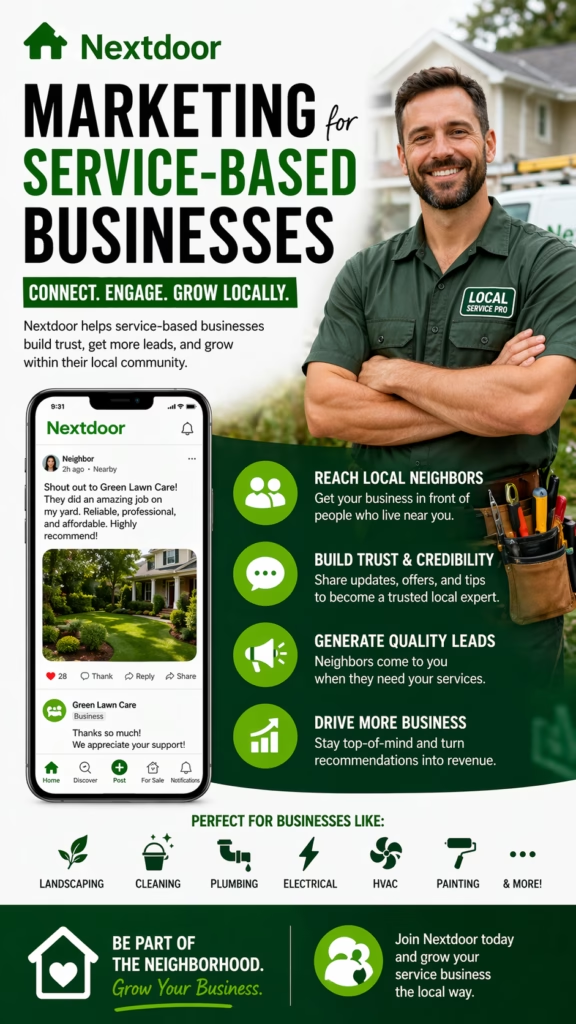
NextdoorCommunityLocal offices, property managersPost before/after albums; avoid salesy tone.

2) Google Business Profile (GBP): Local Demand Engine

  • Complete Services list (nightly janitorial, porter, floor care, restroom sanitizing).
  • Photo cadence: 3–5 new images/week (lobby, restroom, floors, checklists).
  • Enable “Request Quote” with required fields (sqft, nights/week, access hours).
  • Post Updates monthly (case study, crew spotlight, scope cards).
  • Ask for reviews tied to specific outcomes (odor control, floor finish, restock reliability).

3) Local Service Ads (LSA): Pay-Per-Lead for Cleaning

Verify, upload credentials, and set territories. Tag every call in your CRM and calculate lead-to-walk-through-to-close.

Optimization

  • Bid more on top ZIPs; cap on fringe areas.
  • Dispute mismatched leads politely and promptly.
  • Route “medical clinic” calls to senior rep.

Scripting

“We service offices in your area nightly. Roughly how many restrooms and do you prefer after-hours? I’ll pencil a 10-minute walk-through.”

4) Google Search Ads vs SEO (When Each Wins)

SituationSearch AdsSEO
Need leads this week✅ Instant traffic➖ Longer ramp
Budget tight, time rich✅ City pages + case studies
Highly competitive metro✅ Exact-match + call recording✅ Authoritative content + internal links

5) Facebook Page & Marketplace: DM-First Prospecting

  • Proof posts: 1:1 before/after pairs (restrooms, kitchens, lobbies).
  • DM keyword: QUOTE triggers buttons: Walk-ThroughQuick RangeQuestions.
  • Marketplace listings: “Office Cleaning • Nightly/Porter • Insured • Free Walk-Through”.
  • After-hours bot offers 2–3 bookable times; human takeover in the morning.

UTM example: utm_source=facebook&utm_medium=organic&utm_campaign=commercial_cleaning_quotes

6) LinkedIn: Facility Manager Validation & ABM

  1. Weekly post: case study carousel (scope card + finish photo).
  2. Comment on local property/ops threads; add value, not pitches.
  3. ABM list: 25 facilities → connect with soft touch + proof link.

7) Yelp/Angi/Thumbtack: Reviews & Short-Cycle Jobs

  • Reply to all reviews within 24 hours; use specifics (“3 restrooms, 5x/week”).
  • Photo albums by service type; show checklists and PPE.
  • Keep response templates handy for quote requests.

8) Nextdoor & Community: Local Trust Signals

Post quarterly “office refresh” albums; avoid hard selling; invite DMs for walk-throughs.

9) Website & Landing Pages: Quote UX

Must-Have Blocks

  • Service areas and ZIPs
  • Scope cards (nightly, porter, floor care)
  • Before/after gallery with alt text
  • Calendar embed + phone

Form Fields

  • Company • sqft band • # restrooms
  • Preferred nights/week • access hours
  • Contact name • phone • email

10) Creative System: Before/After & Checklists

  • Square crops, level lines, identical framing between before/after.
  • Include “tonight’s scope” card in one photo (trash, restrooms, floors, glass).
  • Keep overlays minimal; put details in captions.

11) Lead Capture & Routing (Forms • DMs • Phone)

Form → auto-tag by sqft band → assign territory rep → SMS confirm
DM → keyword QUOTE → 3 buttons → book link
Phone → IVR routes “medical/bank” to senior rep

12) Reply-Time Playbook (Saved Replies & AI)

Instant DM

We clean offices like yours nightly. Want a quick price range or a 10-minute walk-through this week?

After-Hours Bot

I can hold a time: Tue 10:30a • Wed 2:00p • Thu 4:15p. Tap to reserve.

13) KPIs & Dashboards

Top: Form starts • DM starts • First reply time
Middle: Walk-through booked % • Proposal same-day %
Bottom: Close rate • 90-day retention • Review velocity

14) Budget Splits by Scenario

ScenarioSearch/LSASocial/MarketplaceReview/DirectoriesContent/SEO
New city launch50%25%15%10%
Mature, strong reviews35%25%20%20%
Budget-tight, time-rich20%25%15%40%

Rebalance monthly using close rate and cost per booked walk-through.

15) 30–60–90 Day Rollout Plan

Days 1–30 (Foundation)

  1. Complete GBP + enable Request Quote.
  2. Launch LSA; verify credentials.
  3. Publish 3 proof posts; add calendar to site.

Days 31–60 (Momentum)

  1. AB test Marketplace listings; add DM keyword flow.
  2. Post weekly LinkedIn case study; build ABM list.
  3. Collect 4–6 fresh reviews across platforms.

Days 61–90 (Scale)

  1. Expand ZIPs in LSA; adjust bids by quality.
  2. Produce two city SEO pages with proof blocks.
  3. Automate proposal shell for same-day delivery.

16) Troubleshooting & Optimization

SymptomLikely CauseFix
Many small, unqualified jobsOpen form fieldsRequire sqft band & nights/week
Low DM → bookingNo instant reply / weak CTASaved replies + “QUOTE” flow + calendar button
High CPL on LSALoose territory / bad tagsTighten ZIPs; dispute mismatches; tag all calls
Few reviewsNo ask cadenceAutomate post-onboarding review request

17) 25 Frequently Asked Questions

1) What are the Best Platforms for Commercial Cleaning Leads?

A blended stack: GBP/LSA + Facebook/Marketplace + LinkedIn + review directories.

2) Do I need paid ads to start?

No. GBP + proof posts + reviews can generate steady interest; add LSA as budget allows.

3) Is Marketplace really B2B?

It reaches local decision-makers for smaller offices and clinics. Keep it professional and fast-reply.

4) How fast should I reply?

Under 2 minutes for the first reply wins most walk-throughs.

5) What form fields qualify best?

Sqft band, nights/week, access hours, # restrooms, contact.

6) Should I list prices publicly?

Post ranges by sqft; confirm exacts after a brief walk-through.

7) How many photos should I show?

Hero before/after pair + 3 detail pairs; keep overlays small.

8) Do reviews matter more than posts?

For high-intent search, yes. Keep both steady.

9) LinkedIn or Facebook first?

Facebook/Marketplace for volume; LinkedIn for validation.

10) What about Nextdoor?

Great for local trust; post quarterly albums.

11) Can AI handle after-hours?

Yes—offer 2–3 times and confirm bookings automatically.

12) Any industries to prioritize?

Medical suites, banks, coworking, SMB offices (5–50k sqft).

13) How do I track sources?

UTMs, call tracking, DM tags, and CRM stages.

14) Ideal posting cadence?

3 proof posts/week; monthly email digest; LinkedIn weekly.

15) Best Marketplace headline?

“Office Cleaning • Nightly/Porter • Insured • Free Walk-Through”.

16) What if I’m new with few reviews?

Start with pilot clients; earn specific outcome reviews.

17) Should I gate case studies?

Ungated performs better for local buyers.

18) How do I reduce cancellations?

Send reminder SMS; confirm building access and contact.

19) Do I need a CRM?

Yes—for lead tags, proposals, e-sign, and follow-ups.

20) What KPIs matter most?

First reply time, booked walk-through %, same-day proposal %, close rate.

21) Should I run Google Search Ads or only LSA?

Try LSA first; layer Search Ads for priority terms and schedules.

22) How many territories should I target?

Begin with your strongest ZIPs; expand as crews allow.

23) Can I use videos?

Yes—15s lobby/restroom passes boost engagement and trust.

24) How often should I rebalance budget?

Monthly, based on cost per booked walk-through and close rate.

25) First step today?

Enable “Request Quote” on GBP, add a calendar link everywhere, and publish a before/after carousel.

18) 25 Extra Keywords

  1. Best Platforms for Commercial Cleaning Leads
  2. office cleaning lead generation
  3. janitorial marketing ideas
  4. google business profile cleaning
  5. local service ads janitorial
  6. commercial cleaning marketplace
  7. facebook marketplace office cleaning
  8. linkedin facility manager outreach
  9. yelp reviews cleaning company
  10. angi commercial cleaning
  11. thumbtack office cleaning leads
  12. nextdoor cleaning services
  13. commercial janitorial seo
  14. office cleaning case studies
  15. porter services marketing
  16. floor care upsell vct
  17. office disinfection services leads
  18. walk through booking link
  19. cleaning proposal same day
  20. review request template cleaning
  21. dm keyword quote cleaning
  22. crm for cleaning company
  23. cleaning services service areas
  24. janitorial kpis dashboard
  25. commercial cleaning marketing 2025

© 2025 Your Brand. All Rights Reserved.
General guidance only. Follow local regulations, platform policies, and privacy laws.

Best Platforms for Commercial Cleaning Leads Read More »

Case Study: Office Cleaning Company Eliminated Cold Calls

ChatGPT Image Nov 24 2025 11 53 39 AM
Case Study: Office Cleaning Company Eliminated Cold Calls — 2025 Playbook

Case Study: Office Cleaning Company Eliminated Cold Calls

From dialing to DMing: how a commercial cleaning brand turned inbox pings into signed contracts—without a single cold call.

Wins (first 90 days): Cold calls: 0 +41% qualified inbound 1m 08s median first reply +33% proposal close rate

Note: Composite case study for education. Follow privacy laws (TCPA/CASL/GDPR), platform rules, and your local regulations.

Introduction

Case Study: Office Cleaning Company Eliminated Cold Calls started as a bold experiment: pause outbound dialing, double down on intent-driven channels, and let automation carry prospects from “curious” to “contract.” This guide shows the targeting, offers, scripts, cadences, KPIs, and tools you can replicate.

Expanded Table of Contents

1) Brand Background & ICP

  • Service: nightly janitorial + day porter + floor care (VCT/carpet).
  • ICP: multi-tenant offices (5–50k sqft), medical suites, co-working, banks.
  • Geo: 25-mile radius, four crews (evening), two porters (daytime).

2) Where Cold Calls Were Failing

  • Gatekeepers + voicemail loops reduced connect rates below 3%.
  • No immediate visual proof; trust-building took weeks.
  • Costs to hire/coach callers eclipsed incremental revenue.

3) Channel Mix (GBP • Marketplace • LinkedIn • Email)

ChannelPurposeAction
Google Business ProfileHigh-intent discoveryPhoto cadence, Services list, “Request Quote” with required fields
Facebook/MarketplaceLocal reach + DMsPolicy-safe galleries, DM keyword “QUOTE”, business hours bot
LinkedInB2B validationFacility manager posts, case studies, no hard pitches
Email (warm)Nurture & announcementsMonthly “Before/After” digest + calendar CTA

4) Offer Design & Pricing Tiers

Packages

  • Starter Nightly — desks, trash, restrooms, floors
  • Premium Nightly — + glass, kitchens, touchpoints
  • Porter Add-On — daytime restock & lobby shine

Pricing Signal

  • Transparent ranges by sqft band
  • Floor care quoted from photos/site walk
  • “Switch Month” discount with 30-day trial clause

5) Creative System (Before/After • Checklists • Proof)

  • Square 1:1 before/after pairs: restrooms, breakrooms, lobby glass.
  • Checklist snapshots: “tonight’s scope” card in frame.
  • Review tiles from Google; crew badges for trust.

6) Lead Capture UX (Forms • DMs • Phone)

  1. Form: company name, sqft, nights/week, access hours, contact.
  2. DM: keyword “QUOTE” returns 3 buttons: Walk-Through • Quick Range • Questions.
  3. Phone: IVR routes to sales if “urgent” or medical suite.

7) AI Autoresponder Flows & Scripts

Instant DM/SMS

Thanks for reaching out! Most offices like yours choose:
• Starter Nightly (3x/week)
• Premium Nightly (5x/week)
Want a quick range now or book a 10-min walk-through?

Clarifier (if sqft unknown)

No problem—what’s your headcount and # of restrooms? I’ll estimate and you can tweak on the walk-through.

After-hours

We’re offline but I can secure a time: Tue 10:30a, Wed 2:00p, Thu 4:15p. Tap to reserve.

8) Qualification & Routing (ZIP • Sqft • Night Access)

  • ZIP-to-crew map; travel cap 30 minutes.
  • Sqft bands: <5k • 5–15k • 15–50k • 50k+ (ops review).
  • Night access/keys required? Tag for security checklist.

9) Calendar Booking & Proposal Builder

Step 1: Prospect picks a walk-through slot (round-robin).
Step 2: Pre-call form auto-fills proposal shell.
Step 3: On-site checklist + photos; scope locked.
Step 4: Same-day proposal with 30-day switch clause + references.

Median proposal delivery time: same day by 6:00 PM.

10) Follow-Up Cadence (DM/SMS/Email)

MomentChannelMessage
+0 minDM/SMSInstant reply with range or calendar link
+20 minDM“Want me to pencil a walk-through?”
+24 hEmailCase study + checklist sample + references
Post walk-throughEmail/SMSProposal link + scope highlights
+3 daysDM/SMSQ&A nudge with two times to talk

11) Tech Stack Diagram

CRM

Pipelines, tags, documents, e-sign.

Calendar

Round-robin, buffers, territory rules.

Inbox

FB/IG DMs + SMS + Email unified with AI.

Pages/Profiles

GBP, Facebook Page, LinkedIn Company.

Analytics

UTMs, call tracking, dashboard alerts.

12) KPIs, Dashboard & Benchmarks

Top: Form start rate • DM keyword replies • First reply time
Middle: Walk-through booked % • Proposal same-day %
Bottom: Close rate • Start date lead time • Churn % (90 days)

UTM idea: utm_source=gbp&utm_medium=organic&utm_campaign=office_cleaning_inbound

13) Results: Before vs After

MetricBefore (Cold Calls)After (Inbound + AI)
Qualified lead volumeBaseline+41%
First reply time2–24 hours~1 minute
Walk-through scheduled rate18%34%
Proposal same-day22%76%
Close rate17%23%
Cold calls/day60–1000

14) 30–60–90 Day Rollout Plan

Days 1–30 (Foundation)

  1. Refresh GBP: services, photos, “Request Quote.”
  2. Launch DM keyword “QUOTE” + instant range flow.
  3. Publish 2 case studies; enable calendar buffers.

Days 31–60 (Momentum)

  1. Add LinkedIn proof posts and references.
  2. Automate proposal shell; same-day SLA.
  3. Dashboard alerts for reply time & proposal lag.

Days 61–90 (Scale)

  1. Territory split; on-call porter option.
  2. Review engine + referral program.
  3. Promote top-performing posts; prune weak ones.

15) Risks, Compliance & Data Hygiene

  • Collect consent; honor STOP/UNSUBSCRIBE.
  • Mask keys, door codes, and security questions in CRM.
  • Keep proof claims policy-safe; avoid restricted phrasing.

16) Troubleshooting & Optimization

SymptomLikely CauseFix
Lots of unqualified micro-officesForm too openAdd sqft minimum and nights/week field
Slow proposalsNo templateAuto-fill proposal from pre-call form
Low DM conversionWeak first photo/CTALead with restroom/lobby transformation pair + “QUOTE” keyword
Policy flagsHeavy overlays/claimsReduce text; keep overlays small; cite sources

17) 25 Frequently Asked Questions

1) Will inbound only work in B2B janitorial?

Yes—if your ICP and local proof are clear and reply times are fast.

2) Do I need paid ads?

Not to start. GBP + Marketplace + LinkedIn + email can generate consistent volume.

3) What if my market is saturated?

Differentiate with proof (before/after), quick ranges, and same-day proposals.

4) How fast should the first reply be?

Sub-2 minutes wins most walk-throughs.

5) Can I qualify without chasing?

Yes—use forms with sqft, nights/week, access notes.

6) What’s the best DM keyword?

“QUOTE” or “WALKTHROUGH”—short and action-oriented.

7) Do I share pricing publicly?

Share ranges by sqft bands; exacts after a brief walk-through.

8) How many photos should I post?

1 hero pair + 3 detail pairs per carousel is a strong start.

9) Should I use video?

Yes—15s lobbies/restrooms boosts saves and DMs.

10) Is Marketplace ok for B2B?

It’s local reach; combine with Page posts and GBP.

11) How do I handle night access concerns?

Include security checklist and references in the proposal.

12) Can AI book my calendar?

Yes—offer 2–3 times and confirm with buffers.

13) What if they ask for references?

Have 2–3 ready by vertical (medical, bank, office).

14) How do I reduce churn?

Quarterly check-ins + optional porter + floor care cycle.

15) Do deposits make sense in B2B?

Usually no; use service start agreements and 30-day clauses.

16) Best posting cadence?

3 posts/week + monthly email digest + LinkedIn weekly.

17) How do I track sources?

UTMs + call tracking + DM tags in CRM.

18) Who owns inbox replies?

AI first; human takeover on signals: “complaint,” “bid list,” “RFP.”

19) Can I target facility managers?

Yes—LinkedIn content + soft connect, no hard pitch.

20) What about medical cleaning?

Use dedicated proof, training certs, and HIPAA-aware messaging.

21) Should I gate my case studies?

Ungated performs better for local trust.

22) How do I speed proposals?

Template + image blocks + pre-filled scope items.

23) What if I still want outbound?

Use warm follow-ups to inbound engagers; skip cold voicemail loops.

24) First hire after owner-led sales?

Coordinator to manage calendar, proposals, references.

25) First step today?

Enable “Request Quote” on GBP, add DM keyword flow, and set a same-day proposal SLA.

18) 25 Extra Keywords

  1. Case Study: Office Cleaning Company Eliminated Cold Calls
  2. office cleaning inbound leads
  3. janitorial lead generation 2025
  4. commercial cleaning marketing
  5. google business profile cleaning
  6. facebook marketplace janitorial
  7. linkedin facility manager leads
  8. ai autoresponder cleaning
  9. janitorial booking automation
  10. office cleaning proposal template
  11. walk through scheduling cleaning
  12. before after cleaning photos
  13. dm keyword quote cleaning
  14. b2b cleaning lead nurture
  15. porter services marketing
  16. floor care upsell vct
  17. commercial cleaning kpis
  18. inbound sales janitorial
  19. office cleaning case study
  20. no cold calls marketing
  21. janitorial referral engine
  22. same day proposals cleaning
  23. territory routing crews
  24. gbp service list cleaning
  25. office cleaning inbound pipeline

© 2025 Your Brand. All Rights Reserved.
General information only—comply with privacy, messaging, and data-protection laws in your region.

Case Study: Office Cleaning Company Eliminated Cold Calls Read More »

Seasonal Cleaning Services: Spring Cleaning Campaign Ideas

ChatGPT Image Nov 24 2025 11 53 22 AM
Seasonal Cleaning Services: Spring Cleaning Campaign Ideas — 2025 Growth Playbook

Seasonal Cleaning Services: Spring Cleaning Campaign Ideas

Unlock the most profitable time of year with strategic spring offers, funnels, and creative campaigns that turn seasonal demand into repeat customers.

Quick Highlights: High-demand season Offer stacking Email + SMS automation Referral multipliers Homeowner psychology

Note: These insights are for general marketing strategy—not legal, tax, or compliance advice.

Introduction

Seasonal Cleaning Services: Spring Cleaning Campaign Ideas is more than a yearly checklist—it’s a scalable growth engine cleaning companies can use to dominate the highest-demand season on the calendar. Homeowners are motivated, searching proactively, and ready to buy. With the right offers, messaging, funnels, and automated follow-up, you can convert this seasonal spike into long-term recurring clients.

Expanded Table of Contents

1) Why Seasonal Cleaning Services Work

Spring is the only moment of the year where demand spikes naturally—without expensive advertising.

  • Homeowners expect to buy cleaning services during spring.
  • Weather improves → windows, baseboards, garages, patios need attention.
  • Emotional refresh → people want a “reset.”
  • Tax refunds increase spending capacity.

2) Spring Cleaning Psychology (Buyer Motivation)

People purchase spring cleaning for deeper emotional reasons than “dirt.” Understanding these boosts conversions:

  • Fresh start psychology: clearing away winter buildup.
  • Social pressure: hosting events, holidays, guests.
  • Health concerns: allergies, dust, mold, pollen.
  • Mental clarity: clutter-free home = reduced stress.

3) Spring Cleaning Offer Frameworks

High-Conversion Offers

  • 20% off deep cleaning
  • Kitchen + bathroom bundle deals
  • “3 Rooms for $X” seasonal promo
  • Garage & patio add-ons
  • Carpet steam cleaning upgrade
  • Window washing bundle

Psychology-Backed Offers

  • “Reset Your Home for Spring” package
  • Allergy-focused clean (dust/pollen removal)
  • Move-out / move-in spring special
  • “Host-Ready Spring Refresh” package

4) Funnels that Convert Spring Cleaning Leads

  • Facebook/Instagram ads → Quote form → SMS follow-up
  • Google Local Service Ads → Booking calendar
  • Email list → Spring announcement promo
  • Referral partners → Coupon link → Booking page

5) Spring Cleaning Ad Angles & Copy

Top Angles

  • Allergy Relief
  • Declutter Your Spring
  • Deep Clean After Winter
  • Family-Friendly Spring Refresh

6) Email & SMS Campaigns for Seasonal Leads

Email & SMS automation is where 40–60% of seasonal revenue comes from.

  • Spring Countdown Campaign (10–14 days)
  • Last Chance Weekend Promo
  • “Refresh Your Home” nurturing sequence
  • Spring cleaning checklist giveaway

7) Creative Assets: Photos & Videos

  • Before/after images
  • Speed-cleaning videos
  • Checklist visuals
  • Spring theme colors (pastel blue, mint, white)

8) Upsells, Add-Ons & Lifetime Value

  • Carpet shampooing
  • Inside appliances
  • Organization service
  • Monthly recurring cleaning subscription

9) Local Partnerships That Multiply Referrals

  • Realtors
  • Property managers
  • Airbnb owners
  • Home organizers

10) Pricing Psychology & Urgency Tactics

  • “Spring Only” deadline
  • Tiered packages
  • Bundle unlock bonuses
  • Referral reward multipliers

11) KPIs That Predict Spring Success

  • Booking rate
  • Repeat customer rate
  • Upsell percentage
  • Cost per booked appointment

12) Follow-Up Scripts for Spring Cleaning

Sample SMS:

“Hi! Our Spring Cleaning Special is live 🎉 Want me to hold a spot for you this week?”

13) Mini Case Studies

Case 1 — Deep Clean Bundle

62% increase in bookings in 14 days.

Case 2 — “Allergy Relief” Angle

40% reduction in cost per lead.

14) 25 Frequently Asked Questions

1) What are Seasonal Cleaning Services: Spring Cleaning Campaign Ideas?

A collection of strategic offers, funnels, and marketing ideas designed to capture spring demand.

2) Why is spring the best time for cleaning promotions?

Because homeowners are already searching and motivated.

3) What offers convert best?

20% off, bundles, and room packages.

4) Should I run limited-time sales?

Yes. Urgency increases conversion.

5) Do before/after photos help?

They dramatically improve click-through rates.

6) Should I use allergies as an angle?

Absolutely. It’s a top seasonal motivator.

7) How often should I email customers in spring?

2–3 times per week during peak season.

8) What’s a good SMS strategy?

Short, friendly, and urgency-based messages.

9) Are Facebook ads effective?

Spring cleaning ads consistently perform well.

10) Should I offer recurring plans?

Yes. Convert seasonal buyers into year-round clients.

11) What should I charge?

Use bundle pricing to increase average ticket.

12) Do checklists work?

Yes—excellent for email engagement.

13) Should I run referral promotions?

Spring is the perfect time.

14) How early should campaigns begin?

Launch 2–3 weeks before spring.

15) What creative performs best?

Bright, clean visuals with fresh colors.

16) Should I post videos?

Yes—speed cleans perform well.

17) Should I run Google Ads?

Yes—spring keywords spike in volume.

18) How do I reduce cancellations?

Automated reminders help.

19) Should I pre-book appointments?

Yes—locks in revenue early.

20) How do I improve lead conversion?

Speed-to-lead follow-up messaging.

21) Should I run retargeting ads?

High ROI during spring season.

22) Do spring clients book again?

Many become recurring if offered a subscription.

23) What should my homepage banner say?

“Spring Cleaning Special — Limited Spots!”

24) Should I personalize offers?

Target homeowners vs renters separately.

25) What is step one?

Finalize your offer and launch your first campaign.

15) Extra SEO Keywords (25)

  1. Seasonal Cleaning Services: Spring Cleaning Campaign Ideas
  2. spring cleaning promotion ideas
  3. cleaning service campaign examples
  4. deep clean spring package
  5. spring home refresh service
  6. allergy cleaning service
  7. maid service spring ads
  8. home cleaning spring SEO
  9. janitorial spring campaign
  10. house cleaning promotion ideas
  11. garage cleaning promotion
  12. carpet cleaning spring special
  13. window washing spring deal
  14. cleaning company email campaigns
  15. cleaning company sms automation
  16. home organizer partnership idea
  17. B2C cleaning offers
  18. spring declutter service
  19. after-winter deep clean
  20. spring cleaning funnel
  21. local cleaning service ads
  22. cleaning referral promotion
  23. seasonal maid service marketing
  24. cleaning service keywords 2025
  25. spring cleaning campaign strategy

© 2025 Your Brand. All Rights Reserved.
For general educational and marketing use only.

Seasonal Cleaning Services: Spring Cleaning Campaign Ideas Read More »

Post-Construction Cleaning Marketing: Contractor Partnerships

ChatGPT Image Nov 24 2025 11 52 22 AM
Post-Construction Cleaning Marketing: Contractor Partnerships — 2025 Growth Playbook

Post-Construction Cleaning Marketing: Contractor Partnerships

Turn chaotic one-off jobs into a steady pipeline of projects by becoming your contractors’ favorite final clean partner.

Quick Differentiators: Niche: post-construction & final clean focus Partners: builders • GCs • remodelers • developers Offers: per-project • per-phase • per-subdivision Systems: checklists • scheduling • communication

Note: This guide on Post-Construction Cleaning Marketing: Contractor Partnerships shares general marketing information—not legal, safety, or compliance advice. Always follow local regulations, insurance requirements, and jobsite safety rules.

Introduction

Post-Construction Cleaning Marketing: Contractor Partnerships is about doing more than “just another final clean.” It’s about becoming the go-to subcontractor every general contractor (GC), builder, and remodeler trusts to make their projects move-in ready—on time and without drama.

Builders don’t want to micromanage cleaning crews. They want a partner who understands phases (rough clean, touch-up, final), respects construction schedules, communicates when trades are behind, and helps their finished projects look flawless during punch walks, city inspections, and handovers.

This 2025 field guide shows you how to design offers, position your brand, build outreach, and hardwire Post-Construction Cleaning Marketing: Contractor Partnerships into your website, proposals, and workflows so that every builder you meet can turn into many projects—not just one.

Expanded Table of Contents

1) Why this Post-Construction Cleaning Marketing: Contractor Partnerships strategy works

  • High lifetime value: One builder can send you dozens of homes or projects per year once they trust you.
  • Predictable work: Construction schedules can be planned; repeat GCs mean less guessing month-to-month.
  • Operational efficiency: Your team, tools, and checklists are optimized for similar project types.
  • Less selling, more scheduling: After your marketing lands the first partnership, most “sales” are just new POs and jobsite dates.
  • Referral flywheel: Contractors talk—one delighted GC often leads to introductions to other builders and remodelers.

2) Positioning Matrix: General Cleaning vs Post-Construction Contractor Specialist

DimensionGeneral Cleaning CompanyPost-Construction Contractor Partner
Brand Message“We clean homes, offices, and more.”“We specialize in post-construction cleaning for builders and GCs.”
Offer StructureHourly or flat-fee cleansRough, touch-up, and final packages scoped for phases
SchedulingFixed appointments, homeowner-drivenFlexible to construction delays, tied to trades and inspections
Decision-MakerHomeowner or office managerGC, superintendent, project manager, builder owner
Marketing FocusPretty interiors and checklistsDust control, debris handling, safety, and punch-list readiness
DocumentationBasic invoice or checklistCOIs, W-9, safety protocols, scope documents, vendor packet

3) Ideal Contractor Partners & Their Pain Points

Who You Want Partnerships With

  • Residential builders: Spec homes, custom homes, small subdivisions.
  • Remodeling contractors: Kitchen/bath remodelers, whole-house renovations.
  • Commercial GCs: Retail build-outs, office fit-outs, medical suites.
  • Multifamily developers: Apartment and condo buildings, student housing.

What Frustrates Them Today

  • Cleaners who don’t understand construction and leave dust in hidden areas.
  • No-shows or last-minute cancellations before key deadlines.
  • Crews who argue with other trades or leave debris in shared areas.
  • Invoices and insurance paperwork that are messy or incomplete.
  • Having to call different cleaners for each job instead of one consistent partner.

Your Post-Construction Cleaning Marketing: Contractor Partnerships message should speak directly to these pain points and show how you remove problems instead of adding them.

4) Offer Frameworks for Post-Construction Cleaning Contractor Partnerships

Contractors care about reliability, scope clarity, and speed. Your offers should make all three obvious.

Core Offer Types

  • Per-Project Final Clean: Flat or tiered pricing per project, based on square footage and level of finish.
  • Phase-Based Packages: Rough clean, touch-up, and final clean bundles with clear line items.
  • Subdivision / Multi-Unit Program: Reduced per-unit pricing with guaranteed scheduling for multiple homes.
  • “New GC Intro” Offer: Discounted first project or free small model-home touch-up to show your work.
  • Emergency Turnaround Option: Premium pricing for last-minute, deadline-driven work.

Sample Landing Page Block

Post-Construction Cleaning Marketing: Contractor Partnerships in action:
• Rough, touch-up, and final cleans for {PROJECT TYPES}
• Checklists built around your punch process
• Insured crews who respect your schedule and jobsite rules
Ask about our GC partnership program for {CITY} builders.

5) Website & Landing Page Blueprint for Post-Construction Cleaning Marketing

Your website should instantly tell contractors, “We’re built for job sites, not just regular house cleaning.” Use a light color header and clean layout to keep it modern and professional.

  • Headline that names Post-Construction Cleaning Marketing: Contractor Partnerships as your focus.
  • Section for services: rough, touch-up, final, debris removal, window cleaning, pressure washing.
  • Industries served: residential builders, commercial GCs, remodelers, multifamily developers.
  • Checklists or “What’s included” breakdown per phase.
  • Proof: photos of active construction sites and finished projects, plus GC testimonials.
  • Trust badges: insurance, safety training, licenses, union/non-union where relevant.
  • Simple form for builders: project type, size, location, approximate dates.

6) Branding, Proof & Visuals That Contractors Actually Care About

Brand & Visuals

  • Light, clean color header; simple logo that looks professional on a jobsite sign.
  • Photos of crews in PPE and branded shirts or vests.
  • Before/after shots that show dust, debris, stickers, and paint overspray gone.
  • Pictures of punch-list boards and clipboard checklists being used on site.

Proof & Documents

  • Sample checklists for rough, touch-up, and final cleans.
  • Certificates of insurance (COI) and W-9 ready on request.
  • Short case studies: “20 homes cleaned for {BUILDER} on schedule.”
  • Optional: safety orientation sheet and jobsite rules you follow.

7) Outreach Strategy: Email, Site Visits, Supply Houses, and Events

Post-Construction Cleaning Marketing: Contractor Partnerships doesn’t happen by waiting for calls. You go where builders and GCs already are.

  • Email & LinkedIn: Reach out to local builders, GCs, and remodelers with short, project-focused messages.
  • Jobsite visits: Drop by active sites (respectfully), introduce yourself, and leave a one-page sheet.
  • Supply houses: Paint stores, flooring suppliers, lumber yards—network where contractors shop.
  • Home shows & trade events: Sponsor coffee, be present, and capture builder contact info.
  • Referral loops: Ask current GCs to introduce you to other superintendents and project managers.

Sample Outreach Snippet

Subject: Post-Construction Cleaning Marketing: Contractor Partnerships in {CITY}

Hi {NAME},
I work with builders and GCs in {CITY} handling rough, touch-up,
and final cleans so your team can focus on building instead of dust.

We follow phase-specific checklists and provide COI + W-9 upfront.
Would a quick call or walk-through on one of your current projects be helpful?

8) Bids, Pricing Models, and Scope Documents for Contractor Partnerships

Contractors want clarity: what’s included, what’s extra, and how changes are handled.

  • Define clear square footage ranges and typical price bands for each.
  • List what is included per phase: floors, windows, cabinets, fixtures, debris removal, etc.
  • Flag what is excluded or extra (e.g., trash hauling, high glass, post-punch return trips).
  • Use simple language that superintendents can understand at a glance.
  • Offer per-project quotes or master pricing sheets for long-term GC partners.

Scope Snippet

Rough Clean:
• Remove bulk debris & sweep floors
• Dust/vacuum major surfaces
• Prepare for painters and finish trades

Final Clean:
• Detail dust removal (tops of doors, trim, vents)
• Clean glass, fixtures, cabinets, and hard floors
• Ready for punch-list and client walk-through

9) Systems & Communication: Schedules, Checklists, and Jobsite Coordination

The best Post-Construction Cleaning Marketing: Contractor Partnerships stories are really operations stories: you show up, handle surprises, and communicate clearly.

  • Use a shared calendar or schedule for each GC, listing planned clean dates and contingencies.
  • Send confirmation texts/emails before crews arrive and after they finish.
  • Train your team on construction etiquette: who’s in charge, where to stage equipment, safety rules.
  • Document “before/after” with photos—especially if trades are still working during cleaning.
  • Have a simple process to report damage or issues to the superintendent immediately.

10) KPIs & Dashboards for Post-Construction Cleaning Marketing: Contractor Partnerships

Top-of-funnel: Contractor contacts • Outreach emails/calls • Meetings booked
Middle-of-funnel: Projects quoted • GCs onboarded • Subdivision/phase agreements
Bottom-of-funnel: Jobs completed • Revenue per GC • Repeat project rate • On-time completion rate

Tracking example: utm_source=email&utm_medium=outreach&utm_campaign=post_construction_contractor_partnershipsutm_source=website&utm_medium=organic&utm_campaign=builder_final_clean_{city}

11) 30–60–90 Day Rollout Plan for Contractor-Focused Growth

Days 1–30 (Foundation)

  1. Clarify your ideal contractor type (builders, remodelers, GCs, or multifamily).
  2. Update your website with a light color header and a clear “Post-Construction Cleaning Marketing: Contractor Partnerships” page.
  3. Create simple phase-based checklists and pricing ranges.
  4. Assemble your proof: project photos, testimonials, COI, W-9, and vendor forms.
  5. Build a basic CRM or spreadsheet of contractors in your target area.

Days 31–60 (Momentum)

  1. Launch email and LinkedIn outreach to your contractor list.
  2. Visit local jobsites and supply houses to introduce yourself in person.
  3. Secure and complete 1–3 “trial” projects with new GCs or builders.
  4. Collect testimonials and refine your checklists based on feedback.
  5. Document your first contractor partnership case study.

Days 61–90 (Scale)

  1. Offer master pricing agreements or simple contracts to repeat GCs.
  2. Expand outreach to developers, multifamily projects, and larger remodelers.
  3. Test small paid campaigns targeting “post-construction cleaning” keywords.
  4. Refine your Post-Construction Cleaning Marketing: Contractor Partnerships pitch using real results.
  5. Standardize onboarding and communication so adding new GCs feels smooth, not chaotic.

12) Troubleshooting & Optimization for Contractor Partnerships

SymptomLikely CauseFix
Contractors say “we already have someone”No clear reason to switch or add youLead with backup/emergency support and subdivision overflow, not “replace your guy now.”
Lots of interest, few actual projectsOffers too vague or not priced clearlyCreate simple per-project and phase-based pricing sheets.
Projects are chaotic or delayedNo clear scheduling system with GCsUse shared calendars and pre-job check-ins to confirm readiness.
GCs don’t call you back after one projectQuality, communication, or scope mismatchAsk for feedback, tighten checklists, and clarify expectations upfront.
No time for marketingOwner doing all operations and outreachBatch outreach weekly and templatize your Post-Construction Cleaning Marketing: Contractor Partnerships messages.

13) 25 Frequently Asked Questions

1) What is Post-Construction Cleaning Marketing: Contractor Partnerships?

It’s a strategy focused on winning repeat work from builders, GCs, and remodelers by specializing in post-construction cleaning and positioning yourself as a reliable, long-term partner.

2) Who should use this strategy?

Any cleaning company that handles construction dust, debris, and final cleans and wants more predictable, project-based revenue from contractors.

3) Is post-construction cleaning different from regular house cleaning?

Yes. It involves heavier dust, construction debris, stickers, paint overspray, and coordination with trades and inspections.

4) How do I find contractors to partner with?

Use local builder lists, LinkedIn, supply houses, jobsite visits, home shows, and referrals from existing clients.

5) Should I niche only into post-construction cleaning?

You can, but many companies keep some residential or commercial work while building their contractor partnerships.

6) How do I price post-construction cleaning work?

Price by square footage, level of finish, and phase (rough, touch-up, final), with clear inclusions and exclusions.

7) Do I need special insurance for contractor partnerships?

Most GCs require specific liability coverage and sometimes workers’ comp—consult with your insurance provider.

8) How important are checklists?

Checklists are critical. They ensure consistency, set expectations, and give GCs confidence in your process.

9) Do I need a website focused on post-construction cleaning?

Yes, a professional website with clear Post-Construction Cleaning Marketing: Contractor Partnerships messaging helps contractors take you seriously.

10) Should I share pricing on my website?

You can share ranges or sample packages, but most contractor pricing is project-specific or based on a master sheet.

11) How do I stand out from other cleaning companies?

Specialize in post-construction, show understanding of jobsite realities, and highlight reliability, documentation, and communication.

12) What kind of photos should I show contractors?

Show active construction sites, dusty “before” and clean “after” images, and details like clean tracks, vents, and fixtures.

13) How long does it take to build strong contractor partnerships?

Sometimes one project is enough; more often, it takes 2–3 projects per GC plus consistent follow-through.

14) Should I offer discounts for new GCs?

Intro offers can help, but don’t underprice. Focus on value and reliability over being “the cheap cleaner.”

15) How do I handle last-minute schedule changes?

Build flexibility into your schedule and set clear policies about short-notice changes and rush fees.

16) What tools do I need for post-construction cleaning?

HEPA vacuums, dusting tools, scrapers, safe chemicals, PPE, and sometimes specialized window and floor equipment.

17) Do I need a CRM for contractor partnerships?

A CRM or organized system is strongly recommended for tracking contacts, bids, projects, and follow-ups.

18) How often should I contact contractors?

For new prospects, expect several touches over weeks. For existing GCs, stay in touch around project schedules and check-ins.

19) Can I work with multiple GCs at once?

Yes, as long as you manage capacity and avoid overcommitting to overlapping deadlines.

20) What if I don’t have case studies yet?

Start with a few smaller jobs, document them well, and turn them into your first case studies and testimonials.

21) How do I get paid reliably by contractors?

Use clear invoices, agreed payment terms, and consider deposits or progress payments for large projects.

22) Should I sign contracts or just work off POs?

Many GCs use POs; some require a subcontractor agreement. Get legal advice when reviewing contracts.

23) How do I expand from residential builders into commercial work?

Leverage your residential results, learn commercial requirements, and approach local commercial GCs with relevant examples.

24) How do I know if Post-Construction Cleaning Marketing: Contractor Partnerships is working?

You’ll see more repeat jobs, higher revenue per client, better schedule predictability, and more referrals from builders.

25) What’s the first step I should take today?

Make a simple list of 25–50 local builders and contractors, craft a one-page offer sheet, and start outreach with a clear Post-Construction Cleaning Marketing: Contractor Partnerships message.

14) 25 Extra Keywords for “Post-Construction Cleaning Marketing: Contractor Partnerships”

  1. Post-Construction Cleaning Marketing: Contractor Partnerships
  2. post construction cleaning marketing
  3. post construction cleaning contractor partnerships
  4. builder final clean marketing strategy
  5. GC post construction cleaning partner
  6. remodel cleanup contractor leads
  7. construction site cleaning subcontractor
  8. post renovation cleaning for builders
  9. final clean services for general contractors
  10. subdivision post construction cleanup
  11. post construction cleaning proposal template
  12. construction cleaning pricing by square foot
  13. post construction cleaning website SEO
  14. builder and GC cleaning partnerships
  15. multifamily post construction cleaning
  16. commercial construction final clean marketing
  17. new build cleaning contractor leads
  18. post construction cleaning checklists
  19. post construction cleaning lead generation
  20. post construction cleaning bids and scopes
  21. construction cleanup marketing ideas
  22. GC subcontractor marketing strategy
  23. post construction cleaning business growth
  24. partnering with builders for cleaning
  25. post construction cleaning marketing 2025

© 2025 Your Brand. All Rights Reserved.
General information only—always verify local regulations, contracts, insurance, and safety requirements before implementing any Post-Construction Cleaning Marketing: Contractor Partnerships strategy.

Post-Construction Cleaning Marketing: Contractor Partnerships Read More »

Best Photos for Cleaning Service Before/After Posts

ChatGPT Image Nov 23 2025 01 24 48 PM
Best Photos for Cleaning Service Before/After Posts — 2025 Visual Playbook

Best Photos for Cleaning Service Before/After Posts

Show the shine. Book the job. A simple visual system for consistent, click-worthy proof.

Fast Wins: +30–60% save rate −25–40% “Is it really clean?” objections +15–35% booking conversions

Note: This guide shares general marketing practices. Obtain client consent for photos, hide personal info, and follow platform policies.

Introduction

Best Photos for Cleaning Service Before/After Posts is more than a filter and a thumbs-up. It’s a repeatable process: same angle, same height, same light—so the difference looks undeniable. In this playbook you’ll get shot lists, angles, lighting tips, editing settings, export sizes, caption blueprints, and a 30–60–90 plan to turn photos into paid appointments.

Expanded Table of Contents

1) Why this works

  • Clarity beats claims: Identical framing creates proof without heavy text or hype.
  • Pattern recognition: Audiences learn your look—square crop, level lines, bright whites.
  • Speed to publish: A 3-minute edit gets results online while interest is fresh.

2) Core Angles & Framing (Rooms & Surfaces)

Kitchen

  • Sink & faucet close-up (limescale, shine)
  • Stove & backsplash (grease removal)
  • Countertop sweep (clutter → clear)
  • Appliance fronts & handles

Bathroom

  • Shower glass (soap scum → crystal)
  • Tile & grout 45° corner
  • Vanity & mirror (avoid reflection)
  • Toilet base & floor seam

Floors & Baseboards

  • Low 18–24″ angle down hall for dust line
  • Baseboard edge macro (dust → detail)
  • High-traffic doorway scuffs

Windows & Entry

  • Window pane against outdoor light (streak test)
  • Entry doorknob/plate (fingerprints → polish)
  • Mudroom bench & shoe tray (order restored)

Framing rule: Show 2 walls plus a sliver of the third for depth; keep verticals vertical.

3) Lighting & Phone Settings (iPhone • Android)

DeviceModeSettingsNotes
iPhone (recent)PhotoGrid on • tap focus • exposure −0.3 to −0.7 • 1× lensLens height ~48–52″; avoid 0.5× distortion
Android (recent)Photo/ProISO 100–200 • 1/60–1/125 • WB Auto/DaylightLock exposure if brightness shifts
LightingNatural firstOpen blinds • turn on all lightsAvoid mixed color temps if possible

4) Consistency Checklist (Same Spot, Same Shot)

Mark your feet: Place a small piece of tape on floor for “before” & “after”.
Note the height: Keep phone at chest height; use a short tripod if needed.
Use gridlines: Level verticals; align edges with tile/grout lines.
Lock exposure: Tap to focus, slide slightly darker to preserve highlights.
Mirror control: Shoot at 10–20° angle to avoid appearing in frame.
Declutter only the test area: Focus viewer’s eye on the transformation zone.

5) Staging & Privacy (Policy-Safe)

  • Hide mail, photos, documents, brand labels, and addresses.
  • Get written consent to photograph; avoid faces—especially children.
  • Use clean towels/props in the “after” to signal freshness without deception.
  • No heavy text overlays; small logo bottom corner is fine.

6) Editing Workflow (Mobile 3-Minute Pass)

  1. Auto-straighten & crop to 1:1 or 4:5 (keep identical across before/after).
  2. Exposure +0.2 to +0.4; Highlights −20 to −40; Shadows +10 to +20.
  3. White balance: nudge warm for interiors; keep consistent across the pair.
  4. Clarity/Structure +5 to +8 (go easy to avoid halos).
  5. Copy/paste settings from “before” to “after”.

7) Export Sizes for Social, Marketplace, Website

PlacementAspectSizeNotes
Instagram/Facebook Feed1:11200×1200Side-by-side collage or carousel
Portrait Feed4:51080×1350Maxes screen real estate
Stories/Reels9:161080×1920Keep text in safe area
Marketplace Gallery1:1 / 4:31200×1200 / 1600×1200Lead with biggest impact pair
Blog/Link Preview1.91:11200×630For Open Graph shares

File name convention: room-surface_city-mmdd_before.jpgroom-surface_city-mmdd_after.jpg

8) Caption Blueprints & Overlay Rules

Short Conversion Caption

Kitchen sink & backsplash — 45 minutes, zero harsh smells.
Want this shine? Comment "QUOTE" or tap the calendar link.

Carousel Caption (Room Story)

Before ➜ After: stove, counters, handles, backsplash.
Insured team. Supplies included. Flexible times this week.
  • Overlays: only room name + time spent (small, lower corner).
  • Cite brand/products only if allowed; avoid health or efficacy claims.

10) Accessibility (Alt Text • Readability)

  • Alt text example: “Bathroom shower glass — before cloudy with soap scum; after clear with visible tile lines.”
  • Keep text overlays 14–18 px equivalent; high contrast over light background.

11) KPIs & Dashboard (From Views to Bookings)

Top: Save rate • Profile taps • DM starts
Middle: Reply time • Quote requests • Calendar clicks
Bottom: Bookings • No-show rate • Review rate • Repeat jobs

UTM idea: utm_source=instagram&utm_medium=organic&utm_campaign=before_after_cleaning

12) 30–60–90 Day Rollout Plan

Days 1–30 (Foundation)

  1. Create a 12-angle shot list & room checklist.
  2. Set mobile preset; standardize 1:1 and 4:5 crops.
  3. Publish 3 carousels/week; log metrics.

Days 31–60 (Momentum)

  1. Add Reels with quick wipes and timer captions.
  2. Test square vs portrait; track save rate & DMs.
  3. Introduce booking link + “QUOTE” keyword reply.

Days 61–90 (Scale)

  1. Localize captions by neighborhood/ZIP.
  2. Batch shoot “after” libraries for evergreen use.
  3. Promote top posts; prune low performers.

13) Troubleshooting & Optimization

SymptomLikely CauseFix
“After” looks dullExposure too low / color castLift exposure +0.3; warm WB; reduce highlights
Warped linesUltra-wide lens too closeStep back; use 1× lens; straighten in edit
Low DMs despite viewsWeak CTA / orderLead with most dramatic “after”; add DM keyword
Policy flagsHeavy text overlaysReduce text; keep small logo; use caption for detail

14) 25 Frequently Asked Questions

1) How many photos per before/after post?

3–7 is ideal: a hero pair + 2–4 detail pairs.

2) Should I use side-by-side or swipe?

Swipe carousels perform well; test a split image for the hero.

3) Do vertical portraits outperform square?

Often yes in feed (4:5). Always A/B test.

4) What’s the best phone lens?

Use the main 1× camera for natural lines.

5) How do I avoid mirror reflections?

Shoot at an angle; keep the camera lower; step aside.

6) Any tips for glass & windows?

Expose slightly darker; wipe in one direction; polish last.

7) How do I show floor shine?

Low angle toward a light source to reveal reflection.

8) Can I watermark?

Small corner logo only; heavy text can reduce reach.

9) Is natural light enough?

Usually. Turn on ambient lights and balance exposure.

10) What editing app should I use?

Any app with straighten, WB, highlights/shadows, and clarity.

11) How do I match framing exactly?

Mark foot position; use gridlines; note lens height.

12) Should I add timers (“45 minutes”)?

Yes—small overlay or caption builds credibility.

13) What about product mentions?

Only if permitted by the client and platform; avoid claims.

14) Can I include people?

Avoid faces; focus on surfaces; get consent if any person is visible.

15) Are collages good?

Use sparingly; clarity first. Carousel series usually wins.

16) Should I show trash bags or clutter?

Only if tasteful; keep the frame professional and respectful.

17) What if lighting changes between shots?

Take both within minutes and lock exposure to match.

18) How do I write alt text?

Describe the surface, condition before, and improvement after (120–160 chars).

19) What’s a good posting cadence?

3×/week baseline; pin your best for 48–72 hours.

20) Will reels help?

Yes—quick wipes or tap-to-reveal sequences boost saves.

21) How soon should I reply to DMs?

Under 2 minutes is ideal; use saved replies after hours.

22) Can I shoot in HDR?

Light HDR only; avoid the “glow” look on metal/tiles.

23) How do I keep brand consistency?

Standard crop, logo placement, and caption voice.

24) First upgrade to buy?

Short tripod + small LED panel; next, a clip-on polarizer.

25) First step today?

Pick 3 rooms, mark your angles, and capture one clean before/after set.

15) 25 Extra Keywords

  1. Best Photos for Cleaning Service Before/After Posts
  2. cleaning before after ideas
  3. maid service photo angles
  4. janitorial marketing images
  5. bathroom before after cleaning
  6. kitchen deep clean photos
  7. grout cleaning before after
  8. window streak free photos
  9. baseboard dust removal pics
  10. floor shine photography
  11. house cleaning instagram tips
  12. facebook cleaning carousel
  13. reels cleaning transitions
  14. marketplace cleaning gallery
  15. photo edit cleaning workflow
  16. alt text cleaning posts
  17. cleaning overlay rules
  18. booking link captions
  19. cleaning brand consistency
  20. housekeeping marketing visuals
  21. commercial janitorial photos
  22. move out clean photos
  23. eco friendly cleaning visuals
  24. cleaning kpis social media
  25. cleaning photo checklist 2025

© 2025 Your Brand. All Rights Reserved.
Always obtain client permission before photographing interiors and remove personal details from frames.

Best Photos for Cleaning Service Before/After Posts Read More »

Case Study: Cleaning Service Automated Booking & Follow-Up

ChatGPT Image Nov 23 2025 01 24 43 PM
Case Study: Cleaning Service Automated Booking & Follow-Up — 2025 Playbook

Case Study: Cleaning Service Automated Booking & Follow-Up

From message to mop: a real-world system that captures leads, books appointments, sends reminders, and collects reviews—without babysitting your inbox.

Wins in 60 Days: +46% booking rate −38% no-shows 1m 12s median reply +29% repeat jobs

Note: This article is general information, not legal advice. Follow TCPA/CASL/GDPR where applicable, and platform policies.

Introduction

Case Study: Cleaning Service Automated Booking & Follow-Up shows how a local brand turned Facebook/Marketplace/Google leads into confirmed cleanings using an intent-aware autoresponder, a self-serve calendar, and smart reminders. The result: faster replies, fewer no-shows, more reviews—and a calmer ops team.

Expanded Table of Contents

1) Brand Background & Goals

  • Service mix: recurring residential, deep cleans, move-in/out, small-office janitorial.
  • Starting point: inbox overwhelm, manual quotes, 2–24h reply lag.
  • Goals: sub-2-minute responses, self-serve booking, fewer no-shows, more reviews.

2) Stack Overview (CRM • Calendar • Messaging)

LayerToolPurpose
CRMService CRM (pipelines & tags)Contacts, jobs, stages, invoices
CalendarRound-robin calendarAvailability by crew/territory
MessagingFB/IG DM + SMS + EmailUnified inbox + AI autoresponder
PaymentsCard on file + depositsNo-show protection
ReviewsGoogle reviews requestPost-job reputation loop

3) Lead Capture & Qualification

Capture Channels

  • Facebook Page & Marketplace
  • Google Business Profile messages & calls
  • Website chat & quote form

Qualifying Fields

  • Address/Zip (service area check)
  • Home size (beds/baths/sqft) or office sqft
  • Type (recurring, deep, move-in/out, commercial)
  • Timing window (ASAP / 7 days / flexible)

4) Instant Quote Paths (Flat • Hourly • Custom)

PathInputsOutputBest For
FlatBeds, baths, add-onsPackage price + ETAStandard residential
HourlySqft & condition sliderHours × rate + rangeUnknown scope / one-offs
CustomCommercial fieldsWalk-through bookingOffices & recurring B2B

5) Booking Flow (Calendar • Deposit • Confirmation)

Step 1: Lead selects date/time (crew availability shown).
Step 2: Card on file or small deposit to reserve slot.
Step 3: Instant confirmation (email + SMS) with prep checklist.
Step 4: 48h/24h/3h reminders (reschedule link + add-ons upsell).

Result: Less back-and-forth, higher show rate, smoother day-of ops.

6) Follow-Up Cadence (DND Windows • NLP Intents)

MomentChannelMessage
+0 minDM/SMSInstant reply with quote path + calendar link
+20 minDM/SMS“Need a hand choosing a package?”
+24 hEmailBefore/after gallery + social proof
Before job (48/24/3h)SMSReminder + reschedule link + add-ons
After job (2h)SMS/EmailReview & tip link + rebook offer
30 daysSMS“Ready for a refresh?” returning-client bundle

DND: 8pm–8am local; urgent replies queued to 8:05am unless “URGENT.”

7) Message Scripts (FB/IG • SMS • Email)

DM/SMS — Instant

Thanks for reaching out! Based on homes like yours, most choose:
• Standard Clean (best weekly upkeep)
• Deep Clean (first visit / spring)
• Move-In/Out (empty home refresh)
Tap to book ➜ {calendar_link}  |  Prefer a quick quote? Reply ZIP + BEDS/BATHS.

Upsell Prompt (24h before)

You're all set for {date} at {time}. Add-ons many clients love:
[Inside Fridge] [Inside Oven] [Windows] [Baseboards]
Reply with any to include, or tap ➜ {manage_link}

Review Request (2h after)

How did we do today? It would mean a lot if you left a quick review:
{review_link}  — Reply REBOOK for your returning-client price.

8) Lead Routing & Territories

  • ZIP-to-crew mapping; travel caps by distance/time.
  • Commercial leads route to B2B pipeline with on-site walk-through slots.
  • Overflow rules: nearest crew with next available window.

9) Offers & Bundles (Upsell Matrix)

BundleIncludesWhen to Show
Starter ResetDeep Clean + OvenFirst-time clients
Family CareStandard + Windows Int.Kids/pets tags
Move BlissMove-Out + Fridge + BaseboardsVacancy flow

10) Operations Handover (Checklists • Photos • Sign-offs)

  • Crew app loads scope, add-ons, gate codes, pet notes.
  • Before/after photo slots with required angles.
  • Customer sign-off + upsell prompt if time remains.

11) KPIs & Dashboard

Top: Lead-to-quote %, median first reply time
Middle: Quote-to-book %, no-show rate, add-on attach rate
Bottom: Reviews per job, repeat booking %, revenue/job, CPA by channel

UTM idea: utm_source=facebook&utm_medium=dm&utm_campaign=cleaning_autobook_2025

12) ROI & Payback

  • Automation cost recovered at ~9 incremental jobs/month.
  • Time saved: ~6–10 hrs/week (quoting + reminders + review asks).
  • No-show reduction compounds crew utilization and reviews.

13) Compliance, Consent & Data Hygiene

  • Collect explicit SMS/email consent; honor STOP/UNSUBSCRIBE.
  • Mask sensitive fields; rotate API keys; least-privilege access.
  • Clear service area & surcharge disclosures to avoid disputes.

14) 30–60–90 Day Rollout Plan

Days 1–30 (Foundation)

  1. Stand up calendar; map crews and ZIPs.
  2. Build three quote paths and instant DM/SMS reply.
  3. Enable 48/24/3h reminders + review ask.

Days 31–60 (Momentum)

  1. Add bundles and add-on prompts; test deposit vs card on file.
  2. Launch nurture for lapsed leads (30/60/90-day winback).
  3. Dashboard KPI alerts (reply time, no-show thresholds).

Days 61–90 (Scale)

  1. Territory expansion; weekend micro-crews.
  2. Commercial pipeline with walk-through scheduler.
  3. Automated referral & loyalty offers.

15) Troubleshooting & Optimization

SymptomLikely CauseFix
Leads ghost after quoteHigh friction to bookShorten calendar steps; add “soonest 3 times” quick buttons
Many reschedulesWeak reminders / no depositAdd 24/3h SMS + deposit or card on file
Low review rateAsk too late/longSend within 2h; 2-tap link; offer rebook incentive
Price objectionsValue unclearAdd before/after gallery + checklist card in emails

16) 25 Frequently Asked Questions

1) Will automation replace my office manager?

No. It removes repetitive tasks so staff can handle edge cases and VIPs.

2) How fast should the first reply be?

Under 2 minutes via DM/SMS wins most bookings.

3) Do I need deposits?

Either small deposit or card on file cuts no-shows significantly.

4) What if a client wants a call?

Offer a “Talk now” button that routes to a live agent/owner slot.

5) How do I quote homes with unknown condition?

Use an hourly range path with photos optional, then confirm on arrival.

6) Can I automate commercial walk-throughs?

Yes—calendar with building access notes and multi-approver invites.

7) What about pet and alarm notes?

Collect during booking; show to crew app; mask sensitive fields.

8) Do reminders annoy people?

Not when concise and timed (48/24/3h) with easy reschedule links.

9) How do I keep DMs compliant?

Obtain consent, honor STOP, avoid late-night sends, log opt-outs.

10) Can I upsell without seeming pushy?

Offer 2–4 tasteful add-ons 24h before and in-job if time allows.

11) Which photos matter for before/after?

Kitchen counters, stove, sinks, shower/tub, baseboards, floors.

12) How do I handle price shoppers?

Lead with value (checklist, insured, supplies), show transparent tiers.

13) Should I discount first jobs?

Better: bundle add-ons or a rebook offer to protect margins.

14) What if a job runs long?

Send an automated “running long” notice with approved overage rate.

15) Can I automate crew assignments?

Yes—by ZIP, availability, and job type; manual override stays available.

16) How many review requests is too many?

Two tries max: 2h after and 48h after. Then stop.

17) Do I need a separate commercial pipeline?

Recommended—different stages (Walk-through → Scope → Proposal).

18) What if clients hate deposits?

Offer card on file with a lenient cancellation window.

19) Which KPI should I watch daily?

Median first reply time and quote-to-book rate.

20) How do I recover stalled quotes?

Send a 3-option nudge (Soonest time, Ask a question, Different package).

21) Do I need separate calendars per crew?

Either separate or one pooled calendar with routing rules.

22) Can I connect ads to booking?

Yes—send leads directly to the instant-quote path with UTM tracking.

23) How do I keep messages “on brand”?

Style guide + reusable snippets; limit emojis; clear formatting.

24) What triggers a human takeover?

Keywords like “complaint,” “refund,” complex allergies, or special chemicals.

25) First step today?

Publish the calendar, wire your instant reply, and enable 48/24/3h reminders.

17) 25 Extra Keywords

  1. Case Study: Cleaning Service Automated Booking & Follow-Up
  2. cleaning service automation
  3. maid service booking system
  4. housekeeping CRM workflows
  5. janitorial lead follow-up
  6. sms reminders cleaning
  7. facebook marketplace cleaning leads
  8. google business messages cleaning
  9. instant quote cleaning
  10. move out clean automation
  11. deep clean quote path
  12. recurring cleaning upsell
  13. crew routing territories
  14. review request automation
  15. no show reduction cleaning
  16. card on file deposits
  17. cleaning service kpis
  18. service calendar round robin
  19. cleaning scripts sms
  20. cleaning email templates
  21. commercial janitorial pipeline
  22. cleaning lead scoring
  23. house cleaning marketing 2025
  24. cleaning service roi
  25. automated booking follow up

© 2025 Your Brand. All Rights Reserved.
General information only—comply with privacy and messaging laws in your region.

Case Study: Cleaning Service Automated Booking & Follow-Up Read More »

Scroll to Top