Market Wiz AI

Market Wiz

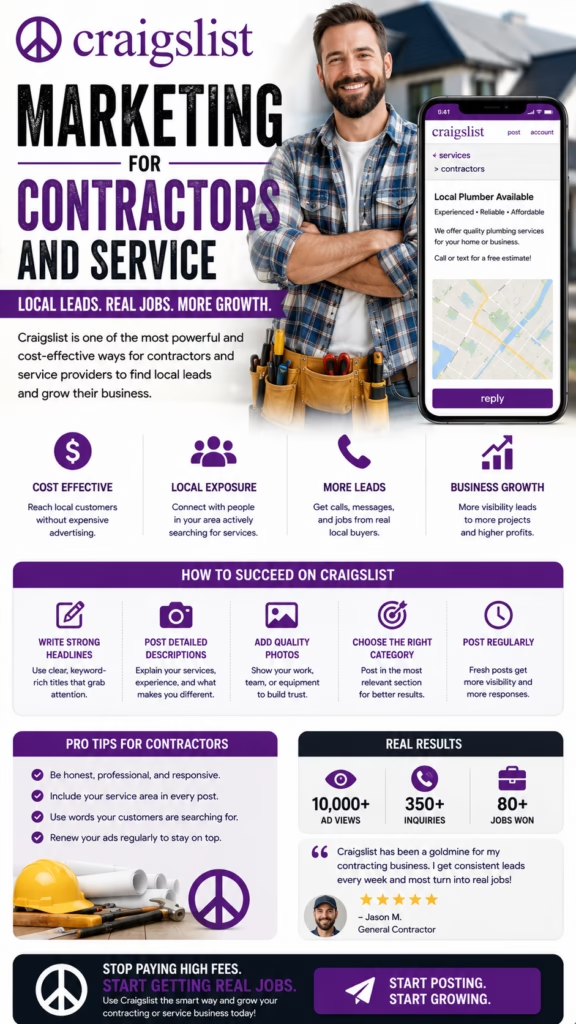
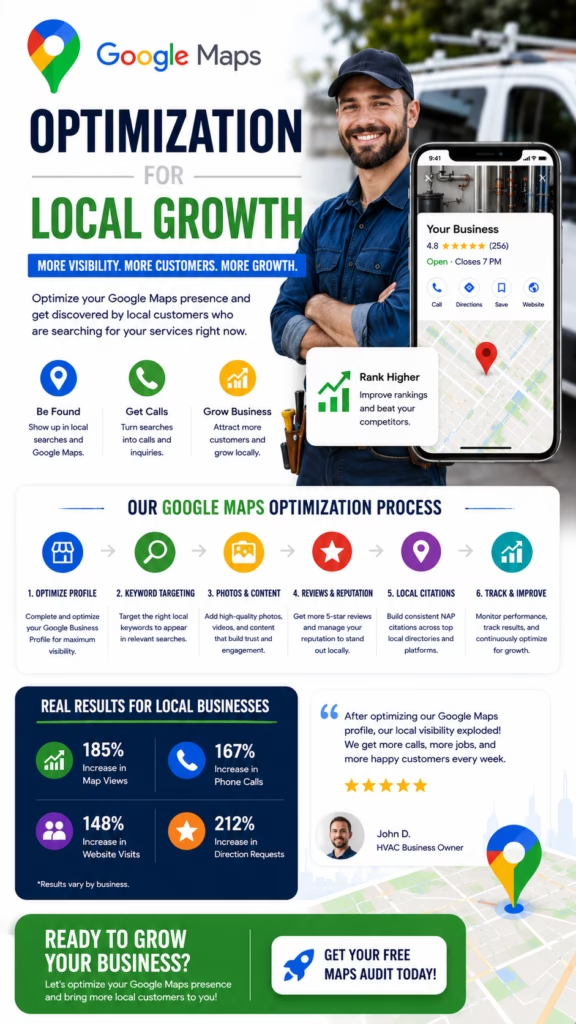
With ingenious automation fused with human dedication 24/7, Market Wiz puts the local marketing competition on notice – they’ve created a new standard operating system for dominating every digital front.All-Platform Compatibility: Facebook, Craigslist, Google, you name it. This system plays well with all the big players, ensuring your ads are everywhere they need to be.The Cherry on Top: There's a ton more under the hood, each feature adding more muscle to your marketing efforts.Bottom line: Market Wiz.ai isn’t just another tool; it’s your 24/7 digital marketing powerhouse. In the world of local advertising, it's the smartest move you’ll make.Market Wiz automates your online ads.|

Complete Guide to AI Answer Engine Optimization

ChatGPT Image Dec 11 2025 11 04 22 AM
Complete Guide to AI Answer Engine Optimization — 2025 Playbook

Complete Guide to AI Answer Engine Optimization

How to become the trusted source AI assistants quote, recommend, and send traffic to when your ideal customers ask questions.

Goals of this guide: Clarify AI Answer Engine Optimization Turn SEO pages into answer hubs Increase citations from AI tools Protect & amplify brand authority

Introduction

Complete Guide to AI Answer Engine Optimization is about winning attention in a world where users type questions into AI assistants instead of just search boxes. People now ask ChatGPT, Perplexity, and AI-powered search overviews for recommendations, explanations, and next steps—and those systems decide which brands to highlight.

Traditional SEO still matters, but AI answer engines add a new layer: your content needs to be understandable, quotable, and trustworthy to machines that synthesize information instead of simply listing links. This guide shows you how to structure pages, schema, entities, and authority signals so those systems choose you when they assemble answers.

Note: Nothing in this Complete Guide to AI Answer Engine Optimization is legal, medical, or financial advice. Always follow platform policies and regulations in your industry.

Expanded Table of Contents

1) Why the Complete Guide to AI Answer Engine Optimization matters in 2025

  • Users are skipping SERPs: They’re asking AI tools directly for “best options near me,” “step-by-step guides,” and “what should I choose.”
  • Answers compress the web: Instead of 10 blue links, users see one synthesized answer with a handful of citations.
  • Winners take more: If your content is chosen as a source, you gain trust, traffic, and brand recognition. If not, you may be invisible—even if you rank on page one.

The Complete Guide to AI Answer Engine Optimization helps you adapt now, before everyone else realizes what’s happening.

2) What is AI Answer Engine Optimization? (AEO vs SEO)

AI Answer Engine Optimization is the practice of structuring your web presence so AI systems can confidently use, cite, and recommend your content inside their answers.

Traditional SEO

  • Optimizes for search result pages.
  • Focuses on ranking links for keywords.
  • Measures clicks, rankings, and organic sessions.

AI Answer Engine Optimization

  • Optimizes for conversational answers.
  • Targets questions, entities, and topical authority.
  • Measures citations, branded mentions, and assisted conversions.

3) The main AI answer engines & how they “think”

Each answer engine may use different models and data sources, but they share similar goals: accuracy, safety, clarity, and user satisfaction.

Engine typeExamplesWhat they care about
AI chat assistantsChatbots integrated into search or standalone toolsTrusted sources, clear explanations, low risk of harmful output.
AI search overviewsAI-generated summaries above traditional resultsConcise, well-structured information with strong citations.
Vertical answer enginesTravel, health, finance tools, etc.Domain expertise, regulation compliance, and up-to-date data.

In every case, this Complete Guide to AI Answer Engine Optimization steers you toward being the obvious, low-risk, high-value source.

4) Mapping user intent and questions for AEO

AI answer engines are built for questions, not just keywords. Start by mapping the real language your audience uses.

  • List the top 50–100 questions customers ask in sales calls, chat, and email.
  • Group them into themes: pricing, comparisons, how-to, troubleshooting, strategy.
  • Create content that answers each question fully, with variations of phrasing.

Tip: The Complete Guide to AI Answer Engine Optimization works best when every major question has its own strong page or section, supported by internal links and FAQs.

5) Page structure for AI Answer Engine Optimization

AI systems prefer content that is easy to parse and segment. Use a consistent structure:

  1. Direct answer at the top: 1–3 sentences clearly addressing the main question.
  2. Supporting explanation: Why it matters, key concepts, and context.
  3. Step-by-step sections: Broken into H2/H3 headings with ordered or unordered lists.
  4. Examples and use cases: Concrete scenarios with numbers and outcomes.
  5. FAQ segment: Short Q&As around related sub-topics.

This page you’re reading is intentionally structured in a way that aligns with the Complete Guide to AI Answer Engine Optimization itself.

6) Schema markup & structured data for answer engines

Schema is a core ingredient of the Complete Guide to AI Answer Engine Optimization because it gives machines a reliable “legend” for your content.

  • Organization for your brand, logo, and social profiles.
  • Article / BlogPosting for long-form guides like this one.
  • FAQPage for Q&A segments that can be lifted into answers.
  • HowTo for step-based instructions (where appropriate).
  • Product, Service, LocalBusiness for offers and locations.

Validate schema with structured data testing tools so answer engines can trust and reuse it.

7) Entity building: brands, authors, and topics

AI answer engines rely heavily on entities—the “who,” “what,” and “where” of the web.

  • Create a detailed About page describing your brand, history, services, and geography.
  • Use consistent naming for brand, products, and locations across the web.
  • Add author bios with credentials to key content, especially in YMYL categories.
  • Get listed in relevant directories and profiles to reinforce entity data.

One core lesson from the Complete Guide to AI Answer Engine Optimization: if AI cannot tell who you are, it will hesitate to recommend you.

8) E-E-A-T and trust signals in an AI-driven world

E-E-A-T (Experience, Expertise, Authoritativeness, Trustworthiness) underpins which sources AI systems lean on:

  • Experience: Case studies, data, photos, and real-world examples.
  • Expertise: Credentials, certifications, and demonstrable knowledge.
  • Authoritativeness: Mentions, backlinks, and expert citations from others.
  • Trustworthiness: Clear policies, contact info, security, and transparent claims.

9) FAQ hubs, glossaries & how-to content that AI loves

FAQ and glossary content are particularly powerful for the Complete Guide to AI Answer Engine Optimization:

  • They mirror natural language questions.
  • They provide short, reusable answer blocks.
  • They create dense internal linking across related terms.

Create separate FAQ hubs per topic cluster (e.g., pricing, implementation, troubleshooting) rather than one huge, unfocused page.

10) On-page practices: headings, summaries & answer blocks

Use on-page formatting to tell AI “this is the answer” and “this is supporting detail”:

  • Put the focus keyword—Complete Guide to AI Answer Engine Optimization—near the start of your title and intro.
  • Use descriptive H2/H3 headings that reflect questions or sub-topics.
  • Highlight key numbers, definitions, and step lists in bullets and tables.
  • Add short summaries at the top of sections for scanners and answer engines.

11) Off-page signals: links, mentions & brand consistency

Even AI-driven systems still rely on classic web signals:

  • Earn mentions and links from reputable sites in your niche.
  • Maintain consistent NAP (Name, Address, Phone) data for local brands.
  • Align messaging across website, social, and third-party profiles.

The stronger your off-page footprint, the more comfortable AI systems feel citing you in answers.

12) Measuring AI Answer Engine Optimization success

Measuring AEO is less straightforward than traditional SEO, but you can still track:

  • Organic traffic growth on question-based pages.
  • Branded searches after publishing flagship guides.
  • Lead and sale increases from organic channels.
  • Visible citations or mentions in AI answer interfaces (where available).

Simple KPI idea: Track “question traffic” as a segment—visits from queries that start with who, what, when, where, why, how, should, and best.

13) Content production workflow optimized for AEO

  1. Research user questions using internal data and keyword tools.
  2. Cluster questions into topics and build pillar pages for each.
  3. Draft structured outlines (intro answer, sections, FAQ, schema).
  4. Write or revise content with clarity and expertise.
  5. Add schema, internal links, and clear CTAs.
  6. Publish, promote, and review performance quarterly.

14) Example page layout for the Complete Guide to AI Answer Engine Optimization

This very page is a working template you can reuse:

  • Light header with title and one-line value promise.
  • Intro that names the focus keyword and defines the topic.
  • Expanded table of contents with descriptive section names.
  • Body sections with clear H2/H3 headings and lists.
  • Dedicated FAQ and keyword sections at the end.
  • Schema for Article, FAQ, and Breadcrumbs.

Adapt this layout to your own Complete Guide to AI Answer Engine Optimization pages across different topics and niches.

15) Common AEO mistakes to avoid

  • Stuffing keywords instead of answering real questions.
  • Publishing content with no clear author, credentials, or brand context.
  • Ignoring technical basics like site speed, mobile usability, and crawlability.
  • Creating long content that never actually answers the main query directly.
  • Leaving outdated or conflicting information live for years.

16) 30–60–90 day AI Answer Engine Optimization action plan

Days 1–30: Foundation

  • Identify your top 20–50 audience questions.
  • Audit existing content and map each page to a question or cluster.
  • Choose 3–5 pages to convert into “Complete Guide to AI Answer Engine Optimization” style pillars.

Days 31–60: Implementation

  • Rewrite or expand pillar articles with clear structures and FAQs.
  • Add schema markup and improve internal linking.
  • Refresh author bios and About pages for stronger entity signals.

Days 61–90: Optimization

  • Monitor question-based traffic and engagement.
  • Iterate titles, intros, and FAQ coverage based on data.
  • Plan the next set of topics and repeat the workflow.

17) 25 Frequently Asked Questions

1) What is the Complete Guide to AI Answer Engine Optimization in simple terms?

It’s a framework for turning your website and content into the kind of resource AI assistants want to quote and recommend when people ask questions.

2) How is AI Answer Engine Optimization different from classic SEO?

Classic SEO optimizes for blue links in search results, while AEO focuses on being included and cited inside AI-generated answers and summaries.

3) Do I need to rewrite my entire site to benefit from AI Answer Engine Optimization?

No. Start with your most strategic pages and progressively align them with the principles in this Complete Guide to AI Answer Engine Optimization.

4) How long does it take to see results from AEO?

It depends on your niche and authority, but many brands see early improvements in organic traffic and engagement within a few months.

5) Are long-form guides better than short posts for AI Answer Engine Optimization?

In-depth guides often perform better because they fully cover a topic, but they should still be clear, well-structured, and easy to scan.

6) Should I still do keyword research in an AI answer engine world?

Yes. Keyword and question research helps you understand how users phrase problems so your content lines up with real demand.

7) How important are FAQs on each page?

Very important. FAQs mirror question formats AI models are trained on and provide short, reusable answers that can be cited directly.

8) Do answer engines care about page speed and technical SEO?

They may not show “rankings,” but they still rely on crawlable, fast, well-structured pages to ingest your content effectively.

9) Can I optimize for AI answer engines if I’m not a big brand?

Yes. Niche authority often wins for specific topics, especially when your content shows real-world experience and clarity.

10) What role do backlinks play in AI Answer Engine Optimization?

Backlinks remain a strong signal of authority and trust, influencing which sites AI models are comfortable citing.

11) How often should I update my Complete Guide to AI Answer Engine Optimization content?

Review your key guides at least quarterly to refresh data, examples, and screenshots, and to align with platform changes.

12) Is AI-generated content safe to use for AEO?

AI tools can help draft and outline, but human review, editing, and expertise are essential to ensure accuracy and trust.

13) What are the biggest risks of ignoring AI Answer Engine Optimization?

You risk becoming invisible in the experiences users increasingly rely on, even if your traditional rankings remain stable.

14) Can local businesses benefit from AEO?

Yes. Local businesses can be recommended as answers to “near me” and service queries when their entities and content are clear.

15) How do I track whether my brand is showing up in AI answers?

Right now this is partly manual; you can test queries in major tools, monitor referral traffic, and track mentions where interfaces show citations.

16) Should every page use the focus phrase “Complete Guide to AI Answer Engine Optimization”?

No. Each page should have its own specific focus keyword or phrase. Reserve this phrase for your flagship AEO guide or closely related content.

17) Do social media profiles affect AI Answer Engine Optimization?

They can reinforce your entity data and authority when they’re active, consistent, and linked back to your main site.

18) Are videos and podcasts useful for AI Answer Engine Optimization?

They can be, especially when transcribed and embedded on pages, giving AI models more high-quality text and context to work with.

19) How do I avoid over-optimizing for AI and hurting user experience?

Write for humans first, then tidy structure, headings, and schema for machines. Clear, honest content helps both audiences.

20) Is there a risk that AI will replace traffic from my own site?

There is a risk of some disintermediation, but brands that provide high-quality source material often still receive referrals and recognition.

21) Which industries should prioritize AI Answer Engine Optimization the most?

Any industry with complex, high-stakes decisions—finance, health, B2B services, real estate, and education—should prioritize AEO.

22) How many AEO-optimized pages do I need?

Focus on depth, not just volume. A handful of strong, authoritative guides can outperform dozens of thin articles.

23) Should I create separate pages just for AI Answer Engine Optimization?

Not necessarily. Instead, evolve your key SEO content into AEO-friendly formats with structured answers and schema.

24) How do I get leadership buy-in for AI Answer Engine Optimization work?

Show how AEO extends existing SEO investments and protects the brand in emerging AI interfaces where customers are already searching.

25) What’s the very first action item after reading this Complete Guide to AI Answer Engine Optimization?

Pick one important topic, outline a structured guide with direct answers and FAQs, implement schema, and publish it as your first AEO-optimized flagship page.

18) 25 Extra Keywords

  1. Complete Guide to AI Answer Engine Optimization
  2. ai answer engine optimization
  3. answer engine optimization guide
  4. chatgpt seo strategy
  5. perplexity answer engine optimization
  6. ai search optimization 2025
  7. conversational search optimization
  8. entity based seo for ai
  9. schema for ai answer engines
  10. faq schema for answer engines
  11. ai answer engine content structure
  12. eeat for ai optimization
  13. question based content strategy
  14. how to rank in ai answers
  15. ai answer engine citations
  16. monitoring ai answer visibility
  17. answer engine optimization for local business
  18. long form guides for ai
  19. topic clusters for answer engines
  20. semantic search and ai answers
  21. ai overviews optimization
  22. structured data for aeo
  23. brand entities for ai search
  24. content workflow for ai answer engine optimization
  25. ai assistant friendly website structure

© 2025 Your Brand. All Rights Reserved.

Complete Guide to AI Answer Engine Optimization Read More »

Best Photography Equipment for Product Listings

ChatGPT Image Dec 11 2025 11 03 52 AM
Best Photography Equipment for Product Listings — 2025 Complete Guide

Best Photography Equipment for Product Listings

Best Photography Equipment for Product Listings is less about buying the fanciest camera and more about building a reliable, repeatable setup that makes every product look sharp, honest, and ready to buy.

Gear Priorities: Stable camera (phone, mirrorless, or DSLR) Soft, controlled lighting Clean background & surfaces Tripod & basic modifiers Consistent workflow & settings

Note: This Best Photography Equipment for Product Listings guide is for general educational purposes, not legal, financial, or platform-specific compliance advice. Always follow the image rules for each marketplace or platform.

Introduction

Best Photography Equipment for Product Listings means picking tools that help you hit three goals every time you shoot:

  • Show the product clearly and accurately.
  • Make it visually appealing enough to stop the scroll.
  • Produce consistent images for every SKU, month after month.

You don’t need a Hollywood studio. You need a simple, dialed-in kit: camera (or smartphone), lens choice, lighting, backgrounds, a tripod, and a clean workflow. This guide breaks down the Best Photography Equipment for Product Listings by budget, environment, and product type so you can upgrade with confidence instead of guessing.

Expanded Table of Contents

1) What We Mean by “Best Photography Equipment for Product Listings”

When we say Best Photography Equipment for Product Listings, we’re not talking about the most expensive kit on the market—we’re talking about the most effective kit for your reality: your budget, your space, and your products.

The right product photography equipment gives you:

  • Clarity: your images are sharp and in focus.
  • Accuracy: colors, textures, and scale look true to life.
  • Consistency: every product listing feels like part of one brand.
  • Speed: you can shoot and edit multiple SKUs without reinventing the wheel.

Throughout this guide, we’ll treat “Best Photography Equipment for Product Listings” as a system: gear + setup + workflow, not just a shopping list.

2) Why Gear Matters for Clicks, Trust, and Conversions

Better gear doesn’t guarantee better photos—but it makes good photos easier and faster to achieve. That matters when you’re shooting dozens or hundreds of SKUs.

  • First impression in search results: sharper, brighter photos win more clicks in marketplace grids.
  • Reduced returns: accurate color and detail mean fewer “this looks different in person” complaints.
  • Perceived value: clean, professional images anchor higher price points and reduce haggling.
  • Operational efficiency: a proper setup lets you shoot batches instead of one-offs.

If you’ve ever wrestled with grainy, yellow, or blurry images, the Best Photography Equipment for Product Listings is how you escape that cycle.

3) Camera Options: Phone, Mirrorless, and DSLR Compared

You can build the Best Photography Equipment for Product Listings around three main camera paths:

Camera TypeProsConsBest For
Modern SmartphoneAlways with you, easy to use, good auto modes, low upfront cost.Less control over depth of field; noise in low light; lens limitations.Beginners, small sellers, on-the-go product shots.
Mirrorless CameraGreat image quality, compact, excellent live view, interchangeable lenses.Higher cost, learning curve, requires separate lenses and accessories.Growing ecommerce brands, agencies, marketplace power sellers.
DSLR CameraVery reliable, wide lens ecosystem, strong battery life.Bulkier, older models may lack modern autofocus or live view features.Dedicated studios, photographers with existing lens collections.

For many brands, the Best Photography Equipment for Product Listings starts with a good phone setup and upgrades to mirrorless when volume and complexity increase.

4) Essential Lenses for Product Photography

Lenses shape how viewers experience your product—distortion, sharpness, and perspective all matter. The Best Photography Equipment for Product Listings usually includes at least one of the following:

  • Standard prime (35–50mm equivalent): versatile, sharp, minimal distortion; ideal for most tabletop products.
  • Macro lens (60–105mm): for jewelry, textures, labels, and tiny details.
  • Short telephoto (85–135mm): great for larger products, lifestyle shots, and compressing perspective.
Lens selection rule from the Best Photography Equipment for Product Listings guide:
- Small items (jewelry, electronics): macro lens or macro mode.
- Medium items (shoes, home decor): standard prime (35–50mm).
- Large items (furniture, apparel on model): wider focal length + enough space.

5) Lighting: Softboxes, Continuous Lights, and Natural Light

Lighting is where the Best Photography Equipment for Product Listings really earns its keep. You want soft, even, directional light that reduces harsh shadows and glare.

Continuous LED Lights

  • Easy to see the effect in real time.
  • Adjustable brightness and color temperature.
  • Pair with softboxes or umbrellas for softer light.

Natural Window Light

  • Free and flattering if used correctly.
  • Best with a large window and sheer curtain.
  • Less consistent throughout the day, weather-dependent.

Many “Best Photography Equipment for Product Listings” kits include:

  • Two LED panels with softboxes.
  • A simple light tent or cube for small products.
  • White foam board reflectors to fill in shadows.
Quick lighting setup:
1. Place product on background.
2. Key light at 45° angle to one side, slightly above.
3. Fill light or reflector on the opposite side.
4. Optional: small backlight to separate product from background.

6) Backgrounds, Surfaces, and Styling Boards

The Best Photography Equipment for Product Listings is incomplete without clean, flexible backgrounds. Platforms often prefer simple, distraction-free scenes.

  • Seamless paper: white, light gray, or brand-colored rolls for a pure, minimalist look.
  • Vinyl or PVC backdrops: wipeable, durable, perfect for cosmetics, food, and liquids.
  • Styling boards: faux marble, wood, concrete textures for lifestyle shots.
  • Light tents: enclosed cubes lined with diffusion material for small products.

Pro tip from the Best Photography Equipment for Product Listings playbook: keep a labeled set of backdrops for “main listing image” (usually white or light background) and another for “lifestyle/gallery images.”

7) Tripods, Mounts, and Overhead Rigs

Even the best camera and lighting can’t fix motion blur. Stability is non-negotiable in the Best Photography Equipment for Product Listings.

  • Sturdy tripod: adjustable height, solid head, and quick-release plate.
  • Phone mount: to clamp your smartphone onto the tripod.
  • Overhead arm or C-stand: for flat lays and top-down shots of products.
  • Tabletop tripod: for tight spaces or travel setups.
Tripod checklist:
- Can it hold your heaviest camera + lens combo?
- Can you lock it securely at the same height for every shoot?
- Does the head allow for easy leveling and overhead angles?

8) Must-Have Accessories (Reflectors, Diffusers, Remotes)

The small accessories often separate a “decent” setup from the Best Photography Equipment for Product Listings.

  • Reflectors: white, silver, or gold to fill shadows and add dimension.
  • Diffusers: to soften harsh light from windows or bare LEDs.
  • Remote shutter / timer: avoids camera shake when capturing images.
  • Lens cleaning kit: keeps dust and smudges off your glass.
  • Color checker or gray card: for accurate white balance and color.

A few low-cost accessories can dramatically upgrade how “premium” your images look, without changing your camera body at all.

9) Best Photography Equipment for Product Listings Using Only a Phone

If you’re not ready for a dedicated camera, you can still follow the Best Photography Equipment for Product Listings framework with a smartphone.

  • Use the main wide camera, not the ultra-wide (less distortion).
  • Turn off heavy beauty or HDR filters that distort colors.
  • Shoot in good light—ideally with LED panels or near a window.
  • Use a tripod and remote shutter app to keep everything sharp.
  • Lock focus and exposure if your phone allows it.

Combine a modern phone, one or two soft lights, a backdrop, and a tripod, and you’ve already built a competitive Best Photography Equipment for Product Listings starter kit.

10) Budget, Pro, and Studio-Level Gear Kits

Starter Kit (Budget-Friendly)

  • Smartphone with good camera.
  • Tripod + phone clamp.
  • Light tent or simple foam board setup.
  • One LED panel + white reflector.
  • White seamless paper or vinyl backdrop.

Pro Kit (Growing Brand)

  • Mirrorless camera body + standard prime lens.
  • Macro lens for details.
  • Two LED softbox lights.
  • Large seamless paper rolls (white + brand color).
  • Overhead arm for flat lays.

Studio-Level Kit (High Volume)

  • Dedicated camera + backup body.
  • Multiple lenses (standard, macro, telephoto).
  • Three or more studio lights with modifiers.
  • Multiple backdrop systems and styling boards.
  • Tethering setup to review images on a monitor in real time.

The important part is not jumping to the most expensive option, but choosing the tier that matches your volume and goals. That’s how the Best Photography Equipment for Product Listings stays profitable.

11) Workflow: Settings, File Formats, and Consistency

Gear is only half the story. The Best Photography Equipment for Product Listings needs a consistent workflow:

  • Manual or semi-manual settings: control ISO, shutter speed, and aperture for repeatable results.
  • White balance control: match your light source; avoid mixed lighting.
  • File formats: shoot RAW + JPEG if possible for editing flexibility.
  • Framing templates: keep similar products sized and positioned the same way.
  • Backup routine: external drives or cloud storage for your raw files.
Simple settings starting point:
- ISO: 100–400 (keep it low for clean images)
- Aperture: f/5.6–f/8 for sharpness and depth of field
- Shutter speed: 1/60s or faster (tripod helps here)
- White balance: match your LED color temperature (e.g., 5500K)

Label your setup in a note: which backdrop, which lights, which settings. That’s how the Best Photography Equipment for Product Listings stays consistent over time.

12) Troubleshooting Common Product Photo Problems

ProblemLikely CauseFix (from Best Photography Equipment for Product Listings)
Images look grainy or noisyISO too high; not enough light.Add more light or use slower shutter speed on a tripod; lower ISO.
Colors look wrong or inconsistentMixed lighting or auto white balance.Use one light type; set a fixed white balance or use a gray card.
Product looks distortedUsing an ultra-wide lens too close.Back up and zoom in; use a standard focal length (35–50mm equivalent).
Harsh shadows and reflectionsLight is too hard or too close.Add diffusion (softbox, umbrella) and reflectors; reposition lights.
Inconsistent framing between shotsCamera height and distance keep changing.Mark tripod position and product position; use guides or overlays.

13) 30–60–90 Day Gear Upgrade Plan

Days 1–30: Stabilize and Simplify

  1. Audit your current photos: list recurring issues (blurry, dark, messy background).
  2. Buy or set up a tripod, basic background, and one consistent light source.
  3. Create a simple shooting space that can stay assembled.
  4. Document your “baseline” camera or phone settings.

Days 31–60: Upgrade the Weakest Link

  1. Identify your biggest bottleneck (lighting, background, lens, stability).
  2. Upgrade that one piece following this Best Photography Equipment for Product Listings guide.
  3. Reshoot a small batch of products and compare metrics (click-through rate, conversion, returns).
  4. Refine your workflow and save a “shoot checklist.”

Days 61–90: Scale and Systemize

  1. Standardize your setup: clear notes on gear, distances, and angles.
  2. Create templates for hero shots, detail shots, and lifestyle shots.
  3. Train a team member or contractor using your documented system.
  4. Plan your next gear upgrade only when your current setup is fully utilized.

14) 25 Frequently Asked Questions

1) Do I really need the Best Photography Equipment for Product Listings to get started?

No. Start with what you have, then upgrade gradually. This guide shows you how to prioritize upgrades so each purchase has clear impact.

2) Is a smartphone enough for professional-looking product photos?

Yes, if you pair it with good lighting, a tripod, and clean backgrounds. Many successful sellers run on a phone-based Best Photography Equipment for Product Listings setup.

3) What is the single most important piece of gear to buy first?

Lighting. A simple LED kit or good window light with reflectors can transform your images more than a new camera body.

4) Should I buy a mirrorless or DSLR for product photography?

Both can work, but mirrorless cameras often offer better live view and focus aids. Choose based on budget, availability, and lens options.

5) Which lens is best for most product shots?

A standard prime around 35–50mm (full-frame equivalent) is a great all-around choice for tabletop and small-to-medium products.

6) Do I need a macro lens?

If you shoot jewelry, electronics, or detailed textures, a macro lens is a highly valuable part of the Best Photography Equipment for Product Listings.

7) What color background should I use?

Pure white or light neutral backgrounds are safest for most marketplaces. You can add lifestyle backgrounds for gallery images.

8) How many lights do I need?

You can start with one light and a reflector. Two lights (key + fill) give you more control and consistency.

9) Are light tents worth it?

For small items, yes. They simplify the Best Photography Equipment for Product Listings setup and create soft, wraparound light.

10) What tripod features should I look for?

Stability, adjustable height, a flexible head, and compatibility with your camera or phone mount.

11) How do I stop reflections on shiny products?

Use larger light sources with diffusion, adjust angles, and add polarizing filters when appropriate.

12) Why do my photos look yellow or blue?

Your white balance is off. Set a custom white balance or use a preset that matches your lights.

13) Should I shoot in RAW or JPEG?

RAW gives more flexibility in editing and is recommended for higher-volume or more demanding workflows. JPEG is fine for simple setups.

14) Do I need a dedicated studio space?

No, but the Best Photography Equipment for Product Listings is easiest to manage when you have a consistent area you can leave set up.

15) How can I make small products look more premium?

Use macro lenses, textured backgrounds, subtle props, and controlled, soft lighting to highlight details.

16) Can I reuse the same gear for video?

Yes. Most cameras and phones can shoot both photo and video with the same lights, tripods, and backgrounds.

17) How many angles should I shoot for each product?

At minimum: front, back, side, close-up detail, and a scale or context shot. More complex products may need more.

18) Are ring lights good for product photos?

They can work, but rectangular or softbox lights often produce more natural-looking reflections and shadows.

19) How do I keep my photos consistent across hundreds of products?

Lock in your Best Photography Equipment for Product Listings setup (gear, distances, settings) and document it. Use templates for framing and angles.

20) Should I invest in a color calibration tool?

If color accuracy is critical (fashion, branding, art), yes. It’s a smart addition for serious sellers.

21) Can I outsource photography instead of buying equipment?

Yes, but owning the Best Photography Equipment for Product Listings gives you more control and speed for new SKUs and reshoots.

22) How often should I upgrade my gear?

Only when you’ve hit clear limits with your current setup—such as volume, detail, or quality requirements.

23) What’s the best way to learn how to use my gear?

Start with a simple test grid: shoot the same product at different settings, review results, and note what works best.

24) How do I handle very large items (furniture, appliances)?

Use wider lenses, bigger spaces, and larger light sources. Consider rolling backgrounds and higher-powered lights.

25) What’s my first step after reading this Best Photography Equipment for Product Listings guide?

Pick one product, set up the best possible version of your current gear, and shoot a “before/after” series. Then decide which single upgrade will create the biggest quality jump.

15) 25 Extra Keywords

  1. Best Photography Equipment for Product Listings
  2. product photography camera setup
  3. lighting kit for product photos
  4. best lens for ecommerce product shots
  5. tripod for product photography
  6. backdrops for online store photos
  7. light tent for small product images
  8. smartphone product photography tips
  9. mirrorless camera for marketplace listings
  10. dslr product photography gear
  11. continuous lighting for product photography
  12. reflectors and diffusers for product photos
  13. macro lens for jewelry photography
  14. flat lay overhead photo setup
  15. white background product photography kit
  16. best budget product photography equipment
  17. professional product photography studio gear
  18. consistent ecommerce product photography workflow
  19. camera settings for product shoots
  20. color accurate product photography tools
  21. tripod and phone mount for listings
  22. best backdrop materials for product shots
  23. overhead rig for flat lay product photos
  24. lighting solutions for shiny products
  25. equipment checklist for product photography

© 2025 Your Brand. All Rights Reserved.
This Best Photography Equipment for Product Listings guide is informational only. Always review the latest image requirements and brand guidelines for your specific platforms.

Best Photography Equipment for Product Listings Read More »

Complete Guide to Lead Generation Funnels

ChatGPT Image Dec 11 2025 11 03 50 AM
Complete Guide to Lead Generation Funnels — 2025 Master Playbook

Complete Guide to Lead Generation Funnels

Complete Guide to Lead Generation Funnels is your end-to-end roadmap for turning cold traffic into warm conversations, qualified opportunities, and closed revenue—without relying on random one-off campaigns.

Key Funnel Levers: Right audience & traffic Irresistible offers & lead magnets High-converting landing pages Consistent nurture & follow-up Tight feedback loops & KPIs

Note: This Complete Guide to Lead Generation Funnels is general marketing information, not legal, financial, or compliance advice. Always align with your industry regulations and platform policies.

Introduction

Complete Guide to Lead Generation Funnels means treating lead generation like a system, not a lottery ticket. Instead of hoping a few posts or ads magically bring in customers, you architect a clear journey:

  • Prospect sees your message.
  • Prospect claims a valuable offer (lead magnet, consultation, quote, trial).
  • Prospect receives helpful, trust-building follow-up.
  • Prospect turns into a paying client—with predictable metrics at each step.

In this Complete Guide to Lead Generation Funnels, you’ll get practical frameworks you can apply to B2B, local services, SaaS, e-commerce, high-ticket coaching, and more. We’ll cover stages, offers, traffic, landing pages, nurture, automation, measurement, and a 30–60–90 day rollout plan.

Expanded Table of Contents

1) What Is a Lead Generation Funnel?

At the simplest level, a lead generation funnel is a step-by-step path that moves strangers from “never heard of you” to “I’m ready to talk to sales” in a structured way.

In this Complete Guide to Lead Generation Funnels, we define a funnel as:

Traffic → Attention → Lead Capture → Nurture → Sales Conversation → Customer

Each stage has:

  • A goal: e.g., get an email, book a call, request a quote.
  • A metric: e.g., click-through rate, opt-in rate, show rate.
  • A set of assets: ads, landing pages, forms, emails, scripts.

The Complete Guide to Lead Generation Funnels helps you design and optimize these stages instead of treating them as a vague “marketing process.”

2) Why Lead Generation Funnels Matter in 2025

Attention is more expensive, buyers are more skeptical, and algorithms change weekly. The brands that win are the ones with robust lead generation funnels, not just one “lucky ad.”

  • Predictability: When you know your funnel metrics, you can forecast pipeline and revenue.
  • Scalability: Once a funnel works at small spend, you can scale traffic into it instead of reinventing the wheel.
  • Focus: A Complete Guide to Lead Generation Funnels keeps your team aligned on improving one system, not juggling random tactics.
  • Data: Funnels convert guesses into dashboards—so creative, budget, and messaging decisions are based on facts.

In short, the Complete Guide to Lead Generation Funnels is really a guide to building a marketing engine that survives platform changes and competition.

3) Core Stages of a Modern Lead Generation Funnel

StageGoalPrimary AssetsKey Metric
Awareness (Top of Funnel)Get attention from the right people.Ads, social posts, SEO content, shorts, reels.Impressions, CTR, engaged sessions.
Lead Capture (Middle of Funnel)Convert visitors into leads.Landing pages, forms, lead magnets, quizzes.Opt-in rate, cost per lead.
Nurture & EducationBuild trust and clarify value.Email sequences, SMS, retargeting, webinars.Open/click rates, reply rate, micro-conversions.
Sales Conversion (Bottom of Funnel)Turn qualified leads into customers.Sales calls, demos, proposals, sales pages.Show rate, close rate, deal size.

Your job with the Complete Guide to Lead Generation Funnels is to make each stage explicit instead of letting visitors bounce around randomly.

4) Offer & Lead Magnet Strategy by Funnel Stage

A funnel without strong offers is just a diagram. The Complete Guide to Lead Generation Funnels treats offers as the engine that pulls people forward.

Top of Funnel Offers

  • Short guides & checklists.
  • “Mistakes to avoid” PDFs.
  • Quick calculators or audit quizzes.
  • Educational videos or micro-courses.

Middle & Bottom of Funnel Offers

  • Deep-dive case studies.
  • Live or on-demand webinars.
  • Strategy calls / demos / free trial.
  • “Done-with-you” or “done-for-you” starter packages.
Simple offer formula from the Complete Guide to Lead Generation Funnels:
High-Value Outcome
+ Fast Timeframe
+ Low Friction
= Attractive Lead Magnet

Example:
"5-Minute Local SEO Scorecard: Discover 3 fixes that can move you up in Maps this month."

5) Traffic Sources That Feed Your Lead Generation Funnels

The Complete Guide to Lead Generation Funnels is channel-agnostic: you send any traffic source into the same core structure.

ChannelRoleExamples
Paid AdsFast testing, scalable reach.Meta, Google, YouTube, TikTok, LinkedIn.
Organic Search & ContentLong-term compounding traffic.Blogs, SEO pages, YouTube, podcasts.
Social & CommunityEngagement & authority.Facebook groups, LinkedIn, Discord, Slack.
Offline & DirectWarm, high-intent traffic.Events, referrals, QR codes, print.

Every campaign should answer: “How does this traffic plug into the Complete Guide to Lead Generation Funnels structure we’ve chosen—what page, what offer, what follow-up?”

6) Landing Pages & Conversion Optimization Fundamentals

Landing pages are the “doors” into your funnel. The Complete Guide to Lead Generation Funnels emphasizes clarity over cleverness.

  • One primary CTA: Download, book, start trial—don’t mix goals.
  • Above-the-fold clarity: Who this is for, what they get, what happens next.
  • Proof & safety: Testimonials, logos, guarantees, privacy statements.
  • Friction balance: Ask only for the info required at this stage.
Landing page wireframe from the Complete Guide to Lead Generation Funnels:
1. Headline: Outcome + Timeframe
2. Subhead: Who it’s for + main benefit
3. Bullet list: 3–5 specific gains
4. Visual: Mockup, screenshot, or hero image
5. Form: Name + email (+ phone if necessary)
6. Trust: Testimonials, logos, quick bio
7. Safety: "No spam. Unsubscribe anytime."

7) Nurture Sequences: Email, SMS, and Retargeting

Capturing the lead is not the finish line—it’s the starting line. The Complete Guide to Lead Generation Funnels treats nurture as non-negotiable.

Core Nurture Sequence (First 10–14 Days)

  1. Day 0: Delivery email + quick win.
  2. Day 1: Story / case study demonstrating outcome.
  3. Day 3: Teach a concept; give a small homework or checklist.
  4. Day 5: Address a common objection (time, price, trust).
  5. Day 7: Invite to a call, trial, or deeper offer.
  6. Day 10+ Weekly value + periodic conversion pushes.
Nurture email outline (Complete Guide to Lead Generation Funnels style):
Subject: "Here’s what to do first with your [Lead Magnet]"

1) Acknowledge they downloaded the resource.
2) Show them the first high-impact action.
3) Share a quick story of someone who did it.
4) Link back to your main offer or next step.

Add SMS and retargeting ads to echo the same message: remind them of the outcome, lower friction, and make booking or buying simple.

8) Sales Handoffs & Pipeline Management

A funnel collapses if marketing and sales don’t speak the same language. The Complete Guide to Lead Generation Funnels connects the dots.

  • Define “MQL” & “SQL”: What qualifies a lead to be handed off and worked by sales?
  • Context handoff: Pass notes—source, pages visited, lead magnet downloaded, survey answers.
  • Shared scripts: Align on how sales references the lead magnet or ad that started the journey.
  • Feedback loop: Sales informs marketing which leads are high/low quality to refine the funnel.
Example CRM fields to support the Complete Guide to Lead Generation Funnels:
- First Touch Channel (e.g., Meta Ad, Organic Search)
- Lead Magnet Name
- Funnel Stage (TOFU / MOFU / BOFU)
- Last Key Action (webinar attended, demo booked, etc.)
- Sales Outcome (Won / Lost / No Show / Nurture)

9) Measurement, KPIs, and Attribution for Funnels

The Complete Guide to Lead Generation Funnels is incomplete without measurement. You don’t need perfect attribution—but you do need consistent KPIs.

Core funnel KPIs:
- Cost per click (CPC)
- Landing page conversion rate (% to lead)
- Cost per lead (CPL)
- Lead to opportunity rate
- Opportunity to customer rate (close rate)
- Customer acquisition cost (CAC)
- Lifetime value (LTV)

Use UTM parameters on all links and build simple dashboards so you can answer: “Which traffic + offer + page + nurture combo gives the best ROI?”

Pro tip from the Complete Guide to Lead Generation Funnels: track lead_source and offer_name inside your CRM. Those two fields alone unlock powerful insights.

10) Funnel Playbooks by Business Type

Local Service Business

  • Traffic: Local SEO, Maps, marketplace, local ads.
  • Lead Magnet: Free quote, checklist, “X mistakes in [service].”
  • Nurture: SMS + email + reminder calls.
  • Goal: Book on-site estimate or service call.

B2B / High-Ticket Service

  • Traffic: LinkedIn, content, webinars, targeted ads.
  • Lead Magnet: Industry report, calculator, ROI audit.
  • Nurture: Multi-email sequence, retargeting, invitations to strategy calls.
  • Goal: Sales call → proposal → retainer or project.

SaaS

  • Traffic: SEO, paid search, partner referrals.
  • Lead Magnet: Free trial, demo, template pack.
  • Nurture: In-app onboarding, email, product tours.
  • Goal: Trial → activated user → paid subscription.

E-commerce

  • Traffic: Social ads, influencers, email, marketplace.
  • Lead Magnet: Coupon, bundle guide, early access.
  • Nurture: Abandoned cart flows, product education.
  • Goal: First purchase → repeat orders → subscriptions.

Regardless of model, the Complete Guide to Lead Generation Funnels applies: traffic into offer, offer into lead, lead into conversation or conversion.

11) Automation & AI Inside Lead Generation Funnels

Automation doesn’t replace strategy; it amplifies it. The Complete Guide to Lead Generation Funnels shows where automation fits naturally:

  • Auto-sending lead magnets and welcome sequences.
  • Triggering follow-ups when leads click or don’t click key links.
  • Sending internal alerts when high-intent actions occur (pricing page, demo page visits).
  • Using AI to draft emails, segment leads, and suggest next best actions.
Example automation path:
1. Lead opts in for "ROI Calculator"
2. Auto-email sends calculator + quick tip video
3. If they open + click: tag as "Engaged", send case study
4. If they don’t: send reminder after 48 hours
5. After engagement: invite to strategy call

12) Common Funnel Mistakes & How to Fix Them

MistakeSymptomFix (from the Complete Guide to Lead Generation Funnels)
No clear offerHigh traffic, few leads.Create a specific lead magnet with outcome + timeframe + low friction.
Too many CTAsVisitors click around but don’t opt in.Focus each page on a single primary call-to-action.
No nurture sequenceLots of leads, low close rates.Build at least a 7–10 email nurture series.
Disconnected sales teamSales says “leads are bad.”Share context in CRM and align on qualification definitions.
No trackingYou can’t answer what’s working.Implement basic tracking, UTMs, and simple dashboards.

13) 30–60–90 Day Funnel Implementation Plan

Days 1–30: Foundation

  1. Choose one target audience and one primary offer.
  2. Map your funnel stages on a single page.
  3. Build or refine your main landing page.
  4. Set up form tracking, basic analytics, and UTMs.

Days 31–60: Launch & Optimize

  1. Launch 1–2 traffic sources (e.g., paid + organic).
  2. Write and connect your first 5–7 nurture emails.
  3. Review funnel KPIs weekly; identify biggest leak.
  4. A/B test headlines, offers, or calls-to-action.

Days 61–90: Scale & Systemize

  1. Document your winning funnel as “Version 1.0.”
  2. Layer on automation and refine segmentation.
  3. Roll out the same Complete Guide to Lead Generation Funnels structure to a second audience or offer.
  4. Formalize a monthly review rhythm for continuous improvement.

14) 25 Frequently Asked Questions

1) What is the main benefit of following a Complete Guide to Lead Generation Funnels?

The main benefit is predictability. Instead of random spikes in leads, you create a repeatable system that you can improve and scale over time.

2) Do I need multiple funnels or just one?

Start with one lead generation funnel for your best audience and offer. Once that works, you can clone and adapt it for additional segments.

3) How long does it take to see results from a new funnel?

Many businesses see early signals in 2–4 weeks, but consistent, reliable results usually emerge over 60–90 days of testing and optimization.

4) Is this Complete Guide to Lead Generation Funnels only for online businesses?

No. Local services, offline businesses, and hybrid models can all use funnels for appointment setting and quote requests.

5) How much budget do I need to start?

You can start with a few hundred dollars a month in paid traffic, plus time invested in organic content and nurture sequences.

6) What’s more important—traffic or offer?

Both matter, but a weak offer will waste even the best traffic. Start by improving your offer quality.

7) Do I need fancy funnel software?

No. You can build an effective funnel using a simple website builder, email platform, and a CRM. Specialized tools just add convenience.

8) How many emails should be in my nurture sequence?

A good starting point is 7–10 emails in the first few weeks, then weekly or bi-weekly value messages.

9) How do I know if my landing page is good?

Benchmark your opt-in rate. For many funnels, 20–40% opt-in is a healthy target. If you’re far below that, test new headlines and offers.

10) What’s the difference between a lead magnet and a main offer?

The lead magnet is the “free value” that earns the right to follow up. The main offer is the product or service you ultimately want them to buy.

11) Should every funnel have a webinar?

Not necessarily. Webinars are great for complex, high-ticket offers, but simpler funnels can perform well with PDFs, checklists, or short videos.

12) Do lead generation funnels work without paid ads?

Yes, but it may take longer to test and scale. Organic traffic and referrals can still flow through the same funnel structure.

13) How do I handle leads who aren’t ready to buy yet?

Keep them in a nurture track with education, stories, and light offers. Let them raise their hand when timing improves.

14) How detailed should my tracking be?

Enough to see where leads are dropping off: traffic source, landing page, opt-in, nurture engagement, and sales outcome.

15) How often should I update my funnel?

Review metrics monthly. Make small changes regularly, and bigger strategic updates every 6–12 months or when performance drops.

16) Can I copy funnels from other businesses?

You can learn from their structure, but always adapt messaging, offers, and proof to your own audience and brand.

17) What role does brand play in lead generation funnels?

Strong branding increases trust and conversion rates at every stage—especially for high-ticket or long-term services.

18) Should I show prices inside my funnel?

It depends on your model. For some, transparent pricing increases trust; for others, a range or “starting at” works better.

19) How do I reduce no-shows for calls booked through the funnel?

Send confirmation and reminder messages, highlight the value of the call, and make rescheduling easy.

20) Do chatbots help with lead generation funnels?

Chatbots can boost conversions by answering quick questions, guiding visitors, and capturing contact information in real time.

21) What’s the biggest mistake people make with funnels?

Quitting too early. Many abandon funnels before they’ve collected enough data to optimize them properly.

22) How do I choose my first lead magnet?

Pick a problem your best customers care about and create a fast, focused resource that helps them make progress in 5–10 minutes.

23) Can I use the same funnel for multiple audiences?

You can start that way, but over time, the Complete Guide to Lead Generation Funnels recommends tailoring messaging to each segment.

24) How do I get sales buy-in on funnels?

Involve sales early, show them how the funnel works, and share metrics that prove quality and intent.

25) What’s the first step after reading this Complete Guide to Lead Generation Funnels?

Choose one audience and one offer, sketch your funnel on a single page, and build the simplest version you can launch in the next 30 days.

15) 25 Extra Keywords

  1. Complete Guide to Lead Generation Funnels
  2. lead generation funnel strategy
  3. lead magnet funnel examples
  4. top of funnel lead generation
  5. middle of funnel nurture campaigns
  6. bottom of funnel conversion tactics
  7. lead generation funnels for local business
  8. B2B lead generation funnel template
  9. high ticket lead generation funnel
  10. marketing automation for lead funnels
  11. email nurture sequence for leads
  12. landing page conversion optimization funnel
  13. multi channel lead generation funnels
  14. facebook ads to lead magnet funnel
  15. google ads lead generation funnel
  16. crm tracking for lead funnels
  17. funnel kpi and metrics dashboard
  18. sales pipeline and lead funnel alignment
  19. ai automation in lead generation funnels
  20. lead generation funnel mistakes to avoid
  21. 30 60 90 day lead funnel plan
  22. evergreen lead generation funnel design
  23. webinar lead generation funnel
  24. service business lead funnel blueprint
  25. saas lead generation funnel best practices

© 2025 Your Brand. All Rights Reserved.
This Complete Guide to Lead Generation Funnels is for educational purposes only. Always verify tactics against your own compliance, industry rules, and platform policies.

Complete Guide to Lead Generation Funnels Read More »

Marketplace Analytics: What to Track for Success

ChatGPT Image Dec 10 2025 01 12 58 PM
Marketplace Analytics: What to Track for Success — 2025 Data-Driven Guide

Marketplace Analytics: What to Track for Success

Turn raw marketplace activity into clear, simple numbers that tell you which listings, platforms, and workflows actually make money.

Analytics goals: Know what’s working Fix weak spots fast Scale profitable listings Cut wasted effort

Introduction

Marketplace Analytics: What to Track for Success is the missing link between “I hope this listing works” and “I know exactly why this listing works.” Instead of obsessing over every tiny stat, you’ll learn which numbers actually matter for sales, how to calculate them, and how to use them to improve photos, prices, titles, and follow-up systems.

This guide is platform-agnostic. Whether you use Facebook Marketplace, Craigslist, OfferUp, local classifieds, or a mix of niche sites, the same core analytics apply: visibility, engagement, conversations, conversions, and revenue. Once you learn the structure, you can drop in any platform’s data and get clear, actionable answers.

Note: This article is for educational purposes only and doesn’t replace legal, tax, or accounting advice. Always consult your own professionals and review the latest policies for each marketplace platform.

Expanded Table of Contents

1) The Marketplace Analytics Framework: 5 Core Stages

Instead of chasing every metric under the sun, organize Marketplace Analytics: What to Track for Success into five stages:

1. Visibility

How often do people see your listings in feed, search, and suggestions?

ImpressionsReachSearch ranking

2. Engagement

When people see your listing, do they interact—click, save, or expand?

ClicksCTRSaves/Favorites

3. Leads

How many serious buyers or renters actually contact you?

MessagesCall requestsLead quality

4. Conversion

How many leads turn into real revenue events (bookings, sales, leases)?

Close rateTime to sale

5. Profit

After all costs, is this actually worth doing at the current volume?

Revenue per listingROI

Core principle: Every metric you track should roll up into one of these stages. If it doesn’t support this framework, it’s probably a distraction.

2) Visibility Metrics: Impressions, Reach & Search Placement

Visibility metrics tell you whether your listings are even getting a chance to perform.

  • Impressions: How many times your listing was shown in feeds, search results, and recommendation slots.
  • Reach: How many unique people saw your listing at least once (if provided by the platform).
  • Search placement / ranking: Where your listing tends to appear for key search terms or filters.

If impressions are low across the board, the problem is rarely your closing skills. It’s typically category selection, pricing, location, or platform algorithm visibility.

3) Engagement Metrics: Clicks, Click-Through Rate & Saves

Once visibility is reasonable, Marketplace Analytics: What to Track for Success shifts to engagement—what happens between a scroll and a click.

  • Clicks: How many people tapped or clicked to open your listing.
  • Click-through rate (CTR): CTR = Clicks ÷ Impressions × 100. Shows how compelling your thumbnail, title, and price look in context.
  • Saves / Favorites / Watchlist adds: People who aren’t ready to message yet but are interested enough to bookmark.

Quick win: Increasing CTR can drastically boost the number of leads without changing your budget or inventory—often by improving photos, titles, and price positioning.

4) Lead Metrics: Messages, Calls & Inquiry Quality

Leads are where analytics get real. Stats like impressions and CTR are only meaningful if they ultimately produce conversations that can turn into revenue.

  • Messages: Raw count of DMs, inbox threads, or inquiries from a listing.
  • Message rate: Messages ÷ Views (or clicks) × 100. Indicates how effectively your listing copy, price, and call-to-action convert interest into outreach.
  • Calls or in-person visits: For local services and dealerships, many leads go straight to phone calls or showroom visits.
  • Lead quality tags: Over time, tag leads by quality (e.g., High, Medium, Low) so your analytics reflect not just quantity but likelihood to purchase.

Watch for: High views + high clicks + low messages usually means your listing is attractive on the surface but something in the description, price, or trust factors is blocking action.

5) Speed Metrics: Time to First Response & Follow-Up Cadence

Speed kills deals—or saves them. Two simple time-based analytics can transform your marketplace performance:

  • Time to first response: How long it takes you (or your team/AI) to reply to a new message.
  • Follow-up cadence: How many follow-ups you send, and over what timeframe, before you close the lead or mark it as lost.

Track these metrics side-by-side with conversion rates. You’ll often see that leads answered within a few minutes close at much higher rates than those answered hours later.

6) Conversion Metrics: Close Rate, Time to Sale & No-Shows

Conversion analytics show whether all the attention and conversations are actually turning into money.

  • Close rate (lead-to-sale): Closed deals ÷ Qualified leads × 100.
  • Close rate (view-to-sale): Closed deals ÷ Views × 100, useful for high-volume sellers.
  • Time to sale / days on marketplace: How long listings typically stay live before they sell or get removed.
  • No-show rate: Missed appointments ÷ Scheduled appointments × 100. Critical for rentals, services, and vehicle test drives.

Insight: If your close rate is strong but volume is low, you need more visibility and clicks. If volume is high but close rate is weak, you need better pricing, scripts, qualification, and follow-up systems.

7) Revenue Metrics: Average Order Value & Revenue per Listing

Now we connect Marketplace Analytics: What to Track for Success directly to revenue:

  • Average order value (AOV): Total marketplace revenue ÷ Number of marketplace sales.
  • Revenue per listing: Total revenue from listing ÷ 1 (for single-item listings) or per SKU for multi-quantity listings.
  • Revenue per platform: Sales attributed to each marketplace, often by using notes, tags, or simple lead-source fields.

These metrics help you decide which categories, bundles, or price points are actually worth scaling and which should be retired.

8) Cost Metrics: Cost per Lead, Cost per Sale & Tool Costs

It’s possible to be “busy” and still lose money. Cost analytics keep you honest:

  • Cost per lead (CPL): Total spend on boosts/tools ÷ Number of marketplace leads.
  • Cost per sale (CPS): Total spend ÷ Number of sales.
  • Tool and labor costs: Include any subscriptions, marketplace fees, or staff/VA time used to manage listings and leads.

Reality check: If cost per sale is close to or above your average profit per sale, your process needs to change—either by improving conversion, raising prices, or cutting wasted effort.

9) Platform-Level Analytics: Which Marketplace Pulls Its Weight?

When you sell on multiple platforms, track analytics per platform:

Per Platform KPIs

  • Impressions / views
  • Clicks / CTR
  • Messages / message rate
  • Sales / conversion rate
  • Revenue and average order value

Questions to Ask

  • Which platform brings the highest-quality leads?
  • Which has the best ROI after fees and time?
  • Does one platform dominate for certain categories?

Over time, Marketplace Analytics: What to Track for Success will show you where to double down and where to simply maintain a presence.

10) A/B Testing with Marketplace Analytics (Photos, Titles & Pricing)

A/B testing is how you turn marketplace analytics into controlled experiments instead of guesswork.

  1. Pick one variable: Photo set, title style, price point, or description structure.
  2. Create two variants: A and B, both complying with marketplace rules.
  3. Run them in similar time windows: As close as possible in day and hour to reduce timing bias.
  4. Compare: Impressions, CTR, message rate, and ultimately conversion rate.

Focus on leading indicators: For early tests, CTR and message rate will often show a winning variant before you have enough sales volume to judge conversion conclusively.

11) Building a Simple Marketplace Analytics Dashboard

You don’t need enterprise software to implement Marketplace Analytics: What to Track for Success. You can start with a simple spreadsheet.

ColumnWhat It StoresWhy It Matters
DatePosting date or campaign startLinks performance to seasons, days, and campaigns.
PlatformWhere the listing appearsEnables per-platform comparisons.
Category / Item typeProduct or service categoryShows which categories perform best.
Impressions / ViewsVisibility numbersFirst step in the funnel.
ClicksListing opensUsed to calculate CTR.
Messages / LeadsConversations or inquiriesShows lead generation health.
Sales / BookingsClosed dealsTracks conversion and revenue.
RevenueTotal dollar amountCore to ROI and profitability.
CostsBoosts, fees, tools, labor (optional)Required for cost per lead/sale.

Over time, you can transform this sheet into a dashboard with charts and ratios—but starting simple is better than waiting for the “perfect” system.

12) Automation & AI: Collecting and Tagging Data Automatically

Manual tracking gets old fast, especially once you scale beyond a few listings. This is where automation and AI help:

  • Sync marketplace leads into a CRM with a “Source” or “Platform” field.
  • Use tags for category, campaign, or location so reports stay organized.
  • Have AI summarize daily or weekly stats so you focus on decisions, not data copying.

The goal of automation in Marketplace Analytics: What to Track for Success is not just collecting more data—it’s getting the right data in front of you at the right time.

13) Weekly & Monthly Review Cadence for Marketplace Analytics

Weekly Review (Fast Pulse Check)

  • Which listings gained the most views and messages?
  • Which ones stalled—no new impressions, no new leads?
  • Any sudden drops in CTR, response time, or conversion?

Monthly Review (Deep Dive)

  • Revenue and profit by platform.
  • Top-performing categories or price ranges.
  • Impact of any tests (photos, titles, automation).

Tip: Block 30–60 minutes at the same time each week and month. Analytics only work if you actually look at them.

14) Turning Analytics into a Practical Optimization Playbook

The real power of Marketplace Analytics: What to Track for Success shows up when you translate numbers into playbooks:

  1. Identify your top 10% listings by revenue. Reverse-engineer what they have in common (photos, price, layout, response speed).
  2. Document those patterns. Turn them into simple rules for future listings.
  3. Train staff or AI tools. Make sure everyone creating listings knows your best practices.
  4. Repeat quarterly. As markets and platforms change, update the playbook with fresh data.

15) Troubleshooting Table: Symptoms, Metrics & Fixes

SymptomMetric PatternLikely CauseSuggested Fix
Very few viewsLow impressions across listingsWeak visibility or incorrect categoriesAdjust categories, locations, and basic listing setup; test boosts if available.
Good views, low clicksHigh impressions, low CTRUnattractive thumbnails, weak titles, or confusing priceImprove photos and titles, test different price points, clarify main benefit.
Good clicks, few messagesHealthy CTR, low message rateListing copy, trust signals, or pricing mismatchAdd clear CTAs, more detail, social proof, and realistic pricing.
Many leads, few salesHigh message volume, low conversionWeak scripts, slow responses, or poor qualificationImprove response templates, shorten response time, qualify leads earlier.
Sales but little profitStrong revenue, weak ROIHigh costs or underpricingRaise prices, cut unnecessary tools, streamline labor and follow-up.

16) 25 Frequently Asked Questions

1) What does “Marketplace Analytics: What to Track for Success” actually cover?

It covers the key metrics that move a marketplace business forward—visibility, engagement, leads, conversion, and profit—so you know where to focus your time and optimization effort.

2) What is the most important metric to start with?

If you’re starting from zero, track views, messages, and sales. From there, add CTR and conversion rate so you can see where the funnel leaks.

3) How do I calculate click-through rate (CTR) on marketplace listings?

Divide the number of clicks by the number of impressions and multiply by 100. For example, 50 clicks from 1,000 impressions is a CTR of 5%.

4) What is a good CTR for marketplace listings?

“Good” varies by category and platform. Rather than chasing a global benchmark, track your own average and aim to beat it over time.

5) Why are message rate and conversion rate more important than pure views?

Views show exposure, but message and conversion rates show whether people actually want your offer and trust you enough to move forward.

6) How often should I check my marketplace analytics?

A short weekly review plus a deeper monthly review is enough for many businesses. High-volume sellers may also check daily.

7) Do I need a paid analytics tool to track these metrics?

No. You can start with a simple spreadsheet and upgrade tools later if needed.

8) How do I connect marketplace analytics to my CRM?

Use lead-source fields, tags, or custom fields to mark leads from each marketplace, then run reports by source inside the CRM.

9) What should I track if I’m a service provider using marketplaces for leads?

Track views, messages, quotes sent, appointments booked, jobs won, and revenue from marketplace-sourced clients.

10) How do I know if my response time is hurting my close rates?

Compare conversion rates between leads answered within, say, 15 minutes and those answered after a few hours. A big gap usually means speed is a factor.

11) What’s the best way to track which platform performs best?

Log platform, leads, sales, and revenue for each deal. At the end of each month, compare totals and conversion rates per platform.

12) Should I track negative events like cancellations and no-shows?

Yes. These metrics reveal where expectations aren’t aligned and where better communication, reminders, or qualification are needed.

13) How do I start A/B testing listing elements?

Change just one element at a time (e.g., hero photo) across similar time windows, then compare CTR and message rate.

14) What if my platform doesn’t provide detailed analytics?

Track what you can manually—views, leads, sales—and supplement with notes about changes you make to listings.

15) Do small sellers really need marketplace analytics?

Even solo sellers benefit from basic tracking. Just a few data points can help you avoid repeating mistakes and double down on wins.

16) How does seasonality show up in marketplace analytics?

You may see recurring patterns in views, CTR, and conversion during certain months or holidays. Tracking over time reveals these trends.

17) How many metrics is “too many” to track?

If metrics don’t influence decisions, they’re probably too many. Focus on a shortlist that clearly impacts your funnel.

18) How can automation help with marketplace analytics?

Automation can pull data from multiple platforms, centralize lead info, and generate routine reports so you spend less time on manual tracking.

19) Should I track lifetime value (LTV) from marketplace customers?

If you get repeat business, yes. LTV shows how valuable marketplace-sourced customers are beyond the first sale.

20) What is a simple way to monitor ROI from marketplace activity?

Compare total revenue from marketplace deals to total costs (fees, tools, labor), and update this monthly in a simple summary tab.

21) How do I avoid getting overwhelmed by numbers?

Start small. Track just a few core metrics, review them consistently, and add complexity only when it clearly helps you make better decisions.

22) Can I use the same analytics framework for ads and organic listings?

Yes. While ads add extra cost metrics, the core stages—visibility, engagement, leads, conversion, profit—remain the same.

23) What if my analytics show that one platform performs poorly?

Decide whether to fix it (optimize listings) or shift focus. Sometimes, it’s better to go deeper on platforms that already perform well.

24) How long should I collect data before making big decisions?

Give tests enough time and volume to be meaningful. For low-volume categories, that might mean several weeks or months before major changes.

25) What’s the first step to implementing Marketplace Analytics: What to Track for Success today?

Create a simple tracking sheet, define your core KPIs (views, messages, sales, and revenue per listing), and begin recording data for every new listing from now on. You can refine from there.

17) 25 Extra Keywords

  1. Marketplace Analytics: What to Track for Success
  2. marketplace analytics dashboard
  3. facebook marketplace performance metrics
  4. offerup analytics tracking
  5. craigslist listing metrics
  6. marketplace impressions vs clicks
  7. marketplace click through rate
  8. message rate marketplace listings
  9. conversion rate marketplace leads
  10. time to first response marketplace
  11. marketplace revenue per listing
  12. cost per lead marketplace
  13. cost per sale marketplace
  14. marketplace roi calculation
  15. ab testing marketplace listings
  16. marketplace analytics spreadsheet
  17. multi platform marketplace reporting
  18. marketplace lead quality tracking
  19. average days on marketplace
  20. marketplace analytics for small business
  21. ai marketplace analytics automation
  22. weekly marketplace kpi review
  23. marketplace optimization playbook
  24. best marketplace metrics 2025
  25. data driven marketplace selling

© 2025 Your Brand. All Rights Reserved.

Marketplace Analytics: What to Track for Success Read More »

Best Payment Methods for Marketplace Transactions

ChatGPT Image Dec 10 2025 01 13 00 PM
Best Payment Methods for Marketplace Transactions — 2025 Safety & Convenience Guide

Best Payment Methods for Marketplace Transactions

Learn how to pay and get paid on online marketplaces with less risk, fewer headaches, and clearer protection.

Goals of this guide: Fewer scams Clear records Safer meetups Better dispute options

Introduction

Best Payment Methods for Marketplace Transactions is not just a list of apps or ways to hand over cash. It is a practical way to think about risk, convenience, and protection whenever you buy or sell on platforms like Facebook Marketplace, Craigslist, OfferUp, Gumtree, or local classifieds.

Instead of memorizing which app is “good” or “bad,” we’ll look at how different payment methods behave in real situations: local pickup vs shipping, small items vs cars, one-time deals vs side businesses. By the end, you’ll know how to combine safe payments, smart meetups, and basic documentation so your marketplace transactions feel boring—in the best way.

Important: This guide is information only, not legal or financial advice. Always review the latest rules from your bank, payment provider, and the marketplace platform you’re using.

Expanded Table of Contents

1) Why Payment Methods Matter So Much on Marketplaces

  • Most marketplace transactions are with strangers. You may only interact with someone through a few messages and a brief meetup. The payment method has to do a lot of the trust work.
  • Problems are often small, but painful. A single bad transaction—item never delivered, money reversed, or even robbery risk—can wipe out the profit from many good ones.
  • Marketplaces mix online promises with offline logistics. You negotiate digitally, but exchange money and goods in person or through shipping. The Best Payment Methods for Marketplace Transactions help bridge that gap safely.

Key idea: You’re not just choosing how to move money. You’re choosing how much protection, proof, and peace of mind you want for that specific deal.

2) Common Risks in Marketplace Transactions

  • Non-delivery: You pay, the item never arrives, or the buyer never shows up.
  • Chargeback or reversal: Money appears in your account, but later gets reversed through a dispute.
  • Fake or altered payment: Screenshots, fake apps, or counterfeit cash are used to claim “I paid.”
  • Item misrepresentation: The item is broken, different from photos, or missing key parts.
  • Physical safety: Carrying large amounts of cash or meeting in isolated places increases risk.

Choosing the Best Payment Methods for Marketplace Transactions is a big part of lowering these risks without making the process so complex that buyers walk away.

3) Overview of the Best Payment Methods for Marketplace Transactions

Common Payment Types

  • Cash: Immediate, simple, no platform involved. Good for small, local deals.
  • Peer-to-peer apps: Widely used digital transfers (e.g., bank-based or app-based wallets).
  • Card-based payments: Card readers, payment links, or invoices from known providers.
  • Bank transfer / wires: Direct account-to-account transfers, often for larger transactions.
  • Escrow services: Third party holds funds until both sides confirm the transaction.

What to Consider

  • Speed: How quickly is the money available?
  • Reversibility: Can the payment be reversed? Under what conditions?
  • Protection: Is there built-in buyer or seller protection?
  • Complexity: Will using this method scare off normal, honest buyers?
  • Fees: Are you paying a premium for convenience or protection?

There is no single “best” option in every situation. The Best Payment Methods for Marketplace Transactions are the ones that balance these factors for the exact item, price, person, and platform in front of you.

4) Payment Method Comparison Table (Risk, Fees, Speed)

Payment MethodTypical UseRisk Level*FeesSpeedNotes
CashLocal pickup, low–mid valueLow–MediumNoneInstantSafe if counted and exchanged in a public place; risky for large amounts.
Peer-to-peer app (bank-linked)Local pickup, trusted contactsMediumUsually lowVery fastLimited protection; avoid sending to strangers to “hold” items.
Digital wallet / payment platformShipping, moderate valuesMediumModerateFastSome dispute mechanisms; know the terms.
Credit/debit card via invoiceSmall businesses, repeat sellingLow–MediumMerchant feesFastBetter tracking; sellers must manage chargeback risk.
Bank transfer / wireHigh-ticket, vehicle-level itemsMediumVaries by bankFast–moderateMore final than card payments; verify details carefully.
Escrow serviceHigh-value or long-distance dealsLow–MediumService feeModerateFunds held until both sides confirm; check legitimacy.

*Risk level assumes typical use with basic safety steps. Actual risk changes with context, platform, and behavior.

5) Best Payment Methods for Local Pickup Deals

Small, Everyday Items

  • Cash: Still one of the Best Payment Methods for Marketplace Transactions when the value is low, the meetup is local, and the location is safe.
  • Well-known peer-to-peer apps: If both parties are comfortable, sending money in person while you both confirm the transfer can work.
Practical pattern: Inspect item → agree final price → pay in cash or app on the spot → confirm receipt → leave.

Mid-Value Electronics & Furniture

  • Use public, well-lit meetups with cameras whenever possible.
  • For digital payments, ensure both parties see confirmation on the official app, not just a screenshot.

Local Safety Tips

  • Bring a friend for higher-value meetups.
  • Avoid showing or carrying large amounts of cash visibly.
  • Trust your instincts. If payment arrangements feel strange, walk away.

6) Best Payment Methods for Shipping & Remote Transactions

When you don’t meet in person, risk shifts. The Best Payment Methods for Marketplace Transactions in these cases prioritize traceability and dispute options.

  • Platform-managed payments: When a marketplace offers its own checkout and shipping, you often get clearer tracking and built-in support.
  • Digital wallets with buyer protection: Some wallets and services allow disputes if items never arrive; always read the rules.
  • Avoid untracked methods: Don’t send cash through the mail or use unusual payment methods for remote deals.

Rule of thumb: If you would be uncomfortable losing both the item and the money, don’t rely on an irreversible payment method plus untracked shipping.

7) High-Value Items: Vehicles, Equipment & Luxury Goods

  • Meet at the buyer’s bank or your bank if possible, so staff can help verify cashier’s checks or manage transfers.
  • For vehicles, complete all title and registration steps following local laws and keep copies.
  • Consider escrow for deals with distant buyers or complex logistics.
  • Be extra skeptical of anyone rushing you, demanding unusual payment methods, or refusing reasonable verification.

8) Platform-by-Platform Tips

Facebook Marketplace

  • Many deals are still local and paid with cash or common apps at pickup.
  • Watch for fake payment screenshots and “I overpaid, send money back” scams.

Craigslist

  • Historically cash or bank-based payments for local pickup.
  • Be cautious with remote shipping deals initiated via email or text.

OfferUp & Similar Apps

  • Follow in-app safety guidelines and consider their recommended payment flows.
  • Check for any built-in ratings, reviews, or verified badges that might inform your risk assessment.

The Best Payment Methods for Marketplace Transactions on each platform are the ones that also align with that platform’s own safety recommendations.

9) Documentation, Receipts & Proof of Delivery

  • Keep screenshots of the listing, price, and final agreement.
  • Save payment confirmations and, for shipped items, tracking numbers.
  • For high-value deals, consider a simple digital receipt acknowledging payment, item condition, and date.
Simple Receipt Template:
I, [Buyer Name], received [Item Description] from [Seller Name] on [Date]
for [Price] via [Payment Method]. Item condition at pickup: [Notes].

Buyer: [Signature or typed name]
Seller: [Signature or typed name]

10) Red Flags & Payment Scams to Avoid

  • Requests to pay with gift cards, crypto, or unusual payment apps.
  • “Accidental overpayment” followed by requests to send the difference back.
  • Pressure to move the conversation off-platform immediately and rush payment.
  • Fake payment notifications or screenshots that don’t match your actual app or bank records.

Reminder: If a deal seems too good to be true, or the payment instructions seem overly complicated or secretive, it is often safer to walk away.

11) Building a Simple Payment Process for Repeat Sellers

Step 1: Choose Default Methods

For most local deals, pick 1–2 default options you’re comfortable with—such as cash for small items and a specific app for modest mid-range items.

Step 2: Publish Your Rules

Include payment expectations in your listings so buyers know what to expect.

Step 3: Log Your Transactions

Use a simple spreadsheet or notes app to track date, buyer, item, amount, and payment method.

Step 4: Review & Adjust

If one method creates constant confusion or risk, adjust your settings and listings accordingly.

12) Pre-Transaction Checklist (Buyers & Sellers)

  • Confirm item details and price in writing.
  • Agree on meetup location or shipping method.
  • Decide which of the Best Payment Methods for Marketplace Transactions you will use and state it clearly.
  • For high-value items, decide how you will verify payment at the moment of exchange.
  • Take screenshots or save messages as a record before the meetup or shipping.

13) Copy-Paste Payment & Terms Templates

Payment Terms Snippet (Local Pickup)

Payment & Pickup:
For this item I accept payment in [cash / specific app] at pickup only.
Meetup will be at [public location] on [day/time]. Please inspect the item
before paying, as all sales are final once payment is completed.

Payment Terms Snippet (Shipped Item)

Payment & Shipping:
For shipped orders, payment is via [platform checkout / recognized payment service].
I ship with tracking within [X] business days after payment clears.
Please check the listing details carefully before paying. If there is any problem
on arrival, contact me within [X] days with photos so we can resolve it.

14) 30–60–90 Day Improvement Plan for High-Volume Sellers

Days 1–30: Baseline & Cleanup

  1. List the payment methods you currently use and when.
  2. Stop using any method that has caused repeated problems or confusion.
  3. Add clear payment expectation snippets to all new listings.

Days 31–60: Optimization

  1. Introduce basic digital tracking for mid- and high-value deals.
  2. Standardize where and how you meet buyers for pickups.
  3. Test whether slightly more secure payment methods impact your sales volume.

Days 61–90: Scale & Systematize

  1. Create a short “payment policy” you reuse across platforms.
  2. Set rules for when you will consider escrow or bank transfers.
  3. Review your notes and refine which truly are the Best Payment Methods for Marketplace Transactions for your niche.

15) Troubleshooting & Decision Matrix

ProblemLikely CauseSuggested Change
Buyer keeps asking for unusual payment appsLack of clarity or potential scamState acceptable methods clearly and refuse non-standard options.
Deals fall through at pickupPayment expectations unclearInclude payment terms and acceptable methods in your listing description.
Worried about carrying cashHigh-value deals or unsafe meetup locationsUse bank-verified payments or meet at a bank or safe exchange zone.
Too many disputes or misunderstandingsNo records or receiptsStart saving screenshots and using simple digital receipts for larger deals.

16) 25 Frequently Asked Questions

1) What does “Best Payment Methods for Marketplace Transactions” actually cover?

It covers how to choose safe, practical payment options for common marketplace situations: local pickup, remote shipping, high-value items, and repeat selling.

2) What is the safest way to pay for small local items?

For many people, cash in a public place, combined with inspecting the item first, remains simple and effective.

3) Are payment apps safer than cash?

They can add convenience and a digital record, but they may offer limited protection with strangers. You still need good judgment and clear agreements.

4) Should I ever send money before seeing an item in person?

Only if you are using a trusted platform or escrow and are comfortable with the risk. For many peer-to-peer deals, paying at pickup is safer.

5) Is it okay to pay with gift cards?

Requests for gift cards are a common scam pattern. It’s better to avoid them entirely for marketplace deals.

6) What if a buyer insists on an unusual payment method?

You can politely decline and stick to your preferred, safer methods. No legitimate buyer should force you into something you’re uncomfortable with.

7) How do I know if a payment notification is real?

Access your bank or payment app directly via its official website or app. Don’t trust screenshots or unexpected emails alone.

8) Are cashier’s checks always safe?

They are safer than personal checks but can still be counterfeited. For larger sums, verify them at the issuing bank before handing over the item.

9) What is the best payment method for shipping items?

Use platform-managed payments or a reputable payment provider with tracking and clear dispute options, plus trackable shipping.

10) How can I protect myself as a seller?

Use traceable payments, keep records, avoid overly complex payment setups, and decline methods known to be high-risk.

11) How can I protect myself as a buyer?

Meet in safe locations, inspect items before paying when possible, and use payment methods that offer some protection or dispute options.

12) Is it worth paying fees for safer payment methods?

For high-value or sensitive transactions, small fees can be a smart trade for extra peace of mind and clearer records.

13) Do in-app marketplace payments guarantee I’ll get my money back if something goes wrong?

No system is perfect. In-app payments may offer support, but always read the platform’s policies and follow their best practices.

14) Can I use multiple payment methods in one transaction?

Yes, as long as both parties agree and understand the breakdown—for example, a small deposit via app and the rest in cash at pickup.

15) How do I keep track of many marketplace sales?

Use a simple spreadsheet or notes app to log date, platform, item, buyer, price, and payment method. This helps with taxes and patterns.

16) Is it okay to share my bank details?

Limit what you share and only connect accounts through official banking or payment app flows. Never share login credentials.

17) What if someone wants to pay me more than the asking price?

Overpayment offers are a common scam technique. It’s safer to decline and insist on the exact price agreed.

18) How do I handle deposits for holding items?

Make the deposit amount small, state whether it is refundable, and provide a brief written confirmation of the terms.

19) Are international marketplace payments more risky?

They can be, due to currency issues, shipping complexity, and limited recourse. Consider whether the reward is worth the added complexity.

20) What’s the best way to pay for a car found on a marketplace?

For cars, many people use verified cashier’s checks or bank transfers, often completed at a bank branch, combined with proper title transfer.

21) How do I choose between two decent payment options?

Compare how each option handles fraud, disputes, and records. Then choose the one that gives you the best balance of convenience and safety.

22) Can I switch payment methods at the last minute?

You can, but last-minute changes are sometimes a red flag. Ask why and proceed carefully if something feels off.

23) Do I need a business account to sell regularly?

You don’t have to, but a business account can make tracking, reporting, and dispute handling easier if you sell at high volume.

24) How often should I review my payment practices?

At least a few times per year, and anytime you encounter a problem or a near-miss that reveals a weak spot.

25) What’s the simplest way to start using the Best Payment Methods for Marketplace Transactions today?

Pick one safe default for small local deals, one for mid-value items, and a more protected method for high-value items. Update your listings to reflect those choices and stick to them.

17) 25 Extra Keywords

  1. Best Payment Methods for Marketplace Transactions
  2. safe facebook marketplace payment
  3. craigslist payment safety tips
  4. offerup how to get paid
  5. cash vs zelle marketplace
  6. local pickup payment methods
  7. best way to pay strangers online
  8. marketplace fraud prevention
  9. escrow for marketplace items
  10. how to avoid marketplace scams
  11. payment apps for local selling
  12. trackable payments for used goods
  13. safe payment for car from marketplace
  14. digital receipt marketplace sale
  15. peer to peer payment risks
  16. gift card scam marketplace
  17. chargeback protection marketplace
  18. payment guidelines for sellers
  19. best payment terms snippet
  20. high value item payment method
  21. local meet up payment safety
  22. shipping payment methods marketplace
  23. how to verify payment marketplace
  24. public safe exchange zone
  25. marketplace payment checklist 2025

© 2025 Your Brand. All Rights Reserved.

Best Payment Methods for Marketplace Transactions Read More »

Marketplace Lead Response Scripts That Work

ChatGPT Image Dec 10 2025 01 12 47 PM 1
Marketplace Lead Response Scripts That Work — 2025 Playbook

Marketplace Lead Response Scripts That Work

Marketplace Lead Response Scripts That Work give your team a repeatable way to turn random “Is this still available?” messages into booked appointments, scheduled showings, and paid invoices.

Messaging Levers That Matter: Speed-to-lead under 5 minutes Simple, low-friction first reply Clear next step in every message Polite persistence in follow-up

Note: These Marketplace Lead Response Scripts That Work are examples and should be adapted to your policies, local regulations, and each platform’s messaging rules.

Introduction

Marketplace Lead Response Scripts That Work are the missing link between great photos, strong pricing, and actual revenue. You can have the best listing in the world, but if your replies are slow, confusing, or generic, the lead disappears into the scroll.

This guide shows you how to design Marketplace Lead Response Scripts That Work for any category: furniture, rentals, vehicles, local services, and more. You’ll learn how to:

  • Respond in seconds with clear, friendly messages.
  • Qualify serious buyers without scaring them away.
  • Handle common objections like price, distance, or timing.
  • Follow up politely until the buyer says “yes” or “no.”
  • Plug Marketplace Lead Response Scripts That Work into automation & AI tools.

Use this as your 2025 playbook to standardize how every lead is treated—from the first “Is this available?” to the final “Great, we’re confirmed for tomorrow at 5pm.”

Expanded Table of Contents

1) Core Principles of Marketplace Lead Response Scripts That Work

Before you copy-paste any lines, you need the mindset behind Marketplace Lead Response Scripts That Work:

  • Speed over perfection: A good reply in 60 seconds beats a perfect paragraph in 30 minutes.
  • One clear action per message: Every reply should end with a simple choice or question.
  • Micro-commitments: Move leads from tiny yeses to bigger ones (e.g., “Yes, I’m still interested” → “Yes, I can come at 5pm”).
  • Human, not corporate: Short, friendly, and direct messages outperform stiff, formal scripts.
  • Consistency: When every rep uses Marketplace Lead Response Scripts That Work, your results become predictable and scalable.

2) Speed-to-Lead and Why Timing Beats Talent

Most marketplace leads are impulse actions. They’re scrolling, they tap “Message,” and then their kid yells, a text comes in, or they move on.

Marketplace Lead Response Scripts That Work assume:

  • Reply within 1–5 minutes whenever possible.
  • Use a fast first response that doesn’t require the buyer to think too hard.
  • Keep your first message “light” so it’s easy to answer on the go.
Example first reply (furniture):
"Hey! 😊 Yes, it’s still available.
Are you looking for pickup this week or just checking options right now?"

Notice how this Marketplace Lead Response Script That Works confirms availability, adds warmth, and asks a low-stress question.

3) Messaging Frameworks: From First Reply to Close

Marketplace Lead Response Scripts That Work usually follow this simple framework:

  1. Acknowledge & confirm: “Yes, it’s still available.”
  2. Clarify intent: “Are you looking to buy this week or just comparing options?”
  3. Offer key info: “It’s in great shape and located near [Area]. Pickup only.”
  4. Present next step: “When works better for you: today evening or tomorrow afternoon?”
Framework: ACK → CLARIFY → INFO → NEXT STEP

Example:
"Hi [Name]! Yes, still available. 👍
Are you hoping to pick up in the next day or two, or just gathering details?
It’s very clean, no pets/smoke, and we’re near [Landmark].
If you want it, I can hold it for you today at 6pm or tomorrow at 11am. What works?"

4) General “Is This Available?” Templates That Work Anywhere

Here are general-purpose Marketplace Lead Response Scripts That Work across most categories.

Script A: The Friendly Confirm + Choice

"Hey! Yes, it’s still available. 😄
Are you thinking about grabbing it this week or just browsing right now?"

Script B: The Fast Confirm + Location

"Hi there! Yes, available ✅
It’s in [Condition] and we’re near [Area]. 
Do you want to see it today or would tomorrow be easier?"

Script C: The Busy-Lead Shortcut

"Hey! Yes, it’s still available.
Quick question: if you like it when you see it, are you ready to pick up/pay the same day?"

Each of these Marketplace Lead Response Scripts That Work can be tweaked by swapping condition, area, and timing phrases without changing the structure.

5) Category-Based Scripts (Furniture, Vehicles, Rentals, Services)

Furniture & Home Goods

"Hi [Name]! Yes, the sofa is still available. 🛋️
No rips/tears, non-smoking home, very comfy.
Are you able to pick up in [Area] this weekend, or do you need weekday evening?"

Vehicles

"Hey! Yes, the car is available. 🚗
Clean title, runs great, and currently at [Area].
Are you looking to test drive in the next day or two?"

Rental Properties

"Hi! Yes, the rental is still open.
2 bed / 1 bath, $[Price]/month, in [Neighborhood].
Would you like a quick video walkthrough link or to schedule an in-person viewing?"

Local Services (cleaning, repairs, etc.)

"Hi [Name]! Yes, we’re accepting new clients. 🙂
What type of job do you need help with, and what city are you in?
That way I can give you accurate pricing and availability."

When you reuse these category-specific Marketplace Lead Response Scripts That Work, train your team to adjust just 2–3 variables: name, location, and timing.

6) Soft Qualification Without Scaring Off Buyers

Marketplace Lead Response Scripts That Work collect just enough information to avoid wasting time—but not so much that buyers feel interrogated.

Examples of soft qualification questions:

  • “When are you hoping to pick up or start?”
  • “What’s your ideal budget range for this?”
  • “Are you local to [City] or coming from farther away?”
  • “Will you need delivery, or can you pick up?”
Soft qualification script:
"Awesome! 😊
To make sure this works for you:
• When are you hoping to [pick up / move in / start service]?
• Are you in [City] or nearby?
Just want to be sure we’re a good fit before we set a time."

7) Objection-Handling Scripts: Price, Distance, Timing & Trust

Marketplace Lead Response Scripts That Work prepare you for the most common objections.

Price: “Can you do any lower?”

"I totally get wanting the best deal. 😊
I’ve already priced it below what similar ones are going for in [Area], so I’m pretty firm at $[Price].
If you can do [Day/Time], I’m happy to hold it for you."

Distance: “You’re too far away.”

"I hear you—driving across town can be a lot.
If it helps, I can send a detailed video and close-up photos first so you know it’s worth the trip.
If you like what you see, would you be willing to come out once?"

Timing: “I get paid Friday.”

"No worries at all.
If you’re sure you want it, I can mark it as ‘pending’ for you until [Day/Time] with a small deposit.
If that doesn’t work, I’ll keep you posted if it’s still available Friday."

Trust: “Is anything wrong with it?”

"Great question.
It’s in [Condition], and the only things to note are: [small scratch / minor wear].
Happy to send close-up photos so you can see exactly what you’re getting."

8) Follow-Up Sequences: When and How to Check In

Marketplace Lead Response Scripts That Work treat follow-up as a normal part of messaging—not pushy, just helpful.

Suggested follow-up cadence:

  • +2 hours: If they stop replying after initial interest.
  • Next day: Light nudge with new time options.
  • In 2–3 days: Final check before moving on.
2-hour follow-up:
"Hey [Name]! Just checking in—still interested in this, or should I mark it as available for others?"

Next-day follow-up:
"Morning! 😊 I have [Time A] and [Time B] open today if you’d like to see it. Either of those work?"

Final follow-up:
"Hi [Name], I’m going to open this back up to other people later today.
If you still want first shot at it, just message me before [Time]."

9) Tone, Emojis & Professionalism for Local Marketplace Leads

Marketplace Lead Response Scripts That Work balance friendliness with clarity. Emojis can help, but they should support the message, not overwhelm it.

  • Use 0–2 emojis per message, max.
  • Avoid sarcasm or jokes that could be misread.
  • Keep messages short, clean, and free of slang that might confuse buyers.
  • Mirror the buyer’s tone slightly while staying professional.

If you’re using AI or templates, bake in your brand’s personality once—then let Marketplace Lead Response Scripts That Work keep the tone consistent across your entire team.

10) Using Marketplace Lead Response Scripts That Work in Teams & AI Bots

When you have multiple people replying—or AI agents involved—consistency becomes crucial.

  • Store your best Marketplace Lead Response Scripts That Work in a shared doc or CRM.
  • Assign specific scripts for first response, qualification, scheduling, and follow-up.
  • Train staff to customize only the variable parts: name, item, time, and location.
  • Use AI or macros for the repetitive 80%, and humans for the final 20% (pricing exceptions, special situations, etc.).

11) Metrics & KPIs for Lead Response Performance

Marketplace Lead Response Scripts That Work become more powerful when you measure their impact.

Key KPIs:
- Average response time
- Reply rate (leads who respond after your first message)
- Qualified lead rate (leads who share timing/budget)
- Appointment/showing set rate
- No-show rate
- Close rate (sold / booked)

If you change a script and see a higher reply rate or more appointments, keep it. If numbers drop, roll back to the previous version.

12) Automation Ideas: Canned Replies, Shortcodes & AI Workflows

To scale Marketplace Lead Response Scripts That Work, automation is your friend:

  • Save canned replies in your messaging app for common questions.
  • Use shortcodes like “/avail” or “/price” that expand to full scripts.
  • Integrate AI assistants to handle first-touch messages and basic FAQs.
  • Trigger follow-ups automatically if a lead hasn’t replied after a set time.
Example canned reply:
"/first"
→ "Hey [Name]! Yes, it’s still available. 😊
We’re near [Area]. Are you thinking pickup this week or just checking options?"

13) Compliance, Privacy & Ethical Messaging Practices

Marketplace Lead Response Scripts That Work are powerful—but they must respect buyer boundaries and platform rules.

  • Don’t move conversations off-platform in ways that violate policies.
  • Don’t spam leads who stop responding; respect “no” or silence after reasonable follow-ups.
  • Don’t make false claims or pressure buyers with fake scarcity.
  • Don’t request sensitive information through marketplace chats (e.g., full SSN, payment details).

Ethical, accurate messaging keeps your account safe and builds a reputation buyers trust.

14) Troubleshooting Low Reply Rates & No-Shows

SymptomLikely CauseFix
Lots of “Is this available?” but no replies after you answerYour first response is too generic or doesn’t ask a clear question.Add a simple, low-friction question to your first reply.
Many conversations, few appointmentsNo clear offer of times or next steps.Always include 2 concrete time options in your scheduling messages.
High no-show rateNo confirmation and reminder messages.Send a confirmation and same-day reminder using Marketplace Lead Response Scripts That Work.
Price hagglers waste your timeNo soft qualification or firm-but-kind price script.Use clear, respectful scripts to explain firmness and value.
Platform flags or complaintsOverly aggressive, spammy, or policy-violating messages.Review platform rules and keep scripts helpful, not pushy.

15) 25 Frequently Asked Questions

1) What are Marketplace Lead Response Scripts That Work?

They are tested messaging templates and frameworks that help you respond quickly and effectively to marketplace leads so more conversations turn into sales.

2) Why do I need scripts instead of just typing responses manually?

Scripts save time, reduce errors, and make sure every lead gets a high-quality reply, even on busy days or with new staff.

3) Do Marketplace Lead Response Scripts That Work sound robotic?

When written well and slightly customized with names and details, they sound natural and helpful, not robotic.

4) How fast should I reply to marketplace leads?

Ideally within 1–5 minutes. Faster replies dramatically increase reply rates and show-ups.

5) How many messages should my script use before I stop following up?

Usually 2–3 polite follow-ups are enough. After that, stop unless they respond again.

6) Can I use the same script for Facebook Marketplace and other platforms?

Yes, the same Marketplace Lead Response Scripts That Work can be adapted with small tweaks for OfferUp, Craigslist, and other listing platforms.

7) Should I address buyers by name?

When the name is visible, using it adds a personal touch and increases response rates.

8) How long should my messages be?

Short and clear. 1–3 short sentences per message is usually ideal for mobile readers.

9) Is it okay to send long paragraphs in marketplace chats?

Long blocks often get skimmed or ignored. Break your scripts into smaller, digestible messages.

10) How do I handle lowball offers?

Thank them, restate your price and value, and offer a small wiggle room only if you’re comfortable.

11) What if people keep ghosting me after I send details?

Use a short follow-up asking if they’re still interested, then move on after 1–2 attempts.

12) Can I send voice messages as part of my script?

You can, but many buyers prefer text. Use voice selectively when it adds clarity or warmth.

13) How do I confirm appointments with marketplace leads?

Send a message with date, time, location, and a simple “Please reply YES to confirm.”

14) How do I reduce no-shows?

Send a reminder a few hours before and ask them to confirm again. Offer a backup time if needed.

15) Can I automate Marketplace Lead Response Scripts That Work with AI?

Yes. Many businesses use AI or chat automations to handle first responses and simple qualification 24/7.

16) How do I keep scripts from sounding pushy?

Frame questions as options, not demands, and always be respectful of “no” or delays.

17) Should I send photos or videos through chat as part of my scripts?

Yes, visual proof builds trust. Offer to send extra photos or a short walkthrough video when helpful.

18) How often should I review and update my scripts?

At least every 3–6 months, or whenever you notice a drop in responses or new platform features.

19) Do scripts work for both products and services?

Absolutely. Marketplace Lead Response Scripts That Work can be adapted to physical items, rentals, and local services alike.

20) What’s the biggest mistake people make with marketplace messaging?

Either replying too slowly or sending vague, low-value messages that don’t move the conversation forward.

21) How do I train my team to use these scripts?

Create a shared script library, role-play conversations, and give feedback on real messages every week.

22) Can I adjust scripts for different brand voices?

Yes. Keep the structure but change the wording to match your brand’s tone—friendly, luxury, humorous, etc.

23) How do I handle rude or aggressive leads?

Stay calm, respond briefly and professionally, and end the conversation if they continue being abusive.

24) How do I know if a script is working?

Track metrics like reply rate, appointment rate, and close rate before and after you adopt Marketplace Lead Response Scripts That Work.

25) What’s the first step to start using these scripts?

Pick 3–5 Marketplace Lead Response Scripts That Work from this guide, save them as templates, and start using them on every new lead for the next 30 days.

16) 25 Extra Keywords

  1. Marketplace Lead Response Scripts That Work
  2. marketplace lead response scripts
  3. facebook marketplace reply templates
  4. is this still available response
  5. best scripts for marketplace leads
  6. messaging templates for local marketplace
  7. marketplace chat automation scripts
  8. lead qualification scripts for marketplace
  9. marketplace appointment setting messages
  10. furniture marketplace response scripts
  11. vehicle marketplace messaging templates
  12. rental property marketplace lead scripts
  13. local services marketplace reply templates
  14. marketplace objection handling scripts
  15. marketplace follow up message examples
  16. marketplace lead nurturing scripts
  17. ai marketplace response automation
  18. speed to lead marketplace strategy
  19. facebook marketplace sales scripts
  20. marketplace chat best practices
  21. marketplace messaging tone of voice
  22. multi agent marketplace script system
  23. marketplace kpi for lead responses
  24. marketplace canned reply library
  25. marketplace script framework 2025

© 2025 Your Brand. All Rights Reserved.
These Marketplace Lead Response Scripts That Work are for general information only. Always adapt them to your business, local regulations, and each platform’s policies.

Marketplace Lead Response Scripts That Work Read More »

Best Photos for Marketplace Listings (Technical Guide)

ChatGPT Image Dec 10 2025 01 12 42 PM
Best Photos for Marketplace Listings (Technical Guide) — 2025 Field Guide

Best Photos for Marketplace Listings (Technical Guide)

Best Photos for Marketplace Listings (Technical Guide) turns random snapshots into deliberate, high-performance images that attract clicks, build trust, and convert scrollers into serious buyers.

Photo Performance Fundamentals: Lighting first Clean framing Right resolution Fast-loading exports

Note: This Best Photos for Marketplace Listings (Technical Guide) is general information only. Always follow each platform’s current policies regarding overlays, text, watermarks, and prohibited content.

Introduction

Best Photos for Marketplace Listings (Technical Guide) is not about “pretty pictures.” It’s about creating consistent, technically correct images that load fast, look trustworthy on mobile, and show buyers exactly what they need to see before sending a message.

Whether you’re listing furniture, vehicles, electronics, or rental properties, the Best Photos for Marketplace Listings (Technical Guide) will help you answer three critical questions:

  • Can buyers instantly understand what they’re looking at from the first thumbnail?
  • Do the photos reduce anxiety by showing condition honestly and clearly?
  • Are your images technically optimized so they look sharp but still load quickly?

In this long-form blueprint, we’ll walk through angles, lighting, aspect ratios, compression, overlays, and gallery order so you can systemize the Best Photos for Marketplace Listings (Technical Guide) in your business.

Expanded Table of Contents

1) Core Principles of the Best Photos for Marketplace Listings (Technical Guide)

The Best Photos for Marketplace Listings (Technical Guide) is built on a few simple, non-negotiable principles:

  • Clarity over cleverness: First photo should instantly answer “What is this?”
  • Honesty beats filters: Show real condition, not unrealistic edits that trigger distrust.
  • Mobile-first: Most buyers scroll on phones, so optimize for small screens and vertical layouts.
  • Speed wins: Fast-loading photos get more impressions and reduce abandoned views.
  • Consistency scales: A repeatable photo process lets you train staff and outsource confidently.

2) Lighting: Natural, Artificial, and Mixed Light Strategies

Lighting is the single biggest factor in the Best Photos for Marketplace Listings (Technical Guide). Bad light makes expensive items look cheap; good light makes everyday items look premium.

Natural Light (Preferred)

  • Shoot near windows or open doors with indirect daylight.
  • Avoid harsh midday sun that creates deep shadows and blown highlights.
  • For furniture and decor, overcast days often produce the best, soft light.

Artificial & Mixed Light

  • Turn on all room lights for rentals and interiors, but avoid strong color casts.
  • If possible, match color temperature (e.g., all warm or all cool bulbs).
  • Use small LED panels or ring lights to lift shadows on smaller items.

Pro Tip: For consistent Best Photos for Marketplace Listings (Technical Guide) results, pick 1–2 “photo spots” with reliable light and always shoot there when possible.

3) Angles & Composition for Different Categories

Composition is where the Best Photos for Marketplace Listings (Technical Guide) gets specific. Different categories need different angles.

CategoryEssential AnglesDetails to HighlightCommon Mistakes
FurnitureFront, 45° corner, side, close-ups of material, defects.Texture, seams, legs, scale against walls or other items.Cropping too tight, hiding scratches, weird low angles.
VehiclesFront 3/4, rear 3/4, sides, interior, dashboard, odometer.Tires, seats, engine bay (if relevant), damage spots.Parked too close to other cars, cluttered background.
Rental PropertiesFront exterior, living room, kitchen, main bedrooms, bathrooms.Appliances, storage, parking, outdoor space.Shooting with lights off, tilted horizons, leaning door frames.
ElectronicsFront, back, ports, screen on, accessories included.Brand logo, model number, any cracks or wear.Reflections on screens, hiding cable fray or chips.
AppliancesFull front, open doors, labels, data plate if possible.Interior cleanliness, racks, seals, control panels.Shooting in dark garages without showing the inside.

4) Resolution, Aspect Ratios & Cropping for Marketplace Thumbnails

One core promise of the Best Photos for Marketplace Listings (Technical Guide) is that your images will look crisp in thumbnails while loading quickly.

  • Resolution: Phone default is usually fine, but exporting around 1200–2000 px on the long edge is plenty for most marketplaces.
  • Aspect Ratio: Square (1:1) and vertical (4:5 or 3:4) often perform best in mobile feeds.
  • Cropping: Keep the main item centered and avoid cutting off important edges.
Suggested exports (per photo):
- Long side: 1600–2048 pixels
- Format: JPG (high quality, 70–85%)
- Orientation: mostly vertical or square for mobile

Remember: the Best Photos for Marketplace Listings (Technical Guide) is not about maximum file size; it’s about the right balance between clarity and load time.

5) File Types, Compression & Fast-Loading Images

Buyers will scroll away if photos take too long to load. The Best Photos for Marketplace Listings (Technical Guide) keeps your files lean and sharp.

  • Use JPG for most items: It’s widely supported and compresses well.
  • Avoid huge original files: 5–15 MB per image is overkill for most listings.
  • Target under 500 KB–1 MB per image where possible while keeping quality high.
  • Export quality: 70–85% quality is a good sweet spot in most editors.

If your team is handling volume, create a standard export preset named “Marketplace – Best Photos Settings” so the process never changes.

6) Backgrounds, Clutter & Staging for Marketplace Listings

The Best Photos for Marketplace Listings (Technical Guide) treats backgrounds as part of the product narrative, not an afterthought.

  • Clear visible clutter: laundry, trash, cables, personal items.
  • Use neutral backgrounds when possible: blank walls, simple floors.
  • For rentals, tidy counters and hide cleaning supplies or cords.
  • For small items, use a simple tabletop or backdrop board.

Remember: people are not just buying the object; they’re buying what it feels like to have it in their space. Clean, calm backgrounds support that feeling.

7) Overlays, Text & Watermarks (Without Getting Flagged)

Many sellers want to add logos, phone numbers, or short text. The Best Photos for Marketplace Listings (Technical Guide) approaches overlays carefully:

  • Keep overlays minimal: small logo or brand mark in a corner, if allowed.
  • Avoid covering more than 10–20% of the image with text or graphics.
  • Use high-contrast but subtle colors so the overlay is readable but not distracting.
  • Always check current platform rules about text and promotional content in images.
Best practice overlay:
- Small logo in bottom-right corner
- Optional: brief label like "Actual Item" or "Before/After"
- No giant price tags or aggressive text blocks

8) Adapting Photos Across Platforms: Marketplace, OfferUp, Craigslist & More

The Best Photos for Marketplace Listings (Technical Guide) is designed to be multi-platform. One photo session can serve multiple channels with minor tweaks.

  • Facebook Marketplace: prioritize vertical or square, strong first photo, clear condition shots.
  • OfferUp: similar to Marketplace, but often favors bold hero shots and simple compositions.
  • Craigslist: keep file sizes modest and avoid over-edited or heavily filtered images.
  • Local listing sites: follow their recommended resolutions and maximum file sizes.

Instead of re-shooting, crop variations from the same high-quality originals to match each platform’s ideal aspect ratio.

9) Photo Workflow: From Capture to Upload (Step-by-Step)

To operationalize the Best Photos for Marketplace Listings (Technical Guide), build a simple workflow your whole team can follow:

Step 1: Prep
- Clean the item and clear background
- Choose best lighting spot and time of day

Step 2: Capture
- Shoot required angle checklist by category
- Take extra close-ups of labels, defects, and details

Step 3: Review
- Delete duplicates, blurred shots, or strange angles
- Flag 8–12 best images for final gallery

Step 4: Edit
- Apply light exposure and color corrections
- Crop for square/vertical where needed
- Export with standard resolution and compression

Step 5: Upload
- Set strongest photo as the first thumbnail
- Order gallery logically (overview → details → condition)

10) Category Checklists: Furniture, Vehicles, Rentals, Electronics & More

The Best Photos for Marketplace Listings (Technical Guide) becomes truly powerful when you turn it into category-specific checklists.

Furniture Photo Checklist

  • Front, 45° corner, side views
  • Close-ups of fabric, texture, and legs
  • Scale shot (e.g., next to a doorway or other furniture)
  • Any stains, scratches, or wear shots

Rental Property Checklist

  • Front exterior, driveway or parking
  • Living room, kitchen, main bedrooms
  • Bathrooms with lights on and clean mirrors
  • Outdoor space: yard, balcony, patio

Vehicle Checklist

  • Front 3/4, rear 3/4, both sides
  • Interior: seats, dash, steering wheel
  • Odometer, tires, damage spots, engine bay (if relevant)
  • Keys, paperwork, extras (roof racks, mats, etc.)

Electronics Checklist

  • Front and back of device
  • Screen on with simple image or home screen
  • Ports, power bricks, accessories
  • Serial labels or model numbers where safe to share

12) A/B Testing Photos for Better Clicks & Messages

The Best Photos for Marketplace Listings (Technical Guide) doesn’t guess — it tests. You can compare performance by changing:

  • Hero photo angle (straight-on vs 45° vs context shot).
  • Lighting setup (day vs evening, all lights on vs window light).
  • Background (neutral wall vs staged environment).

Track simple metrics: impressions, clicks or views, messages, and time to sale. Over weeks, your own data will refine your understanding of the Best Photos for Marketplace Listings (Technical Guide) for your category.

13) Using Templates & Automation with the Best Photos for Marketplace Listings (Technical Guide)

Finally, you can scale the Best Photos for Marketplace Listings (Technical Guide) across your business:

  • Create laminated checklists for staff near your “photo spot.”
  • Set up folders or tags by category so editors know how to crop and export.
  • Use naming conventions like category_item-location_YYYYMMDD_01.jpg for easy tracking.
  • Automate basic cropping and compression with presets in your editing app.

When everyone follows the same technical guide, your marketplace presence looks cleaner, more consistent, and more trustworthy than your competitors.

14) Troubleshooting: Blurry, Dark, or Distorted Photos

ProblemLikely CauseFix
Blurry photosLow light, shaky hands, moving subjects.Increase light, brace against a wall, use both hands, tap to focus.
Dark imagesBacklit scenes or no ambient light.Move the item, face it toward the light, or raise exposure slightly.
Colors look “off”Mixed light temperatures or heavy filters.Turn off conflicting lights, remove filters, use white balance correction.
Weird distortionShooting too close with a wide lens.Step back slightly and crop instead of leaning in too close.
Item looks smaller than it isNo scale reference in the frame.Add a common object or show the item in a real room context.

15) 25 Frequently Asked Questions

1) What is the Best Photos for Marketplace Listings (Technical Guide)?

It’s a structured method for capturing, editing, and uploading listing photos with consistent lighting, angles, resolution, and compression, so your marketplace listings perform better.

2) Do I need a professional camera to follow this guide?

No. Most modern smartphones are powerful enough if you apply the principles in the Best Photos for Marketplace Listings (Technical Guide).

3) How many photos should I upload per listing?

Generally 8–12 strong photos are better than 2–3 rushed ones, as long as each image adds new information.

4) What should my first photo show?

Your first photo should be a clear, well-lit shot of the entire item, framed cleanly and centered.

5) Are vertical or horizontal photos better?

Because most buyers browse on phones, square or vertical photos often look better and fill more screen space.

6) Should I use flash indoors?

Use flash only if necessary. Soft natural light or diffused artificial light usually looks more natural than harsh direct flash.

7) How do I make rental property photos more attractive?

Turn lights on, open blinds, tidy each room, shoot from doorway corners, and keep horizons straight.

8) Do filters help or hurt marketplace photos?

Heavy filters usually hurt. Light exposure and color corrections are fine, but don’t change the true color or condition.

9) What resolution should I export at?

Export images around 1600–2048 pixels on the long side to balance clarity and file size.

10) How do I show defects without scaring buyers away?

Include at least one honest close-up of damage with good light, and mention it clearly in the description.

11) Is it okay to add my logo or watermark?

Often yes, if it’s small and unobtrusive, but always follow the specific platform’s current rules.

12) How do I avoid reflections in screens and mirrors?

Change your angle slightly, step to the side, or tilt the item to avoid capturing your own reflection.

13) Can I reuse the same photos on multiple platforms?

Yes, and that’s recommended. Just crop and export variations to fit the aspect ratio and file-size limits of each platform.

14) How important is background for marketplace photos?

Very important. Clean, simple backgrounds increase perceived value and reduce visual noise.

15) What’s the best way to show size or scale?

Place the item near common objects (doors, chairs, tables) or include measurements in the photo with a tape or ruler.

16) How many detail shots do I need?

At least 2–4 detail photos for texture, labels, or key features help buyers feel confident.

17) Do I need to edit every photo?

Quick, light edits (brightness, contrast, straightening) are usually enough. Avoid over-editing.

18) What should I do if my photos look grainy?

Grain usually comes from low light. Shoot in brighter conditions and lower ISO if your camera app allows it.

19) Should I take photos in portrait or landscape for furniture?

For tall items (bookcases, wardrobes), portrait works well; for wider items (sofas), landscape or square is best.

20) How can I make my photos stand out from other sellers?

Use consistently clean backgrounds, good light, proper angles, and a clear first photo that looks more professional than typical phone snaps.

21) How does this guide help with rental listings?

The Best Photos for Marketplace Listings (Technical Guide) ensures your rental photos show bright, clean spaces, which leads to more qualified inquiries.

22) How often should I update listing photos?

Update when the condition changes, you improve your photo process, or performance data shows a low click-through rate.

23) Do square photos work better than rectangular ones?

Square photos are a safe choice for many feeds, but test vertical crops as well to see what performs best for your items.

24) Can I use AI or apps to enhance my photos?

Yes, but keep enhancements subtle and honest; avoid changing the actual condition or misrepresenting the item.

25) What’s the first step to implement this guide?

Pick one category, create a simple checklist from the Best Photos for Marketplace Listings (Technical Guide), and apply it to your next 10 listings. Track performance and adjust from there.

16) 25 Extra Keywords

  1. Best Photos for Marketplace Listings (Technical Guide)
  2. best photos for marketplace listings
  3. facebook marketplace photo tips
  4. marketplace product photography guide
  5. marketplace image size and resolution
  6. how to take good marketplace photos
  7. furniture photos for marketplace
  8. rental property photos for listings
  9. vehicle listing photo checklist
  10. marketplace image compression best practices
  11. marketplace thumbnail optimization
  12. best lighting for marketplace photos
  13. phone photography for marketplace
  14. marketplace photo background ideas
  15. how many photos for marketplace listing
  16. offerup photo optimization tips
  17. craigslist image best practices
  18. local listing photography guide
  19. marketplace vertical vs horizontal photos
  20. marketplace gallery order strategy
  21. honest condition photos for marketplace
  22. fast loading marketplace listing photos
  23. marketplace listing A/B photo testing
  24. marketplace photo workflow template
  25. marketplace SEO and image optimization

© 2025 Your Brand. All Rights Reserved.
This Best Photos for Marketplace Listings (Technical Guide) is for general information only. Always review each platform’s latest image and listing policies before publishing.

Best Photos for Marketplace Listings (Technical Guide) Read More »

Cost Comparison: AI vs Hiring Another Salesperson

ChatGPT Image Dec 9 2025 12 31 38 PM
Cost Comparison: AI vs Hiring Another Salesperson — 2025 Breakdown

Cost Comparison: AI vs Hiring Another Salesperson

Use this numbers-first playbook to budget, forecast capacity, and decide the right mix of automation and headcount.

Targets (first 60–90 days): First reply < 20s Human handoff < 5m Show rate ↑ Cost per appointment ↓

Introduction

Cost Comparison: AI vs Hiring Another Salesperson gives owners and revenue leaders a clear, apples-to-apples framework. We map every dollar—recruiting, salary, taxes, tools, ramp time, turnover—and compare it to an AI stack that handles first reply, qualification, appointment offers, and follow-ups 24/7. You’ll leave with formulas, tables, and a 30–60–90 action plan.

Decision Principle: Automate the first mile (speed, coverage, consistency). Assign humans to the last mile (negotiation, trust, complex quotes).

Expanded Table of Contents

1) Executive Summary

  • AI excels at instant replies, data entry, qualification, and appointment setting.
  • Humans excel at context, negotiation, discovery, and complex objections.
  • Blended model: AI handles the first 6–10 touches; humans close more deals with fewer no-shows.

If your inbound volume is inconsistent or you miss after-hours messages, AI wins on cost per appointment in most cases.

2) Model Assumptions & Inputs

InputTypical RangeNotes
Sales Base Salary$55k–$85kMarket & role dependent
OTE / Commissions$20k–$60kVariable risk for budget
Benefits & Payroll Tax15%–25% of baseBurden factor 1.25–1.45× base
Recruiting & Onboarding$5k–$15kAds, recruiter fees, training
Sales Tools Stack$250–$600/moCRM, dialer, email, SMS, data
Ramp to Quota60–120 daysTime to steady productivity
AI Platform$399–$1,499/moDepends on channels & volume
AI Usage$0.01–$0.05 per msg/minMessages, minutes, vector lookups
AI Setup$0–$2,500Templates, prompts, integrations
// Quick Burdened Cost
burdened_human = base_salary * burden_factor + tools + recruiting/12
ai_monthly     = platform_fee + usage + integrations/12

3) Cost Line Items: AI Stack vs Sales Hire

Human Sales Hire (Monthly)

  • Base + benefits + payroll tax
  • Commission draws/OTE (variable)
  • Sales tools (CRM, dialer, data)
  • Manager time (oversight hours)
  • Turnover risk amortization

AI Stack (Monthly)

  • Platform subscription
  • Usage (messages/minutes)
  • Phone numbers / call tracking
  • Integrations (CRM, calendar)
  • Ongoing QA & prompt updates
ScenarioHuman HireAI StackNotes
Low Volume (200 msgs/mo)$7,200–$12,000$450–$900AI’s variable cost shines
Mid Volume (1,000 msgs/mo)$7,200–$12,000$800–$1,600AI scales gracefully
High Volume (3,000+ msgs/mo)$7,200–$12,000$1,300–$2,800Still below human + covers 24/7

Note: Use your real message minutes, call volume, and appointment rates for precise modeling.

4) Ramp Time & Time-to-Value

  • Human: recruiting (4–8 weeks) + onboarding (2–4 weeks) + ramp (2–8 weeks).
  • AI: templates, policies, calendar, CRM mapping (3–10 days); then live.

AI creates value during hiring gaps and absorbs overflow while new reps ramp.

5) Capacity & Coverage (24/7 vs 40 hrs)

CoverageHumanAIImpact
Business hoursSimilar; AI is faster at first reply
After hoursCaptures night/weekend leads
Peak burstsLimitedElasticAI handles spikes without wait
ConsistencyVariesHighScripted, policy-safe responses

6) Lead Handling Scenarios

Inbound Web & Phone

  • AI greets, qualifies, and proposes times from the shared calendar.
  • Escalation: pricing edge cases, custom quotes, high-value signals.

Marketplace & Social

  • “Is this still available?” → instant response + inventory check.
  • Appointment offers with UTM logging to CRM.

After-Hours Messages

  • AI responds within seconds; human follows next shift with context.

7) Quality, Consistency & Compliance

  • Approved templates guarantee disclosures, consent language, and legal phrasing.
  • AI inserts brand voice guidelines automatically.
  • Audit logs capture every message and handoff event.

8) Revenue Impact & Unit Economics

// Cost per Appointment (CPA)
CPA = (monthly_cost) / (leads × reply_rate × qualify_rate × appt_rate)

// Example (AI):
// $1,200 / (1,000 × 0.98 × 0.60 × 0.35) ≈ $5.78 per appointment

Use realistic rates for your funnel and compare deltas month over month.

Top

Leads, first reply time

Middle

Qualification %, appointment rate

Bottom

Show rate, close rate, revenue

Quality

Complaint rate, policy flags

9) Risk & Sensitivity Analysis

RiskHuman HireAI StackMitigation
TurnoverHighLowCross-train; document SOPs
Quality varianceMedium-HighLowTemplates + QA reviews
Over-automationLowMediumConfidence thresholds; human fallback
Policy mistakesMediumLowGuardrail prompts; legal blocks

10) Tooling & Integrations

  • CRM (system of record) with territory fields and consent flags.
  • Calendar sync for instant booking + rescheduling.
  • Call tracking numbers per campaign; source → revenue matchback.
// CRM Field Map (minimum)
lead.utm_source, lead.utm_campaign, lead.consent_sms, lead.first_reply_at,
lead.appointment_set_at, lead.channel, lead.handler (AI/Human)

11) KPI Dashboard (Weekly)

Acquisition

  • Leads by channel
  • First reply time (AI vs Human)
  • Qualification rate

Conversion

  • Appointment rate
  • Show rate
  • Close rate

Efficiency

  • Cost per appointment
  • Revenue per lead
  • Agent utilization

Risk

  • Complaint/flag rate
  • Escalation volume
  • QA pass rate

12) 30–60–90 Implementation Plan

Days 1–30 (Pilot)

  1. Map costs and set baseline KPIs.
  2. Connect CRM + calendar; launch AI for first reply and qualification.
  3. QA weekly; collect transcripts for improvements.

Days 31–60 (Momentum)

  1. Expand channels (marketplace, SMS, web chat).
  2. Add call tracking; standardize UTMs.
  3. Publish playbooks for after-hours and peak bursts.

Days 61–90 (Scale)

  1. Automate reminders and win-back sequences.
  2. Introduce territory routing and overflow queues.
  3. Quarterly business review; finalize budget decision.

13) Playbooks by Business Type

Real Estate

  • AI replies to “Is this still available?” with showing times.
  • Lead with bright hero photo and policy-safe captions.

Retail & Furniture

  • Inventory checks by SKU; store hours and financing scripts.
  • Appointment offers for showroom visits or delivery quotes.

Home Services

  • Zip-based routing; license/insurance disclosures.
  • Photo upload prompts and calendar blocks for estimates.

14) Troubleshooting & Decision Matrix

SymptomLikely CauseFix
Slow repliesNo after-hours coverageEnable AI 24/7 and route escalations
Low show rateNo remindersAutomate SMS/email reminders + self-reschedule
Messy attributionInconsistent UTMsStandardize UTMs and call numbers per campaign
Script driftUncontrolled editsLocked templates with change logs

15) 25 Frequently Asked Questions

1) What does “Cost Comparison: AI vs Hiring Another Salesperson” include?

All costs, ramp time, coverage, KPIs, and risks to make a confident budget decision.

2) How do I estimate fully-loaded human cost?

Base × burden factor (1.25–1.45) + tools + recruiting amortized monthly.

3) How do AI costs scale?

Mostly by usage—messages, minutes, channels. You control the ceiling.

4) Can AI really book appointments?

Yes—tie into your calendar; AI proposes and confirms times.

5) Should I replace humans?

No—blend. AI handles volume; humans close and upsell.

6) What if my team already responds quickly?

AI still protects nights/weekends and cleans up data entry.

7) How do I protect brand voice?

Use approved templates, tone controls, and QA audits.

8) What KPIs show wins fast?

First reply time, appointment rate, and cost per appointment.

9) How long is AI setup?

Typically a few days to one week for a focused pilot.

10) Can AI read my policies?

Yes—load FAQs, product sheets, and required disclosures.

11) Do I need special phone numbers?

Per-campaign numbers improve attribution and routing.

12) What if AI makes a mistake?

Set confidence thresholds and fail-safes to escalate to humans.

13) Can AI calculate quotes?

For standardized items, yes. Complex bids should escalate.

14) How does this help new markets?

AI absorbs early volume while your hiring pipeline matures.

15) Will my CRM still be central?

Yes—CRM remains the source of truth for reporting and revenue.

16) How do I budget year-over-year?

Lock platform fees; model usage bands; publish KPI targets.

17) Does AI support multiple languages?

Yes—route by language and load localized templates.

18) How do I treat sensitive leads?

Use risk cues to escalate immediately to trained staff.

19) What does good governance look like?

Change logs, approval flows, sandbox testing, and access controls.

20) Can AI improve show rates?

Automated reminders and confirmations reduce no-shows.

21) How is consent managed?

Central consent flags per channel with timestamps.

22) What’s the first workflow to automate?

First reply + qualification + appointment offers.

23) How do I value after-hours coverage?

Estimate lost replies × average order value; it adds up fast.

24) When is a human hire better?

Enterprise deals, complex scoping, and high-ticket negotiation.

25) First step today?

Run the calculator with your numbers and launch a 30-day pilot.

16) 25 Extra Keywords

  1. Cost Comparison: AI vs Hiring Another Salesperson
  2. ai vs sales hire budget
  3. ai appointment setting cost
  4. sales headcount vs automation
  5. inbound lead coverage 24/7
  6. after hours lead response
  7. sales onboarding ramp costs
  8. recruiting cost calculator
  9. crm ai integration
  10. marketplace auto reply
  11. first reply time benchmark
  12. appointment rate improvement
  13. cost per appointment model
  14. revenue per lead calculator
  15. sales tools stack pricing
  16. ai call tracking numbers
  17. consent and compliance ai
  18. ai sales playbooks
  19. sales kpi dashboard weekly
  20. human vs ai coverage
  21. overflow queue automation
  22. territory routing crm
  23. qualify and book with ai
  24. no show reduction reminders
  25. pilot 30 60 90 plan

© 2025 Your Brand. All Rights Reserved.

Cost Comparison: AI vs Hiring Another Salesperson Read More »

Best CRM for Franchise Lead Distribution

ChatGPT Image Dec 9 2025 12 31 41 PM
Best CRM for Franchise Lead Distribution — 2025 Buyer's Guide

Best CRM for Franchise Lead Distribution

A territory-aware buyer’s guide for multi-location brands—fast routing, airtight attribution, and scale without chaos.

Success Targets (first 90 days): AI first reply < 20s Human handoff < 5m Duplicate outreach ↓ Attribution clarity ↑

Introduction

Best CRM for Franchise Lead Distribution is not a list of brand names—it’s a checklist of non-negotiable capabilities that keep 5, 50, or 500 locations moving as one team. The right platform geocodes every inbound, enforces territory rules, routes instantly, lets AI greet and qualify, and writes clean data to a single source of truth. This guide shows how to evaluate, implement, and measure a franchise-ready CRM in 2025.

Principle: Centralize data and governance; localize service and storytelling. You’ll protect your brand while letting each market win on speed and relevance.

Expanded Table of Contents

1) Evaluation Criteria for the Best CRM for Franchise Lead Distribution

CapabilityWhy It MattersWhat to Look For
GeocodingRoutes by zip/GPS accuratelyBuilt-in geocoder; fallbacks; confidence score
Territory RulesProtects local rightsZIP lists, radius, isochrones, exceptions
AI ResponsesSpeed + 24/7 coverageTerritory-aware prompts, inventory checks, escalation
Phones/IVRAttribution & compliancePer-territory numbers, recordings, outcome sync
MarketplacesLead volume at scaleListing tags, schedules, negative geos, SKU registry
Data ModelAnalytics that agreeTerritory ID, UTM, Consent, Audit ID, SLA stamps
IntegrationsSource→Revenue truthPOS/commerce, calendar, BI/warehouse connectors
SecurityBrand & PII safetySSO, RBAC, least privilege, consent ledger

2) Territory Models: ZIPs, Radius, Isochrones

Pick the right model per region—urban density favors drive-time isochrones; rural markets run clean with ZIP clusters. The Best CRM for Franchise Lead Distribution supports mixed models in one account.

// Territory Table (sample)
territory_id,name,method,zips,max_drive_min,phone,utm
TX-AUS-N,Austin North,isochrone,"787xx,786xx",35,(512) 555-0110,FR_TX_AUS_N
TX-AUS-S,Austin South,radius,"787xx",30,(512) 555-0120,FR_TX_AUS_S

3) Routing Logic & SLAs (with Pseudo-Code)

// capture → geocode → territory → queue → SLA monitor
lead   = capture(form/chat/call/marketplace)
geo    = geocode(lead.zip || lead.latlon)
terr   = lookupTerritory(geo)
queue  = terr.capacity_ok ? terr.queue : terr.overflow
assign(lead, queue)
stamp(lead, {"audit_id": uuid(), "routed_at": now()})
SLA: ai_first_reply ≤ 20s; human_handoff ≤ 5m; book_offer same_day

Every reassignment writes to an audit_id trail so disputes resolve with facts—fast.

4) AI Responders: From “Hi” to Booked

  • Greets in seconds with territory phone and hours.
  • Checks inventory/capacity; proposes timeslots.
  • Escalates when risk cues appear (legal, medical, emergency).
  • Writes notes back to CRM with territory and source.
// guarded AI flow
if intent in ["emergency","legal","custom_quote"]:
  escalate()
else:
  propose_timeslots(service, geo, capacity)

5) Phones & Call Tracking: Territory Numbers

  • Unique numbers per territory + campaign family.
  • IVR respects local hours and languages.
  • Outcome codes and recordings sync to the lead record.

6) Marketplaces & Listings at Scale

  • Territory accounts with scheduled posting windows.
  • SKU registry avoids photo/copy collisions across locations.
  • Negative geos for paid boosts to stop cannibalization.
  • Minimal overlays; policy-safe captions with disclosures.

7) Data Model Essentials & Field Map

FieldTypeDescription
territory_idStringCanonical territory code
source / channelEnumMarketplace, phone, web, referral, etc.
utm_campaign / medium / sourceStringStandardized UTMs for attribution
consent_email / smsBoolean + TSChannel permission flags with timestamps
audit_idUUIDRouting and reassignment trace
ai_first_reply_atTSWhen AI greeted
human_handoff_atTSWhen agent engaged
appointment_set_atTSBooking milestone

8) Integrations: POS, Calendar, BI/Warehouse

// POS → Warehouse → BI matchback (simplified)
pos.order_id  → dw.order_id
pos.territory → dw.territory_id
pos.amount    → dw.revenue
crm.lead_id   → dw.lead_id
crm.utm_*     → dw.utm_*

Daily reconciliation keeps finance and marketing on the same page. Calendar sync reduces no-shows with automated reminders and self-rescheduling.

9) Security, SSO, Consent & Audit

  • SSO with role-based access (RBAC) and least privilege.
  • Consent ledger stores channel preferences and timestamps.
  • Quarterly access reviews; automated offboarding; export masking.

10) Dashboards & KPIs (Weekly View)

Top

Inbound leads, calls, listings live

Middle

AI reply time, human handoff, appt rate

Bottom

Close rate, revenue, refunds

Ops

SLA attainment, disputes, no-show rate

Normalize time zones, week definitions, and attribution rules across all locations.

11) 30–60–90 Rollout Plan (Pilot → Scale)

Days 1–30 (Pilot Foundation)

  1. Inventory systems; publish territory table + SLA sheet.
  2. Connect phones and AI for 5–10 locations.
  3. Stand up BI prototype; capture baseline metrics.

Days 31–60 (Momentum)

  1. Expand to 25–40 locations; enable marketplace scheduling.
  2. POS→warehouse daily; dashboard trusted by finance.
  3. Manager training; dispute and audit procedures live.

Days 61–90 (Scale)

  1. Roll to 100% of locations; overflow queues for surge.
  2. QBRs by region; rationalize tool portfolio.
  3. Publish change log and next-quarter experiments.

12) Governance: Guardrails, Disputes, Change Log

  • Tooling council + data contracts for integrations.
  • Dispute SLA 24–48h with nearest-crew tiebreakers.
  • Versioned routing rules; audit log for boundary edits.

13) Playbooks: Surge, Off-Season, Emergency

Surge

  • Extend hours; overflow queues; micro-territories.
  • AI booking to smooth peaks; negative geos tightened.

Off-Season

  • Content + reviews; crew training; asset audits.
  • Split/merge experiments based on SLA pressure.

Emergency

  • Open shared zone 72h; nearest-crew routing only.
  • Daily standup; backlog cleared by priority.

14) Troubleshooting Matrix

SymptomLikely CauseFix
Two locations contact same leadNo SKU registry / missing negativesTurn on registry; add negatives; enforce audit trail
Slow human handoffUnowned queues or capacity blind spotsOverflow rules + SLA alerts + capacity dashboard
Attribution doesn’t match financeInconsistent UTMs/time zonesStandardize UTMs; nightly reconciliation in warehouse
Policy flags on listingsHeavy overlays / wrong categoryMinimal overlays; correct categories + disclosures

15) 25 Frequently Asked Questions

1) What is “Best CRM for Franchise Lead Distribution” in practice?

A CRM that routes by territory instantly, logs SLAs, and unifies attribution—without losing local agility.

2) How fast should the first reply be?

AI under 20 seconds; a human within five minutes during business hours.

3) Which territory methods should be supported?

ZIP lists, radius, and drive-time isochrones—all in one account.

4) How do we avoid double contacting a prospect?

Exclusive assignment + de-dupe keys + reassignment audit logs.

5) Do we really need separate phone numbers?

Yes—clean attribution and correct IVR routing depend on it.

6) Where does AI fit?

Greeting, qualifying, booking; escalate on risk cues or complex asks.

7) How do marketplaces connect?

Native connectors or middleware; listings carry territory tags/UTMs.

8) What’s the minimum data model?

Territory ID, UTMs, consent flags, audit ID, and SLA timestamps.

9) How are disputes handled?

Documented tiebreakers and a 24–48 hour resolution SLA.

10) Which KPIs matter most?

Reply time, handoff time, appointment rate, close rate, revenue.

11) How does POS help?

It closes the loop—source-to-revenue matchback per territory.

12) What about after-hours leads?

AI acknowledges, qualifies, and offers times; humans follow up next shift.

13) How do we keep creative on brand?

Central templates with local fields and brand review gates.

14) What training is required?

Role-based onboarding, sandbox practice, SOPs for disputes.

15) How often do boundaries change?

Quarterly, or more often during peaks or staffing changes.

16) Can franchisees run local promos?

Yes—within guardrails; codes and negatives keep offers tidy.

17) How is consent enforced across tools?

A central ledger with standardized read/write APIs.

18) Is SSO optional?

Not at scale—SSO + RBAC protect PII and simplify offboarding.

19) How do we route by language?

Language detection flags route to preferred agents/templates.

20) What’s the fastest path to value?

Publish territories, connect phones, enable AI replies.

21) How are hours and holidays handled?

Location calendars drive IVR and AI availability rules.

22) Can the CRM handle overflow?

Yes—overflow queues by region or nearest-crew logic.

23) How do we reduce no-shows?

Reminders, self-reschedules, and a three-touch win-back.

24) Who owns the routing rules?

Central ops with regional champions; all changes logged.

25) First step today?

Start a pilot with 5–10 locations and a published SLA sheet.

16) 25 Extra Keywords

  1. Best CRM for Franchise Lead Distribution
  2. franchise lead routing software
  3. multi location crm territories
  4. zip code based lead assignment
  5. drive time isochrone territories
  6. ai first reply crm
  7. call tracking by territory
  8. marketplace lead distribution
  9. sku registry franchise
  10. lead de dupe franchise
  11. crm consent management
  12. ss0 rbac franchise security
  13. bi dashboards territory kpis
  14. pos crm revenue matchback
  15. overflow queue routing
  16. franchise dispute audit log
  17. territory phone attribution
  18. brand templates local fields
  19. qbr franchise analytics
  20. weekly sla attainment
  21. after hours ai booking
  22. localized landing pages utm
  23. tooling council governance
  24. territory change management
  25. franchise rollout plan 30 60 90

© 2025 Your Brand. All Rights Reserved.

Best CRM for Franchise Lead Distribution Read More »

Franchise Marketing Budget Allocation Across Locations

ChatGPT Image Dec 9 2025 12 31 45 PM
Franchise Marketing Budget Allocation Across Locations — 2025 Field Guide

Franchise Marketing Budget Allocation Across Locations

Franchise Marketing Budget Allocation Across Locations is the discipline of turning one brand, many markets, and thousands of customers into a clear, repeatable plan for where every marketing dollar goes.

Budget Building Blocks: National brand fund Regional / DMA budgets Local store marketing Performance-based co-op

Note: This guide on Franchise Marketing Budget Allocation Across Locations is for general information only and is not financial, legal, or franchise disclosure advice. Always confirm details with your FDD, legal counsel, and finance team.

Introduction

Franchise Marketing Budget Allocation Across Locations is one of the most emotionally charged topics in any franchise system. Every franchisee wants more local visibility. Corporate needs to protect and grow the brand. Everyone is looking at the same bucket of marketing dollars from different angles.

Done well, Franchise Marketing Budget Allocation Across Locations gives each location a fair shot at growth, scales winning campaigns fast, and builds trust between franchisor and franchisee councils. Done poorly, it leads to underfunded markets, duplicated efforts, and endless debates about “where the money went.”

This 2025 field guide walks through frameworks, tables, and examples you can use to design — or refine — your own model for Franchise Marketing Budget Allocation Across Locations, whether you have 10 units or 500.

Expanded Table of Contents

1) What Is Franchise Marketing Budget Allocation Across Locations?

In simple terms, Franchise Marketing Budget Allocation Across Locations is how you decide:

  • How much money flows into a national or system-wide advertising fund.
  • How much is reserved for regional or DMA-level media buys.
  • How much each location is expected to spend on local store marketing.
  • How performance incentives and co-op programs are structured.

It’s not just math. It is a governance and trust framework that explains why the budget looks the way it does, how decisions get made, and what each dollar is supposed to achieve.

2) Core Budget Pillars in a Franchise System

Most models of Franchise Marketing Budget Allocation Across Locations are built on four pillars:

1. National Brand Fund

  • Funded by % of gross sales (e.g., 1–3%).
  • Used for national TV, OTT, paid search, social, and brand campaigns.
  • Goal: protect and grow the brand, support awareness everywhere.

2. Regional / DMA Budgets

  • Sometimes managed by regional co-ops or councils.
  • Focus on shared media markets (radio, local TV, billboards, regional digital).
  • Goal: dominate specific geographic clusters in a coordinated way.

3. Local Store Marketing (LSM)

  • Funded directly by each franchisee from required or recommended percentages.
  • Local Google Ads, Facebook & Instagram, community events, sponsorships.
  • Goal: generate leads and foot traffic to the specific location.

4. Co-Op & Performance Pools

  • Matching funds or rewards tied to specific campaigns or KPIs.
  • Encourage adoption of proven playbooks.
  • Goal: amplify what works while sharing risk and upside.

3) Common Allocation Models (Pros & Cons)

There is no single “correct” approach to Franchise Marketing Budget Allocation Across Locations. Here are three common models:

ModelDescriptionProsCons
Fixed Percentage SplitPredefined split: e.g., 50% national, 25% regional, 25% local.Simple, predictable, easy to explain.Slow to adapt to market differences or growth stages.
Location-Weighted AllocationBudget weighted by sales, population, or potential (TAM).Directs more dollars to high-impact markets.Smaller locations may feel neglected without guardrails.
Performance-Based ModelPortion of spend allocated based on prior campaign results.Rewards execution, encourages adoption of best practices.Can disadvantage newer or turnaround locations if not balanced.

4) Building a Simple Allocation Formula

If you’re designing or updating Franchise Marketing Budget Allocation Across Locations, start with a simple formula you can adjust over time:

Total Marketing Budget = System Sales × Required Marketing %

National Brand Fund  = Total Budget × Brand %
Regional / DMA Pool  = Total Budget × Regional %
Local Store Marketing = Total Budget × Local %

Example:
System Sales: $100M
Required Marketing %: 5%
Total Marketing Budget: $5M

Brand %: 45% ($2.25M)
Regional %: 25% ($1.25M)
Local %: 30% ($1.5M)

This provides a starting structure for Franchise Marketing Budget Allocation Across Locations. Over time, you can layer in performance multipliers or market-specific adjustments.

5) Key Factors That Influence Allocation

Franchise Marketing Budget Allocation Across Locations should consider at least five factors:

  • Market Maturity: new markets often need heavier local and regional support.
  • Density: high-unit density may justify stronger regional media plays.
  • Media Costs: CPMs and CPCs vary dramatically between markets.
  • Seasonality: some concepts peak seasonally and require flexible budgets.
  • Competitive Pressure: aggressive competitors may require defensive spend.

Document these as part of your Franchise Marketing Budget Allocation Across Locations policy so franchisees understand how and why decisions are made.

6) Channel Mix: Brand vs Local vs Performance

The way you divide channels is just as important as how you split dollars. A healthy Franchise Marketing Budget Allocation Across Locations typically reserves:

  • Brand Layer: TV/OTT, national search & social, PR, sponsorships.
  • Demand-Gen Layer: regional search, retargeting, YouTube, radio, OOH.
  • Local Layer: location-specific search, Maps/GBP, local social, community.
  • Testing Layer: experimentation budget for new channels or formats.

A simple starting point: 50% predictable “always-on,” 30% campaign-based, 20% local and test. Adjust with experience.

7) Co-Op & Performance-Based Funding Structures

Co-op programs can turn Franchise Marketing Budget Allocation Across Locations into a powerful growth engine:

  • Matching Funds: franchisor matches franchisee spend (e.g., 50/50) on approved campaigns.
  • Performance Rewards: extra funds for locations that hit adoption or KPI targets.
  • Playbook-Only Co-Op: funding limited to proven funnels and vendors.
Example co-op rule:
- Franchisor matches up to $1,000/month in local digital spend
- Campaigns must use approved creative and tracking
- Locations must share results for ongoing optimization

8) New Unit vs Mature Unit Budget Strategies

Franchise Marketing Budget Allocation Across Locations should acknowledge that a brand-new location is not the same as a 10-year veteran.

New Units (Ramp-Up)

  • Higher local and regional support for first 6–18 months.
  • Launch campaigns, grand opening, heavy search + Maps focus.
  • Additional co-op or subsidized campaigns from the brand fund.

Mature Units (Optimization)

  • Stable required LSM percentage of sales.
  • More emphasis on retention, upsell, and frequency.
  • Performance-based incentives tied to system KPIs.

9) Reporting, Transparency & Franchisee Trust

The best math in the world will fail if franchisees don’t trust the process. Transparency is a non-negotiable part of Franchise Marketing Budget Allocation Across Locations.

  • Publish an annual marketing plan and budget overview.
  • Share regular reports on brand fund usage and results.
  • Provide location-level dashboards for leads, sales, and key campaigns.
  • Involve franchisee councils in reviewing and refining the model.

Trust grows when franchisees can clearly see how their contributions are being used and how those investments translate into demand.

10) Seasonality & Event-Based Budget Shifts

Seasonality can significantly impact Franchise Marketing Budget Allocation Across Locations. A few guidelines:

  • Use rolling 12-month views to avoid overreacting to short-term swings.
  • Reserve a portion of the brand fund for seasonal bursts and events.
  • Provide location-level calendars so franchisees can plan local efforts around national campaigns.
  • Allow some flexibility for local events, weather, or regional holidays.

11) Tools & Dashboards for Tracking Spend

If you can’t see it, you can’t manage it. Strong Franchise Marketing Budget Allocation Across Locations is supported by:

  • A central finance or marketing system of record for brand and regional spend.
  • Location-level reporting for LSM and co-op usage.
  • Cross-channel dashboards that show leads, sales, and ROI by location.
  • Clear tags and naming conventions for campaigns by region and location ID.
Example tracking fields:
- location_id
- region_id
- campaign_type (brand/regional/local)
- objective (awareness/leads/sales)
- spend, leads, revenue, CLV

12) Annual Franchise Marketing Budget Playbook

Treat Franchise Marketing Budget Allocation Across Locations as an annual playbook, not a one-time spreadsheet.

  1. Q4 Planning: set system goals, required percentages, and high-level splits.
  2. Q1 Launch: roll out brand calendar, regional plans, and LSM guidelines.
  3. Quarterly Reviews: adjust allocations based on performance and market changes.
  4. Year-End Retrospective: compare planned vs actual spend and results.

13) 30–60–90 Day Plan to Redesign Your Allocation Model

If your current approach to Franchise Marketing Budget Allocation Across Locations feels ad hoc or contentious, here’s a simple reset plan.

Days 1–30: Discovery & Baseline

  1. Audit current spend by brand, region, and location.
  2. Collect FDD and legal requirements related to advertising funds.
  3. Interview franchisee leaders about pain points and priorities.
  4. Map current allocation rules, explicit or informal.

Days 31–60: Model Design & Testing

  1. Draft 1–2 alternative models for Franchise Marketing Budget Allocation Across Locations.
  2. Run “what-if” scenarios for different markets and locations.
  3. Share with internal teams and franchisee councils for feedback.
  4. Choose a model and document the rules clearly.

Days 61–90: Rollout & Communication

  1. Publish a written policy and FAQ explaining your allocation approach.
  2. Host webinars or town halls to walk through examples.
  3. Update systems and dashboards to reflect the new model.
  4. Set dates for the first performance review and potential adjustments.

14) Common Mistakes in Franchise Marketing Budget Allocation Across Locations

Even strong systems run into issues. Here are some of the most common mistakes in Franchise Marketing Budget Allocation Across Locations:

MistakeImpactFix
No Written PolicyConfusion and inconsistent expectations.Document your allocation framework and share it widely.
Ignoring Local RealitiesUnderfunded or overfunded locations, inconsistent results.Incorporate local factors like media costs and maturity into the model.
Over-Centralizing DecisionsFranchisees feel powerless, local opportunities are missed.Protect a meaningful local store marketing budget.
No Performance Feedback LoopMoney continues to flow to underperforming campaigns.Set KPIs and quarterly reviews to move budget toward what works.
Poor CommunicationMistrust and friction between brand and franchisees.Increase transparency, publish reports, and invite questions.

15) 25 Frequently Asked Questions

1) What is Franchise Marketing Budget Allocation Across Locations?

It is the structured method a franchise system uses to split marketing dollars between national brand campaigns, regional media, and local store marketing for each location.

2) Who decides Franchise Marketing Budget Allocation Across Locations?

Typically the franchisor’s leadership and marketing teams, often with input from franchisee councils and subject to the terms in the Franchise Disclosure Document (FDD).

3) How much should my system spend on marketing overall?

Many franchise systems target 3–7% of gross sales for total marketing, but your ideal percentage depends on industry, margins, and growth goals.

4) What is a national advertising fund?

It’s a pooled fund, usually funded as a % of sales, used for campaigns that benefit the entire brand, such as national search, social, or TV.

5) How do regional co-ops fit into Franchise Marketing Budget Allocation Across Locations?

Regional co-ops allow nearby franchisees to pool funds for market-level campaigns, usually in the same media market or DMA.

6) Do all locations need the same local store marketing budget?

Not necessarily. New, competitive, or high-opportunity markets may require higher LSM percentages than mature, stable locations.

7) How do I balance brand control with local flexibility?

Provide approved creative, playbooks, and vendors while giving franchisees room to choose channels and tactics that match their market.

8) How often should we review our allocation model?

At least annually, with the option to adjust mid-year based on performance and market conditions.

9) Can Franchise Marketing Budget Allocation Across Locations be performance-based?

Yes. Many systems allocate a portion of funds based on campaign uptake, lead volume, or sales growth.

10) What KPIs should we track to judge our allocation model?

Leads, sales, cost per acquisition, same-store sales growth, and brand health metrics such as awareness and NPS.

11) How should we handle underperforming markets?

Consider temporary boosts in regional or co-op support paired with specific playbooks and coaching.

12) How does the FDD impact marketing budget allocation?

The FDD often specifies required contributions to ad funds and may put rules around how those funds can be used.

13) Should franchisees have a say in how the brand fund is spent?

While the franchisor typically controls the fund, advisory councils and regular reporting can give franchisees meaningful input.

14) How do you explain Franchise Marketing Budget Allocation Across Locations to new franchisees?

Provide a simple visual breakdown, real examples, and case studies showing how brand, regional, and local spend work together.

15) Is digital more important than traditional media in most systems?

Digital is increasingly dominant, but the right mix depends on your audience, concept, and markets.

16) How can we prevent franchisees from under-spending at the local level?

Set minimum LSM requirements, provide clear playbooks, and track local activity through approved platforms.

17) What happens if a franchisee refuses to participate in co-op campaigns?

This depends on your agreements; some systems make specific campaigns mandatory, others incentivize participation with better results and co-op funds.

18) How do we handle digital campaigns that benefit multiple locations?

Use geo-targeting and clear rules for allocating leads or calls by location, and split costs accordingly.

19) Can Franchise Marketing Budget Allocation Across Locations change mid-year?

Yes, especially if major external changes occur, but changes should be communicated clearly and documented.

20) How do we manage local experimentation without wasting funds?

Set aside a small “test” budget with clear hypotheses, timeframes, and success criteria before scaling any new tactic.

21) Should we tie co-op funds to specific KPIs?

Often yes; for example, requiring certain follow-up standards or CRM usage to unlock additional support.

22) How do we measure fairness in Franchise Marketing Budget Allocation Across Locations?

Fairness doesn’t always mean equal dollars; it means a transparent model that reflects opportunity, contribution, and system goals.

23) How do multi-country systems handle budget allocation?

They often set country-level frameworks first, then adapt them to local regulatory, economic, and media realities.

24) What if franchisees disagree with the model?

Listen to feedback, show data, and be open to adjustments, but also anchor back to the brand vision and long-term goals.

25) What’s the first step to improving our current approach?

Map your current Franchise Marketing Budget Allocation Across Locations on one page, compare it to your goals, and identify 2–3 changes that would make it more transparent and performance-driven.

16) 25 Extra Keywords

  1. Franchise Marketing Budget Allocation Across Locations
  2. franchise advertising fund allocation
  3. multi-location franchise marketing budget
  4. franchise national advertising fund strategy
  5. local store marketing budget for franchises
  6. regional franchise co-op marketing
  7. franchise marketing percentage of sales
  8. franchisee marketing contribution model
  9. multi-unit franchise marketing spend
  10. franchise advertising fund transparency
  11. franchisee local marketing requirements
  12. franchise marketing performance-based funding
  13. DMA marketing budget for franchises
  14. franchise digital marketing budget planning
  15. franchise marketing budget playbook
  16. franchise national vs local marketing split
  17. multi-location budget allocation framework
  18. franchise marketing co-op reimbursement
  19. franchise local store marketing best practices
  20. franchise brand fund governance
  21. franchise marketing ROI by location
  22. multi-unit marketing fund structure
  23. franchise marketing budget planning 2025
  24. transparent franchise marketing allocation model
  25. franchise advertising fund reporting

© 2025 Your Brand. All Rights Reserved.
This article on Franchise Marketing Budget Allocation Across Locations is for general information only. Always consult your FDD, legal advisors, and finance team before changing your advertising fund structure.

Franchise Marketing Budget Allocation Across Locations Read More »

Scroll to Top