Market Wiz AI

Market Wiz

With ingenious automation fused with human dedication 24/7, Market Wiz puts the local marketing competition on notice – they’ve created a new standard operating system for dominating every digital front.All-Platform Compatibility: Facebook, Craigslist, Google, you name it. This system plays well with all the big players, ensuring your ads are everywhere they need to be.The Cherry on Top: There's a ton more under the hood, each feature adding more muscle to your marketing efforts.Bottom line: Market Wiz.ai isn’t just another tool; it’s your 24/7 digital marketing powerhouse. In the world of local advertising, it's the smartest move you’ll make.Market Wiz automates your online ads.|

Multi-Channel Marketing Strategy for Local Businesses

ChatGPT Image Dec 14 2025 12 54 27 PM
Multi-Channel Marketing Strategy for Local Businesses — 2025 Guide

Multi-Channel Marketing Strategy for Local Businesses

Multi-Channel Marketing Strategy for Local Businesses is how you turn random promotions into a clear, repeatable system that follows your customers from “Who are you?” to “I’m ready to book.”

Channel Snapshot: Google Maps & Local SEO Facebook, Instagram & TikTok Marketplace & Listing Sites Email, SMS & Offline Promos

Note: This Multi-Channel Marketing Strategy for Local Businesses is general marketing education—not legal, compliance, or financial advice. Always confirm platform rules and local regulations before launching campaigns.

Introduction

Multi-Channel Marketing Strategy for Local Businesses is no longer a “nice-to-have.” Your customers scroll social, Google “near me,” ask friends, check reviews, and sometimes still notice a flyer on a coffee shop board. If you only show up in one of those places, you’re invisible everywhere else.

Instead of treating each platform as a separate project, a Multi-Channel Marketing Strategy for Local Businesses connects them into one funnel: discovery, proof, offer, follow-up, and repeat business. This guide walks you through that system step by step, with practical examples you can adapt to your town, your industry, and your budget.

Expanded Table of Contents

1) Multi-Channel Marketing Strategy for Local Businesses: Core Foundation

Before you pick channels, you need a simple structure. A winning Multi-Channel Marketing Strategy for Local Businesses is built on three pillars:

  • One customer journey: All channels point to the same clear next step (call, book, request quote).
  • One brand story: Colors, tone, guarantees, and proof look and feel the same everywhere.
  • One measurement system: You can see which channel started the conversation and which closed it.

Once these pillars are in place, every platform inside your Multi-Channel Marketing Strategy for Local Businesses becomes a coordinated teammate instead of a random experiment.

2) Key Channels for Local Businesses (Online & Offline)

Most local companies can build a powerful Multi-Channel Marketing Strategy for Local Businesses using a mix of six channel groups:

Channel GroupExamplesMain Role
Search & MapsGoogle Maps / Google Business Profile, local SEO, “near me” searchesHigh-intent discovery & reviews
SocialFacebook, Instagram, TikTok, YouTube ShortsAttention, education, and social proof
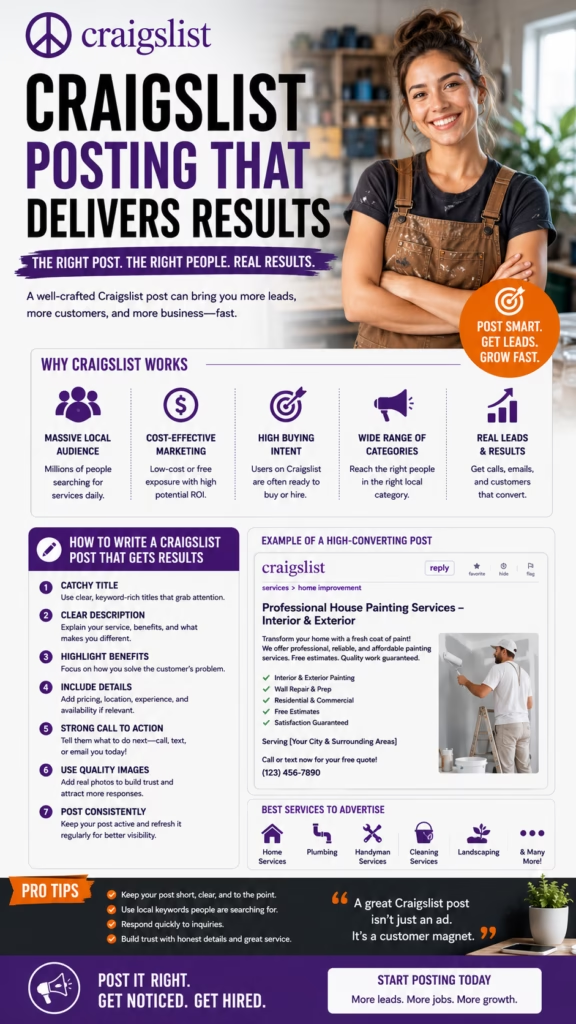
MarketplacesFacebook Marketplace, Craigslist, OfferUp, niche listing sitesLead-ready, deal-focused traffic
Owned AssetsWebsite, landing pages, blog, FAQ hubDeep information and conversion
Retention ChannelsEmail, SMS, loyalty programsFollow-up, upsells, repeat visits
OfflineYard signs, vehicle wraps, postcards, local eventsCommunity awareness and trust

Your Multi-Channel Marketing Strategy for Local Businesses doesn’t need to max out every single channel on day one—start with your strongest 3–4 and layer the others in over time.

3) Message & Offer Framework Across Channels

The secret to a strong Multi-Channel Marketing Strategy for Local Businesses isn’t “more posts”—it’s coordinated messaging. Your customer should hear the same story, promise, and next step everywhere they see you.

Use this simple framework:

Core Promise:
• <Who> you help (busy families, property managers, business owners)
• <Problem> you solve (discomfort, clutter, wasted time, lost revenue)
• <Outcome> they want (comfort, clean space, predictable bookings)

Brand Proof:
• # of years in business
• Local reviews and testimonials
• Before/after photos or case studies

Offer & CTA:
• Simple, low-friction offer
• Clear “call, text, or book online” CTA
• Deadline or limited capacity if applicable

Once this core script is set, you can plug it into each piece of your Multi-Channel Marketing Strategy for Local Businesses—Google Maps description, Marketplace ads, Reels, email campaigns, and SMS follow-ups.

4) Google Maps & Local SEO as the Central Hub

For most service companies, Google Maps is the “homepage” your customers see first. That’s why every Multi-Channel Marketing Strategy for Local Businesses should treat it as a central hub.

  • Complete your Business Profile: Categories, service areas, hours, phone, website, booking links.
  • Load it with proof: Photos, reviews, Q&A, and short posts that repeat your core promise.
  • Connect other channels: Link to your site, include social handles in images and posts where allowed.

When ads, social posts, Marketplace listings, and offline campaigns all nudge people to search your brand name, your Google Maps presence becomes the “trust hub” of your Multi-Channel Marketing Strategy for Local Businesses.

5) Social Media Content Strategy for Local Brands

Social platforms multiply the reach of your Multi-Channel Marketing Strategy for Local Businesses—but only if they’re treated like conversation starters, not billboards.

Content Types to Rotate

  • Before/after transformations.
  • Short “day in the life” videos.
  • Quick tips related to your service.
  • Customer testimonials and reactions.
  • Limited-time offers with clear CTAs.

Posting & Engagement Rhythm

  • Post 3–5x per week per core platform.
  • Reply to comments and DMs daily.
  • Use stories/reels for urgency and behind-the-scenes.
  • Pin your best offer to the top of your profile.

Think of social as the “front porch” of your Multi-Channel Marketing Strategy for Local Businesses—friendly, visual, and always welcoming people in.

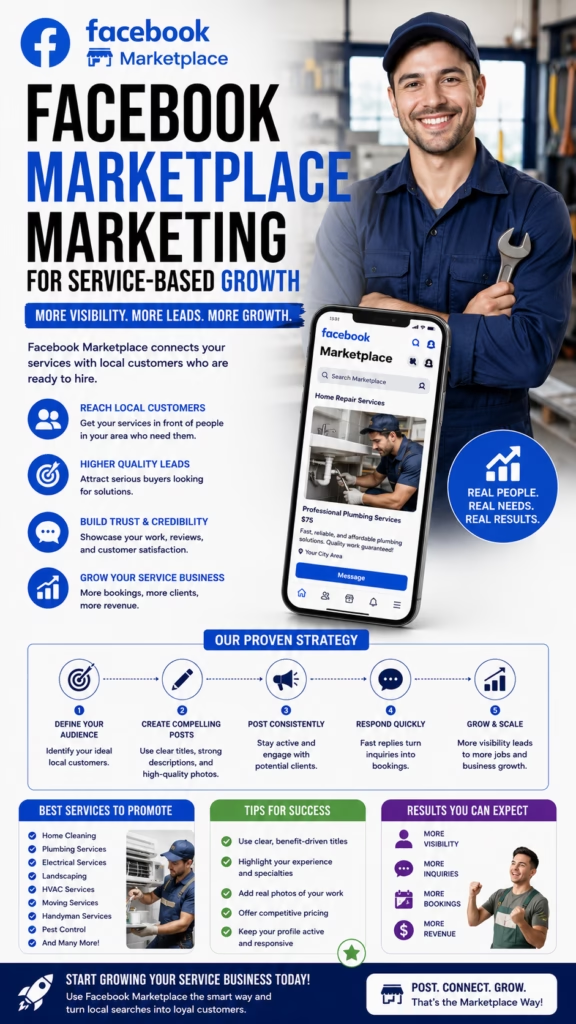
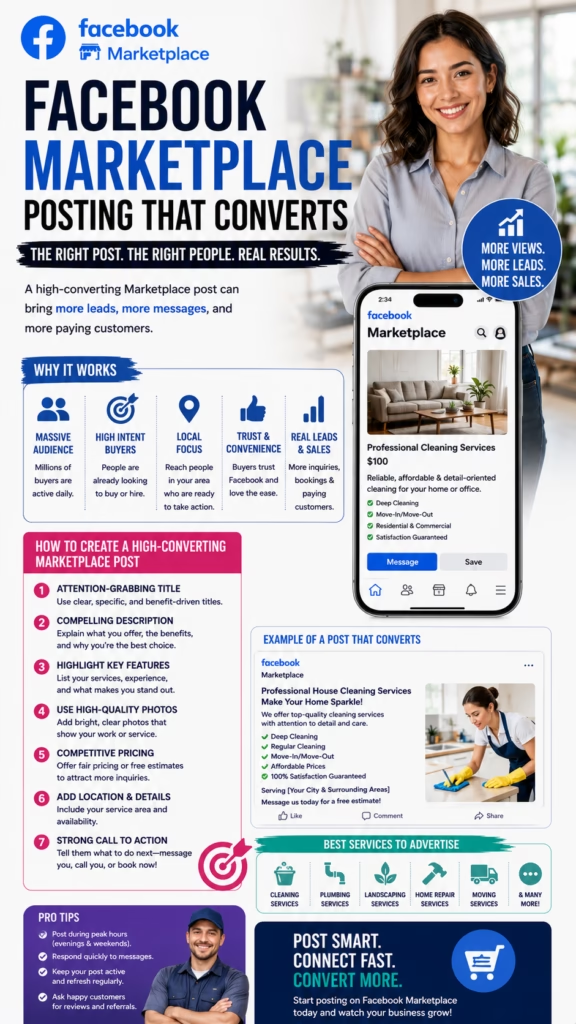
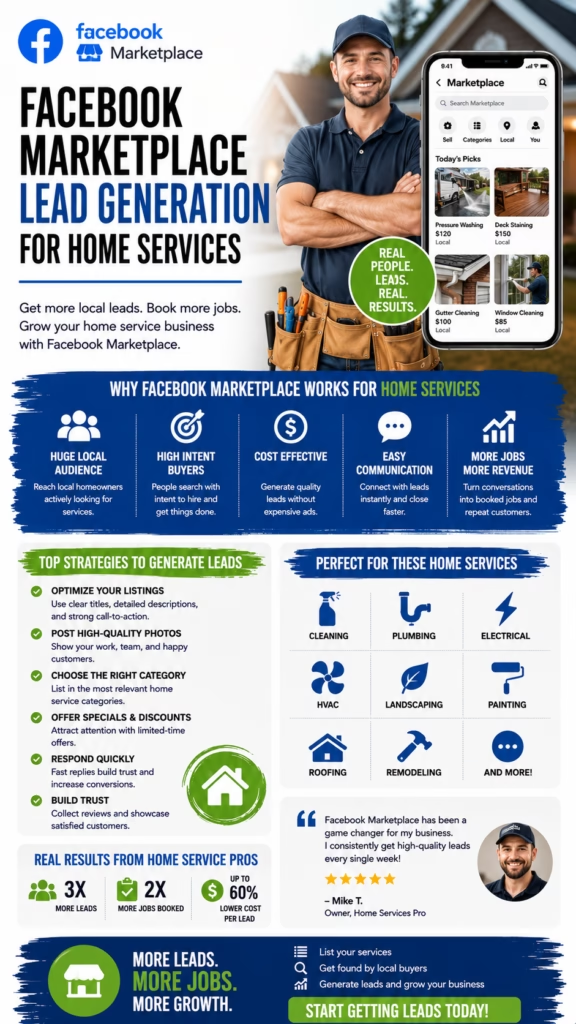
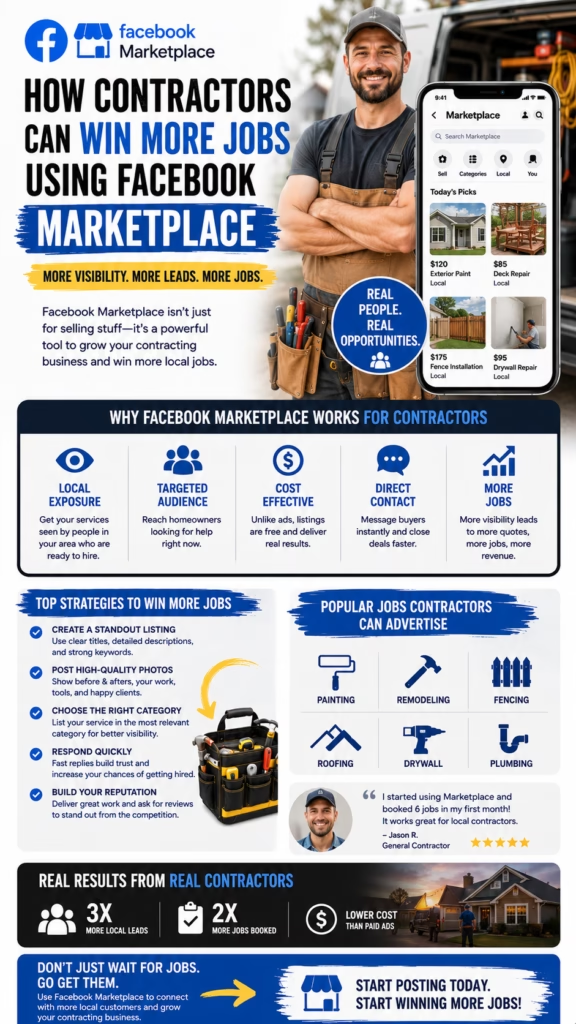
6) Marketplace & Listing Sites: Lead-Ready Traffic

Marketplace platforms deserve a specific lane in any Multi-Channel Marketing Strategy for Local Businesses. People browsing here are often closer to buying than casual social scrollers.

  • Create listings with strong photos, clear pricing, and short bullet benefits.
  • Use consistent titles that echo your main keywords and city.
  • Add a simple CTA like “Message ‘QUOTE’ for today’s availability.”
  • Route Marketplace messages into a CRM or AI responder where possible.

These “micro listings” feed high-intent leads into the same ecosystem as your other channels, strengthening the overall Multi-Channel Marketing Strategy for Local Businesses you’re building.

7) Email & SMS Nurture Flows

A true Multi-Channel Marketing Strategy for Local Businesses doesn’t stop at the first booking. Email and SMS let you stay in front of customers long after the first job is done.

Simple Nurture Blueprint:
Day 0–1: Confirmation + welcome
Day 3–7: Tip-based value email or text
Day 14–30: Review request and referral offer
Day 45–90: Seasonal promotion or check-in
Ongoing: Monthly newsletter or promo roundup

Every message should match the promise and tone used in your other channels so your Multi-Channel Marketing Strategy for Local Businesses feels like one continuous conversation.

8) Retargeting, Lookalikes, and Repeat Reach

Retargeting is where a Multi-Channel Marketing Strategy for Local Businesses becomes truly efficient. You’re no longer shouting at strangers—you’re following up with people who already raised their hand.

  • Retarget website visitors with service reminders and review testimonials.
  • Retarget “video viewers” on social with seasonal offers.
  • Build lookalike audiences from past buyers for cold campaigns.
  • Exclude recent buyers from certain offers to avoid over-promotion.

Over time, retargeting and lookalikes lower your blended cost per lead and strengthen the economics behind your Multi-Channel Marketing Strategy for Local Businesses.

9) Offline Marketing That Supports Online Channels

Offline marketing isn’t dead—it just needs to plug smoothly into your Multi-Channel Marketing Strategy for Local Businesses.

  • Use QR codes on yard signs and postcards that link to your main booking page.
  • Feature review stars and social handles on vehicles and printed materials.
  • Offer “event-only” promos at local fairs, markets, or sponsorships, but track redemptions online.
  • Encourage staff to mention your website and Google reviews during every in-person interaction.

Offline touchpoints should always point people back into a trackable digital step so they support your overall Multi-Channel Marketing Strategy for Local Businesses.

10) KPIs for Multi-Channel Marketing Strategy for Local Businesses

Without measurement, a Multi-Channel Marketing Strategy for Local Businesses is just guesswork. Use this KPI stack as your dashboard:

Visibility:
• Google Maps views & calls
• Website traffic by channel
• Social reach and video views

Engagement:
• Click-through rate (CTR)
• Lead form submissions
• Messages and phone calls by source

Revenue:
• Bookings by channel
• Average order value (AOV)
• Customer lifetime value (LTV)

Efficiency:
• Cost per lead (CPL)
• Cost per acquisition (CPA)
• Return on ad spend (ROAS)

Your job is to check these numbers monthly and refine your Multi-Channel Marketing Strategy for Local Businesses based on real data, not hunches.

11) Automation & CRM: Connecting the Dots

The glue inside a modern Multi-Channel Marketing Strategy for Local Businesses is your CRM and automation stack.

Core Automations

  • New lead → auto-tagged by source → welcome sequence.
  • Missed call → automatic text asking how you can help.
  • Completed job → review request + “next service” reminder.
  • Cold lead → re-engagement campaign every 60–90 days.

Tech Tips

  • Use UTM links so your CRM knows where each lead came from.
  • Keep forms short—only ask for data you’ll actually use.
  • Unify contacts from Marketplace, social, and your website into one database.
  • Schedule a monthly “pipeline cleanup” session so your data stays usable.

Once your CRM is wired into every channel, your Multi-Channel Marketing Strategy for Local Businesses becomes measurable, improvable, and eventually scalable.

12) 30–60–90 Day Rollout Plan

Days 1–30 — Foundation & Cleanup

  1. Clarify your core promise, proof, and main offer.
  2. Update your Google Business Profile with accurate info and fresh photos.
  3. Audit your website to ensure calls-to-action are clear on every page.
  4. Choose 3 starter channels: typically Maps, 1–2 social platforms, and email.

Days 31–60 — Launch Priority Channels

  1. Start a consistent social posting schedule using your core message.
  2. Launch or refresh Marketplace listings if they fit your industry.
  3. Set up basic email and/or SMS follow-ups for new leads and customers.
  4. Add UTM tracking so you can see where leads and bookings are coming from.

Days 61–90 — Optimize & Expand

  1. Introduce retargeting campaigns for website visitors and video viewers.
  2. Refine your Multi-Channel Marketing Strategy for Local Businesses based on CPL, CPA, and LTV.
  3. Test an additional channel (YouTube Shorts, direct mail, or events) and plug it into your CRM.
  4. Create a simple monthly report template to review with your team.

By the end of 90 days, you’ll have a living Multi-Channel Marketing Strategy for Local Businesses: multiple channels, one story, one measurement system, and a clear plan to scale.

13) 25 Frequently Asked Questions

1) What is a Multi-Channel Marketing Strategy for Local Businesses?

It’s a structured plan that uses multiple online and offline channels together—like Google Maps, social media, email, and Marketplace—to reach and convert local customers more consistently.

2) How many channels should a small local business use?

Start with 3–4 key channels and do them well instead of trying to be everywhere at once. You can expand later as your Multi-Channel Marketing Strategy for Local Businesses matures.

3) Which channel should I prioritize first?

For most local businesses, Google Maps / Google Business Profile should come first, followed by a simple website and one primary social platform.

4) Do I need a big budget for multi-channel marketing?

No. You can start with modest ad spend, organic content, and basic tools while still executing a smart Multi-Channel Marketing Strategy for Local Businesses.

5) How do I keep my brand consistent across channels?

Use the same logo, colors, “about” paragraph, core offer, and tone of voice everywhere. Create a simple brand sheet your team can follow.

6) How important are online reviews?

Reviews are the backbone of any Multi-Channel Marketing Strategy for Local Businesses because they influence decisions across search, social, and word-of-mouth.

7) Should I be on TikTok or just Facebook and Instagram?

It depends on your audience. If your ideal customers or their influencers spend time on TikTok, it can be a powerful part of your multi-channel plan; otherwise, focus where you already have traction.

8) How does email marketing support local businesses?

Email keeps you in front of past customers, promotes seasonal offers, and reminds people to book again, turning one-time buyers into regulars.

9) What role does SMS play?

SMS is perfect for confirmations, reminders, fast promotions, and “we’re nearby today” texts. It adds urgency and visibility to your Multi-Channel Marketing Strategy for Local Businesses.

10) How often should I post on social media?

Aim for 3–5 posts per week per core platform, with at least one short-form video. Consistency is more important than perfection.

11) How do I track which channel is working?

Use tracking links (UTMs), ask “How did you hear about us?” on forms, and connect your channels to a CRM where you can see leads and bookings by source.

12) Do marketplaces like Facebook Marketplace really help service businesses?

Yes—especially for price-sensitive and deal-seeking customers. They can be a lead magnet when integrated into your broader Multi-Channel Marketing Strategy for Local Businesses.

13) How do I avoid feeling overwhelmed by multiple channels?

Batch content creation once a week, schedule posts in advance, and use templates. Also, automate routine messages and reminders where you can.

14) Can I reuse content between channels?

Absolutely. Repurpose a case study into a blog post, a carousel, a short video, an email, and a Marketplace listing—just adapt the format to each platform.

15) How do I know if my offers are strong enough?

Watch response rates and booking rates. If many people see your offer but few take action, test clearer guarantees, better bundles, or more specific benefits.

16) What’s the biggest mistake in multi-channel marketing?

Running disconnected campaigns with no unified message, no clear next step, and no central tracking system.

17) How quickly will I see results?

Some channels (Marketplace, paid social) can generate leads within days. Others (SEO, Google Maps) build momentum over weeks or months.

18) Do I need a CRM to run a Multi-Channel Marketing Strategy for Local Businesses?

You can start with spreadsheets, but a CRM becomes essential as lead volume grows and channels multiply.

19) Should I hire an agency or build in-house?

Either can work. Many local businesses use a hybrid: agency or platform support for setup and strategy, in-house staff for day-to-day content and service delivery.

20) How does AI fit into multi-channel marketing?

AI can draft posts, answer FAQs, qualify leads, and generate reports—freeing humans to focus on high-value activities.

21) How can I improve my conversion rate across channels?

Use consistent offers, strong social proof, fast responses, and frictionless booking options (click-to-call, online scheduling).

22) What metrics should I review every month?

Traffic by channel, leads by channel, bookings, revenue, CPL, CPA, and review volume and rating.

23) How do I keep campaigns compliant?

Follow platform ad policies, respect privacy rules, include unsubscribe links in email/SMS, and avoid misleading claims.

24) Can a multi-channel strategy work for B2B local businesses?

Yes. Property managers, contractors, clinics, and other B2B-focused locals can use the same framework with more emphasis on LinkedIn, email, and case studies.

25) What’s the first step I should take today?

Write down your core promise and main offer, then update your Google Business Profile and website so they clearly reflect it—that’s the foundation of your Multi-Channel Marketing Strategy for Local Businesses.

14) 25 Extra Keywords

  1. Multi-Channel Marketing Strategy for Local Businesses
  2. local business omnichannel strategy
  3. google maps marketing for small business
  4. facebook and instagram local ads
  5. tiktok marketing for local businesses
  6. facebook marketplace strategy for services
  7. local seo and social media combo
  8. local business email marketing ideas
  9. sms campaigns for local customer retention
  10. multi channel local lead generation
  11. local business retargeting campaigns
  12. google business profile optimization tips
  13. local service business marketing funnel
  14. website landing pages for local services
  15. review generation strategy for local companies
  16. local business content calendar 2025
  17. online and offline local marketing mix
  18. crm for local business marketing
  19. ai tools for multi channel marketing
  20. multi location local marketing playbook
  21. near me search optimization for businesses
  22. local video marketing strategy
  23. best channels for local business advertising
  24. customer journey mapping for local brands
  25. small business multi channel marketing plan

© 2025 Your Brand. All Rights Reserved.
This Multi-Channel Marketing Strategy for Local Businesses guide is provided for general information only. Always adapt tactics to your market and consult professional advisors where needed.

Multi-Channel Marketing Strategy for Local Businesses Read More »

Marketing Budget Allocation: Where to Invest First

ChatGPT Image Dec 13 2025 01 13 08 PM
Marketing Budget Allocation: Where to Invest First — 2025 Complete Guide

Marketing Budget Allocation: Where to Invest First

ROI-first priorities for 2025: fund the multipliers, build compounding assets, then scale acquisition.

In this guide: Budget splits by stage ROI math Channel priorities 30–60–90 plan

Introduction

Marketing Budget Allocation: Where to Invest First is the difference between consistent growth and random results.

Most small businesses don’t fail because they “don’t market.” They fail because they spend money in the wrong order: they buy traffic before they can convert it, or they scale ads before they can respond fast enough to close the leads they already have.

This guide gives you a simple, repeatable way to allocate budget so every dollar is doing one of three jobs:

  • Multiply results across channels (tracking, offer clarity, speed-to-lead)
  • Compound over time (reviews, SEO, content, email/SMS lists)
  • Scale acquisition (ads, partnerships, outreach) once ROI is stable
Quick check: If you can’t tell where leads came from and what they’re worth, don’t scale spend yet—fix measurement first.

Expanded Table of Contents

1) The 3 allocation principles (Multiplier → Compound → Scale)

Use this order to avoid wasting budget:

Multiplier spend

Improves results everywhere: tracking, response speed, offer clarity, conversion path, lead routing.

Compounding spend

Builds durable assets: reviews, GBP optimization, SEO content, email/SMS lists, proof library.

Scaling spend

Amplifies what already converts: paid ads, partnerships, outreach, multi-location expansion.

Simple rule: If you can’t track it, don’t scale it.

2) The ROI math: how to calculate your maximum cost per lead

To allocate budget confidently, you need a ceiling for what you can spend per lead.

MetricWhat it meansExample
Profit per saleContribution margin after fulfillment costs$1,000
Close rate% of leads that become customers20% (0.20)
Max cost per leadProfit per sale × close rate$1,000 × 0.20 = $200

Meaning: If you profit ~$1,000 per job and close ~20% of leads, you can often afford up to ~$200/lead and still be profitable.

Note: This is a ceiling. Your goal is to stay well below it so you keep margin and can scale safely.

3) Baseline setup: what to fund before any channel spend

Before you pour money into “more leads,” fund these basics so leads turn into revenue:

  • Offer clarity: who it’s for, what you do, why you, what it costs (or a range), and the next step.
  • One primary CTA: call, book, message, or form—pick one as the main action.
  • Fast response: same-day at minimum; ideally minutes.
  • Follow-up: 2 hours, 24 hours, 72 hours (most deals require multiple touches).

Budget insight: Many businesses can increase revenue without spending more—by reducing lead leakage.

4) Tracking & attribution: UTMs, CRM stages, and “profit per lead”

If you want Marketing Budget Allocation: Where to Invest First to be practical, track the full journey from click to close.

Minimum viable tracking stack

  • UTM links for each channel: utm_source, utm_medium, utm_campaign
  • CRM stages: New → Contacted → Booked → Showed → Closed
  • Source tags: Google, Facebook, Marketplace, Email, Referral, Partner

What to measure (in order)

  1. Speed-to-lead: median minutes to first response
  2. Conversion: lead → booked
  3. Quality: booked → showed → closed
  4. Economics: cost per lead and profit per lead

5) Offer and positioning: the cheapest way to increase ROI

Offers are not “salesy” — they are clarity. The clearer your offer, the less friction buyers feel.

Offer upgrade checklist

  • Outcome: what changes for the customer
  • Proof: reviews, before/after, metrics
  • Risk reducer: guarantee, warranty, transparent process
  • Pricing clarity: starting price or range + what affects it
  • Next step: “Book a quote” / “Message for availability”
Budget principle: Fund offer clarity before funding more traffic. It raises ROI everywhere.

6) Conversion path: landing pages, calls, forms, booking

Your conversion path is where budget becomes revenue. Great marketing brings attention; a great conversion path turns attention into appointments.

High-converting page sections

  • Headline: what you do + who you help
  • Proof: testimonials, photos, outcomes
  • Offer: what’s included
  • FAQ: removes objections
  • CTA: book/call/message

Conversion boosters

  • Short forms (name + phone + 1 question)
  • Click-to-call button on mobile
  • Booking calendar with confirmations
  • Pricing range to filter tire-kickers
  • “What happens next” section

7) Trust layer: reviews, proof, and reputation systems

Trust is a multiplier. Two businesses can run the same ad; the one with stronger proof wins.

Where to allocate trust budget

  • Review capture and reminders
  • Before/after photo system
  • Short case studies (problem → process → result)
  • Team/process photos for credibility

Tip: Put 3–5 of your best reviews directly on your landing page and pin a proof post on social.

8) Local discovery: Google Business Profile + Maps + local SEO

For local businesses, Google Maps is often the highest-intent lead source—people are searching with a wallet in hand.

What to fund first for local SEO

  • GBP categories + services + description
  • Weekly GBP posts and fresh photos
  • Review velocity (consistent over time)
  • Service pages for top keywords and locations
  • Basic citation/NAP consistency
Don’t overcomplicate early SEO. Fund the basics consistently before expensive campaigns.

9) Content allocation: what to publish and why it converts

Content should reduce doubts and answer buying questions. Allocate time/money to content that supports conversion:

Content typeWhy it worksWhere to use it
FAQ videos (30–60s)Removes objections quicklySocial, website, follow-up texts
Before/afterShows outcome instantlySocial, GBP photos, ads
Case studiesBuilds trust + authorityWebsite, email, sales process
Process walkthroughReduces fear of the unknownWebsite, onboarding, ads

10) Automation allocation: speed-to-lead and follow-up

Automation is where small teams beat big teams. Budget here often pays back fast because it recovers leads you’re already generating.

Automation priorities (in order)

  1. Instant first response (web + social + Marketplace)
  2. Lead routing (by location/service)
  3. Follow-up sequence (2h / 24h / 72h)
  4. Booking confirmations + reminders
  5. Review request + referral ask after completion

Best practice: Keep messages short, helpful, and human-sounding. Always offer a handoff.

12) Recommended budget splits (Starter • Growth • Scale)

CategoryStarterGrowthScale
Tracking + analytics10–15%8–12%6–10%
Offer + landing page/CRO20–30%15–25%10–20%
Trust (reviews + proof)15–25%15–20%10–15%
Local SEO/GBP15–25%15–25%15–20%
Automation + follow-up10–20%15–25%15–25%
Paid acquisition10–25%20–40%30–55%

Reminder: These are starting ranges. The “right” split is what produces the best profit per lead for your business.

13) Sample allocations by industry (service, retail, B2B)

Local service business

GBP + reviews speed-to-lead before/after

  • Fund GBP, review engine, fast response, and one conversion page
  • Then add paid lead tests and retargeting

Local retail (showroom / inventory)

photos marketplace local SEO

  • Fund product photo system and proof content
  • Use local SEO + marketplaces for volume

B2B services

case studies positioning outreach

  • Fund positioning, case studies, and a strong funnel page
  • Then outreach + LinkedIn + email sequences

Multi-location businesses

central ops local pages routing

  • Centralize automation, dashboards, creative templates
  • Localize GBP, reviews, and service pages per location

14) Reallocation cadence: weekly vs monthly decisions

Weekly (operations)

  • Response time trends
  • Lead volume by source
  • Booking rate and no-shows

Monthly (budget)

  • Cost per lead and profit per lead
  • Close rate by source
  • Which channels deserve more budget

Pattern: Fix operations weekly. Reallocate spend monthly.

15) Budget mistakes that kill ROI (and what to do instead)

MistakeWhy it hurtsBetter investment
Scaling ads before conversionMore spend, same weak close rateLanding page + offer clarity
Ignoring response timeLeads decay quicklyAutomation + routing
No review engineTrust stays lowReview capture + reminders
Chasing new channels constantlyNo compounding effectPick 1–2 channels, go deep
Buying “pretty” content onlyLooks good, converts poorlyProof content + FAQs + case studies

16) 30–60–90 rollout plan

Days 1–30 (Foundation)

  1. Set tracking + CRM stages + source tags.
  2. Clarify offer and build one conversion page.
  3. Set response standards and follow-up cadence.
  4. Launch review request system.

Days 31–60 (Conversion + trust)

  1. Publish proof content and FAQs.
  2. Optimize Google Business Profile and add weekly posts.
  3. Start a small paid test if operations are stable.
  4. Build a basic KPI dashboard.

Days 61–90 (Scale)

  1. Add automation (instant response, routing, reminders).
  2. Scale the best channel based on profit per lead.
  3. Expand SEO content and location pages if applicable.
  4. Create SOPs so growth doesn’t break operations.

Outcome: You’ll know exactly where to invest first—because your numbers will tell you.

17) 25 Frequently Asked Questions

1) What is “Marketing Budget Allocation: Where to Invest First”?

It’s a prioritization system that funds tracking and conversion first, then trust assets, then scalable acquisition.

2) What should I invest in first?

Tracking, a clear offer, and a conversion-ready landing page.

3) What percentage should go to ads?

Start small until conversion and tracking are proven; increase as ROI stabilizes.

4) How do I calculate my max CPL?

Profit per sale × close rate.

5) What’s profit per lead?

Average profit earned per lead after fulfillment costs.

6) What KPIs matter most?

Leads by source, response time, booking rate, show rate, close rate, CPL, profit per lead.

7) What is lead leakage?

Leads lost due to slow response, no follow-up, or poor tracking.

8) What’s the fastest ROI investment?

Speed-to-lead and follow-up automation.

9) Should I do SEO or ads first?

Run small ad tests while building SEO for long-term compounding results.

10) Is Google Business Profile worth it?

Yes—especially for local, high-intent searches.

11) Are reviews really that important?

Yes. Reviews increase trust and conversion across channels.

12) When should I hire an agency?

When tracking is in place and KPIs are clear.

13) What if my leads are low quality?

Tighten your offer, clarify pricing, and add qualification questions.

14) How often should I reallocate budget?

Weekly for operations, monthly for spend.

15) Should I invest in branding early?

Only enough for clean consistency; prioritize conversion fundamentals first.

16) What’s the best channel for local services?

Often Google Maps/GBP plus strong reviews and fast response.

17) What’s the best channel for retail inventory?

Local SEO + marketplaces + proof content and photos.

18) What’s the best channel for B2B?

Case studies + outreach + credibility assets.

19) How do I know what’s working?

Track leads to booked and closed stages by source.

20) How long should tests run?

Long enough to gather stable data across multiple cycles before making big changes.

21) What if ads aren’t profitable?

Improve conversion and offer first, then retest.

22) What should I automate first?

Instant response, routing, and follow-up reminders.

23) What’s a smart “starter” split?

More budget toward fundamentals and trust, less toward ads until proven.

24) How do I allocate across multiple locations?

Centralize automation and dashboards; localize GBP, reviews, and service pages per location.

25) What’s the best first step today?

Map your lead flow and fix tracking + response speed first.

18) 25 Extra Keywords

  1. Marketing Budget Allocation: Where to Invest First
  2. marketing budget allocation 2025
  3. where to invest in marketing first
  4. small business marketing budget breakdown
  5. marketing spend priorities
  6. marketing ROI framework
  7. profit per lead calculation
  8. maximum cost per lead
  9. lead generation budget
  10. conversion rate optimization budget
  11. landing page budget
  12. tracking and attribution setup
  13. UTM tracking strategy
  14. CRM pipeline stages
  15. speed to lead improvement
  16. follow up automation
  17. review generation system
  18. Google Business Profile optimization
  19. local SEO budget allocation
  20. content marketing budget
  21. paid ads testing strategy
  22. retargeting budget
  23. multi location marketing budget
  24. marketing dashboard KPIs
  25. marketing budget mistakes

© 2025 Your Brand. All Rights Reserved.

Marketing Budget Allocation: Where to Invest First Read More »

Best Marketing Investments for Small Businesses

ChatGPT Image Dec 13 2025 01 13 06 PM
Marketing Budget Allocation: Where to Invest First — 2025 Complete Guide

Marketing Budget Allocation: Where to Invest First

ROI-first priorities for 2025: fund the multipliers, build compounding assets, then scale acquisition.

In this guide: Budget splits by stage ROI math Channel priorities 30–60–90 plan

Introduction

Marketing Budget Allocation: Where to Invest First is the difference between consistent growth and random results.

Most small businesses don’t fail because they “don’t market.” They fail because they spend money in the wrong order: they buy traffic before they can convert it, or they scale ads before they can respond fast enough to close the leads they already have.

This guide gives you a simple, repeatable way to allocate budget so every dollar is doing one of three jobs:

  • Multiply results across channels (tracking, offer clarity, speed-to-lead)
  • Compound over time (reviews, SEO, content, email/SMS lists)
  • Scale acquisition (ads, partnerships, outreach) once ROI is stable
Quick check: If you can’t tell where leads came from and what they’re worth, don’t scale spend yet—fix measurement first.

Expanded Table of Contents

1) The 3 allocation principles (Multiplier → Compound → Scale)

Use this order to avoid wasting budget:

Multiplier spend

Improves results everywhere: tracking, response speed, offer clarity, conversion path, lead routing.

Compounding spend

Builds durable assets: reviews, GBP optimization, SEO content, email/SMS lists, proof library.

Scaling spend

Amplifies what already converts: paid ads, partnerships, outreach, multi-location expansion.

Simple rule: If you can’t track it, don’t scale it.

2) The ROI math: how to calculate your maximum cost per lead

To allocate budget confidently, you need a ceiling for what you can spend per lead.

MetricWhat it meansExample
Profit per saleContribution margin after fulfillment costs$1,000
Close rate% of leads that become customers20% (0.20)
Max cost per leadProfit per sale × close rate$1,000 × 0.20 = $200

Meaning: If you profit ~$1,000 per job and close ~20% of leads, you can often afford up to ~$200/lead and still be profitable.

Note: This is a ceiling. Your goal is to stay well below it so you keep margin and can scale safely.

3) Baseline setup: what to fund before any channel spend

Before you pour money into “more leads,” fund these basics so leads turn into revenue:

  • Offer clarity: who it’s for, what you do, why you, what it costs (or a range), and the next step.
  • One primary CTA: call, book, message, or form—pick one as the main action.
  • Fast response: same-day at minimum; ideally minutes.
  • Follow-up: 2 hours, 24 hours, 72 hours (most deals require multiple touches).

Budget insight: Many businesses can increase revenue without spending more—by reducing lead leakage.

4) Tracking & attribution: UTMs, CRM stages, and “profit per lead”

If you want Marketing Budget Allocation: Where to Invest First to be practical, track the full journey from click to close.

Minimum viable tracking stack

  • UTM links for each channel: utm_source, utm_medium, utm_campaign
  • CRM stages: New → Contacted → Booked → Showed → Closed
  • Source tags: Google, Facebook, Marketplace, Email, Referral, Partner

What to measure (in order)

  1. Speed-to-lead: median minutes to first response
  2. Conversion: lead → booked
  3. Quality: booked → showed → closed
  4. Economics: cost per lead and profit per lead

5) Offer and positioning: the cheapest way to increase ROI

Offers are not “salesy” — they are clarity. The clearer your offer, the less friction buyers feel.

Offer upgrade checklist

  • Outcome: what changes for the customer
  • Proof: reviews, before/after, metrics
  • Risk reducer: guarantee, warranty, transparent process
  • Pricing clarity: starting price or range + what affects it
  • Next step: “Book a quote” / “Message for availability”
Budget principle: Fund offer clarity before funding more traffic. It raises ROI everywhere.

6) Conversion path: landing pages, calls, forms, booking

Your conversion path is where budget becomes revenue. Great marketing brings attention; a great conversion path turns attention into appointments.

High-converting page sections

  • Headline: what you do + who you help
  • Proof: testimonials, photos, outcomes
  • Offer: what’s included
  • FAQ: removes objections
  • CTA: book/call/message

Conversion boosters

  • Short forms (name + phone + 1 question)
  • Click-to-call button on mobile
  • Booking calendar with confirmations
  • Pricing range to filter tire-kickers
  • “What happens next” section

7) Trust layer: reviews, proof, and reputation systems

Trust is a multiplier. Two businesses can run the same ad; the one with stronger proof wins.

Where to allocate trust budget

  • Review capture and reminders
  • Before/after photo system
  • Short case studies (problem → process → result)
  • Team/process photos for credibility

Tip: Put 3–5 of your best reviews directly on your landing page and pin a proof post on social.

8) Local discovery: Google Business Profile + Maps + local SEO

For local businesses, Google Maps is often the highest-intent lead source—people are searching with a wallet in hand.

What to fund first for local SEO

  • GBP categories + services + description
  • Weekly GBP posts and fresh photos
  • Review velocity (consistent over time)
  • Service pages for top keywords and locations
  • Basic citation/NAP consistency
Don’t overcomplicate early SEO. Fund the basics consistently before expensive campaigns.

9) Content allocation: what to publish and why it converts

Content should reduce doubts and answer buying questions. Allocate time/money to content that supports conversion:

Content typeWhy it worksWhere to use it
FAQ videos (30–60s)Removes objections quicklySocial, website, follow-up texts
Before/afterShows outcome instantlySocial, GBP photos, ads
Case studiesBuilds trust + authorityWebsite, email, sales process
Process walkthroughReduces fear of the unknownWebsite, onboarding, ads

10) Automation allocation: speed-to-lead and follow-up

Automation is where small teams beat big teams. Budget here often pays back fast because it recovers leads you’re already generating.

Automation priorities (in order)

  1. Instant first response (web + social + Marketplace)
  2. Lead routing (by location/service)
  3. Follow-up sequence (2h / 24h / 72h)
  4. Booking confirmations + reminders
  5. Review request + referral ask after completion

Best practice: Keep messages short, helpful, and human-sounding. Always offer a handoff.

12) Recommended budget splits (Starter • Growth • Scale)

CategoryStarterGrowthScale
Tracking + analytics10–15%8–12%6–10%
Offer + landing page/CRO20–30%15–25%10–20%
Trust (reviews + proof)15–25%15–20%10–15%
Local SEO/GBP15–25%15–25%15–20%
Automation + follow-up10–20%15–25%15–25%
Paid acquisition10–25%20–40%30–55%

Reminder: These are starting ranges. The “right” split is what produces the best profit per lead for your business.

13) Sample allocations by industry (service, retail, B2B)

Local service business

GBP + reviews speed-to-lead before/after

  • Fund GBP, review engine, fast response, and one conversion page
  • Then add paid lead tests and retargeting

Local retail (showroom / inventory)

photos marketplace local SEO

  • Fund product photo system and proof content
  • Use local SEO + marketplaces for volume

B2B services

case studies positioning outreach

  • Fund positioning, case studies, and a strong funnel page
  • Then outreach + LinkedIn + email sequences

Multi-location businesses

central ops local pages routing

  • Centralize automation, dashboards, creative templates
  • Localize GBP, reviews, and service pages per location

14) Reallocation cadence: weekly vs monthly decisions

Weekly (operations)

  • Response time trends
  • Lead volume by source
  • Booking rate and no-shows

Monthly (budget)

  • Cost per lead and profit per lead
  • Close rate by source
  • Which channels deserve more budget

Pattern: Fix operations weekly. Reallocate spend monthly.

15) Budget mistakes that kill ROI (and what to do instead)

MistakeWhy it hurtsBetter investment
Scaling ads before conversionMore spend, same weak close rateLanding page + offer clarity
Ignoring response timeLeads decay quicklyAutomation + routing
No review engineTrust stays lowReview capture + reminders
Chasing new channels constantlyNo compounding effectPick 1–2 channels, go deep
Buying “pretty” content onlyLooks good, converts poorlyProof content + FAQs + case studies

16) 30–60–90 rollout plan

Days 1–30 (Foundation)

  1. Set tracking + CRM stages + source tags.
  2. Clarify offer and build one conversion page.
  3. Set response standards and follow-up cadence.
  4. Launch review request system.

Days 31–60 (Conversion + trust)

  1. Publish proof content and FAQs.
  2. Optimize Google Business Profile and add weekly posts.
  3. Start a small paid test if operations are stable.
  4. Build a basic KPI dashboard.

Days 61–90 (Scale)

  1. Add automation (instant response, routing, reminders).
  2. Scale the best channel based on profit per lead.
  3. Expand SEO content and location pages if applicable.
  4. Create SOPs so growth doesn’t break operations.

Outcome: You’ll know exactly where to invest first—because your numbers will tell you.

17) 25 Frequently Asked Questions

1) What is “Marketing Budget Allocation: Where to Invest First”?

It’s a prioritization system that funds tracking and conversion first, then trust assets, then scalable acquisition.

2) What should I invest in first?

Tracking, a clear offer, and a conversion-ready landing page.

3) What percentage should go to ads?

Start small until conversion and tracking are proven; increase as ROI stabilizes.

4) How do I calculate my max CPL?

Profit per sale × close rate.

5) What’s profit per lead?

Average profit earned per lead after fulfillment costs.

6) What KPIs matter most?

Leads by source, response time, booking rate, show rate, close rate, CPL, profit per lead.

7) What is lead leakage?

Leads lost due to slow response, no follow-up, or poor tracking.

8) What’s the fastest ROI investment?

Speed-to-lead and follow-up automation.

9) Should I do SEO or ads first?

Run small ad tests while building SEO for long-term compounding results.

10) Is Google Business Profile worth it?

Yes—especially for local, high-intent searches.

11) Are reviews really that important?

Yes. Reviews increase trust and conversion across channels.

12) When should I hire an agency?

When tracking is in place and KPIs are clear.

13) What if my leads are low quality?

Tighten your offer, clarify pricing, and add qualification questions.

14) How often should I reallocate budget?

Weekly for operations, monthly for spend.

15) Should I invest in branding early?

Only enough for clean consistency; prioritize conversion fundamentals first.

16) What’s the best channel for local services?

Often Google Maps/GBP plus strong reviews and fast response.

17) What’s the best channel for retail inventory?

Local SEO + marketplaces + proof content and photos.

18) What’s the best channel for B2B?

Case studies + outreach + credibility assets.

19) How do I know what’s working?

Track leads to booked and closed stages by source.

20) How long should tests run?

Long enough to gather stable data across multiple cycles before making big changes.

21) What if ads aren’t profitable?

Improve conversion and offer first, then retest.

22) What should I automate first?

Instant response, routing, and follow-up reminders.

23) What’s a smart “starter” split?

More budget toward fundamentals and trust, less toward ads until proven.

24) How do I allocate across multiple locations?

Centralize automation and dashboards; localize GBP, reviews, and service pages per location.

25) What’s the best first step today?

Map your lead flow and fix tracking + response speed first.

18) 25 Extra Keywords

  1. Marketing Budget Allocation: Where to Invest First
  2. marketing budget allocation 2025
  3. where to invest in marketing first
  4. small business marketing budget breakdown
  5. marketing spend priorities
  6. marketing ROI framework
  7. profit per lead calculation
  8. maximum cost per lead
  9. lead generation budget
  10. conversion rate optimization budget
  11. landing page budget
  12. tracking and attribution setup
  13. UTM tracking strategy
  14. CRM pipeline stages
  15. speed to lead improvement
  16. follow up automation
  17. review generation system
  18. Google Business Profile optimization
  19. local SEO budget allocation
  20. content marketing budget
  21. paid ads testing strategy
  22. retargeting budget
  23. multi location marketing budget
  24. marketing dashboard KPIs
  25. marketing budget mistakes

© 2025 Your Brand. All Rights Reserved.

Best Marketing Investments for Small Businesses Read More »

AI Marketing vs Traditional: 5-Year Cost Analysis

ChatGPT Image Dec 13 2025 01 13 02 PM
AI Marketing vs Traditional: 5-Year Cost Analysis — 2025 Guide

AI Marketing vs Traditional: 5-Year Cost Analysis

AI Marketing vs Traditional: 5-Year Cost Analysis gives you a clear look at where your dollars go, how fast they come back, and which parts of your marketing should be automated vs kept human.

Quick Snapshot: AI lowers labor cost per lead Traditional has higher manual overhead 5-year view shows compounding ROI Best model = AI + human strategy

Note: This AI Marketing vs Traditional: 5-Year Cost Analysis is a general educational model, not financial or legal advice. Always adapt assumptions to your specific industry, deal size, and region.

Introduction

AI Marketing vs Traditional: 5-Year Cost Analysis is the conversation every owner and marketing leader is having quietly, even if they’re not saying it out loud: “If AI is this powerful, why am I still doing things the old way?”

Over one quarter, AI tools can look like a shiny extra expense. Over five years, the math often flips: AI handles repetitive work, scales follow-ups, and unlocks data you could never touch manually, while traditional marketing stacks keep adding payroll, agency hours, and complexity.

This long-form AI Marketing vs Traditional: 5-Year Cost Analysis breaks down the numbers, assumptions, and strategy moves you can use to make a calm, data-driven decision about your next five years of marketing.

Expanded Table of Contents

1) AI Marketing vs Traditional: 5-Year Cost Analysis — Framework

To keep this AI Marketing vs Traditional: 5-Year Cost Analysis grounded, we’ll compare two simplified scenarios for a growing business:

  • Traditional Stack: Heavier on people, manual outreach, agency retainers, and separate tools stitched together by humans.
  • AI-Enhanced Stack: AI-assisted copy, automated messaging, lead routing, scheduling, and analytics built around a core platform.

We’ll track each option across four main cost buckets over five years:

  • Software and tools.
  • Labor (staff & outsourced work).
  • Media and ad spend.
  • Operational overhead and inefficiency.

The goal of AI Marketing vs Traditional: 5-Year Cost Analysis isn’t to argue that AI replaces humans—it’s to show where AI removes waste so humans can focus on strategy and high-value conversations.

2) Cost Buckets: Tools, Labor, Media, and Overhead

Here’s how costs typically stack up in a side-by-side AI Marketing vs Traditional: 5-Year Cost Analysis:

Cost BucketTraditional MarketingAI-Enhanced Marketing
Software & ToolsMultiple disconnected tools, manual reporting setups.AI-first platform consolidating messaging, content, and analytics.
LaborLarger team for copy, posting, replies, reporting.Lean team overseeing AI, creating strategy, and handling edge cases.
Media SpendTrial-and-error, slow testing cycles.Faster multivariate testing, AI optimization, and better audience matching.
Operational OverheadMeetings, approvals, manual exports, spreadsheet work.Automated workflows, alerts, and dashboards.

The more complex and multi-location your company becomes, the more this AI Marketing vs Traditional: 5-Year Cost Analysis magnifies the gap between models.

3) Simplified 5-Year Cost Model (AI vs Traditional)

Let’s run a simplified AI Marketing vs Traditional: 5-Year Cost Analysis using round numbers for a growing local/regional business.

Assumptions:

  • Annual marketing budget starts at $120,000 and grows 10% per year.
  • Traditional model adds one more full-time coordinator by year 3.
  • AI model adds more automations instead of a full extra coordinator.
  • Both models allocate ~60% of budget to media spend, 40% to tools and labor combined.
Example 5-Year Traditional Marketing Cost (very simplified):
Year 1–2: Tool + labor overhead ≈ $48k/year
Year 3–5: Tool + labor overhead ≈ $80k/year (extra hire, agencies, manual ops)
Total 5-year non-media costs ≈ $336k (plus rising media costs)

Example 5-Year AI Marketing Cost (very simplified):
Year 1: Tool + labor overhead ≈ $60k (AI platform + small team)
Year 2–5: Tool + labor overhead ≈ $66k/year (more automation, modest raise)
Total 5-year non-media costs ≈ $324k (on a more scalable system)

In this rough AI Marketing vs Traditional: 5-Year Cost Analysis, the non-media costs end up similar, but the AI model is doing more with fewer people, so media dollars can be optimized faster and scaled with confidence.

4) Revenue & ROI Assumptions Over Five Years

The real power of AI Marketing vs Traditional: 5-Year Cost Analysis comes from revenue impacts:

  • AI can respond faster, follow up more often, and personalize outreach at scale.
  • Traditional teams bottleneck on time, not intent—high-intent leads may be missed or delayed.

Example assumption for a service business:

MetricTraditional (5-Year Avg)AI-Enhanced (5-Year Avg)
Lead Response Time4–24 hoursInstant to 5 minutes
Follow-Up Touches per Lead1–36–12 automated + human
Close Rate15–20%22–30% (with better speed + nurturing)

Over a five-year window, this AI Marketing vs Traditional: 5-Year Cost Analysis shows AI models often generate significantly more revenue from the same or even lower total cost base.

5) Hidden Costs in Traditional Marketing

Traditional marketing carries hidden line items that rarely show up directly in a budget but absolutely affect your AI Marketing vs Traditional: 5-Year Cost Analysis:

  • Missed Leads: Messages during off-hours that never get answered.
  • Slow Experimentation: Campaigns updated once a month instead of weekly or daily.
  • Reporting Time: Hours spent exporting CSVs, merging sheets, and creating slide decks.
  • Knowledge Loss: When employees quit, strategy walks out the door with them.

These don’t show as direct line items, but when you zoom out in an AI Marketing vs Traditional: 5-Year Cost Analysis, they represent real lost deals and slower growth.

6) Hidden Gains of AI Marketing

AI isn’t just a cheaper way to send emails. In a realistic AI Marketing vs Traditional: 5-Year Cost Analysis, AI gives you structural advantages:

  • Consistency: No “bad days” in your follow-up process.
  • Personalization: AI can tailor messages using lead data in ways humans don’t have time for.
  • 24/7 Coverage: Lead capture and first replies work nights, weekends, and holidays.
  • Data Feedback Loops: Performance data feeds back into the system to continuously improve.

These compounding gains make a big difference once you stretch the AI Marketing vs Traditional: 5-Year Cost Analysis beyond one or two quarters.

7) Hybrid Model: AI-First, Human-Led Strategy

The winner in most AI Marketing vs Traditional: 5-Year Cost Analysis scenarios is a hybrid:

AI Handles

  • First response to inbound leads.
  • Appointment reminders and rescheduling.
  • FAQ-level sales and support questions.
  • Initial ad copy drafts, subject lines, and variations.
  • Reporting snapshots and anomaly alerts.

Humans Focus On

  • Offer design and pricing strategy.
  • Brand voice and creative direction.
  • High-stakes negotiations and custom deals.
  • Partnerships, referrals, and big accounts.
  • Ethical and compliant use of AI.

This hybrid approach distributes the workload so your AI Marketing vs Traditional: 5-Year Cost Analysis doesn’t become “humans vs robots,” but “humans with better tools vs humans without them.”

8) Implementation Roadmap for AI Marketing

To bring AI Marketing vs Traditional: 5-Year Cost Analysis to life, follow a staged rollout:

  1. Audit: Inventory current tech stack, labor hours, and workflows.
  2. Pilot: Choose one channel (e.g., Marketplace or inbound calls) to automate first responses.
  3. Expand: Layer in AI for copy, retargeting, and appointment workflows.
  4. Unify: Connect your AI stack with your CRM and analytics.
  5. Standardize: Document your AI Marketing vs Traditional: 5-Year Cost Analysis assumptions and update them quarterly.

Start small, prove value, then scale. That’s the safest way to turn this AI Marketing vs Traditional: 5-Year Cost Analysis into an internal business case everyone can agree with.

9) Risk Management in AI Marketing vs Traditional

Every AI Marketing vs Traditional: 5-Year Cost Analysis has risk on both sides:

  • AI Risks: Poorly configured bots hurting brand voice, compliance issues, or over-automation that confuses customers.
  • Traditional Risks: Falling behind competitors, rising labor costs, and missing prospects who now expect instant responses.

Mitigation strategies:

  • Use human review for key scripts and flows.
  • Set clear escalation paths from AI to human agents.
  • Regularly audit AI outputs for quality and compliance.
  • Keep a manual backup plan for critical systems (phones, email, billing).

Handled correctly, the upside in AI Marketing vs Traditional: 5-Year Cost Analysis usually outweighs the risks—especially when humans stay firmly in the loop.

10) KPIs for AI Marketing vs Traditional: 5-Year Cost Analysis

To keep your AI Marketing vs Traditional: 5-Year Cost Analysis grounded in reality, track metrics in three layers:

Top of Funnel:
• Cost per impression (CPM)
• Cost per click (CPC)
• Click-through rate (CTR)

Middle of Funnel:
• Cost per lead (CPL)
• Lead-to-qualified rate
• Sales pipeline value by source

Bottom of Funnel:
• Close rate by source
• Customer acquisition cost (CAC)
• Revenue and profit per customer over 5 years

These KPIs make it easy to see whether your AI Marketing vs Traditional: 5-Year Cost Analysis is trending in the right direction or needs a course correction.

11) Micro Case Studies: Human Team vs AI-Enhanced Team

Case Study 1: Traditional Follow-Up vs AI Follow-Up

A home services company compares five years of data:

  • Traditional: Manual call-backs only during office hours.
  • AI: Automated SMS and chat replies within minutes, 7 days a week.

The AI Marketing vs Traditional: 5-Year Cost Analysis shows AI-assisted follow-up generates more booked jobs from the same leads, effectively lowering blended CAC.

Case Study 2: Manual Reporting vs AI Reporting

A multi-location franchise spends 20–30 hours a month assembling performance reports. After adopting AI reporting:

  • Reports are generated daily, not monthly.
  • Managers react to issues in real time, improving ROI.
  • Analysts focus on insights instead of spreadsheet cleanup.

Over time, this shifts their AI Marketing vs Traditional: 5-Year Cost Analysis in favor of AI—less labor, better decisions, higher long-term returns.

12) 30–60–90 Day Rollout Plan

Days 1–30 — Assess and Model

  1. Map your current marketing processes and tools.
  2. Estimate labor hours on repetitive tasks (posting, replies, reports).
  3. Build a baseline AI Marketing vs Traditional: 5-Year Cost Analysis using your best data.
  4. Choose one or two high-impact AI use cases to pilot.

Days 31–60 — Pilot and Measure

  1. Deploy AI in your chosen area (e.g., lead response, appointment booking).
  2. Track changes in response time, CPL, and close rate.
  3. Refine scripts, automations, and escalation rules weekly.
  4. Update your AI Marketing vs Traditional: 5-Year Cost Analysis with real pilot results.

Days 61–90 — Scale and Standardize

  1. Roll successful automations to more channels or locations.
  2. Document best practices and playbooks for your team.
  3. Adjust hiring plans based on new AI-assisted workflows.
  4. Present a refreshed AI Marketing vs Traditional: 5-Year Cost Analysis as your new roadmap.

13) 25 Frequently Asked Questions

1) What is AI Marketing vs Traditional: 5-Year Cost Analysis?

It’s a structured way to compare total cost and ROI of AI-powered marketing versus older, manual approaches over a five-year horizon.

2) Why use five years instead of one year?

AI benefits compound as systems learn and improve. A five-year window shows long-term savings and revenue, not just early setup costs.

3) Does AI always cost less than traditional marketing?

Not always upfront, but over time, AI can reduce labor costs, improve conversion rates, and make each marketing dollar more efficient.

4) What are the biggest costs in traditional marketing?

Larger teams, agency retainers, manual reporting, and slower testing cycles that waste media spend.

5) What are the main costs in AI marketing?

Platform subscriptions, initial implementation, prompt and workflow design, and ongoing human oversight.

6) How does AI affect cost per lead (CPL)?

AI can lower CPL by improving targeting, creative testing, and follow-up speed, turning more clicks into actual leads.

7) How does AI affect customer acquisition cost (CAC)?

Better follow-up and personalization often increase close rates, which can lower CAC even if CPL stays similar.

8) Can small businesses benefit from AI Marketing vs Traditional: 5-Year Cost Analysis?

Yes. Even small shops can use this analysis to decide which AI tools are worth the investment and where to keep manual processes.

9) How do I start the analysis if my data is messy?

Begin with rough estimates of spend, leads, and revenue by channel, then improve data quality as you go.

10) What if my team fears AI will replace their jobs?

Position AI as a tool that removes repetitive tasks, giving them more time for strategy, creativity, and relationship-building.

11) How do I choose the first AI tools?

Look for tools that solve painful bottlenecks: lead response, appointment scheduling, content production, or reporting.

12) Is AI marketing only for online businesses?

No. Local service businesses, franchises, real estate, healthcare, and more can all benefit from AI-enhanced marketing.

13) How do I include labor in AI Marketing vs Traditional: 5-Year Cost Analysis?

Estimate hours per week per role for key tasks and multiply by loaded hourly rates, then compare traditional vs AI workflows.

14) Does AI replace human sales reps?

AI is best at first contact, nurture, and qualification. Human reps still excel at complex conversations and closing deals.

15) How do I measure AI’s impact on revenue?

Track key metrics before and after AI deployment: response time, close rate, deal size, and retention.

16) What risks come with AI marketing?

Brand voice issues, compliance mistakes, or poor configuration. These are mitigated with human review and clear guardrails.

17) What risks come from ignoring AI?

You may fall behind competitors who can respond faster, scale outreach further, and operate with lower acquisition costs.

18) How often should I revisit my 5-year cost analysis?

Update it at least annually, and after major tool or strategy changes.

19) Can I run AI and traditional approaches side by side?

Yes, and that’s often best. Use AI where it excels, while maintaining proven traditional channels.

20) How do I present AI Marketing vs Traditional: 5-Year Cost Analysis to stakeholders?

Use simple tables and charts comparing costs, leads, and revenue, plus a narrative explaining assumptions and risks.

21) What KPIs matter most in the comparison?

CPL, CAC, close rate, revenue per customer, and total profit over the five-year period.

22) Do AI tools require a long contract?

Many platforms are month-to-month. Factor contract length into your analysis, especially if you’re testing new tools.

23) How do I avoid over-automating?

Define which steps must stay human (pricing, contracts, delicate issues) and keep AI focused on repeatable workflows.

24) What’s the fastest way to see if AI is worth it?

Run a 60–90 day pilot focused on one bottleneck, then compare results to your baseline before rolling out more widely.

25) What’s the main outcome of a good AI Marketing vs Traditional: 5-Year Cost Analysis?

A clear, confident decision about how much to invest in AI, where to deploy it, and how to evolve your team over the next five years.

14) 25 Extra Keywords

  1. AI Marketing vs Traditional: 5-Year Cost Analysis
  2. ai marketing roi 5 year model
  3. traditional vs ai marketing budget
  4. 5 year digital marketing cost forecast
  5. ai automation vs human sales team
  6. ai chatbot cost vs call center
  7. long term marketing roi with ai
  8. ai tools for local business marketing
  9. cost comparison ai marketing platforms
  10. marketing budget planning with ai
  11. customer acquisition cost with ai
  12. sales funnel automation cost savings
  13. multi location ai marketing strategy
  14. lead response time and ai chatbots
  15. crm integration for ai marketing
  16. data driven marketing cost analysis
  17. ai marketing vs agency retainer
  18. human plus ai hybrid marketing model
  19. automated reporting vs manual reports
  20. ai lead qualification workflows
  21. local business ai adoption roadmap
  22. marketing operations automation roi
  23. predictive analytics in ai marketing
  24. 2025 ai marketing trends for smb
  25. ai powered lead generation systems

© 2025 Your Brand. All Rights Reserved.
This AI Marketing vs Traditional: 5-Year Cost Analysis is for general education only. Always validate assumptions with your own financial, legal, and compliance advisors before making major decisions.

AI Marketing vs Traditional: 5-Year Cost Analysis Read More »

Cost Per Lead by Platform: Complete Comparison

ChatGPT Image Dec 13 2025 01 13 04 PM
Cost Per Lead by Platform: Complete Comparison — 2025 Guide

Cost Per Lead by Platform: Complete Comparison

Cost Per Lead by Platform: Complete Comparison is the missing link between your ad spend and your actual revenue. Instead of guessing which channel “feels” best, you’ll see in black and white which platforms produce the most affordable and profitable leads.

Quick Takeaways: CPL = Spend ÷ Leads Compare CPL + Lead Quality Blend channels, don’t marry one Reallocate budget every 30 days

Note: This article on Cost Per Lead by Platform: Complete Comparison is educational only—not financial, legal, or tax advice. Always adapt benchmarks to your own data, industry, and region.

Introduction

Cost Per Lead by Platform: Complete Comparison helps you answer a deceptively simple question: “Which channels are actually worth paying for?”

Every platform claims it delivers “high quality leads,” but your numbers tell the real story. When you know your cost per lead (CPL) for each platform—and how those leads convert into revenue—you can:

  • Stop overspending on beautiful but unprofitable channels.
  • Scale the platforms that quietly print money.
  • Experiment with new channels using a clear success target.
  • Defend your budget decisions with data, not opinions.

This Cost Per Lead by Platform: Complete Comparison guide walks you through definitions, formulas, sample comparisons, optimization strategies, and a 30–60–90 day rollout you can apply to any local or online business.

Expanded Table of Contents

1) Cost Per Lead by Platform: Complete Comparison — Fundamentals

Before diving into numbers, define what a “lead” means for your business. In this Cost Per Lead by Platform: Complete Comparison framework, a lead is any contact who has raised their hand and shared enough information that a real sales conversation is possible.

Depending on your model, a lead might be:

  • A form submission with name, email, and phone.
  • A phone call longer than 30–60 seconds.
  • A scheduled appointment or demo.
  • An inbound message that shares specific project details.

Once you’ve locked in your definition, you can calculate cost per lead (CPL) reliably for each platform and begin a true Cost Per Lead by Platform: Complete Comparison instead of vague channel “feelings.”

2) CPL Formula and Example Calculations

The core math behind Cost Per Lead by Platform: Complete Comparison is simple:

CPL (Cost Per Lead) = Total Spend on Platform ÷ Number of Leads from Platform

Example scenarios for a 30-day period:

PlatformSpendLeadsCost Per Lead
Facebook / Instagram Ads$1,00080$12.50 CPL
Google Search Ads$1,00040$25.00 CPL
Marketplace / Classifieds$30045$6.67 CPL
Email Campaigns$20030$6.67 CPL

On the surface, the Cost Per Lead by Platform: Complete Comparison suggests Marketplace and email “win” on CPL. But as we’ll see later, CPL is only half of the story—you also need to consider lead quality and revenue per lead.

3) Cost Per Lead by Platform: Complete Comparison Across Major Channels

Different platforms naturally produce different CPL ranges. Here’s a conceptual Cost Per Lead by Platform: Complete Comparison overview (numbers are illustrative and vary widely by niche, location, and offer):

Platform / ChannelTypical RoleApproximate CPL Band*Lead Intent
Google Search AdsHigh-intent “I’m searching now” trafficHigher CPL, higher close rateStrong buying intent
Facebook / Instagram AdsDemand generation + retargetingMid-range CPLMixed: cold + warm audiences
TikTok / Short-Form Video AdsAttention + social proof at scaleOften low CPL, variable qualityCurious, impulsive leads
Marketplace / ClassifiedsShopping and local deal seekersOften low CPL for physical offersPrice-sensitive but ready to talk
Email MarketingNurture and reactivationVery low marginal CPLWarm, relationship-driven leads
Organic Search (SEO)Compounding inbound trafficContent cost, no direct spendResearch and shortlisting
Referral / Partner ChannelsTrust-based introductionsLow volume, very low CPLHigh trust, high close rates

*Instead of fixed numbers, this Cost Per Lead by Platform: Complete Comparison uses qualitative bands, because actual CPL depends heavily on your industry and region.

4) What Drives Cost Per Lead Up or Down?

When you look at Cost Per Lead by Platform: Complete Comparison, CPL is ultimately driven by three forces:

  • Competition: More advertisers chasing the same audience pushes CPC and CPM up.
  • Relevance: If your creative and targeting fit the audience, you get cheaper clicks and more conversions.
  • Friction: Longer forms, confusing pages, or slow response times shrink your lead rate.

The magic of Cost Per Lead by Platform: Complete Comparison is that you can identify which of these is hurting each channel and choose the right fix—creative, targeting, offer, or funnel.

5) Tracking Setup for Accurate CPL by Platform

A Cost Per Lead by Platform: Complete Comparison is only as good as your tracking. If leads from multiple channels all land in the same inbox with no tags, your CPL math will be guesswork.

Core Pieces of a CPL Tracking Setup

  • UTM parameters on every paid and major organic campaign link.
  • Conversion events for form submits, calls, and key actions.
  • CRM fields or tags that store “Lead Source” and “Lead Campaign.”
  • Consistent naming conventions across ad platforms and analytics.
Example UTM for Cost Per Lead by Platform: Complete Comparison:
https://www.example.com/quote?
utm_source=facebook&utm_medium=cpc&utm_campaign=summer_promo_leads

Do a weekly test: submit one test lead per channel with a special note like TEST - CPL and confirm it shows up correctly in your analytics and CRM. This keeps your Cost Per Lead by Platform: Complete Comparison honest.

6) Cost Per Lead vs Lead Quality

The biggest trap in any Cost Per Lead by Platform: Complete Comparison is chasing the lowest CPL without looking at who actually buys.

To avoid this, track at least three layers of performance:

  • Surface CPL: Spend ÷ Leads.
  • Qualified Lead Rate: Qualified leads ÷ total leads.
  • Customer Conversion Rate: Customers ÷ leads (or ÷ qualified leads).

With these metrics together, Cost Per Lead by Platform: Complete Comparison becomes much clearer. A platform with a $40 CPL but a 40% close rate may beat a $10 CPL channel where only 5% of leads ever buy.

7) How to Benchmark Cost Per Lead by Platform

Because industries differ so much, the most useful Cost Per Lead by Platform: Complete Comparison benchmark is your own data.

Step-by-Step Benchmark Process

  1. Pull the last 60–90 days of spend and leads by platform.
  2. Calculate CPL for each channel and campaign.
  3. Sort from lowest CPL to highest.
  4. Layer in close rates and revenue per lead.
  5. Highlight “top performers” and “expensive underperformers.”

Now you have your personal Cost Per Lead by Platform: Complete Comparison benchmark. Recalculate with rolling 90-day windows so your numbers stay current and stable.

8) Optimization Playbook: Lower Your CPL Without Killing Volume

Once Cost Per Lead by Platform: Complete Comparison reveals the winners and losers, it’s time to optimize.

If CPL is high but quality is great

  • Test broader audiences or lower-intent keywords.
  • Experiment with creative focused on curiosity and value.
  • Try new offers at the top of the funnel (free resources, audits).

If CPL is low but quality is poor

  • Tighten targeting and exclude low-value segments.
  • Clarify pricing and qualification in your ads and forms.
  • Introduce pre-qualification questions to filter out tire-kickers.

This is where Cost Per Lead by Platform: Complete Comparison becomes a living system: a feedback loop where each month you test, learn, and refine.

9) Budget Allocation Framework Using CPL and LTV

The ultimate goal of Cost Per Lead by Platform: Complete Comparison is to decide where your next dollar should go. Here’s a simple allocation framework:

1. Calculate CPL for each platform.
2. Estimate revenue per lead (or LTV per customer) by platform.
3. Calculate Profit per Lead = Revenue per Lead − CPL.
4. Increase budget on platforms with strongest positive profit per lead.
5. Decrease or pause platforms with weak or negative profit per lead.

Over time, this makes your budget behave like an investment portfolio informed by your own Cost Per Lead by Platform: Complete Comparison data—not generic “best practices.”

10) Dashboards for Cost Per Lead by Platform: Complete Comparison

You don’t need a complex BI tool. A clean dashboard can make your Cost Per Lead by Platform: Complete Comparison instantly understandable to your whole team.

Weekly CPL Dashboard

  • Spend and leads by platform.
  • CPL trend vs last week.
  • Top 5 campaigns by leads.
  • Any CPL spikes that need investigation.

Monthly CPL & Revenue Dashboard

  • Rolling 3–6 month CPL trend by platform.
  • Customers and revenue by platform.
  • Profit per lead (or per customer) by platform.
  • Notes for key tests and changes.

Name your dashboard clearly, e.g. Cost Per Lead by Platform: Complete Comparison — Master View, so your team always knows where to look.

11) Micro Case Studies: Different CPL, Different Outcomes

Case Study A: Social CPL Wins, Search Revenue Wins

A service business runs a 60-day Cost Per Lead by Platform: Complete Comparison and finds:

  • Facebook CPL: $10, close rate 8%.
  • Google CPL: $30, close rate 30%.

They shift 20% of budget from social to search. Overall lead volume dips slightly, but monthly revenue climbs because more leads are ready to buy.

Case Study B: Marketplace and Email as Quiet Powerhouses

A local retailer adds Marketplace and email into their Cost Per Lead by Platform: Complete Comparison dashboard:

  • Marketplace CPL: extremely low; high call volume.
  • Email CPL: near zero; driven by existing list.

They invest heavily in growing their email list and maintaining Marketplace postings. Over six months, blended CPL drops significantly while revenue rises.

Stories like these show why Cost Per Lead by Platform: Complete Comparison is so powerful: the “best” channel is the one your own data confirms—not the one that sounds most exciting.

12) 30–60–90 Day Plan to Master CPL

Days 1–30 — Measure

  1. Define what “lead” means for your business.
  2. Set up tracking for each major platform and campaign.
  3. Collect at least 30 days of spend and lead data.
  4. Build your first Cost Per Lead by Platform: Complete Comparison table.

Days 31–60 — Compare

  1. Add close rates and revenue per lead to your table.
  2. Label channels as “Scale,” “Optimize,” or “Watchlist.”
  3. Test 2–3 improvements for “Optimize” platforms.
  4. Reduce budget on clear underperformers.

Days 61–90 — Optimize and Scale

  1. Double down on platforms with strong profit per lead.
  2. Introduce one new channel with clear CPL targets.
  3. Document your insights and decisions each month.
  4. Turn your Cost Per Lead by Platform: Complete Comparison into a standard executive report.

13) 25 Frequently Asked Questions

1) What is Cost Per Lead by Platform: Complete Comparison?

It’s a structured way to calculate and compare cost per lead across all the channels you use, so you can invest in the ones that drive the best results.

2) How do I calculate cost per lead for each platform?

Divide the total spend on that platform by the number of leads it generated in the same timeframe: CPL = Spend ÷ Leads.

3) What counts as a “lead” in this framework?

A lead is anyone who has taken a meaningful step toward buying—typically a form fill, phone call, booked appointment, or detailed inbound message.

4) Why is Cost Per Lead by Platform: Complete Comparison better than just looking at total leads?

Total leads can hide expensive channels. CPL reveals which platforms are bringing leads in efficiently and which are burning budget.

5) Should I only focus on the lowest CPL?

No. Always weigh CPL alongside lead quality, close rate, and revenue per lead.

6) How often should I run a Cost Per Lead by Platform: Complete Comparison?

Monthly is a good default. Larger accounts may review CPL by platform weekly for faster adjustments.

7) What if I can’t track exactly where every lead comes from?

Start by tagging as many leads as you realistically can, and improve tracking over time with UTMs and CRM fields.

8) How long should I run a campaign before judging its CPL?

Give most campaigns at least 2–4 weeks of consistent traffic and spend before making big decisions.

9) Why is Google Ads CPL usually higher than social CPL?

Search leads often have stronger buying intent. You pay more per lead, but those leads can close at a higher rate.

10) Can organic leads have a cost per lead?

Yes. You can estimate cost per lead from content or SEO by dividing your monthly content investment by the leads attributed to organic search.

11) How do email campaigns affect Cost Per Lead by Platform: Complete Comparison?

Email CPL is often extremely low at the margin, which is why list-building is so valuable.

12) How do I compare CPL across very different platforms?

Normalize by using the same lead definition and time window for every platform, then layer in close rate and revenue per lead.

13) What if one platform has great CPL but my team hates the leads?

That’s a quality issue. Tighten targeting, adjust messaging, or raise qualification standards before deciding whether to keep that channel.

14) How should I set a target CPL?

Work backward from your average revenue per customer and acceptable acquisition cost, then define a maximum CPL that still leaves profit.

15) What is blended CPL?

Blended CPL is the total spend across all platforms divided by total leads across all platforms. It shows how efficient your overall system is.

16) Why does my CPL fluctuate month to month?

Seasonality, competition, creative fatigue, and budget changes can all move CPL up or down. Use trends, not single days, to judge performance.

17) Can small businesses use Cost Per Lead by Platform: Complete Comparison?

Yes. Even with a few hundred dollars in ad spend, tracking CPL by platform can dramatically improve decisions.

18) Do phone leads and form leads share the same CPL?

You can calculate separate CPLs for different lead types if their quality differs, or combine them if they’re similar.

19) How do I lower CPL on social media?

Improve creative, refine audiences, test better offers, and ensure landing pages are fast and mobile-friendly.

20) What role does landing page speed play in CPL?

Slow pages kill conversions. Better speed usually leads to more leads from the same spend, which lowers CPL.

21) Should I pause a platform if CPL is temporarily high?

Not always. Investigate causes first: tracking issues, one-off tests, or short-term factors could distort your Cost Per Lead by Platform: Complete Comparison.

22) How do I show CPL data to executives or clients?

Use a simple table or dashboard that highlights spend, leads, CPL, and revenue per platform, plus a brief narrative explaining key changes.

23) Can automation help with CPL tracking?

Yes. Many CRM and reporting tools can automatically tag leads by source and calculate CPL in real-time.

24) What’s the first step if I’ve never tracked CPL before?

Define “lead,” turn on conversion tracking for your main form or call, and start capturing spend and lead counts by platform.

25) What’s the biggest benefit of Cost Per Lead by Platform: Complete Comparison?

You can confidently say where your best leads come from—and put your budget there—rather than guessing or copying what others do.

14) 25 Extra Keywords

  1. Cost Per Lead by Platform: Complete Comparison
  2. cost per lead benchmarks by industry
  3. facebook ads cost per lead comparison
  4. google ads search cpl guide
  5. tiktok ads lead generation cost
  6. marketplace cost per lead for local businesses
  7. email marketing cost per lead formula
  8. multi channel marketing cpl analysis
  9. how to calculate blended cost per lead
  10. paid vs organic cost per lead
  11. best platforms for low cost leads
  12. lead quality vs cost per lead
  13. crm tracking for lead source and cpl
  14. dashboards for cost per lead by platform
  15. local service business cpl comparison
  16. real estate investor cost per lead channels
  17. ecommerce cost per lead and acquisition
  18. b2b lead generation cpl strategy
  19. how to lower cost per lead on facebook
  20. optimization tips for google ads cpl
  21. cost per lead vs customer acquisition cost
  22. monthly reporting on cost per lead by channel
  23. budget allocation using cpl data
  24. marketing analytics for cost per lead
  25. 2025 cost per lead trends by platform

© 2025 Your Brand. All Rights Reserved.
This Cost Per Lead by Platform: Complete Comparison article is general information only. Always adapt benchmarks and strategies to your specific market, offer, and regulations.

Cost Per Lead by Platform: Complete Comparison Read More »

ROI of AI Marketing Automation: First Year Breakdown

ChatGPT Image Dec 12 2025 09 26 49 AM
ROI of AI Marketing Automation: First Year Breakdown — Complete Guide (2025)

ROI of AI Marketing Automation: First Year Breakdown

A practical, numbers-first framework to measure savings, revenue lift, and payback—month by month.

This guide helps you: Model year-one ROI Estimate payback period Track the right KPIs Avoid “automation waste”

Introduction

ROI of AI Marketing Automation: First Year Breakdown is not about hype. It’s about the measurable advantage of doing three things better than your competitors: responding faster, posting more consistently, and converting more leads with less manual labor.

In the first year, most ROI shows up in two places: (1) labor savings (hours you stop burning) and (2) conversion lift (leads you stop losing). The moment you can tie those gains to revenue and contribution margin, AI automation becomes a business asset—not a tool expense.

Important: ROI should be calculated using profit lift (contribution margin), not top-line revenue. A system that adds $10,000 in revenue can still be a loser if fulfillment costs swallow it.

Expanded Table of Contents

1) What “ROI of AI Marketing Automation: First Year Breakdown” really means

First-year ROI is the sum of measurable wins created by automation, minus the true total cost of owning and operating the system.

Automation does (high ROI actions)

  • Instant responses to inquiries (24/7)
  • High-volume posting with templates
  • Lead capture + routing to the right person
  • Follow-up sequences that prevent lead decay
  • CRM updates + reporting dashboards

Automation doesn’t do (still required)

  • Fix a weak offer or bad pricing
  • Replace fulfillment capacity
  • Close every sale without sales process
  • Work without tracking
  • Make low-trust brands instantly trusted

2) The ROI formula (simple + advanced versions)

Simple ROI (first year)

ROI % = (Net Gains ÷ Total Cost) × 100

Net Gains = (Labor Savings + Profit Lift) − (Tool + Setup + Operating Costs)

Advanced ROI (recommended)

Total Cost (Year 1) =
Setup + Subscriptions + Data/Infrastructure + Creative + Training Time + Maintenance

Net Gains (Year 1) =
(Recovered Leads × Close Rate × Profit per Sale)
+ (Conversion Lift × Lead Volume × Close Rate × Profit per Sale)
+ (Hours Saved × Fully Loaded Hourly Rate)
+ (Avoided Vendor/Tool Costs)

Key idea: If you can measure lead volume, response rate, booking rate, and close rate, you can model ROI with surprising accuracy.

3) Year-one cost buckets you must include

Cost BucketWhat it includesWhy it matters
Setup / ImplementationAccount connections, templates, flows, QAOften the biggest “hidden” cost
SubscriptionsAutomation platform(s), CRM, scheduling, trackingMonthly baseline cost
InfrastructurePhones, numbers, data/proxies (if applicable)Enables scale and redundancy
CreativePhotos, videos, design assets, landing pagesDirectly impacts conversion
Training timeSOPs, staff onboarding, message handlingPrevents “system drift”
Ongoing opsMonitoring, updates, optimizationKeeps ROI improving, not decaying

4) Year-one gain buckets: savings + profit lift

Most first-year gains come from four buckets. If you track these, you can justify the investment quickly.

Labor savings

Posting, replies, routing, reporting, follow-ups—reduced manual hours.

Recovered leads

Leads you used to miss due to slow response or no follow-up.

Conversion lift

More bookings and closes from faster replies + better nurturing.

Efficiency lift

Better attribution lets you cut waste and reallocate to winners.

5) The speed-to-lead advantage (why minutes matter)

In 2025, leads decay fast—especially on messaging-first channels. The longer you wait, the more likely the customer moves on.

What to aim for

  • 0–2 minutes: Instant acknowledgment + first question
  • < 10 minutes: Strong competitive advantage
  • > 60 minutes: You’re often competing for leftovers
High-ROI automation move: Use an AI response that confirms availability, asks 1–2 qualifying questions, and offers the next step (schedule / call / address / pricing range).

6) Posting scale: how consistency compounds demand

Automation creates an “always-on presence.” When you post consistently across marketplaces and social channels, you get three compounding effects:

  1. More surface area: more listings and content = more entry points
  2. More retargeting fuel: more engagement to retarget
  3. More proof: people see you everywhere and trust rises

ROI note: Consistent posting is not just more leads—it often lowers cost per lead because algorithms reward activity and buyers recognize your brand.

7) Lead quality + scoring: increasing close rate

One of the most overlooked parts of ROI of AI Marketing Automation: First Year Breakdown is profit per lead. If you improve lead quality and close rate, ROI multiplies without increasing lead volume.

Simple scoring signals (easy to implement)

  • Fast replies + asks a specific question (higher intent)
  • Shares location, timeframe, budget range
  • Wants to schedule now
  • Opens links or engages with multiple posts

Routing rules (example)

IF lead asks "price" AND shares ZIP → route to Sales
IF lead asks "available" only → send quick qualify question + nurture
IF lead wants "appointment" → send calendar link + confirm
IF lead is unresponsive → follow-up at 2h, 24h, 72h

8) Payback period: how to calculate and improve it

Payback formula

Payback (months) =
Total Implementation Cost ÷ Monthly Net Gains

Monthly Net Gains =
(Labor Savings + Profit Lift) − Monthly Tool Costs

How to shorten payback fast

  • Automate first-response + follow-up before anything else
  • Fix offer clarity (headline, pricing, CTA) before scaling volume
  • Improve show rate with confirmations and reminders
  • Track source → booked → sold to cut waste

9) 3 ROI scenarios: conservative, expected, aggressive

Use scenarios so you don’t overpromise to yourself. This is how serious operators plan year-one ROI.

ScenarioAssumptionsWhat usually happens
ConservativeSmall conversion lift, modest time savedROI is mostly labor savings + recovered leads
ExpectedFaster response + consistent posting + basic trackingROI comes from booking lift and reduced leakage
AggressiveStrong offer + multiple channels + scoring + optimizationROI includes major profit lift and scalability

Reality check: Aggressive ROI only happens when your operations can handle the increased lead flow.

10) KPI dashboard: what to track weekly and monthly

Weekly KPIs (operational)

  • Median first-response time
  • Response rate (%)
  • Booked appointments
  • Show rate (%)
  • Lead backlog (unanswered)

Monthly KPIs (financial)

  • Leads by source
  • Cost per lead
  • Close rate (%)
  • Contribution margin
  • Profit per lead

Tracking tip: label each lead with a simple source tag (e.g., FB_MP, CL, OfferUp, Google) so ROI is visible instantly.

11) Guardrails: compliance, platform health, and customer experience

  • Platform safety: avoid repetitive spam patterns, vary templates, keep quality high
  • Honest messaging: no misleading “guarantees”
  • Human fallback: make it easy to reach a real person
  • Capacity control: throttle volume if you can’t handle more leads

Remember: A flooded inbox with no follow-up reduces ROI. Automation should prevent chaos, not create it.

12) 30–60–90 day rollout plan

Days 1–30: Foundation + fast wins

  1. Implement instant response + routing + simple follow-up.
  2. Connect CRM and source tags.
  3. Launch 5–10 posting templates with variation.
  4. Define success metrics and reporting cadence.

Days 31–60: Stabilize + optimize

  1. Improve scripts based on real objections.
  2. Add lead scoring rules.
  3. Fix landing pages or CTAs based on drop-offs.
  4. Start basic A/B tests (offer, creative, messaging).

Days 61–90: Scale with confidence

  1. Increase posting volume or add another channel.
  2. Build a simple weekly dashboard.
  3. Create SOPs so performance doesn’t depend on one person.
  4. Expand top winners; cut underperformers.

By day 90: you should have enough data to validate ROI of AI Marketing Automation: First Year Breakdown and scale without guessing.

13) Mistakes that destroy automation ROI

MistakeWhat it causesFix
No trackingROI becomes a feeling, not a numberTag sources + track booked + track closed
Automating bad messagingMore leads, lower close rateRewrite offers + qualify properly
Overposting without variationFlags, reduced reachTemplate rotation + QA
Slow human handoffHot leads cool offRouting + alerts + SLAs
No capacity planLeads pile up and leakThrottle volume or add staffing

14) 25 Frequently Asked Questions

1) What is ROI of AI Marketing Automation: First Year Breakdown?

A structured way to measure first-year savings and profit lift from automation against the total cost of ownership.

2) What should I measure first?

Speed-to-first-response and lead-to-appointment rate—these usually shift fastest.

3) Can automation work without ads?

Yes. Automation also improves organic channels by increasing consistency and response speed.

4) What’s the quickest ROI win?

Instant responses + follow-up sequences to recover leads you currently miss.

5) How do I estimate hours saved?

Track current weekly hours by task, then compare after automation is stable for 2–4 weeks.

6) What hourly rate should I use for savings?

Use fully-loaded cost (wage + payroll taxes + overhead), not just hourly pay.

7) What’s the biggest reason ROI fails?

No adoption—staff stops using the system or doesn’t follow SOPs.

8) Will AI replies feel robotic?

Not if you use short, human templates, personalize with details, and offer a quick handoff.

9) What’s “lead leakage”?

Missed or unworked leads due to slow replies, no follow-up, or bad routing.

10) How much follow-up is enough?

A simple sequence at 2 hours, 24 hours, and 72 hours often recovers meaningful revenue.

11) Can AI increase lead quality?

Yes—by asking qualifying questions and routing hot leads faster.

12) What’s the difference between revenue lift and profit lift?

Profit lift accounts for fulfillment costs; it’s the correct base for ROI.

13) Do I need a CRM?

It’s strongly recommended if you want clean ROI measurement.

14) What’s a reasonable payback target?

Many businesses aim for payback within the first few months once stable.

15) Should I automate everything at once?

No—start with response + routing, then add posting scale and scoring.

16) What’s the best KPI dashboard?

One that ties source to booked and closed outcomes—not just clicks and impressions.

17) Can automation help customer support too?

Yes—ticket routing, FAQs, and after-hours answers can reduce staff load.

18) Does automation increase ad performance?

Often yes, because faster replies typically raise conversion rates.

19) What if I get too many leads?

Throttle volume, tighten qualification, or increase staffing.

20) What’s the best content type for ROI?

Proof-based content: reviews, before/after, case results, walkthroughs.

21) How often should I optimize templates?

Weekly in the first 30–60 days, then monthly once stable.

22) What’s the most common hidden cost?

Implementation time and training—budget for it so it doesn’t derail ROI.

23) How do I prevent platform issues?

Vary templates, avoid spam patterns, and maintain high content quality.

24) What’s a day-90 success outcome?

Faster response times, fewer missed leads, and clear attribution showing profit lift.

25) What should I do today?

Measure current response time and lead leakage—then automate first response + follow-up.

15) 25 Extra Keywords

  1. ROI of AI Marketing Automation: First Year Breakdown
  2. AI marketing automation ROI
  3. marketing automation payback period
  4. first year automation ROI
  5. AI lead response ROI
  6. AI ad posting ROI
  7. automated lead follow up ROI
  8. speed to lead automation
  9. lead leakage prevention
  10. AI lead qualification
  11. AI lead scoring
  12. CRM automation ROI
  13. marketing workflow automation
  14. small business automation savings
  15. customer support automation ROI
  16. conversion rate lift automation
  17. booked appointment automation
  18. close rate improvement automation
  19. profit per lead calculation
  20. cost per lead optimization
  21. automation KPI dashboard
  22. marketing ops automation
  23. multi channel posting automation
  24. AI customer engagement
  25. 2025 marketing automation ROI

© 2025 Your Brand. All Rights Reserved.

ROI of AI Marketing Automation: First Year Breakdown Read More »

Local Business Marketing Costs: What to Expect in 2025

ChatGPT Image Dec 12 2025 09 27 02 AM
Local Business Marketing Costs: What to Expect in 2025 — Complete Guide

Local Business Marketing Costs: What to Expect in 2025

A realistic, no-fluff budgeting guide for owners who want predictable leads—without wasting money.

Use this guide to: Set a budget that matches goals Compare channels fairly Avoid “mystery spend” Build a 90-day plan

Introduction

Local Business Marketing Costs: What to Expect in 2025 is about one simple truth: the “right” budget is the one that produces a steady pipeline profitably. Too many local businesses either under-spend and wonder why nothing moves, or over-spend without tracking and feel like marketing is a slot machine.

In 2025, costs are shaped by two things: competition (how many businesses want the same customers) and attention fragmentation (people split across platforms, apps, and “near me” searches). The good news is: you don’t need a massive budget—you need a clear plan, clean tracking, and a channel mix that fits how your customers buy.

Quick note: All cost ranges below are generalized. Your real numbers depend on your location, niche, and competition. Use the budgeting formulas and decision rules to set your specific plan.

Expanded Table of Contents

1) The 2025 marketing cost reality for local businesses

Marketing is not just ad spend. The true cost is the combination of:

  • Spend: Ads, promotions, boosts, sponsorships
  • Labor: Your time or a team’s time
  • Tools: Scheduling, CRM, tracking, design, call tracking
  • Creative: Photos, videos, landing pages, offers

The smartest local businesses in 2025 win by building a system that makes every dollar measurable and every month easier to run.

2) The “Total Marketing Cost” model (spend + labor + tools)

Use this simple framework to avoid budget blind spots:

Total Monthly Marketing Cost =
(Ad Spend + Promotions)
+ (Agency/Freelancer Fees OR In-house Labor Cost)
+ (Software/Tools)
+ (Creative Production)

Why this matters: A business spending $1,500/month on ads but ignoring the 25 hours of staff time spent on follow-ups, posting, and scheduling is underestimating marketing costs—and overestimating ROI.

3) What makes marketing expensive (and what makes it efficient)

Cost drivers (why budgets rise)

  • Highly competitive industries and crowded markets
  • Low close rate or slow sales cycle
  • Weak website or weak offer
  • No tracking (so spend never improves)
  • Inconsistent content and poor follow-up speed

Efficiency drivers (why costs fall)

  • Strong reviews and clear proof
  • Fast response time (minutes, not hours)
  • Repeatable offers and landing pages
  • Simple CRM to track “lead → booked → sold”
  • Batching + automation to reduce labor cost

4) Typical marketing cost ranges by channel in 2025

Here’s a practical channel overview. Treat these as planning ranges, not promises.

ChannelWhat you pay forTypical cost typeBest for
Local SEOGBP, content, citations, authority buildingMonthly service + occasional projectsCompounding “near me” demand
Google AdsClicks + management + trackingMonthly ad spend + feesHigh intent leads now
Meta (FB/IG)Awareness + retargeting + lead/message adsDaily budget + managementDemand creation + local visibility
Social MediaContent creation + posting + engagementTime cost or monthly packageTrust + brand + referrals
WebsiteDesign + copy + conversion + maintenanceOne-time + ongoingConversion engine for all channels
CRM / TrackingLead capture + pipeline trackingMonthly subscriptionTurning leads into revenue

5) Local SEO costs: what you’re paying for and why

Local SEO is the “compounding asset” in Local Business Marketing Costs: What to Expect in 2025. Instead of paying for every click forever, you’re building long-term visibility.

What good local SEO typically includes

  • Google Business Profile optimization (categories, services, photos, Q&A)
  • Citation consistency (NAP) and local directory cleanup
  • Service pages built around your cities + core services
  • Content that answers real buyer questions
  • Authority building (local links, partnerships, mentions)
  • Review velocity strategy (asking consistently and responding)

Common waste: paying for “SEO” that is only generic blog posts with no local intent and no GBP work.

7) Facebook/Instagram costs: what works for local

Meta ads are often cheaper per impression and great for local awareness, but lead quality depends heavily on:

  • Offer clarity (what the customer gets)
  • Creative quality (real proof beats stock photos)
  • Follow-up speed (minutes matter)
  • Retargeting (show proof to people who already engaged)

In Local Business Marketing Costs: What to Expect in 2025, Meta is best treated as a visibility engine that feeds your CRM—especially when you pair it with strong reviews and fast response.

8) Social media management costs (DIY vs freelancer vs agency)

Social is a labor-heavy channel. The real cost is time plus creative.

OptionProsConsBest fit
DIYMost authentic; lowest cash costTime drain; inconsistent without a systemOwner-led brands, early stage
FreelancerFlexible; can handle posting & basic designQuality varies; may lack strategyStable small businesses
AgencySystems, reporting, creative teamsHigher cost; may feel less “local” if not guidedGrowth-focused brands

Cost control tip: Batch one filming session per month, then clip content into 12–20 short videos. This reduces per-post cost dramatically.

9) Content costs: photos, short video, blog posts, and UGC

Content is the fuel for every channel. In 2025, short video is the highest-leverage format for local trust.

What’s worth paying for

  • Professional “hero” photos that represent your brand
  • Short-form video sessions (reels/tiktoks)
  • Case studies, testimonials, and proof-based posts
  • Landing pages that convert (offer + proof + CTA)

What to avoid: paying for content volume without strategy or conversion paths (“pretty posts” that don’t create leads).

10) Website costs: launch, maintenance, and conversion upgrades

Your website is the conversion engine behind Local Business Marketing Costs: What to Expect in 2025. Even if leads start on Google or social, customers check your site to confirm trust.

Budget buckets

  • Launch/Rebuild: Design, pages, copywriting, SEO structure
  • Maintenance: Security, updates, speed, hosting, backups
  • Conversion upgrades: Better CTAs, booking flows, chat/DM integration, proof sections

Conversion rule: A 10–20% conversion improvement often beats a 10–20% traffic increase—because it makes every channel cheaper.

11) Tool stack costs (CRM, tracking, scheduling, analytics)

Tools are often overlooked, but they are a predictable line item in Local Business Marketing Costs: What to Expect in 2025.

Basic local stack

  • CRM: track lead source → status → outcome
  • Scheduling: batch and schedule social posts
  • Call/Form tracking: measure real leads, not vanity clicks
  • Analytics: quick dashboards to spot what’s working

Ownership tip: Ensure the business owns tool accounts and data access, not the vendor.

12) Agency vs in-house vs hybrid: total cost comparison

Instead of asking “Which is cheaper?”, ask “Which produces results faster with fewer blind spots?”

In-house

  • Pros: speed, brand knowledge, daily availability
  • Cons: training, turnover risk, limited channel depth

Agency

  • Pros: specialists, systems, reporting, speed to launch
  • Cons: needs guidance to match local nuance

Hybrid wins often: Keep content and community in-house (authentic), outsource technical channels (SEO/ads/tracking) to specialists.

13) ROI math: CPL, CAC, LTV, and break-even targets

Here’s the simple version of the math behind Local Business Marketing Costs: What to Expect in 2025:

Break-even Cost Per Lead (CPL) =
(Gross Profit Per Job) × (Close Rate)

Example:
If profit per job = $600 and close rate = 25%,
break-even CPL = $600 × 0.25 = $150

Meaning: If your CPL is under $150, you’re profitable before overhead. If it’s above, you must improve close rate, average order value, or marketing efficiency.

3 levers that reduce marketing cost

  • Increase close rate (sales process + faster follow-up)
  • Increase average job value (bundles, upsells)
  • Increase conversion rate (landing pages, reviews, proof)

14) Pricing red flags (how to spot wasted spend)

  • No tracking, no call recordings, no conversion reporting
  • “We can’t share that” when asked about campaigns
  • Vague deliverables (“SEO work” without specifics)
  • Locked accounts you can’t access if you cancel
  • Monthly reports full of vanity metrics only (likes, impressions) with no pipeline numbers

Remember: In Local Business Marketing Costs: What to Expect in 2025, the cheapest provider can be the most expensive if they waste 90 days.

15) Budget packages: Lean, Growth, and Aggressive

Use these to structure a plan (then adjust to your reality).

Lean (stability + basics)

  • Core: GBP optimization + weekly posts + basic tracking
  • Goal: consistent inbound + improve trust assets
  • Best for: early-stage or low-competition markets

Growth (predictable pipeline)

  • Core: SEO + ads + content batching + CRM reporting
  • Goal: consistent weekly lead flow with optimization
  • Best for: competitive services and multi-city coverage

Aggressive (scale quickly)

  • Core: heavier ad spend + multi-creative testing + landing pages + retargeting
  • Goal: rapid demand capture and market share growth
  • Best for: strong fulfillment capacity and high margins

16) 30–60–90 day rollout plan

Days 1–30: Setup and clarity

  1. Set goals, service radius, and break-even CPL.
  2. Install tracking (calls, forms, booking).
  3. Clean up GBP and website CTAs.
  4. Create 10–20 proof assets (reviews, before/after, case posts).

Days 31–60: Launch and stabilize

  1. Launch ads with a single clear offer and tight local targeting.
  2. Post consistently 3–5 times per week using a content calendar.
  3. Start a review request system after each job.
  4. Report weekly: leads, booked, sold, CPL, and close rate.

Days 61–90: Optimize and scale

  1. Split-test offers, creatives, and landing pages.
  2. Reallocate spend to best-performing campaigns.
  3. Build an email/SMS follow-up loop for unclosed leads.
  4. Expand to secondary cities or add a second channel once ROI is stable.

By day 90: you should know exactly what Local Business Marketing Costs: What to Expect in 2025 looks like for your niche—because you’ll have real data tied to revenue.

17) 25 Frequently Asked Questions

1) What are “Local Business Marketing Costs: What to Expect in 2025”?

It’s the realistic budgeting and cost structure behind local marketing in 2025, including ad spend, labor, tools, and creative.

2) Should my budget be a fixed number or a percentage of revenue?

Start with a revenue goal, then work backward. Many businesses also use a percentage approach for stability.

3) What’s the biggest mistake owners make with marketing budgets?

Not tracking outcomes. Without tracking, costs never get more efficient.

4) What is the most predictable channel for local leads?

Google Ads can be highly predictable when tracking and landing pages are solid.

5) What is the best long-term channel?

Local SEO and reviews often compound over time and reduce dependency on ads.

6) Do I need both SEO and ads?

Not always, but the combination can create stability: ads now, SEO compounding.

7) How much should I spend on branding?

Branding costs vary widely. Focus first on trust assets: reviews, proof, and a clear offer.

8) What’s a fair setup fee?

A fair setup fee covers real one-time work like tracking, campaign builds, and landing pages.

9) Why do two agencies quote different prices for “the same service”?

Scope, skill, reporting depth, creative volume, and tracking quality are often very different.

10) Can I do marketing without paid ads?

Yes, but results usually take longer. SEO, referrals, and community content can work well.

11) How do I decide between Google Ads and Facebook ads?

Google captures existing intent; Facebook creates demand. Choose based on where your customers start.

12) How do I reduce cost per lead?

Improve conversion rate, tighten targeting, increase proof, and speed up follow-up.

13) What’s more important: click cost or lead cost?

Lead cost. Cheap clicks can still be expensive if they don’t convert.

14) Should I outsource social media?

If you’re inconsistent, outsourcing can help—but keep authenticity high with real photos and stories.

15) How much content should I post per week?

Start with 3–5 posts and a few short videos. Consistency is more important than volume.

16) How important is a website in 2025 local marketing?

Very. It’s where trust is confirmed and leads convert.

17) What if my website is old—should I rebuild or optimize?

Often you can optimize first (speed, CTAs, proof). Rebuild if it’s fundamentally broken.

18) Do I need a CRM?

If you want to track ROI reliably, yes. A simple CRM prevents leads from leaking.

19) How do I track calls accurately?

Use call tracking numbers tied to channels and record source for each call.

20) How do reviews reduce marketing costs?

More reviews improve conversion rates and trust, lowering CPL across ads and organic traffic.

21) What’s a “good” close rate?

It depends on industry and lead quality. Improve it by responding fast and following up consistently.

22) Are marketing subscriptions worth it?

Yes if they replace manual work and improve tracking. Avoid stacks you don’t actually use.

23) Should I pause marketing in slow seasons?

Often no. Slow seasons can be the best time to build assets and capture cheaper attention.

24) How fast should I expect ROI?

Ads can show ROI quickly; SEO and content take longer. Most stable systems mature by 90 days.

25) What’s the first action step after reading this?

Calculate break-even CPL and set up tracking so you can measure every channel’s true cost.

18) 25 Extra Keywords

  1. Local Business Marketing Costs: What to Expect in 2025
  2. local business marketing costs 2025
  3. small business marketing budget 2025
  4. local seo pricing 2025
  5. google ads cost local business
  6. facebook ads cost local business
  7. instagram ads cost local business
  8. social media management cost 2025
  9. local lead generation cost
  10. cost per lead local business
  11. customer acquisition cost local business
  12. marketing roi for small business
  13. local advertising budget
  14. marketing agency pricing local
  15. in house marketing vs agency cost
  16. local business website cost 2025
  17. website maintenance cost small business
  18. content marketing cost local
  19. video marketing cost local business
  20. reputation management cost
  21. google business profile optimization pricing
  22. marketing tools cost small business
  23. crm cost for small business
  24. call tracking cost local business
  25. 2025 marketing budget breakdown

© 2025 Your Brand. All Rights Reserved.

Local Business Marketing Costs: What to Expect in 2025 Read More »

Complete Guide to Marketing Analytics for Beginners

ChatGPT Image Dec 12 2025 09 26 26 AM
Complete Guide to Marketing Analytics for Beginners — 2025 Edition

Complete Guide to Marketing Analytics for Beginners

Complete Guide to Marketing Analytics for Beginners is designed for owners, marketers, and team leads who are tired of guessing and want to finally see which campaigns, channels, and messages actually drive revenue.

Your Starter Analytics Stack: Simple KPIs, not 100+ metrics Clear UTM tracking links Basic funnel view: traffic → leads → sales One weekly dashboard review

Note: This Complete Guide to Marketing Analytics for Beginners is for education only—not legal, financial, or compliance advice. Always follow data privacy laws and platform policies in your region.

Introduction

Complete Guide to Marketing Analytics for Beginners starts with one simple idea: you don’t need to be a data scientist to make smart marketing decisions. You just need a small set of meaningful numbers, tracked in a consistent way, that you review regularly.

If you’ve ever felt overwhelmed by dashboards, confused by acronyms, or unsure which reports matter, this guide is for you. We’ll walk through:

  • What marketing analytics actually are (and what they aren’t).
  • The handful of KPIs that beginners should start with.
  • How to set up basic tracking for websites, calls, and forms.
  • How to read reports and spot trends without overthinking.
  • How to avoid common mistakes that lead to bad decisions.

By the end of this Complete Guide to Marketing Analytics for Beginners, you’ll know how to translate clicks, calls, and conversions into a clear story about what’s working and what needs to change.

Expanded Table of Contents

1) Marketing Analytics Fundamentals for Beginners

At its core, the Complete Guide to Marketing Analytics for Beginners treats analytics as a decision tool, not a reporting chore. Data should tell you three things:

  • What is happening? (traffic, leads, sales)
  • Where it’s happening? (channels, campaigns, pages)
  • What you should do next? (double down, fix, or turn off)

You don’t need dozens of platforms to start. Most beginners are better off with:

  • One website analytics tool (e.g., Google Analytics 4).
  • Basic conversion tracking for forms, calls, or purchases.
  • A simple CRM or spreadsheet for leads and deals.
  • A repeating routine for reviewing numbers.

The rest of this Complete Guide to Marketing Analytics for Beginners builds on these fundamentals: focus, clarity, and consistency.

2) Core KPIs in the Complete Guide to Marketing Analytics for Beginners

One of the quickest wins from the Complete Guide to Marketing Analytics for Beginners is choosing a small, stable set of KPIs. Start with:

KPIWhat It MeasuresWhy It Matters
Sessions / VisitorsHow many people visit your siteShows reach and top-of-funnel activity.
Leads / ConversionsCalls, form fills, signups, or purchasesShows whether traffic turns into action.
Conversion RateLeads divided by sessionsShows effectiveness of your pages and offers.
Cost per Lead (CPL)Total ad spend / leadsShows how expensive it is to get a lead.
Customer Acquisition Cost (CAC)Total spend / new customersShows how much you pay to acquire a customer.
Revenue per ChannelSales attributed to each sourceShows which channel actually drives money.

The Complete Guide to Marketing Analytics for Beginners recommends picking 3–7 KPIs for your primary dashboard. More than that, and it’s easy to lose the signal in the noise.

3) Main Data Sources: Website, Ads, CRM, and Phones

The Complete Guide to Marketing Analytics for Beginners focuses on four main data sources that most businesses already have access to:

Website Analytics

  • Tracks where visitors come from.
  • Shows which pages get the most traffic.
  • Captures basic behavior and conversions.

Ad Platforms

  • Impressions, clicks, and spend by campaign.
  • Click-through rate (CTR) and CPC.
  • Conversion data when properly integrated.

CRM / Lead Tracking

  • Stores contact details and status (lead, customer, etc.).
  • Tracks pipeline stages and deals won.
  • Connects revenue back to original source.

Call / Messaging Systems

  • Number of calls received and answered.
  • Recorded calls for quality and training.
  • Opportunity to tag leads by source.

In the Complete Guide to Marketing Analytics for Beginners, your goal isn’t to perfectly integrate everything on day one. It’s to make data from these sources visible enough that you can start asking better questions.

4) Beginner-Friendly Analytics Tools and Stack

There are hundreds of tools, but the Complete Guide to Marketing Analytics for Beginners recommends starting with a lightweight stack:

  • Web analytics: Google Analytics 4 or a simple privacy-friendly alternative.
  • Tag manager: Optional, but helpful for setting up events without constant dev help.
  • Call tracking: One phone-tracking tool or unique numbers per channel.
  • CRM: A basic CRM or spreadsheet is enough for early stages.
  • Dashboard: Google Looker Studio or internal reports that pull data from multiple sources.
Beginner stack from the Complete Guide to Marketing Analytics for Beginners:
- Google Analytics 4 for site data
- Google Tag Manager for events
- One call-tracking number
- Basic CRM or spreadsheet
- A shared dashboard reviewed weekly

5) Tracking Setup: UTMs, Goals, and Events

Without proper tracking, even the best Complete Guide to Marketing Analytics for Beginners can’t help. The good news: you only need a few basic building blocks.

UTM Parameters

UTMs are short tags you add to URLs to tell your analytics tool where traffic came from.

Example UTM link:
https://www.example.com/contact?
utm_source=facebook&utm_medium=cpc&utm_campaign=spring_promo

Goals and Events

In the Complete Guide to Marketing Analytics for Beginners, we treat events as actions (button clicks, form submissions) and goals as the outcomes you care about (leads, purchases).

  • Set up events for key interactions (e.g., clicking “Call” or “Submit”).
  • Mark high-value events as conversions/goals.
  • Verify that goals are firing correctly in test mode.

Pro tip: use a test email and a low-stakes form to confirm that events, goals, and CRM records all connect as expected.

6) Funnel Analytics: From Visitor to Customer

The Complete Guide to Marketing Analytics for Beginners uses a simple funnel model:

Traffic → Engagement → Leads → Opportunities → Customers

Each stage has its own metrics:

  • Traffic: sessions, new vs returning, source/medium.
  • Engagement: time on site, scroll depth, key page views.
  • Leads: form fills, calls, chat starts.
  • Opportunities: qualified leads moved into your CRM pipeline.
  • Customers: closed-won deals, order count, revenue.

By comparing how many people move from one stage to the next, this Complete Guide to Marketing Analytics for Beginners helps you identify bottlenecks—for example, lots of traffic but few leads (offer or page problem), or lots of leads but few sales (sales process problem).

7) Attribution Basics for Beginners

Attribution is how you decide which channel gets “credit” for a conversion. It can get complex fast, so the Complete Guide to Marketing Analytics for Beginners keeps it simple.

ModelWhat It DoesBeginner Use Case
Last-clickGives 100% credit to the last touch before conversion.Easy to understand; good starting point.
First-clickGives 100% credit to the first touch.Helps see which channels create awareness.
Data-driven / Multi-touchSpreads credit across multiple touches.More advanced; use later as data grows.

For most people following this Complete Guide to Marketing Analytics for Beginners, last-click plus first-click views are enough to make smarter budget decisions.

8) Simple Dashboards: Weekly and Monthly Views

The Complete Guide to Marketing Analytics for Beginners emphasizes simple dashboards you actually use, not complex ones you ignore.

Weekly Dashboard

  • Traffic by channel.
  • Leads and conversion rate.
  • Top 5 landing pages.
  • Ad spend, leads, cost per lead.

Monthly Dashboard

  • Trends over time (3–6 months).
  • Revenue by channel.
  • Close rates from lead to customer.
  • Top performing campaigns overall.

Try blocking 30 minutes each week called Analytics Review where you open your dashboard, ask “What changed?” and note 1–2 actions to take.

9) Common Beginner Mistakes in Marketing Analytics

All along, the Complete Guide to Marketing Analytics for Beginners is about avoiding traps that waste time and confuse you. Common mistakes include:

  • Tracking “everything” and understanding nothing.
  • Focusing on vanity metrics (likes, impressions) instead of leads and revenue.
  • Changing KPIs every month, making trends impossible to see.
  • Looking at numbers without asking “What should I do differently?”

Every metric should be connected to a decision: increase, decrease, fix, or test something new. If a metric doesn’t guide any decision, it doesn’t belong in your beginner dashboard.

10) Analytics Workflow: How to Review and Act on Data

The Complete Guide to Marketing Analytics for Beginners proposes a simple weekly workflow:

1. Look: Open your dashboard and scan the main KPIs.
2. Compare: Look at last week vs this week (or this month vs last).
3. Ask: "What got better? What got worse? What stayed the same?"
4. Diagnose: Pick one change and ask "Why?" — traffic, offer, seasonality?
5. Decide: Choose 1–3 small actions to test in the next period.

Analytics is a habit, not a one-time project. The more consistently you practice this workflow, the more valuable the Complete Guide to Marketing Analytics for Beginners becomes.

11) Example Scenarios from the Complete Guide to Marketing Analytics for Beginners

Example 1: High Traffic, Low Leads

You see a spike in visitors but leads barely move. The Complete Guide to Marketing Analytics for Beginners suggests:

  • Check if traffic is relevant (wrong keywords or audience?).
  • Review landing page messaging and offer.
  • Test a clearer call-to-action and simplified form.

Example 2: Fewer Leads, Higher Revenue

Leads drop slightly but revenue increases. This guide says:

  • Check if lead quality improved (better targeting or new channel).
  • Look at close rates and deal sizes.
  • Consider shifting budget toward the higher-quality source.

By walking through examples like these, the Complete Guide to Marketing Analytics for Beginners turns abstract numbers into practical stories about your business.

12) 30–60–90 Day Roadmap to Data Confidence

Days 1–30: Foundation

  1. Define your top 5 KPIs using this Complete Guide to Marketing Analytics for Beginners.
  2. Install or verify your main website analytics tool.
  3. Set up conversion tracking for at least one form and one call.
  4. Create basic UTM links for your key campaigns.

Days 31–60: Visualization and Habits

  1. Build a simple dashboard with your chosen KPIs.
  2. Start a weekly analytics review ritual.
  3. Document one insight per week and one change you make because of it.
  4. Refine your KPIs if needed, but avoid constant redesign.

Days 61–90: Optimization and Experiments

  1. Use your data to identify 2–3 key bottlenecks in your funnel.
  2. Run basic A/B tests on pages, offers, or audiences.
  3. Evaluate channel performance and reallocate budget accordingly.
  4. Decide if you’re ready for more advanced features (multi-touch attribution, deeper segmentation, etc.).

13) 25 Frequently Asked Questions

1) Who is the Complete Guide to Marketing Analytics for Beginners for?

It’s for business owners, marketers, and team leads who want to understand their numbers without becoming full-time analysts.

2) Do I need to be “good at math” to use marketing analytics?

No. Basic addition, division, and percentages are enough. The Complete Guide to Marketing Analytics for Beginners focuses on interpretation, not complex formulas.

3) How many KPIs should I track as a beginner?

Start with 3–7 core KPIs that directly relate to leads and revenue, then expand only if needed.

4) What’s the difference between metrics and KPIs?

Metrics are any measured numbers. KPIs are the few metrics you decide are most important for your goals.

5) How often should I check my analytics?

Weekly is ideal for most businesses; monthly for higher-level trends.

6) What tools are required for the Complete Guide to Marketing Analytics for Beginners?

You’ll need a web analytics tool, some way to track conversions, and a simple dashboard or report—nothing more.

7) Is Google Analytics 4 too advanced for beginners?

It can feel complex, but if you focus on a few standard reports, it works well. You can also use alternatives if GA4 doesn’t fit.

8) What is a conversion?

A conversion is any important action you want visitors to take—like filling out a form, calling, or purchasing.

9) How do I choose which conversions to track?

Ask, “What actions clearly move someone closer to becoming or staying a customer?” Start with those.

10) What are UTMs and why do they matter?

UTMs are tags you add to URLs so your analytics can see which campaigns or posts sent traffic and leads.

11) How do I know if a channel is profitable?

Compare revenue from that channel with its total cost, including ad spend and any related tools or fees.

12) Should I track every click on my website?

No. Only track clicks that represent meaningful engagement or steps toward conversion.

13) What’s the difference between sessions and users?

Users are unique visitors. Sessions are visits—one user can have multiple sessions.

14) How quickly will changes show up in my analytics?

You can see data almost immediately, but meaningful patterns often take days or weeks to emerge.

15) What is a funnel report?

A funnel report shows how many people move through a series of steps (like page views → form view → form submit).

16) Do I need a data warehouse to follow this guide?

No. The Complete Guide to Marketing Analytics for Beginners is built around lightweight tools, not complex infrastructure.

17) How do I avoid getting overwhelmed by data?

Limit your dashboards, define clear questions before looking at reports, and follow a simple weekly review process.

18) What’s a reasonable conversion rate?

It varies widely by industry. Focus on improving your own baseline instead of chasing “global averages.”

19) Can small local businesses benefit from analytics?

Absolutely. Even tracking basic leads and sources can radically improve where you invest your time and budget.

20) How do I share analytics with my team?

Create a simple, readable dashboard and review it together regularly so everyone understands the numbers.

21) What’s the first thing to track if I’m starting from zero?

Start with website visitors, leads, and where those leads come from. That’s the core of the Complete Guide to Marketing Analytics for Beginners.

22) How do I connect my CRM with my analytics?

Many CRMs integrate directly; if not, you can use export/import or manual tagging to connect leads back to sources.

23) Should I hire an agency or learn this myself?

The guide helps you understand the basics so you can manage agencies better—or handle analytics in-house if you prefer.

24) What if my data looks wrong?

Check your tracking setup, test conversions yourself, and confirm that UTMs and events are firing as expected.

25) What’s the biggest benefit of following the Complete Guide to Marketing Analytics for Beginners?

You stop guessing. You’ll know which channels, campaigns, and pages create real customers—so you can invest with confidence.

14) 25 Extra Keywords

  1. Complete Guide to Marketing Analytics for Beginners
  2. marketing analytics basics for beginners
  3. how to track marketing performance
  4. beginner marketing KPIs and metrics
  5. small business marketing analytics guide
  6. digital marketing analytics step by step
  7. simple marketing dashboards for beginners
  8. how to set up Google Analytics 4
  9. beginner guide to UTMs and tracking links
  10. conversion tracking for local businesses
  11. marketing funnel analytics explained
  12. attribution basics for small businesses
  13. how to measure cost per lead
  14. customer acquisition cost for beginners
  15. how to connect crm and analytics
  16. marketing analytics workflow template
  17. weekly marketing analytics review process
  18. best marketing metrics for service businesses
  19. marketing data visualization for non technical users
  20. how to avoid common analytics mistakes
  21. beginner friendly marketing reporting tools
  22. local business analytics and dashboards
  23. marketing analytics roadmap 30 60 90 days
  24. simple attribution models for beginners
  25. marketing analytics for small business owners 2025

© 2025 Your Brand. All Rights Reserved.
This Complete Guide to Marketing Analytics for Beginners is general information only. Always adapt tools and tracking methods to your industry, privacy rules, and local regulations.

Complete Guide to Marketing Analytics for Beginners Read More »

Local Business Marketing Mistakes That Cost Sales

ChatGPT Image Dec 12 2025 09 27 53 AM
Local Business Marketing Mistakes That Cost Sales — 2025 Complete Guide

Local Business Marketing Mistakes That Cost Sales

Local Business Marketing Mistakes That Cost Sales rarely look dramatic from the inside—usually they’re small leaks in messaging, offers, follow-up, and tracking that quietly drain leads and revenue every month.

Common Revenue Leaks: Slow response to leads Weak or confusing offers No review or reputation system No follow-up on quotes No tracking of calls or conversions

Note: This Local Business Marketing Mistakes That Cost Sales guide is general education, not legal, tax, or financial advice. Always adapt tactics to your industry rules and local regulations.

Introduction

Local Business Marketing Mistakes That Cost Sales are rarely about “not doing enough marketing.” More often, they’re about doing the right activities in the wrong order, with weak positioning, no follow-up, and zero measurement.

Maybe you’ve felt it:

  • Your ads get clicks, but your phone doesn’t ring as much as you’d expect.
  • Your team sends quotes, but deals fizzle out and go silent.
  • Happy customers say they love you—but your review profile doesn’t show it.

This guide breaks down the most common Local Business Marketing Mistakes That Cost Sales, shows you how to spot them in your own funnel, and gives you a 30–60–90 day plan to fix them without burning everything down and starting over.

Expanded Table of Contents

1) What We Mean by “Local Business Marketing Mistakes That Cost Sales”

When we talk about Local Business Marketing Mistakes That Cost Sales, we’re talking about issues that:

  • Reduce the number of qualified leads you receive.
  • Lower the percentage of leads who convert into booked appointments or sales.
  • Limit repeat business and referrals from happy customers.

These mistakes aren’t always obvious. They’re often baked into your day-to-day systems: the way your phone is answered, how fast you reply to messages, what your homepage says, or whether anyone actually checks your Google Business Profile insights.

This guide treats Local Business Marketing Mistakes That Cost Sales as a funnel problem—and shows you how to fix each stage, from awareness to repeat purchase.

2) Hidden Costs of Small Marketing Mistakes

Most owners focus on big expenses—rent, payroll, equipment. But tiny Local Business Marketing Mistakes That Cost Sales can quietly “tax” your revenue every day.

MistakeLooks LikeHidden Cost
Slow response to leadsReplying “tomorrow” or “when it slows down”High-intent prospects book with the competitor who replies first.
No follow-up on quotesSending one estimate, then silenceWarm leads drift away, even though they liked your offer.
Weak or generic offers“We do quality work. Call today.”Low conversion and constant price shopping.
Missing or outdated reviewsLast review from 18 months agoProspects assume your service went downhill or you’re less active.
No tracking“We just know it’s working”Money wasted on channels that don’t convert while winners get ignored.

The key to fixing Local Business Marketing Mistakes That Cost Sales is to see these “tiny taxes” clearly—and then remove them one by one.

3) Strategy vs Tactics: The First Big Misalignment

One of the foundational Local Business Marketing Mistakes That Cost Sales is confusing strategy with tactics.

  • Strategy: who you serve, what problems you solve, how you position yourself, and how you win.
  • Tactics: the specific actions—running a Facebook ad, sending a postcard, posting on Instagram.

Without a clear strategy, tactics become random experiments. You might get lucky, but you can’t scale or repeat the results.

Simple local marketing strategy outline:
1. Ideal customer: homeowner vs property manager vs business owner.
2. Primary offer: what’s the easiest “yes” they can give you?
3. Core promise: what do they get that competitors don’t?
4. Proof: how do you back up that promise? (reviews, photos, guarantees)
5. Channels: where do they already spend their attention?

Before you obsess over the latest platform trick, fix the strategic Local Business Marketing Mistakes That Cost Sales by answering those five questions clearly.

4) Audience, Offer, and Message: Core Alignment Mistakes

If your offer doesn’t match your audience’s pain points, even the best ad won’t perform. A huge category of Local Business Marketing Mistakes That Cost Sales comes from misalignment here.

Common Audience Mistakes

  • Trying to talk to “everyone” in the city at once.
  • Using jargon your customers don’t understand.
  • Ignoring the difference between residential and commercial buyers.

Common Offer Mistakes

  • Only offering “free estimates” (which everyone else does).
  • No urgency or reason to act now.
  • No risk reversal (warranty, satisfaction guarantee, etc.).

To fix these Local Business Marketing Mistakes That Cost Sales, tighten your core offer:

Offer example rewrite:
BEFORE: "Call for a free estimate."
AFTER: "Call today for a 20-minute quote & schedule your project in the next 7 days, guaranteed, or your diagnostic is free."

5) Website & Landing Page Mistakes That Kill Conversions

Your website is often the first real “conversation” a prospect has with your brand. A surprising number of Local Business Marketing Mistakes That Cost Sales live right on the homepage.

  • No clear headline: the page doesn’t instantly say who you are and what you do.
  • No local signal: city/area not mentioned above the fold.
  • Weak CTAs: “Learn more” instead of “Book your free inspection.”
  • Confusing navigation: visitors get lost instead of calling.
  • Slow load times: especially on mobile, causing visitors to bounce.
Homepage clarity check:
- In 5 seconds, can a stranger answer:
  1) Who are you?
  2) What do you do?
  3) Where do you do it?
  4) How do I take the next step?

If the answer is “no,” you’re likely suffering from website-focused Local Business Marketing Mistakes That Cost Sales.

6) Local SEO & Google Business Profile Mistakes

For most service-area companies, your Google Business Profile (GBP) is more important than your website. Yet it’s often neglected, which is one of the top Local Business Marketing Mistakes That Cost Sales.

  • Incomplete profile (missing services, categories, or hours).
  • Inconsistent name, address, phone (NAP) across the web.
  • Few or no photos, or outdated low-quality photos.
  • No process to consistently collect fresh reviews.
  • Ignoring Q&A and customer messages in GBP.

Fixing your GBP is one of the fastest ways to reduce Local Business Marketing Mistakes That Cost Sales because it improves both discovery (ranking) and conversion (proof).

Set a monthly reminder to update photos, add posts, and respond to reviews. Consistency beats complexity here.

7) Paid Ads & Budget Allocation Mistakes

Paid traffic can multiply your results—or multiply your Local Business Marketing Mistakes That Cost Sales if you send people to the wrong place with the wrong message.

Ad MistakeImpactBetter Practice
Sending all traffic to homepageLow relevance, low conversionCreate service-specific landing pages that match the ad.
No geographic targeting refinementPaying for clicks outside your service areaUse radius and zip codes; exclude low-value areas.
Using “set and forget” campaignsOngoing waste on underperforming keywords/adsReview search terms and ad performance weekly.
No call tracking numbersCan’t see which channel is producing callsUse unique numbers per campaign to see ROI.

When you clean up these Local Business Marketing Mistakes That Cost Sales, you often discover you can get more leads from the same budget.

8) Lead Capture, Response Time, and Follow-Up Mistakes

Many Local Business Marketing Mistakes That Cost Sales show up after the click—inside your inbox and voicemail.

  • No backup for missed calls: calls go unanswered or to generic voicemail.
  • Slow response to messages: answering hours or days later.
  • No structured follow-up: one quote sent, then no reminders or check-ins.
  • No lead nurture: warm but not-ready-now prospects are forgotten.
Minimum follow-up system:
- Respond to new leads within 5–15 minutes when possible.
- Use 3–5 touch points after sending a quote (SMS + email + call).
- Tag leads as "Won / Lost / Not yet" in a simple CRM or spreadsheet.
- Revisit "Not yet" leads every 30–60 days with a gentle check-in.

Fixing these follow-up Local Business Marketing Mistakes That Cost Sales is usually the highest-ROI change you can make.

9) Reputation, Reviews, and Referral System Mistakes

Social proof is your silent salesperson. Ignoring it is one of the most expensive Local Business Marketing Mistakes That Cost Sales.

Review Mistakes

  • No consistent request process after jobs.
  • Only asking “when it feels right.”
  • Responding only to negative reviews.

Referral Mistakes

  • Assuming happy customers will refer without being asked.
  • No simple referral offer or reminder.
  • Not tracking where referrals come from.

To reduce these Local Business Marketing Mistakes That Cost Sales, build a simple “job complete” checklist that includes:

  • Sending a review request with a direct link.
  • Letting the customer know how much reviews help your local business.
  • Optionally, mentioning a referral-friendly follow-up (“We love referrals.”).

10) Tracking, Analytics, and KPI Mistakes

Flying blind is one of the most dangerous Local Business Marketing Mistakes That Cost Sales. Without simple tracking, you can’t tell what to turn up or turn off.

  • No tracking numbers for calls from ads or directories.
  • No UTM links for website forms from different campaigns.
  • No record of how many quotes were sent and how many closed.
  • Only watching “likes” or “views” instead of actual leads and revenue.
Simple KPI dashboard for local businesses:
- Leads per week (calls + forms + messages)
- Source of each lead (Google, Facebook, referral, etc.)
- Quotes sent vs jobs won
- Average job value
- Cost per lead (for paid channels)

When you track these, Local Business Marketing Mistakes That Cost Sales stop being vague “feelings” and become numbers you can change.

11) Operational Misalignments That Undermine Marketing

Not every problem is a “marketing” problem. Some Local Business Marketing Mistakes That Cost Sales live in operations—but show up as bad marketing outcomes.

Operational IssueMarketing ImpactExample Fix
Unreliable schedulingNegative reviews, low referralsImprove booking system, set expectations, send reminders.
Inconsistent service qualityMixed reviews; “hit or miss” reputationStandardize checklists; train team on “brand standards.”
Billing or communication issuesFrustrated customers; fewer repeat jobsAutomate invoices; send clear job summaries and next steps.

Marketing works best when operations keep the promises your ads and website make.

12) 30–60–90 Day Fix Plan for Local Business Marketing Mistakes That Cost Sales

Days 1–30: Diagnose and Stabilize

  1. List your current channels: where leads come from today (Google, referrals, ads, social).
  2. Track one week of leads in a simple spreadsheet—source, type, quoted or not.
  3. Fix the most painful Local Business Marketing Mistakes That Cost Sales first: unanswered calls, broken forms, obvious website errors.
  4. Update your Google Business Profile with correct info, services, and a few fresh photos.

Days 31–60: Optimize Offers, Follow-Up, and Reputation

  1. Rewrite your core offer and homepage headline for clarity and urgency.
  2. Implement a basic follow-up sequence for quotes (at least 3 touches).
  3. Roll out a simple review request process after each completed job.
  4. Add call tracking or at least ask every new lead how they heard about you.

Days 61–90: Scale What Works, Trim What Doesn’t

  1. Review 60–90 days of lead and close-rate data.
  2. Increase investment in the 1–2 channels that produced the best customers.
  3. Dial back or pause channels that consistently underperform.
  4. Create a simple monthly “marketing review” ritual so Local Business Marketing Mistakes That Cost Sales never pile up again.

13) Troubleshooting Common Symptoms and Root Causes

SymptomLikely Root CauseRelated Local Business Marketing Mistakes That Cost Sales
Lots of website traffic, few callsWeak offer, unclear CTA, slow siteHomepage and landing page mistakes.
Many quotes, low close rateNo follow-up, no urgency, unclear pricingFollow-up and offer structure mistakes.
Great service, low review countNo review request processReputation and social proof mistakes.
Can’t tell which marketing is workingNo tracking or basic KPIsAnalytics and measurement mistakes.
High click cost on ads with little ROIPoor targeting, mismatched landing pagesPaid ads and budget allocation mistakes.

14) 25 Frequently Asked Questions

1) What are the most common Local Business Marketing Mistakes That Cost Sales?

The biggest ones are slow response times, weak offers, no follow-up on quotes, poor review activity, and not tracking where leads come from.

2) How do I know if I have Local Business Marketing Mistakes That Cost Sales?

Check your numbers: leads per week, quotes vs closes, and review volume. If those are weak compared to your effort and spend, you likely have fixable leaks.

3) Can Local Business Marketing Mistakes That Cost Sales be fixed without hiring an agency?

Yes. Many fixes—like better follow-up, updated Google Business Profile, and improved offers—can be implemented in-house with basic tools.

4) What’s the fastest Local Business Marketing Mistake to fix?

Response time. Answering calls live when possible and replying to messages within 5–15 minutes can boost conversion dramatically.

5) How important is my Google Business Profile?

Critical. For many local businesses, fixing GBP is the quickest way to reduce Local Business Marketing Mistakes That Cost Sales.

6) Do I need a new website to fix these mistakes?

Usually not. Start with your existing site: clarify your headline, add stronger CTAs, and make your phone number and service area obvious.

7) How many reviews should I aim for?

There’s no magic number, but staying ahead of local competitors and keeping reviews recent (within the last 30–90 days) is key.

8) Are paid ads a waste if I haven’t fixed my funnel?

If your funnel is leaking, ads can amplify Local Business Marketing Mistakes That Cost Sales. Fix the basics first, then scale paid traffic.

9) How often should I review my marketing numbers?

At least monthly. Weekly is even better while you’re actively fixing Local Business Marketing Mistakes That Cost Sales.

10) Should I focus on social media or Google first?

For most local service businesses, Google search and Google Business Profile are higher priority than social, but your market may vary.

11) How do I improve my offer without discounting heavily?

Add value—faster scheduling, small bonuses, better guarantees—instead of racing to the bottom on price.

12) What’s a simple way to start tracking leads?

Use a spreadsheet with columns for date, name, contact info, source, and outcome. It’s enough to reveal patterns.

13) Does branding really matter for a small local business?

Yes. Consistent logos, colors, and messages make you easier to remember and trust, which reduces Local Business Marketing Mistakes That Cost Sales in perception.

14) How can I train my team to handle leads better?

Create a simple script for answering calls, ask a few key questions, and define clear next steps for every type of inquiry.

15) Should I automate my follow-up?

Automation can help, especially for reminders and check-ins, as long as messages still feel human and relevant.

16) What if I’m not comfortable asking for reviews?

Automate the process with a friendly message after each job, or have your office staff handle the requests for you.

17) How do I avoid wasting money on ads?

Start small, track results closely, and only scale campaigns that generate profitable leads. Turn off underperformers quickly.

18) Are Local Business Marketing Mistakes That Cost Sales different by industry?

The details vary, but the patterns—weak offers, slow follow-up, missing proof, and no tracking—are similar across industries.

19) How do I set realistic marketing goals?

Look at your past 3–6 months: leads per week, close rate, and average job size. Then aim for modest improvements over that baseline.

20) Can I fix Local Business Marketing Mistakes That Cost Sales if I’m already busy?

Yes. Focus on one small change per week—like better response time or a new follow-up step—rather than trying to overhaul everything at once.

21) Should I handle marketing myself or delegate it?

You should own the strategy and key decisions, but you can delegate execution once you understand what’s working.

22) How do I know when it’s time to rebrand?

If your name, logo, or messaging consistently confuse people or no longer match what you do, a rebrand may be worth exploring.

23) Are coupons and discounts always a bad idea?

No, but relying only on discounts is one of the Local Business Marketing Mistakes That Cost Sales long-term by training customers to wait for deals.

24) What’s one “today” action I can take?

Call or text three happy customers and ask for a quick review with a direct link—this alone can boost your local credibility.

25) How do I keep Local Business Marketing Mistakes That Cost Sales from creeping back?

Schedule a recurring “marketing health check” each month to review your numbers, your funnel, and your systems, and adjust before small issues grow.

15) 25 Extra Keywords

  1. Local Business Marketing Mistakes That Cost Sales
  2. common local business marketing mistakes
  3. small business marketing errors that lose customers
  4. local service business lead generation problems
  5. local SEO mistakes for small businesses
  6. google business profile optimization tips
  7. local business advertising budget mistakes
  8. best practices for local business follow-up
  9. review strategy for local service companies
  10. how to fix local marketing funnel leaks
  11. local business marketing audit checklist
  12. small business lead conversion rate improvement
  13. tracking phone calls and web leads locally
  14. website mistakes that hurt local sales
  15. local business offer and messaging ideas
  16. reducing wasted ad spend for local companies
  17. improve response time to local leads
  18. referral systems for local businesses
  19. common facebook ads mistakes for local brands
  20. google maps marketing mistakes
  21. local business reputation management tips
  22. crm setup for local service providers
  23. local business kpi and metrics to track
  24. marketing systems for home service companies
  25. local marketing mistakes to avoid in 2025

© 2025 Your Brand. All Rights Reserved.
This Local Business Marketing Mistakes That Cost Sales guide is informational only. Always adapt strategies to your industry, regulations, and local market.

Local Business Marketing Mistakes That Cost Sales Read More »

Best Social Media Strategy for Local Businesses

ChatGPT Image Dec 11 2025 11 04 27 AM
Best Social Media Strategy for Local Businesses — 2025 Complete Guide

Best Social Media Strategy for Local Businesses

Simple, realistic steps to turn Facebook, Instagram, and TikTok into a steady stream of local calls, bookings, and walk-ins.

Targets for 60–90 days: +30–80% post reach +25–60% DM & inbox volume +10–40% calls & bookings 3–6 hrs/week to maintain

Introduction

Best Social Media Strategy for Local Businesses is not about going viral—it’s about staying visible to the right people within 15–20 minutes of your front door and turning that visibility into revenue. In this guide, you’ll learn how to choose the right platforms, what to post, how often to show up, and how to convert likes and comments into booked appointments and sales.

Instead of trying to copy national brands with huge teams, this playbook gives local shops, home services, clinics, restaurants, gyms, and salons a lean, realistic system that fits into a busy week and compounds over time.

Important: Always follow each platform’s advertising rules, disclosure requirements, and any local regulations related to your industry (for example, healthcare, finance, or legal services may have extra rules).

Expanded Table of Contents

1) Why a Best Social Media Strategy for Local Businesses is different

  • Local decisions are fast: People often decide within minutes where to eat, who to call, or where to shop.
  • Distance matters: Most customers won’t drive 45 minutes for a haircut or oil change. Your content targets a tight radius, not the whole country.
  • Proof beats polish: Real photos, honest reviews, and simple videos often outperform flashy but generic brand content.

The Best Social Media Strategy for Local Businesses leans into these realities instead of fighting them.

2) Foundation: Goals, ideal customer, and local radius

Before you post another piece of content, clarify three things:

  1. Primary business goal: More calls, booked appointments, walk-ins, table reservations, or quote requests?
  2. Ideal customer profile: Who is most likely to buy regularly and refer others? Age range, life stage, interests, neighborhoods.
  3. Local radius: How far will people realistically travel to you, or how far will you drive to them?

Example: “We’re a family-owned mattress store. Our Best Social Media Strategy for Local Businesses goal is 30 extra in-store visits per month from people living within 20–25 minutes of our showroom.”

3) Platform shortlist: Facebook, Instagram, TikTok, and Google

The Best Social Media Strategy for Local Businesses usually focuses on 1–3 of these:

PlatformBest forWhy it matters locally
FacebookNeighborhood reach, events, groupsStill the digital town square; great for local word of mouth and older demographics.
InstagramVisual brands (food, beauty, home)Photos, reels, and stories showcase your work and atmosphere.
TikTokGen Z / younger familiesShort videos build personality fast when you show behind-the-scenes and transformations.
Google Business Profile“Near me” and map searchesTechnically not “social,” but reviews and photo posts influence who shows up on the map.

Pick the 2 platforms your customers already use the most and build your Best Social Media Strategy for Local Businesses around them first.

4) Content pillars that actually move the needle

Instead of staring at a blank screen, use 4–5 recurring content pillars:

1. Proof

  • Before/after photos
  • Customer reviews & screenshots
  • Case studies (“What we did for Sarah in Westside”)

2. Process

  • Step-by-step videos showing your service
  • Short “how it works” carousels
  • FAQ posts answering common objections

3. People

  • Team intros and “day in the life” clips
  • Owner story and mission
  • Celebrations, milestones, and local charity work

4. Promotions & Place

  • Limited-time offers and seasonal specials
  • Local events and partnerships
  • Photos with recognizable local landmarks

The Best Social Media Strategy for Local Businesses is to rotate through these pillars each week so your feed feels balanced and trustworthy.

5) Weekly content calendar (3–5 posts in under 2 hours)

Here’s a simple starting point for your weekly plan:

DayPillarExample post
MonProofBefore/after or customer quote with a clear call to action.
WedProcessShort reel: “How we transform a room in 3 steps.”
FriPromotionWeekend offer or open slots with “DM to claim” CTA.
SatPeople & PlaceTeam photo at a local event or landmark.

Batching tip: Dedicate one 90–120 minute block each week to shoot photos/video and schedule posts. This makes the Best Social Media Strategy for Local Businesses sustainable instead of chaotic.

6) Photos, video, and simple editing for non-designers

You don’t need a studio. You do need clear, honest visuals:

  • Lighting: Face windows, avoid harsh overhead lighting, and step outside when possible.
  • Angles: Show the full scene, not just close-ups—especially for transformations and spaces.
  • Short video: 10–30 second clips filmed vertically are perfect for Reels and TikTok.
  • Editing: Slightly brighten, warm colors a bit, and avoid heavy filters that look fake.

The Best Social Media Strategy for Local Businesses favors clarity and authenticity over filters and trends.

7) Engagement systems: comments, DMs, and reply scripts

Posting is half the game. The other half is how you respond:

  • Reply to comments within a few hours whenever possible.
  • Use saved replies for common questions (pricing, hours, booking links).
  • Move serious enquiries to DMs, then to phone or booking link.
Example DM script:
"Hi {Name}! Thanks for reaching out 👋 
We help {type of customer} with {core benefit}. 
Our next available openings are {time options}.
Would you like to book one of these or see a quick price range?"

This kind of script turns the Best Social Media Strategy for Local Businesses into a real sales channel instead of just “posting and praying.”

8) Local offers, events, and promotions that convert

Not every post needs an offer, but you do need reasons for people to act now:

  • Intro offers (“New client special,” “First class free”).
  • Seasonal bundles (“Spring tune-up,” “Back-to-school checkup”).
  • Event-based promos (“Grand reopening,” “Customer appreciation week”).

Combine offers with your Best Social Media Strategy for Local Businesses by making them:

  • Clear: What’s included, what’s the price or benefit?
  • Limited: Limited time or limited number of spots.
  • Easy: One tap to DM, call, or book.

9) Using Facebook groups & local communities without being spammy

Neighborhood groups, mom groups, and community pages can quickly amplify the Best Social Media Strategy for Local Businesses when used respectfully:

  • Join groups where your ideal customers are active.
  • Contribute helpful answers and tips without pitching every time.
  • Share your business posts when relevant and allowed by group rules.
  • Encourage happy customers to mention you organically when others ask for recommendations.

10) Reviews, UGC, and social proof as your secret weapon

People trust other locals more than your own marketing:

  • Ask for Google and Facebook reviews after each successful job or visit.
  • Turn reviews into social posts with simple graphics or screenshots.
  • Repost user-generated content (with permission) when customers tag you.

Bonus: The Best Social Media Strategy for Local Businesses uses reviews in ads, organic posts, website pages, and even in-store signage.

11) Simple paid strategy on a small local budget

You don’t need a huge ad budget to support the Best Social Media Strategy for Local Businesses. Start with:

  • Boosting top posts: Put $3–$10/day behind posts that already performed well.
  • Local radius targeting: Target people within your service area plus interest filters when relevant.
  • Clear goals: Traffic to booking link, calls, or message objective—not just “likes.”

As results come in, slowly increase the budget for what works and pause what doesn’t.

12) Tracking results and improving every 30 days

Every month, spend 30–45 minutes reviewing your numbers:

Top-of-funnel

Reach, profile visits, video views, new followers.

Middle

Comments, DMs, post saves, link clicks.

Bottom

Calls, bookings, store visits, and mentions of social media.

Quality

Review scores, sentiment in comments, and repeat customers.

Simple tracking sheet idea: Create a monthly tab with columns for “Best post,” “Worst post,” “Top review,” “Most common question,” and “Leads from social.” This keeps your Best Social Media Strategy for Local Businesses data-informed without getting overwhelming.

13) Common mistakes local businesses make on social media

  • Posting only promotions and never showing real people or work.
  • Trying to be on every platform and burning out.
  • Ignoring comments and DMs for days at a time.
  • Using generic stock photos that could belong to any business.
  • Not connecting posts to a simple next step (call, DM, book, visit).

The Best Social Media Strategy for Local Businesses avoids these traps by focusing on consistency, clarity, and conversations.

14) Tools, templates, and light automation

You can save hours each month with a few simple tools:

  • Scheduling tools to batch and auto-post across platforms.
  • Canva-style design tools for simple graphics and story templates.
  • Note apps or spreadsheets for storing caption ideas, hashtags, and FAQ replies.
  • Basic CRM or inbox tools to track leads coming from social media.

The Best Social Media Strategy for Local Businesses is still human and personal—you’re just using tools to handle the repetitive parts.

15) 30–60–90 day implementation plan

Days 1–30: Build the foundation

  • Define your main goal, ideal customer, and service radius.
  • Select 2 primary platforms and claim/clean up your profiles.
  • Choose your 4 content pillars and create a weekly calendar.

Days 31–60: Get consistent

  • Post 3–5 times per week according to your plan.
  • Reply to every DM and comment within 24 hours.
  • Collect and share at least 4–6 reviews or testimonials.

Days 61–90: Optimize and amplify

  • Identify your top 3 performing posts and boost them.
  • Double down on the content pillars that drive the most DMs or calls.
  • Refine offers based on what your audience responds to.

By the end of 90 days, you’ll have a working version of the Best Social Media Strategy for Local Businesses tailored to your market—not just theory.

16) 25 Frequently Asked Questions

1) What exactly is the Best Social Media Strategy for Local Businesses?

It’s a focused approach that chooses a few platforms, defines clear goals, and uses a repeatable mix of proof, process, people, and promotions to drive real-world revenue.

2) How many platforms should a local business use?

Most local businesses do best with 2 primary platforms plus a fully completed Google Business Profile.

3) How long will it take to see results?

Some businesses see increased engagement in a few weeks, but meaningful revenue changes typically appear within 60–90 days of consistent effort.

4) Do I need a professional agency to run this strategy?

No. The Best Social Media Strategy for Local Businesses is designed so a small team or owner-operator can implement it with basic tools.

5) How often should I post?

Start with 3–5 times per week on your main platform, and adjust based on your capacity and results.

6) What time of day should I post?

Experiment with early morning, lunch, and early evening. Check your insights to see when your local audience is most active.

7) What should my captions include?

Include a simple hook, one main benefit or story, and a clear call to action like “DM us to book” or “Tap to call now.”

8) How do I pick hashtags?

Use a blend of local tags (city, neighborhood), service tags (what you do), and a branded tag unique to your business.

9) Should I post different content on each platform?

You can repurpose core content, but adapt formats—shorter captions on TikTok, more photos on Instagram, and more text on Facebook.

10) How do I deal with low engagement?

Focus on more proof content, ask questions in your posts, and invite customers and staff to comment and share.

11) How important are reviews to my social media success?

Reviews are central to the Best Social Media Strategy for Local Businesses because they create trust and give you ready-made content.

12) Should I respond to every comment?

Yes, respond whenever possible. It doubles as customer care and signals to algorithms that your content is active.

13) Can I run social media on top of my full-time workload?

Yes, by batching content weekly and using templates, you can often manage it in 3–6 hours per week.

14) How do I encourage people to DM or call?

Use direct CTAs like “Message us ‘INFO’ for details” or “Tap to call and mention this post for a bonus.”

15) What types of posts usually perform the best?

Before/after transformations, customer stories, short behind-the-scenes videos, and posts featuring real people typically outperform generic graphics.

16) Is TikTok necessary for local businesses?

Not required, but it can be powerful if your target customers are active there and you can commit to short-form video content.

17) How do I measure ROI from social media?

Track bookings, calls, and sales where customers mention social media or where your booking forms flag “found us on Facebook/Instagram.”

18) Should I invest more in followers or in content quality?

Quality content and real engagement matter more than follower count. A small, engaged local audience can generate strong revenue.

19) How do I use stories effectively?

Use stories for daily updates, quick offers, behind-the-scenes clips, and reshares of customer posts.

20) What if I’m uncomfortable on camera?

You can start with hands-only videos, voiceovers, or customer and staff features while you slowly get more comfortable appearing on camera.

21) Do I need a brand style guide?

A simple guide with colors, fonts, and tone helps your content look consistent and professional, even if it’s basic.

22) How do I collaborate with other local businesses?

Run joint giveaways, co-host events, or create “local favorite” lists where you tag each other and share audiences.

23) Is it worth boosting posts instead of setting up full ad campaigns?

Boosting top-performing posts is a simple way to get started with paid reach for local businesses.

24) How often should I revise my social media strategy?

Review your Best Social Media Strategy for Local Businesses every 90 days and adjust pillars, posting times, and offers based on performance.

25) What is the very first step I should take after reading this guide?

Choose your main platform, define your four content pillars, and draft a simple 4-post calendar for the coming week. Then execute it.

17) 25 Extra Keywords

  1. Best Social Media Strategy for Local Businesses
  2. local business social media strategy
  3. social media marketing for local shops
  4. facebook strategy for local business
  5. instagram strategy for local business
  6. tiktok for local businesses
  7. local business content calendar
  8. community engagement social media
  9. local business reviews strategy
  10. short form video for local brands
  11. social media ideas for small business
  12. local facebook groups marketing
  13. google business profile social posts
  14. best posting schedule for local business
  15. social proof strategy for local business
  16. local business promotion ideas
  17. dm scripts for local businesses
  18. social media ads for local business
  19. how to get local customers online
  20. social media kpis for local business
  21. social media automation local business
  22. best platforms for local marketing
  23. social media marketing 2025 local
  24. local seo and social media
  25. before and after posts local services

© 2025 Your Brand. All Rights Reserved.

Best Social Media Strategy for Local Businesses Read More »

Scroll to Top