Market Wiz AI

Market Wiz

With ingenious automation fused with human dedication 24/7, Market Wiz puts the local marketing competition on notice – they’ve created a new standard operating system for dominating every digital front.All-Platform Compatibility: Facebook, Craigslist, Google, you name it. This system plays well with all the big players, ensuring your ads are everywhere they need to be.The Cherry on Top: There's a ton more under the hood, each feature adding more muscle to your marketing efforts.Bottom line: Market Wiz.ai isn’t just another tool; it’s your 24/7 digital marketing powerhouse. In the world of local advertising, it's the smartest move you’ll make.Market Wiz automates your online ads.|

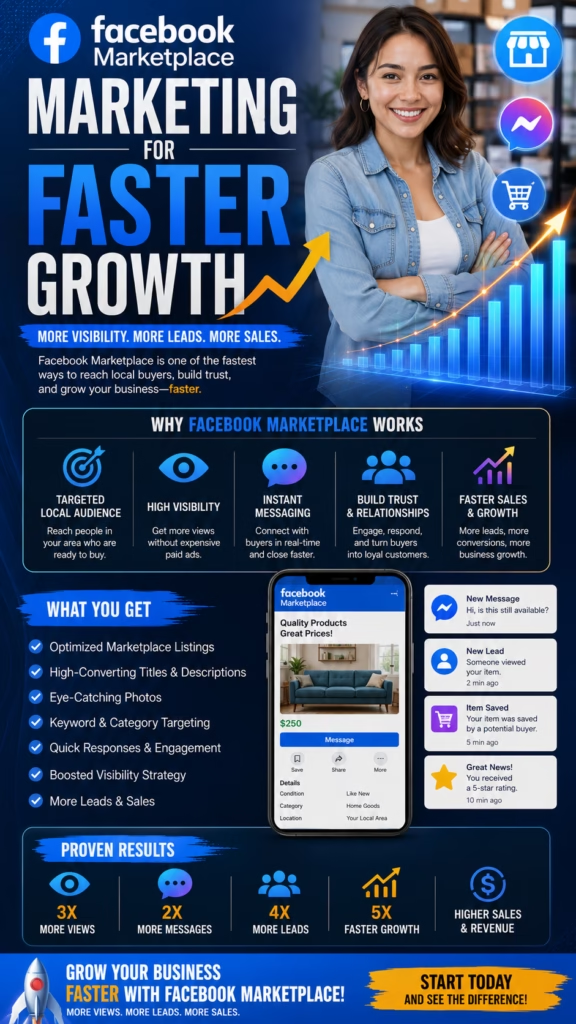
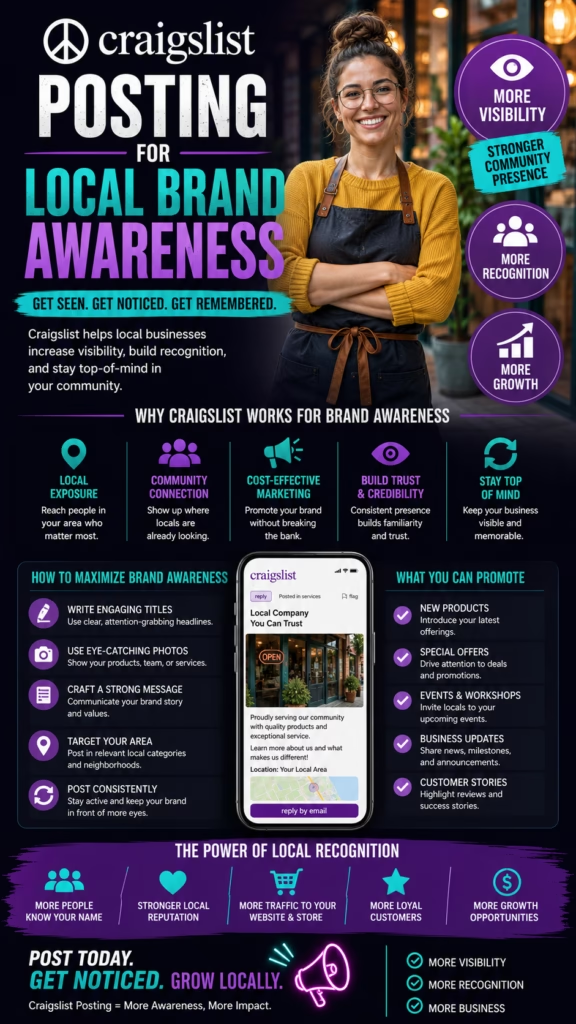
Facebook Marketplace vs Craigslist for Car Sales (2025 Data)

ChatGPT Image Jan 26 2026 02 35 22 PM
Facebook Marketplace vs Craigslist for Car Sales (2025 Data)

Facebook Marketplace vs Craigslist for Car Sales (2025 Data)

Facebook Marketplace vs Craigslist for Car Sales (2025 Data) is a practical, safety-first playbook for selling cars locally—faster—using the two biggest “private-party” classifieds.

Car Sale System (Both Platforms): Listing Photos Pricing Screening Safe Meetup Title Transfer

Note: This is general information, not legal/financial advice. Confirm your state DMV requirements and follow platform rules. Avoid scams by using the safety workflow in this guide.

Introduction

Facebook Marketplace vs Craigslist for Car Sales (2025 Data) matters for one reason: if you choose the right platform (or use both correctly), you can cut your time-to-sale dramatically—without paying dealer trade-in spreads or heavy listing fees.

But here’s the reality: the platform doesn’t “sell your car.” Your proof (photos + transparency), your price, and your process (screening + safe payment + clean title transfer) do.

Big idea: Marketplace often wins on volume and speed; Craigslist can win on direct-search intent in certain cities and price brackets. In 2025, the best move for most sellers is a dual-platform strategy—with different copy and a strict safety checklist.

Expanded Table of Contents

1) Executive summary: which platform wins (and when)

When Facebook Marketplace usually wins

  • More total eyeballs (Facebook is used by a majority of U.S. adults in 2025, per Pew survey data).
  • Discovery: people see your listing without searching hard.
  • Messaging: chat is built-in, fast, mobile-first.
  • Photos: image-first browsing boosts click-through.

Best for: mainstream vehicles priced competitively, sellers who can respond fast, and sellers who want speed.

When Craigslist can still win

  • Direct-search buyers: fewer “window shoppers” in some markets.
  • Simple intent: many users come to Craigslist specifically to buy/sell locally.
  • Older/budget cars: often strong in cash-buyer segments (market dependent).
  • Less social noise: fewer random messages if you write a tight listing.

Best for: budget vehicles, cash buyers, and markets where Craigslist is still a daily habit.

The truth (what most sellers should do)

For most private sellers in 2025, the best outcome comes from posting on both with slightly different titles/first photos and a single shared process:

  • Proof-heavy listing (photos + honest description + title clarity)
  • Fast screening script (timing + payment + safe meetup)
  • Safe transaction workflow (verified funds + clean paperwork)

Important: “2025 data” for these platforms is mostly proxy data (traffic estimates, usage surveys, and market reports). Exact transaction totals aren’t published publicly. This guide uses the best reputable signals available plus field-proven selling systems.

2) 2025 data signals: reach, traffic, demographics (proxy data)

To compare Facebook Marketplace vs Craigslist for Car Sales (2025 Data), we rely on proxies that correlate with buyer exposure and lead volume:

  • Facebook reach: Pew reports 71% of U.S. adults say they use Facebook (2025 survey).
  • Craigslist engagement: Similarweb estimates strong classifieds ranking and deep engagement for craigslist.org (time on site, pages/visit) and U.S.-heavy audience share.
  • Classified category relevance: Market reports continue to list auto listings as a major Craigslist revenue driver, even as overall revenue declines vs earlier years.
  • Industry framing: Major car-shopping guides still treat “online classifieds (Craigslist, Facebook Marketplace)” as meaningful channels for used-car buying/selling.
  • Scam environment: FTC alerts specifically warn car sellers about fake check scams targeting online vehicle sales.
Signal (Proxy “Data”)Facebook Marketplace (context)Craigslist (context)What it implies for sellers
Potential reachFacebook is widely used among U.S. adults (Pew 2025 usage survey).Craigslist is a major U.S. classifieds destination; audience is heavily U.S.-based (Similarweb estimates).Marketplace often yields more total inquiries; Craigslist can still deliver strong local buyer intent.
Traffic & engagementMarketplace is embedded in Facebook’s daily usage patterns; discovery-driven browsing.Similarweb estimates high pages/visit and long session duration for craigslist.org.Craigslist users can be “deep search” shoppers; Marketplace users can be rapid “message-first” shoppers.
Category relevanceVehicles remain a top Marketplace category in many consumer-facing summaries.Auto listings are highlighted in market reports about Craigslist revenue mix.Both platforms are legitimate channels for vehicle sales in 2025.
Lead frictionLow friction → more messages, more flakes, more “Is it available?”Higher friction → fewer leads, sometimes more serious repliesUse the same screening script to convert volume into real appointments.
Fraud pressureHigh scam activity in online marketplaces generally; requires strict process.Similar scam patterns exist; FTC warns sellers about fake check scams online.Safety workflow matters more than the platform choice.

Practical takeaway: “More reach” typically favors Marketplace; “direct-search intent” can favor Craigslist in certain metros. The best approach for most sellers is to run both and let your screening process decide who gets a test drive.

3) Platform mechanics: how each one creates leads

Facebook Marketplace mechanics

  • Discovery feed: your listing shows up while people browse, even without a specific search.
  • Photos first: the first image is your “ad creative.”
  • One-tap messaging: faster than email, which increases lead volume.
  • Profile context: buyers see a human profile, which can help trust (or create bias).

Result: high inquiry volume, high need for fast responses and filtering.

Craigslist mechanics

  • Search-first: many buyers filter by make/model/price and hunt intentionally.
  • Text-heavy: clarity and completeness beat “marketing.”
  • Lower social friction: fewer casual “likes,” more direct communication.
  • Platform simplicity: fewer algorithmic swings; your listing competes by content and price.

Result: fewer but potentially more intent-driven inquiries (market dependent).

Important: Both platforms can produce great buyers—or scams. Your process must assume you’ll encounter fraud attempts and protect you by default.

4) Lead quality: why “more messages” isn’t always better

Most sellers lose time because they treat every message like a real buyer. In Facebook Marketplace vs Craigslist for Car Sales (2025 Data), the conversion difference comes from screening.

The 3-level lead pyramid

Lead levelWhat they sayWhat they really areYour move
Level 1: Casual“Is it available?”Browsing, price-checking, boredReply fast + ask 3 filter questions
Level 2: Interested“Can I see it tonight?”Comparing options, needs a planOffer 2 appointment windows + safe meetup
Level 3: Ready“I have cash. Where do we meet?”Transaction-ready buyerLock it: bank meetup + paperwork checklist

Rule: Do not negotiate until the buyer confirms timing, payment method, and meeting location. That single rule saves hours.

5) Pricing strategy that sells faster on both platforms

Pricing is the biggest lever for time-to-sale. Here’s the practical approach that works on Marketplace and Craigslist:

The “Fast Sale” pricing framework

Step 1: Know your anchor range

Get a realistic private-party range using multiple references (local comps + condition + mileage). Don’t price based on what you “owe.” Price based on what buyers can buy today.

Step 2: Choose a goal

Fast sale: price in the lower half of your realistic range.
Max price: expect more time and negotiation.

Step 3: Build your negotiation buffer

If you want $10,000, list $10,900 only if comps support it. Otherwise you’ll get lowballers and silence.

Step 4: Set a reset timer

If you have views but few inquiries, change first photo, title, or drop price after 3–5 days.

Negotiation lines that protect your time

✅ If you can come today and we meet at the bank, I can be flexible within reason.
✅ I’m pricing it fairly based on condition and local comps.
✅ I’ll consider serious offers in person after you’ve seen it.

Avoid: negotiating endlessly by message. Serious buyers show up, inspect, then negotiate quickly.

6) Photo system: the 20-photo set that closes deals

The #1 reason private-party listings fail is “uncertainty.” Great photos remove uncertainty and prevent the repetitive questions that waste your day.

The 20-photo car set (use in this order)

  1. Hero photo: 3/4 front (daylight, clean background)
  2. 3/4 rear
  3. Side profile (driver)
  4. Side profile (passenger)
  5. Front head-on
  6. Rear head-on
  7. Wheels/tires close-up (front)
  8. Wheels/tires close-up (rear)
  9. Engine bay
  10. Dash with mileage (key proof)
  11. Infotainment screen
  12. Front seats
  13. Back seats
  14. Trunk/cargo area
  15. VIN plate (or share on request)
  16. Title status proof note (photo of “clean title” text can be risky; instead write it clearly in description)
  17. Service/maintenance highlight (if you have receipts, a photo of a folder is fine)
  18. Any known flaw #1 (honest close-up)
  19. Any known flaw #2
  20. Keys + extra key (if you have it)

Fast win: Wash the car, clean the interior, and shoot in shade or golden hour. A clean car at $0 cost often sells faster than a dirty car discounted $500.

7) Search/SEO: titles that rank for car buyers

Buyers search by year/make/model, trim, and “hooks” like clean title, low miles, 1-owner, and recent maintenance. Keep titles readable.

Title formula

[Year] [Make] [Model] [Trim] • [Top Hook] • [Top Hook] • [City]
Examples:
• 2016 Honda Civic EX • Clean Title • 34 MPG • Raleigh
• 2014 Toyota Camry SE • Low Miles • New Tires • Rochester
• 2008 Ford F-150 XLT • 4x4 • Runs Great • Cash Sale • Nashville

High-intent keywords to rotate (naturally)

clean title no accidents low miles one owner new tires new brakes recent service backup camera heated seats apple carplay awd 4x4 great on gas reliable

Avoid: ALL CAPS, spam words, and keyword stuffing. Your listing should feel like a real person, not a dealer ad.

8) Description templates (copy/paste)

Use short sections with proof. Answer the questions buyers always ask: title status, miles, condition, reason for selling, known issues, and transaction plan.

Template A: Clean, mainstream car (best all-around)

✅ [Year] [Make] [Model] [Trim]
Miles: [____]
Title: [Clean / Rebuilt / Salvage] (be honest)
Location: [City / Area]

Highlights:
• [Hook 1] (e.g., great MPG / low miles)
• [Hook 2] (e.g., new tires / recent brakes)
• [Hook 3] (e.g., CarPlay / backup camera)

Condition:
• Runs/drives [great / good], no warning lights
• Known issues: [list honestly or “none known”]

What’s included:
• [#] keys, [manuals/receipts if available]

Next step:
• If you’re serious, message: (1) when you can come, (2) cash or bank-issued cashier’s check, (3) preferred meetup (bank/police zone).
• Test drives with valid driver’s license.

Template B: Budget car (reduce tire-kickers)

✅ [Year] [Make] [Model] — Budget-Friendly
Price: $____ (reasonable offers in person)
Miles: [____]
Title: [Clean / Rebuilt / Salvage]

Honest notes:
• Runs and drives. It’s not new, so expect normal wear.
• Known issues: [list]
• Good for: commuter / student / work car

Sale terms:
• Local sale only
• Meet at [bank/police zone] during daytime
• Cash preferred (or bank-issued cashier’s check at the bank)

Message with your availability + payment method.

Template C: Performance / enthusiast car (filter serious buyers)

✅ [Year] [Make] [Model] [Trim] — Enthusiast-Owned
Miles: [____] • Title: [Clean]
Mods/Upgrades:
• [mod 1]
• [mod 2]
Maintenance:
• [service highlights + dates if possible]

Condition:
• Exterior: [describe]
• Interior: [describe]
• Mechanical: [describe]

Serious buyers:
• Meet at the bank for payment verification
• Test drives with license + proof of funds for longer drives
Message your availability and what questions you have.

9) Screening scripts to filter flakes + scammers fast

Your job is to move a buyer from “message” → “appointment” → “safe transaction.” The fastest way is a consistent script.

Universal first reply (Marketplace + Craigslist)

Yes — it’s available ✅

Quick questions so we don’t waste each other’s time:
1) When can you come see it?
2) Are you paying cash or bank-issued cashier’s check (at the bank)?
3) Which meetup works: bank parking lot or police safe-exchange area?

If they ask “lowest price?”

I’m priced fairly for the condition ✅
If you can come today/tomorrow and we meet at the bank, I can consider a reasonable offer in person.

When can you come by?

If they try the “vehicle report link” scam

I’m happy to share the VIN ✅
But I won’t purchase reports from third-party links.
You’re welcome to run any history check you prefer using the VIN.

Rule: Serious buyers answer timing + payment + meetup quickly. Everyone else is noise.

10) Safety workflow: meetups, payment, title transfer

Most “platform fear” disappears when you run a safe process every time.

Safety checklist (non-negotiable)

  • Meet location: bank parking lot (best) or police-designated exchange area.
  • Time: daytime or business hours.
  • Bring a friend: if possible.
  • Verify identity: driver’s license before test drive.
  • Verify funds: cash counted at bank or cashier’s check issued at teller window.
  • Paperwork: title + bill of sale + any state-required odometer forms.
  • Release of liability: file your DMV’s notice/release if applicable.
  • Remove plates: depending on your state rules.

Payment options (practical ranking)

MethodRiskBest practice
CashMedium (counterfeit/theft)Meet at bank; count/verify inside if possible
Cashier’s checkHigh (fake checks)Only if issued in front of you at the buyer’s bank
Bank transferLow–MediumComplete at bank with confirmation; varies by bank and timing
Personal checkVery highAvoid for private-party car sales
“Overpayment + refund”ExtremeAlways a scam; refuse immediately

Scam reminder: The FTC warns online car sellers about fake check scams and similar tactics. Stick to verified payment and never send money back to a “buyer.”

11) The Marketplace playbook vs the Craigslist playbook

Facebook Marketplace playbook (maximize volume + convert)

  1. Optimize first photo: clean hero shot, daylight, uncluttered background.
  2. Respond fast: aim for < 10 minutes; use saved replies.
  3. Use the screening script: timing + payment + meetup.
  4. Refresh intelligently: update first photo + title after a few days if inquiries are low.
  5. Don’t debate in chat: appointments close sales, not long conversations.

Marketplace edge: discovery + messaging drives speed if your process is tight.

Craigslist playbook (win search buyers + clarity)

  1. Write for search: year/make/model/trim + key features + clear title status.
  2. Answer every buyer question in the listing to reduce back-and-forth.
  3. Use clean formatting: short paragraphs + bullet lists.
  4. Include your safety terms: meetup location + payment rules.
  5. Repost timing: refresh or repost per local rules if your listing drops in visibility.

Craigslist edge: direct-search intent can create decisive buyers when your listing is complete.

Dual-platform strategy (recommended)

If you want the best results from Facebook Marketplace vs Craigslist for Car Sales (2025 Data), do this:

  • Use different titles (same facts, slightly different wording).
  • Use different first photos (swap the hero angle).
  • Keep the same pricing and the same safety rules.
  • Track inquiries separately so you know which platform works best in your market.

12) KPIs: what to track to predict time-to-sale

You don’t need complicated analytics. Track a few numbers and you’ll know exactly what to fix.

KPIWhat it tells youFix if weak
Views (per day)ExposureImprove title + first photo; adjust price
Inquiries (per day)DemandPrice/positioning mismatch; rewrite description
Qualified leadsReal buyersUse screening script; tighten terms
Appointments setConversionOffer 2 time windows; reduce friction
Show rateSeriousnessConfirm day-of; meet at safe public location
Time-to-saleOutcome metricPrice, photos, or response time

Truth: If you have lots of views but few messages, it’s almost always price or first-photo/title. If you have messages but no appointments, it’s screening and response time.

13) 30–60–90 day rollout plan (repeatable system)

Days 1–30: Create a “sale-ready” listing that converts

  1. Detail the car (wash + interior clean).
  2. Shoot the 20-photo set in daylight.
  3. Write listing using Template A/B/C and include safety terms.
  4. Post on Marketplace + Craigslist with different title + first photo.
  5. Use the screening script for every inquiry.

Days 31–60: Optimize based on real signals

  1. If views are strong but inquiries are weak: adjust price and first photo.
  2. If inquiries are strong but appointments are weak: tighten screening.
  3. Track which platform produces more qualified leads in your market.
  4. Add proof: maintenance receipts, new tires, recent service (only if true).

Days 61–90: Turn it into a repeatable system (for multiple vehicles)

  1. Standardize your photo spot and your listing templates.
  2. Create saved replies for common questions.
  3. Use a consistent safety workflow every time.
  4. Maintain a simple spreadsheet: platform, inquiries, qualified leads, appointments, sale price, days to sell.

Pro move: If you sell cars repeatedly, your competitive advantage is not “where you post.” It’s having a consistent listing + screening + safety system that converts faster than other sellers.

14) Sources used for the 2025 “data” section

These sources support the proxy-data claims and safety guidance used in this guide. Platform policies and metrics can change, so always verify current rules directly on the platforms.

  • Pew Research Center — “Americans’ Social Media Use 2025” (reports U.S. adult Facebook usage; survey conducted Feb–Jun 2025). View
  • Similarweb — traffic & engagement estimates for craigslist.org (December 2025 snapshot). View
  • ResearchAndMarkets / Business Wire — “2025 Craigslist Report” coverage noting Craigslist remains #1 classifieds by traffic/revenue and that auto listings are a major revenue driver (May 2025). View
  • Edmunds — “Best Used Car Websites” includes online classifieds such as Craigslist and Facebook Marketplace as channels (June 2025). View
  • FTC Consumer Alerts — “Fake check scam targets online car sellers” (Feb 2025). View

15) 25 Frequently Asked Questions

1) What does “Facebook Marketplace vs Craigslist for Car Sales (2025 Data)” actually mean?

It means we compare the platforms using proxy data (usage surveys, traffic/engagement estimates, market reports) plus practical selling systems. Exact transaction totals aren’t publicly reported.

2) Which platform gets more leads in 2025?

Marketplace often gets more total messages because it’s integrated into Facebook and optimized for photos + messaging. Craigslist can produce fewer but sometimes more direct-search buyers depending on your city.

3) Which platform gets better buyers?

Either one can. Quality is mostly determined by your price, proof (photos), and screening script.

4) Should I list on both?

Yes for most sellers. Dual-platform posting increases exposure and reduces time-to-sale.

5) How do I avoid scams?

Use a bank/police meetup, verify ID for test drives, verify payment, and never send money back to a “buyer.” Avoid third-party “vehicle report” links.

6) What’s the safest way to accept payment?

Cash verified at a bank, or a cashier’s check issued in front of you at the bank. Avoid personal checks.

7) Should I include the VIN?

It helps serious buyers. If you prefer, provide the VIN after the buyer answers your screening questions.

8) How many photos should I use?

Use 20 if possible. More proof = fewer repetitive questions and faster appointments.

9) What’s the best first photo?

A clean, daylight 3/4 front “hero” shot with an uncluttered background.

10) How do I write a title that ranks?

Year + make + model + trim + key hook + city.

11) What should I include in the description?

Title status, miles, condition, recent maintenance, known issues, reason for selling, and your meetup/payment rules.

12) How do I respond to “Is it available?”

Confirm availability and ask: when can they come, how they’ll pay, and where to meet.

13) How do I handle lowball offers?

Don’t debate. Invite reasonable offers in person after inspection, and keep your terms consistent.

14) How fast should I respond?

As fast as you can. Faster replies generally increase conversion from message → appointment.

15) Should I allow test drives?

Yes, but safely: verify license, ride along, meet in public, and keep control of keys until the moment of the drive.

16) Do I need a bill of sale?

Often yes. Requirements vary by state. It’s a smart paper trail even when not required.

17) How do I prevent liability after the sale?

Complete title transfer properly, file any DMV release of liability, and keep copies/photos of signed documents.

18) Is Craigslist still relevant in 2025?

Yes. Market reports still rank it highly in U.S. classifieds, and it can perform strongly in certain metros and price ranges.

19) Why do some people say Craigslist buyers are more serious?

Because Craigslist tends to be more search-driven in some markets, which can reduce casual browsing.

20) Why does Marketplace have more flakes?

Because it’s extremely easy to message listings. Use a screening script to convert volume into real appointments.

21) How do I know my price is wrong?

If you’re getting views but no inquiries, price is often too high or your first photo/title is weak.

22) When should I lower price?

Often after 3–5 days with low inquiry volume, assuming your listing is strong and complete.

23) Should I mention “firm on price”?

Only if true—and consider “reasonable offers in person” to avoid scaring off serious buyers.

24) What’s the biggest mistake sellers make?

Vague listings and slow responses. Great photos + clarity + fast screening closes.

25) What’s the fastest improvement I can make today?

Replace your first photo with a clean hero shot and start using the 3-question screening script.

16) 25 Extra Keywords

  1. Facebook Marketplace vs Craigslist for Car Sales (2025 Data)
  2. sell car on Facebook Marketplace 2025
  3. sell car on Craigslist 2025
  4. best place to sell used car locally
  5. private party car sale checklist
  6. Facebook Marketplace car listing tips
  7. Craigslist car listing tips
  8. how to sell a used car fast
  9. car sale photo checklist
  10. best first photo for car listing
  11. car listing title formula
  12. clean title used car listing
  13. how to avoid car selling scams
  14. fake check scam car sale
  15. safe place to meet to sell a car
  16. bank meetup car sale
  17. police safe exchange zone car sale
  18. cashier’s check safe car sale
  19. bill of sale requirements by state
  20. DMV release of liability car sale
  21. how to handle lowball offers
  22. car sale negotiation script
  23. test drive safety checklist
  24. how to price a used car for fast sale
  25. crosspost car listing Marketplace Craigslist

© 2026 Your Brand. All Rights Reserved.
General information only—confirm platform policies and your state DMV requirements before completing a vehicle sale.

Facebook Marketplace vs Craigslist for Car Sales (2025 Data) Read More »

How Local Furniture Stores Beat Online Brands Using AI

ChatGPT Image Jan 26 2026 02 35 12 PM
How Local Furniture Stores Beat Online Brands Using AI

How Local Furniture Stores Beat Online Brands Using AI

How Local Furniture Stores Beat Online Brands Using AI is a repeatable system to win on speed, trust, and conversion—by combining local proof (real inventory + real delivery) with AI-powered responsiveness, product matching, and consistent follow-up.

AI Furniture Advantage System: Visibility Speed-to-Lead Product Match Quotes Follow-Up Ops Reviews

Note: This is general marketing and operations guidance. Use compliant messaging practices, avoid spammy duplication, and keep claims/offers accurate.

Introduction

How Local Furniture Stores Beat Online Brands Using AI starts with a reality that most retailers miss: online brands are convenient, but they’re not always reassuring. Furniture is expensive, bulky, style-driven, and mistake-prone. Customers fear getting the wrong size, the wrong comfort, the wrong fabric, or the wrong delivery timeline.

Local stores can win—hard—when they combine what online brands can’t easily deliver (real humans, showroom proof, fast local delivery, clear accountability) with what AI makes effortless (instant replies, product matching, consistent follow-up, and scalable content).

Big idea: Online brands win clicks. Local stores win confidence. AI makes confidence scalable.

Expanded Table of Contents

1) Why local furniture stores can outcompete online brands

Online-only furniture brands are optimized for scale: high-margin hero products, simple logistics assumptions, and streamlined customer support. Local stores are optimized for reality: weird room sizes, urgent timelines, staircases, fabric questions, and “I need to see it today.”

Local advantage #1: Instant proof

Customers trust what they can see. A real sectional in a real showroom with real dimensions beats perfect stock renders when the purchase feels risky.

Local advantage #2: Human guidance

Furniture buyers often need help: style matching, room fit, pet/kid durability, comfort feel, and delivery constraints.

Local advantage #3: Fast delivery and accountability

“Delivered this week” beats “ships in 2–6 weeks.” Clear delivery windows reduce anxiety—and reduce cancellations.

Local advantage #4: One-store simplicity

Online brands spread support across email tickets. Local stores can answer fast, confirm details, and book an appointment in minutes.

Key insight: Local stores don’t need to “out-website” online brands. They need to out-respond and out-proof them—every day, on the channels customers already use.

2) The AI advantage: the 7 levers that change outcomes

How Local Furniture Stores Beat Online Brands Using AI is not “replace your team with a bot.” It’s turning the most valuable parts of your store (knowledge, responsiveness, trust signals, and operational reliability) into a system that runs consistently—even when staff is busy.

1) Speed-to-lead

AI answers instantly across Marketplace, web chat, Google messages, and SMS—then routes qualified leads to staff.

2) Product matching

AI asks 3–5 questions and returns curated options that fit room size, budget, and style preferences.

3) Offer clarity

AI presents bundles, financing, and delivery rules consistently—reducing confusion and price friction.

4) Follow-up automation

Recover ghost leads with helpful, option-based follow-ups that don’t feel spammy.

5) Content + listings at scale

Create unique Marketplace listings, local SEO pages, and Google posts faster—while keeping compliance and accuracy.

6) Review velocity

Automate review requests and responses so your reputation grows predictably month over month.

7) Operational friction removal

AI-driven confirmations (dimensions, access notes, delivery windows) reduce cancellations, returns, and reschedules.

Rule: Improve speed-to-lead and product matching first. Those two alone can increase revenue without increasing traffic.

3) Visibility engine: Marketplace + Google + local content

Online brands rely on search and paid ads. Local stores can win by showing up where customers are already hunting for deals, inspiration, and “available now” inventory.

Channel priorities (for most local furniture stores)

ChannelWhat customers wantHow AI helps
Facebook MarketplaceDeals, availability, fast pickup/deliveryListing generation, title rotation, instant replies, follow-up
Google Business ProfileTrust, directions, “near me,” hours, reviewsPosts/Q&A, review responses, message handling, FAQ expansion
Website chat + SMSQuick answers, quotes, schedulingProduct match flows, lead qualification, appointment booking prompts
Instagram/TikTokInspiration, room ideas, proof videosScript generation, captions, hooks, content calendars

Local “intent keywords” that online brands can’t own

sectional couch near me sofa delivery today bedroom set in stock dining table pickup today furniture store financing near me recliner in stock mattress and furniture delivery clearance furniture local same week delivery showroom near me

Visibility mistake: Posting the same listing copy repeatedly. Rotate titles, adjust first photos, and vary angle/room context to stay clean and compliant.

4) AI product matching: turn “browsers” into buyers

Online brands often push shoppers into endless scrolling. Local stores can do the opposite: ask a few questions and recommend the right options fast—then move the buyer to an appointment, a quote, or a delivery booking.

The 5-question product match (works for most categories)

  1. Category: sectional / sofa / bedroom set / dining / recliner / mattress
  2. Room size constraint: approximate wall length or room dimensions
  3. Budget range: “under $999 / $1k–$2k / $2k+”
  4. Style preference: modern / farmhouse / traditional / minimalist
  5. Timeline: pickup today / delivery this week / flexible

AI product match reply template

Perfect ✅ Based on what you shared:
• Category: [__]
• Space: [__]
• Budget: [__]
• Style: [__]
• Timeline: [__]

Here are 3 great options we can confirm today:
1) [Option A] — [Key benefit] — [Approx price] — [In stock / delivery window]
2) [Option B] — [Key benefit] — [Approx price] — [In stock / delivery window]
3) [Option C] — [Key benefit] — [Approx price] — [In stock / delivery window]

What city/zip are you in? I’ll confirm the fastest pickup/delivery and the exact total.

Conversion lever: “3 options” beats “20 options.” Curate, don’t dump inventory.

Room-fit micro-checklist (reduces returns)

  • Confirm wall length and doorway width for sectionals/sofas
  • Confirm staircase turns or elevator access for apartments
  • Confirm fabric constraints (pets/kids) when relevant
  • Confirm delivery window preference early

5) Proof system: photos, video, and trust signals that beat stock imagery

Online brands lean on perfect photography. Local stores win by being believable. The goal is to communicate “real inventory, real condition, real people, real delivery.” AI helps you standardize what to capture and how to present it—so every listing builds trust.

The 9-shot furniture photo system (sectional/sofa example)

  1. Hero shot (bright, clean, straight angle)
  2. Full front view (shows scale)
  3. Side angle (shows depth + profile)
  4. Close-up of fabric/texture
  5. Cushion detail (stitching, comfort cues)
  6. Leg/base detail (style + quality)
  7. Measurement proof (tape measure or spec card)
  8. Store proof shot (subtle signage / showroom corner)
  9. Availability cue (tag, color code, or “in-stock” marker)

Short proof video script (10–15 seconds)

“Quick look at the [Name/Type] — here’s the fabric, the depth, and how it sits.
If you want pickup today or delivery this week, message your city and I’ll confirm options.”

Avoid: overly edited images that hide flaws or distort color. Trust is the currency that beats online brands.

6) Offer architecture: bundles, financing, delivery, and clarity

Furniture shoppers message when the offer is easy to understand. If your pricing and terms feel confusing, they delay, compare, and disappear. AI helps by repeating your rules consistently across every channel.

Offer types that reliably trigger messages

Offer TypeExampleWhy it beats online brands
Bundle“Sofa + loveseat + delivery”Simple, complete solution; reduces decision fatigue
Delivery clarity“Delivery this week available”Beats vague shipping windows
Financing highlight“Easy payment options”Unlocks buyers who hesitate on ticket size
Clearance / overstock“Limited stock at this price”Creates urgency (when true) and moves inventory
Room-complete add-on“Add matching end tables”Increases AOV without sounding pushy

Offer copy block (copy/paste)

✅ In-stock • Local pickup or delivery
✅ Real showroom item • See it today
✅ Clear price • No guessing
✅ Financing options available (if applicable)

Reply with your city + timeline (pickup today vs delivery this week) and I’ll confirm the fastest options.

Pro move: Lead with “in-stock + timeline,” not “features.” Furniture buyers care about fit and when.

7) Messaging scripts: speed-to-lead that feels human

Most local stores lose to online brands because online brands respond instantly (even if the response is generic). The fix is not “more ads.” It’s faster, clearer conversations.

Universal instant reply (Marketplace / web / Google)

Yes — it’s available ✅
Are you looking for pickup today or delivery this week?

What city/zip are you in? I’ll confirm the fastest options and the total.

When the lead asks: “What’s the best price?”

I can help ✅
Is your priority the lowest price, or the best comfort/style for the money?

Tell me what you’re shopping for (sectional/sofa/bedroom/dining) + your budget range, and I’ll send 3 best options today.

When the lead says: “I’m comparing online.”

Totally fair ✅
The biggest differences are usually:
1) You can see it in person today
2) We can confirm fit and delivery timing
3) You have a local team if anything comes up

What city are you in, and what’s your timeline? I’ll tell you what we can do this week.

Micro-qualification (one question at a time)

Quick question ✅
What are you shopping for: sectional, sofa, bedroom set, dining table, or recliner?

Messaging mistake: sending long paragraphs. Keep replies short, ask one question, offer a next step.

8) Follow-up SOP: recover ghost leads without being pushy

Furniture leads ghost for normal reasons: they’re at work, they’re measuring, they’re waiting for a spouse, or they’re overwhelmed by choices. Your follow-up should feel helpful and optional.

3-touch follow-up sequence (safe and effective)

TimingMessageGoal
20–40 minConfirm interest + ask one clarifying questionRe-engage
Same dayOffer 2–3 options + timelineCreate action
Next dayAlternative recommendationSave the lead

Follow-up #1

Quick check-in ✅
Do you still want help with this?

If you tell me your city + timeline (pickup today vs delivery this week), I’ll confirm the best options.

Follow-up #2

Heads up ✅ We’ve had a few people asking about similar pieces today.
If you want, I can send 3 best matches for your space + budget.

What are you shopping for (sectional/sofa/bedroom/dining) and what city?

Follow-up #3 (alternative)

Still shopping? ✅
If that one isn’t perfect, tell me:
• category
• budget range
• approx room size

I’ll send a better match today.

Rule: Follow-up should offer value (options, clarity, timeline)—not guilt or pressure.

9) Ops & delivery: use AI to reduce friction and cancellations

Online brands lose customers in the “after purchase” phase: unclear delivery windows, rescheduling, missing hardware, and support delays. Local stores can win by making operations feel predictable. AI helps standardize confirmations and reduce avoidable problems.

AI delivery confirmation checklist (copy/paste)

To confirm delivery ✅
1) Full address + best phone number:
2) Stairs / elevator / gate code?
3) Any tight turns or narrow doorways?
4) Preferred delivery window: morning / afternoon / evening?
5) Old furniture removal needed? (if offered)

AI order accuracy checklist (prevents returns)

  • Confirm dimensions and orientation (L/R chaise for sectionals)
  • Confirm color name and show real lighting photo if possible
  • Confirm material (leather vs faux vs performance fabric)
  • Confirm timeline and any backorder disclaimers

Simple pipeline stages (so nothing slips)

  • New → message received
  • Qualified → category + city + timeline captured
  • Options sent → 3–5 matches with price range + availability
  • Appointment set → showroom visit scheduled
  • Invoice/checkout → payment/financing flow started
  • Delivery booked → window confirmed
  • Closed → delivered/picked up and review request sent
  • Lost → no response after sequence

Pro move: AI should escalate to staff when a lead is ready to schedule, negotiate, or needs precise inventory confirmation.

10) Reviews & reputation: AI-assisted review velocity + responses

Online brands spend heavily to build trust. Local stores can build trust faster with reviews—especially when the review cadence is consistent and the responses sound caring, specific, and local.

Review request (after delivery/pickup)

Thanks again for choosing us ✅
If everything looks great, would you mind leaving a quick review? It helps local shoppers find us.

If anything isn’t perfect, reply here and we’ll make it right.

Review response templates

Positive review response

Thank you so much ✅
We’re glad you love the [item/category]. If you ever need help completing the room, we’re here anytime!

Negative review response

Thank you for the feedback — we’re sorry this wasn’t perfect.
Please message us with your order details so we can resolve this quickly and make it right.

Rule: Review requests should be consistent and polite. The best time is immediately after a successful delivery experience.

11) KPIs that predict more sales (not just more leads)

To measure How Local Furniture Stores Beat Online Brands Using AI, track the numbers that predict real revenue: speed, qualification, appointments, and operational success.

KPIWhat it meansWhy it matters vs online brands
Median response timeHow fast leads get a real replyFast replies win before shoppers keep scrolling
Qualified lead rateCategory + city + timeline collectedMoves from “chatting” to “buying”
Option-to-appointment rateHow often option sets become visitsShowroom visits beat online browsing
Quote-to-close rateHow often quotes become salesAI clarity reduces decision delay
Delivery success rateOn-time, correct, no rescheduleReliability is the trust moat
Review velocityNew reviews per monthTrust compounding lowers ad dependence

Common trap: chasing “more messages” without improving appointment setting and operational follow-through.

12) 30–60–90 day rollout plan

Days 1–30 (Win speed + trust)

  1. Install instant reply scripts across Marketplace / web chat / Google messages
  2. Create the 5-question product match flow for top categories
  3. Build a proof photo system (consistent staging + measurement proof)
  4. Post consistently (rotate categories: sectionals, bedroom, dining, recliners)
  5. Set a simple pipeline: New → Qualified → Options → Appointment → Close

Days 31–60 (Increase conversion without more traffic)

  1. Analyze which categories drive the most qualified leads
  2. Standardize bundles and financing language (approved offer rules)
  3. Implement the 3-touch follow-up SOP
  4. Add delivery confirmation checklist to reduce cancellations
  5. Start automated review requests after delivery/pickup

Days 61–90 (Scale visibility + operational reliability)

  1. Expand listings and content with strict variation (avoid duplication)
  2. Build a “best 3 options” response library by category
  3. Implement weekly review response cadence (same day if possible)
  4. Improve showroom appointment scheduling and reminder messages
  5. Track KPI improvements and refine scripts monthly

Reality: AI doesn’t win by itself. AI wins when it makes your store’s best habits consistent—every day.

13) 25 Frequently Asked Questions

1) What does “How Local Furniture Stores Beat Online Brands Using AI” actually mean?

It means using AI to scale what local stores do best—fast answers, real proof, curated recommendations, reliable delivery—so you win speed and trust against online-only competitors.

2) Can AI help a furniture store get more leads without increasing ad spend?

Yes. Faster replies and better product matching typically increase conversion on the same traffic.

3) What channel should I start with?

Start where you already get inquiries: Facebook Marketplace and Google Business Profile are common winners.

4) How does AI improve Marketplace performance?

AI helps generate varied listings, rotate titles, respond instantly, and follow up consistently—without staff burnout.

5) How do I stop leads from ghosting?

Use short option-based follow-ups and always end messages with a simple question (city + timeline + category).

6) What’s the best first reply to “Is this available?”

Confirm availability, ask pickup vs delivery timeline, then request city/zip to confirm fastest options.

7) Does AI replace my sales team?

No. AI handles repetitive steps so your team can focus on showroom appointments and closing.

8) What should AI never do?

Promise inventory, pricing, or delivery windows that aren’t confirmed. Use guardrails and escalation rules.

9) Can AI help with financing questions?

Yes, by presenting approved financing language and directing leads to the next step for qualification.

10) How can AI reduce returns?

By confirming dimensions, orientation, access constraints, and material expectations before checkout.

11) What are the top categories for local furniture lead volume?

In many markets: sectionals, sofas, bedroom sets, and recliners perform consistently.

12) How do local stores beat online brands on delivery?

Clear local delivery windows, proactive confirmations, and accountability—AI can standardize these messages.

13) Can AI help with Google reviews?

Yes—automated review requests after delivery/pickup and consistent responses improve trust and rankings.

14) Do I need perfect inventory software to start?

No. Start with top sellers and best deals. Improve data integrations later.

15) How do I make listings look trustworthy?

Use real photos, measurement proof, showroom context, and accurate availability notes.

16) Should I use stock photos?

Use real photos as primary. Stock images alone reduce trust in local resale-heavy environments.

17) How often should I post on Marketplace?

Daily or several times per week with rotation and variation—avoid identical duplicates.

18) What’s the best way to handle “lowest price?” shoppers?

Ask whether they want lowest price or best value, then present 2–3 options across tiers.

19) How do I prevent staff from getting overwhelmed by messages?

Use AI to qualify leads and route “ready to schedule” conversations to staff.

20) Can AI help with social media content?

Yes—hooks, scripts, captions, and content calendars become faster to produce and more consistent.

21) What’s a simple product match flow?

Category + room size + budget + style + timeline → 3 curated options → confirm city/zip for final details.

22) How quickly can I see results?

Many stores see improvements in response time and appointments in 1–2 weeks, with compounding gains over 30–90 days.

23) What’s the biggest AI mistake in furniture retail?

Letting AI promise specifics without rules. Consistency and accuracy matter more than complexity.

24) What KPIs should I track weekly?

Response time, qualified lead rate, appointments set, quote-to-close, delivery success, and new reviews.

25) What’s the fastest improvement I can make today?

Implement a universal instant reply that asks pickup vs delivery and requests city/zip—then follow up with options.

14) 25 Extra Keywords

  1. How Local Furniture Stores Beat Online Brands Using AI
  2. local furniture store AI strategy
  3. AI for furniture retail sales
  4. furniture store lead generation AI
  5. AI sales assistant for furniture stores
  6. Facebook Marketplace furniture leads
  7. Marketplace posting strategy furniture store
  8. Google Business Profile messaging furniture
  9. local furniture store marketing automation
  10. AI product matching for furniture
  11. sectional couch near me marketing
  12. sofa delivery this week leads
  13. bedroom set in stock marketing
  14. furniture store follow-up SOP
  15. AI chat scripts for retail
  16. furniture store response time improvement
  17. AI review request automation
  18. AI review response templates
  19. furniture store local SEO content
  20. AI for delivery scheduling furniture
  21. reduce furniture returns with AI
  22. furniture store appointment booking scripts
  23. furniture store bundle offer strategy
  24. furniture financing lead conversion
  25. local retailer vs online furniture brands

© 2026 Your Brand. All Rights Reserved.
General information only—confirm compliance with platform policies and applicable privacy rules before sending marketing messages.

How Local Furniture Stores Beat Online Brands Using AI Read More »

Best Facebook Marketplace Strategy for Mattress Stores

ChatGPT Image Jan 25 2026 02 09 47 PM
Best Facebook Marketplace Strategy for Mattress Stores

Best Facebook Marketplace Strategy for Mattress Stores

Best Facebook Marketplace Strategy for Mattress Stores is a repeatable system to generate daily messages, calls, and sales—using consistent listings, real photos, clear offers, and fast follow-up.

Marketplace Mattress Lead System: Listings Photos Offers Cadence Messenger Follow-Up

Note: This is general marketing guidance. Keep your Marketplace activity compliant with platform rules and avoid spammy duplication.

Introduction

Best Facebook Marketplace Strategy for Mattress Stores works because mattresses are one of the most “urgent intent” purchases on Marketplace. People aren’t browsing for fun—they’re searching because they need a bed now, they’re moving, their back hurts, or they found a deal and want it this week.

That urgency is your advantage. But it only converts if your listings look legitimate, your offers feel clear, and your response time is fast.

Big idea: Mattress stores win Marketplace by doing the basics better than everyone else—every day.

Expanded Table of Contents

1) The 5-part framework that drives daily mattress leads

To execute the Best Facebook Marketplace Strategy for Mattress Stores, you don’t need hacks. You need five controllable levers:

1) Listing volume

More quality listings = more search impressions across sizes and keywords.

2) Proof photos

Real photos + tags + store context kill skepticism and boost replies.

3) Offer clarity

People message when pricing and terms are easy to understand.

4) Cadence

Consistent posting keeps you “fresh” and visible week after week.

5) Speed-to-lead

Fast response time can double conversions without changing traffic.

Rule: If you want more leads, first improve response time and photos. Then scale listing volume and cadence.

2) What to list: models, sizes, and “lead magnets”

Marketplace mattress shoppers search by size, type, and price. Your goal is to create listings that catch every major search.

Core listing categories (high intent)

  • Queen: the highest message volume in many markets
  • King: higher ticket, strong intent
  • Full/Twin: budget buyers, kids rooms, guest rooms, rentals
  • Hybrid: popular keyword and “premium feel” positioning
  • Memory foam: common search term and price-sensitive conversion
  • Cooling: a strong hook that differentiates instantly

“Lead magnet” offers that drive messages

Offer TypeExampleWhy it works
Bundle“Queen mattress + box spring + frame”Feels like a deal, reduces decision fatigue
Delivery highlight“Same-day delivery available”Removes friction, increases urgency
Clearance“Limited stock / floor model”Creates scarcity and fast action
Financing“Easy payment options”Unlocks buyers who hesitate on price

Important: Keep condition accurate (new vs like new vs floor model). Trust matters more than hype.

3) Photo system: make “new” look obviously real

Mattress listings get skepticism fast. Your photos must communicate “real store, real inventory” immediately.

The 8-photo mattress system

  1. Hero shot (clean, bright, straight angle)
  2. Full mattress top view
  3. Side view showing thickness
  4. Close-up of cover/texture
  5. Brand tag/label (proof)
  6. Corner detail (stitching/edge support)
  7. Bundle components (box spring/frame if included)
  8. Store proof shot (showroom corner / delivery truck / sign — subtle)

Fast win: Set one “photo corner” in your store with consistent lighting and a clean background. Repeat forever.

Photo mistakes that kill replies

  • Dark warehouse shots
  • Messy backgrounds
  • Only stock images with no real proof
  • Angles that hide size/thickness

4) Marketplace SEO: titles that rank for mattress searches

Marketplace search is simple: match what people type. The best strategy is to include size + type + hook + location.

Title formula

[Size] + [Type] + [Hook] + [Condition] + [City]
Examples:
• Queen Hybrid Mattress – Cooling Cover – New – Rochester
• King Memory Foam Mattress – Extra Thick – New – Local Delivery
• Full Mattress + Box Spring Bundle – New – Pickup Today

High-intent keywords to rotate

queen mattress king mattress hybrid mattress memory foam cooling pillow top firm plush box spring frame included delivery available same day new

Avoid: keyword stuffing or ALL CAPS titles. Keep it readable.

5) Offer + pricing strategy that triggers messages

Mattress buyers message when the offer feels easy to say “yes” to. You want a clear headline price and a clear reason it’s a deal.

Pricing positioning that converts

  • Simple: one price displayed clearly
  • Anchored: show MSRP or “regular price” only if truthful
  • Bundled: include delivery or accessories in one offer when possible
  • Scarcity: “limited stock” only if real

Offer examples (copy/paste style)

✅ New Queen Hybrid Mattress
✅ Cooling cover + pressure relief
✅ Pickup today • Delivery available
✅ Limited stock at this price

Pro move: Use “Pickup today” or “Delivery available” in the first 2 lines to reduce friction instantly.

6) Description templates (copy/paste)

Template A: New mattress (high intent)

✅ [Size] [Type] Mattress — NEW
• Feel: [Firm/Medium/Plush]
• Features: [Cooling cover / hybrid support / pressure relief]
• Height: [__ inches] (approx.)

Pickup: Available today
Delivery: Available (message your zip/city)

Reply “YES” and your city for fastest pickup/delivery options.

Template B: Bundle (higher conversion)

✅ [Size] Mattress Bundle — NEW
Included:
• [Size] mattress
• Box spring
• Heavy-duty frame (if included)

Pickup today • Delivery available
Reply “BUNDLE” + your city and I’ll confirm price + fastest options.

Template C: Clearance / floor model (fast mover)

✅ [Brand/Type] [Size] Mattress — Clearance Deal
• Condition: [New/Floor model]
• Reason: [Overstock / display / limited inventory]

First come first served.
Reply with your city for pickup/delivery availability.

7) Posting cadence: daily rhythm without spam

Marketplace rewards activity and freshness. You want a posting routine that’s consistent, varied, and clean.

Recommended cadence

  • Daily: 3–8 listings posted/refreshed (rotate sizes + types)
  • Weekly: refresh winners (new first photo + slightly different title)
  • Monthly: retire stale listings and replace with new offers

Rotation map (simple)

DayFocusWhy
MonQueen hybridsHigh volume
TueKing premium + coolingHigher ticket
WedBudget full/twin dealsFast movers
ThuBundles (mattress + frame)Higher conversion
FriWeekend “pickup today” offersPeak traffic
SatBest sellers refreshVisibility
SunClearance / limited stockClose inventory

Avoid: identical duplicate listings at the same time with the same photos and titles.

8) Messenger scripts that convert “Is this available?”

Speed wins. Your first reply should confirm availability, ask one question, and offer the next step.

Instant reply (universal)

Yes — it’s available ✅
Are you looking for pickup today or delivery this week?

What city/zip are you in? I’ll confirm the fastest options.

Price + next step

Yep ✅ That one is $___.
Pickup is available today, and delivery depends on your area.

What city are you in?

Handle “lowest price?” without losing the sale

I can help ✅
Is your priority the lowest price, or the best comfort/cooling?

Tell me Queen or King + your city and I’ll send the best options today.

Rule: Every message ends with a simple question (size + city + pickup/delivery).

9) Follow-up SOP to recover ghost leads

Ghosting is normal. Your follow-up should be short, helpful, and option-based.

3-touch follow-up sequence

TimingMessageGoal
20–40 minQuick check-in + optionsRe-engage
Same dayConfirm availability + pickup/delivery windowCreate action
Next dayOffer alternate optionSave the lead

Follow-up #1

Quick check-in ✅
Did you still want this one?

Tell me your city and I’ll confirm pickup/delivery options.

Follow-up #2

Heads up ✅ We’ve had a few people asking about it today.
If you want it, I can confirm the fastest pickup/delivery window.

What city are you in?

Follow-up #3 (alternate)

Still shopping? ✅
If this one isn’t perfect, tell me Queen/King + budget and I’ll send a better match.

10) Store operations: pipeline, tags, and tracking

If Marketplace is working, messages pile up. You need a simple pipeline so no lead slips through.

Pipeline stages

  • New: initial message received
  • Qualified: size + city + timeframe collected
  • Options sent: pickup/delivery times + price confirmed
  • Booked: pickup/delivery scheduled
  • Closed: paid and delivered/picked up
  • Lost: no response after follow-up sequence

Simple weekly tracking

[ ] # of active listings
[ ] # of messages per week
[ ] median response time
[ ] # booked pickups/deliveries
[ ] # sales attributed to Marketplace

Pro move: Track which sizes and types produce the most leads (Queen hybrid often wins). Post more of winners.

11) KPIs that predict 100+ leads/month

KPIWhat it meansTarget
Active listingsVisibility surface area30–80+ (market dependent)
Messages per weekLead volume25+ to hit 100/month
Median response timeConversion leverage< 5 minutes (good), < 1 minute (best)
Qualification rateHow many provide city/sizeImprove with scripts
Booked ratePickup/delivery scheduledVaries; improve with options + follow-up

Truth: Most stores don’t need “more leads.” They need faster replies and cleaner listing proof.

12) 30–60–90 day rollout plan

Days 1–30 (Start daily leads)

  1. Build a staging/photo corner
  2. Create 30–50 listings across sizes and types
  3. Implement instant reply scripts + follow-up sequence
  4. Post/refresh daily (3–8 listings)
  5. Track response time and messages weekly

Days 31–60 (Convert more of the same leads)

  1. Identify top 10 listings and replicate variants
  2. Improve titles with size/type keywords
  3. Test bundle offers and delivery positioning
  4. Standardize pipeline stages for staff

Days 61–90 (Scale to 100+ monthly leads)

  1. Expand to 60–120 active listings (market dependent)
  2. Double down on best sizes/types
  3. Systemize follow-up and booking scripts
  4. Measure sales attribution and optimize offers

13) 25 Frequently Asked Questions

1) What is the best Facebook Marketplace strategy for mattress stores?

Consistent listing volume, proof-based photos, clear offers, daily cadence, and fast Messenger follow-up with scripts and a 3-touch follow-up SOP.

2) Can Marketplace generate daily mattress leads?

Yes—especially when you post consistently and respond quickly.

3) What size gets the most messages?

Queen often produces the most volume, with King as a strong higher-ticket follow.

4) How many listings do I need?

Many stores start with 30–50 active listings and scale from there.

5) Should I use stock photos?

Use real photos as the primary. Proof photos (tags/store context) build trust.

6) What’s the fastest way to boost replies?

Improve lighting, remove clutter, and add proof photos with clear price and delivery notes.

7) How often should I post?

Daily or several times per week, rotating sizes/types and refreshing winners.

8) Should I include delivery?

If you offer it, yes. It increases messages and reduces friction.

9) What should my title include?

Size + type + hook + condition + city/area.

10) What should my first message be?

Confirm availability, ask pickup vs delivery, and ask city/zip.

11) How fast should I respond?

Under 5 minutes is good. Under 1 minute is best.

12) How do I handle “Is this available?”

Say yes, ask timeline, ask city, and offer options.

13) How do I reduce ghosting?

Use the 3-touch follow-up and always present the next step.

14) Is “pickup today” effective?

Yes—it creates urgency and converts high-intent shoppers.

15) What offer converts best?

Bundles and clear “delivery available” positioning often convert well.

16) Should I list box springs and frames?

Yes—especially as bundle listings that feel like a complete solution.

17) Can Marketplace replace paid ads?

In some stores, yes—if posting and follow-up are systemized.

18) Do I need a website?

No, but it can help with trust and conversion.

19) How do I keep listings from going stale?

Refresh winners weekly and rotate inventory offerings.

20) What’s a compliant way to scale?

Rotate unique listings, vary photos/titles, and keep inventory accurate.

21) What’s the biggest mistake stores make?

Slow response time and inconsistent posting.

22) How do I make “new” look legitimate?

Proof photos: tags, labels, consistent staging, and store context shots.

23) Should I use video clips?

Optional, but quick clips can help demonstrate thickness and materials.

24) How do I track what works?

Track messages per listing type, response time, booked pickups/deliveries, and sales attributed to Marketplace.

25) What’s the fastest improvement I can make today?

Set instant replies and a clear “city + pickup/delivery” question in every message.

14) 25 Extra Keywords

  1. Best Facebook Marketplace Strategy for Mattress Stores
  2. mattress store Facebook Marketplace leads
  3. Facebook Marketplace mattress marketing
  4. how to sell mattresses on Facebook Marketplace
  5. Marketplace listing strategy for mattress stores
  6. Queen mattress Marketplace leads
  7. King mattress Marketplace strategy
  8. hybrid mattress Marketplace listing
  9. memory foam mattress Marketplace marketing
  10. cooling mattress Marketplace keywords
  11. mattress bundle Marketplace offer
  12. Marketplace delivery available leads
  13. Marketplace posting cadence mattress store
  14. how to get more Marketplace messages
  15. Marketplace SEO for mattresses
  16. Facebook Marketplace title formula mattress
  17. Marketplace description template mattress
  18. Messenger scripts for mattress leads
  19. instant reply Marketplace mattress store
  20. follow up sequence Marketplace leads
  21. how to reduce ghosting Marketplace
  22. local mattress store lead generation
  23. Marketplace SOP mattress store
  24. how to scale Marketplace listings
  25. 100 leads per month Marketplace mattress

© 2026 Your Brand. All Rights Reserved.
General information only—confirm compliance with platform policies and applicable privacy rules before sending marketing messages.

Best Facebook Marketplace Strategy for Mattress Stores Read More »

How Furniture Stores Get 100+ Facebook Marketplace Leads Monthly

ChatGPT Image Jan 25 2026 02 09 49 PM
How Furniture Stores Get 100+ Facebook Marketplace Leads Monthly

How Furniture Stores Get 100+ Facebook Marketplace Leads Monthly

How Furniture Stores Get 100+ Facebook Marketplace Leads Monthly is a practical system for turning Marketplace into an always-on lead source—without relying on expensive ads.

100+ Lead Blueprint: Listings Photos Offers Cadence Fast Replies Follow-Up

Note: This is general marketing guidance. Keep your Marketplace activity compliant with platform rules and avoid spammy duplication.

Introduction

How Furniture Stores Get 100+ Facebook Marketplace Leads Monthly comes down to one thing: furniture is already a high-intent Marketplace category. People search Marketplace when they want a couch, mattress, bedroom set, recliner, dining table, or “deal” today—not in three weeks.

That means your store doesn’t need viral content. It needs a repeatable system that creates (1) consistent visibility and (2) instant conversion when messages come in.

Big idea: 100+ leads per month is not magic. It’s a math problem: more quality listings + better photos + consistent refresh + faster follow-up.

Expanded Table of Contents

1) The simple math behind 100+ Marketplace leads

Most stores think they need “more reach.” In reality, they need more consistent surface area on Marketplace.

LeverWhat it affectsHow it gets you to 100+
# of active listingsHow often you show up in searchMore listings = more impressions
Photo qualityClick-through and messagesBetter photos = more replies
Offer positioningMotivation to messageClear deal + terms = “DM now”
Posting cadenceFreshness and distributionConsistent refresh keeps you visible
Response timeConversion rateFast replies win the conversation

Example target: 40–80 active listings + solid photos + daily/near-daily refresh + instant replies = 100+ messages/month in many markets.

2) Foundation: the profile and trust signals

Furniture buyers are cautious because scams exist. Your job is to look like a real store in 5 seconds.

Trust checklist

  • Business name clearly shown (store name, not a random personal name)
  • Consistent location language: “Local pickup / showroom / warehouse”
  • Clear hours and best contact method
  • Photos that show real inventory and real space (even a corner of your showroom)
  • Policies stated calmly: delivery, holds, financing (if applicable)

Pro move: Put a simple “About us” paragraph in descriptions: years in business, local location, pickup/delivery options.

3) Inventory strategy: what to list (and what not to)

You don’t need to list everything. You need to list what people search for—and what triggers messages.

Best Marketplace categories for furniture leads

Sofas & sectionals

High demand, high browsing, high DM volume.

Mattresses

Strong intent; buyers often want same-week pickup/delivery.

Bedroom sets

“Set” listings feel like value and drive messages.

Dining sets

Great visuals; easy to compare.

Recliners

People search by comfort and deal.

Financing/credit-friendly offers

When allowed, it creates high-intent questions.

What not to lead with

  • Overly niche items that don’t search well
  • Low-quality photos or cluttered warehouse shots
  • Listings with unclear pricing (“message for price” reduces replies)

Rule: Lead with best sellers and “deal” bundles. Use niche items as fillers later.

4) Titles that rank: Marketplace SEO basics for furniture

Facebook Marketplace search behaves like a simplified keyword engine. Your title needs the words buyers type.

Title formula (furniture)

[Type] + [Key Feature] + [Size] + [Condition] + [City/Area]
Examples:
• Sectional Couch w/ Chaise – Like New – Rochester
• Queen Hybrid Mattress – Cooling Cover – New
• 5-Piece Bedroom Set – Modern Gray – Delivery Available

High-intent title keywords

sectional sofa couch recliner queen mattress king mattress hybrid memory foam bedroom set dining set delivery available same day new like new

Avoid: all-caps spam titles or keyword stuffing that reads unnatural.

5) Photo system: the #1 factor for replies

If you want 100+ leads, photos are your leverage. A buyer can’t “feel” a couch online. Photos create trust.

The 7-photo system (repeat this for every listing)

  1. Hero photo (best angle, bright, clean background)
  2. Wide shot (shows scale)
  3. Close-up texture/material
  4. Side angle (shows depth/shape)
  5. Detail shot (stitching, legs, hardware)
  6. Context shot (in a staged corner if possible)
  7. Proof photo (tag, brand, warranty card, or store sign)

Lighting rule

Fast win: Bright, natural light + clean floor + straight angles beats “professional camera in a messy warehouse.”

Photo do’s and don’ts

DoDon’t
Use clean backgroundsCluttered storage shots
Show the full itemOnly close-ups
Use consistent anglesRandom tilted shots
Include a proof elementPhotos that look like stock images only

6) Offer and pricing psychology that drives messages

People don’t message because you exist. They message because the offer feels like a win.

Offer frameworks that trigger DMs

  • Bundle: “Mattress + frame + delivery included”
  • Scarcity: “Limited stock / first come first served” (use honestly)
  • Speed: “Same-day pickup/delivery available”
  • Guarantee: “Warranty included” (only if true)
  • Clear price: One price beats “message for price”

Description structure (furniture listing)

✅ Item + condition
✅ Key features (material, size, color, brand if relevant)
✅ What’s included (set pieces, box spring, frame, etc.)
✅ Delivery/pickup options
✅ Location / hours
✅ Simple CTA: “Message ‘YES’ for availability and fastest pickup/delivery time.”

Pro move: Use “Message YES” or “Reply A/B/C” to make the next step effortless.

7) Posting cadence: daily rhythm that doesn’t get flagged

Consistency wins. Marketplace rewards active sellers and fresh inventory signals. You want a cadence that keeps you visible without looking spammy.

Recommended cadence (most stores)

  • Daily: 3–10 listings posted or refreshed (rotate categories)
  • Weekly: refresh top performers (new photos or new angle order)
  • Monthly: replace stale listings and update pricing/offers

Rotation strategy

DayFocus categoryGoal
MonSectionals / sofasHigh-volume messages
TueMattressesHigh intent, same-week conversions
WedBedroom setsBundle value
ThuDining setsVisual appeal
FriRecliners / dealsWeekend shoppers
SatBest sellers refreshPeak traffic
SunClearance / bundlesClose inventory

Avoid: posting identical duplicates at the same time with the same title/photos. Rotate and refresh intelligently.

8) Messenger scripts that convert “Is this available?”

Furniture leads are easy to lose because buyers message multiple sellers. Your advantage is response time and clarity.

Instant reply (furniture)

Yes — it’s available ✅
Are you looking to pick up today or sometime this week?

If you tell me your area, I’ll send the fastest pickup/delivery options.

Price + close script

Yes ✅ That one is $___.
Pickup is available today, and delivery is available depending on your area.

What city are you in? I’ll confirm the fastest option.

Financing/approval-style inquiry (soft)

We have a few options depending on what you need ✅
What size are you looking for (Queen/King), and what’s your ideal monthly range?

I’ll send the best match and next step.

Rule: Every message ends with one simple question that moves the deal forward.

9) Follow-up sequences to recover ghost leads

Furniture leads ghost because they’re comparing. Your follow-up should be short, helpful, and option-based.

3-touch follow-up

TimingMessageGoal
20–40 minQuick check-in + optionsRe-engage
Same dayConfirm availability + hold policyCreate action
Next day“Still looking?” + alternative optionClose or redirect

Follow-up #1

Quick check-in ✅
Did you still want to grab this one?

If you tell me your city, I’ll send pickup/delivery options.

Follow-up #2

Heads up ✅ This style moves pretty fast.
I can hold it for a short window once you confirm pickup/delivery.

What city are you in?

Follow-up #3 (offer alternative)

Still shopping? ✅
If this one isn’t the right fit, tell me what you want (size/color/budget) and I’ll send a better option.

10) Operational setup: tags, pipeline, and tracking

You can’t scale Marketplace if every message is “random.” You need a simple pipeline.

Basic pipeline stages

  • New lead: asked availability
  • Qualified: city + timeline + item confirmed
  • Next step sent: pickup/delivery options delivered
  • Booked: appointment or pickup time confirmed
  • Closed: sale completed
  • Lost: no response after 3-touch follow-up

What to track (simple)

[ ] # of active listings
[ ] # of messages received weekly
[ ] Response time (median)
[ ] # booked pickups/deliveries
[ ] # sales from Marketplace

Pro move: Track which listing types generate the most messages (sectionals vs mattresses vs sets). Double down on winners.

11) KPIs to track weekly (and what good looks like)

KPIWhat it tells youTarget
Active listingsVisibility surface area40–80+ (market dependent)
Messages per weekLead volume25+ (to reach 100/month)
Median response timeConversion leverage< 1 min (best), < 5 min (good)
Next-step rateHow many move toward pickup/delivery20–50%+
Close rateRevenue outcomeDepends on offer and inventory

Reality: Many stores don’t need more posts—they need faster replies and better photo systems.

12) 30–60–90 day rollout plan

Days 1–30 (Get consistent leads)

  1. Build a 7-photo system and standard angles
  2. Create 30–50 listings across top categories
  3. Implement instant replies + 3-option booking messages
  4. Start a daily refresh cadence (3–10 posts/day)
  5. Track weekly messages and response time

Days 31–60 (Improve conversion)

  1. Identify top 10 listing winners and replicate variants
  2. Improve titles and descriptions with high-intent keywords
  3. Add follow-up sequence to recover ghost leads
  4. Test bundle offers (delivery included, set pricing)

Days 61–90 (Scale to 100+ monthly)

  1. Expand to 60–120 active listings (market dependent)
  2. Standardize pipeline stages and message scripts
  3. Train staff or automation to respond in under 60 seconds
  4. Double down on best categories and offers

Outcome: Marketplace becomes a repeatable lead channel that drives daily calls, messages, and sales.

13) 25 Frequently Asked Questions

1) Can a furniture store really get 100+ Marketplace leads per month?

Yes—stores that hit 100+ typically have consistent posting, strong photos, clear pricing, and fast Messenger follow-up.

2) What’s the #1 factor that increases messages?

Photos. Clear, bright photos with consistent angles outperform almost everything else.

3) What’s the best category to start with?

Sectionals/sofas and mattresses often drive high message volume in many markets.

4) How many listings do I need?

Many stores see traction at 30–50 active listings, then scale to 60–120 depending on inventory and market size.

5) Should I use “delivery available” in titles?

If you offer delivery, yes. It increases clicks and messages from buyers who can’t transport items.

6) Should I list sets or individual items?

Both. Sets feel like value, while individual items capture more search queries.

7) How often should I post?

Daily or several times per week is common for consistent visibility—rotating categories to avoid duplication.

8) Is reposting allowed?

Refresh listings responsibly. Avoid spammy identical duplicates; rotate photos/titles and keep inventory accurate.

9) What should my first message say?

Confirm availability, ask one question (timing or city), and offer the next step.

10) How fast do I need to reply?

Under 5 minutes is good; under 60 seconds is ideal.

11) Should I include financing?

If you offer it and it’s compliant with your policies, it can increase inquiries—especially for mattresses and sets.

12) What if leads only ask “price”?

Answer clearly and then ask one question (city) to move toward delivery/pickup options.

13) How do I reduce ghost leads?

Use a 3-touch follow-up sequence and always present options (A/B/C) instead of open-ended questions.

14) Should I use videos?

Optional, but quick clips can help—especially for sectionals, recliners, and adjustable bases.

15) Is it better to post clearance deals?

Deals can spike messages, but keep quality and trust high. Don’t train buyers to only buy “clearance.”

16) What’s a good conversion target?

It varies, but improving response time and next-step rate usually lifts conversions quickly.

17) Can Marketplace replace paid ads?

In some stores, yes—Marketplace can become the primary inbound lead source if systemized.

18) Do I need a website for this?

No, but it can help with trust. Marketplace can work as a standalone channel.

19) Should I send customers off-platform?

Messenger can close many deals. Off-platform can help for scheduling or payment, but keep it simple and transparent.

20) What’s the best way to write descriptions?

Short and structured: features, what’s included, delivery/pickup, location, and a clear CTA.

21) How do I keep listings from going stale?

Refresh winners weekly, add new angles/photos, and rotate inventory themes.

22) What if my market is smaller?

Reduce volume, increase quality. Smaller markets still respond well to good photos and fast replies.

23) What’s the biggest mistake stores make?

Inconsistent posting and slow Messenger response.

24) How do I create a repeatable photo system?

Use the same angles, same lighting, and a clean staging area. Repeat the 7-photo checklist for every item.

25) What’s the fastest improvement I can make today?

Implement instant replies + a simple A/B/C “pickup/delivery options” script.

14) 25 Extra Keywords

  1. How Furniture Stores Get 100+ Facebook Marketplace Leads Monthly
  2. furniture store Marketplace lead generation
  3. Facebook Marketplace marketing for furniture stores
  4. how to sell furniture on Facebook Marketplace
  5. furniture listing photo system
  6. Marketplace posting cadence for stores
  7. best Marketplace titles for furniture
  8. sectional couch Marketplace leads
  9. mattress Marketplace marketing
  10. bedroom set Marketplace strategy
  11. dining set Marketplace listing tips
  12. recliner Marketplace listing ideas
  13. Marketplace messaging scripts for furniture
  14. instant reply for Marketplace leads
  15. speed to lead Marketplace sales
  16. Marketplace follow up sequence
  17. how to reduce ghost leads Marketplace
  18. local furniture marketing free leads
  19. Marketplace inventory rotation strategy
  20. Marketplace offer positioning furniture
  21. delivery available furniture leads
  22. how to get more messages on Marketplace
  23. Marketplace SOP for furniture stores
  24. Facebook Marketplace SEO furniture
  25. 100 leads per month furniture store

© 2026 Your Brand. All Rights Reserved.
General information only—confirm compliance with platform policies and applicable privacy rules before sending marketing messages.

How Furniture Stores Get 100+ Facebook Marketplace Leads Monthly Read More »

How to Build a Lead Generation System on a $0 Budget

ChatGPT Image Jan 25 2026 02 09 42 PM
How to Build a Lead Generation System on a $0 Budget

How to Build a Lead Generation System on a $0 Budget

How to Build a Lead Generation System on a $0 Budget is a simple, repeatable system for generating daily inquiries without paying for ads—built on intent, proof, and speed-to-lead.

$0 Lead Engine Stack: Google Business Profile Reviews Local SEO Community Referrals Follow-Up

Note: This is general marketing guidance. If you use SMS/email outreach, confirm consent requirements and applicable privacy rules.

Introduction

How to Build a Lead Generation System on a $0 Budget is not about “going viral” or “hustling harder.” It’s about building a small set of actions you can repeat weekly that create visibility, trust, and consistent conversations.

Most businesses don’t have a lead problem—they have a system problem. Leads come from four things:

  • Intent: being found where buyers already look
  • Proof: looking credible instantly
  • Speed: responding before competitors
  • Follow-up: staying in the conversation until they buy

Big idea: With $0 budget, your advantage is consistency. You can outwork and out-respond businesses that rely on ads.

Expanded Table of Contents

1) What a Real Lead Generation “System” Is

How to Build a Lead Generation System on a $0 Budget starts with a definition. A system is not one tactic. It’s a loop:

Traffic

People discover you (Google Maps, referrals, community, SEO).

Trust

They believe you’re legit (reviews, proof, clear offer).

Conversion

They contact you easily (call/text/book form).

Follow-up

You stay on them (scripts + reminders) until they buy.

Proof

Every job produces new photos + reviews that improve trust.

Repeat

Your system runs weekly even when you’re busy.

Rule: If a channel produces leads but you don’t follow up, you don’t have a system—you have a leak.

2) The $0 Lead Generation Stack (Overview)

Here’s the exact stack used in How to Build a Lead Generation System on a $0 Budget. If you can do these five things, you can create daily leads with no ad spend:

  • Google Business Profile (Maps + local intent)
  • Reviews (proof that converts)
  • Local SEO pages (compounding inbound)
  • Referrals + partnerships (warm leads)
  • Speed + follow-up (conversion multiplier)

Goal: You’re building a “trust machine” that makes leads feel safe choosing you.

3) Step 1: Nail Your Offer + “Who It’s For”

Your $0 system fails if your offer is vague. Buyers need clarity.

Offer clarity checklist

  • What do you do? (1 sentence)
  • Who is it for? (ideal customer)
  • What outcome do they want?
  • What makes you different? (proof, speed, warranty, price, specialization)
  • What is the next step? (call/text/book)

Simple positioning template

We help [type of customer] get [result] in [timeframe] without [pain].
Most clients choose us because [proof/differentiator].

Quick win: Put this wording into your GBP description, website homepage, and pinned social post.

4) Step 2: Set Up a Conversion-Ready Contact Path

$0 budget means you can’t waste leads. Make it incredibly easy to contact you.

Minimum conversion assets

  • Click-to-call and click-to-text everywhere
  • Simple booking link or “request a quote” form
  • A single “Services” page or one-page site if needed
  • Proof visible above the fold: reviews, photos, outcomes

Pro move: Create one “Get a Quote” page with: service options, city dropdown, timeline, budget range, and preferred contact method.

5) Step 3: Google Business Profile Setup (Free Inbound Leads)

If you’re local, GBP is often the highest ROI channel in How to Build a Lead Generation System on a $0 Budget. People searching on Maps are already close to buying.

GBP essentials

  • Pick the correct primary category (most important)
  • Add service areas and hours accurately
  • Fill services/products with short descriptions
  • Add 15–30 real photos (then add weekly)
  • Turn on messaging only if you can respond fast

Quick win: Add 10+ services and attach a short “who it’s for” line to each.

6) Step 4: Build a Review Engine (Weekly)

Reviews are your free sales team. You don’t “ask sometimes.” You run a simple engine.

Review request SMS template (copy/paste)

Hey! Quick favor 🙏
If we did a great job, could you leave a short review? It helps local customers find us.

(Review link)
Thank you!

Review engine rules

  1. Ask right after the win (customer is happiest)
  2. One link (no friction)
  3. Reply to every review (signals legitimacy)
  4. Track review velocity weekly

Target: 3–10 new reviews/month. Consistency beats totals.

7) Step 5: Create 5 High-Intent Pages (Local SEO)

Local SEO is the compounding part of How to Build a Lead Generation System on a $0 Budget. You don’t need 100 pages. You need the right pages.

Start with these 5 pages

  • Service #1 in City (your #1 moneymaker)
  • Service #2 in City
  • Service #1 in City #2
  • “Pricing” page (range + factors)
  • “About + proof” page (why trust you)

High-intent page formula

[Service] in [City]
• Who it’s for
• Outcomes + proof
• Pricing range + factors
• Timeline and scheduling
• FAQs
• Call/Text CTA

Quick win: Add a short FAQ section to each page using real questions you get daily.

8) Step 6: Post Proof Weekly (Simple + Repeatable)

Proof-based posting beats “content creation.” Your job is to look real, active, and trustworthy.

Weekly Post TypeWhat to shareWhere
Before/After2 photos + 2 sentencesGBP, FB, IG
Review screenshotCustomer quote + thank youFB, IG
FAQ answerAnswer an objection in 5 linesGBP, Blog
Process clip15-second “how we do it”Reels/Shorts
Pricing factors3 bullets that affect costFB, IG, Blog

Weekly habit: One job = one week of content.

9) Step 7: Community Groups (Help-First Strategy)

Groups can generate leads fast, but spam kills trust. Use a helpful format that earns replies.

Help-first community post template

Quick tip for anyone dealing with [problem]:
• Sign #1:
• Sign #2:
• Sign #3:

If you want, comment your area + what you’re seeing and I’ll tell you the likely cause.

Why it works: You become the expert without begging for business.

10) Step 8: Referrals + Partnerships (Warm Leads)

Referrals and partnerships are the highest ROI “$0” channels because trust is pre-loaded.

Referral ask (copy/paste)

Hey! If you know anyone who needs [service], can you send them my info?
I’ll take great care of them. If you want, I can send a short message you can forward.

Partner outreach script

Hey [Name] — I run [Business]. We serve [Area] and people often ask us for [their service].
If I send you referrals, would you be open to doing the same when you get asked for [your service]?

Happy to start simple.

Goal: 3 partners sending 2–5 leads/month each.

11) Step 9: $0 Outbound (10/Day Outreach Script)

Outbound works when it’s targeted and respectful. Do 10/day for 30 days and you’ll build pipeline without ads.

10/day outreach script

Hey [Name] — quick question.
Do you ever need help with [service] in [city/area]?

If so, I can send pricing and availability. If not, no worries at all.

Best targets

  • Property managers
  • Realtors and brokers
  • Local business owners (adjacent)
  • HOA/community organizers
  • Contractors or vendors who share customers

12) Step 10: Follow-Up System (Turn Interest Into Sales)

Most $0 lead systems fail because follow-up is inconsistent. Fix that, and every channel becomes stronger.

Simple 7-touch follow-up

WhenMessageGoal
0 minutesInstant reply + confirm what they needStart conversation
2 hoursSend pricing range + 2 questionsQualify + guide next step
Next daySend proof (review/before-after)Build trust
Day 2Answer top objection (time/cost/process)Remove friction
Day 3Offer two times to talk/bookGet commitment
Day 5Helpful tip + “still want to do this?”Re-engage
Day 7“Should I close this out?”Get a yes/no

Fast win: Set a “missed call text-back” today.

13) KPIs to Track (What to Measure Weekly)

You can’t improve what you don’t measure. Track these four weekly:

KPITargetWhy it matters
Speed-to-lead< 15 minutesBiggest conversion multiplier
Leads per weekUpward trendSystem is producing
Booked appointmentsUpward trendQuality + follow-up
Reviews per month3–10+Trust compounding

Rule: If leads are coming in but bookings are low, it’s usually speed, follow-up, or offer clarity.

14) Copy/Paste Checklists

Weekly $0 lead routine (60 minutes)

[ ] Post 1 proof update (before/after or review)
[ ] Send 5 review requests
[ ] Reply to reviews/messages
[ ] Message 2 partners or referral sources
[ ] Post 1 help-first tip in a community group
[ ] Add 1 photo to GBP
[ ] Follow up on all open leads

Monthly $0 lead routine (2–3 hours)

[ ] Publish/refresh 1 service + city page
[ ] Audit GBP: categories, services, photos
[ ] Ask top customers for referrals
[ ] Reactivate past customers list
[ ] Review KPIs: leads, bookings, response time, reviews

15) 30–60–90 Day Rollout Plan

Days 1–30 (Fast leads)

  1. Optimize GBP and add services + photos
  2. Implement review request system
  3. Add click-to-call/text everywhere
  4. Begin weekly proof posting
  5. Start 10/day outreach + partner messages

Days 31–60 (Compounding)

  1. Create 5–10 SEO pages (service + city)
  2. Build 3 partnerships that send referrals
  3. Publish FAQ content from real questions
  4. Launch reactivation campaign to past customers

Days 61–90 (Systemize)

  1. Track KPIs weekly and fix weak links
  2. Standardize scripts (inquiry → quote → booking)
  3. Document routine so it runs even when busy
  4. Scale what works (more pages, more proof, more partners)

Want to automate replies + follow-up so leads never go cold?

Book a Demo   |   See AI Automation

16) 25 Frequently Asked Questions

1) How to build a lead generation system on a $0 budget?

Start with GBP + reviews + fast response. Add local SEO pages, referrals/partnerships, community posting, and a follow-up system to convert inquiries consistently.

2) What is the fastest way to get leads for free?

Referrals, partnerships, community groups, and targeted outreach can produce leads within days.

3) What is the best $0 lead generation channel for local businesses?

Google Business Profile with consistent reviews and fast response time is often the highest ROI $0 channel.

4) Do I need a website to get leads?

Not always, but a simple page improves trust and conversions. GBP alone can work if optimized well.

5) How many reviews should I aim for?

Consistency matters most. Aim for 3–10 new reviews per month if possible.

6) What if my GBP isn’t ranking?

Fix categories, complete services, post photos weekly, earn consistent reviews, and improve engagement and response time.

7) How can I get referrals reliably?

Ask after wins, keep the ask simple, and give a small reward or VIP priority.

8) What partnerships work best?

Adjacent businesses that share customers but don’t compete (e.g., realtor + inspector + cleaner + handyman).

9) How do I avoid spamming community groups?

Use help-first posts: tips, Q&A offers, and education. Don’t push “buy now” language.

10) Is SEO really free?

You pay with time and effort, but the traffic is organic and compounds without paying per click.

11) How many SEO pages should I create?

Start with 5, then build toward 10–20 based on services and cities.

12) What should I post each week?

Proof: before/after, review screenshot, process clip, and one FAQ answer.

13) What is speed-to-lead and why does it matter?

Speed-to-lead is how fast you respond to new inquiries. Faster response often doubles conversion.

14) What follow-up system should I use?

Use a 7-touch sequence over a week: confirm need, send pricing, show proof, answer objections, offer times, and close out.

15) How do I qualify leads quickly?

Ask: location, timeline, budget range, and what success looks like. Keep it friendly and simple.

16) How do I stop leads from ghosting?

Respond fast, ask two simple questions, share proof early, and offer two specific times to talk.

17) What if I have no past customers to reactivate?

Start building a contact list now from every inquiry and every completed job.

18) Can I build a $0 system without social media?

Yes. GBP + reviews + SEO + referrals can carry many businesses. Social speeds up trust but isn’t required.

19) What if I’m in a competitive market?

Win on proof, speed, and specialization. Most competitors fail on consistency and follow-up.

20) How do I track results simply?

Track leads/week, bookings/week, response time, and reviews/month. Adjust based on trends.

21) How long until a $0 system works?

Some channels work in days (referrals/outreach). SEO takes weeks/months but compounds long-term.

22) What’s the biggest mistake in $0 lead gen?

Inconsistency and slow follow-up. Leads are lost after hours, not weeks.

23) How many minutes per day does it take?

Often 15–30 minutes/day plus a weekly 60-minute routine is enough to build momentum.

24) What’s the best first-day action?

Fix your GBP, add photos, and set up a review request text. Then improve response time immediately.

25) How do I scale after $0 starts working?

Scale content and SEO pages, add partners, and then add paid search once conversion tracking and follow-up are solid.

17) 25 Extra Keywords

  1. How to Build a Lead Generation System on a $0 Budget
  2. lead generation system on a $0 budget
  3. how to get leads for free
  4. free lead generation strategies
  5. free marketing for small business
  6. $0 marketing plan
  7. Google Business Profile leads
  8. Google Maps lead generation
  9. how to get more Google reviews
  10. local SEO without ads
  11. service + city SEO pages
  12. referral marketing system
  13. partnership marketing for leads
  14. community group marketing
  15. Facebook Marketplace leads
  16. Craigslist lead generation
  17. OfferUp lead generation
  18. speed to lead strategy
  19. follow up sequence for leads
  20. missed call text back
  21. lead generation checklist
  22. 30 60 90 day marketing plan
  23. organic lead generation system
  24. how to qualify leads quickly
  25. free inbound lead system

© 2026 Your Brand. All Rights Reserved.
General information only—confirm consent rules and applicable privacy laws before sending SMS or email marketing messages.

How to Build a Lead Generation System on a $0 Budget Read More »

Best Lead Generation Channels for Small Businesses (Ranked by ROI)

ChatGPT Image Jan 25 2026 02 09 44 PM
Best Lead Generation Channels for Small Businesses (Ranked by ROI)

Best Lead Generation Channels for Small Businesses (Ranked by ROI)

Best Lead Generation Channels for Small Businesses (Ranked by ROI) is a practical 2026 guide to choosing the channels that deliver the most revenue per dollar (and per hour) — with a scoring framework, scripts, and rollout plan.

High-ROI Lead Stack: Google Maps Reviews Referrals Partnerships Marketplaces Automation

Note: This is general marketing guidance. If you use SMS/email outreach, confirm consent requirements and applicable privacy rules.

Introduction

Best Lead Generation Channels for Small Businesses (Ranked by ROI) is a question every owner asks after wasting money on “random marketing.” Here’s the truth: ROI isn’t only about cheap leads. It’s about lead quality, speed-to-lead, follow-up, and how well your offer matches buyer intent.

Some channels produce leads immediately but require daily effort. Others take longer to build but compound for years. This guide ranks the top channels by ROI for most small businesses and shows you exactly how to implement them without getting overwhelmed.

Big idea: The highest ROI comes from channels where intent already exists — and where you respond faster than competitors.

Expanded Table of Contents

1) What “ROI” Really Means for Lead Generation

For small businesses, “ROI” isn’t only “cheap leads.” The best channel is the one that produces the most profitable sales with the least waste.

ROI is driven by 5 factors

  • Intent: Are they already looking for what you sell?
  • Trust: Do they believe you’re legit in 5 seconds?
  • Speed: How fast do you respond?
  • Follow-up: Do you stay in the game?
  • Unit economics: Margin, ticket size, close rate

Low ROI usually comes from

  • Weak offer or unclear positioning
  • Slow response time
  • No proof (reviews, photos, results)
  • No follow-up system
  • Tracking nothing and guessing

ROI shortcut: Improve response time and follow-up first — it increases ROI on every channel.

2) The ROI Scoring Framework (Copy/Paste)

Use this simple scoring to rank channels for your business. Score each 1–5 and total it.

Score FactorQuestion1 (Low)5 (High)
IntentAre people actively searching/buying?Mostly browsingReady to buy now
SpeedCan you respond instantly?Hours/daysMinutes/instant
ConversionDo leads typically book/call?Low commitmentHigh commitment
CostMoney + time required?High ongoing spendLow cost/compounding
DurabilityDoes it keep producing later?Stops when you stopCompounds for months/years

Use it weekly: Any channel scoring 18+ is usually worth doubling down on.

3) Best Lead Generation Channels Ranked by ROI

This ranking reflects what tends to produce the best ROI for most small businesses when implemented correctly (and followed up fast).

RankChannelWhy ROI is highBest for
1Google Business Profile + ReviewsHigh intent + trust + free trafficLocal services/retail
2ReferralsWarm trust, best close ratesEverything
3PartnershipsWarm leads at scaleAdjacent niches
4Local SEO pagesCompounding inbound demandService + multi-city
5MarketplacesHuge volume, low cost, fastLocal, deal-driven
6Reactivation (past customers)“Free money” listRepeatable services/retail
7Email/SMS follow-upRaises ROI of every channelAny lead flow
8Short-form contentTrust at scaleHigher-consideration offers
9Paid search (Google Ads)High intent, controllableHigh ticket, urgent needs
10Cold outreachTargeted pipeline buildingB2B, big tickets
11Community + networkingLocal trust and referralsRelationship-driven
12Paid socialWorks with funnel + retargetingOffers with strong creative

Important: Your ROI ranking may change based on margins, seasonality, and how quickly you respond to leads.

4) #1 Google Business Profile + Reviews (Local Map Pack)

Best Lead Generation Channels for Small Businesses (Ranked by ROI) almost always starts here for local businesses because people searching on Maps are already close to buying.

What moves the needle fast

  • Correct primary category (most important)
  • Services filled out with pricing ranges and descriptions
  • Weekly photo uploads (real work, products, team)
  • Consistent new reviews every week
  • Fast replies to calls/messages

Quick win: Add 10–20 service entries and attach a short keyword description to each.

5) #2 Referrals (Engineered, Not Accidental)

Referrals are the highest ROI leads because trust is pre-loaded. The best businesses don’t “hope” for referrals—they run a system.

Simple referral ask (copy/paste)

Hey! Quick favor 🙏
If you know anyone who needs help with [service], can you text them my info?
I’ll take great care of them.

If you'd like, I can also send you a short message you can forward.

Referral offer ideas

  • $25–$100 referral credit (services)
  • Gift card / upgrade (retail)
  • VIP priority scheduling

6) #3 Partnerships (Adjacent Businesses)

Partnerships are “referrals at scale.” They work best when you share the same customer but don’t compete.

Partner outreach script

Hey [Name] — I run [Business]. We serve [Area] and people often ask us for [their service].
If I send you 3–5 referrals a month, would you be open to doing the same when you get asked for [your service]?

Happy to start simple and see if it’s a fit.

Rule: Build 3 partners that can each send you 2–5 leads/month.

7) #4 Local SEO Service + City Pages

Local SEO compounds. It’s slower at first, but once it ranks, it produces consistent inbound leads without paying per click.

High-intent page formula

[Service] in [City]
• What you do + who it’s for
• Pricing range
• Timeline and availability
• Proof (photos, reviews, results)
• FAQs
• Strong call/text/book CTA

Quick win: Build 5 pages for your top services + your top cities.

8) #5 Marketplaces (Facebook Marketplace, Craigslist, OfferUp, etc.)

Marketplaces can produce high lead volume with low cost. The ROI depends on your ability to respond fast and filter tire-kickers.

What works

  • Post consistently with rotating formats
  • Clear offer + strong photos
  • Instant reply and fast follow-up
  • Move serious buyers to call/text/booking

Pro move: Use automation to reply instantly and capture lead info (name, city, need, budget).

9) #6 Reactivation (Past Customers)

Past customers are the cheapest leads you’ll ever get. Reactivation turns “old business” into immediate cash flow.

Reactivation message

Hey [Name] 👋
Quick check-in — do you need help with anything related to [service] this season?
If you want, I can share current availability and a quick price range.

Rule: Reactivate monthly. Even 1% response can be huge.

10) #7 Email/SMS Follow-Up (Owned Attention)

Email/SMS doesn’t always “create” leads, but it multiplies conversions across every channel by staying top-of-mind.

7-day follow-up framework

  • Day 0: Confirm need + next step
  • Day 1: Provide proof + simple CTA
  • Day 2: Answer top objection
  • Day 3: Offer two times to talk
  • Day 5: Reminder + short helpful tip
  • Day 7: “Should I close this out?”

Reminder: Confirm consent and include opt-out language for SMS/email campaigns.

11) #8 Short-Form Video (Trust at Scale)

Short-form content improves ROI by building credibility before the lead even contacts you.

Simple content types that convert

  • Before/after proof
  • “3 mistakes people make”
  • Pricing factors explained
  • Process walkthrough (15–30 seconds)

12) #9 Paid Search (Google Ads)

Paid search is often the best “paid” ROI channel because intent is high. It works best when your landing page and follow-up are strong.

Paid search ROI rules

  • Bid on high-intent keywords (“near me,” “cost,” “book”)
  • Use call extensions and tracking
  • Send traffic to one focused page
  • Respond instantly to every form/call

13) #10 Cold Outreach (Targeted, Respectful)

Outbound can be high ROI when the target list is narrow and the message is helpful. It’s especially strong in B2B and high-ticket services.

10/day outreach script

Hey [Name] — quick question.
Do you ever need help with [service] in [city/area]?

If so, I can send pricing and availability. If not, no worries at all.

14) #11 Community Groups + Local Networking

Community posting works when you provide value first. Networking works when you show up consistently and follow up.

Help-first community post template

Quick tip for anyone dealing with [problem]:
• Sign #1:
• Sign #2:
• Sign #3:

If you want, comment your area + what you’re seeing and I’ll tell you the likely cause.

15) #12 Paid Social (Best With a Funnel)

Paid social can be high ROI when you have strong creative and a clear offer — and when you follow up fast. It’s often lower intent than search.

Paid social ROI boosters

  • Lead magnet offer (not “buy now”)
  • Retarget video viewers and site visitors
  • Use instant replies and follow-up sequences

16) The “Best Mix” by Business Type

Local service businesses

GBPReviewsLocal SEOReferralsPartnerships

Win Maps first, then compound with pages and partners.

Retail / local stores

GBPProduct photosCommunityReactivation

Visibility + proof + simple offers drive walk-ins and calls.

High-ticket / B2B

PartnershipsOutboundPaid searchCase studies

Targeted outreach + proof converts best.

Deal-driven / marketplace-friendly

MarketplacesInstant replyFollow-upReactivation

Volume + speed-to-lead equals ROI.

17) KPIs to Track Weekly (ROI Scoreboard)

KPITargetWhy it matters
Speed-to-lead< 15 minutesConversion multiplier on every channel
Lead-to-appointment10–30%+Measures sales process strength
Appointment-to-sale20–60%+Measures offer + closing
Cost per leadTrend downChannel efficiency
Revenue per leadTrend upQuality and upsell strength

Fast ROI win: Speed-to-lead + follow-up improvements usually increase revenue without changing traffic.

18) Copy/Paste Implementation Checklists

Weekly lead-gen routine (60 minutes)

[ ] 1 proof post (before/after or testimonial)
[ ] 5 review requests
[ ] Reply to reviews/messages
[ ] 2 partner outreach messages
[ ] 1 community/help post
[ ] Track KPIs (speed-to-lead, booked calls)

Monthly lead-gen routine (2–3 hours)

[ ] Add/refresh 1 high-intent SEO page
[ ] GBP audit (categories, services, photos)
[ ] Reactivate past customers
[ ] Review channel ROI scores and adjust time allocation

19) 30–60–90 Day Rollout Plan

Days 1–30 (Fast leads)

  1. Optimize GBP fully + add services
  2. Implement review request system
  3. Enable fast response (instant replies / missed-call text)
  4. Start 10/day partner or outbound messages
  5. Post proof weekly

Days 31–60 (Compounding)

  1. Create 5–10 service + city pages
  2. Build 3–5 partnerships
  3. Launch reactivation campaign to past customers
  4. Add email follow-up sequences

Days 61–90 (Systemize + scale)

  1. Track KPIs weekly and fix bottlenecks
  2. Standardize scripts for every lead source
  3. Scale what works (more pages, more partners, more posts)
  4. Add paid search only after conversion tracking is clean

Want to automate lead capture + follow-up across channels?

Book a Demo   |   Get the ROI Channel Scorecard

20) 25 Frequently Asked Questions

1) What is the best lead generation channel for small businesses?

For many local businesses, Google Business Profile + reviews + fast response is the highest ROI combination.

2) Which channels generate leads the fastest?

Referrals, partnerships, marketplaces, and targeted outbound outreach can generate leads within days.

3) Which channels compound over time?

Local SEO and reviews compound and can deliver leads for months or years once built.

4) Do I need paid ads to get leads?

No. Many businesses win with GBP, referrals, partnerships, and SEO before running ads.

5) How do I measure ROI per channel?

Track lead volume, lead-to-appointment rate, appointment-to-sale rate, revenue per sale, and cost (time + money).

6) What is the biggest ROI lever?

Speed-to-lead and consistent follow-up typically improve ROI across every channel.

7) Are marketplaces high ROI?

They can be if you respond fast and have a system to qualify leads.

8) How many reviews do I need?

There’s no magic number—consistent review velocity often matters more than total count.

9) What should I do if my GBP isn’t ranking?

Fix categories, complete services, add photos weekly, earn reviews, and improve response activity.

10) What’s a good referral program?

Keep it simple: a clear ask, an easy reward, and consistent reminders.

11) How do partnerships work?

Exchange referrals with adjacent businesses that serve the same customers.

12) Is SEO worth it for small businesses?

Yes—especially if you serve multiple cities or have high-value services.

13) What’s the best content to create first?

Proof-based content: before/after, testimonials, FAQs, and pricing factors.

14) Is cold outreach still effective?

Yes if it’s targeted, respectful, and offers a clear next step.

15) How many channels should I run at once?

Start with 2–3. Scale after you can handle response and follow-up.

16) What’s the best “free” channel for urgent services?

Google Maps and referrals typically deliver the strongest intent.

17) What’s the best channel for B2B?

Partnerships and targeted outbound usually win for B2B.

18) What’s the best channel for retail stores?

GBP, product photos, community engagement, and reactivation campaigns.

19) When should I add paid search?

When tracking is clean and your sales process converts leads reliably.

20) Why do leads go cold?

Slow replies, weak follow-up, unclear offers, and low trust signals.

21) How do I improve lead quality?

Improve your offer, add qualifiers, and focus on intent-based channels.

22) How do I reduce wasted time?

Use scripts, qualifiers, and automation for instant replies and follow-up.

23) What’s the best weekly routine?

Proof post, review asks, fast responses, partner outreach, and KPI tracking.

24) How long until results?

Some channels work within days; SEO typically takes weeks to months but compounds.

25) What’s the fastest improvement I can make today?

Improve response time with instant replies and a follow-up sequence.

21) 25 Extra Keywords

  1. Best Lead Generation Channels for Small Businesses (Ranked by ROI)
  2. best lead generation channels for small businesses
  3. highest ROI marketing channels
  4. lead generation ROI framework
  5. local lead generation strategies
  6. Google Business Profile lead generation
  7. how to get more Google reviews
  8. local SEO for small business leads
  9. referral marketing system
  10. partnership marketing for leads
  11. marketplace lead generation
  12. Facebook Marketplace leads
  13. Craigslist lead generation
  14. OfferUp leads for small business
  15. email follow up sequences
  16. SMS follow up automation
  17. speed to lead conversion
  18. lead qualification scripts
  19. paid search vs SEO ROI
  20. Google Ads ROI for small business
  21. short form video lead generation
  22. community marketing strategies
  23. cold outreach scripts for leads
  24. reactivation campaign past customers
  25. lead generation rollout plan 30 60 90

© 2026 Your Brand. All Rights Reserved.
General information only—confirm consent rules and applicable privacy laws before sending SMS or email marketing messages.

Best Lead Generation Channels for Small Businesses (Ranked by ROI) Read More »

How AI Responds to Facebook Marketplace Leads in Under 30 Seconds

ChatGPT Image Jan 24 2026 12 36 00 PM
How AI Responds to Facebook Marketplace Leads in Under 30 Seconds

How AI Responds to Facebook Marketplace Leads in Under 30 Seconds

How AI Responds to Facebook Marketplace Leads in Under 30 Seconds is the practical playbook to win more Marketplace conversations, qualify faster, and book the next step automatically—without sounding robotic.

30-Second Speed-to-Lead Stack: Instant Reply Qualify Proof Next Step Follow-Up Handoff

Note: This is general marketing guidance. If you use SMS/email follow-up, confirm consent requirements and applicable privacy rules.

Introduction

How AI Responds to Facebook Marketplace Leads in Under 30 Seconds is built around a simple truth: Marketplace is a speed game. Buyers message multiple sellers, then pick the first one that feels available, trustworthy, and easy to buy from.

If you respond in 2–3 hours, you’re not competing on price—you’re competing against someone who replied in 20 seconds. The buyer already moved on. That’s why “speed-to-lead” is one of the highest leverage improvements you can make on Facebook Marketplace.

Big idea: You don’t need more leads. You need faster conversations that turn into bookings.

Expanded Table of Contents

1) Why 30-second response wins on Marketplace

Facebook Marketplace is not a traditional “consideration” channel. It’s a high-intent, fast-decision channel. Most buyers are scanning, messaging, and deciding in minutes.

What buyers do

  • Message 3–10 sellers quickly
  • Pick the first helpful reply
  • Ask only 1–2 questions
  • Move to pickup/appointment immediately

What sellers do (and lose)

  • Reply hours later
  • Ask too many questions
  • Sound generic or spammy
  • Fail to give a clear next step

Core advantage: Fast reply + clear next step beats “better pricing” more often than you think.

2) The 30-second AI response system (overview)

A good AI response system doesn’t just answer fast—it moves the lead through a mini pipeline:

StageAI actionOutcome
1) Instant replyConfirms availability + asks 1–2 questionsBuyer stays engaged
2) QualifyCollects the minimum needed infoReduces dead-end chats
3) ProofShares a quick credibility pointTrust increases
4) Next stepOffers appointment/pickup/quote optionsMoves toward booking
5) Follow-upReminds + recovers leadsHigher conversion rate
6) HandoffAlerts a human when neededCloses more high-value leads

Rule: Every message should either (1) qualify or (2) book the next step.

3) The perfect first message structure

Your first reply is the most important message in the entire conversation. It should be short, natural, and action-oriented.

The 5-part “30-second” first reply

  1. Confirm availability (“Yes, it’s available”)
  2. Personalize lightly (use the item/service name)
  3. Clarify one key detail (location / timeline / size)
  4. Qualify with 1 question
  5. Next step (give options)

Copy/paste first reply (universal)

Yes — it’s available ✅
Are you looking to do this today or this week?

If you tell me your area, I can send the next step (pickup times / pricing / appointment options).

Why it works: It’s human, short, and pushes toward action without feeling pushy.

4) Qualification that doesn’t kill the sale

The goal is not to interrogate. The goal is to collect the minimum info required to give a confident next step.

“One-question” qualification (best for Marketplace)

  • Service business: “What city are you in?”
  • Rental leads: “What move-in date are you aiming for?”
  • Product: “Are you looking for pickup today or tomorrow?”
  • High ticket: “What’s the main goal you want to solve?”

Two-question max rule

Avoid: asking 5 questions before giving any value. That feels like a form.

Better: ask 1 question → give an option → ask 1 more only if needed.

Service business qualification script

Got it ✅ What city/area are you in?
And is this something you want done ASAP or just pricing right now?

5) Booking the next step (appointments, pickup, quotes)

Marketplace leads convert when you make the next step insanely easy. AI should present options, not questions.

Appointments (services)

I can get you on the schedule ✅
Which works better?

A) Today 4–6
B) Tomorrow 10–12
C) Tomorrow 3–5

Reply A, B, or C.

Pickup (products)

You can grab it today ✅
Pickup windows:

A) 3–5
B) 5–7
C) Tomorrow 10–12

Which one should I hold for you?

Instant quote flow (fast estimate)

I can give a quick price range ✅
Send:
1) Your city
2) A photo (if possible)
3) Any size/quantity details

I’ll reply with a range and next availability.

Pro move: Always offer 3 options. It prevents “let me think” loops.

6) Follow-up sequences that recover “lost” leads

Most Marketplace leads don’t say “no.” They just disappear. Your follow-up system is where AI creates extra revenue.

Simple 3-touch follow-up (works across most niches)

TimingMessageGoal
15–30 minQuick check-in + simple questionRe-engage
3–6 hoursOffer options againMove to booking
Next day“Still interested?” + scarcity/hold policyClose or clean pipeline

Follow-up #1 (15–30 minutes)

Quick check-in ✅
Did you still want to move forward?

If you tell me your area, I’ll send the fastest next step.

Follow-up #2 (3–6 hours)

I have a couple openings ✅
A) Today 5–7
B) Tomorrow 10–12
C) Tomorrow 3–5

Which one should I lock in for you?

Follow-up #3 (next day)

Last quick one ✅
Still interested, or should I close this out?

Reply YES and I’ll reserve the next option for you.

Rule: Follow-ups must be short, helpful, and option-based.

7) When to hand off to a human closer

AI can handle most routine conversations. But some moments require a human to maximize conversion and avoid misunderstandings.

Best times to hand off

  • Lead asks about financing, special terms, or custom requests
  • High-ticket lead shows strong buying signals (“Can you do this today?”)
  • Lead objections require negotiation (price, urgency, competitor comparisons)
  • Anything involving sensitive customer service issues

Handoff message (copy/paste)

Totally — I can help ✅
I’m going to loop in a specialist to confirm details and get you the fastest next step.

What’s the best number to text/call? (or keep it here if you prefer)

Pro move: Don’t hand off too early. AI should gather the basics first, then escalate.

8) Marketplace response SOP (copy/paste)

This SOP turns Marketplace into a predictable lead channel.

Marketplace SOP (simple)

[ ] Respond within 30 seconds (AI)
[ ] Confirm availability + ask 1 qualifying question
[ ] Provide 3 options for next step (appointment/pickup/quote)
[ ] Send proof point (review, before/after, guarantee, policy)
[ ] Follow up at 15–30 min, 3–6 hours, next day
[ ] Escalate to human on high intent or complex objections
[ ] Track KPIs weekly

Fast win: Most businesses can increase conversions without changing ads—just by enforcing this SOP.

9) Copy/paste templates for common scenarios

Template: “Is this still available?”

Yes — it’s available ✅
Are you looking to do this today or later this week?

If you tell me your area, I’ll send the next step.

Template: Price shopper

Good question ✅
Pricing depends on [size/quantity/location], but most jobs are in the $___–$___ range.

What city are you in and what’s the rough size/need?

Template: “Where are you located?”

We’re in [your area] ✅
What part of town are you in? I’ll send the fastest option for you.

Template: Booking close

Perfect ✅ I can lock this in.
Which works best?

A) [time option]
B) [time option]
C) [time option]

Template: Soft proof insert (without sounding salesy)

Quick note ✅
We handle this all the time and keep it simple—fast scheduling, clear pricing, and easy communication.

10) KPIs to track: response time, booking rate, close rate

If you don’t track anything else, track these. They tell you if Marketplace is turning into revenue.

KPIWhat it measuresTarget
Median response timeSpeed-to-lead performance< 30 seconds
Conversation rateLeads that reply back after first message40–70%+
Next-step rateLeads who pick an option (booking/pickup/quote)20–50%+
Appointment show rateHow many show up (if applicable)70–90%+
Close rateBookings or purchases from leadsVaries by niche

Most common leak: slow response + no follow-up = “ghost leads.”

11) 30–60–90 day rollout plan

Days 1–30 (Win the conversation)

  1. Deploy an instant AI reply for every inquiry
  2. Use the 5-part first message structure
  3. Standardize 3-option next step templates
  4. Implement the 3-touch follow-up sequence
  5. Track response time and next-step rate weekly

Days 31–60 (Increase conversion)

  1. Improve qualification flows by niche (service vs product vs rental)
  2. Create objection scripts (price, timing, location)
  3. Optimize listing copy for clarity (reduces repetitive questions)
  4. Add escalation triggers for high intent leads

Days 61–90 (Systemize and scale)

  1. Expand to more listings/markets
  2. Build a pipeline view (New → Active → Booked → Closed)
  3. Standardize handoffs to closers
  4. Iterate scripts based on what closes most

Outcome: More bookings from the same leads—because you win the speed game.

12) 25 Frequently Asked Questions

1) Does speed-to-lead matter on Facebook Marketplace?

Yes. Buyers message multiple sellers quickly. Fast replies keep you in the running and often win the sale.

2) What’s a “good” response time?

Under 60 seconds is strong. Under 30 seconds is elite.

3) What should the first message say?

Confirm availability, ask one simple question, and offer a next step with options.

4) How do I avoid sounding like a bot?

Use short sentences, natural tone, and avoid overly formal formatting or long paragraphs.

5) Should I ask multiple questions upfront?

No. Ask one question, give value, then ask one more only if needed.

6) What’s the best “one question” to ask?

Usually location (city/area) or timing (today vs this week), depending on your niche.

7) How do I get leads to book?

Give three options and ask them to reply A/B/C. Options reduce hesitation.

8) Do follow-ups help on Marketplace?

Yes. Many leads ghost. A simple follow-up recovers a meaningful percentage.

9) How many follow-ups should I send?

Three touches is a solid baseline: 15–30 minutes, 3–6 hours, next day.

10) What if the lead only asks “price?”

Give a range and ask for one detail to refine it.

11) Should I send a phone number?

It depends on your funnel. Many conversions happen fully in Messenger, but phone can help on high-intent leads.

12) Can AI handle objections?

Yes for common objections (price, timing, location). Escalate complicated cases.

13) When should a human take over?

When the lead is high intent, needs custom terms, or has complex objections.

14) How does AI know what to say?

It follows your scripts, policies, and decision rules. The best systems are structured and consistent.

15) Does AI improve lead quality?

Yes. Qualification questions reduce time spent on low-intent leads.

16) What’s the biggest mistake sellers make?

Replying late and not offering a clear next step.

17) Can AI book appointments automatically?

Yes—AI can propose times, confirm, and route to calendar links or staff.

18) What if the buyer asks the same question repeatedly?

Use a short clarifying response and restate the next step with options.

19) Do I need more listings or better messaging?

Start with messaging. Better speed and follow-up can increase conversion without more listings.

20) How do I measure success?

Track response time, conversation rate, next-step rate, and closes.

21) Can I run this across multiple cities?

Yes—automation is especially powerful for multi-city or multi-listing setups.

22) What should I do with after-hours messages?

Instant replies + next-day options. Don’t let leads go cold overnight.

23) Do short replies really work better?

Usually yes. Marketplace is fast. Long paragraphs can feel like spam.

24) How do I keep conversations moving?

Always end with a simple question or A/B/C choice.

25) What’s the fastest improvement I can make today?

Install an instant reply that confirms availability and offers next-step options.

13) 25 Extra Keywords

  1. How AI Responds to Facebook Marketplace Leads in Under 30 Seconds
  2. Facebook Marketplace speed to lead
  3. Marketplace lead response automation
  4. AI auto reply for Facebook Marketplace
  5. Facebook Messenger autoresponder
  6. Marketplace lead follow up system
  7. how to respond to Marketplace messages fast
  8. Facebook Marketplace lead conversion
  9. Marketplace appointment booking script
  10. Marketplace pickup scheduling template
  11. AI chat automation for local business
  12. instant reply Messenger automation
  13. reduce ghost leads Facebook Marketplace
  14. Marketplace message templates
  15. Facebook Marketplace sales scripts
  16. AI lead qualification questions
  17. Marketplace follow up sequence
  18. how to close Marketplace leads
  19. Marketplace response time KPI
  20. Facebook Marketplace lead generation
  21. AI booking assistant Messenger
  22. automated sales conversation flow
  23. how to get more replies on Marketplace
  24. Marketplace messaging SOP
  25. 30 second lead response system

© 2026 Your Brand. All Rights Reserved.
General information only—confirm consent rules and applicable privacy laws before sending SMS or email marketing messages.

How AI Responds to Facebook Marketplace Leads in Under 30 Seconds Read More »

How AI Automates Tenant Screening and Tour Scheduling

ChatGPT Image Jan 24 2026 12 36 06 PM
How AI Automates Tenant Screening and Tour Scheduling

How AI Automates Tenant Screening and Tour Scheduling

How AI Automates Tenant Screening and Tour Scheduling shows landlords and property managers how to respond instantly, pre-qualify renters, collect documents, and book tours automatically—without losing control or compliance.

AI Leasing Stack: Instant Reply Pre-Qualify Tour Slots Reminders Screening Routing

Note: This is general guidance. Tenant screening and advertising have legal requirements (including fair housing). Use consistent criteria, avoid discriminatory language, and consult counsel for your specific jurisdiction.

Introduction

How AI Automates Tenant Screening and Tour Scheduling is about eliminating the two biggest leasing bottlenecks: slow responses and manual coordination. When prospects message about a rental, the first property to respond with clear next steps often wins the tour—and the application.

But “more leads” can become a problem if your team can’t keep up. AI fixes that by handling repetitive steps instantly: answering basic questions, pre-qualifying, offering tour slots, confirming attendance, collecting documents, and routing qualified applicants for review.

Big idea: AI doesn’t replace your leasing standards. It enforces them consistently—at scale.

Expanded Table of Contents

1) What AI automates in screening and scheduling

Tenant screening and tour scheduling is mostly a workflow problem. AI wins because it handles repetitive steps instantly and consistently.

Automations that save the most time

  • Instant replies to inquiries (24/7)
  • Pre-qualification questions
  • Tour slot offering + confirmations
  • Reminder sequences + reschedules
  • Document collection prompts
  • Routing qualified applicants to review

Things you usually keep human-controlled

  • Final approval/denial decisions
  • Exception handling (edge cases)
  • Lease terms negotiation (if any)
  • Fair housing review guardrails
  • Adverse action handling (as applicable)

Translation: AI handles the “busy work” so your team only talks to qualified renters and confirmed tours.

2) The end-to-end AI leasing workflow

Here’s the practical workflow most property managers want—because it reduces vacancy time and prevents calendar chaos.

AI leasing flow (simple and effective)

Inquiry received → Instant reply → Pre-qualify (3–6 questions)
→ Offer tour slots → Confirm → Reminders → Tour attended
→ Send application link → Collect docs → Screening checks
→ Route to manager → Approve / Deny → Next steps

Goal: Every lead has a “next step” within 60 seconds—without a human touching it.

3) Pre-qualification: filter without friction

Pre-qualification is where AI makes the biggest impact. It reduces wasted tours and stops “unqualified” applicants from taking your time.

Best pre-qual questions (pick 4–6)

  • Desired move-in date
  • Number of occupants
  • Pets (type/weight/breed policy if applicable)
  • Monthly income range (or “meets minimum requirement?”)
  • Any evictions in the last X years? (only if you use this consistently)
  • Smoke-free confirmation (if applicable)

Important: Ask the same questions for every applicant and avoid anything that could be discriminatory. Keep criteria consistent.

Pre-qual script (copy/paste)

Thanks for reaching out! ✅ To confirm availability and set up a tour, I just need a few quick details:

1) Target move-in date?
2) How many occupants?
3) Any pets? (type/weight)
4) Household monthly income meets the minimum requirement? (Yes/No)

Reply here and I’ll send the next available tour times.

Quick win: Add one “qualification gate” before tours. It immediately improves show-up rates.

4) Tour scheduling automation: how it actually works

AI scheduling succeeds when it offers clear time windows, confirms attendance, and makes rescheduling painless.

The tour scheduling rules that reduce back-and-forth

  • Offer 3 time options instead of asking “what works for you?”
  • Confirm with a simple YES to lock the slot
  • Send an address + arrival instructions after confirmation
  • Send reminders at 24 hours and 2 hours
  • Include easy reschedule link/message

Tour slot offer message (copy/paste)

Great — I can get you scheduled. Which time works best?

A) Today 5:30–6:00
B) Tomorrow 12:15–12:45
C) Tomorrow 6:00–6:30

Reply A, B, or C and I’ll confirm the address + tour instructions.

Pro move: If your calendar fills fast, offer “windows” (e.g., 5:30–6:00) instead of exact times.

5) No-show reduction system (templates included)

No-shows kill leasing velocity. AI helps by requiring a small confirmation step and sending reminders that make attendance feel “locked in.”

Reminder sequence that works

TimingMessageGoal
After bookingConfirm details + expectationsCommitment
24 hours before“Still good for tomorrow?”Prevent silent no-show
2 hours beforeDirections + “Reply YES”Final confirmation
15 minutes after missedReschedule optionsRecover lead

24-hour confirmation (copy/paste)

Quick confirmation ✅
You’re still good for tomorrow’s tour, right?
Reply YES to confirm or RESCHEDULE for other times.

2-hour reminder (copy/paste)

Tour reminder ✅ We’re set for today.
Reply YES when you’re on your way and I’ll send arrival instructions.

Missed tour recovery (copy/paste)

Looks like we missed you — no worries.
Want to reschedule?

A) Tomorrow 12:15–12:45
B) Tomorrow 6:00–6:30
C) Next day 5:30–6:00

Reply A, B, or C.

Fast win: The “Reply YES to confirm” step alone often reduces no-shows dramatically.

6) Screening automation: docs, verification, and routing

Tenant screening can be streamlined without turning it into a black box. AI’s job is to gather everything, validate completeness, and route it to the right person.

What screening automation can handle

  • Send application link + explain what’s needed
  • Collect documents (ID, paystubs, employment verification, etc.)
  • Check completeness (missing items) and request follow-ups
  • Standardize summaries for property managers (“Applicant Snapshot”)
  • Route to human review for final decisions

“Application next step” message (copy/paste)

Awesome — next step is the application ✅
Here’s the link: (application link)

To speed up approval, please have ready:
• Photo ID
• Proof of income (2 recent paystubs or equivalent)
• Current landlord reference (if available)

Once submitted, we’ll review and follow up with next steps.

Missing docs follow-up (copy/paste)

Quick update ✅ We received your application.
We still need: [missing item]

Reply here when it’s uploaded and we’ll keep moving forward.

Goal: Keep applicants moving forward without your staff chasing paperwork.

7) Compliance guardrails (fair housing + consistency)

Automation is powerful, but screening and rental advertising have legal requirements. The safest approach is to use AI for process, not arbitrary decisions.

Guardrails to keep your system clean

  • Use a consistent pre-qual questionnaire for every applicant
  • Use documented screening criteria and apply consistently
  • Avoid sensitive/discriminatory language in listings and messages
  • Keep human review for approvals/denials and edge cases
  • Log communications and timestamps (helps with disputes)

Important: Laws vary by state/city. Consult legal counsel for your specific screening requirements, adverse action notices, and fair housing compliance.

8) Copy/paste scripts: replies, questions, reminders

Instant reply (copy/paste)

Thanks for reaching out! ✅
I can help with availability + setting up a tour.

Quick questions:
1) Desired move-in date?
2) How many occupants?
3) Any pets? (type/weight)

Reply here and I’ll send the next available tour times.

Price/terms clarification (copy/paste)

Totally — here are the key details:
• Monthly rent: $[amount]
• Deposit: $[amount]
• Lease term: [term]
• Utilities: [details]

If this works, I can send tour times today.

“Are you still interested?” follow-up (copy/paste)

Quick check-in ✅
Do you still want to tour this property?
Reply YES and I’ll send the next available times.
Reply NO and I’ll close it out.

Rule: Scripts should reduce back-and-forth and push toward one next step: tour or application.

9) KPIs to track: speed, show rate, approval time

If you track a few numbers weekly, you’ll quickly see which part of the pipeline is leaking.

KPIWhat it tells youGood target
Median response timeHow fast you engage leads< 5–15 minutes
Pre-qual completion rateLead quality + friction50–80%+
Tour scheduled rateConversion from inquiry → tour20–50%+
Show rateNo-show problem severity70–90%+
Application rateTour → application strength20–60%+
Time to decisionHow quickly you approve/deny24–72 hours

Most common fix: Improving response time and adding confirmation reminders increases show rate fast.

10) Copy/paste checklists

Daily leasing automation checklist (15 minutes)

[ ] Review new inquiries and AI auto-replies
[ ] Confirm tours scheduled today
[ ] Send 24-hour confirmations for tomorrow’s tours
[ ] Follow up on missing application documents
[ ] Move qualified applicants to manager review

Weekly leasing automation checklist (60 minutes)

[ ] Audit response time + show rate
[ ] Update pre-qual questions based on common issues
[ ] Improve listing clarity (pricing, terms, pet policy)
[ ] Refresh scripts for objections and FAQs
[ ] Review calendar capacity and tour windows

11) 30–60–90 day rollout plan

Days 1–30 (Stop the bleeding)

  1. Deploy instant reply + pre-qual questions
  2. Offer tour times automatically (3 options)
  3. Add confirmations + reminders to reduce no-shows
  4. Standardize application message and doc list
  5. Track response time and show rate weekly

Days 31–60 (Increase conversion)

  1. Improve scripts for common objections (pets, deposit, credit)
  2. Build “Applicant Snapshot” routing for manager review
  3. Add missing-doc nudges and auto-follow-ups
  4. Improve listing detail to reduce repetitive questions

Days 61–90 (Scale and systemize)

  1. Expand automation across all properties
  2. Implement pipeline stages (New → Qualified → Tour → Applied → Decision)
  3. Benchmark KPIs per property to spot underperformers
  4. Document SOP so leasing runs even during busy periods

Outcome: Faster tours, fewer no-shows, and fewer manual steps—without lowering screening standards.

12) 25 Frequently Asked Questions

1) Can AI automate tenant screening legally?

AI can automate intake, document collection, reminders, and routing. Final decisions should follow consistent criteria and often include human review for compliance.

2) What’s the biggest benefit of AI in leasing?

Instant response + consistent follow-up. It prevents leads from going cold and reduces no-shows.

3) What does AI do for tour scheduling?

Offers tour slots, confirms attendance, sends reminders, and reschedules automatically.

4) How does AI reduce no-shows?

Confirmation steps, reminders, and easy rescheduling greatly increase show-up rates.

5) What questions should AI ask first?

Move-in date, occupants, pets, and whether basic criteria are met (applied consistently).

6) Should I require pre-qualification before tours?

Usually yes. It increases show-up rate and reduces wasted time.

7) How many tour options should I offer?

Three options works best: it guides the prospect without creating endless back-and-forth.

8) Can AI collect documents?

Yes—AI can remind applicants to upload required items and confirm completeness.

9) Can AI check credit or background?

AI can coordinate steps, but credit/background checks should be done through compliant screening services and follow legal requirements.

10) Do I still need a leasing agent?

Yes for final decisions and exceptions. AI reduces workload so agents focus on high-value conversations.

11) What’s the ideal response time?

Under 5–15 minutes. Instant auto-reply is even better.

12) What if a lead asks unusual questions?

AI can collect context and route to a human when needed.

13) How do I keep screening consistent?

Use the same questions and criteria for everyone and document your screening policy.

14) Can AI schedule self-guided tours?

It can coordinate logistics, but access control and security measures should be handled carefully.

15) What’s the best way to handle after-hours inquiries?

Instant reply + next-day tour options + reminders.

16) How do I prevent spam applications?

Use a pre-qualification gate and require basic info before sending application links.

17) Can AI send lease offers?

AI can send next steps and document requests, but lease execution should follow your legal process.

18) How do I improve application completion rate?

Use a checklist, short instructions, and missing-doc reminders.

19) What KPIs matter most?

Response time, tour scheduled rate, show rate, application rate, and time to decision.

20) How fast should approvals happen?

Many teams aim for 24–72 hours depending on screening and verification.

21) Does automation feel impersonal?

Not if messages are helpful and clear. Fast responses usually feel like great service.

22) Can AI handle multiple properties?

Yes—automation works best when managing many listings across markets.

23) What’s the fastest improvement I can make today?

Instant reply + three tour time options + confirmation reminders.

24) Do I need special software?

You need a messaging + scheduling workflow, and optionally a CRM/pipeline tracker. The key is process consistency.

25) How do I start without breaking everything?

Start with instant reply + pre-qual + reminders on one property, then roll out across the rest.

13) 25 Extra Keywords

  1. How AI Automates Tenant Screening and Tour Scheduling
  2. AI tenant screening automation
  3. automated tenant qualification
  4. AI tour scheduling for rentals
  5. automated rental inquiry response
  6. property management AI automation
  7. reduce rental tour no shows
  8. rental lead follow up automation
  9. leasing automation workflow
  10. AI leasing assistant
  11. automated tour confirmations
  12. rental application automation
  13. tenant screening workflow
  14. document collection automation
  15. application completion reminders
  16. speed to lead property management
  17. property manager scheduling automation
  18. automated showing coordination
  19. AI leasing scripts
  20. tenant pre qualification questions
  21. rental vacancy reduction automation
  22. property management KPI tracking
  23. leasing pipeline automation
  24. 30 60 90 leasing automation plan
  25. AI rental marketing and leasing

© 2026 Your Brand. All Rights Reserved.
General information only—confirm consent rules, fair housing guidance, and applicable privacy laws before automating screening or sending SMS/email marketing messages.

How AI Automates Tenant Screening and Tour Scheduling Read More »

Free Real Estate Marketing Strategy Using Facebook Marketplace

ChatGPT Image Jan 24 2026 12 35 39 PM
Free Real Estate Marketing Strategy Using Facebook Marketplace

Free Real Estate Marketing Strategy Using Facebook Marketplace

Free Real Estate Marketing Strategy Using Facebook Marketplace is a 2026 blueprint to generate consistent buyer and seller leads without paying for lead portals—powered by compliant Marketplace posts, lead magnets, fast response, and automated follow-up.

Marketplace Lead Engine: Compliant Posts Lead Magnets Instant Reply Qualification Follow-Up Booked Calls

Note: Real estate advertising rules and platform policies vary. Always follow your brokerage, MLS, and local regulations. This is general marketing guidance, not legal advice.

Introduction

Free Real Estate Marketing Strategy Using Facebook Marketplace works because Marketplace is where people browse like they’re shopping—by location, price, and urgency. That means you can create daily conversations without paying for leads, as long as you treat Marketplace like a lead funnel, not a one-off post.

Most agents try Marketplace once, get a few “Is this available?” messages, then quit. The difference between mediocre and powerful results is a simple system:

  • Post consistently using rotating formats
  • Offer a lead magnet that makes messaging worthwhile
  • Respond instantly with one qualifying question
  • Follow up for 7–14 days until you book the call

Big idea: Free lead generation isn’t “no work.” It’s a repeatable weekly routine that compounds.

Expanded Table of Contents

1) The Marketplace Mindset (Why Free Leads Are Possible)

Marketplace is different from Zillow and Realtor portals. It’s a browsing environment where curiosity turns into action when the offer feels relevant.

What buyers are doing

  • Testing price ranges
  • Exploring neighborhoods
  • Comparing options fast
  • Messaging when something “hits”

What sellers are doing

  • Wondering what their home is worth
  • Watching local activity
  • Looking for a plan (and a pro)
  • Seeking low-pressure guidance

Key: Marketplace is a conversation channel. Your goal is to start the chat and move to a consult.

2) Setup: Profiles, Trust Signals, and Credibility

If you want a Free Real Estate Marketing Strategy Using Facebook Marketplace to work, your profile must look trustworthy. People will check.

Quick trust checklist

  • Professional profile photo
  • Clear “about” line (agent + service area)
  • Consistency: name matches your business identity
  • Proof elements: testimonials, success screenshots, or story highlights (where appropriate)
  • Fast response habit (or an instant reply system)

Pro move: Create a simple “Buyers: Start Here” and “Sellers: Start Here” message flow.

3) Compliance-First Posting Rules (Avoid Reach Drops)

Your goal is stable reach. Avoid patterns that look like spam or duplicates.

Posting rules that keep your account healthy

  • Rotate post formats (don’t repeat identical posts)
  • Change titles and first 2 lines every time
  • Use unique image sets and rotate them
  • Avoid exaggerated promises or prohibited claims
  • Be transparent and clear about what you’re offering

Reminder: Local real estate advertising rules vary. Always follow your brokerage/MLS guidelines.

4) Offers That Generate Messages (Buyer + Seller Lead Magnets)

Most agents post a listing and hope. Your free strategy wins by offering something buyers and sellers actually want.

Buyer lead magnets

  • Homes under $X in a specific area
  • New listings alerts (daily/weekly)
  • Neighborhood match quiz (quick Q&A)
  • First-time buyer roadmap
  • Investor deals list (fixers, cash-flow, etc.)

Seller lead magnets

  • Comps snapshot + price range estimate
  • “What your home could sell for” this month
  • Seller prep checklist (7-day plan)
  • Marketing plan preview (photos, strategy, timeline)
  • “Avoid low offers” guide

Offer rule: The CTA must ask for structured info so you can respond quickly (budget + area + timeline).

5) The Weekly Post Mix (What to Post Each Day)

Here’s a simple schedule that keeps posts fresh and generates consistent messages.

DayPost TypeGoal
MonHomes under $X in [Area]Buyer leads
TueNew listings this weekBuyer leads
WedNeighborhood guideWarm leads + trust
ThuSeller comps snapshot offerSeller leads
FriInvestor deals / fixer guideInvestor leads
SatFAQ / objection postNurture
SunRepost top performer (new image + title)Scale winners

Rule: Consistency beats intensity. 4–7 posts/week is enough to win.

6) Copy/Paste Marketplace Post Templates

Template A: Homes under $X (buyer magnet)

🏡 Homes Under $[X] in [Area] (Updated)

Want a list of current homes under $[X] in [Area] that match your needs?

Reply with:
1) Your budget range
2) Preferred area/neighborhood
3) Timeline (ASAP / 30–90 days / later)

I’ll send options that fit.

Template B: New listings in [Area] (fresh inventory)

📍 New Listings in [Area] (This Week)

If you want the newest homes in [Area] before they get missed,
reply with your budget + timeline and I’ll send what’s available right now.

Template C: Seller comps snapshot (seller magnet)

Thinking of selling in [Neighborhood/City]?

I can send a quick comps snapshot (recent nearby sales) and a realistic price range.

Reply with:
• Neighborhood
• Beds/baths (approx.)
• Any major upgrades

I’ll send a range + next steps.

Template D: Neighborhood guide (trust builder)

Moving to [Area]? Here’s a quick neighborhood guide 👇

• Best for: [families / walkability / nightlife / schools]
• Typical price range: [$X–$Y]
• Commute notes: [short line]
• What locals love: [short line]

Want a few options that fit your budget in this area?
Reply with: budget + timeline.

Compliance reminder: Adjust language based on your brokerage/MLS rules and local advertising regulations.

7) Photos That Get Clicks (Without Looking Spammy)

Photos are your scroll-stopper. For a free strategy, your goal is to look professional and unique.

Photo approach by post type

PostBest imagesTip
Homes under $XCollage of 3–5 attractive interiors/exteriorsRotate sets weekly
New listingsOne hero home + 2 supporting imagesKeep first image strongest
Neighborhood guideLocal landmarks, parks, streetscapesFeels helpful, not salesy
Seller compsClean graphic + local photoSimple overlay text works

Pro move: Build 20 image sets and rotate so your posts don’t look duplicated.

8) Marketplace SEO for Real Estate (Titles, Keywords, Categories)

Marketplace search rewards clarity. Use buyer-intent phrases and location terms.

Title formulas that rank and convert

  • Homes Under $[X] in [Neighborhood] — Updated List
  • New Listings in [Area] — This Week
  • Free Home List for [City] Buyers — Budget Match
  • Thinking of Selling in [Area]? Free Comps Range

SEO rule: Put the area + price intent in the first half of the title.

9) Instant Reply Scripts + Qualification Questions

Marketplace leads often message multiple people. Your speed and clarity matter more than fancy copy.

Instant reply (buyer)

Yes — I can send matches.
What price range are you targeting, and what area do you prefer?

Instant reply (seller)

Absolutely — I can send a quick comps range.
What neighborhood are you in, and roughly how many beds/baths?

Qualification (one question at a time)

  • “Are you looking to move ASAP or later?”
  • “Any must-haves? Beds/baths, yard, schools?”
  • “Do you already have a lender or want a quick intro?” (if allowed)

Rule: Short, direct, one question per message.

10) Follow-Up System (7–14 Days) for Buyers and Sellers

Your free strategy wins when you follow up. People get distracted. Your job is to stay helpful without being annoying.

Buyer follow-up (7 days)

Day 0: Instant reply + budget/area question
Day 1: “Still looking? Want me to send fresh options today?”
Day 2: “What’s your timeline—ASAP or 30–90 days?”
Day 3: “Any must-haves so I filter better?”
Day 5: “Want a quick call to narrow it down fast?”
Day 7: “Should I keep sending updates or close this out?”

Seller follow-up (7 days)

Day 0: Ask neighborhood + beds/baths
Day 1: “Any upgrades? Kitchen, roof, HVAC?”
Day 2: “Thinking of selling soon or later this year?”
Day 3: “Want a quick call to go over strategy and timing?”
Day 5: “I can share a simple plan to maximize offers.”
Day 7: “Want me to keep this open or close it out?”

Reminder: If you move follow-up to SMS/email, confirm consent and provide opt-out language.

11) Booking Calls and Showings: Reduce No-Shows

Marketplace messages are fragile. Booking creates commitment, but you must confirm and prep.

Two-option booking close

Perfect — want to do a quick call so I only send the best matches?
I have [Today 6:30pm] or [Tomorrow 11:00am]. Which works better?

Confirmation message

Awesome — you’re confirmed for [Day/Time].
Quick question so I prep: what price range + area should I focus on?

Pro move: Ask one prep question to increase show rate.

12) Simple CRM Tagging (Turn Messages Into a Pipeline)

A free strategy becomes powerful when you don’t lose leads. Tag and track so you can re-engage.

Simple tags

  • Buyer - Hot (0–30 days)
  • Buyer - Warm (30–90 days)
  • Buyer - Long (90+ days)
  • Seller - Hot
  • Seller - Warm
  • Investor

Win: Even if they don’t convert today, you can re-engage later and still win for free.

13) Automation Workflow (Safe + Scalable)

Automation should increase speed and consistency while keeping communication human.

Automation flow

  1. New message → instant reply
  2. Collect budget + area + timeline
  3. Route hot leads to agent immediately
  4. Offer two booking times or a booking link
  5. Run follow-up for 7–14 days for non-responders
  6. Log lead and tag in CRM

Rule: Automate the first 80% (response + follow-up). Close with humans.

14) KPIs to Track Weekly

KPIWhat it tells youHow to improve
Messages per postOffer + title effectivenessTest hooks and CTAs
Response timeConversion multiplierInstant replies + routing
Qualified lead rateLead qualityAsk better qualifiers
Booked callsPipeline strengthTwo-option close + follow-up
Show rateEfficiencyPrep question + reminders

15) Mistakes That Kill Free Lead Flow

  • Mistake: Posting inconsistently → Fix: 4–7 posts/week
  • Mistake: Duplicate posts → Fix: rotate formats + images
  • Mistake: No lead magnet → Fix: offer lists/guides/comps
  • Mistake: Slow reply → Fix: instant reply + automation
  • Mistake: No follow-up → Fix: 7–14 day sequences

Fast win: Improve your first reply to ask one qualifier and offer a call time.

16) Copy/Paste Checklists

Weekly routine (45–90 minutes)

[ ] Post 4–7 times (rotate formats)
[ ] Refresh 2 top performers (new image + title)
[ ] Respond within 15 minutes
[ ] Run follow-up daily (5–10 minutes)
[ ] Book calls using two-option close
[ ] Track KPIs weekly

Post checklist

[ ] Clear title with intent + location
[ ] First 2 lines hook the reader
[ ] Lead magnet offer (list/comps/guide)
[ ] CTA asks for budget + area + timeline
[ ] Unique image set
[ ] Instant reply enabled
[ ] Follow-up sequence ready

17) 30–60–90 Day Rollout Plan

Days 1–30 (Build consistency)

  1. Create 10 templates (buyers + sellers)
  2. Post 4–7x/week
  3. Set instant replies and qualifiers
  4. Run 7-day follow-up
  5. Track response time and booked calls

Days 31–60 (Improve quality + trust)

  1. Refine offers based on best-performing posts
  2. Build a proof library (wins, stories, testimonials)
  3. Improve booking confirmations
  4. Expand to more neighborhoods/price ranges

Days 61–90 (Scale)

  1. Increase post volume and refresh cadence
  2. Route hot leads instantly
  3. Tag and track every lead in a CRM
  4. Standardize SOPs so it runs weekly

Want an automated Marketplace lead engine?

Book a Demo   |   Get the Marketplace Automation Checklist

18) 25 Frequently Asked Questions

1) Can I get real estate leads for free using Facebook Marketplace?

Yes. Posting consistently with lead magnets, fast response, and follow-up can generate daily leads without ad spend.

2) What’s the best lead magnet for buyer leads?

“Homes under $X in [Area]” and “new listings alerts” tend to perform very well.

3) What’s the best lead magnet for seller leads?

Comps snapshot + realistic price range estimate offers attract seller messages.

4) How many times per week should I post?

4–7 posts per week is a strong starting point.

5) How fast should I reply to messages?

Under 5–15 minutes if possible; instant replies improve conversion significantly.

6) What should I ask in my first reply?

Budget + area + timeline for buyers; neighborhood + beds/baths for sellers.

7) Should I include my phone number?

Use whatever aligns with your workflow and policies; many agents keep initial contact in Messenger.

8) How do I avoid time-wasters?

Use structured CTAs and ask one qualifying question quickly.

9) Do I need to post a specific listing?

No—lead magnet posts can generate conversations without showcasing one property.

10) What titles perform best?

Titles with intent + area: “Homes Under $X in [Area]” and “New Listings in [Area].”

11) What images work best?

Clean hero images, rotated sets, and simple graphics for comps or guides.

12) How long should I follow up?

At least 7 days; 14 days is even better for busy prospects.

13) What’s the biggest mistake agents make?

Slow response and no follow-up sequence.

14) Is this better than paying for portal leads?

It can reduce dependence and lower cost per lead, but consistency matters.

15) Can I automate this?

Yes—instant reply and follow-up are ideal to automate carefully and respectfully.

16) How do I reduce duplicates or spam signals?

Rotate titles, images, and first lines; vary post formats.

17) What KPIs should I track?

Messages per post, response time, qualified lead rate, booked calls, show rate.

18) How do I convert to a booked call?

Use a two-option close: offer two times and ask which they prefer.

19) How do I reduce no-shows?

Confirm, ask one prep question, and send reminders.

20) What’s a good daily routine?

Post (or refresh), respond quickly, and follow up for 10 minutes daily.

21) What should I post if I’m new and have no proof?

Neighborhood guides, buyer lists, seller checklists, and FAQ answers build trust.

22) Can this work for investors too?

Yes—“fixer deals” and investment-focused posts attract investor leads.

23) What’s the fastest improvement today?

Install instant replies and ask one qualifier in your first message.

24) Can teams scale this?

Yes—templates, SOPs, and automation make it repeatable.

25) What’s the best mindset for Marketplace?

It’s a conversation engine. Your job is to start chats, qualify, and book calls.

19) 25 Extra Keywords

  1. Free Real Estate Marketing Strategy Using Facebook Marketplace
  2. free real estate marketing strategy
  3. Facebook Marketplace real estate leads
  4. Facebook Marketplace for realtors
  5. realtor marketing without ads
  6. free buyer leads real estate
  7. free seller leads real estate
  8. Facebook Marketplace listing templates real estate
  9. Marketplace follow up scripts realtor
  10. Marketplace messaging scripts real estate
  11. best times to post on Facebook Marketplace real estate
  12. homes under 300k Facebook Marketplace
  13. new listings in neighborhood Marketplace
  14. Facebook Marketplace open house marketing
  15. real estate lead magnet ideas
  16. seller comps offer Facebook Marketplace
  17. automated follow up for realtor leads
  18. instant reply scripts for agents
  19. how to qualify buyers fast
  20. how to qualify sellers fast
  21. Marketplace lead conversion system
  22. real estate marketing system 2026
  23. reduce Zillow spend
  24. organic real estate lead generation
  25. Facebook Marketplace marketing plan for agents

© 2026 Your Brand. All Rights Reserved.
General information only—follow platform policies, brokerage guidelines, and applicable real estate advertising rules. Confirm consent requirements before sending SMS/email outreach.

Free Real Estate Marketing Strategy Using Facebook Marketplace Read More »

The Complete Facebook Marketplace Guide for Real Estate Agents

ChatGPT Image Jan 24 2026 12 35 43 PM
The Complete Facebook Marketplace Guide for Real Estate Agents

The Complete Facebook Marketplace Guide for Real Estate Agents

The Complete Facebook Marketplace Guide for Real Estate Agents is your 2026 system for generating daily buyer and seller leads using Marketplace—built on compliant posts, lead magnets, messaging scripts, and automated follow-up.

Marketplace Realtor Lead Engine: Compliant Posts Lead Magnets Instant Reply Qualification Follow-Up Booked Calls

Note: Real estate rules and platform policies vary. Use compliant language, avoid prohibited claims, and follow your brokerage and local regulations. This is general marketing guidance, not legal advice.

Introduction

The Complete Facebook Marketplace Guide for Real Estate Agents is built around one simple truth: Marketplace is where people browse when they’re ready to make a move. Some are actively shopping. Others are “just looking” but will message when something feels like a deal.

Most agents fail on Marketplace for two reasons:

  1. They post like a classified ad, not like a lead funnel.
  2. They respond too slowly and don’t follow up.

This guide fixes both. You’ll learn what to post, how to structure your copy, how to create compliant lead magnets, and how to convert Marketplace messages into booked consultations—without spending Zillow money.

Big idea: Marketplace isn’t about “one perfect post.” It’s about a repeatable weekly system.

Expanded Table of Contents

1) How Marketplace Lead Generation Works for Agents

Marketplace is a discovery engine. People browse by location and price, then message when something feels relevant. Your job is to use Marketplace to start conversations, then move the lead into a clean conversion path.

The Marketplace lead flow

Post → Views → Clicks → Messages → Qualify → Book → Consult → Client

Core rule: Your Marketplace post is not the full transaction. It’s a conversation starter.

2) Positioning: Attract Serious Buyers (and Avoid Time-Wasters)

You don’t need more messages. You need the right messages. Positioning is how you filter.

What serious buyers want

  • Clear area/neighborhood focus
  • Price range clarity
  • Speed: instant answers and scheduling
  • Trust: proof, professionalism, transparency

How to filter tire-kickers

  • Ask one qualifying question in your first reply
  • Offer two call times immediately for high-intent leads
  • Use a “price range + timeline” CTA

Example filter CTA: “Reply with your price range + move timeline and I’ll send matching options.”

3) Compliance-First Posting Rules (Keep Reach Stable)

Marketplace reach is sensitive to behavior that looks spammy. Keep your strategy stable with a compliance-first approach.

Posting hygiene rules

  • Avoid posting many identical listings back-to-back
  • Vary titles, images, and first 2 lines of description
  • Don’t overuse links; keep the post readable
  • Avoid exaggerated claims (“guaranteed,” “best,” “no matter what”)
  • Respect platform policies and brokerage guidelines

Note: Real estate advertising rules vary by state and brokerage. Always confirm what’s allowed for your market.

4) The Offer: What You’re Really “Selling” on Marketplace

Agents often try to “sell a house” on Marketplace. That’s backwards. You’re selling a solution: matching, guidance, and access.

Best lead magnet offers for agents

Buyers

  • “Free list of homes under $X in [Area]”
  • “New listings alert (daily)”
  • “Best neighborhoods for [goal]”
  • “First-time buyer roadmap”

Sellers

  • “Free pricing range + comps snapshot”
  • “What your home could sell for this month”
  • “Seller checklist: 7 upgrades that raise offers”
  • “Open house + marketing plan”

Offer rule: Make the next step easy: “Reply with your city + budget/timeline.”

5) 7 Post Types That Generate Daily Leads

The Complete Facebook Marketplace Guide for Real Estate Agents works best when you post multiple types. This reduces duplication and increases reach.

Post TypeGoalWhy it works
1) “Homes under $X”Buyer leadsHigh intent price-search behavior
2) “New listings in [Area]”Buyer leadsFreshness + urgency
3) “Neighborhood guide”Warm leadsTrust + authority
4) “Open house / showing invite”AppointmentsClear next step
5) “Fixer/investment deals”Investor leadsDeal-seeking audience
6) “Seller comps snapshot”Seller leadsHome value curiosity
7) “FAQ post”NurtureAnswers objections publicly

Posting tip: Rotate these weekly to keep content fresh and non-duplicative.

6) Listing Templates (Copy/Paste)

Template A: Buyer lead magnet (Homes under $X)

🏡 Homes Under $[X] in [Area] (Updated List)

If you’re looking in [Area], I can send a current list of homes under $[X] that match your needs.

To send the right options, reply with:
1) Your price range
2) Preferred area/neighborhood
3) Timeline (ASAP / 30–90 days / later)

I’ll message you back with options that fit.

Template B: New listings alert

📍 New Listings in [Area] (This Week)

Want the newest homes in [Area] before they get missed?
Reply with your budget + timeline and I’ll send what’s available right now.

(Example: “$350–450k, 60 days, [Area]”)

Template C: Seller lead magnet (Comps snapshot)

Thinking of Selling in [City/Neighborhood]?

I can send a quick comps snapshot (recent nearby sales) and a realistic price range for your home this month.

Reply with:
• Address or neighborhood
• Beds/baths (approx.)
• Any major upgrades

I’ll send a range and next steps.

Compliance reminder: Ensure all posts follow your brokerage, MLS, and local ad rules.

7) Photo Strategy for Real Estate Marketplace Posts

Photos win attention. But for agents, you also need to avoid “spammy duplicate” patterns.

Photo rules that perform

  • Use a clean hero image (property exterior or beautiful interior)
  • Add a simple overlay graphic occasionally (price range + area + CTA)
  • Rotate image sets—don’t reuse the same 3 photos across multiple posts
  • Use neighborhood imagery for guide posts (parks, downtown, schools—where appropriate)

Best practice: Create 10–20 “post image sets” and rotate weekly.

8) Pricing Strategy: How Agents Should Handle Price Fields

Marketplace often pushes buyers to filter by price. You can use that behavior without misleading people.

3 pricing approaches for agents

ApproachHow it’s usedWhen to use
Example priceUse an example price pointWhen promoting a specific listing (if allowed)
Price rangeUse text to clarify rangeLead magnet posts: “homes under $X”
Consult CTAPrice field + clarify in textSeller comps and neighborhood guide posts

Rule: Always clarify in the description what the price represents.

9) Marketplace SEO for Agents (Titles, Keywords, Categories)

Marketplace search rewards specificity. Your titles should match how buyers think and search.

High-performing title formulas

  • Homes Under $X in [Area] — Updated List
  • New Listings in [Neighborhood] — This Week
  • First-Time Buyer Help in [City] — Free Home List
  • Thinking of Selling in [Area]? Free Price Range

SEO rule: Put the “buyer intent keyword” in the first half of the title.

10) CTAs That Convert: From “Info?” to Booked Call

The best CTAs are not “message me.” They tell people exactly what to send so you can respond fast.

Copy/paste CTA prompts

  • “Reply with your budget + timeline and I’ll send options.”
  • “Send your city + must-haves (beds/baths) and I’ll match listings.”
  • “If you’re selling, send neighborhood + beds/baths for a comps range.”

Why this converts: It turns “curiosity” into structured info you can act on.

11) Instant Reply + Qualification Scripts (Copy/Paste)

Marketplace leads go cold fast. Your first reply should be immediate and should ask one question.

Instant reply (buyers)

Yes — I can send options.
What price range are you targeting, and what area/neighborhood do you prefer?

Instant reply (sellers)

Absolutely — I can send a quick comps range.
What neighborhood are you in, and roughly how many beds/baths?

Two-option booking close

Perfect — want to do a quick call so I send only the best matches?
I have [Today 6:30pm] or [Tomorrow 11:00am]. Which works better?

Rule: One question at a time. Short messages win.

12) Follow-Up Sequences for Buyers and Sellers

Most agents lose Marketplace leads because they don’t follow up consistently. Follow-up turns ghosting into appointments.

7-day buyer follow-up

Day 0: Instant reply + 1 question
Day 1: “Still looking in [Area]? Want me to send fresh options?”
Day 2: “What’s your timeline—ASAP or later?”
Day 3: “Any must-haves? Beds/baths, yard, school zone?”
Day 5: “Want a quick call to narrow it down and save time?”
Day 7: “Should I keep sending updates or close this out?”

7-day seller follow-up

Day 0: Ask neighborhood + beds/baths
Day 1: “I can send a realistic range. Any major upgrades?”
Day 2: “Are you thinking selling soon or later this year?”
Day 3: “Want a quick call to go over best strategy?”
Day 5: “If you want, I can share a simple 7-step plan to maximize offers.”
Day 7: “Want me to keep this open or close it out?”

Reminder: If you move to SMS/email follow-up, confirm consent and opt-out rules.

13) Scheduling System: Reduce No-Shows and Increase Closings

A booked call is not a closed client. Your scheduling flow should confirm details and reduce friction.

Confirm text (copy/paste)

Awesome — you’re confirmed for [Day/Time].
Quick question: what’s your target price range and preferred area so I prep the best matches?

No-show prevention

  • Send a reminder 2–3 hours before the call
  • Ask one prep question (budget/area/timeline)
  • Send a “running 5 minutes late?” friendly check-in

Result: Higher show rates and faster trust.

14) Automation Workflow (Safe, Realistic, Scalable)

Automation should make you faster and more consistent—not spammy. The best automation is response, routing, and follow-up.

Automation flow

  1. New Marketplace message → instant reply
  2. Capture buyer/seller intent
  3. Collect qualifiers (budget + area + timeline)
  4. Route hot leads → notify agent immediately
  5. Run 7–14 day follow-up for non-responders
  6. Offer booking link and confirm details

Best practice: Use templates and variation so your messaging stays human.

15) KPIs to Track Weekly

KPIWhy it mattersTarget
Messages per postLead volumeIncrease with better offers + CTAs
Response timeConversion multiplierUnder 5–15 minutes
Qualified lead rateLead qualityImprove scripts and offer clarity
Booked callsPipelineTwo-option close + booking link
Show rateEfficiencyConfirmations + reminders

16) Marketplace Mistakes Agents Make (and Fixes)

  • Mistake: Posting one listing and stopping → Fix: rotate post types weekly
  • Mistake: Slow replies → Fix: instant reply + routing
  • Mistake: “Message me for info” CTA → Fix: ask for budget + area + timeline
  • Mistake: No follow-up → Fix: 7–14 day sequences
  • Mistake: Duplicate spam patterns → Fix: vary images/titles/first lines

Fast win: Add instant reply + one qualifying question today.

17) Copy/Paste Checklists

Weekly Marketplace routine (agents)

[ ] Post 4–7 times (rotate post types)
[ ] Refresh 2 top performers (change image + title hook)
[ ] Respond to messages within 15 minutes
[ ] Run follow-up to non-responders (daily)
[ ] Book calls using two-option close
[ ] Track KPIs: messages, response time, booked calls, show rate

Marketplace post checklist

[ ] Clear title with area + intent keyword
[ ] Compliant description and claims
[ ] Clear CTA asking for budget + area + timeline
[ ] Unique image set (avoid duplicates)
[ ] Instant reply enabled
[ ] Follow-up sequence ready

18) 30–60–90 Day Rollout Plan

Days 1–30 (Install the system)

  1. Create 10 post templates (buyers + sellers)
  2. Post 4–7x/week, rotating post types
  3. Set instant reply + qualification scripts
  4. Launch 7-day follow-up sequences
  5. Track response time and booked calls weekly

Days 31–60 (Improve quality)

  1. Refine offers based on replies (best-performing hooks)
  2. Build a proof library (wins, testimonials, case stories)
  3. Improve scheduling confirmations and reminders
  4. Expand to more neighborhoods/price brackets

Days 61–90 (Scale)

  1. Increase post volume and refresh cadence
  2. Automate routing for hot leads
  3. Build a simple CRM tagging system (buyer/seller + timeline)
  4. Standardize SOPs so it runs every week

Want an automated Marketplace lead engine for your team?

Book a Demo   |   Get the Realtor Marketplace Checklist

19) 25 Frequently Asked Questions

1) Can real estate agents use Facebook Marketplace for leads?

Yes. With compliant posts, lead magnets, and fast follow-up, agents can generate daily buyer and seller inquiries.

2) What should agents post to get buyer leads?

Homes under $X, new listings in an area, neighborhood guides, and “free home list” lead magnet offers.

3) What should agents post to get seller leads?

Comps snapshots, “what your home could sell for,” seller checklists, and marketing plan offers.

4) How do you convert Marketplace messages into clients?

Instant reply, ask one qualifier (budget/area/timeline), offer two call times, and follow up for 7–14 days.

5) How fast should I respond?

Under 5–15 minutes if possible. Faster response increases conversion.

6) Do I need a specific listing to post?

No. Lead magnet posts can work even without a single featured listing, depending on your rules and policies.

7) How do I avoid time-wasters?

Use structured CTAs and ask for budget/area/timeline early.

8) How often should I post?

4–7x/week is a strong start. Consistency beats occasional bursts.

9) What titles perform best?

Titles that include intent + area: “Homes Under $X in [Area]” and “New Listings in [Area].”

10) Should I include my phone number?

Use whatever matches your workflow and policies; many agents keep initial contact in Messenger.

11) Should I include links?

Use sparingly—too many links can reduce trust and readability.

12) What’s the best CTA?

“Reply with budget + area + timeline and I’ll send matches.”

13) How do I handle the price field?

Use example pricing or clarify ranges in text so buyers understand what the number represents.

14) Can I run automation for replies?

Yes—instant replies, qualification, and follow-up can be automated carefully and respectfully.

15) How long should I follow up?

At least 7 days. Many leads convert after multiple touches.

16) What’s the biggest reason agents fail on Marketplace?

Slow response and lack of follow-up.

17) Can Marketplace replace Zillow?

It can reduce dependence, but results vary. The system and consistency matter most.

18) What type of leads does Marketplace attract?

Often high-intent price shoppers, first-time buyers, and investors looking for deals.

19) How do I build trust quickly?

Professional tone, clear expectations, and fast helpful responses.

20) What KPIs matter most?

Messages per post, response time, qualified lead rate, booked calls, and show rate.

21) How do I reduce no-shows?

Confirm details, send reminders, and ask one prep question.

22) What’s the best posting strategy?

Rotate post types weekly to avoid duplicates and reach more buyer intents.

23) Can teams do this at scale?

Yes—templates + automation + SOPs make it repeatable.

24) What should I do if leads ghost?

Run a structured follow-up sequence with short, helpful messages.

25) What’s the fastest improvement I can make today?

Install instant reply and ask one qualifying question in your first message.

20) 25 Extra Keywords

  1. The Complete Facebook Marketplace Guide for Real Estate Agents
  2. Facebook Marketplace for realtors
  3. Facebook Marketplace real estate leads
  4. how to get buyer leads on Facebook Marketplace
  5. how to get seller leads on Facebook Marketplace
  6. Realtor Marketplace lead generation
  7. Facebook Marketplace listing templates real estate
  8. Facebook Marketplace follow up scripts
  9. Facebook Marketplace messaging scripts realtor
  10. Marketplace marketing for real estate agents
  11. best times to post on Facebook Marketplace real estate
  12. homes under 300k Facebook Marketplace
  13. new listings in neighborhood Marketplace
  14. how to use Marketplace for open houses
  15. compliant Marketplace real estate posts
  16. real estate lead magnet ideas
  17. AI follow up for realtor leads
  18. instant reply scripts for realtors
  19. realtor appointment booking scripts
  20. how to qualify buyers fast
  21. how to qualify seller leads
  22. Marketplace lead conversion system
  23. how to reduce Zillow spend
  24. real estate social lead generation
  25. Marketplace real estate marketing 2026

© 2026 Your Brand. All Rights Reserved.
General information only—follow platform policies, brokerage guidelines, and applicable real estate advertising rules. Confirm consent requirements before sending SMS/email outreach.

The Complete Facebook Marketplace Guide for Real Estate Agents Read More »

Scroll to Top