Market Wiz AI

Market Wiz

With ingenious automation fused with human dedication 24/7, Market Wiz puts the local marketing competition on notice – they’ve created a new standard operating system for dominating every digital front.All-Platform Compatibility: Facebook, Craigslist, Google, you name it. This system plays well with all the big players, ensuring your ads are everywhere they need to be.The Cherry on Top: There's a ton more under the hood, each feature adding more muscle to your marketing efforts.Bottom line: Market Wiz.ai isn’t just another tool; it’s your 24/7 digital marketing powerhouse. In the world of local advertising, it's the smartest move you’ll make.Market Wiz automates your online ads.|

How Retailers Scale Listings Without Extra Staff
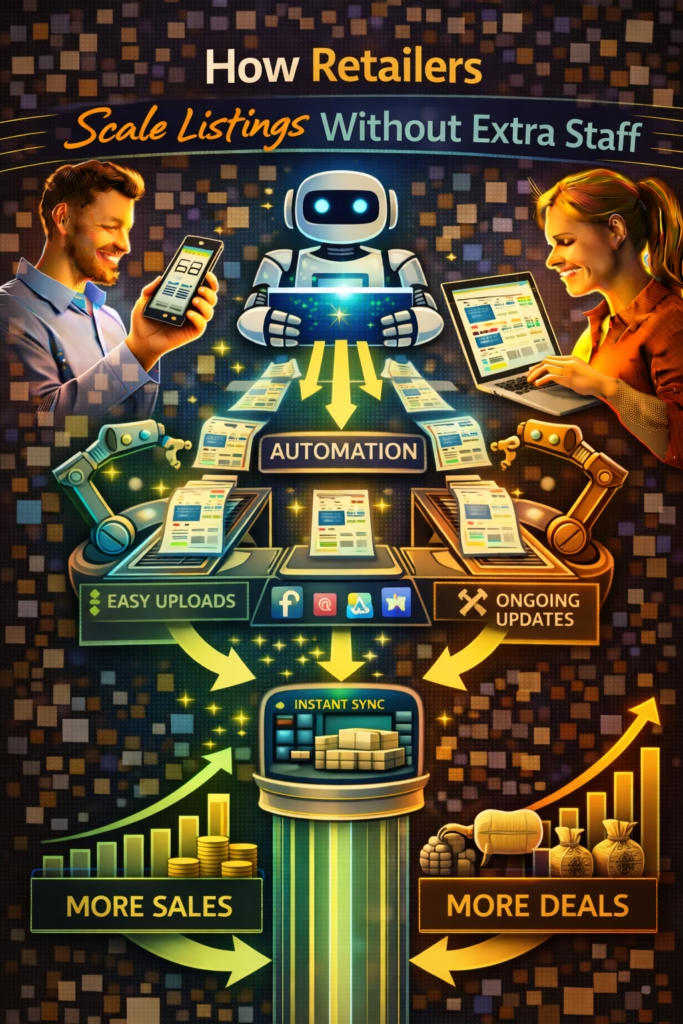
ChatGPT Image Mar 1 2026 02 05 13 PM
How Retailers Scale Listings Without Extra Staff

How Retailers Scale Listings Without Extra Staff

How Retailers Scale Listings Without Extra Staff is the blueprint for growing listing output and lead flow using systems—batching, templates, libraries, QA, and compliant automation.

Scale Levers: Batching Templates Photo Pipeline Scheduling QA Fast Replies

Note: This is general guidance. Follow platform rules, keep claims truthful, and avoid spam/duplicate posting patterns.

Introduction

How Retailers Scale Listings Without Extra Staff starts with a simple truth:

You don’t scale listing output by “working harder.” You scale it by removing repeated decisions.

Most retailers lose time in three places:

  • Context switching: taking photos, writing, posting, responding—randomly all day.
  • Re-inventing each listing: new title, new structure, new angle every time.
  • No pipeline: photos aren’t consistent, inventory isn’t organized, and QA is reactive.

The fix is a system. A system turns listing production into an assembly line: capture → package → publish → respond → repeat.

Big idea: The goal is not “more listings.” The goal is more varied surface area with less effort per listing.

Expanded Table of Contents

1) Why listing scale breaks most retailers

Scaling listings is not hard because of posting. It’s hard because of production.

What breaksWhat it looks likeWhat it costs you
No standardized photosRandom angles, dark lightingLower CTR → fewer messages
No templatesEach listing starts from scratchTime per listing skyrockets
No batchingSwitching tasks every 5 minutesOutput collapses
No QADuplicate patterns, errorsFlags, removals, reach loss
Slow responsesLeads go coldAll listing work wasted

Pro move: Think like a factory: standardize inputs, reduce steps, and measure output quality.

2) The 6 principles of scaling listings without hiring

1) Standardize the photo set

Make every product follow the same shot list so writing becomes easy.

2) Build an “angle library”

Variety comes from different buyer intents, not random wording.

3) Batch work in blocks

Photos, writing, publishing, and responses happen in separate blocks.

4) Reduce decisions with templates

Templates eliminate “blank page” time and keep quality consistent.

5) QA before publish

Prevent duplication patterns, pricing mistakes, and confusing details.

6) Protect the ROI with speed

Fast replies turn listing activity into real appointments and sales.

Rule: Your listing system must be faster than your inventory churn.

3) The photo-to-listing pipeline (the core of scale)

To scale without staff, you need one pipeline that makes listing creation predictable.

The pipeline in 5 stages

  1. Intake: tag item with ID/SKU + price + category + condition.
  2. Photo: capture standardized photo set.
  3. Pack: upload photos into a folder named by ID.
  4. Write: generate listing using the template library.
  5. Publish: schedule/publish with cadence + QA checks.

Standard photo set (furniture)

  • Main hero angle (clean, bright, full product)
  • Secondary angle (shows depth/shape)
  • Close-up texture/material
  • Any tags/labels/brand marks (if relevant)
  • Any wear/imperfections (transparency)
  • Size reference shot (tape measure / dimensions)

Pro move: If your photos are standardized, your templates can “auto-fill” mentally—faster writing with higher trust.

4) Template library: the “angles” that create variety

Scaling listings safely requires variety. Variety comes from buyer intent angles.

The 8 core angles (rotate these)

Value

Great option for buyers who want quality without overspending.

Speed

Available now; quick pickup or delivery options.

Comfort

Focus on feel, support, relaxation, and “try it today.”

Style

Focus on design, color, aesthetic fit for rooms.

Space/Fit

Focus on dimensions and how it fits apartments/homes.

Durability

Focus on build quality and materials.

Bundle

Pairings and sets; “best value together.”

Trust

Real photos, clear condition, transparent details.

Listing template (swap angle variables)

Title: [Product] + [Angle Hook] + [Option]

✅ Real photos + clear details
• Type: [what it is]
• Size: [dimensions]
• Condition: [honest condition]
• Includes: [what’s included]
• Options: Pickup / Delivery (if applicable)

👉 What city/zip are you in, and are you looking for today or this week?

Rule: Scale by rotating angles, not by duplicating the same listing.

5) Batching SOP: the 3-block workday

Batching is the fastest way to increase output without hiring because it eliminates context switching.

The 3 blocks

BlockDurationOutput
Block A: Photo capture45–120 min10–40 items photographed
Block B: Listing creation45–120 min10–40 listings drafted
Block C: Publishing + responses30–90 minScheduled posts + fast lead handling

Batching checklist

[ ] Stage items by category
[ ] Shoot the standardized photo set
[ ] Name folders by SKU/ID
[ ] Draft listings using the angle library
[ ] QA: duplicates, price, claims, clarity
[ ] Publish/schedule in timed windows
[ ] Monitor messages in set intervals

Pro move: Your goal is not “posting all day.” It’s producing inventory marketing in predictable batches.

6) Role design (even with one person)

You don’t need more people to get the benefits of roles. You need role separation by time block.

The 4 roles of scaled listing ops

  • Producer: photographs and organizes assets
  • Copy packager: drafts listings using templates
  • Publisher: schedules/publishes with cadence and QA
  • Responder: replies fast and books next steps

Rule: When one person does all four roles at once, output drops. When one person does them in blocks, output climbs.

7) QA and anti-flag duplication rules

Scaling listings increases risk if your content looks repetitive. QA prevents scale from turning into removals.

Anti-flag QA checklist

  • Different first photo across similar items
  • Different angle (value vs speed vs trust)
  • Different title structure and hook line
  • Different feature emphasis bullets
  • Different posting time windows
  • No misleading claims, no “too-good-to-be-true” pricing language

Avoid: Copy-paste duplicates, rapid spam bursts, and “gaming” edits that look manipulative.

Safe variety framework (same item category)

Listing A: Value angle + Price clarity + Pickup-first
Listing B: Comfort angle + Delivery mention + Showroom visit CTA
Listing C: Trust angle + Condition transparency + Fast scheduling CTA

8) Scheduling and cadence: publish like a stable seller

Platforms reward steady activity. Your output should be spaced into natural windows.

Cadence frameworks

Solo operator

  • Publish: 2–8 listings/day
  • Message checks: 4–8 times/day
  • Weekly: refresh top performers

Small retailer

  • Publish: 10–30 listings/day (varied)
  • Message checks: continuous or in shifts
  • Weekly: A/B thumbnails + titles

Pro move: Stagger publishing in 2–4 “drop windows” daily instead of one giant burst.

9) Fast-response system that protects your listing ROI

Every listing is an investment. If you respond slow, the investment leaks.

Instant reply (universal)

Yes — it’s available ✅
What city/zip are you in, and are you looking for today or this week?
I’ll confirm the fastest pickup/delivery options.

Qualify + book next step

Perfect — do you prefer pickup or delivery?
If you share your zip, I can confirm the fastest time window.

Why response speed enables scale

  • Higher conversion per listing → you need fewer listings to hit targets
  • Fewer abandoned chats → stronger outcomes
  • More booked steps → predictable sales pipeline

Rule: Scaling listings without scaling response speed is a trap.

10) KPIs + dashboards for scaled listing operations

KPIWhat it measuresTarget direction
Listings published/dayOutput volumeUp (steady)
Unique angles used/weekVariety healthUp
Messages/dayLead flowUp
Messages per listingQuality per unitUp
Median response timeSpeed-to-leadDown
Booked next stepsRevenue predictorUp
Flags/removalsCompliance riskDown

Pro move: Track “messages per listing” to know whether your scale is quality scale or noise scale.

11) 30–60–90 day rollout plan

Days 1–30 (Build the pipeline)

  1. Standardize photo set and naming conventions
  2. Create your 8-angle template library
  3. Batch 3 blocks/day (photos, writing, publish+responses)
  4. Install QA checklist (duplicates, claims, clarity)
  5. Track messages/day + response time

Days 31–60 (Increase output safely)

  1. Increase daily publish count in staged windows
  2. Rotate angles and first photos systematically
  3. Run weekly A/B tests on thumbnails and titles
  4. Retire low performers and replace with better angles

Days 61–90 (Compound and stabilize)

  1. Document SOPs (photo, write, QA, publish, respond)
  2. Automate repeatable steps where appropriate (scheduling, saved replies)
  3. Expand surface area by category and intent
  4. Optimize bottlenecks weekly based on KPIs

Rule: Scale comes from systems that protect quality, variety, and response speed.

12) 25 Frequently Asked Questions

1) How can retailers scale listings without hiring more staff?

Use standardized photos, templates, batching, QA, and fast-response systems to increase output per hour.

2) What is the best workflow for posting more listings quickly?

Batch photos first, then write from templates, then publish in timed windows.

3) How do you avoid getting flagged when scaling listings?

Rotate angles, photos, titles, hooks, and features; avoid duplicates and spam bursts.

4) Is it better to post all at once or spread posts out?

Spreading posts across natural windows usually looks more stable and reduces spam signals.

5) What matters most for scaling: volume or variety?

Variety. Variety increases surface area and reduces duplication risk.

6) What is a photo pipeline?

A standardized process for capturing, naming, and organizing photos so listings are easy to produce.

7) How many photos should each listing have?

Enough to build trust: hero shot, angles, close-ups, and any condition details.

8) What listing elements drive the most messages?

First photo, title clarity, first 2 lines, and a simple CTA question.

9) What is an “angle library”?

A set of buyer-intent frameworks (value, speed, trust, etc.) used to create varied listings.

10) How many angles should I rotate?

At least 5–8 core angles, rotated systematically by category.

11) How do templates help?

They reduce decision fatigue and keep listing quality consistent.

12) What is the biggest time-waster in posting?

Context switching and writing from scratch without templates.

13) What is QA in listing operations?

Pre-publish checks to prevent duplicates, errors, unclear claims, and missing details.

14) How often should I refresh older listings?

Weekly for top performers, and as needed for clarity/photo improvements.

15) Does response speed really matter?

Yes—fast replies reduce lead leakage and improve conversion.

16) What response time should I aim for?

Under 5 minutes is strong; under 1 minute is ideal.

17) What is “messages per listing”?

A quality KPI showing how effective each listing is at generating conversations.

18) What KPI predicts revenue best?

Booked next steps (visits, pickups, deliveries), not views.

19) How do I scale across multiple locations?

Use localized variations, stagger schedules, and track KPIs per location.

20) Should I use stock photos?

Real photos generally convert better and build trust.

21) How do I prevent repetitive titles?

Use multiple title frameworks and rotate the primary hook and option.

22) What’s the best CTA question?

“What city/zip are you in, and are you looking for today or this week?”

23) How long until scaling improves results?

Often 1–2 weeks for early lift; 30–90 days for compounding.

24) What’s the biggest mistake when scaling listings?

Scaling posts without scaling variety, QA, and response speed.

25) What’s the simplest starting point?

Standardize photos and build 5–8 templates, then batch in 3 blocks.

13) 25 Extra Keywords

  1. How Retailers Scale Listings Without Extra Staff
  2. scale marketplace listings
  3. increase listings without hiring
  4. retail listing workflow SOP
  5. posting cadence for retailers
  6. listing batching process
  7. listing template library
  8. photo pipeline for listings
  9. Facebook Marketplace listing scale
  10. marketplace posting systems
  11. avoid duplicate listing flags
  12. anti-flag content rotation
  13. retail listing QA checklist
  14. messages per listing KPI
  15. speed to lead marketplace
  16. instant reply scripts retail
  17. retail lead flow without staff
  18. surface area strategy retail
  19. listing production pipeline
  20. best time windows to post
  21. retail marketplace operations
  22. workflow automation for listings
  23. compliant listing automation
  24. 2026 retail marketplace strategy
  25. scale listings with templates

© 2026 Your Brand. All Rights Reserved.
General information only—confirm compliance with platform policies and applicable privacy/marketing rules before posting, messaging, or automating follow-ups.

How Retailers Scale Listings Without Extra Staff Read More »

The New Customer Journey for Furniture Sales

ChatGPT Image Mar 1 2026 02 05 15 PM
The New Customer Journey for Furniture Sales

The New Customer Journey for Furniture Sales

The New Customer Journey for Furniture Sales is the blueprint for how buyers really shop now—browse, compare, message, and buy locally with speed, trust, and convenience.

Journey Stages: Discover Compare Message Visit Deliver Review

Note: This is general guidance. Follow platform rules, keep details truthful, and avoid duplication or misleading claims in listings and messages.

Introduction

The New Customer Journey for Furniture Sales is not the old showroom path.

Furniture buyers don’t “start in the store” anymore. They start in a feed.

They scroll, screenshot, compare, and message multiple sellers at once. They want quick answers, real photos, fast delivery options, and a clear next step. The retailer who understands this journey—and builds a system around it—wins.

What changed isn’t just marketing. It’s buyer behavior:

  • Discovery moved from malls to marketplaces, short-form video, and local search.
  • Comparison happens instantly across multiple stores and sellers.
  • Messaging became the new “first conversation.”
  • Speed-to-lead and convenience often beat brand loyalty.

Big idea: Modern furniture sales are won by retailers who treat platforms like a showroom entrance—not a side channel.

Expanded Table of Contents

1) The new journey map (2025–2026)

Today’s furniture customer journey is a fast loop that repeats across platforms:

StageWhat the buyer is doingWhat the retailer must do
DiscoverScrolling and savingWin attention with strong thumbnails and clear titles
CompareShortlisting 3–7 optionsMake your offer and proof easy to see
MessageAsking “available?” “price?” “delivery?”Respond fast with options and a next step
Visit/CommitDeciding to come in or buy nowBook a time window + confirm inventory and location
DeliverChoosing convenienceClear delivery, setup, and timeline expectations
Review/RepeatSharing outcomeAsk for a review and re-market later

Pro move: Your job is to remove friction at each stage. Less friction = more conversions.

2) Discovery: where furniture buyers start now

Furniture buyers discover products in three main places:

  • Marketplaces: fast browsing, local convenience, message-first.
  • Short-form video: “show me what it looks like” content drives curiosity.
  • Local search: “mattress store near me,” “sectional delivery today,” etc.

Rule: If you don’t show up where discovery happens, your showroom traffic becomes unpredictable.

Discovery assets that outperform

Real product photos

Clear, bright, consistent angles. Make the thumbnail obvious and scroll-stopping.

Single-idea titles

Say what it is, then add one hook: availability, delivery, value, or premium.

Proof blocks

Condition clarity, specs, and simple “what’s included” language reduces hesitation.

Convenience offers

Delivery windows, pickup options, financing language (only if true).

3) Comparison: how buyers shortlist in minutes

Buyers compare fast. They don’t read essays. They scan for:

  • Fit: size, material, comfort, color, dimensions.
  • Trust: real photos, transparent details, clear policies.
  • Convenience: delivery, availability, timeline.
  • Value: price relative to perceived quality.

The “scan structure” that converts

✅ Real photos + clear details
• What it is + key features
• Size / dimensions
• Condition and what’s included
• Availability + delivery options
👉 Question CTA: What city/zip + today or this week?

Pro move: Your first 2 lines should answer “Is this legit?” and “What’s the next step?”

4) Messaging: the new first sales conversation

Messaging is the modern “walk-in.” If you treat it like a nuisance, you lose the buyer to someone who treats it like the sale.

Why buyers message first

  • It’s lower pressure than calling.
  • They’re comparing multiple options at once.
  • They want fast confirmation: availability, delivery, timeline.

Instant reply that moves the journey forward

Yes — it’s available ✅
What city/zip are you in, and are you looking for today or this week?
I’ll confirm the fastest pickup/delivery options.

Rule: Speed wins. The first clear reply often wins the visit.

5) Showroom visits: turning interest into commitment

The showroom still matters—but its job changed. It’s not where discovery starts. It’s where confidence is sealed.

How to convert a message into a visit

  • Offer a time window (not “come whenever”).
  • Confirm the item is available (truthfully).
  • Give a simple address + expectation (who to ask for, what to bring).
  • Reduce anxiety with clarity: “We’ll have it ready to show.”

Visit booking script

We can have it ready to show ✅
Do you want to stop in today or tomorrow?
If you send your city/zip, I’ll confirm the best time window and delivery options.

Pro move: Every conversation should end in a scheduled next step.

6) Delivery, setup, and convenience as differentiators

Convenience is now a competitive weapon. Buyers will pay more for speed, clarity, and zero hassle.

Convenience offers that win

  • Same-day or next-day delivery (if true)
  • Clear delivery window ranges
  • Stairs/setup options explained simply
  • Pickup instructions that reduce confusion

Rule: A buyer doesn’t just buy the furniture—they buy the experience of getting it.

7) Financing and payment options in the modern journey

Financing has moved earlier in the journey. Buyers ask about affordability before they commit to visiting.

How to mention financing without sounding pushy

  • Keep it factual and simple.
  • Use “options available” language (only if true).
  • Move to a next step: quote, visit, or eligibility check.

Financing reply (neutral)

Yes — options are available ✅
If you tell me your city/zip and whether you want it today or this week,
I’ll confirm the fastest options and what the payment choices look like.

Important: Only claim financing if you truly offer it. Keep details compliant.

8) Trust signals that replace “brand familiarity”

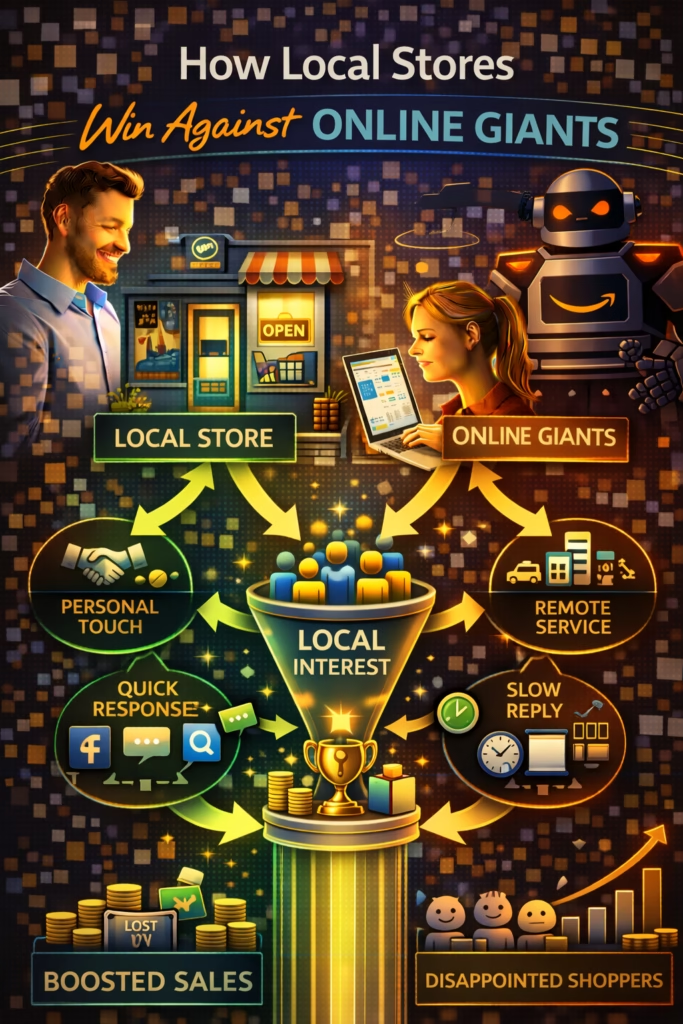
Online giants have brand trust. Local stores win by creating proof and clarity.

Trust signals that increase conversion

  • Real photos (not a single stock image)
  • Consistent posting cadence (shows you’re active)
  • Clear condition and included items
  • Fast replies (signals reliability)
  • Transparent delivery and timeline

Pro move: Put “Real photos + clear details ✅” in the first line. It removes doubt instantly.

9) Listing system that matches the journey

Your listings should be designed for the journey stages: discovery, comparison, and messaging.

High-performing listing architecture

Listing componentJobBest practice
First photoWin clicksBright, clear, close, obvious
TitleClarify fastWhat it is + hook + option
First 2 linesBuild trust + move to messageReal photos + offer + CTA question
BulletsHelp comparisonSize, condition, included, delivery
CTAStart conversationCity/zip + today/this week

Title framework (furniture)

[Product] + [Hook] + [Option]
Examples:
• Sectional Sofa + Like-New Comfort + Delivery Options
• Queen Mattress Set + Great Value + Available Today
• Dining Set + Solid Wood Look + Pickup or Delivery

Rule: Don’t post more. Post more variety across buyer intents.

10) Response + follow-up system that converts

The new journey is message-first, which means your response system is your sales floor.

3-message conversion system

Message 1: Confirm + CTA

Yes — it’s available ✅
What city/zip are you in, and are you looking for today or this week?

Message 2: Options + next step

Perfect — we can do pickup or delivery.
Do you want to stop in today, or should I quote delivery to your zip?

Message 3: Book the step

Let’s lock it in ✅
What time window works best (2–4 or 4–6)?

Follow-up (24 hours)

Quick check—did you still want to set up a time?
If yes, what city/zip and what day works best?

Pro move: Treat every message as a micro-appointment booking.

11) KPIs and dashboards for the new journey

KPIWhat it measuresTarget direction
Messages/dayLead flowUp
Messages per listingListing qualityUp
Median response timeSpeed-to-leadDown
Booked visits/deliveriesSales pipeline healthUp
Show rateVisit commitmentUp
Delivery conversionConvenience win-rateUp
Reviews/weekTrust compoundingUp

Rule: “Booked next steps” is the KPI that turns activity into revenue.

12) 30–60–90 day rollout plan

Days 1–30 (Fix discovery + messaging)

  1. Upgrade first photos + titles on top listings
  2. Deploy instant reply + CTA question
  3. Standardize listing scan structure (bullets + proof line)
  4. Track messages/day and response time
  5. Publish 3–5 buyer-intent angles (value/speed/trust/premium/fit)

Days 31–60 (Build conversion)

  1. Implement visit booking scripts and time windows
  2. Clarify delivery and setup options in listings
  3. Start weekly A/B tests (first photo, title)
  4. Improve follow-up system for inactive leads

Days 61–90 (Compound trust)

  1. Build review request loop after delivery/purchase
  2. Retire low performers and replace with better angles
  3. Create SOPs for posting, QA, and response speed
  4. Track booked steps weekly and optimize the bottleneck

Pro move: The new journey is a system. Once built, it compounds.

13) 25 Frequently Asked Questions

1) What is the new customer journey for furniture sales?

Buyers discover in feeds, compare quickly, message for details, then decide based on speed, trust, and convenience.

2) Why do furniture buyers message instead of calling?

Messaging is faster and lower pressure, and buyers can compare multiple sellers at once.

3) What is the fastest way to increase furniture lead flow?

Improve first photo/title for click-to-message performance and respond faster with clear options.

4) Where do furniture buyers discover products now?

Marketplaces, short-form video, and local search.

5) Do showrooms still matter?

Yes—showrooms are where confidence is sealed, not where discovery starts.

6) What do buyers compare first?

Fit, trust, convenience, and value.

7) What listing element matters most?

The first photo—because it drives CTR.

8) What makes a strong furniture title?

What it is + one hook + one option (delivery/availability/pickup).

9) What should the first line of a listing say?

Something that reduces doubt: “Real photos + clear details ✅”

10) What is the best CTA question?

“What city/zip are you in, and are you looking for today or this week?”

11) How fast should I reply?

Under 5 minutes is strong; under 1 minute is best.

12) What is a booked next step?

A scheduled visit, pickup, or delivery window.

13) Why do leads ghost?

Slow replies, unclear next steps, or too much friction in the conversation.

14) How do I reduce ghosting?

Offer options and ask one simple question to move forward.

15) What role does delivery play now?

Convenience often determines the winner—even at a higher price.

16) Should I mention financing in listings?

Yes, if you offer it—keep it factual and simple.

17) What trust signals convert best?

Real photos, transparent details, and fast replies.

18) Are stock photos okay?

Real photos typically convert better and build trust.

19) How many listings should I have active?

Enough to cover your inventory and buyer intents—quality and variety matter more than volume.

20) Is posting more always better?

No—consistent cadence and varied angles beat bursts and duplicates.

21) What is the best KPI to track?

Booked next steps, plus messages/day and response time.

22) How long until improvements show results?

Often within 1–2 weeks, compounding across 30–90 days.

23) How do I turn messages into visits?

Offer time windows and confirm availability, then ask for a day/time choice.

24) How do I get more reviews?

Ask after a successful delivery/purchase with a simple link and short request.

25) What’s the biggest mistake furniture stores make?

Treating marketplaces and messages like “side tasks” instead of the main journey.

14) 25 Extra Keywords

  1. The New Customer Journey for Furniture Sales
  2. furniture customer journey 2026
  3. modern furniture buyer behavior
  4. furniture sales lead flow
  5. marketplace furniture leads
  6. Facebook Marketplace furniture buyers
  7. local furniture marketing strategy
  8. furniture showroom conversion
  9. message based selling furniture
  10. speed to lead furniture sales
  11. click to message optimization
  12. furniture listing title examples
  13. furniture photo strategy marketplace
  14. increase furniture messages per day
  15. book more showroom visits
  16. same day delivery furniture marketing
  17. furniture financing conversation
  18. trust signals for local stores
  19. marketplace listing cadence
  20. anti-flag listing variety
  21. furniture sales follow up scripts
  22. local retail customer journey
  23. convert browsers into buyers
  24. furniture lead generation system
  25. marketplace retail showroom strategy

© 2026 Your Brand. All Rights Reserved.
General information only—confirm compliance with platform policies and applicable privacy/marketing rules before posting, messaging, or automating follow-ups.

The New Customer Journey for Furniture Sales Read More »

Why Retail Buyers Prefer Social Listings

ChatGPT Image Mar 1 2026 02 05 08 PM
Why Retail Buyers Prefer Social Listings

Why Retail Buyers Prefer Social Listings

Why Retail Buyers Prefer Social Listings explains the modern buyer’s path: they browse in a feed, trust what looks real, message for clarity, and decide fast—often before they ever visit a website.

Buyer Preference Drivers: Real Photos Local Convenience Messaging Price Anchoring Discovery Feeds Trust Signals

Note: This is general guidance. Follow platform rules, keep claims truthful, and avoid spam/duplicate patterns.

Introduction

Why Retail Buyers Prefer Social Listings is not a theory. It’s the way people shop now.

Buyers don’t start with “Where should I buy?” They start with “What’s available near me right now?”

Social listings—Facebook Marketplace, OfferUp, and similar channels—fit the modern buyer’s behavior perfectly:

  • They want fast browsing.
  • They want proof that feels real.
  • They want instant answers without calling a store.
  • They want local pickup/delivery and a clear next step.

When retailers publish consistent, accurate social listings and respond quickly, they create a new funnel: social discovery → messages → calls → store visits → sales.

Big idea: Social listings feel like “shopping with certainty,” not “shopping with risk.”

Expanded Table of Contents

1) What social listings really are

Social listings are product posts inside social platforms where discovery happens organically in feeds and local search. They are not “ads” in the traditional sense.

Key differences vs traditional retail marketing

Traditional marketingSocial listingsBuyer behavior
Push messageBuyer-driven discovery“I’m already searching/browsing”
Brand-firstItem-first“Show me the product now”
Click to websiteMessage inside platform“Answer me fast”

In plain terms: social listings are where intent shows up without the buyer needing to “commit” yet.

2) The buyer psychology behind social shopping

Buyers prefer social listings because it matches how they make decisions: fast scanning, proof, and quick clarity.

What buyers are trying to avoid

  • Calling multiple stores
  • Driving to “check” if something is available
  • Filling out forms and waiting
  • Feeling pressured by sales scripts

What buyers want instead

  • A quick browse of options
  • Real photos and real details
  • One message to confirm price/availability
  • A clear next step (pickup, delivery, appointment)

Rule: Buyers don’t want “sales.” They want certainty.

3) Trust: why “real” beats “perfect”

In retail, perfection can feel fake. Social listings perform because they look like real inventory from a real place.

Trust signals buyers notice instantly

Real photos

Even if lighting isn’t perfect, authenticity builds confidence.

Clear details

Condition, size, what’s included, and availability reduce uncertainty.

Responsive seller

Fast replies signal reliability and reduce buyer risk.

Local fulfillment

Pickup/delivery options turn browsing into action.

Pro move: “Real photos + clear details” is one of the strongest conversion hooks in social commerce.

4) Messaging-first shopping: the new checkout

Social listings win because messaging reduces friction. It’s the fastest path to clarity.

What messaging replaces

  • Multiple tabs of websites
  • Phone calls during business hours
  • Waiting for email replies
  • Form submissions that get ignored

What buyers want to message about

  • “Is it available?”
  • “What’s the best price?”
  • “Can you deliver to my zip?”
  • “Can I come today?”

Rule: The easier you make messaging, the more traffic converts into store visits.

5) Local convenience: speed wins

Retail buyers prefer social listings because they optimize for local convenience:

  • Nearby pickup
  • Same-day delivery options
  • Immediate answers
  • Short decision timelines

Local buyers are on a clock: “If I can solve this today, I will.” Social listings match that urgency without “sales pressure.”

6) Price anchoring and value perception

Social listings create a natural comparison environment. Buyers see options side-by-side, which changes how price is perceived.

What buyers compare

  • Price vs condition
  • Quality vs convenience
  • Availability vs distance
  • Trust vs risk

How to win without being “cheapest”

Buyer objectionWhat to highlightExample line
“Too expensive”Value and clarity“Real photos + clear details—no surprises.”
“Not sure it’s available”Availability confirmation“Available now—message your zip for fastest options.”
“I’m comparing stores”Convenience“Pickup today or delivery quote by zip.”

Rule: Buyers pay more for certainty and convenience.

7) Feed discovery: why social listings get seen

Social platforms are designed for discovery. That means a great listing can be shown to buyers even if they didn’t search your store by name.

What drives discovery

  • Freshness (recent activity)
  • Clicks and saves
  • Messages and replies
  • Strong first photo (CTR)
  • Clear title keywords

Pro move: Optimize for messages, not impressions. Messages are high-intent signals.

8) Why websites feel slow to buyers

Websites are still important for trust and SEO, but buyers often prefer social listings first because websites can feel like “work.”

Common website friction points

  • Inventory pages are outdated
  • Product photos don’t match what’s in-store
  • Forms feel like a black hole
  • No instant answers
  • Too many clicks to see price/availability

Rule: Social listings reduce cognitive load. That’s why they win the first click.

9) The anatomy of a high-performing social listing

If you want traffic from social listings, structure matters more than most retailers realize.

High-performing listing structure

Title: [What it is] — [Primary Benefit] + [Option]
Line 1: Real photos + clear details ✅
Bullets: Condition • Size • What’s included • Pickup/Delivery
Offer: Delivery available (ask zip) • Options available
CTA: What city/zip are you in and are you looking for today or this week?

Pro move: The first 2 lines should sell trust and speed—not features.

10) Offers that convert: pickup, delivery, options

Social buyers move when the next step is obvious. The offer block turns browsing into action.

Offer blocks that work

  • Pickup today: “Available now—message your zip to schedule pickup.”
  • Delivery quote: “Delivery available—send your zip for fastest options.”
  • Options: “Multiple styles/sizes available—tell me what you prefer.”
  • Bundles: “Bundle options available—ask what fits your budget.”

Rule: Offers reduce decision friction.

11) Response speed: the difference between browsing and buying

Social listings generate multiple inquiries. Buyers message more than one seller. Speed wins.

Instant reply template

Yes — it’s available ✅
What city/zip are you in, and are you looking for today or this week?

Visit-scheduling reply

Perfect ✅
Want to stop in today, or do you want a delivery quote for your zip?

Pro move: Your replies should move toward time + location (visit, pickup, delivery).

12) The social-to-store traffic system

The best retailers treat social listings as a daily lead flow—not occasional posting.

Simple system

Step 1: Inventory visibility

Post consistently with variety so buyers always see “what’s available now.”

Step 2: Messaging conversion

Fast replies + one-question CTA turn messages into scheduled next steps.

Step 3: Store visit or delivery

Confirm availability and provide a clear path to purchase.

Avoid: Posting without a response workflow. Traffic without conversion is wasted attention.

13) KPIs that prove social listings are working

KPIWhat it measuresTarget direction
Messages/dayBuyer demandUp
Calls/dayHigh intentUp
Booked visitsFoot traffic momentumUp
Median response timeLead leakageDown
Messages per listingListing qualityUp
Flags/removalsCompliance riskDown

Rule: Track booked visits—not just engagement.

14) 30–60–90 day rollout plan

Days 1–30 (Build trust and cadence)

  1. Standardize listing structure
  2. Post consistently with real photos
  3. Deploy instant replies + one-question CTA
  4. Track messages/day and response time
  5. Create 3–5 listing angles (value, speed, trust, premium, options)

Days 31–60 (Increase conversion)

  1. Improve thumbnails and titles for CTR
  2. Use offer blocks (pickup/delivery/options)
  3. Measure booked visits weekly
  4. Retire weak listings and replace with better angles

Days 61–90 (Systemize and scale)

  1. Document SOPs for posting and responses
  2. Automate lead routing by zip/city
  3. Run weekly A/B tests (photo + hook)
  4. Double down on winners by category

Rule: Social listings win when trust is high, response is fast, and the next step is clear.

15) 25 Frequently Asked Questions

1) What are social listings in retail?

Product posts on social commerce platforms where buyers discover items and message sellers directly.

2) Why do retail buyers prefer social listings?

They feel more real, faster, and easier to shop—especially for local pickup and quick answers.

3) Do social listings increase store traffic?

Yes—consistent listings with fast replies convert social browsing into calls and visits.

4) Are social listings the same as paid ads?

No—social listings are often organic discovery inside feeds and local search.

5) Why do buyers trust social listings?

Real photos and conversational messaging feel more authentic than polished marketing.

6) Do real photos matter more than perfect photos?

Usually yes—real images build trust and reduce uncertainty.

7) What do buyers message about most?

Availability, price, delivery options, and timing.

8) What is “messaging-first shopping”?

Buyers use messages to confirm details before committing to a visit or purchase.

9) How fast should I respond?

Under 5 minutes is strong; under 1 minute is ideal.

10) Why does response speed matter?

Buyers message multiple sellers; slow replies lose the sale.

11) What’s the best CTA question?

“What city/zip are you in and are you looking for today or this week?”

12) How do I turn messages into visits?

Ask location + timing, then offer a simple schedule window.

13) Do buyers prefer pickup or delivery?

Both—offer both when possible and ask for zip to quote delivery.

14) Why do websites feel slower to buyers?

Forms, outdated inventory, and lack of instant answers create friction.

15) Should I still have a website?

Yes—websites build trust and SEO, but social listings often win first discovery.

16) How do social listings help with price anchoring?

Buyers compare options side-by-side, making value clearer.

17) Do I need to be the cheapest to win?

No—certainty, availability, and convenience can justify higher price.

18) What listing elements matter most?

First photo, title clarity, first 1–2 lines, and offer block.

19) What should my first line say?

“Real photos + clear details ✅” or a similar trust-first hook.

20) How often should retailers post social listings?

Steady daily or near-daily cadence is best if you can sustain it.

21) Can posting too much hurt?

Yes—spam/duplicate patterns can reduce reach and cause removals.

22) How do I avoid duplicate listing issues?

Rotate photos, angles, hooks, and posting windows while keeping details truthful.

23) How long until social listings start driving traffic?

Often within 1–2 weeks, with compounding gains over 30–90 days.

24) What KPIs should I track?

Messages/day, calls/day, booked visits, and response time.

25) What’s the biggest retailer mistake on social listings?

Inconsistent posting and slow response times.

16) 25 Extra Keywords

  1. Why Retail Buyers Prefer Social Listings
  2. retail buyers social listings
  3. why buyers use Facebook Marketplace
  4. OfferUp retail buyer behavior
  5. social commerce retail strategy
  6. marketplace listings drive store traffic
  7. local retail social listings
  8. real photos build buyer trust
  9. messaging-first shopping
  10. social listings conversion system
  11. how to get more marketplace messages
  12. retail lead flow without paid ads
  13. fast response increases conversions
  14. pickup and delivery offer blocks
  15. best CTA question marketplace
  16. listing structure for retail
  17. how to increase store visits
  18. social discovery retail funnel
  19. local buying intent signals
  20. price anchoring social commerce
  21. trust signals in marketplace listings
  22. how retailers win on Marketplace
  23. 2026 social retail marketing
  24. brick-and-mortar social listings
  25. organic local retail traffic

© 2026 Your Brand. All Rights Reserved.
General information only—confirm compliance with platform policies and applicable privacy/marketing rules before posting, messaging, or automating follow-ups.

Why Retail Buyers Prefer Social Listings Read More »

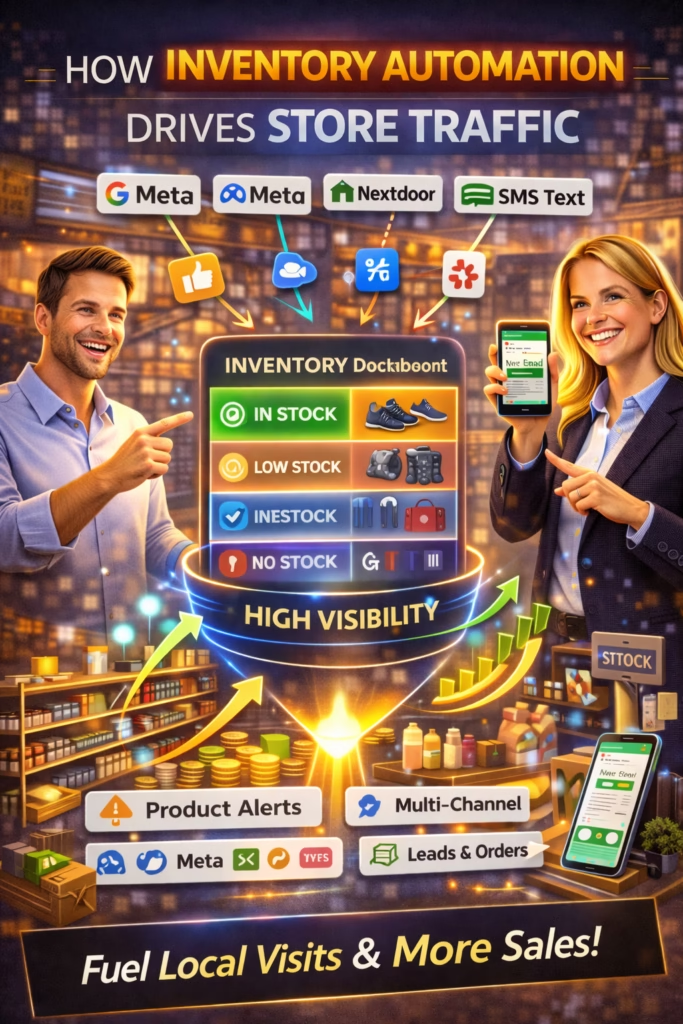
How Inventory Automation Drives Store Traffic

ChatGPT Image Mar 1 2026 02 05 10 PM
How Inventory Automation Drives Store Traffic

How Inventory Automation Drives Store Traffic

How Inventory Automation Drives Store Traffic is the blueprint for turning real-time availability into daily messages, calls, and foot traffic—by keeping listings fresh, accurate, and consistently distributed.

Traffic Drivers: Fresh Listings Accurate Stock Local SEO Marketplace Cadence Fast Replies Outcome Tracking

Note: This is general guidance. Follow platform rules, avoid spam patterns, and keep availability/pricing truthful and current.

Introduction

How Inventory Automation Drives Store Traffic comes down to one simple truth:

Local buyers don’t want “marketing.” They want what’s available—right now—close to them.

Retail has a visibility problem. Most stores have inventory sitting on the floor, ready to sell, but it’s invisible online. Meanwhile, buyers are searching daily on marketplaces, Google, and social commerce to find the best option near them.

Inventory automation fixes that. When your inventory stays accurate, your listings stay current, and your posting cadence stays consistent—even when your team is busy—your store earns more engagement and more distribution.

Big idea: Inventory automation doesn’t just save time. It creates a compounding traffic engine.

Expanded Table of Contents

1) What inventory automation really means

Inventory automation is not just “software.” It’s the system that keeps product data accurate across channels.

Inventory automation typically includes

  • Inventory feed from POS/eCommerce (SKU, price, quantity, status)
  • Automatic publishing or updating of listings
  • Rules for what gets posted (and what does not)
  • Photo mapping and photo rotation (when appropriate)
  • Auto-unpublish when sold or out of stock
  • Routing of leads to the right location/team

Traffic result: buyers stop seeing dead listings, and you stop losing leads to “still available?” friction.

2) Why automated inventory creates more traffic

Stores lose traffic when listings go stale—old prices, missing items, no replies, inconsistent posting. Automation solves the core problems that kill local reach.

Manual approach problemWhat buyers experienceAutomation fixes
Listings go outdated“Is this real?”Auto-updates + auto-unpublish
Posting is inconsistentLess exposure over timeScheduled feed-driven cadence
Slow responsesBuyer moves onInstant reply workflows
Wrong product detailsLow trustStandardized product fields

Rule: Consistency + accuracy creates trust. Trust creates traffic.

3) Freshness + accuracy: the reach multiplier

Most platforms reward current, engaging listings. Inventory automation keeps your catalog “alive.”

How freshness is created with automation

Newness

New items publish automatically based on rules (category, margin, popularity).

Updates

Price and availability update across channels so listings stay truthful.

Rotation

Top items can be refreshed by rotating photos, angles, and hooks responsibly.

Clean removal

Sold/out-of-stock items are unpublished automatically to prevent buyer frustration.

Pro move: The biggest reach killer is dead inventory. Fix that first.

4) Distribution: where automated inventory should show up

Inventory automation becomes a traffic engine when it powers distribution.

High-impact distribution points

  • Marketplaces: daily buyer discovery and intent
  • Google Business Profile: local visibility and calls
  • Your website: trust + validation + long-tail search
  • Social content: new-arrivals clips, bundles, showroom highlights
  • Email/SMS: targeted “new arrivals” to warm lists (where compliant)

Rule: One source of truth (inventory) → many channels → daily traffic.

5) Posting cadence powered by inventory feeds

Manual posting creates bursts and then silence. Feeds create rhythm.

Cadence frameworks (safe and sustainable)

Store sizeSuggested cadenceHow to source posts
Small shop5–15 listings/dayTop sellers + new arrivals + 2 bundles
Mid-size15–40 listings/dayNew arrivals + category rotation
Multi-locationPer location cadenceLocal inventory + location keywords

Avoid: “All inventory at once” dumps. Stagger to keep steady exposure.

Feed-driven posting rule (simple)

Daily publish set = New arrivals + Top converting items + 1–3 bundle angles
Weekly refresh set = Winners only (rotate photo + hook)
Auto-unpublish set = Sold/out-of-stock immediately

6) Price/availability rules that prevent buyer frustration

Traffic dies when buyers feel misled. Inventory automation must protect trust.

Core rules

  • Only publish items marked available
  • Auto-unpublish within a short window after sale
  • Use consistent pricing logic (no bait-and-switch)
  • Show clear “starting at” language only if true
  • Never claim limited-time urgency unless verified

Rule: The best automation is the one that prevents trust damage.

7) The anatomy of a traffic-driving inventory listing

Automation should not create generic listings. It should create consistent, high-performing structure.

Inventory listing template (high-performing structure)

Title: [Product Type] — [Primary Benefit] + [Option]
Line 1: Real photos + clear details ✅
Bullets: Condition • Size • What’s included • Pickup/Delivery
Offer: Delivery available (ask zip) • Options available
CTA: What city/zip are you in and are you looking for today or this week?

Pro move: Your first 2 lines should be optimized for messages, not just information.

8) Photo automation + rotation without losing trust

Photos create the click. Automation can map photos correctly and rotate responsibly.

Safe photo rotation SOP

[ ] Keep real item photos (preferred)
[ ] Rotate first photo among 3 strongest angles
[ ] Maintain consistent lighting/quality
[ ] Avoid misleading “different item” thumbnails
[ ] Track messages per listing to keep winners

Rule: First-photo quality is often the highest ROI optimization in retail listings.

9) Response automation: turn traffic into visits

Inventory automation drives traffic. Response automation converts it.

Instant reply (universal)

Yes — it’s available ✅
What zip/city are you in, and are you looking for today or this week?

Scheduling reply (push to store visit)

Perfect ✅
We can set a quick time window. Do you prefer pickup today, or a delivery quote for your zip?

Pro move: Every response should move toward a time + place (visit, pickup, delivery).

10) Inventory automation + local SEO stack

Automated inventory supports local SEO by improving freshness and relevance.

Local SEO traffic loop

  • Inventory shows availability and variety
  • Listings generate engagement and actions
  • More actions create stronger local signals
  • More visibility brings more calls and visits

Simple stack

  • Google Business Profile: posts + products (where applicable)
  • Website inventory page: searchable, indexable categories
  • Marketplaces: consistent posting cadence
  • Tracking: call tracking + form tracking + message tracking

Rule: The “new arrivals” engine doubles as an SEO freshness engine.

11) Multi-location inventory: how to scale cleanly

Multi-location stores must prevent cross-location confusion.

Multi-location rules

  • Separate location tags in titles and first line
  • Route leads by zip/city
  • Track inventory by store (not just global)
  • Use localized photos when possible
  • Stagger cadence by market

Avoid: One listing that claims multiple locations unless your workflow can fulfill that cleanly.

12) Testing plan: optimize traffic with proof

Automation makes consistency possible. Testing makes it profitable.

Test priority order

  1. First photo (thumbnail)
  2. Title format
  3. First-line hook
  4. Offer block (delivery/options)
  5. CTA question
  6. Posting schedule windows

Test SOP

1) Pick one variable
2) Run 3–7 days
3) Measure messages/day, calls, visits booked
4) Keep the winner
5) Repeat weekly

Rule: Optimize for outcomes (visits/calls), not vanity views.

13) KPI dashboard for traffic + inventory health

KPIWhat it measuresTarget direction
Listings published/dayCadence consistencyStable
Auto-unpublish accuracyTrust protectionUp
Messages/dayMarketplace demandUp
Calls/dayLocal intentUp
Booked visitsFoot traffic momentumUp
Median response timeLead leakage riskDown
Flags/removalsCompliance riskDown

Pro move: Track “booked visits” like a sales KPI—not a marketing KPI.

14) 30–60–90 day rollout plan

Days 1–30 (Build the foundation)

  1. Connect inventory source of truth
  2. Define publish/unpublish rules
  3. Launch consistent posting cadence
  4. Deploy instant replies and lead routing
  5. Track messages/day + calls/day

Days 31–60 (Scale traffic safely)

  1. Expand listing variety (angles + bundles)
  2. Rotate thumbnails for winners
  3. Improve titles and first-line hooks
  4. Add local SEO inventory pages

Days 61–90 (Compound and optimize)

  1. Document SOPs for listings, photos, responses
  2. Automate weekly refresh of top items
  3. Optimize based on KPI dashboard
  4. Measure booked visits and refine scripts

Rule: Inventory automation wins when it creates accurate visibility + fast conversion.

15) 25 Frequently Asked Questions

1) What is inventory automation in retail?

Automated syncing of product availability, pricing, and details across systems and channels.

2) How does inventory automation drive store traffic?

It keeps listings fresh and accurate, increasing engagement and reducing buyer frustration.

3) What is the biggest benefit of automating inventory listings?

Consistency and accuracy without daily manual posting.

4) What systems can inventory automation connect to?

POS, eCommerce platforms, spreadsheets/feeds, marketplaces, and tracking systems.

5) Does automation replace marketing?

It replaces repetitive manual work and creates a steady traffic engine.

6) What kills store traffic the fastest?

Dead listings, wrong prices, and slow responses.

7) Should I auto-post all inventory?

Not always—use rules to prioritize in-demand and high-margin items.

8) How often should I post inventory listings?

Daily cadence is best if you can sustain it and keep variety.

9) What is the best way to keep listings truthful?

Auto-update price/availability and auto-unpublish sold items quickly.

10) Do real photos matter?

Yes—real photos build trust and usually increase clicks and messages.

11) Can photo rotation help?

Yes—rotating the first photo can improve CTR when done responsibly.

12) What listing format drives the most messages?

Clear title + trust cue + offer + one-question CTA.

13) What is the best CTA question?

“What zip/city are you in and are you looking for today or this week?”

14) Why does response speed matter?

Buyers message multiple sellers; fast replies win attention and reduce drop-off.

15) What response time should I aim for?

Under 5 minutes is strong; under 1 minute is ideal.

16) How do I route leads to the right store?

Use zip/city prompts and assign conversations by location rules.

17) How does this help local SEO?

Fresh product updates and buyer actions support visibility and relevance signals.

18) What’s the biggest automation mistake?

Publishing outdated or inaccurate inventory data.

19) How do I prevent duplicate listing issues?

Use variety: rotate photos, angles, hooks, and posting windows.

20) How do I measure traffic impact?

Messages/day, calls/day, and booked visits are strong indicators.

21) What KPI predicts revenue best?

Booked visits and appointments, not just views.

22) How long until results improve?

Often within 1–2 weeks, with compounding gains over 30–90 days.

23) Is automation safe for marketplaces?

It can be if you stay compliant, avoid spam patterns, and keep content truthful.

24) What items should be prioritized first?

Top sellers, new arrivals, high-margin items, and bundle angles.

25) What’s the simplest way to start?

Automate accurate availability + daily cadence + instant replies.

16) 25 Extra Keywords

  1. How Inventory Automation Drives Store Traffic
  2. inventory automation store traffic
  3. inventory feed automation
  4. retail inventory automation
  5. automated product listings
  6. Facebook Marketplace inventory automation
  7. marketplace inventory feed
  8. local store traffic automation
  9. retail lead flow automation
  10. real-time inventory marketing
  11. auto-unpublish sold items
  12. inventory accuracy buyer trust
  13. posting cadence inventory feed
  14. retail listing automation SOP
  15. inventory-based local SEO
  16. store traffic KPI dashboard
  17. messages per listing retail
  18. fast response retail leads
  19. delivery options increase messages
  20. photo rotation retail listings
  21. multi-location inventory routing
  22. local marketing stack retail
  23. organic retail traffic system
  24. 2026 retail marketing automation
  25. inventory automation for SMBs

© 2026 Your Brand. All Rights Reserved.
General information only—confirm compliance with platform policies and applicable privacy/marketing rules before posting, messaging, or automating follow-ups.

How Inventory Automation Drives Store Traffic Read More »

How Algorithm Awareness Improves Lead Flow

ChatGPT Image Feb 28 2026 03 46 41 PM
How Algorithm Awareness Improves Lead Flow

How Algorithm Awareness Improves Lead Flow

How Algorithm Awareness Improves Lead Flow is the blueprint for turning “guessing” into a system—by aligning your listings and behavior with the signals marketplaces reward.

Algorithm-Aware Lead Drivers: Click-to-Message Freshness Relevance Engagement Response Speed Account Health

Note: This is general guidance. Follow platform rules, keep details truthful, and avoid duplication, spam, or engagement manipulation.

Introduction

How Algorithm Awareness Improves Lead Flow starts with a simple observation:

Most sellers don’t have a “lead problem.” They have a signal problem.

When a marketplace decides what to show buyers, it’s not flipping a coin. It’s evaluating signals—things it can measure quickly and trust over time.

Algorithm awareness means you stop treating lead flow like luck. Instead, you build a repeatable system that improves the signals that generate exposure—then you let the exposure turn into messages, and messages turn into booked next steps.

Big idea: The algorithm doesn’t “reward sellers.” It rewards listings that buyers click, message, and complete transactions with—without creating risk.

Expanded Table of Contents

1) What algorithm awareness really means

Algorithm awareness is not about “gaming” a platform. It’s about understanding how platforms reduce risk and maximize buyer satisfaction.

When sellers say “the algorithm hates me,” it usually means:

  • buyers aren’t clicking their listing (weak thumbnail/title), or
  • buyers click but don’t message (weak offer/hook), or
  • buyers message but don’t convert (slow response, unclear next step), or
  • the account triggers suppression (duplication, spam patterns, policy risk).

Rule: Algorithm awareness is “signal literacy.” You learn what matters, then you build around it.

2) The core signals that shape exposure

Most marketplaces evaluate a similar set of signals. You don’t need insider secrets—you need alignment.

SignalWhat it indicatesWhat you can do
RelevanceMatches buyer intentClear keyword + category + accurate details
CTR (click-through)Thumbnail/title wins scrollTest first photo and title clarity
Message rateHigh intentOffer stack + simple CTA question
FreshnessListing is currentConsistent cadence + meaningful updates
Response speedSeller reliabilityInstant replies + follow-up loop
Account healthSafety/trustAvoid duplicates, keep claims truthful, reduce removals

Pro move: Treat these signals like levers. Improve one lever at a time, measure the result, and keep what works.

3) The lead flow model: impression → message → booked step

Lead flow is not a mystery. It’s a funnel with measurable steps:

  1. Impression: buyer sees your listing
  2. Click: buyer opens it
  3. Scroll: buyer reviews photos/details
  4. Message: buyer asks about it
  5. Reply: you respond and guide the next step
  6. Booked step: pickup/delivery/appointment scheduled

Rule: The best KPI is booked next steps. Everything upstream should support it.

4) Relevance: matching buyer intent the algorithm can detect

Relevance is the algorithm’s first filter. If your listing is unclear, it can’t match it correctly.

Intent mapping (simple)

IntentWhat buyers care aboutWhat your listing should emphasize
ValuePrice-to-quality“Best value,” honest condition, clear pricing
SpeedAvailability now“Available today,” fast pickup/delivery
PremiumQuality experienceUpgrades, comfort, warranty/brand proof (if true)
TrustLegit sellerReal photos, transparent details, simple next step
FitWill it work for me?Dimensions, compatibility, use-case bullets

Pro move: Create multiple truthful angles for the same category. That increases surface area without duplicating.

5) Click-to-message performance (thumb + title + hook)

If you want algorithm-aware lead flow, you must win the scroll—then win the message.

The three-part “click-to-message” stack

1) First photo

Clear, real, bright, simple composition. The photo is the advertisement.

2) Title clarity

Say what it is, add one hook, add one option (availability/pickup/delivery).

3) First two lines

Confirm legitimacy, provide one offer, then ask a question.

Message CTA

One question: city/zip + timeline. Simple and fast.

Clarity upgrade template

Title: [What it is] + [Hook] + [Option]
Line 1: Real photos + clear details ✅
Line 2: One offer (availability/pickup/delivery/financing) ✅
CTA: What city/zip are you in and are you looking for today or this week?

Rule: A better thumbnail can outperform doubling your posting volume.

6) Freshness: why consistent activity beats bursts

Many sellers confuse “activity” with “spikes.” Algorithms tend to reward stability because stability predicts a better buyer experience.

Freshness behaviors that help

  • Posting new, varied listings consistently
  • Meaningful updates (new photos, clearer titles, updated availability)
  • Steady messaging and response behavior

Freshness behaviors that hurt

  • Burst posting followed by silence
  • Reposting duplicates
  • Constant micro-edits that look manipulative

Pro move: Build a sustainable rhythm: small daily action beats occasional huge output.

7) Engagement loops that increase distribution

Engagement isn’t just “likes.” On marketplaces, the strongest engagement is buyer intent:

  • Clicks
  • Saves
  • Messages
  • Conversations that reach a next step

Engagement loop

  1. Better thumbnail → more clicks
  2. Clear info → more scrolling
  3. Offer + CTA → more messages
  4. Fast reply → more conversions
  5. Better outcomes → better distribution over time

Rule: Optimize for messages and booked steps, not vanity metrics.

8) Anti-flag variety: scale without duplication

The fastest way to lose lead flow is to look like spam. The solution is variety that stays truthful.

Variety rotation checklist

  • Different angle (value/speed/premium/trust/fit)
  • Different first photo and photo order
  • Different hook line (first 1–2 sentences)
  • Different bullet emphasis (dimensions, comfort, delivery, proof)
  • Different posting windows

Important: Avoid identical duplicates. Rotate responsibly and follow platform rules.

Fast “angle library” (examples)

Value angle
“Solid option if you want quality without overspending.”
Speed angle
“Available now—fast pickup/delivery options.”
Trust angle
“Real photos + transparent details.”
Fit angle
“Ideal for [use-case]—see size details below.”
Premium angle
“For buyers who want the best experience.”
Budget angle
“Options available—ask what fits your budget.”

9) Response speed: the conversion multiplier

Response speed is an algorithm-aware decision because it improves outcomes. Better outcomes reinforce distribution over time.

Instant reply (universal)

Yes — it’s available ✅
What city/zip are you in, and are you looking for today or this week?
I’ll confirm the fastest options.

Follow-up loop (simple)

Checking back—did you still want to set up a time?
If yes, what day works best and what city/zip are you in?

Rule: If you can’t respond fast, your posting effort leaks leads.

10) Testing plan: stop guessing and prove it

Algorithm awareness becomes powerful when you test and measure.

Test order (highest impact first)

  1. First photo
  2. Title clarity
  3. First two lines (hook)
  4. CTA question
  5. Posting time window

Simple test process

1) Change one variable
2) Run 3–7 days
3) Track messages/day + booked next steps
4) Keep the winner
5) Repeat weekly

Pro move: Don’t test everything at once. One change at a time is how you find the real lever.

11) KPIs that track algorithm-aware growth

KPIWhat it measuresTarget direction
Active listingsSurface areaUp
Messages/dayExposure + intentUp
Messages per listingListing qualityUp
Median response timeSpeed-to-leadDown
Booked next stepsRevenue predictorUp
Flags/removalsCompliance riskDown

Rule: If messages are rising but booked steps are flat, your response flow needs work.

12) 30–60–90 day rollout plan

Days 1–30 (Fix signals)

  1. Upgrade first photo + title on top listings
  2. Deploy instant replies and CTA question
  3. Stop duplication patterns and build variety angles
  4. Start KPI tracking (messages/day, response time)
  5. Run first weekly A/B test (thumbnail)

Days 31–60 (Build rhythm)

  1. Set a sustainable daily cadence
  2. Expand surface area with varied listings
  3. Refresh top performers weekly (meaningful changes only)
  4. Implement follow-up loop for inactive leads

Days 61–90 (Compound)

  1. Document SOPs for posting, QA, and responses
  2. Double down on winning angles
  3. Retire low performers and replace with improved variants
  4. Review KPIs weekly and optimize the bottleneck

Pro move: Each month, your baseline improves because your system improves—not because you “got lucky.”

13) 25 Frequently Asked Questions

1) What is algorithm awareness in marketplace selling?

Understanding what platforms reward (CTR, messages, response speed, freshness, account health) and building around those signals.

2) Does understanding the algorithm really increase leads?

Yes—because it changes your actions toward what improves click-to-message performance and conversion.

3) What is the fastest algorithm-aware change to improve lead flow?

Upgrade the first photo and title, then respond faster.

4) What signals matter most for exposure?

Relevance, click-through, message rate, freshness, response speed, and account health.

5) Is posting more always better?

No—consistent cadence and variety matter more than raw volume.

6) What is click-to-message performance?

How well your listing turns impressions into clicks and clicks into messages.

7) Why does the first photo matter so much?

It drives CTR, and CTR drives engagement and distribution.

8) What should a good marketplace title include?

What it is + one hook + one option (pickup/delivery/availability).

9) Do keywords matter?

Yes, but clarity matters more than stuffing. Use natural keywords in the title and first line.

10) Do hashtags improve exposure?

Often they don’t meaningfully help. Focus on title clarity and real intent matching.

11) What is freshness?

Recency and consistent activity that signals listings are current and reliable.

12) Do edits increase exposure?

Meaningful edits can help; constant micro-edits can hurt.

13) What causes suppression or lower reach?

Low CTR, low message rate, slow replies, duplication patterns, and policy-risk behavior.

14) What causes listings to get flagged?

Duplicates, misleading claims, spam patterns, and violations of platform rules.

15) What is “variety” in posting?

Different angles, photos, hooks, and emphasis while staying truthful.

16) How can I scale without duplicates?

Rotate angle, first photo, hook line, and feature emphasis with spaced cadence.

17) How does response speed improve lead flow?

It reduces lead leakage and increases booked next steps.

18) What response time should I aim for?

Under 5 minutes is strong; under 1 minute is best.

19) What’s the best CTA?

One question: city/zip + timeline (today or this week).

20) What KPI should I track first?

Messages/day and median response time.

21) What KPI predicts revenue best?

Booked next steps (appointments, pickup, delivery schedules).

22) How long until changes show results?

Often within 1–2 weeks, compounding across 30–90 days.

23) Should I use stock photos?

Real photos generally build more trust and convert better.

24) Can algorithm awareness help without paid ads?

Yes—organic lead flow is driven by freshness, engagement, and trust signals.

25) What’s the biggest mistake sellers make?

Guessing—then reacting emotionally instead of testing and measuring.

14) 25 Extra Keywords

  1. How Algorithm Awareness Improves Lead Flow
  2. algorithm awareness lead flow
  3. marketplace algorithm lead generation
  4. Facebook Marketplace lead flow
  5. increase marketplace messages
  6. marketplace visibility system
  7. marketplace engagement signals
  8. click to message optimization
  9. thumbnail strategy marketplace
  10. best marketplace listing title
  11. marketplace freshness strategy
  12. posting cadence marketplace
  13. anti-flag posting framework
  14. avoid duplicate listing flags
  15. marketplace response speed
  16. speed to lead marketplace
  17. marketplace conversion optimization
  18. messages per listing KPI
  19. booked next steps KPI
  20. organic marketplace lead generation
  21. marketplace listing optimization checklist
  22. how to get more marketplace views
  23. marketplace algorithm signals 2026
  24. improve marketplace exposure
  25. marketplace lead flow blueprint

© 2026 Your Brand. All Rights Reserved.
General information only—confirm compliance with platform policies and applicable privacy/marketing rules before posting, messaging, or automating follow-ups.

How Algorithm Awareness Improves Lead Flow Read More »

Marketplace Ranking Myths That Hurt Sellers

ChatGPT Image Feb 28 2026 03 46 43 PM
Marketplace Ranking Myths That Hurt Sellers

Marketplace Ranking Myths That Hurt Sellers

Marketplace Ranking Myths That Hurt Sellers is the blueprint for eliminating “algorithm superstition” and replacing it with consistent, compliant systems that drive real exposure and messages.

What Actually Moves Reach: Thumb + Title Cadence Variety Engagement Response Speed Account Health

Note: This is general guidance. Follow platform rules, keep claims truthful, and avoid spam, duplication, or engagement manipulation.

Introduction

Marketplace Ranking Myths That Hurt Sellers exists because most sellers aren’t failing due to “bad products.” They’re failing due to bad beliefs.

Ranking myths create wrong behavior. Wrong behavior creates flags, low engagement, and reduced exposure.

On every marketplace, sellers trade tips like rumors: “Post 20 times a day,” “Stuff the title with keywords,” “Edit every hour,” “Hashtags boost reach,” “Repost the same thing everywhere.”

Some of those tips can work in rare cases. Most of them quietly destroy performance—because they look spammy, reduce trust signals, or create duplicate patterns that platforms try to suppress.

Big idea: Marketplace exposure is not a hack. It’s a system: consistent activity + variety + strong click-to-message performance + fast response.

Expanded Table of Contents

1) What “ranking” really is on marketplaces

Ranking is simply how a marketplace decides what to show a buyer first.

That decision usually comes down to a few practical questions:

  • Is this relevant to what the buyer wants?
  • Will the buyer click it?
  • Will the buyer message or take a next step?
  • Is the seller reliable and responsive?
  • Does this look safe, real, and current?

Translation: Ranking rewards outcomes. Outcomes come from click-to-message performance and seller behavior.

2) The myth map: why bad advice spreads

Myths spread because they are simple, repeatable, and emotionally satisfying.

Myth logic
“If I do one trick, the algorithm will bless me.”
Reality
“If I run a consistent system, performance compounds.”
Myth behavior
Spammy duplication, keyword stuffing, constant edits.
Reality behavior
Variety, strong thumbnails, clear offers, fast replies.

Rule: If advice sounds like a shortcut, it usually creates long-term suppression.

3) 12 marketplace ranking myths that hurt sellers

Myth #1: “Posting more always increases reach.”

Why it hurts: volume without variety creates duplication patterns that can reduce exposure.

Do this instead: Post consistently with clear intent angles, different photos, and different hooks.

Myth #2: “Keyword stuffing the title boosts ranking.”

Why it hurts: stuffed titles reduce click-through and look spammy.

Do this instead: Write one clean title: [What it is] + [Hook] + [Option].

Myth #3: “Hashtags are a ranking cheat.”

Why it hurts: hashtags often don’t meaningfully help and can make listings look templated.

Do this instead: Put the real keyword in the title and first line; keep formatting readable.

Myth #4: “Editing constantly refreshes you to the top.”

Why it hurts: frequent micro-edits look manipulative and rarely improve outcomes.

Do this instead: Make meaningful upgrades (thumbnail/title/clarity) spaced out over time.

Myth #5: “Reposting the exact same listing is safe if you wait.”

Why it hurts: duplicates are duplicates—even if time passed.

Do this instead: Rotate angles and assets. Keep details truthful but vary presentation.

Myth #6: “Lower price = higher ranking.”

Why it hurts: price changes don’t fix weak click-to-message performance.

Do this instead: Improve thumbnail and clarity first. Use price strategically, not emotionally.

Myth #7: “Stock photos rank better.”

Why it hurts: buyers distrust listings that don’t look real.

Do this instead: Use real photos, strong lighting, and a clear first photo.

Myth #8: “More words = more ranking.”

Why it hurts: long walls of text reduce readability and messaging.

Do this instead: Use bullets, short sections, and a single CTA question.

Myth #9: “More engagement is always good, so ask friends to click.”

Why it hurts: unnatural engagement patterns can backfire and distort your testing.

Do this instead: Earn real engagement with better thumbnails, titles, and offers.

Myth #10: “Response time doesn’t affect exposure.”

Why it hurts: slow replies kill conversion, which kills performance signals.

Do this instead: Use instant replies and book a next step within 1–2 messages.

Myth #11: “The algorithm is random, so nothing matters.”

Why it hurts: this belief stops sellers from building a repeatable system.

Do this instead: Track KPIs and run weekly tests. Performance becomes predictable.

Myth #12: “One viral listing means you figured it out.”

Why it hurts: a spike can be accidental; systems create stability.

Do this instead: Document what worked and reproduce it across varied listings.

Pro move: Kill myths by measuring. If it doesn’t increase messages and booked next steps, it’s not a ranking strategy.

4) The real levers you control (and how to use them)

If you ignore the myths, you’re left with a small set of levers that actually matter.

LeverWhat it impactsHow to improve
First photo (thumbnail)ClicksTest 3 thumbnails and keep the winner
Title clarityClicks + relevanceRemove fluff; keep intent keyword + hook
First 2 linesScroll + trust“Real photos + clear details ✅” + one offer
Offer stackMessagesAvailability + delivery/pickup + simple next step
CadenceFreshnessSteady daily activity; avoid bursts
VarietySurface area + complianceRotate angles, photos, hooks, timing
Response speedConversionInstant reply + booking question

Rule: The algorithm rewards what buyers reward. Buyers reward clarity, trust, and speed.

5) Anti-flag framework: scale activity without duplication

You can scale posting without getting suppressed—if you rotate the right components.

Rotation checklist

  • Angle: value vs speed vs premium vs trust vs fit
  • Photos: different first photo and ordering
  • Hook: different first two lines
  • Bullets: different feature emphasis
  • Timing: different posting windows

Safe template skeleton

Title: [Item] + [Hook] + [Option]
Line 1: Real photos + clear details ✅
Line 2: One offer (pickup/delivery/availability/financing) ✅
Bullets: 4–6 quick facts
CTA: What city/zip + today/this week?

Avoid: Copy/pasting identical blocks across many listings or accounts. Variety must be meaningful.

6) The thumbnail + title system (click-to-message)

Most “ranking problems” are actually CTR problems (click-through rate) and message-rate problems.

Thumbnail rules

  • Bright, clear, real
  • Simple composition (one subject)
  • Angle that shows the value instantly
  • No clutter, no confusing background

Title rules

  • Lead with the core keyword (what it is)
  • Add one hook (why it’s worth clicking)
  • Add one option (pickup/delivery/financing/availability)

Title examples (structure)

[What it is] + [Hook] + [Option]
Example: "Sectional Sofa — Clean, Comfortable — Fast Pickup/Delivery"

Rule: A better thumbnail often beats “posting more.”

7) Edits & refreshes: what to do safely

Edits can help when they improve buyer outcomes. Edits hurt when they are constant and meaningless.

Safe refresh actions

  • Swap the first photo to a stronger thumbnail
  • Rewrite the title for clarity
  • Improve the first two lines
  • Reformat bullets for readability
  • Update availability truthfully

Avoid: “Edit loops” (changing tiny words repeatedly). Keep changes meaningful and spaced out.

8) Response speed: the conversion multiplier

Fast response doesn’t just improve conversion—it improves the entire performance loop.

Instant reply (universal)

Yes — it’s available ✅
What city/zip are you in, and are you looking for today or this week?
I’ll confirm the fastest options.

Why it works

  • Moves the buyer to a next step quickly
  • Filters out low-intent conversations
  • Creates more booked outcomes (your strongest KPI)

Rule: If you can’t respond fast, your posting cadence becomes wasted effort.

9) Testing plan: replace guessing with proof

Myths die when you measure. Testing turns opinions into a repeatable system.

Weekly test order

  1. First photo
  2. Title clarity
  3. First two lines
  4. CTA question
  5. Posting time window

Simple test process

1) Change one variable
2) Run 3–7 days
3) Track messages/day + booked next steps
4) Keep the winner
5) Repeat weekly

10) KPI dashboard for exposure health

KPIMeaningTarget
Listings activeSurface areaUp
Messages/dayExposure + intentUp
Messages per listingListing qualityUp
Median response timeSpeed-to-leadDown
Booked next stepsRevenue predictorUp
Flags/removalsCompliance riskDown

Pro move: Track booked next steps weekly. It’s the KPI that myths can’t fake.

11) 30–60–90 day rollout plan

Days 1–30 (Stop the damage)

  1. Eliminate duplication patterns
  2. Standardize titles and first two lines
  3. Implement fast replies + booking question
  4. Start tracking messages/day + response time
  5. Test 3 thumbnails on top listings

Days 31–60 (Build the system)

  1. Expand variety angles (value/speed/premium/trust/fit)
  2. Set a sustainable daily cadence
  3. Run weekly tests on thumb + title
  4. Deploy follow-up loop for inactive leads

Days 61–90 (Compound gains)

  1. Document SOPs for posting and QA
  2. Double down on winning angles
  3. Retire weak listings and replace them
  4. Optimize weekly based on KPI dashboard

Rule: The fastest way to rank better is to stop doing what looks spammy and start doing what buyers reward.

12) 25 Frequently Asked Questions

1) What are marketplace ranking myths?

Beliefs about ranking that cause spammy or ineffective behavior (like stuffing keywords or reposting duplicates).

2) Does posting more always increase exposure?

No—volume without variety can reduce reach or trigger removals.

3) What is the biggest ranking factor sellers control?

Click-to-message performance: thumbnail, title, and response speed.

4) Does keyword stuffing work?

Usually not—it hurts CTR and looks spammy.

5) Do hashtags boost Marketplace ranking?

Often they don’t meaningfully help; clarity and real keywords matter more.

6) Do constant edits refresh your listing?

Meaningful edits can help; constant micro-edits usually hurt.

7) Are duplicate listings safe if spaced out?

Duplicates are still duplicates—use variety instead.

8) Does lowering the price improve ranking?

Not if your listing still doesn’t get clicks or messages.

9) Do stock photos perform better?

Real photos usually build more trust and convert better.

10) Does longer description improve exposure?

Not necessarily—readability and clarity matter more.

11) Can asking friends to click help?

It can distort results and create unnatural patterns; earn real engagement.

12) Does response time affect performance?

Yes—fast replies improve outcomes and conversion.

13) What reply time should I aim for?

Under 5 minutes is strong; under 1 minute is best.

14) What is “freshness” really?

Consistent, current activity and engagement—especially new listings and meaningful updates.

15) What is a safe cadence?

One you can sustain consistently without duplication.

16) What is the best CTA?

One question: “What city/zip and today or this week?”

17) Why do listings lose exposure over time?

Freshness fades and engagement slows without maintenance or variety.

18) What causes flags/removals?

Duplication, misleading claims, policy-risk behavior, and spam patterns.

19) What’s the safest “refresh” action?

Swap first photo, improve title clarity, and update the first two lines.

20) How do I create variety quickly?

Rotate angle, first photo, hook line, and feature emphasis.

21) What KPI should I track first?

Messages/day and median response time.

22) What KPI predicts revenue best?

Booked next steps (appointments/pickups/deliveries).

23) How long until changes show results?

Often within 1–2 weeks, compounding over 30–90 days.

24) Is the algorithm random?

No—performance becomes predictable when you run consistent tests.

25) What’s the biggest myth of all?

That there’s one trick. Systems beat tricks every time.

13) 25 Extra Keywords

  1. Marketplace Ranking Myths That Hurt Sellers
  2. marketplace ranking myths
  3. Facebook Marketplace ranking myths
  4. marketplace algorithm myths
  5. marketplace SEO myths
  6. increase marketplace exposure
  7. how to rank on Facebook Marketplace
  8. marketplace listing freshness myths
  9. does keyword stuffing work marketplace
  10. best title for marketplace listing
  11. thumbnail strategy marketplace
  12. click to message optimization
  13. marketplace engagement signals
  14. avoid duplicate listing flags
  15. anti-flag posting framework
  16. marketplace posting cadence
  17. edits and refresh strategy marketplace
  18. best time to post marketplace
  19. response time marketplace ranking
  20. speed to lead marketplace
  21. messages per listing KPI
  22. marketplace performance dashboard
  23. organic marketplace growth 2026
  24. marketplace listing optimization checklist
  25. stop marketplace suppression

© 2026 Your Brand. All Rights Reserved.
General information only—confirm compliance with platform policies and applicable privacy/marketing rules before posting, messaging, or automating follow-ups.

Marketplace Ranking Myths That Hurt Sellers Read More »

How Engagement Signals Drive Listing Reach

ChatGPT Image Feb 28 2026 03 50 52 PM
How Engagement Signals Drive Listing Reach

How Engagement Signals Drive Listing Reach

How Engagement Signals Drive Listing Reach is the blueprint for compounding visibility by improving the signals platforms measure: clicks, saves, messages, conversation depth, and response speed.

Key Signals: CTR Saves Messages Reply Speed Conversation Depth Outcomes

Note: This is general guidance. Follow platform rules, avoid spam patterns, keep claims truthful, and rotate content responsibly.

Introduction

How Engagement Signals Drive Listing Reach explains the core reason some listings “take off” while others disappear:

Marketplaces don’t promote listings because you want reach. They promote listings because buyers engage.

Platforms are optimizing for buyer experience. The easiest way to estimate that experience is through measurable actions—clicks, saves, messages, and the quality of conversations that follow.

That means reach is not a mystery. It’s a scoreboard. When your listing earns stronger engagement signals than similar listings, it usually receives more distribution over time.

Big idea: Engagement is not just a result. It’s a lever you can design into every listing.

Expanded Table of Contents

1) What engagement signals are (and why platforms care)

Engagement signals are buyer actions that help a marketplace answer one question:

“If we show this listing to more people, will buyers have a good experience?”

When a listing earns engagement, it suggests relevance. When a seller responds quickly, it suggests reliability. When conversations continue, it suggests the buyer didn’t regret clicking.

Rule: Reach follows relevance. Relevance is inferred from engagement.

2) The engagement signal map: what’s measured

Not all engagement is equal. Some actions signal curiosity; others signal intent.

SignalWhat it indicatesHow it affects reachBest lever
Impression → Click (CTR)Thumbnail/title relevanceUnlocks deeper engagementFirst photo + title clarity
Scroll depth / timeContent holds attentionSupports relevancePhoto order + bullets
SavesHigh interest, delayed decisionStrong positive signalValue cues + trust
MessagesHigh intent actionOften strongest engagementHook + CTA + offer
Reply speedSeller reliabilityImproves buyer outcomesInstant replies + workflow
Conversation depthBuyer stays engagedOutcome reinforcementQualification + next step

Pro move: Treat your listing like a funnel: CTR → message → booked next step.

3) CTR: the first signal that unlocks all others

CTR is the gateway. If buyers don’t click, you can’t earn saves or messages.

What increases CTR fast

  • Cleaner first photo: bright, centered, real
  • Clear title: what it is + why it matters
  • Reduced confusion: avoid cluttered backgrounds
  • One dominant subject: not multiple items unless it’s a bundle

CTR-first title formulas

[Product] — [Primary benefit] + [Option]
Example: “Sectional Sofa — Clean Look + Delivery Available”

Rule: Improving the first photo can outperform doubling your posting volume.

4) Saves: the “delayed buy” signal

Saves indicate a buyer is interested but not ready to commit. That’s valuable engagement.

What makes buyers save a listing

  • Clear value: strong deal or strong quality
  • Proof: real photos, clean condition notes
  • Future-ready: delivery options, availability, flexible pickup
  • Low risk: transparent details and no “mystery”

Save-trigger wording (simple, compliant)

Real photos + clear details ✅
If you’re comparing options, save this and message me your zip when you’re ready.

Pro move: Saves rise when listings feel “safe to come back to.”

5) Messages: the highest-intent engagement

Messages are often the most valuable engagement because the buyer is taking an action step.

What increases messages

Clear hook

First 1–2 lines should reduce uncertainty and invite a reply.

Friction remover

Delivery, financing, bundles, or simple options remove hesitation.

One-question CTA

Make messaging easy with a single question buyers can answer instantly.

Photo proof

Good photos reduce “Is this real?” hesitation and increase outreach.

Message-driving hook

Real photos + clear details ✅
What zip/city are you in, and are you looking for today or this week?

Rule: Design the first two lines to earn a message, not to tell your life story.

6) Reply speed: the experience signal sellers control

Two sellers can have equal listings, but the faster responder wins.

Why reply speed boosts performance

  • Buyers message multiple sellers; fast replies win attention
  • Fast replies reduce drop-off and abandoned conversations
  • Better outcomes increase positive engagement patterns

Instant reply script (universal)

Yes — it’s available ✅
What zip/city are you in, and are you looking for today or this week?

Pro move: Your first reply should ask a question that moves toward a plan.

7) Conversation depth: why outcomes reinforce reach

Engagement isn’t just “a message.” It’s what happens next.

Conversation depth signals

  • Buyer asks follow-up questions
  • Buyer confirms timing and location
  • Buyer schedules a pickup/delivery window
  • Buyer returns later and re-engages

How to deepen conversations without sounding pushy

Got it ✅
Do you prefer pickup or delivery—and what time window works best: today or tomorrow?

Rule: The goal is “next step,” not endless messaging.

8) Design the listing for engagement: anatomy checklist

Engagement is engineered. Here’s the anatomy that consistently produces signals.

Engagement-first listing anatomy

[1] Thumbnail: clean, bright, obvious subject
[2] Title: what it is + key benefit + option
[3] First two lines: trust cue + CTA question
[4] Photos: full → angle → detail → proof
[5] Bullets: condition + dimensions + what’s included
[6] Offer: delivery/financing/bundle options (if applicable)
[7] CTA: single question
[8] Response: instant reply + next-step scheduling

Pro move: If your listing doesn’t invite a reply, engagement stalls.

9) CTA mechanics that increase replies

CTAs that get replies are simple, specific, and low effort.

Best universal CTA

What zip/city are you in, and are you looking for today or this week?

CTA variations by intent

Buyer intentCTAWhy it works
Speed“Today or this week?”Creates urgency without pressure
Delivery“What zip? I’ll confirm delivery options.”Moves to a concrete step
Fit/size“What size are you looking for?”Reduces mismatch
Budget“What price range are you aiming for?”Qualifies smoothly

Rule: One question CTAs outperform multi-question interrogations.

10) Offers that boost engagement without discounting

Engagement rises when the offer removes friction.

High-engagement offer cues

  • Delivery available (even if paid)
  • Pickup windows (clear timing)
  • Bundle options (set pricing)
  • Simple options (choices reduce hesitation)

Offer block (copy/paste)

Options ✅
• Pickup available
• Delivery available (ask your zip)
• Simple options available — tell me what you need

What zip/city are you in, and are you looking for today or this week?

Pro move: Convenience is a stronger hook than price for many buyers.

11) Engagement at scale: variety vs duplicates (anti-flag)

Scaling engagement means creating variety that stays truthful and compliant.

Variety checklist

  • Rotate the first photo
  • Change angle (value vs premium vs speed vs trust)
  • Change the first-line hook
  • Change feature emphasis
  • Stagger posting windows

Avoid: Identical duplicates posted repeatedly. That reduces trust and can increase removals.

12) Testing plan: improve one signal at a time

Testing turns engagement into a repeatable system.

Test order (highest impact first)

  1. First photo (thumbnail)
  2. Title clarity
  3. First two lines (hook)
  4. Offer block
  5. CTA question
  6. Posting time window

Simple testing SOP

1) Choose one variable
2) Run 3–7 days
3) Track messages/day + messages per listing
4) Keep the winner
5) Repeat weekly

Rule: Improve CTR first, then messages, then booked next steps.

13) KPI dashboard: track engagement health

KPIWhat it measuresTarget direction
Messages per listingConversion strengthUp
Messages/dayTotal engagement volumeUp
Median response timeLead leakage riskDown
Booked next stepsRevenue momentumUp
Flags/removalsCompliance riskDown

Pro move: Views are a weak KPI. Messages and booked next steps are the real scoreboard.

14) 30–60–90 day rollout plan

Days 1–30 (Build engagement foundations)

  1. Upgrade thumbnails on top listings
  2. Rewrite titles for clarity and intent
  3. Add a trust cue + one-question CTA
  4. Implement instant replies
  5. Start tracking messages per listing

Days 31–60 (Increase signals safely)

  1. Expand variety (angles, hooks, photos)
  2. Refresh winners weekly
  3. Run A/B tests on thumbnails and hooks
  4. Improve follow-up scripts to book next steps

Days 61–90 (Compound into a system)

  1. Document SOPs for listing creation and rotation
  2. Build a template library for variety
  3. Stagger cadence and update schedules
  4. Optimize weekly based on KPI dashboard

Rule: Engagement compounds reach when content is clear, offers reduce friction, and replies are fast.

15) 25 Frequently Asked Questions

1) What are engagement signals in a marketplace?

Buyer actions like clicks, saves, messages, and conversation depth—plus seller response speed.

2) How do engagement signals increase listing reach?

They suggest relevance and good buyer experience, which can lead to more distribution.

3) What engagement signal matters most?

Messages are high-intent; CTR is the gateway that enables all deeper signals.

4) What is CTR?

Click-through rate: how often buyers click after seeing your listing.

5) How do I increase CTR?

Improve the first photo and make the title clearer.

6) Do saves matter?

Yes—saves often indicate high interest even if the buyer doesn’t message immediately.

7) How do I increase saves?

Clear value cues, real photos, trust signals, and convenience options.

8) What increases messages?

A strong hook, a friction-removing offer, and a simple CTA question.

9) What’s the best CTA question?

“What zip/city are you in, and are you looking for today or this week?”

10) Why does response time matter?

Buyers message multiple sellers—fast replies keep momentum and reduce drop-off.

11) What response time should I aim for?

Under 5 minutes is strong; under 1 minute is ideal when possible.

12) What is conversation depth?

How far a conversation progresses toward a next step.

13) How do I deepen conversations?

Ask “today or tomorrow” and confirm zip/city and preference (pickup/delivery).

14) Does time on listing matter?

Holding attention can support relevance signals; photos and structure help.

15) How should I structure a description?

Hook → bullets → offer → CTA.

16) What offer increases engagement most?

Delivery availability is often a strong friction remover.

17) Can I increase reach without paid ads?

Yes—organic reach is driven by engagement and trust signals.

18) How do I avoid duplicate listing flags?

Rotate photos, hooks, angles, and posting windows while keeping details truthful.

19) Should I make frequent edits?

Make meaningful edits on a schedule; avoid rapid repetitive changes.

20) What is the best testing plan?

Test one variable at a time: first photo, title, hook, CTA, offer.

21) What KPI matters most?

Messages per listing and booked next steps are more predictive than views.

22) How do I know if a listing is weak?

Low messages per listing and slow engagement relative to similar items.

23) How quickly can engagement improvements show results?

Often within 3–14 days, with compounding gains over 30–90 days.

24) What’s the biggest engagement mistake?

Weak thumbnails and slow replies.

25) What’s the simplest engagement upgrade?

Swap the first photo, tighten the title, and add a one-question CTA.

16) 25 Extra Keywords

  1. How Engagement Signals Drive Listing Reach
  2. engagement signals listing reach
  3. marketplace engagement signals
  4. Facebook Marketplace reach
  5. increase listing reach organically
  6. click through rate marketplace
  7. CTR thumbnail optimization
  8. marketplace saves signal
  9. messages as engagement signal
  10. reply speed marketplace
  11. conversation depth marketplace
  12. marketplace visibility signals
  13. listing engagement framework
  14. how to get more Marketplace messages
  15. marketplace hook line
  16. best CTA for Marketplace listing
  17. offer design to increase engagement
  18. delivery available listing reach
  19. anti-flag variety framework
  20. avoid duplicate listing flags
  21. marketplace A/B testing photos
  22. marketplace title clarity formula
  23. organic marketplace lead flow
  24. 2026 marketplace marketing strategy
  25. engagement KPI dashboard

© 2026 Your Brand. All Rights Reserved.
General information only—confirm compliance with platform policies and applicable privacy/marketing rules before posting, messaging, or automating follow-ups.

How Engagement Signals Drive Listing Reach Read More »

The Anatomy of a High-Performing Marketplace Listing

ChatGPT Image Feb 28 2026 03 46 37 PM
The Anatomy of a High-Performing Marketplace Listing

The Anatomy of a High-Performing Marketplace Listing

The Anatomy of a High-Performing Marketplace Listing is the blueprint for turning scrolls into clicks, clicks into messages, and messages into booked next steps—using photos, titles, hooks, offers, and fast response.

Listing Anatomy: Thumbnail Title Hook Photo Sequence Trust Offer CTA Response Speed

Note: This is general guidance. Follow platform rules, avoid spam-like duplication, and keep claims and availability truthful.

Introduction

The Anatomy of a High-Performing Marketplace Listing starts with a reality check:

Your listing is not competing against “other sellers.” It’s competing against the buyer’s attention span.

Marketplaces are a scroll environment. Buyers make decisions in seconds—before they ever read your description. That means the best listing is not the one with the most words.

It’s the one with the strongest anatomy: a thumbnail that wins the scroll, a title that clarifies, a hook that invites a message, a photo sequence that removes doubt, and a response workflow that converts.

Big idea: High-performing listings don’t “sell.” They reduce uncertainty so buyers feel safe messaging you.

Expanded Table of Contents

1) The anatomy overview: what “high-performing” actually means

A high-performing Marketplace listing does three things consistently:

  • Wins attention: gets clicks from the feed/search (thumbnail + title)
  • Creates confidence: removes uncertainty (photos + trust signals)
  • Creates action: earns messages and next steps (hook + CTA + response)
StageListing partGoalPrimary metric
ScrollThumbnailStop the thumbClicks
ClickTitle + first linesKeep attentionScroll depth
ConfidencePhotos + trustReduce doubtMessages
ConversionCTA + responseBook next stepAppointments/pickups

Rule: Optimize for messages and booked next steps—not vanity views.

2) The thumbnail: win the scroll (first photo rules)

The first photo is your billboard. If it’s weak, the listing is invisible.

What a high-performing thumbnail looks like

  • Bright and clean lighting (natural light wins)
  • Full product in frame, centered
  • Minimal clutter and distractions
  • Real photo (trust > perfection)
  • Angle that makes it obvious what it is

Thumbnail upgrade checklist

[ ] Full product visible
[ ] Background is clean
[ ] Lighting is bright
[ ] Angle is not confusing
[ ] The photo looks real and local
[ ] No heavy filters or misleading edits

Pro move: Test 3 thumbnail candidates per product and keep the winner based on messages, not likes.

3) The title: clarity beats clever

Buyers search and skim. A good title answers: what is it, why is it good, and what option is available.

High-performing title formulas

Formula A (clarity)

[Product] + [Key feature] + [Option]
Example: “Sectional Sofa — Clean Look + Delivery Available”

Formula B (intent)

[Size/Type] + [Condition] + [Benefit]
Example: “Queen Mattress — Like New — Comfort Upgrade”

Formula C (availability)

[In Stock] + [Product] + [Option]
Example: “In Stock Today — Dining Set — Pickup/Delivery”

Formula D (value)

[Product] + [Value cue] + [Proof cue]
Example: “Recliner — Great Value — Real Photos + Details”

Rule: If a buyer can’t tell what it is in 1 second, your title is costing you messages.

4) The hook: your first two lines decide messages

The first 1–2 lines are the “bridge” between clicking and messaging. They should do two things:

  • Increase trust (real photos, clear details, availability)
  • Make messaging easy (one simple question)

High-performing first-line hooks

Real photos + clear details ✅
What zip/city are you in, and are you looking for today or this week?
Available now ✅
Want pickup or delivery—and what area are you in?
Clean condition + simple options ✅
What’s your zip/city? I’ll confirm the fastest next step.

Pro move: Hooks that ask a question outperform hooks that only describe.

5) Photo sequencing: remove doubt in 10 seconds

After the first photo wins the click, the rest of the photos must remove uncertainty fast.

The ideal photo sequence (universal)

  1. Full shot (best angle) — confirms what it is
  2. Second full shot — different angle, still clean
  3. Context shot — size/scale (optional but helpful)
  4. Detail shot — material, stitching, corners, labels
  5. Condition proof — close-ups of any imperfections (transparent)
  6. Extras — accessories, included items, add-ons

“Proof shots” that increase trust

  • Tag/model shot (if relevant)
  • Measurement shot (tape measure visible)
  • Receipt/warranty shot (only if appropriate and safe)
  • In-store/local context shot (signals legitimacy)

Rule: Show what buyers fear. Transparency increases conversion.

6) Trust signals: why buyers choose you over identical listings

When buyers message multiple sellers, they choose the one that feels safest.

Trust signals inside the listing

  • Clarity: condition, what’s included, availability
  • Consistency: photos match description
  • Transparency: no bait-and-switch language
  • Professional structure: hook + bullets + offer + CTA
  • Fast response: the strongest trust signal of all

Condition wording that builds trust (without over-explaining)

Condition: Clean and ready ✅
Notes: Real photos shown. Ask if you want specific angles.

Pro move: Trust increases when buyers feel you’re not hiding anything.

7) Offer design: convert without discounting

High-performing listings reduce friction. Discounts are not the only way to do that.

Friction removers (high conversion)

  • Delivery available (even if paid)
  • Pickup windows (clear availability)
  • Financing options (where applicable)
  • Bundle options (set vs individual)
  • Simple next steps (“today or this week”)

Offer block (copy/paste template)

Options ✅
• Pickup available
• Delivery available (ask your zip)
• Simple options available — tell me what you need

What city/zip are you in, and are you looking for today or this week?

Rule: Convenience and certainty can outperform discounting.

8) CTA mechanics: ask the question that gets replies

The best CTA isn’t “Message me.” It’s a question that makes replying effortless.

Best universal CTA

What zip/city are you in, and are you looking for today or this week?

CTA variations by intent

IntentCTAWhy it works
Speed“Looking for today or this week?”Creates urgency without pressure
Delivery“What zip? I’ll confirm delivery options.”Moves to a concrete step
Budget“What price range are you aiming for?”Qualifies without conflict
Size/fit“What size are you looking for?”Reduces mismatches

Pro move: One question CTAs outperform multi-question interrogations.

9) Variety vs duplicates: the anti-flag anatomy

High-performing systems scale safely. That means variety that stays truthful.

Anti-duplicate framework (safe variety)

  • Rotate thumbnails (photo #1 changes)
  • Rotate angles (value vs premium vs speed vs trust)
  • Rotate first-line hooks
  • Rotate feature emphasis (comfort, durability, style, convenience)
  • Stagger posting windows

Avoid: Posting identical duplicates repeatedly. Keep each listing meaningfully distinct and accurate.

10) Response speed: the conversion multiplier

Even perfect listings lose to slow response. Marketplace is a race to clarity and convenience.

Instant reply (universal)

Yes — it’s available ✅
What zip/city are you in, and are you looking for today or this week?

Availability + next step

Perfect ✅
We can do pickup or delivery. What time window works best—today or tomorrow?

Rule: If you can’t respond fast, you’re paying a “conversion tax” on every listing.

11) Message scripts: turn interest into booked next steps

Script A: Buyer asks “Is this available?”

Yes ✅
What zip/city are you in, and are you looking for today or this week?

Script B: Price shopper

Totally understand ✅
What’s your budget range and your zip/city? I’ll tell you the best options.

Script C: Delivery question

Yes, delivery is available ✅
What zip/city are you in? I’ll confirm the fastest option and time window.

Script D: Close the plan

Sounds good ✅
Let’s lock a time window—today or tomorrow works better?

Pro move: Messages should move toward a plan, not an endless Q&A loop.

12) Testing plan: improve one organ at a time

Listing optimization is easiest when you test one variable at a time.

Test order (highest impact first)

  1. First photo
  2. Title clarity
  3. First two lines (hook)
  4. Offer block (delivery/financing/bundle)
  5. CTA question

Simple test SOP

1) Pick one variable
2) Run 3–7 days
3) Track messages/day and messages per listing
4) Keep the winner
5) Repeat weekly

13) KPIs: how to know if your listing is healthy

KPIWhat it meansHow to improve
Messages per listingListing conversion strengthThumbnail, title, hook, CTA
Messages/dayTotal lead flowCadence + surface area + response speed
Median response timeLead leakage riskInstant replies + routing + automation
Booked next stepsRevenue momentumScripts that schedule time windows
Flags/removalsCompliance riskVariety framework + truthful details

Rule: A listing is “healthy” when messages rise and response time drops.

14) 30–60–90 day optimization plan

Days 1–30 (Fix the basics)

  1. Replace weak thumbnails with clean full shots
  2. Rewrite titles using clarity formulas
  3. Add a hook + single-question CTA
  4. Improve photo order (full → angles → details → proof)
  5. Implement instant reply scripts

Days 31–60 (Increase conversion)

  1. Add friction removers (delivery/financing/bundles)
  2. Run weekly A/B tests (thumbnail, title, hook)
  3. Track messages per listing and booked next steps
  4. Retire weak listings and replace with better angles

Days 61–90 (Scale the system)

  1. Document SOPs for photo capture and posting
  2. Build a variety library (angles + hooks + offers)
  3. Stagger cadence and update schedules
  4. Optimize for booked next steps as the primary KPI

Rule: Listings compound when your anatomy is consistent and your workflow is fast.

15) 25 Frequently Asked Questions

1) What is the anatomy of a high-performing Marketplace listing?

It’s the combined system of thumbnail, title, hook, photo sequence, trust signals, offer, CTA, and fast response.

2) What is the most important part of a Marketplace listing?

The first photo, because it drives click-through and determines whether buyers even view the listing.

3) What makes a listing get more messages?

Strong thumbnail, clear title, message-driving hook, friction-removing offer, and a simple CTA question.

4) How long should the description be?

Short and scannable: hook, bullets, offer, CTA.

5) What’s a good title formula?

[Product] + [Key feature] + [Option].

6) Do real photos perform better?

Usually yes—real photos build trust and increase conversion.

7) How many photos should I use?

Typically 6–12, with a clear sequence that reduces uncertainty.

8) What photo should be first?

A bright, clean, full shot that clearly shows the item.

9) Does photo order matter?

Yes—buyers scan quickly and need clarity first, proof second.

10) What trust signals increase conversion?

Transparent condition notes, real photos, honest availability, and fast replies.

11) What offers increase conversions?

Delivery, financing (where applicable), bundles, and clear pickup windows.

12) What’s the best CTA?

“What zip/city are you in, and are you looking for today or this week?”

13) How fast should I respond?

Under 5 minutes is strong; under 1 minute is ideal if possible.

14) Can response speed affect exposure?

Indirectly—better outcomes can support stronger engagement signals over time.

15) How do I avoid duplicate listing flags?

Rotate photos and angles, rewrite hooks, stagger posting windows, and keep details truthful.

16) Should I include price in the title?

Only if price is a major hook; clarity usually matters more.

17) What keywords should I include?

Product type, size, brand/model, condition, and convenience terms like delivery/pickup.

18) How do I make the listing easy to scan?

Use a short hook, bullet list, offer block, and CTA question.

19) What should be in the first two lines?

A trust cue plus a message-driving question.

20) How do I qualify buyers without losing them?

Ask one simple question and offer two choices (today vs this week).

21) What KPIs matter most?

Messages per listing, response time, booked next steps, and close rate.

22) How often should I update a listing?

Meaningful updates on a steady cadence—like rotating the first photo weekly.

23) Easiest way to improve a weak listing?

Swap the thumbnail, rewrite the title, and tighten the first two lines.

24) How long does it take to see results?

Often 3–14 days, with compounding gains over 30–90 days.

25) Biggest mistake sellers make?

Weak thumbnails and slow replies—plus spam-like duplication.

16) 25 Extra Keywords

  1. The Anatomy of a High-Performing Marketplace Listing
  2. high performing marketplace listing
  3. marketplace listing anatomy
  4. Facebook Marketplace listing optimization
  5. marketplace thumbnail strategy
  6. marketplace title formula
  7. marketplace hook lines
  8. how to get more Marketplace messages
  9. marketplace photo order
  10. marketplace photo sequencing
  11. trust signals Marketplace listing
  12. offer design Marketplace
  13. delivery available Marketplace listing
  14. financing options Marketplace listing
  15. bundle offers retail listing
  16. best CTA for Marketplace
  17. Marketplace response speed
  18. speed-to-lead Marketplace
  19. messages per listing KPI
  20. marketplace conversion checklist
  21. avoid duplicate listing flags
  22. anti-flag posting framework
  23. 2026 Marketplace listing strategy
  24. organic Marketplace lead generation
  25. marketplace listing improvement plan

© 2026 Your Brand. All Rights Reserved.
General information only—confirm compliance with platform policies and applicable privacy/marketing rules before posting, messaging, or automating follow-ups.

The Anatomy of a High-Performing Marketplace Listing Read More »

The Marketplace Advantage for Brick-and-Mortar Retail

ChatGPT Image Feb 27 2026 02 19 33 PM
The Marketplace Advantage for Brick-and-Mortar Retail

The Marketplace Advantage for Brick-and-Mortar Retail

The Marketplace Advantage for Brick-and-Mortar Retail is the blueprint for using Marketplace like a digital showroom—driving local messages, calls, store visits, pickups, and deliveries with consistent, compliant activity.

Digital Showroom Drivers: Listing Cadence Real Photos Variety Response Speed Follow-Up In-Store Close

Note: This is general guidance. Follow platform rules, keep claims truthful, and confirm compliance with privacy/marketing rules before posting or automating follow-ups.

Introduction

The Marketplace Advantage for Brick-and-Mortar Retail comes down to one shift that changed local buying forever:

Your showroom is no longer only a physical space. It’s also a feed.

Buyers don’t start in a store anymore. They start on a phone—scrolling, comparing, saving, and messaging. Platforms like Facebook Marketplace have become the new “walk-in traffic,” except the customer is already pre-qualified: they’re local, interested, and ready to ask a question.

If you run a retail store and you want more local sales, Marketplace is not a “nice extra.” It’s a demand channel—when you treat it like a system.

Big idea: Marketplace turns your inventory into daily exposure. Your process turns that exposure into revenue.

Expanded Table of Contents

1) Why Marketplace is a retail channel (not a side project)

Retailers often treat Marketplace like a classifieds page: post a few items, hope for messages, move on.

But the reality is simple:

Marketplace is a discovery feed where local buyers browse before they decide where to buy.

What makes Marketplace different from traditional ads?

  • Buyers browse with intent (they’re actively shopping)
  • Messaging is frictionless (low barrier to inquire)
  • Local proximity is built-in (you’re competing locally, not globally)
  • Inventory creates exposure (each listing can be a mini billboard)

Rule: Treat Marketplace like a daily showroom, not an occasional posting platform.

2) The digital showroom model for brick-and-mortar stores

A physical showroom works because buyers can:

  • See real options
  • Compare easily
  • Ask questions instantly
  • Leave with confidence

Marketplace can do the same—if you design it to.

The digital showroom stack

Visibility
Consistent listings create daily impressions.
Confidence
Real photos, clear pricing, clear details.
Speed
Fast reply + fast next step.
Value
Local delivery/setup options and accountability.
Conversion
Scripts that book visits, pickups, deliveries.
Retention
Follow-up and repeat buyer loops.

Pro move: Every listing should make a buyer feel: “This is real, local, and easy.”

3) Turning inventory into leads: the surface area principle

Marketplace rewards one thing that brick-and-mortar stores already have: inventory variety.

Each listing is a surface area opportunity—another way to appear for another buyer intent.

Surface area comes from

  • Different product types (or categories)
  • Different price tiers (value, mid, premium)
  • Different use cases (guest room, primary, kids, small space)
  • Different offers (delivery, setup, financing, bundle)
  • Different thumbnails (first photo tests)

Rule: Exposure grows when you list variety—not when you repost duplicates.

4) Offer stacks that beat online shopping friction

Online giants compete on convenience. Local stores win on certainty and speed—when they package it.

Offer stack examples (mix-and-match)

Offer elementWhat it signalsWhy it wins
Real local inventoryCertaintyBuyers hate “maybe available”
Same-day pickup/deliverySpeedBeats shipping delays
Help choosing the right optionGuidanceReduces returns and regret
Local accountabilityTrustA real store stands behind the sale
Bundles / add-onsValueShifts focus away from price-only comparison

Offer copy template

Real photos ✅ Local store ✅
In-stock options ✅ Fast pickup/delivery ✅
Tell me your zip + timeline (today/this week) and I’ll recommend the best fit.

Pro move: Don’t sell “the item.” Sell “the easiest decision.”

5) The listing system: cadence + variety + compliance

The biggest Marketplace mistake retailers make is inconsistency: big bursts of posting, then silence.

A sustainable listing cadence

Solo operator

  • 2–5 listing actions/day
  • Weekly photo + title upgrades
  • Monthly winner rotation (replace weak listings)

Small team

  • 10–30 listing actions/day (distributed)
  • Daily QA for duplication risk
  • Weekly A/B tests (thumbnail + hook)

Multi-location

  • Local variations per city
  • Stagger posting windows per market
  • KPIs tracked per location

Retail rule

  • Steady beats spiky
  • Variety beats duplication
  • Messages beat views

Rule: Cadence is the engine. Variety is the fuel.

6) The anti-flag framework: variety without duplication

Marketplace platforms reduce exposure when listings look duplicated or spam-like. The solution is structured variety that stays truthful.

Variety checklist

  • Different intent angle (value vs speed vs premium vs trust)
  • Different first photo (thumbnail)
  • Different opening hook line
  • Different feature emphasis
  • Different posting time windows

Intent-angle matrix (example)

AngleWho it attractsHook example
ValueBudget-conscious buyers“Great value if you want quality without overspending.”
SpeedUrgent buyers“Available now—fast pickup/delivery options.”
PremiumComfort/quality buyers“For buyers who want the best experience.”
TrustSkeptical buyers“Real photos + clear details from a local store.”
FitConfused buyers“Tell me your needs—I'll point you to the best match.”

Important: Avoid posting identical duplicates. Rotate responsibly and follow platform rules.

7) Response speed: the Marketplace conversion multiplier

Marketplace creates messages. Your response speed determines whether those messages become revenue.

Why speed matters

  • Buyers message multiple sellers (fast reply wins)
  • Intent decays quickly (minutes, not days)
  • Momentum is fragile (one delay can lose the sale)

Speed-to-lead benchmarks

Reply timeImpactInterpretation
< 1 minuteExcellentYou capture peak intent
< 5 minutesStrongCompetitive with most local sellers
1–3 hoursWeakBuyer likely moved on
Next dayVery weakAlmost always lost

Rule: Fast response is not a “nice-to-have.” It’s the conversion gate.

8) Message-to-visit scripts that book store traffic

Your goal is not to chat. Your goal is to book a next step.

Instant reply (universal)

Yes — I can help ✅
What city/zip are you in, and are you looking for today or this week?
I’ll confirm the best options.

Availability + booking

Yes — available ✅
Quickest next step is a short visit or pickup.
Which works best: today, tomorrow, or this weekend?

Delivery quote prompt

I can quote delivery/setup.
Send your zip + preferred day (today/this week) and I’ll confirm the fastest options.

When they ask “best price?”

I can help you get the best value.
If you tell me your zip + budget range, I’ll recommend the best option that fits what you need.

Pro move: One question + three options books more visits than long descriptions.

9) Follow-up loops that recover “lost” buyers

Most buyers don’t say “no.” They disappear. Follow-up brings them back.

Simple follow-up cadence

WhenMessageGoal
+2 hours“Do you want the fastest option today or this week?”Recover momentum
+24 hours“Want me to recommend the best options for your budget?”Offer help
+72 hours“If you send your zip, I can confirm delivery/pickup options.”Reduce friction
+7 days“Should I keep this open for you?”Reactivation

Rule: Follow-up turns “ghosts” into sales—if it’s helpful, not pushy.

10) Pairing Marketplace with Google Maps for full-funnel capture

Marketplace captures browsing demand. Google Maps captures “ready to buy nearby” demand.

Why pairing works

  • Marketplace feeds you messages (top-of-funnel)
  • Maps feeds you calls, directions, and visits (bottom-of-funnel)
  • Each channel reinforces trust for the other

Maps basics that matter most

  • Accurate hours and category
  • Consistent new photos (weekly is better than monthly)
  • Review cadence (steady beats bursts)
  • Clear services and product language
  • Fast call handling and follow-up

Pro move: When someone messages on Marketplace, they often check your Maps listing next. Make it strong.

11) Testing plan: improve conversion weekly

Most retailers don’t need more leads. They need higher conversion.

Test priority order

  1. First photo (thumbnail)
  2. Title clarity
  3. First 2 lines of description
  4. CTA question
  5. Booking script (today/tomorrow/weekend)

Simple test process

1) Pick one variable
2) Run 3–7 days
3) Track messages/day + booked next steps
4) Keep the winner
5) Repeat weekly

Rule: One small improvement per week compounds into domination.

12) KPIs for Marketplace retail success

KPIWhat it measuresTarget direction
Listings activeSurface areaUp
Views → messagesListing qualityUp
Median reply timeSpeed-to-leadDown
Messages → booked stepsBooking script effectivenessUp
Booked steps → salesClose rateUp
Follow-up recoverySaved leadsUp
Flags/removalsCompliance riskDown

Pro move: Track “booked next steps” weekly—it’s the closest KPI to revenue.

13) 30–60–90 day rollout plan

Days 1–30 (Build the digital showroom)

  1. Standardize listing templates (real photos, clear titles, clear offers)
  2. Set a sustainable daily cadence (steady beats bursts)
  3. Implement instant reply + booking question
  4. Start tracking reply time and booked next steps
  5. Create 5 intent angles to rotate (value/speed/premium/trust/fit)

Days 31–60 (Increase demand capture)

  1. Expand listing surface area with compliant variety
  2. Run weekly thumbnail + hook A/B tests
  3. Deploy follow-up cadence
  4. Improve Maps listing strength (photos + reviews cadence)

Days 61–90 (Systemize and scale)

  1. Document SOPs for posting, QA, messaging, follow-up
  2. Train staff on booking scripts (today/tomorrow/weekend)
  3. Optimize weekly based on KPIs
  4. Scale to more categories, more offers, or more locations

Rule: Marketplace becomes a predictable lead asset when it’s consistent, varied, and fast.

14) 25 Frequently Asked Questions

1) What is the marketplace advantage for brick-and-mortar retail?

Using Marketplace as a digital showroom to generate local messages and convert them into visits, pickups, and deliveries.

2) Does Facebook Marketplace work for retail stores?

Yes—especially when you post consistently, use real photos, and respond fast.

3) What’s the fastest way to get more Marketplace leads?

Upgrade your first photo and title, increase consistent cadence, and reply faster.

4) What makes Marketplace different from ads?

It’s a discovery feed where buyers browse and message with low friction.

5) What is a digital showroom?

Your inventory represented in a feed with real photos, clear offers, and easy next steps.

6) How do I turn Marketplace messages into store visits?

Confirm availability, ask zip + timeline, and offer a simple next step (today/tomorrow/weekend).

7) What response time should I aim for?

Under 5 minutes is strong; under 1 minute is best.

8) How often should I post listings?

As often as you can sustain consistently—steady beats bursts.

9) What causes listings to get flagged or lose exposure?

Duplicate patterns, spam-like behavior, and policy-risk content.

10) How do I post more without duplicating?

Rotate intent angles, thumbnails, hooks, and feature emphasis while staying truthful.

11) Should I use stock photos?

Real photos typically build more trust and convert better.

12) What should the first line of my listing say?

Something that signals trust and clarity: “Real photos + clear details ✅”

13) What is the best CTA question?

“What city/zip are you in, and are you looking for today or this week?”

14) How do I quote delivery quickly?

Ask for zip + preferred day, then confirm options.

15) Do Marketplace leads buy same-day?

Many do—especially when availability and next steps are simple.

16) What’s the best offer to beat online shopping?

Speed, certainty, and local accountability—often with pickup/delivery options.

17) How do I measure Marketplace success?

Views-to-messages, reply time, and booked next steps.

18) What KPI predicts revenue best?

Booked next steps (visits/pickups/deliveries), not just views.

19) How do I recover leads that stopped replying?

Use a helpful follow-up cadence at 2 hours, 24 hours, 72 hours, and 7 days.

20) Can Marketplace help my Google Maps performance?

Indirectly—Marketplace attention can drive searches, calls, and visits if your Maps listing is strong.

21) Why should I pair Marketplace with Google Maps?

Marketplace captures browsing demand; Maps captures high-intent local search.

22) How long until results improve?

Often within 1–2 weeks, compounding over 30–90 days.

23) Should my staff handle messages?

Yes if trained—speed and booking scripts matter more than long chats.

24) Can automation help?

Automation can help with response speed and follow-up when used compliantly.

25) What’s the biggest mistake retailers make on Marketplace?

Posting inconsistently and replying too slowly.

15) 25 Extra Keywords

  1. The Marketplace Advantage for Brick-and-Mortar Retail
  2. marketplace advantage for retail
  3. Facebook Marketplace for brick and mortar
  4. brick and mortar marketplace strategy
  5. local retail leads marketplace
  6. digital showroom strategy
  7. marketplace listing system for retailers
  8. convert marketplace leads in store
  9. marketplace messaging scripts
  10. book store visits from marketplace
  11. marketplace response speed retail
  12. speed to lead marketplace
  13. anti-flag listing framework
  14. avoid duplicate marketplace listings
  15. retail offer stack marketplace
  16. local inventory marketing
  17. same-day pickup delivery retail
  18. marketplace follow up cadence
  19. marketplace lead conversion KPI
  20. marketplace retail marketing 2026
  21. brick and mortar demand capture
  22. marketplace + Google Maps strategy
  23. local store digital marketing blueprint
  24. organic local leads for retailers
  25. turn marketplace into lead asset

© 2026 Your Brand. All Rights Reserved.
General information only—confirm compliance with platform policies and applicable privacy/marketing rules before posting, messaging, or automating follow-ups.

The Marketplace Advantage for Brick-and-Mortar Retail Read More »

How Local Stores Win Against Online Giants

ChatGPT Image Feb 27 2026 02 19 35 PM
How Local Stores Win Against Online Giants

How Local Stores Win Against Online Giants

How Local Stores Win Against Online Giants is the blueprint for beating e-commerce with a local advantage stack—speed, trust, service, and demand capture through Marketplace + Google Maps.

Local Advantage Stack: Same-Day Human Help Real Proof Marketplace Google Maps Follow-Up

Note: This is general guidance. Keep claims truthful and comply with platform rules, consumer protection laws, and privacy/marketing rules before posting or automating follow-ups.

Introduction

How Local Stores Win Against Online Giants starts with a simple truth:

You don’t beat online giants by copying them. You beat them by stacking what they can’t do.

Online giants are great at search scale, endless inventory, and shipping logistics. But local stores have something more valuable: proximity, certainty, real human support, and the ability to deliver an experience that reduces risk.

In 2025–2026, local retailers win when they turn these advantages into a system—capturing demand where it starts (feeds and maps), responding fast, booking a next step, and closing with confidence in-store.

Big idea: Local retail is not dead. It’s just moved upstream—into Marketplace browsing and Google Maps intent.

Expanded Table of Contents

1) What online giants do best (and what they don’t)

To win, you have to stop fighting on their battlefield.

Online giants are great at

  • Endless selection
  • Fast shipping (sometimes)
  • Price comparison at scale
  • Mass review volume

Online giants struggle with

  • Certainty: “Will this actually fit me / work for my space?”
  • Timing: same-day needs and last-minute decisions
  • Human guidance: real help during confusion
  • Local accountability: “Who do I talk to if there’s an issue?”
  • Experience: feel, comfort, demonstration, setup confidence

Pro move: Your marketing should make the buyer feel: “This is easier and safer than ordering online.”

2) The local advantage stack

Local stores win when they combine multiple small advantages into one big, obvious reason to buy locally.

Speed
Same-day pickup/delivery and fast responses.
Certainty
Real photos, real inventory, real answers.
Human Help
Guidance, recommendations, and clarity.
Experience
Showroom validation and confidence.
Accountability
A local place and person to stand behind the sale.
Demand Capture
Marketplace browsing + Maps intent.

Rule: One advantage is “nice.” Five advantages is a no-brainer.

3) The “certainty advantage”: see it, trust it, get it

Online shopping creates uncertainty. Local stores eliminate it.

Certainty builders

  • Real photos of your inventory (not just stock images)
  • Clear pricing and clear options
  • Availability language that’s honest
  • Simple next step: visit/pickup/delivery

Certainty copy template

Real photos ✅
In-stock options ✅
Clear pricing ✅
Local pickup/delivery ✅
What zip are you in and are you looking for today or this week?

Rule: The more certainty you provide, the fewer “price shoppers” you attract.

4) Speed wins: same-day availability and fast answers

Speed is where local stores can dominate—if they operationalize it.

Speed-to-lead targets

MetricTargetWhy it matters
Reply time< 5 minutesCaptures peak intent
Booking prompt1 messageMomentum is fragile
Same-day optionWhenever possibleBeats shipping delays

Pro move: Your fastest reply should be one question that books the next step.

5) Experience wins: showroom and human guidance

Online giants cannot replicate the confidence created by a real demonstration and a helpful person.

Showroom advantages to highlight

  • Try/see/feel before buying
  • Expert recommendations for needs and budgets
  • Better fit, fewer returns, less regret
  • Local delivery/setup support

Rule: Don’t sell “products.” Sell “confidence.”

6) Demand capture: Marketplace + Google Maps

Local stores win when they show up in two places:

  • Marketplace feeds: where buyers browse and compare
  • Google Maps: where buyers search with purchase intent

Why the combo works

ChannelBuyer mindsetYour goal
MarketplaceBrowsing, comparingEarn messages + attention
Google MapsHigh intent, localEarn calls/visits now

Pro move: Marketplace fills your top-of-funnel. Maps converts the bottom-of-funnel.

7) Offer frameworks that beat online comparison

You can’t always win on sticker price. But you can win on total value and speed.

Value stack offer examples

  • Same-day pickup/delivery options
  • Setup assistance (or simple add-on)
  • Guided selection to avoid wrong buys
  • Local accountability if something goes wrong
  • Financing/payment options where applicable

Offer line template

Local, real inventory + real photos.
Fast pickup/delivery options.
Tell me your zip and timeline (today/this week) and I’ll recommend the best fit.

Rule: Online sells “cheap.” Local sells “easy and certain.”

8) Messaging scripts that book visits and pickups

Instant reply

Yes — I can help ✅
What city/zip are you in, and are you looking for today or this week?
I’ll confirm the best options.

3-option booking prompt

Quickest next step is a short visit or pickup.

Which works best?
1) Today
2) Tomorrow
3) This weekend

Send your option + your zip and I’ll lock it in.

When they say “I’m just looking”

No worries at all — totally normal.
If you tell me your zip + budget range, I’ll point you to the best options so you don’t waste time.

Pro move: Every message should reduce friction and move toward a booked step.

9) Follow-up and retention loops that giants can’t replicate

Local stores win long-term when they treat every lead as a relationship, not a transaction.

Simple follow-up cadence

WhenMessageGoal
+2 hours“Do you want the fastest option today or this week?”Recover momentum
+24 hours“Want me to recommend the best option for your budget?”Offer help
+72 hours“If you send zip + timeline, I’ll line it up.”Reduce friction
+7 days“Should I keep this open for you?”Reactivation

Retention loop ideas

  • Post-purchase check-in (simple and helpful)
  • Accessory add-ons or upgrade path
  • Seasonal promos for past buyers
  • Referral ask after a positive outcome

Rule: The easiest customer to win is the one who already trusts you.

10) Testing plan: improve conversion weekly

Most local stores don’t need a new channel. They need better conversion.

Test priority order

  1. First photo (thumbnail)
  2. Title clarity
  3. First 2 lines of the description
  4. CTA question
  5. Booking script

Simple test process

1) Pick one variable
2) Run 3–7 days
3) Track messages/day + booked next steps
4) Keep the winner
5) Repeat weekly

Pro move: One small win per week compounds into a dominant local system.

11) KPIs that predict local revenue

KPIWhat it measuresTarget direction
Views → messagesListing clarity + offer strengthUp
Median reply timeSpeed-to-leadDown
Messages → booked stepsScript effectivenessUp
Booked steps → salesClose rateUp
Follow-up recoverySaved leadsUp
Repeat/referral rateRetention strengthUp

Rule: Track “booked next steps” weekly. It’s the closest KPI to revenue.

12) 30–60–90 day rollout plan

Days 1–30 (Build the local advantage stack)

  1. Upgrade photos, titles, and first lines for clarity
  2. Deploy instant reply + one-question CTA
  3. Implement 3-option booking script
  4. Start posting varied inventory angles (no duplicates)
  5. Track booked next steps weekly

Days 31–60 (Capture more demand)

  1. Expand Marketplace surface area with intent-based variations
  2. Improve Maps presence (hours, photos, reviews cadence)
  3. Run weekly A/B tests on thumbnails and hooks
  4. Implement follow-up cadence

Days 61–90 (Systemize and scale)

  1. Document SOPs for posting, messaging, follow-up
  2. Automate safe parts (routing, reminders, instant replies)
  3. Optimize by KPI trends weekly
  4. Expand to a second local market (or second channel)

Pro move: Once your system works in one city, it can work in many.

13) 25 Frequently Asked Questions

1) Can local stores really compete with online giants?

Yes—by stacking speed, certainty, human help, and local accountability into a system.

2) What’s the biggest local advantage?

Speed and certainty: buyers can confirm and get it today.

3) Do local stores need to match online prices?

Not always. Win on total value: speed, setup, support, and trust.

4) What channels matter most in 2026?

Google Maps for high-intent searches and Marketplace for browsing demand.

5) Why does Marketplace work for retailers?

It’s where buyers browse first—like a digital showroom.

6) What makes a Marketplace listing convert?

Real photos, clear pricing, clear availability, and a strong next step.

7) What response time should local stores aim for?

Under 5 minutes is strong; under 1 minute is best.

8) What’s the best CTA question?

“What city/zip are you in, and are you looking for today or this week?”

9) How do I book store visits from messages?

Use a 3-option booking prompt (today/tomorrow/weekend).

10) How do I avoid duplicate listing flags?

Rotate photos, hooks, and intent angles while staying truthful.

11) Do stock photos hurt conversion?

Usually—real photos tend to build more trust.

12) What’s the biggest reason leads go cold?

Slow replies and no follow-up cadence.

13) How often should I follow up?

2 hours, 24 hours, 72 hours, and 7 days is a solid baseline.

14) What does “certainty” mean in retail marketing?

Reducing risk: real proof, clear details, and easy next steps.

15) How do I win buyers who are “just comparing”?

Offer guidance and reduce effort: recommend the best fit quickly.

16) How do local stores beat shipping speed?

Same-day pickup/delivery and fast confirmation.

17) How do reviews affect local competition?

They are a trust amplifier—especially on Maps.

18) What if I don’t have many reviews?

Start a consistent request process after positive outcomes.

19) What KPI predicts revenue best?

Booked next steps (visits, pickups, deliveries).

20) How do I measure Marketplace performance?

Views-to-messages, reply time, and messages-to-booked steps.

21) How long does it take to see results?

Often 1–2 weeks, compounding over 30–90 days.

22) Can service beat price?

Yes—buyers pay for certainty, speed, and reduced hassle.

23) Should local stores use automation?

Automation can help with response speed and follow-up when used compliantly.

24) What should I avoid automating?

Spam-like posting and aggressive bulk messaging that violates rules.

25) What’s the simplest change to win more sales?

Reply faster and guide every lead toward a booked next step.

14) 25 Extra Keywords

  1. How Local Stores Win Against Online Giants
  2. local stores vs online giants
  3. compete with Amazon locally
  4. local retail marketing strategy 2026
  5. Facebook Marketplace for retailers
  6. Google Maps SEO for local stores
  7. local showroom advantage
  8. digital showroom strategy
  9. same-day retail delivery advantage
  10. speed to lead retail
  11. marketplace lead conversion system
  12. local trust signals marketing
  13. booked next steps KPI
  14. retail messaging scripts
  15. how to book store visits from marketplace
  16. local buyer intent capture
  17. marketplace vs ecommerce conversion
  18. local retail demand capture
  19. reduce returns with showroom confidence
  20. local store customer service advantage
  21. organic local leads marketplace
  22. maps marketing for retailers
  23. retail follow up cadence
  24. local retail competitive strategy
  25. turn browsers into local buyers

© 2026 Your Brand. All Rights Reserved.
General information only—confirm compliance with platform policies and applicable privacy/marketing rules before posting, messaging, or automating follow-ups.

How Local Stores Win Against Online Giants Read More »

Scroll to Top