

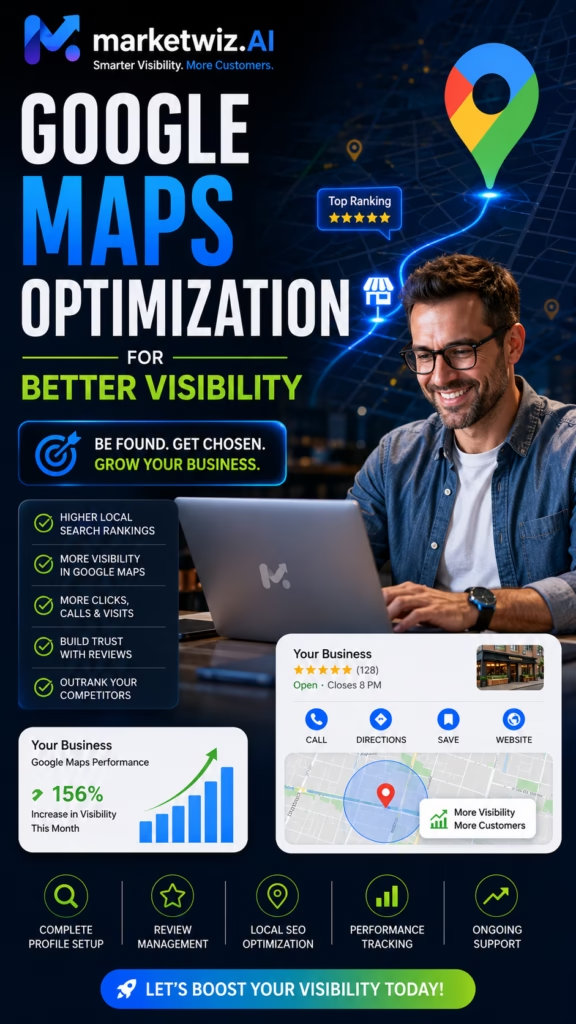
Google Maps Optimization for Better Visibility
Google Maps optimization for better visibility helps local businesses appear more professionally, reach nearby customers, strengthen trust, increase phone calls, generate website visits, improve appointment opportunities, and turn local searches into measurable business growth.
Google Maps optimization for better visibility gives local businesses a stronger opportunity to be discovered by customers who are actively searching for nearby products, services, providers, stores, showrooms, contractors, and professional solutions.
Local customers frequently use Google Maps to decide where to shop, who to call, which company to visit, and which provider appears most trustworthy. They may examine ratings, reviews, photos, hours, categories, services, location, website quality, directions, and contact options before taking the next step.
Better visibility is not only about appearing more often. A business must also appear relevant, accurate, professional, and easy to contact.
A profile that attracts views but fails to generate calls, website visits, bookings, messages, direction requests, or sales is not creating its full potential value.
Effective optimization connects the Google Business Profile with the company website, local service pages, customer reviews, original photos, business citations, useful content, lead tracking, fast follow-up, and ongoing performance improvements.
The Visibility-to-Revenue Principle
Better visibility creates attention. Accurate information creates confidence. Strong trust signals create action. Fast follow-up converts that action into revenue.
What Is Google Maps Optimization?
Google Maps optimization is the process of improving the information, relevance, trust, activity, and conversion quality surrounding a business's local presence.
Core Optimization Assets
- Google Business Profile
- Business name
- Address or service-area setup
- Phone number
- Website
- Primary and secondary categories
- Business hours
- Services and products
- Business description
- Customer reviews
- Original photos
- Business posts
- Local website pages
- Local citations
- Local links and mentions
- Lead-response systems
- CRM tracking
Optimization Is More Than Ranking
A business should not focus only on whether it appears for one keyword from one device in one location. Local visibility can vary based on the searcher's location, wording, business relevance, competition, and other factors.
The broader goal is to improve the business's ability to be discovered and selected by relevant local customers.
Why Better Google Maps Visibility Matters
Customers Search With Local Intent
Many people searching on Google Maps want a nearby provider, product, service, appointment, or location.
Business Information Appears Quickly
Customers can review hours, phone numbers, ratings, photos, categories, services, and directions without extensive research.
Trust Signals Are Easy to Compare
Reviews, photos, profile completeness, and website quality influence which business receives the inquiry.
Customer Actions Can Happen Immediately
Searchers can call, visit the website, request directions, send a message, or book an appointment.
Visibility Can Support Multiple Services
A complete profile and strong website can help customers discover different products, services, departments, and locations.
Local Assets Can Build Long-Term Value
Reviews, photos, content, citations, and authority may continue supporting discovery over time.
Understand the Local Google Maps Customer Journey
Stage 1: The Customer Has a Need
The customer may need a contractor, retailer, restaurant, professional service, medical provider, repair company, local store, home service, or commercial supplier.
Stage 2: The Customer Searches
Searches often include a service, product, company category, city, neighborhood, or near-me phrase.
Stage 3: The Customer Compares
The customer reviews business names, categories, ratings, photos, services, hours, location, website quality, and customer feedback.
Stage 4: The Customer Verifies
The customer may visit the website, review additional photos, confirm pricing information, inspect services, check availability, or read frequently asked questions.
Stage 5: The Customer Takes Action
The customer calls, sends a message, submits a form, requests directions, schedules, visits the location, or asks for an estimate.
Stage 6: The Business Responds
The company qualifies the inquiry, answers questions, confirms availability, and moves the customer toward the next step.
Build a Complete Google Business Profile Foundation
Complete the Core Profile Fields
- Accurate business name
- Eligible address or service-area setup
- Primary phone number
- Professional website
- Primary business category
- Relevant secondary categories
- Normal operating hours
- Special and holiday hours
- Business description
- Service listings
- Product information when relevant
- Business attributes
- Original photos
- Booking or appointment options
Review Profile Access
Confirm that the correct owner and authorized team members can manage the profile. Remove access for former employees, old vendors, or unknown accounts when appropriate.
Audit Information Regularly
Business hours, phone numbers, websites, services, employees, locations, and customer contact options may change over time.
Accuracy Comes Before Optimization
False locations, misleading names, inaccurate categories, duplicate profiles, and incorrect service areas can damage customer trust and create profile problems.
Use the Correct Real-World Business Name
The profile name should match the company's established name as used on signage, the website, business documents, vehicles, storefront materials, and customer communications.
Avoid Promotional Keyword Stuffing
A business named “Summit Home Solutions” should not rename its profile “Summit Home Solutions Best Roofing Painting Remodeling Contractor Near Me” simply to target more searches.
Build Relevance Through Appropriate Fields
Explain products and services through profile categories, service listings, product entries, the business description, website pages, photos, posts, and customer reviews.
Choose the Most Accurate Business Categories
Select the Best Primary Category
The primary category should describe the main activity that defines the business and produces its central customer value.
Add Relevant Secondary Categories
Secondary categories may reflect real additional services, departments, products, or specialties.
Avoid Category Expansion Without Relevance
Adding unrelated categories to reach more searches can confuse customers and weaken the clarity of the profile.
Review Categories When the Business Changes
Update category selections when the company's main services, products, operations, or structure changes.
Add Complete and Customer-Friendly Service Listings
Service listings help customers determine whether the company offers the exact solution they need.
Service Listing Formula
Clear Service Name + Customer Benefit + Important Scope or Availability Detail
Examples for Home Services
- Interior painting
- Exterior painting
- HVAC repair
- Roof replacement
- Kitchen remodeling
- Flooring installation
- Plumbing repair
Examples for Retail Businesses
- Furniture delivery
- Product pickup
- Mattress consultations
- Appliance installation
- Financing assistance
- Commercial purchasing support
Keep Services Consistent With the Website
Important profile services should have supporting information on the website when possible.
Write a Strong Google Business Profile Description
Recommended Description Structure
- Explain what the business does
- Identify the primary customer
- Describe important products or services
- Explain the genuine service area
- Describe the main customer benefit
- Include a simple next step
Example Description
Summit Local Solutions helps homeowners and businesses complete professional improvement, repair, installation, and maintenance projects throughout the local service area. Our team provides dependable communication, detailed scheduling, quality workmanship, and practical solutions designed around each customer's needs. Contact our team to discuss your project, confirm availability, and request an estimate.
Write for Customers First
The description should sound natural, credible, and informative. Avoid repeating the same keyword or city phrase unnecessarily.
Maintain Accurate Business Hours and Contact Information
Update Normal Hours
Incorrect hours may cause missed visits, unanswered calls, and negative customer experiences.
Add Special Hours
Review holiday schedules, seasonal hours, emergency availability, appointment-only periods, and temporary closures.
Use a Reliable Phone Number
The number should reach a person or system capable of answering, routing, recording, or returning the inquiry promptly.
Check Website and Booking Links
Confirm that every customer-facing link loads correctly and leads to the intended page.
Publish Original Photos That Improve Visibility and Trust
Recommended Photo Categories
- Business exterior
- Business interior
- Employees and team members
- Products and inventory
- Completed projects
- Before-and-after work
- Vehicles and equipment
- Showroom displays
- Customer experience areas
- Service process
- Events and company updates
Use Real Business Images
Original photos provide evidence that the company is active, established, and capable of delivering its products or services.
Show Customer Outcomes
Contractors should show completed work. Retailers should show products and inventory. Restaurants should show food and dining areas. Professional businesses should show their office, team, and client experience.
Add Photos Consistently
A steady flow of accurate images keeps the local presence useful and current.
Build a Legitimate Google Review System
Ask After a Genuine Customer Experience
Review requests may follow a completed service, purchase, delivery, appointment, project, resolved support issue, or other meaningful interaction.
Make the Request Easy
Provide a direct review link through an approved text message, email, receipt, QR code, follow-up page, or customer service process.
Request Honest Feedback
Customers should be invited to share an honest experience rather than being pressured to leave a specific rating.
Avoid Fake Reviews
Purchased, fabricated, employee-created, or misleading reviews may damage customer trust and create platform risk.
Avoid Review Gating
Do not direct only satisfied customers toward public reviews while preventing other customers from leaving honest feedback.
Respond Professionally to Positive and Negative Reviews
Positive Review Response
Thank you for choosing our business. We appreciate your feedback and are glad you had a positive experience with our team. We look forward to helping you again.
Negative Review Response
Thank you for sharing your concerns. We take customer feedback seriously and would like the opportunity to review what happened. Please contact our team directly so we can better understand the situation.
Keep Responses Professional
Avoid insults, arguments, personal attacks, confidential information, and emotional responses.
Use Natural Language
Responses should sound personal and relevant rather than copied from the same generic template every time.
Publish Useful Google Business Profile Posts
Post Ideas
- New products
- New services
- Completed projects
- Seasonal reminders
- Events
- Appointment availability
- Educational tips
- Company updates
- Financing information
- Delivery updates
Use a Clear Customer Action
Invite customers to call, visit the website, request an estimate, schedule, view a product, or visit the location.
Keep Posts Relevant
Every post should help customers understand a product, service, update, offer, event, or next step.
Add Products, Inventory Categories, and Offers
Product Information May Include
- Product name
- Product category
- Price or price range
- Short description
- Main customer benefit
- Original product image
- Website or inquiry link
Keep Product Information Current
Remove discontinued products and update meaningful changes in pricing, inventory, delivery, financing, sizes, colors, models, or availability.
Organize Products Clearly
Categories help customers understand inventory without reviewing an unorganized collection of unrelated entries.
Strengthen the Website Connected to Google Maps
Match the Profile Information
The website should accurately reflect the business name, phone number, address, service areas, products, services, hours, and branding.
Improve Mobile Performance
Many local customers move from Google Maps to the website on a smartphone. Pages should load quickly and make contacting the company simple.
Use Clear Conversion Actions
- Click-to-call phone number
- Contact form
- Estimate request
- Appointment scheduling
- Product inquiry
- Directions
- Financing information
- Message request
Show Trust Signals
- Customer reviews
- Project examples
- Team information
- Business history
- Certifications
- Warranties
- Professional memberships
- Service areas
Create Detailed Pages for Important Services
Service Page Structure
- Clear service title
- Customer problem
- Business solution
- Main benefits
- Services included
- Process
- Location availability
- Photos or examples
- Customer reviews
- Frequently asked questions
- Clear call to action
Avoid One Thin Services Page
Important products or services may deserve individual pages so customers can find specific details and make informed decisions.
Create Useful and Original Location Pages
Location Page Elements
- Services available in the location
- Products available locally
- Neighborhoods or areas served
- Local project examples
- Local testimonials
- Location-specific photos
- Hours and contact details
- Directions or service-area explanation
- Frequently asked questions
Make Each Page Useful
A location page should provide real local information rather than copying the same content and changing only the city name.
Use Genuine Local Proof
Add real projects, customers, property types, neighborhoods, events, inventory, or team details when accurate.
Publish Local Content That Supports Visibility
Local Content Ideas
- Local buying guides
- Service cost factors
- Seasonal maintenance advice
- Product comparisons
- Local project case studies
- Neighborhood guides
- Customer question articles
- Preparation checklists
- Local event information
- Service-area updates
Connect Content to Core Pages
Articles should naturally direct customers toward relevant services, products, locations, appointments, estimates, or contact pages.
Use Real Expertise
Include practical advice, experience, examples, customer questions, process details, and genuine industry knowledge.
Build Accurate Local Citations
Local citations are online references to business information across directories, associations, industry platforms, local organizations, and community websites.
Important Citation Information
- Business name
- Address when applicable
- Phone number
- Website
- Business category
- Operating hours
- Business description
Prioritize Relevant Sources
- Established business directories
- Industry associations
- Local chambers
- Supplier directories
- Manufacturer directories
- Community organizations
- Professional resources
Correct Old Information
Outdated phone numbers, websites, addresses, names, and hours can confuse customers and create missed opportunities.
Earn Relevant Local Backlinks and Mentions
Potential Local Link Sources
- Chambers of commerce
- Business associations
- Local news publications
- Community organizations
- Suppliers
- Manufacturers
- Professional directories
- Local sponsorships
- Charitable organizations
- Event websites
Create Reasons to Be Mentioned
Publish educational guides, community resources, case studies, research, local project information, or useful customer tools.
Avoid Low-Quality Link Schemes
Genuine relevance and authority are more valuable than large quantities of unrelated links.
Optimize Genuine Service Areas and Local Coverage
Define the Real Operating Area
Consider employee coverage, travel time, delivery distance, licensing, inventory, service capacity, appointment availability, and profitability.
Support Important Areas With Website Content
Create useful pages for locations where the business genuinely serves customers and can provide meaningful information.
Do Not Create Fake Locations
Virtual offices, mailboxes, unstaffed locations, and addresses where the business does not genuinely operate may create compliance and customer-trust problems.
Convert Google Maps Visibility Into Qualified Leads
Use a Clear Main Offer
Tell customers whether they can call, schedule, request an estimate, visit a showroom, view inventory, order, or request more information.
Reduce Contact Friction
- Display the phone number clearly
- Use short forms
- Provide appointment options
- Explain service areas
- Publish accurate hours
- Answer common questions
- Use clear next steps
Create Relevant Landing Pages
A customer interested in one specific service should reach a page that directly explains that service rather than being sent to a generic homepage with no clear path.
Match Customer Intent
Customers searching for emergency repair, estimates, product inventory, financing, commercial support, appointments, or directions should quickly find the relevant information.
Improve Response Speed for Google Maps Leads
Answer Calls Professionally
Identify the business, understand the customer's need, collect contact information, and guide the caller toward the next step.
Return Missed Calls Quickly
Local customers may call several businesses. A fast response helps protect the opportunity.
Use Qualification Questions
- What product or service do you need?
- What city or ZIP code are you located in?
- When do you need help?
- What outcome are you trying to achieve?
- Would you like an appointment or estimate?
Move Toward a Specific Next Step
Qualified inquiries should move toward a scheduled appointment, estimate, consultation, delivery, showroom visit, purchase, or other defined action.
Track Google Maps Customer Actions and Outcomes
Recommended CRM Fields
- Customer name
- Phone number
- Email address
- Lead source
- Product or service interest
- Customer location
- Lead status
- Assigned employee
- Appointment date
- Estimate or opportunity value
- Sale value
- Gross profit
- Follow-up date
Recommended Lead Statuses
- New
- Contacted
- Qualified
- Appointment scheduled
- Estimate or proposal sent
- Follow-up required
- Won
- Lost
- Not qualified
Track Revenue, Not Only Visibility
Profile views and website visits are useful, but businesses should also know which inquiries become appointments, customers, revenue, gross profit, repeat sales, and referrals.
Use AI and Automation to Support Local Lead Management
Tasks Automation May Support
- Missed-call responses
- Immediate lead acknowledgment
- Lead notifications
- Qualification questions
- Appointment scheduling
- Reminder messages
- CRM record creation
- Follow-up sequences
- Review requests
- Performance reporting
Keep Human Oversight
Employees should manage complex questions, complaints, pricing, contracts, technical issues, financing, sensitive information, and unusual customer situations.
Use Automation to Reduce Delays
The purpose of automation is to improve speed, organization, and consistency without creating misleading or robotic customer interactions.
Manage Google Maps Optimization Across Multiple Locations
Use Genuine Operating Locations
Each profile should accurately represent an eligible business location.
Create Location-Specific Information
- Accurate address
- Correct phone number
- Location-specific hours
- Local employees
- Local products or services
- Original location photos
- Location-specific website page
- Local lead tracking
Route Leads Correctly
Assign inquiries based on location, ZIP code, service, inventory, employee availability, department, or customer need.
Compare Location Performance
Track calls, website visits, bookings, direction requests, reviews, qualified leads, sales, and response speed for each location.
Measure Google Maps Optimization Performance
Visibility Metrics
- Profile views
- Search appearances
- Local keyword visibility
- Map exposure
- Website visibility
Engagement Metrics
- Phone calls
- Website visits
- Messages
- Bookings
- Direction requests
- Photo engagement
Lead Metrics
- Total inquiries
- Qualified leads
- Response time
- Appointment rate
- Estimate rate
- Close rate
Revenue Metrics
- Average sale value
- Total attributed revenue
- Gross profit
- Customer acquisition cost
- Customer lifetime value
- Return on investment
Calculate Cost per Qualified Lead
Cost per Qualified Lead = Total Local Marketing Investment ÷ Qualified Google Maps Leads
If a business invests $2,500 in profile management, website improvements, local content, citation work, review systems, software, and staff time and generates 100 qualified leads, the estimated cost per qualified lead is $25.
Calculate Local Marketing ROI
ROI = (Gross Profit From Google Maps Customers − Local Marketing Investment) ÷ Local Marketing Investment × 100
Common Google Maps Optimization Mistakes
Leaving Important Profile Fields Incomplete
Missing services, categories, hours, photos, website links, and contact information can reduce customer confidence.
Using an Inaccurate Business Name
Adding promotional keywords to the business name may create confusion and profile risk.
Choosing Irrelevant Categories
Categories should describe the real company, not every search the company wants to target.
Ignoring Reviews
Reviews influence trust, comparison, and customer confidence.
Using Weak or Copied Photos
Dark, blurry, outdated, stock, or unrelated images provide little evidence of real business quality.
Using a Weak Website
Slow pages, hidden contact details, missing services, and confusing navigation reduce conversions.
Creating Fake Locations
False addresses and unqualified locations may create compliance and customer-trust problems.
Publishing Thin Location Pages
Duplicate pages that only change a city name provide little customer value.
Failing to Respond to Leads
Visibility cannot create revenue when calls, forms, messages, and appointments receive no response.
Failing to Track Outcomes
Businesses should know which local inquiries become qualified leads, appointments, purchases, revenue, gross profit, reviews, repeat customers, and referrals.
A 30-Day Google Maps Optimization Plan
Week 1: Profile Foundation
- Confirm profile ownership and access
- Review the business name
- Confirm address or service-area setup
- Review the phone number and website
- Select accurate categories
- Update business hours
- Write the business description
- Add complete services
Week 2: Photos, Reviews, and Activity
- Add original business photos
- Add product or project photos
- Create a review-request workflow
- Respond to existing reviews
- Publish a useful profile post
- Add products when relevant
- Review common customer questions
- Update profile attributes
Week 3: Website and Local Authority
- Create or improve service pages
- Create useful location pages
- Improve mobile website speed
- Add clear conversion actions
- Audit local citations
- Correct outdated listings
- Seek relevant local mentions
- Publish useful local content
Week 4: Conversion and Measurement
- Track calls and forms
- Create CRM lead stages
- Improve response speed
- Add qualification questions
- Offer clear appointment options
- Create follow-up workflows
- Measure qualified leads and sales
- Calculate acquisition cost and ROI
End-of-Month Outcome
After 30 days, the business should have a more complete profile, stronger customer trust, improved local website relevance, better lead tracking, faster response processes, and clearer visibility into which Google Maps actions create revenue.
Final Takeaway: Better Visibility Requires a Complete Local System
Google Maps optimization for better visibility is most effective when the business treats local search as a complete customer-acquisition system.
Accurate information creates clarity. Relevant categories and services improve customer understanding. Original photos provide visual proof. Legitimate reviews build trust. Business posts keep the profile active and useful. Strong website pages answer questions and support conversion. Accurate citations and local mentions strengthen the company's digital presence.
Better visibility must then connect to fast response, customer qualification, appointment scheduling, CRM organization, consistent follow-up, and revenue measurement.
Businesses should track profile activity, calls, website visits, messages, bookings, direction requests, qualified leads, appointments, sales, average order value, gross profit, customer acquisition cost, repeat business, reviews, and referrals.
Google Maps becomes even more valuable when connected with local SEO, social media, video, email, SMS, Facebook Marketplace, Craigslist, OfferUp, paid advertising, referrals, customer service, CRM systems, AI-assisted communication, and automated follow-up.
When every part works together, better visibility can become more qualified leads, stronger customer relationships, repeat sales, reviews, referrals, and sustainable local growth.
Frequently Asked Questions
1. What is Google Maps optimization?
Google Maps optimization improves a business's profile, information, relevance, trust signals, website support, and customer conversion process.
2. Why is Google Maps optimization important?
It helps nearby customers discover, understand, compare, and contact a local business.
3. Can Google Maps optimization improve visibility?
A complete, accurate, relevant, and active local presence may improve discovery for appropriate customer searches.
4. What is a Google Business Profile?
It is a local business listing that may display contact information, categories, hours, services, products, photos, reviews, and customer actions.
5. How should a business optimize its profile?
Complete accurate information, categories, services, hours, photos, reviews, website links, attributes, and contact options.
6. Which business category should be selected?
Select the category that best describes the main business activity and add only relevant secondary categories.
7. Should keywords be added to the business name?
The profile name should match the established real-world business name rather than a promotional keyword list.
8. Do reviews improve Google Maps visibility?
Legitimate reviews may strengthen trust, engagement, and customer confidence.
9. Should businesses respond to reviews?
Yes. Professional responses demonstrate attention, appreciation, accountability, and customer service.
10. Do photos help Google Maps optimization?
Original photos help customers evaluate the location, team, products, services, projects, and overall business experience.
11. How often should businesses add photos?
Add fresh photos consistently as new projects, products, employees, inventory, equipment, or events become available.
12. Do Google Business Profile posts help?
Posts may support engagement by sharing services, products, updates, events, tips, and customer actions.
13. Should a business list all important services?
Yes. List genuine services using clear, accurate, and customer-friendly descriptions.
14. Does the business description matter?
A useful description explains what the company does, who it serves, where it operates, and how customers can take the next step.
15. Does website quality affect Google Maps visibility?
A relevant, mobile-friendly, trustworthy website can improve customer confidence and conversion.
16. Which website pages help local visibility?
Service pages, product pages, location pages, testimonials, galleries, FAQs, contact pages, and educational articles may help.
17. What is local SEO?
Local SEO improves visibility for geographically relevant searches across maps, search engines, directories, and websites.
18. What are local citations?
Local citations are online mentions of business information such as the name, address, phone number, website, and category.
19. Does consistent business information matter?
Accurate information reduces confusion and helps customers find and contact the correct business.
20. Do local backlinks help Google Maps optimization?
Relevant links and mentions from legitimate local and industry sources may support authority and discovery.
21. Can service-area businesses improve visibility?
Eligible service-area businesses may optimize for genuine service locations while following current profile requirements.
22. Should businesses create location pages?
Useful location pages can explain local services, products, projects, neighborhoods, and contact options.
23. How long does Google Maps optimization take?
Results vary based on competition, profile history, location, reviews, website quality, authority, and ongoing optimization.
24. How should Google Maps performance be measured?
Track visibility, calls, website visits, bookings, direction requests, qualified leads, sales, revenue, profit, and ROI.
25. How quickly should local leads receive a response?
Respond as quickly as reasonably possible because customers often contact multiple local businesses.
26. Can AI help manage Google Maps leads?
AI may support acknowledgment, qualification, routing, scheduling, follow-up, CRM updates, and reporting.
27. What should businesses avoid?
Avoid fake locations, keyword-stuffed names, duplicate profiles, misleading categories, false information, fake reviews, and copied photos.
28. Can multiple locations have separate profiles?
Eligible operating locations may have separate profiles when each location genuinely qualifies.
29. Should Google Maps be the only marketing channel?
No. Combine it with a professional website, local SEO, social media, reviews, advertising, referrals, and CRM follow-up.
30. What is the main goal of Google Maps optimization?
The goal is to turn local visibility into qualified calls, appointments, purchases, reviews, repeat customers, and referrals.
30 Additional SEO Keywords
Use these supporting phrases naturally across service pages, location pages, blog articles, internal links, image alt text, website headings, FAQs, and local lead-generation campaigns.
Improve Your Google Maps Visibility and Generate More Local Leads
MarketWiz.ai helps local businesses strengthen Google Maps visibility, improve local SEO, organize customer inquiries, generate qualified leads, schedule appointments, automate follow-up, track CRM activity, and measure real sales performance.
This article provides general marketing and local visibility information and does not provide legal, financial, tax, privacy, advertising, licensing, consumer-protection, platform-compliance, or search-engine ranking advice. Businesses should review current Google Business Profile requirements, review policies, advertising rules, communication-consent requirements, applicable industry regulations, and local, state, and federal laws before implementing marketing, tracking, automated communication, or review-generation systems.













