Market Wiz AI

Uncategorized

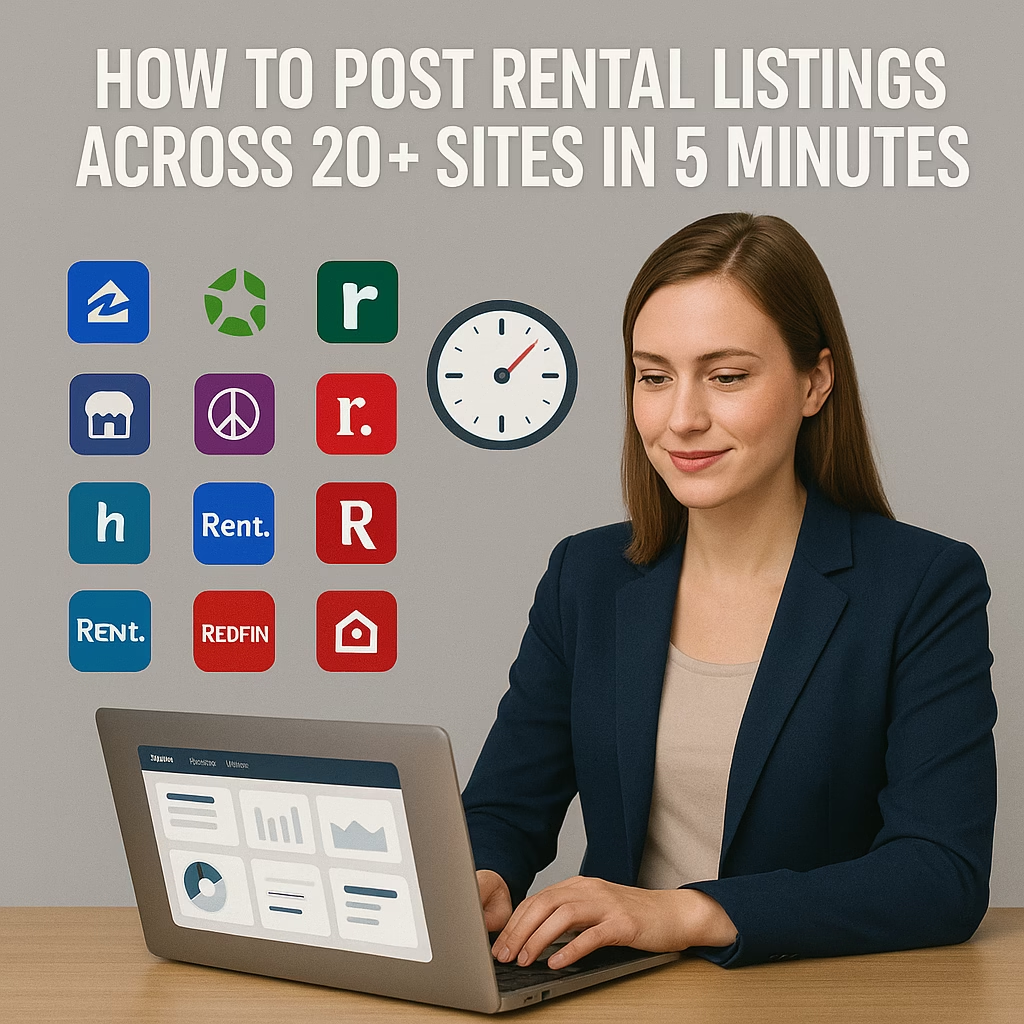
How to Post Rental Listings Across 20+ Sites in 5 Minutes
ChatGPT Image Oct 30 2025 03 13 41 PM
How to Post Rental Listings Across 20+ Sites in 5 Minutes — 2025 Cross-Posting Playbook

How to Post Rental Listings Across 20+ Sites in 5 Minutes

Publish everywhere, stay compliant, and keep responses organized—without manual chaos.

Outcomes: 1 template → 20+ sites Policy-safe copy Trackable links 5-minute publish

Introduction

How to Post Rental Listings Across 20+ Sites in 5 Minutes isn’t about cutting corners—it’s about removing repetitive work. With a single source of truth, policy-safe templates, and a tight media set, you can ship listings to marketplaces and ILS directories in minutes and keep every inquiry traceable.

Compliance: Follow Fair Housing and local advertising rules. Use factual, inclusive language. Avoid overlays that imply guarantees or preferences.

Expanded Table of Contents

1) Why cross-posting rentals still works in 2025

  • Coverage beats chance: Prospects browse different sites—meet demand where it lives.
  • Speed to publish: Hot units get seen first and book faster.
  • Consistency → trust: Unified data and photos reduce confusion and back-and-forth.

2) The Single-Source-of-Truth (SSOT) sheet

Store all unit data in one structured sheet (or CRM). Every listing pulls from here to ensure accuracy.

  • Tabs: Units, Media, Policies, Links, Changelog.
  • Naming: City-Street-Unit-BedsBaths-Rent-Avail

3) Required listing fields & data hygiene

FieldExampleNotes
Address / Unit123 Oak St #2BMatch postal format
Beds / Baths / SqFt2 / 1 / 920Round reasonably
Rent & Term$1,595 • 12 moList deposits/fees separately
AvailabilityNov 15, 2025Update if delayed
Pets & ParkingCats OK • 1 spotState fees clearly
UtilitiesWater incl.Clarify caps/limits
Tour methodSelf-tour lockboxInstructions + ID policy
Application linkexample.com/applyAdd UTM params

4) Photos, video, and floor plan specs

AssetAspect / SizeNotes
Hero photo1:1 • 1200×1200Bright living area
Gallery set1:1 or 4:3 • ≥1200px10–15 angles + details
Portrait feed4:5 • 1080×1350For placements that prefer tall
Landscape link1.91:1 • 1200×630Blog/landing previews
Short video9:16 • 1080×192010–20 sec walkthrough
Floor planPNG/SVG • 1600px wideLabel rooms clearly

5) Policy-safe title & description templates

Title Formula

{Beds}BR {Type} — {Key Feature}, {Neighborhood} • {Availability}

Description Scaffold (100–150 words)

What: {Beds/Baths} {Type} with {Features}.
Where: {Neighborhood}, near {Transit/Park/Employer}.
Terms: Rent {Price}, Deposit {Deposit}, Lease {Term}, {Utilities}.
Pets/Parking: {Policy}. Tour: {Self/On-site} with {Instructions}.
Apply: {Short link with UTM}. Questions? DM “TOUR”.

Avoid preference language; focus on features, terms, and logistics.

6) Channel matrix: marketplaces & ILS highlights

Channel TypeStrengthIdeal ContentNotes
MarketplacesFast DMsBright hero + concise termsRotate titles and hero photo
ILS/DirectoriesStructured searchFull amenities + floor planKeep data consistent
Social feedsBroad reachPortrait photo/video + CTAPin best performer 48–72h
Your websiteSource of truthCanonical details + applyUse UTMs per channel

7) Category & policy mapping (avoid flags)

  • Choose the closest property type (apartment, townhouse, single-family).
  • Use accurate price and fees; avoid bait pricing.
  • Minimize text overlays; cite sources on stat cards.

8) The 5-Minute Cross-Posting Workflow

  1. Open your SSOT row → verify rent, dates, policies.
  2. Attach the pre-sized media pack (hero first).
  3. Paste the policy-safe template; customize first 160 chars.
  4. Map category & amenities; add ?utm_source={site}&utm_medium=listing&utm_campaign=rentals_2025.
  5. Publish and log the post URL in your sheet.

9) Pre-flight QA checklist

  • Address and unit number match across sites
  • Rent/fees consistent; availability current
  • Hero image bright; no heavy overlays
  • Application link working with UTM
  • Tour instructions clear

10) Tracking: UTMs, unique numbers, inbox tags

Tag by channel. Use unique phone numbers or email aliases when possible and route to a single inbox with labels.

11) Inbox management & saved replies

First Reply (DM)

Yes, available. Tours: Today 4–6p or Tomorrow 10–12.
Reply with your email to receive the application link.

Application Nudge

Here’s the apply link: {short_link}. 
We’ll hold your tour window for 24h.

12) Refresh cadence & rotation rules

  • Refresh every 7–14 days; change first photo or first sentence.
  • Archive truly stale posts; avoid mass duplicates.

13) KPIs & dashboard schema

Top

Views • Saves • Clicks to apply

Middle

DMs • Reply time • Tours booked

Bottom

Applications • Approved • Lease signed

Quality

Flags • No-shows • Time-to-rent

14) 30–60–90 day rollout plan

Days 1–30 (Foundation)

  1. Build SSOT + media pack
  2. Create templates and saved replies
  3. Publish to 5 priority channels

Days 31–60 (Momentum)

  1. Expand to 10–15 channels
  2. Add UTMs and unique numbers
  3. Start A/B tests on titles/hero

Days 61–90 (Scale)

  1. Automate logs/dashboards
  2. Standardize refresh cadence
  3. Document SOP and train assistants

15) Troubleshooting & optimizations

SymptomCauseFix
Many views, few DMsWeak first photo or vague termsSwap hero, add key fees, tighten CTA
Flags/takedownsDuplicate copy or wrong categoryVary first lines, correct mapping
High no-show rateNo remindersSend 24h + 60m reminders; easy reschedule
Stale inventoryNo refreshRotate title/hero; update availability

16) Copy templates (drop-in)

Short Version (80–110 words)

{2BR Apartment} • {Neighborhood}
Bright living, updated kitchen, in-unit laundry. Rent {Price} + {Deposit}, {Term} lease. 
Pets: {Policy}. Parking: {Details}. Tours: Today 4–6 or Tomorrow 10–12.
Apply: {short_link}?utm_source={site}&utm_medium=listing&utm_campaign=rentals_2025

Long Version (130–170 words)

Move-in {Date}. {Beds/Baths} {Type} with {Features}. Community: {Amenities}. 
Utilities: {List}. Pet policy: {Details}. Parking: {Details}. 
Tour options and application link above—response within business hours.

17) 25 Frequently Asked Questions

1) What is “How to Post Rental Listings Across 20+ Sites in 5 Minutes”?

A time-saving workflow to syndicate rentals fast and accurately.

2) Do I need a website?

Not required, but an application landing page helps tracking and conversions.

3) How many photos per unit?

10–15 including common areas and amenities.

4) Can I copy-paste the same description?

Vary the first 160 characters and hero image to avoid duplicates.

5) Should I include deposits and fees?

Yes—clarity reduces low-intent inquiries.

6) What’s a good first CTA?

“DM ‘TOUR’ for times” + two time windows.

7) Are floor plans worth it?

Yes—they increase clarity and reduce back-and-forth.

8) Can I automate replies?

Use saved replies or AI for first contact; handoff to humans for tours.

9) How do I stay Fair Housing compliant?

Describe features and terms; avoid preference/exclusion wording.

10) Best refresh rhythm?

Every 7–14 days with meaningful updates.

11) Should I use price drops?

Use carefully; test small adjustments and track impact.

12) Do short videos help?

Yes—10–20 second walkthroughs lift response rates.

13) What about scams or fake leads?

Keep all scheduling inside your system; never accept wires or gift cards.

14) Can I pre-qualify in the listing?

List neutral criteria (income multiple, smoking policy) consistent with laws.

15) Should I post in local groups?

Yes, if allowed. Use group-friendly copy and rules.

16) How do I manage multiple units?

Use the SSOT sheet and a consistent naming convention.

17) What if availability changes?

Update SSOT first, then refresh posts with new dates.

18) Do boosted posts work?

Test only on listings with strong media and replies; measure cost per tour.

19) Should I list exact address?

If the platform allows and it’s safe. Otherwise, share cross streets and reveal on tour confirmation.

20) How do I handle accessibility details?

State factual features (elevator, ramp) without implication.

21) What metrics prove success?

Apply clicks, applications started, approved, lease signed, and time-to-rent.

22) Is watermarking okay?

Use small corner logos; avoid heavy text overlays.

23) Who should own the process?

One coordinator or assistant with a weekly quality review.

24) Can I include utility caps?

Yes—be specific to reduce disputes.

25) First step today?

Create your SSOT row, export the media pack, and publish to your top 5 channels.

18) 25 Extra Keywords

  1. How to Post Rental Listings Across 20+ Sites in 5 Minutes
  2. rental listing syndication workflow
  3. apartment cross posting template
  4. property manager marketing automation
  5. rental listing image specs
  6. fair housing compliant descriptions
  7. self-tour scheduling rentals
  8. rental application UTM tracking
  9. multi-site rental marketing
  10. unit availability refresh cadence
  11. rental listing saved replies
  12. apartment floor plan best practices
  13. rental video walkthrough tips
  14. rent price testing strategy
  15. no-show reduction for tours
  16. unique phone numbers rentals
  17. listing category mapping
  18. duplicate listing prevention
  19. rental lead source dashboard
  20. leasing pipeline KPIs
  21. policy safe rental titles
  22. pet policy clarity rentals
  23. utilities disclosure rentals
  24. rental marketing SOP
  25. 2025 rental advertising guide

© 2025 Your Brand. All Rights Reserved.
General guidance only; verify platform rules and local laws before publishing.

How to Post Rental Listings Across 20+ Sites in 5 Minutes Read More »
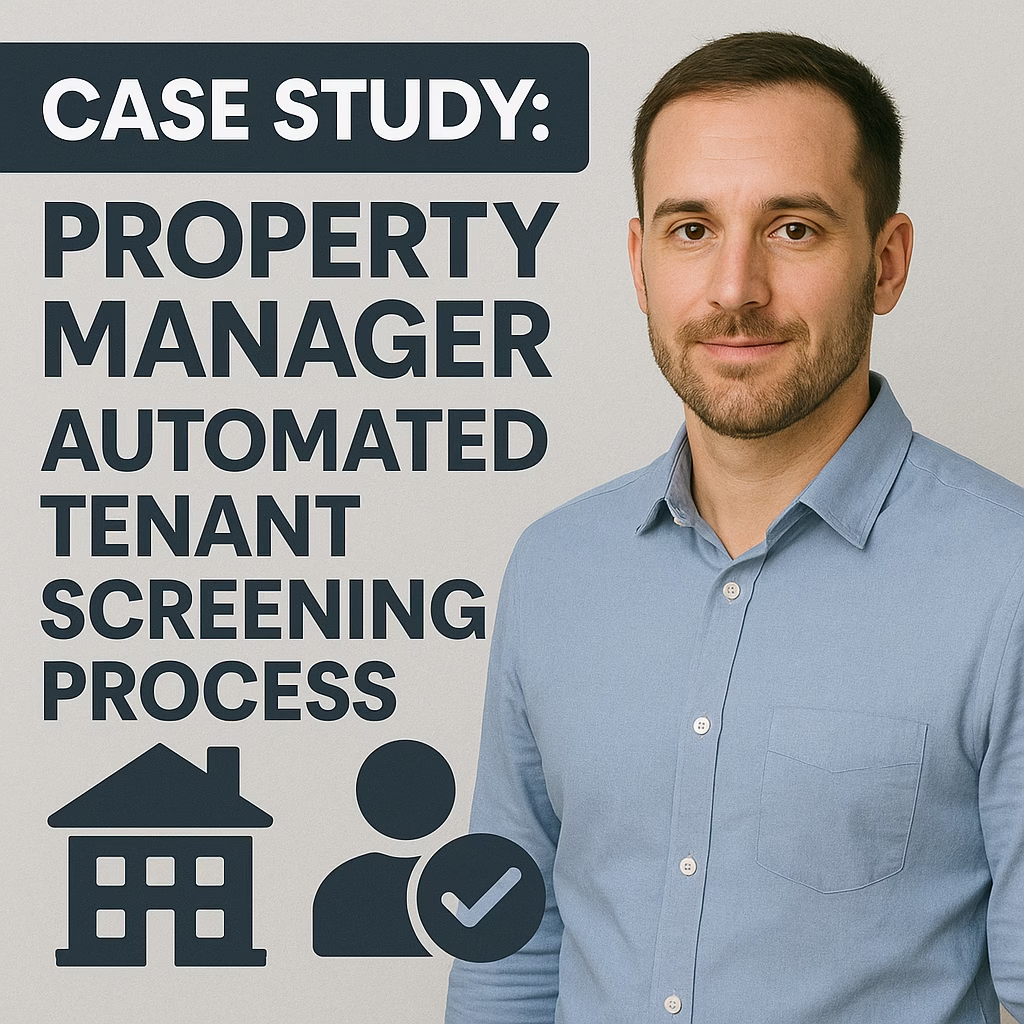
Case Study: Property Manager Automated Tenant Screening Process

ChatGPT Image Oct 30 2025 03 13 38 PM
Case Study: Property Manager Automated Tenant Screening Process — 2025 Results & Playbook

Case Study: Property Manager Automated Tenant Screening Process

Faster decisions, stronger compliance, fewer disputes—without sacrificing fairness or accuracy.

Quick Wins: 73% faster decisions Automated adverse action IDV & fraud checks Policy-based scoring Audit-ready logs

Introduction

Case Study: Property Manager Automated Tenant Screening Process shows how a 2,500-unit regional PM firm replaced manual checks with an automated, policy-driven workflow: identity verification (IDV), credit/criminal/eviction reports, income verification, scorecard rules, and compliant notices. The result was a dramatic cut in time-to-decision, clear audit trails, and better outcomes with fewer edge-case escalations.

Compliance Note: This article is for informational purposes only and is not legal advice. Confirm federal (FCRA/FHA), state, and local requirements; obtain written consent; and follow adverse action procedures.

Expanded Table of Contents

1) Snapshot & Goals

Company

  • 2,500 units across urban/suburban markets
  • Mixed portfolio (multifamily, SFR, small retail)

Primary Goals

  • Cut decision time without lowering quality
  • Reduce disputes via consistent notices
  • Centralize policy and improve auditability

2) Baseline Metrics (before automation)

KPIBeforePain
Time-to-decision22–48 hoursManual back-and-forth, staff bottlenecks
Dispute rate5.6%Inconsistent notes and documentation
Manual effort35–45 min/appCopy/paste, email chasing
Compliance riskMediumInconsistent adverse action language

3) Solution Architecture & Data Flow

Applicants complete a consented form → IDV → reports (credit/criminal/eviction) → income verification → scorecard → human review (if needed) → decision → automated communications (approval, conditional approval, or adverse action).

Form (e-sign + consent)
  → IDV (document + liveness)
  → Reports (credit • criminal • eviction)
  → Income/Employment (payroll API or bank)
  → Scorecard (policy rules + cutoffs)
  → Human Review (only edge cases)
  → Decision (approve/conditional/deny)
  → Notices (approval & adverse action)
  → PMS Update (status + artifacts + logs)

4) Data Sources & Vendors

  • IDV & Fraud: document scan, selfie liveness, device fingerprint
  • Credit/Criminal/Eviction: CRA-provided reports with permissible purpose
  • Income/Employment: payroll APIs or bank link (with consent)
  • References: optional landlord verification templates

5) Screening Policy & Scorecard

The scorecard encodes your neutral, location-aware policy. Each attribute contributes points; cutoffs map to approve, conditional, or deny. Document versions and store them with every decision.

FactorExample RuleScoring Impact
Income-to-rent≥ 3× rent → full points; 2.5–3× → partial+0 to +25
CreditScore bands with recent derogatories weighting-10 to +25
EvictionsRecent confirmed eviction reduces score-25 to 0
CriminalLocal rules and lookback windows appliedPolicy-dependent
Rental historyOn-time payments and positive references+0 to +15

Fairness check: run periodic disparate-impact reviews; avoid proxy variables; log rationale with each outcome.

6) Human-in-the-Loop Reviews

  • Trigger when IDV fails or documents conflict
  • Escalate when score is within a small “gray zone”
  • Require dual sign-off on denials where local rules mandate

7) End-to-End Automated Workflow

Trigger: New application submitted (with consent)
1) IDV & fraud checks → fail = hold + request resubmission
2) Pull credit/criminal/eviction via CRA
3) Income verify (payroll/bank) or request docs
4) Compute score + run policy rules
5) If edge case → assign reviewer SLA 4 hours
6) Decision outcome recorded (policy version stamped)
7) Generate and send approval/conditional/adverse action
8) Update PMS + attach artifacts + lock logs
9) Weekly KPI digest to ops/ownership

8) PMS/CRM Integration & Webhooks

  • Incoming webhooks create “Applicant” records and tasks
  • Outgoing webhooks post status, score, and document links
  • Role-based access for leasing vs. compliance users

9) SLAs, Alerts & Escalations

  • 2 hours: target decision for complete applications
  • Automatic alerts for stalled employer verifications
  • Daily exception report for unresolved reviews

10) Security, Privacy & Retention

  • Encrypt PII at rest and in transit; restrict export
  • Least-privilege access; SSO; periodic access reviews
  • Retention schedule by jurisdiction; defensible deletion

11) Results: 30/60/90-Day Impact

KPIBeforeAfter 90 DaysDelta
Time-to-decision22–48 hrs2–6 hrs-73%
Manual effort/app35–45 min8–12 min-70%+
Dispute rate5.6%2.1%-3.5 pts
Document errorsHighLow↓ due to templates

12) ROI Math & Break-Even

VariableExample
Apps/month350
Labor saved/app~30 minutes
Hourly fully-loaded cost$28
Labor savings350 × 0.5 × $28 = $4,900/mo
Tooling & vendor fees$1,600/mo
Net monthly impact$3,300 positive (ex-bad-debt benefits)

13) Ops Playbook (Daily/Weekly)

Daily

Work SLA queue; resolve flags; send pending document requests.

Weekly

Audit 10 random decisions; review disputes; refresh policy language.

Monthly

Fairness checks; threshold tuning; retention & access reviews.

14) Edge Cases & Manual Overrides

  • Name/DoB mismatches → request re-IDV
  • Zero/limited credit → income + references weighting
  • Local rule conflicts → location-specific policy branch

15) Experiments & Policy Tuning

  1. Threshold A/B: approve cutoff ±10 points
  2. Income-to-rent tolerance by submarket
  3. Alt-data inclusion (bank cashflow) impacts

16) 30–60–90 Implementation Timeline

Days 1–30 (Foundation)

  1. Consent language + disclosures finalized
  2. IDV + CRA + income vendor connections
  3. Scorecard v1 configured; logs enabled

Days 31–60 (Momentum)

  1. PMS integration + webhook events
  2. Adverse action/approval templates live
  3. Reviewer SLAs; exception dashboards

Days 61–90 (Scale)

  1. Fairness review + threshold tuning
  2. Backtests; policy v2 rollout
  3. Monthly audit & retention automation

17) Roles & RACI

AreaRACI
Policy & scorecardComplianceOwnerLeasingIT
IntegrationsIT/OpsCTO/Dir OpsVendorsTeam
Notices & templatesComplianceOwnerLegalLeasing
Audits & fairnessComplianceOwnerLegalTeam

18) Troubleshooting Checklist

SymptomLikely CauseFix
Decisions stuck “pending”Employer/API delayAuto-remind; allow paystub upload fallback
High dispute volumeNotice gaps or unclear policyImprove templates; add reviewer notes field
False denialsOver-strict cutoffsRun backtest; widen gray-zone human review

19) Glossary

FCRA: US law governing consumer reports. Adverse Action: Denial/changed terms based on a consumer report. IDV: Identity verification. CRA: Consumer Reporting Agency.

20) 25 Frequently Asked Questions

1) What is this case study about?

An end-to-end automated tenant screening process.

2) Is automated screening legal?

Yes, when FCRA/FHA compliant.

3) Do applicants need to consent?

Yes—written authorization is required.

4) Which reports are used?

IDV, credit, criminal, eviction, income.

5) How fast is it?

Minutes for most checks; hours if manual steps.

6) What about no SSN?

Use alt-ID; expect more manual review.

7) Thin credit files?

Lean on income and references.

8) Co-signers?

Supported; screened the same way.

9) Adverse action?

Provide compliant notices with CRA details.

10) Preventing discrimination?

Neutral criteria + fairness audits.

11) Varying local rules?

Use location-aware policy branches.

12) Income verification?

Payroll APIs, bank links, or documents.

13) PMS integrations?

Yes—via APIs/webhooks.

14) Fraud reduction?

IDV + device/document checks.

15) Auditability?

Immutable decision logs and artifacts.

16) Threshold tuning?

Backtests + monthly reviews.

17) Disputes?

Pause and route through CRA process.

18) Data retention?

Follow policy and law; minimize.

19) Cost?

$15–$60/app + tools; labor savings offset.

20) Key KPIs?

Time-to-decision, disputes, bad-debt.

21) Alternative data?

Yes, with consent and scrutiny.

22) Pet/parking rules?

Add policy Qs and addenda.

23) International applicants?

Passport/ITIN, extra checks.

24) Decision notices?

Automated approval/AA letters.

25) First step?

Define policy + consent; connect vendors; pilot.

21) 25 Extra Keywords

  1. Case Study: Property Manager Automated Tenant Screening Process
  2. automated tenant screening workflow
  3. rental applicant background check automation
  4. property management screening policy
  5. tenant screening scorecard
  6. adverse action automation
  7. FCRA tenant screening compliance
  8. Fair Housing screening fairness
  9. eviction check automation
  10. criminal background rental policy
  11. credit report rental decisions
  12. income and employment verification api
  13. id verification liveness check
  14. rental fraud prevention tools
  15. pms integration tenant screening
  16. leasing operations automation
  17. tenant screening kpis
  18. rental application time to decision
  19. tenant disputes reduction
  20. rental compliance audit trail
  21. score threshold tuning
  22. alternative data rental approvals
  23. rental data retention policy
  24. leasing fairness review
  25. 2025 tenant screening best practices

© 2025 Your Brand. All Rights Reserved.
This article is informational and not legal advice. Verify current federal, state, and local screening laws before implementation.

Case Study: Property Manager Automated Tenant Screening Process Read More »

Small Business Growth: When to Automate Your Marketing

ChatGPT Image Oct 29 2025 01 06 53 PM
Small Business Growth: When to Automate Your Marketing — 2025 Decision Playbook

Small Business Growth: When to Automate Your Marketing

Know the moment to flip the switch—replace repetitive work with systems that scale without losing the human touch.

Quick Wins: Instant lead replies Calendar handoff 3-step nurture Review requests Weekly KPI snapshot

Introduction

Small Business Growth: When to Automate Your Marketing is about timing: not “more tools,” but the right systems at the right stage. If your best people spend hours copying leads into spreadsheets, chasing no-shows, or rewriting the same replies—automation will unlock growth without adding headcount.

Compliance: Use consent-based messaging, respect opt-outs, be truthful in claims, and follow local privacy and platform rules.

Expanded Table of Contents

1) Readiness Signals: how to know it’s time

SignalWhy it mattersStarter automation
Leads wait hours for repliesConversion drops every minuteInstant autoresponder + human handoff
No-shows for calls/visitsWasted calendar capacity24h + 60m reminders with reschedule link
Manual copy-paste to CRMErrors + lost leadsForm→CRM mapping with required fields
Inconsistent follow-upsLost deals after day 33-step nurture sequence (value → proof → offer)
Owner bottleneckSingle point of failureTemplates + routing rules by source/region

2) What to Automate First (priority ladder)

  1. Capture → CRM: every lead lands in one place with tags.
  2. Instant reply: “Got your request—choose time A/B.”
  3. Scheduling: calendar link + auto reminders.
  4. Nurture: 3 messages over 7–10 days, then monthly check-ins.
  5. Review requests: trigger after fulfillment with short link.

3) Channel Automation Matrix

ChannelAutomationsNotes
EmailAutoresponder, nurture, win-backGreat for detail + attachments
SMSConfirmations, reminders, reviewsGet consent; keep short
Facebook/IG DMsSaved replies, quick formsHand off to calendar quickly
MarketplaceListing templates, reply scriptsRespect posting policies
PhoneCall routing, voicemail dropsUse lightly; avoid spam tactics

4) Data Foundations: capture, clean, dedupe

  • Make name, email/phone and source required.
  • Validate formats; dedupe by email and domain.
  • Tag every lead with channel and campaign.

UTM tip: ?utm_source=website&utm_medium=form&utm_campaign=lead_capture_2025

5) ROI Math: simple calculator & break-even

VariableExample
Avg deal gross profit$400
Incremental conversions from faster replies+5 deals/mo
Added gross profit$2,000
Tool + labor cost$300
Monthly ROI($2,000−$300)/$300 = 5.67×

6) Tool Stack: no-code starters to advanced

  • Starter: Forms → Sheet/CRM, email + SMS autoresponder, calendar.
  • Growth: Lead scoring, templates by source, review engine.
  • Advanced: Multi-channel journeys, webhooks, dashboards.

7) Stage Playbooks: Solo → Team → Scale

Solo

  • Instant reply + calendar link
  • 3-step nurture
  • Review request trigger

Team/Scale

  • Round-robin assignment
  • SLAs + alerts
  • Weekly KPI digest to channel owners

8) Core Workflows

Saved Replies (drop-in)

Thanks for reaching out! Two options: Today 4–7pm or Tomorrow 10–1.
Reply with your ZIP to confirm.

Review Request (post-job)

We loved working with you. Would you mind sharing a quick review?
{short_link}

9) Creative Automation & A/B tests

  1. Subject line: benefit vs urgency
  2. CTA: “Book now” vs “Get times”
  3. Timing: 8am vs 6pm

10) CRM & Pipeline Hygiene

  • Define stages: New → Qualified → Scheduled → Won/Lost.
  • Auto-move on form/calendar events.
  • Prune stale leads weekly.

11) Consent, Deliverability, and Platform Rules

  • Collect consent; honor stop/opt-out.
  • Warm up sending domains; authenticate email.
  • Follow marketplace posting policies.

12) KPIs & Reporting Rhythm

Top

Leads • Source mix • Response time

Middle

Booked rate • Show-up rate

Bottom

Closed-won • AOV • Margin

Quality

Unsubscribes • Spam rate • Reviews

13) 30–60–90 Day Rollout Plan

Days 1–30 (Foundation)

  1. Form → CRM mapping with tags.
  2. Instant reply + calendar handoff.
  3. 3-step nurture; review trigger.

Days 31–60 (Momentum)

  1. Lead scoring + routing.
  2. Weekly KPI digest; prune templates.
  3. A/B tests on subject + CTA.

Days 61–90 (Scale)

  1. Dashboards; cost per stage.
  2. Lifecycle campaigns (win-back, upsell).
  3. Security review & access policy.

14) Roles & RACI

AreaRACI
Messaging templatesMarketingOwnerSalesSupport
CRM fieldsOpsOwnerSalesFinance
ReportingOpsOwnerSales/MarketingTeam

15) Security & Access Control

  • Use SSO where possible; revoke access on role change.
  • Restrict export permissions; log data access.

16) Common Pitfalls & How to Avoid Them

  • Over-automating negotiation—keep human.
  • No testing—run small A/Bs monthly.
  • Dirty data—validate and dedupe on capture.

17) Mini Case Snippets

  • Home services: reply + calendar + reminders → 28% lift in show-ups.
  • Retail: DM template + review engine → +2.1★ average review growth in 60 days.

18) Troubleshooting Checklist

SymptomLikely CauseFix
Leads not in CRMMissing mappingRe-map form fields; make required
Low open ratesAuth missingSet SPF/DKIM/DMARC; test subjects
Few bookingsNo time optionsOffer A/B time windows

19) Glossary

Autoresponder: Instant message triggered by a form or DM. Lead scoring: Ranking leads by fit/intent. RACI: Roles framework.

20) 25 Frequently Asked Questions

1) What is “Small Business Growth: When to Automate Your Marketing”?

A timing and rollout guide for SMB automation.

2) Do I need a big budget?

No—start lean and expand.

3) What do I automate first?

Capture → reply → schedule → nurture.

4) How fast should replies be?

Instant autoresponse; human in <10 min.

5) Will automation hurt our brand voice?

Use human templates and dynamic fields.

6) Best KPI to improve first?

Lead response time.

7) How many nurture emails?

Start with 3 over 7–10 days.

8) Should we use SMS?

Yes with consent; confirmations/reminders.

9) How do we prevent spam complaints?

Clear opt-in, value, easy opt-out.

10) What about marketplace leads?

Saved replies + form handoff + calendar.

11) Do we need AI?

Helpful for first replies and scoring, not mandatory.

12) Can we automate reviews?

Trigger post-job requests with a short link.

13) How to track ROI?

Attribution by source and stage; see ROI section.

14) Who should own automations?

Ops/marketing with sales input; see RACI.

15) How often to audit flows?

Monthly, then quarterly.

16) Risk of over-automation?

Yes—keep complex conversations human.

17) Which tools integrate best?

Pick tools with webhooks and calendar sync.

18) What’s a good show-up rate?

70–90% with reminders and easy reschedule.

19) How to keep data clean?

Validation, required fields, and dedupe rules.

20) Can we localize automations?

Yes—by city or service area for relevance.

21) Should we gate offers?

Collect contact info; set clear terms.

22) What if leads are low quality?

Add qualifying fields; adjust sources.

23) How do we manage no-shows?

Deposits/holds; reminders; easy reschedule.

24) Is a CRM required?

A simple one or sheet is enough to start.

25) First step today?

Turn on capture→autoresponse→calendar for your main source.

21) 25 Extra Keywords

  1. Small Business Growth: When to Automate Your Marketing
  2. when to automate marketing for smb
  3. marketing automation readiness checklist
  4. lead response time automation
  5. appointment scheduling automation
  6. sms reminders small business
  7. email nurture sequence template
  8. crm pipeline automation
  9. review request automation
  10. marketplace listing templates
  11. fb marketplace reply scripts
  12. automation roi calculator
  13. lead scoring smb
  14. no show reduction tactics
  15. kbp reporting dashboard
  16. utm tracking small business
  17. data cleaning dedupe rules
  18. privacy and consent messaging
  19. ab testing subject lines
  20. ai first reply assistant
  21. calendar handoff workflow
  22. sales ops automation smb
  23. lifecycle marketing automation
  24. win back automation flow
  25. 2025 marketing automation guide

© 2025 Your Brand. All Rights Reserved.
Information only; verify current laws and platform policies before implementing.

Small Business Growth: When to Automate Your Marketing Read More »

Local Business Marketing: Google My Business vs Facebook Marketplace

ChatGPT Image Oct 29 2025 01 06 50 PM
Local Business Marketing: Google My Business vs Facebook Marketplace — 2025 Comparison & Playbook

Local Business Marketing: Google My Business vs Facebook Marketplace

Pair map trust with social speed—rank where buyers search and chat where they decide.

Quick Verdict: GBP = trust & map demand Marketplace = fast DMs & promos Run both with one SOP

Introduction

Local Business Marketing: Google My Business vs Facebook Marketplace is not an either/or decision—it’s a combo play. Google Business Profile (formerly Google My Business) captures intent on Maps and Search; Facebook Marketplace generates fast, conversational leads from people browsing nearby deals. This guide shows you how to set up, optimize, and connect both channels into a single workflow.

Compliance: Follow platform rules, use accurate categories, avoid prohibited items/claims, and provide transparent pricing and policies.

Expanded Table of Contents

1) Why run both channels together

  • Catch demand + create demand: GBP wins searches; Marketplace sparks interest with visuals and offers.
  • Trust + speed: Reviews on GBP build credibility; Marketplace DMs close with human speed.
  • Coverage: Some buyers start on Maps; others scroll Marketplace nightly—own both moments.

2) Side-by-Side Comparison

AspectGoogle Business Profile (GBP)Facebook Marketplace
Primary valueMap visibility, reviews, phone callsFast DMs, product discovery, promos
Best forService-area & storefront trustInventory, specials, same-day deals
ContentBusiness info, posts, photos, Q&AListings with photos, price, availability
ConversionCall, directions, website/quoteDM → booking/checkout/pickup
CadenceWeekly posts, monthly photosDaily/weekly unique listings
ProofReviews, before/after, teamReal photos, seller ratings

3) Google Business Profile Setup & Optimization

  1. Complete NAP, categories, hours, service areas.
  2. Upload real photos: exterior, interior, work-in-progress, outcomes.
  3. Post weekly: offer, tip, or case mini-story with a single CTA.
  4. Request reviews after every job—provide a short link.
  5. Answer Q&A and pin the best answers.

CTA ideas: Call NowRequest a QuoteBook Appointment

4) Facebook Marketplace Setup & Playbook

  • Create 3 listing templates (new, used, service).
  • Photos: bright hero, 3–6 angles, 1 detail, 1 context.
  • Title = Outcome + Spec + Area: “Queen Hybrid Mattress — Free Delivery, East Side.”
  • Description: what it is, who it’s for, key specs, pickup/delivery windows, CTA.
  • Reply in < 10 minutes; offer two time windows.

5) Categories & Eligibility

Use allowed categories and truthful attributes. Services are permitted in specific Marketplace categories; GBP supports both storefront and service-area businesses.

6) Visibility Mechanics

  • GBP: Relevance, distance, prominence; completeness and reviews matter.
  • Marketplace: Freshness, visuals, relevance to category, and engagement matter.

7) Photo Systems: proof that converts

  • Show real work and scale; avoid heavy filters and text walls.
  • Before/after sets and short 15-sec walkthroughs boost responses.

8) Copy & Titles: intent vs scroll-stopping

GBP: Answer buying questions quickly (price ranges, areas served, turnaround). Marketplace: Lead with outcome and logistics (delivery/pickup).

9) CTAs & Messaging Flows

Marketplace DM (saved reply)

Yes, available. Pickup today 4–7pm or delivery tomorrow 10–1.
What’s your ZIP to confirm?

GBP follow-up (phone/SMS)

Thanks for calling! Reply with ZIP + a photo. I’ll quote ranges and offer two time windows.

10) Reviews & Seller Ratings

GBP reviews build discovery and trust; Marketplace seller ratings reassure buyers. Request both consistently.

11) Posting Cadence & Refresh Strategy

  • GBP: post weekly; replace stale images monthly.
  • Marketplace: refresh weekly with meaningful changes; avoid duplicate clones.

12) Pricing, Bundles & Offers

  • Publish a clear price or range; list inclusions.
  • Bundle delivery/installation or add-ons to raise AOV.

13) Safety, Delivery & Meetups

  • Prefer public, well-lit handoffs or curbside/porch delivery.
  • Send a 60-minute reminder and offer two windows.

14) Policy Pitfalls & How to Avoid Flags

  • Accurate categories and attributes.
  • No prohibited items, bait pricing, or heavy overlays.
  • For GBP, keep NAP accurate and avoid virtual offices misrepresentation.

15) KPIs & Dashboard

GBP

Calls • Directions • Website clicks • Review velocity

Marketplace

Views • DMs • Reply time • Booked slots • Orders

Quality

No-show rate • Flags • Photo freshness

Tracking tip: ?utm_source=gbp|marketplace&utm_medium=organic&utm_campaign=local_2025

16) Time & Budget: where to invest first

  • Foundation: complete GBP + top 5 Marketplace listings.
  • Next: saved replies, simple CRM, weekly photo habit.
  • Then: bundles, delivery SOP, light automation.

17) A/B Tests for Photos, Titles & CTAs

  1. Hero photo: lifestyle vs bright product.
  2. Title: spec-first vs outcome-first.
  3. CTA: “DM ZIP” vs “Book link inside.”

18) 30–60–90 Day Rollout Plan

Days 1–30 (Foundation)

  1. Complete GBP profile; post once/week; request 10 reviews.
  2. Publish 5 Marketplace listings with real photos + clear CTAs.
  3. Set a 10-minute reply SLA and saved replies.

Days 31–60 (Momentum)

  1. Add bundles and delivery windows.
  2. Run 3 A/B tests (hero, title, CTA).
  3. Create a simple sheet/CRM with source tagging.

Days 61–90 (Scale)

  1. Localize listings by neighborhood; rotate 15–50 items.
  2. Systemize photo updates and review requests.
  3. Build a one-page KPI dashboard; prune weak performers.

19) Mini Scenarios by Business Type

  • Home services: GBP for trust + phone calls; Marketplace for specials and before/after reels.
  • Retail furniture/mattress: Marketplace for inventory and delivery; GBP for store info & reviews.
  • Local rentals/warehouses: Marketplace for inquiries; GBP for directions and appointment bookings.

20) Simple Tool Stack

  • Photo: phone + basic editing preset.
  • Replies: saved responses; optional AI first reply.
  • Capture: short form or booking link with UTM.
  • Tracking: sheet/CRM with source, stage, value, next step.

21) Title Templates for Both Channels

GBP Post

{Service} in {Area} — {Outcome}
“Same-Day Water Heater Replacement — Tulsa Metro”

Marketplace Listing

{Product/Service} — {Spec/Size}, {Neighborhood/Radius}
“Epoxy Garage Floor — 2-Car, North Side • Free Quote”

22) Copy Scaffolds

GBP Post (120–180 words)

{Problem → Process → Result} + CTA
We just finished {project} in {area}. {Key steps}. Result: {measurable outcome}.
Ready for a quote? Tap “Request a Quote”.

Marketplace Listing (90–140 words)

What: {item/service}. For: {ideal buyer}.
Specs: {size, condition, inclusions}. Logistics: {pickup/delivery windows}.
CTA: DM “QUOTE” with ZIP for times.

23) Troubleshooting & Optimizations

SymptomLikely CauseFix
High GBP views, few callsWeak CTA or incomplete infoAdd “Request a Quote,” pricing ranges, and service areas
Marketplace views, few DMsVague title/heroOutcome + spec + area; replace first photo
DMs but low bookingsSlow replies; no next stepSaved replies; offer two time windows
Flags/takedownsDuplicates or policy mismatchUnique copy; correct categories; minimal overlays

24) 25 Frequently Asked Questions

1) What is “Local Business Marketing: Google My Business vs Facebook Marketplace”?

A comparison and combined strategy for two powerful local channels.

2) Is Google My Business the same as GBP?

Yes—GMB was rebranded to Google Business Profile.

3) Which is better for services?

Use GBP for trust and calls; Marketplace for promos and quick DMs.

4) Which is better for products?

Marketplace for inventory; GBP for store info and reviews.

5) Do I need a website?

Not required, but a booking/quote page helps convert.

6) How fast should I reply on Marketplace?

Under 10 minutes during business hours.

7) How often should I post on GBP?

Weekly posts plus monthly photo updates.

8) What photos convert best?

Real, bright, with context and detail.

9) Can I list services on Marketplace?

Yes, in allowed categories—be accurate and policy-safe.

10) How do I handle safety?

Public meetups or curbside/porch delivery; bring a friend for high-value deals.

11) How do I avoid flags?

Use correct categories, real photos, transparent pricing; avoid duplicates.

12) What’s the best Marketplace CTA?

DM “QUOTE” with ZIP for times.

13) Should I show pricing?

Yes—clear prices or ranges reduce low-quality DMs.

14) How do reviews help?

GBP reviews lift trust and visibility; Marketplace ratings reassure buyers.

15) Can I automate first replies?

Yes—saved replies or AI; escalate to a human for scheduling.

16) How do I track sources?

Tag leads in a sheet/CRM; use UTM parameters on links.

17) What are core KPIs?

GBP: calls, clicks, reviews. Marketplace: DMs, reply time, bookings, orders.

18) Are duplicates okay?

No—refresh meaningfully instead of cloning.

19) How do I reduce no-shows?

Two time options, confirmations, and 60-minute reminders.

20) Do videos help?

Short walkthroughs and before/after clips boost responses.

21) Service-area business tips?

Define service areas in GBP; highlight travel windows in Marketplace.

22) Payment best practices?

Offer simple digital payments; state terms clearly.

23) Returns/warranties?

Publish plain-language policies; keep claims truthful.

24) What should I do first?

Complete GBP and post five proof-rich Marketplace listings.

25) Why use both channels?

Because trust + speed wins more local buyers.

25) 25 Extra Keywords

  1. Local Business Marketing: Google My Business vs Facebook Marketplace
  2. google business profile optimization tips
  3. facebook marketplace local lead generation
  4. maps ranking vs marketplace reach
  5. local seo for service area business
  6. marketplace listing templates
  7. reviews vs seller ratings
  8. marketplace dm scripts
  9. gbp posting cadence
  10. marketplace product photos guide
  11. local delivery marketplace
  12. curbside pickup safety
  13. pricing rules marketplace
  14. utm tracking local marketing
  15. kpi dashboard local business
  16. before after photos convert
  17. dm to booking funnel
  18. call to action examples local
  19. gbp q&a optimization
  20. seller ratings boost trust
  21. service area business marketing
  22. duplicate listing policy
  23. bundle offers marketplace
  24. appointment reminders sms
  25. local marketing 2025 playbook

© 2025 Your Brand. All Rights Reserved.
For general information only; verify current platform rules and local laws.

Local Business Marketing: Google My Business vs Facebook Marketplace Read More »

How to Compete with Big Brands Using Marketplace Automation

ChatGPT Image Oct 29 2025 01 06 46 PM
How to Compete with Big Brands Using Marketplace Automation — 2025 Playbook

How to Compete with Big Brands Using Marketplace Automation

Small team, big outcomes: publish faster, reply sooner, and deliver locally with systems that scale.

Key Levers: Listing templates Instant replies Inventory sync Price rules Clear KPIs

Introduction

How to Compete with Big Brands Using Marketplace Automation comes down to operational speed, consistent proof, and policy-safe scale. This guide shows you how to turn templates and simple automations into real advantages—more views, more replies, and more local orders—without a giant ad budget.

Compliance: Follow each platform’s rules and local laws. Use accurate categories, real photos, no prohibited items, and transparent pricing/terms.

Expanded Table of Contents

1) Why marketplace automation helps small teams beat big brands

  • Speed: Templates + rules post in minutes, not hours.
  • Focus: Automate low-value tasks; spend human time on booking and delivery.
  • Local edge: Same-day pickup/delivery and live chat beat slow corporate queues.

2) Core Stack: listings, replies, inventory, pricing, CRM

LayerPurposeStarter Action
Listing templatesConsistency + speedCreate 3 SKUs templates (new/used/service)
Saved replies/AISub-10 min responsesAnswer delivery, availability, location, price
Inventory syncPrevent double-sellingUpdate stock across channels on sale
Price rulesMove aged itemsAuto-drop price after N days
CRM sheetTrack pipelineSource, stage, value, next step

Tool example: any lightweight “Business Customer Engine” style workflow—templates in, listings out, DMs routed to form/calendar.

3) Listing Templates That Rank & Convert

Title Formula (50–70 chars)

{Outcome/Type} — {Key Spec/Size}, {Neighborhood/Radius}
“Queen Hybrid Mattress — Free Delivery, East Side”
“Contractor Warehouse — 2,500 SF, Near I-90”

Description Scaffold

• What it is + who it’s for
• Key specs (size, condition, inclusions)
• Local advantage (pickup/delivery windows)
• CTA: “DM ‘QUOTE’ with ZIP for times”

4) Photo & Video System (fast, repeatable, real)

  • Bright hero first; 3–6 support angles; 1 close-up detail; 1 context shot.
  • 15-sec walkthrough video: steady, natural light, no heavy filters.

5) SEO-style Titles & Descriptions for Marketplaces

Front-load the outcome and the spec buyers search for. Mirror category attributes in the copy for relevance.

Add neighborhood or radius to attract local intent and same-day buyers.

6) Dynamic Pricing & Bundle Offers

  • Set price floors and auto-drop cadence (e.g., −5% every 7 days).
  • Bundle delivery/installation to increase AOV and win rate.

7) Instant Replies: AI + Saved Responses + SLAs

Saved Reply (availability)

Yes, available. Pickup today 4–7pm or delivery tomorrow 10–1.
What’s your ZIP to confirm timing?

Saved Reply (pricing)

Price includes {items/services}. We can bundle {add-on} for ${X}.
Want me to reserve a time window?

SLA: <10 minutes business hours, <1 hour after-hours with auto-acknowledge.

8) Lead Routing: chat → form → calendar → CRM

  1. DM link to form with name, phone, ZIP, preferred time.
  2. Auto-offer two time slots; confirm via SMS/email.
  3. Log source and stage in sheet/CRM.

UTM idea: ?utm_source=marketplace&utm_medium=dm&utm_campaign=local_2025

9) Inventory Sync & Stockout Prevention

  • One change updates all channels (status, price, photos).
  • Auto-pause listings when stock ≤ 0; publish restock alerts.

10) Local Delivery, Holds, and No-Show Shields

  • Paid holds (Venmo/Stripe link) reduce no-shows.
  • Delivery windows: AM/PM blocks; send 60-minute reminder.
  • Offer curbside/porch delivery for safety.

11) Policy-Safe Posting (avoid flags)

  • Accurate categories and attributes; no prohibited items or claims.
  • Real photos; minimal overlays; no bait-and-switch pricing.
  • Meaningful refreshes—don’t clone duplicate posts.

12) KPIs & Dashboard (weekly rhythm)

Top

Views • Saves • DMs

Middle

Qualified leads • Reply time • Booked slots

Bottom

Orders • AOV • Margin

Quality

Review velocity • No-show rate • Flags

ChannelNorth-StarBaseline TargetMove This By
MarketplaceDM→Order rate12–25%Faster replies, bundle offer
CraigslistEmail→Call rate25–40%Saved replies, two time windows
OfferUpSave→DM rate10–20%Better hero photo, price test

13) A/B Tests for Titles, Photos, and CTAs

  1. Hero photo: bright after vs staged lifestyle.
  2. Title: spec-first vs outcome-first.
  3. CTA: “DM ZIP for times” vs “Book link inside.”

14) 30–60–90 Day Rollout Plan

Days 1–30 (Foundation)

  1. Create 3 listing templates and 6 saved replies.
  2. Publish 15–25 unique listings; set a 10-minute SLA.
  3. Build a simple sheet CRM with stages.

Days 31–60 (Momentum)

  1. Add price rules and inventory sync.
  2. Run 3 A/B tests (hero, title, CTA).
  3. Standardize delivery windows and paid holds.

Days 61–90 (Scale)

  1. Localize titles/descriptions by neighborhood.
  2. Delegate first replies; QA weekly.
  3. Prune low performers; double top SKUs.

15) Mini Case Study: “From 12 to 86 weekly DMs”

  • Swapped stock photos → real proof set (5 images + 1 reel)
  • Added “DM ZIP for delivery times” + saved replies
  • Introduced 7-day −5% price rule for aged items
  • Result: 7× DM volume and 2.4× orders in 3 weeks

16) Troubleshooting & Optimizations

SymptomLikely CauseFix
High views, low DMsWeak hero or vague titleReplace first photo; add spec + area to title
DMs, few ordersSlow replies; unclear next stepSaved replies; offer two time windows
Frequent flagsDuplicate content or wrong categoryUnique copy; correct category; minimal overlays
Stockouts/double-sellingNo sync after salesPause sold listings; enable inventory sync

17) 25 Frequently Asked Questions

1) What is “How to Compete with Big Brands Using Marketplace Automation”?

A system to ship more listings and replies with fewer people.

2) Do I need a website to sell?

No, but a booking page or form speeds qualification.

3) How fast should I reply?

<10 minutes business hours; auto-acknowledge after-hours.

4) Best CTA for DMs?

“DM ‘QUOTE’ with ZIP for times.”

5) How many photos?

1 hero + 3–6 angles + 1 detail + 1 context.

6) Can I repost the same listing?

Refresh meaningfully—don’t clone duplicates.

7) What about warranties/returns?

State realistic terms clearly; avoid misleading claims.

8) Are bundles worth it?

Yes—raise AOV and win rate.

9) Should I negotiate in chat?

Qualify first, then offer bundles/time windows.

10) How do I schedule pickups?

Offer two windows; confirm with a reminder.

11) What if buyers ghost?

One nudge + alternate time; then release hold.

12) Safety tips?

Meet in public/monitored places or deliver curbside.

13) Can AI handle returns questions?

Yes with policy snippets; escalate edge cases.

14) Should I list “OBO”?

Use when clearing aged inventory; keep floors.

15) How to reduce price haggling?

Publish inclusions and delivery options upfront.

16) Do seller ratings matter?

Absolutely—recent reviews lift conversion.

17) How to tag sources?

Add a source field in your sheet/CRM on capture.

18) How many marketplaces at once?

Start with 1–2 and add once you can sync inventory.

19) How do I treat taxes/receipts?

Provide compliant receipts; consult a tax pro for local rules.

20) Can I automate price drops?

Yes—set rules by age or views without DMs.

21) Do videos help?

Short, steady walkthroughs increase replies.

22) What’s a good first metric to fix?

Reply time. It unlocks bookings.

23) How many listings per SKU?

One per platform; update, don’t duplicate.

24) What’s the biggest trust win?

Real photos + recent reviews + on-time delivery.

25) First step today?

Create three listing templates and publish five unique posts.

18) 25 Extra Keywords

  1. How to Compete with Big Brands Using Marketplace Automation
  2. marketplace automation for small business
  3. facebook marketplace auto reply
  4. offerup listing templates
  5. craigslist posting workflow
  6. inventory sync marketplaces
  7. dynamic pricing rules
  8. saved replies marketplace
  9. local delivery marketplace
  10. bundle offers marketplace
  11. marketplace seo titles
  12. proof photos listings
  13. dm to order conversion
  14. reply time sla
  15. kpi dashboard marketplace
  16. policy safe marketplace posts
  17. no show reduction
  18. seller ratings reviews
  19. lead routing to crm
  20. chat to calendar handoff
  21. neighborhood targeting listings
  22. price testing marketplace
  23. cross posting best practices
  24. localized descriptions marketplace
  25. 2025 marketplace playbook

© 2025 Your Brand. All Rights Reserved.
For general information only; verify platform rules and local laws.

How to Compete with Big Brands Using Marketplace Automation Read More »

Small Business Marketing Mistakes That Cost You 50+ Leads Per Month

ChatGPT Image Oct 29 2025 01 06 40 PM
Small Business Marketing Mistakes That Cost You 50+ Leads Per Month — 2025 Fix-It Playbook

Small Business Marketing Mistakes That Cost You 50+ Leads Per Month

Stop the silent leaks: tighten your CTAs, speed-to-lead, proof, and local presence to reclaim 50+ leads/month.

Quick Wins: Reply < 10 min Proof-first pages Fresh reviews Clear CTAs

Introduction

Small Business Marketing Mistakes That Cost You 50+ Leads Per Month are rarely dramatic—they’re routine oversights. This fix-it guide shows you how to find the silent failures and swap them for simple, high-impact wins in days, not months.

Compliance: Follow platform rules and local laws. Use accurate categories, honest wording, and safe contact practices.

Expanded Table of Contents

1) Mistake: No Trust Signals Above the Fold

  • Add 3 trust elements near the top: review stars, years in business, and a short testimonial.
  • Show a real photo (team/work/result), not a stock image.

2) Mistake: Weak or Hidden Calls-to-Action

Use one primary CTA and repeat it after each proof block.

Primary CTA: “Request a Quote”
Secondary CTA: “Book a 10-min Call”

3) Mistake: Slow Speed-to-Lead (>15 min)

  • Set notifications on web, email, and phone.
  • Saved reply asks for scope, zip, and two time windows.
“Thanks for reaching out! Zip + 1 photo helps me quote fast.
Two windows today: 2:30 or 4:45—either work?”

4) Mistake: Incomplete Google Business Profile

  1. Add services, service areas, hours, and Q&A you pre-answer.
  2. Post weekly; upload fresh photos monthly.
  3. Ask for a review immediately after every job.

5) Mistake: Stock Photos Instead of Real Proof

Replace with: bright after shot, scale shot, detail close-up, team at work.

6) Mistake: One Generic Page for Every City

Create localized pages with area photos, nearby landmarks, and tailored testimonials.

7) Mistake: Vague Titles in Listings/Posts

{Outcome} — {Spec/Scope}, {Neighborhood/Radius}
“Epoxy Floor — 3–10k sq ft, Tulsa Metro”
“2-Room Paint Refresh — Flat Rate, South End”

8) Mistake: Long, Leaky Forms

Start short: name, phone, email, zip, brief scope. Ask for photos after you reply.

9) Mistake: Review Requests Happen “Eventually”

  • Ask within 24 hours, send a short link, thank publicly.
  • Show specific reviews on service pages.

10) Mistake: Content Without Buyer Questions

Publish FAQs, mini case studies, and calculators that answer buying friction.

11) Mistake: Marketplace Posts with No CTA

Outcome-first title + bright proof photo + “DM ‘QUOTE’ with zip.” Reply in <10 minutes.

12) Mistake: Social Without Proof or Next Step

Each post: proof image/video + result + single CTA. Pin your “How to book” post.

13) Mistake: Inconsistent Email Rhythm

Cadence

  • 1 value email/week
  • Plain text, 80–140 words
  • One CTA

Template

Subject: Quick win for {Role} in {City}
Noticed {problem}. Here’s a 2-minute fix we use.
Reply “CALL” for a quick 10-min chat.

14) Mistake: No Pricing Ranges or Starter Offers

  • Flat starter (“$X up to Y sq ft/rooms”).
  • Range with drivers (“$A–$B based on prep, color, distance”).

15) Mistake: No Source Tracking or KPIs

MetricWhy it MattersTarget
First-response timeFaster = more bookings<10 minutes
Leads by sourceInvest in winnersTop 3 sources known
Booked calls/jobsPipeline healthRising weekly
Review velocityTrust & local rankWeekly growth

16) Mistake: Slow Site (Page Speed, Mobile UX)

  • Compress images, lazy-load below the fold.
  • Click-to-call and sticky CTA on mobile.

17) Mistake: Chat With No Follow-Up Workflow

Route chats to a short form or calendar link if you can’t stay live.

18) Mistake: No Referral or Partner Engine

Create a top-10 partner list; do a simple shout-out swap and a clean referral perk.

19) Mistake: Duplicate Listings That Get Flagged

Post meaningful updates, not clones. Use real photos and accurate categories.

20) Mistake: Policy-Risky Claims or Categories

Stay honest, source claims, and avoid prohibited items or misleading placements.

21) KPIs: What to Watch Weekly

Top

Organic sessions • GBP calls • DMs

Middle

Leads • Reply time • Booked calls

Bottom

Proposals • Wins • Revenue

Quality

Review velocity • No-show rate • Page speed

22) One-Page Fix Checklist

  • Top CTA + trust strip above the fold
  • Replace stock with real proof photos
  • Saved replies + notifications for instant responses
  • Ask for reviews within 24h of job completion
  • Track source in a simple sheet/CRM

23) 30–60–90 Day Rollout Plan

Days 1–30 (Foundation)

  1. Add top CTA + trust strip, compress images.
  2. Complete GBP; post weekly; request first 5 reviews.
  3. Set saved replies; measure response time.

Days 31–60 (Momentum)

  1. Create one localized city page each week.
  2. Publish two case-style posts with photos.
  3. Start partner outreach and a referral perk.

Days 61–90 (Scale)

  1. Standardize listing templates for Marketplace/CL.
  2. Build a one-page KPI dashboard; prune weak pages.
  3. Delegate first replies and posting with SOPs.

24) Troubleshooting & Optimizations

SymptomLikely CauseFix
High traffic, low leadsWeak CTA / proofMove CTA up; add testimonial + before/after
Leads, few bookingsSlow repliesSaved replies + notifications; offer 2 time windows
Flat GBP viewsStale profileFresh photos, weekly posts, new services
Flags on listingsDuplicates/stock imagesUnique copy, real photos, correct categories

25) 25 Frequently Asked Questions

1) What are the top three Small Business Marketing Mistakes That Cost You 50+ Leads Per Month?

Slow replies, weak CTAs, and missing proof.

2) Where should my primary CTA go?

Above the fold and repeated after each proof block.

3) How fast should I reply?

<10 minutes during business hours.

4) Do reviews move ranking or just trust?

Both—especially fresh, specific reviews.

5) What’s a good homepage hero?

Outcome headline + trust strip + CTA.

6) Are long forms bad?

Short forms convert better; expand later if needed.

7) Should I publish pricing?

Share a starter package or range and explain drivers.

8) Do I need a blog?

Nice to have; service/location pages plus proof often convert faster.

9) How many photos per listing?

1 hero + 4–8 supporting angles.

10) Do marketplaces still work?

Yes, with real proof and quick replies.

11) How often should I email?

Weekly, short, value-first, one CTA.

12) Does page speed really matter?

Yes—faster pages earn more calls and forms.

13) Best KPI to start with?

First-response time.

14) What’s a great first content upgrade?

A one-page checklist or calculator.

15) How do I get more reviews quickly?

Ask right after delivery with a short link and thank you.

16) What about chatbots?

Use them to collect basics and hand off to a human quickly.

17) Should I use video?

Short proof clips lift engagement and trust.

18) Are stock photos okay?

Real photos outperform stock almost every time.

19) City pages—how many?

Prioritize your top 3–5 areas first.

20) How do I track source?

Add a “Source” field in your CRM or sheet for every lead.

21) What’s the biggest social mistake?

Posting without a next step.

22) How can I reduce no-shows?

Two options + reminder 60 minutes before.

23) Partner marketing worth it?

Yes—borrow trust from complementary businesses.

24) What should I fix first this week?

Top CTA, saved replies, 5 new reviews, fresh GBP photos.

25) Why revisit this list monthly?

Because small drifts re-open leaks—prevention keeps leads flowing.

26) 25 Extra Keywords

  1. Small Business Marketing Mistakes That Cost You 50+ Leads Per Month
  2. small business conversion killers
  3. speed to lead best practices
  4. local seo service pages
  5. google business profile optimization
  6. proof first marketing
  7. before after photos convert
  8. strong call to action examples
  9. short lead capture forms
  10. review generation strategy
  11. marketplace listing mistakes
  12. facebook marketplace cta
  13. craigslist service listings
  14. city landing pages seo
  15. email cadence small business
  16. kpi dashboard marketing
  17. source tracking crm
  18. no show reduction script
  19. mobile ux conversion
  20. page speed improvements
  21. partner referral engine
  22. testimonial placement
  23. local trust signals
  24. compliance safe copy
  25. lead recovery checklist

© 2025 Your Brand. All Rights Reserved.
For general information only; verify platform rules and local laws.

Small Business Marketing Mistakes That Cost You 50+ Leads Per Month Read More »

Case Study: Local Business Got 200 Leads Using Free Tools

ChatGPT Image Oct 28 2025 12 18 35 PM
Case Study: Local Business Got 200 Leads Using Free Tools — 2025 Growth Playbook

Case Study: Local Business Got 200 Leads Using Free Tools

Zero ad spend. Just a free stack, clear offers, bright proof, and disciplined follow-up.

30-Day Highlights: 200 leads 42 jobs booked First reply < 10 min +37 new reviews

Introduction

Case Study: Local Business Got 200 Leads Using Free Tools breaks down the exact stack, listings, scripts, and weekly cadence that moved a neighborhood service brand from quiet to fully booked in four weeks—without paying for ads.

Compliance: Follow platform rules and local laws. Use accurate categories, real photos, honest claims, and safe meeting practices.

Expanded Table of Contents

1) Snapshot: goals, constraints, results

AreaDetails
GoalFill the next 6 weeks of jobs using only free tools
ConstraintsNo ad budget, small team, limited evenings/weekends
Lead Target≥ 150 leads in 30 days (achieved 200)
Booked Jobs42 with average ticket $285 (starter package)
Review Velocity+37 new public reviews (GBP)

2) Business Profile & Starter Offer

  • Type: Local home-service brand
  • Service area: 12-mile radius, three named neighborhoods
  • Starter offer: “2-Room Refresh — Flat rate, includes materials, 2-day turnaround”
  • Proof: Before/after photos, 15-sec walkthroughs, 5 recent reviews

3) Free Tools Stack (what we used & why)

Acquisition

  • Google Business Profile (posts, services, photos)
  • Facebook Marketplace (local intent)
  • Craigslist “services / for sale by owner”
  • Instagram Reels + Stories highlights

Capture & Ops

  • Google Forms (intake), Google Sheets (CRM)
  • Gmail templates (saved replies), Google Calendar
  • CapCut Free / Canva Free (edits, simple graphics)
  • Notion or Trello Free (SOPs, tasks)

4) Funnel Overview (channels → CRM → revenue)

ChannelCTADestinationSheet Stage
GBP post“Request a quote”Google FormNew → Qualified
Marketplace“DM ‘QUOTE’ + zip”Chat → FormNew → Qualified → Proposal
Craigslist“Reply for 2 windows today”Email → FormNew → Qualified
Reels“Comment TIMES”DM → CalendarQualified → Booked

5) Listing Playbook (titles, photos, categories)

Title Formula (50–70 chars)

{Outcome} — {Spec/Scope}, {Neighborhood/Radius}
“2-Room Refresh — Flat Rate, South End”
“Kitchen Touch-Up — Materials Included, 10-mile radius”

Photos

  • Bright after shot first; add scale and one detail close-up
  • Show team at work + finished result for trust

Category

Pick the single most accurate category; fill every attribute.

6) Scripts & Saved Replies (speed-to-lead)

Qualify (DM/email)

Thanks for reaching out! Zip + 2 photos helps me quote fast.
Two call windows today: 2:30 or 4:45—either work?

Bundle/Nudge

We can include {add-on} for ${X}. Want me to add that to your quote?

No-Show Shield

Reminder for {time}. If you need a different slot, reply A or B:
A) Today 6:15–6:45  B) Tomorrow 9:30–10:00

7) Content & Proof System (before/after, Reels)

  • Weekly: 3 before/after posts, 2 Reels, 1 GBP update
  • Caption blueprint: Outcome → Inclusions → CTA
  • Always ask for a review within 24 hours of job completion

8) Community & Referral Outreach (no spam)

  • Answer real questions in neighborhood groups with photos
  • Create a simple referral perk (gift card or add-on)
  • Feature partner shout-outs in Stories/Highlights

9) Intake Form & Calendar (free scheduling)

Google Form fields: name, phone, email, zip, scope, photos (link), preferred times. Auto-reply with two calendar options.

Tip: keep it short—fewer fields = more completions.

10) Google Sheets CRM (stages & actions)

StageOwnerNext ActionTarget SLA
NewRepQualify with saved reply<10 min
QualifiedRepSend quote + scheduleSame day
ProposalRepNudge + bundle option48 hours
BookedOpsConfirm and remind24 hours
Won/LostRepReview request / reason24 hours

11) KPIs & Dashboard (what we tracked)

Top

Views • DMs/emails • Form starts

Middle

Qualified leads • Reply time

Bottom

Booked jobs • Revenue

Quality

Review velocity • No-show rate

Attribution: add “Source” to every row (GBP, Marketplace, CL, Reels, Referral).

12) 4-Week Timeline (day-by-day focus)

Week 1 — Foundation

  1. Shoot 10 proof photos + 2 Reels; write 3 listings
  2. Publish GBP update + Marketplace + CL
  3. Launch Google Form + Sheet CRM

Week 2 — Momentum

  1. Post 2 more listings (new neighborhoods)
  2. Run referral perk; collect 10 new reviews
  3. Tighten saved replies; track reply time

Week 3 — Optimization

  1. A/B: hero photo vs title
  2. Bundle add-on; promote in replies
  3. Prune low performers; double winners

Week 4 — Scale

  1. SOP doc in Notion/Trello
  2. Delegate posting & first replies
  3. Review KPIs; plan next 30 days

13) Troubleshooting & Optimizations

SymptomLikely CauseFix
High views, low DMsWeak hero photo or vague titleReplace first photo; tighten outcome + area
DMs, no bookingsSlow responses; unclear next stepSaved replies; offer two time windows
Few reviewsNo prompt timingAsk within 24h; include short link
Platform flagsWrong category; heavy overlaysFix category; use real photos; lighter text

14) 25 Frequently Asked Questions

1) What is “Case Study: Local Business Got 200 Leads Using Free Tools”?

A replicable blueprint for zero-budget lead gen.

2) Which free tools matter most?

GBP, Marketplace, CL, Forms, Sheets, Gmail templates.

3) Do I need video?

Short proof clips help a lot.

4) Ideal photo count?

1 hero + 4–8 angles.

5) Title length?

50–70 chars with outcome + area.

6) Response-time target?

<10 minutes.

7) How to qualify fast?

Zip, scope, photos.

8) What about pricing?

Flat starter or scoped range.

9) Can I use templates?

Yes—saved replies and SOPs.

10) How to log leads?

Google Sheet with stages.

11) Attribution tips?

Track “Source” on every row.

12) Avoid flags?

Accurate category, real photos.

13) Repost cadence?

Meaningful updates, not duplicates.

14) Reviews strategy?

Ask within 24h w/ short link.

15) Partnerships?

Offer simple referral perks.

16) Which days to post?

Test evenings/weekends locally.

17) No-show fixes?

Two windows + reminder.

18) Does this work B2B?

Yes—outcome-first offers.

19) Need a website?

Helpful but optional.

20) First asset to make?

Intake Form + saved replies.

21) Best proof?

Before/after + reviews.

22) KPI to watch weekly?

Leads, reply time, bookings.

23) Scale path?

SOP → delegate → QA weekly.

24) Seasonality?

Front-load content pre-peak.

25) First step today?

Publish one listing + GBP post and share your Form.

15) 25 Extra Keywords

  1. Case Study: Local Business Got 200 Leads Using Free Tools
  2. free tools for lead generation
  3. google business profile case study
  4. facebook marketplace local leads
  5. craigslist services leads
  6. no ad spend marketing plan
  7. capcut reels before after
  8. google forms intake template
  9. google sheets crm pipeline
  10. saved replies templates
  11. local service offer design
  12. referral program free
  13. review generation playbook
  14. organic listings blueprint
  15. speed to lead under 10 minutes
  16. outcome first listing titles
  17. proof photos system
  18. community group outreach
  19. no show reduction script
  20. kpi dashboard free
  21. google calendar scheduling free
  22. notion trello sop
  23. attribution without ads
  24. zero budget growth
  25. local business case study 2025

© 2025 Your Brand. All Rights Reserved.
For general information only; verify platform rules and local laws.

Case Study: Local Business Got 200 Leads Using Free Tools Read More »

How Small Businesses Generate Leads Without Paid Ads

ChatGPT Image Oct 28 2025 12 18 29 PM
How Small Businesses Generate Leads Without Paid Ads — 2025 Organic Growth Playbook

How Small Businesses Generate Leads Without Paid Ads

Build a durable pipeline with search, relationships, and proof—no ad spend, just smart systems.

Quick wins: Google Business Profile Proof-first pages Referral engine Weekly email

Introduction

How Small Businesses Generate Leads Without Paid Ads comes down to three levers: capture existing demand, create trust faster, and follow up relentlessly. This guide shows you the exact no-ad channels, repeatable templates, and weekly rhythms that turn attention into booked calls.

Note: Always follow local marketing laws and platform policies. Keep outreach respectful and value-led.

Expanded Table of Contents

1) Why organic lead gen still wins in 2025

  • Trust first: People buy from brands that appear consistently and prove outcomes.
  • Compounding: Content and reviews stack over time; ads stop when budgets do.
  • Higher margins: No ad tax means more room to delight customers.

2) ICP & Offer Design: make the “yes” obvious

Define your ideal customer by role, urgency, and budget range. Package a starter offer with clear scope and turnaround.

NicheStarter OfferProof to Show
Home services“2-Room Paint Refresh — Flat price, 2 days”Before/after + materials list
Professional services“Website Tune-Up — 7 fixes in 72 hours”Speed score + checklist
E-commerce“Email Audit — 5 flows in 5 days”Open/click lifts + screenshots

3) Local SEO & Google Business Profile (GBP)

  1. Claim and verify GBP; add categories, hours, services, and photos.
  2. Post weekly updates and ask for a review after every job.
  3. List service areas and add Q&A with your own answers.

Goal: calls, direction requests, and website clicks increase week over week.

4) Website Essentials: pages that convert

  • Services + City pages: one promise, three proof points, one CTA.
  • Case studies: problem → process → result → testimonial.
  • Contact: short form (5 fields max), click-to-call, and calendar link.

5) Content Engine: FAQs, case studies, calculators

Create content that answers buying questions—not just keywords. Mix formats:

  • FAQ posts (your real sales questions)
  • Mini case studies with photos
  • Calculators/estimators (embed on pages)

6) Email & Newsletter: weekly value, one CTA

Cadence

  • 1 value email/week
  • Plain text, 80–140 words
  • One CTA to book or request a quote

Template

Subject: Quick win for {Role} in {City}
Noticed {problem}. Here’s a 2-minute fix we use.
If helpful, reply "CALL" for a 10-min chat.

7) Social & Short Video: proof, not fluff

  • Post before/after, walkthroughs, or 15-sec tips.
  • Caption with outcome + next step (DM “QUOTE”).
  • Pin your best “how to hire us” post.

8) Partnerships & Referrals: borrow trust

Make a top-10 partner list (non-competing businesses who serve your ICP). Propose a simple swap: showcase each other and share referrals with a clear incentive.

9) Communities & Directories: where buyers ask

  • Join local/professional groups; answer questions with real examples.
  • Submit to quality directories/citations with consistent NAP.
  • Keep responses helpful, not salesy—offer a quick diagnostic.

10) Outreach Without Ads: DM & email scripts

Intro DM (permission-minded)

Hey {Name}—noticed {specific observation}. 
I wrote a 1-page fix we use for {problem}. Want me to send it?

Follow-Up (two slots)

Happy to walk through in 10 minutes. 
Free windows today: 2:30 or 4:15—either work?

11) Marketplaces & Classifieds (policy-safe)

  • Use outcome-first titles and bright proof photos.
  • Offer starter packages; invite DMs for scope/quote.
  • Reply in <10 minutes during business hours with saved replies.

12) Reviews & Reputation flywheel

  1. Ask immediately after delivery with a short link.
  2. Feature specific praise on service pages.
  3. Reply to all reviews—future buyers are reading.

13) CRM, Automation & Speed-to-lead

  • Log every inquiry with source.
  • Stages: New → Qualified → Proposal → Won/Lost.
  • Auto-confirm appointments and send reminders.

14) KPIs & Dashboard (from leads to revenue)

Top

Organic sessions • GBP calls • Form starts

Middle

Leads • Reply time • Booked calls

Bottom

Proposals • Wins • Revenue

Quality

Review velocity • Page speed • Close cycle

ChannelNorth-StarHealthy BaselineMove This By
GBPCalls/week+10–20% q/qFresh photos, new services, more reviews
SEOService page leads3–10% CVRClear CTA, proof modules, faster load
EmailReplies/clicks8–15% clicksPlain text, one CTA, segmentation
ReferralsClosed-won from partnersSteady monthlyIncentives, monthly check-ins

15) 30–60–90 Day Rollout Plan

Days 1–30 (Foundation)

  1. Define ICP + starter offer; publish one services page.
  2. Claim/complete GBP; request first 5 reviews.
  3. Start weekly email; track leads and booked calls.

Days 31–60 (Momentum)

  1. Add one case study and one FAQ post per week.
  2. Launch a simple referral program with a clear reward.
  3. Start partner outreach; appear on a partner’s channel.

Days 61–90 (Scale)

  1. Localize pages for top neighborhoods/cities.
  2. Standardize saved replies; shorten response time.
  3. Build a one-sheet KPI dashboard; prune weak pages.

16) Troubleshooting & Optimizations

SymptomLikely CauseFix
Traffic but few leadsWeak CTA or proofAdd testimonials, before/after, and a top-of-page CTA
Leads but few bookingsSlow repliesSaved replies; offer two time windows automatically
No reviewsNot asking at the right momentRequest right after delivery; include a short link
GBP views flatStale profilePost weekly, add services, upload fresh photos

17) 25 Frequently Asked Questions

1) What is “How Small Businesses Generate Leads Without Paid Ads”?

A practical blueprint for building a pipeline with zero ad spend.

2) Do I need a big team?

No—solo owners can run two core channels well.

3) What page should I build first?

Your highest-margin service page with a strong CTA.

4) How many reviews are enough?

As many as possible—aim for steady monthly growth.

5) Does blogging still matter?

Yes when posts answer buyer questions and link to services.

6) How long should my emails be?

Short, useful, and single-CTA.

7) What about video?

Short proof clips convert—record on your phone.

8) Can I show pricing?

Use ranges or starter packages; customize after discovery.

9) How often to post on social?

3×/week plus stories/reels during launches.

10) What if I hate selling?

Teach and show proof; invite people to book.

11) Where do referrals come from?

Happy customers and complementary partners.

12) How do I qualify leads fast?

Ask for scope, location, and timing up front.

13) Should I use a live chat?

Yes if you can respond quickly or automate routing.

14) What’s the best free KPI tracker?

A shared spreadsheet updated weekly.

15) Do directories help?

Quality citations help local discovery and trust.

16) Can cold outreach work?

Yes—keep it relevant and permission-minded.

17) How do I choose keywords?

Service + city and problem-solution queries.

18) Is brand design critical?

Clarity and proof beat fancy visuals early on.

19) How do I reduce no-shows?

Confirm windows and send reminders.

20) Should I host webinars?

Yes for complex offers—record and reuse.

21) What’s a good lead magnet?

A checklist or calculator tied to your service.

22) Do I need separate city pages?

For larger metros, yes—prioritize top areas.

23) What’s the biggest mistake?

Publishing without a clear next step.

24) How do I keep momentum?

Batch content on Mondays; review KPIs on Fridays.

25) First step today?

Complete GBP, publish one proof-rich page, and email five partners.

18) 25 Extra Keywords

  1. How Small Businesses Generate Leads Without Paid Ads
  2. organic lead generation 2025
  3. local seo for small business
  4. google business profile leads
  5. no ad spend marketing
  6. referral program small business
  7. partnership marketing local
  8. email newsletter lead gen
  9. service page conversion
  10. case study marketing
  11. lead magnet checklist
  12. community marketing strategy
  13. directory citations local
  14. short video proof
  15. marketplace organic listings
  16. crm pipeline small business
  17. speed to lead automation
  18. kpi dashboard marketing
  19. review generation tactics
  20. outreach dm scripts
  21. b2b outreach without ads
  22. service pages near me
  23. seo content faqs
  24. local partnerships growth
  25. organic pipeline scaling

© 2025 Your Brand. All Rights Reserved.
For general information only; verify platform rules and local laws.

How Small Businesses Generate Leads Without Paid Ads Read More »

How to Use Facebook Marketplace for B2B Lead Generation

ChatGPT Image Oct 28 2025 12 18 27 PM
How to Use Facebook Marketplace for B2B Lead Generation — 2025 Playbook

How to Use Facebook Marketplace for B2B Lead Generation

Turn local attention into business conversations with outcome-led listings, fast replies, and clean handoffs to your CRM.

Quick wins: Outcome-first titles Proof photos Saved replies Reply < 10 min

Introduction

How to Use Facebook Marketplace for B2B Lead Generation starts with one principle: busy buyers act when the outcome is obvious. This guide shows you how to package outcomes, prove credibility with photos, route DMs into your CRM, and turn chat threads into discovery calls—without breaking platform rules.

Compliance: Follow Facebook Commerce Policies and local laws. Use accurate categories, honest descriptions, and real photos.

Expanded Table of Contents

1) Why Marketplace works for B2B (when done right)

  • Local intent: Owners and managers browse for immediate solutions (repairs, equipment, build-outs).
  • Visual proof: Photos communicate finish quality faster than a paragraph.
  • Low friction: Chat CTA beats long forms for first contact.

2) ICP & Offer Design: make the outcome obvious

Define your ideal buyer by role, urgency, square footage, and budget range. Then package one irresistible starter offer.

  • Commercial cleaning: “Nightly Office Clean — Up to 5,000 sq ft, includes floors & restrooms.”
  • Warehouse flooring: “Epoxy Floor — 3–10k sq ft, 3-day install, slip-resistant.”
  • IT services: “Same-Day Network Setup — 10–50 users, secure Wi-Fi + printer config.”

3) Title Formulas for B2B (spec + area + outcome)

{Outcome/Service} — {Spec/Scope}, {Neighborhood/Metro}
Examples:
• “Commercial Painting — 5–15 Rooms, North Dallas”
• “Forklift Rental — 5k–8k lb, Same-Day Delivery, Cleveland”
• “Restaurant Hood Cleaning — After Hours, Riverside County”

Aim for 50–70 characters. Avoid ALL CAPS and emoji clutter.

4) Proof-First Photos: before/after, scale, detail

  • Lead with your brightest after shot (or installed equipment in use).
  • Include a scale reference (wide shot) and a detail close-up.
  • Show team at work and finished result to build trust.

5) B2B Description Blueprint (scan-friendly)

Who it’s for: {industry/size}
Outcome: {result in business terms}
Included: {bullets of scope}
Timeline: {availability / duration}
Area: {neighborhood/metro/radius}
CTA: Comment "QUOTE" or DM "TIMES" with {zip + sq ft/date}

6) Category & Attribute Mapping (reach & trust)

B2B OfferTypical CategoryImportant Attributes
Commercial services (cleaning, painting)Home/Business Services > Cleaning/PaintingService area, availability, materials
Equipment rental/salesTools/Industrial > EquipmentCapacity, size, power, delivery/installation
IT/Office setupServices > Tech SupportUser count, response time, onsite/remote

Pick the single most accurate category and complete all attributes.

7) Pricing & Quote Models (flat, tiered, scoped)

  • Flat: “$499 After-Hours Network Setup (up to 20 users).”
  • Tiered: “Epoxy: $2.50–$3.25/sq ft based on prep & color.”
  • Scoped: “Quote in 10 minutes—send sq ft + zip + photos.”

8) CTAs & Saved Replies that book calls

Saved Reply — Qualify:
“Thanks for reaching out! Can you share sq ft, zip, and timing? I’ll confirm a window.”

Saved Reply — Schedule:
“Two options today: 2:00–2:30 PM or 4:30–5:00 PM. Which works to discuss scope?”

Saved Reply — Bundle:
“We can include {add-on} for ${X}. Want me to note that in your quote?”

9) Inbox Routing & SLAs (speed-to-lead)

  • Enable notifications during business hours; set a <10-minute first-reply target.
  • Use a simple triage: qualified, needs info, not a fit.
  • Escalate qualified chats to a calendar link or phone call.

10) Lead Capture & CRM Handoff

Copy key chat fields into your CRM and tag deals with Source: Marketplace.

  • Fields: name, company, email, phone, zip, scope, timeline.
  • Stage flow: New → Qualified → Proposal → Won/Lost.

11) Attribution, UTMs & Deal Source

When you share a calendar or landing link in chat, append UTMs.

Example: ?utm_source=marketplace&utm_medium=chat&utm_campaign=b2b_offer_oct

12) Automation & Scale (policy-safe)

  • Use compliant tools to prepare drafts, not spam duplicates.
  • Standardize photos, titles, and descriptions with a checklist.
  • Weekly QA: prune low performers; keep winning formats.

13) KPIs & Dashboard (views → revenue)

Top

Views • Saves • Profile taps

Middle

DMs • Reply time • Qualified leads

Bottom

Booked calls • Proposals • Wins • Revenue

Quality

No-show rate • Policy flags • Cycle time

14) 30–60–90 Day Rollout Plan

Days 1–30 (Foundation)

  1. Define ICP + starter offer; shoot proof photos.
  2. Publish 3 listings; set saved replies; enable notifications.
  3. Add “Source: Marketplace” to CRM; track basic KPIs.

Days 31–60 (Momentum)

  1. A/B test first photo vs title on similar offers.
  2. Introduce tiered pricing or bundles.
  3. Build a one-sheet dashboard; codify triage rules.

Days 61–90 (Scale)

  1. Create SOP; delegate photo capture and draft listings.
  2. Localize titles per neighborhood/metro.
  3. Prune underperformers; double down on winners.

15) Troubleshooting & Optimizations

SymptomLikely CauseFix
Views but few DMsWeak hero photo or vague titleReplace first photo with brightest proof; add spec + area to title
DMs but no bookingsSlow replies; unclear next stepSaved replies; offer two time windows
Price objectionsNo value framing or scope clarityList inclusions; offer bundle and tiered scope
Flags or low reachMis-category; stock images; prohibited wordingUse accurate category; real photos; simplify claims

16) 25 Frequently Asked Questions

1) What is “How to Use Facebook Marketplace for B2B Lead Generation”?

A step-by-step system for compliant B2B lead flow from Marketplace.

2) Best niches?

Local services, equipment rental/sales, light commercial build-outs.

3) How long should titles be?

50–70 characters with outcome + spec + area.

4) Square or portrait photos?

Test both; lead with your brightest proof image.

5) Can I list “Contact for price”?

Better: scope-based range + what affects price.

6) What’s a good first message?

Ask for zip + scope + timing; offer two call slots.

7) Include links?

Only if allowed; otherwise schedule via chat.

8) How many listings per week?

2–5 meaningful listings/updates.

9) Track ROI?

Source in CRM + deal amount + cycle time.

10) Multi-city strategy?

Localized listings with clear coverage areas.

11) Team handoff?

SOP for triage → scheduling → CRM logging.

12) Use video?

10–20s clips of work in action or results.

13) Handle no-shows?

Confirm window + reminder + waitlist.

14) Prevent flags?

Accurate categories; real photos; honest copy.

15) Do bundles help?

Yes—raise perceived value and close faster.

16) Reply time target?

<10 minutes during business hours.

17) Intake fields?

Name, company, email, phone, zip, scope, timing.

18) Best posting windows?

Evenings/weekends—verify with your data.

19) Reshoot or edit old photos?

Reshoot in natural light for best lift.

20) Proof to include?

Before/after, scale, detail, team at work.

21) How to qualify faster?

Three questions: scope, zip, timing.

22) What if links are blocked?

Book calls directly in chat; share logistics after.

23) How often to refresh listings?

When you have new proof, pricing, or availability.

24) Should I show defects?

Yes—honesty reduces friction and returns.

25) First step today?

Draft one ICP-specific listing with proof photos and a call-booking saved reply.

17) 25 Extra Keywords

  1. How to Use Facebook Marketplace for B2B Lead Generation
  2. facebook marketplace b2b strategy
  3. marketplace for business leads
  4. b2b marketplace listings
  5. commercial services marketplace
  6. equipment rental leads
  7. b2b listing title formula
  8. before after proof photos
  9. marketplace saved replies b2b
  10. marketplace dm scripts
  11. marketplace pricing range b2b
  12. marketplace category mapping
  13. lead qualification questions b2b
  14. marketplace crm capture
  15. utm tracking marketplace
  16. b2b booking call script
  17. local service marketplace
  18. industrial equipment marketplace
  19. office setup marketplace
  20. warehouse services leads
  21. commercial painting marketplace
  22. epoxy floor leads
  23. restaurant hood cleaning leads
  24. marketplace automation policy safe
  25. b2b marketplace kpis

© 2025 Your Brand. All Rights Reserved.
For general information only; always follow current platform rules and local laws.

How to Use Facebook Marketplace for B2B Lead Generation Read More »

15 Facebook Marketplace Hacks the Pros Don’t Want You to Know

ChatGPT Image Oct 28 2025 12 18 23 PM
15 Facebook Marketplace Hacks the Pros Don't Want You to Know — 2025 Conversion Playbook

15 Facebook Marketplace Hacks the Pros Don't Want You to Know

High-signal tweaks that lift visibility, clicks, and DMs—while staying 100% policy-safe.

Quick wins: Benefit-first titles Bright hero photo Saved replies Reply < 10 minutes

Introduction

15 Facebook Marketplace Hacks the Pros Don't Want You to Know isn’t about gaming the system—it’s about clarity, timing, and buyer psychology. Use these ethical optimizations to earn more views, higher-quality DMs, and faster deals.

Compliance: Follow Facebook’s Commerce Policies and local laws. No prohibited items, deceptive claims, or spammy reposting.

Expanded Table of Contents

1) The 70-Character Title Formula

Front-load the benefit + spec + area for scannability.

{Core benefit / item} — {key spec/model/size}, {Neighborhood/Radius}
Examples:
• “Washer & Dryer Set — Energy Star Pair, North Hills”
• “Interior Painting — 2 Rooms, Flat Rate, Plano Area”

Tip: Avoid ALL-CAPS, emojis spam, and vague clickbait.

2) First Photo = Brightest Benefit

  • Shoot in natural light, clean the lens, step back for depth.
  • Avoid heavy text overlays—let the product or space sell itself.
  • Crop wider than you think; keep verticals straight.

3) Gallery Order that Sells

  1. Hero benefit (brightest)
  2. Scale/size reference
  3. Condition close-up or feature detail
  4. Context use (installed/in-room)
  5. Any accessory/add-ons

4) Category & Attributes Mapping

Pick the most accurate category once. Fill every attribute (brand, size, material). Mis-categorizing crushes reach.

5) Description Blueprint (Scan-Friendly)

Who it’s for + key benefit in 1 line
Included: {bullets} 
Condition: {honest detail}
Area & timing: {neighborhood/radius + pickup/delivery window}
CTA: Comment "DETAILS" or DM "TIMES"

6) Price Clarity + Bundles

  • Use a flat price or clear range. If negotiable, state “open to offers.”
  • Bundle related items to improve perceived value and AOV.
  • List what’s included—cables, delivery zone, install basics.

7) Saved Replies that Convert

“Thanks for reaching out! Pickup windows today: 3–5 PM or 6–7 PM.
Address sent after confirm. Want me to reserve a slot?”
“We have a bundle option that saves ${X} and includes {add-on}.
Want details?”

Store 3–5 responses: availability, bundle, warranty/condition, directions.

8) Response-Time Advantage (<10 min)

Fast replies win the buyer. Enable notifications and set business-hour SLA goals.

9) Pickup Windows & No-Show Shield

  • Offer 2 specific slots; confirm in chat.
  • Send a reminder 30–60 minutes prior.
  • Public meet spots for safety where appropriate.

10) Neighborhood & Radius Keywords

Mention recognizable areas (“South End, 10-mile radius”) to increase relevance and trust.

11) Proof Photos & Condition Close-ups

Include a clean close-up of wear/serials and a “working” photo if applicable. Honesty reduces back-and-forth.

12) A/B Test Titles and First Photo

Run two variants on different items of the same type. Keep description/price constant, change only title or first photo. Keep the winner for future listings.

13) Anti-Flag Wording & Real Photos

  • Avoid prohibited words and claims; no misrepresentation.
  • Use your own photos; minimal watermarking if any.
  • Disclose key facts (condition, defects, return policy).

14) Post Timing & Cadence

  • Evenings/weekends often perform best—test your local rhythm.
  • Don’t spam duplicates; update listings with meaningful changes.

15) Scale with Checklists & Automation

Create a 10-point pre-publish checklist (title, hero photo, attributes filled, CTA, saved replies loaded). Consider compliant workflow tools or assistants to prepare drafts; always review for accuracy and policy alignment.

16) KPIs & One-Sheet Dashboard

Top

Views • Saves • Profile taps

Middle

DMs • Reply rate • Time-to-first reply

Bottom

Confirmed pickups • Completed sales • AOV

Quality

No-show rate • Policy flags

Tracking tip: add a “Source” field to your sales log (Marketplace, Social, Referral) and review weekly.

17) 30–60–90 Day Rollout Plan

Days 1–30 (Foundation)

  1. Write titles using the formula; shoot new hero photos.
  2. Set up 4 saved replies (availability, bundle, directions, policy).
  3. Post 3–5 listings/week; log KPIs in a sheet.

Days 31–60 (Momentum)

  1. A/B test first photo vs title on similar items.
  2. Introduce bundles; add neighborhood/radius in descriptions.
  3. Lower no-shows with pickup windows + reminders.

Days 61–90 (Scale)

  1. Codify an SOP; delegate photo capture and draft creation.
  2. Standardize post times that perform best.
  3. Prune underperformers; keep winners and iterate.

18) Troubleshooting & Optimizations

SymptomLikely CauseFix
High views, low DMsWeak first photo/CTAReplace hero with brighter angle; add “DM ‘TIMES’” CTA
DMs, no salesSlow replies; unclear pickupSaved replies; offer two time windows
Flags or reduced reachMis-category, stock images, claimsCorrect category; use real photos; simplify wording
Price objectionsNo value framingList inclusions; offer bundle or delivery option

19) 25 Frequently Asked Questions

1) What is “15 Facebook Marketplace Hacks the Pros Don't Want You to Know”?

A practical, policy-safe guide for higher conversions.

2) Do these hacks work for services and products?

Yes—adapt titles, photos, and CTAs to your offer.

3) Best posting time?

Test evenings/weekends; your audience may vary.

4) How many photos?

1 hero + 4–8 supporting angles.

5) Should I show defects?

Yes—honesty builds trust and reduces returns.

6) Watermark or logo?

Small corner logo is fine; avoid heavy text.

7) Replies under 10 minutes—how?

Notifications on + saved replies + business-hour SLA.

8) Can I share a website link?

Only where allowed and relevant; otherwise use clear CTAs.

9) Handle lowball offers?

Counter with bundles and value; stay polite.

10) What about delivery?

State zones and costs upfront; offer pickup windows.

11) Do portrait photos help?

Often—test 4:5 vs square for your audience.

12) Title length tips?

50–70 characters; front-load benefit/spec/area.

13) Category confusion?

Choose the most exact category once; fill attributes.

14) Are bundles worth it?

Yes—raise perceived value, reduce indecision.

15) Reduce no-shows?

Confirm time/day; send a reminder; meet in public where appropriate.

16) Can I repost the same item?

Avoid duplicates. Update meaningfully when relisting.

17) Track performance without tools?

Simple spreadsheet: views, saves, DMs, reply time, sales.

18) Improve photo quality fast?

Natural light, clean lens, step back, straighten lines.

19) Are emoji okay?

Use sparingly; clarity beats clutter.

20) Use video?

Short 10–15s clips can boost trust—keep it steady and bright.

21) What if a buyer ghosts?

Offer the slot to next in line; keep a short waitlist.

22) Negative comments?

Stay courteous; move specifics to DM; report harassment.

23) Should I negotiate publicly?

No—take price talks to DM.

24) First three fixes for low reach?

Brighter hero, accurate category, cleaner title.

25) First step today?

Replace your first photo, rewrite the title, add a saved reply.

20) 25 Extra Keywords

  1. 15 Facebook Marketplace Hacks the Pros Don't Want You to Know
  2. facebook marketplace hacks 2025
  3. marketplace title formula
  4. best marketplace photos
  5. facebook marketplace description template
  6. marketplace pricing strategy
  7. marketplace saved replies
  8. marketplace response time tips
  9. marketplace bundle offer
  10. neighborhood keywords marketplace
  11. marketplace category mapping
  12. anti flag marketplace wording
  13. marketplace posting cadence
  14. marketplace kpis
  15. marketplace a b test
  16. hero photo brightness
  17. gallery photo order
  18. proof photos close ups
  19. pickup windows script
  20. no show reduction
  21. dm cta ideas
  22. marketplace conversion tips
  23. local selling best practices
  24. facebook marketplace listing optimization
  25. marketplace compliance checklist

© 2025 Your Brand. All Rights Reserved.
For general information only; always follow current platform rules and local laws.

15 Facebook Marketplace Hacks the Pros Don’t Want You to Know Read More »