Market Wiz AI

Uncategorized

Nextdoor Marketing That Builds Local Trust

ChatGPT Image May 14 2026 07 23 36 PM
Nextdoor Marketing That Builds Local Trust

Nextdoor Marketing That Builds Local Trust

Nextdoor Marketing That Builds Local Trust explains how local businesses can use neighborhood visibility, recommendations, helpful posts, real photos, local offers, fast replies, and follow-up systems to become the trusted choice in nearby communities.

Introduction

Nextdoor Marketing That Builds Local Trust is one of the most valuable strategies for businesses that depend on nearby customers, homeowners, residents, property owners, and local referrals. Unlike broad advertising platforms, Nextdoor is built around neighborhoods, community conversations, recommendations, and local decision-making. That makes trust the main currency.

People on Nextdoor often want recommendations before they hire, buy, book, or visit. They may ask for a painter, plumber, HVAC company, landscaper, cleaner, roofer, restaurant, local store, repair provider, real estate service, wellness provider, or professional service. If a business already appears helpful, recommended, and familiar, it has a better chance of earning the inquiry.

Nextdoor marketing builds local trust when businesses show up consistently with helpful content, real proof, neighborhood recommendations, and fast communication.

The goal is not to post random promotions. The goal is to become a business people recognize, trust, and feel comfortable contacting. That requires a complete Nextdoor business page, clear services, useful local posts, customer recommendations, project photos, service proof, local offers, response systems, tracking, and follow-up.

Trust-driven marketing works because local customers want confidence before taking action. A neighbor’s recommendation, a real project photo, a helpful post, or a quick professional reply can make a business feel safer and more credible than a generic ad.

Main idea: Nextdoor Marketing That Builds Local Trust helps businesses turn neighborhood visibility into credibility, conversations, referrals, quote requests, appointments, and customers.

Table of Contents

  • 1) Why local trust matters on Nextdoor
  • 2) How neighbors choose local businesses
  • 3) Building a complete Nextdoor business page
  • 4) Recommendations and social proof
  • 5) Helpful local posts that build credibility
  • 6) Photos and real-world proof
  • 7) Local offers that feel trustworthy
  • 8) Service descriptions that reduce doubt
  • 9) Neighborhood targeting and relevance
  • 10) Fast replies and professional communication
  • 11) Reviews, reputation, and customer experience
  • 12) Tracking trust-based leads
  • 13) Follow-up systems that protect trust
  • 14) Common mistakes that damage trust
  • 15) Final thoughts
  • 16) FAQs
  • 17) Extra keywords

1) Why Local Trust Matters on Nextdoor

Local trust matters on Nextdoor because people often use the platform to make safer local decisions. They are not only browsing random content. They are asking real neighbors who they should hire, where they should shop, what businesses are reliable, and which providers have done good work nearby.

This is especially important for home services, contractors, repair companies, local retailers, wellness providers, restaurants, and service businesses. Customers want to know that a company is real, responsive, professional, and trusted by people close to them.

Local trust can help businesses generate:

  • More messages
  • More calls
  • More quote requests
  • More referrals
  • More service appointments
  • More repeat customers
  • More store visits
  • More neighborhood recognition
  • Better lead quality
  • Stronger word-of-mouth

Nextdoor Marketing That Builds Local Trust works because people are more likely to contact businesses that feel familiar and recommended.

2) How Neighbors Choose Local Businesses

Neighbors often choose businesses based on recommendations, responsiveness, proof of work, helpfulness, and local relevance. They may ask a question, search previous conversations, view business pages, check photos, read comments, compare offers, and message the provider that feels most trustworthy.

A business does not need to be the loudest voice on Nextdoor. It needs to be clear, useful, and credible. When a business appears helpful over time, customers are more likely to remember it when they need service.

Neighbor has a local need
Neighbor asks for recommendations or searches Nextdoor
Trusted businesses appear through pages, posts, and comments
Neighbor checks proof, services, offers, and responsiveness
Neighbor messages, calls, books, or requests a quote

Trust-based decisions happen when local customers see proof that a business is reliable before they reach out.

3) Building a Complete Nextdoor Business Page

The business page is the foundation of trust on Nextdoor. When someone clicks a business name, the page should immediately answer the most important questions: What does the business do? Where does it serve? Is it real? Is it professional? How can I contact it?

An incomplete page can create hesitation. A complete page gives customers confidence and supports every recommendation, post, offer, and message.

A trust-building Nextdoor business page should include:

  • Business name
  • Clear business category
  • Phone number
  • Website link
  • Service area or location
  • Business description
  • Detailed services
  • Photos or proof of work
  • Customer recommendations
  • Clear call to action

A complete business page helps local customers feel more confident before sending a message or making a call.

4) Recommendations and Social Proof

Recommendations are one of the strongest trust signals on Nextdoor. A business can say it is reliable, but a neighbor’s recommendation often feels more believable. This is why recommendations can help turn local visibility into real inquiries.

Businesses should encourage satisfied customers to recommend them when appropriate. These recommendations can support future posts, strengthen the business page, and make new prospects more comfortable reaching out.

Recommendations help prove:

  • Real customer experience
  • Local credibility
  • Service quality
  • Professionalism
  • Reliability
  • Good communication
  • Timely service
  • Customer satisfaction

Neighborhood recommendations make a business feel trusted before the first conversation even starts.

5) Helpful Local Posts That Build Credibility

Helpful posts build credibility because they show expertise without feeling overly aggressive. Businesses can use posts to educate, answer common questions, share seasonal reminders, explain local issues, highlight completed work, and offer useful tips.

For example, an HVAC company can post seasonal maintenance advice. A painter can share exterior prep tips. A landscaper can explain spring cleanup timing. A cleaning company can post move-in cleaning reminders. A retailer can announce local availability or helpful product guidance.

Helpful Nextdoor post formula:
Local hook
Common neighborhood problem
Useful advice or explanation
Proof or example
Simple next step

Nextdoor Marketing That Builds Local Trust works best when posts provide value before asking for the sale.

6) Photos and Real-World Proof

Photos help businesses prove they are real and active. For many local customers, visual proof can reduce doubt quickly. Photos can show completed projects, products, team members, storefronts, vehicles, before-and-after examples, equipment, or customer-approved results.

Businesses should use real images whenever possible. Stock-style images may look polished, but real local proof often builds stronger trust.

Trust-building photos include:

  • Before-and-after photos
  • Completed work photos
  • Team photos
  • Storefront photos
  • Service vehicle photos
  • Product photos
  • Equipment photos
  • Local project examples
  • Customer-approved results

Real photos help local customers believe the business can deliver what it promises.

7) Local Offers That Feel Trustworthy

Offers can help motivate action, but they should feel honest and local. Overly aggressive offers may reduce trust. A strong Nextdoor offer should be clear, simple, realistic, and useful to nearby residents.

Examples include free estimates, neighborhood discounts, seasonal checks, first-time customer offers, local delivery, consultation openings, limited appointment windows, or maintenance packages.

Trustworthy local offer ideas:

  • Free estimate
  • Neighborhood discount
  • Seasonal service check
  • First-time customer special
  • Limited appointment openings
  • Local delivery option
  • Free consultation
  • Project planning call

Local offers build trust when they are clear, realistic, and connected to real customer needs.

8) Service Descriptions That Reduce Doubt

Clear service descriptions reduce doubt because customers do not have to guess whether the business can help them. Vague descriptions can create confusion, while specific descriptions attract better inquiries.

A service description should explain what the business does, who it helps, where it serves, what problem it solves, and how to take the next step.

Service description formula:
What service is offered
Who it helps
Where it is available
Why the business is trusted
How to request help

Clear service descriptions help local customers feel informed enough to contact the business.

9) Neighborhood Targeting and Relevance

Nextdoor marketing becomes more effective when businesses focus on the neighborhoods and service areas where they can truly serve customers. Local relevance is important because customers want businesses that understand their area and can respond conveniently.

Businesses should consider where their best customers live, where past projects happened, which neighborhoods have demand, and where travel or delivery makes sense.

Neighborhood targeting should consider:

  • Service area fit
  • Distance from business
  • Customer demand
  • Average job value
  • Home or property type
  • Past customer locations
  • Referral potential
  • Local competition

Nextdoor Marketing That Builds Local Trust works better when the business feels relevant to the exact neighborhoods it serves.

10) Fast Replies and Professional Communication

Fast replies build trust because they show the business is attentive and organized. A customer who asks a question may be contacting several providers. The business that replies quickly and professionally can win the conversation.

A good reply should be friendly, clear, specific, and action-focused. It should answer the question, ask for helpful details, and guide the customer toward the next step.

Trust-building reply:
Thanks for reaching out. Yes, we help with that in your area.
Can you send a few details or photos?
We can review it and share the next available appointment or estimate option.

Professional communication turns local interest into trust, and trust turns messages into booked opportunities.

11) Reviews, Reputation, and Customer Experience

Trust on Nextdoor does not exist in isolation. Customers may also check Google reviews, websites, social profiles, or other local listings before contacting a business. Reputation should be consistent across platforms.

Businesses should focus on delivering good customer experiences, requesting honest reviews, responding to feedback, and keeping information accurate. A strong reputation outside Nextdoor can reinforce trust created inside Nextdoor.

Reputation signals that support trust:

  • Positive reviews
  • Recent feedback
  • Customer recommendations
  • Professional responses
  • Consistent contact information
  • Real photos
  • Clear website
  • Reliable follow-up

Nextdoor trust becomes stronger when the business reputation is consistent everywhere customers look.

12) Tracking Trust-Based Leads

Tracking helps businesses understand whether Nextdoor trust-building efforts are producing real results. A business should track messages, calls, referrals, quote requests, appointments, booked jobs, store visits, and closed revenue.

Tracking can be done through CRM tags, spreadsheets, call tracking, lead forms, message records, intake questions, and appointment systems. Each inquiry should be connected to its source whenever possible.

Nextdoor trust-based lead tracking should include:

  • Lead name
  • Contact method
  • Neighborhood source
  • Post or recommendation source
  • Service requested
  • Lead status
  • Follow-up date
  • Appointment status
  • Booked job or sale
  • Revenue outcome

Tracking helps businesses understand which trust signals create real customer action.

13) Follow-Up Systems That Protect Trust

Trust can be lost quickly if a business does not follow up. A customer may send a message, request a quote, ask for availability, or show interest, but if the business forgets to respond, the opportunity can disappear.

A good follow-up system includes saved replies, reminders, CRM notes, appointment confirmations, quote follow-ups, missed call text-back, and post-service review requests. The goal is to stay helpful and organized.

Follow-up workflow:
Customer sends inquiry
Business replies quickly
Lead details are saved
Next step is offered
Follow-up reminder is created
Customer is booked, nurtured, or closed

Follow-up protects local trust by showing customers the business is reliable after the first interaction.

14) Common Mistakes That Damage Trust

Many businesses hurt trust on Nextdoor by posting too aggressively, using generic content, ignoring messages, failing to show proof, or treating the platform like a simple ad board. Nextdoor works best when the business behaves like a helpful local presence.

  • Posting only sales pitches
  • Using generic copy
  • No real photos
  • No recommendations
  • Incomplete business page
  • Slow responses
  • No clear service area
  • No helpful content
  • No clear call to action
  • No tracking system
  • No follow-up process
  • Inconsistent business information

Big mistake: using Nextdoor only to promote instead of using it to build neighborhood trust.

15) Final Thoughts

Nextdoor Marketing That Builds Local Trust is about becoming a reliable, visible, helpful business in the communities you serve. Local customers want confidence before they hire, buy, book, or visit. Nextdoor gives businesses a way to earn that confidence through recommendations, helpful posts, real proof, and consistent communication.

A strong strategy includes a complete business page, customer recommendations, local posts, real photos, clear services, trustworthy offers, fast replies, tracking, and follow-up. When these pieces work together, Nextdoor can become a powerful trust-building and lead generation channel.

Final takeaway: Nextdoor marketing builds local trust when businesses show up consistently, provide value, prove credibility, and make it easy for nearby customers to take action.

16) FAQs

1) What is Nextdoor marketing that builds local trust?

It is the process of using Nextdoor pages, recommendations, posts, offers, photos, and communication to make nearby customers more confident in choosing a business.

2) Why is local trust important on Nextdoor?

Local trust is important because residents often use Nextdoor to ask neighbors for recommendations before hiring or buying.

3) Can Nextdoor help businesses build trust?

Yes. Businesses can build trust with complete pages, helpful posts, real photos, recommendations, and fast replies.

4) What businesses can use Nextdoor marketing?

Home service companies, contractors, retailers, restaurants, local professionals, repair businesses, wellness providers, and service-area businesses can use Nextdoor marketing.

5) What should a Nextdoor business page include?

It should include business details, services, service area, contact information, photos, recommendations, and a clear call to action.

6) Do recommendations matter on Nextdoor?

Yes. Recommendations are one of the strongest trust signals because they come from local people.

7) What should businesses post on Nextdoor?

Businesses should post helpful tips, local updates, service reminders, project photos, offers, customer proof, and useful neighborhood content.

8) Do photos help build trust?

Yes. Real photos show proof and make the business feel more active, credible, and reliable.

9) What offers work well on Nextdoor?

Free estimates, consultations, neighborhood discounts, seasonal checks, local delivery, and limited appointment openings can work well.

10) How fast should businesses reply?

Businesses should reply as quickly as possible because fast responses show professionalism and help win inquiries.

11) Should businesses track Nextdoor leads?

Yes. Tracking helps businesses understand which posts, recommendations, neighborhoods, and offers create real inquiries.

12) What should businesses track?

Businesses should track messages, calls, quote requests, appointments, neighborhood source, service requested, follow-up status, and revenue outcome.

13) Can Nextdoor work with Google Maps?

Yes. Nextdoor builds neighborhood trust while Google Maps captures high-intent local searches.

14) Does a website support Nextdoor trust?

Yes. A professional website can reinforce services, reviews, photos, contact options, and credibility.

15) What is the biggest mistake on Nextdoor?

The biggest mistake is using Nextdoor only for generic sales posts instead of building trust and local value.

16) Can contractors build trust on Nextdoor?

Yes. Contractors can use project photos, recommendations, local posts, and fast replies to build trust.

17) Can home service businesses use Nextdoor?

Yes. Home service businesses can use Nextdoor to reach homeowners who want trusted local providers.

18) Can retailers build local trust on Nextdoor?

Yes. Retailers can share local offers, product updates, store information, and customer-friendly posts.

19) What makes a Nextdoor post trustworthy?

A trustworthy post is helpful, local, specific, honest, visual, and easy to respond to.

20) Should businesses ask for recommendations?

Yes. Satisfied customers can help strengthen local trust by recommending the business.

21) Can Nextdoor generate referrals?

Yes. Neighborhood conversations and recommendations can create referral opportunities.

22) How does follow-up affect trust?

Follow-up shows reliability and helps customers feel the business is organized and responsive.

23) Should businesses use saved replies?

Yes. Saved replies can help businesses respond quickly while keeping communication consistent.

24) What is the goal of Nextdoor trust marketing?

The goal is to turn neighborhood visibility into credibility, conversations, referrals, inquiries, and customers.

25) Is Nextdoor trust marketing a one-time task?

No. It works best with consistent posts, recommendations, updates, fast replies, tracking, and follow-up.

17) Extra Keywords

  1. Nextdoor Marketing That Builds Local Trust
  2. Nextdoor marketing
  3. local trust marketing
  4. neighborhood marketing
  5. Nextdoor lead generation
  6. local business marketing
  7. Nextdoor recommendations
  8. local service leads
  9. Nextdoor business page
  10. Nextdoor local posts
  11. neighborhood trust
  12. local customer trust
  13. Nextdoor for local businesses
  14. Nextdoor for contractors
  15. Nextdoor for home services
  16. Nextdoor for retailers
  17. local recommendation marketing
  18. community marketing strategy
  19. local customer acquisition
  20. service area marketing
  21. Nextdoor trust signals
  22. local referral marketing
  23. Google Maps and Nextdoor marketing
  24. local reputation marketing
  25. neighborhood lead generation

© 2026 Your Brand

Nextdoor Marketing That Builds Local Trust Read More »

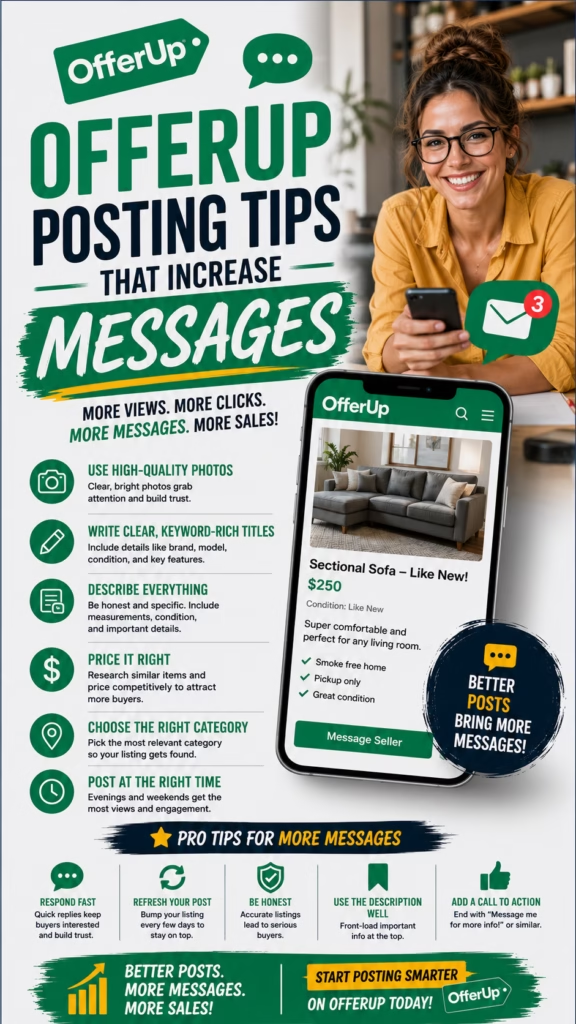
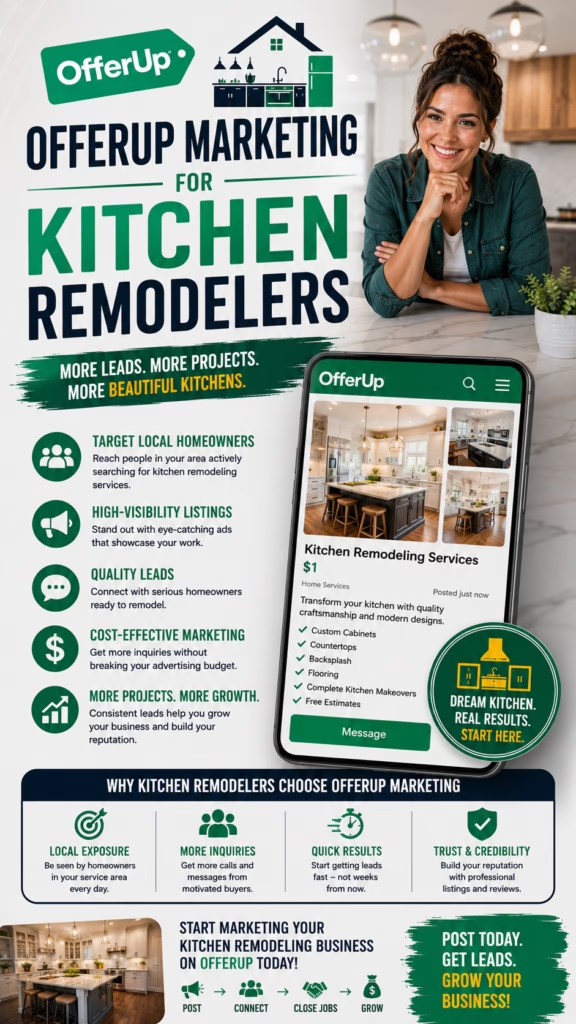
OfferUp Marketing That Drives Local Sales

ChatGPT Image May 14 2026 07 23 30 PM
OfferUp Marketing That Drives Local Sales

OfferUp Marketing That Drives Local Sales

OfferUp Marketing That Drives Local Sales explains how businesses can use mobile-first listings, strong photos, local targeting, clear pricing, fast replies, lead tracking, and follow-up systems to turn nearby buyers into real sales opportunities.

Introduction

OfferUp Marketing That Drives Local Sales is one of the most practical strategies for businesses that want to reach nearby buyers through a simple, mobile-first marketplace. OfferUp is built around local discovery, quick browsing, direct messaging, local pickup, and fast buying decisions. That makes it useful for businesses with products, inventory, local deals, services, appointments, or high-demand offers.

Many businesses think of OfferUp as only a resale app, but it can also support local marketing when used correctly. A furniture store can promote inventory. A mattress store can drive local pickup or delivery interest. A mobile home seller can generate buyer messages. A dealer can promote available units. A service business can test local demand for specific offers. A retailer can move inventory faster by reaching buyers already browsing nearby.

OfferUp marketing drives local sales when listings are visual, clear, locally targeted, easy to message about, and supported by fast follow-up.

The key is not just posting items. The key is creating listings that are built to convert. Every listing should have a strong title, clean photos, accurate price or offer details, clear description, location clarity, trust points, and a simple next step. Because OfferUp users often browse from phones, the listing must communicate value quickly.

Businesses that use OfferUp well also track inquiries. They know which listings generate messages, which offers attract serious buyers, which locations perform best, and which follow-up scripts lead to appointments, visits, pickups, deliveries, or sales.

Main idea: OfferUp Marketing That Drives Local Sales is about turning marketplace visibility into local buyer conversations, tracked leads, and completed sales.

Table of Contents

  • 1) Why OfferUp matters for local sales
  • 2) How buyers use OfferUp
  • 3) Building listings that attract attention
  • 4) Titles that earn local clicks
  • 5) Photos that create trust and urgency
  • 6) Descriptions that turn views into messages
  • 7) Pricing and offer strategy
  • 8) Local targeting and pickup options
  • 9) Fast replies and message conversion
  • 10) Trust signals that improve buyer confidence
  • 11) Tracking OfferUp leads and sales
  • 12) Follow-up systems after buyer messages
  • 13) Combining OfferUp with other platforms
  • 14) Common mistakes that reduce results
  • 15) Final thoughts
  • 16) FAQs
  • 17) Extra keywords

1) Why OfferUp Matters for Local Sales

OfferUp matters for local sales because it connects businesses with buyers who are already browsing nearby listings. These buyers often want quick answers, local availability, simple pricing, and an easy way to message. For businesses, that creates a direct path from listing visibility to customer conversation.

OfferUp can be especially useful for businesses that sell physical products, local inventory, high-ticket items, used items, discounted goods, delivery-ready products, or services connected to local demand. When listings are clear and active, they can generate consistent buyer interest.

OfferUp can help businesses generate:

  • Local buyer messages
  • Product inquiries
  • Pickup requests
  • Delivery conversations
  • Appointment requests
  • Inventory interest
  • Price questions
  • Store visits
  • Service inquiries
  • Completed local sales

OfferUp Marketing That Drives Local Sales works because it reaches buyers already browsing for nearby opportunities.

2) How Buyers Use OfferUp

OfferUp buyers usually browse with convenience in mind. They want to see what is available nearby, compare prices, message quickly, and decide whether the item or offer is worth pursuing. Many users make decisions from the listing title, main photo, price, and first few lines of the description.

This means businesses must communicate quickly. A listing should tell the buyer what is available, why it is valuable, where it is located, what condition or offer applies, and what to do next.

Buyer browses OfferUp
Buyer sees photo, title, price, and location
Buyer opens the listing
Buyer reads details and checks trust signals
Buyer messages, asks questions, schedules pickup, visits, or buys

OfferUp buyers often move fast, so listings need to be clear, visual, and easy to respond to.

3) Building Listings That Attract Attention

A strong OfferUp listing should be simple, specific, and visually strong. The first photo and title do most of the early work. The description then confirms the details and helps the buyer take the next step.

Businesses should avoid vague listings that make buyers ask basic questions. The listing should answer the most common concerns upfront, including item details, condition, price, location, availability, delivery options, and contact process.

A strong OfferUp listing should include:

  • Clear title
  • Strong main photo
  • Accurate price
  • Local location
  • Item or service details
  • Condition information
  • Pickup or delivery options
  • Trust details
  • Simple call to action
  • Fast response process

OfferUp listings drive more local sales when they reduce confusion and make messaging easy.

4) Titles That Earn Local Clicks

The title is one of the most important parts of OfferUp marketing. A good title should quickly tell buyers what the listing is and why it matters. It should be clear, searchable, and specific.

Businesses can use titles that mention the product, category, condition, availability, delivery, local pickup, offer, or key benefit. The title should not be overloaded, but it should contain the most important buyer information.

OfferUp title examples:
Queen Mattress Set – Same-Day Local Delivery
Clean Used Work Truck – Ready to Drive
Affordable Sofa Set – Local Pickup Available
Move-In Ready Mobile Home – Limited Offer
Local Appliance Deal – Delivery Available

Strong OfferUp titles help the right local buyers click before they scroll past.

5) Photos That Create Trust and Urgency

Photos are critical on OfferUp because users browse visually. The main photo should clearly show what is being offered. Additional photos should answer buyer questions and reduce uncertainty.

For products, show multiple angles, condition details, size, model, labels, accessories, and any important features. For services or local offers, show completed work, before-and-after results, vehicles, team members, or proof of results.

OfferUp photos should show:

  • The real item or result
  • Multiple angles
  • Condition details
  • Size or scale when useful
  • Clean lighting
  • Important features
  • Model or brand details
  • Pickup-ready presentation
  • Delivery or service proof

Better photos build trust faster and can increase OfferUp messages, visits, and sales.

6) Descriptions That Turn Views Into Messages

A listing description should answer the buyer’s main questions clearly. It should explain what is available, what condition it is in, where it is located, whether delivery or pickup is available, and why the buyer should message now.

Descriptions should be easy to scan. Short paragraphs, bullet points, and direct calls to action work better than long, cluttered text. Buyers should not have to guess what comes next.

Description formula:
What the item or offer is
Key benefits or features
Condition or availability
Location or service area
Pickup, delivery, or appointment option
Price or offer details
Call to action

OfferUp descriptions convert better when they remove buyer hesitation and make the next step simple.

7) Pricing and Offer Strategy

Pricing can make or break OfferUp performance. Buyers are often comparing similar listings, so price must be clear and believable. If the price is too vague, buyers may skip the listing. If the price seems unrealistic, trust can drop.

Businesses can test pricing strategies such as limited-time offers, delivery included, bundle pricing, financing available, discounted inventory, or local pickup pricing. The offer should match the product and market.

OfferUp pricing strategies include:

  • Clear fixed pricing
  • Limited-time local offer
  • Bundle pricing
  • Delivery available
  • Pickup discount
  • Financing available
  • Inventory clearance
  • Appointment-based quote

OfferUp Marketing That Drives Local Sales depends on pricing that is clear, competitive, and easy to act on.

8) Local Targeting and Pickup Options

OfferUp is built around local buying behavior. Businesses should be clear about pickup location, delivery availability, service area, appointment options, and local availability. Buyers want to know whether the offer is convenient.

Local targeting should focus on areas where the business can serve customers efficiently. This may include nearby cities, suburbs, neighborhoods, or delivery zones.

Local targeting details should include:

  • City or neighborhood
  • Pickup availability
  • Delivery option
  • Service area
  • Appointment availability
  • Store or lot location
  • Travel limits
  • Same-day availability if true

Local clarity helps OfferUp buyers decide whether messaging is worth their time.

9) Fast Replies and Message Conversion

Fast replies are one of the biggest drivers of OfferUp success. Buyers often message multiple sellers. The first clear and helpful response can win the conversation.

Businesses should prepare saved replies for common questions about availability, price, pickup, delivery, condition, financing, appointment times, and next steps.

OfferUp reply example:
Yes, this is still available.
Pickup and delivery options are available depending on your area.
Would you like the next available time or more details on pricing?

OfferUp listings drive more local sales when every buyer message gets a fast, helpful reply.

10) Trust Signals That Improve Buyer Confidence

Trust matters on OfferUp because buyers want to know they are dealing with a real, reliable seller or business. Trust signals can reduce hesitation and increase response quality.

Businesses can build trust through clear photos, accurate descriptions, consistent branding, honest condition details, fast responses, local pickup clarity, reviews or testimonials where appropriate, and professional communication.

OfferUp trust signals include:

  • Real photos
  • Accurate condition details
  • Clear location
  • Consistent business name
  • Professional response style
  • Pickup or delivery clarity
  • Website or contact option when appropriate
  • Honest pricing
  • Fast communication

Trust signals help convert casual OfferUp browsers into serious local buyers.

11) Tracking OfferUp Leads and Sales

Tracking is what turns OfferUp marketing into a real business system. Without tracking, a business may not know which listings, titles, photos, prices, or locations are actually producing sales.

Businesses should track every inquiry and connect it to the listing source. This helps identify which inventory, offers, and response scripts are working best.

OfferUp lead tracking should include:

  • Listing title
  • Product or service
  • Buyer name
  • Contact method
  • City or location
  • Price or offer
  • Lead status
  • Follow-up date
  • Appointment or pickup status
  • Closed sale outcome

OfferUp Marketing That Drives Local Sales should always include lead tracking and sales attribution.

12) Follow-Up Systems After Buyer Messages

Many OfferUp buyers do not purchase immediately. They may ask a question, compare listings, wait for payday, check transportation, or ask for delivery details. Follow-up helps businesses recover opportunities that would otherwise disappear.

Follow-up can include saved replies, reminder messages, appointment confirmations, pickup reminders, delivery coordination, price follow-up, and CRM notes.

Follow-up workflow:
Buyer sends message
Business replies quickly
Buyer details are saved
Next step is offered
Follow-up reminder is created
Buyer schedules, visits, picks up, or purchases

Follow-up helps businesses convert more OfferUp conversations into completed local sales.

13) Combining OfferUp With Other Platforms

OfferUp can work even better when combined with other local marketing channels. A business can post on OfferUp, Facebook Marketplace, Craigslist, Google Business Profile, Nextdoor, and its own website to reach more buyers.

Each platform has different user behavior. OfferUp is mobile-first and message-driven. Marketplace has high browse volume. Craigslist can capture search-based local buyers. Google Maps captures high-intent local searches. A connected system gives the business more opportunities.

Connected local sales system:

  • OfferUp for mobile buyer messages
  • Facebook Marketplace for local browse volume
  • Craigslist for search-based classifieds
  • Google Maps for local business trust
  • Website for full details
  • CRM for tracking
  • SMS and email for follow-up

OfferUp becomes stronger when it is part of a multi-platform local sales strategy.

14) Common Mistakes That Reduce Results

Many businesses struggle on OfferUp because they post listings without a real strategy. Weak photos, vague titles, unclear pricing, slow replies, and no tracking can reduce sales opportunities.

  • Generic listing titles
  • Poor-quality photos
  • Unclear pricing
  • Vague descriptions
  • No local pickup or delivery details
  • No clear call to action
  • Slow buyer replies
  • No saved response system
  • No lead tracking
  • No follow-up process
  • Not testing different offers
  • Not updating old listings

Big mistake: treating OfferUp like a casual posting app instead of a local sales and lead generation channel.

15) Final Thoughts

OfferUp Marketing That Drives Local Sales is about using local marketplace visibility to create buyer conversations and turn those conversations into revenue. Businesses that succeed on OfferUp do not just post items. They build listings that are clear, visual, trusted, and easy to respond to.

A strong OfferUp strategy includes optimized titles, strong photos, clear pricing, simple descriptions, local targeting, fast replies, trust signals, lead tracking, and consistent follow-up. When these pieces work together, OfferUp can become a valuable local sales channel.

Final takeaway: OfferUp marketing drives local sales when businesses turn mobile marketplace attention into tracked buyer conversations, appointments, visits, pickups, deliveries, and completed purchases.

16) FAQs

1) What is OfferUp marketing that drives local sales?

It is the process of using optimized OfferUp listings, photos, pricing, local targeting, fast replies, tracking, and follow-up to turn nearby buyers into customers.

2) Can businesses use OfferUp for marketing?

Yes. Businesses can use OfferUp to promote products, inventory, local offers, pickup options, delivery options, appointments, and sales conversations.

3) What makes an OfferUp listing effective?

A strong listing has a clear title, strong photos, accurate price, useful description, local details, trust signals, and a simple next step.

4) What businesses can benefit from OfferUp?

Furniture stores, mattress stores, mobile home sellers, auto dealers, equipment companies, retailers, repair businesses, and local sellers can benefit.

5) Do photos matter on OfferUp?

Yes. Photos are one of the biggest factors in getting clicks, messages, and buyer interest.

6) What should OfferUp titles include?

Titles should include the product, offer, condition, benefit, or availability in a clear and searchable way.

7) Should pricing be clear?

Yes. Clear pricing helps buyers understand the offer and decide whether to message.

8) Can OfferUp generate leads for services?

Yes. Some service businesses can use OfferUp to promote local offers, appointments, estimates, or availability.

9) How fast should businesses reply?

Businesses should reply as quickly as possible because buyers often message multiple sellers.

10) Should businesses use saved replies?

Yes. Saved replies help businesses respond quickly and consistently to common buyer questions.

11) What should descriptions include?

Descriptions should include item details, benefits, condition, location, pickup or delivery options, price, and next step.

12) Can delivery options increase sales?

Yes. Delivery can make the offer more convenient and increase buyer interest when available.

13) Should OfferUp leads be tracked?

Yes. Tracking helps businesses understand which listings and offers produce real sales.

14) What should businesses track?

Track listing title, product, location, buyer contact, price, lead status, appointment, pickup, delivery, and closed sale.

15) Can OfferUp work with Facebook Marketplace?

Yes. OfferUp and Facebook Marketplace can work together as part of a multi-platform local sales strategy.

16) Can OfferUp work with Craigslist?

Yes. Craigslist can capture search-based buyers while OfferUp captures mobile-first marketplace users.

17) What is the biggest OfferUp mistake?

The biggest mistake is posting generic listings without strong photos, clear pricing, fast replies, tracking, or follow-up.

18) Should old listings be updated?

Yes. Updating listings helps keep information accurate and can improve buyer confidence.

19) How do businesses improve buyer trust?

Businesses improve trust with real photos, accurate details, clear pricing, professional responses, and transparent pickup or delivery options.

20) What calls to action work on OfferUp?

Good calls to action include message for availability, ask about delivery, schedule pickup, request details, or call for faster help.

21) Can OfferUp help move inventory?

Yes. OfferUp can help businesses promote available inventory to nearby buyers.

22) Can OfferUp drive store visits?

Yes. Listings can encourage buyers to visit a store, lot, showroom, or pickup location.

23) Should businesses test different listings?

Yes. Testing titles, photos, prices, descriptions, and offers can help improve results.

24) Is OfferUp marketing a one-time task?

No. It works best with ongoing listing updates, response management, tracking, and follow-up.

25) What is the main goal of OfferUp marketing?

The main goal is to turn local marketplace visibility into buyer messages, appointments, visits, pickups, deliveries, and completed sales.

17) Extra Keywords

  1. OfferUp Marketing That Drives Local Sales
  2. OfferUp marketing
  3. OfferUp lead generation
  4. local sales
  5. local marketplace marketing
  6. OfferUp listings
  7. marketplace leads
  8. local buyer leads
  9. OfferUp business marketing
  10. OfferUp sales strategy
  11. OfferUp listing optimization
  12. OfferUp product listings
  13. OfferUp for businesses
  14. OfferUp local buyers
  15. OfferUp message leads
  16. mobile marketplace marketing
  17. local inventory marketing
  18. Facebook Marketplace and OfferUp
  19. Craigslist and OfferUp marketing
  20. local customer acquisition
  21. marketplace sales system
  22. local pickup leads
  23. delivery available listings
  24. OfferUp follow-up system
  25. local sales growth

© 2026 Your Brand

OfferUp Marketing That Drives Local Sales Read More »

Google Maps Marketing Strategies That Work

ChatGPT Image May 12 2026 06 51 22 PM
Google Maps Marketing Strategies That Work

Google Maps Marketing Strategies That Work

Google Maps Marketing Strategies That Work explains how local businesses can improve Maps visibility, build customer trust, optimize profiles, and turn nearby searches into calls, clicks, directions, visits, bookings, and leads.

Introduction

Google Maps Marketing Strategies That Work are essential for local businesses that want to be discovered by nearby customers who are ready to take action. When someone searches for a plumber, painter, HVAC company, restaurant, mattress store, contractor, landscaper, dentist, repair service, retailer, med spa, or local agency, Google Maps often becomes one of the first places they compare options.

Google Maps marketing works because it captures local intent. Customers are not just browsing casually. They may be looking for business hours, directions, phone numbers, reviews, service details, appointment options, or a website link. A strong Google Maps presence helps a business appear, build trust, and convert that search activity into real customer action.

Google Maps marketing strategies that work help businesses become easier to find, easier to trust, and easier to contact when nearby customers are ready to act.

Many businesses already have a Google Business Profile, but the profile is often incomplete or underused. It may have outdated hours, weak photos, few reviews, missing services, poor categories, inconsistent information, or no tracking system. These gaps can cause customers to choose competitors that look more active, credible, and relevant.

The strongest Google Maps marketing strategy is an ongoing system. Businesses should optimize the profile, choose accurate categories, add detailed services, build reviews, upload fresh photos, publish posts, strengthen website SEO, maintain citation consistency, and track calls, clicks, directions, bookings, and leads.

Main idea: Google Maps marketing works when businesses combine visibility, relevance, trust, customer engagement, and conversion-focused profile optimization.

Table of Contents

  • 1) Why Google Maps marketing works
  • 2) How customers use Google Maps to choose businesses
  • 3) Google Business Profile optimization
  • 4) Category strategy and search relevance
  • 5) Services and products that attract buyers
  • 6) Reviews that build customer trust
  • 7) Photos and videos that improve engagement
  • 8) Local keywords and location signals
  • 9) Website SEO that supports Google Maps
  • 10) Citations and business information consistency
  • 11) Posts, offers, and profile activity
  • 12) Converting Maps visibility into leads
  • 13) Tracking Google Maps marketing performance
  • 14) Common mistakes that reduce results
  • 15) Final thoughts
  • 16) FAQs
  • 17) Extra keywords

1) Why Google Maps Marketing Works

Google Maps marketing works because it reaches customers near the point of decision. A customer using Maps may already know they need a service, product, appointment, restaurant, store, or local provider. That makes Maps traffic highly valuable for local businesses.

Unlike broad awareness campaigns, Google Maps connects businesses with people searching in a specific location. The customer may be close enough to call, visit, request directions, book, or ask for a quote. This is why a strong Maps presence can directly impact lead generation and sales.

Google Maps marketing can help increase:

  • Phone calls
  • Website clicks
  • Direction requests
  • Store visits
  • Quote requests
  • Appointment bookings
  • Local brand awareness
  • Review visibility
  • Customer trust
  • Lead generation

Google Maps Marketing Strategies That Work succeed because they connect local customer intent with clear business action steps.

2) How Customers Use Google Maps to Choose Businesses

Customers use Google Maps to compare businesses quickly. They often review ratings, read customer feedback, check photos, compare distance, confirm hours, view services, click websites, or tap the call button. A customer may decide within seconds which business feels most trustworthy.

This means the Google Business Profile acts like a local sales page. If the profile is complete, active, and credible, it can convert discovery into action. If it looks weak or outdated, the customer may choose another business.

Customer searches locally
Google Maps shows nearby businesses
Customer compares reviews, photos, services, hours, and distance
Customer chooses the most trusted option
Customer calls, clicks, visits, books, or requests directions

Google Maps marketing works best when the profile helps customers decide quickly and confidently.

3) Google Business Profile Optimization

The Google Business Profile is the foundation of any Google Maps marketing strategy. It tells customers and search systems who the business is, what it offers, where it serves, and how people can take action.

A strong profile should be complete, accurate, active, and conversion-focused. Every important field should be filled out with customer-friendly information.

A strong Google Business Profile should include:

  • Accurate business name
  • Correct address or service area
  • Current phone number
  • Website link
  • Accurate business hours
  • Primary category
  • Secondary categories
  • Services and products
  • Business description
  • Photos and videos
  • Review responses

Google Business Profile optimization is one of the most important Google Maps marketing strategies that work because it improves trust, relevance, and conversion.

4) Category Strategy and Search Relevance

Categories help Google understand what the business does. The primary category should match the main service or product customers search for. Secondary categories can support additional services when they are accurate and relevant.

Category choices should not be random. The right category can help the business appear for more relevant searches. The wrong category can create confusion and reduce visibility for important search terms.

Accurate category strategy helps Google Maps marketing work by matching the business with the right local customer searches.

5) Services and Products That Attract Buyers

Services and products make the business profile more useful. Customers often search for specific needs, not just broad business types. A customer may search for “emergency AC repair,” “same-day mattress delivery,” “cabinet painting,” “roof inspection,” “landscaping near me,” or “Google Maps SEO agency.”

Businesses should add clear services and products using language customers understand. The profile should help customers know exactly what is available and what action to take next.

Service optimization example:
Main service: Emergency AC repair
Supporting services: HVAC maintenance, heating repair, system inspection
Local relevance: Serving nearby homeowners
CTA: Call to check availability

Detailed services and products make Google Maps marketing stronger by matching business offers to real customer intent.

6) Reviews That Build Customer Trust

Reviews are one of the biggest trust signals on Google Maps. Customers often compare star ratings, review count, review quality, review recency, and owner responses before deciding which business to contact.

A strong review strategy should be consistent and ethical. Businesses should ask satisfied customers for honest reviews, make the process simple, and respond professionally to feedback.

Review signals that support Google Maps marketing:

  • Review quantity
  • Review quality
  • Review recency
  • Star rating
  • Service-specific mentions
  • Owner responses
  • Customer photos
  • Detailed customer experiences

Reviews make Google Maps marketing work because they build trust before the customer calls, clicks, or visits.

7) Photos and Videos That Improve Engagement

Photos and videos help customers understand the business visually. A profile with fresh, real images can feel more active and credible than a profile with no photos or outdated visuals.

Businesses should upload photos of storefronts, teams, products, service vehicles, completed projects, interiors, before-and-after results, displays, and customer-facing experiences. Short videos can also help show personality and proof.

Useful Google Maps visuals include:

  • Storefront photos
  • Interior photos
  • Team photos
  • Before-and-after project photos
  • Product displays
  • Service vehicles
  • Short videos
  • Branded graphics
  • Customer experience photos

Fresh visuals improve Google Maps marketing by making the business look real, active, and trustworthy.

8) Local Keywords and Location Signals

Local keywords help connect the business to how customers search. These keywords should appear naturally in services, descriptions, posts, website pages, FAQs, and city or service-area content.

The goal is not keyword stuffing. The goal is to help customers and search systems understand what the business offers and where it serves.

Local keyword examples:
AC repair near me
Mattress store in Rochester NY
House painter in Fort Worth TX
Emergency plumber open now
Google Maps SEO for local businesses
Restaurant near me

Local keywords help Google Maps marketing strategies work by aligning the business with real nearby customer searches.

9) Website SEO That Supports Google Maps

A strong website supports Google Maps marketing by reinforcing services, locations, reviews, trust, and authority. Customers who click from Maps to the website should find clear information and simple next steps.

Local websites should include service pages, location pages, reviews, FAQs, schema markup, contact information, fast mobile performance, and clear calls to action.

Website elements that support Google Maps marketing:

  • Local service pages
  • City or area landing pages
  • Consistent name, address, and phone number
  • Embedded map or location details
  • Customer reviews
  • FAQ sections
  • Local schema markup
  • Fast mobile speed
  • Clickable phone numbers

Google Maps marketing becomes stronger when the business profile and website support the same local trust signals.

10) Citations and Business Information Consistency

Citations are online mentions of a business’s name, address, phone number, and website. They may appear on directories, local listings, social profiles, review platforms, and industry sites.

Consistency matters because customers and search systems need accurate information. If a business has old phone numbers, mismatched addresses, or inconsistent names across the web, it can create confusion and reduce trust.

Business information consistency supports Google Maps marketing by making the business look accurate, reliable, and easy to contact.

11) Posts, Offers, and Profile Activity

Posts, offers, and updates help keep a Google Business Profile active. Businesses can share promotions, seasonal reminders, service availability, events, product announcements, company news, and appointment openings.

Posts should be clear, local, and action-focused. They should give customers a reason to call, click, visit, book, or request a quote.

Useful post structure:
Headline: Clear offer or update
Body: Short explanation of value
Local relevance: Mention service area when helpful
CTA: Call, book, visit, or request quote

Profile activity helps Google Maps marketing work by showing customers that the business is active, current, and ready to help.

12) Converting Maps Visibility Into Leads

Visibility is only valuable if it turns into action. A business should make it easy for customers to call, click, request directions, book, message, visit, or request a quote.

Conversion-focused Google Maps marketing includes accurate phone numbers, working website links, simple forms, clear appointment options, updated hours, strong CTAs, and fast response from staff.

Important conversion actions include:

  • Phone calls
  • Website clicks
  • Direction requests
  • Messages
  • Appointment clicks
  • Quote requests
  • Store visits
  • Bookings

The best Google Maps marketing strategies that work turn visibility into measurable customer actions.

13) Tracking Google Maps Marketing Performance

Tracking helps businesses understand whether Google Maps marketing is producing real results. Views are useful, but the real goal is calls, clicks, direction requests, quote requests, appointments, store visits, bookings, and closed customers.

Businesses can track performance with Google Business Profile data, website analytics, call tracking, CRM tags, booking reports, lead source questions, and revenue reporting.

Important Google Maps marketing metrics include:

  • Search views
  • Map views
  • Phone calls
  • Website clicks
  • Direction requests
  • Messages
  • Photo views
  • Review growth
  • Bookings
  • Closed customers

Tracking helps businesses improve Google Maps marketing based on real customer behavior.

14) Common Mistakes That Reduce Results

Many businesses fail to get strong results from Google Maps because they treat it as a static listing. A profile needs ongoing attention. Competitors that update photos, earn reviews, add posts, and improve services often look more trustworthy.

  • Incomplete Google Business Profile
  • Wrong primary category
  • Outdated business hours
  • Missing services or products
  • Few or no reviews
  • No review responses
  • Low-quality photos
  • Inconsistent business information online
  • Weak website local SEO
  • No tracking system
  • No profile posts or updates
  • No clear conversion path

Big mistake: treating Google Maps as a one-time setup instead of an active local marketing and lead-generation channel.

15) Final Thoughts

Google Maps Marketing Strategies That Work are built around visibility, trust, relevance, activity, and conversion. A business needs more than a basic listing. It needs a complete profile, accurate categories, detailed services, strong reviews, fresh photos, local keywords, website support, posts, and tracking.

The businesses that get better results from Google Maps are usually the ones that keep improving. They update the profile, respond to reviews, add photos, publish offers, strengthen their website, and track leads. Over time, these actions can turn Maps into a consistent source of local customer inquiries.

Final takeaway: Google Maps marketing strategies that work help nearby customers find, trust, compare, and contact the business faster.

16) FAQs

1) What are Google Maps marketing strategies that work?

They are strategies that help businesses improve visibility and leads through profile optimization, reviews, photos, services, local keywords, posts, website SEO, and tracking.

2) Why is Google Maps marketing important?

Google Maps helps nearby customers find, compare, trust, and contact businesses when they are ready to act.

3) Can Google Maps marketing generate leads?

Yes. It can generate calls, website clicks, direction requests, messages, quote requests, appointments, and visits.

4) What is Google Business Profile optimization?

It is the process of improving profile information, categories, services, photos, reviews, posts, and contact details.

5) Do reviews help Google Maps marketing?

Yes. Reviews build trust and help customers choose between local businesses.

6) Do photos help Google Maps performance?

Yes. Photos can improve trust, engagement, and customer confidence.

7) What categories should businesses choose?

Businesses should choose the most accurate primary category and relevant secondary categories.

8) Should businesses add services to their profile?

Yes. Services help customers and Google understand what the business offers.

9) Does a website support Google Maps marketing?

Yes. A strong local website can reinforce services, locations, trust, and conversion.

10) What are citations?

Citations are online mentions of business information such as name, address, phone number, and website.

11) Why is business information consistency important?

Consistent information helps customers and search systems trust the business details.

12) Should businesses respond to reviews?

Yes. Review responses show professionalism, activity, and customer care.

13) Do profile posts help?

Posts can keep the profile active and communicate offers, updates, services, and events.

14) What is the biggest Google Maps marketing mistake?

The biggest mistake is creating a profile and leaving it incomplete, outdated, or inactive.

15) How do local keywords help?

Local keywords help match the business to searches involving services, cities, neighborhoods, products, and customer intent.

16) Can service-area businesses use Google Maps marketing?

Yes. Service-area businesses can optimize service areas, services, reviews, photos, website content, and lead tracking.

17) How long does Google Maps marketing take to work?

Results vary based on competition, location, profile quality, reviews, website strength, and consistency.

18) Should businesses update holiday hours?

Yes. Accurate holiday hours prevent confusion and improve customer experience.

19) What should businesses track?

Businesses should track calls, website clicks, direction requests, messages, bookings, reviews, and closed customers.

20) Can Google Maps help storefronts?

Yes. Storefronts can use Google Maps to increase directions, calls, visits, and product discovery.

21) Can Google Maps help contractors?

Yes. Contractors can show services, reviews, project photos, service areas, and contact options.

22) Should businesses add videos?

Yes. Videos can show products, services, team members, projects, and customer experience.

23) Is Google Maps marketing a one-time task?

No. It works best as an ongoing process involving profile updates, reviews, photos, posts, website improvements, and tracking.

24) What makes a business stand out on Google Maps?

Strong reviews, complete information, clear services, fresh photos, accurate hours, helpful posts, and easy contact options can help a business stand out.

25) What is the main goal of Google Maps marketing?

The main goal is to help nearby customers find, trust, compare, and contact the business.

17) Extra Keywords

  1. Google Maps Marketing Strategies That Work
  2. Google Maps marketing
  3. Google Maps SEO
  4. Google Business Profile optimization
  5. local marketing
  6. local SEO
  7. local business visibility
  8. local lead generation
  9. Google Maps ranking
  10. local search optimization
  11. local map pack SEO
  12. Google reviews strategy
  13. local citation building
  14. business listing consistency
  15. Google Business Profile services
  16. Google Maps lead generation
  17. near me searches
  18. local customer search
  19. service area SEO
  20. storefront SEO
  21. Google Maps profile optimization
  22. Google Maps customer calls
  23. direction requests
  24. local customer acquisition
  25. Google Maps discovery strategy

© 2026 Your Brand

Google Maps Marketing Strategies That Work Read More »

Google Maps SEO for Competitive Local Markets

ChatGPT Image May 12 2026 06 51 17 PM
Google Maps SEO for Competitive Local Markets

Google Maps SEO for Competitive Local Markets

Google Maps SEO for Competitive Local Markets explains how businesses can improve local visibility, strengthen trust, optimize Google Business Profiles, and compete for more calls, clicks, directions, bookings, and leads.

Introduction

Google Maps SEO for Competitive Local Markets is essential for businesses that operate in crowded cities, service areas, and industries where multiple companies are fighting for the same customer attention. When someone searches for a plumber, painter, HVAC company, dentist, restaurant, contractor, med spa, mattress store, landscaper, repair service, retailer, or local agency, Google Maps often becomes the first comparison point.

In a competitive local market, simply having a Google Business Profile is not enough. Competitors may already have more reviews, stronger photos, better categories, clearer services, more active profiles, and stronger local websites. To win more customer discovery, a business needs a full Google Maps SEO strategy.

Google Maps SEO for competitive local markets helps businesses become more visible, more trusted, and easier to contact when nearby customers are comparing options.

The goal is not only to appear on Google Maps. The goal is to stand out. Customers compare ratings, reviews, services, distance, photos, hours, and website links quickly. A business that looks active, credible, and relevant is more likely to get the call, direction request, website click, quote request, or booking.

Strong Google Maps SEO includes profile optimization, accurate categories, detailed services, review growth, fresh photos, local keywords, website support, citation consistency, profile activity, and lead tracking. In competitive markets, every detail matters.

Main idea: Google Maps SEO for competitive local markets helps businesses compete for high-intent local customers by improving visibility, relevance, trust, and conversion.

Table of Contents

  • 1) Why Google Maps SEO matters in competitive markets
  • 2) How customers compare local businesses on Maps
  • 3) Google Business Profile optimization
  • 4) Category strategy for crowded markets
  • 5) Services and products that improve relevance
  • 6) Reviews and reputation advantage
  • 7) Photos and videos that build trust
  • 8) Local keywords and city-level relevance
  • 9) Website SEO that supports Maps rankings
  • 10) Citations and consistency signals
  • 11) Posts, offers, and profile activity
  • 12) Conversion strategy for Maps leads
  • 13) Tracking performance in competitive markets
  • 14) Common mistakes that hurt rankings
  • 15) Final thoughts
  • 16) FAQs
  • 17) Extra keywords

1) Why Google Maps SEO Matters in Competitive Markets

Google Maps SEO matters in competitive markets because customers often choose from several nearby businesses that appear similar at first glance. If every company offers the same service, the business with stronger trust signals, clearer information, and better local presence is more likely to win attention.

Competitive markets require more than basic visibility. Businesses need to build confidence quickly. A complete profile, strong reviews, professional photos, accurate hours, clear services, and easy contact options can influence customer decisions.

Google Maps SEO can help competitive businesses increase:

  • Phone calls
  • Website clicks
  • Direction requests
  • Store visits
  • Quote requests
  • Appointment bookings
  • Local brand awareness
  • Review visibility
  • Customer trust
  • Lead generation

Google Maps SEO for Competitive Local Markets matters because small profile improvements can influence which business gets chosen.

2) How Customers Compare Local Businesses on Maps

Customers compare local businesses on Maps quickly. They may look at star ratings, review count, photos, business hours, distance, services, website links, and whether the profile feels active. This comparison can happen in seconds.

If a competitor has more trust signals, the customer may never call the weaker profile. That is why competitive Google Maps SEO must focus on both ranking and conversion.

Customer searches locally
Google Maps shows multiple competitors
Customer compares reviews, photos, services, hours, and distance
Customer chooses the most trusted option
Customer calls, clicks, visits, books, or requests directions

In competitive local markets, the strongest Google Maps profiles usually combine visibility with immediate trust.

3) Google Business Profile Optimization

The Google Business Profile is the foundation of Maps SEO. A complete profile helps Google understand the business and helps customers feel confident. Missing details can weaken both discovery and conversion.

Businesses should complete every relevant section, including name, address or service area, phone number, website, hours, categories, services, products, business description, attributes, photos, posts, and review responses.

A competitive Google Business Profile should include:

  • Accurate business name
  • Correct address or service area
  • Current phone number
  • Website link
  • Accurate business hours
  • Primary category
  • Secondary categories
  • Services and products
  • Business description
  • Photos and videos
  • Review responses

Profile optimization gives competitive businesses a stronger foundation for Google Maps visibility and lead conversion.

4) Category Strategy for Crowded Markets

Categories help Google understand what the business does. In crowded markets, category selection becomes especially important because competitors may be targeting the same searches. The primary category should match the core service or product customers are searching for.

Secondary categories can support additional offerings, but they should stay accurate. Adding irrelevant categories can create confusion and weaken trust. The goal is to match real customer intent.

Accurate category strategy improves Google Maps SEO by helping businesses compete for the most relevant local searches.

5) Services and Products That Improve Relevance

Services and products help a profile match specific searches. In competitive markets, broad descriptions are not enough. Businesses should list detailed services, product categories, appointment options, delivery options, financing details, or specialty offerings when relevant.

Clear service details help customers understand whether the business solves their exact problem. They also help support local search relevance.

Service optimization example:
Main service: Emergency AC repair
Supporting services: HVAC maintenance, heating repair, system inspection
Local relevance: Serving nearby homeowners
CTA: Call to check availability

Detailed services and products help businesses stand out in competitive Google Maps results by matching specific customer intent.

6) Reviews and Reputation Advantage

Reviews are one of the biggest competitive advantages on Google Maps. Customers compare rating, review count, review recency, review quality, and owner responses. A business with strong recent reviews can appear more trustworthy than competitors.

Businesses should build a consistent review request process. Satisfied customers should be encouraged to leave honest feedback. The business should respond professionally to reviews to show that it is active and customer-focused.

Review signals that help competitive businesses:

  • Review quantity
  • Review quality
  • Review recency
  • Star rating
  • Service-specific mentions
  • Owner responses
  • Customer photos
  • Detailed customer experiences

Strong reviews help businesses compete on Google Maps because they build trust before the customer calls.

7) Photos and Videos That Build Trust

Photos and videos help a business stand out visually. In competitive markets, customers may compare several profiles side by side. Fresh, real photos can make a business look more active and credible.

Businesses should upload photos of storefronts, teams, products, projects, service vehicles, interiors, before-and-after examples, and customer-facing experiences. Videos can also help show proof and personality.

Useful Google Maps visuals include:

  • Storefront photos
  • Interior photos
  • Team photos
  • Before-and-after project photos
  • Product displays
  • Service vehicles
  • Short videos
  • Branded graphics
  • Customer experience photos

Strong visuals improve competitive Google Maps SEO by increasing trust, engagement, and customer confidence.

8) Local Keywords and City-Level Relevance

Local keywords help connect the business to the way customers search. In competitive markets, businesses should use natural service, product, city, neighborhood, and problem-based keywords across the profile and website.

The goal is not keyword stuffing. The goal is clear local relevance. Customers should immediately understand what the business offers and where it operates.

Local keyword examples:
AC repair near me
Mattress store in Rochester NY
House painter in Fort Worth TX
Emergency plumber open now
Google Maps SEO for local businesses
Restaurant near me

Local keywords help competitive businesses align Google Maps visibility with real customer search behavior.

9) Website SEO That Supports Maps Rankings

A strong website can support Google Maps SEO by reinforcing services, locations, trust, and authority. In competitive markets, a weak website can hold back local visibility and conversion.

Businesses should create service pages, city pages, FAQ sections, review sections, schema markup, contact pages, and fast mobile experiences. The website should match the services and locations shown on the Google Business Profile.

Website elements that support competitive Maps SEO:

  • Local service pages
  • City or area landing pages
  • Consistent name, address, and phone number
  • Embedded map or location details
  • Customer reviews
  • FAQ sections
  • Local schema markup
  • Fast mobile speed
  • Clickable phone numbers

Google Maps SEO becomes stronger when the website and business profile support the same local relevance signals.

10) Citations and Consistency Signals

Citations are mentions of the business’s name, address, phone number, and website across directories, review sites, social profiles, and local platforms. In competitive markets, consistency can help strengthen trust.

Businesses should make sure their information is accurate across important platforms. Outdated phone numbers, old addresses, or inconsistent names can confuse customers and weaken local credibility.

Consistent business information supports competitive Google Maps SEO by reducing confusion and strengthening local trust.

11) Posts, Offers, and Profile Activity

Profile activity helps keep a Google Business Profile fresh. Businesses can share posts about offers, events, seasonal reminders, service availability, product updates, company news, and appointment openings.

In competitive markets, active profiles can feel more current and trustworthy. Posts should be clear, local, and action-focused.

Useful post structure:
Headline: Clear offer or update
Body: Short explanation of value
Local relevance: Mention service area when helpful
CTA: Call, book, visit, or request quote

Profile activity helps businesses compete by showing customers that the company is active, relevant, and ready to help.

12) Conversion Strategy for Maps Leads

Ranking is only part of the battle. In competitive local markets, businesses must convert visibility into action. The profile should make it easy for customers to call, click, get directions, book, message, or request a quote.

Businesses should check that phone numbers work, websites load quickly, booking links are simple, business hours are accurate, and staff responds quickly to calls or messages.

Important Maps conversion actions include:

  • Phone calls
  • Website clicks
  • Direction requests
  • Messages
  • Appointment clicks
  • Quote requests
  • Store visits
  • Bookings

Google Maps SEO for competitive local markets must focus on both visibility and lead conversion.

13) Tracking Performance in Competitive Markets

Tracking helps businesses understand what is working. In competitive markets, guessing is not enough. Businesses should measure calls, clicks, direction requests, messages, bookings, reviews, and closed customers.

Tracking can include Google Business Profile performance data, website analytics, call tracking, CRM tags, booking reports, lead source questions, and revenue reporting.

Important Google Maps SEO metrics include:

  • Search views
  • Map views
  • Phone calls
  • Website clicks
  • Direction requests
  • Messages
  • Photo views
  • Review growth
  • Bookings
  • Closed customers

Tracking helps competitive businesses improve Google Maps SEO based on real customer behavior.

14) Common Mistakes That Hurt Rankings

Many businesses struggle in competitive local markets because they treat Google Maps as a one-time listing instead of an ongoing SEO channel. Competitors that keep improving usually gain the advantage over time.

  • Incomplete Google Business Profile
  • Wrong primary category
  • Outdated business hours
  • Missing services or products
  • Few or no reviews
  • No review responses
  • Low-quality photos
  • Inconsistent business information online
  • Weak website local SEO
  • No tracking system
  • No profile posts or updates
  • No clear conversion path

Big mistake: trying to compete in Google Maps with an incomplete, inactive, or poorly supported business profile.

15) Final Thoughts

Google Maps SEO for Competitive Local Markets requires more than basic setup. Businesses need a complete profile, accurate categories, detailed services, strong reviews, fresh photos, local keywords, website support, citations, profile activity, and lead tracking.

The businesses that win in competitive markets usually combine visibility with trust. They make it easy for customers to understand what they offer, verify their credibility, and take action quickly.

Final takeaway: Google Maps SEO for competitive local markets helps businesses stand out, earn trust, and convert nearby searches into real customer leads.

16) FAQs

1) What is Google Maps SEO for competitive local markets?

It is the process of improving Google Maps visibility, trust, relevance, and lead conversion in crowded local markets.

2) Why is Google Maps SEO important in competitive markets?

It helps businesses stand out when customers compare nearby providers directly inside Google Maps.

3) Can Google Maps SEO generate leads?

Yes. It can generate calls, website clicks, direction requests, quote requests, appointments, bookings, and store visits.

4) What is Google Business Profile optimization?

It is the process of improving profile information, categories, services, photos, reviews, posts, and contact details.

5) Do reviews help competitive Google Maps SEO?

Yes. Reviews build trust and help customers compare businesses in crowded markets.

6) Do photos help Google Maps performance?

Yes. Photos can improve trust, engagement, and customer confidence.

7) What categories should businesses choose?

Businesses should choose the most accurate primary category and relevant secondary categories.

8) Should businesses add services to their profile?

Yes. Services help customers and Google understand exactly what the business offers.

9) Does a website support Google Maps SEO?

Yes. A strong local website can reinforce services, locations, trust, and conversion.

10) What are citations?

Citations are online mentions of business information such as name, address, phone number, and website.

11) Why is information consistency important?

Consistent information helps customers and search systems trust business details.

12) Should businesses respond to reviews?

Yes. Review responses show professionalism, activity, and customer care.

13) Do profile posts help?

Posts can keep the profile active and communicate offers, updates, services, and events.

14) What is the biggest Google Maps SEO mistake?

The biggest mistake is creating a profile and leaving it incomplete, outdated, or inactive.

15) How do local keywords help?

Local keywords help match the business to searches involving services, cities, neighborhoods, products, and customer intent.

16) Can service-area businesses compete on Google Maps?

Yes. They can compete with accurate service areas, services, reviews, photos, website content, and lead tracking.

17) How long does Google Maps SEO take?

Results vary based on competition, location, profile quality, reviews, website strength, and consistency.

18) Should businesses update holiday hours?

Yes. Accurate holiday hours prevent confusion and improve customer experience.

19) What should businesses track?

Businesses should track calls, website clicks, direction requests, messages, bookings, reviews, and closed customers.

20) Can Google Maps help storefronts?

Yes. Storefronts can use Google Maps to increase directions, calls, visits, and product discovery.

21) Can Google Maps help contractors?

Yes. Contractors can show services, reviews, project photos, service areas, and contact options.

22) Should businesses add videos?

Yes. Videos can show products, services, team members, projects, and customer experience.

23) Is Google Maps SEO a one-time task?

No. It works best as an ongoing process involving profile updates, reviews, photos, posts, website improvements, and tracking.

24) What makes a business stand out in competitive Google Maps results?

Strong reviews, complete information, clear services, fresh photos, accurate hours, helpful posts, and easy contact options help a business stand out.

25) What is the main goal of Google Maps SEO in competitive markets?

The main goal is to help nearby customers find, trust, compare, and contact the business before competitors.

17) Extra Keywords

  1. Google Maps SEO for Competitive Local Markets
  2. Google Maps SEO
  3. competitive local markets
  4. Google Business Profile optimization
  5. local SEO
  6. Google Maps ranking
  7. local business visibility
  8. local lead generation
  9. Google Maps marketing
  10. local search optimization
  11. local map pack SEO
  12. Google reviews strategy
  13. local citation building
  14. business listing consistency
  15. Google Business Profile services
  16. Google Maps lead generation
  17. near me searches
  18. local customer search
  19. service area SEO
  20. storefront SEO
  21. Google Maps profile optimization
  22. Google Maps customer calls
  23. direction requests
  24. local customer acquisition
  25. competitive local SEO strategy

© 2026 Your Brand

Google Maps SEO for Competitive Local Markets Read More »

How Automated Listings Increase Lead Volume

ChatGPT Image May 12 2026 06 51 07 PM
How Automated Listings Increase Lead Volume

How Automated Listings Increase Lead Volume

How Automated Listings Increase Lead Volume explains how businesses can use automated posting, optimized listings, multi-platform distribution, tracking, message workflows, and follow-up systems to generate more calls, messages, quote requests, appointments, and customers.

Introduction

How Automated Listings Increase Lead Volume is one of the most important topics for businesses that want more local visibility without manually posting every offer, product, service, or promotion one platform at a time. Listings can create leads, but manual listing work is often slow, inconsistent, and difficult to scale.

Automated listings help businesses stay visible across more places, more often, with a more organized process. Instead of relying on occasional manual posts, businesses can use systems to create, schedule, update, rotate, and track listings across platforms such as Craigslist, Facebook Marketplace, OfferUp, Nextdoor, Google Business Profile, websites, directories, landing pages, and social channels.

Automated listings increase lead volume by expanding visibility, improving consistency, reducing manual work, and helping every inquiry enter a trackable follow-up system.

Lead volume usually grows when a business has more relevant opportunities to be found. More listings can mean more exposure, more local search visibility, more marketplace views, more message opportunities, and more customer touchpoints. But automation only works when the listings are high-quality, local, clear, and connected to a response system.

A strong automated listing strategy includes optimized titles, strong photos, clear descriptions, platform-specific formatting, local targeting, offer testing, message response workflows, CRM tracking, and follow-up automation. The goal is not to spam platforms. The goal is to create a repeatable lead generation system that increases qualified visibility and customer action.

Main idea: How Automated Listings Increase Lead Volume comes down to using automation to publish better listings more consistently while tracking and converting every inquiry.

Table of Contents

  • 1) What automated listings are
  • 2) Why automation increases lead opportunities
  • 3) Multi-platform visibility and local reach
  • 4) Listing consistency and posting frequency
  • 5) Optimized titles that attract clicks
  • 6) Photos and visuals that increase response
  • 7) Descriptions that convert viewers into leads
  • 8) Local targeting and city selection
  • 9) Offer testing and lead volume growth
  • 10) Fast replies and message workflows
  • 11) Lead tracking and CRM integration
  • 12) Follow-up automation after inquiries
  • 13) Quality control and platform compliance
  • 14) Common mistakes that reduce results
  • 15) Final thoughts
  • 16) FAQs
  • 17) Extra keywords

1) What Automated Listings Are

Automated listings are business, product, service, or marketplace posts that are created, organized, scheduled, published, updated, or rotated using software or workflows instead of being handled manually one by one. These listings may promote products, services, inventory, appointments, offers, events, local availability, or lead magnets.

For many businesses, manual listing work becomes a bottleneck. A team may forget to post, use inconsistent copy, miss important platforms, fail to update availability, or leave old offers active. Automation helps create a repeatable process.

Automated listings can include:

  • Marketplace listings
  • Service listings
  • Product listings
  • Google Business Profile posts
  • Directory listings
  • Local landing pages
  • Social posts
  • Offer posts
  • Inventory updates
  • Appointment availability posts

How Automated Listings Increase Lead Volume starts with turning inconsistent manual posting into a repeatable visibility system.

2) Why Automation Increases Lead Opportunities

Automation increases lead opportunities because it helps businesses show up more consistently. More consistent visibility can create more chances for customers to discover, click, message, call, or request information.

Automation can also reduce delays. Instead of waiting for someone to manually post a listing, update a promotion, or refresh an offer, the system can help keep listings active and organized.

Manual posting:
Inconsistent schedule
Limited platforms
Slow updates
Missed inquiries

Automated listing system:
Consistent publishing
More platform coverage
Faster updates
Tracked lead flow

Lead volume grows when businesses create more consistent opportunities for the right customers to find and contact them.

3) Multi-Platform Visibility and Local Reach

Automated listings can help businesses reach more customers across more platforms. Different customers use different channels. Some search Google. Some browse Facebook Marketplace. Some check Craigslist. Some use OfferUp. Some ask neighbors on Nextdoor. Some visit business directories or social media pages.

A multi-platform listing strategy helps the business appear in more places where customers are already looking. This can increase total impressions, views, messages, calls, and inquiries.

Automated listings may support platforms such as:

  • Google Business Profile
  • Craigslist
  • Facebook Marketplace
  • OfferUp
  • Nextdoor
  • Business directories
  • Company website
  • Landing pages
  • Facebook and Instagram
  • Other local channels

Automated listings increase lead volume by expanding local reach across the platforms customers already use.

4) Listing Consistency and Posting Frequency

Consistency is one of the biggest advantages of automated listings. Many businesses post heavily for a few days and then stop. Others forget to update listings or let old offers sit too long. Automation helps create a more predictable posting rhythm.

Consistent listings can help maintain visibility, test offers, refresh local presence, and reduce gaps in lead flow. The business should still monitor quality and platform rules, but automation can make the process easier to maintain.

Listing consistency checklist:
Post regularly
Refresh outdated offers
Update availability
Rotate titles and descriptions
Track response by platform
Pause weak listings
Improve strong listings

Consistent listing activity creates more opportunities for customers to respond over time.

5) Optimized Titles That Attract Clicks

Titles are one of the first things customers see. Automated listings should not use weak or generic titles. A strong title should clearly communicate what is being offered and why the customer should pay attention.

Titles can include the product, service, benefit, location, offer, urgency, or availability. Different platforms may need different title styles, so automation should allow variation instead of repeating the same title everywhere.

Title examples:
Local Painting Estimates Available This Week
Move-In Ready Mobile Home – Limited Offer
Same-Day Mattress Delivery Available
Affordable Landscaping Help Near You
Used Work Truck Available – Local Pickup

Automated listings increase lead volume faster when titles are clear, specific, local, and benefit-focused.

6) Photos and Visuals That Increase Response

Photos and visuals strongly affect response rates. A listing with weak images may get fewer clicks, even if the offer is good. A listing with clear, real, attractive photos can build trust and increase messages.

Businesses should use photos that show the real product, service result, project, team, vehicle, storefront, before-and-after example, or customer-facing experience. Visuals should match the listing and make the offer feel real.

Strong listing visuals include:

  • Real product photos
  • Before-and-after photos
  • Completed project photos
  • Storefront photos
  • Team photos
  • Service vehicle photos
  • Inventory photos
  • Clean branded graphics
  • High-quality local visuals

Better visuals help automated listings convert more views into messages, calls, and inquiries.

7) Descriptions That Convert Viewers Into Leads

Descriptions should make the offer easy to understand. A listing description should explain what is available, who it helps, where it is located, what is included, why it matters, and how the customer should respond.

Automated listing systems should avoid generic copy that looks copied everywhere. Descriptions should be platform-specific, clear, readable, and action-focused.

Description formula:
What is being offered
Who it is for
Main benefits
Location or service area
Price or offer details
Trust proof
Call to action

Automated listings increase lead volume when descriptions remove confusion and make the next step obvious.

8) Local Targeting and City Selection

Local targeting helps automated listings reach the right people. Posting everywhere without strategy can waste effort and create low-quality leads. Businesses should focus on cities, neighborhoods, and service areas where customers are most likely to respond and convert.

Good city selection should consider demand, distance, delivery range, service area, competition, customer type, job value, and platform activity.

Local targeting should consider:

  • Primary service area
  • Nearby high-demand cities
  • Delivery or pickup range
  • Customer demographics
  • Competition level
  • Average job value
  • Travel time
  • Platform activity by area
  • Lead quality by location

Automated listings work better when visibility is focused on markets that can produce real customers.

9) Offer Testing and Lead Volume Growth

Automated listings make it easier to test different offers. A business can compare which titles, photos, descriptions, prices, cities, categories, and calls to action generate the most leads.

Offer testing helps businesses improve lead volume over time. Instead of guessing, the business can use response data to understand what customers actually want.

Offer testing examples:
Free estimate vs. limited appointment opening
Local delivery vs. pickup only
Financing available vs. discounted price
Seasonal service check vs. emergency availability
Before-and-after proof vs. offer-focused listing

Automated listings increase lead volume when businesses use data to improve offers, titles, photos, and targeting.

10) Fast Replies and Message Workflows

More listings can create more leads, but lead volume only matters if the business responds quickly. Customers often message multiple businesses. The first helpful response may win the conversation.

Businesses should use saved replies, message routing, lead alerts, missed call text-back, and clear response scripts. The goal is to move the customer toward a call, quote, appointment, visit, or purchase.

Message workflow:
Lead sends inquiry
System alerts the team
Saved reply confirms availability
Business asks qualifying question
Lead is moved to quote, booking, visit, or follow-up

Automated listings produce better results when paired with fast response workflows.

11) Lead Tracking and CRM Integration

Lead tracking is essential because businesses need to know which listings generate results. Without tracking, automation can create activity but not insight. Businesses should know which platform, city, title, photo, offer, and description produced each lead.

A CRM or lead tracker can organize customer details, source, service requested, location, status, follow-up date, appointment status, and revenue outcome.

Automated listing lead tracking should include:

  • Lead name
  • Phone or message contact
  • Platform source
  • Listing title
  • City or location
  • Offer type
  • Service or product interest
  • Lead status
  • Follow-up date
  • Closed outcome

Automated listings increase lead volume more profitably when every inquiry is tracked by source and outcome.

12) Follow-Up Automation After Inquiries

Many leads do not convert on the first message. They may ask a question, compare options, wait for availability, or forget to respond. Follow-up automation helps the business stay in touch.

Follow-up can include text reminders, quote follow-ups, appointment confirmations, email sequences, reactivation messages, review requests, and CRM tasks. The key is to follow up without overwhelming the customer.

Follow-up workflow:
Lead comes in
Reply is sent quickly
Lead is saved in CRM
Follow-up reminder is created
Appointment or quote is offered
Lead is booked, nurtured, or closed

Follow-up automation helps businesses convert more of the leads generated by automated listings.

13) Quality Control and Platform Compliance

Automation should improve listing quality, not lower it. Businesses should review listings for accuracy, clarity, compliance, and platform fit. Each platform has different rules and user expectations, so one generic listing may not work everywhere.

Quality control helps protect accounts, improve customer trust, and reduce wasted effort. Businesses should avoid misleading claims, duplicate spam patterns, outdated information, poor photos, and unclear offers.

Quality control checklist:

  • Accurate offer details
  • Correct pricing
  • Clear location
  • Real photos
  • Platform-specific formatting
  • No misleading claims
  • Updated availability
  • Clear contact method
  • Compliance with platform rules

Automated listings work best when automation is balanced with quality, compliance, and customer trust.

14) Common Mistakes That Reduce Results

Automated listings can increase lead volume, but only when used correctly. Many businesses make the mistake of automating weak content, using poor photos, ignoring responses, or failing to track results.

  • Automating generic listings
  • Using poor-quality photos
  • Posting without local targeting
  • No platform-specific formatting
  • No clear offer
  • No call to action
  • Slow replies
  • No lead tracking
  • No CRM system
  • No follow-up process
  • Ignoring platform rules
  • Not testing titles or offers
  • Measuring volume but not lead quality

Big mistake: automating activity without building a complete lead generation and follow-up system.

15) Final Thoughts

How Automated Listings Increase Lead Volume comes down to using automation as a multiplier for quality, consistency, and follow-up. Automation can help businesses publish more listings, reach more local customers, test more offers, and respond faster.

However, automation alone is not enough. The listings still need strong titles, real photos, clear descriptions, local targeting, platform-specific formatting, tracking, and follow-up. When these pieces work together, automated listings can become a powerful engine for lead volume growth.

Final takeaway: Automated listings increase lead volume by helping businesses create more consistent visibility, capture more inquiries, track every source, and follow up faster.

16) FAQs

1) How do automated listings increase lead volume?

Automated listings increase lead volume by helping businesses publish consistently, reach more platforms, keep offers active, respond faster, and track inquiries.

2) What are automated listings?

Automated listings are product, service, business, or marketplace posts created, scheduled, updated, or distributed using software or workflows.

3) What businesses can use automated listings?

Local service businesses, retailers, contractors, dealerships, mobile home sellers, furniture stores, mattress stores, equipment companies, and real estate businesses can use automated listings.

4) What platforms can automated listings support?

They can support platforms such as Google Business Profile, Craigslist, Facebook Marketplace, OfferUp, Nextdoor, websites, directories, and social media depending on the system.

5) Do automated listings replace marketing strategy?

No. Automation should support strategy, not replace clear offers, strong copy, quality photos, tracking, and follow-up.

6) Why does consistency matter?

Consistency helps businesses stay visible and creates more opportunities for customers to respond.

7) Do titles matter in automated listings?

Yes. Titles are often the first thing customers see, so they should be clear, local, specific, and benefit-focused.

8) Do photos affect lead volume?

Yes. Strong photos can increase trust, clicks, messages, and calls.

9) What should listing descriptions include?

Descriptions should include what is offered, benefits, location, price or offer details, trust proof, and a call to action.

10) Should listings be different by platform?

Yes. Each platform has different users, rules, formatting, and response behavior.

11) What is local targeting?

Local targeting means choosing cities, neighborhoods, and service areas most likely to produce qualified leads.

12) Can automated listings improve lead quality?

Yes, if they use clear offers, proper targeting, accurate descriptions, and qualification steps.

13) What is lead tracking?

Lead tracking is recording which listing, platform, location, title, or offer produced each inquiry.

14) Why is CRM integration useful?

CRM integration helps organize leads, track follow-up, manage appointments, and measure revenue outcomes.

15) How fast should businesses reply to automated listing leads?

Businesses should reply as quickly as possible because customers often contact multiple sellers or providers.

16) Can follow-up automation help?

Yes. Follow-up automation can help with reminders, quote follow-ups, appointment confirmations, and reactivation messages.

17) What is the biggest mistake with automated listings?

The biggest mistake is automating low-quality listings without tracking, strong photos, clear offers, or fast follow-up.

18) Can automated listings work for services?

Yes. Service businesses can use automated listings to promote estimates, appointments, seasonal services, and local availability.

19) Can automated listings work for products?

Yes. Product-based businesses can use automated listings to promote inventory, local pickup, delivery, pricing, and availability.

20) Are automated listings only for marketplaces?

No. They can also support business profiles, websites, directories, landing pages, and social media posts.

21) How should businesses test offers?

Businesses can test different titles, photos, descriptions, prices, cities, and calls to action to see what generates the best leads.

22) Does automation increase spam risk?

It can if used poorly. Businesses should follow platform rules, avoid misleading content, and prioritize quality.

23) What metrics should businesses track?

Track views, messages, calls, platform source, city, offer, lead status, appointments, closed customers, and revenue.

24) What is the main goal of automated listings?

The main goal is to increase qualified lead opportunities while reducing manual posting work and improving follow-up.

25) Are automated listings a one-time setup?

No. They work best with ongoing testing, updates, tracking, quality control, and follow-up optimization.

17) Extra Keywords

  1. How Automated Listings Increase Lead Volume
  2. automated listings
  3. automated posting
  4. lead volume
  5. marketplace automation
  6. local lead generation
  7. multi-platform listings
  8. business listing automation
  9. lead generation automation
  10. automated marketplace listings
  11. Craigslist automation
  12. Facebook Marketplace automation
  13. OfferUp automation
  14. Nextdoor listing automation
  15. Google Business Profile posts
  16. local posting automation
  17. listing optimization
  18. automated lead tracking
  19. CRM lead management
  20. follow-up automation
  21. local customer acquisition
  22. business growth automation
  23. multi-channel lead generation
  24. marketplace lead generation
  25. automated customer inquiries

© 2026 Your Brand

How Automated Listings Increase Lead Volume Read More »

Multi-Platform Marketing for Small Businesses

ChatGPT Image May 12 2026 06 51 03 PM
Multi-Platform Marketing for Small Businesses

Multi-Platform Marketing for Small Businesses

Multi-Platform Marketing for Small Businesses explains how local companies can use Google Maps, websites, SEO, Craigslist, Facebook Marketplace, OfferUp, Nextdoor, social media, ads, email, SMS, tracking, automation, and follow-up systems to generate more leads and customers.

Introduction

Multi-Platform Marketing for Small Businesses is one of the most important growth strategies for companies that want steady visibility, stronger local reach, and more customer inquiries. Small businesses can no longer depend on one platform, one ad, or one source of traffic. Customers search, browse, compare, message, and buy across many different channels.

Some customers find businesses on Google Maps. Others search websites and local SEO pages. Some browse Facebook Marketplace, Craigslist, or OfferUp. Others ask neighbors on Nextdoor. Many discover brands through social media, short-form video, paid ads, email, SMS, or referrals. A small business that shows up across multiple platforms has more chances to be found, trusted, and contacted.

Multi-platform marketing for small businesses connects visibility, trust, offers, lead capture, tracking, automation, and follow-up across several customer channels.

The goal is not to randomly post everywhere. The goal is to build a system where every channel has a purpose. Google Maps can capture high-intent local searchers. A website can explain services and convert visitors. Marketplace platforms can generate message-based leads. Nextdoor can build neighborhood trust. Social media can create awareness. Paid ads can accelerate visibility. Email and SMS can follow up with interested customers.

When these pieces work together, small businesses can create a stronger marketing engine. Instead of depending on one platform, the business has multiple ways to attract leads, track performance, and convert inquiries into revenue.

Main idea: Multi-Platform Marketing for Small Businesses helps companies turn scattered online activity into an organized, measurable customer growth system.

Table of Contents

  • 1) What multi-platform marketing means
  • 2) Why small businesses need more than one channel
  • 3) Google Maps and local search visibility
  • 4) Websites and SEO as the conversion hub
  • 5) Craigslist, Marketplace, and OfferUp marketing
  • 6) Nextdoor and neighborhood trust
  • 7) Social media and content marketing
  • 8) Paid ads and faster visibility
  • 9) Email, SMS, and customer follow-up
  • 10) Offers and calls to action
  • 11) Lead tracking and source attribution
  • 12) Automation and CRM workflows
  • 13) Measuring performance and improving results
  • 14) Common mistakes small businesses make
  • 15) Final thoughts
  • 16) FAQs
  • 17) Extra keywords

1) What Multi-Platform Marketing Means

Multi-platform marketing means using several marketing channels together to reach customers, capture inquiries, and grow the business. Instead of relying on one platform, the business creates multiple pathways for people to discover, evaluate, and contact it.

A true multi-platform system connects the front-end marketing channels with back-end tracking and follow-up. Every call, message, form submission, booking, quote request, or customer conversation should be connected to a source.

A multi-platform marketing system can include:

  • Google Maps
  • Google Business Profile
  • Website SEO
  • Landing pages
  • Craigslist
  • Facebook Marketplace
  • OfferUp
  • Nextdoor
  • Social media
  • Paid ads
  • Email and SMS
  • CRM and automation

Multi-Platform Marketing for Small Businesses works best when every platform feeds into one organized lead and customer management system.

2) Why Small Businesses Need More Than One Channel

Small businesses need more than one channel because customers do not all behave the same way. Some search with urgency. Some browse casually. Some compare reviews. Some wait for offers. Some trust recommendations. Some need several touchpoints before contacting a business.

Relying on one platform can create risk. Algorithm changes, ad cost increases, account issues, ranking changes, or slow seasons can reduce lead flow. A multi-platform approach creates more balance and more opportunities.

Single-channel marketing:
One platform changes
Leads drop
Business reacts late

Multi-platform marketing:
Several channels create visibility
Leads are tracked by source
Follow-up improves conversion
Business has more stability

Small businesses create stronger growth when they reach customers across the platforms those customers already use.

3) Google Maps and Local Search Visibility

Google Maps is one of the most important platforms for local businesses because customers often use it when they are ready to take action. They may call, request directions, visit a website, read reviews, book appointments, or request quotes.

Small businesses should optimize their Google Business Profile with accurate information, categories, services, photos, reviews, posts, and contact options. This helps customers find and trust the business.

Google Maps can generate:

  • Phone calls
  • Website clicks
  • Direction requests
  • Messages
  • Appointment bookings
  • Quote requests
  • Store visits
  • Local search visibility

Google Maps should be a core part of multi-platform marketing for small businesses that depend on local customers.

4) Websites and SEO as the Conversion Hub

A website acts as the central conversion hub for multi-platform marketing. Customers from Google Maps, social media, paid ads, marketplace listings, Nextdoor, and referrals often visit the website before deciding to contact the business.

The website should clearly explain services, locations, offers, reviews, photos, FAQs, and next steps. It should load quickly on mobile and make it easy to call, book, request a quote, or submit a form.

A small business website should include:

  • Clear service pages
  • Location pages
  • Strong calls to action
  • Contact forms
  • Click-to-call buttons
  • Reviews and testimonials
  • Photos and project proof
  • FAQ sections
  • Fast mobile loading
  • Tracking and analytics

A strong website helps turn traffic from every platform into measurable leads.

5) Craigslist, Marketplace, and OfferUp Marketing

Craigslist, Facebook Marketplace, and OfferUp can help small businesses reach local buyers and message-driven customers. These platforms can work for products, services, vehicles, mobile homes, furniture, mattresses, equipment, local offers, and appointment-based businesses.

Successful marketplace marketing depends on strong photos, clear titles, local targeting, helpful descriptions, fair pricing, and fast replies. Each platform should have listings adapted to its audience.

Marketplace lead flow:
Customer sees listing
Customer reads details and views photos
Customer sends message or calls
Business replies quickly
Lead is tracked and followed up with
Customer books, buys, visits, or requests a quote

Marketplace platforms can add high-volume local message leads to a small business marketing system.

6) Nextdoor and Neighborhood Trust

Nextdoor is useful for small businesses that rely on local trust and neighborhood recommendations. Home service companies, contractors, retailers, repair providers, restaurants, and local professionals can use Nextdoor to become more visible in communities.

Small businesses can post helpful local content, share offers, show project photos, ask for recommendations, and respond to nearby customer inquiries. Nextdoor works best when businesses provide useful community value instead of only posting sales messages.

Nextdoor can support:

  • Neighborhood visibility
  • Local recommendations
  • Service requests
  • Referral conversations
  • Homeowner leads
  • Local offers
  • Community trust

Nextdoor helps small businesses turn neighborhood trust into local customer conversations.

7) Social Media and Content Marketing

Social media helps small businesses create awareness, build familiarity, educate customers, and stay top of mind. Platforms such as Facebook, Instagram, TikTok, YouTube, and LinkedIn can support different types of content and customer relationships.

Content can include short videos, before-and-after posts, customer stories, testimonials, tips, behind-the-scenes clips, product highlights, offers, and local updates. The key is consistency and relevance.

Useful social media content includes:

  • Short-form videos
  • Before-and-after posts
  • Customer testimonials
  • Educational tips
  • Local service reminders
  • Product highlights
  • Promotional offers
  • Team introductions
  • Project examples

Social media supports multi-platform marketing by building trust before customers are ready to buy.

8) Paid Ads and Faster Visibility

Paid ads can help small businesses get visibility faster than organic channels alone. Businesses can use search ads, social ads, retargeting ads, local service ads, or boosted posts to promote specific offers and reach targeted audiences.

Paid ads work best when connected to landing pages, lead forms, call tracking, message flows, and CRM follow-up. Running ads without tracking can waste budget.

Paid ad system:
Target the right audience
Promote a clear offer
Send traffic to landing page or message flow
Capture lead details
Track cost per lead
Follow up quickly

Paid ads should feed into the same tracking and follow-up system as every other marketing channel.

9) Email, SMS, and Customer Follow-Up

Email and SMS help small businesses follow up with leads and customers after the first interaction. Many customers do not buy immediately. Follow-up keeps the conversation alive and increases the chance of conversion.

Businesses can use email and SMS for appointment reminders, quote follow-up, promotions, reactivation campaigns, review requests, event announcements, and customer education.

Email and SMS can support:

  • Lead follow-up
  • Missed call text-back
  • Appointment reminders
  • Quote reminders
  • Review requests
  • Customer reactivation
  • Promotional campaigns
  • Service reminders

Follow-up channels help small businesses convert more leads without needing more traffic.

10) Offers and Calls to Action

Every platform should include a clear reason for customers to respond. Offers and calls to action make the next step obvious. Depending on the business, the offer may be a free estimate, consultation, quote, appointment, discount, financing option, local pickup, service check, or product availability.

The call to action should match the platform. On Google Maps, it may be “call now.” On a website, it may be “request a quote.” On Marketplace, it may be “message for availability.” On Nextdoor, it may be “ask about local openings.”

CTA examples:
Call for a free estimate
Request a quote today
Message us for availability
Book your appointment
Ask about local openings
Get pricing details
Schedule a consultation

Clear calls to action turn attention into measurable customer inquiries.

11) Lead Tracking and Source Attribution

Lead tracking is essential for multi-platform marketing. Small businesses need to know which channels create calls, messages, bookings, sales, and revenue. Without tracking, it is hard to know what is working.

Source attribution connects each lead to the platform or campaign that produced it. This can be done with CRM tags, call tracking, UTM links, form fields, intake questions, spreadsheets, and automation tools.

Lead tracking should include:

  • Lead name
  • Phone or email
  • Lead source
  • Platform or campaign
  • Service or product interest
  • Location
  • Lead status
  • Follow-up date
  • Appointment status
  • Closed revenue

Multi-Platform Marketing for Small Businesses becomes more powerful when every lead is tracked by source and outcome.

12) Automation and CRM Workflows

Automation and CRM workflows help small businesses organize leads and respond faster. When inquiries come from several platforms, it is easy for messages to get missed. A CRM helps centralize customer information and follow-up steps.

Automation can send lead alerts, missed call texts, appointment reminders, quote follow-ups, review requests, and customer reactivation messages. It helps the business stay consistent even when the team is busy.

Automation workflow:
Lead comes in
Source is tagged
Team gets notified
Lead receives confirmation
Follow-up task is created
Appointment reminder is sent
Outcome is tracked

CRM and automation help small businesses turn scattered inquiries into organized sales opportunities.

13) Measuring Performance and Improving Results

Multi-platform marketing should be measured regularly. Small businesses should review which platforms produce leads, which leads convert, which offers work, and where time or money is being wasted.

Performance data helps businesses make better decisions. If Google Maps produces high-quality calls, invest more in profile optimization. If Marketplace creates messages but low conversions, improve qualification. If ads cost too much, refine the offer or landing page.

Important performance metrics:

  • Leads by source
  • Calls by platform
  • Messages by channel
  • Website form submissions
  • Cost per lead
  • Appointment booking rate
  • Close rate
  • Revenue by source
  • Follow-up response rate
  • Customer acquisition cost

Measuring performance helps small businesses improve the channels that drive real growth.

14) Common Mistakes Small Businesses Make

Many small businesses try multi-platform marketing but struggle because they do not have a system. They post inconsistently, use unclear offers, ignore tracking, respond slowly, or fail to connect platforms into one lead management process.

  • Posting on many platforms without a plan
  • No clear offer
  • No lead tracking
  • No source attribution
  • Slow response times
  • No follow-up process
  • Weak website or landing pages
  • Inconsistent branding
  • No CRM
  • No automation support
  • No performance review
  • Stopping before collecting enough data

Big mistake: confusing activity with strategy. Posting everywhere is not the same as building a multi-platform marketing system.

15) Final Thoughts

Multi-Platform Marketing for Small Businesses is about creating multiple ways for customers to discover, trust, and contact the business. A strong system does not depend on one platform. It connects Google Maps, websites, marketplaces, Nextdoor, social media, paid ads, email, SMS, tracking, automation, and follow-up.

Small businesses that build organized multi-platform systems can generate more consistent leads, better understand what works, reduce wasted effort, and convert more inquiries into customers. The key is not just visibility. The key is visibility connected to tracking and follow-up.

Final takeaway: Multi-platform marketing helps small businesses turn online visibility into organized, measurable, repeatable customer growth.

16) FAQs

1) What is multi-platform marketing for small businesses?

It is the process of using multiple marketing channels together to attract, capture, track, and convert leads.

2) Why is multi-platform marketing important?

It helps small businesses reach customers across different platforms and reduce dependence on one lead source.

3) What platforms should small businesses use?

Small businesses can use Google Maps, websites, SEO, Craigslist, Facebook Marketplace, OfferUp, Nextdoor, social media, paid ads, email, SMS, and referrals.

4) How does Google Maps fit into multi-platform marketing?

Google Maps captures high-intent local customers who are actively searching for nearby businesses.

5) Why is a website important?

A website acts as the central conversion hub where customers can learn more, call, book, request quotes, or submit forms.

6) Can Craigslist, Marketplace, and OfferUp generate leads?

Yes. These platforms can generate calls, messages, product inquiries, service leads, and local customer conversations.

7) Can Nextdoor help small businesses?

Yes. Nextdoor can help businesses build neighborhood trust, earn recommendations, and generate local inquiries.

8) Does social media help lead generation?

Yes. Social media builds awareness, trust, and engagement that can lead to calls, messages, and website visits.

9) Should small businesses use paid ads?

Paid ads can help when they are connected to clear offers, landing pages, tracking, and follow-up.

10) What is source attribution?

Source attribution is identifying which platform, campaign, or channel produced each lead.

11) Why is lead tracking important?

Lead tracking helps businesses understand which platforms produce leads, appointments, sales, and revenue.

12) What should businesses track?

Businesses should track lead source, contact details, service requested, location, lead status, follow-up date, appointment status, and revenue.

13) Can automation help?

Yes. Automation can help with lead alerts, missed call text-back, appointment reminders, quote follow-up, and review requests.

14) What is a CRM?

A CRM is a system used to organize leads, customer details, follow-up tasks, appointments, and sales outcomes.

15) What is the biggest multi-platform marketing mistake?

The biggest mistake is using many platforms without a clear strategy, tracking system, follow-up process, or consistent offer.

16) Should every platform use the same message?

The core message should be consistent, but each platform should be adapted to the way customers use it.

17) How do offers help?

Offers give customers a reason to take action, such as calling, booking, messaging, or requesting a quote.

18) How does SMS help marketing?

SMS can help with fast follow-up, appointment reminders, missed call responses, and customer reactivation.

19) How does email help marketing?

Email can support follow-up, promotions, customer education, review requests, and reactivation campaigns.

20) How often should results be reviewed?

Results should be reviewed regularly to identify which platforms are producing the best leads and customers.

21) Can local service businesses use multi-platform marketing?

Yes. Local service businesses can use multiple platforms to generate calls, quotes, appointments, and booked jobs.

22) Can retailers use multi-platform marketing?

Yes. Retailers can use Google Maps, websites, marketplace listings, social media, ads, email, and local offers.

23) How can businesses improve lead quality?

They can improve lead quality with better targeting, clearer offers, stronger landing pages, qualification questions, and follow-up.

24) Is multi-platform marketing expensive?

It can be built at different budget levels. The key is tracking results and focusing on platforms that create profitable leads.

25) What is the main goal of multi-platform marketing?

The main goal is to turn visibility across multiple channels into organized leads, customers, sales, and repeatable growth.

17) Extra Keywords

  1. Multi-Platform Marketing for Small Businesses
  2. multi-platform marketing
  3. small business marketing
  4. local marketing
  5. Google Maps marketing
  6. Google Business Profile marketing
  7. Marketplace marketing
  8. Craigslist marketing
  9. OfferUp marketing
  10. Nextdoor marketing
  11. social media marketing for small businesses
  12. local SEO
  13. small business lead generation
  14. multi-channel marketing
  15. local customer acquisition
  16. lead tracking system
  17. CRM for small businesses
  18. marketing automation
  19. website lead capture
  20. landing page conversion
  21. paid ads for small businesses
  22. email marketing follow-up
  23. SMS marketing follow-up
  24. marketplace lead generation
  25. small business growth system

© 2026 Your Brand

Multi-Platform Marketing for Small Businesses Read More »

Google Maps Strategies That Improve Customer Discovery

ChatGPT Image May 11 2026 05 58 58 PM
Google Maps Strategies That Improve Customer Discovery

Google Maps Strategies That Improve Customer Discovery

Google Maps Strategies That Improve Customer Discovery explains how local businesses can increase visibility, build trust, optimize profiles, and turn nearby searches into calls, website clicks, direction requests, visits, bookings, and leads.

Introduction

Google Maps Strategies That Improve Customer Discovery are essential for local businesses that want to be found by nearby customers at the exact moment they are searching. When someone needs a plumber, painter, HVAC company, restaurant, mattress store, landscaper, dentist, contractor, med spa, repair service, retailer, or local agency, Google Maps often becomes a major decision point.

Customer discovery on Google Maps is powerful because users are often close to taking action. They may be ready to call, request directions, check hours, compare reviews, view photos, book an appointment, visit a website, or request a quote. A strong Maps presence helps a business appear, earn trust, and capture that local demand.

Google Maps strategies that improve customer discovery help businesses become easier to find, easier to trust, and easier to contact when nearby customers are ready to act.

Many businesses have a Google Business Profile but do not fully optimize it. They may have weak photos, few reviews, missing services, outdated hours, incorrect categories, inconsistent business information, or no lead tracking. These gaps can reduce discovery and cause customers to choose competitors instead.

The best Google Maps strategy is an ongoing local marketing system. Businesses should optimize profiles, add services, build reviews, upload photos, publish posts, strengthen website SEO, maintain citation consistency, and track calls, clicks, directions, bookings, and leads.

Main idea: Google Maps strategies improve customer discovery by making a business more visible, relevant, trusted, active, and conversion-ready in local search.

Table of Contents

  • 1) Why customer discovery matters on Google Maps
  • 2) How customers discover businesses on Maps
  • 3) Google Business Profile optimization
  • 4) Categories and local relevance
  • 5) Services and products that match search intent
  • 6) Reviews that increase customer confidence
  • 7) Photos and videos that improve discovery
  • 8) Local keywords and location signals
  • 9) Website SEO that supports Maps discovery
  • 10) Citations and information consistency
  • 11) Posts, offers, and profile activity
  • 12) Turning discovery into leads
  • 13) Tracking customer discovery performance
  • 14) Common mistakes that reduce discovery
  • 15) Final thoughts
  • 16) FAQs
  • 17) Extra keywords

1) Why Customer Discovery Matters on Google Maps

Customer discovery matters on Google Maps because nearby customers often search there when they are already interested in taking action. They may need directions, a phone number, business hours, reviews, photos, service details, or a website link. A business that appears clearly in those moments has a better chance of being chosen.

Discovery is not just about being visible. It is about being visible in a way that creates trust. If a profile looks complete, active, and reliable, the customer is more likely to call, click, visit, or book.

Google Maps customer discovery can help increase:

  • Phone calls
  • Website clicks
  • Direction requests
  • Store visits
  • Quote requests
  • Appointment bookings
  • Local brand awareness
  • Review visibility
  • Customer trust
  • Lead generation

Google Maps Strategies That Improve Customer Discovery matter because local search visibility can quickly turn into customer action.

2) How Customers Discover Businesses on Maps

Customers discover businesses on Google Maps through category searches, service searches, product searches, brand searches, city searches, neighborhood searches, and “near me” searches. They may search for a specific need or browse nearby options.

Once results appear, customers compare ratings, reviews, photos, distance, business hours, services, and contact options. This means the Google Business Profile often functions like a local sales page.

Customer searches locally
Google Maps shows nearby businesses
Customer compares reviews, photos, services, hours, and distance
Customer chooses the most trusted option
Customer calls, clicks, visits, books, or requests directions

Google Maps discovery works best when the business profile answers customer questions quickly and builds confidence.

3) Google Business Profile Optimization

The Google Business Profile is the foundation of customer discovery on Maps. A complete profile helps Google understand the business and helps customers decide whether the business is worth contacting.

Businesses should complete every relevant section, including name, address or service area, phone number, website, hours, categories, services, products, business description, attributes, photos, posts, and review responses.

A discovery-focused Google Business Profile should include:

  • Accurate business name
  • Correct address or service area
  • Current phone number
  • Website link
  • Accurate business hours
  • Primary category
  • Secondary categories
  • Services and products
  • Business description
  • Photos and videos
  • Review responses

A complete Google Business Profile improves customer discovery by strengthening clarity, trust, and local relevance.

4) Categories and Local Relevance

Categories help Google understand what kind of business is being shown. The primary category should match the business’s main service, product, or purpose. Secondary categories can support additional offerings when they are accurate.

Wrong or vague categories can reduce discovery for important searches. Strong category selection helps the business appear for the customer intent that matters most.

Accurate categories are one of the most important Google Maps strategies that improve customer discovery because they connect the business to relevant searches.

5) Services and Products That Match Search Intent

Services and products help customers and Google understand what the business offers. A customer may search for “emergency AC repair,” “same-day mattress delivery,” “cabinet painting,” “roof inspection,” “landscaping near me,” or “local SEO agency.” The profile should reflect those services clearly.

Businesses should use customer-friendly language. The wording should be specific enough to match search intent but natural enough to be useful.

Service optimization example:
Main service: Exterior painting
Supporting services: Interior painting, cabinet painting, drywall repair
Local relevance: Serving nearby homeowners
CTA: Call for a free estimate

Service and product details improve Google Maps discovery by matching the profile to real customer searches.

6) Reviews That Increase Customer Confidence

Reviews help customers choose between local options. A business with strong recent reviews can feel safer and more reliable. Customers often compare star ratings, review quantity, written feedback, review recency, and owner responses.

Businesses should build a consistent review process. Satisfied customers should be encouraged to leave honest feedback. The business should respond professionally to reviews because responses show activity and customer care.

Review signals that support discovery:

  • Review quantity
  • Review quality
  • Review recency
  • Star rating
  • Service-specific mentions
  • Owner responses
  • Customer photos
  • Trust-building details

Reviews improve customer discovery because they help customers trust the business before calling or visiting.

7) Photos and Videos That Improve Discovery

Photos and videos can make a Google Maps profile more engaging and trustworthy. Customers want to see real proof of the business, products, services, team, storefront, work quality, or customer experience.

Fresh visuals make the profile feel active. Businesses should upload real photos regularly and avoid relying only on generic images.

Useful Google Maps visuals include:

  • Storefront photos
  • Interior photos
  • Team photos
  • Before-and-after project photos
  • Product displays
  • Service vehicles
  • Short videos
  • Branded graphics
  • Customer experience photos

Strong visuals improve Google Maps customer discovery by making the business look real, active, and credible.

8) Local Keywords and Location Signals

Local keywords help connect the business to how customers search. These keywords should appear naturally in the profile, services, posts, website pages, FAQs, and city or service-area content. The goal is relevance, not keyword stuffing.

Businesses should include service terms, product terms, city names, neighborhood references, urgency phrases, and problem-based language where appropriate.

Local keyword examples:
AC repair near me
Mattress store in Rochester NY
House painter in Fort Worth TX
Emergency plumber open now
Google Maps SEO for local businesses
Restaurant near me

Local keywords help Google Maps strategies improve customer discovery by aligning business content with nearby customer search behavior.

9) Website SEO That Supports Maps Discovery

A strong website supports Google Maps customer discovery by reinforcing business information, services, locations, trust, and authority. Customers who click from Maps to the website should find clear information and simple next steps.

Local websites should include service pages, location pages, reviews, photos, FAQs, schema markup, contact information, fast mobile performance, and clickable calls to action.

Website elements that support Maps discovery:

  • Local service pages
  • City or area landing pages
  • Consistent name, address, and phone number
  • Embedded map or location details
  • Customer reviews
  • FAQ sections
  • Local schema markup
  • Fast mobile speed
  • Clickable phone numbers

Google Maps discovery becomes stronger when the business profile and website support the same local signals.

10) Citations and Information Consistency

Citations are online mentions of a business’s name, address, phone number, and website. These may appear on directories, social profiles, industry websites, local listings, and review platforms.

Consistent business information helps reduce confusion. If one listing has an old phone number and another has outdated hours, customers may hesitate. Consistency supports trust.

Information consistency improves customer discovery by making the business look accurate, reliable, and easy to contact.

11) Posts, Offers, and Profile Activity

Posts, offers, and updates help keep a Google Business Profile fresh. Businesses can share service availability, seasonal reminders, promotions, events, product announcements, appointment openings, and local updates.

Profile activity should be customer-focused. Posts should explain the value and include a simple next step, such as calling, booking, visiting, or requesting a quote.

Useful post structure:
Headline: Clear offer or update
Body: Short explanation of value
Local relevance: Mention service area when helpful
CTA: Call, book, visit, or request quote

Profile activity supports customer discovery by showing that the business is active, relevant, and ready to help.

12) Turning Discovery Into Leads

Customer discovery is only valuable if it turns into action. A business should make it easy for customers to call, click, request directions, book, message, visit, or request a quote.

Businesses should confirm that phone numbers work, hours are accurate, websites load quickly, forms are simple, and calls or messages are answered quickly. A strong discovery strategy includes conversion planning.

Important conversion actions include:

  • Phone calls
  • Website clicks
  • Direction requests
  • Messages
  • Appointment clicks
  • Quote requests
  • Store visits
  • Bookings

The best Google Maps strategies that improve customer discovery also make customer action simple and measurable.

13) Tracking Customer Discovery Performance

Tracking helps businesses understand whether Google Maps is producing real results. Views are useful, but calls, clicks, direction requests, quote requests, appointments, visits, and customers matter more.

Businesses can track performance through Google Business Profile data, website analytics, call tracking, CRM tags, booking reports, lead source questions, and closed-sale reporting.

Important Google Maps discovery metrics include:

  • Search views
  • Map views
  • Phone calls
  • Website clicks
  • Direction requests
  • Messages
  • Photo views
  • Review growth
  • Bookings
  • Closed customers

Tracking helps businesses improve Google Maps customer discovery based on real behavior instead of guessing.

14) Common Mistakes That Reduce Discovery

Many businesses reduce Google Maps discovery because they do not maintain their profile or support it with a complete local marketing strategy. A profile that is incomplete or inactive may lose attention to competitors.

  • Incomplete Google Business Profile
  • Wrong primary category
  • Outdated business hours
  • Missing services or products
  • Few or no reviews
  • No review responses
  • Low-quality photos
  • Inconsistent business information online
  • Weak website local SEO
  • No tracking system
  • No profile posts or updates
  • No clear conversion path

Big mistake: treating Google Maps as a static listing instead of an active customer discovery and lead-generation channel.

15) Final Thoughts

Google Maps Strategies That Improve Customer Discovery are built around visibility, relevance, trust, and customer action. Businesses need more than a basic profile. They need complete information, strong reviews, fresh visuals, clear services, local keywords, website support, and consistent tracking.

The businesses that perform best on Google Maps usually keep improving their profiles over time. They update services, add photos, respond to reviews, publish posts, strengthen their website, track leads, and make it easy for customers to take action.

Final takeaway: Google Maps strategies improve customer discovery by helping nearby customers find, trust, compare, and contact the business faster.

16) FAQs

1) What are Google Maps strategies that improve customer discovery?

They are strategies that help businesses become easier to find and contact on Google Maps through profile optimization, reviews, photos, services, local keywords, and tracking.

2) Why is Google Maps important for customer discovery?

Google Maps helps nearby customers find, compare, trust, and contact businesses when they are ready to act.

3) Can Google Maps generate leads?

Yes. Google Maps can generate phone calls, website clicks, direction requests, messages, quote requests, appointments, and visits.

4) What is Google Business Profile optimization?

It is the process of improving profile information, categories, services, photos, reviews, posts, and contact details.

5) Do reviews help customer discovery?

Yes. Reviews build trust and help customers choose between local businesses.

6) Do photos help Google Maps performance?

Yes. Photos can improve trust, profile engagement, and customer confidence.

7) What categories should businesses choose?

Businesses should choose the most accurate primary category and relevant secondary categories.

8) Should businesses add services to their profile?

Yes. Services help customers and Google understand what the business offers.

9) Does a website support Google Maps discovery?

Yes. A strong website can reinforce services, locations, trust, and conversion.

10) What are citations?

Citations are online mentions of business information such as name, address, phone number, and website.

11) Why is information consistency important?

Consistent information helps customers and search systems trust the business details.

12) Should businesses respond to reviews?

Yes. Review responses show professionalism and customer care.

13) Do profile posts help customer discovery?

Posts can keep the profile active and communicate offers, updates, services, and events.

14) What is the biggest Google Maps discovery mistake?

The biggest mistake is creating a profile and leaving it incomplete, outdated, or inactive.

15) How do local keywords help?

Local keywords help match the business to searches involving services, cities, neighborhoods, products, and customer intent.

16) Can service-area businesses improve Google Maps discovery?

Yes. Service-area businesses can optimize service areas, services, reviews, photos, website content, and lead tracking.

17) How long does Google Maps optimization take?

Results vary based on competition, location, profile quality, reviews, website strength, and consistency.

18) Should businesses update holiday hours?

Yes. Accurate holiday hours prevent confusion and improve customer experience.

19) What should businesses track?

Businesses should track calls, website clicks, direction requests, messages, bookings, reviews, and closed customers.

20) Can Google Maps help storefronts?

Yes. Storefronts can use Google Maps to increase directions, calls, visits, and product discovery.

21) Can Google Maps help contractors?

Yes. Contractors can show services, reviews, project photos, service areas, and contact options.

22) Should businesses add videos?

Yes. Videos can show products, services, team members, projects, and customer experience.

23) Is Google Maps optimization a one-time task?

No. It works best as an ongoing process involving profile updates, reviews, photos, posts, website improvements, and tracking.

24) What makes a business stand out on Google Maps?

Strong reviews, complete information, clear services, fresh photos, accurate hours, helpful posts, and easy contact options can help a business stand out.

25) What is the main goal of Google Maps customer discovery?

The main goal is to help nearby customers find, trust, compare, and contact the business.

17) Extra Keywords

  1. Google Maps Strategies That Improve Customer Discovery
  2. Google Maps SEO
  3. Google Business Profile optimization
  4. customer discovery
  5. local SEO
  6. Google Maps marketing
  7. local business visibility
  8. local lead generation
  9. Google Maps ranking
  10. local search optimization
  11. local map pack SEO
  12. Google reviews strategy
  13. local citation building
  14. business listing consistency
  15. Google Business Profile services
  16. Google Maps lead generation
  17. near me searches
  18. local customer search
  19. service area SEO
  20. storefront SEO
  21. Google Maps profile optimization
  22. Google Maps customer calls
  23. direction requests
  24. local customer acquisition
  25. Google Maps discovery strategy

© 2026 Your Brand

Google Maps Strategies That Improve Customer Discovery Read More »

Google Maps Optimization for Local Marketing

ChatGPT Image May 11 2026 05 58 53 PM
Google Maps Optimization for Local Marketing

Google Maps Optimization for Local Marketing

Google Maps Optimization for Local Marketing explains how businesses can improve local visibility, strengthen customer trust, optimize Google Business Profiles, and turn nearby searches into calls, website clicks, directions, visits, bookings, and leads.

Introduction

Google Maps Optimization for Local Marketing is one of the most important strategies for businesses that depend on nearby customers. When someone searches for a plumber, painter, HVAC company, contractor, mattress store, restaurant, landscaper, dentist, retailer, wellness provider, med spa, repair service, or local agency, Google Maps often becomes one of the first places they compare options.

Google Maps is powerful because customers use it when they are close to action. They may be ready to call, get directions, visit a website, check hours, read reviews, book an appointment, or request a quote. A strong Maps presence can help a business capture that local demand before competitors do.

Google Maps optimization for local marketing helps businesses become easier to find, easier to trust, and easier to contact when nearby customers are ready to act.

Many businesses create a Google Business Profile but do not fully optimize it. They may have missing services, outdated hours, weak photos, few reviews, incorrect categories, inconsistent information, or no lead tracking. These gaps can reduce visibility and cause customers to choose a competitor.

A strong local marketing strategy treats Google Maps as an active customer acquisition channel. Businesses should optimize the profile, add services, build reviews, upload photos, publish posts, strengthen website SEO, maintain citation consistency, and track calls, clicks, directions, bookings, and leads.

Main idea: Google Maps optimization for local marketing turns local search visibility into real customer actions like calls, visits, appointments, quote requests, and sales opportunities.

Table of Contents

  • 1) Why Google Maps matters for local marketing
  • 2) How customers use Google Maps to choose businesses
  • 3) Google Business Profile optimization
  • 4) Categories and local search relevance
  • 5) Services and products that match customer intent
  • 6) Reviews and reputation building
  • 7) Photos and videos that increase trust
  • 8) Local keywords and location signals
  • 9) Website SEO that supports Maps visibility
  • 10) Citations and business information consistency
  • 11) Posts, offers, and profile activity
  • 12) Turning Maps visibility into leads
  • 13) Tracking Google Maps local marketing results
  • 14) Common mistakes that reduce results
  • 15) Final thoughts
  • 16) FAQs
  • 17) Extra keywords

1) Why Google Maps Matters for Local Marketing

Google Maps matters for local marketing because it connects nearby customers with businesses at the moment they are searching. A customer may need a service immediately, compare providers, check reviews, request directions, or call directly from the listing.

This makes Google Maps different from passive advertising. Many Maps users already have intent. They are not just scrolling. They are looking for a solution, a product, a place to visit, or a business to contact.

Google Maps can help local businesses increase:

  • Phone calls
  • Website clicks
  • Direction requests
  • Store visits
  • Quote requests
  • Appointment bookings
  • Local brand awareness
  • Review visibility
  • Customer trust
  • Lead generation

Google Maps optimization for local marketing matters because high-intent local visibility can directly turn into customer action.

2) How Customers Use Google Maps to Choose Businesses

Customers use Google Maps to compare businesses quickly. They look at reviews, ratings, photos, distance, business hours, services, website links, categories, and contact buttons. In many cases, the customer makes a decision directly from the Maps result.

The business profile works like a local sales page. If it looks complete, active, trusted, and relevant, the customer is more likely to call, click, visit, or book. If it looks incomplete or outdated, the customer may choose a competitor.

Customer searches locally
Google Maps shows nearby businesses
Customer compares reviews, photos, hours, services, and distance
Customer chooses the most trusted option
Customer calls, clicks, visits, books, or requests directions

Google Maps local marketing works when the business profile gives customers enough confidence to take action.

3) Google Business Profile Optimization

The Google Business Profile is the foundation of Google Maps optimization. A complete profile helps Google understand the business and helps customers decide whether to contact it. Missing information creates friction and reduces trust.

Businesses should complete every relevant section, including name, address or service area, phone number, website, hours, categories, services, products, business description, attributes, photos, posts, and review responses.

A strong Google Business Profile should include:

  • Accurate business name
  • Correct address or service area
  • Current phone number
  • Website link
  • Accurate business hours
  • Primary category
  • Secondary categories
  • Services and products
  • Business description
  • Photos and videos
  • Review responses

A complete Google Business Profile improves local marketing by making the business easier to understand, trust, and contact.

4) Categories and Local Search Relevance

Categories help Google understand what the business does. The primary category should match the main service or business type. Secondary categories can support additional services when they are relevant and accurate.

Choosing the wrong category can reduce visibility for important searches. Choosing the right category can help connect the business with customers looking for that exact service or product.

Accurate categories improve Google Maps optimization for local marketing by helping the business match relevant local searches.

5) Services and Products That Match Customer Intent

Services and products help connect the business to specific customer intent. A customer may search for “emergency AC repair,” “same-day mattress delivery,” “cabinet painting,” “roof inspection,” or “local SEO agency.” The profile should make those offerings clear.

Businesses should list main services, supporting services, product categories, delivery options, appointment options, financing details, and specialty offers when relevant. The wording should match how customers naturally search.

Service optimization example:
Main service: Interior house painting
Supporting services: Cabinet painting, drywall repair, exterior painting
Local relevance: Serving nearby homeowners
CTA: Call for a free estimate

Service and product details help Google Maps local marketing by matching the business to real customer searches.

6) Reviews and Reputation Building

Reviews are one of the strongest trust signals on Google Maps. Customers often compare star ratings, review quantity, review quality, review recency, and business responses before choosing who to contact.

A strong review strategy should be consistent and ethical. Businesses should ask satisfied customers for honest reviews, make the process easy, and respond professionally to feedback. Review responses show that the business is active and customer-focused.

Review strategy should focus on:

  • Consistent review requests
  • Recent customer feedback
  • Detailed customer experiences
  • Professional review responses
  • Service-specific review language
  • Reputation monitoring
  • Customer experience improvement

Reviews support Google Maps optimization by increasing trust, engagement, and customer confidence.

7) Photos and Videos That Increase Trust

Photos and videos help customers see what the business offers before they contact it. A profile with fresh, real visuals often feels more active and credible than one with no images or outdated photos.

Businesses should upload real photos of storefronts, teams, products, projects, service vehicles, interiors, before-and-after results, displays, and customer-facing experiences. Visual proof can increase trust and engagement.

Useful Google Maps visuals include:

  • Storefront photos
  • Interior photos
  • Team photos
  • Before-and-after project photos
  • Product displays
  • Service vehicles
  • Short videos
  • Branded graphics
  • Customer experience photos

Fresh visuals improve Google Maps local marketing by making the business look real, active, and trustworthy.

8) Local Keywords and Location Signals

Local keywords help the business match customer searches. These keywords should appear naturally in services, descriptions, posts, website pages, FAQs, and city or service-area content. The goal is relevance, not keyword stuffing.

Businesses should think about how customers search by service, product, city, neighborhood, urgency, and problem. The profile and website should reflect that language naturally.

Local keyword examples:
AC repair near me
Mattress store in Rochester NY
House painter in Fort Worth TX
Emergency plumber open now
Google Maps SEO for local businesses
Restaurant near me

Local keywords support Google Maps optimization for local marketing by aligning business content with nearby customer search behavior.

9) Website SEO That Supports Maps Visibility

A strong website can support Google Maps visibility by reinforcing services, locations, trust, and authority. The website should match the business information shown on the Google Business Profile and provide deeper details for customers who click through.

Local websites should include service pages, location pages, contact information, reviews, photos, FAQs, schema markup, fast mobile performance, and clear calls to action.

Website elements that support Google Maps marketing:

  • Local service pages
  • City or area landing pages
  • Consistent name, address, and phone number
  • Embedded map or location details
  • Customer reviews
  • FAQ sections
  • Local schema markup
  • Fast mobile speed
  • Clickable phone numbers

Google Maps optimization becomes stronger when the website and business profile support the same local signals.

10) Citations and Business Information Consistency

Citations are mentions of a business’s name, address, phone number, and website across online directories, local platforms, review sites, social profiles, and industry listings. Consistency helps customers and search systems trust that the business information is accurate.

If business information is inconsistent across the web, customers may hesitate. Keeping details accurate can strengthen local trust and reduce confusion.

Business information consistency supports Google Maps local marketing by improving trust and reducing customer friction.

11) Posts, Offers, and Profile Activity

Posts, offers, and updates can keep a Google Business Profile active and useful. Businesses can share seasonal reminders, service availability, promotions, events, product updates, company news, and appointment openings.

Profile posts should be clear, local, and action-focused. They should give customers a reason to call, click, visit, book, or request a quote.

Useful post structure:
Headline: Clear offer or update
Body: Short explanation of value
Local relevance: Mention service area when helpful
CTA: Call, book, visit, or request quote

Profile activity helps Google Maps optimization by keeping the business fresh, relevant, and customer-focused.

12) Turning Maps Visibility Into Leads

Visibility is only valuable if it turns into customer action. A business should make it easy for people to call, click, request directions, book, message, visit, or request a quote. Every profile element should reduce friction.

Businesses should confirm that phone numbers work, hours are accurate, websites load quickly, forms are simple, staff answers calls, and follow-up systems are in place.

Important conversion actions include:

  • Phone calls
  • Website clicks
  • Direction requests
  • Messages
  • Appointment clicks
  • Quote requests
  • Store visits
  • Bookings

The best Google Maps optimization for local marketing turns visibility into measurable customer actions.

13) Tracking Google Maps Local Marketing Results

Tracking helps businesses understand whether Google Maps is producing results. Views are useful, but the real goal is calls, clicks, direction requests, quote requests, bookings, store visits, and closed customers.

Businesses can track results with Google Business Profile performance data, website analytics, call tracking, CRM tags, booking reports, customer intake questions, and lead source reporting.

Important Google Maps metrics include:

  • Search views
  • Map views
  • Phone calls
  • Website clicks
  • Direction requests
  • Messages
  • Photo views
  • Review growth
  • Bookings
  • Closed customers

Tracking helps businesses improve Google Maps local marketing based on real customer behavior.

14) Common Mistakes That Reduce Results

Many businesses underperform on Google Maps because they do not treat the profile like an active marketing channel. They create a listing and then ignore it while competitors keep improving theirs.

  • Incomplete Google Business Profile
  • Wrong primary category
  • Outdated business hours
  • Missing services or products
  • Few or no reviews
  • No review responses
  • Low-quality photos
  • Inconsistent business information online
  • Weak website local SEO
  • No tracking system
  • No profile posts or updates
  • No clear conversion path

Big mistake: treating Google Maps as a one-time listing instead of an ongoing local marketing and lead-generation system.

15) Final Thoughts

Google Maps Optimization for Local Marketing is about helping nearby customers find, trust, and contact a business when they are ready to act. A strong Google Maps strategy does more than improve visibility. It builds confidence and creates a clear path to customer action.

The best local marketing approach includes Google Business Profile optimization, accurate categories, detailed services, strong reviews, fresh photos, local keywords, website SEO, citation consistency, profile posts, and performance tracking. When these pieces work together, Google Maps can become a consistent source of calls, visits, bookings, and leads.

Final takeaway: Google Maps optimization for local marketing helps businesses improve visibility, build trust, match local intent, and turn nearby searches into real customers.

16) FAQs

1) What is Google Maps optimization for local marketing?

It is the process of improving a business’s Google Business Profile, reviews, photos, services, local keywords, website signals, and customer actions.

2) Why is Google Maps important for local marketing?

Google Maps helps nearby customers find, compare, trust, and contact local businesses when they are ready to act.

3) Can Google Maps optimization generate leads?

Yes. It can generate phone calls, website clicks, direction requests, quote requests, appointments, and store visits.

4) What is Google Business Profile optimization?

It is the process of improving profile information, categories, services, photos, reviews, posts, and contact details.

5) Do reviews help Google Maps marketing?

Yes. Reviews build trust and can influence customer decisions in local search results.

6) Do photos help Google Maps performance?

Yes. Photos can improve trust, engagement, and customer confidence.

7) What categories should businesses choose?

Businesses should choose the most accurate primary category and relevant secondary categories.

8) Should businesses add services to their profile?

Yes. Services help customers and Google understand what the business offers.

9) Does a website support Google Maps optimization?

Yes. A strong local website can reinforce services, locations, trust, and conversion.

10) What are citations?

Citations are online mentions of a business’s name, address, phone number, and website.

11) Why is information consistency important?

Consistent information helps customers and search systems trust the business details.

12) Should businesses respond to reviews?

Yes. Review responses show professionalism and customer care.

13) Do Google Business Profile posts help?

Posts can keep the profile active and communicate offers, events, services, and updates.

14) What is the biggest Google Maps mistake?

The biggest mistake is creating a profile and then leaving it incomplete, outdated, or inactive.

15) How do local keywords help?

Local keywords help match the business to searches involving services, cities, neighborhoods, products, and customer intent.

16) Can service-area businesses optimize Google Maps?

Yes. Service-area businesses can optimize with accurate service areas, services, reviews, photos, website content, and lead tracking.

17) How long does Google Maps optimization take?

Results vary based on competition, location, profile quality, reviews, website strength, and consistency.

18) Should businesses update holiday hours?

Yes. Accurate holiday hours prevent confusion and improve customer experience.

19) What should businesses track?

Businesses should track calls, website clicks, direction requests, messages, bookings, reviews, and closed customers.

20) Can Google Maps help storefronts?

Yes. Storefronts can use Google Maps to increase directions, calls, visits, and product discovery.

21) Can Google Maps help contractors?

Yes. Contractors can show services, reviews, project photos, service areas, and contact options.

22) Should businesses add videos?

Yes. Videos can show products, services, team members, projects, and customer experience.

23) Is Google Maps optimization a one-time task?

No. It works best as an ongoing process involving profile updates, reviews, photos, posts, website improvements, and tracking.

24) What makes a business stand out on Google Maps?

Strong reviews, complete information, clear services, fresh photos, accurate hours, helpful posts, and easy contact options can help a business stand out.

25) What is the main goal of Google Maps optimization?

The main goal is to help nearby customers find, trust, and contact the business.

17) Extra Keywords

  1. Google Maps Optimization for Local Marketing
  2. Google Maps SEO
  3. Google Business Profile optimization
  4. local marketing
  5. local SEO
  6. Google Maps marketing
  7. local business visibility
  8. local lead generation
  9. Google Maps ranking
  10. local search optimization
  11. local map pack SEO
  12. Google reviews strategy
  13. local citation building
  14. business listing consistency
  15. Google Business Profile services
  16. Google Maps lead generation
  17. near me searches
  18. local customer search
  19. service area SEO
  20. storefront SEO
  21. Google Maps profile optimization
  22. Google Maps customer calls
  23. direction requests
  24. local customer acquisition
  25. Google Maps discovery strategy

© 2026 Your Brand

Google Maps Optimization for Local Marketing Read More »

How Businesses Use Google Maps for Lead Generation

ChatGPT Image May 11 2026 05 58 46 PM
How Businesses Use Google Maps for Lead Generation

How Businesses Use Google Maps for Lead Generation

How Businesses Use Google Maps for Lead Generation explains how local companies can turn Google Maps visibility into calls, messages, website visits, direction requests, quote requests, appointment bookings, store visits, and real customers.

Introduction

How Businesses Use Google Maps for Lead Generation is one of the most important local marketing topics for companies that depend on nearby customers. Google Maps is not only a navigation tool. It is a high-intent discovery platform where people search, compare, evaluate, and contact businesses when they are ready to take action.

When a customer searches for a plumber, painter, HVAC company, mattress store, restaurant, dentist, landscaper, repair service, contractor, agency, clinic, or local shop, Google Maps often becomes the first place they decide who looks trustworthy. Businesses that appear clearly and professionally in Maps have a stronger chance of turning that search into a lead.

Businesses use Google Maps for lead generation by combining visibility, trust, profile optimization, customer actions, tracking, and follow-up.

The goal is not simply to appear on Google Maps. The goal is to convert nearby searchers into real inquiries. That means the business needs a complete Google Business Profile, accurate contact information, strong reviews, clear services, real photos, local keywords, website support, calls to action, and a system for responding to leads quickly.

A strong Google Maps lead generation strategy helps customers find the business, trust it, and take the next step. That next step may be a phone call, website click, message, direction request, booking, appointment, quote request, or visit.

Main idea: How Businesses Use Google Maps for Lead Generation comes down to getting found locally, building trust fast, making action easy, and following up with every inquiry.

Table of Contents

  • 1) Why Google Maps matters for lead generation
  • 2) How customers search and convert on Google Maps
  • 3) Google Business Profile optimization
  • 4) Categories, services, and local relevance
  • 5) Reviews and customer trust
  • 6) Photos and visual proof
  • 7) Local keywords and search intent
  • 8) Website SEO that supports Google Maps leads
  • 9) Citations and information consistency
  • 10) Posts, offers, and profile updates
  • 11) Customer actions that create leads
  • 12) Lead tracking and performance measurement
  • 13) Follow-up systems that convert inquiries
  • 14) Common mistakes that reduce leads
  • 15) Final thoughts
  • 16) FAQs
  • 17) Extra keywords

1) Why Google Maps Matters for Lead Generation

Google Maps matters for lead generation because local customers often use it when they already have intent. They are not just browsing randomly. They may need help, want directions, need a quote, want to book an appointment, or want to compare businesses nearby.

For local businesses, this creates a major opportunity. A well-optimized Google Maps presence can turn searches into calls, clicks, bookings, messages, and visits. A weak or incomplete profile can cause the business to lose leads to competitors.

Google Maps can help businesses generate:

  • Phone calls
  • Website visits
  • Messages
  • Direction requests
  • Store visits
  • Quote requests
  • Appointment bookings
  • Service inquiries
  • Product interest
  • Local brand awareness

Google Maps lead generation works because it reaches customers when they are already looking for a local solution.

2) How Customers Search and Convert on Google Maps

Customers usually follow a simple path on Google Maps. They search for a business type, service, product, problem, or “near me” phrase. Then they compare options based on reviews, distance, photos, hours, services, and contact buttons.

The business that appears relevant and trustworthy has a better chance of getting the inquiry. Customers may call directly, visit the website, request directions, send a message, or book an appointment.

Customer searches locally
Google Maps shows nearby businesses
Customer compares reviews, photos, services, hours, and distance
Customer chooses the most trusted option
Customer calls, clicks, messages, books, requests directions, or visits

Google Maps lead generation happens when a profile makes the customer feel confident enough to take action.

3) Google Business Profile Optimization

The Google Business Profile is the foundation of Google Maps lead generation. A complete and active profile helps Google understand the business and helps customers trust it. Every major section should support visibility, credibility, and conversion.

Businesses should make sure the profile includes accurate business information, category selection, service details, photos, reviews, website link, hours, phone number, description, attributes, and posts.

A lead-focused Google Business Profile should include:

  • Accurate business name
  • Correct phone number
  • Website link
  • Updated hours
  • Address or service area
  • Primary category
  • Secondary categories
  • Detailed services
  • Business description
  • Photos and videos
  • Review responses
  • Booking or quote options

How Businesses Use Google Maps for Lead Generation starts with a complete, accurate, and active Google Business Profile.

4) Categories, Services, and Local Relevance

Categories and services help Google understand what the business does. They also help customers quickly determine whether the business can solve their problem. The primary category should match the main business type, while secondary categories should support real services.

Service listings should be specific. A business should not make customers guess. Clear services improve relevance and can help attract more qualified inquiries.

Example:
Primary category: Plumbing company
Services: Drain cleaning, water heater repair, leak repair, emergency plumbing
Local relevance: Serving nearby cities and neighborhoods
CTA: Call or request a quote

Clear categories and services help Google Maps connect the business with the right local customers.

5) Reviews and Customer Trust

Reviews are one of the strongest lead generation tools on Google Maps. Customers often compare star ratings, review count, recent feedback, detailed comments, and owner responses before choosing a business.

A business with strong reviews can convert more profile views into calls. Reviews help customers feel safer and more confident. Businesses should request honest reviews from satisfied customers and respond professionally to feedback.

Review signals that support lead generation:

  • High star rating
  • Recent reviews
  • Detailed customer feedback
  • Service-specific review language
  • Location-specific comments
  • Owner responses
  • Customer photos
  • Consistent review growth

Reviews turn Google Maps visibility into trust, and trust turns searchers into leads.

6) Photos and Visual Proof

Photos help customers understand the business before contacting it. Visual proof can make a profile feel real, active, and trustworthy. This is important for service businesses, storefronts, restaurants, retailers, contractors, clinics, and local providers.

Businesses should upload photos of completed work, products, team members, storefronts, service vehicles, interiors, equipment, before-and-after results, and customer-facing experiences.

Photos that support Google Maps leads:

  • Storefront photos
  • Interior photos
  • Team photos
  • Service vehicle photos
  • Before-and-after photos
  • Completed project photos
  • Product photos
  • Equipment photos
  • Short videos

Visual proof helps customers move from browsing to calling, clicking, booking, or requesting a quote.

7) Local Keywords and Search Intent

Local keywords help connect a business with customer search intent. These keywords should appear naturally in the business description, service list, posts, website pages, FAQs, and location content.

Customers may search by service, product, city, neighborhood, problem, urgency, or “near me” phrase. A strong Google Maps lead strategy aligns profile and website content with those searches.

Local keyword examples:
How Businesses Use Google Maps for Lead Generation
Google Maps lead generation
Google Maps SEO
Plumber near me
HVAC repair in Rochester NY
House painter in Fort Worth
Local SEO for service businesses
Emergency roof repair near me

Google Maps lead generation improves when business content matches how customers actually search.

8) Website SEO That Supports Google Maps Leads

A website supports Google Maps lead generation by giving customers more detail after they click from the profile. It also reinforces services, locations, trust, and local relevance for search engines.

A strong website should include service pages, city pages, contact forms, clickable phone numbers, reviews, photos, FAQs, fast mobile performance, and local schema markup. It should make the next step easy.

Website elements that support Google Maps lead generation:

  • Service pages
  • City or service area pages
  • Consistent phone number
  • Clear contact forms
  • Click-to-call buttons
  • Customer reviews
  • Project photos
  • FAQ sections
  • Fast mobile speed
  • Local business schema

Google Maps and website SEO work together to attract, inform, and convert local customers.

9) Citations and Information Consistency

Citations are online mentions of a business’s name, address, phone number, and website. They may appear across directories, review platforms, social profiles, local listings, and industry websites.

Consistent information supports trust. If customers see different phone numbers, outdated addresses, or conflicting hours, they may hesitate. Keeping information accurate helps customers and search engines trust the business.

Consistent business information supports Google Maps lead generation by reducing confusion and improving credibility.

10) Posts, Offers, and Profile Updates

Google Business Profile posts and updates help businesses communicate current offers, services, events, seasonal reminders, product highlights, appointment availability, and company news.

Posts can encourage customers to act now. They also show that the business is active and engaged. Businesses should use posts to support customer action, not just fill space.

Profile post formula:
Headline: Clear offer or update
Body: Explain the value
Local relevance: Mention service area if helpful
Proof: Add photo or review point
CTA: Call, book, message, or request a quote

Active profile updates can help turn Google Maps visibility into timely customer inquiries.

11) Customer Actions That Create Leads

Lead generation happens when a customer takes action. On Google Maps, this may include calling, clicking the website, requesting directions, sending a message, booking an appointment, submitting a form, or visiting the location.

The business profile should be designed to make these actions easy. Clear hours, accurate contact details, strong reviews, good photos, and clear services all support conversion.

Important Google Maps lead actions:

  • Phone calls
  • Website clicks
  • Messages
  • Direction requests
  • Appointment bookings
  • Quote requests
  • Form submissions
  • Store visits
  • Review engagement
  • Photo views

Google Maps lead generation depends on making customer action easy, clear, and trackable.

12) Lead Tracking and Performance Measurement

Tracking helps businesses understand whether Google Maps is producing real results. Visibility alone is not enough. Businesses should track calls, clicks, messages, bookings, direction requests, quote requests, and closed customers.

Tracking can include Google Business Profile performance data, call tracking, website analytics, CRM tags, UTM links, form tracking, booking software, and customer intake questions.

Important metrics to track:

  • Profile views
  • Search appearances
  • Phone calls
  • Website clicks
  • Direction requests
  • Messages
  • Bookings
  • Quote requests
  • Closed customers
  • Revenue from Google Maps leads

Tracking turns Google Maps lead generation from guesswork into a measurable growth system.

13) Follow-Up Systems That Convert Inquiries

Getting the lead is only the first step. A business must respond quickly and follow up consistently. Many customers contact multiple businesses, so response speed can directly affect conversion.

A good follow-up system includes missed call text-back, appointment reminders, quote follow-up, lead alerts, CRM notes, email replies, SMS updates, and review requests after the service is complete.

Follow-up workflow:
Customer calls, messages, or submits form
Business responds quickly
Lead details are saved
Appointment or quote is offered
Follow-up reminders are sent
Lead becomes a booked customer

Businesses use Google Maps more effectively when every inquiry gets fast response and organized follow-up.

14) Common Mistakes That Reduce Leads

Many businesses fail to generate leads from Google Maps because their profile is incomplete, outdated, or unsupported by a broader local marketing system. Some businesses get views but fail to convert them because they have weak reviews, poor photos, unclear services, or slow response times.

  • Incomplete Google Business Profile
  • Wrong primary category
  • Missing service list
  • Outdated hours
  • Incorrect phone number
  • Weak or old reviews
  • No review responses
  • Low-quality photos
  • Weak website landing pages
  • No clear call to action
  • No call tracking
  • Slow follow-up
  • Missed calls

Big mistake: treating Google Maps as a basic listing instead of a complete lead generation system.

15) Final Thoughts

How Businesses Use Google Maps for Lead Generation comes down to building a complete path from search visibility to customer action. Businesses need to be found, trusted, clicked, called, tracked, and followed up with.

A strong strategy includes a complete Google Business Profile, accurate categories, clear services, strong reviews, real photos, local keywords, website SEO, citation consistency, profile updates, tracking, and fast response. When these pieces work together, Google Maps can become one of the best local lead generation channels.

Final takeaway: Businesses use Google Maps for lead generation by turning local visibility into trust, action, tracking, follow-up, and customer growth.

16) FAQs

1) How do businesses use Google Maps for lead generation?

Businesses use Google Maps for lead generation by optimizing their Google Business Profile, earning reviews, adding photos, listing services, tracking actions, and following up with inquiries.

2) Why is Google Maps useful for leads?

Google Maps is useful because customers often use it when they are ready to call, visit, book, request directions, or ask for a quote.

3) Can Google Maps generate phone calls?

Yes. A complete and trusted Google Maps profile can generate direct phone calls from nearby customers.

4) Can Google Maps generate website visits?

Yes. Customers often click from Google Maps to the business website to learn more before contacting the business.

5) What is Google Business Profile optimization?

It is the process of improving a business profile with accurate information, categories, services, photos, reviews, posts, and contact options.

6) Do reviews help lead generation?

Yes. Reviews build trust and help customers feel confident enough to contact the business.

7) Do photos help Google Maps leads?

Yes. Photos create visual proof and make the business feel more credible.

8) Why are categories important?

Categories help Google understand the business and match it with relevant local searches.

9) Should businesses list services?

Yes. Listing services helps customers understand what the business offers and improves relevance.

10) Does website SEO support Google Maps leads?

Yes. Website SEO supports lead generation by reinforcing services, locations, trust, and contact options.

11) What are Google Maps lead actions?

Lead actions include phone calls, website clicks, messages, direction requests, bookings, quote requests, and store visits.

12) Why is tracking important?

Tracking shows which Google Maps actions become leads, appointments, customers, and revenue.

13) Should businesses use call tracking?

Call tracking can help businesses measure how many phone inquiries come from Google Maps.

14) How fast should businesses respond to leads?

Businesses should respond as quickly as possible because customers often contact multiple providers.

15) Can automation help Google Maps leads?

Yes. Automation can help with missed call text-back, lead alerts, appointment reminders, quote follow-up, and review requests.

16) What is the biggest Google Maps lead mistake?

The biggest mistake is treating Google Maps like a simple listing instead of a full lead generation system.

17) Can service-area businesses use Google Maps?

Yes. Service-area businesses can generate leads with service areas, reviews, services, website content, and accurate information.

18) Can storefront businesses use Google Maps?

Yes. Storefronts can use Google Maps to generate calls, direction requests, website visits, and store visits.

19) Do posts help generate leads?

Posts can help by sharing offers, seasonal reminders, updates, and clear calls to action.

20) What metrics should businesses track?

Businesses should track calls, website clicks, direction requests, messages, bookings, quote requests, and closed customers.

21) What makes a Google Maps profile convert better?

Strong reviews, clear services, accurate information, real photos, easy contact options, and fast follow-up can improve conversion.

22) What are citations?

Citations are mentions of a business’s name, address, phone number, and website across online platforms.

23) Is Google Maps lead generation a one-time setup?

No. It works best with ongoing optimization, reviews, photos, updates, tracking, and follow-up.

24) How can businesses improve lead quality?

Businesses can improve lead quality by clarifying services, targeting the right locations, adding FAQs, and using qualification steps.

25) What is the main goal of Google Maps lead generation?

The main goal is to turn local searches into calls, messages, bookings, quote requests, visits, and customers.

17) Extra Keywords

  1. How Businesses Use Google Maps for Lead Generation
  2. Google Maps lead generation
  3. Google Maps SEO
  4. Google Business Profile optimization
  5. local lead generation
  6. local SEO
  7. Google Maps marketing
  8. Google Maps business leads
  9. Google Business Profile leads
  10. phone calls from Google Maps
  11. quote requests from Google Maps
  12. appointment bookings from Google Maps
  13. Google Maps customer inquiries
  14. local customer acquisition
  15. near me lead generation
  16. local map pack SEO
  17. Google reviews strategy
  18. business listing optimization
  19. Google Maps profile optimization
  20. service business lead generation
  21. contractor Google Maps SEO
  22. home service local SEO
  23. Google Maps conversion tracking
  24. local SEO lead system
  25. Google Maps customer growth

© 2026 Your Brand

How Businesses Use Google Maps for Lead Generation Read More »

Google Maps Local Ranking Strategies

ChatGPT Image May 11 2026 05 58 40 PM
Google Maps Local Ranking Strategies

Google Maps Local Ranking Strategies

Google Maps Local Ranking Strategies explains how local businesses can improve visibility in Google Maps, strengthen local SEO, build trust, earn reviews, optimize profiles, and turn nearby searches into calls, directions, bookings, quote requests, and customers.

Introduction

Google Maps Local Ranking Strategies are essential for businesses that depend on nearby customers. When people search for local services, stores, restaurants, contractors, clinics, agencies, repair companies, or professional providers, Google Maps often becomes one of the first places they compare options.

Ranking well on Google Maps is not only about appearing higher. It is about showing up for the right searches, looking trustworthy, giving customers useful information, and making the next step easy. A business that appears in local results but has weak reviews, poor photos, missing services, or outdated information may still lose the customer.

Google Maps local ranking strategies work best when visibility, relevance, trust, activity, and customer engagement all support each other.

A strong local ranking strategy includes Google Business Profile optimization, accurate categories, detailed services, fresh photos, review growth, owner responses, local keywords, website SEO, citation consistency, profile updates, and lead tracking. Each part helps Google understand the business and helps customers feel confident contacting it.

Local ranking improvement is not a one-time task. It is an ongoing system. Businesses should regularly update their profile, add photos, request honest reviews, respond to customers, improve website content, track calls and clicks, and compare performance across locations or service areas.

Main idea: Google Maps Local Ranking Strategies help businesses become more visible, relevant, trusted, and contactable in local search.

Table of Contents

  • 1) Why Google Maps local rankings matter
  • 2) How Google Maps ranking signals work
  • 3) Google Business Profile optimization
  • 4) Categories and service relevance
  • 5) Reviews and customer trust
  • 6) Photos, videos, and visual engagement
  • 7) Local keywords and search intent
  • 8) Website SEO that supports Maps rankings
  • 9) Citations and information consistency
  • 10) Posts, updates, and profile activity
  • 11) Service areas and location targeting
  • 12) Customer engagement and conversion actions
  • 13) Tracking Google Maps ranking results
  • 14) Common mistakes that hurt rankings
  • 15) Final thoughts
  • 16) FAQs
  • 17) Extra keywords

1) Why Google Maps Local Rankings Matter

Google Maps local rankings matter because customers often use Maps when they are ready to take action. They may want to call, request directions, visit a website, book an appointment, compare reviews, request a quote, or visit a location.

A business that appears more clearly in Google Maps has a stronger chance of being chosen. A business that is difficult to find, incomplete, or less trusted may lose customers to competitors, even if it offers better service.

Better Google Maps local rankings can help increase:

  • Phone calls
  • Website clicks
  • Direction requests
  • Store visits
  • Appointment bookings
  • Quote requests
  • Customer messages
  • Review visibility
  • Local brand awareness
  • Lead generation

Google Maps Local Ranking Strategies matter because local visibility can directly influence customer action.

2) How Google Maps Ranking Signals Work

Google Maps rankings are influenced by several local signals. The most important concepts are relevance, distance, and prominence. Relevance means how well the business matches the search. Distance relates to how close the business is to the searcher or target area. Prominence reflects how well-known, trusted, and established the business appears.

Businesses cannot control every ranking factor, but they can improve many signals by optimizing their profile, strengthening reviews, improving website content, maintaining consistent information, and engaging with customers.

Google Maps ranking strategy:
Relevance = categories, services, keywords, description, website
Distance = location, service area, city targeting
Prominence = reviews, citations, website authority, engagement, reputation

Local ranking success comes from improving every signal that helps Google and customers understand the business.

3) Google Business Profile Optimization

The Google Business Profile is the foundation of Google Maps local ranking. A complete and accurate profile helps Google understand what the business does and helps customers decide whether to contact it.

Businesses should complete every major section of the profile, including name, address, phone number, website, hours, categories, services, products, description, attributes, photos, videos, posts, and review responses.

A ranking-focused Google Business Profile should include:

  • Accurate business name
  • Correct phone number
  • Website link
  • Updated hours
  • Address or service area
  • Primary category
  • Relevant secondary categories
  • Detailed services
  • Business description
  • Photos and videos
  • Review responses
  • Posts and updates

Google Maps Local Ranking Strategies begin with a complete, accurate, and active Google Business Profile.

4) Categories and Service Relevance

Categories are one of the most important parts of local relevance. The primary category should match the main business type as closely as possible. Secondary categories should support additional services without becoming unrelated or confusing.

Service details also help customers and search engines understand what the business offers. Businesses should list core services clearly using words customers actually use when searching.

Category and service example:
Primary category: HVAC contractor
Services: AC repair, furnace repair, maintenance, installation
Local relevance: Serving nearby cities and neighborhoods
CTA: Call to schedule service

Accurate categories and services help businesses appear for the searches that matter most.

5) Reviews and Customer Trust

Reviews support both trust and local visibility. Customers often compare businesses based on rating, review count, review recency, review detail, and owner responses. Strong reviews can help a business stand out in competitive map results.

Businesses should ask satisfied customers for honest reviews and respond professionally to feedback. Review responses show that the business is active and customer-focused.

Review signals that support local ranking strategy:

  • Review quantity
  • Review quality
  • Review recency
  • Star rating
  • Service-related keywords in reviews
  • Location details in reviews
  • Owner responses
  • Customer photos

Reviews help Google Maps local ranking strategies by building trust and supporting customer decision-making.

6) Photos, Videos, and Visual Engagement

Photos and videos make a profile more engaging and trustworthy. A business with real, current visuals often feels more active and credible than a business with few or outdated images.

Businesses should upload photos that show completed work, products, team members, storefronts, service vehicles, interiors, project results, and customer experiences. Videos can also show services, walkthroughs, products, or team introductions.

Useful visuals for Google Maps include:

  • Storefront photos
  • Interior photos
  • Team photos
  • Service vehicle photos
  • Before-and-after photos
  • Product photos
  • Completed project photos
  • Short business videos
  • Customer experience photos

Visual engagement supports local rankings by helping customers trust and interact with the profile.

7) Local Keywords and Search Intent

Local keywords help connect the business to real customer searches. These keywords should appear naturally in the business description, services, posts, website pages, FAQs, city pages, and headings. The goal is clarity, not keyword stuffing.

Customers may search by service, product, city, neighborhood, urgency, problem, or “near me” intent. A strong local ranking strategy aligns profile and website content with those searches.

Local keyword examples:
Google Maps Local Ranking Strategies
Google Maps SEO
Google Business Profile optimization
Plumber near me
House painter in Fort Worth
HVAC repair in Rochester NY
Local SEO for service businesses
Emergency roof repair near me

Google Maps Local Ranking Strategies work better when business content matches customer search intent.

8) Website SEO That Supports Maps Rankings

A business website can support Google Maps rankings by reinforcing services, locations, credibility, and authority. Google can use website content to better understand what the business offers and where it operates.

A strong local website should include service pages, location pages, customer reviews, FAQs, photos, contact details, schema markup, fast mobile loading, and clear calls to action.

Website elements that support Google Maps rankings:

  • Service pages
  • City or area pages
  • Consistent business information
  • Customer reviews
  • FAQ sections
  • Project photos
  • Local schema markup
  • Fast mobile performance
  • Clickable phone numbers
  • Clear contact forms

Website SEO and Google Business Profile optimization work together to strengthen local visibility.

9) Citations and Information Consistency

Citations are online mentions of the business name, address, phone number, and website. They may appear on directories, social platforms, review sites, industry listings, and local business profiles.

Consistent information helps reduce confusion and supports credibility. If customers or search engines see conflicting phone numbers, addresses, hours, or names, trust can weaken.

Consistent citations support Google Maps local ranking strategies by strengthening trust and information accuracy.

10) Posts, Updates, and Profile Activity

Google Business Profile posts and updates help keep the profile active. Businesses can use posts to share offers, events, service updates, seasonal reminders, product highlights, appointment availability, and company news.

Profile activity helps customers see that the business is current and engaged. It also creates more opportunities to communicate value and encourage action.

Profile post formula:
Headline: Clear update or offer
Body: Explain the value
Local relevance: Mention service area when helpful
Proof: Add photo or benefit
CTA: Call, book, message, or request a quote

Active profiles can support better customer engagement and stronger local visibility.

11) Service Areas and Location Targeting

Service areas and location targeting are important for businesses that travel to customers. A business should clearly define the cities, towns, neighborhoods, or regions it serves. This helps customers understand whether they are within range.

Location targeting should also be supported on the website with city pages, service area pages, local content, and consistent business information.

Location targeting should include:

  • Primary city
  • Nearby cities
  • Neighborhoods served
  • County or region details
  • Service area pages
  • Location-based reviews
  • Local photos
  • Consistent NAP information

Google Maps Local Ranking Strategies are stronger when service areas and website content support the same local markets.

12) Customer Engagement and Conversion Actions

Ranking is valuable only if customers take action. Google Maps profiles should encourage phone calls, website clicks, direction requests, messages, appointment bookings, quote requests, and store visits.

Businesses should make sure contact details are accurate, hours are current, services are clear, photos are trustworthy, and calls to action are easy to understand.

Customer actions to improve and track:

  • Phone calls
  • Website clicks
  • Direction requests
  • Messages
  • Appointment bookings
  • Quote requests
  • Review engagement
  • Photo views
  • Store visits

The best local ranking strategies focus on both visibility and conversion.

13) Tracking Google Maps Ranking Results

Tracking helps businesses understand whether their Google Maps local ranking strategies are producing results. Visibility is useful, but the goal is customer action and revenue.

Businesses should track profile views, searches, calls, website clicks, direction requests, messages, bookings, quote requests, review growth, and closed customers. This helps identify what is working and what needs improvement.

Important metrics to track:

  • Search appearances
  • Map views
  • Profile views
  • Phone calls
  • Website clicks
  • Direction requests
  • Messages
  • Bookings
  • Review growth
  • Closed revenue

Tracking turns Google Maps local ranking work into a measurable growth system.

14) Common Mistakes That Hurt Rankings

Many businesses struggle with Google Maps rankings because they leave profiles incomplete, ignore reviews, use weak categories, fail to update photos, or do not support the profile with a strong website.

  • Incomplete Google Business Profile
  • Wrong primary category
  • Missing services
  • Outdated hours
  • Incorrect phone number
  • Few or outdated reviews
  • No review responses
  • Low-quality photos
  • Weak website local SEO
  • Inconsistent citations
  • No posts or updates
  • No tracking system
  • No clear customer action path

Big mistake: treating Google Maps ranking as a one-time setup instead of an ongoing local SEO strategy.

15) Final Thoughts

Google Maps Local Ranking Strategies are about helping a business become more visible, relevant, trusted, and easy to contact in local search. Ranking higher is useful, but the real goal is customer action.

A strong strategy includes profile optimization, accurate categories, clear services, fresh photos, strong reviews, website SEO, consistent citations, active updates, local keywords, tracking, and customer engagement. When these pieces work together, the business has a better chance of showing up and being chosen.

Final takeaway: Google Maps local ranking strategies work best when local visibility, trust, relevance, website support, and customer conversion all work together.

16) FAQs

1) What are Google Maps local ranking strategies?

They are methods used to improve a business’s visibility in Google Maps and local search results through profile optimization, reviews, photos, services, website SEO, and citations.

2) Why do Google Maps rankings matter?

They matter because customers often use Google Maps to compare businesses, call, request directions, visit websites, and book services.

3) What is Google Business Profile optimization?

It is the process of improving a business profile with accurate information, categories, services, photos, reviews, posts, and contact options.

4) Do categories affect Google Maps rankings?

Yes. Categories help Google understand what the business does and match it with relevant searches.

5) Do reviews help local rankings?

Reviews can support trust, engagement, and visibility by showing customer experience, recency, and service quality.

6) Do photos help Google Maps performance?

Yes. Photos improve engagement and help customers trust the business.

7) What are local keywords?

Local keywords are search phrases based on services, products, cities, neighborhoods, problems, and “near me” intent.

8) Does website SEO support Google Maps rankings?

Yes. Website SEO reinforces services, locations, authority, and business information.

9) What are citations?

Citations are mentions of a business’s name, address, phone number, and website across online platforms.

10) Why is business information consistency important?

Consistency helps customers and search engines trust that the business information is accurate.

11) Should businesses respond to reviews?

Yes. Review responses show active customer care and professionalism.

12) Do Google Business Profile posts help?

Posts can help communicate updates, offers, services, events, and seasonal reminders.

13) How often should a profile be updated?

A profile should be updated whenever services, hours, photos, offers, or important details change.

14) What is the biggest ranking mistake?

The biggest mistake is treating Google Maps as a one-time listing instead of an ongoing local SEO system.

15) Can service-area businesses improve Maps visibility?

Yes. Service-area businesses can improve visibility with service areas, reviews, services, website pages, and accurate information.

16) Can storefront businesses improve Maps rankings?

Yes. Storefronts can improve rankings with complete profiles, reviews, photos, products, hours, and local website support.

17) What should businesses track?

Businesses should track calls, website clicks, direction requests, messages, bookings, reviews, and closed customers.

18) Do service pages help?

Yes. Service pages help explain what the business offers and support local search relevance.

19) Do city pages help?

City pages can help support location relevance when they are useful, unique, and connected to real service areas.

20) What makes a profile convert better?

Strong reviews, clear services, accurate hours, real photos, easy contact options, and trustworthy information can improve conversion.

21) Is Google Maps SEO fast?

Results vary based on competition, location, profile quality, website support, reviews, and consistency.

22) Can businesses rank without reviews?

It is possible, but strong reviews usually help customer trust and competitiveness.

23) Should businesses add products or services?

Yes. Products and services help customers understand what the business offers.

24) What is the main goal of local ranking strategies?

The main goal is to turn local visibility into calls, visits, bookings, quote requests, and customers.

25) Are Google Maps local ranking strategies ongoing?

Yes. They work best with ongoing optimization, reviews, photos, updates, website improvements, and tracking.

17) Extra Keywords

  1. Google Maps Local Ranking Strategies
  2. Google Maps SEO
  3. local ranking strategies
  4. Google Business Profile optimization
  5. Google Maps ranking
  6. local SEO
  7. local map pack SEO
  8. Google reviews strategy
  9. Google Maps visibility
  10. Google Business Profile services
  11. local search optimization
  12. Google Maps profile optimization
  13. business listing optimization
  14. local citation building
  15. service area SEO
  16. city page SEO
  17. near me search optimization
  18. Google Maps lead generation
  19. local customer acquisition
  20. Google Maps customer calls
  21. direction requests
  22. Google Maps marketing
  23. local business visibility
  24. Google Maps ranking factors
  25. local SEO strategy

© 2026 Your Brand

Google Maps Local Ranking Strategies Read More »

Scroll to Top