

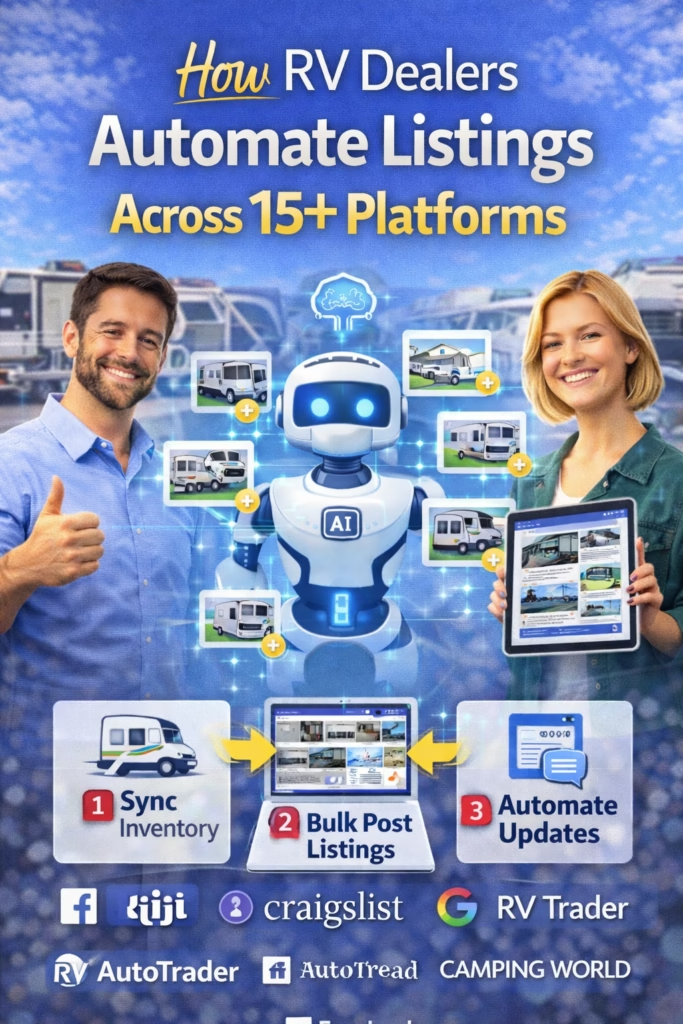
How RV Dealers Automate Listings Across 15+ Platforms
RV dealer listing automation is how modern dealerships keep inventory visible everywhere buyers search—without staff spending hours reposting. This guide breaks down the exact system: one inventory source, platform templates, scheduled sync, and automated lead response.
Note: Each marketplace has its own policies and formatting requirements. The goal is consistent, compliant syndication—not spam posting.
Introduction
RV buyers don’t shop in one place anymore. They browse wherever it’s convenient: marketplaces, dealer sites, local groups, classified-style platforms, and search results. If you’re only listing inventory on one channel, you’re leaving leads on the table.
How RV Dealers Automate Listings Across 15+ Platforms explains how to publish and maintain consistent inventory everywhere—without creating duplicates, confusing pricing, or messy lead tracking. The core idea is simple: you need one source of truth for inventory, standardized listing templates, and an automated lead-response system that works the moment a buyer messages.
Big idea: Automation isn’t “posting more.” It’s posting consistently, updating accurately, and responding faster than the competition.
Quick Answer (TL;DR)
RV dealers automate listings by creating a single inventory database (source of truth), mapping inventory fields into platform-specific templates, and running scheduled sync workflows that push updates (price, availability, photos, description) across multiple channels. Leads from every platform are routed into one CRM, assigned to the right rep, and answered instantly with scripts or AI—then followed up until an appointment is booked. The result is more exposure, fewer missed leads, and less manual work.
Fast win: Standardize 25 core inventory fields, then build 3 template variants per RV type (travel trailer, fifth wheel, motorhome).
Table of Contents
- 1) The dealer automation system (one simple model)
- 2) The 15+ platform mix (core categories, not hype)
- 3) Your “single source of truth” inventory setup
- 4) The RV inventory fields that must be standardized
- 5) Platform-specific listing templates (how to build them)
- 6) Photo rules that increase click-through and trust
- 7) Pricing + availability sync (avoid the #1 dealer mistake)
- 8) Lead routing: how to never lose a buyer inquiry
- 9) Automated + AI follow-up that books appointments
- 10) Example workflows (triggers → actions)
- 11) KPIs to track weekly
- 12) Compliance and platform safety (how to avoid issues)
- 13) 30-day rollout plan
- 14) 25 FAQs
- 15) 25 extra keywords
1) The Dealer Automation System (One Simple Model)
Every “15+ platform” operation that works follows the same model:
Step 1: Inventory Source of Truth
All listings pull from one database. Your website, CRM, and marketplace listings reference the same RV record.
Step 2: Templates + Field Mapping
Each platform gets the same truth, formatted differently: titles, bullets, keywords, and compliance-safe phrasing.
Step 3: Scheduled Sync
Price/availability/photos update on a schedule so you never show “sold inventory” publicly for long.
Step 4: Lead Routing + Follow-Up
Every message becomes a trackable lead with instant reply, assignment, and appointment prompts.
Dealer reality: You don’t lose sales from “not enough platforms.” You lose sales from inconsistent info and slow follow-up.
2) The 15+ Platform Mix (Core Categories, Not Hype)
Instead of naming every site (which changes by region), think in categories. A strong dealership stack typically includes:
- Dealer website inventory (your foundation)
- Search + local (profiles, listings, map visibility)
- RV marketplaces (high-intent shoppers)
- Classified-style platforms (wide reach)
- Social marketplaces (fast local messages)
- Retargeting channels (keep your inventory in front of buyers)
Goal: Put your inventory in front of buyers at every stage: browsing → comparing → messaging → appointment.
3) Your “Single Source of Truth” Inventory Setup
If your inventory lives in 5 different places, you can’t automate. Choose one database to rule them all—then sync outward.
What your source of truth can be
- Dealer management system inventory export
- Airtable / database table
- Spreadsheet with strict fields (entry-level)
- Website inventory CMS tied to a feed
Non-negotiable: Each RV must have a unique ID that never changes (VIN-based or internal stock number).
4) The RV Inventory Fields That Must Be Standardized
You can’t map to 15+ platforms if each RV description is “whatever the salesperson typed.” Standardize the fields first.
| Field | Example | Why it matters |
|---|---|---|
| Unique ID | Stock # / VIN | Prevents duplicates |
| Year / Make / Model | 2022 Keystone Cougar | Search + title format |
| Type | Travel Trailer / Fifth Wheel | Template selection |
| Length | 33 ft | Buyer filtering |
| Sleeping capacity | Sleeps 6 | High-intent detail |
| Condition | New / Used / Certified | Trust + pricing |
| Price | $29,995 | Sync across platforms |
| Availability | In stock / Pending / Sold | Stops wasted leads |
| Location | City, State | Local relevance |
| Top features | Solar prep, bunkhouse | Hook + bullets |
| Photos | 20–40 images | Click-through |
| Video / walkaround | YouTube link | Higher conversion |
| Warranty / service notes | Certified inspection | Trust booster |
Fast win: Create a “Top 6 Features” field so every listing has consistent bullet hooks.
5) Platform-Specific Listing Templates (How to Build Them)
Templates are what makes automation feel “human.” Your content stays consistent while still matching each platform’s style and rules.
Dealer listing template structure
Title: [Year] [Make] [Model] – [Type] – [Key Hook]
Line 1: Location + availability
Bullets: Top features (5–8)
Details: Sleeps, length, slides, condition
Trust: Inspection/service notes + clean disclosure
CTA: “Message your city + best time to visit”
Title variations (rotate for performance)
- “2022 Keystone Cougar – Fifth Wheel – Bunkhouse + 2 Slides”
- “2022 Cougar Fifth Wheel – Sleeps 6 – Ready for Pickup”
- “Keystone Cougar 2022 – Great Family Layout – Clean Used RV”
Rule: Keep the facts identical. Rotate only the angle, hook, and ordering.
6) Photo Rules That Increase Click-Through and Trust
Photos are your biggest conversion lever. Most dealers underutilize the first 3 images.
Minimum photo set (recommended)
- Hero exterior (3/4 angle, bright)
- Interior wide shot (main living area)
- Kitchen + appliances
- Bathroom
- Primary sleeping area
- Storage / pass-through
- Floorplan screenshot (if allowed and accurate)
Photo naming rule (helps automation)
[StockID]_01_Exterior.jpg
[StockID]_02_Living.jpg
[StockID]_03_Kitchen.jpg
...
Fast win: Replace the hero image and the first interior image. Those two drive most clicks.
7) Pricing + Availability Sync (Avoid the #1 Dealer Mistake)
The #1 way dealers waste leads is showing inventory that’s sold or pricing that doesn’t match reality. Automation prevents that—if you sync correctly.
Pricing sync rules
- Pick one “public price” field and stick to it
- Update on a schedule (daily is common)
- Show “pending” status quickly to stop wasted messages
- Use a consistent disclaimer if pricing can change
Rule: “Sold” inventory should stop advertising automatically.
8) Lead Routing: How to Never Lose a Buyer Inquiry
Multi-platform visibility is useless if leads aren’t captured and routed.
Lead routing checklist
- All platforms forward leads to a central inbox/CRM
- Each lead is tagged by platform + RV stock ID
- Assignment rules route to the right rep/team
- Every lead gets an instant acknowledgment
- Missed call → instant text-back (if applicable)
Fast win: Add the Stock ID to your listing and ask for it in the first reply.
9) Automated + AI Follow-Up That Books Appointments
Most RV sales aren’t lost to price—they’re lost to slow follow-up. The best dealers use automation to respond instantly and keep the conversation moving toward a visit.
Instant reply (copy/paste)
Yes — it’s available.
Which RV are you interested in (stock #), and what day/time works best to come see it?
Qualification questions (keep it simple)
- Are you looking for travel trailer, fifth wheel, or motorhome?
- What’s your ideal budget range?
- How many people need to sleep comfortably?
- When are you hoping to purchase?
Rule: The goal of follow-up is an appointment, not a long chat thread.
10) Example Workflows (Triggers → Actions)
Workflow 1: New inventory added
Trigger: New RV record added (Stock ID created)
Actions:
- Generate platform titles/descriptions (template by type)
- Resize and attach photos
- Publish to selected platforms
- Log links + status in CRM
Workflow 2: Price changed
Trigger: Price field updated
Actions:
- Update price across platforms
- Add “price update” note to listing where allowed
- Notify sales team for high-interest units
- Optional: send follow-up to leads who asked about it
Workflow 3: Lead comes in from any platform
Trigger: New inquiry (message/form/call)
Actions:
- Create lead in CRM
- Tag platform + Stock ID
- Assign rep
- Send instant reply
- Start 3-day follow-up sequence (if no response)
Workflow 4: RV marked as sold/pending
Trigger: Availability = Sold/Pending
Actions:
- Unpublish listings (or mark as sold where supported)
- Stop ads/boosts
- Route leads to similar inventory suggestions
11) KPIs to Track Weekly
| KPI | What it tells you | How to improve |
|---|---|---|
| Leads per platform | Which channels work | Double down on winners |
| Response time | Conversion health | Automation + templates |
| Appointments set | Pipeline quality | Better CTAs + follow-up |
| Show rate | Commitment level | Confirmations + reminders |
| Close rate by unit type | What sells | Improve pricing + content |
Simple success metric: “Appointments per 100 leads” should rise after automation.
12) Compliance and Platform Safety (How to Avoid Issues)
Automation must still look normal and follow platform expectations. The safest approach is controlled, consistent publishing and accurate content.
Safety checklist
- Avoid duplicate listings with identical copy
- Rotate templates and photo order where appropriate
- Ensure pricing and availability are accurate
- Use honest condition notes for used units
- Follow outreach consent rules for SMS/email
Reminder: Don’t try to “game” platforms. Build a consistent system that earns engagement.
13) 30-Day Rollout Plan
Week 1: Inventory foundation
[ ] Define your source of truth
[ ] Standardize core fields (25+)
[ ] Create unique ID rules (stock/VIN)
[ ] Build photo naming + storage system
Week 2: Templates + mapping
[ ] Build templates by RV type
[ ] Create 3 title variants per type
[ ] Build platform field mapping
[ ] Establish posting/sync schedule
Week 3: Lead routing + follow-up
[ ] Route leads into one CRM
[ ] Tag by platform + stock ID
[ ] Create instant replies + follow-up sequence
[ ] Add appointment prompts + reminders
Week 4: Scale + optimize
[ ] Expand to additional platforms
[ ] Track KPIs weekly
[ ] Improve photo sets + titles based on performance
[ ] Standardize the best-performing listing format
Want a done-for-you multi-platform listing engine?
14) 25 Frequently Asked Questions
1) What does it mean to automate RV listings across platforms?
It means one inventory source publishes and updates listings everywhere using templates and sync workflows.
2) What is inventory syndication?
Inventory syndication is distributing your RV inventory feed to multiple marketplaces and lead sources.
3) Why is a single source of truth important?
It prevents inconsistent pricing, duplicates, and “sold inventory” being advertised.
4) How do dealers prevent duplicate listings?
They use a unique stock ID, consistent mapping, and controlled publish rules per platform.
5) How often should pricing sync?
Daily is common; high-volume dealers may sync more frequently.
6) What’s the best way to handle sold inventory?
Automatically unpublish or mark sold when availability changes.
7) Do templates reduce lead quality?
No—if templates are accurate and varied. Templates improve clarity and speed.
8) How many photos should an RV listing have?
Enough to build trust—often 20–40 for strong dealership listings.
9) What photos matter most?
The hero exterior and first interior wide shot typically drive most clicks.
10) How do dealers route leads correctly?
By tagging platform + stock ID, assigning reps, and using instant replies.
11) What’s the #1 reason leads get lost?
Slow response time or messages scattered across multiple inboxes.
12) How fast should reps reply?
Within 5–15 minutes when possible; automation helps after hours.
13) Should dealers use AI for follow-up?
AI can handle first responses and qualification while reps focus on appointments.
14) What should the first reply say?
Confirm availability, ask for stock ID, and propose a visit time.
15) How do you track platform performance?
Track leads per platform, response time, appointments, show rate, and close rate.
16) Is it risky to post on many platforms?
Not if you avoid duplicates, keep content accurate, and follow platform rules.
17) What is the biggest operational mistake?
Inconsistent pricing/availability that wastes buyer trust and staff time.
18) How do dealers keep descriptions consistent?
By using standardized fields and platform-specific templates.
19) How do you handle financing messaging?
Keep it compliant and accurate; don’t promise terms you can’t deliver.
20) What about trade-in leads?
Use a separate workflow: trade-in form → CRM → follow-up → appraisal appointment.
21) Can automation reduce staff workload?
Yes—by removing manual reposting and centralizing lead handling.
22) What’s the best first step to start?
Standardize inventory fields and create a reliable photo system.
23) How long does setup take?
A basic system can be built in 30 days, then expanded.
24) What RV types need different templates?
Travel trailers, fifth wheels, and motorhomes often require different hooks and fields.
25) What’s the simplest version of this system?
One inventory sheet, 3 templates, daily price sync, one CRM inbox, and instant reply scripts.
15) 25 Extra Keywords
- How RV Dealers Automate Listings Across 15+ Platforms
- RV dealer listing automation
- RV inventory syndication
- multi platform RV listings
- automate RV inventory posting
- RV marketplace syndication
- RV lead generation automation
- RV dealer marketing automation
- RV CRM automation
- RV lead routing system
- RV listing templates
- RV listing photo standards
- RV pricing sync
- RV availability sync
- RV dealer follow up automation
- AI lead response for RV dealers
- RV appointment setting workflow
- RV dealership inventory management
- inventory source of truth
- prevent duplicate RV listings
- RV listing optimization
- RV sales pipeline automation
- RV dealership KPI tracking
- RV listing syndication strategy
- 30 day RV automation rollout













