

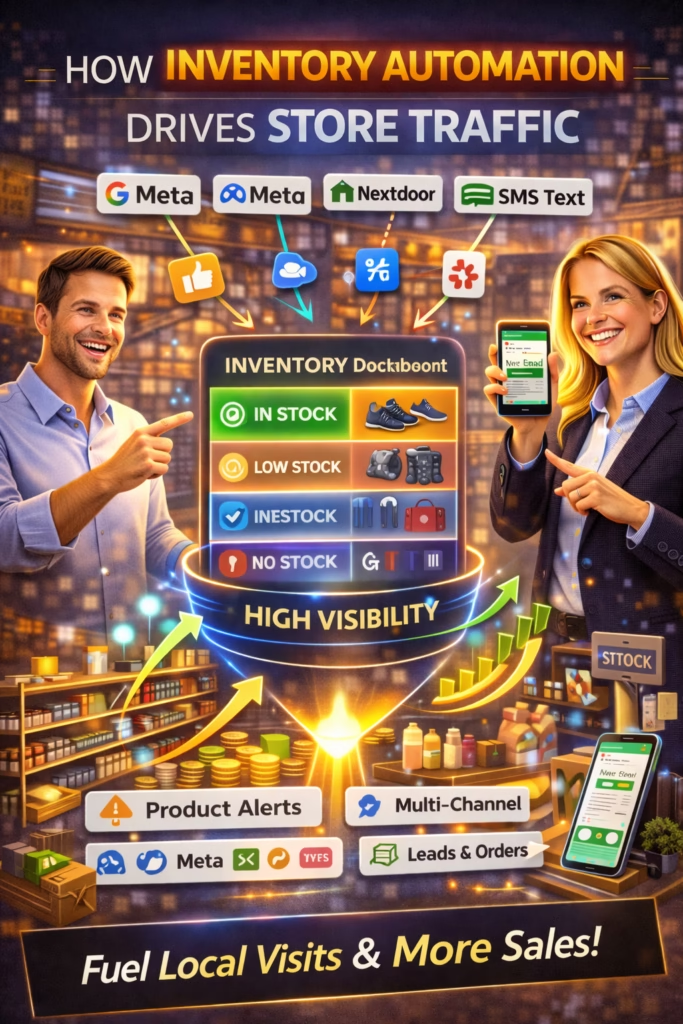
How Inventory Automation Drives Store Traffic
How Inventory Automation Drives Store Traffic is the blueprint for turning real-time availability into daily messages, calls, and foot traffic—by keeping listings fresh, accurate, and consistently distributed.
Note: This is general guidance. Follow platform rules, avoid spam patterns, and keep availability/pricing truthful and current.
Introduction
How Inventory Automation Drives Store Traffic comes down to one simple truth:
Local buyers don’t want “marketing.” They want what’s available—right now—close to them.
Retail has a visibility problem. Most stores have inventory sitting on the floor, ready to sell, but it’s invisible online. Meanwhile, buyers are searching daily on marketplaces, Google, and social commerce to find the best option near them.
Inventory automation fixes that. When your inventory stays accurate, your listings stay current, and your posting cadence stays consistent—even when your team is busy—your store earns more engagement and more distribution.
Big idea: Inventory automation doesn’t just save time. It creates a compounding traffic engine.
Expanded Table of Contents
- 1) What inventory automation really means
- 2) Why automated inventory creates more traffic
- 3) Freshness + accuracy: the reach multiplier
- 4) Distribution: where automated inventory should show up
- 5) Posting cadence powered by inventory feeds
- 6) Price/availability rules that prevent buyer frustration
- 7) The anatomy of a traffic-driving inventory listing
- 8) Photo automation + rotation without losing trust
- 9) Response automation: turn traffic into visits
- 10) Inventory automation + local SEO stack
- 11) Multi-location inventory: how to scale cleanly
- 12) Testing plan: optimize traffic with proof
- 13) KPI dashboard for traffic + inventory health
- 14) 30–60–90 day rollout plan
- 15) 25 Frequently Asked Questions
- 16) 25 Extra Keywords
1) What inventory automation really means
Inventory automation is not just “software.” It’s the system that keeps product data accurate across channels.
Inventory automation typically includes
- Inventory feed from POS/eCommerce (SKU, price, quantity, status)
- Automatic publishing or updating of listings
- Rules for what gets posted (and what does not)
- Photo mapping and photo rotation (when appropriate)
- Auto-unpublish when sold or out of stock
- Routing of leads to the right location/team
Traffic result: buyers stop seeing dead listings, and you stop losing leads to “still available?” friction.
2) Why automated inventory creates more traffic
Stores lose traffic when listings go stale—old prices, missing items, no replies, inconsistent posting. Automation solves the core problems that kill local reach.
| Manual approach problem | What buyers experience | Automation fixes |
|---|---|---|
| Listings go outdated | “Is this real?” | Auto-updates + auto-unpublish |
| Posting is inconsistent | Less exposure over time | Scheduled feed-driven cadence |
| Slow responses | Buyer moves on | Instant reply workflows |
| Wrong product details | Low trust | Standardized product fields |
Rule: Consistency + accuracy creates trust. Trust creates traffic.
3) Freshness + accuracy: the reach multiplier
Most platforms reward current, engaging listings. Inventory automation keeps your catalog “alive.”
How freshness is created with automation
Newness
New items publish automatically based on rules (category, margin, popularity).
Updates
Price and availability update across channels so listings stay truthful.
Rotation
Top items can be refreshed by rotating photos, angles, and hooks responsibly.
Clean removal
Sold/out-of-stock items are unpublished automatically to prevent buyer frustration.
Pro move: The biggest reach killer is dead inventory. Fix that first.
4) Distribution: where automated inventory should show up
Inventory automation becomes a traffic engine when it powers distribution.
High-impact distribution points
- Marketplaces: daily buyer discovery and intent
- Google Business Profile: local visibility and calls
- Your website: trust + validation + long-tail search
- Social content: new-arrivals clips, bundles, showroom highlights
- Email/SMS: targeted “new arrivals” to warm lists (where compliant)
Rule: One source of truth (inventory) → many channels → daily traffic.
5) Posting cadence powered by inventory feeds
Manual posting creates bursts and then silence. Feeds create rhythm.
Cadence frameworks (safe and sustainable)
| Store size | Suggested cadence | How to source posts |
|---|---|---|
| Small shop | 5–15 listings/day | Top sellers + new arrivals + 2 bundles |
| Mid-size | 15–40 listings/day | New arrivals + category rotation |
| Multi-location | Per location cadence | Local inventory + location keywords |
Avoid: “All inventory at once” dumps. Stagger to keep steady exposure.
Feed-driven posting rule (simple)
Daily publish set = New arrivals + Top converting items + 1–3 bundle angles
Weekly refresh set = Winners only (rotate photo + hook)
Auto-unpublish set = Sold/out-of-stock immediately
6) Price/availability rules that prevent buyer frustration
Traffic dies when buyers feel misled. Inventory automation must protect trust.
Core rules
- Only publish items marked available
- Auto-unpublish within a short window after sale
- Use consistent pricing logic (no bait-and-switch)
- Show clear “starting at” language only if true
- Never claim limited-time urgency unless verified
Rule: The best automation is the one that prevents trust damage.
7) The anatomy of a traffic-driving inventory listing
Automation should not create generic listings. It should create consistent, high-performing structure.
Inventory listing template (high-performing structure)
Title: [Product Type] — [Primary Benefit] + [Option]
Line 1: Real photos + clear details ✅
Bullets: Condition • Size • What’s included • Pickup/Delivery
Offer: Delivery available (ask zip) • Options available
CTA: What city/zip are you in and are you looking for today or this week?
Pro move: Your first 2 lines should be optimized for messages, not just information.
8) Photo automation + rotation without losing trust
Photos create the click. Automation can map photos correctly and rotate responsibly.
Safe photo rotation SOP
[ ] Keep real item photos (preferred)
[ ] Rotate first photo among 3 strongest angles
[ ] Maintain consistent lighting/quality
[ ] Avoid misleading “different item” thumbnails
[ ] Track messages per listing to keep winners
Rule: First-photo quality is often the highest ROI optimization in retail listings.
9) Response automation: turn traffic into visits
Inventory automation drives traffic. Response automation converts it.
Instant reply (universal)
Yes — it’s available ✅
What zip/city are you in, and are you looking for today or this week?
Scheduling reply (push to store visit)
Perfect ✅
We can set a quick time window. Do you prefer pickup today, or a delivery quote for your zip?
Pro move: Every response should move toward a time + place (visit, pickup, delivery).
10) Inventory automation + local SEO stack
Automated inventory supports local SEO by improving freshness and relevance.
Local SEO traffic loop
- Inventory shows availability and variety
- Listings generate engagement and actions
- More actions create stronger local signals
- More visibility brings more calls and visits
Simple stack
- Google Business Profile: posts + products (where applicable)
- Website inventory page: searchable, indexable categories
- Marketplaces: consistent posting cadence
- Tracking: call tracking + form tracking + message tracking
Rule: The “new arrivals” engine doubles as an SEO freshness engine.
11) Multi-location inventory: how to scale cleanly
Multi-location stores must prevent cross-location confusion.
Multi-location rules
- Separate location tags in titles and first line
- Route leads by zip/city
- Track inventory by store (not just global)
- Use localized photos when possible
- Stagger cadence by market
Avoid: One listing that claims multiple locations unless your workflow can fulfill that cleanly.
12) Testing plan: optimize traffic with proof
Automation makes consistency possible. Testing makes it profitable.
Test priority order
- First photo (thumbnail)
- Title format
- First-line hook
- Offer block (delivery/options)
- CTA question
- Posting schedule windows
Test SOP
1) Pick one variable
2) Run 3–7 days
3) Measure messages/day, calls, visits booked
4) Keep the winner
5) Repeat weekly
Rule: Optimize for outcomes (visits/calls), not vanity views.
13) KPI dashboard for traffic + inventory health
| KPI | What it measures | Target direction |
|---|---|---|
| Listings published/day | Cadence consistency | Stable |
| Auto-unpublish accuracy | Trust protection | Up |
| Messages/day | Marketplace demand | Up |
| Calls/day | Local intent | Up |
| Booked visits | Foot traffic momentum | Up |
| Median response time | Lead leakage risk | Down |
| Flags/removals | Compliance risk | Down |
Pro move: Track “booked visits” like a sales KPI—not a marketing KPI.
14) 30–60–90 day rollout plan
Days 1–30 (Build the foundation)
- Connect inventory source of truth
- Define publish/unpublish rules
- Launch consistent posting cadence
- Deploy instant replies and lead routing
- Track messages/day + calls/day
Days 31–60 (Scale traffic safely)
- Expand listing variety (angles + bundles)
- Rotate thumbnails for winners
- Improve titles and first-line hooks
- Add local SEO inventory pages
Days 61–90 (Compound and optimize)
- Document SOPs for listings, photos, responses
- Automate weekly refresh of top items
- Optimize based on KPI dashboard
- Measure booked visits and refine scripts
Rule: Inventory automation wins when it creates accurate visibility + fast conversion.
15) 25 Frequently Asked Questions
1) What is inventory automation in retail?
Automated syncing of product availability, pricing, and details across systems and channels.
2) How does inventory automation drive store traffic?
It keeps listings fresh and accurate, increasing engagement and reducing buyer frustration.
3) What is the biggest benefit of automating inventory listings?
Consistency and accuracy without daily manual posting.
4) What systems can inventory automation connect to?
POS, eCommerce platforms, spreadsheets/feeds, marketplaces, and tracking systems.
5) Does automation replace marketing?
It replaces repetitive manual work and creates a steady traffic engine.
6) What kills store traffic the fastest?
Dead listings, wrong prices, and slow responses.
7) Should I auto-post all inventory?
Not always—use rules to prioritize in-demand and high-margin items.
8) How often should I post inventory listings?
Daily cadence is best if you can sustain it and keep variety.
9) What is the best way to keep listings truthful?
Auto-update price/availability and auto-unpublish sold items quickly.
10) Do real photos matter?
Yes—real photos build trust and usually increase clicks and messages.
11) Can photo rotation help?
Yes—rotating the first photo can improve CTR when done responsibly.
12) What listing format drives the most messages?
Clear title + trust cue + offer + one-question CTA.
13) What is the best CTA question?
“What zip/city are you in and are you looking for today or this week?”
14) Why does response speed matter?
Buyers message multiple sellers; fast replies win attention and reduce drop-off.
15) What response time should I aim for?
Under 5 minutes is strong; under 1 minute is ideal.
16) How do I route leads to the right store?
Use zip/city prompts and assign conversations by location rules.
17) How does this help local SEO?
Fresh product updates and buyer actions support visibility and relevance signals.
18) What’s the biggest automation mistake?
Publishing outdated or inaccurate inventory data.
19) How do I prevent duplicate listing issues?
Use variety: rotate photos, angles, hooks, and posting windows.
20) How do I measure traffic impact?
Messages/day, calls/day, and booked visits are strong indicators.
21) What KPI predicts revenue best?
Booked visits and appointments, not just views.
22) How long until results improve?
Often within 1–2 weeks, with compounding gains over 30–90 days.
23) Is automation safe for marketplaces?
It can be if you stay compliant, avoid spam patterns, and keep content truthful.
24) What items should be prioritized first?
Top sellers, new arrivals, high-margin items, and bundle angles.
25) What’s the simplest way to start?
Automate accurate availability + daily cadence + instant replies.
16) 25 Extra Keywords
- How Inventory Automation Drives Store Traffic
- inventory automation store traffic
- inventory feed automation
- retail inventory automation
- automated product listings
- Facebook Marketplace inventory automation
- marketplace inventory feed
- local store traffic automation
- retail lead flow automation
- real-time inventory marketing
- auto-unpublish sold items
- inventory accuracy buyer trust
- posting cadence inventory feed
- retail listing automation SOP
- inventory-based local SEO
- store traffic KPI dashboard
- messages per listing retail
- fast response retail leads
- delivery options increase messages
- photo rotation retail listings
- multi-location inventory routing
- local marketing stack retail
- organic retail traffic system
- 2026 retail marketing automation
- inventory automation for SMBs













