

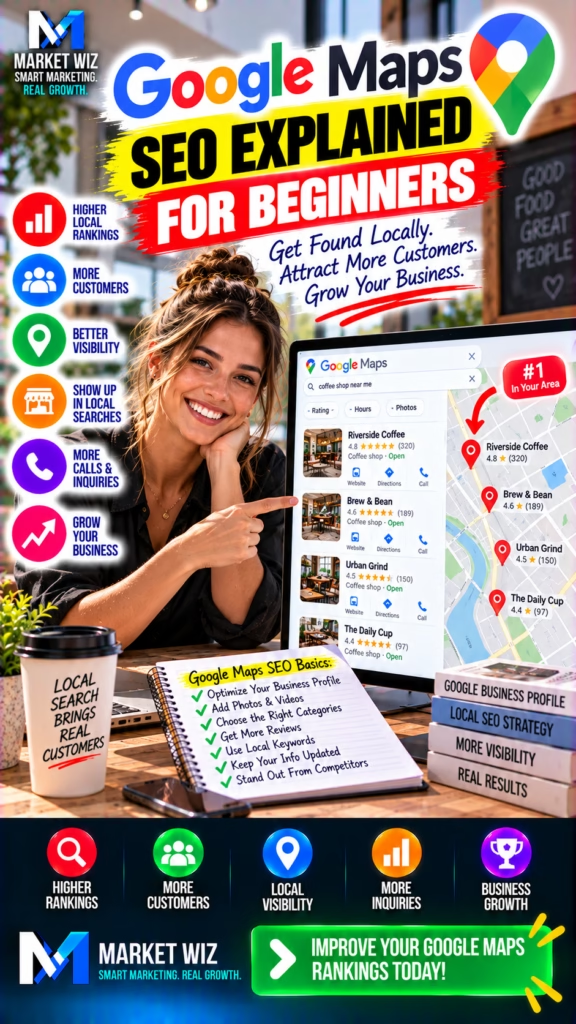
Google Maps SEO Explained for Beginners
Learn how Google Maps SEO works, why businesses appear in local search results, and how to improve your Google Business Profile. Explore 30 beginner-friendly strategies for local visibility, customer reviews, business citations, website optimization, and organic lead generation.
Introduction: Understanding Google Maps SEO for Beginners
When people need a nearby business, many begin with a Google search.
They might search for a furniture store, roofing contractor, appliance retailer, warehouse supplier, restaurant, or another local company.
Google may display nearby business results alongside a map, customer ratings, addresses, opening hours, and contact information.
These results can influence which businesses customers discover and contact.
For a local company, being represented accurately in Google Search and Google Maps is an important part of online marketing.
That is where Google Maps SEO comes in.
Google Maps SEO refers to the process of improving a business's local search presence through accurate business information, relevant website content, customer feedback, and other legitimate optimization practices.
The goal is to help Google understand the business and help potential customers evaluate whether it meets their needs.
Unlike traditional advertising, Google Maps SEO generally focuses on improving organic local discovery rather than paying for each advertisement.
However, organic visibility is not guaranteed.
Google determines local rankings using multiple factors, and businesses cannot purchase a better organic Maps position.
Beginner's definition: Google Maps SEO is the process of helping an eligible business become easier to understand, discover, and evaluate in Google's local search ecosystem through accurate information, genuine customer feedback, and relevant online content.
A strong local SEO strategy begins with understanding how Google evaluates local businesses.
Google identifies three main factors that influence local rankings: relevance, distance, and prominence.
Relevance considers how closely a business matches a search.
Distance considers how far a business is from the location relevant to the search.
Prominence considers how well-known a business is, based on information Google can evaluate.
These factors explain why a business may appear for some searches but not others.
A company can improve the quality of its information, but it cannot control a customer's location or guarantee a specific ranking.
This guide explains the fundamentals in practical language so business owners can understand what to improve, what to avoid, and how to measure progress.
1. What Is Google Maps SEO?
Google Maps SEO is a specialized area of local search engine optimization.
It focuses on helping eligible businesses maintain a strong, accurate presence in Google Maps and related local Google Search results.
A business listing may display its name, primary category, location, phone number, hours, website, reviews, and other supported information.
Customers can use these details to decide whether the business is relevant to their needs.
For example, someone searching for a mattress store may want to compare nearby retailers.
A customer searching for a painting contractor may want to review business information and customer feedback.
A business with accurate information gives potential customers a clearer understanding of what it offers.
What Google Maps SEO Includes
- Creating or claiming an eligible Google Business Profile.
- Completing the required verification process.
- Choosing accurate business categories.
- Maintaining correct contact information.
- Providing legitimate business hours and locations.
- Managing authentic customer reviews.
- Adding useful photographs and business details.
- Improving relevant website content.
- Maintaining accurate business citations.
- Tracking customer interactions and business outcomes.
Google Maps SEO is not simply about adding keywords to a listing.
It is about building a trustworthy, useful representation of a real business.
2. How Google Maps Search Results Work
When someone searches for a local business, Google attempts to identify results that are relevant to the search.
The searcher's location may influence which businesses appear.
Google also evaluates information about the businesses themselves.
A search for a coffee shop in one neighborhood may produce different results from the same search in another neighborhood.
Similarly, a search for a specific business name may produce different results from a broad category search.
Google's systems evaluate local relevance, distance, and prominence rather than simply displaying every business in alphabetical order.
This means rankings can vary by location and search phrase.
A business does not have one permanent Google Maps ranking for every customer. Local results can change according to search intent, geography, business relevance, and Google's ranking systems.
Understanding this helps business owners avoid unrealistic expectations about always appearing first.
3. Understand Google's Three Main Local Ranking Factors
Google identifies relevance, distance, and prominence as the main factors affecting local search rankings.
Each factor plays a different role.
Relevance
How closely a business matches what the customer is searching for.
Distance
How far a business is from the location relevant to the search.
Prominence
How well-known a business appears based on signals Google evaluates.
Overall Match
How Google's systems combine available information to determine useful local results.
Relevance
Relevance is influenced by how well Google understands the business.
Accurate categories, products, services, and other supported business details help communicate what the company does.
Distance
Distance depends on the location associated with the search and the business.
A business cannot legitimately improve this factor by inventing addresses or creating false locations.
Prominence
Prominence considers how well-known a business is.
Google may use information from across the web, including links, articles, directories, reviews, and other signals.
A business should focus on legitimate reputation building rather than attempting to manipulate these signals.
4. Understand What a Google Business Profile Is
A Google Business Profile is the business information that eligible organizations can manage for their presence on Google Search and Maps.
It provides a central place for maintaining important details about a business.
Depending on the business category and available features, a profile may include contact information, opening hours, photographs, products, services, and customer reviews.
Creating and managing an eligible Google Business Profile is free.
However, a profile must comply with Google's business eligibility and representation guidelines.
Not every online-only business qualifies.
Google generally requires eligible businesses to make in-person contact with customers during stated hours, subject to its category-specific rules.
Businesses should review the current requirements before creating or claiming a profile.
Important: A Google Business Profile is not the same as a paid Google Ads campaign. Businesses cannot pay Google to improve their organic local ranking.
5. Create or Claim Your Google Business Profile
The first practical step for many beginners is determining whether the business already has a Google listing.
Search for the real business name on Google Search or Maps.
If an existing profile appears, the business owner may be able to claim and manage it.
If no profile exists and the business is eligible, the owner can begin the setup process.
Avoid creating a duplicate profile when a legitimate listing already exists.
Confirm Eligibility
Review Google's requirements for businesses that interact with customers in person.
Search for Your Business
Determine whether an existing Google Business Profile is already present.
Claim or Create the Profile
Use Google's official business management process and provide truthful information.
Complete Verification
Follow the verification method Google makes available for the business.
Maintain Accurate Information
Review categories, contact details, hours, and other supported profile information.
Google determines which verification methods are available.
Businesses should follow the instructions provided for their particular profile.
6. Use Your Real Business Name on Google Maps
The business name is one of the most important identifying details in a Google Business Profile.
It should reflect the business's actual real-world name.
Google does not permit businesses to add unauthorized keywords, promotional phrases, or location terms simply to influence search visibility.
For example, a business legally operating as "Oak Street Furniture" should not rename itself "Oak Street Furniture Best Cheap Sofas Mattress Store Near Me" merely to target searches.
Such changes can violate Google's guidelines.
Businesses should use the name consistently represented through legitimate signage, branding, and customer-facing materials.
If the business genuinely changes its name, the profile should be updated appropriately.
Correct Approach
Oak Street Furniture
Incorrect Approach
Oak Street Furniture | Best Furniture Store | Cheap Sofas | Mattresses | #1 Near Me
The second example adds promotional and keyword phrases that are not necessarily part of the real business name.
7. Choose the Correct Primary Business Category
Google Business Profile categories help Google understand what a business does.
The primary category should describe the business's main activity.
For example, a furniture retailer should select the most accurate available category for its actual business.
A roofing contractor should choose a category that reflects its roofing work.
A restaurant should select an appropriate restaurant category.
Businesses should not choose categories for unrelated activities simply because those categories appear attractive for search traffic.
Category availability can change, and the available options may differ by business type or region.
| Business Type | Category Selection Principle | Common Mistake |
|---|---|---|
| Furniture Retailer | Select a category describing the actual retail business. | Choosing unrelated retail categories. |
| Painting Contractor | Choose an available category reflecting real painting work. | Adding unrelated trades. |
| Appliance Retailer | Use a category matching the store's actual merchandise. | Selecting categories for products not offered. |
| HVAC Company | Choose a category accurately representing its core activity. | Claiming unrelated business specialties. |
| Restaurant | Choose an accurate restaurant category. | Using categories that do not describe the establishment. |
Accurate categories help communicate relevance without misrepresenting the business.
8. Add Relevant Secondary Categories When Appropriate
Some businesses perform multiple related activities.
Google may allow additional categories that describe those legitimate activities.
For example, a business might operate primarily as a furniture retailer while also selling mattresses.
Additional categories should reflect what the business actually does.
They should not be used as a list of every possible keyword the owner wants to rank for.
Businesses should also avoid selecting categories for activities offered by another company rather than their own operation.
The best approach is to identify the main business activity first and add only relevant additional categories.
This helps maintain a clear and accurate profile.
9. Write a Clear Google Business Profile Description
A business description helps customers understand what the company offers.
It should explain the business's main activities, relevant specialties, and useful customer-facing information.
A good description is written naturally rather than repeating search keywords.
For example, a furniture retailer might describe the types of furniture available, the communities it serves, and its legitimate shopping options.
A contractor might explain its actual specialties and service area.
Businesses should follow Google's content rules and avoid unsupported claims.
Furniture Retailer Example
Oak Street Furniture is a locally operated furniture store offering sofas, dining sets, bed frames, and bedroom furniture. Customers can visit our showroom to explore available styles, compare product dimensions, and learn about current inventory. Contact our team for store hours, product availability, and delivery information.
This is a fictional example. Actual business descriptions should reflect verified offerings and circumstances.
The objective is to communicate useful business information, not to fill every available character with keywords.
10. Keep Your Business Information Accurate and Complete
Incorrect contact information can prevent customers from reaching a business.
An outdated phone number may send calls to the wrong destination.
Incorrect hours may cause customers to arrive when the business is closed.
An inaccurate address may create confusion about the company's actual location.
Businesses should review their Google Business Profile information regularly.
Important Details to Maintain
- Real business name.
- Eligible physical location or permitted service-area configuration.
- Accurate phone number.
- Official website address.
- Primary and relevant additional categories.
- Normal operating hours.
- Special holiday hours.
- Relevant products or services.
- Supported business attributes.
- Current customer-facing information.
Google may also receive business information from other sources.
Keeping the business's own information accurate makes it easier to identify and correct inconsistencies.
11. Understand NAP Consistency in Local SEO
NAP stands for name, address, and phone number.
These details help customers identify and contact the correct business.
NAP consistency means maintaining accurate, recognizable business information across relevant online sources.
For example, a business may appear on its website, Google Business Profile, industry directories, and local chamber of commerce website.
If the phone number differs across these sources, customers may become confused.
If an old address remains online after a legitimate move, customers may visit the wrong location.
Businesses should prioritize correcting material inaccuracies.
Minor formatting differences do not necessarily mean a business needs to rewrite every directory entry.
The central goal is accuracy and consistency of the underlying information.
NAP consistency principle: Use the real business identity and current contact information. Correct outdated or misleading records rather than creating artificial directory listings for ranking purposes.
12. Set Up Service-Area Businesses Correctly
Not every local business operates from a storefront that customers visit.
Some businesses travel to customer locations.
Examples may include eligible painting contractors, HVAC companies, plumbers, roofers, and cleaning companies.
Google has specific guidelines for service-area businesses.
A business that does not serve customers at its address may need to hide that address from its public profile.
A service area should reflect where the business genuinely operates.
Businesses should not create separate profiles for every city they serve unless each profile independently qualifies under Google's rules.
Service areas also do not guarantee rankings throughout every listed city.
Google's distance and relevance systems still influence local results.
Represent the business's actual operating model. Use a legitimate eligible location, follow address visibility rules, and list only areas the company genuinely serves.
13. Understand How Google Reviews Affect Local SEO
Customer reviews are an important part of the local search experience.
Reviews can help potential customers evaluate a business before contacting it.
Google states that review count and positive ratings can help local ranking.
However, reviews are only one part of the broader local ranking system.
A business should not assume that obtaining a specific number of reviews will guarantee a particular ranking.
Review quality and authenticity are essential.
Google prohibits fake engagement and other forms of review manipulation.
Businesses should focus on genuine feedback from actual customers.
A legitimate review strategy helps prospective customers understand real experiences with the business.
14. Encourage More Genuine Google Customer Reviews
Businesses can invite customers to share honest feedback about their experiences.
The request should be neutral and should not depend on whether the customer is likely to leave a positive rating.
Offering prohibited incentives in exchange for reviews can violate Google's policies.
Buying reviews, creating fake accounts, or asking employees to impersonate customers can also create serious problems.
Responsible Review Collection Practices
- Ask genuine customers for honest feedback.
- Use Google's permitted review-sharing methods.
- Make the review process straightforward.
- Do not offer prohibited rewards for reviews.
- Do not pressure customers to provide positive ratings.
- Do not discourage dissatisfied customers from reviewing.
- Do not purchase reviews from third parties.
- Do not create fake customer accounts.
Authentic reviews provide more useful information than manipulated ratings.
15. Respond Professionally to Google Reviews
Review responses give businesses an opportunity to acknowledge customer feedback.
A thoughtful response can demonstrate professionalism and attention to customer experiences.
Businesses should thank customers for constructive feedback when appropriate.
Negative reviews should be handled respectfully.
A response should avoid revealing private customer information or escalating disagreements.
Positive Review
Thank you for sharing your experience. We appreciate your feedback and are glad our team could help.
Critical Review
Thank you for bringing this to our attention. We take customer feedback seriously and would appreciate the opportunity to understand your concerns through our normal customer support process.
Businesses should personalize responses when possible rather than relying entirely on repetitive generic language.
Review management is primarily about customer communication and trust, not a guaranteed ranking shortcut.
16. Add Authentic Photos to Your Google Business Profile
Photographs can help customers understand a business before visiting or contacting it.
A retail store might show its storefront, showroom, merchandise, and customer-facing areas.
A contractor might show legitimate examples of completed work, subject to appropriate permissions.
A restaurant might display its dining area and actual menu items.
Photos should accurately represent the business.
Businesses should avoid misleading stock photographs or images that falsely suggest work they did not perform.
Google has image quality and content requirements that should be followed.
Useful Business Photo Categories
Exterior Photos
Help customers recognize a legitimate customer-facing location.
Interior Photos
Show real business spaces where appropriate.
Product Photos
Display genuine merchandise available from the business.
Work Examples
Show authentic completed projects with necessary permissions.
Uploading photographs can improve the usefulness of a profile, but Google does not guarantee a ranking increase from a particular number of images.
17. Use Google Business Profile Posts for Relevant Updates
Google Business Profile posts, where supported, can help businesses communicate certain updates.
These may include business announcements, eligible offers, events, and other supported information.
Posts should be accurate, relevant, and consistent with Google's content policies.
A furniture store might announce the arrival of new inventory.
A restaurant might communicate an upcoming event.
A local business might share a legitimate change in operating hours.
However, posting every day does not guarantee higher Maps rankings.
Businesses should evaluate posts as a communication tool rather than treating frequency as a proven ranking factor.
Content strategy: Publish useful, truthful updates when there is meaningful information to share. Avoid repetitive posts created solely to manipulate search visibility.
18. Complete Relevant Product and Service Information
Google Business Profile may offer product and service information features depending on the business type.
These features can help customers understand what a company provides.
A furniture retailer may be able to present relevant merchandise information.
A contractor may be able to describe legitimate specialties.
Businesses should use only supported features available to their profiles.
Product and service descriptions should be accurate.
Prices, specifications, and availability should not be invented.
Where website links are supported, businesses should direct customers to relevant, functional pages.
A clear presentation can help potential customers evaluate whether the business meets their needs.
19. Research Local SEO Keywords That Match Customer Intent
Local SEO keywords are phrases people use when looking for businesses in a particular geographic area.
Some searches include a city name.
Others use terms such as "near me."
Google may also interpret local intent even when the searcher does not explicitly mention a location.
A useful keyword strategy begins with understanding what the business actually offers.
Businesses should identify their primary products, services, and legitimate operating locations.
| Business | Illustrative Local Search | Customer Intent |
|---|---|---|
| Furniture Store | Furniture store in Raleigh | Find nearby furniture retailers. |
| Painting Contractor | House painters in Fort Worth | Find a local painting company. |
| Appliance Retailer | Appliance store near me | Locate appliance sellers. |
| HVAC Contractor | AC repair in Tampa | Find local cooling repair assistance. |
| Mattress Store | Mattress stores in Charlotte | Compare nearby mattress retailers. |
These are illustrative searches rather than verified search-volume estimates.
Businesses should prioritize keywords that accurately describe their actual offerings.
20. Improve Your Website to Support Google Maps SEO
A Google Business Profile is important, but the business website also contributes to its online presence.
A website can provide more detailed information than a Maps listing alone.
Customers may visit the website to compare products, understand services, review business policies, or contact the company.
Google may also evaluate information from across the web when determining local relevance and prominence.
Businesses should ensure their websites accurately describe what they offer.
Website Improvements Worth Prioritizing
- Clear page titles and headings.
- Accurate business contact information.
- Relevant product or service descriptions.
- Useful location information.
- Mobile-friendly layouts.
- Accessible navigation.
- Functional contact methods.
- Appropriate internal links.
- Helpful customer information.
- Reasonable loading performance.
The website should serve real customer needs rather than being built entirely around keyword repetition.
21. Create Useful Local Landing Pages When Appropriate
Some businesses serve customers in multiple communities.
A legitimate local landing page can explain how the company operates in a particular area.
For example, a contractor may describe its actual work in a nearby community.
A retailer may explain genuine delivery coverage for a particular region.
However, location pages should contain meaningful, original information.
Creating hundreds of nearly identical pages that simply replace city names can result in low-value content.
Businesses should avoid claiming physical offices or storefronts where none exist.
Build pages around genuine local relevance, useful customer information, and real operating capabilities. Avoid doorway pages and invented locations designed only to capture search traffic.
A useful local page should help customers understand whether the business can meet their needs in that area.
22. Understand Local Citations and Business Directories
Local citations are mentions of business information on websites, directories, and other online sources.
Examples may include legitimate industry directories, chamber of commerce listings, and relevant local business websites.
Citations can help customers discover and verify business information.
However, directory quantity alone does not guarantee better Google Maps rankings.
Businesses should prioritize accurate, relevant, and trustworthy listings.
Creating large numbers of low-quality directory entries can waste resources and may create inconsistent information.
Good Citation Management Practices
- Identify legitimate directories relevant to the business.
- Use the real business name.
- Provide accurate contact information.
- Correct outdated addresses and phone numbers.
- Avoid fabricated business locations.
- Remove or correct duplicate records when appropriate.
- Review important listings after business changes.
Citation management is best treated as an accuracy and discoverability practice.
23. Understand How Local Backlinks Can Support SEO
A backlink is a link from another website to the business's website.
Links can help search engines discover information and understand relationships between websites.
Google states that prominence may be influenced by links and information from across the web.
However, not every backlink is valuable.
Artificial link schemes and paid links intended to manipulate rankings may violate Google's spam policies.
Businesses should focus on legitimate relationships and useful content.
Examples of Legitimate Local Link Opportunities
- Relevant chamber of commerce memberships.
- Authentic local business partnerships.
- Editorial coverage from local publications.
- Community organizations with genuine relationships.
- Relevant industry associations.
- Useful resources that other websites independently reference.
The objective is to earn meaningful recognition rather than manufacture large numbers of artificial links.
24. Understand the Google Local Pack and Maps Results
Google may display a group of local business results within its main search page.
This feature is commonly called the local pack.
It can include business names, ratings, categories, locations, and other information.
The number of businesses shown and the layout can vary.
The local pack is related to, but not identical to, the full Google Maps experience.
A business may appear differently depending on the search interface and query.
Local rankings are not fixed across every location.
A customer searching from one neighborhood may see different businesses than someone searching from another.
For this reason, businesses should avoid evaluating SEO performance using only one manual search.
A broader review of customer interactions and business outcomes is more informative.
25. Research Local Competitors Without Copying Their Tactics
Competitor research can help businesses understand the local search environment.
A business owner may examine which companies appear for relevant searches and how those companies describe their offerings.
Useful observations may include business categories, publicly visible reviews, website information, and customer-facing details.
However, competitors may have different locations, histories, and reputations.
Copying their keywords or business descriptions does not guarantee similar rankings.
Businesses should also avoid imitating questionable practices such as keyword-stuffed names or suspicious review patterns.
Beginner Competitor Research Checklist
- Identify relevant businesses serving the same customer need.
- Compare actual product or service offerings.
- Review publicly available business information.
- Look for useful customer questions in authentic reviews.
- Examine whether competitor websites answer common customer needs.
- Identify missing information on your own profile.
- Consider legitimate ways to improve customer experience.
Competitor research should inform business improvements, not encourage policy violations.
26. Track Google Maps SEO Performance With Useful Metrics
Businesses should measure whether their local search presence contributes to customer activity.
Google Business Profile provides performance information for eligible profiles and supported interactions.
Available reporting features can change.
Businesses should use the metrics currently provided in their account rather than relying on outdated reporting instructions.
Important Local SEO Performance Measures
| Metric | What It Helps Evaluate |
|---|---|
| Business Profile Interactions | How customers interact with supported profile features. |
| Calls | Customer phone activity attributed through available reporting. |
| Website Clicks | Visits initiated through supported profile links. |
| Direction Requests | Customer interest in reaching a physical location. |
| Search Queries | Search terms available in profile performance reporting. |
| Qualified Leads | Relevant customer inquiries recorded by the business. |
| Completed Transactions | Actual sales or bookings attributed where measurable. |
| Revenue and Costs | Whether local SEO contributes worthwhile business outcomes. |
Profile interactions should not automatically be treated as completed sales.
Businesses should combine Google reporting with their own lead and transaction records.
27. Use AI Responsibly for Google Maps SEO
Artificial intelligence can help businesses organize certain local SEO tasks.
For example, AI may assist with drafting website content, organizing keyword research, summarizing customer questions, and reviewing business information for missing fields.
AI can also help create internal checklists for ongoing profile maintenance.
However, AI-generated information should always be verified.
A system should not invent customer reviews, business locations, operating hours, certifications, or services.
Automated interactions with Google products must comply with applicable terms and authorized access methods.
Content Drafting
Prepare useful drafts from verified business information.
Keyword Organization
Group relevant local search topics for editorial planning.
Information Audits
Identify fields that may require manual verification or correction.
Performance Summaries
Organize available reporting data into understandable business insights.
AI is most useful when it improves accuracy, organization, and decision-making.
It should not be used to fabricate business credibility or manipulate local search systems.
28. Avoid Common Google Maps SEO Mistakes
Many local SEO problems begin with inaccurate business information or attempts to manipulate rankings.
Beginners should focus on understanding Google's rules before making major profile changes.
A business should never create false addresses simply to appear closer to customers.
It should also avoid adding unrelated keywords to the business name.
Fake reviews and duplicate listings can create additional problems.
Google Maps SEO Mistakes to Avoid
- Using a business name that does not match the real-world company.
- Adding keywords solely to manipulate the profile name.
- Creating fake business locations.
- Creating duplicate profiles without eligibility.
- Using unrelated primary or secondary categories.
- Publishing inaccurate business hours.
- Displaying an address that should be hidden under service-area rules.
- Buying or fabricating customer reviews.
- Offering prohibited incentives for reviews.
- Using misleading photographs.
- Creating thin location pages for cities not genuinely served.
- Purchasing manipulative backlinks.
- Ignoring outdated directory information.
- Assuming daily profile posts guarantee higher rankings.
- Expecting one permanent ranking across all search locations.
- Failing to measure actual customer inquiries and sales.
Avoiding these mistakes helps businesses build a more sustainable local search presence.
29. Understand How Long Google Maps SEO Takes
One of the most common beginner questions is how quickly Google Maps SEO produces results.
There is no guaranteed timeline.
Some profile information changes may become visible relatively quickly.
Other updates may require verification, review, or additional processing.
Changes in organic local rankings are less predictable.
Results depend on business relevance, location, competition, prominence, and Google's systems.
A newly established business may have different challenges from a company with a long operating history.
A business in a highly competitive market may also face different conditions from one in a smaller community.
Focus on maintaining accurate business information, improving customer-facing content, encouraging authentic feedback, and measuring relevant outcomes over time. No legitimate provider can guarantee a specific organic Google Maps position.
Businesses should evaluate progress through available performance data and actual customer activity rather than relying on promises of immediate rankings.
30. Build a Complete Google Maps SEO Strategy for Beginners
A successful beginner strategy starts with the fundamentals.
Businesses do not need to begin with complicated software or advanced technical terminology.
They need a clear understanding of their customers, accurate business information, and a repeatable process for improving local visibility.
The following framework combines the major concepts covered in this guide.
Step 1: Confirm Google Business Profile Eligibility
Before creating or changing a profile, review Google's current eligibility guidelines.
Determine whether the business qualifies based on its actual operating model.
Businesses that interact with customers in person may qualify when they meet the applicable requirements.
Online-only operations and certain other business models may not qualify.
Starting with eligibility helps prevent unnecessary profile problems.
Step 2: Locate Your Existing Google Business Profile
Search for the real business name.
Check whether an existing profile already appears in Google Search or Maps.
If the business has an existing listing, follow the appropriate claiming process.
Do not create a second profile simply because the first one is not immediately accessible.
Duplicate profiles can confuse customers and complicate business information management.
Step 3: Complete Google's Verification Process
Google may require the business to verify its information.
Available verification methods depend on the business and Google's systems.
Follow the instructions presented through the official management interface.
Provide truthful information and complete the requested steps.
Do not use fabricated documentation or misleading business details.
Step 4: Use the Correct Real-World Business Name
Ensure the profile name reflects the actual business.
Avoid adding promotional claims or unrelated keywords.
The name should match how the business is represented to customers in the real world.
Accurate naming supports business identity and compliance.
Step 5: Select the Most Accurate Primary Category
Identify the business's main activity.
Choose the available Google category that best describes that activity.
Do not select a category simply because competitors appear to rank for it.
The category should represent what the business genuinely does.
Step 6: Review Relevant Secondary Categories
Determine whether the business performs additional legitimate activities.
Add relevant categories only when appropriate.
Avoid selecting categories for unrelated services or products.
Accurate categorization helps Google and customers understand the business.
Step 7: Verify Business Contact Information
Check the phone number, website address, and other supported contact details.
Make sure customers can reach the business through the information provided.
Correct outdated numbers and broken links.
A useful local SEO presence depends on functional customer contact methods.
Step 8: Configure Address and Service-Area Information Correctly
Represent the business's actual location and operating model.
A customer-facing storefront may display an eligible address.
A service-area business may need to hide its address when customers are not served there.
Use legitimate service areas rather than inventing locations.
Follow Google's current rules for the business category.
Step 9: Complete Business Hours and Relevant Attributes
Provide accurate operating hours.
Update special hours when holidays or temporary changes affect the business.
Complete relevant supported attributes that truthfully describe the company.
Accurate hours and attributes help customers make informed decisions.
Step 10: Write a Helpful Business Description
Explain the company's main products or services.
Include meaningful information about the business's specialties and customer experience.
Use natural language.
Avoid keyword stuffing, unsupported claims, and prohibited promotional content.
Step 11: Add Genuine Business Photographs
Use real images of the business.
Retailers may show their actual storefront and merchandise.
Contractors may show legitimate work examples when permitted.
Restaurants may display real dining spaces and menu items.
Photographs should accurately represent what customers can expect.
Step 12: Complete Relevant Product or Service Information
Use supported profile features to describe genuine offerings.
Include accurate details that help customers understand the business.
Do not advertise products or services that are not actually available.
Keep information updated when business offerings change.
Step 13: Establish a Genuine Customer Review Process
Invite customers to share honest feedback.
Use permitted review-sharing methods.
Avoid incentives that violate Google's policies.
Do not buy reviews or create fabricated customer experiences.
A genuine review process supports transparency and customer trust.
Step 14: Respond to Customer Reviews Professionally
Acknowledge useful feedback.
Respond respectfully to criticism.
Avoid disclosing private information.
Review responses should demonstrate professionalism rather than attempt to manipulate ratings.
Step 15: Research Relevant Local Search Terms
Identify the products and services customers actually need.
Consider the legitimate geographic areas served by the business.
Use relevant terms to plan useful website content.
Avoid adding unrelated keywords merely to attract search traffic.
Step 16: Improve Your Website's Core Information
Ensure the website clearly identifies the business.
Provide accurate contact details and descriptions.
Make important pages accessible on mobile devices.
Use understandable navigation and helpful headings.
A website should help customers evaluate the company.
Step 17: Create Useful Product and Service Pages
Develop pages that explain actual offerings.
Include relevant specifications, service details, and customer information.
Avoid creating pages solely to repeat keywords.
Helpful content supports both customer understanding and broader search visibility.
Step 18: Develop Legitimate Local Content
Businesses may publish useful content related to their operating areas.
A contractor might explain common project considerations in the region.
A retailer might describe delivery availability and product selection.
Local content should be accurate and genuinely helpful.
Avoid inventing offices or creating nearly identical city pages without meaningful value.
Step 19: Review Important Business Citations
Identify legitimate directories and websites containing business information.
Correct outdated names, addresses, and phone numbers.
Prioritize relevant sources.
Avoid mass-producing low-quality directory listings.
Step 20: Build Genuine Local Relationships
Participate in relevant business associations and community activities when appropriate.
Develop legitimate partnerships.
Earn recognition through real business activity and useful information.
Avoid artificial link schemes designed to manipulate rankings.
Step 21: Review Local Competitor Information
Examine businesses serving similar customer needs.
Compare public information, website usefulness, and customer-facing details.
Identify ways to improve your own business presentation.
Do not copy misleading competitor tactics.
Step 22: Monitor Google Business Profile Performance
Review the reporting features currently available for the business.
Examine customer interactions and relevant search information.
Compare results over meaningful periods.
Avoid assuming that one change in visibility proves a particular ranking cause.
Step 23: Track Qualified Customer Inquiries
Record relevant phone calls, website inquiries, and other legitimate customer contacts where practical.
Determine whether the customer needs match the business's offerings.
Use a CRM or spreadsheet if appropriate.
Respect customer privacy and applicable data requirements.
Step 24: Connect Local SEO Reporting to Sales Outcomes
A profile interaction is not automatically a completed transaction.
Businesses should measure actual sales, appointments, or other relevant outcomes.
Track revenue and operational costs when possible.
This helps evaluate whether local SEO is contributing worthwhile business activity.
Step 25: Maintain Information After Business Changes
Businesses may change hours, phone numbers, locations, or offerings.
Update the Google Business Profile and relevant website pages when material information changes.
Review important directories for outdated records.
Consistent maintenance helps customers access accurate information.
Step 26: Review Profile Compliance Regularly
Google's business representation requirements and available features can change.
Review relevant guidelines before making major changes.
Avoid questionable tactics promising instant rankings.
Maintain truthful information and genuine customer interactions.
Step 27: Use AI for Appropriate Support Tasks
AI can help organize keyword ideas and draft useful content from verified information.
It may also help summarize performance data.
Businesses should review generated material carefully.
Never use AI to fabricate customer reviews, business locations, or qualifications.
Step 28: Coordinate Google Maps SEO With Other Marketing Channels
Local SEO can complement a business website, social media presence, and appropriate classified advertising.
Businesses should maintain consistent information across these channels.
For example, a furniture retailer may use its website to present inventory while maintaining accurate store information on Google Maps.
A contractor may use website content to explain its work and Google Business Profile to communicate legitimate business details.
Each channel should serve a clear customer purpose.
Step 29: Review Progress Without Expecting Guaranteed Rankings
Google Maps rankings can change based on relevance, distance, prominence, and Google's systems.
Businesses should avoid relying on promises of a guaranteed first-place position.
Evaluate actual customer activity, profile accuracy, and website usefulness.
Make improvements based on verified business information and measured results.
Step 30: Build an Ongoing Local SEO Maintenance Routine
A sustainable Google Maps SEO strategy requires continued attention.
Businesses should maintain accurate hours and contact information.
They should respond to genuine customer feedback.
Website content should reflect current offerings.
Performance data should be reviewed periodically.
The objective is not to manipulate Google's ranking systems.
It is to help customers discover a legitimate business and understand why its offerings may be relevant.
Complete Google Maps SEO framework: Confirm eligibility → claim and verify the profile → correct business information → select accurate categories → improve website content → manage authentic reviews → maintain legitimate citations → measure customer interactions → review business outcomes → continue improving.
Why Google Maps SEO Matters for Small Businesses
Small businesses often compete with larger companies that have more extensive advertising budgets.
Local SEO provides an opportunity to improve the accuracy and usefulness of their presence in local search.
A customer searching for a nearby business may be interested in visiting, calling, requesting information, or comparing alternatives.
An accurate profile helps the customer evaluate the company.
However, local SEO does not remove competition or guarantee visibility.
Businesses still need relevant offerings, dependable operations, and genuine customer trust.
How Google Maps SEO Supports Organic Lead Generation
Organic local search can introduce potential customers to a business without requiring a paid advertisement for every interaction.
A customer may discover a business through a category search.
Another may find it while comparing nearby options.
A third may search for the business by name after receiving a recommendation.
These interactions can lead to calls, website visits, directions, and other customer actions.
However, not every interaction becomes a qualified lead or sale.
Businesses should measure outcomes rather than treating every profile view as revenue.
Why Business Accuracy Comes Before Advanced SEO Tactics
A business cannot provide a good local search experience if its basic information is incorrect.
Customers need accurate contact details.
They need to know whether a location is open.
They need to understand what products or services are available.
Before investing in advanced content strategies, businesses should confirm these fundamentals.
Correct information supports both customer trust and profile compliance.
How Google Business Profile and Website SEO Work Together
Google Business Profile communicates key information through Search and Maps.
A website provides more space for detailed content.
A business might use its profile to display hours, contact information, and customer reviews.
Its website may explain product specifications, service processes, policies, and other useful information.
When these resources are accurate and consistent, customers can move between them with less confusion.
Businesses should avoid treating either one as a complete replacement for the other.
How Local Reviews Influence Customer Decisions
Reviews allow potential customers to read about other people's experiences.
They can help shoppers compare businesses.
They may also reveal recurring strengths or areas requiring improvement.
Google states that review count and positive ratings can influence local ranking.
However, businesses should not attempt to manufacture positive feedback.
A sustainable review strategy depends on genuine customer experiences and honest requests for feedback.
Why Local SEO Requires Patience
Search visibility is influenced by factors businesses cannot fully control.
Customer location is one example.
Competition and Google's ranking systems are others.
Businesses can improve their information and customer experience, but they cannot guarantee a ranking outcome.
A useful SEO strategy should therefore focus on continuous improvements and meaningful business metrics.
How Market Wiz AI Supports Local Search Marketing
Market Wiz AI helps businesses organize organic-first marketing strategies that include Google Maps SEO, Google Business Profile optimization, website content, local search planning, and lead management.
Its broader marketing approach can also include appropriate Craigslist advertising, Facebook Marketplace strategies for eligible products, and social media content.
These channels should be coordinated around accurate business information and measurable customer opportunities.
AI-assisted processes can support research, content preparation, and reporting when used responsibly.
All activity should comply with the relevant platform requirements.
The Long-Term Value of Google Maps SEO
A well-maintained local search presence can help customers understand a business and evaluate its offerings.
Accurate categories communicate the company's main activities.
Authentic reviews provide customer perspectives.
Useful photographs help people recognize the business.
Relevant website content answers more detailed questions.
Together, these elements support a stronger customer discovery experience.
That is the practical foundation of Google Maps SEO for beginners.
30 Frequently Asked Questions About Google Maps SEO
1. What is Google Maps SEO?
Google Maps SEO is the process of improving a business's eligibility, accuracy, relevance, and overall local search presence so potential customers can discover it through Google Maps and local Google Search results.
2. How does Google Maps SEO work?
Google's local ranking systems primarily consider relevance, distance, and prominence. Businesses can improve the quality and completeness of their information, but cannot control every ranking factor.
3. Is Google Maps SEO free?
Creating and managing an eligible Google Business Profile is free. Businesses may still incur costs for photography, website improvements, staff time, software, or professional SEO assistance.
4. What is a Google Business Profile?
A Google Business Profile is a business listing that eligible businesses can manage to display information such as their name, category, hours, contact details, and other supported features on Google Search and Maps.
5. How do I get my business on Google Maps?
Check whether your business is eligible, find or create its Google Business Profile, claim it if necessary, complete the required verification, and maintain accurate business information.
6. What are the main Google Maps ranking factors?
Google identifies relevance, distance, and prominence as the main factors affecting local results. Individual ranking outcomes also depend on the search and available business information.
7. How important is the primary business category?
The primary category helps Google understand the business's main activity. It should accurately describe what the business actually does rather than being chosen solely for keyword targeting.
8. Do Google reviews help local SEO?
Google states that review count and positive ratings can help local ranking. Businesses should request genuine reviews without offering prohibited incentives or manipulating feedback.
9. How can I get more Google reviews?
Ask customers for honest feedback using permitted methods, make the review process straightforward, and never buy reviews or selectively solicit only positive feedback.
10. Should I respond to Google reviews?
Responding professionally can demonstrate customer engagement. Responses should be accurate, respectful, and avoid disclosing private customer information.
11. Does adding keywords to my Google Business Profile name help?
The profile name must reflect the business's real-world name. Adding unrelated or unauthorized keywords violates Google's business representation guidelines.
12. What is NAP consistency in local SEO?
NAP stands for name, address, and phone number. Maintaining accurate business details across relevant sources helps customers identify and contact the correct business.
13. What are local citations?
Local citations are mentions of business information on relevant directories, websites, and other sources. Their value depends on accuracy, legitimacy, and relevance.
14. Does my website affect Google Maps SEO?
A useful, accessible website can support local relevance and business credibility. Google may consider information from across the web when evaluating local businesses.
15. What are local SEO keywords?
Local SEO keywords are search phrases that express a product or service need within a geographic area, such as furniture store in Raleigh or appliance repair in Tampa.
16. What is the Google local pack?
The local pack is a group of local business results that Google may display in Search for queries with local intent. Its appearance and layout can vary.
17. Can service-area businesses rank on Google Maps?
Eligible service-area businesses can maintain Google Business Profiles when they meet Google's requirements, including rules about customer contact, addresses, and service areas.
18. Should I create a Google Business Profile for every city I serve?
No. Additional profiles require independently eligible real-world business locations or circumstances permitted by Google's guidelines. Service areas alone do not justify duplicate profiles.
19. Do Google Business Profile photos help SEO?
Authentic, relevant photos help customers understand a business. Google does not guarantee a ranking increase from uploading a specific number of photographs.
20. Do Google Business Profile posts improve rankings?
Posts can communicate updates, offers, and events where supported, but there is no guaranteed ranking benefit from posting frequency.
21. What is Google Maps prominence?
Prominence reflects how well-known a business is, including signals such as information and links from across the web, reviews, and other factors Google considers.
22. How long does Google Maps SEO take?
There is no guaranteed timeline. Changes may take time to appear, and ranking outcomes depend on competition, distance, relevance, prominence, and Google's systems.
23. Can I pay Google to rank first on Maps?
Google states that businesses cannot request or pay for a better organic local ranking. Paid advertisements are separate from organic local results.
24. How do I track Google Maps SEO performance?
Use available Google Business Profile performance data, website analytics, and internal lead records to evaluate customer interactions, calls, website visits, and business outcomes.
25. Why is my business not showing on Google Maps?
Possible reasons include eligibility, verification, incomplete information, profile restrictions, ranking competition, and the distance between the searcher and business.
26. What is local SEO versus traditional SEO?
Local SEO focuses on geographic customer discovery and local business information, while broader SEO may target searches without a specific local intent. The strategies often overlap.
27. Can AI help with Google Maps SEO?
AI can assist with content drafts, research organization, reporting, and identifying missing information, but businesses must verify accuracy and follow Google's policies.
28. What Google Maps SEO mistakes should beginners avoid?
Avoid keyword-stuffed business names, fake reviews, duplicate profiles, false addresses, inaccurate categories, misleading information, and promises of guaranteed rankings.
29. Is Google Maps SEO worth it for small businesses?
Google Maps SEO can be worthwhile for eligible businesses serving local customers because accurate business information helps people discover and evaluate nearby options. Results vary by market.
30. How does Market Wiz AI help with Google Maps SEO?
Market Wiz AI helps businesses develop local SEO strategies, improve Google Business Profile information, strengthen website content, organize citations, and evaluate organic local lead generation opportunities.
30 Additional SEO Keywords for Google Maps SEO Beginners
These related search phrases can support educational articles, local SEO resources, Google Business Profile optimization guides, and beginner-friendly content about organic local customer acquisition. Use relevant keywords naturally within helpful content rather than repeating them unnecessarily.
Final Thoughts: Google Maps SEO Explained for Beginners
Google Maps SEO is an important part of local digital marketing for eligible businesses.
It helps companies maintain accurate information and improve how potential customers discover and evaluate their offerings.
For beginners, the most important step is understanding that Google Maps rankings are not controlled by one simple trick.
Google primarily considers relevance, distance, and prominence.
Businesses can improve their information and broader online presence, but they cannot guarantee a particular ranking.
A strong strategy begins with an eligible, properly managed Google Business Profile.
The business name should reflect the real-world company.
Categories should accurately describe its activities.
Contact information and operating hours should be correct.
Address and service-area settings should follow Google's guidelines.
Authentic customer reviews can help prospective customers evaluate a business.
Google also states that review count and positive ratings can contribute to local ranking.
However, businesses should never buy reviews, fabricate feedback, or offer prohibited incentives.
Photographs and supported profile features can provide additional useful information.
A customer may want to see a storefront, evaluate merchandise, or understand the business's work.
Real images help communicate what customers can expect.
Website optimization is another important component.
Useful pages can explain products, services, business policies, and relevant local information in greater detail.
Businesses should avoid creating low-value pages that simply repeat keywords or invent locations.
Accurate citations and legitimate online relationships can also support a broader local presence.
The objective should be to maintain trustworthy information rather than manufacture artificial ranking signals.
Performance measurement matters as well.
Profile interactions, calls, website visits, qualified inquiries, and completed transactions provide different perspectives on marketing performance.
Businesses should connect available Google reporting with their own customer and sales records.
This helps distinguish general visibility from meaningful business outcomes.
AI can assist with content preparation, keyword organization, information audits, and reporting.
However, generated information must be verified, and automated activity must comply with applicable platform requirements.
Market Wiz AI helps businesses develop coordinated organic-first strategies that can include Google Maps SEO, website optimization, local content, citation management, and customer lead tracking.
Additional marketing channels may complement local search when they are appropriate for the business.
Google Maps SEO should be viewed as an ongoing process rather than a guaranteed shortcut to first place.
Businesses that maintain accurate profiles, improve customer-facing information, encourage genuine feedback, and measure results can build a more useful local search presence over time.
The central lesson of Google Maps SEO for beginners is simple: help Google understand your real business, help customers find accurate information, and improve your local marketing through consistent, legitimate practices.
Grow Your Local Visibility With Market Wiz AI
Market Wiz AI helps businesses strengthen organic local marketing through Google Maps SEO, Google Business Profile optimization, AI-assisted website content, local keyword strategies, citation management, and lead generation workflows. Build a more organized approach to reaching nearby customers, improving business information, and measuring real opportunities.
Get Started With Market Wiz AI© Market Wiz AI. Google, Google Maps, Google Search, and Google Business Profile are trademarks or products of Google LLC. Market Wiz AI is not affiliated with or endorsed by Google LLC. Google Business Profile eligibility, features, verification methods, policies, and ranking systems may change. Businesses must follow applicable Google guidelines and relevant laws. No specific Google Maps ranking, search position, visibility level, lead volume, revenue, or sales outcome is guaranteed. Local search results depend on relevance, distance, prominence, competition, business information, customer activity, and Google's systems.













