

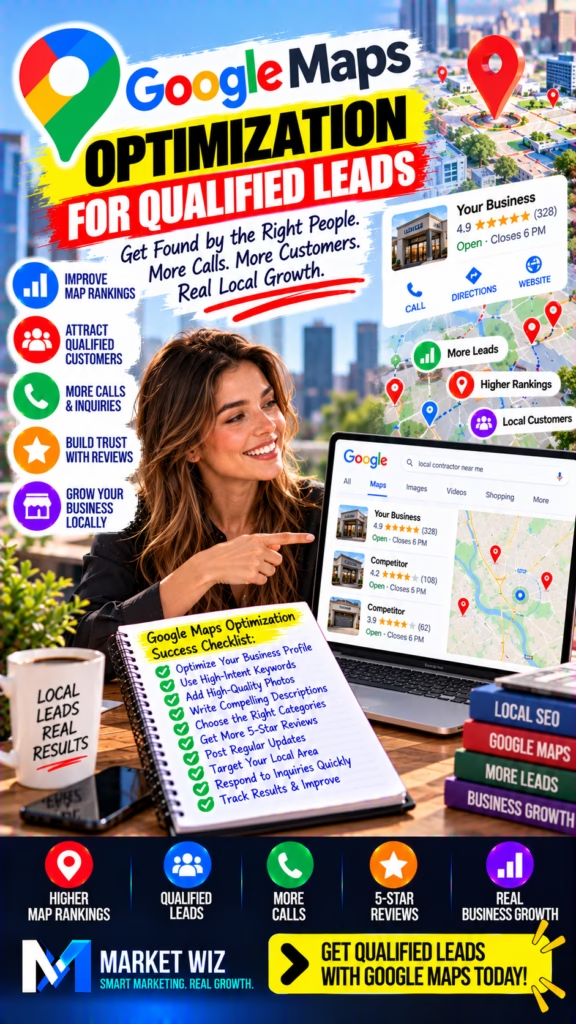
Google Maps Optimization for Qualified Leads
More Google Maps visibility is valuable, but attracting the right customers is what makes local marketing more effective. Discover how to optimize your Google Business Profile, improve local search relevance, build trust, reduce irrelevant inquiries, and turn Google Maps discovery into qualified leads that have a genuine reason to contact your business.
1. Why Qualified Leads Matter More Than Google Maps Traffic Alone
Many local businesses measure Google Maps success by how often their profiles appear in search results or how many customer interactions they receive.
These numbers can provide useful context, but they do not automatically represent new business opportunities.
A company may receive many inquiries from people outside its operating area, customers seeking unavailable services, or prospects whose needs do not match what the company actually offers.
Those contacts consume time without necessarily producing meaningful sales opportunities.
Qualified lead generation focuses on helping the right customers discover the right business information at the right stage of their buying journey.
Core principle: The goal of Google Maps optimization is not simply to attract more attention. It is to connect relevant local searches with businesses capable of meeting those customers' needs.
This approach helps businesses evaluate marketing based on customer fit, useful conversations, appointments, and completed transactions.
2. Understand What Makes a Google Maps Lead Qualified
A qualified lead is a potential customer whose requirements match the business's actual offerings and practical ability to serve them.
Qualification criteria vary by industry. A restaurant may focus on location, availability, and customer preferences.
A contractor may need to consider project type, service area, scheduling, and whether the requested work is within the company's capabilities.
A retailer may evaluate product availability, customer location, and purchase requirements.
Relevant Need
The customer is looking for a product or service the business genuinely offers.
Location Fit
The customer is within the business's actual operating or delivery area.
Practical Timing
The customer's requested timing is compatible with real business availability.
Real Purchase Potential
The inquiry represents a genuine opportunity to discuss an appropriate transaction.
Not every inquiry must become a sale to be valuable. However, businesses should distinguish relevant opportunities from contacts that clearly do not fit.
3. Understand Google's Local Ranking Factors
Google identifies relevance, distance, and prominence as the primary considerations behind local search results.
Relevance
Relevance reflects how closely a business matches what a customer is searching for. Accurate business information helps Google understand the business.
Distance
Distance considers how far a business is from the location associated with a search.
Prominence
Prominence concerns how well-known a business is based on signals Google can evaluate.
Google notes that factors including reviews and links can contribute to local prominence.
Important: Google Maps optimization cannot guarantee a particular organic ranking. Businesses cannot directly pay Google to improve their organic local positions.
4. Build an Accurate Google Business Profile Foundation
A Google Business Profile provides a way for eligible businesses to manage important information appearing on Google Search and Maps.
The profile should accurately represent how the business operates in the real world.
Core information to review
- Actual business name.
- Appropriate primary business category.
- Relevant secondary categories.
- Eligible address or service-area settings.
- Current telephone number.
- Accurate website address.
- Regular and special operating hours.
- Relevant business description.
- Actual products and services where supported.
- Authentic photographs.
Incorrect information can create confusion for potential customers and may cause issues with platform requirements.
5. Choose Categories That Match Your Real Customers
Categories help Google understand the primary nature of a business.
Businesses should select the most accurate available primary category and add relevant secondary categories only when they genuinely describe business activities.
Choosing unrelated categories in an attempt to appear in more searches is not a sound long-term strategy.
Accurate categorization can also help customers identify whether a business is appropriate for their needs.
Qualified lead insight: A category that accurately describes the business is more useful than a broad or misleading category that attracts mismatched customer expectations.
6. Write a Business Description That Pre-Qualifies Customers
A clear business description can help customers understand what a company actually does.
Instead of using repetitive search phrases, focus on plain-language information about the business's real offerings and relevant specialties.
Explain the primary work performed and any verified characteristics that distinguish the company.
Avoid unsupported superlatives, misleading claims, or prohibited promotional content.
Questions a useful description should answer
- What does the business primarily offer?
- What types of customers does it serve?
- What genuine specialties does it have?
- What should customers expect?
- What information helps determine suitability?
7. Target Local Search Intent Instead of Broad Traffic
Not all local searches indicate the same customer need.
Someone researching general information may be at an early stage of consideration.
Another person searching for a specific local provider may be closer to making contact.
Businesses can study common customer questions, actual inquiry patterns, and relevant keyword research to understand these differences.
The goal is to publish accurate content that answers meaningful customer questions rather than attempting to capture every possible search.
8. Configure Service Areas for Genuine Business Coverage
Eligible service-area businesses may serve customers at their locations instead of receiving visitors at a public storefront.
Google provides specific rules for how these businesses should represent their addresses and service areas.
A business should list genuine operating areas and follow current profile requirements.
Simply adding more cities does not guarantee better visibility across those markets.
Fictitious offices, duplicate profiles, and misleading address arrangements should be avoided.
9. Explain Services and Products With Greater Precision
A broad description may attract customers who do not understand the business's actual capabilities.
Where supported, businesses can provide more specific information about real products and services.
For example, a contractor can explain its genuine project specialties. A retailer can identify relevant product categories.
A restaurant can maintain accurate menu information where the platform supports it.
Details should remain current and should never imply availability that does not exist.
10. Use Accurate Pricing Expectations to Reduce Mismatched Leads
Pricing information can help prospective customers determine whether a business fits their requirements.
Where Google supports relevant pricing fields, businesses should provide accurate information.
If pricing depends on project details, the business can explain that an individual quote may be required.
Avoid misleading starting prices, outdated offers, or claims that omit important conditions.
The purpose is not to discourage good customers. It is to create clear expectations before the inquiry begins.
11. Connect Your Google Maps Profile to a Conversion-Focused Website
A Google Business Profile may introduce a customer to a business, while its website provides the additional information needed to make a decision.
A useful website should explain actual offerings, provide current contact information, and make important customer questions easy to answer.
Mobile usability is especially important because many customers access local business information on phones.
Avoid unnecessary friction between discovering the business and finding an appropriate way to contact it.
12. Create Location Pages That Answer Real Customer Questions
Businesses serving multiple genuine markets may benefit from location-specific website pages.
Each page should provide distinct, useful information about the business's actual activity in that area.
Examples include verified operating details, relevant customer questions, and genuine local project information.
Avoid producing thin pages that simply swap city names without providing meaningful differences.
The purpose is to help local visitors assess business suitability.
13. Build Customer Trust Through Authentic Google Reviews
Customer reviews can help prospective buyers evaluate whether a business is appropriate for their needs.
A useful review program encourages real customers to share honest experiences without pressure or prohibited incentives.
Google's policies prohibit fake engagement and certain forms of review manipulation.
Businesses should not buy reviews, fabricate customer experiences, or selectively solicit only positive feedback.
Trust-building principle: Authentic reviews are valuable because they help customers make informed decisions, not because they can be manufactured to create an artificial reputation.
14. Respond to Reviews to Reinforce Professionalism
Review responses can demonstrate how a business communicates with its customers.
Positive feedback may deserve a thoughtful thank-you.
Critical feedback should be addressed calmly, accurately, and without disclosing private customer information.
Responses should avoid arguments, unsupported accusations, and attempts to pressure reviewers.
Professional communication helps future customers understand the business's approach to customer relationships.
15. Use Real Photos to Help Customers Evaluate Fit
Authentic photographs can make business information easier to understand.
For contractors, genuine project images can illustrate actual work performed.
For retailers, clear product and store photographs can help shoppers understand the shopping experience.
Restaurants may benefit from accurate images of food and their premises.
Use photographs that represent the business truthfully and comply with Google's current content requirements.
16. Maintain Accurate Hours and Availability
A customer may choose a business because it appears available when they need assistance.
Incorrect hours can lead to unnecessary calls, wasted visits, and customer frustration.
Keep regular business hours current and review special hours for holidays or temporary changes.
Businesses should also ensure that their phone and website contact information remains accurate.
These operational details may seem basic, but they directly affect customer experience.
17. Publish Useful Google Business Profile Updates
Where available, Google Business Profile posts can help communicate relevant business updates, events, or offers.
The most useful updates provide current, accurate information that customers may need when evaluating the business.
Avoid misleading claims, repetitive promotional language, or unsupported promises.
There is no universal posting frequency that guarantees a particular Google Maps ranking or lead volume.
18. Improve Phone Call Quality From Google Maps
A phone call can represent a valuable local business opportunity, but only when the business can respond effectively to the customer's need.
The first step is maintaining an accurate published telephone number.
The next step is establishing a reliable process for handling incoming inquiries.
Useful call-handling practices
- Answer professionally during operating hours.
- Confirm the customer's actual need.
- Clarify relevant service-area requirements.
- Explain genuine availability.
- Provide accurate next steps.
- Record necessary details responsibly.
- Follow up when appropriate.
19. Create a Practical Lead Qualification Process
Lead qualification does not need to be complicated.
A business can identify a few important questions that determine whether an inquiry is relevant.
The questions should reflect actual business requirements rather than arbitrary assumptions about customers.
| Qualification Area | Useful Question | Why It Matters |
|---|---|---|
| Customer need | What are you looking for? | Confirms the requested offering |
| Location | Where is the product or work needed? | Checks genuine operating coverage |
| Timing | When do you need assistance? | Clarifies practical availability |
| Project details | What relevant specifications can you share? | Helps assess suitability |
| Next step | Would a quote or appointment be appropriate? | Moves a relevant inquiry forward |
20. Build a Reliable Follow-Up System for Qualified Leads
Even a relevant inquiry may fail to become a customer if communication is inconsistent.
Businesses should establish clear procedures for handling missed calls, website inquiries, and scheduled follow-ups.
The system should record only necessary information and respect applicable privacy and communication rules.
A reliable follow-up process helps ensure that genuine customer opportunities are not overlooked.
21. Use AI to Support Lead Qualification and Customer Communication
AI can assist businesses with organizing marketing workflows and customer inquiries.
For example, AI-assisted tools may help prepare response templates, summarize customer questions, or organize lead records.
Where authorized, automation may support consistent follow-up and administrative tasks.
Businesses must still verify accuracy, protect personal information, and comply with applicable platform and communication rules.
AI marketing principle: Automation should help the business communicate more accurately and consistently. It should not fabricate customer interest, misrepresent availability, or make promises the business cannot fulfill.
22. Use CRM Tracking to Separate Leads From Qualified Opportunities
A customer relationship management system can help businesses organize inquiries and evaluate their progress.
Instead of counting every contact as an equal lead, a business can define practical stages.
Example lead stages
- New inquiry received.
- Contact attempted.
- Customer need confirmed.
- Qualified opportunity identified.
- Quote or appointment scheduled.
- Proposal or estimate delivered.
- Sale or job completed.
- Closed without sale.
Consistent stage definitions help businesses compare performance across marketing channels.
23. Measure Google Maps Performance With Meaningful Data
Google Business Profile performance information can help businesses understand available customer interaction metrics.
Website analytics and properly implemented attribution methods can provide additional context.
However, profile interactions are not identical to qualified leads or completed sales.
Businesses should combine available marketing data with reliable customer records to understand actual outcomes.
24. Calculate Your Qualified Lead Rate
A qualification rate helps a business understand the share of inquiries that meet its defined customer criteria.
The basic formula is:
Qualified Lead Rate = (Qualified Leads ÷ Total Leads) × 100
For example, if a business receives 100 inquiries during a defined period and determines that 40 meet its qualification criteria, the qualified lead rate is 40%.
This is a mathematical example, not an industry benchmark or expected performance result.
Businesses should apply the same definitions and measurement methods when comparing different periods.
25. Optimize Google Maps for Qualified Leads Across Different Industries
The most relevant customer information depends on the type of business.
Home Contractors
Explain actual specialties, project requirements, operating areas, and relevant completed work.
Restaurants
Maintain accurate cuisine information, hours, menus where supported, and genuine food photographs.
Retail Businesses
Clarify actual product categories, store information, and practical shopping details.
Cleaning Companies
Describe real cleaning offerings, service areas, scheduling expectations, and contact procedures.
Automotive Businesses
Explain supported vehicle-related work, operating hours, location, and appointment requirements.
Professional Businesses
Provide accurate qualifications, actual offerings, and clear consultation or inquiry procedures.
26. Analyze Competitors to Identify Information Gaps
Businesses can review publicly available local search results to understand how comparable providers communicate with customers.
Focus on legitimate improvements to your own business information.
For example, you may discover that your profile has outdated hours, unclear offerings, or insufficient authentic photographs.
The purpose is not to imitate competitors or manipulate their reputations.
Instead, use the research to identify customer questions your business could answer more effectively.
27. Compare Organic Google Maps Leads With Paid Advertising
Organic Google Maps visibility and paid advertising are different ways to reach potential customers.
Organic local results depend on Google's ranking systems. Paid campaigns involve advertising costs and their own available targeting and reporting features.
Managing an eligible Google Business Profile is free, although supporting marketing activities may involve labor or professional fees.
Businesses should compare actual customer acquisition results rather than assume one approach always performs better.
28. Combine Google Maps With Other Organic Marketing Channels
Google Maps can support a broader local marketing strategy when combined with appropriate additional channels.
A business website can provide detailed information. Facebook Pages and eligible group activity may support community engagement.
Facebook Marketplace can support eligible physical product listings, while Craigslist offers classified advertising options under its own posting rules.
Each channel should be used according to its policies and actual purpose.
Consistent, truthful business information across appropriate platforms can make customer research more straightforward.
29. Avoid Google Maps Mistakes That Produce Poor-Quality Leads
Certain mistakes create confusion about what a business actually offers.
Common issues to avoid
- Using misleading business categories.
- Publishing outdated telephone numbers.
- Displaying incorrect operating hours.
- Creating profiles for fictitious locations.
- Misrepresenting service-area coverage.
- Using vague or inaccurate descriptions.
- Publishing misleading pricing information.
- Uploading photographs that misrepresent the business.
- Buying fake reviews.
- Offering prohibited review incentives.
- Publishing thin duplicate location pages.
- Ignoring legitimate customer inquiries.
- Failing to distinguish qualified leads from general contacts.
- Making unsupported ranking guarantees.
A strong optimization process prioritizes accurate business representation and genuine customer relevance.
30. Build a 90-Day Google Maps Qualified Lead Optimization Plan
A structured plan helps businesses improve profile quality, customer communication, and measurement without relying on questionable ranking shortcuts.
Days 1–30: Improve Relevance
Audit Business Information
Check profile eligibility, categories, business name, hours, contact details, and location settings.
Clarify Actual Offerings
Improve descriptions and supported product or service details so customers understand business suitability.
Review Customer Search Intent
Identify the real questions and needs that lead appropriate customers to the business.
Days 31–60: Strengthen Customer Confidence
Improve Supporting Website Content
Publish useful information about actual offerings, customer requirements, and genuine operating locations.
Develop a Compliant Review Process
Invite honest feedback from real customers and respond professionally to legitimate reviews.
Improve Inquiry Handling
Prepare consistent questions and reliable follow-up procedures for relevant customer contacts.
Days 61–90: Measure and Refine
Organize Lead Records
Use consistent CRM stages to distinguish general inquiries from qualified opportunities.
Review Conversion Performance
Measure qualification rates, appointments, completed sales, and customer acquisition costs where reliable data is available.
Refine the Customer Experience
Address information gaps, update inaccurate details, and improve practical response workflows.
Long-term takeaway: Qualified Google Maps lead generation depends on accurate business information, customer trust, relevant search visibility, and dependable follow-up. Better measurement helps businesses focus on real opportunities instead of surface-level traffic metrics.
30 Frequently Asked Questions About Google Maps Optimization for Qualified Leads
1. What is Google Maps optimization for qualified leads?
Google Maps optimization for qualified leads means improving an eligible business's Google Business Profile and supporting local presence so relevant customers can discover the business, understand its offerings, and make informed inquiries.
2. How is a qualified Google Maps lead different from a regular inquiry?
A qualified lead generally matches the business's actual offerings, operating area, customer requirements, and practical ability to serve the inquiry. A regular inquiry may not meet those criteria.
3. Does ranking first on Google Maps guarantee qualified leads?
No. A high ranking does not guarantee qualified inquiries or sales. Customer intent, business relevance, trust, pricing, availability, and response quality all influence results.
4. What are Google's main local ranking factors?
Google identifies relevance, distance, and prominence as the main considerations for local results. Businesses cannot directly purchase a higher organic Google Maps ranking.
5. How can Google Business Profile categories improve lead relevance?
Accurate categories help Google understand the business's real activities and help customers discover appropriate providers. Unrelated categories should not be added to chase more searches.
6. Should businesses include every city in their Google Business Profile?
No. Businesses should configure only genuine eligible locations and service areas according to Google's guidelines. Adding cities does not guarantee visibility or rankings in those locations.
7. Can service-area businesses attract qualified leads from Google Maps?
Yes. Eligible service-area businesses can use Google Business Profiles while following address visibility and service-area rules, then clearly explain their actual offerings and coverage.
8. How does a business description affect lead quality?
A clear, accurate description helps prospective customers understand what a business offers and whether it fits their needs before contacting it.
9. Do Google reviews help attract better customers?
Authentic reviews can help customers evaluate a business's suitability and credibility. Google also says review count and positive ratings can contribute to local prominence.
10. Can I offer discounts in exchange for Google reviews?
Businesses should not offer incentives for reviews in violation of Google's policies. Ask real customers for honest feedback without requiring a positive rating or offering prohibited rewards.
11. How important are photos for Google Maps lead quality?
Authentic photos help prospective customers understand a business's products, premises, team, or completed work, which can support more informed inquiries.
12. Should I list prices on my Google Business Profile?
Where Google supports relevant pricing information, accurate prices or clear pricing expectations can help customers assess fit. Do not publish misleading or outdated prices.
13. Can a website improve the quality of Google Maps leads?
Yes. A useful website can explain offerings, service limitations, customer questions, contact methods, and other details that help visitors decide whether to inquire.
14. Do location pages help attract qualified local leads?
Useful location pages can support local website SEO when they contain genuine, distinctive information about the business's activities in an area rather than duplicated or misleading content.
15. How can local keywords improve Google Maps optimization?
Relevant local keywords can guide accurate website content and help businesses explain customer needs clearly. Keyword stuffing and misleading location claims are not recommended.
16. How do I reduce irrelevant Google Maps inquiries?
Clearly describe actual offerings, service areas, hours, availability, and relevant limitations so customers can evaluate suitability before contacting the business.
17. What makes a Google Maps phone call a qualified lead?
A qualified call typically comes from someone seeking a genuine offering the business provides, within its operating area and practical service requirements.
18. How quickly should businesses respond to Google Maps leads?
Businesses should respond as promptly as practical during their stated operating hours and establish a reliable follow-up process for missed or delayed inquiries.
19. Can AI help qualify Google Maps leads?
AI can assist with organizing inquiries, preparing responses, and identifying relevant information when the business verifies accuracy, protects personal data, and follows applicable communication requirements.
20. What is the best way to track qualified Google Maps leads?
Combine available Google Business Profile performance information with website analytics, appropriate attribution methods, and CRM records that distinguish inquiries from qualified leads and completed sales.
21. How do I calculate a Google Maps lead qualification rate?
Divide the number of qualified leads by the number of total leads measured under the same definition and period, then multiply by 100 to express the result as a percentage.
22. Does Google Maps optimization work for contractors?
Eligible contractors can use Google Maps to help customers discover relevant specialties, review authentic project information, and contact the business within its genuine operating area.
23. Can restaurants use Google Maps to attract qualified customers?
Yes. Accurate menus where supported, cuisine categories, hours, photographs, and location information help customers assess whether a restaurant matches their preferences.
24. How often should I update my Google Business Profile?
Review it regularly and update information whenever hours, offerings, contact details, or other important facts change. No fixed update frequency guarantees higher rankings.
25. Can Google Maps SEO replace paid lead generation?
Organic Google Maps discovery may reduce dependence on paid channels for some businesses, but the appropriate marketing mix depends on actual results, competition, customer demand, and business goals.
26. How long does Google Maps optimization take?
Timelines vary based on eligibility, existing profile quality, local competition, location, demand, and operational performance. No legitimate provider can guarantee a specific ranking or lead volume by a fixed date.
27. What mistakes attract low-quality Google Maps leads?
Vague service descriptions, incorrect categories, inaccurate locations, outdated pricing, misleading photographs, and unclear availability can create mismatched customer expectations.
28. Can Google Maps work with Craigslist and Facebook marketing?
Yes. Businesses can coordinate Google Maps with compliant Craigslist advertising, eligible Facebook Marketplace product listings, Facebook Pages, and other appropriate channels.
29. What is more important: Google Maps traffic or lead quality?
Both matter, but qualified leads and completed customer outcomes are usually more meaningful business measures than visibility or traffic alone.
30. What is the best long-term strategy for qualified Google Maps leads?
Maintain an accurate eligible profile, publish useful supporting content, earn authentic customer trust, explain offerings clearly, respond reliably, and improve decisions using measured lead quality and sales results.
30 Additional SEO Keywords for Google Maps Optimization
These related keyword themes can support future blog topics, local SEO research, service pages, and educational marketing content. Use them naturally where relevant.
Conclusion: Better Google Maps Optimization Starts With Better Customer Relevance
Google Maps can create valuable discovery opportunities for eligible local businesses.
However, successful lead generation requires more than appearing in search results.
Businesses need accurate profiles, relevant categories, clear descriptions, authentic customer reviews, useful website content, and reliable customer communication.
The strongest approach connects local visibility with customer qualification and measurable business outcomes.
Instead of focusing exclusively on traffic or ranking positions, businesses should monitor qualified inquiries, appointments, completed transactions, and acquisition costs.
Market Wiz AI helps businesses develop organic marketing strategies, strengthen local search visibility, coordinate appropriate marketing channels, and organize AI-assisted customer engagement workflows.
The objective is to help businesses make their marketing more efficient, their customer communication more consistent, and their lead generation more measurable.
Attract More Relevant Local Customers With Market Wiz AI
Discover how Market Wiz AI can help your business strengthen Google Maps optimization, improve local SEO, support qualified lead generation, coordinate organic marketing, and streamline customer inquiries with smarter AI-assisted workflows.
Grow Your Qualified Local Leads →












