

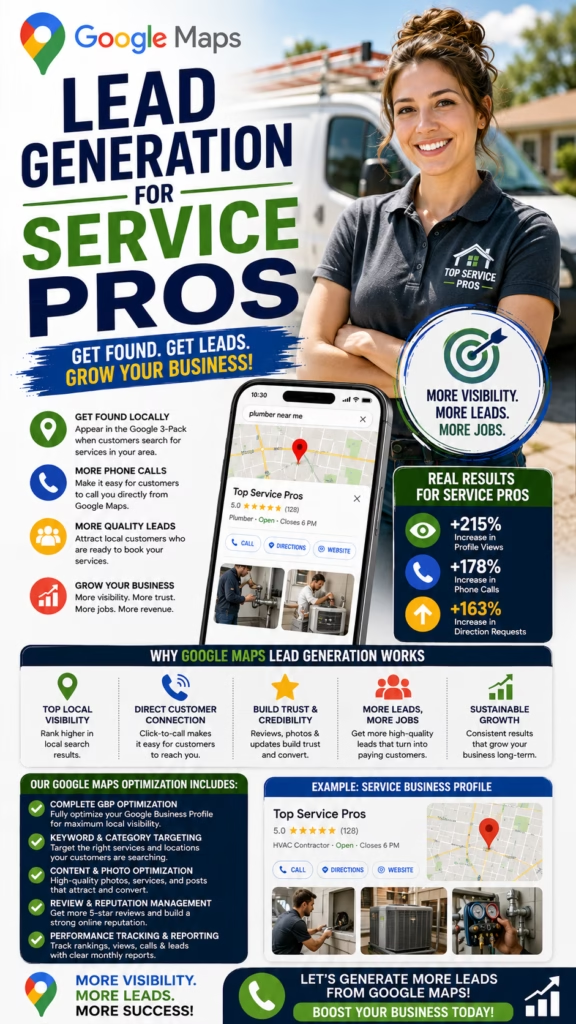
Google Maps Lead Generation for Service Pros
Google Maps lead generation for service pros is about becoming visible when nearby customers are actively searching for help, building enough trust to earn the click or phone call, responding quickly, qualifying the opportunity, scheduling the next step, and tracking the lead through estimate, sale, completed service, referral, and revenue. A strong system combines Google Business Profile optimization, service-area strategy, reviews, project photos, website SEO, citations, legitimate backlinks, geographic rank tracking, lead response, CRM attribution, and measurable business outcomes.
Service professionals do not need more random traffic.
They need customers.
Calls.
Estimate requests.
Appointments.
Jobs.
Revenue.
Google Maps can help create that path because many service searches happen when a customer already knows they need someone nearby.
A homeowner may search:
plumber near me.
roofer near me.
electrician near me.
HVAC repair near me.
kitchen remodeler near me.
painter near me.
flooring contractor near me.
garage door repair near me.
landscaper near me.
cleaning company near me.
concrete contractor near me.
siding contractor near me.
insulation contractor near me.
moving company near me.
pressure washing company near me.
Those searches can have strong commercial intent.
The customer is not browsing general entertainment.
They may already have a leak.
A broken system.
An old roof.
A remodel planned.
A yard that needs work.
A floor that needs replacement.
A move scheduled.
A commercial property problem.
They need a provider.
Google Maps gives them local choices.
Then the customer compares.
Reviews.
Photos.
Business name.
Category.
Location.
Service area.
Hours.
Website.
Reputation.
That means Maps lead generation has two jobs.
Get discovered.
And get chosen.
But there is also a third job.
Convert the lead.
A customer calls.
Someone has to answer.
Someone has to ask the right questions.
Someone has to schedule the service call or estimate.
Someone has to follow up.
Someone has to close the job.
That is why Google Maps lead generation is not only SEO.
It is local visibility plus sales operations.
The strongest system combines:
profile optimization.
reviews.
project photos.
website content.
service pages.
city pages.
citations.
backlinks.
ranking grids.
call tracking.
CRM.
follow-up.
revenue attribution.
The Google Maps Service Lead Formula
Local Visibility + Accurate Google Business Profile + Relevant Services + Genuine Reviews + Real Project Photos + Strong Website SEO + Local Authority + Fast Lead Response + Qualification + Estimate Tracking + CRM Attribution + Revenue Measurement = Stronger Google Maps Lead Generation
Why Google Maps Matters for Service Professionals
Customers Need Local Providers
Most service jobs must be delivered at a home, business, property, or jobsite.
Many Searches Have Immediate Intent
Customers often search when a real need already exists.
Phone Calls Can Happen Quickly
Local searchers may call directly from Maps without visiting multiple pages.
Reviews Influence Trust
Customers frequently compare reputation before allowing a provider into their home or business.
One Lead Can Be Valuable
Roofing, remodeling, HVAC replacement, concrete, siding, flooring, and other services can produce high-value opportunities.
Results Can Be Tracked
Calls, estimates, appointments, sales, repeat business, and revenue can all be measured.
Understand Local Search Intent Before Optimizing for Leads
Emergency Intent
Plumbing failures, electrical issues, HVAC breakdowns, garage door problems, water damage, and similar needs may require immediate help.
Project Intent
Roofing, remodeling, flooring, concrete, siding, landscaping, insulation, and painting customers may be planning larger projects.
Maintenance Intent
Cleaning, lawn care, pest control, HVAC maintenance, pressure washing, and related services can create recurring or seasonal work.
Comparison Intent
Some customers are collecting multiple bids.
Research Intent
Customers may still be learning about pricing, materials, project scope, or available options.
Commercial Intent
Property managers, facility managers, builders, landlords, businesses, and investors can represent larger or recurring contracts.
Optimize Google Business Profile for Lead Generation
Complete Important Fields
Make it easy for customers to understand the business.
Choose Accurate Categories
Represent real business activity.
Add Genuine Services
Important offerings should be clear.
Add Real Service Areas
Geography should reflect actual operations.
Upload Genuine Photos
Show real work, vehicles, equipment, staff, offices, or facilities where relevant.
Build Genuine Reviews
Customer trust is a major part of conversion.
Keep Information Current
Phone numbers, hours, websites, services, and profile details should remain accurate.
A Lead-Generating Profile Should Answer Basic Questions Fast
What do you do? Where do you work? Are you reputable? Are you open? Can I call you? Do you handle my type of project? A strong profile reduces uncertainty before the customer ever speaks with the business.
Use the Real Business Name
Match Legitimate Branding
Use the name customers actually know.
Avoid Keyword Stuffing
Do not add city names or service phrases simply to manipulate rankings.
Keep Major Listings Consistent
Website, signage, directories, invoices, and major profiles should use consistent legitimate branding where practical.
Avoid Fake City Variations
One company should not pretend to be several different local businesses.
Choose Categories That Match Real Customer Demand
Primary Category
Select the most accurate category for the core service.
Secondary Categories
Add only genuine additional business categories.
Do Not Add Irrelevant Categories
Category overload does not automatically create stronger leads.
Align Categories With Website Content
Important services should have meaningful support on the website.
Review Categories Over Time
Available options can change.
Handle Address and Service-Area Settings Correctly
Customer-Facing Offices
Public locations should meet current eligibility requirements.
Service-Area Businesses
Companies that travel to customers can use the appropriate service-area configuration where eligible.
Do Not Use Fake Offices
Fabricated local presence creates profile risk.
Do Not Use Ineligible Virtual Addresses
Review current requirements before creating a location.
Do Not Create Duplicate Profiles Without Real Eligibility
Additional profiles should correspond to genuinely qualifying operations.
Build a Service-Area Strategy Around Profitable Leads
Map Where You Actually Work
Identify real cities, suburbs, ZIP codes, and counties.
Consider Drive Time
Long-distance jobs may carry higher operational costs.
Consider Average Project Value
High-ticket services may support a wider travel radius.
Track Lead Quality by Area
More inquiries do not always equal better customers.
Track Close Rate by Area
Different markets can convert differently.
Track Revenue by Area
Local SEO priorities should reflect business economics.
Add High-Value Services Customers Actually Search For
Important revenue-producing services should be clear.
A roofer may offer:
- Roof replacement
- Roof repair
- Storm damage repair
- Commercial roofing
An HVAC company may offer:
- AC repair
- Heating repair
- System replacement
- Maintenance
A remodeler may offer:
- Kitchen remodeling
- Bathroom remodeling
- Flooring
- Cabinet installation
A garage door company may offer:
- Garage door repair
- Garage door installation
- Opener replacement
- Spring repair
Clear service segmentation improves both marketing and lead qualification.
Write a Better Business Description
Explain the Core Service
Customers should understand what the company does quickly.
Mention Important Services Naturally
Avoid awkward keyword repetition.
Describe Genuine Geography
Mention real service areas where appropriate.
Explain Customer Types
Residential, commercial, landlord, builder, property management, or another customer segment may be relevant.
Avoid Unsupported Claims
Do not make guarantees or superlative claims without a factual basis.
Use a Phone Number That Someone Actually Answers
Use a Monitored Number
Local service leads can disappear quickly when calls are missed.
Track Calls Where Appropriate
Attribution helps connect Google Maps with actual opportunities.
Track Missed Calls
Missed lead volume can reveal an operational problem.
Track Qualified Calls
Separate real prospects from spam and unrelated calls.
Track Outcomes
Know whether calls become appointments, estimates, or sales.
More Leads Mean Little If Nobody Handles Them
A service professional can improve revenue without increasing traffic simply by answering more qualified calls, returning missed calls faster, and following up consistently.
Keep Business Hours Accurate
Regular Hours
Keep normal operating times current.
Holiday Hours
Update special schedules.
Emergency Availability
Only claim 24-hour availability when it is genuinely offered.
Appointment Hours
Consultation and office hours may differ.
Protect Call Conversion
Customers may skip a business if they believe it is closed.
Connect the Google Business Profile to a Strong Website
Make the Service Obvious
Visitors should understand the company within seconds.
Show Real Work
Project galleries and before-and-after photos strengthen trust.
Make the Phone Number Easy to Find
Especially on mobile.
Explain Service Areas
Help customers confirm geographic fit.
Show Genuine Trust Signals
Reviews, licenses, certifications, warranties, affiliations, and project proof can help when accurate and applicable.
Improve Mobile Performance
Many Maps users arrive from smartphones.
Add Photos That Help Service Pros Win More Leads
Completed Projects
Show real results.
Team Photos
Genuine employees can humanize the business.
Vehicles
Branded trucks and vans can reinforce legitimacy.
Equipment
Show genuine operational capabilities.
Office or Showroom
Useful for customer-facing businesses.
Project Details
Close-up craftsmanship can help customers evaluate quality.
Use Before-and-After Projects to Increase Lead Confidence
Show the Problem
The before image gives context.
Show the Finished Result
Customers can visualize the transformation.
Use Similar Angles
Matching perspectives make the change easier to understand.
Document Different Service Types
Show the range of genuine work.
Use Only Real Projects
Do not present stock or generated imagery as completed work.
Build Genuine Reviews That Help Convert Maps Visitors Into Leads
Ask Real Customers
Reviews should reflect actual service experiences.
Ask Consistently
Build review requests into the normal customer process.
Make It Easy
Reduce friction.
Do Not Buy Reviews
Manipulated reviews create risk.
Do Not Script Fake Testimonials
Let customers describe their own experience.
Monitor Review Themes
Communication, professionalism, punctuality, cleanliness, and workmanship often influence future buyers.
Respond to Reviews With Future Customers in Mind
Thank Positive Customers
Keep responses natural.
Address Concerns Professionally
Avoid arguments.
Protect Customer Privacy
Do not expose unnecessary details.
Avoid Keyword-Stuffed Replies
Responses should sound like customer service.
Learn From Repeated Feedback
Reviews can reveal lead-conversion or operational problems.
Use Google Business Profile Posts to Support Lead Generation
Recent Projects
Highlight genuine completed work.
Service Spotlights
Explain actual services.
Seasonal Information
Certain trades have seasonal demand.
Educational Content
Answer common customer questions.
Company Updates
Share legitimate changes and milestones.
Posts can support profile usefulness, but posting volume alone should not be treated as a guaranteed ranking or lead tactic.
Build Dedicated Service Pages for Better Lead Quality
Separate Major Services
Customers looking for different services often have different questions.
Explain the Service Thoroughly
Scope, process, common problems, and customer expectations should be clear.
Add Real Photos
Project evidence strengthens trust.
Add Relevant FAQs
Answer common pre-sale questions.
Add Geographic Relevance
Mention genuine service markets naturally.
Track Conversion by Service Page
Know which pages produce profitable leads.
Build Useful City Pages for Real Service Areas
Target Cities You Actually Serve
Avoid artificial expansion.
Add Real Local Projects
Genuine nearby work can strengthen credibility.
Discuss Local Conditions
Housing stock, property type, weather, terrain, age of buildings, and commercial demand may differ.
Use Unique Content
Do not simply swap city names.
Track Leads by City
Determine which markets create profitable opportunities.
Build Local Project Pages That Help Convert Prospects
Project Location
Mention genuine local context where useful.
Original Problem
Explain what the customer needed.
Work Performed
Describe actual service.
Project Photos
Show before, process, and finished result where appropriate.
Final Outcome
Explain what changed without exaggeration.
Link to Related Service Pages
Help customers take the next step.
Publish Helpful Local Content That Attracts Qualified Prospects
Cost Factors
Explain what affects pricing.
Warning Signs
Help customers understand when professional service may be needed.
Service Comparisons
Explain different legitimate options.
Project Planning
Help customers understand preparation and timing.
Maintenance Content
Useful for recurring service categories.
Commercial Guides
Create separate resources when B2B buyers have different requirements.
Improve Internal Linking Across the Service Website
Homepage to Services
Make important offerings easy to find.
Service Pages to Related Services
Help customers understand the broader offering.
City Pages to Services
Connect geography with commercial intent.
Project Pages to Services
Connect proof with action.
Blog Posts to Commercial Pages
Move educational visitors toward relevant next steps.
Use Relevant Structured Data Carefully
Organization or Local Business Schema
Represent the real company accurately.
Service Schema
Describe genuine offerings where appropriate.
Article Schema
Use on educational content.
Breadcrumb Schema
Clarify site hierarchy.
FAQ Schema
Use only when supported by visible content and current search guidelines.
Do Not Fabricate Review Markup
Structured data should reflect real information.
Build Accurate Local Citations
Major Business Directories
Keep important listings current.
Industry Directories
Use relevant legitimate sources.
Local Chambers
Genuine membership can support local visibility.
Professional Associations
Legitimate industry affiliations can strengthen credibility.
Supplier or Dealer Listings
Genuine partner relationships can create additional discovery.
Prioritize Accuracy Over Volume
Hundreds of low-quality directory submissions are not automatically better.
Improve Name, Address, and Phone Consistency
Business Name
Use legitimate branding.
Address
Keep real public location information accurate where applicable.
Phone Number
Prevent customers from finding outdated numbers.
Website
Major listings should point to the correct official site.
Correct Legacy Listings
Old information can create customer confusion.
Earn Legitimate Backlinks for Stronger Local Authority
Suppliers
Dealer or installer directories may create useful references.
Professional Associations
Legitimate memberships can support authority.
Local Partnerships
Complementary businesses can create referrals and mentions.
Community Organizations
Genuine local participation can create visibility.
Local Media
Newsworthy projects may earn coverage.
Useful Resources
Strong educational content can attract natural links.
Avoid Manipulative Link Schemes
Sustainable SEO relies on legitimate authority.
Build Real Local Authority Around the Service Business
Serve Real Customers
Reputation starts with actual work.
Build Referral Relationships
Realtors, builders, property managers, suppliers, and other local businesses may become valuable lead sources.
Earn Reviews
Customer feedback reinforces trust.
Publish Local Projects
Show real activity across genuine service areas.
Build Community Awareness
Local recognition can strengthen direct and branded demand.
Generate More Qualified Calls From Google Maps
Improve Local Visibility
More relevant exposure creates more opportunities.
Strengthen Reviews
Customers are more likely to call companies they trust.
Use Better Photos
Project proof can help customers feel confident.
Keep Contact Information Clear
Do not make the customer hunt for a phone number.
Answer Calls
This is one of the most important lead conversion steps.
Track Call Quality
Raw call volume alone can be misleading.
Generate More Qualified Website Form Leads
Keep Forms Simple
Reduce unnecessary friction.
Ask for Service Type
Route the lead correctly.
Ask for City or ZIP Code
Confirm geographic fit.
Ask for Project Timing
Understand urgency.
Ask for Useful Scope Information
Square footage, quantity, property type, or project details may help depending on the service.
Make Mobile Forms Easy
Many Maps visitors will use phones.
Capture Emergency Service Leads Without Creating Confusion
Keep Availability Accurate
Only advertise emergency service when genuinely available.
Answer Quickly
Urgent customers may contact several businesses in minutes.
Ask the Right Triage Questions
Understand the issue before dispatching.
Confirm Location
Make sure the property is inside the actual service area.
Set Realistic Expectations
Do not promise arrival times the company cannot meet.
Capture High-Ticket Contractor Leads From Google Maps
Show Premium Project Proof
High-value buyers often want strong visual evidence.
Build Detailed Service Pages
Roofing replacement, remodeling, HVAC replacement, siding, concrete, flooring, and similar services often need deeper explanation.
Track Estimate Value
High-ticket lead quality cannot be measured by call count alone.
Track Follow-Up
Larger projects may have longer sales cycles.
Track Revenue by Keyword Theme
Certain services may produce substantially more customer value.
Generate Commercial Leads From Google Maps and Local Search
Create Commercial Service Pages
Business buyers often need different information than homeowners.
Show Commercial Projects
Demonstrate genuine capability.
Track Company and Property Type
Retail, office, warehouse, multifamily, industrial, hospitality, or another property class may influence project value.
Track Recurring Opportunity
One commercial lead may become an ongoing account.
Build Professional Follow-Up
B2B leads may require a longer sales process.
Qualify Google Maps Leads Without Losing Good Prospects
What Service Do You Need?
Identify the request.
Where Are You Located?
Confirm service area.
When Do You Need It?
Understand timing.
What Is the Project Size?
Gather relevant scope.
Residential or Commercial?
Different projects may need different teams.
What Is the Next Step?
Service call, consultation, estimate, measurement, inspection, or appointment.
Qualification Should Move the Customer Forward
The goal is not to interrogate the customer. Gather only enough information to determine fit and move the lead toward the correct next step.
Improve Lead Response Speed
Answer During Business Hours
Qualified leads should not consistently reach unanswered phones.
Return Missed Calls Promptly
Customers may already be contacting competitors.
Route Leads Correctly
Avoid unnecessary transfers.
Respond to Website Leads
Form submissions also need prompt follow-up.
Track Response Time
Lead handling can become a measurable operational metric.
Turn More Google Maps Leads Into Appointments
Offer a Clear Next Step
Do not end qualified conversations without direction.
Confirm Contact Information
Make reminders reliable.
Confirm Location
Prevent scheduling mistakes.
Confirm Service Need
Send the right person.
Track Appointment Completion
Scheduled and completed appointments are separate metrics.
Turn Google Maps Leads Into Estimates
Track Estimate Requests
Measure real sales opportunities.
Track Estimate Value
Not every lead is equally valuable.
Track Estimate Delivery
Make sure customers actually receive pricing.
Track Estimate Follow-Up
Many customers need additional contact.
Track Close Rate
Compare Google Maps leads with other sources.
Track Lost Reasons
Price, timing, location, competition, capacity, or project fit can reveal trends.
Improve Follow-Up on Local Service Leads
Missed Calls
Return legitimate inquiries.
Open Estimates
Keep opportunities organized.
Future Projects
Some customers are planning weeks or months ahead.
Commercial Leads
B2B sales cycles may require structured follow-up.
Respect Customer Preferences
Stop unwanted follow-up where requested.
Track Google Maps Leads in CRM
- Lead date
- Customer name
- Phone number
- Email where provided
- Google Maps / Google Business Profile source
- Organic Google source where applicable
- Customer city
- ZIP code
- Service requested
- Residential or commercial
- Project size
- Project timing
- Emergency or scheduled service
- Call or form source
- Qualification status
- Appointment status
- Estimate status
- Estimate amount
- Follow-up status
- Sale status
- Final revenue
- Repeat customer opportunity
- Review request status
- Referral opportunity
Suggested Service Lead Pipeline
- New Google lead
- Responded
- Location qualified
- Service qualified
- Appointment scheduled
- Appointment completed
- Estimate prepared
- Estimate delivered
- Follow-up
- Customer won
- Work scheduled
- Work completed
- Review requested
- Repeat opportunity
- Referral opportunity
- Lost / not qualified
Track Google Maps Rankings for Lead-Producing Keywords
Primary Service Terms
Track the company's most important revenue-producing services.
Secondary Service Terms
Measure additional offerings.
Near-Me Searches
Useful for understanding proximity-driven demand.
Service + City Searches
Track real markets.
Emergency Terms
Relevant for urgent-service categories.
Commercial Terms
Track B2B intent separately when useful.
Use Geographic Grid Tracking to Find Lead Generation Gaps
Track Near the Business
Understand core visibility.
Track Across the Main City
Identify neighborhood-level differences.
Track Nearby Suburbs
Compare genuine service areas.
Track High-Value ZIP Codes
Some areas may deserve greater attention.
Track Different Services
One business can have different ranking footprints for different services.
Compare Rankings With Lead Data
Visibility should eventually connect with customer value.
Ranking Grids Become More Valuable When Connected to CRM Data
Knowing where the business ranks is useful. Knowing which ranking zones produce qualified calls, estimates, and revenue is far more useful.
Analyze Local Competitors for Lead Generation Opportunities
Compare Categories
Understand legitimate positioning.
Compare Reviews
Look at quantity, recency, sentiment, and customer themes.
Compare Photos
Evaluate project proof and professionalism.
Compare Websites
Review service depth, city pages, project pages, speed, and conversion.
Compare Geographic Rankings
Some competitors may dominate particular parts of the market.
Compare Lead Experience
Better phone response and follow-up can become a competitive advantage.
Measure Lead Quality Instead of Only Counting Rankings
| Metric | Why It Matters |
|---|---|
| Google Maps visibility | Measures search exposure across the market |
| Total calls | Measures direct phone engagement |
| Qualified calls | Measures genuine service demand |
| Website leads | Measures post-profile conversion |
| Appointments | Measures movement into the sales process |
| Estimates | Measures legitimate revenue opportunities |
| Close rate | Measures sales conversion |
| Average customer value | Measures economic lead quality |
| Google-generated revenue | Measures final business impact |
Connect Google Maps Lead Generation to Revenue
Track the Original Source
Preserve Google Maps attribution.
Track Service Type
Different services can produce different customer values.
Track Geography
Different cities can produce different economics.
Track Estimate Value
This provides a stronger measure of opportunity quality.
Track Final Revenue
Connect completed jobs back to the original source.
Track Repeat Business
One Maps customer may create additional lifetime value.
Track Referrals
One good customer may generate several future customers.
The Best Google Maps Lead Is a Profitable Customer
Raw call volume can look impressive, but profitable qualified customers are the stronger marketing metric. Track the full path from Maps visibility through final revenue.
Use Automation to Improve Lead Handling
Lead Routing
Send inquiries to the right team member.
Missed-Call Follow-Up
Help recover qualified opportunities.
CRM Attribution
Preserve Google Maps as the original source.
Appointment Reminders
Improve attendance.
Estimate Follow-Up
Keep open opportunities organized.
Review Requests
Send appropriate requests to genuine customers after completed work.
Revenue Reporting
Compare Google Maps leads with completed customer value.
Automation Should Improve Operations, Not Manufacture Local Authority
Do not use automation to create fake reviews, fabricated addresses, false service areas, duplicate Google profiles, keyword-stuffed business names, fake customer engagement, fabricated project photos, spam citations, mass doorway pages, or manipulative backlink networks intended to distort Google Maps rankings.
Common Google Maps Lead Generation Mistakes Service Pros Should Avoid
Keyword Stuffing the Business Name
Use legitimate branding.
Creating Fake Locations
Do not manufacture geographic presence.
Creating Duplicate Profiles
Profiles should represent eligible real operations.
Using Irrelevant Categories
Relevance matters.
Buying Fake Reviews
Manipulated reviews create risk.
Ignoring Review Responses
Future customers may read them.
Using Stock Photos as Completed Projects
Do not misrepresent work.
Ignoring the Website
Many Maps visitors research further before calling.
Creating Thin City Pages
Local pages should provide real value.
Building Spammy Backlinks
Sustainable authority comes from legitimate sources.
Missing Calls
Better rankings cannot overcome poor lead handling.
Slow Follow-Up
Customers may hire a competitor first.
Not Tracking Lead Quality
Total call volume can be misleading.
Not Tracking Estimate Value
High-ticket and low-ticket leads should not be treated identically.
Not Tracking Revenue
Marketing should connect to actual business outcomes.
Tracking Rankings From One Location
Maps visibility changes geographically.
Ignoring Service-Area Economics
Some distant jobs may not be profitable.
Ignoring Current Google Business Profile Requirements
Eligibility, profile features, verification, and policies can change.
A 30-Day Google Maps Lead Generation Plan for Service Pros
Week 1: Fix the Google Business Profile Foundation
- Verify the legitimate business name
- Review the primary category
- Review relevant secondary categories
- Confirm eligible address or service-area configuration
- Confirm the correct phone number
- Confirm website URL
- Update business hours
- Add genuine services
- Improve the business description
- Review real service areas
- Remove inaccurate profile information
- Review current Google Business Profile requirements
Week 2: Improve Trust and Conversion
- Upload genuine project photos
- Add before-and-after images
- Add team or vehicle photos where relevant
- Review recent Google reviews
- Respond professionally to customer feedback
- Create a consistent review request workflow
- Improve website phone visibility
- Improve mobile website performance
- Improve service page clarity
- Test the complete customer calling experience
Week 3: Strengthen Local SEO
- Improve the homepage
- Improve major service pages
- Create missing service pages
- Improve genuine city pages
- Add local project pages
- Improve internal links
- Audit important local citations
- Correct old phone or address information
- Identify legitimate backlink opportunities
- Publish useful local content
Week 4: Track Leads Through Revenue
- Select priority local keywords
- Track Maps visibility geographically
- Track total calls
- Track qualified calls
- Track website form leads
- Track appointments
- Track estimates
- Track estimate values
- Track close rates
- Track completed customer revenue
- Track repeat and referral value
- Compare results by city and service
End-of-Month Outcome
After 30 days, the service professional should have a more accurate Google Business Profile, stronger project proof, improved review management, clearer service relevance, stronger website support, cleaner local citations, a better local ranking baseline, stronger lead handling, improved CRM attribution, and a clearer understanding of how Google Maps traffic turns into estimates, jobs, and revenue.
Final Takeaway: Google Maps Should Become a Lead Engine, Not Just a Ranking Report
Service professionals often begin local SEO with a simple goal.
Rank higher.
That makes sense.
Higher visibility can create more opportunities.
But ranking alone is not lead generation.
Lead generation is what happens after visibility.
Customer searches.
Finds the business.
Sees reviews.
Sees photos.
Checks services.
Checks location.
Checks hours.
Visits website.
Calls.
Or requests an estimate.
That is the beginning of lead generation.
Then operations take over.
Someone answers.
Customer gets qualified.
Appointment gets scheduled.
Estimate gets prepared.
Follow-up happens.
Customer hires the business.
Job is completed.
Revenue is recorded.
Review is requested.
Customer may refer someone.
That is the complete Google Maps customer acquisition cycle.
A strong profile starts with truth.
Real business name.
Real phone number.
Real address or eligible service-area setup.
Real services.
Real categories.
Real hours.
Real website.
Real customers.
Real reviews.
That foundation matters.
Then improve relevance.
Make the primary service obvious.
If you are a roofer:
talk about roofing.
Roof replacement.
Roof repair.
Storm damage.
Commercial roofing.
If you are a remodeler:
kitchen remodeling.
bathroom remodeling.
cabinets.
flooring.
If you are an HVAC contractor:
AC repair.
heating repair.
replacement.
maintenance.
Customers and search engines need clarity.
Build service pages.
Build city pages carefully.
Build project pages.
Use internal links.
Publish useful content.
That creates a stronger website foundation.
Then build proof.
Project photos.
Before-and-after photos.
Trucks.
Equipment.
Team.
Completed jobs.
Customers want to know:
is this a real business?
Can they do this type of work?
Have other people hired them?
Are they trustworthy?
Genuine visual proof answers those questions.
Reviews answer another set of questions.
Did they show up?
Did they communicate?
Did they complete the work?
Were they professional?
Did the customer feel comfortable?
Reviews are often part of the pre-call sales process.
That means reputation management is lead generation.
Then comes geography.
Service professionals rarely rank the same everywhere.
Near the office:
strong.
Five miles away:
moderate.
Ten miles away:
weaker.
Another suburb:
different competitors.
That is why geographic rank tracking matters.
Track the market.
Not one search.
Track multiple points.
Neighborhoods.
ZIP codes.
Suburbs.
Priority markets.
Then compare visibility with lead data.
City A may generate 25 calls.
City B may generate 10.
But City B may produce twice the average project value.
Which one is more valuable?
Revenue answers that.
Another market may produce many calls but very low close rates.
Another may generate fewer but excellent commercial leads.
That information should influence SEO priorities.
Not every lead is equal.
A drain cleaning call is different from a full repipe.
A roof repair is different from a full roof replacement.
A small paint job is different from a full-house repaint.
A single garage door repair is different from a commercial door contract.
A flooring repair is different from a whole-home flooring project.
Lead quality matters.
Estimate value matters.
Close rate matters.
Final revenue matters.
That is why every Google Maps lead should move into a CRM or structured lead process.
Lead date.
Customer.
City.
ZIP.
Service.
Project size.
Timing.
Appointment.
Estimate.
Estimate amount.
Sale.
Revenue.
Now marketing becomes measurable.
You can ask:
Which services produce the best leads?
Which cities?
Which ZIP codes?
Which project types?
Which keywords?
Which pages?
Which calls close?
Which leads create repeat business?
That is a much stronger marketing system.
Citations and backlinks support authority.
But quality matters.
Local chamber.
Supplier.
Professional association.
Builder.
Realtor.
Property manager.
Local media.
Community organization.
Genuine relationships are valuable because they can support both search and referrals.
Avoid shortcuts.
Fake offices.
Fake reviews.
Fake project photos.
Fake service areas.
Keyword-stuffed business names.
Spam backlinks.
Mass duplicate city pages.
Those are not sustainable lead generation strategies.
Automation should improve the real system.
Lead arrives.
Source gets recorded.
Team gets notified.
Call gets answered.
Appointment gets scheduled.
Estimate gets tracked.
Follow-up gets created.
Sale gets recorded.
Revenue gets attributed.
Review request gets sent after genuine completion.
That kind of automation helps.
It reduces missed opportunities.
The final objective is simple.
More qualified customers from local search.
Not more vanity rankings.
Not more meaningless clicks.
Not more unqualified calls.
Qualified local demand.
Calls.
Appointments.
Estimates.
Jobs.
Repeat customers.
Referrals.
Revenue.
That is what Google Maps lead generation for service pros should ultimately produce.
Frequently Asked Questions
1. Can Google Maps generate leads for service professionals?
Yes. Google Maps can help service businesses become visible when nearby customers search for relevant local providers.
2. What is Google Maps lead generation for service pros?
It combines Google Business Profile optimization, local SEO, reviews, service areas, project photos, website conversion, lead tracking, and follow-up to create qualified local opportunities.
3. Which service professionals can benefit from Google Maps?
Plumbers, electricians, HVAC contractors, roofers, remodelers, painters, flooring contractors, landscapers, movers, cleaners, garage door companies, insulation contractors, siding contractors, and many other local service businesses can benefit.
4. Should service professionals optimize Google Business Profile?
Yes. Eligible businesses should maintain accurate categories, services, service areas, phone numbers, hours, websites, photos, and review information.
5. What category should a service professional choose?
Choose the most accurate available primary category for the core real-world service and use relevant secondary categories only where appropriate.
6. Should service pros add service areas?
Yes, where appropriate. Service areas should represent locations the business genuinely serves.
7. Does adding more cities automatically generate more Maps leads?
No. Simply adding more cities does not guarantee rankings or customer demand in those areas.
8. Do Google reviews help service pros generate leads?
Genuine reviews can improve customer confidence and influence whether a prospect decides to call or request an estimate.
9. Should service pros respond to reviews?
Yes. Professional responses can demonstrate active customer care and reputation management.
10. Do project photos help Google Maps lead generation?
Yes. Genuine completed-work photos can help customers evaluate craftsmanship and business legitimacy.
11. Does website SEO help Google Maps lead generation?
Website relevance, service pages, local content, technical performance, backlinks, internal linking, and conversion design can support the broader lead-generation system.
12. Should service professionals create dedicated service pages?
Yes. Dedicated pages for genuine services can improve clarity, relevance, and lead qualification.
13. Should service pros create city pages?
Yes, when they genuinely serve those areas and each page provides unique useful information.
14. Do local citations help Maps lead generation?
Accurate legitimate citations can support consistent business information and broader local discovery.
15. What is NAP consistency?
NAP means business name, address, and phone information. Important listings should contain accurate core details.
16. Do backlinks help service pros rank locally?
Relevant legitimate backlinks can support website authority and broader local search visibility.
17. Should service pros track Google Maps rankings?
Yes. Ranking trends can help measure visibility when evaluated alongside calls, appointments, estimates, and revenue.
18. Why should service pros use geographic grid tracking?
Maps visibility can change based on the customer's location, so grid tracking can reveal stronger and weaker parts of a service area.
19. Should service pros track calls from Google Maps?
Yes. Call attribution helps connect local visibility with genuine customer opportunities.
20. Should service professionals track quote and estimate requests?
Yes. Estimate activity is an important measure of lead quality and potential revenue.
21. Should Google Maps leads be tracked in CRM?
Yes. CRM tracking can connect Google leads with appointments, estimates, sales, repeat business, referrals, and revenue.
22. Can Google Maps generate emergency service leads?
Yes. Urgent local searches can generate immediate opportunities in categories such as plumbing, HVAC, electrical, garage door repair, and other service businesses.
23. Can Google Maps generate high-ticket contractor leads?
Yes. Roofing, remodeling, flooring, siding, concrete, HVAC replacement, and similar services can generate high-value local opportunities.
24. Should service pros publish Google Business Profile posts?
Useful profile updates can support customer education and showcase genuine projects, although posting alone does not guarantee rankings or leads.
25. How can service pros get more calls from Google Maps?
Improve profile accuracy, local visibility, reviews, project photos, website conversion, phone clarity, service relevance, and lead response.
26. How quickly should service pros respond to Google leads?
Qualified local leads should generally be handled promptly because customers may contact several businesses.
27. Can fake reviews improve Google Maps lead generation?
Businesses should not use fake or manipulated reviews. They can violate platform requirements and damage trust.
28. Can fake offices improve Google Maps lead generation?
Businesses should not create fabricated addresses, ineligible offices, or duplicate profiles to manipulate local visibility.
29. How long does Google Maps lead generation take to improve?
Timing varies by competition, geography, profile quality, website authority, reviews, citations, backlinks, and the business's starting position.
30. What is the goal of Google Maps lead generation for service pros?
The goal is to create qualified local visibility that turns nearby searches into calls, estimates, appointments, customers, and measurable revenue.
30 Additional SEO Keywords
Use these supporting phrases naturally across service pages, local landing pages, Google Maps resources, FAQs, contractor marketing content, lead-generation guides, project pages, and relevant internal links.
Turn More Google Maps Searches Into Qualified Service Leads
MarketWiz.ai helps local businesses strengthen Google Maps visibility, local SEO, lead capture, customer response, follow-up, CRM integration, and measurable reporting designed to turn more nearby searches into qualified calls, estimates, appointments, customers, and revenue.
This article provides general information about Google Maps lead generation, Google Business Profile optimization, local SEO, service-area business marketing, reviews, project photography, citations, backlinks, website content, local ranking measurement, call tracking, estimate tracking, CRM attribution, follow-up, and customer acquisition. It does not provide legal, tax, financial, accounting, architectural, engineering, construction, medical, professional, licensing, insurance, telecommunications, privacy, consumer-protection, advertising-law, building-code, safety, regulatory, compliance, or Google policy advice. Google Business Profile eligibility, verification procedures, address rules, service-area requirements, categories, profile features, ranking systems, review policies, structured data guidance, and local-search systems can change. Businesses should review current Google Business Profile and Google Search documentation before implementing major profile or SEO changes. Business names, addresses, phone numbers, websites, service areas, categories, hours, services, licenses, certifications, warranties, project photos, pricing information, promotional claims, customer reviews, and other public-facing information should remain accurate. Businesses should not create fake addresses, fabricated offices, ineligible virtual locations, keyword-stuffed business names, duplicate profiles, false service areas, fake reviews, purchased positive reviews, fabricated customer activity, misleading categories, spam citations, fake project photos, mass doorway pages, or manipulative backlink networks intended to distort Google Maps rankings. Review requests should be directed to genuine customers and handled in accordance with applicable laws and platform rules. Stock, generated, conceptual, manufacturer, or third-party imagery should not be represented as completed work, real facilities, real staff, actual inventory, or customer projects when it is not. Call tracking, call recording, automated communication, CRM storage, customer follow-up, and marketing automation should comply with applicable privacy, telecommunications, consent, and data-handling requirements. Businesses should accurately represent emergency availability, project scope, service areas, licensing, insurance, warranties, pricing, estimates, materials, products, arrival times, project timelines, and expected outcomes. Service pricing, project duration, lead quality, conversion rates, call volume, estimate values, completed revenue, and customer outcomes can vary based on geography, scope, competition, local demand, seasonality, property conditions, materials, staffing, scheduling, permitting, inspections, customer decisions, sales execution, and operational capacity. Google Maps rankings cannot be guaranteed. Local visibility may vary based on searcher location, proximity, relevance, prominence, competition, website authority, reviews, citations, links, device, personalization, profile history, search query, and algorithm changes. Higher rankings do not guarantee more calls, appointments, estimates, customers, sales, or revenue. Google Maps leads, qualified call volume, response rates, estimate rates, appointment rates, close rates, average customer values, repeat business, referrals, profitability, and return on marketing investment can vary based on local market conditions, competition, pricing, reputation, website conversion, customer service, phone response, follow-up, operational capacity, and other business factors.













