

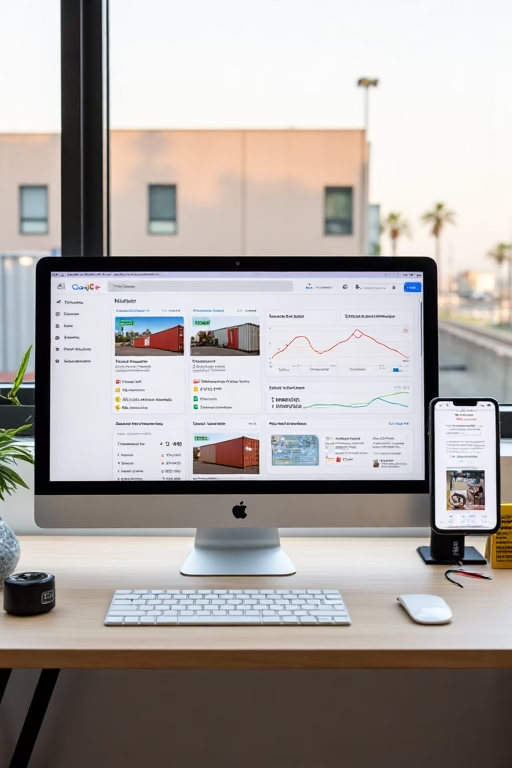
Google Business Profile Hacks Top Shipping Container Teams Use
Turn your yard into the #1 Maps result with photo-rich proof, smart Products, and rapid replies.
Introduction
Google Business Profile Hacks Top Shipping Container Teams Use boils down to proof, speed, and consistency. Buyers start on Google Maps searching “20ft containers near me,” “cargo-worthy 40HC,” or “container delivery [city].” The dealers winning the Map Pack make their profiles feel like mini-stores: products with transparent pricing, photo reviews, instant messaging, and weekly posts that show real inventory.
Stay compliant: use your legal business name (no keyword stuffing), avoid fake reviews, disclose delivery fees and grade accurately, and follow consumer protection rules.
Expanded Table of Contents
- 1) Why Maps Is the Container Buyer’s First Stop
- 2) Setup Essentials: Categories, Attributes, Service Areas
- 3) Products & Services: The Conversion Engine
- 4) Photos & Short Video: Proof That Ranks
- 5) Photo Review Flywheel: Ask, Incentivize, Showcase
- 6) Posts That Drive Calls (with UTM tracking)
- 7) Messages, Missed-Call Text-Back & SLAs
- 8) GBP Q&A as Pre-Sales Mini-FAQ
- 9) Links, UTMs & Call Tracking (Policy-Safe)
- 10) Multi-Location/Yard Scaling Tactics
- 11) Troubleshooting: Suspensions, Rank Drops, Spam
- 12) KPIs & Dashboard: What to Watch Weekly
- 13) 30–60–90 Day Rollout Plan
- 14) Copy Blocks & Templates (Copy/Paste)
- 15) 25 Frequently Asked Questions
- 16) 25 Extra Keywords
1) Why Maps Is the Container Buyer’s First Stop
- Intent is local: buyers search for stock and delivery windows, not blog posts.
- Visual trust: yards, inventory stacks, delivery photos, and customer installs convert.
- Speed to quote: Messages + call buttons outpull generic contact forms.
2) Setup Essentials: Categories, Attributes, Service Areas
- Primary category: Container supplier. Secondary (if relevant): Storage facility, Delivery service.
- Attributes: delivery, veteran-owned/woman-owned (if true), wheelchair access, appointment required (if yard access is controlled).
- Service areas: list metros/ZIPs you actually deliver to; update seasonally.
- Enable Messages. Post SLA: ≤ 2 minutes during hours; auto-reply after hours.
3) Products & Services: The Conversion Engine
| Item | What to include | Tip |
|---|---|---|
| Products | 20’/40’, High-Cube, Open-Side, Refrigerated (reefer), Grades (WWT, Cargo-worthy) | Add “starting at” price + 3 photos + delivery range |
| Services | Delivery, Leveling/Site Prep, Modifications (windows, doors, insulation, paint, electrical) | Pin top sellers first; update weekly |
| Inventory tags | “In stock”, “Limited”, “Arriving Friday” | Seasonal promos for slow movers |
4) Photos & Short Video: Proof That Ranks
- Weekly uploads: yard overview, stock rows, grade close-ups, delivery & install shots.
- File names: city-20ft-cargo-worthy-delivery.jpg
- Shorts (15–30s): crane offload, door seal close-up, interior condition, flooring.
5) Photo Review Flywheel: Ask, Incentivize, Showcase
- Ask on delivery: QR card + magnet with review link.
- Prompt: “Snap a photo of your container on site—helps local buyers.”
- Reply to all reviews within 24h; highlight transparency and delivery punctuality.
- Re-use photo reviews in Posts and on city pages.
6) Posts That Drive Calls (with UTM tracking)
- Post 2×/week: “Just Arrived” inventory, “Customer Install,” “Mod of the Week.”
- Add UTM links to “Call Now,” “Get a Quote,” and “View Inventory” buttons.
- Pin pricing disclaimers and delivery radius on promo posts.
7) Messages, Missed-Call Text-Back & SLAs
- Auto-reply after hours with two quote windows: “Today 4–6” or “Tomorrow 9–11.”
- Use missed-call text-back so every missed ring becomes a live thread.
- Route by ZIP and container size interest to the right rep.
8) GBP Q&A as Pre-Sales Mini-FAQ
- Seed top questions: delivery fees, site prep, grade differences (WWT vs. CW), lead times.
- Answer from the brand; add photos when useful (e.g., tilt-bed delivery angle).
9) Links, UTMs & Call Tracking (Policy-Safe)
- Website buttons: use UTMs (utm_source=gbp&utm_campaign=posts).
- Call tracking: primary = tracking number; secondary = main line to stay policy-safe.
- Menu/appointment links: point to inventory or quote calendar.
10) Multi-Location/Yard Scaling Tactics
- Unique photos and Products per yard; no copy-paste profiles.
- Location landing pages with map, delivery photos, and local reviews.
- Central playbook: naming rules, photo cadence, reply scripts, KPI thresholds.
11) Troubleshooting: Suspensions, Rank Drops, Spam
- Name spam nearby? Suggest an edit; keep building proof (photos, reviews, posts).
- Rank dip? Add city pages, fresh photos, and expand Products; check hours and categories.
- Suspension? Re-verify with proof of signage/lease and consistent NAP data.
12) KPIs & Dashboard: What to Watch Weekly
Photo/Video Views
Proxy for engagement; upload weekly.
Calls/Messages
By ZIP and product type.
Lead→Quote
Target ≥ 50% with instant reply.
Quote→Booked Delivery
Target ≥ 25–40% by grade.
Review Velocity
20+/mo with photos.
Map Pack Rank
“Container supplier [city]”, “[city] 40ft high cube”.
13) 30–60–90 Day Rollout Plan
Days 1–30 (Foundation)
- Lock categories/attributes; enable Messages; wire UTMs and call tracking.
- Publish 10–15 Products + 6 Services; post 4 times; collect 20 photo reviews.
Days 31–60 (Momentum)
- Expand to 25–30 Products; add “Mod of the Week” series.
- City landing pages for top delivery ZIPs; embed photo reviews per city.
Days 61–90 (Scale)
- Backlinks/partners: movers, contractors, storage yards, chambers.
- Quarterly audit: prune old Products, refresh photos, update pricing.
14) Copy Blocks & Templates (Copy/Paste)
POST — Just Arrived:
“20’ WWT and 40’ HC just landed in [City]. Delivery this week. Tap for pricing & ZIP check.”

MESSAGE — Auto-Reply:
“Thanks for reaching [Brand]! Want pricing for a 20’ or 40’? We deliver to [City]. Prefer [Today 4–6] or [Tomorrow 9–11] for a quick quote call?”

REVIEW ASK (Delivery Day):
“Mind sharing a quick photo review of your container on site? It helps local buyers find honest vendors.”
15) 25 Frequently Asked Questions
1) What is “Google Business Profile Hacks Top Shipping Container Teams Use”?
A set of GBP tactics that raise Map Pack rankings and convert more calls into booked deliveries for container dealers.
2) Which primary category should I choose?
Container supplier fits most dealers. Add relevant secondary categories as needed.
3) Do Products really matter?
Yes—Products rank and convert. Include sizes, grade, photos, and “starting at” pricing.
4) How often should I post?
Twice weekly: inventory arrivals, customer installs, and modification spotlights.
5) What photos perform best?
Delivery/installation, interior/door seals, floor condition, and crane/offload shots.
6) Should I enable Messages?
Absolutely—set a <2 minute SLA and use missed-call text-back.
7) Can I list prices?
Yes—use ranges or “starting at,” and disclose delivery fees clearly.
8) How do I get more reviews?
Ask at delivery with a QR card; encourage photo reviews.
9) What’s the difference between WWT and Cargo-worthy?
WWT is wind & water tight; cargo-worthy passes inspection for shipping—state it clearly.
10) Do city pages help my GBP?
Yes—local landing pages support relevance and convert traffic from the profile.
11) How do I track ROI from GBP?
UTM tags on buttons + call tracking numbers tied to campaigns.
12) What if a competitor stuffs keywords in their name?
Don’t copy; suggest an edit and double down on proof signals.
13) Can I run a service-area profile without a storefront?
Yes—list real service areas and keep hours accurate.
14) Do short videos help?
Yes—15–30s clips of loading/installs and interior condition increase engagement.
15) How many Products should I have?
10–30 covering sizes/grades/mods; update weekly.
16) Should I show rentals separately?
Yes—separate Products and Services for rentals with minimum terms.
17) Can I promote modifications?
Yes—add Services (windows, doors, insulation, paint, electrical) and photo galleries.
18) How do I reduce unqualified calls?
Pin pricing ranges, delivery radius, and lead times on Posts/Products.
19) What if my ranking drops?
Refresh photos, expand Products, post weekly, collect photo reviews, and check categories.
20) How do I prevent suspension?
Use legal name, accurate address/service areas, consistent NAP, and real photos.
21) Can I use call tracking numbers?
Yes—use tracking as primary, main line as secondary to remain policy-safe.
22) Do directories still help?
Industry/local citations (chamber, contractor networks) support consistency and referrals.
23) What should my auto-reply say?
Ask size (20’/40’), ZIP, and offer two quote windows with a friendly tone.
24) How fast can I see results?
Typically 30–90 days with consistent posts, photos, Products, and reviews.
25) First step today?
Enable Messages, publish 10 Products with pricing photos, and collect five photo reviews this week.
16) 25 Extra Keywords
- Google Business Profile Hacks Top Shipping Container Teams Use
- shipping container supplier google maps
- conex box dealer gbp
- container yard photo reviews
- 20ft container starting price
- 40ft high cube in stock
- wwt vs cargo worthy
- container delivery crane offload
- open side container seo
- reefer container local search
- container modifications services
- container rental city pages
- gbp messages auto reply
- missed call text back containers
- gbp products for containers
- container supplier service area
- container yard map pack
- utm tracking gbp buttons
- call tracking policy safe gbp
- container dealer citations
- delivery radius container sales
- photo review template container
- just arrived container post
- mod of the week container
- 2025 container seo playbook













