Market Wiz AI

Market Wiz

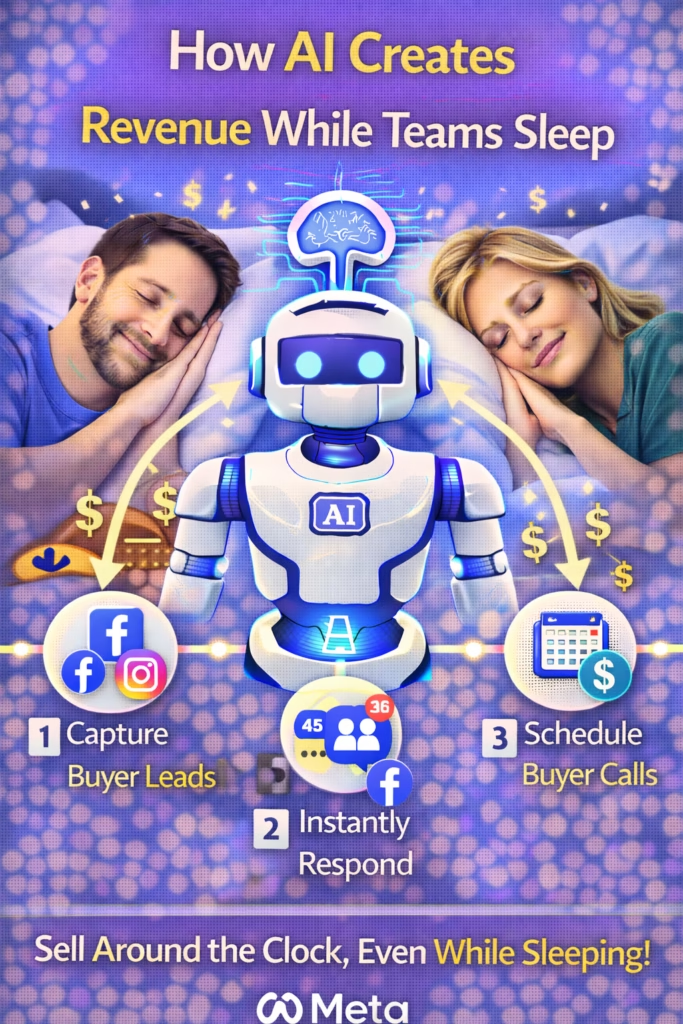
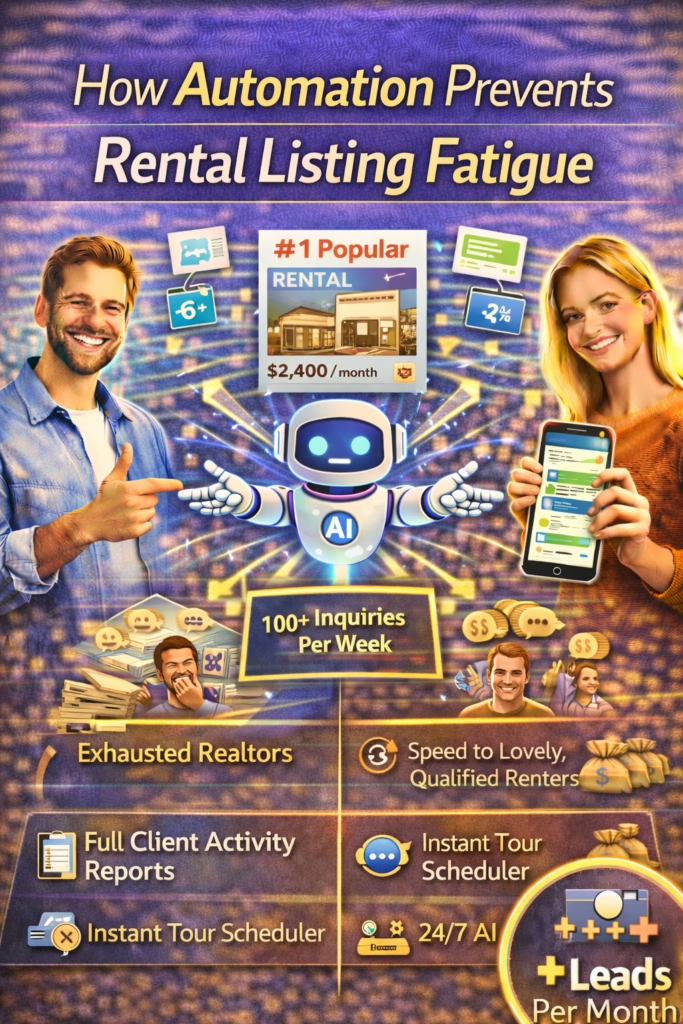
With ingenious automation fused with human dedication 24/7, Market Wiz puts the local marketing competition on notice – they’ve created a new standard operating system for dominating every digital front.All-Platform Compatibility: Facebook, Craigslist, Google, you name it. This system plays well with all the big players, ensuring your ads are everywhere they need to be.The Cherry on Top: There's a ton more under the hood, each feature adding more muscle to your marketing efforts.Bottom line: Market Wiz.ai isn’t just another tool; it’s your 24/7 digital marketing powerhouse. In the world of local advertising, it's the smartest move you’ll make.Market Wiz automates your online ads.|

Owner-Financing Ads That Attract VIP Cash Buyers

Acutting e 1774577785 12 54 49
Owner-Financing Ads That Attract VIP Cash Buyers — 2025 Deal Flow Playbook

Owner-Financing Ads That Attract VIP Cash Buyers

Use flexible terms to spark demand—and funnel that attention into a segmented VIP cash buyers list that closes fast at premium value.

Introduction

Owner-Financing Ads That Attract VIP Cash Buyers is a two-lane campaign: promote simple, transparent seller terms for broad interest; then convert the surge of attention into cash-ready buyers who want first look access and exclusive deal flow. Instead of discounting, you’ll lead with clarity, proof, and speed-to-showing—backed by landing pages and an instant SMS/Email nurture.

Targets to Aim For (first 45–60 days): Landing-page CVR ≥ 18–28% VIP cash opt-in rate ≥ 35% of total leads Time-to-offer ≤ 48 hours Unsubscribe rate ≤ 2%

Compliance: keep copy non-discriminatory (Fair Housing), truthful (no bait terms), disclose if prices/terms are “subject to approval,” and include equal opportunity housing language where applicable. This guide is educational—confirm local legal/advertising rules.

Expanded Table of Contents

1) Why “Owner-Financing Ads That Attract VIP Cash Buyers” Works

  • Clarity reduces friction: clear DP/payment examples boost inquiries.
  • Scarcity, not hype: limited showings and “first look” access motivate VIPs.
  • Dual capture: terms attract volume; VIP path filters for speed + certainty.
  • Proof-first: maps, comps, and photo-heavy listings build trust quickly.

2) Creative Angles That Pull Clicks

“Math Made Simple”

Show example structure: down payment, rate range, est. monthly, balloon (if any), and term—clearly labeled “example only.”

“Buildable or Buy-&-Hold”

Target investors: zoning snapshot, utilities notes, rental/exit angles (no guarantees).

“First Look Fridays”

Weekly drop for VIP cash buyers; owner-finance leads get invited to join VIP for early access.

3) Terms Framework: Simple, Comparable, Credible

ElementWhat to ShowNotes
Down PaymentExample % or rangeMark “example only; OAC” if applicable
PaymentEstimated monthlyTaxes/insurance separate if true
TermLength + any balloonDisclose clearly
PrepayNo penalty? Say it.Great for investors
Docs/ClosingTimeline + escrowOutline steps simply

Use one visual “terms card” so ads and landing pages match 1:1.

4) Ad Copy & Creatives (Swipe Bank)

Primary Text (Owner-Financing)
“Owner-Financing Ads That Attract VIP Cash Buyers: Example DP from 12% • Est. $___/mo • No prepayment penalty • Utilities nearby. Get photos, map, and terms card now.”

Headline
“Owner Financing Available — First Look Access”

VIP Angle (for cash buyers)
“Cash? Get the map, comps, and first-look drop each Friday. 1–3 deals weekly. No spam.”

Compliance Footer (short)
“Numbers are examples, subject to approval and change. Equal Housing Opportunity.”

Creatives: map pin + hero photo, photo grid of parcel/home, “terms card,” and “First Look Friday” badge.

5) Funnel: Landing Page → VIP Cash Path

  1. Ad → Landing Page with terms card, photo grid, map, CTA: “Get Full Details”.
  2. Form asks intent: Owner-Finance or Cash/VIP + timeline + phone/email.
  3. Route to the correct sequence; show “First Look Friday” explainer for VIP cash path.
  4. Instant SMS: link to details; offer two showing/consult options.

6) Nurture: SMS/Email Sequences for Speed

Owner-Finance Track (3 touches)

D0 (10s): “Got it — want a quick terms walkthrough? Thu 4:30 or Sat 10:30?”
D1: Map/comps link + disclosures (“example numbers”)
D3: “Ready for docs checklist? I can text it.”

VIP Cash Track (3 touches)

D0 (10s): “Welcome to First Look Friday. Want today’s drop? I can text link now.”
D1: “Two showings left on [Property]. Today 4:30 or 6:00 work?”
D4: “Feedback on price/terms? We adjust based on VIP signals.”

7) Listing Pages & Proof Blocks

  • Photo grid (min 12), parcel lines overlay (label “approximate”).
  • Map + drive time chips; utility notes; zoning snapshot (non-legal).
  • “How owner-financing works” steps; “How cash VIP works” steps.
  • CTA bar: two-option consult or showing.

8) Building the VIP Cash Buyers List

  • Segment tags: cash, flip, hold, land, sfh, multi, budget.
  • Onboarding survey: preferred zips, price band, renovation comfort, closing speed.
  • Weekly cadence: “3 deals, 3 photos each, first come, first served.”
  • Private link with comps and inspection windows.

9) KPIs & Dashboards That Matter

Landing Page CVR

Target 18–28%+

VIP Opt-In %

≥ 35% of total leads

Time-to-Offer

≤ 48 hours for VIPs

Show/Reply Rate

D0/D1 touches ≥ 70%

Close Speed

Cash ≤ 10 days typical

List Health

Unsubs ≤ 2%; bounces ≤ 1%

10) 30–60–90 Day Rollout Plan

Days 1–30 (Foundation)

  1. Design the “terms card” and VIP explainer; write compliant footer.
  2. Launch 3 ad sets: Terms, Buildable/Buy-&-Hold, First Look Friday.
  3. Publish landing page with dual path (Owner-Finance vs. VIP Cash).

Days 31–60 (Momentum)

  1. Split-test down payment ranges, headlines, and map-first creatives.
  2. Start weekly VIP drops; track time-to-offer and response rates.
  3. Add city/ZIP proof pages with sold comps and reviews (no guarantees).

Days 61–90 (Scale)

  1. Segment VIPs by budget/strategy and send tailored drops.
  2. Integrate e-closings/escrow updates; automate disclosures email.
  3. Quarterly compliance review; prune weak creatives and pages.

11) Troubleshooting & Optimization

  • High clicks, low form fills: make the terms card visible above fold; add map pin and 3 photo tiles.
  • Owner-finance tire-kickers: add “example only/OAC” badge; clarify doc/escrow steps; offer VIP cash path.
  • Slow VIP response: send D0 SMS with two showing windows; cap drop size to 3 deals/week.
  • Policy flags: remove restricted targeting, avoid income/family status; use equal opportunity language.

Owner-Financing Ads That Attract VIP Cash Buyers win with clarity, speed, and proof—not hype.

12) 25 Frequently Asked Questions

1) What are “Owner-Financing Ads That Attract VIP Cash Buyers”?

A campaign framework that markets flexible terms and converts attention into a cash-ready VIP list.

2) Why target both audiences?

Terms create broad demand; VIP cash closes quickly—both fuel deal velocity.

3) What disclosures should I include?

“Example numbers,” “subject to approval,” equal housing language, and any local requirements.

4) Are balloons allowed?

Sometimes—disclose clearly and verify legality.

5) Should I post exact rates?

Use ranges unless you’ve locked specifics; avoid bait advertising.

6) How do I qualify leads ethically?

Ask timeline, budget range, and use-case—no protected-class questions.

7) Best ad formats?

Carousel (photos, map, terms card), short video walkthrough, and static map-pin creative.

8) Where do I run these?

Meta, Google (Display/Performance Max), select marketplaces, and email co-ops where compliant.

9) How fast should I follow up?

Under 10 seconds auto-reply; two showing options within 60 seconds.

10) What’s First Look Friday?

A weekly VIP-only drop with 1–3 deals, comps, and showing windows.

11) Do I need a landing page?

Yes—terms clarity and dual path boost conversion and segmentation.

12) How big should the VIP list be?

Quality over quantity—start with 100–300 engaged buyers.

13) Can I send comps?

Yes—cite source and add “not a guarantee of future value.”

14) What if leads only ask price?

Send terms card + two showing options; offer VIP path for quicker close.

15) How do I cut no-shows?

T-24/T-2 reminders, pin drop, and 1-tap reschedule.

16) Should I accept sight-unseen offers?

Case-by-case—provide disclosures, inspection periods, and escrow steps.

17) Can I automate the VIP drop?

Yes—schedule each Friday with segmentation by budget/zip/strategy.

18) What metrics prove it’s working?

Landing CVR, VIP opt-ins, time-to-offer, show rate, and close speed.

19) How do I avoid ad rejection?

Remove prohibited targeting, avoid financial promises, include disclaimers.

20) Can I offer financing calculators?

Yes—label “estimates only,” separate taxes/insurance if applicable.

21) Do I need legal review?

Advisable—local rules vary for financing language and disclosures.

22) What about note buyers?

VIP list can include vetted note buyers for exits—use separate tagging.

23) Does this work for land?

Yes—maps, access/utility notes, and drone photos convert.

24) Does this work for houses?

Yes—pair with inspections, repair summaries, and neighborhood proof.

25) First step today?

Design your terms card, publish a dual-path landing page, and schedule the first “First Look Friday.”

13) 25 Extra Keywords

  1. Owner-Financing Ads That Attract VIP Cash Buyers
  2. seller financing ad templates
  3. owner finance terms card
  4. first look friday real estate
  5. vip cash buyers list
  6. land flipping owner finance
  7. creative finance marketing
  8. down payment example ad
  9. no prepayment penalty copy
  10. real estate map pin creative
  11. comp-supported listing page
  12. dual path landing page
  13. sms follow up real estate
  14. two option showing times
  15. compliance ad disclaimer
  16. equal housing opportunity
  17. vip deal drop email
  18. real estate funnel 2025
  19. investor buyers segmentation
  20. time to offer metric
  21. escrow steps overview
  22. example-only financing
  23. note buyers vip list
  24. map comps disclosure
  25. deal velocity dashboard

© 2025 Your Brand. All Rights Reserved.

Owner-Financing Ads That Attract VIP Cash Buyers Read More »

How to Bundle Installation + Add-Ons for Higher Ticket

ChatGPT Image Sep 21 2025 09 18 56 AM
How to Bundle Installation + Add-Ons for Higher Ticket — 2025 Offer Architecture Playbook

How to Bundle Installation + Add-Ons for Higher Ticket

Package convenience and performance—not just parts—so customers choose better outcomes at premium margins.

Introduction

How to Bundle Installation + Add-Ons for Higher Ticket is a practical framework for trades, retail-installers, and home-improvement brands. Instead of quoting a bare-bones install and hoping for upgrades later, you’ll architect Good/Better/Best bundles that bake in the labor, materials, and logical add-ons your best customers already buy—then present them with clean visuals and two-option booking.

Targets to Aim For (first 60 days): Average Order Value +18–35% Take Rate on “Better/Best” ≥ 45% Refund/Redo Rate ≤ 2% Close Rate +8–12%

Compliance & ethics: disclose financing terms, avoid drip pricing, include permits/code notes where applicable, and never bundle unnecessary items. How to Bundle Installation + Add-Ons for Higher Ticket works long-term only when bundles are truthful, optional, and outcome-focused.

Expanded Table of Contents

1) Why “How to Bundle Installation + Add-Ons for Higher Ticket” Works

  • Outcome-first: customers buy the result—performance, safety, look—not parts.
  • Choice architecture: Good/Better/Best reduces analysis paralysis vs. a la carte chaos.
  • Operational ease: repeatable kits speed install time and reduce call-backs.
  • Perceived value: convenience, guarantees, and faster timelines anchor premium pricing.

2) Offer Map: Core • Critical • Comfort • Cosmetic

LayerExamplesIncluded InNotes
CoreLabor, standard materials, basic haul-awayAll bundlesMeets code & manufacturer specs
CriticalUpgraded hardware, surge/anchoring, permitsBetter/BestImproves durability & safety
ComfortNoise/thermal, smart controls, quicker lead timeBetter/BestEveryday experience boost
CosmeticColor, trim, finish upgradesBestLook & resale value

3) Good/Better/Best Templates (Service-Ready)

GOOD — “Code-Ready Install”

  • Professional install + standard materials
  • Basic debris haul-away
  • Manufacturer warranty registration

BETTER — “Performance Package”

  • Everything in GOOD
  • Upgraded hardware/fasteners/anchors
  • Priority scheduling window
  • Extended labor warranty

BEST — “Premium Protection + Finish”

  • Everything in BETTER
  • Noise/thermal or smart-control upgrade
  • Finish/trim or color-matched components
  • Annual checkup (first year)

Rename bundles to match your niche (e.g., “Storm-Ready,” “Spa Quiet,” “Showroom Finish”).

4) Pricing Math: Margin Guardrails & Anchors

  • Guardrails: set minimum blended margin for each bundle (e.g., 45%/52%/58%).
  • Anchoring: present BEST first; show monthly payment (financing) and total.
  • Value lines: list 3–5 outcomes per bundle; avoid part-by-part line items.
Quick Calculator (example factors)
Bundle Price = (Direct Materials + Labor + Overhead Allocation) / (1 - Target Margin)

Avoid “drip fees.” If permits/haul-outs vary, label them as “estimates pending site review.”

5) Sales Scripts That Present Bundles Without Pressure

Discovery → Bundle Bridge
“Given your goals (quieter / longer life / faster timeline), most clients pick our Performance or Premium packages. Here’s the 60-second difference.”

Two-Option Close
“Want the Performance package next Thursday 4:30 or Saturday 10:30? We’ll include the prep checklist today.”

Price Probe → Value Frame
“Great question. The Premium is higher because it includes [critical + comfort upgrades] and the first-year checkup, which cuts call-backs and keeps warranty intact.”

6) Landing Pages & Visual Menus

  • Hero shows BEST outcome photo + clear monthly payment (if financing).
  • Three-column bundle grid with outcomes, not part lists.
  • “What’s included” modal + compliance notes (permits, code, disclaimers).
  • CTA module: two-option booking or virtual estimate.

7) Financing & Warranty Positioning

  • Lead with outcomes: quieter, safer, faster—not “cheap payments.”
  • Offer soft-pull pre-qual; show a mid-tier example APR/range with disclaimer.
  • Tie Best bundle to extended labor warranty and first-year checkup.

8) Operations: SKUs, Checklists, and QA

  • Bundle SKUs (GOOD/BETTER/BEST) with sub-tasks in your CRM/dispatch tool.
  • Install checklists per bundle; photo documentation for QA.
  • Post-install handoff: care guide PDF + review request + referral card.

Standardize filenames: bundle-good-checklist.pdfbundle-premium-care.pdf.

9) KPIs & Dashboards

Average Order Value

Target +18–35% in 60 days.

Bundle Mix

Better/Best ≥ 45% of closed jobs.

Close Rate

+8–12% vs. baseline.

Call-Back Rate

≤ 2% with upgraded hardware/QC.

Lead-to-Install Days

Track by bundle (priority windows).

Review Velocity

Photo reviews tied to Best installs.

10) 30–60–90 Day Rollout Plan

Days 1–30 (Foundation)

  1. Define Core/Critical/Comfort/Cosmetic list for your niche.
  2. Price Good/Better/Best with margin guardrails; create visual menu.
  3. Train team on scripts; launch two-option booking CTA.

Days 31–60 (Momentum)

  1. A/B test bundle names and hero outcomes.
  2. Introduce financing microcopy; add first-year checkup to Best.
  3. Publish 5 proof pages with before/after + review quotes.

Days 61–90 (Scale)

  1. Bundle SKUs into CRM; automate checklists + photo QA.
  2. Add multilingual menus; segment by city/ZIP.
  3. Quarterly margin audit; prune low-performing add-ons.

11) Troubleshooting & Optimization

  • Low take rate on Best: lead with outcomes + first-year checkup; swap jargon for results.
  • Price resistance: show monthly option + diagnostic credit or priority timeline value.
  • Operational misses: tighten checklists; photo-proof critical steps.
  • Too many SKUs: cap add-ons to 6–8 high-impact choices.

How to Bundle Installation + Add-Ons for Higher Ticket succeeds when bundles are simpler to buy, faster to deliver, and measurably better to live with.

12) 25 Frequently Asked Questions

1) What is “How to Bundle Installation + Add-Ons for Higher Ticket”?

A value-first packaging method that increases AOV with clear Good/Better/Best offers.

2) Do bundles always include discounts?

No—value comes from outcomes, convenience, and guarantees.

3) Which industries can use this?

Carports, sheds, roofing, HVAC, hot tubs, flooring, cabinets, landscaping, and more.

4) How many bundles should I present?

Three is ideal: Good/Better/Best. Add a la carte only for edge cases.

5) How do I avoid overwhelm?

Focus on 3–5 outcomes per bundle; keep add-ons under eight.

6) Should I list every part?

No—sell outcomes; include a modal for specifications.

7) How do I price bundles?

Use margin guardrails and anchor with Best first.

8) What about financing?

Offer soft-pull pre-qual and show an example monthly with disclaimers.

9) How do I present without pressure?

Discovery → Bundle Bridge → Two-Option Close; let customers choose.

10) Do warranties change by bundle?

They can—tie extended labor warranty and annual checkup to Best.

11) Can I use bundles in B2B?

Yes—rename outcomes to uptime, safety, and lifetime cost.

12) How do I keep margins safe?

Set minimum margins per bundle and review quarterly.

13) What if a customer wants a part-only quote?

Offer Good bundle; explain risks and support limits of part-only.

14) How do I reduce callbacks?

Include critical upgrades (fasteners/anchors) + photo QA steps.

15) Can I add service plans?

Yes—position as comfort/insurance in Better/Best.

16) Should I offer trial periods?

Use satisfaction checkpoints, not full trials for installed goods.

17) How does this affect close rate?

Typically +8–12% with clear choice architecture.

18) How do I prevent scope creep?

Define inclusions/exclusions per bundle and change-order rules.

19) Can I bundle scheduling speed?

Yes—priority windows belong in Better/Best.

20) How do I handle permits?

Include as “estimated” line with city notes; finalize after site check.

21) Does this replace custom quotes?

No—bundles speed 80% of jobs; keep custom for special cases.

22) What visuals convert best?

Before/after photos, checklist icons, and warranty badges.

23) Can this work in marketplaces?

Yes—use short bundle cards with outcomes + monthly payment.

24) How do I train the team?

Role-play scripts; enforce checklists via CRM tasks.

25) First step today?

List Critical/Comfort add-ons, set guardrail margins, and publish your three bundles.

13) 25 Extra Keywords

  1. How to Bundle Installation + Add-Ons for Higher Ticket
  2. good better best pricing
  3. installation bundles strategy
  4. value stack service offers
  5. upsell without discounting
  6. premium package positioning
  7. trades pricing playbook
  8. home improvement bundles
  9. offer architecture 2025
  10. priority scheduling upgrade
  11. extended labor warranty
  12. diagnostic credit value
  13. photo qa checklist
  14. before after proof selling
  15. monthly payment anchoring
  16. financing microcopy
  17. margin guardrails
  18. bundle sku crm
  19. two option booking cta
  20. city zip proof pages
  21. care guide pdf
  22. change order policy
  23. critical comfort cosmetic
  24. visual pricing menu
  25. 2025 installation sales

© 2025 Your Brand. All Rights Reserved.

How to Bundle Installation + Add-Ons for Higher Ticket Read More »

The Before/After Carousel That Sells Carports Without Discounts

ChatGPT Image Sep 21 2025 09 10 03 AM
The Before/After Carousel That Sells Carports Without Discounts — 2025 Visual Proof Playbook

The Before/After Carousel That Sells Carports Without Discounts

Turn scrollers into showroom appointments with proof-first storytelling, not coupon codes.

Introduction

The Before/After Carousel That Sells Carports Without Discounts is a visual-selling system for metal carports, RV covers, and steel structures. Instead of racing to the bottom on price, you’ll show transformation, answer objections in captions, and give two clear booking options that move buyers forward—today.

Targets to Aim For (first 30–60 days): Carousel save rate ≥ 8% Click-to-inquiry ≥ 4–7% Booked consults from social ≥ 30% of inquiries No discounts required

Compliance: obtain homeowner photo consent, avoid misleading “was/now” claims, disclose financed examples, and follow platform ad policies. The Before/After Carousel That Sells Carports Without Discounts works long-term only with honest proof.

Expanded Table of Contents

1) Why “The Before/After Carousel That Sells Carports Without Discounts” Works

  • Transformation beats price: buyers visualize clutter → covered order.
  • Specifics reduce friction: captions preempt “wind/snow load, permits, concrete.”
  • Binary CTAs convert: two time options outperform “contact us.”
  • Consistency compounds: weekly carousels + GBP photos drive Maps visibility.

2) The 10-Shot Before/After Shot List (Carport Edition)

#ShotTipFilename
1Before — driveway/yardWide, show problemcity-before-driveway-YYYYMMDD.jpg
2Pad prepGravel/concrete, levelcity-pad-prep-YYYYMMDD.jpg
3AnchorsClose-up proofcity-anchors-YYYYMMDD.jpg
4Frame upShow gaugecity-frame-YYYYMMDD.jpg
5Roofing panelsOverlap detailcity-panels-YYYYMMDD.jpg
6Trim & bracingWind bracingcity-bracing-YYYYMMDD.jpg
7After — wideSame angle as #1city-after-wide-YYYYMMDD.jpg
8After — angleSun sidecity-after-angle-YYYYMMDD.jpg
9Use-caseTruck/RV/boatcity-usecase-YYYYMMDD.jpg
10Owner with thumbs-upConsentcity-owner-consent-YYYYMMDD.jpg

Compress to < 2MB; prefer JPEG/WebP; keep EXIF date/time; match before/after angles.

3) Building the Carousel: Layout, Order, and Captions

  1. Slide 1: Problem → Promise headline (“Sun-baked truck? Covered in 1 day.”)
  2. Slides 2–3: Pad prep + anchors = durability proof.
  3. Slides 4–6: Frame, panels, bracing = quality proof.
  4. Slides 7–8: After shots = transformation.
  5. Slide 9: Use-case (RV/boat/ATV) = relevance.
  6. Slide 10: Owner photo + review quote = trust.

Caption structure: {City/ZIP} • {Size/Gauge} • {Anchors} • {Wind/Snow rating if applicable} • {Install time} • {CTA with two options}.

4) Micro-Copy That Answers Objections

Headline options:
• “The Before/After Carousel That Sells Carports Without Discounts”
• “From scorching sun to shade in 24 hours — see the steps.”

Objection busters:
• “Anchored with [type]; rated for local wind codes.”
• “Concrete not required in every case — we’ll advise pad options.”
• “Custom heights for lifted trucks and RV slide-outs.”
• “Permitting guidance included where required.”

5) CTAs: Two-Option Booking + Site Prep Checklist

  • Primary CTA: “Free layout consult: Thu 4:30 or Sat 10:30?”
  • If neither: auto-offer two new times; then link calendar.
  • Deliverables after booking: PDF prep list (clear zone, utility mark-out, pad notes).
DM/Chat Script
“Thanks for the interest! Want a quick layout consult? I can do Thu 4:30 or Sat 10:30. I’ll text the site-prep checklist.”

6) Landing Pages: City/ZIP Proof Hubs

  • Hero: after photo + size/gauge + install time.
  • Carousel embed + mini case study (materials, anchors, warranty).
  • FAQ accordion (permits, wind/snow, pad types, lead time).
  • “Book layout consult” two-option module; map with pin-only privacy.

7) Google Business Profile: Photo Types & Posts

  • Upload weekly: pad prep, anchors, frame, after, use-case.
  • Post 2×/week: “Just Installed in {City} — {Size/Gauge} with {Anchors}.”
  • Add Products: sizes (12×21, 18×31, 24×36), options (sides/gables, doors).

8) UGC & Rights: Consent, Credits, and Filenames

Use a simple release (“Yes, you can share this photo on your website/social”). Save with job ID and city. Credit homeowners when requested.

Standardize: city-jobID-before.jpg / city-jobID-after.jpg.

9) Organic + Paid Distribution Strategy

  • Organic: feeds, stories, reels; community groups (where allowed).
  • Paid: carousel ads to homeowners by ZIP + retarget site visitors.
  • Email/SMS: “New install in {City}” with two-option booking.

10) KPIs & Dashboard

Carousel Saves

Goal ≥ 8% of reach.

Click-to-Inquiry

Goal ≥ 4–7%.

Booked Consult Rate

Goal ≥ 30% of inquiries.

No-Show Rate

≤ 8% with reminders.

Lead to Install Time

Track by city/crew.

Photo Velocity

New projects/week.

11) 30–60–90 Day Rollout Plan

Days 1–30 (Foundation)

  1. Train crews on the 10-shot list; add filenames to checklist.
  2. Publish first 3 carousels + 3 city proof pages.
  3. Enable two-option booking + SMS reminders.

Days 31–60 (Momentum)

  1. A/B test headlines and slide order.
  2. Add Products to GBP; post 2× weekly.
  3. Retarget carousel engagers with consult CTA.

Days 61–90 (Scale)

  1. Expand to 10+ city/ZIP pages with galleries.
  2. Quarterly “top builds” roundup blog.
  3. Multilingual captions for top local languages.

12) Troubleshooting & Optimization

  • Low saves/clicks: tighten first slide headline; match angles; add anchors/brace detail.
  • High price pushback: show gauge/anchor proof and lifespan/value vs. cheap kits.
  • No-shows: T-24/T-2 reminders + prep checklist + 1-tap reschedule.
  • Policy issues: secure consent, avoid overclaims, disclose financed examples.

The Before/After Carousel That Sells Carports Without Discounts wins with visible quality, not lower prices.

13) 25 Frequently Asked Questions

1) What is “The Before/After Carousel That Sells Carports Without Discounts”?

A repeatable content system that converts visual proof into appointments without couponing.

2) Where should I use the carousel?

Facebook/Instagram, your landing pages, and Google Business Profile photos.

3) How many slides are ideal?

10 slides: before → build steps → after → use-case → owner + quote.

4) Do I need a professional photographer?

No—phone cameras work if angles match and photos are steady and well-lit.

5) What if we don’t pour concrete?

Show gravel/soil pad with anchors and explain when concrete is recommended.

6) Should I include pricing?

Share ranges and factors; invite a layout consult for exact quotes.

7) How do I handle permits?

Explain local requirements and offer guidance; don’t give legal advice.

8) What about wind/snow ratings?

List ratings only when verified for your region; avoid generic claims.

9) Can I show owner photos?

Yes—with written consent; offer a small thank-you gift (where allowed).

10) What’s a good CTA?

Two time options (“Thu 4:30 or Sat 10:30?”) then calendar link.

11) How often should I post?

Weekly at minimum; aim for 2 carousels per week during peak season.

12) Do reels beat carousels?

Both work—repurpose photos into short reels with the same CTA.

13) How do I track ROI?

UTMs on links, booked consults, and installed jobs by city/crew.

14) Can I use customer reviews?

Yes—quote with permission; pair with the owner photo on the last slide.

15) What file sizes should I use?

< 2MB per image; JPEG/WebP; 1080×1080 or 1350×1080 for carousels.

16) How do I reduce cancellations?

Send prep list, parking/gate notes, and enforce a reschedule flow.

17) Can this work for barns or garages?

Yes—same framework with updated shots and specs.

18) What if prospects only ask “price?”

Answer with range + factors + two booking options.

19) Should I post inventory?

Showcase “ready-to-install” sizes with fast scheduling windows.

20) Do city pages matter?

Yes—pair carousels with city/ZIP proof pages to rank locally.

21) Can I retarget viewers?

Yes—retarget engagers with consult CTA or site-prep download.

22) What tone should captions use?

Friendly, helpful, specific; avoid hype and vague superlatives.

23) How do I organize assets?

Use job IDs, city, and date in filenames; keep a shared folder.

24) Can I automate DMs?

Yes—an autoresponder can ask use-case and offer two consult times.

25) First step today?

Shoot one full install with the 10-shot list; publish the carousel + city page + two-option booking.

14) 25 Extra Keywords

  1. The Before/After Carousel That Sells Carports Without Discounts
  2. carport before after photos
  3. metal carport marketing
  4. rv cover installation gallery
  5. boat shelter proof
  6. steel building anchors
  7. carport wind rating proof
  8. gauge thickness carports
  9. bracing detail carports
  10. concrete pad vs gravel
  11. city carport installs
  12. zip code proof pages
  13. google business photos carport
  14. carport carousel ads
  15. two option booking cta
  16. site prep checklist pdf
  17. permit guidance carport
  18. no discount carport selling
  19. carport case study template
  20. retarget carport viewers
  21. utms for carport ads
  22. carport layout consult
  23. after hours dm autoresponder
  24. photo consent homeowner
  25. 2025 carport marketing playbook

© 2025 Your Brand. All Rights Reserved.

The Before/After Carousel That Sells Carports Without Discounts Read More »

AI Follow-Up Bots Closing Sales for Plumbing Companies

Acutting e 3352232366 13 00 54
AI Follow-Up Bots Closing Sales for Plumbing Companies — 2025 Speed-to-Dispatch Playbook

AI Follow-Up Bots Closing Sales for Plumbing Companies

Capture every call, form, and DM in seconds; qualify urgency; and book techs with two-option scheduling—without discounting your value.

Introduction

AI Follow-Up Bots Closing Sales for Plumbing Companies is a practical system to convert after-hours emergencies, missed calls, web chats, and Marketplace DMs into booked dispatches. Instead of waiting for a CSR, your bot triages job type, confirms service area, shares transparent expectations, and offers two time windows—then hands off to humans when nuance or empathy is required.

Targets to Aim For (first 30–60 days): Reply < 10s • Time-slot offer < 60s Booked jobs +25–45% No-show/cancel rate ≤ 8% CSR time saved 6–10 hrs/wk

Compliance & safety: obtain consent for SMS, log opt-outs (“Reply STOP to end”), never diagnose safety-critical issues over chat (gas leaks, sewage backflow). For emergencies, the bot must escalate immediately and advise to contact emergency services if appropriate. This guide is educational—confirm your regional regulations.

Expanded Table of Contents

1) Why “AI Follow-Up Bots Closing Sales for Plumbing Companies” Works

  • Speed-to-lead: homeowners with water issues won’t wait—instant help wins.
  • Binary choices: “Today 4–6p or Tomorrow 8–10a?” converts better than open-ended.
  • Safety-first: triage flags emergencies and escalates immediately.
  • Proof-first: send license, insurance, and review links to build trust.

2) Lead Sources & Handshakes (Calls, Forms, DMs)

SourceTriggerAI ActionSuccess Signal
Missed callVoicemail or ring-outText in <10s: call back vs. book windowReply in <60s
Website form/chatSubmit or messageJob + address + two slots + prep stepsBooked in-session
GBP/DM“Still available?”Confirm coverage + price range + slotsCalendar link accepted
Referral SMSClient shares your numberProof pack + two optionsBooked with photo of issue

3) Smart Triage: Job • Urgency • Address • Access

  • Job type: leak, burst pipe, water heater, drain/cleanout, toilet, faucet, sewer camera, repipe.
  • Urgency: active leak/flooding, no hot water, slow drain, routine.
  • Address & coverage: ZIP confirms service area; share ETA windows.
  • Access & constraints: pets, gate code, parking, water shutoff knowledge.

Auto-tag in CRM: job:water-heaterurgency:activezip:75204access:gate.

4) Instant-Reply Scripts for Top Plumbing Jobs

Missed Call → SMS (0–10s)
“Hi [First], it’s [Brand]. I can help fast. Is this an active leak right now? If yes, turn off water main (near street box). I can hold Today 4–6p or Tomorrow 8–10a. (STOP to end)”

Drain/Clog (chat/DM)
“Is the clog affecting one fixture or the whole home? Whole-home suggests main line. I can hold Today 2–4p or 4–6p. Which works?”

Water Heater (form)
“Gas or electric? Any error codes? We can do a same-day diagnostic. Today 4–6p or Tomorrow 8–10a?”

Toilet/Fixture (DM)
“Brand/model helps. We carry common parts. I can book a 2-hour window: Today 12–2p or 2–4p.”

5) Core Sequences: Emergency, Standard, Estimate, Warranty

A) Emergency Track

D0 + 10s  Safety message + main shutoff guidance
D0 + 60s  Two time windows + tech on-call note
T-30m     “On the way” text + photo of truck + map pin
T+1h      Service summary + review link + referral card

B) Standard Service Track

D0       Two options + prep checklist (clear area, pets safe)
T-24/T-2 Reminders + 1-tap reschedule
T+1      Estimate/Invoice link + care guide

C) Estimate-Only Track

D0       Book consult + send financing explainer (soft pull)
D2       “Questions on scope?” + case study link
D5       “Keep your spot for [Day/Time]?”

D) Warranty/Return Track

D0       “We’ll make it right.” Collect photos/video
D1       Schedule priority slot
T+1      “Issue resolved?” + internal QA task

6) Routing & Handoffs: Bot ↔ Dispatcher ↔ Technician

  • Bot handles FAQs, safety notices, ZIP coverage, and booking.
  • Dispatcher approves complex jobs, pricing, permits, or parts ordering.
  • Escalate instantly on gas smells, sewage backflow, frozen pipes with flooding.
  • All transcripts log to CRM with job tags and urgency for technician notes.

7) Pricing Transparency Without Race-to-the-Bottom

  • Share ranges and factors (age, access, code, parts), not blind quotes in DM.
  • Offer diagnostic credit toward repair to reduce price-only shopping.
  • Provide financing overview (soft pull, no impact) for bigger jobs.
Price Probe → Value Frame
“Fair question. Most [job] land between $X–$Y depending on access and parts. Diagnostic is credited toward repair. Want Today 4–6p or Tomorrow 8–10a?”

8) Calendar Logic: Two-Option Booking + Reminders

  1. Offer one same-day window (when possible) and one next-morning window.
  2. If “neither,” auto-propose two new windows.
  3. Confirm with address, mobile, gate/parking; send T-24/T-2 texts.
  4. “I’m here” button on arrival with truck photo for trust/safety.

9) KPIs & Dashboards for Plumbing Ops

Response Time

< 10s to first contact.

Booking Rate

Engaged leads → scheduled jobs (goal ≥ 45%).

No-Show/Cancel

Keep ≤ 8% with reminders.

Lead-to-Dispatch

Median hours from first contact to truck roll.

Opt-Out Rate

Keep ≤ 2%; adjust tone/cadence.

Revenue per Job

Watch after diagnostic-credit adoption.

10) 30–60–90 Day Rollout Plan

Days 1–30 (Foundation)

  1. Connect phones/forms/DMs to a single AI inbox; enable missed-call text-back.
  2. Load safety scripts and two-option time windows per crew capacity.
  3. Publish proof pack (license, insurance, reviews) for instant trust.

Days 31–60 (Momentum)

  1. Branch flows for top 6 jobs (drain, WH, leak, toilet, faucet, sewer camera).
  2. A/B test time windows + diagnostic-credit framing.
  3. Weekly KPI review; prune low-performing prompts.

Days 61–90 (Scale)

  1. Add multilingual replies; localize prep checklists by city/county.
  2. Automate review + referral asks post-service with photo prompts.
  3. Quarterly content refresh; rotate case studies and safety tips.

11) Troubleshooting & Optimization

  • Low booking rate: shorten messages; move proof earlier; always give two options.
  • High cancellations: add T-24/T-2 reminders and clear prep/arrival window.
  • Price pushback: use ranges + diagnostic credit + financing overview.
  • Over-automation feel: hand off to CSRs after 3 bot turns or frustration cues.

AI Follow-Up Bots Closing Sales for Plumbing Companies win by being fast, helpful, and safety-conscious—every single time.

12) 25 Frequently Asked Questions

1) What are “AI Follow-Up Bots Closing Sales for Plumbing Companies”?

Compliant bots that reply instantly, qualify, and book jobs with two-option scheduling.

2) Do bots replace CSRs?

No—bots handle first-touch; CSRs handle complex or sensitive conversations.

3) Which channels does this support?

Phone text-back, website chat, forms, Google Business Messages, and social DMs.

4) How fast should responses be?

Under 10 seconds to acknowledge; under 60 seconds to provide two time windows.

5) Can bots handle emergencies?

They can deliver safety steps and escalate to on-call staff immediately.

6) What about pricing in DMs?

Share ranges and factors; avoid binding quotes before diagnosis.

7) Does this integrate with dispatch software?

Yes—via calendar/API or email parsing for most service CRMs.

8) Can we collect photos/videos?

Yes—bots can request a short clip or photo to triage parts and access.

9) What languages?

Start with English + Spanish; add more by market demand.

10) How do we reduce no-shows?

T-24/T-2 reminders, arrival text with truck photo, clear reschedule link.

11) Can bots upsell maintenance plans?

Post-service, with simple benefits—no hard sell during emergencies.

12) Where do transcripts live?

In your CRM/help desk, tagged by job and urgency.

13) What’s the first question bots should ask?

“Is this an active leak or urgent issue right now?” for safety prioritization.

14) Can we route by ZIP or crew?

Yes—use service zones and skills to pick time windows.

15) How do we measure ROI?

Booking rate, lead-to-dispatch time, cancels, revenue/job, and saved CSR hours.

16) Can this handle financing questions?

Provide overview and link; detailed terms handled off-chat.

17) Will this feel impersonal?

Not if messages are short, caring, safety-first, and hand off when needed.

18) Can we request reviews automatically?

Yes—post-job with consent; include direct links and a sample caption.

19) Does this help after-hours?

That’s where it shines—bots book the next available window while you sleep.

20) Can we send prep checklists?

Yes—pet safety, access, water shutoff, clear area under sink, etc.

21) What tone should we use?

Calm, direct, reassuring; safety and clarity first.

22) What about data privacy?

Store consent/opt-outs and avoid sensitive personal or payment info in chat.

23) Do bots support images and PDFs?

Yes—send license/insurance, care guides, warranties, and estimates.

24) How often should we iterate scripts?

Weekly KPI review; monthly copy refresh; prune weak steps.

25) First step today?

Turn on missed-call text-back, load two-option windows, and publish your proof pack.

13) 25 Extra Keywords

  1. AI Follow-Up Bots Closing Sales for Plumbing Companies
  2. plumbing appointment bot
  3. missed call text back plumber
  4. drain cleaning chatbot
  5. water heater ai triage
  6. leak detection scheduling ai
  7. sewer camera booking bot
  8. two option dispatch windows
  9. service area zip routing
  10. plumbing emergency sms
  11. diagnostic credit framing
  12. after hours plumber bot
  13. gbm plumbing messages
  14. plumbing crm integration
  15. truck on the way text
  16. arrival photo trust
  17. financing overview plumbing
  18. care guide pdf plumbing
  19. proof pack licenses insurance
  20. no show reduction trades
  21. lead to dispatch time
  22. csr automation plumbing
  23. service business ai sms
  24. plumbing review ask flow
  25. 2025 plumbing sales playbook

© 2025 Your Brand. All Rights Reserved.

AI Follow-Up Bots Closing Sales for Plumbing Companies Read More »

Review Strategy That Outranks Storm Chasers

Acutting e 2398666959 12 58 22
Review Strategy That Outranks Storm Chasers — 2025 Local Trust Engine

Review Strategy That Outranks Storm Chasers

Win the map pack with authentic, photo-rich reviews, rapid replies, and neighborhood proof—built for roofing and exterior pros.

Introduction

Review Strategy That Outranks Storm Chasers is a neighborhood-first, policy-safe system for roofing, siding, gutters, windows, and solar teams. Instead of racing against out-of-town storm chasers and their short-term hype, you’ll earn durable visibility with compliant asks, photo reviews, and ultra-fast replies that compound trust across every ZIP you serve.

Targets to Aim For (first 60 days): Photo review rate ≥ 35% Median reply to reviews < 24h Neighborhood proof pages: 10+ Calls from GBP ↑ 30%+

Compliance: no fake, paid, or gated reviews; no review gating (“only ask happy customers”); disclose incentives where allowed; never edit customer words. Review Strategy That Outranks Storm Chasers wins long-term only when honest and policy compliant.

Expanded Table of Contents

1) Why “Review Strategy That Outranks Storm Chasers” Works

  • Local proof beats hype: homeowners trust nearby roofs and familiar streets.
  • Photo reviews convert: visible workmanship reduces fear and speeds calls.
  • Fast replies signal care: Google surfaces businesses that engage customers.
  • Consistency compounds: steady weekly reviews outrank bursty, one-time spikes.

2) The Five Moments to Ask for Reviews

  1. After Final Walkthrough: homeowner nods “looks great.”
  2. When Sharing Before/After Photos: text the album with the review link.
  3. Insurance Approval Milestone: relieve stress → capture gratitude.
  4. Leak Check (Rain Day Follow-Up): “All dry?” → ask for quick notes + photo.
  5. Referral Hand-Off: “If we earned it, would you post a photo review?”

3) Photo-First Review System (Shot List & Filenames)

#ShotCaptureFilename
1Street ViewHouse + rooflinecity-street-roof-before-YYYYMMDD.jpg
2Deck ProtectionTarps, magnet sweepcity-protection-YYYYMMDD.jpg
3Install ProgressUnderlayment/ventingcity-progress-YYYYMMDD.jpg
4After (Wide)Front + pitchcity-after-wide-YYYYMMDD.jpg
5DetailFlashing/ridge/valleycity-detail-ridge-YYYYMMDD.jpg
6Homeowner HappyThumbs-up (consent)city-homeowner-happy-YYYYMMDD.jpg

Compress images < 2MB, prefer JPEG/WebP. Ask customers to attach their favorite “after” angle to the review.

4) Scripts: In-Person, SMS, Email, and Door Hanger

In-Person (final walkthrough)
“Would you mind sharing a photo review? Neighbors rely on local proof to choose a roofer. Here’s the one-tap link.”

SMS (send with photo album)
“Thanks again! If we earned it, a quick photo review helps local families find a trusted crew: [short review link]”

Email (within 24h)
“Subject: Your roof looks great — quick favor?”
“Photos are attached. If you could post one with a few words here [link], it goes a long way. Thank you for trusting us.”

Door Hanger (where allowed)
“Your neighbor chose [Brand]. Scan for photos, materials used, warranty details, and a neighbor-only care guide.”

5) Reply Framework for Reviews (Positive, Neutral, Negative)

  • Positive: Thank by name, mention specific crew/work, invite future checkups.
  • Neutral: Clarify, offer solution, update when resolved.
  • Negative: Acknowledge, move to phone/email quickly, resolve, then follow with a public “issue fixed” update (no incentive for edits).
Positive Reply
“Thanks, Maria! Glad the ridge vent solved the attic heat. We’ll check in after the next big rain.”

Negative Reply
“Hi Devon — I’m sorry about the gutter seam. I just DM’d you and reserved a morning slot. We’ll update here once it’s sealed and tested.”

6) Showcase & Amplify: GBP Posts, City Pages, Case Studies

  • Turn top reviews into GBP Posts with the homeowner’s “after” photo (consent).
  • Publish City Pages featuring before/after, materials, warranty, and a review widget.
  • Build Mini Case Studies for hail/wind claims: timeline, scope, photos, quote.

7) Automations: Links, QR, CRM Tags, Drip Nudges

  • Single smart link that opens the correct review platform on mobile/desktop.
  • QR on yard signs, trucks, and door materials (where allowed).
  • CRM tags: city, material, crew, insurance to sort proof by neighborhood.
  • Nudge sequence: +2h (album), +48h (reminder), +14d (maintenance tip) — all optional and value-first.

8) Neighborhood Proof Pages & Map Pins

Create a landing page per subdivision/ZIP showing installs, materials, and photo reviews. Embed a map with pins (street only, no full addresses) and a “book inspection” CTA. This is how a Review Strategy That Outranks Storm Chasers turns proof into local demand.

9) KPIs & Dashboard Templates

Photo Review Rate

Goal ≥ 35% of monthly reviews.

Median Reply Time

< 24 hours to all reviews.

Review Velocity

Reviews per week per crew.

GBP Actions

Calls, directions, website clicks trend.

City Page Leads

Form/call volume by ZIP.

Resolution Time

From complaint → fixed.

10) 30–60–90 Day Rollout Plan

Days 1–30 (Foundation)

  1. Train crews on ask moments + hand each a pocket script.
  2. Launch smart review link + QR; add to invoices and photo album texts.
  3. Publish 5 city pages with recent installs and top reviews.

Days 31–60 (Momentum)

  1. Reply to 100% of reviews; escalate negatives within 4 business hours.
  2. Turn 10 reviews into GBP Posts; add before/after galleries per ZIP.
  3. Start “rain check” follow-ups and ask for photo reviews.

Days 61–90 (Scale)

  1. Neighborhood proof pages to 20+; tag by materials and insurer.
  2. Quarterly review round-up blog; showcase crew shout-outs.
  3. Prune weak pages; refresh hero images from latest installs.

11) Troubleshooting & Optimization

  • Low response to asks: send album first; simplify link; ask at the happy moment.
  • Few photo reviews: suggest “favorite angle”; include sample photo in SMS.
  • Negative volume spike: check crew schedule, weather delays, set honest ETAs, over-communicate.
  • Competitor spam: flag policy violations via platform tools; never retaliate.

Review Strategy That Outranks Storm Chasers thrives on authenticity, speed, and neighborhood relevance—week after week.

12) 25 Frequently Asked Questions

1) What is “Review Strategy That Outranks Storm Chasers”?

A compliant system to earn authentic, photo-rich local reviews and reply fast to win the map pack.

2) Is this only for roofing?

No—works for siding, gutters, windows, solar, fencing, HVAC, and more.

3) Do incentives violate policy?

Often yes or limited—disclose clearly if allowed; never require positive feedback.

4) Do photos in reviews matter?

Yes—higher engagement and trust; ask for one “favorite angle.”

5) How fast should we reply to reviews?

Within 24 hours (same day preferred).

6) Can crews ask on-site?

Yes—best time is right after the final walkthrough.

7) What if a customer isn’t tech savvy?

Offer a printed QR and a short link; email the album + link.

8) How many reviews per month is good?

Steady growth beats spikes; target 10–30+ depending on volume.

9) How do we prevent fake reviews?

Train staff; monitor alerts; report policy violations.

10) What about negative reviews?

Acknowledge, fix, and update publicly—prospects watch the response.

11) Should we mention crew names?

Yes—with permission; it humanizes the work.

12) Can we reuse review photos?

With consent; credit customer where appropriate.

13) What if storms delay installs?

Over-communicate ETAs; share weather holds in replies.

14) Where do we link people to review?

Use a smart link that opens the right platform on any device.

15) Do GBP Posts help?

Yes—fresh content + review quotes keep your profile active.

16) Should we build city pages?

Yes—pair reviews with before/after and CTA per ZIP.

17) How do we track ROI?

Measure GBP actions (calls/directions), form fills, and booked inspections by page/ZIP.

18) Can we automate reminders?

Yes—+2h album, +48h reminder, +14d maintenance tip.

19) What tone should replies use?

Thankful, specific, and solution-oriented—never generic.

20) Do star ratings alone help?

Text + photos perform better than stars only.

21) How to handle suspected competitor attacks?

Collect evidence; report via platform; avoid public accusations.

22) Can we ask for updates after fixes?

Yes—invite the customer to add a follow-up comment (no pressure).

23) What about language support?

Offer bilingual templates for common languages in your area.

24) How do we keep momentum off-season?

Run maintenance checks and request reviews tied to those visits.

25) First step today?

Print the ask script, set up the smart link + QR, and train crews on the five moments.

13) 25 Extra Keywords

  1. Review Strategy That Outranks Storm Chasers
  2. roofing review system
  3. hail damage contractor reviews
  4. photo reviews roofing
  5. google maps roofing ranking
  6. gbp review reply templates
  7. neighborhood proof roofing
  8. city page roofing reviews
  9. before after roof gallery
  10. storm restoration reviews
  11. insurance claim contractor proof
  12. leak repair review ask
  13. crew shout out replies
  14. qr review card roofing
  15. smart review link
  16. review velocity metrics
  17. negative review resolution
  18. roofing case study template
  19. gbp posts with reviews
  20. zip code proof pages
  21. magnet sweep photo
  22. ridge vent install proof
  23. roof warranty review
  24. local roofer vs storm chaser
  25. 2025 roofing seo reviews

© 2025 Your Brand. All Rights Reserved.

Review Strategy That Outranks Storm Chasers Read More »

3 CRM Automations That Save Agents 10 Hours a Week

ChatGPT Image Sep 20 2025 10 48 21 AM
3 CRM Automations That Save Agents 10 Hours a Week — 2025 Productivity Playbook

3 CRM Automations That Save Agents 10 Hours a Week

Cut admin, respond in seconds, and turn more conversations into closings with simple, durable workflows.

Introduction

3 CRM Automations That Save Agents 10 Hours a Week is a ruthlessly practical playbook. You’ll deploy three reliable automations—Speed-to-Lead, Smart Nurture, and Appointments & Tasks—that remove low-value work and compound results, without hiring.

Targets to Aim For (first 30–60 days): Median reply < 10s (missed calls & forms) Lead-to-appointment time ↓ 35%+ No-show rate ≤ 8% Time saved ≥ 10 hrs/agent/week

Compliance: honor consent/opt-out for SMS/email, store logs, avoid sensitive financial data in messages, and follow brokerage/MLS advertising rules. This guide is educational—confirm local requirements.

Expanded Table of Contents

1) Why “3 CRM Automations That Save Agents 10 Hours a Week” Works

  • Speed beats competition: instant replies win the first conversation.
  • Personalized cadence: behavior-driven nurture keeps relevance high.
  • Calendar discipline: no-show resistant reminders + tight follow-through.

2) Pipeline Map & Stage Definitions

StageEntry CriteriaExit CriteriaAutomation Trigger
New LeadForm/DM/call capturedRespondedSpeed-to-Lead fires
EngagedLead replies or clicksAppointment bookedSmart Nurture adapts
AppointmentCalendar slot confirmedMeeting heldReminders + prep pack
Active ClientAgreement signedUnder contractTask packs + status texts

3) Automation #1 — Speed-to-Lead + Missed-Call Text-Back

Goal: reply in <10 seconds and present two time options in <60 seconds.

Trigger

  • New web form, portal lead, chat start, or missed call with voicemail.

Logic

  1. Instant SMS: confirm interest + ask one qualifier (timeline or area).
  2. Offer two appointment options (weekday PM + weekend AM).
  3. If no response in 15 minutes, send a helpful reminder with a proof link.

Scripts

SMS (0–10s)
“Hi [First], it’s [Brand]. Want a quick intro this week or next? I can do Thu 4:30 or Sat 10:30. (STOP to end)”

Follow-up (15m)
“Still good to chat about [buy/sell goal]? Here’s a 2-min overview + recent wins: [short link]. Hold Thu 4:30?”

Tag reply reason in CRM: intent:buy, timeline:30-60d, area:westside.

4) Automation #2 — Smart Nurture That Adapts to Behavior

Goal: keep leads warm with relevant micro-touches triggered by behavior—not guesswork.

Behavior Triggers

  • Opens property alert emails but doesn’t click.
  • Clicks specific price band or neighborhood.
  • Views seller guide or valuation page.

Branching

BehaviorNext TouchCTA
Buyer clicks $600–800kSend 3 comps + tour invite“Thu 5:30 or Sat 11:00?”
Seller views valuation pageSend 2-page prep guide“Want a 15-min pricing consult?”
No activity 7 daysSend 60-second market snapshot“Keep alerts weekly or daily?”
Email Snippet (buyer branch)
“Spotted 3 matches in [Neighborhood] with yards & home office space. Want me to line up Thu 5:30 or Sat 11:00 for quick tours?”

5) Automation #3 — Appointments, Reminders & After-Appt Tasks

Goal: reduce no-shows and ensure perfect follow-through without manual juggling.

Flow

  1. Booking → send calendar invite + agenda + map/parking.
  2. T-24 & T-2 SMS reminders with 1-tap reschedule.
  3. Post-meeting: auto-create tasks (send recap, lender intro, listing prep, or tour sheet).
Reminder (T-24)
“Excited for tomorrow at [time]. Parking map: [link]. Need to shift? Reply 2 and I’ll text two new options.”

Post-Appt Task Creation
• Email recap draft
• Create ‘Hot’ buyer tour list
• If seller: send staging checklist PDF
• Next check-in task in 3 days

6) Asset Library: Templates, Links, Proof

  • Buyer: tour checklist, lender intro email, comp pack template.
  • Seller: prep guide, photography brief, staging checklist.
  • Universal: agenda one-pager, map/parking image, reschedule link.

File-naming: buyer-tour-checklist.pdf, seller-prep-guide.pdf, parking-map-[neighborhood].png.

7) KPIs & Dashboards That Matter

Response Time

Median < 10s for new leads/missed calls.

Booking Rate

% engaged → appointments (goal ≥ 35%).

No-Show Rate

Keep ≤ 8% with reminders.

Nurture Engagement

Click rate by branch; pause low performers.

Time Saved

Target ≥ 10 hours/agent/week.

Lead-to-Appointment

Cycle time ↓ 35%+ vs. baseline.

8) 30–60–90 Day Rollout Plan

Days 1–30 (Foundation)

  1. Connect phones, forms, DMs to CRM; enable missed-call text-back.
  2. Launch two-option booking script and calendar reminders.
  3. Publish buyer/seller assets; wire links into messages.

Days 31–60 (Momentum)

  1. Turn on Smart Nurture branches for buyer/seller paths.
  2. A/B test time windows and subject lines; add multilingual snippets.
  3. Weekly KPI stand-up; prune weak steps.

Days 61–90 (Scale)

  1. Auto-spin FAQs from transcripts; add neighborhood micro-pages.
  2. Introduce referral follow-ups post-closing.
  3. Quarterly content refresh and template library update.

9) Troubleshooting & Optimization

  • Low booking rate: move proof earlier; simplify to two options; add map/parking.
  • High opt-outs: reduce frequency; daylight-only SMS; personalize by city/ZIP.
  • No-shows: T-24/T-2 reminders + 1-tap reschedule + clear agenda.
  • Over-automation feel: handoff to human after 3 exchanges or frustration signals.

3 CRM Automations That Save Agents 10 Hours a Week is about fewer keystrokes, faster value, and cleaner follow-through—repeatable, measurable, scalable.

10) 25 Frequently Asked Questions

1) What are the “3 CRM Automations That Save Agents 10 Hours a Week”?

Speed-to-Lead, Smart Nurture, and Appointments & Tasks with reminders.

2) Do these replace agents?

No—automation handles admin and first-touch; agents advise and negotiate.

3) Which CRMs support this?

Any CRM with triggers, SMS/email, and calendar integration.

4) How fast should the first reply be?

Under 10 seconds for new leads and missed calls.

5) Can I run this without SMS?

Yes, but SMS boosts contact rates; pair with email and chat.

6) What about portal leads?

Parse email → trigger SMS + two-option booking instantly.

7) How do I reduce no-shows?

T-24/T-2 reminders, agenda, and one-tap reschedule.

8) Will this annoy prospects?

Only if cadence is too frequent; keep helpful, short, and opt-out ready.

9) Can it qualify financing?

Ask readiness; lender intros happen off-chat with consent.

10) How do I measure time saved?

Track tasks automated, manual touches avoided, and cycle time.

11) Can I localize by neighborhood?

Yes—use ZIP tags to swap comps and maps in messages.

12) Does this help sellers, too?

Yes—valuation/ prep branches and post-listing task packs.

13) How do I keep brand voice?

Approve templates; lock tone guidelines; allow human takeover.

14) What about privacy?

Store consent/opt-out logs; avoid sensitive info in messages.

15) Can I add multilingual flows?

Yes—mirror user language; route to matching agents.

16) Do I need AI?

Helpful but optional—rules-based flows work; AI adds nuance.

17) How often should I iterate?

Weekly KPI review; monthly template refresh.

18) Can this auto-create tasks?

Yes—post-appt tasks, recap, lender intro, and follow-ups.

19) Where do transcripts live?

In your CRM/help desk, tagged by stage and intent.

20) Does this integrate with calendars?

Yes—Google/Microsoft; use two-option booking logic.

21) How do I prevent double-booking?

Hold slots; confirm after agent approval if needed.

22) Can I trigger content by clicks?

Yes—behavior branches for price bands and neighborhoods.

23) What if a lead ghosts?

Pause 48–72h; send a single value touch; stop after 3 tries.

24) Can I request reviews automatically?

After closing with consent; include direct links and sample text.

25) First step today?

Turn on missed-call text-back and two-option booking; add your assets.

11) 25 Extra Keywords

  1. 3 CRM Automations That Save Agents 10 Hours a Week
  2. realtor crm automation
  3. speed to lead sms
  4. missed call text back
  5. real estate nurture sequences
  6. buyer tour drip
  7. seller valuation automation
  8. two option booking
  9. calendar reminder workflow
  10. no show reduction
  11. portal lead parsing
  12. neighborhood based follow up
  13. zip code tags crm
  14. ai assistant realtor
  15. behavior driven emails
  16. tour checklist pdf
  17. seller prep guide
  18. agenda one pager
  19. parking map link
  20. kpi dashboard real estate
  21. lead to appointment time
  22. crm task automation
  23. pipeline stage triggers
  24. appointment reschedule link
  25. 2025 real estate productivity

© 2025 Your Brand. All Rights Reserved.

3 CRM Automations That Save Agents 10 Hours a Week Read More »

The Real Estate Chatbot Script That Books Showings Overnight

Acutting e 2846750525 14 19 25
The Real Estate Chatbot Script That Books Showings Overnight — 2025 Lead-to-Showing Playbook

The Real Estate Chatbot Script That Books Showings Overnight

Qualify leads, answer listing questions, and schedule tours on autopilot—before competing agents even wake up.

Introduction

The Real Estate Chatbot Script That Books Showings Overnight is a conversation design and routing system that turns portal inquiries, IDX forms, social DMs, and missed calls into confirmed showings. Instead of long response delays, your bot handles first touch, gathers essentials, and offers two precise time options—then hands off seamlessly to your team calendar.

Targets to Aim For (first 30–60 days): Median reply < 10s Showing offer < 60s Booked tour rate ≥ 35% No-show rate ≤ 8%

Compliance: obtain messaging consent, honor opt-outs (“Reply STOP to end”), avoid sensitive financial data in chat, and follow local advertising/MLS rules. This guide is educational—confirm your brokerage and platform policies.

Expanded Table of Contents

1) Why “The Real Estate Chatbot Script That Books Showings Overnight” Works

  • Speed-to-lead: most buyers message after hours; reply in seconds, not hours.
  • Binary scheduling: two time options outperform open-ended “When works?”
  • Directed discovery: qualifying questions keep conversations short and productive.
  • Proof-first: the right photos, floor plan, and walk-through link reduce hesitation.

2) Channels & Lead Sources

SourceTriggerBot ActionSuccess Signal
IDX website chatVisitor views listingOffer quick answers + two tour slotsBooked slot on-page
Portal lead (Zillow/Realtor)Form submissionInstant SMS: confirm address + tour optionsReply within 3 mins
Instagram/Facebook DM“Still available?”Confirm availability + share key details + slotsMoved to calendar
Missed callVoicemailText-back in <10s: callback or schedule?Text reply under 60s

3) Smart Qualifiers: Intent • Timing • Financing • Location

  • Intent: buy/move-in timeline; first-home vs. move-up vs. investor.
  • Financing readiness: pre-approved? If not, offer lender intro (no rates in chat).
  • Location fit: confirm property address + their target neighborhoods.
  • Access constraints: pets, tenant-occupied, or gated community notes.

Tag everything in CRM: intent:owner-occupied, timeline:30-60d, finance:pre-approved.

4) Core Script: Inquiry → Showing in 4 Messages

Msg #1 (0–10s): “Thanks for reaching out about [123 Maple St]. Are you looking to tour this week or next?”
Msg #2 (qualify): “Great. Are you pre-approved or still exploring? (Either is fine—helps us plan.)”
Msg #3 (value + options): “Quick details: 3bd/2ba • 1,820 sqft • 2019 build • no HOA • walk-through: [link]. Tour options: Thu 4:30 or Sat 10:30—what’s easier?”
Msg #4 (confirm): “Locked for [Day/Time]. I’ll text gate/parking and a 2-tap reschedule link. Any must-haves you want me to check before you arrive?”

5) Objection Handling Without Discounting

  • “We’re early, just browsing.” “Perfect—15-min walk-through helps you calibrate. Want Sat 10:30 or a virtual first?”
  • “Price seems high.” “Context helps—this block’s last 3 comps closed at [range]. Want a 5-min call before the tour?”
  • “We need to sell first.” “We can tour while we prep your listing—want a quick equity estimate after the showing?”
  • “Is it still available?” “As of today, yes. Hold Thu 4:30 or Sat 10:30 while we confirm?”

6) Routing & Handoffs: Bot ↔ Human

  • Bot handles FAQs, qualifiers, time options, and holds.
  • Escalate to agent for offer strategy, disclosures, specific defects, or complex financing.
  • Rule: if unresolved after 3 exchanges or sentiment dips, page the on-call agent.
  • All transcripts logged to CRM; tags trigger appropriate follow-ups.

7) Calendar Logic: Two-Option Booking + Reminders

  1. Always offer one weekday evening + one weekend morning slot.
  2. If “neither,” propose two new options automatically.
  3. Confirm with full names + mobile; send T-24 and T-2 reminders with an “I’m here” button.
  4. Include parking/gate codes, mask pet/tenant guidance as needed.

8) Proof Pack: Listing Assets That Increase Tour Rate

  • Walk-through video + floor plan (PDF/PNG).
  • Neighborhood one-pager: schools, commute, parks (no claims—link sources).
  • Recent comps summary; leave pricing counsel to licensed agents.

Standardize filenames: 123-maple-walkthrough.mp4, 123-maple-floorplan.pdf, neighborhood-guide-maple.pdf.

9) KPIs & Dashboards

Response Time

Median < 10s.

Showing Offer Time

Under 60s from first message.

Tour Book Rate

Engaged conversations → scheduled tours (goal ≥ 35%).

No-Show Rate

Keep ≤ 8% with reminders.

Lead-to-Tour Cycle

Target ≤ 72 hours for hot leads.

Agent Handoff SLA

< 5 minutes during hours.

10) 30–60–90 Day Rollout Plan

Days 1–30 (Foundation)

  1. Connect chat, DMs, portals, and SMS text-back to a single inbox.
  2. Load the 4-message core script and two-option booking logic.
  3. Publish your proof pack for top listings and link in flows.

Days 31–60 (Momentum)

  1. A/B test time windows; add multilingual replies for top languages.
  2. Tag lead types (first-time, move-up, investor) and tailor prompts.
  3. Weekly KPI review; prune any low-performing steps.

Days 61–90 (Scale)

  1. Auto-spin transcripts into listing FAQs and neighborhood pages.
  2. Enable referral/partner handoffs (lenders, inspectors) with consent.
  3. Quarterly content refresh; rotate fresh videos and floor plans.

11) Troubleshooting & Optimization

  • Low booking rate: move proof earlier; simplify to two options; confirm availability upfront.
  • High no-shows: send parking/gate info; T-24/T-2 reminders; add a 2-tap reschedule.
  • Lead drop-offs: reduce qualifiers to two; use buttons instead of free text where possible.

The Real Estate Chatbot Script That Books Showings Overnight wins by being fast, helpful, and specific—every time.

12) 25 Frequently Asked Questions

1) What is “The Real Estate Chatbot Script That Books Showings Overnight”?

A scripted conversation flow that books property tours automatically on web, DM, and SMS.

2) Does this replace agents?

No—bots handle first-touch and scheduling; agents handle advice, pricing, and negotiation.

3) Which CRMs work?

Any CRM that supports messaging integrations and calendar APIs.

4) How fast should the bot reply?

Under 10 seconds during hours; after-hours autoresponder runs overnight.

5) Can it check availability?

Yes—hold a tentative slot; final confirmation can require agent approval or MLS showing service.

6) What about tenant-occupied homes?

Collect constraints and route to agent for coordination.

7) Can the bot pre-qualify financing?

It can ask readiness; lender introductions happen off-chat with consent.

8) How do we prevent no-shows?

T-24/T-2 reminders, parking details, and a 2-tap reschedule link.

9) Is pricing discussed in chat?

Share list price and comps context; avoid advice beyond your licensure.

10) Can we support multiple listings?

Yes—detect the property referenced; if ambiguous, show top 3 matches.

11) Does it work with open houses?

Yes—auto-RSVP + reminder + directions.

12) Can the bot send video?

Yes—walk-through and floor plan links boost conversions.

13) What about privacy?

Keep PII minimal; store consent/opt-out logs.

14) How do we measure ROI?

Bookings, show rate, response time, and lead-to-tour cycle.

15) Does this work in luxury markets?

Yes—concierge tone and proof-first assets are key.

16) Can it handle multiple languages?

Yes—detect and respond in the user’s language where configured.

17) Where do transcripts live?

In your CRM or help desk; tag by property and intent.

18) How many prompts should we use?

Four core messages from inquiry to booked is ideal.

19) Will this help listing agents and buyer agents?

Both—listing agents convert portal traffic; buyer agents triage DM leads fast.

20) Can we confirm ID before showings?

Yes—link to secure pre-check tools if brokerage policy requires it.

21) How do we handle duplicate leads?

Merge by phone/email in CRM; keep the latest conversation thread.

22) Does this integrate with showing services?

Yes—via API or email parsing for popular showing schedulers.

23) Can the bot reschedule automatically?

Yes—offer two new options and update the calendar.

24) What tone works best?

Friendly, concise, helpful—avoid salesy pressure.

25) First step today?

Install the core script, connect calendar, and upload proof assets for your top 5 listings.

13) 25 Extra Keywords

  1. The Real Estate Chatbot Script That Books Showings Overnight
  2. real estate chatbot script
  3. book showings overnight
  4. realtor dm automation
  5. sms text back real estate
  6. idx chat widget
  7. zillow lead follow up bot
  8. facebook dm real estate bot
  9. instagram property dm bot
  10. two option booking tours
  11. mls showing scheduler integration
  12. walk through video listing
  13. floor plan pdf link
  14. neighborhood guide sheet
  15. buyer pre approval qualifier
  16. portal to calendar flow
  17. real estate ai concierge
  18. after hours autoresponder
  19. tour reminder text
  20. showing no show fix
  21. lead to tour cycle time
  22. agent handoff routing
  23. proof first listing assets
  24. homebuyer dm script
  25. 2025 real estate playbook

© 2025 Your Brand. All Rights Reserved.

The Real Estate Chatbot Script That Books Showings Overnight Read More »

AI DMs That Book Intro Sessions Without Discounts

ChatGPT Image Sep 20 2025 10 21 05 AM
AI DMs That Book Intro Sessions Without Discounts — 2025 Premium Positioning Playbook

AI DMs That Book Intro Sessions Without Discounts

Convert curious scrollers into scheduled intro calls by leading with outcomes, proof, and concierge-style booking—no coupons required.

Introduction

AI DMs That Book Intro Sessions Without Discounts is a premium-positioning system for Instagram, Facebook, TikTok, X, and LinkedIn inboxes. Instead of racing to the bottom with promo codes, you frame outcomes, attach proof, and make booking the obvious, frictionless next step.

Targets to Aim For (first 30–60 days): Median DM response < 10s Intro session book rate ≥ 35% No-show rate ≤ 8% “Price-only” pushback ↓ 50%

Compliance & privacy: get clear consent before messaging automations, respect platform rules, store opt-out preferences, and avoid sharing sensitive info in DMs. This guide is educational—confirm your platform and regional requirements.

Expanded Table of Contents

1) Why “AI DMs That Book Intro Sessions Without Discounts” Works

  • Speed & clarity: instant, helpful replies beat competitors who wait hours.
  • Value framing: outcome-first messages reset the conversation away from price.
  • Social proof: real results, reviews, and mini case studies carry more weight than $50 off.
  • Frictionless booking: two-option scheduling removes decision fatigue.

2) Premium Positioning Principles

  1. Lead with outcomes: “From problem → result in [timeframe].”
  2. Diagnose before pricing: short qualifier questions earn relevance.
  3. Capacity scarcity: limited intro slots weekly, not price scarcity.
  4. Proof over perks: testimonials, before/after, third-party features.

3) Core DM Flows (Inquiry → Intro)

EntryQualifierValue FrameCTA
“Price?”Goal/timeline + fit rangeOutcome + process snapshot“Thu 4:30 or Sat 10:30?”
“Still available?”Use case + locationWhat’s included / expectationsTwo slots + booking link
“How does it work?”Starting point3-step method + proofBook intro, zero obligation
“Do you have results?”Industry/contextBefore/after + reviewIntro session to map plan

4) Copy & Script Templates

Initial Auto-Reply (under 10s)
“Thanks for reaching out! Quick q’s so I can be useful: What’s the main outcome you want in the next 30–60 days?”

Price Probe → Value Frame
“Fair q. Most clients invest at three levels depending on scope. The intro is to map the fastest route from [current] → [desired]. Want Thu 4:30 or Sat 10:30 to outline options?”

Capacity-Based Scarcity (no coupon)
“We open 6 new intros weekly so we can give proper attention. I can hold Thu 4:30 or Sat 10:30—what’s easier?”

No-Show Prevention
“Locked in for Thu 4:30. I’ll text a quick checklist and a 2-tap reschedule link if you need to shift.”

5) Proof Pack: Assets That Replace Discounts

  • Outcome Carousel: 3–5 before/after slides or mini case studies.
  • Review Wall: 6–10 screenshots of genuine testimonials.
  • Method One-Pager: simple 3-step framework with timeline.
  • Expectation Matrix: “What’s included,” “What success looks like,” “What we don’t do.”

File names for reuse: outcome-carousel-2025.pdf, review-wall.jpg, method-3step.pdf.

6) Routing Logic: AI ↔ Human Handoff

  • AI handles FAQs, qualifiers, value frames, and calendar holds.
  • Handoff to human for custom scoping, edge cases, or objections beyond scripts.
  • Trigger human ping if no resolution in 3 back-and-forths or sentiment turns negative.
  • Log every DM to CRM with tags: intent:intro, timeline:soon, tier:mid.

7) Calendar UX: Two-Option Booking That Converts

  1. Always present two times (weekday evening + weekend morning).
  2. If “neither,” auto-offer two new options; never send a naked link first.
  3. Confirm with email + mobile; send T-24/T-2 reminders with a reschedule tap.
  4. Follow with prep checklist and a one-page agenda to reduce no-shows.

8) KPIs & Dashboards

DM Response Time

Median < 10s.

Intro Book Rate

Engaged DMs → booked (goal ≥ 35%).

No-Show Rate

Keep ≤ 8% with prep + reminders.

Price-Only Pushback

Should fall 50% after proof pack rollout.

Time to First Meeting

Under 3 days from first DM.

Close Rate from Intro

Target ≥ 25–40% depending on offer.

9) 30–60–90 Day Rollout Plan

Days 1–30 (Foundation)

  1. Connect IG/FB/TikTok/X/LinkedIn inboxes to your AI console.
  2. Load scripts, qualifiers, and two-option booking logic.
  3. Publish proof pack assets and link them in the flows.

Days 31–60 (Momentum)

  1. A/B test intros (15 vs 25 minutes) and two different value frames.
  2. Tag objections and add tailored rebuttals (without price cuts).
  3. Start weekly KPI review; prune any underperforming prompts.

Days 61–90 (Scale)

  1. Add multilingual replies; localize examples by city/vertical.
  2. Spin top DMs into story highlights and a “Start Here” guide.
  3. Launch referral follow-ups post-intro with case-study links.

10) Troubleshooting & Optimization

  • Low booking rate: shorten messages, move link after two options, attach proof earlier.
  • High no-shows: add agenda + prep list and T-24/T-2 nudges.
  • Price objections: shift to outcomes and capacity; share result metrics and client quotes.
  • Slow replies: confirm webhook health; build a “stuck” failsafe message.

AI DMs That Book Intro Sessions Without Discounts converts because it makes the decision easy, not cheap.

11) 25 Frequently Asked Questions

1) What are “AI DMs That Book Intro Sessions Without Discounts”?

DM automations that schedule intros using value framing and proof instead of coupons.

2) Which platforms does this work on?

Instagram, Facebook, TikTok, X, and LinkedIn (subject to each API/policy).

3) Do I need to disclose automation?

Be transparent when appropriate; always honor opt-outs.

4) How fast should the first reply be?

Under 10 seconds during hours; after-hours autoresponder overnight.

5) What if the prospect demands a discount?

Reframe to outcomes, capacity, and next intro slot; share proof assets.

6) How long should intros be?

15–25 minutes with a 3-point agenda.

7) Can the AI qualify?

Yes—intent, timeline, location, and tier; route complex scoping to humans.

8) What proof works best?

Before/after, quantified outcomes, third-party features, genuine reviews.

9) Can we collect deposits via DM?

Share a secure payment link post-intro; avoid sensitive data in chat.

10) How do we cut no-shows?

Agenda + prep list + T-24/T-2 reminders with 1-tap reschedule.

11) Should we use scarcity?

Capacity-based only (limited intro slots), not coupon clocks.

12) What if a user is hostile?

De-escalate, offer human, or gracefully exit and log sentiment.

13) Multilingual support?

Yes—mirror the user’s language; localize examples.

14) Does this hurt brand voice?

Train tone guidelines and approve message templates.

15) How do we measure success?

DM response time, book rate, no-shows, and close rate from intros.

16) Can this handle attachments?

Yes—send PDFs/images of proof packs and links to case studies.

17) Where do transcripts live?

In your CRM, tagged by intent and objection themes.

18) What about compliance?

Follow platform policies, consent rules, and privacy best practices.

19) How many CTAs per message?

One. Two time options count as one decision.

20) Can AI reschedule?

Yes—offer two alternatives and update the calendar.

21) Do we reveal pricing in DMs?

Share ranges + factors; exact quotes after discovery.

22) Should we gate the booking link?

Yes—after two-option prompt to reduce drop-offs.

23) Can we request reviews from DMs?

Post-intro or post-purchase, with consent and direct link.

24) How often to iterate scripts?

Weekly review; monthly refresh; prune low performers.

25) First step today?

Upload your proof pack, add two-option booking, and turn on the initial qualifier script.

12) 25 Extra Keywords

  1. AI DMs That Book Intro Sessions Without Discounts
  2. value based dm selling
  3. instagram dm booking bot
  4. facebook dm appointment setting
  5. tiktok inbox automation
  6. linkedin conversation ai
  7. no discount conversion
  8. capacity based scarcity
  9. two option booking script
  10. proof pack carousel
  11. review wall screenshots
  12. method one pager
  13. premium positioning playbook
  14. concierge chatbot
  15. dm autoresponder templates
  16. inbox to intro flow
  17. dm qualification questions
  18. value framing copy
  19. outcomes not coupons
  20. calendar hold via dm
  21. no show prevention
  22. crm dm logging
  23. kpi for dm booking
  24. script testing cadence
  25. 2025 dm sales playbook

© 2025 Your Brand. All Rights Reserved.

AI DMs That Book Intro Sessions Without Discounts Read More »

AI Follow-Up That Converts Yard Inquiries Instantly

Acutting e 1517630002 14 11 09
AI Follow-Up That Converts Yard Inquiries Instantly — 2025 Speed-to-Lead Playbook

AI Follow-Up That Converts Yard Inquiries Instantly

Capture every call, form, and DM in seconds, route intelligently, and book site checks without the back-and-forth.

Introduction

AI Follow-Up That Converts Yard Inquiries Instantly turns curiosity into appointments. Whether you’re a landscaper, fence/builder, shed or carport dealer, container yard, pool/spa retailer, or turf company—speed, clarity, and proof are everything. This playbook gives you sequences, scripts, and KPIs to deploy in one afternoon.

Targets to Aim For (first 30–60 days): Response < 10s • Appt offer < 60s Booked site checks +30–50% No-show rate < 8% Median lead-to-quote time ↓ 35%

Compliance: capture consent for SMS; include opt-out (“Reply STOP to end”); avoid sensitive data; store consent logs; respect quiet hours. This guide is educational—confirm your regional regulations.

Expanded Table of Contents

1) Why “AI Follow-Up That Converts Yard Inquiries Instantly” Works

  • Speed-to-lead wins: under a minute beats competitors every time.
  • Binary choices: “Thu 4:30 or Sat 10:30?” converts better than open-ended scheduling.
  • Segmented empathy: AI recognizes blockers—site prep, HOA/permits, budget—and offers the next micro-step.
  • Proof-first: send relevant photos/specs that match the address or county to remove friction.

2) Lead Sources & Handshakes (Phones, Forms, DMs)

SourceHandshakeAI ActionSuccess Signal
Phone (missed)Call → voicemailAuto text in <10s: “Call you back or text details?”Text reply within 60s
Website formForm submitInstant SMS + email with 2 appointment windowsBooked slot within 3 mins
Chat widgetQuestion askedAnswer + proof link + booking optionsBooked or agent handoff
Marketplace/DM“Still available?”Yes + price range + delivery scope + 2 slotsMoved to phone/site check

3) Smart Triage: Intent, Location, Timeline, Budget

  • Intent: install vs. repair vs. consult.
  • Location: address/ZIP → serviceable? any setbacks?
  • Timeline: “This week / next 2–3 weeks / browsing.”
  • Budget tier: “starter / mid / premium” (kept general in SMS).

Store answers as tags in CRM: intent:install, timeline:2w, tier:mid.

4) Instant-Reply Scripts (SMS, Chat, Email)

SMS (missed call)
“Hi [First], it’s [Brand]. Saw your call. Do you prefer a quick call back or text? If text, what’s your address so I can confirm service + share 2 time options? (STOP to end)”

Chat (pricing)
“Most [City] installs land between $[low]–$[high] depending on size/site. Want a 10-min site check Thu 4:30 or Sat 10:30?”

Email (form submit)
“Thanks for reaching out about [project]. Based on [City], we can do a quick site check: Thu 4:30 or Sat 10:30. Which works? Photos of access/path help us prep.”

5) Core Sequences: Quote, Site-Check, Permit/HOA, Financing

A) Quote Follow-Up (Day 0–7)

D0 + 10s  “Got it, [First]. I’ll text 2 time options for a site check.”
D0 + 60s  “We can swing by Thu 4:30 or Sat 10:30. Which is better?”
D2 11:10  “Still good to look at [address]? A driveway/gate photo helps us bring the right gear.”
D5 5:05   “I can hold Sat 10:30. Want me to lock it?”

B) Site-Check to Proposal (T-24/T-2/T+1)

T-24 “Reminder for tomorrow. Questions on access or pets?”
T-2  “We’re on track; reply 2 to reschedule.”
T+1  “Proposal sent. Want to review together: today 4:30 or tomorrow 10:30?”

C) Permit/HOA Track

D0 “Typical review in [County] is ~2–3 weeks. Can you text 2 photos: front view + side setback?”
D7 “No comments yet. Want a letter summarizing specs for your HOA board?”

D) Financing Track

D0 “Ballpark payments from $[xx]/mo OAC. Soft check link: [short]. Keep Sat 10:30 on hold?”
D1 “Questions on early payoff or term length? I can send examples.”

6) Routing & Handoffs: AI ↔ Human

  • AI handles FAQs, availability, ZIP coverage, basic pricing ranges, and booking.
  • Route to human on: custom design, engineering specs, edge cases, complaints.
  • Escalation rule: no AI reply for 2 minutes during hours → live agent ping.
  • All threads log to CRM with tags and transcript.

7) Proof Pack: Photos, Spec Sheets, Maps

  • Before/after installs, access paths, and clean job sites.
  • County-rated specs (wind/snow/loads as applicable).
  • Simple parking map + crew ETA text on appointment day.

Name assets for reuse: city-access-path.jpg, county-specs.pdf, parking-map.png.

8) Calendar Logic: Two-Option Booking

  1. Offer one weekday evening and one weekend morning slot.
  2. If “neither,” propose two new options automatically.
  3. Confirm with address + mobile; add T-24 and T-2 reminders.
  4. Send “I’m here” text with a photo of the truck on arrival.

9) KPIs & Dashboards

Response Time

Median under 10s.

Booking Rate

% of engaged leads → scheduled (goal ≥ 45%).

No-Show Rate

Keep under 8% with reminders.

Lead-to-Quote Time

Reduce by 35%+.

Close Rate

Quotes → deposits/install dates.

Opt-Out Rate

Keep ≤ 2%; adjust tone/cadence.

10) 30–60–90 Day Rollout Plan

Days 1–30 (Foundation)

  1. Connect phone, form, chat, and Marketplace to AI inbox.
  2. Load instant scripts + two-option calendar logic.
  3. Publish proof pack (photos/specs/maps) and link in replies.

Days 31–60 (Momentum)

  1. Segment by intent and stall reason (site prep, HOA, financing).
  2. Turn on missed-call text-back and after-hours autoresponder.
  3. Weekly KPI review; A/B test appointment windows.

Days 61–90 (Scale)

  1. Add multilingual replies and city/ZIP micro-landing pages.
  2. Automate post-visit review + referral asks with photo prompts.
  3. Quarterly content refresh; prune weak replies.

11) Troubleshooting & Optimization

  • Low booking rate: simplify the ask, add photos, keep two clear time options.
  • High opt-outs: reduce frequency, respect hours, personalize by city.
  • No-shows: add T-24/T-2 reminders with map pin + “reply 2 to reschedule.”
  • Confusion on price: share ranges + factors, never bait-and-switch.

AI Follow-Up That Converts Yard Inquiries Instantly wins by being fast, helpful, and honest—every time.

12) 25 Frequently Asked Questions

1) What is “AI Follow-Up That Converts Yard Inquiries Instantly”?

A compliant AI system that replies in seconds, qualifies, and books site checks automatically.

2) Which businesses benefit?

Landscaping, fencing, sheds/carports, containers, pools/spas, turf, concrete, tree service, and more.

3) How fast should replies be?

Under 10 seconds for acknowledgement; appointment options within 60 seconds.

4) Does AI replace staff?

No—it handles first-touch and routine Q&A, then hands off complex cases to humans.

5) Can it book on our calendar?

Yes—with two-option logic and reschedule flows.

6) What about permits/HOA questions?

AI shares timelines and spec summaries, then offers human review when needed.

7) Can it qualify budget?

Lightly—by tier and range; exact quotes belong in proposals.

8) How do we handle missed calls?

Instant text-back with call-back option or booking links.

9) Does it support images?

Yes—customers can send access/path photos; AI replies with proof assets.

10) Will it work with Marketplace DMs?

Yes—answers “Still available?”, gives ranges, and moves to site check.

11) How do we avoid spam complaints?

Consent, clear branding, quiet hours, and immediate STOP compliance.

12) Can we personalize by city/ZIP?

Yes—use ZIP-based service areas, timelines, and photos.

13) What languages?

Start with English + Spanish; add others based on demand.

14) How do we measure success?

Response time, booking rate, no-show rate, lead-to-quote time, and close rate.

15) What about financing questions?

Provide ranges, soft-pull links, and example payments; disclose terms.

16) Can we send review requests?

After completed visits with consent—include direct links and sample captions.

17) How do we reduce no-shows?

Reminders at T-24 and T-2, route map, and easy rescheduling.

18) Where do transcripts live?

In your CRM, tagged by stage and stall reason.

19) Can AI schedule crews?

It can propose windows; final crew scheduling remains human-controlled.

20) Is pricing on SMS safe?

Share ranges + factors; avoid binding quotes in text.

21) Will AI hurt our brand voice?

Not if you train tone guidelines and provide approved scripts.

22) How do we handle bad leads?

Politely decline non-service areas; suggest partners if appropriate.

23) Can we capture referrals?

Yes—after the visit, ask for a neighbor intro and send a referral link.

24) How often should we iterate scripts?

Review weekly; refresh monthly; prune anything underperforming.

25) First step today?

Turn on missed-call text-back, load two-option booking, and publish a proof pack.

13) 25 Extra Keywords

  1. AI Follow-Up That Converts Yard Inquiries Instantly
  2. yard services ai automation
  3. landscaping lead follow up ai
  4. fence company sms bot
  5. shed dealer appointment ai
  6. carport inquiry text-back
  7. container yard ai chat
  8. pool and spa ai follow up
  9. turf installation ai booking
  10. home services speed to lead
  11. marketplace dm autoresponder
  12. two option booking script
  13. permit hoa ai helper
  14. site prep photo checklist
  15. zip code service routing
  16. after hours auto reply
  17. proof pack install photos
  18. wind snow spec sheet
  19. tap to call + sms
  20. missed call text back
  21. calendar link scheduling
  22. crm transcript tagging
  23. lead to quote time
  24. appointment no show fix
  25. 2025 yard sales playbook

© 2025 Your Brand. All Rights Reserved.

AI Follow-Up That Converts Yard Inquiries Instantly Read More »

The Delivery Day Content Plan That Generates Referrals

Acutting e 122965013 12 14 00
The Delivery Day Content Plan That Generates Referrals — 2025 Word-of-Mouth Engine

The Delivery Day Content Plan That Generates Referrals

Turn every delivery or installation into a neighborhood marketing moment that earns reviews, UGC, and booked appointments.

Introduction

The Delivery Day Content Plan That Generates Referrals is a simple idea done precisely: your crews capture proof, your customer shares a happy moment, and neighbors see the outcome and act. This guide gives your team the shot list, scripts, automations, and metrics to make that happen—consistently.

Targets to Aim For (first 60 days): Photo review rate ≥ 35% Same-street lead rate ≥ 1.5% per delivery Referral bookings within 7–14 days NPS ≥ 4.8/5 on delivery day

Always obtain consent for photos/UGC, respect HOA/city rules, blur plates/addresses, and disclose any referral incentives clearly. The Delivery Day Content Plan That Generates Referrals works long term only when it’s honest and compliant.

Expanded Table of Contents

1) Why “The Delivery Day Content Plan That Generates Referrals” Works

  • Timing: Peak excitement = peak sharing. Capture it.
  • Proof-first: Neighbors trust visible outcomes more than ads.
  • Frictionless asks: One-tap links and ready-made captions increase posts and reviews.
  • Local reach: Delivery-day content geo-targets the exact street you want more business from.

2) The Five “Moments” to Capture on Delivery Day

  1. Arrival Moment: branded truck curbside + friendly wave.
  2. Care Moment: floor protection/PPE/tool layout—signals professionalism.
  3. Reveal Moment: finished install with happy customer.
  4. How-To Moment: quick feature demo or safety briefing.
  5. Referral Moment: neighbor postcard/door tag + thank-you selfie (with consent).

3) Photo/Video Shot List & Filenames

#ShotCaptureFilename Example
1Truck + House NumberBrand & location (no full address)city-street-truck-arrival-YYYYMMDD.jpg
2Protection DownMats, blankets, shoe coverscity-protection-floor-YYYYMMDD.jpg
3BeforeSpace/site pre-installcity-before-area-YYYYMMDD.jpg
4AfterFinished install widecity-after-finish-YYYYMMDD.jpg
5Feature Close-UpHighlight benefitcity-feature-highlight-YYYYMMDD.jpg
6Happy CustomerThumbs-up/selfie (consent)city-customer-happy-YYYYMMDD.jpg
7Team PortraitInstaller names/badgescity-crew-portrait-YYYYMMDD.jpg
8Neighbor ViewStreet-safe, no plates/facescity-street-neighbor-YYYYMMDD.jpg
9Short How-To Video30–45s feature democity-howto-demo-YYYYMMDD.mp4

Keep everything natural light, minimal filters, and under 2MB (WebP/JPEG). The Delivery Day Content Plan That Generates Referrals relies on authentic visuals.

4) Customer & Neighbor Scripts (DM, SMS, Door Tag)

UGC Ask (handoff):
“Would you share a quick photo of the finished setup? It helps neighbors choose a trusted local team. Here’s a one-tap link: [short review link]”

Caption Helper (copy card):
“Installed today in [City]! The team was fast, careful, and showed me how everything works. — [Brand]”

Neighbor Text (opt-in list):
“Hi! We just finished an install on [Street]. Want a quick quote or showroom demo? Two openings this week: Thu 4:30 or Sat 10:30. Reply 1 or 2.”

Door Tag (if allowed):
“Your neighbor just upgraded with [Brand]. Scan for photos, pricing, and a neighbor-only offer.”

5) Referral Offers: Compliant, Clear, Compelling

  • Thank-You Credit: $X credit for referrer once the friend installs.
  • Neighbor-Only Bonus: free accessory/upgrade with proof of same-street address.
  • Time-Boxed: 14-day window to create urgency without pressure.
  • Disclosures: terms on landing page, no cash equivalents if restricted.

6) Automations: CRM, Email/SMS, Social Reposts

  • Stage flow: Delivered → Review/UGC Request → Referral Ask → Neighbor Outreach → Case Study.
  • Auto-send review link + caption card within 30 minutes of sign-off.
  • When a customer uploads UGC, auto-create a social draft and email case-study template.
  • Tag by neighborhood/ZIP to trigger same-street lookalike audiences.

7) UGC & Review Capture Flow

  1. Tech takes “after” photos and a short how-to clip.
  2. Customer receives review link + photo gallery via SMS.
  3. Customer posts a photo review (or gives permission for brand repost).
  4. Marketing republishes to GBP Posts and city pages (crediting the customer, with consent).

8) Neighbor Activation: Same-Street Play

  • Create a geo-landing page: “[Street/Neighborhood] Installs by [Brand]”.
  • Run a 1–2 mile radius ad using the actual “after” photo (consents in place).
  • Offer two booking windows and a neighbor-only bonus; track via UTM.

9) KPIs & Dashboards That Matter

Photo Review Rate

Goal ≥ 35% of completed deliveries.

UGC Reposts

# of posts per week with consent.

Same-Street Leads

Leads per delivery within 2 weeks.

Referral Close Rate

Referred leads → installs.

NPS/CSAT

Delivery-day score trend.

Time-to-Review

Min from sign-off → post.

10) 30–60–90 Day Rollout Plan

Days 1–30 (Foundation)

  1. Train crews on the five moments + shot list; print pocket cards.
  2. Launch the review/UGC SMS with one-tap link and opt-out language.
  3. Set up neighbor geo-landing pages and door tags (where allowed).

Days 31–60 (Momentum)

  1. Repost top UGC weekly to GBP Posts + city pages.
  2. A/B test two referral offers and two caption variants.
  3. Start collecting mini case studies with before/after + quote.

Days 61–90 (Scale)

  1. Automate radius ads after each install (ZIP/street targeting).
  2. Quarterly content curation: archive weak shots, update templates.
  3. Launch a “thank-you wall” on your site with customer quotes (consent).

11) Troubleshooting & Optimization

  • Low review rate: simplify the ask, include sample caption, send within 30 minutes.
  • No neighbor leads: add house-number framing, run radius ads, and refresh geo-landing proof.
  • UGC quality poor: shoot more “after” angles and share a best-practice guide.

The Delivery Day Content Plan That Generates Referrals works when crews follow the same beats every time—arrive, protect, deliver, reveal, ask, thank.

12) 25 Frequently Asked Questions

1) What is “The Delivery Day Content Plan That Generates Referrals”?

A playbook to turn deliveries into reviews, UGC, and neighbor referrals.

2) Does it work for any product?

Yes—appliances, furniture, spas, sheds, carports, HVAC, etc.

3) How many photos should crews take?

At least 6–9 per job across the five moments.

4) When do we ask for the review?

Within 30 minutes of sign-off while excitement is high.

5) Do we need consent?

Yes—for customer photos/UGC and any reposts; blur plates/faces if unsure.

6) Should we show staff faces?

Yes—team portraits with name badges build trust.

7) Can we incentivize referrals?

Yes, where allowed—disclose terms; avoid cash if restricted.

8) What captions convert?

City + outcome + CTA (two booking windows works well).

9) Do short videos help?

Yes—30–45s how-to or reveal clips perform strongly.

10) How do we handle privacy?

Get permission, avoid full addresses, and blur sensitive info.

11) Where should we post first?

Google Business Profile Posts and the relevant city page.

12) What’s a good referral goal?

1–2% same-street leads per delivery within 14 days.

13) How do we track attribution?

UTM links, unique QR codes on door tags, and CRM tags by street.

14) Should we run ads?

Yes—radius ads around the install address using the “after” shot (consent).

15) What if a customer declines photos?

Respect it; request a text-only review instead.

16) How do we keep crews consistent?

Pocket cards, weekly huddles, and KPI dashboards by crew.

17) Do we post prices in photos?

Prefer descriptions or landing pages; avoid heavy price-on-image overlays.

18) Can we automate neighbor texts?

Only to opted-in lists; otherwise use door tags or ads.

19) What if weather ruins the reveal?

Stage an indoor “how-to” clip and reshoot the exterior later.

20) How do we improve UGC quality?

Share a 3-tip card: good light, wide angle, include the smile.

21) Should we watermark images?

Light, unobtrusive watermarks are fine—don’t cover the product.

22) How long should door-tag offers last?

7–14 days to keep urgency real.

23) Can we build case studies?

Yes—before/after + quote + city; publish on the matching geo page.

24) How do we prevent inconsistent branding?

Use filename patterns and a shared template library.

25) First step today?

Print the shot list and scripts, turn on the review/UGC SMS, and set up neighbor geo pages.

13) 25 Extra Keywords

  1. The Delivery Day Content Plan That Generates Referrals
  2. delivery day marketing playbook
  3. post installation referral system
  4. neighbor referral offer
  5. photo review request card
  6. delivery reveal moment
  7. same street lead ads
  8. ugc consent workflow
  9. door tag qr code
  10. geo landing page install
  11. radius ads after install
  12. city page before after
  13. crew shot list template
  14. review sms automation
  15. caption helper card
  16. feature demo video
  17. installation case study
  18. referral thank you credit
  19. delivery content calendar
  20. proof first visuals
  21. local word of mouth engine
  22. gbp posts with ugc
  23. street level marketing
  24. nps delivery day
  25. 2025 referral marketing

© 2025 Your Brand. All Rights Reserved.

The Delivery Day Content Plan That Generates Referrals Read More »

Scroll to Top