

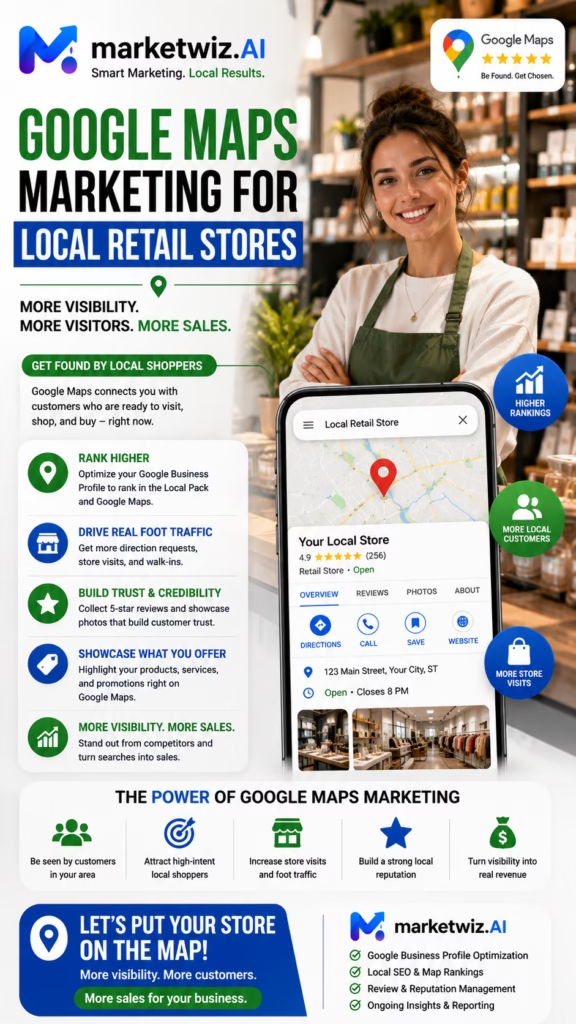
Google Maps Marketing for Local Retail Stores
Google Maps marketing for local retail stores can help neighborhood retailers improve local rankings, increase store visits, generate phone calls, showcase products, promote pickup and delivery, strengthen customer reviews, reach high-intent shoppers, and connect local search visibility to measurable retail revenue.
Local retail shopping frequently begins with a search. A customer may want a nearby store, a specific product, a certain brand, pickup today, delivery availability, current hours, parking information, or confirmation that an item is in stock.
Google Maps often appears during this high-intent decision process. Shoppers may search for a clothing boutique, furniture store, jewelry shop, appliance store, gift shop, hardware store, pet supply store, electronics retailer, specialty food store, or another local business near them.
Stores that appear with complete information, strong reviews, helpful product listings, original photos, accurate hours, and a useful website may receive more phone calls, direction requests, website visits, messages, pickup orders, and in-store purchases.
A weak profile may contain outdated hours, a missing phone number, very few photos, no products, incomplete categories, no store description, unanswered reviews, and a website that does not explain what the business sells.
A strong local retail strategy connects the Google Business Profile, product pages, location pages, reviews, citations, shopping-center listings, local partnerships, paid advertising, social media, store operations, customer follow-up, and sales tracking.
The Local Retail Maps Formula
Complete Profile + Relevant Products + Genuine Reviews + Original Store Photos + Local Website Authority + Easy Shopping Experience = More Qualified Local Customers
Why Google Maps Matters for Local Retail Stores
High Local Shopping Intent
Customers searching for a nearby store or product are often closer to making a purchase than broad informational visitors.
Store Discovery
Google Maps helps customers find addresses, entrances, parking, hours, phone numbers, websites, and nearby locations.
Product Discovery
Profiles can showcase featured products, departments, brands, seasonal inventory, pickup, delivery, and special offers.
Trust Before the Visit
Reviews, photos, business information, and customer responses help shoppers evaluate the store before visiting.
Direct Shopping Actions
Customers can call, request directions, visit the website, browse products, send messages, or place pickup orders.
Measurable Retail Revenue
Local search activity can be connected to store visits, purchases, average order value, repeat customers, and profit.
Understand Local Retail Customer Search Intent
Store-Discovery Intent
The shopper wants a nearby store, local boutique, specialty retailer, showroom, outlet, shopping center, or product dealer.
Product-Specific Intent
The customer may search for a specific product, size, style, color, brand, category, model, material, gift, accessory, or seasonal item.
Availability Intent
The shopper may want to know whether an item is in stock, available today, offered in a particular size, available for pickup, or eligible for delivery.
Price and Promotion Intent
Customers may search for sales, discounts, clearance products, outlet pricing, bundles, coupons, loyalty offers, or seasonal promotions.
Convenience Intent
The shopper may care about hours, parking, accessibility, curbside pickup, delivery, online ordering, gift wrapping, appointments, or payment options.
Brand Intent
Some customers already know which brand they want and are looking for a nearby authorized retailer, dealer, showroom, or stockist.
Build a Complete Google Business Profile
Core Retail Profile Information
- Real-world store name
- Accurate street address
- Correct map pin
- Monitored phone number
- Primary website URL
- Regular business hours
- Holiday and special hours
- Primary and secondary categories
- Business description
- Products, services, and attributes
Verify the Customer Entrance
Stores inside shopping centers, downtown districts, malls, mixed-use buildings, or large plazas may have entrances that are difficult to find. Confirm that the map pin and photos guide customers to the correct entrance.
Use a Monitored Phone Number
Store employees should be prepared to answer questions about inventory, brands, product sizes, prices, hours, pickup, delivery, returns, appointments, parking, and current promotions.
Accuracy Before Promotion
Before publishing more products or posts, verify the store name, address, map pin, phone number, website, categories, hours, entrance, and customer-facing policies.
Use the Correct Retail Store Business Name
The Google Business Profile name should match the real-world store name displayed on exterior signs, receipts, packaging, the website, advertising, and customer-facing materials.
Avoid Adding Unapproved Keywords
- Best Local Gift Store
- Cheap Furniture Near Me
- Designer Clothing Sale
- Electronics Store With Same-Day Delivery
- Jewelry Store With Easy Financing
Products, cities, prices, promotions, and search phrases should not be added unless they are genuinely part of the store's real-world business name.
Use Other Fields for Relevance
Product categories, brands, services, promotions, and local shopping information can be communicated through categories, products, descriptions, posts, website pages, reviews, and questions and answers.
Choose Strong Google Business Profile Categories
Select the Most Accurate Primary Category
The primary category should describe the store's main retail activity. A furniture store, jewelry store, pet supply store, appliance store, clothing store, gift shop, or hardware store should select the most accurate available category.
Add Relevant Secondary Categories
Secondary categories may be appropriate when the store genuinely has significant departments or services that customers recognize as separate shopping needs.
Avoid Category Inflation
Adding every remotely related retail category can make the profile confusing and may weaken focus for the store's most important searches.
Review Categories as the Store Changes
Product lines, departments, services, and business models can evolve. Categories should be reviewed when the store meaningfully changes.
Write a Better Local Retail Business Description
Information to Include
- Primary store type
- Local market served
- Main product categories
- Important brands
- Specialty merchandise
- Pickup or delivery availability
- Appointments or consultations
- Years in business
- Customer-service approach
- Unique local shopping experience
Example Retail Description
Local retail store offering curated products, seasonal merchandise, popular brands, specialty items, and helpful customer service. Shoppers can visit the store, ask about current inventory, explore featured collections, place eligible pickup orders, and learn about available delivery or special-order options.
Avoid Unsupported Claims
Do not claim the lowest prices, largest inventory, exclusive products, guaranteed availability, or fastest delivery unless those statements are accurate and supportable.
Optimize Store Hours and Customer Availability
Maintain Accurate Regular Hours
Confirm opening and closing times for every day. Retail customers may rely on Google Maps immediately before traveling to the store.
Update Holiday Hours
Retail traffic often changes during holidays, shopping events, seasonal sales, and community festivals. Special hours should be updated in advance.
Clarify Appointment-Only Services
Personal shopping, consultations, custom fittings, design appointments, product demonstrations, or specialty services may require scheduled appointments.
Answer Calls During Listed Hours
If the profile says the store is open, customers expect inventory questions, directions, and pickup calls to receive a prompt response.
Add Products to Google Business Profile
Product Listing Opportunities
- Featured products
- Best-selling products
- Seasonal merchandise
- New arrivals
- Major product categories
- Popular brands
- Gift items
- Special-order products
- Clearance inventory
- Locally made products
Product Listing Information
- Clear product title
- Original product photo
- Brand or manufacturer
- Size, style, color, or model
- Important features
- Price or pricing range
- Availability status
- Website product link
Group Products Logically
Organize products by category, collection, department, use case, brand, season, or customer need so shoppers can understand the store quickly.
Keep Product Information Current
Remove or update discontinued, unavailable, incorrectly priced, seasonal, or sold-out products when they are no longer relevant.
Add Relevant Retail Store Services
Potential Retail Services
- In-store shopping
- Personal shopping
- Product consultations
- Curbside pickup
- In-store pickup
- Local delivery
- Gift wrapping
- Special ordering
- Product assembly
- Returns and exchanges
Explain Service Details
Describe whether fees apply, how appointments work, which products qualify, where delivery is available, how long pickup takes, and which limitations customers should understand.
Separate Products From Services
Products are the items sold. Services include pickup, delivery, wrapping, installation, assembly, personalization, consultations, or other customer support.
Use Helpful Google Business Profile Attributes
Available attributes vary by category and profile eligibility. Add only attributes that accurately describe the store.
Potentially Helpful Attributes
- Wheelchair-accessible entrance
- Wheelchair-accessible parking
- In-store shopping
- In-store pickup
- Curbside pickup
- Delivery availability
- Accepted payment methods
- Appointment options
- Public restroom availability
- Parking information
Review Attributes Regularly
Pickup, delivery, payment, accessibility, appointment, and shopping options may change over time.
Upload Better Local Retail Store Photos
Exterior Photos
- Storefront during the day
- Storefront at night
- Exterior signage
- Parking area
- Customer entrance
- Shopping-center location
- Nearby landmark
Interior Photos
- Wide store view
- Checkout area
- Product departments
- Display tables
- Fitting rooms
- Consultation areas
- Pickup area
Product Photos
- Featured merchandise
- New arrivals
- Seasonal collections
- Popular brands
- Closeup product details
- Gift collections
- Custom or specialty products
People and Operations Photos
- Store team
- Customer-service desk
- Product demonstrations
- Delivery vehicles
- Community events
- Local partnerships
Use Original Current Images
Real store photos help customers recognize the building, entrance, layout, product selection, staff, and overall shopping experience.
Use Short Google Business Profile Videos
Useful Retail Video Concepts
- Quick store walkthrough
- How to find the entrance
- New product arrival
- Seasonal collection preview
- Product demonstration
- Meet the store team
- Pickup process overview
- Community event highlight
Keep Videos Focused
Each video should communicate one clear idea. Short, steady, well-lit footage of the actual store and products is usually more useful than generic promotional content.
Keep Inventory Claims Accurate
Do not feature products, prices, colors, sizes, or promotions that are no longer available without updating the content.
Build a Strong Local Retail Review Strategy
Ask at Appropriate Customer Moments
- After a positive in-store purchase
- After a completed pickup order
- After local delivery
- After a helpful consultation
- After a successful special order
- After resolving a customer concern
Make Review Requests Simple
Provide a direct review path through email, SMS, receipts, packaging inserts, loyalty-program communication, or post-purchase follow-up when appropriate.
Encourage Genuine Experience-Based Feedback
Customers may naturally discuss product selection, staff knowledge, store organization, cleanliness, parking, pickup, delivery, returns, value, and overall service.
Do Not Fabricate Reviews
Reviews should reflect real customer experiences and should not be purchased, written by unrelated parties, or conditioned on positive wording.
Respond Professionally to Retail Store Reviews
Positive Review Response
Thank you for visiting our store and sharing your experience. We are glad our team could help you find what you needed. We appreciate your business and look forward to seeing you again.
Critical Review Response
Thank you for sharing your feedback. We are sorry the experience did not meet expectations. Please contact our store directly so our team can review the purchase details and discuss the concern privately.
Protect Private Customer Information
Do not reveal order numbers, payment details, addresses, phone numbers, loyalty account information, return history, or private customer communications in public responses.
Respond Consistently
Review responses show that the store is active, attentive, and willing to communicate with customers.
Publish Google Business Profile Posts
Post Ideas for Local Retail Stores
- New product arrivals
- Seasonal collections
- Featured brands
- Gift guides
- Store events
- Pickup availability
- Delivery information
- Product demonstrations
- Holiday store hours
- Clearance or special offers
Use a Clear Next Step
Encourage the shopper to call, visit the store, browse products, place a pickup order, ask about availability, join an event, or visit the website.
Keep Promotions Accurate
Promotional posts should explain eligible products, sale dates, inventory limitations, exclusions, return rules, pricing, and important terms.
Optimize Google Questions and Answers
Common Retail Store Questions
- Is this product in stock?
- Do you offer curbside pickup?
- Do you deliver locally?
- What brands do you carry?
- Do you accept returns?
- Is parking available?
- Are appointments required?
- Do you offer gift wrapping?
- Can I place a special order?
- Which payment methods are accepted?
Provide Accurate Answers
Answers should reflect current store policies, inventory, delivery areas, pickup procedures, return policies, payment methods, hours, and customer-service options.
Monitor Public Answers
Public users may answer questions. Review the section regularly so inaccurate or outdated information can be corrected.
Strengthen the Local Retail Website
Important Website Pages
- Product categories
- Featured products
- Brands carried
- New arrivals
- Seasonal collections
- Pickup information
- Delivery information
- Returns and exchanges
- Store location
- Contact page
Make the Website Mobile-Friendly
Many shoppers visit the website directly from Google Maps. Pages should load quickly, display clearly on mobile devices, and make calling, directions, product browsing, pickup, or purchasing easy.
Use Consistent Store Information
The store name, address, phone number, hours, map, product categories, pickup details, delivery information, and customer policies should align with the Google Business Profile.
Show Real Product Categories
Website content should reflect merchandise genuinely stocked, regularly ordered, or offered by the store.
Build Strong Retail Store Location Pages
Location Page Essentials
- Location-specific title and heading
- Store name
- Street address
- Local phone number
- Business hours
- Embedded map
- Driving directions
- Parking and entrance details
- Store photos
- Product categories
Add Unique Local Information
- Nearby neighborhoods
- Shopping-center details
- Nearby highways
- Local delivery area
- Store-specific inventory
- Local staff information
- Customer reviews
- Location-specific FAQs
Avoid Duplicate Location Pages
Each page should contain meaningful information about that actual store rather than changing only the city name.
Create Strong Retail Product Category Pages
Category Page Opportunities
- Main product departments
- Popular brands
- Seasonal products
- Gift categories
- Local specialty products
- Clearance inventory
- New arrivals
- Custom-order products
Useful Category Page Information
- Product type
- Brands
- Styles or models
- Sizes and colors
- Pricing range
- Store availability
- Pickup or delivery options
- Related products
Avoid Thin Category Pages
A page with only a heading and a few product names provides limited value. Add buying information, original images, availability, local context, FAQs, and clear next steps.
Publish Local Shopping Content
Local Content Ideas
- Local holiday shopping guides
- Gift ideas from nearby businesses
- Seasonal product checklists
- Where to find specific products locally
- Local shopping event guides
- Product-care tips
- New product arrival announcements
- Local brand spotlights
Answer Real Customer Questions
Store staff hear questions about availability, sizing, brands, returns, pickup, delivery, warranties, assembly, product care, and special ordering. These questions can become useful local articles and FAQs.
Connect Content to Store Actions
Local content should guide customers toward product pages, the location page, a phone call, store directions, pickup, an event, or an in-store visit.
Improve Local Retail Citations
Potential Citation Sources
- Major business directories
- Mapping platforms
- Shopping-center directories
- Local chambers of commerce
- Neighborhood business associations
- Brand dealer locators
- Retail industry directories
- Community organizations
Keep Store Information Consistent
The store name, address, phone number, website, hours, and category information should remain accurate across important platforms.
Correct Old Store Information
Previous addresses, old phone numbers, outdated websites, former business names, and closed-location listings can confuse customers and weaken local data consistency.
Earn Relevant Local Backlinks
Local Link Opportunities
- Shopping-center websites
- Local chambers
- Neighborhood associations
- Community events
- Local charities
- Brand and supplier websites
- Local media
- Tourism websites
- Local bloggers
- Business partners
Create Link-Worthy Resources
Gift guides, shopping-event pages, product-care guides, local buying resources, community programs, and seasonal content may attract relevant mentions.
Avoid Low-Quality Link Schemes
Large numbers of unrelated or automated links do not create the same value as genuine local business, supplier, and community relationships.
Promote In-Store and Curbside Pickup Correctly
Pickup Information to Explain
- Products eligible for pickup
- Preparation time
- Order confirmation process
- Pickup location
- Identification requirements
- Parking or curbside instructions
- Pickup hours
- Order-hold period
Keep Pickup Availability Accurate
Do not promise immediate pickup when inventory confirmation, order preparation, payment, customization, or staff capacity may delay the order.
Make the Pickup Area Easy to Find
Add photos and written directions for the pickup desk, curbside spaces, rear entrance, service counter, or other pickup location.
Promote Local Retail Delivery Correctly
Delivery Information to Explain
- Delivery area
- Delivery fees
- Minimum purchase
- Scheduling windows
- Same-day availability
- Assembly or setup
- Stair or access limitations
- Required customer presence
Use Accurate Delivery Claims
Delivery timing may depend on inventory, distance, order time, staffing, weather, route capacity, building access, and product size.
Prepare Customers for Delivery
Explain doorway measurements, stairways, elevators, parking, access, assembly space, removal of old items, and other preparation requirements when relevant.
Optimize Multiple Retail Store Locations
Each Eligible Store Needs Accurate Information
- Unique street address
- Local phone number
- Accurate store hours
- Correct map pin
- Location-specific photos
- Store-specific products
- Dedicated location page
- Local review process
Avoid Duplicate Location Content
Each store page should explain its inventory, departments, nearby areas, parking, staff, delivery territory, reviews, and local details.
Use Central Brand Standards
Multi-location retailers should maintain consistent naming, product terminology, photo quality, review procedures, customer service, and performance tracking.
Measure Each Store Separately
One location may generate more calls while another generates more direction requests, pickup orders, or higher-value purchases.
Improve Google Maps Conversion Into Store Visits
Make Calling Easy
Use a monitored phone number and train staff to answer questions about products, sizes, colors, prices, availability, pickup, delivery, returns, and store directions.
Make Directions Easy
Confirm map-pin placement and add storefront, entrance, parking, shopping-center, and landmark photos.
Make Product Discovery Easy
The website and profile should quickly show product categories, popular items, current availability, brands, pricing, pickup, delivery, and the next step.
Prepare the Store Team
Staff should ask how the customer found the store and record Google Maps, Google Search, social media, email, referral, or another source when appropriate.
Use Local Offers Strategically
Time-limited offers, events, seasonal launches, and exclusive products can create urgency when terms and availability are clear.
Visibility Is Only the First Step
Accurate inventory, helpful staff, convenient hours, easy parking, clear policies, reliable pickup, and strong in-store experiences convert local visibility into retail revenue.
Track Google Maps Performance and Retail Sales
Profile Metrics
- Profile views
- Search appearances
- Website visits
- Phone calls
- Direction requests
- Messages
- Product interactions
- Photo views
Retail Conversion Metrics
- Store visits
- Pickup orders
- Delivery orders
- Product inquiries
- Transactions
- Average order value
- Repeat customer rate
- Attributed gross profit
Recommended CRM or Sales Fields
- Customer name
- Phone number
- Store location
- Lead source
- Google Maps or local search source
- Product interest
- Store visit date
- Order value
- Pickup or delivery status
- Repeat purchase status
Local Search Conversion Rate
Local Conversion Rate = Tracked Store Visits, Calls, or Orders ÷ Google Profile Actions × 100
Store Visit Purchase Rate
Store Purchase Rate = Retail Transactions ÷ Tracked Local Search Store Visits × 100
Google Maps Revenue Attribution
Attributed Revenue = Total Retail Sales Connected to Google Maps, Google Business Profile, or Local Search Leads
Local Retail SEO Return on Investment
ROI = (Gross Profit From Attributed Local Search Sales − Local Marketing Cost) ÷ Local Marketing Cost × 100
| Metric | What It Measures |
|---|---|
| Phone calls | Customers contacting the store from local search |
| Direction requests | Shoppers considering an in-store visit |
| Product interactions | Customers researching merchandise before shopping |
| Pickup and delivery orders | Local search activity converted into transactions |
| Store purchases | Local shoppers converted into retail sales |
| Attributed gross profit | Profit connected to Google Maps and local SEO activity |
Common Google Maps Mistakes Local Retail Stores Should Avoid
Using an Incorrect Business Name
Adding products, cities, promotions, or keywords to the official profile name can create inconsistency and risk.
Choosing Too Many Categories
Unrelated categories may make the profile less focused and confuse customers about the store's main products.
Using Incorrect Store Hours
Customers may drive to the store and find it closed, leading to lost sales and negative reviews.
Ignoring Holiday Hours
Retail stores often experience high shopping demand around holidays. Incorrect special hours can waste valuable traffic.
Uploading Only Manufacturer Photos
Product images are useful, but customers also need real storefront, entrance, parking, interior, team, and display photos.
Failing to Add Products
An empty product section misses an opportunity to communicate the store's merchandise, brands, departments, and seasonal inventory.
Ignoring Reviews
A profile with few recent reviews or no responses may appear less active than competing local stores.
Creating False Locations
Businesses should not create profiles for virtual offices, unstaffed pickup points, warehouses without customer access, or areas where no eligible store operates.
Publishing Duplicate Location Pages
Pages that differ only by city name provide limited value to customers and search engines.
Failing to Track Retail Revenue
Calls and directions are useful signals, but the business should connect local search activity to visits, orders, transactions, revenue, and gross profit.
A 30-Day Google Maps Marketing Plan for Local Retail Stores
Week 1: Correct the Foundation
- Verify profile ownership and access
- Confirm the real-world store name
- Correct the address and map pin
- Confirm the phone number
- Update regular and holiday hours
- Review primary and secondary categories
- Improve the business description
- Review website and shopping links
Week 2: Build Product and Visual Relevance
- Add major product categories
- Add featured products
- Add pickup and delivery services
- Upload storefront photos
- Upload interior photos
- Upload product photos
- Upload staff photos
- Add short profile videos
Week 3: Build Trust and Local Authority
- Create a review-request process
- Respond to recent reviews
- Review questions and answers
- Publish profile posts
- Improve the location page
- Correct important citations
- Identify local link opportunities
- Add location-specific FAQs
Week 4: Improve Conversion and Tracking
- Train staff to answer profile calls
- Track customer lead source
- Track store visits
- Track product inquiries
- Track pickup and delivery orders
- Track retail transactions
- Review calls and direction requests
- Calculate attributed revenue and ROI
End-of-Month Outcome
After 30 days, the retail store should have a more complete Google Business Profile, stronger product relevance, better store photos, a clearer review process, improved local website content, more reliable customer information, and stronger tracking from local search activity to retail sales.
Final Takeaway: Turn Local Searches Into Retail Customers
Effective Google Maps marketing for local retail stores requires more than verifying a profile and adding a phone number.
The retailer must maintain an accurate business name, address, map pin, phone number, hours, categories, description, website, products, services, attributes, photos, videos, reviews, posts, and customer answers.
The website should support the profile with useful location pages, product-category pages, brand pages, seasonal content, pickup and delivery information, return policies, store photos, directions, and clear shopping actions.
Local authority should be strengthened through accurate citations, shopping-center listings, brand dealer pages, chambers, neighborhood organizations, community relationships, relevant backlinks, local content, and consistent store information.
Once local visibility improves, the store must answer calls, provide accurate inventory information, explain pickup and delivery clearly, make directions easy, help customers find products, and record the source of the visit or purchase.
Performance should be measured through profile views, calls, direction requests, website visits, messages, product interactions, store visits, pickup orders, delivery orders, transactions, average order value, repeat customers, revenue, gross profit, and return on investment.
Google Maps becomes even more effective when connected with local SEO, paid search, Facebook Marketplace, social media, email, SMS, loyalty programs, events, review generation, product marketing, CRM organization, AI-assisted responses, and customer follow-up.
When the complete system works together, a local search can become a profile view, phone call, direction request, store visit, product purchase, pickup order, delivery order, review, repeat customer, and referral.
Frequently Asked Questions
1. Why is Google Maps marketing important for local retail stores?
It helps nearby shoppers discover the store, view products, call, request directions, read reviews, and plan an in-store visit.
2. How can a retail store improve Google Maps visibility?
Maintain a complete profile, accurate categories, current products, original photos, genuine reviews, strong location pages, accurate citations, and useful local content.
3. What should a retail store add to Google Business Profile?
Add accurate contact details, hours, categories, description, products, services, attributes, photos, website links, posts, and helpful questions and answers.
4. Which category should a retail store use?
Use the category that most accurately represents the store's primary retail activity, with relevant secondary categories only when appropriate.
5. Should local retail stores add products to their profile?
Yes. Add real product categories, featured items, prices, photos, brands, availability, and website links when current.
6. Do Google reviews help local retail stores?
Genuine reviews improve trust and can support local relevance by reflecting real product, service, pickup, delivery, and shopping experiences.
7. How should stores respond to reviews?
Respond professionally, thank customers, address concerns privately when needed, and avoid revealing order or payment information.
8. How often should retail stores add photos?
Add current photos regularly and whenever inventory, displays, signs, staff, seasonal collections, entrances, or store layouts change.
9. Which photos should a local store upload?
Upload the storefront, signs, entrance, parking, interior, products, displays, staff, checkout area, pickup area, and delivery vehicles.
10. Should local stores publish profile posts?
Profile posts can communicate products, promotions, events, pickup, delivery, seasonal arrivals, buying tips, and special hours.
11. Can retail stores rank in nearby cities?
Visibility may extend into nearby areas when proximity, relevance, reputation, website strength, products, and local content support those searches.
12. Should every retail location have a profile?
Each eligible staffed location should generally have its own accurate profile and unique location page.
13. What should a retail location page include?
Include contact details, hours, map, directions, parking, products, brands, pickup, delivery, photos, reviews, and local FAQs.
14. How important is consistent store information?
Consistent names, addresses, phone numbers, hours, and websites reduce customer confusion and strengthen local data accuracy.
15. Can retail stores promote sales on Google Maps?
Yes, when eligible products, dates, prices, exclusions, inventory limitations, and important terms are explained accurately.
16. Can local stores promote pickup and delivery?
Yes, when service areas, fees, preparation times, inventory, scheduling, minimum orders, and limitations are clear.
17. How can stores optimize for “retail store near me”?
Use a complete profile, accurate categories, current products, original photos, reviews, location pages, citations, local links, and a fast website.
18. Should local stores add questions and answers?
Helpful answers can address products, brands, pickup, delivery, parking, payments, returns, appointments, hours, and accessibility.
19. Can stores add keywords to the business name?
The profile name should match the real-world business name, not added cities, products, prices, promotions, or search terms.
20. How do citations help local retail SEO?
Accurate directory, map, shopping-center, chamber, brand, and community listings reinforce store information and improve local discovery.
21. Should retail stores build local backlinks?
Relevant links from shopping centers, brands, suppliers, chambers, media, charities, events, and local organizations can strengthen authority.
22. How can retail stores improve calls from Maps?
Use accurate hours, a monitored phone number, useful product details, strong reviews, and staff trained to answer inventory questions.
23. How can retail stores increase direction requests?
Confirm the map pin and add storefront, entrance, parking, shopping-center, highway, and landmark information.
24. Can Google Maps help promote seasonal inventory?
Yes. Highlight seasonal products through product listings, photos, posts, website pages, events, and current availability.
25. Can stores optimize for specific product categories?
Yes. Create useful profile and website content for genuine departments, brands, seasonal items, gift categories, and specialty products.
26. How should retailers handle duplicate profiles?
Review duplicate, old, unauthorized, and closed-location profiles carefully and use appropriate profile-management procedures.
27. Which Google Maps metrics should retail stores track?
Track views, searches, calls, website visits, directions, messages, product interactions, visits, orders, transactions, revenue, and gross profit.
28. How long does local retail SEO take?
Timing varies by competition, proximity, product relevance, profile quality, reviews, website authority, citations, and ongoing optimization.
29. Should retail stores combine Maps with other marketing?
Yes. Combine Maps with local SEO, paid search, social media, Facebook Marketplace, email, SMS, reviews, loyalty programs, events, and CRM follow-up.
30. What is the main goal of Google Maps marketing for local retail stores?
The goal is to increase local visibility, generate calls and store visits, support product discovery, and produce measurable retail sales.
30 Additional SEO Keywords
Use these supporting phrases naturally across retail location pages, product-category pages, buying guides, blog content, internal links, FAQs, Google Business Profile content, and local store marketing campaigns.
Turn Google Maps Visibility Into More Local Retail Sales
MarketWiz.ai helps local retail stores improve Google Business Profile quality, strengthen local rankings, organize products and store locations, generate reviews, publish local content, track calls and direction requests, connect CRM systems, and measure store visits, purchases, revenue, and gross profit.
This article provides general marketing, local SEO, and business information and does not provide legal, financial, consumer-protection, tax, warranty, accessibility, platform-compliance, or advertising advice. Local retail stores should review current Google Business Profile requirements, product-pricing rules, promotional disclosure requirements, return and refund policies, delivery obligations, review policies, customer privacy rules, communication-consent requirements, payment regulations, accessibility requirements, and applicable local, state, and federal laws before publishing content or implementing automated communication, tracking, review, pickup, delivery, or follow-up systems. Product prices, availability, promotions, pickup times, and delivery claims should be current and clearly disclose important limitations.













