

Market Wiz AI

September 14, 2025

AI-Powered ISA: How to Book More Listing Appointments Without Hiring
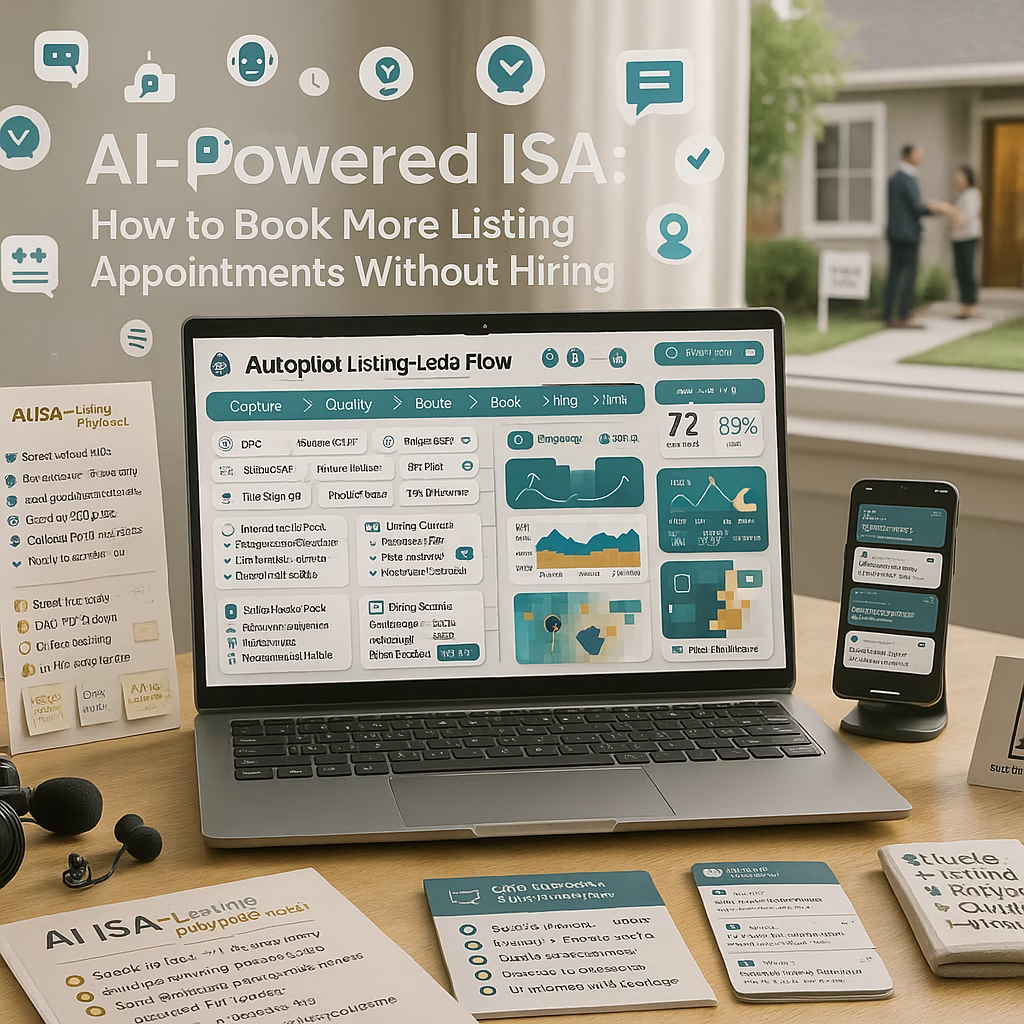
ChatGPT Image Sep 14 2025 02 20 53 PM
AI-Powered ISA: How to Book More Listing Appointments Without Hiring — 2025 Real Estate Playbook

AI-Powered ISA: How to Book More Listing Appointments Without Hiring

Replace manual chasing with smart automation that replies in seconds, qualifies sellers, and fills your calendar.

Introduction

AI-Powered ISA: How to Book More Listing Appointments Without Hiring is a system for agents and teams who want more signed listing agreements without expanding payroll. Your AI ISA replies in under 60 seconds, routes by ZIP and price band, handles FAQs, and offers two concrete appointment windows that sync to your calendar.

Targets to Aim For (first 30 days): Speed-to-first-reply < 60 seconds Lead→Appointment ≥ 40% Show rate ≥ 75% Time saved ≥ 8–12 hours/week

Stay compliant: honor do-not-call, privacy preferences, fair housing rules, and platform policies. Be precise with pricing and timelines.

Expanded Table of Contents

1) Why “AI-Powered ISA: How to Book More Listing Appointments Without Hiring” Works

  • Speed beats charm: Sellers contact multiple agents. A sub-60s reply wins attention.
  • Specific choices convert: Offering two appointment windows outperforms “What time works?”
  • Proof-first messaging: Photo reviews and days-to-market timelines create trust fast.
  • Consistency scales: AI never forgets follow-ups, reminders, or disclosures.

2) Framework: From Click to Calendar in 5 Moves

MoveActionWhy It Matters
1. CaptureLead form or LP with 3–4 fieldsRemoves friction at the door
2. SpeedAI SMS in < 60s with two time optionsSecures a micro-commitment
3. QualifyOne-tap questions: timeline, price bandRoutes to the right agent
4. ConfirmCalendar invite + map pin + parkingCuts no-shows dramatically
5. NurtureProof drip: reviews + prep checklistKeeps momentum until the meeting

3) Unified Inbox: Ads, Site, Chat, Text, Calls

  • Pipe Facebook/Instagram lead forms, site forms, chat, SMS, and call tracking into one queue.
  • Enable missed-call text-back so every missed ring triggers an instant reply.
  • Use UTM + source tags to attribute every appointment to a campaign and ZIP.

4) Seller Qualification Without Friction

  • Single-tap choices: When are you planning to list? (ASAP / 30–60 / 60–90 / 90+)
  • Optional: property address, beds/baths, recent upgrades (free text or quick pick).
  • Respect privacy; offer a “skip” path that still books a time.

5) Scripts & Message Flows (Copy/Paste)

INSTANT SMS (T+0m)
“Thanks for reaching [Team]! Prefer a quick call [Today 4–6] or [Sat 10–12] to talk pricing & prep?”

QUALIFIER (T+2m if no choice)
“Timeline looking like ASAP, 30–60 days, or later?”

CONFIRMATION
“Locked in for [Fri 10:30]. You’ll get a calendar invite with a map pin + parking. Reply RESCHEDULE anytime.”

REMINDER (T-24 / T-2)
“T-24: Bringing your pricing estimate + 7-day prep checklist.”
“T-2: We’re set for [time]. Parking on [Street]. Reply RESCHEDULE for a new time.”

AI-Powered ISA: How to Book More Listing Appointments Without Hiring relies on respectful, concise automation that makes the next step obvious.

6) Smart Routing by ZIP, Price, and Urgency

  • ZIP clusters map to specialist agents; overflow to on-call.
  • Auto-assign by price band (e.g., <$400k, $400–800k, $800k+).
  • Urgent timelines (ASAP) trigger call + SMS + calendar link simultaneously.

7) Calendar Links, Two-Window Booking, Reminders

  • Deep-link to calendar with preset windows using URL params (e.g., ?slot=today-16-18).
  • Auto-include map pin, parking/entry notes, and a one-tap reschedule keyword.
  • Send a prep checklist PDF after booking to raise show-up intent.

8) CRM, Tags, and Attribution You Can Trust

  • Required fields: source, campaign, ZIP, stage, timeline, appointment time.
  • Push all SMS/call transcripts to the contact record for context.
  • Score leads by responsiveness and timeline; surface “hot” daily.

9) KPIs, Benchmarks, and Dashboards

Speed-to-First-Reply

Target < 60s (AI); < 5 min human handoff.

Lead→Appointment

Bookings ÷ leads. Aim ≥ 40% from paid + organic.

Show Rate

Shows ÷ bookings. Aim ≥ 75% with reminders + map pin.

Appointment→Listing

Signed listings ÷ appointments. Track by ZIP/price.

Cost per Appointment

Ad spend ÷ appointments; optimize creative + offers.

Time Saved

Agent-hours replaced by AI (reply, reminders, summaries).

10) 30–60–90 Day Rollout Plan

Days 1–30 (Foundation)

  1. Connect all lead sources to one inbox; enable missed-call text-back.
  2. Ship instant SMS + two-window booking flow; add calendar deep links.
  3. Define routing by ZIP and price band; set SLAs.

Days 31–60 (Momentum)

  1. Launch proof-first creative; add prep checklist auto-send after booking.
  2. Dashboard: Speed-to-reply, Lead→Appointment, Show Rate by ZIP.

Days 61–90 (Scale)

  1. A/B test hooks, windows, and reminders; expand to adjacent ZIPs.
  2. Quarterly audit: scripts, disclosures, compliance, and results.

11) Plug-and-Play Copy & Micro-UX

AD HEADLINES
• “AI-Powered ISA: How to Book More Listing Appointments Without Hiring”
• “Free 15-min Pricing & Prep Call — Book in 30s”
• “Two Time Options Today — Talk Strategy”

LP HERO
“Book a quick call to plan price, prep, and days-to-market.”

CTA BUTTONS
“Book Now” • “Text Our Team” • “Call Now”

MICRO-COPY
“Reply RESCHEDULE anytime.” • “We’ll text parking + building entry.”

12) Troubleshooting: Ghosting, No-Shows, Edge Cases

  • Ghosting after first reply: send one value-add (prep checklist) + a new two-window choice.
  • No-shows: T-24/T-2 reminders + map pin + “Reply RESCHEDULE.”
  • Complex pricing questions: AI offers a call with a specialist and books it.
  • Do-not-call flags: respect immediately; switch to email if opted-in.

The engine of AI-Powered ISA: How to Book More Listing Appointments Without Hiring is speed, clarity, and proof—delivered consistently.

13) 25 Frequently Asked Questions

1) What is “AI-Powered ISA: How to Book More Listing Appointments Without Hiring”?

A system that uses AI messaging and scheduling to turn inbound leads into confirmed listing appointments without adding headcount.

2) Does this replace agents?

No—AI handles speed, reminders, and FAQs; agents handle pricing strategy and negotiation.

3) How fast should replies be?

Within 60 seconds for the first message; under 5 minutes for human handoff if needed.

4) What channels can AI cover?

Lead forms, chat, SMS, call text-back, and basic email follow-ups.

5) Is it compliant with fair housing?

Yes—when scripted with neutral language and monitored. Train your AI with compliant templates.

6) Can it handle pricing questions?

It can share ranges and book a call; detailed pricing is best handled by an agent.

7) How do I prevent double-booking?

Use calendar holds with confirmation logic and one-tap reschedule.

8) Does it work with seller leads from portals?

Yes—pipe them into the same inbox and tag by source for attribution.

9) What if a seller prefers phone calls?

Offer a call immediately and send a summary text after to confirm details.

10) Can I localize messages?

Yes—inject city/ZIP, landmarks, and prep timelines relevant to the area.

11) How many fields should my form have?

3–4 max: name, phone, address/ZIP, timeline.

12) What KPIs matter most?

Lead→Appointment, Show Rate, Appointment→Listing, Speed-to-Reply, and Cost per Appointment.

13) Will AI annoy leads?

Not if messages are concise, respectful, and give clear choices with easy opt-outs.

14) How do I reduce no-shows?

T-24/T-2 reminders, map pin, parking/entry notes, and easy rescheduling.

15) Can it pre-qualify property details?

Yes—collect beds/baths, upgrades, and desired timing via quick picks.

16) Does it summarize conversations?

It should—push summaries to the CRM on status change.

17) What about data privacy?

Use secure systems, honor opt-outs, and store only necessary data.

18) Can it handle multiple languages?

Yes—provide approved translations for core scripts.

19) Should I gate the prep checklist?

No—send after booking to increase show-up intent.

20) Does missed-call text-back really help?

It recovers many lost opportunities, especially after hours.

21) How often to adjust scripts?

Review monthly or when KPIs dip—refresh hooks and appointment windows.

22) Can AI confirm market updates?

It can share general trends; for specifics, route to an agent.

23) What’s a good appointment rate?

40%+ from new leads with strong offers and fast replies.

24) Is there a risk of over-automation?

Yes—keep human handoff obvious and easy at any time.

25) First step today?

Connect inboxes, enable instant SMS, add two-window booking, and test in one ZIP for 7 days.

14) 25 Extra Keywords

  1. AI-Powered ISA: How to Book More Listing Appointments Without Hiring
  2. ai isa for realtors
  3. listing appointment automation
  4. real estate ai sms
  5. missed call text back realtor
  6. speed to lead ai
  7. seller lead qualification
  8. two window booking
  9. calendar deep link real estate
  10. realtor crm attribution
  11. proof first real estate
  12. review wall realtor
  13. prep checklist seller
  14. zip routing realtor
  15. price band routing
  16. appointment to listing rate
  17. real estate ai handoff
  18. agent time saved
  19. lead to appointment rate
  20. no show reduction sms
  21. ai follow up isa
  22. real estate appointment funnel
  23. seller lead scripts
  24. ai inbox for realtors
  25. 2025 realtor ai playbook

© 2025 Your Brand. All Rights Reserved.

AI-Powered ISA: How to Book More Listing Appointments Without Hiring Read More »

7 Listing Ad Angles That Outperform the MLS Every Time

Acutting e 1244416903 17 45 18
7 Listing Ad Angles That Outperform the MLS Every Time — 2025 Real Estate Playbook

7 Listing Ad Angles That Outperform the MLS Every Time

Turn static MLS facts into show-stopping ads that book more showings, faster.

Introduction

7 Listing Ad Angles That Outperform the MLS Every Time is a creative framework for agents and teams who want predictable showings without inflating budgets. The MLS gives the facts; your ads must give the why now. These seven angles blend proof, urgency, and specificity so buyers tap “Book Showing” instead of “Save to favorites.”

Targets to aim for (first 30 days): Thumb-stop ≥ 25% Lead→Showing ≥ 40% Speed-to-reply < 2 minutes Show-up rate ≥ 75%

Stay truthful. Avoid bait pricing and comply with platform policies, fair housing, and MLS rules. Trust compounds results.

Expanded Table of Contents

1) How 7 Listing Ad Angles That Outperform the MLS Every Time Work

Each angle reframes the same facts into a story the buyer actually feels: convenience, lifestyle, savings, exclusivity, speed, certainty, or proof. Rotate angles weekly; keep the first 3 seconds hyper-relevant (neighborhood/price/feature). End every ad with two bookable windows.

2) The 7 Angles (Scripts, Hooks, and Visuals)

Angle 1 — “Weekend-Ready Tour Pack” (Convenience)

  • Hook: “Tour 3 homes in [Neighborhood] Saturday 10–12.”
  • Script: “Skip the search. We lined up three right-fit homes: [price band], [beds/baths], [lot/amenities]. Two windows: Today 4–6 or Sat 10–12.”
  • Visuals: 3 quick cuts + map pin overlay.

Angle 2 — “What $X Buys in [ZIP]” (Price Clarity)

  • Hook: “What $650k buys in 78704 — 60s tour.”
  • Script: “See kitchen, yard, and parking in one minute. Book a 20-min showing: Today or Sat.”
  • Visuals: kitchen → yard → street/parking; price range overlay.

Angle 3 — “Before/After: Makeover Potential” (Lifestyle Vision)

  • Hook: “Same plan. Two finishes. Which one are you?”
  • Script: “Walk a move-in-ready + a light-reno option. Pick your style, not just your square feet.”
  • Visuals: split-screen transformations; include budget bands.

Angle 4 — “Micro-Commute Math” (Time Savings)

  • Hook: “Save 54 mins/day — live 11 min from [Employer].”
  • Script: “Two route shots + parking tips. Book 4–6 today or Sat 10–12.”
  • Visuals: dashcam commute, map overlay, employer skyline.

Angle 5 — “Low Payment, High Life” (Financing & Total Cost)

  • Hook: “Payment from $X/mo at today’s rates*.”
  • Script: “Transparent estimate with taxes/HOA. Get a personalized 60s breakdown during your showing.”
  • Visuals: payment table overlay; include *disclaimer.

Angle 6 — “Neighbors Said Yes” (Social Proof)

  • Hook: “4.9★ in [Neighborhood] — see why in 30s.”
  • Script: “Photo reviews + days-to-contract stats. Two showing windows available.”
  • Visuals: review screenshots, curb appeal, “sold in 9 days” card.

Angle 7 — “Private Preview” (Exclusivity/Speed)

  • Hook: “Private preview before it hits the MLS.”
  • Script: “Be first. Book a 15-min walk-through: Today 4–6 or Sat 10–12.”
  • Visuals: door open → kitchen reveal → yard pan; “pre-MLS” badge.

Quick Angle Picker

Use WhenBest AngleWhy It Wins
Busy buyersWeekend-Ready Tour PackConvenience beats browsing
Price-sensitiveWhat $X BuysExpectation alignment
Fixer potentialBefore/AfterVision overcomes objections
Near big employerMicro-Commute MathTime = money
Payment-first shoppersLow Payment, High LifeAffordability clarity
Trust barrierNeighbors Said YesProof > promises
Hot inventoryPrivate PreviewSpeed & scarcity

3) Landing Page Blueprint: From Click to Calendar

  1. Hero: “Book Your Showing in [Neighborhood/ZIP] — two windows today.”
  2. Proof strip: 3 photo reviews + “sold in X days” stat.
  3. Form: name, phone, ZIP, one qualifier (budget/timeline).
  4. Sticky CTA: Text • Call • Book (all with UTM + call tracking).
  5. Map pin + parking notes for show-up rate.

4) Follow-Up: AI Speed + Agent Skill

T+0m: “Thanks for reaching [Team]! Prefer [Today 4–6] or [Sat 10–12]?”
T+5m: “Budget band or must-have feature? I’ll prep 3 matches.”
T+24h: “Want a 60s video preview before tomorrow?”

AI handles speed and routing; agents handle pricing, contingencies, and negotiation nuance.

5) Proof Wall: Reviews, Timelines, Micro-Case Studies

  • Photo reviews with neighborhood names.
  • “Days to contract” and “over ask” stats (accurate and compliant).
  • 30–60s case clips: inspection wins, appraisal solves, move-in timelines.

6) Targeting & Budgets (Search + Social)

  • Social: radius or ZIP targeting; add remarketing to LP visitors and 50% video viewers.
  • Search: “[Neighborhood] homes for sale”, “[ZIP] open houses”, “townhome with yard [city]”.
  • Budget: start $40–$150/day per angle; scale 20% after 3 stable CPA days.

7) KPIs, Benchmarks & Weekly Optimization

Thumb-Stop %

Replace first frames when CTR dips at frequency ≥ 3.

Lead→Showing

Bookings ÷ leads (target ≥ 40%).

Show Rate

Shows ÷ bookings (target ≥ 75%).

CPL & CPA

Cost per lead & per appointment by angle and ZIP.

Speed-to-Reply

Keep < 2 minutes; missed-call text-back on.

Creative Fatigue

Rotate angles every 2–4 weeks.

8) 30–60–90 Day Rollout Plan

Days 1–30 (Foundation)

  1. Produce 3 hooks per angle; launch two angles per week.
  2. Stand up LP + calendar with two preset windows.
  3. Enable AI SMS and missed-call text-back.

Days 31–60 (Momentum)

  1. Scale top two angles; launch remarketing to video viewers and LP visitors.
  2. Publish a proof wall; add 3 new reviews with photos.

Days 61–90 (Scale)

  1. Duplicate winners to adjacent ZIPs; refresh first 3 seconds on underperformers.
  2. Quarterly audit: prune weak creatives; update payment table assumptions.

9) Copy Blocks & CTAs (Copy/Paste)

HEADLINES
• “7 Listing Ad Angles That Outperform the MLS Every Time”
• “Tour 3 Homes in [Neighborhood] — Book in 30 Seconds”
• “What $[X] Buys in [ZIP] — 60s Tour”

PRIMARY TEXT
“Proof-first. Two time windows. Tap to book a 20-min showing.”

CTA BUTTONS
“Book Showing” • “Text an Agent” • “Call Now”

10) 25 Frequently Asked Questions

1) What is “7 Listing Ad Angles That Outperform the MLS Every Time”?

A creative playbook that reframes listing facts into seven high-performing ad concepts that convert to showings.

2) Which angle should I start with?

“Weekend-Ready Tour Pack” for convenience or “What $X Buys” for price clarity.

3) How long should videos be?

15–30 seconds; hook in 3 seconds with neighborhood/price or signature feature.

4) Lead form or landing page?

Lead forms for volume; landing pages for self-booking and higher intent.

5) How fast must I reply?

Under 2 minutes. Speed massively increases bookings.

6) Do reviews really matter?

Photo reviews increase trust and show-up rates.

7) Can I include payment estimates?

Yes—clearly disclose assumptions and ranges.

8) What KPIs matter most?

Lead→Showing, Show Rate, CPA, and Speed-to-Reply.

9) How often to refresh creatives?

Every 2–4 weeks or when frequency rises and CTR falls.

10) Can I run these on Search too?

Yes—adapt copy to query intent; keep landing pages identical.

11) What about Fair Housing rules?

Use compliant language; avoid discriminatory targeting or terms.

12) Should I list exact price?

Use the live asking price or a compliant range; avoid bait pricing.

13) How many fields on forms?

3–4 max: name, phone, ZIP, one qualifier.

14) How do I cut no-shows?

T-24/T-2 reminders, map pin + parking, easy “Reply RESCHEDULE.”

15) Best remarketing audiences?

LP visitors, lead form openers, and 50% video viewers.

16) Should I use carousel or video?

Video first; carousel as a test for feature-heavy listings.

17) Do I need professional footage?

Phone is fine; prioritize framing, lighting, and pacing.

18) Can I run “Private Preview” legally?

Yes if true and compliant with your brokerage/MLS rules.

19) What budget to start?

$40–$150/day per angle; scale after stable CPA.

20) How do I localize quickly?

Add neighborhood names, ZIPs, landmarks, commute overlays.

21) Do open-house angles still work?

Yes—pair with “two windows today” for urgency.

22) How to qualify buyers gently?

One-tap options: budget band or timeline.

23) When to use payment angle?

Entry-level price bands or rate-sensitive markets.

24) Can I recycle angles across listings?

Absolutely—swap media, numbers, and place names.

25) First step today?

Pick two angles, film three 3-second hooks each, wire calendar + SMS, launch.

11) 25 Extra Keywords

  1. 7 Listing Ad Angles That Outperform the MLS Every Time
  2. real estate listing ad angles
  3. what $x buys in zip
  4. weekend tour pack ads
  5. private preview real estate
  6. payment estimate ad
  7. micro commute real estate
  8. before after listing angle
  9. neighbors said yes reviews
  10. realtor calendar booking
  11. two window booking
  12. real estate proof wall
  13. review screenshots listing
  14. video hooks for listings
  15. realtor landing page template
  16. missed call text back
  17. ai sms follow up real estate
  18. buyer qualification sms
  19. mls outperform ads
  20. listing funnel 2025
  21. real estate cpl cpa
  22. thumb stop rate
  23. showing no show fix
  24. zip geo targeting realtor
  25. proof first listing ads

© 2025 Your Brand. All Rights Reserved.

7 Listing Ad Angles That Outperform the MLS Every Time Read More »

The Facebook Ad Script That Tripled Inquiries for Commercial Properties

ChatGPT Image Sep 14 2025 01 48 50 PM
The Facebook Ad Script That Tripled Inquiries for Commercial Properties — 2025 CRE Playbook

The Facebook Ad Script That Tripled Inquiries for Commercial Properties

From scroll to scheduled walkthrough—use this repeatable script, creative stack, and follow-up flow to fill your tour calendar.

Introduction

The Facebook Ad Script That Tripled Inquiries for Commercial Properties is not a magic sentence; it’s a system. The script leads with concrete space specs, proves fit with quick visuals, qualifies with one choice, and ends with two appointment windows. Pair it with a lean landing page and instant SMS follow-up to turn attention into walkthroughs.

Targets to Aim For (first 30 days): Thumb-stop ≥ 25% Lead→Walkthrough ≥ 35% Speed-to-reply < 5 minutes Walkthrough→Proposal ≥ 30%

Keep copy factual and compliant. Avoid misleading incentives. For targeting, respect platform policies and local advertising rules.

Expanded Table of Contents

1) Why Facebook Still Works for CRE

  • Mass reach + cheap distribution for short vertical tours of space.
  • Remarketing to site visitors, brochure downloads, and video viewers.
  • Lead forms for speed; landing pages for higher intent and self-booking.

2) The Facebook Ad Script That Tripled Inquiries for Commercial Properties (Copy/Paste)

[FIRST 3 SECONDS — HOOK]
Overlay: “Tour [SF] in [Submarket] This Week”
Clip: 3 quick cuts — lobby → open area → dock/parking.

[VALUE IN ONE SENTENCE]
“Spec suite with [#] offices, [parking ratio], ready for quick occupancy.”

[PROOF]
“Recent tenant moved in 32 days” + logo strip (with permission) or case-study stat.

[QUALIFIER]
“Team size?” or “Need dock-high or grade-level?” (One tap choices.)

[CTA — TWO WINDOWS]
“Book a 20-min walkthrough: Today 4–6 or Fri 10–12.”

The Facebook Ad Script That Tripled Inquiries for Commercial Properties works because each line removes friction—fast specs, quick proof, one choice, then the calendar.

3) Video Hooks & Shot List (Office, Industrial, Retail)

Office

  • Hook: “Plug-and-play in [Building] — furniture optional.”
  • Shots: lobby, open area sweep, 2 private offices, conference room, view.

Industrial

  • Hook: “Dock-high • 24' clear • power upgrades.”
  • Shots: exterior, bays/docks, clear height, power room, turning radius.

Retail

  • Hook: “Corner visibility + shared parking.”
  • Shots: storefront, interior pan, signage, parking ingress/egress, traffic sightlines.

Text overlays: SF, availability window, parking/docks, “Book Walkthrough.”

4) Targeting, Geo, and Budget Rules

  • Geo: 10–25 mile radius around submarket; exclude non-service areas.
  • Audiences: start broad + remarketing (site visitors, form openers, video 50%).
  • Budget: $50–$200/day per asset; scale after 3 stable days of CPA.
  • Optimization: conversions (bookings) or high-intent events (calendar click).

5) Landing Page That Books Tours in 60 Seconds

  1. Hero: “Tour [SF] in [Submarket] — pick a 20-min window.”
  2. Specs grid: SF, floor, parking, loading, power, TI notes, earliest occupancy.
  3. Proof strip: case-study stat + 2 photo reviews (with permission).
  4. Form: name, phone, company, one qualifier (team size/dock need).
  5. Sticky buttons: Text • Call • Book with UTM + call tracking.

6) Follow-Up Automations: SMS + Email + Callbacks

T+0m SMS: “Thanks for reaching [Leasing Team]! Prefer [Today 4–6] or [Fri 10–12]?”
T+5m: “Team size + target move-in? I’ll prep a tailored tour route.”
T+24h: “Want a 60s video walkthrough before tomorrow’s visit?”
  • Missed-call text-back on all tracked numbers.
  • Route by submarket to the right broker; add calendar events with map pin + parking.

7) Proof Assets That Close the Trust Gap

  • Move-in timeline (“keys in 32 days”).
  • Load test clip (industrial), foot-traffic snapshot (retail), amenity highlights (office).
  • Tenant photo reviews, with brand permission where applicable.

8) KPIs, Benchmarks & Optimization Cadence

Thumb-Stop %

Hook effectiveness. Refresh first 3 seconds if trending down.

Lead→Walkthrough

Bookings ÷ leads. Target ≥ 35%.

Walkthrough→Proposal

Target ≥ 30% with qualified traffic.

CPL & CPA

Track by submarket and asset type.

Speed-to-Reply

Minutes to first human contact. Target < 5.

Creative Fatigue

Frequency↑ + CTR↓ ⇒ swap hooks weekly.

9) 30–60–90 Day Rollout Plan

Days 1–30 (Foundation)

  1. Film 3 hooks per asset; ship one ad set per submarket.
  2. Stand up lead form + LP; wire call tracking + UTMs.
  3. Enable missed-call text-back and AI SMS replies.

Days 31–60 (Momentum)

  1. Launch remarketing to video viewers and page visitors.
  2. Add two new hooks; test CTA windows and LP fields.

Days 61–90 (Scale)

  1. Duplicate best performers to adjacent submarkets.
  2. Quarterly audit: prune weak creatives, refresh proof, update specs.

10) Plug-and-Play Copy Blocks & CTAs

HEADLINES
• “The Facebook Ad Script That Tripled Inquiries for Commercial Properties”
• “Tour [SF] in [Submarket] — Dock-High / 24' Clear”
• “Spec Suite Ready — Book a 20-min Walkthrough”

PRIMARY TEXT
“See lobby → workspace → parking in 30 seconds. Two tour windows today.”

CTA BUTTONS
“Book Walkthrough” • “Text Leasing” • “Call Now”

11) Troubleshooting: High CPL, Low Tours

  • High CPL: shorten hook, add submarket name in first frame, tighten geo.
  • Low bookings: add calendar deep-link + two preset windows; cut form fields.
  • No-shows: T-24/T-2 reminders, parking/map pin, “Reply RESCHEDULE.”

The Facebook Ad Script That Tripled Inquiries for Commercial Properties wins with speed, specificity, and verifiable proof—not hype.

12) 25 Frequently Asked Questions

1) What is “The Facebook Ad Script That Tripled Inquiries for Commercial Properties”?

A repeatable script + workflow that converts attention into booked walkthroughs for CRE assets.

2) Does it work for office, industrial, and retail?

Yes—swap specs and proof shots to match the asset type.

3) Lead form or landing page?

Lead forms for volume; LP for higher intent and self-booking.

4) How fast must we reply?

Under 5 minutes dramatically increases walkthroughs.

5) What budget is realistic?

$50–$200/day per asset to start; scale on stable CPA.

6) Best hook length?

3 seconds with space name + spec; then a 15–30s tour.

7) Can we mention TI allowances?

Yes—be specific and truthful; avoid vague promises.

8) Do we need professional video?

Phone is fine; prioritize clarity, pacing, and captions.

9) What about fair housing rules?

Use compliant language and avoid discriminatory targeting or claims.

10) Should we show asking rent?

Ranges are fine; add “NTI/TI negotiable” if applicable.

11) How do we qualify quickly?

One-tap choices: team size, dock type, occupancy date.

12) What KPIs matter most?

Lead→Walkthrough, Walkthrough→Proposal, CPA, and Speed-to-Reply.

13) How often to refresh creatives?

Every 2–4 weeks or at frequency ≥ 3 and falling CTR.

14) Does remarketing help?

Yes—target LP visitors and 50% video viewers with direct booking CTAs.

15) Can we book directly from the ad?

Yes—deep-link to your calendar with preset windows.

16) How to reduce no-shows?

Reminders + parking note + easy reschedule link.

17) Should we separate submarkets?

Yes—ads and LPs perform better when geo-specific.

18) What about brand approvals for logos?

Use only with permission; otherwise cite anonymized proof.

19) Do photo reviews matter in CRE?

Yes—visual testimonials lift trust and booking rate.

20) Industrial specifics to show?

Docks, clear height, power, yard space, truck court.

21) Office specifics?

Parking ratio, private offices, conference rooms, amenity stack.

22) Retail specifics?

Visibility, signage, co-tenancy, parking access, traffic flows.

23) Should we run Search ads too?

Yes—capture bottom-funnel queries while social scales discovery.

24) How do we track calls?

Unique tracking numbers per campaign; push to CRM automatically.

25) First step today?

Film a 30s space tour, add the script, set two booking windows, and launch with call/SMS tracking.

13) 25 Extra Keywords

  1. The Facebook Ad Script That Tripled Inquiries for Commercial Properties
  2. commercial real estate facebook ads
  3. cre tour booking ads
  4. office leasing facebook ads
  5. industrial warehouse ads
  6. retail space advertising
  7. dock high warehouse ad
  8. spec suite social ads
  9. cre remarketing strategy
  10. walkthrough booking funnel
  11. cre sms follow up
  12. missed call text back leasing
  13. submarket geo targeting
  14. cre kpi dashboard
  15. lead to walkthrough rate
  16. walkthrough to proposal
  17. cre call tracking numbers
  18. calendar deep link tours
  19. proof first cre ads
  20. tenant case study ad
  21. dock vs grade level
  22. parking ratio office ad
  23. retail visibility signage
  24. cre landing page template
  25. 2025 cre ad playbook

© 2025 Your Brand. All Rights Reserved.

The Facebook Ad Script That Tripled Inquiries for Commercial Properties Read More »

Stop Wasting Ad Spend: Real Estate Lead Systems That Actually Convert

Acutting e 1857043299 17 42 22
Stop Wasting Ad Spend: Real Estate Lead Systems That Actually Convert — 2025 Playbook

Stop Wasting Ad Spend: Real Estate Lead Systems That Actually Convert

Turn clicks into tours and listing appointments with proof-first ads, frictionless landing pages, and lightning-fast follow-up.

Introduction

Stop Wasting Ad Spend: Real Estate Lead Systems That Actually Convert means engineering the entire path from thumb-stop to signed agreement. Ads don’t sell homes—systems do. The system is: irresistible offer → trust-building creative → one-question form → two appointment windows → automated follow-up → CRM + attribution → weekly KPI tune-ups.

Targets to Aim For (first 30 days): Thumb-stop ≥ 25% Lead→Appointment ≥ 40% Speed-to-first-reply < 2 minutes Show rate ≥ 75%

Comply with platform policies and MLS rules; be truthful on pricing, timelines, and incentives. Trust compounds performance.

Expanded Table of Contents

1) The Conversion Framework

StageDo ThisWhy
HookNeighborhood-named proof in first 3sStops the scroll with relevance
Value“Tour 3 homes in [Area] this weekend”Clear, time-boxed benefit
ProofPhoto review + “9 days to contract” caseBelievability over hype
QualifyOne question: budget band or timelineMicro-commitment → better routing
CTATwo appointment windowsReduces decision friction

2) Offers That Win Without Killing Margin

  • Buyers: “Tour 3 Homes in [Neighborhood] — pick 30 minutes.”
  • Sellers: “Free 15-minute Listing Audit — pricing, prep, days-to-close plan.”
  • Investors/CRE: “Spec Suite Walkthrough — parking ratios + TI scopes.”
  • Add a light downloadable: “Weekend Tour Pack” or “Prep Checklist.”

3) Creative That Converts (Hooks, Proof, CTAs)

  • Hook ideas: door opens to kitchen; map pin fly-in; “What $X buys in [ZIP].”
  • Proof wall: 3 review screenshots labeled with neighborhood names.
  • CTA: “Today 4–6” or “Sat 10–12”—always two options.
  • Compliance: truthful pricing ranges; avoid “guarantees.”

4) Landing Pages: Fields, Layout, and Micro-Copy

  1. Hero line with city/ZIP + offer (“Book your weekend tour”).
  2. Proof strip (reviews + “sold in X days”).
  3. Form: name, phone, ZIP, one qualifier (budget/timeline).
  4. Sticky buttons: Text • Call • Book.
  5. Map + parking notes for show-up rate.

5) Lead Forms vs. Landing Pages (When to Use Each)

UseLead FormLanding Page
GoalCheaper CPLHigher intent + self-booking
SpeedInstant in-app submitDeeper proof before booking
Best ForTop-funnel volumeAppointment setting

6) Follow-Up: AI + Human Handoff

T+0m: “Thanks for reaching [Team]! Prefer [Today 4–6] or [Sat 10–12]?”
T+5m: “Which area? I’ll prep 3 homes that match.”
T+24h: “Want a 60s video preview before tomorrow?”

AI handles speed and simple routing; humans handle pricing nuance, contingencies, and negotiations.

7) Calendar Links & Two-Window Booking

  • Deep-link ads and LPs to calendar with ?slot=today-16-18 style parameters.
  • Auto-text confirmations with map pin + parking + “Reply RESCHEDULE.”

8) GBP + Map Pack: Free Conversions You’re Ignoring

  • Enable Messages; SLA < 2 minutes; route by ZIP.
  • Add “Products” (Buyer Tour, Listing Audit) with photos + UTM links.
  • Post twice weekly: Just Listed/Sold, Weekend Tours.

9) CRM, Attribution & Dashboards

  • Single source of truth (CRM). Required fields: source, submarket, stage, dates.
  • UTMs on all buttons; call tracking numbers tied to campaigns.
  • Dashboards for Exec, Team Lead, Agent with funnel and speed metrics.

10) KPIs & Optimization Cadence

Speed-to-Reply

Minutes to first human message. Target < 2–10.

Lead→Appointment

Bookings ÷ leads. Target ≥ 40%.

Show Rate

Shows ÷ bookings. Target ≥ 75%.

Close Rate

Contracts ÷ shows (buyers) or listings signed (sellers).

CPL & CPA

Cost per lead / appointment; track by channel and ZIP.

Creative Fatigue

Frequency↑ CTR↓ ⇒ refresh first 3 seconds.

11) 30–60–90 Day Rollout Plan

Days 1–30 (Foundation)

  1. Ship one buyer and one seller offer; wire UTMs + call tracking.
  2. Launch lead form + LP; enable AI reply + missed-call text-back.
  3. Add 3 photo reviews; post two GBP “Products.”

Days 31–60 (Momentum)

  1. Remarket video viewers; add two new hooks; test two window sets.
  2. Stand up dashboards; weekly 30-min funnel review.

Days 61–90 (Scale)

  1. Duplicate to adjacent ZIPs; build “Proof Wall” landing page.
  2. Quarterly audit: prune weak creatives; refresh reviews and case studies.

12) Plug-and-Play Copy (Ads, SMS, Email)

AD HEADLINES:
• “Stop Wasting Ad Spend: Real Estate Lead Systems That Actually Convert”
• “Tour 3 Homes in [Area] — Book in 30 Seconds”
• “15-min Listing Audit — Price, Prep, Days-to-Close”

PRIMARY TEXT:
“Proof first: reviews + sold timelines. Pick a 30-min slot today or Saturday.”

SMS (AUTO):
“Thanks for reaching [Team]! Prefer [Today 4–6] or [Sat 10–12]? What area are you eyeing?”

EMAIL (SELLER):
“Subject: 15-min Listing Audit for [Street/ZIP]
Body: Here’s the quick checklist we’ll cover + two windows that work this week.”

13) Troubleshooting High CPL or No-Shows

  • High CPL: swap to neighborhood-named proof in first 3s; tighten geo; shorten copy.
  • Low bookings: add calendar link with two preset windows; reduce form fields.
  • No-shows: T-24/T-2 reminders, map pin, parking note, “Reply RESCHEDULE.”

Stop Wasting Ad Spend: Real Estate Lead Systems That Actually Convert is a system, not a slogan—speed, proof, simple choices, and relentless measurement.

14) 25 Frequently Asked Questions

1) What is “Stop Wasting Ad Spend: Real Estate Lead Systems That Actually Convert”?

A step-by-step framework to turn paid clicks into booked tours and listing appointments with reliable tracking.

2) Which channel should I start with?

One search campaign + one social campaign; don’t scale until attribution is clean.

3) What’s a good CPL?

Ranges by market: social $6–$25, search $15–$60; optimize to CPA (appointments).

4) Should I use lead forms or landing pages?

Lead forms for volume; landing pages to book appointments directly.

5) How fast must I reply?

Under 2 minutes. Speed dramatically lifts Lead→Appointment.

6) What offer works for buyers?

“Tour 3 Homes in [Area]” with two time windows.

7) What offer works for sellers?

“15-minute Listing Audit” with pricing prep and days-to-close plan.

8) Do reviews really matter?

Photo reviews + sold timelines increase trust and booking rate.

9) How many fields should my form have?

3–4 max: name, phone, ZIP, one qualifier.

10) Can I automate follow-up?

Yes—AI for speed and qualification, then human handoff.

11) What’s “two-window booking”?

Offer two concrete time options—reduces decision friction.

12) Should I gate my “What $X Buys” guide?

Keep it open; use it to drive tour bookings.

13) How do I track calls?

Campaign-level tracking numbers; log into CRM automatically.

14) What dashboards do I need?

Exec (revenue/appointments), Team Lead (funnel), Agent (speed + bookings).

15) How often to refresh creatives?

Every 2–4 weeks or when frequency climbs and CTR drops.

16) Should I run GBP as part of paid?

GBP is organic but multiplies paid ROI; enable Messages and Products.

17) How do I reduce no-shows?

Reminders, parking notes, and easy reschedule via SMS.

18) Can I target by income/age?

Follow platform policies; focus on location + creative relevance.

19) What about fair housing?

Use compliant language; avoid discriminatory targeting or claims.

20) How do I handle low intent leads?

Drip with proof and invite a quick call; suppress after 30 days of inactivity.

21) What KPI matters most?

Appointments (CPA) and show rate; optimize upstream to improve them.

22) Do I need video?

Short vertical videos outperform static for attention and trust.

23) Does long copy help?

Keep ads short; put detail on the LP. Test both.

24) Should I run YouTube or TikTok?

Test once search + Facebook/Instagram are stable; reuse hooks.

25) First step today?

Publish one buyer and one seller offer; wire calendar + SMS; enable AI auto-reply.

15) 25 Extra Keywords

  1. Stop Wasting Ad Spend: Real Estate Lead Systems That Actually Convert
  2. real estate lead systems 2025
  3. realtor appointment funnel
  4. buyer tour booking ads
  5. seller listing audit funnel
  6. speed to lead real estate
  7. ai follow up realtor
  8. missed call text back real estate
  9. real estate crm attribution
  10. map pack real estate leads
  11. google ads real estate leads
  12. facebook ads realtor template
  13. tour 3 homes offer
  14. listing appointment playbook
  15. proof first realtor content
  16. review wall real estate
  17. real estate landing page template
  18. calendar booking realtor
  19. two window booking
  20. buyer qualification sms
  21. seller prep checklist ad
  22. realtor kpi dashboard
  23. cpl vs cpa real estate
  24. creative fatigue metrics
  25. 2025 real estate marketing

© 2025 Your Brand. All Rights Reserved.

Stop Wasting Ad Spend: Real Estate Lead Systems That Actually Convert Read More »

Scroll to Top