Market Wiz AI

Uncategorized

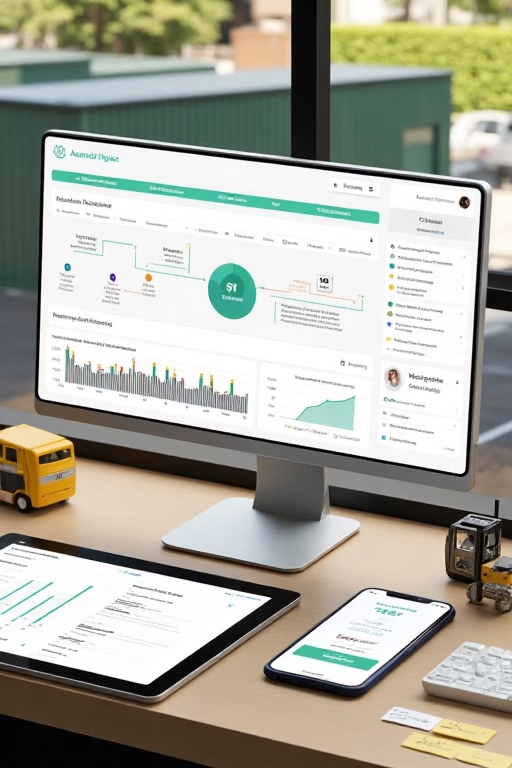
AI-Driven Booking Systems That Are Exploding for Shed Companies
Acutting e 1939172990 20 52 40
AI-Driven Booking Systems That Are Exploding for Shed Companies (2025 Playbook)

AI-Driven Booking Systems That Are Exploding for Shed Companies

Turn every inquiry into a scheduled site check, a delivery slot, or a showroom visit—automatically.

Introduction

AI-Driven Booking Systems That Are Exploding for Shed Companies isn’t just a trend—it’s an operational shift. The teams winning the Map Pack and weekend traffic are using AI to reply in under 90 seconds, qualify delivery access, surface the right model/size from a configurator, and book an onsite assessment or showroom consult without a single phone tag loop.

Targets to aim for: Speed-to-first-reply ≤ 90s Lead → booked visit ≥ 55–70% Show rate ≥ 80–90% Quote turnaround ≤ 24h No-show ≤ 10–12%

Educational content only—always follow messaging consent rules, delivery/installation safety standards, and platform policies. Keep pricing/claims factual.

Expanded Table of Contents

1) Why AI Booking Is Exploding for Shed Sellers

1.1 Intent-Decay & Weekend Rush

Shoppers browse on weeknights and weekends. If your reply lands instantly with two appointment options, they stop comparison shopping and start planning delivery.

1.2 From “How much?” to “Here’s your plan”

Fast, useful replies pivot to access, base prep, HOA, and delivery logistics—where your expertise shines and margins hold.

2) The Booking Stack (Architecture)

2.1 Capture

  • Website chat + “Text us” widget
  • Lead forms on model pages & 3D configurator
  • Marketplace/OfferUp/Craigslist messages
  • Missed-call textback so every ring becomes a conversation

2.2 Router

  • Assign by delivery radius/zip, model complexity, crew availability
  • Tag by use case: storage, office, cabin, workshop

2.3 CRM Stages & SLAs

New → Qualified → Visit Booked → Quote Sent → Deposit → Scheduled → Installed → Review. SLAs: reply ≤ 90s; confirm appointment within 15m; quote ≤ 24h; reminder cadence at T-24/T-2/T-30m.

3) Shed-Specific Qualifiers (Access, HOA, Base)

Intended use? (storage/office/workshop/cabin)
Size & style? (8x12, 10x16; gable/barn/modern)
Delivery zip + surface? (asphalt/concrete/grass)
Access limits? (gate width, slope, low wires/trees, tight turns)
Foundation/base? (gravel pad, concrete slab, blocks)
HOA/permit? (need docs or setback notes?)
Timeline? (this week / 2–4 weeks / browsing)

These create accurate ETAs and fewer surprise crane days—why AI-Driven Booking Systems That Are Exploding for Shed Companies deliver real ROI.

4) First-Reply Scripts (SMS/Chat/Email/Phone)

4.1 SMS (Opt-in)

Hi {First}—we can check delivery access & give a ballpark.
Two quick times for a 10-min plan: Thu 5:30 or Sat 10:00?
(Reply STOP to opt out)

4.2 Email

Subject: Quick delivery check + two times
Thanks for reaching out about your shed. Can you share gate width & surface?
I can hold Thu 5:30 or Sat 10:00 for a short call. We’ll confirm size & base.

4.3 Missed-Call Textback

Sorry we missed you. Want me to pencil in Thu 5:30 or Sat 10:00
for a quick site check plan? Zip + gate width helps.

5) Booking Flows: Showroom, Onsite, Virtual

  • Showroom Visit: two times → map pin/parking → “bring list” (yard photos, gate width)
  • Onsite Assessment: address & access photos → base recommendation → quote
  • Virtual Consult: screenshare configurator → price range → deposit link

6) 3D Configurator → Booking → Quote

AI reads the saved build (size, doors/windows, upgrades), suggests base and delivery window, then offers two appointment slots. After the call, it drafts a factual “From $” quote with delivery notes and optional crane line item.

Delivery Note Template

Pricing assumes tilt-bed/mule access with safe clearance.
Crane/forklift quoted if needed after site photos.

7) Google Business Profile: Clicks to Bookings

  • Primary category: Shed builder / Portable building manufacturer (as applicable)
  • Enable messaging; use saved replies with booking link
  • Weekly Posts: “What we’re installing this week” + one-tap booking
  • Products: best-sellers with From $ and lead time ranges

8) Reducing No-Shows & “Not Ready Yet” Leads

  • Reminders at T-24/T-2/T-30m with map pin and reschedule link
  • No-show saver: “Move to Mon 8:30 or Tue 3:00?”
  • “Not ready” track: send pad guide + HOA checklist; re-offer times in 7 days

9) Multi-Lot & Mobile Crew Scheduling

  • Unique numbers and calendars per lot/region
  • Auto-route installs by crew skills (mule vs crane days)
  • Weather buffers and backfill waitlist texts

10) KPIs & Dashboards

  • Speed-to-first-reply, booking rate, show rate
  • Quote acceptance, upgrade attach (windows, lofts, electrical)
  • Days-to-install, revenue per booked visit, review velocity

11) 30–60–90 Day Implementation Plan

Days 1–30: Foundation

  1. Turn on chat + textback; wire to CRM stages
  2. Load qualifiers and two-time reply scripts
  3. Publish booking link across site/GBP/social

Days 31–60: Scale

  1. Integrate 3D configurator handoff → quote template
  2. Add showroom + onsite playbooks; standardize pad guidance
  3. Start weekly Posts and product updates

Days 61–90: Optimize

  1. A/B test first messages and time windows
  2. Refine routing rules; add weather-backed waitlist
  3. Automate review requests after install

12) Troubleshooting: Flags, Weather, Permits

  • Low replies: shorten first message; include two concrete times
  • Weather delays: auto-reschedule + “first-out” priority the next clear day
  • Permit/HOA friction: send neutral checklist and suggest local confirmation; avoid guarantees

This is the heartbeat of AI-Driven Booking Systems That Are Exploding for Shed Companies: speed, clarity, and credible next steps.

13) 25 Frequently Asked Questions

1) What is an AI-driven booking system for sheds?

A workflow that auto-replies, qualifies delivery/access, and books showroom or onsite visits with reminders and quotes.

2) How fast should it reply?

Under 90 seconds for best conversion.

3) Can it read 3D configurator data?

Yes—AI can parse size/options and prefill quotes and base recommendations.

4) Do we need a CRM?

Highly recommended to track stages, quotes, installs, and reviews.

5) What about after-hours inquiries?

AI books tomorrow’s slots, gathers access photos, and queues for human review.

6) How do we reduce no-shows?

Two-option times, clear map pin, and reminders at T-24/T-2/T-30m.

7) Can it handle multiple lots?

Yes—separate numbers/calendars, route by zip and crew load.

8) Will it work with marketplace leads?

Yes—send two times and request gate width & surface photo.

9) Can we take deposits in the flow?

Offer secure links after quote approval; keep terms factual.

10) Do we list exact prices in chat?

Use From $ ranges with drivers (size, base, access, options); confirm in quote.

11) What images increase booking?

Real installs, access examples, base types, and delivery equipment.

12) What if access is tight?

Collect photos; plan mule or crane; add line item clearly.

13) Can it trigger review requests?

Yes—after install; never gate or require positive wording.

14) How do we manage weather?

Auto-reschedule, notify crew and customer, and prioritize earliest slots.

15) Does it integrate with calendars?

Yes—hold events and avoid double-booking across teams.

16) Are SMS messages compliant?

Obtain consent and include opt-out language where required.

17) Can it upsell options?

Yes—windows, electrical, lofts, ramps during quote/visit confirmation.

18) How do we track ROI?

Use UTMs/call tracking; measure revenue per booked visit and per channel.

19) What KPIs matter most?

Speed-to-reply, booking rate, show rate, quote acceptance, days-to-install.

20) Can it send prep guides?

Yes—pad/HOA checklists with photos of acceptable bases.

21) How do we treat “just browsing” leads?

Send configurator link + base guide; re-offer times in 7 days.

22) Is voice support included?

Missed-call textback + voicemail-to-text; book callbacks.

23) Can it manage multiple crew types?

Route crane vs mule installs by access notes and crew skills.

24) Will agents lose control?

No—AI does the repetitive steps; humans confirm quotes and set expectations.

25) First step today?

Wire chat/textback → router → CRM, load two-time scripts, and publish your booking link on GBP and model pages.

14) 25 Extra Keywords

  1. AI-Driven Booking Systems That Are Exploding for Shed Companies
  2. shed appointment automation
  3. portable building booking system
  4. 3D shed configurator leads
  5. mule vs crane delivery planning
  6. gravel pad vs concrete slab guide
  7. shed delivery access checklist
  8. missed call textback sheds
  9. showroom visit scheduling sheds
  10. onsite shed assessment booking
  11. shed CRM pipeline
  12. quote automation sheds
  13. AI follow-up for shed companies
  14. GBP messaging shed builder
  15. map pack booking sheds
  16. shed upsell options automation
  17. multi-lot calendar routing
  18. weather delay rescheduling
  19. HOA shed permit checklist
  20. delivery ETAs for sheds
  21. two-time booking script sheds
  22. review request automation sheds
  23. install crew scheduling AI
  24. shed sales KPIs dashboard
  25. 2025 shed booking playbook

© 2025 Market Wiz AI. All Rights Reserved.

AI-Driven Booking Systems That Are Exploding for Shed Companies Read More »
ai follow-up system for real estate companies leads

Acutting e 1264151655 17 51 34
AI Follow-Up System for Real Estate Companies Leads (2025 Playbook)

AI Follow-Up System for Real Estate Companies Leads

Capture, qualify, and book appointments in minutes—without burning agent time.

Introduction

ai follow-up system for real estate companies leads is more than a bot. It’s a disciplined workflow that grabs inquiries from every channel, replies in under 90 seconds, asks three qualifying questions, offers two appointment options, pushes clean notes into your CRM, and keeps nurturing until a contract is signed—or the lead opts out.

Benchmarks worth aiming for: Speed-to-first-reply ≤ 90s Lead → appointment ≥ 45–60% Show rate ≥ 70–85% Appointment → agreement ≥ 25–35% Response SLA: 24/7 after-hours coverage

This guide is educational, not legal advice. Follow all applicable marketing, privacy, and communications laws (e.g., TCPA, CAN-SPAM, GDPR). Always include clear opt-out language where required.

Expanded Table of Contents

1) Why an AI Follow-Up System Works in Real Estate

1.1 The Intent-Decay Window

Interest peaks right after a portal click, chat message, or sign call. An ai follow-up system for real estate companies leads responds instantly, capturing context before attention shifts to another listing.

1.2 Speed Reframes the Conversation

Rapid, helpful replies move the discussion from “Is this still available?” to “Here are two viewing times and a mortgage-prep checklist.” Speed reduces shopping and increases commitment.

2) The System Architecture

2.1 Capture

  • Website chat + sticky “Text us” widget
  • Portal leads (Zillow/Realtor.com), Facebook/Google lead forms
  • Missed-call textback: every unanswered ring becomes a conversation

2.2 Router

  • Territory rules: zip/city, listing agent protection
  • Property type: resale, new build, rental, land
  • Calendar load: assign evenly; escalate VIPs to top performers

2.3 CRM Stages & SLAs

New → Qualified → Appt Booked → Toured/Consulted → Offer/Listing → Under Contract → Closed → Review/Referral. SLAs: reply ≤ 90s; confirm appointment within 15m; follow-ups at T+2h/T+24h/T+3d/T+10d.

3) Smart Qualifiers (Buyer, Seller, Landlord, Renter)

Buyer: timeline (0–3/3–6/6+ mo), finance status (pre-approved?), areas, beds/baths, must-haves.
Seller: address, timeline, renovations, target price band, alternative plans.
Investor: strategy (flip/hold/BRRRR), budget, markets, yield/IRR target.
Renter: move date, budget cap, pets, credit/income docs, neighborhoods.

Collect only what you need to route correctly and set the next step. Keep it conversational and opt-in friendly.

4) First-Reply Scripts (SMS/Email/Chat/Voice)

4.1 SMS (Opt-in)

Hi {First}—I can check availability and set a tour. 
Would Thu 5:30 or Sat 10:00 work? (Reply STOP to opt out)

4.2 Email

Subject: Quick tour options for {Street/Community}
Hi {First}, two times open: Thu 5:30 or Sat 10:00. 
Do you need a lender intro or prefer cash? I’ll prep a checklist either way.

4.3 Missed-Call Textback

Sorry we missed you. Want me to confirm if {123 Main} is available?
I can hold Thu 5:30 or Sat 10:00. Which is better?

5) Cadences by Lead Type

  • Cold: T+2h nudge → T+24h options → T+3d checklist → T+10d softer alternate
  • Portal: instant reply + availability → calendar link → lender/doc checklist
  • Open house: same-day thanks + comps PDF → next-day tour options
  • Seller: CMA pre-questions → two consult times → prep list for photos/repairs

6) Booking Engine & Calendar Logistics

  • Always offer two specific times; let prospects counter
  • Auto-send map pin, parking, and required IDs for gated buildings
  • Reminders at T-24 / T-2 / T-30m with easy reschedule
  • No-show saver: “Move to Mon 8:30 or Tue 3:00?”

7) AI Scoring & Lead Routing

  • Signals: response speed, doc readiness, financing status, browsing depth
  • Behavioral: email opens, SMS replies, site searches, property saves
  • Routing: high-scored leads → senior agents; nurture streams for the rest

8) Content that Warms Up Skeptical Leads

  • Neighborhood mini-guides and school info links
  • Buyer checklists (pre-approval, tour prep, offer terms)
  • Seller resources (CMA explainer, photo prep, disclosure overview)

9) Compliance Guardrails

  • Obtain consent for SMS; include opt-out language
  • Respect quiet hours; schedule sends by local time
  • Store preferences; never gate reviews or misrepresent availability

10) Integrations (CRM, IDX, Ads, Phone)

  • CRM: pipeline stages, tags by source/campaign
  • IDX/Website: chat + calendar hook, property save events
  • Ads: UTM on forms; audiences for retargeting
  • Phone: call tracking + missed-call textback

11) Analytics & KPIs That Matter

  • Speed-to-first-reply, appointment set %, show rate
  • Offer/listing conversion, days-to-close, revenue per appointment
  • Channel ROI by campaign and market

12) 30–60–90 Day Implementation Plan

Days 1–30: Foundations

  1. Wire capture → router → CRM; set SLAs
  2. Load first-reply scripts and qualifiers per lead type
  3. Turn on missed-call textback and calendar holds

Days 31–60: Scale

  1. Launch nurture cadences; add lender/photographer partner CTAs
  2. Train scoring on first 1,000 leads; route top 20% to senior agents

Days 61–90: Optimize

  1. A/B test first messages, appointment windows, and reminders
  2. Refine territories; expand to new neighborhoods

13) Mini-Playbook: Buyers, Sellers, Investors

Buyers

Instant availability + two tour times; send lender checklist; confirm pre-approval before touring multiple homes.

Sellers

Book valuation call; request address & photo count; deliver mini-CMA; propose photo day/time.

Investors

Qualify buy box; auto-send new matches; book weekly deal review slot.

14) Troubleshooting

  • Ghosting: resend with one-tap choices; offer alternate property or virtual tour
  • No-shows: upgrade reminders; share parking/map pin; confirm 2 hours prior
  • Low quality: tighten forms, add price/credit filters; enrich data before routing

These fixes keep your ai follow-up system for real estate companies leads sharp and agent-friendly.

15) 25 Frequently Asked Questions

1) What exactly is an AI follow-up system?

A workflow that auto-replies, qualifies, books, and logs activity across channels with human takeover when needed.

2) How fast should it reply?

Under 90 seconds is ideal for real estate lead conversion.

3) What channels work best?

SMS and chat for speed, phone for complex questions, email for docs and recaps.

4) Can it handle after-hours?

Yes—book next-day slots, answer FAQs, and collect qualifiers 24/7.

5) How do we keep it on-brand?

Use approved voice/tone libraries, signatures, and localized scripts.

6) How does routing work?

By territory, property type, calendar load, and lead score.

7) Can it ask for lender pre-approval?

It can share checklists and ask if you’re pre-approved; never require confidential details in chat.

8) What about compliance?

Obtain consent for SMS, include opt-out, respect quiet hours, and store preferences.

9) Will agents lose control?

No—AI handles the repetitive steps; agents take over for advice and negotiations.

10) Can it run open-house follow-up?

Yes—thank-you message, comps PDF, and tour options for favorites.

11) How do we reduce no-shows?

Use two-option times, map pin + parking notes, and timely reminders.

12) Does it integrate with our CRM?

It should—ensure two-way sync for stages, notes, and tasks.

13) What KPIs matter most?

Speed-to-reply, appointment set %, show rate, contract rate, and revenue per appointment.

14) Can it nurture cold leads?

Yes—multi-day cadences with checklists, neighborhood guides, and new matches.

15) Does it handle sellers and buyers?

Both—different qualifiers and cadences for each.

16) How do we personalize messages?

Use property context, neighborhood names, timeline signals, and saved preferences.

17) Is voice/phone supported?

Voicemail-to-text + instant textback; schedule live callbacks.

18) Can it detect spam or duplicates?

Yes—de-duplicate by email/phone and suppress obvious spam patterns.

19) What about team accountability?

Dashboards show SLAs, handoffs, and outcomes per agent.

20) Can it send documents?

It can deliver checklists and links; contracts should be handled via secure tools.

21) How do we protect PII?

Use encrypted systems, minimal data collection, and access controls.

22) What if a lead opts out?

Honor immediately and suppress across all channels.

23) Does it support multiple markets?

Yes—route by zip/city and maintain localized scripts per market.

24) How soon can we go live?

With prepared scripts and integrations, many teams launch foundations in 2–3 weeks.

25) First step today?

Connect capture → router → CRM, load the two-time reply scripts, and turn on missed-call textback.

16) 25 Extra Keywords

  1. ai follow-up system for real estate companies leads
  2. real estate ai lead follow-up
  3. instant response realtor chatbot
  4. missed call textback real estate
  5. buyer tour booking automation
  6. seller valuation appointment AI
  7. real estate lead scoring model
  8. IDX website chat automation
  9. portal lead auto-reply
  10. TCPA compliant SMS real estate
  11. real estate CRM integration AI
  12. two-option appointment script
  13. after-hours real estate bot
  14. open house follow-up automation
  15. neighborhood guide drip
  16. mortgage pre-approval checklist
  17. seller CMA nurture
  18. investor deal flow automation
  19. virtual tour scheduling AI
  20. review request automation realtor
  21. appointment show rate optimization
  22. pipeline analytics real estate
  23. property inquiry qualification
  24. calendar routing real estate team
  25. 2025 real estate automation stack

© 2025 Your Brand. All Rights Reserved.

ai follow-up system for real estate companies leads Read More »

best ai lead generation tools for land flipping companies

Acutting e 903650962 17 50 09
Best AI Lead Generation Tools for Land Flipping Companies (2025 Field Guide)

Best AI Lead Generation Tools for Land Flipping Companies

Source, score, and close more dirt deals with a tightly wired AI stack.

Introduction

best ai lead generation tools for land flipping companies isn’t a random shopping list. It’s a revenue system: pull clean parcels, enrich owners, predict motivation, auto-outreach with consent, and route hot replies to a closer—fast. This guide maps the stack, scripts, and KPIs that consistently fill pipelines for land investors and wholesalers.

Targets to aim for: List-to-contact match ≥ 65–80% Reply rate (cold) ≥ 8–15% Appointment set ≥ 30–45% Offer acceptance ≥ 10–18% Median first reply ≤ 90s

This article is educational—not legal advice. Observe federal/state marketing laws, MLS rules, opt-in/opt-out requirements, and do not make unverifiable claims.

Expanded Table of Contents

1) The Land LeadGen Stack (Overview)

  • Data Parcel/owner records with GIS overlays
  • Enrichment Emails/phones, LLC principals, mailing addresses
  • Outreach AI-personalized email/SMS + voice IVR
  • Scoring Sell-likelihood, vacancy, delinquency, activity
  • CRM Pipeline, attribution, revenue dashboards

2) Prospecting Data Built for Land

2.1 Core Filters

  • Acreage bands (e.g., 1–10, 10–40, 40+)
  • Zoning/land use (AG, residential, recreational)
  • Owner type (absentee, out-of-county, out-of-state)
  • Tax delinquency, days since last sale, inherited indicators
  • Utility proximity, road access, flood/soil flags (where data is available)

2.2 GIS Layers & Distance Rules

Use AI to compute distances to paved roads, power lines, water, or city centers, then prioritize parcels meeting your buyer profile.

3) Enrichment & Contact Discovery (AI-Assisted)

3.1 Disambiguation

For common names, AI cross-checks assessor/mailing records, LLC registrations, and deed history to improve match quality.

3.2 LLC → Human Mapping

Parse filings to find signers/managers. When multiple principals exist, rank by local presence and recent activity.

Outcome: cleaner lists and fewer “wrong person” replies—core to the best ai lead generation tools for land flipping companies promise.

4) AI Outreach Engines (Email, SMS, Voice)

4.1 Consent-First Sequencing

  • Respect opt-in laws; provide clear opt-out in SMS/email
  • Throttle by county/time zone; avoid quiet hours
  • Rotate scripts and signatures to reduce spam signals

4.2 First-Touch Templates

Subject: Quick question about your parcel near {Road/Feature}

Hi {First}, we purchase land in {County}. If you'd consider a no-obligation offer,
could I confirm access (paved/dirt) and nearest power line? Two quick times:
Thu 5:30 or Sat 10:00 for a 5-min call?
SMS (opt-in): Hi {First}—{YourName}. We buy land in {County}. 
If you'd like a ballpark, may I text you 2–3 questions? Reply YES to proceed.

5) Paid Acquisition: Buyer & Seller Pipelines

5.1 Lead Forms & Chatbots

AI chat collects parcel APN, county, access details, and timeline. For buyers, collect acreage, use (homestead/recreation), budget band, and region.

5.2 Retargeting Map

Warm unbooked visitors with parcel galleries and recent solds; invite a fast, two-time-slot call.

6) AI Scoring & Motivation Models

  • Weighted factors: delinquency, absentee distance, days vacant, incoming permits nearby
  • Engagement factors: opens/replies, site visits, chatbot depth
  • Routing: auto-assign high-score leads to senior closers

7) Booking & Follow-Up Automations

  • Offer two concrete times; let owners counter
  • Reminders at T-24 / T-2 / T-30m; include map pin
  • No-show saver: “Move to Mon 8:30 or Tue 3:00?”

8) CRM, Attribution & Dashboards

Stages: New → Qualified → Appointment → Offer Sent → Under Contract → Closed → Review/Referral. Tag by county, source, and list to learn which tools drive assignable deals and spreads.

9) 30–60–90 Day Implementation Plan

Days 1–30: Foundation

  1. Define buy box by acreage, zoning, price band
  2. Pull initial parcels; enrich contacts; validate 100 manually
  3. Load consent-first sequences and booking links

Days 31–60: Scale

  1. Launch ads/chat for seller & buyer forms
  2. Train scoring model on first 1,000 rows
  3. Add missed-call textback + voicemail to SMS

Days 61–90: Optimize

  1. A/B test openers and time offers
  2. Expand to adjacent counties; refine filters
  3. Standardize offer templates and disclosure checklists

10) KPIs to Track Weekly

  • Deliverability %, reply %, appointment set %, show rate
  • Offer rate, acceptance rate, average spread, days-to-close
  • Source ROI by county and channel

11) Mini-Plays (Use-Case Recipes)

Infill Lots

Prioritize parcels within 1 mi of utilities and paved roads; outreach mentions recent nearby permits.

Recreational Acreage

Score by distance to trailheads/lakes; show comparable sold timelines in sequencing.

Inheritance Signals

Target no-mail-forward + long ownership; gentle, options-first language with easy opt-out.

12) Troubleshooting

  • Low match rate: re-run LLC mapping; add alternate spellings; verify county exports
  • Spam flags: throttle sends; rotate domains; shorten first touch
  • Few replies: use two time options + single question; add local reference
  • Compliance risk: keep opt-outs; respect quiet hours; document consent

Dialing in process—not just tools—is what makes the best ai lead generation tools for land flipping companies deliver outsized ROI.

13) 25 Frequently Asked Questions

1) What defines the “best” AI tool for land flipping?

Accuracy (clean contacts), speed (sub-5-minute replies), compliance (opt-in/out), and measurable ROI per county.

2) How big should my first list be?

1,000–3,000 parcels per county is a practical starter size with enough signal to learn.

3) Can AI find the real person behind an LLC?

Yes—by parsing filings and linking managers/signers; humans should verify before outreach.

4) What email subject lines work?

Location-first and short: “Quick question about your {Road/Area} parcel.”

5) SMS or email first?

Start with email for breadth; use SMS only with consent or warm engagement.

6) How do I reduce wrong numbers?

Cross-check numbers from multiple sources; prioritize ones matching mailing address names.

7) Best time to send?

Early evening local time for owners; mid-morning for professionals. Test and log results.

8) Should I show a price in first touch?

Offer a ballpark only after access/utilities questions; avoid blind offers in message one.

9) What’s a good reply rate?

Cold email 8–15%, SMS (with consent) 20%+, depending on list quality and county.

10) How do I handle “Not selling” replies?

Tag as future follow-up; send a polite one-click unsubscribe; move on.

11) Does AI help with comps?

Yes—AI can summarize solds and normalize acreage/road/power differences for a range.

12) Can I auto-book calls?

Yes—include two times; the assistant holds a calendar slot and confirms.

13) What about after-hours leads?

AI replies instantly, books tomorrow, and queues questions for a human review.

14) How do I avoid spam folders?

Warm domains, authenticate (SPF/DKIM/DMARC), vary copy, and keep images light.

15) Do ringless voicemails work?

Use cautiously and legally; focus on consented channels for durability.

16) Can AI write offers?

AI can draft; humans must approve numbers, terms, and disclosures.

17) How do I pick counties?

Evaluate days-on-market for land, buyer demand, utility proximity, and assignment velocity.

18) Do I need a CRM?

Yes—track replies, calls, offers, contracts, and revenue by source/county.

19) What KPIs matter most?

Deliverability, reply %, appointments, offer acceptance, spread, days-to-close.

20) Should I use AI chat on my site?

Yes—collect APN/county/use case and route to a two-time-slot booking.

21) How do I treat inherited/sensitive leads?

Use empathetic language, slower cadences, and easy opt-out choices.

22) What images help conversion?

Nearby sold comparables, access photos, and utility proximity maps.

23) Can I retarget sellers?

Yes—privacy-safe retargeting to those who visited offer pages.

24) When do I stop following up?

Typical cadence ends at T+10 days or upon opt-out; respect preferences.

25) First step today?

Define buy box, pull one county, enrich contacts, and launch a consent-first two-time-slot sequence.

14) 25 Extra Keywords

  1. best ai lead generation tools for land flipping companies
  2. land investor AI stack
  3. vacant land seller leads
  4. AI parcel scoring
  5. LLC principal mapping
  6. skip tracing automation land
  7. consent-first SMS land
  8. AI email outreach land flipping
  9. APN data enrichment
  10. GIS distance filters AI
  11. land comps analyzer AI
  12. buyer lead forms land
  13. retargeting for land investors
  14. two-option booking script
  15. missed-call textback land
  16. land CRM pipeline
  17. county-level attribution
  18. inheritance land outreach
  19. recreational acreage leads
  20. infill lot prospecting AI
  21. offer template automation
  22. review request automation land
  23. opt-in compliance land marketing
  24. spread per deal KPI
  25. 2025 land flipping leadgen

© 2025 Market Wiz AI. All Rights Reserved.

best ai lead generation tools for land flipping companies Read More »

Avoid This Costly Mistake Most Pawn Shops Make with Google Business

Acutting e 3597692941 17 47 37
Avoid This Costly Mistake Most Pawn Shops Make with Google Business (2025 Guide)

Avoid This Costly Mistake Most Pawn Shops Make with Google Business

Fix the #1 settings error, then stack quick-win optimizations that drive calls, chats, and foot traffic.

Introduction

Avoid This Costly Mistake Most Pawn Shops Make with Google Business is more than a warning—it’s a map to quick wins. The most expensive mistake we see is using the wrong primary category (or hiding your address incorrectly), which quietly buries you in local search. Set the correct category, align services, and your Map Pack visibility, call volume, and walk-ins can climb without extra ad spend.

Targets to aim for (healthy listing): Primary category: Pawn Shop Photo cadence: 5–10/week Message reply: < 5 minutes Review velocity: 15–30/mo Products live: 12–24 SKUs

This guide is educational, not legal advice. Keep all claims factual, follow platform policies, and comply with local regulations for pawn services.

Expanded Table of Contents

1) The Costly Mistake: Wrong Primary Category (and Address Rules)

1.1 Why “Jewelry Store” Hurts Pawn Intent

If your primary category is “Jewelry Store” or “Gold Dealer,” Google may rank you for shoppers—not people searching “pawn shop near me,” “pawn loans,” or “sell electronics today.” You lose relevance, reviews carry less weight for pawn queries, and calls skew to the wrong services.

1.2 Address Visibility

Pawn shops are storefront businesses. Hiding your address or setting only a service area can limit proximity signals. Show a valid storefront address, accurate hours, and a clearly pinned map location (with exterior photos).

2) The 7-Minute Fix (Step-by-Step)

  1. Open Google Business dashboard → Profile → Edit profile → Business category.
  2. Set Primary category: Pawn Shop.
  3. Add secondary categories that match what you truly do (see next section).
  4. Verify address visibility is ON (storefront) and the map pin is centered on your door.
  5. Update services: loans, buying, selling, repairs, appraisals (as applicable).
  6. Publish 6–10 product cards (popular items) with From $ ranges and factual notes.
  7. Turn on messaging (if available), add FAQs to Q&A, and post a weekly “What we’re buying” update.

Now your profile aligns with pawn intent—exactly how to Avoid This Costly Mistake Most Pawn Shops Make with Google Business.

3) Smart Category & Service Layering for Pawn Shops

3.1 Primary vs. Secondary Categories

  • Primary: Pawn Shop
  • Secondary (only if accurate): Jewelry Buyer, Electronics Store, Musical Instrument Store, Gold Dealer, Gun Shop (where legal), Watch Repair Service

3.2 Services to Add

  • Pawn loans, short-term collateral loans
  • We buy: gold, jewelry, watches, electronics, tools, instruments
  • We sell: certified pre-owned items with testing/warranty notes
  • Watch battery/re-size, jewelry resizing/repair (if offered)

4) Products, Inventory & “From $” Pricing on GBP

Use Products to showcase rotating inventory: rings, watches, laptops, game consoles, guitars, tools. Use clear photos, short specs, and From $ pricing with condition notes. Remove sold items to keep trust high.

5) Photos & Video: What Google Rewards (and Customers Trust)

  • Exterior (signage and parking), interior aisles, counters, and category displays
  • Close-ups of quality checks (testing bench, authentication tools)
  • Short vertical videos: “fresh arrivals,” “tested & ready”
  • Post 5–10 new images weekly; avoid heavy text overlays

6) Reviews & Q&A: Ask Ethically, Answer Fast

  • Ask after positive interactions (sales, fair offers, quick repairs)
  • Use direct review links; never gate or require specific wording
  • Answer all reviews and Q&A within 24–48 hours with factual, helpful replies

7) Messaging, Calls & Missed-Call Textback

Enable messaging (where available) with saved replies: hours, items we buy, what to bring (ID), testing process, layaway/financing info (factual). Use a missed-call textback so every ring becomes a conversation with a simple “What are you looking to buy/sell today?”

8) Posts & Offers: Weekly Cadence That Converts

  • Mon: “What we’re buying this week” (gold, watches, consoles)
  • Wed: Product spotlight (From $ + condition)
  • Fri: Weekend hours + service reminder (battery change, resizing)

9) Attributes, Hours & Holiday Updates

Keep hours accurate, including holidays. Add accessibility, payment types, and appointment info where relevant. In pawn, clarity builds trust.

10) NAP/Citations & Landing Page Alignment

Match Name, Address, Phone (NAP) across your website footer and major directories. Your GBP “Website” link should land on a city/location page that repeats your NAP, embeds a map, and lists the same services and categories.

11) Tracking & KPIs That Actually Matter

  • Calls, messages, direction requests
  • Photo views vs. peers, post views
  • Review velocity, response time, Q&A answered

Use UTM parameters on your website link and offers to attribute conversions in analytics/CRM.

12) 30–60–90 Day Pawn SEO Plan

Days 1–30 (Fix the Foundation)

  1. Set Primary category to Pawn Shop; confirm address visibility
  2. Add services and 12–24 Products with From $
  3. Post 20+ photos (exterior, interior, categories)
  4. Turn on messaging; load saved replies

Days 31–60 (Build Trust)

  1. Start weekly Posts cadence
  2. Request 15–30 ethical reviews/month
  3. Answer Q&A and publish a “How we test items” explainer

Days 61–90 (Scale & Measure)

  1. A/B test product photos and titles
  2. Expand Products to all major categories you buy/sell
  3. Track KPIs; refine hours, attributes, and posts based on demand

13) One-Page Checklist

  • Primary category = Pawn Shop ✅
  • Visible storefront address & accurate hours ✅
  • Services + Products (From $) live ✅
  • Messaging on + saved replies ✅
  • 5–10 new photos/week ✅
  • Weekly Posts cadence ✅
  • Review requests (no gating) ✅
  • Q&A answered, landing page aligned, UTMs set ✅

Follow this, and you’ll Avoid This Costly Mistake Most Pawn Shops Make with Google Business while stacking steady local wins.

14) 25 Frequently Asked Questions

1) What’s the #1 Google Business mistake pawn shops make?

Using the wrong primary category (e.g., “Jewelry Store”) instead of “Pawn Shop.”

2) Why does the primary category matter so much?

It signals relevance for queries like “pawn shop near me,” impacting Map Pack visibility.

3) Should a pawn shop hide its address?

No—pawn shops are storefront businesses. Show the address and accurate hours.

4) What secondary categories are safe to add?

Only those you truly offer, like Jewelry Buyer, Electronics Store, Musical Instrument Store.

5) How many product cards should we add?

Start with 12–24 across your best-selling categories.

6) Can we list prices?

Yes—use factual “From $” ranges with condition notes.

7) How often should we post photos?

5–10 per week keeps your profile fresh and trustworthy.

8) Do Google Posts help?

They can—use them for weekly buying lists, spotlights, and weekend hours.

9) How fast should we answer messages?

Within 5 minutes for best conversion; use saved replies for common questions.

10) What should saved replies cover?

Items you buy, testing process, what to bring (ID), hours, location, parking.

11) How do we ask for reviews ethically?

Invite after positive interactions with a direct link; never gate or incentivize improperly.

12) Should we respond to negative reviews?

Yes—be factual, courteous, and offer to resolve offline.

13) What’s Q&A best practice?

Seed common questions and answer promptly with clear, factual info.

14) Do holiday hours matter?

Yes—incorrect hours frustrate customers and lead to lower trust.

15) Can we promote financing or layaway?

Share factual availability; avoid unverified claims or guarantees.

16) How do we track calls from GBP?

Use call tracking numbers and analytics with UTM-tagged links to your site.

17) What landing page should GBP link to?

A location page with matching NAP, services, map embed, and category-aligned content.

18) How often should we publish Posts?

Weekly is a good baseline; increase for events or seasonal pushes.

19) What photos perform best?

Exterior signage, tidy counters, category displays, and close-ups of quality checks.

20) Should we upload videos?

Short clips of testing/authentication or fresh arrivals can increase engagement.

21) Does changing categories hurt rankings?

Temporary volatility is possible; accuracy wins long-term.

22) How do we list “what we buy” without confusion?

Use Services and a weekly Post; keep wording factual and simple.

23) What if our area restricts certain items?

Follow local laws and platform policies; keep language neutral and factual.

24) Can we manage multiple locations from one login?

Yes—ensure each has accurate NAP, hours, categories, and local photos.

25) First step today?

Set primary category to Pawn Shop, verify address visibility, and upload 12 product cards.

15) 25 Extra Keywords

  1. Avoid This Costly Mistake Most Pawn Shops Make with Google Business
  2. pawn shop Google Business Profile
  3. GBP optimization for pawn brokers
  4. Map Pack ranking pawn shop
  5. pawn shop primary category
  6. pawn store address visibility
  7. pawn shop reviews strategy
  8. Google Posts for pawn store
  9. products on Google Business pawn
  10. pawn shop Q&A best practices
  11. local SEO for pawn brokers
  12. pawn shop photo strategy
  13. messaging for Google Business
  14. missed call textback pawn
  15. buying list weekly post
  16. pawn store inventory on GBP
  17. electronics pawn SEO
  18. jewelry buyer Google Business
  19. watch repair GBP listing
  20. pawn shop NAP citations
  21. UTM tracking GBP pawn
  22. holiday hours pawn shop
  23. pawn Google Business checklist
  24. 2025 pawn local SEO guide
  25. pawn shop category mistake

© 2025 Market Wiz AI. All Rights Reserved.

Avoid This Costly Mistake Most Pawn Shops Make with Google Business Read More »

How AI Follow-Up Converts Cold Leads for Shipping Container Companies in Under 5 Minutes

Acutting e 3773915507 17 46 40
How AI Follow-Up Converts Cold Leads for Shipping Container Companies in Under 5 Minutes (2025 Guide)

How AI Follow-Up Converts Cold Leads for Shipping Container Companies in Under 5 Minutes

Auto-reply, qualify, schedule, and quote—so your team spends time delivering and closing, not chasing.

Introduction

How AI Follow-Up Converts Cold Leads for Shipping Container Companies in Under 5 Minutes isn’t hype—it’s a disciplined workflow: capture the inquiry, reply within 60–90 seconds, collect three essentials (size, delivery zip, access), offer two appointment options, then draft a factual “From $” quote with the right add-ons. Done right, this turns price-only messages into booked site checks and paid deliveries.

Benchmarks to aim for: Speed-to-first-reply ≤ 90s Lead → consult booked ≥ 55% Consult → quote ≥ 80% Quote → won ≥ 35–45% No-show ≤ 12%

This guide is educational, not legal advice. Always follow platform policies, obtain messaging consent, and keep claims factual.

Expanded Table of Contents

1) Why Cold Leads Convert with Sub-5-Minute Follow-Up

1.1 Intent Decay

Lead interest is highest right after a search or marketplace message. A fast, helpful reply keeps momentum and frames the conversation around fit and logistics, not just price.

1.2 Speed Reduces Price Sensitivity

When buyers feel guided (size/access/lead time), they compare less and commit faster to a site check or deposit.

2) The Follow-Up Stack for Container Dealers

2.1 Capture

  • Website chat + “Text us” widget
  • Lead forms on “20ft/40ft” and “Modified containers” pages
  • Missed-call textback: every unanswered ring becomes a conversation

2.2 Router

  • Assign by delivery radius/zip and rep calendar load
  • Tag product: 20’ standard, 40’ standard, 40’ high-cube, custom mods

2.3 CRM Stages & SLAs

New → Qualified → Consult Booked → Quote Sent → Closed Won/Lost → Review. SLAs: first reply ≤ 90s; quote ≤ 24h; follow-ups at T+2h / T+24h / T+3d / T+10d.

3) First-Reply Scripts (SMS/Chat/Email/Voice)

3.1 First Reply (≤90s)

Thanks for reaching out! Want a quick delivery check and ballpark?
I can hold Thu 5:30 or Sat 10:00. Zip code + size (20' / 40' / 40' HC)?

3.2 Price-Only Response

20' containers start From $X. Final price depends on condition and delivery access.
Share zip + driveway access and I’ll prep two options.

3.3 Missed-Call Textback

Sorry we missed you. Want two quick times for a 5-min call? Thu 12:30 or Fri 9:00?
Zip + size helps us check delivery routes.

4) Container-Specific Qualifiers That Save Days

Intended use? (storage, jobsite, office, retail, other)
Size & condition? (20', 40', 40' HC; one-trip or used)
Delivery zip + surface? (asphalt/concrete/gravel)
Access limits? (gate width, low wires/trees, tight turns)
Placement help needed? (tilt-bed ok / crane / forklift)
Timeline? (this week / 2–4 weeks / browsing)
Budget band? (From $X options exist)

5) Booking Engine: Two-Option Times & Logistics

  • Always offer two concrete times; let the buyer counter
  • Send map pin and “prep list” (clearance, slope photo, gate width)
  • Reminders at T-24 / T-2 / T-30m with reschedule link

6) Quote Builder: “From $”, Add-Ons & Delivery Notes

6.1 Transparent “From $”

Publish ranges with drivers (condition, distance, access, add-ons). Keep numbers current and factual—no “guaranteed lowest” claims.

6.2 Common Add-Ons

  • Lock box, vents, paint
  • Roll-up door, personnel door, windows
  • Insulation, electrical rough-in (where applicable)

6.3 Delivery Note Template

Delivery assumes tilt-bed access with safe clearance. Crane/forklift quoted if needed.
Exact placement subject to site conditions on arrival.

7) Nurture Cadences for Cold & Price-Only Leads

  • T+2h: two time options + install checklist
  • T+24h: two quotes (one-trip vs used) with delivery note
  • T+3d: photo of similar install + FAQ link
  • T+10d: lighter option (used) or alternative size

8) Content that Warms Up Skeptical Buyers

  • “20' vs 40' vs 40' High-Cube: quick sizing guide”
  • “Tilt-bed vs crane: which delivery do I need?”
  • “One-trip vs used: what changes besides price?”

9) Compliance: Consent, Quiet Hours, and Claims

  • Send SMS/email only with consent; include opt-out language
  • Respect quiet hours with scheduled sends
  • Use “From $” and typical timelines; avoid guarantees

10) Analytics & KPIs That Actually Matter

  • Speed-to-first-reply, booking rate, show rate
  • Quote acceptance %, add-on attach rate
  • Days-to-close, revenue per consult, review velocity

Attribute with UTMs, unique call numbers, and CRM source fields per channel/city.

11) 30–60–90 Day Implementation Plan

Days 1–30: Foundations

  1. Enable chat + textback; wire to CRM stages
  2. Load first-reply/qualifier scripts and delivery note template
  3. Publish “From $” ranges and add-on catalog (factual)

Days 31–60: Scale

  1. Launch retargeting to unbooked leads with two time options
  2. Build three lookbooks: storage, jobsite, office conversion

Days 61–90: Optimize

  1. A/B test first message, appointment windows, and quote layout
  2. Expand delivery radius by ROI; tune by close rate

12) Real-World Scenarios (Mini Plays)

Marketplace Price DM

Reply in 60s with “From $”, request zip + access photo, offer Thu 5:30 / Sat 10:00, send two quotes.

Missed Phone Call

Auto textback, ask size/zip, send delivery checklist, book 5-min route check, confirm by SMS.

Jobsite Office Conversion

Qualify power/insulation needs, share mod gallery, schedule design call, draft phased quote.

13) Troubleshooting: Ghosting, Access Issues, Permits

  • Ghosting: resend with one-tap choices + install photo; simplify to “20’ used vs 40’ HC one-trip.”
  • Access surprises: add pre-delivery checklist with gate width and low-wire photo prompt.
  • Permit confusion: provide a neutral info link or advise buyer to check local rules (no legal claims).

This is the essence of How AI Follow-Up Converts Cold Leads for Shipping Container Companies in Under 5 Minutes: speed, clarity, and honest logistics.

14) 25 Frequently Asked Questions

1) What counts as “under 5 minutes” here?

The time from inquiry to your first helpful reply (usually via SMS/chat). Aim for 60–90 seconds.

2) Which channels convert best for containers?

SMS and chat for speed, phone for complex access questions, email for quotes/photos.

3) What should the first reply include?

Two appointment options, size prompt (20’/40’/40’ HC), and delivery zip.

4) How do I handle price-only questions?

Share From $ with drivers, then ask for zip + access to prep a precise option.

5) Can AI book site checks?

Yes—offer two times, collect address and access notes, send reminders.

6) What’s a good pipeline for container sales?

New → Qualified → Consult Booked → Quote Sent → Closed Won/Lost → Review.

7) Do I need a CRM?

Strongly recommended for routing, attribution, and reminders.

8) How do we reduce no-shows?

Map pin, parking/placement notes, and reminders at T-24/T-2/T-30m.

9) Can AI send quotes?

AI can draft with From $ and delivery notes; humans confirm specifics.

10) Is “rent-to-own” messaging okay?

Share factual availability and where to learn more; avoid approval guarantees.

11) What add-ons convert best?

Lock boxes, vents, paint, roll-up/personnel doors, basic insulation—based on use case.

12) How do I manage delivery constraints?

Collect gate width, slope, low wires, and driveway surface; add crane/forklift notes if needed.

13) Should I list exact prices in ads?

Use From $ with drivers; provide specifics in quote or consult.

14) What’s a healthy booking rate?

55%+ from qualified leads to consult/site check.

15) How many follow-ups are too many?

Common cadence: T+2h, T+24h, T+3d, T+10d—stop on opt-out.

16) Can AI ask for reviews after delivery?

Yes—send one-tap links; never gate or require positive phrasing.

17) Multi-location tips?

Route by zip; unique numbers/calendars per yard; separate quotes by location.

18) What images help close deals?

Real installs, tilt-bed unloading, interior condition, and mod examples.

19) How do I attribute sales to channels?

Use UTMs, call tracking, and CRM source fields tied to invoices.

20) Best CTA for cold leads?

Two concrete times for a delivery check or 5-minute consult.

21) Does after-hours AI help?

Yes—instant replies book tomorrow’s slots without staff online.

22) What KPIs matter weekly?

Speed-to-reply, booking rate, show rate, quote acceptance, days-to-close.

23) How do I handle permit questions?

Offer neutral info and suggest contacting local authorities; avoid legal guidance.

24) What if buyers keep comparing prices?

Anchor value with condition, delivery, placement difficulty, and turnaround clarity.

25) First step today?

Enable missed-call textback, load the two-time script, and publish a simple delivery checklist.

15) 25 Extra Keywords

  1. How AI Follow-Up Converts Cold Leads for Shipping Container Companies in Under 5 Minutes
  2. shipping container lead follow-up
  3. container sales automation
  4. missed-call textback containers
  5. 20ft vs 40ft container leads
  6. high-cube container inquiries
  7. one-trip vs used containers
  8. tilt-bed delivery scheduling
  9. crane delivery assessment
  10. container access checklist
  11. From price container quotes
  12. jobsite storage container lead gen
  13. container office conversion quotes
  14. container add-ons lock box
  15. container vents and insulation
  16. delivery zip routing AI
  17. two-option booking script
  18. container CRM pipeline
  19. UTM tracking container sales
  20. review request automation containers
  21. marketplace message to consult
  22. shipping container sales KPIs
  23. cold lead nurture containers
  24. access photo pre-delivery
  25. 2025 container sales playbook

© 2025 Market Wiz AI. All Rights Reserved.

How AI Follow-Up Converts Cold Leads for Shipping Container Companies in Under 5 Minutes Read More »

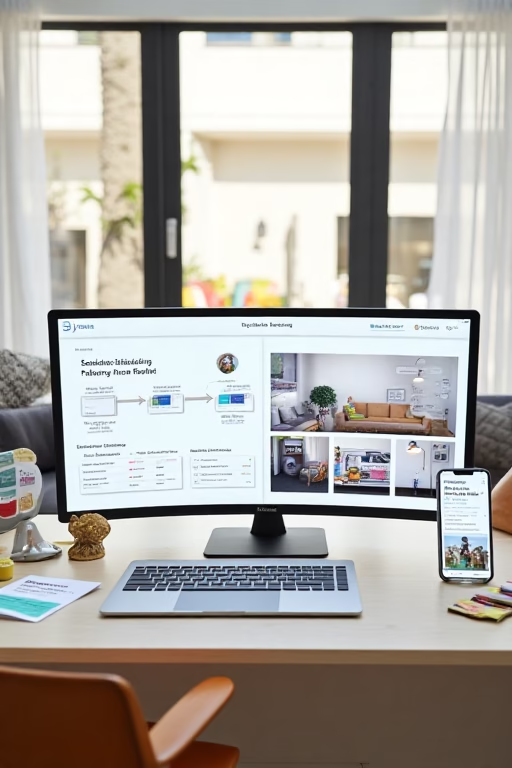
craigslist ad automation for furniture stores

ChatGPT Image Aug 26 2025 04 53 59 PM
Craigslist Ad Automation for Furniture Stores (2025 Playbook)

Craigslist Ad Automation for Furniture Stores

Turn local classifieds into a reliable pipeline of booked design consults and same-day sales.

Introduction

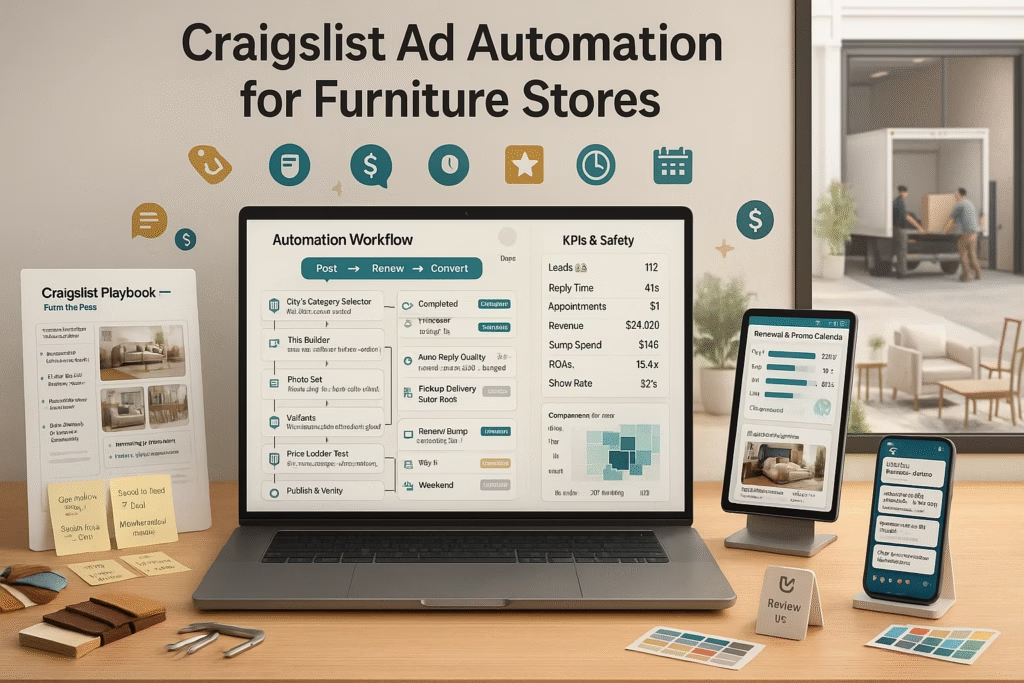
craigslist ad automation for furniture stores is a systematic way to publish, renew, and reply to listings so your team spends time selling—not copying and pasting. In this playbook you’ll get category-safe ad templates, rotation calendars, photo specs, reply scripts, and CRM handoffs that quietly generate in-store visits and in-home measurements.

Targets to aim for: Views → calls/messages ≥ 3.5% Lead → consult booked ≥ 50–60% No-show ≤ 12% Visit → sale ≥ 30–40% Median first reply ≤ 2 min

This guide is for education; always follow Craigslist rules and local regulations. Avoid claims that are misleading or unverifiable.

Expanded Table of Contents

1) Why Craigslist Still Works for Furniture in 2025

1.1 High-Intent Local Buyers

Shoppers browse by neighborhood and category, often ready to buy this week. That’s perfect for showroom visits and quick-ship inventory.

1.2 Liquidations, Floor Models, Packages

Craigslist excels at “priced-to-move” and bundle offers—great for end-of-season sets, last-year fabrics, and display pieces.

2) Compliance & Category Fit

2.1 Correct Categories & Sub-Areas

  • “For Sale > Furniture—by dealer” for new inventory
  • Use the nearest city and relevant sub-areas you can actually serve

2.2 Prohibited Content

  • No misleading claims or unverifiable “lowest price” promises
  • Avoid duplicate/near-duplicate posts across the same area within short windows

3) The Automation Stack

3.1 Feed → Templates → Scheduler

  • Feed Lightweight CSV/JSON of SKUs, titles, “From $”, availability, images
  • Templates Title + body macros that pull fields from your feed
  • Scheduler Staggers postings, renewals, and retirements by zip/group

3.2 Inbox Router & CRM

  • Route replies to shared inbox; auto-tag source=Craigslist/City
  • Push to CRM stage: New → Qualified → Consult → Proposal → Sold/Lost → Review

4) High-Converting Ad Templates (Copy-Ready)

4.1 “From Price” Product Card

Modern 3-Pc Living Room Set — From $X (Local Delivery Available)
• Sofa + Loveseat + Chair (color options)
• Durable fabric, easy-clean
• Showroom pickup or scheduled delivery
Reply here with ZIP for delivery estimate or text: (###) ###-####

4.2 Clearance / Floor Model

SHOWROOM CLEARANCE: Solid Wood Dining Set — From $X
• Table + 6 Chairs, minor showroom wear
• First-come, first-served; holds with deposit
• Want a 10-min lookbook? Comment “DINING”

4.3 Design Consult CTA

Free 20-Minute Design Consult (No Pressure) — From $X Packages
• Bring room size; we’ll mock 2 layouts
• Thu 5:30 or Sat 10:00 available — which works?

5) Photo/Video Standards That Drive Calls

  • First image: wide angle, clean background, natural light
  • Include scale: tape measure/room shot to communicate size
  • Carousel: 4–8 images (front, side, detail, fabric close-up, in-room)
  • Short video clip (if hosted and allowed): 10–20s walk-around
  • Minimal text overlay; keep branding subtle

6) Pricing, “From $”, and Bundle Strategy

  • Use From $ to set expectations; list drivers: fabric grade, configuration, delivery/access
  • Bundle examples: sofa+loveseat, table+chairs+bench, bed+nightstands
  • Show transparent delivery windows; avoid guarantees in ad body

7) Rotation & Renew Schedule (7-Day Cycle)

  • Mon: Living room sets (2–3 SKUs)
  • Tue: Dining sets + clearances
  • Wed: Bedroom suites
  • Thu: Accent chairs, media consoles
  • Fri: Mattresses/beds (if applicable)
  • Sat: Design consult CTA + best sellers
  • Sun: Renew top performers; retire low CTR posts

This cadence is the backbone of craigslist ad automation for furniture stores: predictable rotations with fresh first images keep you near the top without spammy duplicates.

8) Reply Scripts: SMS/Email/Phone & Missed-Call Textback

8.1 First Reply (≤2 min)

Thanks for reaching out! Want specs or a quick showroom slot?
I can hold Thu 5:30 or Sat 10:00. ZIP code for delivery estimate?

8.2 Price-Only Responses

That set starts From $X. Price varies by fabric and access.
Want 2 layout options? Quick consult Thu 5:30 or Sat 10:00.

8.3 No-Show Saver

No worries—move to Mon 8:30 or Tue 3:00? I’ll resend the map pin.

Enable missed-call textback so every ring becomes a conversation with a booking link.

9) Lead Capture & Booking (Two-Option Times)

  • Offer two times; let customers counter with theirs
  • Send map pin, parking notes, and bring-list (photos, room size)
  • Reminders at T-24 / T-2 / T-30m with easy reschedule

10) Multi-Location & Territory Controls

  • Unique numbers and calendars per showroom
  • Geo-split your posting schedule by sub-area; avoid overlap

11) KPIs & Dashboard

  • Impressions, click/view rate, replies
  • Lead → consult %, show rate, proposal → sale %
  • Revenue per consult; attach rate (delivery, protection, rug/lighting bundle)

12) Troubleshooting: Flags, Ghosting, Low CTR

  • Flags: reduce frequency, vary first photos, remove duplicate phrasing
  • Ghosting: shorten titles, avoid all-caps, cut excessive links
  • Low CTR: move price and key spec to line 1; improve first image

13) 30–60–90 Day Launch Plan

Days 1–30: Foundation

  1. Build feed (SKUs, specs, images, From $)
  2. Create 12 template variants (room categories + clearance)
  3. Enable shared inbox + missed-call textback + CRM stages

Days 31–60: Scale

  1. Run the 7-day rotation; refresh first images weekly
  2. Publish 2 mini lookbooks for top categories
  3. Retarget interested leads with appointment invites

Days 61–90: Optimize

  1. A/B test titles, first photo angles, and reply openers
  2. Expand to adjacent sub-areas you can serve
  3. Standardize bundles and delivery copy

14) 25 Frequently Asked Questions

1) How often should I post on Craigslist?

Rotate categories daily and renew top performers weekly; avoid duplicate spam.

2) Is “From $” pricing acceptable?

Yes—keep it factual and list drivers (fabric, configuration, delivery/access).

3) Which photos work best?

Natural light, clean backdrop, wide first image, detail close-ups, and a room shot.

4) Can I automate replies?

Yes—use saved replies for the first response, then human takeover quickly.

5) What should the first reply say?

Offer two appointment times and ask for ZIP to estimate delivery.

6) How do I handle price-only messages?

Share From $ with drivers and invite a short consult to size the space.

7) Do bundles increase sales?

Yes—curate sofa+loveseat, table+chairs+bench, bed+nightstands.

8) How do I measure ROI?

Tag source as Craigslist/City in CRM and track consult → sale with revenue.

9) What causes flags or ghosting?

Duplicates, all-caps, excessive links, or miscategorized posts.

10) Can I post videos?

Where supported, short clips help; otherwise use photo sequences.

11) Multi-location posting tips?

Separate phone numbers/calendars; split sub-areas and schedules.

12) Should I list exact prices?

List From $ and provide specifics on request or in store.

13) What about delivery?

Share typical windows and that access can affect timing and cost.

14) Are clearance posts effective?

Very—use “showroom wear” transparency and first-come language.

15) Best posting times?

Evenings and weekends usually see more buyers; test your market.

16) Can I drive bookings directly?

Yes—offer two times in the first reply and send a calendar invite.

17) What KPIs matter?

Replies per 100 views, booking rate, show rate, revenue per consult.

18) Should I use watermarks?

Small, non-intrusive marks are fine; avoid heavy overlays.

19) How do I avoid duplicate content?

Rotate images, vary titles, and space similar posts across days.

20) Is financing messaging okay?

Share that options exist; avoid approval guarantees in ads.

21) Can I collect reviews from Craigslist buyers?

Yes—after delivery; send direct links via SMS/email (no gating).

22) What’s a good response time?

Under two minutes for first reply; speed significantly lifts bookings.

23) Do consult CTAs work?

Yes—especially with a “bring room size” checklist and two time options.

24) How many images per post?

Four to eight well-lit photos usually perform best.

25) First step today?

Build a 12-SKU feed, load templates, and launch the 7-day rotation with missed-call textback.

15) 25 Extra Keywords

  1. craigslist ad automation for furniture stores
  2. furniture craigslist posting tool
  3. automated furniture listings
  4. furniture store lead generation craigslist
  5. craigslist renew schedule furniture
  6. design consult craigslist CTA
  7. from price furniture ads
  8. clearance floor model posting
  9. local delivery furniture craigslist
  10. missed call textback furniture
  11. furniture ad photo standards
  12. two option booking script
  13. CSV feed furniture listings
  14. multi location classifieds strategy
  15. furniture bundle offers craigslist
  16. reply templates furniture sales
  17. UTM tracking classifieds
  18. CRM pipeline furniture store
  19. showroom appointment craigslist
  20. room size qualifier script
  21. clearance weekend furniture ads
  22. bedroom suite craigslist posts
  23. living room set posting plan
  24. furniture photo carousel tips
  25. 2025 furniture classifieds playbook

© 2025 Market Wiz AI. All Rights Reserved.

craigslist ad automation for furniture stores Read More »

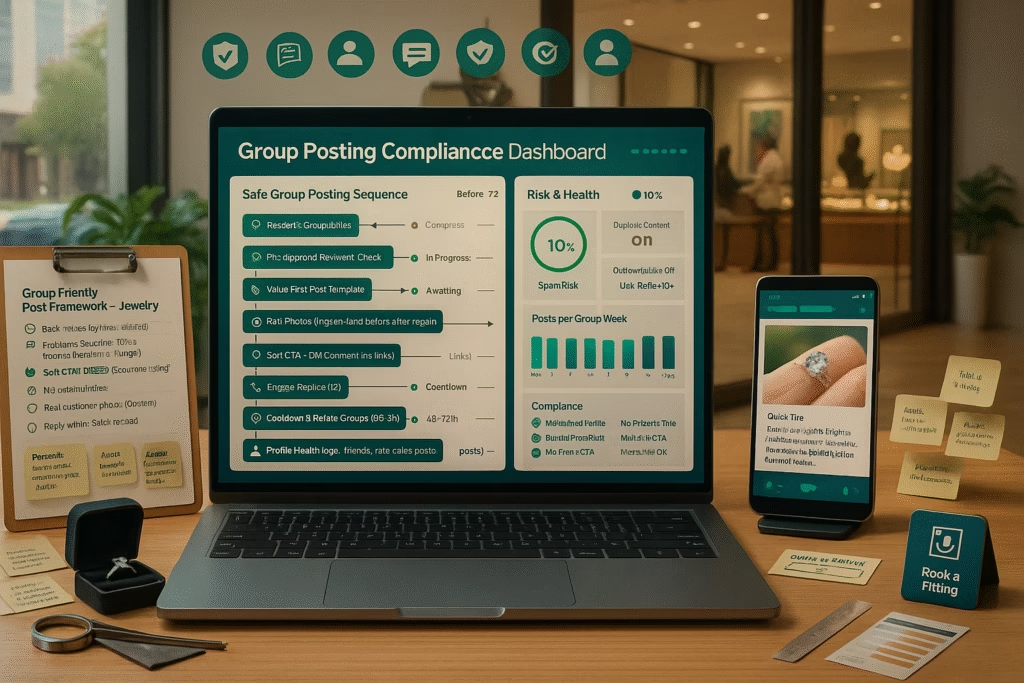
how to post in facebook groups without getting banned for jewelry stores

ChatGPT Image Aug 26 2025 04 53 53 PM
How to Post in Facebook Groups Without Getting Banned for Jewelry Stores (2025 Guide)

How to Post in Facebook Groups Without Getting Banned for Jewelry Stores

Earn trust, respect rules, and turn community value into booked appointments and sales.

Introduction

how to post in facebook groups without getting banned for jewelry stores starts with one idea: groups are communities, not classifieds. Your store wins when members feel helped—not hunted. This guide is a compliance-first playbook with posting rules, cadence, templates, and moderation workflows so you can participate confidently and convert interest into consults, repairs, and memorable purchases.

Community-first benchmarks: Value:Promo ratio ≥ 4:1 Admin approvals ≥ 95% DM opt-ins ≥ 70% of inquiries Report rate ≤ 0.2% of posts Appointment conversion ≥ 30–45%

This is guidance, not legal advice. Always follow each group’s posted rules and the platform’s policies.

Expanded Table of Contents

1) Mindset: Be a Neighbor, Not a Billboard

1.1 Value-First Positioning

Lead with service: quick ring-cleaning tips, resizing advice, diamond shape explainers, or repair before/afters. Members should leave your post smarter than they arrived.

1.2 Respect Admins & Culture

  • Read the last thirty days of posts to learn tone and taboos.
  • Thank admins publicly. They’re unpaid moderators—help their mission.

2) Rulebook Deep-Dive Before You Post

2.1 Pinned Posts & Files

  • Find the group’s promo policy, vendor rules, link rules, and contact path for questions.
  • Some groups require a vendor tag or pre-approval for businesses; follow it.

2.2 Promo Days & Links

  • Post offers only on designated days/threads. Otherwise, share zero-link value posts.
  • When links are allowed, use clean links and disclose affiliations if any.

3) Content Pillars That Get Approved (and Loved)

3.1 Care & Education

  • “How to clean white gold safely at home”
  • “Ring sizing: how to measure without guesswork”
  • “4Cs in plain English (with hand-shot comparisons)”

3.2 Behind-the-Bench

Short vertical videos of polishing, setting, or laser welding with plain-English captions. Avoid sensitive info or customer identities without consent.

3.3 Ethical Occasion Ideas

Proposal planning checklists, anniversary gift guides by budget bands, heirloom reset stories (with permission).

4) Cadence & Calendar: The 4:1 Value-to-Promo Rhythm

  • Week structure: 4 value posts → 1 soft promo (where allowed).
  • Time windows: post when the group is active (often evenings/weekends).
  • Rotate topics: care, stories, local events, FAQs, then promo thread.

This rhythm supports how to post in facebook groups without getting banned for jewelry stores because it emphasizes education and neighborliness.

5) Post Templates that Pass Moderation (Copy & Paste)

5.1 Education (No Link)

Quick tip from a local jeweler 👋
White gold lost its sparkle? Ask your jeweler about rhodium replating—most rings need it every 12–24 months. 
Happy to answer questions below (no sales here, just help!).

5.2 Story (Photo Carousel)

Before ➡️ After: Heirloom reset for a 30th anniversary.
Kept the original diamond, updated the setting for daily wear. 
If you’re curious about heirloom options, I can share a simple checklist in DMs (only if you ask).

5.3 Promo Thread (When Allowed)

[Approved Promo Thread] Free ring cleaning & inspection this weekend at {Store}. 
If you want a timeslot, comment “CLEAN” and I’ll DM details. (No obligation, just shine ✨)

6) Etiquette: Comments, DMs, and “No Hard Sell” Rules

  • Ask permission before DMing (“Want details in DM?”). Respect “no.”
  • Avoid repetitive comments across multiple posts—it looks spammy.
  • Disclose affiliation: “I run {Store} in {City}—happy to help.”

7) Image & Video Standards That Avoid Spam Flags

  • Use original photos (hand shots, bench scenes). Avoid heavy overlays or aggressive text-on-image.
  • Alt text/captions: plain, descriptive, not keyword-stuffed.
  • Crop for clarity; show scale (coin/finger) without sensitive personal info.

8) Local Credibility: GBP, Reviews, and Proof Links

When links are allowed, prefer trust links: Google Business Profile, press mentions, or event pages. Keep claims factual; avoid unverifiable superlatives.

9) Working with Admins: Sponsorships & Give-Backs

  • Offer to sponsor community giveaways (cleaning day, engraving). Let admins run mechanics.
  • Provide value resources admins can pin: “Ring Sizing PDF,” “Proposal Plan Checklist.”

10) Measurement: UTM, Saved Replies, CRM Tags

  • Use saved replies for common questions while staying human.
  • Tag leads as “GroupName” in your CRM; track consult → sale.
  • If links are permitted, add UTMs for appointment pages (never cloak/obfuscate).

11) Workflows: Approvals, Reposts, and Escalations

  • Keep a spreadsheet of each group’s rules, promo days, and admin contacts.
  • When declined, politely ask what to change; don’t argue in comments.
  • Rotate creatives to avoid duplicate-content flags across similar groups.

12) Troubleshooting: Declines, Reports, & Shadow Restrictions

  • Declined post: Remove links, shorten copy, add value tip, resubmit once after 72 hours.
  • Reported content: Apologize, edit/remove, and restate your intent to help.
  • Low reach: Improve comments-first posts (questions, polls) and reply quickly to boost discussion.

Following these steps is the essence of how to post in facebook groups without getting banned for jewelry stores—be useful, transparent, and consistent.

13) 25 Frequently Asked Questions

1) Can jewelry stores post prices in groups?

Only if the group allows. When in doubt, share education and invite opt-in DMs for specifics.

2) Is linking to my website okay?

Yes, if rules permit. Prefer trust links (GBP, event pages) and avoid link dumping.

3) How often should I post?

Start 1–3 times/week per group with a 4:1 value-to-promo ratio.

4) Can I DM someone who commented?

Ask first in the thread: “Want details in DM?” Respect their choice.

5) What gets posts declined?

Hard sells, repeated promos, off-topic content, or ignoring promo-day rules.

6) Are giveaways safe?

Run them through admins. Keep terms clear and compliant; avoid “tag to win” if banned.

7) Should I watermark photos?

Small, non-intrusive marks are fine. Heavy overlays can look spammy.

8) Do “before/after” repairs perform well?

Yes—great social proof. Get permission and avoid personal details.

9) What’s a safe promo?

Free cleaning/inspection days, resizing consults, or engraving demos in approved threads.

10) How do I handle negative comments?

Thank them, clarify facts, invite DM if complex, and avoid arguments.

11) Should I boost group posts?

Groups typically don’t allow boosting. Focus on organic value and discussion.

12) What’s the best time to post?

When members are active—often evenings/weekends. Check group insights if available.

13) Do polls help?

Yes—light engagement polls (“Oval or Round?”) spark safe discussion.

14) Can I share customer photos?

Only with explicit permission. Blur faces or personal details if needed.

15) Should I disclose I’m the store owner?

Absolutely. Transparency builds trust and prevents moderation issues.

16) How do I avoid duplicate content flags?

Vary captions, images, and angles; space similar posts across groups.

17) What’s a good CTA in groups?

Conversation-first CTAs: “Want the sizing guide?” “Need a cleaning checklist?”

18) Can I post external promos (coupons)?

Only if allowed. Many groups prefer in-thread value over external incentives.

19) How do I track results?

Use CRM tags by group name; count consults, shows, sales, and reviews.

20) Is it okay to ask for reviews?

Ask one-on-one after service with direct links. Never ask inside the group unless rules allow.

21) Should I join niche groups (weddings, moms, local)?

Yes—tailor content to the group’s interests and rules.

22) Do admins allow vendor spotlights?

Some do via sponsorships. Ask politely and support the community in return.

23) What if a post gets removed?

Message admins respectfully, learn why, and adjust. Don’t repost unchanged.

24) Are “link in comments” tricks okay?

Avoid gimmicks. Follow the group’s link policy directly.

25) First step today?

Audit 5 local groups, log their rules, write 3 value posts, and schedule a cleaning-day promo where permitted.

14) 25 Extra Keywords

  1. how to post in facebook groups without getting banned for jewelry stores
  2. jewelry store group marketing
  3. facebook community etiquette for jewelers
  4. promo day rules jewelry
  5. value-first social posting
  6. ring cleaning tips post
  7. ethical proposal content
  8. heirloom reset story
  9. 4Cs education reel
  10. group admin sponsorship
  11. no hard sell jewelry
  12. comment to DM workflow
  13. saved replies for jewelers
  14. UTM tracking social groups
  15. GBP trust link for groups
  16. review-friendly follow-up
  17. photo permission policy
  18. duplicate content avoidance
  19. local moms group jewelry
  20. wedding group jeweler posts
  21. anniversary gift guide post
  22. repair before after carousel
  23. engraving demo content
  24. group posting calendar
  25. community-first jewelry marketing

© 2025 Market Wiz AI. All Rights Reserved.

how to post in facebook groups without getting banned for jewelry stores Read More »

AI That Replaces Sales Staff for Shed Companies Businesses in 2025

Acutting e 1958295539 20 44 12
AI That Replaces Sales Staff for Shed Companies Businesses in 2025 (Practical Playbook)

AI That Replaces Sales Staff for Shed Companies Businesses in 2025

Automate lead capture, quoting, scheduling, and follow-up—so your team builds, delivers, and closes more.

Introduction

AI That Replaces Sales Staff for Shed Companies Businesses in 2025 isn’t about firing people; it’s about removing repetitive tasks that steal time from high-value work like design consults, custom specs, delivery planning, and upsells. With the right stack, AI answers inquiries in seconds, qualifies buyers, quotes transparently, books visits, and nudges payment—while staying compliant and on brand.

Targets a modern shed operation can hit: Speed-to-first-reply ≤ 60–90s Lead → appointment ≥ 55% Appointment → sale ≥ 35–45% No-show ≤ 12% Review velocity ≥ 20/mo

Note: This guide shows how AI That Replaces Sales Staff for Shed Companies Businesses in 2025 can automate frontline conversations and admin. Humans still own pricing exceptions, site checks, and final approvals.

Expanded Table of Contents

1) What “AI Replacing Sales Staff” Really Means

1.1 Task Map

  • AI Answer FAQs (sizes, lead times, delivery zones)
  • AI Qualify: use, site access, pad readiness, budget band
  • AI Quote: base model + options with From $ pricing
  • AI Book appointments/site checks with reminders
  • AI Nurture & re-engage cold leads
  • Human Complex specs, on-site issues, discounts, finance discussions

1.2 Human-in-the-Loop

AI drafts; humans approve exceptions. This is how AI That Replaces Sales Staff for Shed Companies Businesses in 2025 delivers speed without sacrificing judgment.

2) Revenue Architecture for Shed Dealers

2.1 Traffic & Lead Sources

  • Google Maps & Local Search (GBP Products & Services)
  • Meta/Instagram ads (Messages/Lead forms)
  • Marketplace & classifieds (policy-safe listings)
  • Website product pages & “Design My Shed” tool
  • Missed-call textback from yard signs & drive-bys

2.2 Pipeline Stages & SLAs

New → Qualified → Appointment/On-site → Quote Sent → Closed Won/Lost → Review/Referral. SLA: first reply ≤ 90s; quote ≤ 24h; follow-up at T+2h / T+24h / T+3d / T+10d.

3) Conversational AI System

3.1 Channels

  • SMS & Site Chat: fastest conversions for local buyers
  • Email: quotes, spec sheets, and photos
  • Voice IVR: routes calls; auto-texts if unanswered

3.2 Qualifiers (one-liners)

Use: storage, workspace, livestock, other?
Size target (e.g., 10x12, 12x20)? Site access (truck/trailer fit)?
Pad: gravel/concrete ready? Delivery city/zip? Budget band (From $X)?

3.3 First Response Script (≤90s)

Thanks for reaching out! Want a quick yard visit or showroom consult?
I can hold Thu 5:30 or Sat 10:00. Share size/zip and I’ll prep a quote.

4) Appointment & Site-Check Booking Engine

  • Offer two concrete times; let the buyer counter
  • Route by zip, product (lofted barn, utility, cabin), or rep capacity
  • Send map pin, parking notes, and prep checklist (photos of site, gate width)
  • Reminders at T-24 / T-2 / T-30m with reschedule links

5) Quoting, Options & Financing (Factual)

5.1 “From $” Transparency

Show base price with option drivers: dimensions, siding/roof, insulation, windows, doors, ramps, anchors, paint/stain.

5.2 Add-Ons & Bundles

  • White-glove delivery & leveling
  • Ramps, anchors, electrical prep guide
  • Seasonal bundle (vent kit + window + paint)

Keep claims factual—no guaranteed financing or timelines. Provide where to learn more.

6) Follow-Up & Nurture Cadences

  • Hot leads: T+2h recap + two times; T+24h quote; T+3d check-in; T+10d offer a lighter model
  • Cold leads: weekly photo carousels, delivery explainer, before/after installs
  • Post-delivery: review request + photo share (no gating)

7) CRM, Attribution & Dashboards

  • UTMs on links; unique call numbers per channel
  • Auto-tag by product and city
  • Report: lead source → appointments → quotes → revenue; attach rate for ramps/anchors

8) Google Business Profile + Local SEO with AI

  • Products: “10x12 Utility Shed — From $X,” photos, specs
  • Services: delivery, site-check, custom builds
  • Q&A seeded with real questions; AI suggests answers (human-approved)
  • Photo cadence: 5–10/week (yard, installs, before/after)

9) Ads + AI: Meta, Search & Marketplace Handoffs

  • Meta Messages: carousel of best sellers → DM → two times → booking
  • Google Search: “sheds near me,” “10x12 shed price,” branded queries
  • Marketplace: policy-safe listings that hand off to AI for map pins and quotes

10) Compliance, Consent & Brand Safety

  • SMS/email only with consent; include opt-out
  • Respect quiet hours; schedule sends
  • No misleading claims; state “From $” and typical timelines

11) 30–60–90 Day Implementation Plan

Days 1–30: Foundation

  1. Wire chat/SMS/IVR to CRM; enable missed-call textback
  2. Load scripts (first reply, qualifiers, objections)
  3. Publish GBP Products/Services with photos
  4. Create 12 best-seller carousels with From $ pricing

Days 31–60: Scale

  1. Launch Meta Messages & Google Search; retarget engagers
  2. Add site-check booking and reminder cadence
  3. Collect 10 photo reviews; post two install case notes

Days 61–90: Optimize

  1. A/B test first photo, headline, appointment windows
  2. Expand to adjacent zips; tune budgets by CPL and close rate
  3. Standardize quote templates and add-on bundles

12) KPIs to Track Weekly

  • Views → messages/calls %, booking rate, show rate
  • Quote acceptance, add-on attach rate (ramps/anchors)
  • Days-to-close, margin per model, review velocity

13) Real-World Scenarios (Mini Case Plays)

Price-Only Facebook Message

AI replies in 60s with From $ + two sizes + booking times; human joins for delivery constraints.

Drive-By Yard Sign

Missed call → textback → size/zip → site-check booked; quote sent same day.

Marketplace Inquiry

DM → map pin + photos → option bundle → deposit scheduled via title/processor (off-platform).

14) Troubleshooting

  • Ghosting: resend with one-tap choices and install photos
  • Price-only leads: clarify From $ + value adds; offer lighter build option
  • Delivery confusion: send access checklist + map pin; confirm leveling method

Iterate weekly—this is how AI That Replaces Sales Staff for Shed Companies Businesses in 2025 compounds results responsibly.

15) 25 Frequently Asked Questions

1) Does AI really replace sales staff?

It replaces repetitive work—replying, qualifying, scheduling, and drafting quotes—so humans focus on complex specs and closing.

2) What channels work best for shed buyers?

SMS and Messenger for speed, phone for complex questions, email for quotes/photos.

3) How fast should AI reply?

Within 60–90 seconds with two appointment options and a short qualifier.

4) Can AI give accurate quotes?

Yes, with templates and From $ ranges. Humans confirm add-ons and delivery complexity.

5) What if we miss calls?

Enable missed-call textback to convert rings into conversations automatically.

6) How do we handle delivery site issues?

AI gathers gate width, pad type, slope; humans review photos and advise.

7) Can AI schedule on-site checks?

Yes—routes by zip/rep and sends reminders at T-24/T-2/T-30m.

8) What KPIs matter most?

Speed-to-reply, booking rate, show rate, quote acceptance, add-on attach rate, days-to-close.

9) Will AI hurt our brand voice?

No—load approved phrases, tone, and templates; humans can take over any time.

10) Is this compliant with texting laws?

Use consent-based messaging with opt-out language and respect quiet hours.

11) Can AI ask for reviews?

Yes—after delivery; provide one-tap links; never gate or incentivize improperly.

12) What about financing questions?

AI shares factual availability and links; humans discuss specifics—no guarantees in chat.

13) Do Marketplace leads convert?

They can—optimize with clear photos, From $ pricing, and instant DM follow-ups.

14) How often should scripts change?

Review weekly; adjust first lines, appointment windows, and objection nudges quarterly.

15) Can AI manage multiple lots/locations?

Yes—route by city/zip; use unique numbers and calendars per lot.

16) What images improve conversion?

Front/side, interior framing, options (windows/doors), and real install photos.

17) Should we publish exact prices?

Publish From $ with drivers; keep numbers current and factual.

18) How do we reduce no-shows?

Send pins, parking notes, prep checklists, and easy reschedule links.

19) Does AI work after hours?

Yes—AI replies instantly and books; humans confirm next business day.

20) Can AI upsell add-ons?

Yes—suggest ramps, anchors, windows based on use case; humans finalize.

21) How do we attribute sales to channels?

UTMs on links, unique call numbers, CRM source fields tied to invoices.

22) What if a buyer only wants price?

Provide From $ with option drivers and invite a short consult/site check.

23) Does this help low-traffic lots?

Yes—converts more of the traffic you already have; pair with ads/GBP for volume.

24) How soon can we see impact?

Often within 2–4 weeks once scripts, calendars, and cadences go live.

25) First step to start today?

Enable missed-call textback, load the two-time script, and publish GBP Products with From $ and fresh photos.

16) 25 Extra Keywords

  1. AI That Replaces Sales Staff for Shed Companies Businesses in 2025
  2. shed dealer AI assistant
  3. automated shed sales follow-up
  4. missed-call textback sheds
  5. shed quoting bot
  6. appointment booking for shed lots
  7. Google Business Profile for shed companies
  8. Marketplace messaging sheds
  9. two-option scheduling script sheds
  10. From price shed models
  11. delivery and leveling checklist
  12. ramp and anchor upsell
  13. shed CRM pipeline
  14. UTM tracking shed ads
  15. Meta messages shed sales
  16. search ads for sheds
  17. site-check booking automation
  18. review request automation sheds
  19. photo cadence shed lots
  20. install before after sheds
  21. lead to appointment conversion
  22. quote acceptance rate sheds
  23. add-on attach rate sheds
  24. 2025 shed sales playbook
  25. AI sales replacement for sheds

© 2025 Market Wiz AI. All Rights Reserved.

AI That Replaces Sales Staff for Shed Companies Businesses in 2025 Read More »

Sell More High-Ticket Services with AI Lead Follow-Up (Furniture Stores Example)

Acutting e 3157819764 20 43 33
Sell More High-Ticket Services with AI Lead Follow-Up (Furniture Stores Example)

Sell More High-Ticket Services with AI Lead Follow-Up (Furniture Stores Example)

Turn interest into booked design consults, in-home measures, and premium package sales—on autopilot, not autopilot-wreck.

Introduction

Sell More High-Ticket Services with AI Lead Follow-Up (Furniture Stores Example) is not about chatbots spamming prospects. It’s about a respectful, fast, and factual conversation engine that captures context (room size, style, budget band), offers two appointment options, and hands off to your sales team with everything they need to close. This guide shows the exact scripts, cadences, and dashboards to scale premium sales like custom sectionals, in-home design, and white-glove delivery bundles.

Benchmarks to aim for: Speed-to-first-reply ≤ 60–90s Lead → consult booked ≥ 55% Consult → proposal ≥ 70% Proposal → closed-won ≥ 35–45% No-show rate ≤ 12%

We’ll use the focus phrase—Sell More High-Ticket Services with AI Lead Follow-Up (Furniture Stores Example)—naturally throughout to reinforce on-page relevance.

Expanded Table of Contents

1) Why High-Ticket Furniture Leads Stall (and How AI Fixes It)

1.1 Buyer Psychology: Risk, Fit, Friction

  • Risk: “Will this actually fit my room and lifestyle?”
  • Fit: configuration, fabric durability, shipping window.
  • Friction: waiting for replies; unclear next step.

1.2 The 7-Minute Rule

Intent decays quickly. AI can greet, qualify, and offer two time slots inside a minute—then pass the baton to a human designer with context attached.

2) The AI Follow-Up Stack

2.1 Capture

  • Website chat + “Text us” widget
  • Lead forms on product and “Book design consult” pages
  • Missed-call textback: every unanswered call becomes a conversation

2.2 Router

  • Classify by service type (in-home design, custom upholstery, full room plan)
  • Assign owner by zip, showroom, and calendar load
  • Tag intent: researching / ready soon / urgent

2.3 CRM & Pipeline

Stages: New → Qualified → Consult Booked → Proposal Sent → Closed Won/Lost → Review.

3) Conversation Scripts (SMS, Email, Chat, Voice)

3.1 First Response (≤90s)

Thanks for reaching out! Want a quick design consult?
I can hold Thu 5:30 or Sat 10:00. Which works? 
(If you can, share room size or a photo—our designer will prep options.)

3.2 Qualifiers (one-line each)

Space: approx room size and doorway width?
Style: modern, classic, cozy, or mixed?
Spend: are we targeting a range (From $X packages available)?

3.3 Objection Nudges

“Not ready yet” → No rush. Want me to send a 2-page lookbook and hold next Thu 6:00?
“Price?” → Packages start From $X. Delivery/assembly vary by access; designer can price it in 10 min.

4) Scheduling Engine & Reminders

4.1 Two-Option Time Offers

Always offer two concrete times; let them counter. Then send calendar invite.

4.2 Logistics

  • Map pin + parking/entrance notes
  • Prep checklist: bring photos, rough measurements, fabric preferences
  • Reminders at T-24 / T-2 / T-30m with reschedule link

5) Quote Builder, Bundles & Financing (Factual)

5.1 “From $” Pricing & Drivers

Show transparent From $ ranges with drivers like fabric grade, configuration, and delivery access.

5.2 Profit-Safe Upsells

  • White-glove delivery & install
  • Protection plans & fabric care kits
  • Rug, lighting, and accent bundle suggestions

Keep all price statements factual and current; no guaranteed financing claims.

6) Nurture & Re-engagement

  • Lookbooks: 4–6 slides with layout ideas using their dimensions
  • Post-consult cadence: recap, two options, “approve to schedule” link
  • Winback: 30/60/90-day check-ins with new fabric arrivals

7) Measurement & KPIs You Can Trust

  • Speed-to-first-reply, booking rate, show rate
  • Proposal acceptance %, attach rate of upsells
  • Revenue per consult, days-to-close, review velocity

Use UTMs, unique call numbers, and CRM source fields to attribute revenue accurately.

8) Compliance, Consent & Brand Safety

  • SMS/email only with consent; clear opt-out language
  • No misleading claims or unverifiable superlatives
  • Respect quiet hours with scheduled sends

9) 30–60–90 Day Launch Plan

Days 1–30: Foundations

  1. Install chat + textback; wire to CRM stages
  2. Load scripts (first reply, qualifiers, nudges)
  3. Create 3 consult packages with From $ pricing
  4. Enable two-option scheduling & reminders

Days 31–60: Scale

  1. Publish two lookbooks and a before/after case
  2. Retarget unbooked leads; add “fast quote” flow
  3. Start review requests post-delivery (no gating)

Days 61–90: Optimize

  1. A/B test first message, appointment windows, and bundle offers
  2. Expand to adjacent zips; refine by close rate

10) Troubleshooting: Ghosting, No-Shows, Price Shoppers

  • Ghosting: resend with one-tap choices; share mini lookbook
  • No-shows: add parking note + reschedule link; confirm with name morning-of
  • Price shoppers: clarify From $ and value adds; offer two curated options

Consistency compounds—and that’s how you Sell More High-Ticket Services with AI Lead Follow-Up (Furniture Stores Example) without burning your team out.

11) 25 Frequently Asked Questions

1) What counts as “high-ticket” in furniture?

Custom sectionals, full-room design packages, premium dining sets, and bedroom suites—often with delivery/installation.

2) Is AI replacing my salespeople?

No—AI speeds first contact and gathers context so reps spend time consulting, not chasing.

3) How fast should the first reply be?

Within 60–90 seconds via SMS/chat, then smooth human takeover.

4) What questions should AI ask?

Room size, doorway width, style preference, timing, and budget band.

5) Can AI send quotes?

It can draft options with From $ ranges; humans finalize specifics and timelines.

6) What if the customer calls and we miss it?

Trigger a missed-call textback that offers two consult times and a quick questionnaire.

7) Do we need a CRM?

Yes, for pipeline stages, attribution, and reminders. Even a lightweight CRM helps.

8) Are reminders annoying?

Not when helpful: map pin, parking notes, prep checklist, and easy reschedule.

9) What about financing?

Share factual availability and where to learn more—avoid approval guarantees.

10) Do lookbooks really help?

Short, tailored visuals increase show rates and proposal acceptance.

11) How do we handle price-only questions?

Provide From $ with key drivers and invite a quick consult to size the space.

12) Should we use email or SMS?

Both—SMS for speed, email for visuals and docs; always with consent.

13) Can AI book in-home visits?

Yes—offer two slots, collect address and access notes, then confirm.

14) How do we reduce no-shows?

Send reminders at T-24/T-2/T-30m and include reschedule links.

15) What KPIs matter most?

Speed-to-reply, booking rate, show rate, proposal → win rate, revenue per consult.

16) How often should scripts change?

Review weekly; adjust first line, appointment windows, and objections quarterly.

17) Does AI handle images?

It can send lookbooks and request room photos to prep the designer.

18) Multi-location store tips?

Route by zip/showroom calendar; unique numbers and calendars per location.

19) What about after-hours?

AI replies instantly; humans confirm in business hours. Respect quiet hours for sends.

20) Can AI ask for reviews?

Yes—after delivery; one-tap links; never gate or incentivize improperly.

21) How do we keep brand voice?

Provide tone guidelines, approved phrases, and example replies.

22) Legal or privacy concerns?

Use consent-based messaging; store only necessary data; honor opt-outs.

23) Will this help low-traffic sites?

Yes, by converting more of the traffic you already have—pair with ads/SEO for volume.

24) How soon can we see results?

Many see faster booking rates in 2–4 weeks once scripts and scheduling go live.

25) First step today?

Enable missed-call textback, load the two-time script, and publish a 2-page lookbook for your top category.

12) 25 Extra Keywords

  1. Sell More High-Ticket Services with AI Lead Follow-Up (Furniture Stores Example)
  2. AI lead follow-up for furniture
  3. design consult booking automation
  4. furniture store SMS follow-up
  5. missed-call textback furniture
  6. showroom appointment AI
  7. in-home design scheduling
  8. quote builder furniture services
  9. from price furniture packages
  10. white-glove delivery upsell
  11. lookbook nurture sequence
  12. CRM pipeline for furniture
  13. speed to lead benchmark
  14. two-option scheduling script
  15. objection handling furniture
  16. proposal acceptance rate
  17. revenue per consult KPI
  18. room size qualifier script
  19. fabric durability guidance
  20. before after living room
  21. premium sofa custom order
  22. bedroom suite design consult
  23. dining set installation
  24. review request automation
  25. 2025 furniture sales playbook

© 2025 Market Wiz AI. All Rights Reserved.

Sell More High-Ticket Services with AI Lead Follow-Up (Furniture Stores Example) Read More »

best marketing agency for jewelry stores growth

Acutting e 388814329 12 46 06
Best Marketing Agency for Jewelry Stores Growth (2025 Guide)

Best Marketing Agency for Jewelry Stores Growth

Scale bridal, fashion, and luxury lines with a conversion-first operating system.

Introduction

best marketing agency for jewelry stores growth isn’t a flashy logo—it’s a partner that installs a repeatable growth system across your local SEO, paid ads, email/SMS, reviews, creative, and in-store conversion. This guide shows how the right agency engineers steady foot traffic and high-intent e-commerce sales without gimmicks.

Benchmarks a top jeweler agency should hit: Map Pack actions ≥ 4.0% Lead → appointment ≥ 55% Appointment → sale ≥ 40% E-com CVR ≥ 2.0–3.5% Review velocity 20–40/mo

We’ll reference the focus term—best marketing agency for jewelry stores growth—naturally throughout for on-page relevance.

Expanded Table of Contents

1) Growth Framework for Jewelers

1.1 Bridal vs. Fashion vs. Luxury

  • Bridal Long consideration, high AOV. Focus on appointments, education content, 4Cs, financing clarity.
  • Fashion Impulse + gifting cycles. Emphasize new drops, UGC, creator seeding, and fast retargeting.
  • Luxury Proof of authenticity, provenance, concierge experience, PR placements.

1.2 Showroom-First vs. E-Commerce-First

Showroom models prioritize Map Pack visibility and booked consults; e-com models prioritize PDP depth, reviews, and friction-free checkout. The best marketing agency for jewelry stores growth adapts your funnel to your mix.

2) Google Business Profile & Local SEO

2.1 Category + Attributes

  • Primary: “Jewelry store” or “Jeweler”; secondary for “Jewelry designer,” “Jewelry repair service.”
  • Attributes: appointment required, wheelchair access, payment options, on-site services.

2.2 Products/Services with “From $”

  • Products: “Engagement Rings — From $X,” “Wedding Bands — From $Y.”
  • Services: resizing, cleaning, appraisals; keep claims factual.

2.3 Photo Cadence & Reviews

Upload 5–10 photos weekly (rings on hand, before/after repair, custom wax to finished). Ask reviews at moments of delight (proposal, pickup), never gate.

3) Ads That Actually Sell Jewelry

3.1 Meta Prospecting & Retargeting

  • Prospecting reels: hand shots, sparkle test, proposal stories.
  • Retarget with size/metal variants, appointment CTA, and local proof.

3.2 Google Search & PMAX

  • Capture “engagement rings near me,” “jewelry repair,” brand name + city.
  • Merchant feeds for in-stock SKUs (accurate pricing/availability).

3.3 YouTube & TikTok

15–40s verticals: diamond shape comparisons, workshop peeks, custom stories. Caption with city + model.

4) Content & Creative System

4.1 UGC & Hand Videos

Real hands, natural light, minimal filters. Feature the fit, not just the gem.

4.2 Carousels

  • “Round vs. Oval vs. Emerald” side-by-sides.
  • Stack guides (band + engagement combos).

4.3 Story Angles

Proposal journeys, anniversaries, heirloom resets (before/after), custom CAD to final.

5) Email & SMS Revenue Engine

5.1 Core Flows

  • Browse/cart abandonment with appointment or virtual consult options.
  • Repair/cleaning reminders every 6–12 months.

5.2 Segments & Timing

Engagement intent, anniversaries, gifting windows (Valentine’s, Mother’s Day, holidays).

5.3 Compliance

Respect opt-outs; keep copy clear and factual; avoid misleading claims.

6) Conversion Rate Optimization (CRO)

6.1 PDP Essentials

  • Macro + micro photos, video spin, size/metal dropdowns, shipping/returns, care.
  • Education tabs (4Cs, origin, warranty) without jargon.

6.2 Booking UX

One-click to pick time, SMS confirmation, reminders at T-24/T-2/T-30m.

6.3 Trust & Financing

Display certifications, secure checkout, and financing info without guarantees.

7) In-Store Events & Partnerships

  • Trunk shows, diamond days, engraving pop-ups.
  • Partner with venues, planners, photographers; swap content and backlinks.

8) Analytics & KPIs that Matter

  • UTMs on all links; unique call numbers per channel.
  • CRM stages: New → Appointment → Showed → Sold → Review/Referral.
  • Map Pack KPIs: views → actions, booking rate, review velocity.

9) How to Choose the Best Agency

9.1 Questions to Ask

  • How will you grow reviews without gating?
  • What’s your content system for hand shots and proposals?
  • Show me a dashboard tying ads → appointments → revenue.

9.2 Red Flags

  • Guaranteed rankings, vague reports, no call tracking, duplicate content.

9.3 Sample Scope & Pricing

  • GBP overhaul, photo cadence, review engine.
  • Meta/Google ads management, email/SMS flows, CRO sprints.
  • Monthly: flat retainer or hybrid retainer + performance bonus.

10) 30–60–90 Day Implementation Plan

Days 1–30: Foundation

  1. Audit GBP, categories, and citations; enable Messages.
  2. Produce 40 proof photos + 6 short vertical videos.
  3. Launch Search/PMAX + Meta Messages with appointment CTAs.
  4. Install email/SMS core flows; set review request links (no gating).

Days 31–60: Scale

  1. Retarget viewers/cart; publish 2 proposal stories; improve PDPs.
  2. Host a diamond day; collect UGC and testimonials.

Days 61–90: Optimize

  1. A/B test first photo, headline, and booking windows.
  2. Expand to adjacent zips; refine budgets by CPL and close rate.

11) Example Campaigns & Plays

Engagement Ring Builder

Lead form asks shape, budget band, timeline → instant SMS with two appointment options.

Heirloom Reset Carousel

Before/after + workshop clip → consult booking. Highlight authenticity and care.

Repair & Care

Google Local Services/Search + GBP Products for cleaning/resizing with transparent “From $.”

12) Troubleshooting Low Traffic or Sales

  • Low Map Pack actions: add weekly photos, Q&A, Products; ensure hours/attributes are accurate.
  • Lots of clicks, few bookings: move appointment CTA higher; simplify calendar; enable SMS reminders.
  • High add-to-cart drop-off: clarify shipping/returns; add financing info; reduce form friction.

Consistency compounds—the signature of the best marketing agency for jewelry stores growth.

13) 25 Frequently Asked Questions

1) What makes an agency the “best” for jewelers?

A repeatable operating system: GBP + ads + email/SMS + content + CRO + analytics that ties to revenue, not vanity metrics.

2) How fast can we see Map Pack improvements?

Often 30–90 days with weekly photos, accurate Products/Services, and steady review velocity.

3) Should we list exact prices or “From $”?

Use “From $” with drivers (metal, carat, setting). Keep numbers factual and current.

4) Do short videos actually help?

Yes—hand shots, sparkle tests, proposals, and workshop clips lift CTR and bookings.

5) Are Google PMAX campaigns good for jewelers?

They can be—ensure clean feeds, branded negatives, and strong PDPs.

6) What KPIs should we check weekly?

Map actions, booking rate, show rate, close rate, e-com CVR, and review velocity.

7) How do we get more reviews ethically?

Request at happy moments (proposal, pickup) with one-tap links; never gate or incentivize improperly.

8) Can we run lead forms and messages together?

Yes—separate campaigns; many jewelers see faster bookings via messages.

9) What content works for luxury buyers?

Provenance, certifications, craftsmanship, concierge service, and tasteful PR placements.

10) How often should we rotate creatives?

Swap first frames weekly; refresh sets monthly or by season.

11) Do anniversaries and gifting calendars matter?

Absolutely—email/SMS around anniversaries and holidays drives reliable spikes.

12) How do we reduce appointment no-shows?

Two-option scheduling, SMS reminders at T-24/T-2/T-30m, parking notes, and easy reschedule links.

13) Should repair services be advertised?

Yes—repairs generate trust and repeat purchases; use GBP Products and Local Search ads.

14) Do influencers help jewelers?

Micro-creators with local audiences work well; focus on authentic try-ons and proposal stories.

15) Is blog content still useful?

When practical: sizing, metal care, diamond shapes, proposal planning—tie each to a CTA.

16) What about financing messaging?

State availability and where to learn more; avoid approval guarantees.

17) How important are product reviews on PDPs?

They increase trust and conversion; feature photo reviews and fit feedback.

18) Can one agency handle multi-location?

Yes—with distinct location pages, unique phones, localized photos, and per-location reporting.

19) How do we attribute in-store sales to ads?

Use unique call numbers, UTMs for booking links, staff “how did you hear” prompts, and CRM tie-backs.

20) Are “lowest price” claims okay?

Avoid unverifiable superlatives. Focus on proof, service, and selection.

21) What’s a healthy e-commerce conversion rate?

2.0–3.5% for qualified traffic; higher with strong PDPs and trust signals.

22) Should we list lab-grown and natural separately?

Yes—clear labeling, education, and filters help shoppers decide faster.

23) Do appointment deposits help?

They can reduce no-shows; keep policy clear and customer-friendly.

24) How much ad budget per location?

Common baseline: $30–$100/day Meta + $30–$120/day Search/PMAX; scale with ROI.

25) First step to start today?

Enable GBP Messages, upload 10 hand shots, publish Products with “From $,” and launch a messages campaign with a two-time booking auto-reply.

14) 25 Extra Keywords

  1. best marketing agency for jewelry stores growth
  2. jewelry store local SEO
  3. engagement ring marketing
  4. bridal jewelry ads
  5. luxury jeweler marketing agency
  6. jewelry Google Ads strategy
  7. Meta ads for jewelers
  8. jewelry ecommerce CRO
  9. UGC for jewelry brands
  10. jewelry store email SMS
  11. diamond day event marketing
  12. jewelry repair advertising
  13. Map Pack for jewelers
  14. GBP products for jewelry
  15. proposal story content
  16. hand shot video reels
  17. 4Cs education marketing
  18. heirloom reset campaign
  19. appointment booking jeweler
  20. financing info jewelry
  21. multi-location jeweler SEO
  22. review engine jewelry store
  23. creator seeding jewelry
  24. jewelry store analytics KPIs
  25. 2025 jeweler growth playbook

© 2025 Market Wiz AI. All Rights Reserved.

best marketing agency for jewelry stores growth Read More »

Scroll to Top