Market Wiz AI

Uncategorized

best marketing agency for hot tub companies growth
Acutting e 3376290712 18 07 59
Best Marketing Agency for Hot Tub Companies Growth — 2025 Playbook

Best Marketing Agency for Hot Tub Companies Growth

Turn local attention into showroom traffic, wet‑tests, and financed sales.

Introduction

Best Marketing Agency for Hot Tub Companies Growth isn’t just a phrase—it’s a checklist. The right agency pairs local SEO, short‑form video, seasonal offers, and fast follow‑ups to move buyers from “scrolling on the couch” to “sitting in your showroom” the same weekend.

Targets to aim for: Lead‑to‑appointment ≥ 35% Booked wet‑tests / month ≥ 20 Finance approvals ≥ 55% AVG first‑reply < 2 min Review growth ≥ +15/mo

Educational guide only—follow ad policies, disclose promotions, avoid medical claims, obtain consent for SMS/email, and respect privacy laws.

Expanded Table of Contents

1) Why a Specialist Agency Matters for Spa & Hot Tub Retailers

1.1 Seasonality & Promotions

Demand spikes around spring, summer, and three big retail weekends. A hot‑tub‑savvy team plans pre‑builds, creative swaps, and inventory messaging weeks ahead.

1.2 High‑Ticket • Local Intent

Buyers want proof, financing clarity, and install timelines. Your marketing must show real inventory, store address, delivery zones, and before/after installs.

1.3 Showroom + Service

Service plans, chemicals, and accessories increase lifetime value—your content and ads should feature these, not just the tub.

2) Ideal Customer Profiles & Buyer Journey

  • New homeowners (equity + backyard projects)
  • Health/relief seekers (PT referrals; stress & recovery language—no medical claims)
  • Luxury upgraders (swim spas; premium lighting; app controls)

Journey: Discovery → Research → Showroom visit/wet‑test → Quote/finance → Install → Review → Referral.

3) Offer Ladder & Promotions Calendar

Proven hooks: Free cover or steps 0% APR 12–36 mo Delivery & install included Trade‑in bonus Cold‑weather tune‑up
Promo cadence (sample)
Q1: New homeowner bundle → focus zip codes
Q2: Memorial Day doorbusters → Live + home show
Q3: Heat‑wave cooling content → night‑lighting reels
Q4: Winterization & service plans → referral push

4) High‑Converting Website & CRO

  • Above‑the‑fold: phone, map, hours, financing button, 3 featured models.
  • Click‑to‑call and SMS—reply inside 2 minutes.
  • Model pages: specs, real photos, install gallery, price range, delivery time.
  • Quote form with ZIP and timing; instant confirmation + calendar link.
  • Speed & Core Web Vitals matter—compress imagery; lazy‑load galleries.

5) Local SEO & Google Business Profile Dominance

  • Citations: consistent NAP + categories (Hot tub store; Spa dealer).
  • GBP posts: weekly—promos, events, installs, service reminders.
  • Products in GBP with model shots and price ranges.
  • Q&A seeded with common questions (“Do you do backyard site checks?”).
  • Service‑area pages for priority ZIPs and towns.

6) Content Engine: Video, UGC, and Blogs

Short‑form video pillars

  • Install timelapses (pad → crane → fill → first soak).
  • Night lighting + jets demo with on‑screen captions.
  • Financing explainer in 10 seconds.
  • Before/after backyard transformations.
  • Service/maintenance myths—easy, visual tips.

Blog topics

  • “Hot tub pad & power: what to plan in .”
  • “Swim spa vs. hot tub: which fits your family?”
  • “Winter soaking: insulation & covers that save.”

7) Paid Ads Framework (Meta, TikTok, Search)

  • Meta & TikTok: 9–15s creatives; hook with lighting/water motion; CTA to call, DM, or book a wet‑test.
  • Google Search: exact‑match for brand + “hot tub store near me,” “swim spa,” “0% APR hot tubs.”
  • Retargeting: install galleries, reviews, financing testimonials.
  • Geo: 10–25 mile radius; exclude unserviceable areas.
Starter budgets
Meta/TikTok: $40–$80/day per winner
Search: $30–$60/day for brand + bottom‑funnel
KPIs: CTR ≥ 1.5%, Cost/lead within target, Appt show rate ≥ 65%

8) YouTube & CTV for Consideration

  • 15–30s local stories: installs, customer quotes, showroom tour.
  • CTV layered with zip‑level targeting during promo weekends.

9) Email/SMS Automations & Sales Scripts

DM Autoreply (store hours):
"Thanks for messaging! We’re open 10–7 today at 2921 W Henrietta Rd. Want a same‑day wet‑test? Reply ZIP + 'TEST'."

2‑Step Qualifier (SMS):
1) "What’s your ZIP & backyard access? (gate width ok?)"
2) "Prefer delivery this week or next? We’ll send options."

Showroom Follow‑Up:
"Great meeting you! Here’s your quote + install window. Questions? Reply 1 for financing, 2 for site check."

10) Reputation, Reviews & UGC Rights

  • Ask for a selfie video at install (permission + small gift card).
  • Automate review requests with unique photo prompts.
  • Secure usage rights to run UGC as Spark Ads for 30 days.

11) Lead Routing, CRM Hygiene & Closed‑Loop Tracking

  • One pipeline: New → Qualified → Quote → Finance → Install → Review.
  • Tag sources; record calls; connect web chat, forms, and DMs.
  • Sales scripts for price‑anchoring and install timelines.

12) Home Shows, Live Streams & Showroom Events

  • Pre‑event lead forms with time slots; text reminders at T‑24/T‑2/T‑30m.
  • Live streams with doorbusters; pin map + phone + financing link.
  • Post‑event follow‑up with limited‑time install dates.

13) Partnerships: Builders, PTs, Gyms & Creators

  • Co‑market with landscapers, electricians, deck builders.
  • PTs and gyms for recovery messaging (no medical claims).
  • Micro‑influencers (5k–50k) for backyard makeover series.

14) Analytics, Benchmarks & Real KPIs

  • Hook rate, average watch time, saves/shares.
  • Cost/lead, cost/appointment, show rate, finance approval %.
  • Install capacity planning (avoid overselling peaks).

15) Budgeting & ROAS Planning

Allocate 6–10% of monthly revenue to marketing with seasonal flex up to 12–15% during prime months. Protect install & service capacity.

16) 30–60–90 Day Launch Plan

Days 1–30: Foundation

  1. Audit site, GBP, tracking; set up CRM and numbers.
  2. Film 12 short videos; build 3 promo bundles.
  3. Launch brand + bottom‑funnel search; start retargeting.

Days 31–60: Momentum

  1. Promote top videos as Spark Ads; expand geo by ZIP clusters.
  2. Run first showroom Live + home‑show booth lead capture.
  3. Implement review automations; publish 4 blog posts.

Days 61–90: Scale

  1. Layer YouTube/CTV; add partner campaigns.
  2. Introduce trade‑in program; publish install gallery microsite.
  3. Weekly pipeline review; prune low‑ROI channels.

17) Compliance & Brand Safety

  • Disclose promos and UGC incentives; follow ad policies.
  • Avoid medical claims; use “comfort/recovery” language.
  • Obtain photo/video permissions; protect customer data.

18) Troubleshooting & Optimization

  • Many clicks, few calls: add phone/map above the fold; simplify CTAs.
  • Great views, low bookings: show real inventory; add price ranges + financing steps.
  • High no‑shows: richer reminders; share parking, store pics, host contact.
  • Slow follow‑ups: enable SMS autoresponder; set 10‑min SLA.

Consistency, local proof, and irresistible bundles are the engine behind the Best Marketing Agency for Hot Tub Companies Growth approach.

19) RFP Checklist to Choose the Best Marketing Agency for Hot Tub Companies Growth

  • Hot‑tub/swim‑spa case studies with install photos?
  • Local SEO results for map pack & product posts?
  • Short‑form video examples filmed in real showrooms?
  • CRM + call tracking + SMS automations out‑of‑the‑box?
  • Seasonal promo calendar and home‑show playbook?
  • Clear KPIs, weekly reports, and call review cadence?
  • Rights management for UGC & Spark Ads?
  • Service‑plan upsell strategy post‑install?

20) 25 Frequently Asked Questions

1) What makes an agency the best for hot tub companies?

Category expertise, local SEO wins, video production in showrooms, and fast lead follow‑up systems.

2) How fast should leads get a reply?

Within 2 minutes during open hours via SMS or phone.

3) Do we need daily posting?

No—4 short videos/week plus 1 Live performs well.

4) What’s a good starting ad budget?

$70–$140/day across social + search, scaled with demand.

5) Should we show prices?

Use price ranges and bundles; invite quotes for exact installs.

6) How do we book more wet‑tests?

Pin a booking link, run DM keywords, and offer same‑day slots.

7) Are home shows worth it?

Yes—if paired with pre‑registration and post‑show SMS follow‑ups.

8) Can we target only serviceable ZIPs?

Yes—use radius + ZIP includes/excludes and clear delivery zones.

9) Do we need professional video gear?

Modern phones + clip‑on mic and good lighting are enough.

10) What about reviews?

Automate review invites 2–3 days post‑install with photo prompts.

11) How do we track real ROI?

Use call tracking, CRM stages, coupon codes, and install dates.

12) What’s a strong CTA?

“Call now,” “Book a wet‑test,” or “DM ZIP for delivery time.”

13) Should we run YouTube or CTV?

Layer them for consideration during promo weeks and events.

14) How often should we change creatives?

Refresh every 7–14 days; keep evergreen install demos in rotation.

15) What website features matter most?

Fast load, click‑to‑call, map, hours, financing, and real install photos.

16) Can an agency manage DMs for us?

Yes—with approved scripts, SLAs, and escalation rules.

17) How do we avoid medical claims?

Use comfort/recovery language and disclaimers; no treatment claims.

18) What’s a good appointment show rate?

65–80% with strong reminders and clear directions.

19) How long does SEO take?

3–6 months for steady map gains; faster with active reviews and posts.

20) Can we retarget website visitors?

Yes—use galleries, financing, and install timelines in retargeting ads.

21) Do coupons hurt brand value?

No—frame as bundles (cover/steps/chemicals) instead of raw discounts.

22) What about service revenue?

Promote maintenance plans and seasonal tune‑ups to lift LTV.

23) Should sales staff be on camera?

Yes—familiar faces improve trust and callbacks.

24) Can we use influencer content in ads?

Yes—obtain usage rights and disclosures; run as Spark Ads.

25) How do we choose the right agency?

Ask for category case studies, CRM integrations, real showroom videos, and weekly call‑review processes.

21) 25 Extra Keywords

  1. Best Marketing Agency for Hot Tub Companies Growth
  2. hot tub marketing agency
  3. spa dealer advertising
  4. swim spa marketing
  5. hot tub SEO services
  6. Google Business Profile hot tub store
  7. hot tub showroom marketing
  8. wet‑test appointment ads
  9. hot tub financing marketing
  10. backyard install gallery
  11. home show lead capture
  12. Facebook ads for hot tubs
  13. TikTok hot tub videos
  14. YouTube hot tub advertising
  15. hot tub email SMS automation
  16. review generation for spa dealers
  17. UGC rights for hot tub brands
  18. spark ads hot tub
  19. local SEO spa dealer
  20. hot tub lead routing CRM
  21. install & delivery marketing
  22. trade‑in hot tub promotion
  23. seasonal hot tub campaigns
  24. retargeting hot tub buyers
  25. retail video marketing 2025

best marketing agency for hot tub companies growth Read More »
How Mattress Stores Use TikTok to Attract Local Buyers Fast

Acutting e 455798039 18 07 05
How Mattress Stores Use TikTok to Attract Local Buyers Fast — 2025 Playbook

How Mattress Stores Use TikTok to Attract Local Buyers Fast

Turn short videos into same‑day store visits, calls, and financed sales.

Introduction

How Mattress Stores Use TikTok to Attract Local Buyers Fast is no longer a theory—it’s a repeatable system. With the right content pillars, geo‑signals, and offers, your store can rank in local feeds, earn comments and DMs, and convert scrollers into walk‑ins the same day.

Targets to aim for: Hook rate ≥ 35% Avg watch time ≥ 5–7s Save + share rate ≥ 4% Profile tap‑through ≥ 2.5% Visit or call within 24h ≥ 1.0%

Educational guide only—follow platform rules, disclose promotions, avoid medical claims, and always honor user privacy and opt‑outs.

Expanded Table of Contents

1) Why TikTok Works for Local Mattress Stores

1.1 Watch‑Time & Relevance Beat Follower Count

Local discovery on TikTok comes from video‑level performance. Short, helpful clips about sleep problems and in‑store solutions can win the feed even with small followings.

1.2 Local Intent Signals

City names in captions, neighborhood references, geo‑stickers, and comment replies about delivery areas guide the algorithm toward nearby audiences.

1.3 Organic + Paid

Repurpose high‑performing organic posts as Spark Ads to extend reach within a 10–20 mile radius and drive profile taps and calls.

2) Account Setup That Screams “Local”

2.1 Handle, Name & Bio

  • Handle: @CityMattressDeals or @MattressStoreCity
  • Name: Mattress Store • City, ST (shows in search)
  • Bio: Same‑day delivery • 0% APR • Old mattress removal • Open 10–7 • City + nearby ZIPs

2.2 Link‑in‑Bio Micro‑Funnel

  • Buttons: CallMapsToday’s DealsApply 0% APR
  • One scroll page with 3 featured promos and a chat/DM option.

2.3 Business vs. Personal

Business accounts enable ads, analytics, and shopping. Personal can use trending sounds more freely. Choose business to unlock ads; film with original audio to stay trend‑friendly.

3) Content Pillars That Consistently Sell

3.1 Problem → Relief in 15 Seconds

Address back pain, hot sleep, partner motion transfer—demonstrate the fix on a real bed in‑store.

3.2 In‑Store Demos & Real Shoppers

Capture staff testing motion isolation, edge support, and cooling with quick side‑by‑sides.

3.3 Financing, Bundles & Same‑Day Delivery

Short explainers: “How 0% APR works,” “Bundle & Save,” “Free removal of your old mattress.”

3.4 Sleep Education (No Medical Claims)

Share simple tips—pillow height by sleep position, why cooling fabric matters—without implying medical treatment.

3.5 Community & Charity

Feature local partnerships, schools, fire/police discounts, and donation drives to build trust.

4) 7 Copy‑and‑Post TikTok Scripts

Script 1 — 15s Hook (Problem → Relief)
Hook: "Hot sleeper in ? Watch this cooling test."
Body: Show ice/cooling cover + IR thermometer moment. On‑screen text: "Sleep cooler tonight."
CTA: "DM 'COOL' for today’s deal + same‑day delivery."

Script 2 — Motion Isolation Demo
Hook: "Tired of being jostled when they roll over?"
Body: Drop a ball + person sits on other side.
CTA: "Comment 'TEST' to try this bed today in ."

Script 3 — Financing Explainer
Hook: "How folks in  take home premium beds for less each month."
Body: Walk through 0% APR in 10 seconds.
CTA: "Tap profile → Apply 0% APR. Instant decision."

Script 4 — Compare & Choose
Hook: "Side sleeper? These 2 beds are our best under $999."
Body: Side‑by‑side feel test + quick bullets.
CTA: "Save this and show us in‑store for bonuses."

Script 5 — Delivery & Removal
Hook: "We’ll haul away your old mattress—free today."
Body: Show truck, team, bagging old mattress.
CTA: "Call before 5pm for same‑day."

Script 6 — Staff Pick
Hook: "Our manager’s pick for back pain relief (not medical advice)."
Body: Lumbar zone feature + quick laydown.
CTA: "Ask for the 'Manager’s Pick' demo in ."

Script 7 — Live Teaser
Hook: "Going LIVE at 6:30 with 3 doorbusters."
Body: Show tags on floor models.
CTA: "Follow + set reminder. Comment 'LIVE' for alert."

5) Filming & Editing That Feels Native

  • Film vertical 9:16; keep faces/labels in the safe center zone.
  • Use bright, even light; kill harsh overheads causing flicker.
  • Open with motion in the first 0.5s (hand wave, point, cut).
  • Add auto‑captions; bold 3–5 words as on‑screen text for skimmers.
  • Cut pauses; keep clips 1–2s; add a punchy sting at 80% of runtime.

6) Posting Cadence & Calendar

  • Post 4×/week, plus 1 Live. Evenings 6–9pm local perform well.
  • Rotate pillars so no two sales posts touch back‑to‑back.
  • Batch‑shoot 12 clips in 60 minutes every Monday morning.
Weekly Rhythm
Mon: Problem → Relief demo
Wed: Financing or bundle explainer
Fri: Staff pick or compare & choose
Sat: Live (doorbusters, Q&A, giveaway)

7) Local SEO: Geo‑Tags, Hashtags & Captions

Blend city/ZIP keywords with product words and buyer intent.

Caption template:
" mattress deals today. Side sleepers: try our cooling hybrids. Same‑day delivery + old mattress removal. #MattressStore #CITYmattress #CITYdeals #SleepBetter #HybridMattress #TikTokMadeMeBuyIt"

Hashtags (mix 3–6):
#MattressStore #CITYmattress #BuyLocal #SameDayDelivery #CoolingMattress #BackPain #SideSleeper #FinancingAvailable

8) Offers & CTAs That Trigger Same‑Day Action

Proven hooks: Free removal today 0% APR — 12–36 mo Bundle & Save (Pillow + Protector) Doorbusters during Live

Pair each offer with a direct action: “Call now,” “DM the word COOL,” or “Tap Maps”.

9) UGC & Micro‑Influencer Collabs

  • Recruit 3–5 locals per month for try‑at‑home reviews (gift card + disclosure).
  • Provide a 1‑page brief with hooks, shots, and no medical claims.
  • Obtain usage rights to run their videos as Spark Ads for 30 days.

10) Live Streams & Live Shopping

  • Run of show: 3 doorbusters → education → Q&A → giveaway.
  • Pin delivery policy + store address; drop a CALL NOW button and map link.
  • Assign one host and one moderator to handle comments and queue demos.

11) TikTok Ads Basics for Mattress Stores (2025)

  • Start with Reach or Traffic within 10–20 miles; convert winners to Leads.
  • Use Spark Ads from your best organic posts; refresh every 7–10 days.
  • Creative: 9–12s, big captions, one benefit, one CTA.
Starter budget: $20–$40/day per winning post
Optimize for: 3s view ≥ 60%, click‑through ≥ 1.2%, profile visits ≥ 2%

12) Comment/DM Automation—Done Safely

  • Auto‑reply with store hours, address, same‑day delivery, and financing link.
  • Escalate pricing, stock, or warranty questions to a human within 5–10 minutes.
  • Respect opt‑outs and keep transcripts for quality control.

13) Measurement & KPIs That Matter

  • Hook rate (watched ≥2s ÷ impressions)
  • Average watch time & completion rate
  • Shares + saves (future demand)
  • Profile taps, calls, map taps, DMs
  • In‑store code redemptions and financed approvals

14) 30–60–90 Day Launch Plan

Days 1–30: Foundation

  1. Set handle/name/bio; build link‑in‑bio page.
  2. Batch film 12 clips across 4 pillars; enable auto‑captions.
  3. Publish 8 posts; test 3 caption/hashtag sets.

Days 31–60: Momentum

  1. Promote 2 best posts as Spark Ads in a 15‑mile radius.
  2. Host weekly Live with 3 doorbusters and a giveaway.
  3. Launch UGC with 3 local creators; secure usage rights.

Days 61–90: Scale

  1. Add product catalog or simple order page; track coupon codes.
  2. Automate comment/DM replies; tighten human handoff SLAs.
  3. Build a quarterly content calendar and refresh offers.

15) Compliance & Brand Safety

  • Disclose sponsorships/UGC incentives; obey platform ad policies.
  • Avoid medical claims; use "comfort" or "support" language instead.
  • Get permission before filming identifiable customers.

16) Troubleshooting & Optimization

  • Low hook rate: tighter first 1s; show motion; zoom on product texture.
  • Views but no visits: add city/ZIP and same‑day offer in captions; pin map link.
  • Great views, poor sales: film in store; show price range + financing path.
  • Live drop‑off: re‑intro the offer every 4–5 minutes; pin the CTA.

Consistency, local proof, and irresistible offers are the engine behind How Mattress Stores Use TikTok to Attract Local Buyers Fast.

17) 25 Frequently Asked Questions

1) Do mattress stores really get walk‑ins from TikTok?

Yes—when videos mention the city, show real inventory, and include a same‑day delivery offer and map link.

2) How often should we post?

Four times weekly plus one Live is a proven starting point.

3) What length works best?

9–15 seconds for sales hooks; 20–35 seconds for demos and explainers.

4) Which sounds/music can we use?

Use original audio or library tracks that are cleared for business accounts.

5) Do we need a ring light and mic?

Good phone cameras work. Add a small LED panel and clip‑on mic for clarity.

6) What if staff are camera‑shy?

Film hands‑only demos, text overlays, or UGC creators; no faces required.

7) How do we show prices without turning off viewers?

Use ranges and bundles (e.g., “hybrids from $599; bundle saves $150”).

8) What’s the simplest starting offer?

Free removal + same‑day delivery on in‑stock models.

9) How do we target only local buyers?

Use city/ZIP in captions, talk about neighborhoods, and run Spark Ads within 10–20 miles.

10) Should we answer comments?

Yes—reply quickly and turn common questions into new videos.

11) Can we book appointments via TikTok?

Yes—link to a simple booking page or prompt DMs with a keyword.

12) What about returns and trials?

Explain store policies clearly; pin them during Lives.

13) Is Live shopping worth it?

Lives drive urgency and answer questions in real time—great for doorbusters.

14) How do we handle low inventory?

Feature top 2–3 models; tease restock dates; invite pre‑orders.

15) What metrics matter most?

Hook rate, saves/shares, profile taps, calls, map taps, and in‑store code redemptions.

16) Can we re‑use the same video on IG Reels/YouTube Shorts?

Yes—remove watermarks and adjust captions/hashtags per platform.

17) How do we avoid medical claims?

Use “comfort/support” phrasing and disclaimers; avoid disease treatment language.

18) What if trolls show up in comments?

Hide or filter; don’t argue; answer genuine questions politely.

19) Do financing videos scare people?

No—short, friendly explainers with examples reduce friction.

20) Should we feature staff?

Yes—familiar faces build trust and keep viewers returning.

21) Can we collaborate with local influencers?

Absolutely—micro‑creators (5k–50k) convert well for local retail.

22) What’s a good first video?

Cooling demo or motion isolation with a clear city mention and same‑day delivery.

23) How quickly should we reply to DMs?

Within 10 minutes during open hours; set expectations after hours.

24) What’s the best CTA?

“Call now,” “DM COOL,” or “Tap Maps for directions”—keep it single‑action.

25) How do we keep ideas flowing?

Maintain a running list of FAQs, film restocks, and batch weekly demos.

18) 25 Extra Keywords

  1. How Mattress Stores Use TikTok to Attract Local Buyers Fast
  2. mattress store TikTok strategy
  3. local TikTok retail marketing
  4. TikTok mattress demos
  5. cooling mattress video
  6. motion isolation test TikTok
  7. mattress store same‑day delivery
  8. mattress financing TikTok
  9. hybrid mattress social video
  10. side sleeper mattress tips
  11. back pain mattress support
  12. local influencer UGC mattress
  13. TikTok Live mattress sale
  14. spark ads mattress store
  15. mattress store geo hashtags
  16. retail TikTok caption template
  17. mattress store content calendar
  18. bundle and save mattress
  19. old mattress removal video
  20. mattress shop map taps
  21. mattress store KPIs TikTok
  22. mattress UGC brief
  23. mattress store DM automation
  24. local mattress SEO TikTok
  25. retail short‑form video 2025

© 2025 MarketWiz.ai. All Rights Reserved.

How Mattress Stores Use TikTok to Attract Local Buyers Fast Read More »

AI Follow-Up Bots Closing Sales for Commercial Real Estate Companies

ChatGPT Image Aug 30 2025 02 09 39 PM
AI Follow-Up Bots Closing Sales for Commercial Real Estate Companies — 2025 Playbook

AI Follow-Up Bots Closing Sales for Commercial Real Estate Companies

From first inquiry to signed tour and LOI—without adding headcount.

Introduction

AI Follow-Up Bots Closing Sales for Commercial Real Estate Companies isn’t hype—it’s a discipline. The winning teams use AI to reply in under a minute, qualify by use case and timing, schedule tours across brokers’ calendars, and nudge prospects from NDA to OM to LOI with transparent next steps.

Targets to aim for: Speed-to-first-reply ≤ 60s MQL → SQL ≥ 55–70% Tour no-show ≤ 8–12% Tour → LOI ≥ 15–30% Median reply time < 2m

Educational guide only—follow consent rules (e.g., SMS/email opt-in), fair advertising standards, privacy laws, and platform terms. AI should not give legal/financial advice; route sensitive questions to licensed professionals.

Expanded Table of Contents

1) Why Follow-Up Bots Fit CRE Deals

1.1 Long Cycles, Fast Windows

CRE deals span months, yet response expectations are measured in seconds. Bots bridge the gap—answering basics now and preserving broker time for high-value conversations.

1.2 Multi-Party Coordination

Tenants, landlords, co-brokers, property managers—AI organizes calendars, shares materials, and captures next steps so momentum never stalls.

2) System Architecture

2.1 Channels (Web, Email, SMS, Chat)

  • Website chat & forms → instant SMS/email follow-up
  • Click-to-text from listings & signs → auto-qualify and book
  • Email replies on new inquiries → same-thread assist

2.2 Bot Brain: Intents & Entities

  • Intents: book tour, request OM, ask availability, discuss TI, request comps, start LOI
  • Entities: sqft, use type (office/retail/industrial/flex/land), headcount, budget, move-in date, ZIP

2.3 Calendar & Resource Pooling

Pool availability across brokers and assets; enforce travel buffers; avoid double-booking; handle time zones; attach building access notes.

3) Qualification Framework for CRE

3.1 Use Case & Space Needs

Quick qualifiers:
• Use type? (office/retail/industrial/flex/medical)
• Target sqft & headcount?
• Desired submarket/ZIP?
• Timing? (this quarter/next 2–3 quarters/6+ months)
• Must-haves? (dock-high/clear height/parking ratio/venting/frontage)

3.2 Timing, Budget Signals

Ask for ranges, not commitments. Bots should avoid promising concessions—flag for broker review.

3.3 NDA/OM Readiness

Gate sensitive materials politely: confirm company details, email domain, and intended use, then route NDA and link to OM.

4) Cadences That Convert (Email/SMS)

Day 0 (within 60s): “Got your inquiry. 3 quick details to book a tour today?”
Day 1: “Two tour times: Wed 2:00 or Thu 10:00. Which works?”
Day 3: “Would a virtual walk-through help while we align calendars?”
Day 7: “Still open? 1-page OM + stacking plan attached.”
Day 14: “Market update: 2 similar spaces opened this week. Want to compare?”

Respect opt-outs (STOP/UNSUBSCRIBE). Keep every message value-forward.

5) Lead Routing & Ownership Rules

  • Round-robin by submarket; VIP reroute by account list
  • Re-assign if no human touch within SLA (e.g., 2 hours)
  • Attach transcript, qualifiers, and files to the CRM record

6) Documents: NDA, OM, Brochures & Disclaimers

  • Offer NDAs via secure e-sign; never collect more data than needed
  • Track OM views with expiring links; watermark when appropriate
  • Include standard disclaimers; avoid unofficial “advice” wording

7) Tour Scheduling & Multi-Asset Coordination

  • Bundle tours into routes; include parking, access, and suite numbers
  • Remind at T-24 / T-2 / T-30m with map pins & host contact
  • No-show mitigation: easy reschedule link + calendar invite refresh
Tour confirmation (SMS/email):
We’re confirmed for Thu 10:00–11:30.
Stops: 100 Main (Lobby meet), 500 Pine (Suite 420). Parking included.
Reply RESCHEDULE for options or STOP to opt out.

8) From Tour to LOI: Frictionless Handoffs

  • After-tour recap within 2 hours: availability, base rent range, estimated OPEX, TI discussion starter
  • Bot prompts for preferences (term, layout, timing) → broker drafts LOI
  • Keep language factual; defer negotiations to licensed professionals

9) Dashboards & KPIs that Matter

  • Speed-to-first-reply (median & p90)
  • MQL→SQL, SQL→Tour, Tour→LOI, LOI→Executed
  • No-show & reschedule rates
  • Channel attribution (web, email, SMS, signage QR)
  • Time-in-stage & stalled deal alerts

10) 30–60–90 Day Rollout Plan

Days 1–30: Foundation

  1. Map intents/entities; write saved replies; connect calendars
  2. Stand up CRM fields & sources; define routing & SLAs
  3. Draft NDA/OM process and disclaimers

Days 31–60: Launch & Calibrate

  1. Go live on web + SMS; add email reply assistant
  2. Start cadence; measure reply speed and booking rate
  3. Tune qualifiers and time slots based on acceptance

Days 61–90: Scale

  1. Enable multi-asset routes; add virtual tours
  2. Automate post-tour recaps; standardize LOI prompts
  3. Run weekly pipeline reviews; prune weak steps

11) Compliance, Privacy & Brand Voice

  • Honor consent & opt-outs; log preferences; minimize PII
  • No legal, tax, or investment advice from the bot
  • Tone: professional, concise, helpful; hand off when uncertain

12) Troubleshooting & Optimization

  • Low booking rate: simplify first ask; offer two time choices; add virtual option
  • High no-shows: richer reminders; single-tap reschedule; share parking/access
  • Bot drift: add guardrails; retrain on real transcripts; increase human takeover

Consistency, transparency, and fast value delivery—that’s the engine behind AI Follow-Up Bots Closing Sales for Commercial Real Estate Companies.

13) 25 Frequently Asked Questions

1) What exactly is an AI follow-up bot for CRE?

A messaging assistant that answers basics, qualifies leads, books tours, and routes deals—working across email, SMS, and web chat.

2) Will it replace brokers?

No. It handles speed, scheduling, and FAQs so brokers can focus on negotiation and strategy.

3) Which channels convert best?

Web chat + SMS for speed, email for materials and longer replies. Use all three.

4) How fast should it reply?

Under 60 seconds on new inquiries; under 2 minutes on follow-ups.

5) Can it share OM/NDA?

Yes—trigger NDA via e-sign and then provide OM links with appropriate disclaimers.

6) Does it understand different asset types?

Train intents/entities for office, retail, industrial, flex, and land specifics.

7) How does it book multi-stop tours?

Pool broker and asset calendars, stack stops with buffers, and send a single itinerary.

8) Can it collect documents?

Keep it minimal (NDA, company info). Avoid sensitive financials over chat.

9) What about compliance?

Honor consent/opt-outs, log activity, and avoid legal/financial advice.

10) Can it discuss TI and incentives?

Provide neutral ranges and defer specifics to licensed brokers.

11) Will it work with our CRM?

Yes—create contacts, deals, and tasks; tag source and attach transcripts.

12) How are leads routed?

By submarket, asset, or account list; reassign if SLA is missed.

13) Can it qualify budget without scaring prospects?

Ask for ranges and objectives, not commitments; keep tone helpful.

14) What KPIs matter most?

Speed-to-first-reply, MQL→SQL, tour rate, tour→LOI, no-show %, time-in-stage.

15) How do we reduce no-shows?

Three reminders, detailed access info, and one-tap rescheduling.

16) Can it send virtual tour links?

Yes—embed or link to video walk-throughs and floor plans.

17) Does it write LOIs?

No. It gathers preferences and hands them to the broker to draft.

18) What about co-broker inquiries?

Recognize broker vs. tenant and route appropriately with courtesy.

19) Can we control brand voice?

Absolutely—style guides, approved snippets, and escalation rules.

20) How do we start?

Define intents, map qualifiers, connect calendars/CRM, and pilot on one submarket.

21) Will this help landlord reps and tenant reps alike?

Yes—both sides benefit from faster replies, organized tours, and cleaner handoffs.

22) Is SMS required?

No, but it dramatically improves speed-to-first-reply. Always obtain consent.

23) What about data security?

Use encryption, role-based access, and audit logs; minimize stored PII.

24) How often should we retrain?

Quarterly, plus after major campaign launches or market shifts.

25) What’s the first message we should send?

“Thanks for reaching out—may I hold Wed 2:00 or Thu 10:00 for a tour? What sqft and timing are you targeting?”

14) 25 Extra Keywords

  1. AI Follow-Up Bots Closing Sales for Commercial Real Estate Companies
  2. CRE AI sales assistant
  3. commercial real estate follow-up automation
  4. AI tour scheduling CRE
  5. real estate lead qualification bot
  6. industrial leasing automation
  7. office space tour booking AI
  8. retail site selection bot
  9. LOI pipeline automation
  10. tenant rep AI assistant
  11. landlord rep follow-up bot
  12. property OM distribution AI
  13. stacking plan tour route
  14. SMS compliance CRE
  15. CRM integration for brokers
  16. multi-asset calendar pooling
  17. CRE lead scoring AI
  18. tour no-show reduction
  19. post-tour recap automation
  20. NDAs via e-sign AI
  21. BANT for CRE deals
  22. industrial dock-high qualifiers
  23. retail frontage qualifiers
  24. office parking ratio qualifiers
  25. 2025 CRE automation playbook

© 2025 Your Brand. All Rights Reserved.

AI Follow-Up Bots Closing Sales for Commercial Real Estate Companies Read More »

how to rank my jewelry stores business on google maps

Acutting e 3188303049 18 57 21
How to Rank My Jewelry Stores Business on Google Maps (2025 Playbook)

How to Rank My Jewelry Stores Business on Google Maps

Win local intent searches with a trustworthy, high-activity Google presence.

Introduction

how to rank my jewelry stores business on google maps starts with a complete, truthful Google Business Profile (GBP), consistent off-site signals, and steady weekly activity. This guide shows jewelers exactly what to publish—and how often—to climb into the Map Pack ethically and stay there.

Targets to aim for: Posts: 2–3/week New photos: 5–10/week Product cards live: 15–40 Review requests: 20–40/month Message reply time: < 5 minutes

Educational guide only—follow platform policies, advertising laws, and never gate or incentivize reviews. Keep claims factual.

Expanded Table of Contents

1) Why Maps Rankings Matter for Jewelers

1.1 Purchase Intent Near Your Showroom

People searching “engagement rings near me” or “watch repair open now” are ready to visit today. That’s why mastering how to rank my jewelry stores business on google maps is worth the effort.

1.2 Proximity, Relevance, Prominence

  • Proximity: distance to the searcher
  • Relevance: categories, products, services, and content matching the query
  • Prominence: reviews, photos, mentions, and steady activity

2) Eligibility & Profile Setup (GBP Basics)

2.1 Primary & Secondary Categories

  • Primary: Jewelry store
  • Secondary (if applicable): Jeweler, Jewelry repair service, Jewelry designer, Diamond dealer, Watch repair service

2.2 Attributes, Hours, and Messaging

  • Payment types, accessibility, in-store pickup, delivery/courier (if offered)
  • Accurate hours incl. holidays; update seasonally
  • Enable messaging only if response is < 5 minutes

2.3 Service Area vs. Storefront

Brick-and-mortar jewelers should show their address; service areas apply to mobile/appointment-only models.

3) Products & Services That Drive Clicks

3.1 Bridal, Fashion, and Watches

  • Create product cards for hero SKUs and collections (engagement rings, wedding bands, tennis bracelets, pendants, luxury watches)
  • Each card: clear title, “From $” range, availability note, and crisp photos

3.2 Honest “From $” Ranges

Set expectations: metal, carat, and brand influence prices—be transparent to build trust.

3.3 Jewelry Repair & Custom Design

List services (sizing, soldering, stone setting, appraisals, battery swaps) with typical timelines.

4) Photos & Short Video Strategy

  • Weekly media mix: case shots, macro sparkle, on-hand/wrist, repair before/after, engraving, gift wrapping
  • One rehearsal video per week: ring cleaning, sizing, stone setting
  • Keep edits natural; avoid heavy filters that mislead

5) Posting Calendar (2025)

Mon: Buying tip (stone shapes, watch sizing) + “Book” CTA
Wed: New arrival/restock with in-store sizes
Fri: Repair or custom story: sketch → finished piece
Post template:
Title: New in the Case — Oval Halo (From $X,XXX)
Body: In-store sizes 5–8 today. Custom in ~2–3 weeks.
CTA: Book • Call • Directions

6) Reviews—Ethical Collection & Fast Replies

  • Invite after joyful moments: ring pickup, proposal success, repair delight
  • Use a direct review link; never gate or script wording
  • Respond within 24–48h—thank positives, resolve negatives calmly
SMS (opt-in):
Thanks for visiting today! If we earned it, would you share a review?
Your feedback helps local shoppers choose us. {short-link}

7) Q&A: Seed, Monitor, Clarify Policies

  • Seed common questions: sizing timelines, warranty scope, appraisal docs
  • Keep answers factual; update when policies change

8) Website Signals: Location & Collection Pages

  • Location page: NAP, embedded map, parking tips, staff photos, hours, FAQs, UTM’d “Call/Book/Directions”
  • Collection pages: “From $” ranges, lead times, metal options, ethical sourcing notes
  • Match NAP exactly to GBP; use local business schema on the page

9) Citations, Local Links & PR

  • Consistent listings on top directories; fix duplicates
  • Local links: chamber, charities, fashion blogs, wedding vendors
  • Publish jewelers’ guides and collaborate on proposals features

10) Proximity Realities & Multi-Location Strategy

You cannot move closer to every searcher. Win within your natural trade area with relevance and prominence; expand with second locations only when justified.

11) Spam Fighting & Duplicate Control

  • Report keyword-stuffed names and fake locations via official channels
  • Merge duplicates of your own listing to consolidate authority

12) Tracking: UTM, KPIs & Dashboards

  • UTM all GBP links: utm_source=google&utm_medium=organic&utm_campaign=gbp
  • KPIs: calls, messages, directions, post/product views, review velocity, booking rate
  • Review response time < 48h; media cadence weekly

13) 30–60–90 Day Implementation Plan

Days 1–30: Foundation

  1. Fix categories/attributes; verify hours; enable messaging
  2. Publish 12–20 product cards with “From $” ranges
  3. Start 2–3 posts/week and 5–10 new photos/week
  4. Create direct review link; train team on ethical asks

Days 31–60: Momentum

  1. Seed Q&A; add repair/custom service pages
  2. Secure 5–10 local links; clean citations
  3. Launch “proposal stories” series; track UTM goals

Days 61–90: Optimization

  1. A/B test post topics and CTAs
  2. Expand product cards; add short videos
  3. Refine review response playbook and SLA

14) Troubleshooting: Low Views, Review Drag, Suspension

  • Low views: increase posts/photos; clarify categories; add product cards and Q&A
  • Review drag: ask consistently after happy moments; reply to all; fix service bottlenecks
  • Suspension: gather documentation, review guidelines, avoid mass edits during review

Consistency beats bursts—that’s the secret of how to rank my jewelry stores business on google maps.

15) 25 Frequently Asked Questions

1) What is the fastest win?

Fix categories, publish 12–20 product cards, and start a weekly post/photo cadence.

2) Do I need exact prices on GBP?

No—use honest “From $” ranges and note availability/lead times.

3) How many photos per week?

Five to ten with variety (macro, lifestyle, repairs, arrivals).

4) Should I enable messaging?

Yes if you can reply in < 5 minutes consistently.

5) What post types work best?

New arrivals, buying tips, repair before/after, staff spotlights, trunk shows.

6) How do I ask for reviews ethically?

Invite after positive moments with a direct link; never gate or script.

7) Does responding to negative reviews help?

Yes—calm, factual responses show professionalism and can win back prospects.

8) Do I list services separately?

Yes—sizing, soldering, appraisals, watch repair—each with short descriptions.

9) How often update product cards?

Monthly or as inventory changes; rotate hero items seasonally.

10) Can I promote financing?

Yes—clearly, without misleading terms; link to details on your site.

11) Which photos build the most trust?

On-hand/wrist, macro sparkle, repair workflows, staff at the bench.

12) What about custom rings?

Show past work, timelines, and steps; invite consult bookings.

13) Do holiday hours really matter?

Yes—wrong hours erode trust and cost walk-ins.

14) How do I track GBP traffic?

UTM-tag all links; monitor calls, messages, directions, and conversions.

15) Should staff appear in photos?

Yes—with consent. Faces increase approachability and trust.

16) What’s a good review response time?

Within 24–48 hours.

17) How do I avoid duplicate listings?

Maintain one profile per location; merge duplicates via official channels.

18) Can I run giveaways on GBP?

Share events/promotions within policy and local rules; state terms clearly.

19) What KPIs should I watch?

Calls, messages, directions, post/product views, review velocity, booked consults.

20) Appointment-only store tips?

State it clearly; add “Book” link; keep hours accurate to avoid confusion.

21) Multi-brand jewelers—how to feature brands?

Use posts and product cards with brand names where permitted and with clear photos.

22) What hurts rankings most?

Incomplete profiles, slow replies, sparse media, inconsistent NAP, review neglect.

23) Can videos appear on GBP?

Yes—short clips of cleaning, sizing, setting, and new arrivals perform well.

24) How do I handle spammy competitors?

Report keyword-stuffed names or fake locations through official channels with evidence.

25) First step today?

Publish 6–10 hero product cards, schedule three posts for this week, and switch on messaging with two saved replies.

16) 25 Extra Keywords

  1. how to rank my jewelry stores business on google maps
  2. jewelry store Google Maps optimization
  3. GBP jewelry store strategy
  4. engagement ring local SEO
  5. diamond dealer Google profile tips
  6. jewelry repair Google Business
  7. watch repair map pack
  8. bridal jewelry GBP products
  9. ethical review requests jewelry
  10. jewelry store photo strategy
  11. custom ring local SEO
  12. appraisal services GBP
  13. trunk show Google posts
  14. multi-location jeweler SEO
  15. appointment booking from GBP
  16. Q&A management for jewelers
  17. UTM tracking Google Maps
  18. map pack ranking signals
  19. local links for jewelers
  20. citations cleanup jewelry
  21. NAP consistency jewelry store
  22. 2025 GBP tactics jewelers
  23. review response playbook
  24. short video for jewelers
  25. location page for jewelers

© 2025 Your Brand. All Rights Reserved.

how to rank my jewelry stores business on google maps Read More »

ai appointment booking for tiny home companies

Acutting e 1689835760 18 55 22
AI Appointment Booking for Tiny Home Companies (2025 Playbook)

AI Appointment Booking for Tiny Home Companies

Automate consults, qualify buyers, and fill the calendar—without extra headcount.

Introduction

ai appointment booking for tiny home companies is more than a chatbot—it’s a conversion engine. Done right, it captures leads from every channel, pre-qualifies with smart questions (land, power, budget, timeline), routes to the right rep, and books showroom or site visits with near-zero no-shows.

Targets to aim for: Speed-to-first-reply ≤ 60s Lead → booked consult ≥ 55–70% No-show rate ≤ 10% Quote turnaround ≤ 24h Review request sent: 100% of installs

Educational content only. Always follow messaging consent laws (e.g., TCPA where applicable), platform terms, and truthful advertising standards. Never gate reviews.

Expanded Table of Contents

1) Why AI Booking Works for Tiny Home Buyers

1.1 Intent & Friction Removal

Tiny home shoppers need answers fast—permits, utilities, lead times, and delivery access. ai appointment booking for tiny home companies removes friction by answering common questions and locking time on the calendar instantly.

1.2 24/7 Coverage Across Channels

  • Website chat & embedded booking
  • Google Business Profile messages (when enabled)
  • Facebook/Instagram DMs
  • SMS from missed calls and forms

2) System Blueprint

2.1 Channels: Web, GBP, FB/IG, SMS

Unify all inbound conversations into one inbox with AI triage, then book on shared calendars with resource constraints (reps, model homes, trucks).

2.2 NLU, Policy Guardrails, Fallback

  • Recognize intents: quote, viewing, site visit, financing, timeline
  • Guardrails: truthful claims, opt-in/opt-out, data minimization
  • Fallback: polite handoff to a human when unsure

2.3 Calendar & Resource Pooling

Pool availability across sales reps and locations; block buffers for travel; avoid double booking with real-time checks.

3) Conversation Design

3.1 Intents & Entities

  • BookConsult (showroom/virtual/site)
  • QuoteRequest (size, layout, options)
  • DeliveryAccess (driveway, slope, clearance)
  • FinancingInfo

3.2 Qualifying Questions (Fast Path)

1) Location ZIP?
2) Where will the tiny home sit (backyard/land/park)?
3) Utilities ready? (power/water/septic/none)
4) Target timeline? (this month/2–3 months/just browsing)
5) Budget range? (“From $” is okay)
6) Preferred visit: showroom / virtual / on-site

3.3 Smart Confirmation & Rescheduling

Send calendar invites with map pins, prep lists, and a one-tap reschedule link. Remind at T-24/T-2/T-30m.

4) Lead Routing & Ownership

  • Auto-assign by ZIP or source (GBP/FB/Web)
  • Round-robin or “closest-next-available” logic
  • On handoff, include transcript + qualifiers + files

5) Integrations (CRM, Payments, Docs)

  • CRM: create contacts, deals, tasks; tag source and intent
  • Payments: take refundable viewing deposits (optional, policy dependent)
  • Documents: share spec sheets, floor plans, HOA letters

6) Pricing Signals: “From $” Ranges & Options

Use honest “From $” ranges per model; list options (loft, solar, off-grid, deck). The AI should avoid promising exact totals pre-inspection.

7) No-Show Reduction Playbook

  • 3-touch reminders (T-24, T-2, T-30m)
  • Map pin + parking + “bring yard photos” checklist
  • Optional refundable deposit to hold peak slots

8) Analytics & KPIs

  • Reply speed (median & p90)
  • Lead → booked consult %
  • No-show % & reschedule %
  • Consult → quote → deposit funnel
  • Channel attribution (GBP/FB/Web/SMS)

9) 30–60–90 Day Implementation Plan

Days 1–30: Foundation

  1. Wire channels (Web, GBP, FB/IG, SMS) into one inbox
  2. Define intents, qualifiers, and saved replies
  3. Sync shared calendars; add travel buffers

Days 31–60: Momentum

  1. Launch booking on all channels with A/B tested CTAs
  2. Enable review-safe post-visit follow-ups
  3. Weekly KPI reviews; prune low-performing flows

Days 61–90: Optimization

  1. Tune routing rules and time windows
  2. Add self-serve rescheduling & deposit holds
  3. Publish FAQ articles and link from bot answers

10) Scripts & Payload Templates

First reply (SMS/DM):
Thanks for reaching out! Quick details for a precise plan:
ZIP • where the home will sit • utilities ready? • preferred visit (showroom/virtual/site)
We can hold Thu 5:30 or Sat 10:00. (Reply STOP to opt out)
Booking JSON (example):
{
  "lead": {"name":"Jamie","phone":"+1-555-0134","source":"GBP"},
  "intent":"BookConsult",
  "mode":"showroom",
  "zip":"97214",
  "qualifiers":{"utilities":"power+water","timeline":"2-3 months","budget_from":"$85k"},
  "slot":"2025-09-03T17:30:00-07:00",
  "owner":"rep_03",
  "notes":"Bring driveway clearance photos"
}
Quote note to send after consult:
Pricing shown assumes standard delivery and access. 
Final total is confirmed after site photos and option selections (loft/solar/deck).

11) Security, Consent & Compliance

  • Collect explicit consent for SMS; honor STOP/HELP keywords
  • Store only necessary data; restrict access by role
  • Log bot decisions for auditability and training

12) Troubleshooting & Optimization

  • Low bookings: simplify first message; offer two fixed times
  • High no-shows: add deposit option + richer reminders
  • Rep overload: enable round-robin and enforce buffers
  • Policy flags: review consent wording; remove exaggerated claims

Consistency + clarity = durable pipeline. That’s the core of ai appointment booking for tiny home companies.

13) 25 Frequently Asked Questions

1) What is AI appointment booking for tiny home companies?

A system that answers questions and schedules consultations across web, social, and SMS while syncing with your calendars.

2) Do I need a separate calendar app?

No—connect your existing Google/Microsoft calendars and define resource rules.

3) Can the bot handle multiple locations?

Yes—route by ZIP, availability, or product specialty.

4) How fast should replies be?

Under 60 seconds for best conversion.

5) What qualifying questions matter most?

ZIP, placement location, utilities readiness, timeline, budget, visit type.

6) Can it take deposits?

Optionally, via integrated payment links—follow all policies and laws.

7) How do we reduce no-shows?

Send 3 reminders, include map pin and prep list, and allow easy rescheduling.

8) Does it integrate with CRM?

Yes—create contacts/deals, attach transcripts, and tag sources.

9) What about financing questions?

Provide policy-safe answers and hand off to a human for specifics.

10) Can we support virtual consults?

Yes—offer video links and calendar invites with prep notes.

11) Will it book on-site visits?

Yes—collect access photos and travel buffer, then confirm a slot.

12) Can it distinguish serious buyers?

Use qualifier thresholds (timeline/budget/utilities) to prioritize routing.

13) What CTAs convert best?

“Hold two times” and “Get a delivery window” are reliable winners.

14) Is data secure?

Use encryption at rest/in transit, role-based access, and audit logs.

15) How do we handle opt-outs?

Honor STOP/UNSUBSCRIBE immediately and log consent.

16) Can it manage model-home tours?

Yes—treat models as resources with limited capacity.

17) What KPIs matter?

Lead→booked, no-show %, quote→deposit %, reply speed, channel mix.

18) How often should we review performance?

Weekly, with monthly deep dives and flow updates.

19) Does it work with Google Business Profile messages?

Where available, yes—reply quickly and keep answers factual.

20) Can the bot schedule crews?

You can hand off to operations after sales confirms specs.

21) Will it hurt our brand voice?

Train tone guidelines and provide human takeover rules.

22) How long to implement?

Most teams ship a strong MVP in 2–4 weeks.

23) Should we publish prices?

Use honest “From $” ranges and avoid promising exact totals pre-inspection.

24) Can it send review requests?

Yes—post-install, with neutral wording and no gating.

25) First step today?

List your qualifiers, wire calendars, and launch a simple two-time CTA flow.

14) 25 Extra Keywords

  1. ai appointment booking for tiny home companies
  2. tiny home scheduling automation
  3. prefab home consult booking AI
  4. tiny house lead routing
  5. site visit scheduler tiny homes
  6. virtual consult tiny home
  7. Google Business Messages tiny house
  8. Facebook DM booking bot
  9. SMS booking tiny homes
  10. calendar pooling tiny home sales
  11. no-show reduction tiny houses
  12. from price ranges tiny homes
  13. tiny home CRM integration
  14. qualifying questions tiny home
  15. delivery access checklist tiny house
  16. model home tour booking
  17. off-grid options consult
  18. financing info tiny homes
  19. A/B test booking CTA
  20. UTM tracking bookings
  21. review request automation
  22. policy-safe messaging consent
  23. resource scheduling sales reps
  24. AI inbox for tiny homes
  25. 2025 tiny home booking playbook

© 2025 Your Brand. All Rights Reserved.

ai appointment booking for tiny home companies Read More »

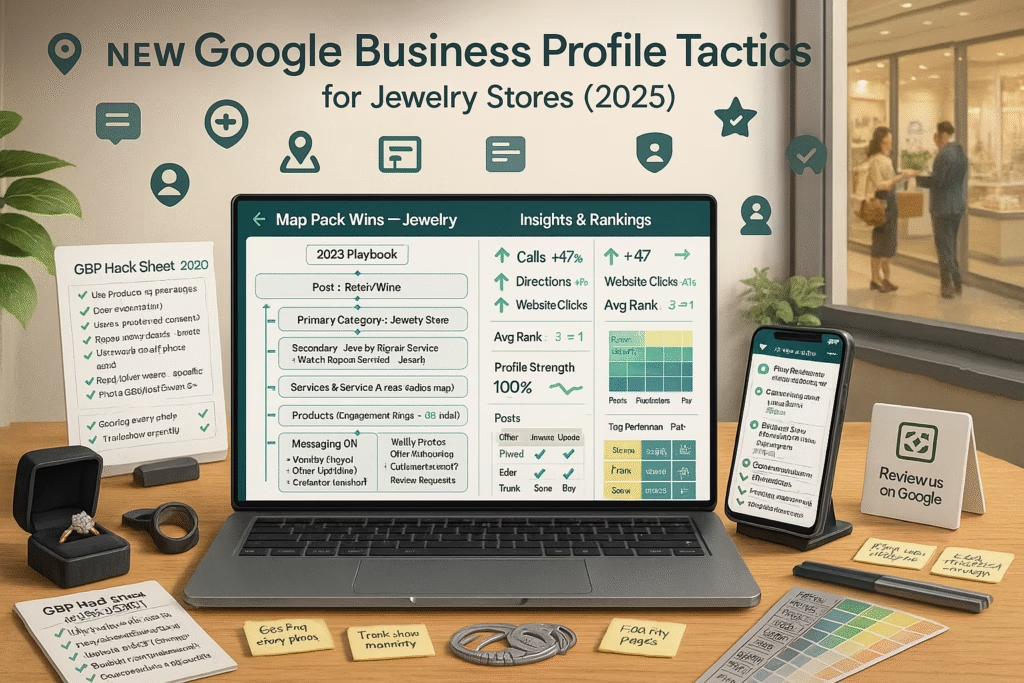
New Google Business Profile Tactics for Jewelry Stores (2025 Update)

ChatGPT Image Aug 29 2025 02 56 27 PM
New Google Business Profile Tactics for Jewelry Stores (2025 Update) — Full Playbook

New Google Business Profile Tactics for Jewelry Stores (2025 Update)

Turn searches into appointments, proposals, and ring pickups—right from Google.

Introduction

New Google Business Profile Tactics for Jewelry Stores (2025 Update) is about disciplined, customer-first execution: complete categories, honest product cards, real photos and videos, ethical reviews, fast messaging, and helpful posts. These “boring but critical” actions—done consistently—push your showroom to the top of local discovery.

Targets to aim for: Posts: 2–3/week New photos: 5–10/week Review requests: 15–30/mo Message reply time: < 5 min Product cards: 12–30 live

Educational guide only—follow all platform policies and local marketing rules. Avoid review gating, exaggerated claims, and misleading “sale” language.

Expanded Table of Contents

1) Why GBP Still Drives High-Intent Jewelry Buyers

1.1 Proximity, Relevance, Prominence

Google prioritizes nearby stores that clearly match the search and look trusted. You can’t move your boutique, but you can increase relevance (categories, product cards, posts) and prominence (reviews, photos, mentions).

1.2 Activity & Trust as Tie-Breakers

When jewelers are close in distance, consistent activity—fresh posts/photos, quick replies, helpful Q&A—wins more calls and visits.

2) Foundation Setup for Jewelers

2.1 Categories & Attributes

  • Primary category: “Jewelry store” (commonly best fit)
  • Secondary (if applicable): “Jeweler,” “Jewelry designer,” “Jewelry repair service,” “Diamond dealer,” “Watch repair service”
  • Attributes: appointments, accessibility, payment types, in-store pickup, delivery options (if offered)

2.2 NAP, Hours, Service Area

  • Ensure Name, Address, Phone (NAP) consistency across your site and listings
  • Keep hours—including holiday hours—accurate to avoid trust issues
  • Enable messaging if you can reply promptly

2.3 Legal & Policy Guardrails

  • Avoid unverifiable claims (e.g., “cheapest diamonds”); keep offers factual
  • Never gate reviews or incentivize star ratings

3) Products & Inventory Cards That Convert

3.1 Bridal, Fashion, Timepieces

  • Feature categories buyers search for: engagement rings, wedding bands, tennis bracelets, pendants, luxury watches
  • Create product cards per hero SKU or collection theme

3.2 “From $” Ranges & Stock Notes

Use honest “From $” language and indicate availability (e.g., “In-store sizes 5–8, custom in 2–3 weeks”).

3.3 Photo Standards for Sparkle

  • Front, profile, on-hand, and macro stone shots
  • Neutral background + one lifestyle photo
  • Keep edits natural; avoid heavy filters

4) Services: Repair, Custom, Appraisals, Piercing

  • List each service with a short, clear description and realistic timelines
  • Highlight same-day battery swaps, ring sizing estimates, or appraisal appointments where offered

5) Post Strategy (2025 Editorial Calendar)

  • Mon: “How to choose a center stone” tip + appointment link
  • Wed: New arrival or restock with on-hand sizes
  • Fri: Before/after repair or custom sketch → finished piece
Post template:
Title: New in the Bridal Case: Oval Halo (From $X,XXX)
Body: Try sizes 5–8 today. Custom in ~2–3 weeks. Book a 20-min consult.
CTA: Book • Call • Directions

6) Photos & Short Video: Authenticity > Studio Glare

  • Weekly cadence: ring reels, wrist shots, repairs, engraving, gift wrapping
  • Showcase staff expertise—cleaning, sizing, stone setting
  • Mix vertical short clips with crisp stills

7) Reviews & Reputation—Ethical, Fast, Helpful

  • Invite after positive moments (pickup, proposal success, repair delight)
  • Use direct review links; never require specific wording or ratings
  • Respond within 24–48h—thank positives, resolve negatives calmly
SMS (opt-in):
Thanks for visiting today! If it was a 5-star experience, would you share it?
Your feedback helps local shoppers choose us. {short-review-link}

8) Messaging, Saved Replies & CTAs

Saved reply:
Thanks for reaching out! Quick details help us:
1) Ring size? 2) Metal preference? 3) Budget range?
Want to hold Thu 5:30 or Sat 10:00 for a 20-min consult?

Use one-tap actions—Call, Directions, Appointment. Keep reply times fast.

9) Q&A: Seed, Monitor, Clarify Guarantees

  • Seed common questions: sizing timelines, warranty scope, appraisal docs
  • Answer plainly; update when policies change

10) Offers & Events: Trunk Shows, Engraving Days

  • Post time-bound offers (e.g., complimentary cleaning weekend)
  • Promote trunk shows with brand tags and RSVP link

11) Website Synergy: Location & Collection Pages

  • Each location page: NAP, map, parking tips, staff photos, FAQs
  • Collection pages: “From $” ranges, lead times, ethical sourcing notes

12) Tracking: UTM Links & KPIs That Matter

  • Tag all GBP links with UTM_source=google&utm_medium=organic&utm_campaign=gbp
  • Track calls, messages, direction requests, post/product views
  • Monitor review velocity and response time

13) Multi-Location: Consistency & Local Flavor

  • Central brand standards + local photos, staff, and hours
  • Avoid duplicate content across profiles—rotate product focuses

14) 30–60–90 Day Implementation Plan

Days 1–30: Foundation

  1. Fix categories/attributes; enable messaging; verify hours
  2. Publish 12–20 product cards with “From $” ranges
  3. Start post and photo cadence; set up review links

Days 31–60: Momentum

  1. Seed Q&A; build saved replies; add service pages
  2. Promote one event (trunk show/engraving day)
  3. UTM all links; begin weekly KPI review

Days 61–90: Optimization

  1. A/B test post topics and CTAs
  2. Expand product cards; add short video sets
  3. Tighten review response playbook

15) Troubleshooting: Suspensions, Low Views, Review Drags

  • Profile issues: re-read guidelines, provide required documents, avoid mass edits during review
  • Low views: increase post/photo cadence, clarify categories, add helpful Q&A
  • Review drag: ask consistently, respond kindly, identify service bottlenecks

Consistency beats bursts. That’s the heart of New Google Business Profile Tactics for Jewelry Stores (2025 Update).

16) 25 Frequently Asked Questions

1) What’s the fastest win for a jeweler on GBP?

Fix categories, publish 12–20 product cards with clear photos, and start 2–3 posts weekly.

2) Do product cards require exact prices?

No—use honest “From $” ranges and note availability or lead times.

3) How many photos per week?

Five to ten is a strong cadence—mix rings, watches, repairs, and lifestyle.

4) Should I enable messaging?

Yes if you can reply quickly; saved replies keep speed and tone consistent.

5) What post types work best?

New arrivals, tips, before/after repairs, staff spotlights, event announcements.

6) Can I ask customers to mention specific keywords in reviews?

No—never script or gate reviews. Invite honest feedback only.

7) Does responding to negative reviews help?

Yes—stay calm, factual, and solution-oriented. Many readers judge your response more than the rating.

8) Should I list services separately?

Yes—repair, custom design, appraisals, watch work—each with brief descriptions.

9) How often should I update product cards?

Refresh monthly or when inventory changes; rotate hero pieces seasonally.

10) Can I promote financing?

If you offer it, describe truthfully and clearly without misleading language.

11) How do I track GBP traffic?

Add UTM parameters to website and booking links; review analytics weekly.

12) Do videos matter?

Short clips (stone sparkle, repairs, custom walkthroughs) boost engagement and trust.

13) What’s a good review response time?

Within 24–48 hours is ideal.

14) Should I post sale prices?

Keep language factual; avoid exaggerated “compare at” claims. Use time-bound offers.

15) Can I run giveaways via GBP?

Share events or promotions within policy and local rules; be transparent on terms.

16) My store is appointment-only. Any tips?

State it clearly; add an easy “Book” link and keep hours accurate for trust.

17) Multi-brand jewelers—how to feature brands?

Use posts and product cards with brand names where permitted; add clear photos and notes.

18) Should staff appear in photos?

Yes—with consent. Human faces increase credibility and approachability.

19) How to handle custom-only designs?

Showcase previous work, timelines, and process; invite consult bookings.

20) Do holiday hours matter?

Yes—wrong hours damage trust and can cost walk-ins.

21) Is a blog still useful alongside GBP?

Yes—collection guides and buying tips help convert and can be linked in posts.

22) How do I avoid duplicate listings?

Keep one canonical profile per location; request merges for duplicates.

23) What KPIs should I watch?

Calls, messages, directions, post/product views, review velocity, and booked consults.

24) Any tips for watch services?

List battery swaps, pressure tests, bracelet sizing; show turnaround expectations.

25) First step today?

Publish 6–10 hero product cards, schedule three posts for the week, and switch on messaging with two saved replies.

17) 25 Extra Keywords

  1. New Google Business Profile Tactics for Jewelry Stores (2025 Update)
  2. jewelry store Google Maps optimization
  3. GBP for jewelers
  4. engagement ring local SEO
  5. diamond dealer Google profile
  6. jewelry repair Google Business
  7. watch repair GBP tactics
  8. bridal jewelry map pack
  9. jewelry store product cards
  10. jewelry reviews strategy
  11. jewelry store posts calendar
  12. ethical review requests jewelry
  13. UTM tracking GBP jewelry
  14. jewelry photos for GBP
  15. custom ring Google optimization
  16. appraisal services local SEO
  17. jewelry events trunk show posts
  18. multi-location jeweler GBP
  19. appointment booking for jewelers
  20. Q&A management jewelry store
  21. in-store pickup jewelry
  22. luxury watch local SEO
  23. holiday hours jewelry store
  24. map pack ranking jewelry
  25. 2025 jeweler marketing playbook

© 2025 Your Brand. All Rights Reserved.

New Google Business Profile Tactics for Jewelry Stores (2025 Update) Read More »

Craigslist Posting Automation That Top Carport Companies Use in 2025

Acutting e 2225268253 18 50 38
Craigslist Posting Automation That Top Carport Companies Use in 2025 — Full Playbook

Craigslist Posting Automation That Top Carport Companies Use in 2025

Turn every ad into booked site checks and signed installs—without getting flagged.

Introduction

Craigslist Posting Automation That Top Carport Companies Use in 2025 is about doing the unglamorous work—consistently and compliantly. The leaders rotate unique ads, use real photos, answer messages in minutes, qualify the pad and setbacks, and book installs with clear timelines and “From $” expectations. Automation keeps cadence; your team keeps credibility.

Targets to aim for: Time-to-first-reply ≤ 5 minutes Lead → Quote ≥ 60–75% Quote → Deposit ≥ 25–40% No-show site checks ≤ 10–12% Duplicate/flag rate: ~0

Educational guide only. Follow Craigslist policies, truthful advertising standards, and local permitting rules. Avoid duplicate/near-duplicate postings and unverifiable claims.

Expanded Table of Contents

1) Why Craigslist Still Works for Carports

1.1 High-Intent Local Shoppers

Buyers on Craigslist usually want an install soon—near their property. Meeting that intent with clear sizes, lead times, and delivery notes beats generic ads every time.

1.2 Trust Signals That Convert

  • Real photos of recent installs (not catalog-only)
  • Factual “From $” pricing, not bait-and-switch
  • Transparent delivery, pad, and permitting notes

2) Account & Category Setup

2.1 Picking the Right Category

  • Common: for sale → business/commercial - by dealer (carports as products with install)
  • Some markets use a services category—choose the most accurate single category and stick to it

2.2 Location Radius & Contact Methods

  • Use your yard/showroom city; list service radius in miles or counties
  • Offer tracked phone plus Craigslist relay; publish response hours

3) Ad Architecture That Sells Installs

3.1 Title Frameworks

  • “18×21 Carport • From $X,XXX • Local Install in 2–4 Weeks”
  • “20×30 Metal Carport • Certified for Snow/Wind • ZIP {####} Quotes”
  • “RV Cover 12×35 • From $X,XXX • Site Check Available”

3.2 Photo Standards

  • Front/side angles, interior span, posts/anchors, roof panels, trim detail
  • Recent installs on real pads (gravel/concrete) with consent to share
  • Delivery/installation equipment to set expectations

3.3 Copy Blocks (Paste & Personalize)

SHORT:
In-stock carport sizes with local install. From $ ranges by size/configuration.
Reply with ZIP + pad type (gravel/concrete) + width needed, and we’ll hold Thu 5:30 or Sat 10:00 for a quick plan.
LONG:
Popular sizes: 18×21, 18×26, 20×30, 22×35, RV covers.
Options: height, gables, side panels, doors, anchors, color.
Lead time: installs typically 2–4 weeks after site check.
Pricing shown is “From $” and varies by size, height, panels, and ZIP.
Share ZIP, pad type, and setbacks (if known) for an exact quote + earliest install windows.

4) Pricing: “From $” Ranges, Delivery & Add-Ons

  • Anchor with honest From $ ranges by size/height/panels
  • Quote delivery & install separately if your market requires
  • List add-ons (height upgrades, full sides, doors) with factual notes

5) Craigslist Posting Automation That Top Carport Companies Use in 2025 — Cadence & Uniqueness

5.1 Rotation Rules

  • Post a modest number of unique ads per city/day—quality beats volume
  • Rotate by size/use case: 18×21 basic, 20×30 workshop, RV cover, etc.

5.2 Variants That Avoid Flags

  • Change first photo, first paragraph, and CTA line every variant
  • Localize details truthfully (lead times, counties, snow/wind certification)

5.3 Human QA Gates

  • Final review of pricing, photos, and compliance before posting
  • Spot-check live listings for format and accuracy

This rhythm lets Craigslist Posting Automation That Top Carport Companies Use in 2025 scale safely.

6) Lead Capture & Routing (Phone • SMS • Email Relay)

  • Dedicated tracked number for Craigslist; set voicemail-to-text + missed-call textback
  • Auto-reply on relay email: request ZIP, pad type, width/height, timeline
  • Route by ZIP to the nearest crew or sales rep

7) AI Follow-Up: Qualify • Quote • Book

First reply (SMS/Email):
Thanks for reaching out! To quote precisely, can you share:
1) ZIP  2) Pad type (gravel/concrete/soil)  3) Desired width/height
Two quick times for a 10-min site plan: Thu 5:30 or Sat 10:00.
Quote note:
Pricing assumes standard anchors, clear access, and level pad.
Extra height, concrete anchors, or panel upgrades are itemized on request.

8) Site Check Flow: Pad, Setbacks, Snow/Wind Loads

  • Collect pad photos, slope notes, and any setback/utility constraints
  • Confirm local snow/wind certification options (where applicable)
  • Provide a simple prep checklist; avoid guarantees on permits—encourage local confirmation

9) CRM Stages, Tags & Documents

Stages: New → Qualified → Site Check Booked → Quote Sent → Deposit → Scheduled → Installed → Review.

Tags: size (18×21/20×30/etc.), height, panels, source (CL-City), snow/wind cert.

Attach site photos, pad notes, and quote PDFs for easy handoff.

10) KPIs & Dashboards That Matter

  • Calls/texts/relay replies per ad and per city
  • Lead→Quote %, Quote→Deposit %, Days-to-Install
  • No-show rate, review velocity post-install, refund/redo rate

11) 30–60–90 Day Rollout Plan

Days 1–30: Foundation

  1. Draft 6 unique ad templates; shoot authentic install photos
  2. Set tracked number + missed-call textback; load saved replies
  3. Create CRM pipeline with tags and document templates

Days 31–60: Scale

  1. Expand to adjacent cities with localized variants
  2. Standardize quote notes and site check checklist
  3. Weekly KPI review; prune low-performing templates

Days 61–90: Optimize

  1. A/B test title styles, first image, and opening line
  2. Tune service radius and install windows by acceptance rate
  3. Automate post-install review requests (never gate reviews)

12) Troubleshooting: Flags, Ghosting, Low Response

  • Flags/ghosting: reduce frequency, increase uniqueness, ensure correct category
  • Low response: add real install photos, clarify lead time, ask one simple qualifier
  • Too many tire-kickers: request ZIP/pad/width up front and offer two call times

Consistency + honesty = durable pipeline. That’s the engine behind Craigslist Posting Automation That Top Carport Companies Use in 2025.

13) 25 Frequently Asked Questions

1) Which category should I post in?

Often “for sale → business/commercial - by dealer.” Choose the most accurate single category for your market.

2) How many ads per day?

Keep cadence modest and unique per city. Quality beats volume for longevity.

3) Can I post the same ad in multiple cities?

Create unique variants (title, first photo, opening paragraph) for each city to avoid duplicates.

4) Should I list exact prices?

Use honest From $ ranges and itemize upgrades in the quote.

5) What photos build the most trust?

Real installs—front/side, anchors, panels, trim, and pad type—plus equipment.

6) How fast should I reply?

Within 5 minutes. Use saved replies and offer two appointment times.

7) Can I include a website link?

Follow Craigslist rules. If allowed, link to helpful info (site check checklist, gallery).

8) Do I mention snow/wind certification?

If relevant in your region, yes—factually and without guarantees.

9) What’s the best opening line?

“ZIP + pad type + width for a fast quote. Thu 5:30 or Sat 10:00 work?”

10) How do I reduce flags?

Unique content, correct category, realistic claims, and moderated cadence.

11) What qualifies a serious buyer?

ZIP, pad type, target width/height, and timeline. Photos speed quoting.

12) How do I handle after-hours?

Auto-reply, gather qualifiers, and book next-day times.

13) Can I advertise full metal buildings?

Yes—list base specs and options clearly; avoid over-promising timelines.

14) Should I watermark images?

Light branding is fine; keep images clear and truthful.

15) How many photos per ad?

Use as many as allowed—aim for 6–12 with variety.

16) Can I bundle installation in price?

If policy and local rules allow. Otherwise show install separately and factually.

17) What delivery/install notes prevent disputes?

Anchors, access, level pad requirements, and potential up-charges (height, extra panels).

18) How do I track ROI?

Unique call number, CRM tags (source=CL City), and closed-won revenue by template.

19) Healthy close rate?

Quote→Deposit 25–40% depending on market and configuration mix.

20) Can I promote financing?

Only if compliant—state terms clearly; avoid misleading “$0 down” claims.

21) Do videos help?

Short install walk-throughs lift trust and reduce objections.

22) What about permits?

Provide neutral guidance; avoid guarantees. Encourage local confirmation.

23) How do I manage multiple crews/yards?

Route by ZIP; separate numbers/calendars per yard; sync to CRM stages.

24) Should I list lead times?

Yes—give ranges (e.g., 2–4 weeks) and update as capacity changes.

25) First step today?

Draft 3 unique templates (18×21, 20×30, RV cover), shoot real photos, set a tracked number, and wire saved replies.

14) 25 Extra Keywords

  1. Craigslist Posting Automation That Top Carport Companies Use in 2025
  2. carport craigslist posting tool
  3. metal carport leads craigslist
  4. 18x21 carport ad template
  5. 20x30 carport installation ads
  6. RV cover craigslist listings
  7. carport site check booking
  8. carport “From price” strategy
  9. snow wind certified carports
  10. carport anchor options
  11. gravel vs concrete pad carport
  12. carport copy variants
  13. unique ad rotation craigslist
  14. tracked phone number ads
  15. missed call textback carport
  16. relay email auto reply carport
  17. carport CRM pipeline stages
  18. quote to deposit rate carport
  19. install lead time ranges
  20. carport upgrade panels doors
  21. service radius carport dealer
  22. duplicate flag prevention
  23. carport photos that convert
  24. city specific carport ads
  25. 2025 carport sales playbook

© 2025 Your Brand. All Rights Reserved.

Craigslist Posting Automation That Top Carport Companies Use in 2025 Read More »

facebook marketplace posting tool for shed companies

Acutting e 3453387431 20 54 42
Facebook Marketplace Posting Tool for Shed Companies (2025 Playbook)

Facebook Marketplace Posting Tool for Shed Companies

Automate compliant listings, reply in minutes, and turn clicks into booked installs.

Introduction

facebook marketplace posting tool for shed companies isn’t just software—it’s a revenue system. Done right, it pulls your best models into clean listings, rotates photos and copy, answers messages with access qualifiers, and books showroom or onsite assessments without phone tag.

Targets to aim for: Speed-to-first-reply ≤ 90s Message → booked visit ≥ 55–70% Show rate ≥ 80–90% Quote turnaround ≤ 24h Policy compliance: 100%

Educational content only. Always follow platform terms, truthful advertising rules, and local marketing/communications laws. Avoid misleading claims or unverifiable discounts.

Expanded Table of Contents

1) Why Marketplace Still Crushes for Sheds

1.1 High-Intent Local Shoppers

People browse Marketplace when they’re ready to buy locally. A fast, useful reply moves them from “price browsing” to “delivery planning.”

1.2 Conversational Commerce Advantage

Messaging lowers friction. The right facebook marketplace posting tool for shed companies gives instant replies, schedules, and reminders—no back-and-forth delays.

2) What a Great Posting Tool Must Do

2.1 Listing Templates & Rotation

  • Reusable templates per size/grade/style (8×12 gable, 10×16 barn, 12×24 modern)
  • Automatic rotation of primary photo, color, and opening line
  • Local city/county tokens injected into copy (truthful, not stuffed)

2.2 Inbox Automations & Handoffs

  • Saved replies that collect ZIP, gate width, and surface type
  • Missed-message alerts; after-hours autoresponder that books next-day times
  • One-tap human takeover for complex cases (HOA, crane access)

2.3 Calendar & CRM Sync

  • Offer two specific time options; prevent double-booking
  • Push notes, photos, and qualifiers to CRM stages automatically

3) Listing Architecture That Converts

3.1 Titles that Set Expectations

  • “10×16 Barn • From $X,XXX • Local Delivery Available”
  • “12×24 Modern • 3-Week Lead Time • Book a Site Check”
  • “8×12 Gable • W/ Ramp Option • Zip {####} Quotes”

3.2 Photo Standards (Truthful & Clear)

  • Exterior (front/side), interior, floor, roofline, door hardware
  • Optional upgrades (windows, lofts, electrical)—label clearly
  • Delivery equipment (tilt-bed/mule) to set realistic expectations

3.3 Copy Blocks You Can Paste

SHORT:
In-stock sheds with local delivery. From $ ranges by size/style.
Reply with ZIP + gate width + surface (asphalt/concrete/grass)
and we’ll hold Thu 5:30 or Sat 10:00 for a quick plan.
LONG:
Sizes: 8×12, 10×16, 12×20, 12×24. Styles: gable, barn, modern.
Upgrades: ramps, windows, lofts, electrical.
Delivery: tilt-bed/mule access. Most installs 2–4 weeks after booking.
Pricing shown is “From $” and varies by size, options, and delivery.
Share ZIP, surface, and gate width for an exact quote + earliest slots.

4) Pricing: “From $” Ranges, Delivery & Add-Ons

  • Use clear From $ ranges per size/style to anchor expectations
  • Quote delivery separately (distance, access, surface)
  • List add-ons with factual notes (lead time, install steps)

5) Access & Base Qualifiers (The 7 Key Questions)

1) ZIP code?
2) Intended use (storage/office/workshop/cabin)?
3) Gate/side access width (ft)?
4) Surface (asphalt/concrete/grass/gravel)?
5) Slope or low wires/branches?
6) Base preference (gravel pad/concrete/blocks)?
7) Install timeline (this week / 2–4 weeks / browsing)?

These reduce surprise crane days and keep margins intact—core to any facebook marketplace posting tool for shed companies.

6) Automation Without Getting Flagged

6.1 Cadence Rules

  • Moderate posting frequency per market; quality & uniqueness over volume
  • Rotate focus (sizes/styles) rather than duplicating

6.2 Creative Uniqueness

  • Vary title, first photo, first paragraph, and call-to-action
  • Localize details truthfully (city names, lead-time ranges)

6.3 Human QA Gates

  • Final review on pricing, lead times, and photo accuracy
  • Keep claims grounded and verifiable

7) First-Reply Scripts (SMS/Chat/Email)

Hi {First}! Quick quote for your area—what’s your ZIP and gate width?
Two quick times to plan delivery: Thu 5:30 or Sat 10:00. (Reply STOP to opt out)
Subject: Quick shed delivery check + two times
Thanks for messaging! Surface type (asphalt/concrete/grass) and ZIP help us quote.
We can hold Thu 5:30 or Sat 10:00 for a 10-min plan.
Quote note:
Pricing assumes tilt-bed/mule access with safe clearance.
Crane quoted if required after access photos.

8) Booking Flows: Showroom • Onsite • Virtual

  • Showroom: two time options → map pin/parking → “bring yard photos”
  • Onsite: address + access photos → base recommendation → quote
  • Virtual: configurator screenshare → price range → deposit link

9) 3D Configurator → Marketplace → Quote

Pull saved configurations (size, doors, windows, upgrades) into listings. After chat, draft a factual “From $” quote with delivery assumptions and optional crane line item.

10) Google Business Profile Synergy

  • Link booking from GBP messaging and Posts
  • Add Products for best-sellers with From $ notes
  • Post weekly “What we’re installing” + one-tap booking

11) KPIs & Dashboards to Review Weekly

  • Messages → booked visit %, show rate
  • Quote acceptance %, upgrade attach (ramps, windows, lofts)
  • Days-to-install, review velocity, refund/redo rate

12) 30–60–90 Day Implementation Plan

Days 1–30: Foundation

  1. Create 6 unique listing templates; shoot authentic photo sets
  2. Load saved replies + two-time booking links
  3. Wire CRM stages and tags; enable missed-message alerts

Days 31–60: Scale

  1. Expand styles and local variants; standardize quote notes
  2. Add virtual consult flow; publish pad/HOA guides
  3. Start weekly KPI reviews; prune low performers

Days 61–90: Optimize

  1. A/B test titles, first image, and opening line
  2. Tighten routing rules; add weather-backed waitlist
  3. Automate post-install review requests

13) Troubleshooting: Low Replies, No-Shows, Policy Flags

  • Low replies: use real photos, clarify lead time, and ask one simple question
  • No-shows: reminders at T-24/T-2/T-30m, send map pin/parking
  • Policy flags: reduce frequency, increase uniqueness, ensure truthful claims

When tuned, your facebook marketplace posting tool for shed companies becomes a reliable, compounding appointment engine.

14) 25 Frequently Asked Questions

1) What exactly is a Marketplace posting tool?

Software and workflows that create/rotate listings, manage replies, and book visits while staying within platform rules.

2) How fast should we reply?

Within 90 seconds for best conversion.

3) What photos matter most?

Exterior (multiple angles), interior, floor, roofline, upgrades, and delivery equipment.

4) Can we list exact prices?

Use honest From $ ranges. Quote delivery separately and factually.

5) Do we need a CRM?

Yes—track stages, notes, photos, quotes, and delivery status.

6) How do we reduce tire-kickers?

Ask for ZIP, surface, and gate width in the first reply; offer two specific times.

7) Can after-hours be automated?

Yes—send friendly autoresponses, collect qualifiers, and book next-day slots.

8) Should we watermark photos?

Light branding is fine. Keep images clear and truthful.

9) How often should we post?

Moderate cadence with unique variants; quality beats volume.

10) What opening line works?

“ZIP + gate width + surface for a fast quote. Thu 5:30 or Sat 10:00 work?”

11) Can we run promos?

Yes—time-boxed, truthful offers (e.g., ramp discount or delivery credit).

12) What about HOA or permits?

Share neutral checklists; avoid guarantees. Encourage local confirmation.

13) How do we handle tight access?

Request photos; plan mule or crane; add line item in the quote.

14) Can we connect the tool to a 3D configurator?

Yes—pull saved builds into listings and quotes for continuity.

15) Which CTAs convert?

“Book a site check,” “Hold two times,” and “Get a delivery window.”

16) How do we prevent double-booking?

Use a calendar hold with two options and automatic conflict checks.

17) What KPIs matter?

Reply speed, message→booked %, show rate, quote acceptance, upgrade attach.

18) Should we show delivery equipment?

Yes—builds trust and sets realistic expectations.

19) How long should listings be?

Short listing + link to more details. Keep key facts up front.

20) Can the tool send reminders?

Yes—at T-24/T-2/T-30m with map pin and reschedule link.

21) How do we manage multiple lots?

Separate numbers/calendars by location; route by ZIP.

22) Can it trigger review requests?

Yes—post-install, with optional photo request. Never gate reviews.

23) What if messages spike on weekends?

Autos reply, collect qualifiers, and book; staff handles edge cases Monday.

24) Do videos help?

Short walk-throughs increase trust and reduce questions.

25) First step today?

Draft 3 unique templates, shoot fresh photos, load saved replies, and connect calendar + CRM.

15) 25 Extra Keywords

  1. facebook marketplace posting tool for shed companies
  2. shed marketplace automation
  3. portable building listings manager
  4. shed lead capture Facebook
  5. two-time booking script sheds
  6. missed-message autoresponder sheds
  7. mule vs crane delivery planning
  8. gravel pad vs concrete slab guide
  9. access qualifier questions sheds
  10. shed configurator to quote
  11. marketplace creative rotation
  12. unique listing variants local
  13. shed showroom appointment tool
  14. onsite assessment booking sheds
  15. shed CRM pipeline stages
  16. upgrade attach rate sheds
  17. map pin reminder sheds
  18. policy-safe marketplace posting
  19. local delivery window sheds
  20. review request automation sheds
  21. photo standards for sheds
  22. From price ranges sheds
  23. shed sales KPI dashboard
  24. lead time ranges sheds
  25. 2025 shed marketplace playbook

© 2025 Your Brand. All Rights Reserved.

facebook marketplace posting tool for shed companies Read More »

craigslist ad automation for shipping container companies

ChatGPT Image Aug 28 2025 04 58 09 PM
Craigslist Ad Automation for Shipping Container Companies (2025 Playbook)

Craigslist Ad Automation for Shipping Container Companies

Systemize posts, keep compliance tight, and turn inquiries into scheduled deliveries.

Introduction

craigslist ad automation for shipping container companies is the fastest way to turn local search intent into phone calls, quotes, and truck routes—if you do it the right way. This playbook shows you how to structure compliant listings, rotate creative, price with “From $” ranges, reply in minutes, and measure the funnel from impression to installed box.

Targets to aim for: Time-to-first-reply ≤ 5 minutes Lead → Quote ≥ 60–75% Quote → Deposit ≥ 25–40% No-show viewings ≤ 10% Duplicate flags: 0

This guide is educational. Follow all Craigslist terms, local laws, truthful advertising standards, and never attempt to evade platform rules. Accuracy beats aggression.

Expanded Table of Contents

1) Why Craigslist Still Prints Local Demand for Containers

1.1 Intent & Proximity

Buyers search Craigslist to find nearby containers they can see soon and deliver fast. Your job: match that intent with clear, local inventory and easy next steps.

1.2 Why Compliance Wins Long-Term

Accurate categories, honest photos, and realistic ETAs build reputation—and prevent flags or account disruptions that stall your pipeline.

2) Account & Category Setup

2.1 Choosing the Right Category

  • For sale → business/commercial - by dealer (common for containers)
  • Use a single, appropriate category per market—avoid cross-posting duplicates

2.2 Location, Service Radius, and Contact Options

  • Set your nearest yard or showroom city; state delivery radius clearly in the ad
  • Offer phone and Craigslist relay email; include hours and typical response time

3) Ad Architecture: Titles, Photos, and Copy That Convert

3.1 Title Frameworks

  • “20ft/40ft Containers • Cargo-Worthy • Local Delivery”
  • “High Cube 40’ • Wind & Water Tight • From $X,XXX + Delivery”
  • “New (One-Trip) 20’ • Next-Week Delivery • Zip {####}”

3.2 Photo Checklist

  • Exterior (both sides), doors closed & open, floor, roof line, corner castings
  • Close-ups of condition (W&WT, CW, One-Trip markings) and any cosmetic wear
  • Delivery equipment shots (tilt-bed/mule) to set expectations

3.3 Copy Blocks (Paste & Personalize)

SHORT:
20’ & 40’ shipping containers in stock (standard & high cube). 
Wind & Water Tight and Cargo-Worthy options. Local delivery available. 
Text ZIP for a quote + earliest delivery window.
LONG:
Sizes: 20’, 40’, 40’ High Cube (9’6”).
Grades: One-Trip (like new), Cargo-Worthy, Wind & Water Tight.
Delivery: Tilt-bed / mule. Most zips 3–7 weekdays. Photos are typical inventory.
Pricing shown is “From $” and varies by grade, color, and zip. 
Reply with your ZIP, surface (asphalt/concrete/grass), and gate width for an exact quote.

4) Pricing Strategy: “From $” Ranges, Delivery, Add-Ons

  • List From $ for each size/grade to set expectations without over-promising
  • Separate delivery charge; mention factors (distance, access, surface)
  • Offer add-ons: locks, paint, ramps, doors, vents—priced clearly

5) Automation Without Getting Flagged

5.1 Cadence & Rotation

  • Post a limited number of unique ads per market per day (quality > volume)
  • Rotate focus (20’ WWT, 40’ HC CW, One-Trip) instead of duplicating

5.2 Variants & Uniqueness

  • Vary titles, first paragraph, and photo sets
  • Avoid repeating identical content across nearby cities

5.3 Human QA Gates

  • Human approval on pricing and condition labels
  • Spot-check live links, phone number, hours, and map before publishing

This is how craigslist ad automation for shipping container companies scales safely.

6) Lead Capture & Routing (Phone, SMS, Email Relay)

  • Use a tracked phone number for Craigslist; note response hours in the ad
  • Enable missed-call textback: “ZIP + surface for delivery quote”
  • Triage email relay: auto-reply with qualifying questions and two call times

7) AI Follow-Up: Qualify, Quote, Book

First reply (SMS/Email):
Thanks for reaching out! To quote accurately, can you share:
1) ZIP  2) Gate width (ft)  3) Surface (asphalt/concrete/grass)
Two quick times for a call: Thu 5:30 or Sat 10:00.
Quote note:
Pricing assumes tilt-bed/mule access with safe clearance. 
Crane quoted if required after access photos.

8) CRM, Tags & Pipelines for Container Sales

Stages: New → Qualified → Quote Sent → Deposit → Scheduled → Delivered → Review. Tag by size (20/40/40HC), grade (OT/CW/WWT), and source (CL City). Attach photos & delivery notes.

9) KPIs & Dashboards That Matter

  • Calls, texts, relay replies per ad
  • Lead → Quote %, Quote → Deposit %, Days-to-Delivery
  • Refund/return rate, review velocity post-delivery

10) 30–60–90 Day Launch Plan

Days 1–30: Foundation

  1. Pick category; write 6 unique ad templates; shoot authentic photos
  2. Set tracked phone; enable missed-call textback and canned replies
  3. Publish a modest cadence; start CRM pipeline

Days 31–60: Scale

  1. Expand to adjacent cities with unique variants
  2. Standardize quote notes and delivery FAQs
  3. Start weekly KPI review; prune low-performing templates

Days 61–90: Optimize

  1. A/B test titles, first image, and opening line
  2. Dial delivery radius & fees based on acceptance rate
  3. Automate post-delivery review requests

11) Troubleshooting: Flags, Ghosting, Low Response

  • Flags/ghosting: reduce frequency, improve uniqueness, verify category accuracy
  • Low response: add real photos, clarify delivery timing, offer two call times
  • Too many tire-kickers: request ZIP/surface/gate width up front

12) 25 Frequently Asked Questions

1) What category should I post in?

Commonly “for sale → business/commercial - by dealer.” Choose the most accurate single category for your market.

2) How often can I post?

Keep cadence modest and unique per market. Quality & uniqueness beat volume.

3) Can I cross-post the same ad to multiple cities?

Avoid duplicates. Create distinct variants per city with local details and different photos.

4) What photos do buyers trust?

Real inventory: doors, floor, roof line, and condition markings, plus delivery equipment.

5) Should I list exact prices?

Use “From $” ranges per size/grade; delivery is quoted by ZIP and access.

6) How fast should I reply?

Within 5 minutes. Use saved replies asking for ZIP/surface/gate width and offer two call times.

7) Can I link to my website?

Follow Craigslist policies. If allowed, keep links relevant and helpful.

8) What’s the best title style?

Size + Grade + Benefit + Local cue, e.g., “40’ HC • Cargo-Worthy • Local Delivery.”

9) How do I reduce flags?

Accurate category, unique copy, authentic photos, realistic claims, and moderated cadence.

10) Should I include delivery fees?

Explain that delivery is distance/access-based; provide a quick quote with ZIP.

11) How do I handle after-hours?

Use auto-replies + missed-call textback; book next-day call slots.

12) Do high cube containers need special mention?

Yes—call out 9’6” height and typical uses; include photos.

13) Can I advertise modifications?

Yes—list add-ons (doors, vents, ramps) with clear pricing and timelines.

14) How do I qualify serious buyers?

Ask for ZIP, surface, gate width, and timeline. Offer two call times immediately.

15) What’s a good response script?

“Thanks! ZIP + surface + gate width for a quote. Thu 5:30 or Sat 10:00 for a quick call?”

16) Should I watermark photos?

Light branding is fine; keep images clear and honest.

17) How many photos per ad?

Use as many as allowed—aim for 6–12 showing condition and delivery.

18) Can I post multiple sizes in one ad?

Yes—list options; avoid clutter and keep pricing ranges straightforward.

19) What delivery notes prevent disputes?

State access assumptions, surface requirements, and crane as a potential line item.

20) How do I track ROI from Craigslist?

Use a unique call number, tags in CRM (source=CL City), and a booking reason field.

21) What’s a healthy close rate?

From quote to deposit, 25–40% is a solid target depending on market and grade mix.

22) Should I run promotions?

Yes—clear, time-boxed offers (e.g., “$100 delivery credit in ZIP #### this week”).

23) How do I manage multiple yards?

Separate ad banks per yard/city with unique photos and numbers; route leads by ZIP.

24) What about returns or warranty?

Explain condition grades, refund policies, and any warranty coverage plainly.

25) First step today?

Create three unique templates (20’ WWT, 40’ HC CW, One-Trip), shoot authentic photos, and publish a modest cadence with tracked phone.

13) 25 Extra Keywords

  1. craigslist ad automation for shipping container companies
  2. shipping container craigslist postings
  3. 20ft container for sale local
  4. 40ft high cube cargo worthy
  5. wind and water tight container ads
  6. one-trip container listings
  7. container delivery quote zip
  8. tilt-bed mule delivery notes
  9. container modifications pricing
  10. container ramps and vents
  11. business commercial by dealer ads
  12. local container stock photos
  13. from price container ranges
  14. container ad title templates
  15. missed call textback container
  16. AI follow up containers
  17. container CRM pipeline
  18. city specific container ads
  19. container sales KPI dashboard
  20. quote to deposit rate
  21. delivery access checklist
  22. gate width surface requirement
  23. container ad ghosting fix
  24. unique ad variants craigslist
  25. 2025 container sales playbook

© 2025 Market Wiz AI. All Rights Reserved.

craigslist ad automation for shipping container companies Read More »

AI That Builds Your Google Rankings Automatically (Google Maps)

Acutting e 2062350123 20 53 29
AI That Builds Your Google Rankings Automatically (Google Maps) — 2025 Playbook

AI That Builds Your Google Rankings Automatically (Google Maps)

Turn daily micro-actions—posts, photos, reviews, Q&A, citations—into compounding Map Pack growth.

Introduction

AI That Builds Your Google Rankings Automatically (Google Maps) is not magic—it’s disciplined automation. The winners publish helpful GBP content, add real geo-tagged photos, answer Q&A, request/answer reviews, sync listings, and keep their location pages fresh. AI just makes those “boring but critical” tasks happen on schedule, with consistent quality and zero guesswork.

Targets to aim for: New photos: 5–10/week Posts: 2–3/week Review requests: 15–30/mo Q&A answered: < 24h Listing sync accuracy: 99%+

This guide is educational—not legal advice. Avoid misleading claims, never gate reviews, follow platform policies, and comply with local marketing & privacy laws.

Expanded Table of Contents

1) Why “Unsexy” Tasks Win the Map Pack

1.1 Proximity, Relevance, Prominence (Plain-English)

Google aims to show nearby businesses (proximity) that clearly match the search (relevance) and look trustworthy/popular (prominence). You can’t move your building, but you can improve relevance (categories, services, content) and prominence (reviews, photos, brand mentions).

1.2 Activity & Trust as Tie-Breakers

When competitors are close, activity (fresh posts/photos) and trust signals (reviews answered, Q&A) help decide who earns the click.

2) System Overview: AI That Builds Your Google Rankings Automatically (Google Maps)

  • GBP content engine: drafts & schedules Posts, product cards, service updates.
  • Photo engine: renames files descriptively, adds compliant metadata, rotates staff/locations.
  • Review/Q&A engine: requests ethically, detects new reviews, proposes personable replies.
  • Listings engine: audits and fixes NAP across major directories.
  • Local-page engine: refreshes location/service pages with small weekly updates.

The result: consistent quality signals. That’s the heart of AI That Builds Your Google Rankings Automatically (Google Maps).

3) Google Business Profile Automation (Step-by-Step)

3.1 Categories, Services, Attributes

  • Set correct primary category; add accurate secondary categories.
  • List services plainly (no keyword stuffing) with short, helpful descriptions.
  • Complete attributes (accessibility, payment types, amenities).

3.2 Products & “From $” Ranges

Use product cards for popular items/packages. Share factual From $ ranges and delivery/lead-time notes.

3.3 Posts Cadence & Ideas

  • Mon: Tip/mini-guide
  • Wed: Before/after or case snippet
  • Fri: Weekend hours + one-tap booking

3.4 Messaging & CTA Links

Enable messaging where available. Use saved replies with one-tap actions (call, directions, booking, quote).

4) Photos & Short Video: The Geo-Trust Flywheel

  • Exterior, interior, team, process, results, community events
  • Keep edits light; avoid heavy text overlays
  • Post 5–10 fresh visuals weekly; mix short vertical clips

5) Reviews: Ethical Requests & Fast Responses

  • Request after positive interactions; never require specific wording or star levels
  • Share direct review links; respond within 24–48h
  • Thank positives; stay factual and calm for negatives
SMS (opt-in): Thanks for choosing us today! If you have a moment,
would you share your experience here? {short-link} (Reply STOP to opt out)

6) Q&A: Preempt Objections, Build Confidence

  • Seed common questions and answer clearly
  • Update answers when policies/hours change
  • Escalate complex questions to staff quickly

7) Listings & Citations: NAP Consistency at Scale

  • Audit Name, Address, Phone (NAP) across major directories
  • Fix mismatches; remove duplicates where possible
  • Add a handful of relevant local/industry listings monthly

8) Location & Service Pages: Useful, Not Fluff

  • Each location page: consistent NAP, map embed, services, FAQs, fresh photos
  • Service pages: processes, timelines, checklists, and realistic “From $” ranges
  • Add tiny updates weekly (new photo, testimonial, micro-FAQ)

9) Automation Recipes (Copy/Paste)

9.1 Weekly Content

Mon 09:00 → GBP Post: 120–180 words tip + CTA (Call/Book)
Wed 12:00 → Photo batch: 3–5 images (exterior, work-in-progress)
Fri 08:30 → GBP Post: weekend hours + offer/booking link

9.2 Review & Q&A

Daily 17:00 → Check new reviews & Q&A; propose replies; human approve
Sat 10:00 → Send review request batch for the week's closed jobs

9.3 Listings

1st of month → Listings audit; fix mismatches; submit 1–2 new citations

10) Tracking & KPIs That Matter

  • GBP: calls, messages, direction requests, photo views, post views
  • Website: UTM-tagged sessions, conversions, assisted conversions
  • Reputation: review velocity, average rating, response time
  • Content: publish cadence adherence

11) 30–60–90 Day Implementation Plan

Days 1–30: Foundation

  1. Fix categories/services/attributes; enable messaging
  2. Publish 12–24 product cards with factual “From $” notes
  3. Start weekly Post/photo cadence; set up review requests
  4. Audit NAP + top listings; remove duplicates

Days 31–60: Momentum

  1. Seed Q&A; standardize reply library
  2. Add location/service page updates weekly
  3. Begin monthly micro-PR/citation adds

Days 61–90: Optimization

  1. A/B test Post angles and CTAs
  2. Expand photo/video themes; showcase team/process
  3. Tighten UTMs; build a simple KPI dashboard

12) Troubleshooting: Suspensions, Duplicates, Low Views

  • Profile suspension: review guidelines; submit honest documentation; avoid aggressive changes during review
  • Duplicate listings: request merge; keep one canonical NAP everywhere
  • Low photo/views: increase cadence and variety; lighten edits; add behind-the-scenes

Consistency beats bursts. That’s how AI That Builds Your Google Rankings Automatically (Google Maps) compounds over time.

13) 25 Frequently Asked Questions

1) Does AI guarantee top rankings?

No. AI streamlines tasks that influence visibility, but no one can guarantee rankings.

2) What’s the fastest win?

Fix categories/services, publish two Posts per week, and start ethical review requests.

3) How many photos per week?

5–10 diverse, authentic images is a solid baseline.

4) Should we geo-tag photos?

Keep metadata natural and truthful; focus on authenticity and variety.

5) What should a GBP Post include?

One helpful idea, a real photo, and a single clear CTA (call, directions, book).

6) Can AI answer reviews?

AI can draft courteous replies; a human should approve, especially for negative reviews.

7) How often to add products?

List core items now; refresh monthly or when inventory/services change.

8) Is messaging worth it?

Yes—faster replies mean more appointments; use saved replies for speed.

9) What’s NAP and why care?

Name, Address, Phone. Consistency across the web supports trust and discovery.

10) Should we hide our address?

Only if truly service-area only. Storefronts should display an accurate address.

11) How many Posts is too many?

Quality beats quantity. Two to three helpful Posts weekly is great.

12) Do UTM links matter?

Yes—use UTMs on website/booking links to see which efforts drive actions.

13) What about holiday hours?

Update them—wrong hours hurt trust and customer experience.

14) Can we remove bad reviews?

Only if they violate policies. Otherwise, respond professionally.

15) What are good KPIs?

Calls, messages, directions, review velocity, photo/post views, and conversions.

16) Do citations still matter?

Yes—get the basics accurate; add relevant/local ones gradually.

17) Should we run offers?

Yes—keep them specific, honest, and time-bounded.

18) Can AI schedule Posts?

Yes—batch draft, human approve, then schedule for the week.

19) How do we pick secondary categories?

Only add ones that truly reflect your services to avoid confusion.

20) How fast to answer Q&A?

Within 24 hours. Faster is better.

21) Are stock photos okay?

Sparingly. Real photos build more trust and engagement.

22) Do we need location pages if we have GBP?

Yes—GBP + a useful location page works together for discovery and conversion.

23) How do we avoid keyword stuffing?

Write naturally for people. Explain services plainly and helpfully.

24) Can AI hurt us?

Misconfigured automation can. Keep a human approval step and follow policies.

25) First step today?

Set a simple cadence: 2 Posts/week, 5 photos/week, daily review/Q&A checks, monthly listings audit.

14) 25 Extra Keywords

  1. AI That Builds Your Google Rankings Automatically (Google Maps)
  2. AI Google Maps rankings
  3. Google Business Profile automation
  4. local SEO automation system
  5. Map Pack visibility growth
  6. GBP posts scheduler AI
  7. review request automation
  8. Q&A monitoring Google
  9. geo photo workflow
  10. listings & citations sync
  11. NAP consistency tool
  12. location page optimizer
  13. service page updater
  14. UTM tracking GBP
  15. call tracking local SEO
  16. messaging saved replies
  17. product cards GBP
  18. From price ranges GBP
  19. holiday hours updates
  20. duplicate listing merge
  21. local PR citations
  22. photo cadence strategy
  23. review response library
  24. Google Maps conversion tips
  25. 2025 local SEO playbook

© 2025 Your Brand. All Rights Reserved.

AI That Builds Your Google Rankings Automatically (Google Maps) Read More »

Scroll to Top