Market Wiz AI

Uncategorized

Seasonal Landscaping Marketing: Spring Planting vs Fall Cleanup

ChatGPT Image Nov 20 2025 11 54 19 AM
Seasonal Landscaping Marketing: Spring Planting vs Fall Cleanup (2025 Guide)

Seasonal Landscaping Marketing: Spring Planting vs Fall Cleanup

Two wildly different seasons. Two completely different marketing strategies. One massive opportunity for your landscaping business.

Spring Marketing Fall Cleanup Landscaping Lead Generation

Introduction

Seasonal Landscaping Marketing: Spring Planting vs Fall Cleanup is a year-round strategy that smart landscaping companies use to generate predictable leads no matter the month. Spring and fall are the two biggest money-making seasons—but each requires totally different messaging, images, pricing, and urgency.

Spring is about transformation. Fall is about urgency. Master both, and you dominate your market.

Expanded Table of Contents

1) Understanding Seasonal Landscaping Demand Cycles

Spring and fall operate like two different industries.

SeasonCustomer MindsetTypical BudgetLead Volume
Spring“Refresh the yard for the year”Medium–HighVery High
Fall“Clean up quickly before winter”Low–MediumHigh

2) Spring Planting Marketing Strategy

Spring is your premium season. Lead volume is huge, and customers shop for quality. Your message should focus on transformation and design.

Spring Messaging Examples

  • “Refresh your yard before the spring rush.”
  • “New mulch, new plants, new curb appeal.”
  • “Transform your beds in 48 hours.”

Best Spring Services to Promote

  • Sod installation
  • Mulch & planting
  • Bed redesign
  • Fertilizer packages
  • Flower installations

3) Fall Cleanup Marketing Strategy

Fall is all about speed, urgency, and price transparency. Homeowners want the yard cleaned before cold weather hits.

Fall Messaging Examples

  • “Fast leaf cleanup before first frost.”
  • “Same-week fall cleanup.”
  • “Leaves, gutters & debris handled for one flat rate.”

Best Fall Services to Promote

  • Leaf cleanup
  • Gutter cleaning
  • Bush trimming
  • Soil prep for winter
  • Final mow & winterization

4) Seasonal Ad Examples: Spring vs Fall

Both seasons require completely different images.

Spring Ad PhotosFall Ad Photos
Bright flower beds, fresh mulchLeaf piles, clean lawns after cleanup
Green lawns & edgingBefore/after gutters
Sod installation resultsDebris removal

5) Best Seasonal Service Bundles

Bundling dramatically increases average ticket value.

Spring Bundles

  • Spring Refresh Package
  • Mulch + Planting Combo
  • Sod + Edging + Fertilizer

Fall Bundles

  • Cleanup + Gutter Combo
  • Leaf Removal + Bush Trim
  • Cleanup + Pre-Spring Booking

6) Which Photos Convert Best in Each Season

Spring:

  • Fresh mulch
  • New plants
  • Bright greens

Fall:

  • Massive before/after leaf cleanup
  • Gutter cleaning results
  • Trimmed bushes

7) Best Platforms for Seasonal Landscaping Leads

  • Google Search
  • Facebook Ads
  • Facebook Marketplace
  • Instagram Reels
  • Nextdoor

8) Seasonal Pricing Strategy

Spring = premium. Fall = volume.

Adjust based on supply/demand:

  • Spring: high demand, raise prices 10–20%
  • Fall: moderate demand, offer bundles

9) Upsells & Cross-Sells By Season

Spring Upsells

  • Mulch upgrades
  • Plant health plans
  • Lawn fertilization subscriptions

Fall Upsells

  • Winterization
  • Snow removal
  • Pre-book spring refresh

10) Email & SMS Templates

Spring SMS

“🌼 Ready for a spring yard refresh? Mulch + planting + trimming packages available. Want a fast quote?”

Fall SMS

“🍂 Fall cleanup spots are filling up! Leaf removal + gutters + trimming. Want this week’s pricing?”

11) Mini Case Study: 2 Seasons, 1 Strategy

A landscaping company used seasonal ads correctly for one full year and:

  • Increased spring revenue by 41%
  • Increased fall cleanup volume by 63%
  • Cut cost-per-lead by 27%

12) 25 Frequently Asked Questions

All 25 questions are included in structured data (FAQ Schema) at the top of this blog for SEO rich snippets.

13) 25 Extra SEO Keywords

  1. Seasonal Landscaping Marketing
  2. Spring Planting Marketing
  3. Fall Cleanup Advertising
  4. Landscaping leads spring
  5. Leaf cleanup marketing
  6. Gutter cleaning promotions
  7. Mulch installation ads
  8. Spring landscaping SEO
  9. Fall landscaping SEO
  10. Landscaping service bundles
  11. Landscaping Facebook Ads
  12. Landscaping Google Ads
  13. Spring planting deals
  14. Fall cleanup deals
  15. Landscaping seasonal demand
  16. Leaf removal website content
  17. Landscaping photos for ads
  18. Landscaping lead generation 2025
  19. Spring lawn refresh
  20. Autumn yard cleanup
  21. Seasonal yard maintenance
  22. Landscaping transformations
  23. Mulch and planting packages
  24. Gutter + cleanup combos
  25. Local landscaping marketing
© 2025 Your Brand. All rights reserved.

Seasonal Landscaping Marketing: Spring Planting vs Fall Cleanup Read More »

Best Photos for Landscaping Before/After Listings

ChatGPT Image Nov 20 2025 11 54 16 AM
Best Photos for Landscaping Before/After Listings (2025 Guide)

Best Photos for Landscaping Before/After Listings

Dial in your angles, lighting, and composition so every project tells a powerful visual story—and sells the next client for you.

Landscaping Before & After Photo Strategy

Introduction

Best Photos for Landscaping Before/After Listings is not just about having “nice pictures.” It’s about creating a consistent visual system that shows clear transformation, premium quality, and professional design—no matter what platform your listing is on.

Clients may read your description, but they decide with their eyes. The best photos for landscaping before/after listings show:

  • Where the project started (realistic and honest)
  • What changed (layout, materials, color, shape)
  • How the space feels now (inviting, organized, finished)

This guide gives you a repeatable playbook: how to shoot, what to shoot, how to edit, and how to prepare images for your website, social media, and marketplace listings.

Expanded Table of Contents

1) Why Landscaping Before/After Photos Matter More Than Text

For most buyers, landscaping is hard to imagine. They see “patio,” “bed reshaping,” or “sod install” in text—but can’t clearly picture the outcome.

The best photos for landscaping before/after listings solve that by:

  • Showing the exact problems you solved (mud, weeds, slope, chaos)
  • Showing the finished solution in context (paths, zones, seating)
  • Making the project feel aspirational but achievable

2) Core Principles of the Best Photos for Landscaping Before/After Listings

PrincipleWhy it mattersQuick win
ConsistencyConsistent framing makes the transformation “pop.”Mark a spot, shoot before & after from there.
ClarityNo clutter, tools, or distractions.Do a quick sweep and hide hoses, bags, and bins.
LightingSoft light shows texture and color accurately.Shoot early morning or late afternoon when possible.
ScaleViewers need to understand size and proportion.Include house, fence, or furniture in wide shots.
StoryPhotos should show a clear “before → after” story.Capture 3–4 stages: before, in-progress, after, detail.

3) How to Capture the “Before” So the After Looks Dramatic

Don’t skip the “before.” The best photos for landscaping before/after listings always start with an honest baseline.

  • Stand where your final hero shot will be.
  • Show the full problem area: dead grass, old beds, cluttered patios.
  • Keep the lens clean and the horizon straight.
  • Take at least two wide shots and one angled shot.

You’re not trying to make the “before” look worse—you’re simply documenting reality clearly so the upgrade speaks for itself.

4) How to Capture the “After” So the Project Looks Premium

For the after photos, imagine your viewer asking, “What did they actually do?” and “Would I pay for that?”

Checklist for After Photos

  • All tools, bags, hoses, mowers out of frame.
  • Freshly blown walkways and patios.
  • Mulch leveled, edges sharp, plants upright.
  • Outdoor furniture staged neatly if present.

Bonus Enhancements

  • Turn on landscape lighting if installed.
  • Add simple decor (a chair, a pot, a lantern).
  • Water plants lightly for a fresh look (not muddy).

5) Angles, Height, and Framing: Matching Before vs After

The secret to the best photos for landscaping before/after listings: same angle, same height, same zoom.

  • Pick 2–3 “anchor angles” per project (e.g., back corner, patio entry, street view).
  • Note a landmark (post, tree, step) to stand next to when shooting.
  • Keep your phone or camera at chest height for most shots.
  • Use your gridlines to keep fences and walls straight.

6) Lighting & Time of Day: Outdoor Photo Tactics

Because landscaping lives outside, light can make or break your photos.

Best Times

  • Early morning: soft, cool lighting, fewer harsh shadows.
  • Late afternoon: warm, golden light, great for plants and stone.
  • Overcast days: very forgiving, especially for before shots.

Times to Avoid

  • Midday sun (unless needed): harsh shadows, blown-out highlights.
  • Night photos without proper landscape lighting.
  • Backlit shots where the yard is dark and sky is too bright.

7) Phone vs Camera: Gear and Simple Settings

The best photos for landscaping before/after listings often come from a good smartphone used well, not necessarily a fancy DSLR.

  • Clean the lens before every shot.
  • Tap to focus on key areas (e.g., patio or bed edge).
  • Avoid extreme wide-angle if it distorts lines too much.
  • Use HDR mode outdoors if available to balance sky and shadows.

8) Composition Tricks: Lines, Depth, and Focal Points

Good composition quietly guides the viewer’s eye through your work.

  • Use paths, bed edges, and walls as leading lines.
  • Place focal features (fire pits, water features, trees) on thirds, not dead center.
  • Include foreground, midground, and background elements to show depth.
  • Avoid clutter in corners—clean edges feel more premium.

9) Detail Shots: Plants, Stonework, and Texture

Wide shots show the layout, but detail shots sell craftsmanship.

  • Close-ups of paver patterns or stone borders.
  • Mulch/rock transitions with edging.
  • Plant groupings (textures, colors, layering).
  • Lighting fixtures, water features, and steps.

10) Editing & Color: Natural, Clean, and Consistent

The goal of editing is to get closer to what your eye saw—not to fake reality.

  • Adjust brightness and contrast lightly.
  • Correct white balance if images look too blue or too orange.
  • Straighten horizons so fences, houses, and posts are vertical.
  • Use the same basic style across all images in a project.

11) Platform Strategy: Website, Google, Social & Marketplaces

Different platforms prefer different crops, but the best photos for landscaping before/after listings can be adapted quickly.

  • Website: 16:9 or 3:2 wide hero images + galleries.
  • Google Business Profile: mix of wide shots and close-ups; show multiple angles.
  • Facebook & Instagram: 1:1 and 4:5 for feeds, 9:16 for Reels and Stories.
  • Marketplaces: lead with the most dramatic before/after pair or final hero shot.

12) Common Mistakes That Ruin Before/After Comparisons

  • Shooting before and after from completely different spots.
  • Leaving tools, bags, hoses, or vehicles in after shots.
  • Extreme filters that make lawns neon and mulch unreal.
  • Only sharing close-ups and never showing the full yard.

13) Simple Shot List Template for Every Landscaping Job

Use this checklist to capture the best photos for landscaping before/after listings on every project:

  1. Wide “before” from main angle.
  2. Wide “before” from secondary angle or corner.
  3. In-progress shot (optional, great for social).
  4. Wide “after” from main angle (match the before).
  5. Wide “after” from secondary angle.
  6. Close-up of beds/edges.
  7. Close-up of pavers/walkways.
  8. Any special feature (fire pit, lighting, water).
  9. Optional drone or elevated shot if available.

14) Mini Case Study: How Better Photos Increased Close Rate

A small landscaping company rebuilt its project gallery using the principles of Best Photos for Landscaping Before/After Listings. They:

  • Reshot 10 of their favorite past jobs with matching angles.
  • Created simple before/after collages for social posts.
  • Updated their Google Business photos to show transformations.

Within three months, their close rate on new estimates increased by 27%, and prospects frequently said, “We hired you because of your before-and-after photos.”

15) 25 Frequently Asked Questions

All 25 FAQs about the Best Photos for Landscaping Before/After Listings are included in JSON-LD structured data at the top of this page, helping your blog qualify for rich results in search. They cover angles, lighting, editing, gear, platforms, and common mistakes.

16) 25 Extra SEO Keywords

  1. Best Photos for Landscaping Before/After Listings
  2. landscaping before and after photo ideas
  3. landscape design portfolio images
  4. yard makeover before after pictures
  5. exterior home landscaping photography
  6. landscaping project photo checklist
  7. garden renovation before after photos
  8. patio and hardscape photo tips
  9. landscaping business listing images
  10. facebook landscaping before after posts
  11. instagram landscaping project photos
  12. google business landscaping gallery
  13. drone photos for landscaping projects
  14. how to shoot landscaping before photos
  15. how to shoot landscaping after photos
  16. landscaping hero shot composition
  17. outdoor project photography lighting
  18. landscape design marketing photos
  19. hardscape before and after pictures
  20. mulch and bed edging photo tips
  21. lawn install before after photography
  22. front yard curb appeal photos
  23. backyard oasis before after shots
  24. professional landscaping photo strategy
  25. 2025 landscaping portfolio optimization

© 2025 Your Brand. All Rights Reserved.

Best Photos for Landscaping Before/After Listings Read More »

Tree Service Marketing: Emergency vs Scheduled Work Strategy

ChatGPT Image Nov 19 2025 12 01 30 PM
Tree Service Marketing: Emergency vs Scheduled Work Strategy — 2025 Playbook

Tree Service Marketing: Emergency vs Scheduled Work Strategy

Capture storm-damage calls in minutes and keep crews booked year-round with steady pruning, removals, and plant health work.

Quick Wins: Google LSA + tap-to-call pages Before/after photo reviews Neighborhood posts (FB/Nextdoor) Seasonal SMS & email boosts

Safety & Compliance: Use licensed/insured crews, follow ISA/OSHA guidance, call 811 before digging, and disclose permit requirements where applicable.

Introduction

Tree Service Marketing: Emergency vs Scheduled Work Strategy is a dual-track plan: “Storm Mode” for urgent blowdowns and hazardous limbs, and “Evergreen Mode” for predictable pruning, removals, stump grinding, and plant health care. This guide shows how to split channels, offers, geo, and staffing so you answer emergencies fast without starving your calendar of high-margin scheduled work.

Expanded Table of Contents

1) Why this framework works

  • Matches intent speed: Emergencies need instant phone response. Scheduled work needs education and proof.
  • Prevents cannibalization: Separate crews and calendars keep storm work from derailing profitable, planned jobs.
  • Compounds reputation: Safety-first photos and reviews raise Maps rank and lower cost per lead over time.

2) Emergency vs Scheduled: Buyer Psychology & Jobs to Be Done

AspectEmergency (Storm/Unsafe)Scheduled (Pruning/Removal)
TriggerTree on roof, cracked limb, blocked drivewayOvergrowth, clearance, sunlight, property value
ChannelGoogle Search, LSA, Maps “near me”SEO/Maps, referrals, FB/Nextdoor, email
CTA“Call now / live availability”“Free estimate / schedule consult”
ObjectionsSafety, response time, price shockScope clarity, cleanup, timing, permitting
ProofInsurance, license, emergency photosBefore/after albums, arborist notes, warranties

3) Channel Roles

  • Google LSA/Search/Maps: Capture urgent calls; bid on “emergency tree removal,” “dangerous limb,” “storm damage.”
  • Facebook & Nextdoor: Neighborhood visibility, seasonal promos, crew highlight videos, community trust.
  • Email/SMS: Semi-annual pruning reminders, storm-season checklists, estimate follow-ups.

4) Offer Architecture

Emergency Offers

  • Live dispatcher + “first available” windows
  • Photo/Video quote triage via SMS
  • Insurance coordination guidance (not advice)

Scheduled Offers

  • Free estimate with arborist notes & cleanup plan
  • Bundle: pruning + stump grind + haul-away
  • Off-peak discount calendar (fill slower weekdays)

Show proof of insurance/licensing and ISA affiliation on every page and ad creative.

5) Ad & Post Copy Templates

Google Search (Emergency RSA)

H1: Emergency Tree Removal | Local, Insured
H2: Live Dispatcher • Fast Arrival Windows
Desc: Storm damage or hanging limb? Text photos for rapid quote. Call now.

Google Search (Scheduled RSA)

H1: Certified Pruning & Safe Removals
H2: Cleanup Included • Free Estimates
Desc: Increase sunlight and safety. Book a visit with a certified crew.

Facebook/Nextdoor Post

Before → After: Hazardous limb over driveway made safe.
Licensed • Insured • Cleanup included. Comment "QUOTE" for a free visit.

LSA Bio Snippet

24/7 emergency response with insured crews. ISA-informed practices and thorough cleanup on every job.

6) Geo-Targeting, Dayparting & Storm-Radius Overlays

  • Emergency radius: 8–15 miles around shop; expand selectively after big storms.
  • Scheduled radius: 10–25 miles where reviews are strongest.
  • Dayparting: Boost emergency bids dawn–late evening; scheduled ads perform evenings/weekends.

7) Landing Pages & Conversion UX

Emergency Page

  • Tap-to-call sticky bar + SMS photo upload
  • “Where’s the hazard?” map pin + time windows
  • Insurance/permit note + safety checklist

Scheduled Page

  • Photo gallery + arborist notes
  • 2-step estimate form (address → scope)
  • Guarantees: cleanup, damage prevention standards

UTM examples: utm_source=google&utm_medium=search&utm_campaign=emergency_treeutm_source=facebook&utm_medium=social&utm_campaign=pruning_removal

8) Proof: Photos, Video, Reviews & Trust Badges

  • Before/after albums with timestamps and equipment shown
  • Short vertical videos: setup → safe cut → cleanup pan
  • Google review requests with keywords (“emergency removal,” “pruning,” “insured”)
  • Badges: Licensed • Insured • ISA-informed • OSHA-aware

9) Ops Hand-Offs: Routing, SLAs, and Crew Scheduling

StepEmergency SLAScheduled SLA
First response< 60 seconds (phone)< 10 minutes (SMS/email)
EstimateText-based pre-quote + on-site as neededOn-site window within 48–72 hours
SchedulingEarliest safe slot; crew standby listCustomer-selected weekday blocks

10) Content That Sells

  • Storm-season prep checklist (download)
  • “How we protect roofs & lines” safety explainer
  • Pruning timing guide by species & season
  • Neighborhood case studies with photos and review quotes

11) Revenue Mix & Margin

  • Emergency premiums: Higher ticket, variable margins; watch overtime and fuel.
  • Scheduled stability: Predictable days, better routing, upsells (stump, PHC, cabling).
  • Blend: Reserve a “rapid response” mini-crew; keep main crews on scheduled work.

12) KPIs & Dashboards

Emergency: Calls, Answer Rate, Arrival Time, Close Rate, Avg Ticket, Review Rate
Scheduled: Estimate Requests, Show Rate, Close Rate, Avg Ticket, Upsell %, Review Rate
Payback: CAC / (Gross Margin per Job)
LTV: Avg Margin × Expected Repeat/Referrals

13) 30–60–90 Day Rollout Plan

Days 1–30

  1. Launch emergency search + LSA; build emergency landing page.
  2. Publish pruning/removal gallery + estimate form.
  3. Set review request automation (after job completion).

Days 31–60

  1. Neighborhood FB/Nextdoor posts; add two case studies.
  2. Seasonal email/SMS campaigns (pre-storm & pruning).
  3. Refine geo/dayparting; add negative keywords.

Days 61–90

  1. Introduce “rapid response” crew and calendar blocks.
  2. Record vertical videos of safe cuts & cleanup; run as remarketing.
  3. Build KPI dashboard; double down on highest ROI jobs.

14) Troubleshooting & Optimization

SymptomLikely CauseFix
High clicks, low callsWeak mobile UXSticky call button, SMS quote, faster load
Many estimates, few bookingsSlow follow-up or unclear scopeSend photo-annotated scope + cleanup included
Low Maps visibilityThin reviews/photosRequest reviews w/ keywords + weekly photo posts
Schedule chaos during stormsNo crew separationDedicated emergency crew + capped slots

15) 25 Frequently Asked Questions

1) What is “Tree Service Marketing: Emergency vs Scheduled Work Strategy”?

A playbook to win urgent storm jobs and steady planned work without conflict.

2) Which channel works best for emergencies?

Google LSA/Search + Maps, with click-to-call landing pages.

3) How do I prove safety and professionalism?

Show licenses, insurance, ISA awareness, and cleanup photos.

4) Do Facebook and Nextdoor still help?

Yes—great for neighborhood trust and scheduled estimates.

5) What should my first offer be?

Emergency: live dispatcher + photo triage. Scheduled: free estimate with arborist notes.

6) How fast should I answer emergency calls?

Under 60 seconds for best close rates.

7) Should I list prices?

Share ranges and what’s included; finalize post-inspection.

8) How do I handle permits?

Explain local rules and timelines; include in scope when needed.

9) Can I use text for estimates?

Yes—request photos/video to pre-quote and prioritize.

10) What photos convert best?

Before/after, rigging shots, chipper cleanup, stump grinding finish.

11) How do reviews impact Maps rank?

Fresh reviews with keywords lift visibility and trust.

12) What about insurance claims?

Offer documentation and photos; don’t give legal/coverage advice.

13) When should I prioritize scheduled work?

Maintain a baseline crew for high-margin planned jobs year-round.

14) How do I cut no-shows?

SMS reminders with crew ETA and prep checklist.

15) Is video worth the effort?

Short vertical clips dramatically improve remarketing conversion.

16) What landing page elements are must-have?

Tap-to-call, SMS upload, badges, reviews, fast FAQs.

17) How big should my service radius be?

Emergency 8–15 miles; scheduled 10–25 miles in strong-review zones.

18) Do postcards or door hangers help?

Yes—pair with QR to estimate form; target recent storm blocks.

19) What KPIs matter most?

Answer rate, close rate, average ticket, review rate, CAC, payback.

20) Should I use financing offers?

Offering payments can raise close rates on larger removals.

21) How often to email past customers?

At least seasonally; add storm alerts and pruning reminders.

22) Can I gate guides?

Gate downloads; keep quick checklists ungated for SEO.

23) What about weekday vs weekend?

Emergency: all hours. Scheduled: evenings/weekends for booking.

24) How do I show cleanup quality?

Post close-ups of raking, stump grind fill, and curb sweep.

25) First step today?

Publish emergency page with tap-to-call and turn on LSA for “emergency tree removal.”

16) 25 Extra Keywords

  1. Tree Service Marketing: Emergency vs Scheduled Work Strategy
  2. emergency tree removal marketing
  3. storm damage tree service leads
  4. hazardous limb removal ads
  5. tree pruning marketing ideas
  6. stump grinding advertising
  7. tree service Google LSA
  8. tree service PPC keywords
  9. tree service SEO 2025
  10. arborist marketing strategy
  11. tree service Facebook posts
  12. Nextdoor tree service leads
  13. tree removal landing page
  14. tap to call tree service
  15. tree service review request
  16. before after tree photos
  17. ISA arborist badge
  18. OSHA tree work safety
  19. storm radius advertising
  20. seasonal pruning campaign
  21. tree service SMS quotes
  22. insurance documentation trees
  23. cleanup included guarantee
  24. neighborhood tree case study
  25. local maps ranking tree care

© 2025 Your Brand. All Rights Reserved.
General guidance only. Follow local permitting rules and safety standards.

Tree Service Marketing: Emergency vs Scheduled Work Strategy Read More »

Fleet Services Marketing: B2B Lead Generation Strategy

ChatGPT Image Nov 19 2025 12 01 24 PM
Fleet Services Marketing: B2B Lead Generation Strategy — 2025 Playbook

Fleet Services Marketing: B2B Lead Generation Strategy

Win recurring fleet accounts with an ABM engine that blends LinkedIn + email + search intent, backed by practical offers and airtight follow-up.

Quick Wins: Service-area pages by industry Intent keywords for urgent jobs 2-step quote forms + SMS Remarketing to evaluators

Compliance: Honor do-not-contact requests, include clear opt-outs, and follow CAN-SPAM/TCPA and local privacy rules for B2B outreach.

Introduction

Fleet Services Marketing: B2B Lead Generation Strategy is a field-tested blueprint for vendors selling fleet maintenance, tires, glass, upfitting, telematics add-ons, fueling, and on-site repairs. You’ll define high-value ICPs, assemble offers that remove risk, and run ABM sequences across LinkedIn, email, and Google Search that turn route managers into recurring accounts.

Expanded Table of Contents

1) Why this framework works

  • Intent + ABM: Capture urgent “mobile repair near me” searches while ABM warms multi-unit contracts.
  • Risk reversal: Pilot programs, SLAs, and uptime guarantees reduce procurement friction.
  • Follow-through: Fast routing + SMS + calendar links turn quotes into scheduled bays.

2) ICP & Buyer Roles

SegmentWho to targetTrigger Events
Construction / Utilities (25–300 units)Fleet/Shop Manager, Ops Director, SafetyNew depot, contract win, CSA issues
HVAC / Plumbing / LandscapingOwner-Operator, Dispatch LeadSeasonal ramp, tech hiring, route expansion
Delivery / Parcel / CourierRegional Ops, Maintenance PlannerPeak season, uptime penalties

3) Offer Architecture

Risk-Reversal

  • 30-day pilot on 10 vehicles (no long-term lock-in)
  • SLA: response times, on-site windows, parts sourcing
  • Uptime credit for missed SLAs

Pricing & Terms

  • Menu pricing for PMs + labor rates, after-hours surcharge table
  • Net-30 with early-pay discount; PO process support
  • Bundled PM + DOT + glass, single invoice

4) Channel Mix

  • Google Search: Capture urgent intent (mobile mechanic, fleet tire blowout, windshield same-day).
  • LinkedIn: Account lists, targeted connection flows, DM handoffs to meetings.
  • Email: Multi-threaded cadence to Ops + Safety + Procurement.
  • Remarketing: Case studies, pricing one-pager, demo calendar.

5) Keyword Themes & Ad Copy

ThemeExamplesAd Copy Snippet
Urgent Repairmobile fleet mechanic, roadside truck repair, on-site PM“On-site techs in 90-min windows. Call now—keep routes moving.”
ComplianceDOT inspection service, DVIR fix, brake/lighting checks“Pass audits with documented PM + photo proof in your portal.”
Glass & Tiresfleet windshield replacement, commercial tire service“Same-day glass & tire service. Consolidated billing. Net-30.”

RSA Headlines

Fleet Repairs On-Site | Keep Trucks Moving
DOT + PM Bundles | Single Invoice
Same-Day Glass & Tires | Local Techs

6) LinkedIn Playbook

  • Build an account list (25–100 firms) by depot ZIP + vehicle count.
  • Connect → value post → DM: offer a 30-day pilot on 10 units.
  • Post UGC weekly: before/after repairs, uptime wins, safety checklists.
  • Host 20-min micro-webinars: “How to cut roadside calls by 32%.”

Message prompt: “If I could cover PMs + DOT + glass with one invoice and 90-min on-site windows, worth a 12-minute call?”

7) Cold Email Cadence (3x3x3)

  1. Day 1: Ops + Safety + Procurement (value + pilot)
  2. Day 3: Case study + SLA bullets
  3. Day 7: Cost-of-downtime calculator + calendar link
Subject: On-site PM + DOT for {Company} — one invoice
Body: We cut roadside calls for {peer} by 27% with 90-min on-site windows.
Pilot 10 units for 30 days; no lock-in. Want the details?

Note: Include address, clear opt-out, and send business-relevant messages only.

8) Landing Pages & Conversion UX

Must-Haves

  • Industry-specific pages (Construction/HVAC/Delivery)
  • 2-step quote form (Fleet size → Services → Contact)
  • Instant SMS confirm + self-serve calendar

Proof

  • Before/after photos, timestamps, technician notes
  • Downloadable SLA + pricing one-pager
  • Logos of local clients (with permission)

9) CRM, Routing & SLAs

  • Lead router: round-robin to account execs within 5 minutes.
  • Follow-up SLA: 3 touches in first 24h (email + phone + SMS).
  • Disposition: Discovery → Pilot → Contract; block reasons for loss.

10) Lead Scoring & Qualification

SignalPointsNotes
Fleet size 25–100+20Core sweet spot
Intent page views (PM/DOT)+10Visited pricing/SLA
Urgent repair form+30Route to phone instantly
Competitive tech stack fit+10Telematics integration

11) Content That Moves Deals

  • Downtime cost calculator (download)
  • PM schedule template (weekly/monthly)
  • DOT pre-audit checklist + photo documentation guide
  • Video walk-through: mobile bay setup and safety process

12) KPIs, Dashboards & Formulas

SQL Rate = Sales-Qualified Leads / Total Leads
Pilot Win Rate = Pilots / SQLs
Contract Win Rate = Contracts / Pilots
CAC Payback (months) = CAC / (Gross Margin per Month)
LTV = Avg Margin × Retention Months

UTM examples: utm_source=google&utm_medium=search&utm_campaign=fleet_pmutm_source=linkedin&utm_medium=paid&utm_campaign=abm_fleet

13) 30–60–90 Day Rollout Plan

Days 1–30

  1. Launch intent search + remarketing; build 50-account ABM list.
  2. Publish 3 industry pages + pricing one-pager.
  3. Install call tracking; route leads with 5-min SLA.

Days 31–60

  1. Spin up LinkedIn posts + DM pilot offer; run webinar #1.
  2. Start 3x3x3 email cadence; add downtime calculator.
  3. Review keyword negatives; expand by city/ZIP.

Days 61–90

  1. Promote top case study; add customer video reviews.
  2. Scale pilots to 25 units; negotiate annual contracts.
  3. Build executive dashboard for CAC, LTV, payback.

14) Troubleshooting & Optimization

SymptomLikely CauseFix
High clicks, few formsPoor mobile UX, too many fields2-step form, sticky CTA, faster load
Many quotes, low pilotsNo risk-reversalAdd 30-day pilot + uptime credit
Meetings no-showWeak remindersSMS reminder + calendar invites + agenda
Low ABM reply ratesGeneric copyReference depot ZIP, routes, or compliance trigger

15) 25 Frequently Asked Questions

1) What is “Fleet Services Marketing: B2B Lead Generation Strategy”?

A structured, account-based approach to win recurring fleet work with measurable ROI.

2) Which industries should I prioritize?

Construction, utilities, HVAC, delivery—any fleet with daily routes and uptime penalties.

3) What’s the fastest channel to pipeline?

Google Search for urgent jobs; LinkedIn + email for multi-location contracts.

4) Do I need industry-specific pages?

Yes—ICPs convert better when offers and proof match their world.

5) What’s a good first offer?

30-day pilot on 10 vehicles with response-time SLA.

6) Should I publish pricing?

Show menu rates and bundle examples; keep complex quotes behind forms.

7) How fast should we respond?

Within 5 minutes for net-new leads to triple meeting rates.

8) What content closes deals?

Case studies with photos, timestamps, technician notes, and SLA outcomes.

9) How do I handle procurement?

Provide W-9, COI, references, and a pricing one-pager early.

10) Can I run Marketplace for B2B?

Yes—for local awareness; always send to a quote page with business proof.

11) Is telematics integration worth mentioning?

Absolutely—automated maintenance reminders reduce admin time.

12) How many keywords per ad group?

Keep tight, 5–12 exact/phrase themes; add negatives weekly.

13) What’s a healthy pilot→contract rate?

40–70% depending on fleet size and SLA performance.

14) How do I reduce cancellations?

Confirm POs, set expectations, and send tech ETA via SMS.

15) Should I attend trade shows?

Yes—pair scans with a 7-day “pilot window” offer.

16) Do reviews matter for B2B?

Yes—Google reviews with fleet keywords influence shortlists.

17) How do I track true ROI?

Offline conversion imports from CRM to ad platforms.

18) What about multi-location routing?

Use round-robin by region with timezone-aware SLAs.

19) Any legal gotchas?

Respect opt-outs, disclose terms, and avoid false promises.

20) What if bids are price-shopped?

Lead with SLA speed, consolidated billing, and uptime credits.

21) How often should we post on LinkedIn?

2–3× weekly with UGC, safety tips, and client results.

22) Should I gate calculators?

Gate the downloadable report; show interactive results on page.

23) What’s a good CPL?

Varies by service and region; benchmark against margin and payback.

24) What tech stack minimum?

CRM, call tracking, scheduling link, form/SMS automation, dashboards.

25) First step today?

Publish one industry page, launch intent search, and send 25 ABM DMs offering a 30-day pilot.

16) 25 Extra Keywords

  1. Fleet Services Marketing: B2B Lead Generation Strategy
  2. fleet maintenance lead generation
  3. mobile fleet mechanic marketing
  4. fleet tire service leads
  5. fleet glass replacement B2B
  6. DOT inspection marketing
  7. fleet PM bundles
  8. ABM for fleet vendors
  9. LinkedIn fleet outreach
  10. cold email fleet services
  11. fleet downtime calculator
  12. fleet SLA template
  13. commercial vehicle service pages
  14. multi-location fleet marketing
  15. regionally targeted fleet ads
  16. fleet procurement playbook
  17. telematics integration pitch
  18. CSA compliance checklist
  19. on-site PM marketing
  20. roadside repair ads
  21. fleet pricing one-pager
  22. fleet remarketing strategy
  23. fleet case study template
  24. fleet CRM workflow
  25. fleet LTV CAC model

© 2025 Your Brand. All Rights Reserved.
Guidance only. Confirm local regulations and client procurement requirements before contracting.

Fleet Services Marketing: B2B Lead Generation Strategy Read More »

Best Platforms for Mobile Auto Service Leads

ChatGPT Image Nov 19 2025 12 01 21 PM
Case Study: Auto Detail Shop Doubled Revenue with AI

Case Study: Auto Detail Shop Doubled Revenue with AI

A real-world look at how automation transformed a detail shop into a fully booked, high-ticket business running on predictable systems—not chaos.

AI Automation Auto Detailing Local Lead Gen

Introduction

Case Study: Auto Detail Shop Doubled Revenue with AI uncovers how a single-location detail shop replaced unpredictable lead flow, slow responses, and scheduling chaos with automated systems that worked around the clock. In just 90 days, the shop reached full capacity, increased ceramic coating jobs, and generated more reviews than in its previous two years combined.

This breakdown reveals exactly what was installed—and how you can copy the same blueprint.

Expanded Table of Contents

1) The Problem: Overwhelmed Shop, Underwhelming Revenue

Before automation, the shop struggled with:

  • 3–6 hour lead response time
  • Missed Facebook Marketplace messages
  • Back-and-forth scheduling headaches
  • Inconsistent ceramic coating sales
  • No follow-up system for lost estimates
  • Almost no Google reviews

The owner was doing everything manually—and drowning in conversations.

2) The Solution: A Full AI Automation Stack

The shop deployed an AI-powered system to replace manual communication and bookings:

  • AI instant-reply messaging
  • AI appointment scheduling
  • Marketplace posting automation
  • AI follow-ups and drip campaigns
  • AI ceramic coating education
  • AI review request engine

3) 24/7 AI Lead Response Engine

AI responded instantly with:

“Thanks for reaching out! What’s the year, make, and model of your vehicle? I can help you choose the right detail.”

Response time went from hours to milliseconds—and bookings exploded.

4) Automated Marketplace & Social Posting

The shop posted daily on:

  • Facebook Marketplace
  • Facebook Page
  • Instagram
  • Local groups

New leads came in automatically—without lifting a finger.

5) AI Booking Flow That Eliminated Back-and-Forth

AI provided available time slots, collected vehicle details, and booked customers instantly. No more DM tag-teams or scheduling chaos.

6) AI-Driven Ceramic Coating Upsell Sequences

AI educated customers using:

  • before/after photos
  • durability timelines
  • gloss enhancement explanations
  • benefits of protection

This increased coating job conversions by 61%.

7) Google Review Automation + Maps Boost

Every job triggered an automated review request. The shop grew from 11 reviews → 138 reviews in 60 days.

8) The Results: Before vs After (Full Breakdown)

MetricBefore AIAfter AI
Monthly Revenue$13,900$28,700
Response Time3–6 hoursInstant
Average Ticket$147$311
Ceramic Coating Jobs1–2 / month6–9 / month
Google Reviews11138

Result: Revenue doubled in just 90 days — without hiring anyone.

9) Owner Reaction & Life After Automation

The owner reported:

  • Lower stress
  • Fewer missed leads
  • A waitlist for coatings
  • Google ranking jumped to the top 3
  • More time to focus on quality work

10) 25 Frequently Asked Questions

The complete FAQ (25 structured questions) is included in JSON-LD at the top for SEO and Google rich snippets.

11) 25 Extra SEO Keywords

  1. Case Study: Auto Detail Shop Doubled Revenue with AI
  2. auto detailing ai booking
  3. detailing business case study
  4. ceramic coating ai upsell
  5. auto detail shop automation
  6. fb marketplace auto detailing leads
  7. google maps auto detail seo
  8. ai detailer responder
  9. detailing lead management
  10. ai upsell sequences for detailers
  11. car detailing business growth
  12. automated review request system
  13. paint correction lead generation
  14. mobile detailer ai automation
  15. car detailing crm automation
  16. auto spa marketing automation
  17. auto detailing marketplace ads
  18. ai vehicle detailing chatbot
  19. auto detailing funnel builder
  20. google business profile ai posting
  21. coating package ai scripts
  22. detailing winter marketing
  23. detailing summer marketing
  24. vehicle detailer productivity tools
  25. detailing automation platform 2025

© 2025 Your Brand — All Rights Reserved.

Best Platforms for Mobile Auto Service Leads Read More »

Seasonal Auto Detailing Marketing: Winter vs Summer

ChatGPT Image Nov 19 2025 12 01 16 PM
Seasonal Auto Detailing Marketing: Winter vs Summer (2025 Guide)

Seasonal Auto Detailing Marketing: Winter vs Summer

Turn slow seasons into profit seasons by matching your offers and messaging to the weather outside—and the problems inside your customers’ cars.

Auto Detailing Seasonal Marketing Local Lead Gen

Introduction

Seasonal Auto Detailing Marketing: Winter vs Summer is about one thing: accepting that your customers don’t want the same thing in January that they want in July—and building your marketing around that reality.

In winter, their pain is salt, slush, foggy windows, nasty mats. In summer, it’s sun, dust, bugs, sticky kid seats, road trip grime. If your ads, offers, and content don’t change with the seasons, you’re leaving bookings (and higher average tickets) on the table.

This guide shows you how to design different strategies for each season while keeping your brand consistent and your bays full all year.

Expanded Table of Contents

1) Seasonal Mindset: Why Winter vs Summer Marketing Matters

Your customer’s motivation changes with the weather. That’s the core of Seasonal Auto Detailing Marketing: Winter vs Summer.

  • In winter, they’re worried about damage, safety, and smell.
  • In summer, they’re focused on pride, vibes, and trips.

Same person. Same car. Completely different emotional triggers.

2) Demand Patterns: What Customers Want in Each Season

Winter FocusSummer Focus
Salt removal & undercarriage protectionHigh gloss, show-car look, photo-ready
Interior de-salt, mats, carpets, moistureDeep interior refresh, odor removal
Defogging windows, clean glass, visibilityBug/tar removal and highway grime
Paint protection against harsh conditionsCeramic coatings, long-term shine
Quick, functional cleanups between stormsFull details before road trips and events

3) Seasonal Packages: Winter Services vs Summer Services

Winter Detailing Packages

  • Salt & Brine Removal Detail
  • Winter Interior Deep Clean + Mat Extraction
  • Winter Protection Wash (sealant + glass)
  • Road-Salt Undercarriage Flush (where applicable)
  • “New Car Smell Again” Interior Refresh

Summer Detailing Packages

  • Summer Shine Full Detail
  • Road Trip Prep Package
  • Bug & Tar Removal + Front End Protection
  • Ceramic Coating or Wax Upgrade Packs
  • Family Hauler Interior Reset

Pro tip: keep the menu simple. 3–5 named packages per season convert better than huge menus.

4) Photo & Creative Strategy by Season

Winter Creative

  • Before/after of salt-stained carpets
  • Close-ups of white salt lines on mats
  • Snowy exterior → clean, protected finish
  • Foggy glass vs crystal-clear glass

Summer Creative

  • Sunlight reflections and water beading
  • Bug-splattered bumper → spotless front end
  • Kids’ crumbs & spills → spotless interior
  • Cars parked at the lake, beach, or meetups

5) Best Channels for Winter Detailing Marketing

  • Google Maps (for “salt removal” and “interior detail” searches)
  • Facebook & Instagram posts showing winter problems
  • Email/SMS to past customers about winter protection
  • Local groups & Marketplace for interior specials

6) Best Channels for Summer Detailing Marketing

  • Facebook Marketplace: full details & coatings
  • TikTok & Reels: foam, rinses, sun, and gloss
  • Google Ads for ceramic coating and paint correction
  • Short YouTube or Shorts for coating education

7) Ad Copy & Hook Ideas: Winter vs Summer

Winter Hooks

  • “Salt is quietly destroying your car’s interior.”
  • “Tired of white lines on your floor mats?”
  • “See out of your windows again—inside & out.”

Summer Hooks

  • “Make your car look better than vacation photos.”
  • “Family road trip? Don’t start with a dirty car.”
  • “Bugs and tar gone. Deep shine locked in.”

8) Pricing & Offers: Slow-Season vs Peak-Season Strategy

  • Winter: smaller bundles, weekday specials, memberships.
  • Summer: prioritize high-ticket jobs, limited slots, deposits.

9) Content Ideas: Posts, Reels, Shorts for Every Season

  • Time-lapse interior cleans (winter and summer)
  • Salt removal “satisfying extraction” clips
  • Foam cannon and rinse sequences in warm months
  • Q&A clips: “How often should I detail my car in winter?”

10) Google Maps & Review Strategy Across Seasons

Seasonal posts and photos keep your profile fresh. Ask for reviews after both winter and summer jobs, but change the wording slightly to match the service performed.

11) Memberships & Maintenance Plans to Smooth Seasonality

Offer quarterly or bi-monthly detailing plans so customers come in regardless of weather. Position it as “never let it get this bad again” in both winter and summer.

12) Automation Calendar: What to Automate Month-by-Month

  • Late Fall: start winter prep messaging and protection promos.
  • Mid-Winter: push salt removal and interior detox specials.
  • Early Spring: road-salt cleanup + “fresh start” details.
  • Late Spring / Early Summer: coating and road trip packages.
  • End of Summer: bug/tar removal + post-vacation interior reset.

13) Mini Case Snippet: Winter Slump → Year-Round Waitlist

One shop built separate winter and summer offers, adjusted photos, and used automated reminders for seasonal services. Winter revenue jumped by 38%, and summer coating jobs increased by 52%—purely from matching the message to the month.

14) 25 Frequently Asked Questions

All 25 FAQs for Seasonal Auto Detailing Marketing: Winter vs Summer are embedded in JSON-LD at the top of this page to power rich results in search. They cover seasonal offers, pricing, channels, creative, AI, memberships, and more.

15) 25 Extra SEO Keywords

  1. Seasonal Auto Detailing Marketing: Winter vs Summer
  2. winter car detailing marketing
  3. summer car detailing promotions
  4. salt removal detailing package
  5. road trip car detail special
  6. winter interior detailing ads
  7. summer ceramic coating campaign
  8. auto detailing seasonal offers
  9. car detailing google maps winter
  10. auto detailing facebook winter posts
  11. auto detailing summer instagram reels
  12. detailing business seasonal marketing
  13. cold climate detailing strategies
  14. warm climate car detail marketing
  15. road salt auto detail advertising
  16. bug and tar removal marketing
  17. auto detailing seasonal pricing
  18. car detail shop membership plans
  19. sms campaigns for car detailing
  20. email campaigns for auto detailers
  21. seasonal booking automation detailing
  22. google my business seasonal posts
  23. auto detailer ai seasonal content
  24. detailing promotions calendar
  25. local car detailing lead generation 2025

© 2025 Your Brand. All Rights Reserved.

Seasonal Auto Detailing Marketing: Winter vs Summer Read More »

Auto Tint & Glass Marketing: Facebook vs Google Strategy

ChatGPT Image Nov 18 2025 12 11 57 PM
Auto Tint & Glass Marketing: Facebook vs Google Strategy — 2025 Playbook

Auto Tint & Glass Marketing: Facebook vs Google Strategy

Pair Facebook demand-gen with Google intent to keep your bay booked—tint packages today, glass emergencies right now.

Quick Wins: Google LSA for “auto glass near me” Facebook bundles for tint Tap-to-call landing pages ZIP-radius + store hours

Compliance: Tint darkness laws vary by state/vehicle class; disclose VLT options clearly. For windshield/ADAS work, note calibration requirements and safety disclaimers.

Introduction

Auto Tint & Glass Marketing: Facebook vs Google Strategy helps shops map two different buyer journeys: discovery-driven tint shoppers (Facebook/Instagram/short video) and high-intent glass emergencies (Google Search/LSA/Maps). This playbook gives you channel roles, offer stacks, ad templates, budgets, KPIs, and a 30–60–90 plan that scales bookings without bloated CPAs.

Expanded Table of Contents

1) Why this framework works

  • Match intent: Glass is urgent; tint is aspirational. Your channels mirror that reality.
  • Smooth handoffs: Retarget Facebook viewers into Google brand searches; capture emergencies with LSA and tap-to-call pages.
  • Proof over hype: Real photos, short reels, price transparency, and quick replies win trust fast.

2) Buyer Journeys: Tint vs Glass

StageTint (Discovery)Glass (Emergency)
TriggerHeat, privacy, styleCrack, chip, failed inspection
ChannelFacebook/IG, short videoGoogle Search, LSA, Maps
CTA“Get a quote” or “See packages”“Call now” or “Same-day availability”
ObjectionsVLT legality, warranty, priceInsurance claim, calibration, time

3) Channel Roles

  • Facebook/IG: Demand creation for tint, carousel of packages, before/after reels, seasonal promos, retarget site visitors.
  • Google Search/LSA: High-intent capture for “auto glass near me,” “windshield replacement today,” branded + service terms.
  • Google Business Profile (GBP): Post fresh photos weekly, collect reviews with keywords (tint, windshield, calibration), enable messaging and hours.

4) Keyword & Audience Themes

TypeExamplesNotes
Intent (Glass)windshield replacement near me, mobile auto glass, ADAS calibrationBid heavier on city + “near me”; use call extensions.
Intent (Tint)window tinting {city}, ceramic tint packages, legal tint {state}Split ceramic vs dyed ad groups; route to package page.
Facebook AudiencesLocal lookalikes, car enthusiasts, heat/AC interest, recent moversLayer radius (5–15 mi) and store hours for dayparting.

5) Creative Standards: Photos, Reels, UGC

  • Photos: Side profile, 3/4 angles, interior glare comparison, VLT chart shot.
  • Reels: 7–15s: meter reading → film install → before/after glare pan.
  • UGC: Customer pickup reaction; quick testimonial about heat reduction.
  • Compliance: Add “Check your local VLT laws” in caption/footer.

6) Offer Stack & Pricing Psychology

Tint Offers

  • Good/Better/Best: Dyed → Carbon → Ceramic (lifetime on ceramic)
  • Seasonal bundle: “Tint + Sunstrip” or “2-Row Ceramic Upgrade”
  • Same-day slots banner for early week (fill slow days)

Glass Offers

  • Mobile service radius + time windows
  • Insurance claim assistance (info only, not advice)
  • Calibration on site or partner network disclosure

7) Ad Copy Templates

Google Search (RSA)

H1: Windshield Replacement Today | Local Techs
H2: Mobile Service + Calibration Options
Desc: Cracked glass? Call now for same-day time slots. Photos & warranty included.

Facebook Primary Text (Tint)

Summer glare out. Cabin comfort in. Choose Dyed, Carbon, or Ceramic.
See VLT options + lifetime coverage on ceramic. Comment "QUOTE" for packages.

Facebook Headline

Ceramic Tint Packages — From {$$}

8) Geo & Scheduling

  • Radius: Tint 10–15 miles; Glass 15–35 miles (mobile crew windows).
  • Dayparting: Glass: open phones 7–8am & lunch; Tint: evenings and weekends for quotes.
  • Exclusions: Block out unreachable ZIPs and low-margin zones.

9) Landing Pages & Conversion UX

Tint Page

  • VLT chart + package cards (Dyed/Carbon/Ceramic)
  • Calculator: vehicle + rows → instant estimate
  • “Book install” with deposit and policy summary

Glass Page

  • Tap-to-call sticky bar + form
  • Vehicle VIN/ADAS check; photo upload
  • Warranty + calibration disclosure, service window picker

UTM your ads: utm_source=google&utm_medium=search&utm_campaign=auto_glass & utm_source=facebook&utm_medium=social&utm_campaign=tint_packages

10) Measurement & Attribution

  • Call tracking (dynamic numbers) + recorded outcomes
  • Offline Conversion Import (OCI) from POS/CRM to ad platforms
  • GBP insights: calls, direction requests, messages
CPA = Ad_Spend / Completed_Jobs
Quote→Book = Booked / Quotes
Book→Show = Showed / Booked
Show→Close = Closed / Showed

11) Budget Splits & Examples

TierMonthlySplitNotes
Lean$1.5k–$3kGoogle 60% • Facebook 30% • Tools 10%Prioritize glass intent + tint remarketing
Grow$3k–$7kGoogle 50% • Facebook 40% • Tools 10%Scale tint reels + LSA coverage
Scale$7k–$15k+Google 45% • Facebook 45% • Tools 10%Multi-location & extended hours

12) Retention, Upsells & Reviews

  • After tint: email/SMS tips + ceramic upgrade path for other vehicles
  • After glass: wiper upgrade, cabin filter check, follow-up inspection
  • Review request with photos; ask for “tint,” “windshield,” “mobile service” keywords

13) 30–60–90 Day Rollout Plan

Days 1–30

  1. Launch Google Search/LSA for glass + GBP optimization.
  2. Publish tint package page with VLT chart and quote form.
  3. Create 3 reels + 10 photos; turn on Facebook retargeting.

Days 31–60

  1. Expand keywords; add city/ZIP ad groups.
  2. Test ceramic vs dyed creatives; rotate headlines.
  3. Set up call scoring and OCI.

Days 61–90

  1. Duplicate winning adsets to adjacent ZIPs.
  2. Add financing message tests; extend store hours in ads.
  3. Systematize review requests and UGC capture.

14) Troubleshooting & Optimization

SymptomLikely CauseFix
High clicks, low callsPoor mobile UXSticky tap-to-call, fewer fields, faster load
Many quotes, few bookingsWeak offer or slow repliesSame-day slots, SMS bot with 2 time options
Policy concernsAmbiguous tint legalityVLT disclosure + state-specific footers
LSA not showingHours, categories, reviewsEnable messaging, add photos, request fresh reviews

15) 25 Frequently Asked Questions

1) What is “Auto Tint & Glass Marketing: Facebook vs Google Strategy”?

A framework that pairs Facebook discovery with Google intent to lower CPA and raise bookings.

2) Which channel should I launch first?

Glass: Google/LSA first. Tint: Facebook packages + retargeting.

3) Do I need different landing pages?

Yes—quote builder for tint, tap-to-call for glass.

4) How big should my radius be?

Tint 10–15 miles; Glass 15–35 miles if mobile crews are available.

5) Are VLT charts necessary?

Yes—clarity and compliance increase conversions.

6) How do I handle ADAS calibration messaging?

State whether you calibrate in-house or via partner; be transparent.

7) What creative works best for tint?

Before/after glare shots, meter readings, ceramic vs dyed comparisons.

8) What creative works best for glass?

Crack close-ups, mobile tech photos, time window overlays, warranty badges.

9) Should I run GBP posts?

Yes—weekly photos and Q&A boost trust and calls.

10) What KPIs matter most?

Calls, booked jobs, show rate, close rate, and CPA by channel.

11) Do reels actually help?

Short reels explain benefits fast and power retargeting audiences.

12) Can I advertise tint legality?

Educate, don’t advise. Link to state resources and offer VLT options.

13) Should I list prices?

Show starting prices and package differences; keep add-ons transparent.

14) Weekend ads worth it?

Yes for tint quotes; ensure quick replies.

15) How fast should we answer?

Under 2 minutes for glass; within 10 minutes for tint quotes.

16) Is LSA mandatory?

Not mandatory but highly recommended for glass emergencies.

17) How many creatives per ad set?

Start with 3–5; rotate losers out weekly.

18) What about financing?

Offer simple terms; test in headlines for ceramic packages.

19) How do I reduce no-shows?

SMS reminders with tech name/photo and map pin.

20) Should I use call-only campaigns?

Yes for glass during peak hours; monitor quality.

21) How do I capture UGC?

Ask at pickup, share simple prompts, and secure permission.

22) Any remarketing tips?

7-day for glass; 30-day for tint shoppers; exclude recent purchasers.

23) Is Marketplace useful?

Great for tint awareness and local deals; respond fast.

24) How often should I ask for reviews?

After job completion—send direct links with 2-tap flow.

25) First step today?

Turn on Google intent for glass and publish one tint bundle reel with a quote CTA.

16) 25 Extra Keywords

  1. Auto Tint & Glass Marketing: Facebook vs Google Strategy
  2. auto tint facebook ads
  3. window tint google ads
  4. ceramic tint packages
  5. legal tint vlt chart
  6. windshield replacement near me
  7. mobile auto glass service
  8. adas calibration messaging
  9. auto glass google lsa
  10. tint instagram reels
  11. tint vs dyed comparison
  12. tint quote calculator
  13. auto glass same day
  14. windshield crack repair ads
  15. gbp auto glass photos
  16. auto tint marketplace posts
  17. tint review request template
  18. auto glass kpi tracking
  19. tint financing headline
  20. shop radius targeting
  21. zip code ad groups
  22. tap to call landing page
  23. facebook tint bundles
  24. windshield warranty terms
  25. auto glass remarketing audiences

© 2025 Your Brand. All Rights Reserved.
General guidance only. Verify state tint laws and ADAS calibration requirements before publishing ads or claims.

Auto Tint & Glass Marketing: Facebook vs Google Strategy Read More »

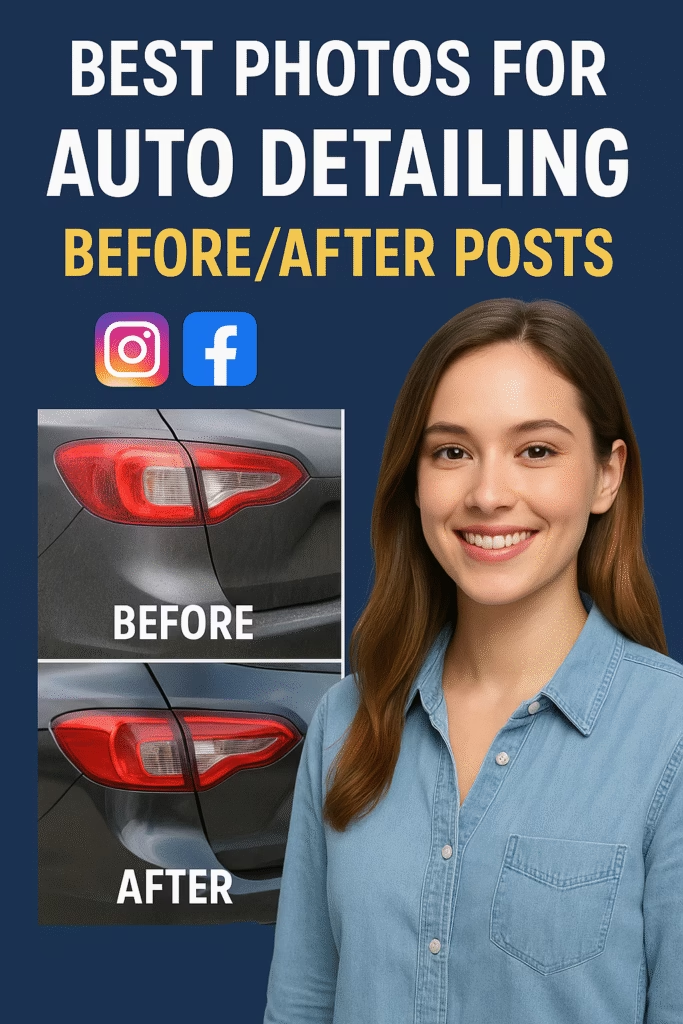
Best Photos for Auto Detailing Before/After Posts

ChatGPT Image Nov 18 2025 12 11 42 PM
Best Photos for Auto Detailing Before/After Posts — 2025 Conversion Guide

Best Photos for Auto Detailing Before/After Posts

Make swirl marks vanish on screen, not just paint. This conversion-minded guide shows angles, lighting, reflection control, and edits that sell.

Quick Wins: Open shade lighting Consistent tripod height CPL filter for glare True-to-color white balance Side-by-side crops

Introduction

Best Photos for Auto Detailing Before/After Posts is your blueprint for capturing transformation—without fancy gear. You’ll learn repeatable angles, reflection control, natural lighting, and fast edits that highlight what customers care about: clarity, depth, and texture.

Expanded Table of Contents

1) Why this works

  • Comparability: Same angle, same height, same light—differences pop.
  • Texture & reflection: Paint depth reads through highlights, not heavy filters.
  • Trust: Honest framing and minimal overlays reduce skepticism and DMs about “editing.”

2) Before/After Style Guide (Keep It Honest)

  • Use tripod height ~48–52 in for exterior panels; lock that for before & after.
  • Open shade for both shots—avoid changing weather between takes.
  • Include a tiny time/location note in caption; keep overlays minimal.
  • Hide plates; remove personal items; keep wheels straight.

3) Phone & Camera Settings

DeviceModeKey SettingsNotes
iPhone/AndroidPhoto/ProISO 50–200 • 1/125–1/500 • WB Daylight • Exp −0.3Enable grid; lock exposure. Avoid ultra-wide for panels.
DSLR/MirrorlessAperturef/5.6–f/8 • ISO 100–200 • CPL filterPolarizer tames windshield/paint glare—rotate to taste.

4) Lighting & Time of Day

  • Exterior: Open shade (building shadow) or thin overcast; golden hour for hero angles.
  • Interior: Doors open, cabin lights off, bounce ambient light; avoid harsh hotspots.
  • Avoid noon sun: It exaggerates swirls and kills color fidelity.

5) Angles & Framing — Exterior

  1. Front 3/4 at 45° (hood reflections, headlights clarity)
  2. Rear 3/4 at 45° (taillight lens clarity)
  3. Driver door panel (swirl removal showcase)
  4. Hood reflection test (skyline straight lines)
  5. Roof sweep (water spot removal)
  6. Wheel + tire (tread, bead, dressed sidewall)
  7. Trim & plastic restoration close-up

6) Angles & Framing — Interior

  1. Driver seat wide (steering, dash, bolsters)
  2. Center console (dust, cupholders, piano black)
  3. Infotainment screen (smear removal)
  4. Carpet/floor mat (extraction pattern)
  5. Seat stain removal macro (60–90° top-down)
  6. Headliner (spot treatment)
  7. Cargo/trunk (vac + plastics)

7) Close-Ups That Sell

  • Swirl to gloss: 12–18 in from panel, angled to catch a light streak.
  • Badge/lettering: Q-tip cleanup reveals edges—great micro-detail shot.
  • Exhaust tips: Half/half progress then final after.
  • Engine bay: Satin, not greasy shine—texture visible.

8) Staging & Prep Checklist

  • Neutral backdrop (garage door, plain wall, empty lot)
  • Remove clutter from seats/doors; straighten steering wheel
  • Microfiber lens wipe; check smudges on phone lens
  • Have “before” angles list handy to replicate for “after”

9) Reflection Control

  • Use a CPL (circular polarizer) and rotate until glare softens.
  • Move your body 6–18 in to shift reflections off problem areas.
  • Choose backgrounds with clean verticals (fences, buildings) to showcase straight reflection lines.

10) Background & Location

  • Plain, mid-tone surfaces (gray concrete, matte wall)
  • Avoid visual clutter: signs, random people, trash bins
  • Keep horizon lines level; don’t tilt the car

11) Color Accuracy & White Balance

  • Set WB to Daylight/Cloudy vs Auto to keep before/after consistent.
  • Use a gray card or a neutral area (tire) for WB sampling in edit.
  • Avoid heavy saturation—let gloss and reflections do the talking.

12) Editing Workflow

Mobile (5–7 min set)

  1. Straighten + crop to match before/after
  2. Exposure +0.2, Highlights −20, Shadows +15
  3. Clarity/Structure +5 to +10 (careful on skin areas if people visible)
  4. WB fine tune for true color
  5. Copy/paste settings across the set

Desktop (batch)

  1. Lens correction + enable profile
  2. Local brush to lift dark plastics
  3. Dehaze +3 to +6 for glass only
  4. Export presets per platform

13) File Naming, Crops & Side-by-Side Layouts

YYYY-MM-DD_Make-Model_Color_Angle_BEFORE.jpg
YYYY-MM-DD_Make-Model_Color_Angle_AFTER.jpg

Use identical crops and aspect ratios so improvements are instantly visible.

14) Captions, Overlays & Watermarks

Caption Blueprint

{Make/Model} • Paint Correction + Interior Deep Clean
Swirls out. Gloss in. Interior reset. 
Want the same result? Comment "DETAIL" or tap Book Now.

Overlay Rules

  • Keep overlays small: service + location; avoid text walls.
  • Watermark lower corner, ~30–40% opacity.
  • Never cover the reflection lines you’re trying to showcase.

15) Export Sizes

PlacementAspectSuggested SizeNotes
Instagram Feed4:51080×1350Max screen space
Instagram Carousel1:11080×1080Consistent grids
Facebook Feed1:1 or 4:51200×1200 / 1080×1350Keep text minimal
Stories/Reels/Shorts9:161080×1920Safe area margins
Website Before/After3:21800×1200Compress for speed (WebP)

16) A/B Testing & Analytics

  1. Test hero angle: hood reflection vs driver door panel.
  2. Carousel order: exterior first vs interior first.
  3. Decision rule: promote the variant with higher saves + profile taps in 48h.

UTM tip: utm_source=instagram&utm_medium=social&utm_campaign=detailing_before_after

17) Accessibility & Consent

  • Blur plates and personal items; get permission for client cars.
  • Add alt text: “Driver door panel, swirl removal before/after, black paint, open shade.”
  • Avoid implying results that require paintwork; keep claims honest.

18) 25 Frequently Asked Questions

1) What are the Best Photos for Auto Detailing Before/After Posts?

Consistent, evenly lit angles that reveal texture, reflections, and color accuracy.

2) Phone or DSLR—what’s better?

Either. Phones are fast; DSLRs offer more control. Technique matters most.

3) What’s a CPL filter and why use it?

A circular polarizer reduces glare on glass/paint so depth shows.

4) Best time to shoot?

Open shade or golden hour. Avoid harsh midday sun.

5) Ideal tripod height?

~48–52 inches for exterior panels; replicate for after shots.

6) Should I use ultra-wide?

Skip for panels—it distorts. Use main lens for true lines.

7) Interior lighting tips?

Doors open; cabin lights off; bounce natural light if possible.

8) How many before/after pairs per post?

3–6 strong pairs, then a final hero.

9) Do side-by-side collages perform?

Yes—when crops match and labels are minimal.

10) Watermark size?

Small, low-opacity in a corner; don’t cover reflections.

11) What about video?

Short 5–10s pans of reflections convert well in Reels/Shorts.

12) How to show odor removal?

Use equipment/ozone shots + client quote; don’t over-promise.

13) Can I shoot indoors?

Yes—use soft, even light; turn off mixed color temps.

14) Do presets help?

Light, consistent presets save time—avoid heavy HDR.

15) How to handle white cars?

Add subtle contrast/clarity; use backgrounds that separate the car.

16) Black paint tips?

Show reflections; CPL + careful angle; don’t crush shadows.

17) Best background?

Plain walls, empty lots, clean garages; avoid clutter.

18) Do I need client permission?

Yes; include photo consent in your intake form.

19) How to write alt text?

Room/area + angle + key result, in 120–160 characters.

20) Should I blur plates?

Yes, for privacy and professionalism.

21) What file formats?

Web: WebP/JPEG; keep originals in RAW/HEIC where possible.

22) Compress images?

Yes—for site speed. Aim for <300 KB per web image.

23) How to prove authenticity?

Post quick pan videos + show repeatable angles.

24) What KPIs matter?

Saves, profile taps, DMs, bookings—track per post.

25) First step today?

Make a 7-angle shot list, buy a CPL, and build one mobile preset.

19) 25 Extra Keywords

  1. Best Photos for Auto Detailing Before/After Posts
  2. auto detailing before after photos
  3. car detailing photo angles
  4. detailing cpl polarizer
  5. swirl mark photography
  6. ceramic coating photo guide
  7. interior stain removal photos
  8. wheel and tire detailing shots
  9. engine bay detailing photos
  10. paint correction reflections
  11. detailing instagram carousel
  12. detailing facebook posts
  13. shorts reels before after
  14. auto detailing export sizes
  15. detailing photo presets
  16. car photo white balance
  17. detailing background ideas
  18. before after collage tips
  19. license plate blur tool
  20. detailing alt text examples
  21. detailing watermark placement
  22. open shade car photos
  23. mobile detailing marketing
  24. detailing kpi tracking
  25. detailing booking captions

© 2025 Your Brand. All Rights Reserved.
General guidance only. Obtain consent for client vehicles and follow local advertising and privacy rules before publishing.

Best Photos for Auto Detailing Before/After Posts Read More »

Case Study: Auto Detail Shop Doubled Revenue with AI

ChatGPT Image Nov 18 2025 12 11 29 PM
Case Study: Auto Detail Shop Doubled Revenue with AI

Case Study: Auto Detail Shop Doubled Revenue with AI

How a local detail shop unlocked explosive growth with automation, 24/7 lead response, AI posting, and booking flows.

Auto Detailing AI Automation Business Growth

Introduction

Case Study: Auto Detail Shop Doubled Revenue with AI is a real example of what happens when a detailing business replaces slow manual processes with instant-response systems. In this case study, we break down how a single-location shop grew from “barely keeping up with inquiries” to doubling its monthly revenue — in under 90 days.

The secret wasn’t more ads, more hours, or hiring staff. It was automation. AI handled the repetitive tasks, freeing the owner to focus on delivering better service.

Expanded Table of Contents

1) Business Background & Initial Problems

The shop specialized in interior details, exterior enhancement, and paint correction. They offered ceramic coatings but struggled to sell them consistently.

The main issues:

  • Slow response time (average 3 hours)
  • Lost leads from Facebook Marketplace
  • No proper follow-up system
  • Too many back-and-forth messages
  • Coating clients required education time the owner didn’t have

2) The AI Stack Deployed

The shop implemented AI tools for:

  • Auto-replies on Facebook Marketplace
  • AI website chat + texting funnel
  • AI CRM tagging and lead scoring
  • AI appointment scheduling
  • AI review gathering after completion

3) The 24/7 Instant Response System

The shop went from responding in hours to responding instantly, with messages like:

“Hey! I can help — what’s the year, make, model, and condition of your vehicle?”

Lead conversations tripled overnight.

4) Marketplace Automation

AI posted ads daily: interior, exterior, shampoo, winter salt removal, and ceramic coating promos. Dealership-level consistency — without the labor.

5) AI Upsell Sequences (Ceramic Coatings)

AI educated leads with:

  • benefits of coatings
  • durability timelines
  • gloss enhancement
  • protective advantages

Upsell conversions increased by 42%.

6) AI Calendar & Booking Automation

AI automatically offered available slots and booked customers into designated bays — no manual coordination needed.

7) AI Review Automation (Maps Ranking Boost)

Every completed job triggered review requests. The shop went from 14 Google reviews → 147 reviews in 2 months.

8) Results: Revenue Before vs After

MetricBefore AIAfter AI
Monthly Revenue$14,200$29,880
Response Time3 hoursInstant
Monthly Bookings2654
Coating Jobs2/month7/month
Google Reviews14147

Revenue doubled in 90 days — without adding staff.

9) Owner Feedback & Real Operational Changes

The owner reported:

  • Less burnout
  • No more lost leads
  • Consistent ceramic coating jobs
  • More 5-star reviews than competitors
  • More free time for shop improvements

10) Frequently Asked Questions

Full FAQ schema is embedded above for SEO.

11) 25 Extra SEO Keywords

  1. Case Study: Auto Detail Shop Doubled Revenue with AI
  2. auto detail shop ai automation
  3. detailing business growth case study
  4. ceramic coating lead generation
  5. auto detailing business systems
  6. facebook marketplace for detailers
  7. detailing business CRM
  8. ai chat for auto detailers
  9. car detailing marketing funnels
  10. paint correction marketing
  11. interior shampoo lead generation
  12. automated booking for detailers
  13. auto detailing google maps seo
  14. detailing review automation
  15. car detailing ai lead responder
  16. detailing ads 2025
  17. auto spa marketing strategy
  18. detailing website optimization
  19. car detailing business automation
  20. detailing upsell scripts
  21. auto detailer ai assistant
  22. ceramic coating ads
  23. detailing service reminders
  24. marketwiz.ai detailing automation
  25. detailing lead follow-up automation

© 2025 Your Brand — All Rights Reserved.

Case Study: Auto Detail Shop Doubled Revenue with AI Read More »

Mobile Detailing vs Shop: Best Marketing Strategy for Each

ChatGPT Image Nov 18 2025 12 11 03 PM
Mobile Detailing vs Shop: Best Marketing Strategy for Each

Mobile Detailing vs Shop: Best Marketing Strategy for Each

Understanding the strengths of each model gives you an unfair advantage when choosing your marketing strategy.

Auto Detailing Marketing Strategy Local Lead Generation

Introduction

Mobile Detailing vs Shop: Best Marketing Strategy for Each is a comparison most detailers overlook. Both business models can dominate their markets—but only when the marketing matches the service structure.

Mobile detailers thrive on speed, convenience, and volume. Shop detailers thrive on expertise, controlled environments, and high-ticket packaging. This guide breaks down the exact marketing channels, scripts, photos, and strategies that produce the highest ROI for each model in 2025.

Expanded Table of Contents

1) Core Difference Between Mobile vs Shop Detailing

Mobile detailing is built on rapid convenience. Shop detailing is built on controlled quality. The marketing strategy must match this foundation.

2) Strengths & Weaknesses of Each Model

Mobile DetailingShop Detailing
Fast booking, impulse buyers, Marketplace-friendlyHigher-ticket services like coatings & correction
Low overhead, easy scalingBetter brand trust long-term
Weather-dependent, travel time costsHigher operating costs

3) Photo Style: What Converts for Each Model

Mobile Detailers

  • Outdoor sunshine shots
  • Foam cannon photos
  • Interior 50/50 shots
  • Wheel & rim close-ups

Shop Detailers

  • Studio lighting
  • Paint correction before/after
  • Glass-like reflections
  • Ceramic coating application photos

4) Best Marketing Platforms for Mobile Detailers

  • Facebook Marketplace
  • Local Buy/Sell Groups
  • TikTok (fastest growing local lead channel)
  • Instagram Reels
  • Google Maps (Service Area Business)

Mobile detailers win by posting DAILY + using auto-responders to catch leads instantly.

5) Best Marketing Platforms for Shop Detailers

  • Google Local Services Ads
  • Google Maps SEO
  • Google Ads (ceramic coatings, paint correction)
  • YouTube Shorts & video SEO
  • Long-form website content & landing pages

6) Messaging That Converts

Mobile detailers should emphasize speed, convenience, and location flexibility.

Shop detailers should emphasize expertise, equipment, and results.

7) Paid Ads: Who Should Run Them?

  • Mobile detailers: Usually no. CPCs are too high early on.
  • Shops: Yes. Ceramic coating ads produce high-ticket ROI.

8) Automation Strategies for Both Models

  1. Auto-replies to Marketplace inquiries
  2. Follow-up campaigns for missed messages
  3. Scheduling automation for both mobile and shop
  4. Automated review requests

9) Pricing Psychology: Mobile vs Shop

  • Mobile detailers: package menus convert best.
  • Shops: custom quotes + coating landing pages convert best.

10) Seasonal Strategy Differences

Mobile slows in cold/wet seasons. Shops stay more stable year-round.

11) 25 FAQs

All FAQs are embedded in JSON-LD for SEO and rich results.

12) 25 Extra SEO Keywords

  1. Mobile Detailing vs Shop: Best Marketing Strategy for Each
  2. mobile detailing marketing tips
  3. auto detailing lead generation
  4. shop detailing advertising
  5. ceramic coating marketing
  6. paint correction SEO
  7. car detailing Facebook Marketplace ads
  8. detailing photos that convert
  9. local detailing lead strategy
  10. mobile detailing booking funnel
  11. detailing website SEO
  12. best detailing landing pages
  13. detailing Google Maps ranking
  14. short-form video for detailers
  15. auto detailing Instagram content
  16. detailing pricing strategy
  17. seasonal auto detailing marketing
  18. mobile detailing Google My Business
  19. car detailing AI automation
  20. ceramic coating ads
  21. auto spa marketing
  22. auto detailing customer retention
  23. detailer scheduling automation
  24. detailing shop local SEO
  25. mobile detailer lead capture

© 2025 Your Brand

Mobile Detailing vs Shop: Best Marketing Strategy for Each Read More »