Introduction
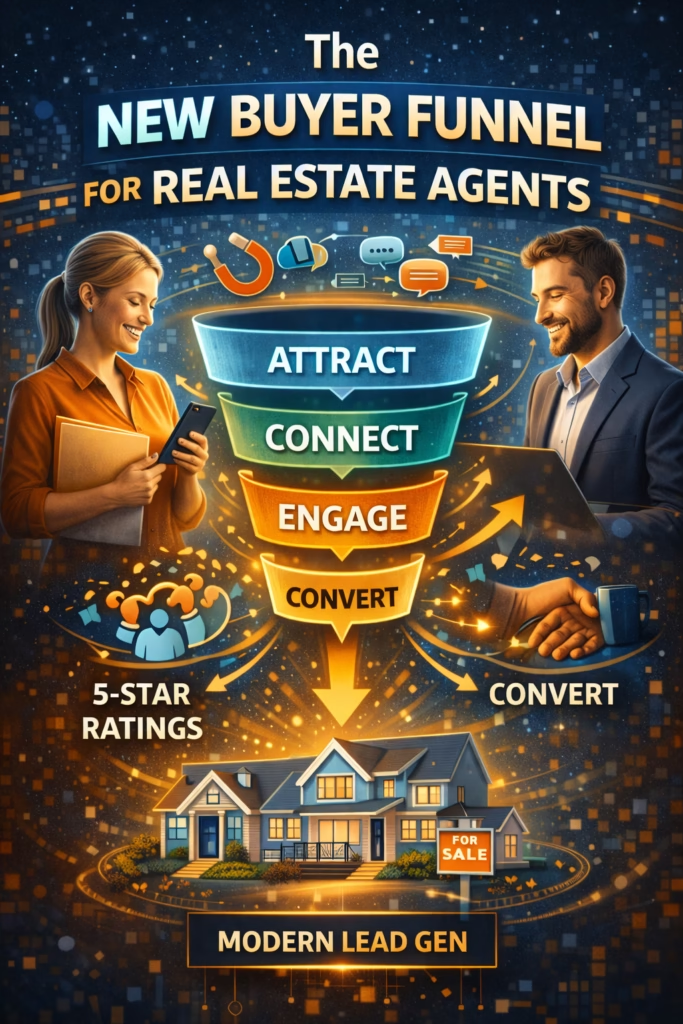
The New Buyer Funnel for Real Estate Agents looks nothing like the traditional funnel agents learned 10 years ago. The old model assumed buyers started on Zillow, emailed agents, waited days for responses, scheduled showings through phone tag, and took weeks to make decisions. That funnel is dead.
Today's buyers discover homes on Facebook Marketplace while scrolling their feed, message agents through Messenger expecting instant replies, self-qualify through automated chatbots, book showings via calendar links, and make decisions in 24-72 hours—not weeks. The entire funnel compressed and shifted platforms.
This transformation happened rapidly: Facebook Marketplace launched real estate in 2017, reached 1 billion monthly users by 2019, and by 2024 generates 40-60% of agent leads in many markets—surpassing traditional portals. Agents who adapted to this new funnel gained 2-3x more listings. Those who didn't lost market share to competitors who embraced marketplace marketing and automation.
The new buyer funnel isn't just about new platforms—it's about fundamentally different buyer behavior, expectations, and decision-making speed. Understanding and implementing this modern funnel is the difference between thriving and struggling in 2025 real estate.
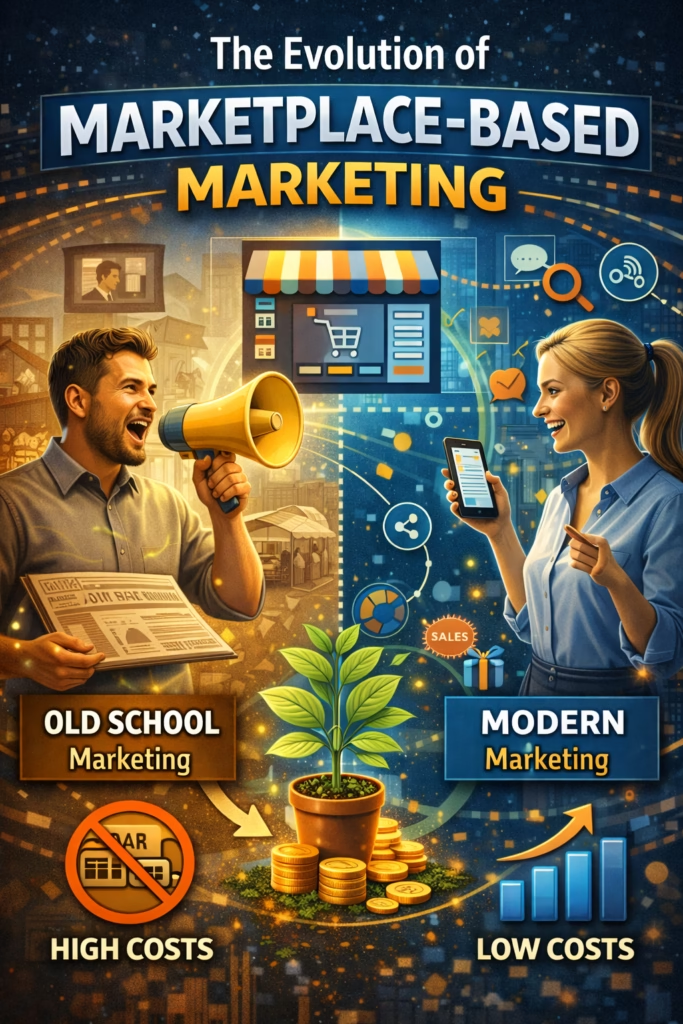
Big idea: The traditional funnel was slow, portal-dependent, and agent-controlled. The new funnel is fast, marketplace-driven, and buyer-controlled. Agents who adapt win.
Expanded Table of Contents
1) Old funnel vs new funnel: what changed and why
The traditional buyer funnel (2010-2018)
Stage 1: Discovery → Zillow/Realtor.com/Trulia portal search (7-14 days browsing)
Stage 2: Inquiry → Email to agent via portal (response time: 4-24 hours)
Stage 3: Qualification → Phone call to discuss needs (3-7 days scheduling)
Stage 4: Nurture → Email drip campaign with listings (14-30 days)
Stage 5: Showing → Schedule appointment via phone/email (5-10 days lead time)
Stage 6: Decision → Make offer after 3-5 showings (30-60 days total from first contact)

Total funnel timeline: 30-90 days
Primary platform: MLS portals (Zillow, Realtor.com)
Communication: Email + phone
Response expectation: Same day to 24 hours
Conversion rate: 5-10% inquiry to showing
Listings per agent: 4-8/year average
The new buyer funnel (2020-2025)
Stage 1: Discovery → Facebook Marketplace while scrolling feed (immediate, not search-driven)
Stage 2: Inquiry → Messenger message "Is this available?" (instant expectation)
Stage 3: Qualification → AI chatbot collects needs (under 2 minutes, automated)
Stage 4: Engagement → Instant agent follow-up with qualified leads (under 5 minutes)
Stage 5: Showing → Self-service calendar booking (same day or next day)
Stage 6: Decision → Make offer after 1-2 showings (24-72 hours from first contact)

Total funnel timeline: 24-72 hours
Primary platform: Facebook Marketplace (40-60% of leads)
Communication: Messenger + text
Response expectation: Under 5 minutes (under 1 minute optimal)
Conversion rate: 15-25% inquiry to showing (3x higher with automation)
Listings per agent: 8-16/year average (2x increase with new funnel)
What caused the shift
| Factor | Old Reality | New Reality |
|---|
| Buyer behavior | Active search on portals | Passive discovery on social media |
| Platform | Zillow/Realtor.com | Facebook Marketplace (1B+ users) |
| Communication | Email (slow, formal) | Messenger (instant, casual) |
| Response time | Hours acceptable | Minutes required |
| Trust signals | Website, testimonials | Social proof, mutual friends, profile |
| Decision speed | Weeks to months | Days to decide |
Why the traditional funnel failed
- Portal saturation: Zillow became pay-to-play, favoring high-spending agents
- Lead quality decline: Portal leads sold to 4-6 agents simultaneously
- Slow response: Email-based funnels couldn't compete with instant messaging
- Buyer impatience: Modern buyers expect Amazon-level speed and convenience
- Platform shift: Buyers already on Facebook daily—why leave to portal?
Rule: The funnel shifted because buyer behavior shifted. Facebook Marketplace met buyers where they already were, with the speed they expected.
2) The 6 stages of the new buyer funnel
Stage-by-stage breakdown
Stage 1: Marketplace Discovery
Buyers find listings organically while scrolling Facebook feed—not actively searching portals.
Stage 2: Instant Messenger Contact
One-click "Message Seller" → instant Messenger conversation. No forms, no email.
Stage 3: AI Qualification
Chatbot instantly responds, collects budget/timeline/needs, routes qualified leads to agent.
Stage 4: Self-Service Scheduling
Qualified buyers receive calendar link, book showing time that works for them—no phone tag.
Stage 5: Social Proof
Buyers research agent's profile, mutual friends, reviews before showing—trust pre-established.
Stage 6: Fast Conversion
Decision made within 24-72 hours of first contact—offer, pre-approval, commitment.
Funnel velocity comparison
| Funnel Stage | Old Timeline | New Timeline | Improvement |
|---|
| Discovery → Inquiry | 7-14 days | Instant (same session) | 100x faster |
| Inquiry → Response | 4-24 hours | Under 1 minute (AI) | 240-1440x faster |
| Response → Qualified | 3-7 days | 2-5 minutes (AI) | 2,000x faster |
| Qualified → Showing | 5-10 days | Same day to 24 hours | 5-10x faster |
| Showing → Decision | 14-30 days | 24-72 hours | 7-15x faster |
| Total funnel | 30-90 days | 1-3 days | 30-90x faster |
Pro move: The new funnel compresses 90 days into 3 days. Agents who can't move at this speed lose leads to competitors who can.
3) Stage 1: Marketplace discovery (Facebook dominance)
Why Facebook Marketplace replaced Zillow for discovery
Buyers don't start on Zillow anymore—they discover listings organically while scrolling Facebook. This passive discovery is more powerful than active portal searching because it captures buyers before they even know they're ready to buy.
Discovery mechanism comparison
| Aspect | Zillow/Portals | Facebook Marketplace |
|---|
| User intent | Active search (already looking) | Passive discovery (not actively searching) |
| Daily usage | 5-10 min when house hunting | 30-60 min daily (social browsing) |
| Competition | 4-6 agents per lead | 1 agent (direct message) |
| Cost per lead | $25-$100+ (paid leads) | $0 (organic listings) |
| Response method | Email form (slow) | Messenger (instant) |
| Trust signals | Generic agent bio | Full social profile + mutual friends |
Marketplace listing optimization for discovery
- Visual-first: Stunning photos get scroll-stopping attention
- Price in title: "$425K • 4BR/3BA • Move-In Ready"
- Neighborhood keywords: Include neighborhood name buyers search
- Hook in first line: "Brand new kitchen • Open this weekend"
- Multiple listings: 20-50 active listings = more discovery opportunities
Discovery funnel metrics
Average Marketplace listing performance:
- Impressions: 500-2,000 per week (varies by market)
- Clicks to full listing: 5-15% of impressions
- Messages received: 2-8% of clicks
- Qualified leads: 30-50% of messages (with AI qualification)

Top 20% of agents:
- Impressions: 2,000-5,000 per week (more active listings)
- Messages received: 10-20% of clicks (better photos/offers)
- Qualified leads: 60-80% of messages (better qualification)
Truth: Facebook Marketplace discovery is passive, visual, and high-intent. Agents who master marketplace listings generate 2-3x more buyer leads than portal-dependent agents.
4) Stage 2: Instant contact via Messenger
Why Messenger replaced email
Buyers don't fill out email forms anymore—they expect one-click Messenger contact with instant responses. This shift eliminated the old qualification gatekeeping and dramatically increased inquiry volume.
Messenger vs email contact comparison
| Factor | Email Forms (Old) | Messenger (New) |
|---|
| Friction | High (fill 5-8 fields) | Zero (one click) |
| Response time | 4-24 hours typical | Under 5 min expected, under 1 min optimal |
| Conversation | Formal, slow | Casual, instant back-and-forth |
| Buyer commitment | High barrier = fewer but serious | Low barrier = more total inquiries |
| Agent visibility | Email delays | Real-time notifications |
| Qualification | Pre-qualified via form | Post-qualified via chatbot |
The speed-to-lead imperative
In the Messenger-based funnel, response speed is everything:
Response time impact on conversion
Under 1 minute: 65-75% conversation rate, 15-25% showing rate
Under 5 minutes: 50-60% conversation rate, 10-15% showing rate
5-30 minutes: 30-40% conversation rate, 5-10% showing rate
30-60 minutes: 15-25% conversation rate, 2-5% showing rate
1-4 hours: 5-15% conversation rate, 1-3% showing rate
24+ hours: 2-8% conversation rate, 0.5-2% showing rate

Key insight: Responding within 5 minutes vs 60 minutes = 4-7x higher conversion
Why buyers ghost slow responders
- Simultaneous contact: Buyers message 3-5 agents at once—first responder wins
- Instant gratification: Modern buyers expect Amazon/Netflix-level speed
- Momentum loss: Interest peaks at inquiry moment—decays rapidly
- Comparison shopping: Fast responders feel more professional and attentive
Instant response script (copy/paste)
Automated instant reply (under 10 seconds):

"Hey! Yes, this one's still available ✅

Quick question: Are you looking to buy or just browsing?

And what area/neighborhood are you focused on?"

[This triggers AI qualification flow while agent reviews lead]
Pro move: 78% of buyers choose the first agent who responds. Speed-to-lead isn't a nice-to-have—it's the primary competitive advantage in the new funnel.
5) Stage 3: Automated AI qualification
Why AI qualification became essential
The low-friction Messenger contact creates 3-5x more inquiries—but only 30-50% are qualified buyers. Without automation, agents drown in unqualified leads. AI chatbots solve this by instantly qualifying every lead 24/7.
The 8-question qualification framework
- Intent: "Are you looking to buy or just browsing?"
- Timeline: "When are you hoping to move?"
- Pre-approval: "Are you pre-approved or would you like a lender recommendation?"
- Budget: "What's your budget range?" (ask after establishing rapport)
- Location: "What neighborhoods/areas are you considering?"
- Needs: "How many bedrooms/bathrooms do you need?"
- Must-haves: "Any must-haves? (garage, yard, school district, etc.)"
- Contact: "Best number to text you updates on properties?"
AI chatbot qualification flow
Lead messages: "Is this available?"
↓
AI Instant response (8 seconds): "Yes! Still available ✅ Are you looking to buy or browsing?"
↓
Lead: "Looking to buy"
↓
AI: "Awesome! When are you hoping to move? This year or next?"
↓
Lead: "Within 3 months"
↓
AI: "Perfect timing 🏡 Are you pre-approved with a lender yet?"
↓
[Continues through 8 questions]
↓
If qualified (serious buyer, reasonable timeline, financial readiness):
→ AI routes to agent with full context: "HOT LEAD: Buyer, 3-month timeline, pre-approved, $400-450K budget, 3BR, north side"
→ Agent receives text/email alert: "New qualified lead needs immediate follow-up"
→ Agent calls within 5 minutes with full context already collected

If unqualified (browsing, no timeline, no financing):
→ AI: "Got it! I'll save your contact and send you new listings as they hit the market. What's the best number to text you?"
→ Nurture sequence begins (automated follow-up)
Qualification tier system
| Tier | Criteria | Action | Conversion Rate |
|---|
| Hot (A) | Buy now, pre-approved, clear budget | Immediate agent call + showing | 40-60% to offer |
| Warm (B) | Buy 30-90 days, working on approval | Agent follow-up + lender referral | 20-30% to offer |
| Cold (C) | Buy 6+ months, exploring options | Automated nurture sequence | 5-10% to offer |
| Unqualified (D) | Browsing, no intent, no timeline | Minimal follow-up, archive | <2% to offer |
Time savings from AI qualification
Manual qualification (old funnel):
- Phone call per lead: 15-20 minutes
- 100 leads/month: 25-33 hours
- Qualification rate: 30-40%
- Time spent on unqualified: 15-20 hours wasted

AI qualification (new funnel):
- Automated qualification: 0 agent time
- 100 leads/month: AI handles all
- Qualification rate: 30-50% (better questions)
- Agent only talks to qualified (Tier A/B): 3-5 hours total

Time saved: 20-28 hours/month = 240-336 hours/year
Rule: AI qualification isn't about replacing agents—it's about respecting agent time. AI handles 70% of leads (unqualified), agents focus on 30% (qualified).
6) Stage 4: Self-service showing scheduling
Why calendar links replaced phone tag
The old funnel required 3-7 days of back-and-forth to schedule showings (emails, calls, voicemails). The new funnel uses self-service calendar links—buyers book instantly without agent involvement.
Self-service scheduling workflow
AI chatbot qualifies lead → Tier A (hot buyer)
↓
AI sends message: "Great! Here's my calendar link to book a showing: [calendly.com/agent]
Choose a time that works for you and I'll confirm the details."
↓
Buyer clicks link → sees available time slots → books 2:00 PM tomorrow
↓
Automatic confirmation email to buyer + agent
↓
24-hour reminder text to buyer: "See you tomorrow at 2:00 PM at [address]!"
↓
1-hour reminder text: "Heading over soon? I'm on my way!"
↓
Post-showing follow-up (automated): "Thanks for coming! What did you think? Ready to make an offer?"
Phone tag vs self-service comparison
| Factor | Phone Tag (Old) | Self-Service (New) |
|---|
| Time to schedule | 3-7 days (multiple exchanges) | Instant (buyer picks time) |
| Agent time required | 15-30 min per showing | 0 min (automated) |
| No-show rate | 25-35% (weak commitment) | 10-15% (self-selected time) |
| Buyer convenience | Low (back-and-forth) | High (book anytime 24/7) |
| Schedule conflicts | Common (async communication) | Rare (real-time availability) |
Calendar configuration best practices
- Minimum notice: 4-6 hours (prevents same-hour bookings you can't make)
- Buffer time: 30-min slots with 15-min travel buffer
- Availability windows: 9AM-7PM weekdays, 10AM-5PM weekends
- Booking limits: Max 4-5 showings per day (prevent overload)
- Confirmation required: Buyer must confirm via text 24 hours before
Automated reminder sequence
T-24 hours: "Hi [name]! Excited to show you [address] tomorrow at [time]. Confirm you're coming?"
↓
T-4 hours: "See you at [address] in a few hours! Here's the exact address: [full address + map link]"
↓
T-1 hour: "On my way! See you at [address] at [time] 🏡"
↓
T+1 hour (after showing): "Thanks for coming! What did you think? Any questions?"
↓
T+24 hours (if no response): "Just checking in—would you like to see it again or discuss next steps?"
No-show reduction tactics
- Require phone number: Text confirmations reduce no-shows 40-50%
- 24-hour confirmation: "Reply YES to confirm" forces intentional commitment
- Calendar integration: Add to buyer's Google/Apple calendar automatically
- Value reminder: "This property has 3 showings today—confirm you want this slot"
Pro move: Self-service scheduling saves 15-25 hours/month while increasing showing volume 40-60%. Buyers prefer convenience over phone calls.
7) Stage 5: Social proof and trust signals
Why social proof matters in the new funnel
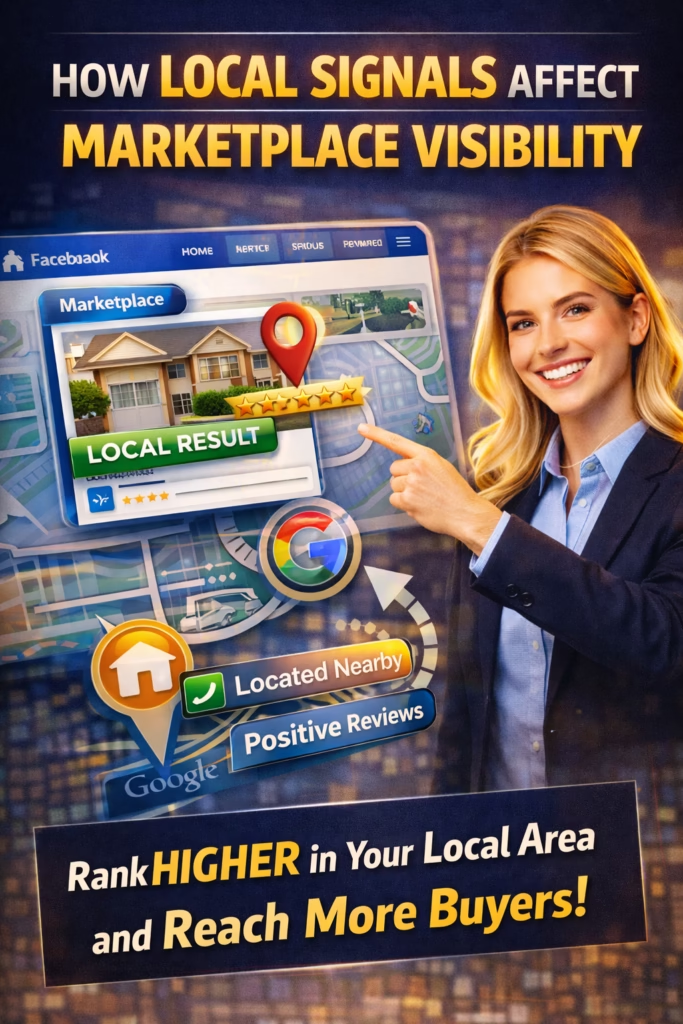
Buyers research agents on Facebook before showings—seeing mutual friends, reviews, and activity history. This pre-showing vetting replaces the traditional "get to know you" conversation and accelerates trust.
Trust signal hierarchy
- Mutual friends (strongest): "You have 12 mutual friends" = instant credibility
- Reviews/ratings: 4.8-5.0 stars with 50+ reviews = social proof
- Active profile: Recent posts, photos, engagement = legitimacy
- Professional presence: Cover photo, bio, certifications visible
- Response time badge: "Typically replies within minutes" = reliability signal
Facebook profile optimization for agents
- Profile photo: Professional headshot (not logo)
- Cover photo: Brand + tagline ("Helping [City] Families Find Home Since 2015")
- Intro section: Real estate agent title, brokerage, contact, website
- Featured section: Pin top listings and testimonials
- Reviews: Collect 50+ Facebook reviews from past clients
- Recent activity: Post 2-3x/week (listings, open houses, local content)
Review generation automation
Post-closing workflow:
Day 1: Congrats email + keys delivered
Day 3: "How's move-in going?" check-in
Day 7: Facebook review request:
  "Would you mind leaving a quick review? It helps other families find me!
   Here's the link: [facebook.com/yourprofile/reviews]"
Day 10: Reminder if no review: "Just following up on that review when you have a sec!"

Target: 60-80% review generation rate
Result: 10-15 new reviews per agent per year
Mutual friends leverage strategy
- Friend past clients: Every closed client becomes potential referral source + mutual friend signal
- Join local groups: Neighborhood Facebook groups create shared community
- Engage authentically: Comment, react, help in groups (not spam)
- Referral incentive: "Know anyone looking? I'm always here to help!"
Trust signal impact on conversion
| Trust Level | Signals Present | Showing → Offer Rate |
|---|
| High trust | Mutual friends + reviews + active profile | 40-50% |
| Medium trust | Reviews + active profile, no mutual friends | 25-35% |
| Low trust | Minimal profile, few reviews, no connections | 10-20% |
Truth: In the new funnel, social proof happens before first contact. Agents with strong Facebook presence convert 2-3x better than those with weak profiles.
8) Stage 6: Fast conversion (24-48 hour decisions)
Why buyers make faster decisions now
The traditional 30-60 day decision timeline compressed into 24-72 hours due to:
- Market pressure: Competitive markets force fast action
- Information access: Buyers research everything online before showing
- Pre-qualification: AI qualification means showing-ready buyers only
- Trust pre-established: Social proof eliminates relationship-building delay
- Instant communication: Messenger enables rapid back-and-forth
Post-showing conversion workflow
Showing completed (T+0)
↓
Immediate follow-up (T+1 hour): "Thanks for coming! What did you think?"
↓
If positive response: "Would you like to see it again or make an offer?"
↓
If interest confirmed: "Great! Let me send you the offer template and connect you with [lender/attorney]"
↓
Offer submitted (T+24-48 hours)
↓
Counter/negotiation via Messenger (fast back-and-forth)
↓
Accepted offer (T+48-72 hours from showing)
The 24-hour decision trigger
Agents in the new funnel create urgency without pressure:
- Market reality: "This one had 4 showings today—it won't last long"
- Upcoming showings: "I have 2 more showings scheduled tomorrow"
- Offer deadline: "Seller is reviewing offers Monday—want to get yours in?"
- Pre-approval acceleration: "If you love it, I can connect you with a lender today for fast approval"
Conversion rate by response speed
| Post-Showing Follow-up Time | Buyer Response Rate | Offer Rate |
|---|
| Within 1 hour | 75-85% | 35-45% |
| Same day (2-6 hours) | 50-65% | 25-35% |
| Next day (24 hours) | 30-45% | 15-25% |
| 2-3 days later | 15-25% | 8-15% |
| 4+ days later | 5-12% | 3-8% |
Fast conversion checklist
☐ Pre-showing: Confirm buyer is pre-approved (or connect with lender)
☐ During showing: Gauge interest and answer all questions thoroughly
☐ Post-showing: Follow up within 1 hour with clear next steps
☐ If interested: Send offer template + connect lender/attorney same day
☐ Daily follow-up: Check in until decision made (offer or pass)
☐ Leverage scarcity: Communicate genuine market competition
☐ Remove friction: Make process as easy as possible (paperwork, logistics)
Pro move: The 24-72 hour conversion window is real. Agents who can't move at this speed lose deals to faster competitors.
9) Multi-channel integration and attribution
The reality: buyers touch 5-8 channels before converting
While Facebook Marketplace drives 40-60% of initial contact, buyers interact across multiple channels before making offers:
Typical buyer journey (multi-touch):
Day 1: Discovers listing on Facebook Marketplace
Day 1: Googles agent name → finds website + reviews
Day 2: Sees agent's Instagram post about open house
Day 3: Asks friend who used agent → positive referral
Day 4: Messages agent on Messenger → qualifies via AI
Day 5: Books showing via calendar link
Day 6: Showing occurs → follows up via text
Day 7: Makes offer via email

Attribution question: Which channel gets credit?
Answer: All of them. Multi-touch attribution required.
Multi-channel funnel architecture
| Channel | Role in Funnel | Typical % of Leads |
|---|
| Facebook Marketplace | Primary discovery + first contact | 40-60% |
| Instagram | Social proof + engagement | 10-15% |
| Google My Business | Local SEO + reviews | 15-25% |
| Website | Credibility + listing details | 5-10% |
| Referrals | Trust + warm intro | 20-30% |
| Email/SMS | Follow-up + nurture | Touchpoint, not source |
Multi-channel optimization strategy
- Marketplace: 80% of effort—primary lead source
- Google My Business: Optimize profile, collect reviews, post weekly
- Instagram: Post 2-3x/week (listings, behind-scenes, testimonials)
- Website: Simple, mobile-friendly, fast-loading with search functionality
- Referral system: Automate requests post-closing
Attribution tracking (simple)
In CRM, ask every lead: "How did you find me?"

Track answers:
- Facebook Marketplace: 45%
- Google search: 18%
- Referral: 22%
- Instagram: 8%
- Other: 7%

But also track: "What else did you check before contacting me?"
- Your website: 65%
- Google reviews: 72%
- Social media profiles: 58%
- Mutual friends: 41%

Insight: Most leads are multi-touch. Marketplace drives first contact, but other channels build trust.
Rule: Marketplace generates leads. Other channels build trust. You need both for maximum conversion.
10) Automation that powers the new funnel
Why automation is non-negotiable
The new funnel generates 3-5x more leads at 30x faster velocity. Without automation, agents drown in volume. With automation, they handle more leads with less time investment.
Essential automation workflows
Workflow 1: Instant response + qualification
Trigger: Messenger inquiry received
Action 1: AI responds in under 10 seconds
Action 2: AI asks qualification questions
Action 3: AI scores lead (Hot/Warm/Cold/Unqualified)
Action 4: If Hot → alert agent immediately
Action 5: If Warm → schedule agent follow-up
Action 6: If Cold → automated nurture sequence
Result: 100% instant response, agent only handles qualified leads
Workflow 2: Showing scheduling + reminders
Trigger: Lead qualified as Hot
Action 1: AI sends calendar link
Action 2: Buyer books showing → auto-confirmation
Action 3: T-24 hours → confirmation text
Action 4: T-4 hours → reminder text
Action 5: T-1 hour → "on my way" text
Action 6: T+1 hour post-showing → follow-up text
Result: Zero phone tag, 40-50% lower no-show rate
Workflow 3: Post-showing conversion sequence
Trigger: Showing completed
Action 1: T+1 hour → "What did you think?" text
Action 2: T+24 hours → "Want to see again or make offer?" follow-up
Action 3: If no response → T+48 hours → "Just checking in" text
Action 4: If no response → T+7 days → "Any other properties I can show you?"
Result: Systematic follow-up, 30-40% higher conversion
Workflow 4: Review generation
Trigger: Closing completed
Action 1: T+1 day → Congrats email
Action 2: T+7 days → Review request (Facebook + Google)
Action 3: T+10 days → Reminder if no review
Action 4: T+30 days → Referral request
Result: 60-80% review generation rate
Automation tool stack
| Tool | Purpose | Cost |
|---|
| ManyChat or Chatfuel | AI Messenger chatbot | $15-$145/month |
| Calendly or Acuity | Self-service showing scheduler | $10-$15/month |
| Zapier or Make.com | Workflow automation glue | $20-$100/month |
| Follow Up Boss or HubSpot | Real estate CRM | $69-$299/month |
| Twilio or SimpleTexting | Automated SMS | $25-$75/month |
Time savings from full automation
Manual funnel management (per month):
- Respond to inquiries: 20-30 hours
- Qualify leads via phone: 15-20 hours
- Schedule showings: 10-15 hours
- Follow-up messages: 8-12 hours
- Review requests: 2-4 hours
Total: 55-81 hours/month

Automated funnel management:
- AI handles responses: 0 hours
- AI qualifies leads: 0 hours
- Self-service scheduling: 0 hours
- Automated follow-up: 0 hours
- Automated reviews: 0 hours
- Agent only handles qualified leads + showings: 12-20 hours
Total: 12-20 hours/month

Time saved: 35-61 hours/month = 420-732 hours/year
Pro move: Automation isn't about being lazy—it's about being available. Automated systems respond 24/7 instantly while agents sleep, eat, and show properties.
11) Key metrics and conversion benchmarks
New funnel KPIs to track
| Metric | What It Measures | Target Benchmark |
|---|
| Response time (median) | Speed to first reply | <1 min (optimal), <5 min (acceptable) |
| Inquiry volume | Monthly Messenger messages | 50-150/month (market dependent) |
| Qualification rate | % inquiries that are qualified buyers | 30-50% (improves with AI) |
| Showing booking rate | % qualified leads that book showings | 60-80% |
| No-show rate | % booked showings that don't attend | <15% (with reminders) |
| Showing-to-offer rate | % showings that result in offers | 25-40% |
| Overall conversion | % inquiries that result in closed deals | 5-12% |
| Days from inquiry to close | Funnel velocity | 14-45 days (vs 60-120 old funnel) |
Conversion funnel math
Example: 100 monthly inquiries through new funnel

Stage 1: 100 Messenger inquiries (via Marketplace)
Stage 2: 90 instant AI responses (90% response rate due to automation)
Stage 3: 40 qualified buyers (44% qualification rate)
Stage 4: 28 showings booked (70% booking rate)
Stage 5: 24 showings attended (14% no-show rate)
Stage 6: 8 offers made (33% showing-to-offer rate)
Stage 7: 6 accepted offers (75% offer acceptance rate)
Stage 8: 5 closed deals (83% close rate after acceptance)

Overall conversion: 5 closed deals / 100 inquiries = 5% inquiry-to-close rate

At avg commission $12K per deal:
100 inquiries → 5 deals → $60K in commission

Old funnel comparison (same 100 inquiries):
- 60% respond within 24 hours (40 lost immediately)
- 25% qualification rate (15 qualified)
- 40% showing booking rate (6 showings)
- 30% no-show rate (4 showings attended)
- 25% showing-to-offer rate (1 offer)
- 1 closed deal

Result: 5x more closed deals with new funnel (same inquiry volume)
Top performer benchmarks
Top 20% of agents using new funnel:
- Response time: Under 1 minute (95%+ of inquiries)
- Inquiry volume: 150-300/month (aggressive marketplace presence)
- Qualification rate: 50-60% (better bot questions)
- Showing booking rate: 80-90% (frictionless calendar links)
- No-show rate: 8-12% (excellent reminder system)
- Showing-to-offer rate: 40-50% (better qualification = higher intent)
- Overall conversion: 8-12% (vs 2-5% average agent)

Result: 12-24 deals/year vs 4-8 deals/year average agent
What to optimize first
- Response time: Biggest lever—improves every downstream metric
- Qualification accuracy: Reduces wasted showing time
- Showing booking friction: Calendar links vs phone tag
- No-show rate: Reminder sequences save wasted time
- Post-showing follow-up: Fast follow-up drives offers
Truth: Track every stage. Small improvements compound—10% better at each stage = 2-3x overall performance.
12) Common mistakes agents make
Mistake 1: Ignoring Marketplace because "Zillow is easier"
Problem: Zillow leads are expensive, shared with 4-6 agents, and declining in quality. Marketplace is free, exclusive, and higher intent.
Solution: Start with 10-20 Marketplace listings. Test for 30 days. Compare lead quality to portals.
Mistake 2: Slow Messenger responses (treating it like email)
Problem: Buyers message 3-5 agents simultaneously. Responding in hours loses 70-80% of leads to faster competitors.
Solution: Set up AI chatbot for instant response 24/7. Aim for under 5 minutes human response to qualified leads.
Mistake 3: No qualification system (wasting time on tire-kickers)
Problem: Low-friction Messenger contact means 50-70% of inquiries are unqualified. Showing unqualified leads wastes 15-25 hours/month.
Solution: Implement 8-question AI qualification. Only show properties to pre-qualified, serious buyers.
Mistake 4: Manual showing scheduling (phone tag hell)
Problem: Scheduling via phone/email takes 3-7 days and wastes 10-15 hours/month. 30-40% of showings never happen due to scheduling friction.
Solution: Use Calendly/Acuity for self-service booking. Buyers pick times, system sends reminders.
Mistake 5: Weak Facebook profile (no social proof)
Problem: Buyers research agents before showings. Weak profiles = low trust = low conversion.
Solution: Optimize profile: professional photo, cover image, 50+ reviews, active posting 2-3x/week.
Mistake 6: No post-showing follow-up system
Problem: 40-60% of agents forget to follow up after showings. Buyers move on to other agents.
Solution: Automated follow-up: T+1 hour, T+24 hours, T+48 hours, T+7 days until decision made.
Mistake 7: Single-channel dependence
Problem: Relying only on Marketplace (or only on portals, or only on referrals) creates risk when that channel changes.
Solution: Build multi-channel funnel: Marketplace (60%) + Google (20%) + Referrals (20%).
Mistake 8: Not tracking metrics
Problem: Can't improve what you don't measure. Agents don't know which stages are broken.
Solution: Track inquiry volume, response time, qualification rate, showing booking rate, conversion rate monthly.
Mistake 9: Trying to do everything manually
Problem: New funnel generates 3-5x more leads at 30x faster velocity. Manual management is impossible.
Solution: Invest $100-300/month in automation tools. ROI is immediate through time savings and better conversion.
Mistake 10: Giving up after 30 days
Problem: New funnel takes 60-90 days to optimize. Most agents quit before seeing results.
Solution: Commit to 90 days minimum. Month 1 is learning, Month 2 is optimizing, Month 3 is when results compound.
Pro move: Pick the biggest mistake you're making right now. Fix that one first. Then move to the next.
13) 30–60–90 day funnel implementation
Days 1–30: Foundation and first leads
- Week 1: Marketplace setup
- Create/optimize Facebook business profile
- Post 10-20 current listings to Marketplace
- Set up ManyChat instant auto-reply (simple version)
- Track response time and inquiry volume
- Week 2-3: AI qualification
- Build 8-question qualification flow in ManyChat
- Test with real leads, refine questions
- Set up lead routing (Hot/Warm/Cold)
- Create CRM pipeline or spreadsheet
- Week 4: Calendar integration
- Set up Calendly showing scheduler
- Integrate calendar link into chatbot flow
- Configure automated reminders (24hr, 1hr)
- Test booking process end-to-end
Days 31–60: Optimization and scaling
- Week 5-6: Profile optimization
- Optimize Facebook profile (photo, cover, reviews)
- Request reviews from past 10 clients
- Create Google My Business profile if not existing
- Post 2-3x/week (listings, testimonials, local content)
- Week 7-8: Funnel refinement
- Analyze first 30 days: what's working, what's not
- A/B test chatbot questions for better qualification
- Improve Marketplace listing titles and photos
- Add post-showing follow-up automation
Days 61–90: Full system and results
- Week 9-10: Advanced automation
- Set up nurture sequence for Cold leads
- Implement post-closing review request automation
- Create referral request workflow
- Document all SOPs for consistency
- Week 11-12: Scale and measurement
- Expand to 40-60 active Marketplace listings
- Calculate full funnel conversion rates
- Compare ROI: new funnel vs old methods
- Plan next quarter optimization priorities
90-day success criteria
- ✅ 80-150 monthly Messenger inquiries generated
- ✅ Under 5 minute median response time
- ✅ 30-50% qualification rate (AI working effectively)
- ✅ 20-40 showings booked per month
- ✅ 3-6 offers made in 90-day period
- ✅ 2-4 closed deals (vs 1-2 typical for agents without new funnel)
- ✅ All automation workflows functioning
- ✅ Time investment: 15-25 hours/week (vs 40+ manually)
Rule: The new funnel isn't an overnight transformation. Give it 90 days of consistent execution before evaluating results.
14) 25 Frequently Asked Questions
1) What is the new buyer funnel for real estate agents?
A multi-channel system where buyers discover via Marketplace, engage via Messenger, qualify through AI, book via calendar links, and convert in 24-72 hours—replacing the traditional portal-dependent, weeks-long funnel.
2) How has the buyer funnel changed since 2020?
Shifted from portal discovery (Zillow) to marketplace discovery (Facebook), email to Messenger, manual qualification to AI automation, phone tag to self-service scheduling, and weeks-long decisions to 24-72 hour conversions.
3) Why is Facebook Marketplace dominant in the new funnel?
1B+ users, passive discovery while scrolling, instant Messenger contact, social proof via profiles, and free organic reach vs paid portal leads.
4) How important is response speed?
Critical. Responding under 5 minutes vs 60 minutes = 400-700% higher conversion. First responder wins 78% of buyers who contact multiple agents.
5) Can agents handle 3-5x more inquiries?
Yes, with automation. AI handles instant response and qualification, agents only engage with qualified leads—saving 35-60 hours/month.
6) What's the #1 mistake agents make with the new funnel?
Treating Messenger like email—responding in hours instead of minutes. This loses 70-80% of leads to faster competitors.
7) Do agents need AI chatbots or can they respond manually?
AI is essential for 24/7 instant response and qualifying high inquiry volume. Manual response works for 20-30 inquiries/month but breaks beyond that.
8) How much does funnel automation cost?
$100-300/month for full stack (chatbot, calendar, CRM, SMS). ROI is immediate through time savings and 2-3x higher conversion.
9) What conversion rates should agents expect?
5-12% inquiry-to-close overall. Top performers with optimized funnels achieve 8-12%. Without automation: 2-5%.
10) How long does it take to implement the new funnel?
30 days for basics, 60 days for optimization, 90 days for full results. Most agents see first deals within 45-60 days.
11) Does the new funnel work in small markets?
Yes. Smaller markets actually benefit more—less competition, easier to dominate Marketplace, tighter social networks amplify referrals.
12) Can new agents compete with experienced agents using this funnel?
Yes. The new funnel levels the playing field. Speed and automation beat experience when buyers expect instant response.
13) How many Marketplace listings should agents maintain?
30-60 active listings ideal. More visibility = more inquiries. Rotate listings weekly to maintain freshness.
14) What about MLS rules and compliance?
Check local MLS rules on advertising timelines and syndication. Most allow Marketplace posting with proper disclosures. Add MLS required language to descriptions.
15) Should agents abandon Zillow/portals entirely?
No. Use multi-channel approach: Marketplace (60% focus) + Google (20%) + Portals (20%). Diversification reduces risk.
16) How do buyers find agents on Marketplace vs Zillow?
Zillow: active search by buyers already looking. Marketplace: passive discovery while scrolling feed—captures buyers earlier in journey.
17) What's the ideal response time for Marketplace leads?
Under 1 minute is optimal (AI achieves this). Under 5 minutes is acceptable for human response to qualified leads.
18) How does social proof impact conversion?
Agents with strong Facebook presence (mutual friends, reviews, active profile) convert 2-3x better than weak profiles.
19) Can agents automate too much?
Yes. Automate repetitive tasks (initial response, qualification, scheduling) but keep human touch for qualified leads, showings, and negotiations.
20) What if buyers prefer email and phone?
Some do (typically older demographics). Offer multi-channel communication but optimize for Messenger—that's where 60-70% of buyers start.
21) How do referrals fit into the new funnel?
Referrals remain high-quality leads. Integrate into funnel: past clients become Facebook connections, mutual friend signals, and review sources.
22) Should agents hire VAs to manage Messenger?
Not for initial response—AI is faster and cheaper. VAs can help with content creation, listing posting, and follow-up tasks.
23) How many deals should agents expect in Year 1 with new funnel?
8-16 deals realistic for agents executing consistently (vs 4-8 average). Top performers: 16-24+ deals.
24) What if AI chatbot gives wrong information?
Build simple, bulletproof flows. AI collects info and routes—doesn't answer complex questions. Agent handles detailed questions after qualification.
25) Is the new funnel sustainable or a temporary trend?
Sustainable. Buyer behavior shifted permanently to mobile, instant communication, and social platforms. This is the new normal, not a fad.
15) 25 Extra Keywords
- The New Buyer Funnel for Real Estate Agents
- real estate buyer funnel 2025
- modern real estate marketing funnel
- Facebook Marketplace real estate funnel
- real estate lead generation funnel
- buyer journey real estate
- real estate agent marketing strategy
- real estate conversion funnel
- Messenger real estate leads
- AI real estate qualification
- automated real estate funnel
- real estate chatbot qualification
- speed to lead real estate
- real estate showing scheduler
- social proof real estate agents
- multi-channel real estate marketing
- real estate funnel automation
- marketplace real estate strategy
- instant response real estate leads
- real estate buyer qualification
- fast conversion real estate
- real estate lead nurture automation
- modern real estate buyer behavior
- real estate funnel metrics
- real estate agent efficiency









7) Stage 5: Social proof and trust signals
Why social proof matters in the new funnel
Buyers research agents on Facebook before showings—seeing mutual friends, reviews, and activity history. This pre-showing vetting replaces the traditional "get to know you" conversation and accelerates trust.
Trust signal hierarchy
Facebook profile optimization for agents
Review generation automation
Mutual friends leverage strategy
Trust signal impact on conversion
Truth: In the new funnel, social proof happens before first contact. Agents with strong Facebook presence convert 2-3x better than those with weak profiles.