Market Wiz AI

Uncategorized

Scaling Visibility: A Marketplace Automation Story

ChatGPT Image Feb 14 2026 04 35 13 PM
Scaling Visibility: A Marketplace Automation Story

Scaling Visibility: A Marketplace Automation Story

Scaling Visibility: A Marketplace Automation Story is the modern playbook for compounding organic reach—using consistent listings, compliance-safe variation, proof photos, fast replies, and follow-up systems that convert messages into booked next steps.

Marketplace Visibility Engine: Automation Variation Proof Photos Cadence Instant Replies Follow-Up

Note: This is general guidance. Use a compliance-first approach: avoid spam duplication, rotate unique content, keep details accurate, and follow platform rules.

Introduction

Scaling Visibility: A Marketplace Automation Story begins with a simple truth: marketplaces reward consistent activity. Not “viral” activity. Not “perfect” activity. Consistent activity.

The company in this story didn’t win because they had the best ads. They won because they built a system that:

  • Put their inventory in front of buyers every day
  • Looked real and trustworthy in every listing
  • Responded instantly to convert high-intent messages
  • Followed up predictably to recover ghost leads

Big idea: Visibility is not a one-time push. It’s a daily compounding asset.

Expanded Table of Contents

1) The story arc: from inconsistent posting to compounding visibility

The company’s first attempt at Marketplace looked like most businesses:

  • Post a handful of listings
  • Get a few messages
  • Respond late
  • Lose momentum
  • Decide it “doesn’t work”

Then they made one operational change: they treated Marketplace like a daily channel, not a “whenever we remember” channel.

The turning point

They built a visibility engine with:

  • A consistent posting cadence
  • A repeatable content system (photos, titles, descriptions)
  • Fast response scripts
  • A follow-up SOP
  • Tracking to learn what produced the most leads

Result: Visibility stabilized. Messages increased. Conversion improved.

2) Visibility mechanics: how Marketplace distributes your listings

Marketplace visibility is a mix of search and feed discovery. Buyers find listings by:

  • Search keywords (what they type)
  • Location (nearby inventory)
  • Freshness (new/updated listings)
  • Engagement (messages, saves, clicks)

What this means operationally

You scale visibility by increasing two things:

Surface area
More quality listings across more keywords and intents.
Freshness
Consistent posting/refreshing so you stay “alive” in the system.

Pro move: Don’t chase “perfect listings.” Chase consistent freshness + proof.

3) What automation should do (and what it should never do)

Automation is not a license to spam. Automation is a tool to deliver consistency.

Automation should

  • Help you post and refresh consistently
  • Rotate approved templates
  • Queue listings so timing stays healthy
  • Trigger instant replies and reminders
  • Track message volume and response time

Automation should never

  • Blast identical duplicate listings at the same time
  • Misrepresent inventory, pricing, or condition
  • Use misleading claims or bait pricing
  • Ignore buyer questions (automation should assist, not deceive)

Rule: Compliance-first automation is what makes the engine sustainable.

4) Compliance-safe variation: scale without spam duplication

Scaling visibility requires variation. Not random variation—structured variation.

What to vary (safe + effective)

ElementVariation examplesWhy it helps
First photoAngle / lighting / hero shot orderRefreshes engagement + looks unique
TitleKeyword order + hookCaptures different searches
Description openingDifferent 2–3 line hooksImproves message rate
Offer angleBudget vs premium vs urgencyMatches buyer intent
CTA question“Pickup today?” vs “Delivery this week?”Moves conversation forward

Rule: Variation should still be truthful and consistent with real inventory.

5) Proof photo system: the trust layer that upgrades lead quality

When visibility scales, low-quality leads rise too—unless proof is built in.

The proof photo checklist

  1. Clean hero shot
  2. Multiple angles
  3. Close-up detail shots
  4. Condition proof
  5. Context proof (subtle brand/store presence)

Pro move: Add one “trust line” in every listing: “Happy to answer questions—tell me your city and timeline.”

6) Offer positioning that triggers “message now” behavior

Marketplace buyers message when the offer is instantly understandable and low friction.

Offer components that convert

  • Clarity: one clear price (or truthful range)
  • Friction removal: delivery/pickup/appointment options
  • Urgency: “available today/this week” only if real
  • Trust: proof photos + accurate details

Offer block (copy/paste)

✅ Price: $____
✅ Available: (today/this week)
✅ Options: (pickup / delivery / appointment)
✅ Reply with your city for fastest options

Avoid: confusing terms, hidden fees, or “too good to be true” claims.

7) Posting cadence: the daily rhythm that compounds reach

Cadence is what turns visibility into a steady stream instead of spikes.

Recommended cadence

  • Daily: publish/refresh a set number of listings (varied)
  • Weekly: refresh top performers with a new first photo + title tweak
  • Monthly: remove stale listings and replace with new angles

Rule: Engines require presence. Cadence is the presence.

8) Instant replies: converting speed into booked next steps

Visibility is useless if messages sit unanswered. Speed-to-lead is the multiplier.

Instant reply (universal)

Yes — it’s available ✅
Are you looking to do this today or this week?

What city/zip are you in? I’ll confirm the fastest options.

Two-option close (books more)

Perfect ✅ I can do:
• Today: __:__ / __:__
• Tomorrow: __:__ / __:__

Which works best? And what city are you in?

Rule: Always end with a simple question that moves the lead forward.

9) Follow-up SOP: recovering the leads competitors lose

Most sellers lose money in silence. A short follow-up SOP pulls leads back.

3-touch follow-up sequence

TimingMessageGoal
20–40 minQuick check-in + optionsRe-engage
Same dayAvailability + next stepCreate action
Next dayAlternate optionSave lead

Follow-up #1

Quick check-in ✅
Did you still want this?

Tell me your city and whether you want today or this week, and I’ll confirm options.

Follow-up #2

Heads up ✅ We’ve had a few people asking about it today.
If you want it, reply with your city and I’ll confirm the fastest next step.

Follow-up #3

Still shopping? ✅
If this isn’t perfect, tell me your budget + must-haves and I’ll send the best match.

10) Operations: pipelines, tags, and tracking

When automation scales visibility, operations must keep up—or leads leak.

Pipeline stages

  • New → message received
  • Qualified → city + timeline captured
  • Options sent → next step offered
  • Booked → appointment/pickup scheduled
  • Closed → completed
  • Lost → no response after SOP

Weekly dashboard checklist

[ ] Active listings
[ ] Messages per week
[ ] Median response time
[ ] Qualified leads
[ ] Booked next steps
[ ] Closed sales
[ ] Top 5 listing angles by messages

Pro move: Optimize for “booked next steps,” not just “more messages.”

11) KPIs that prove visibility is turning into revenue

KPIWhat it meansTarget
Median response timeConversion leverage< 5 min good, < 1 min best
Message rateListing effectivenessImprove with proof + offers
Qualified rateCity + timeline capturedImprove with scripts
Booked rateNext steps scheduledImprove with options
Close rateRevenue conversionImprove with follow-up

Truth: Visibility is only valuable when it creates booked next steps.

12) 30–60–90 day rollout plan

Days 1–30 (Stabilize visibility)

  1. Build templates (titles, descriptions, CTAs)
  2. Standardize proof photo checklist
  3. Deploy compliance-safe variation rules
  4. Implement instant replies + follow-up SOP
  5. Track response time and message volume weekly

Days 31–60 (Convert more)

  1. Identify top performers and replicate variants
  2. Improve first photo and first 2 lines of copy
  3. Test 2–3 offer angles (budget/premium/urgency)
  4. Standardize pipeline stages for team use

Days 61–90 (Scale responsibly)

  1. Increase listing volume while maintaining variation
  2. Increase speed-to-lead with smart automation
  3. Retire weak listings and double down on winners
  4. Measure booked next steps and optimize weekly

13) 25 Frequently Asked Questions

1) What does “scaling visibility” mean on Marketplace?

It means increasing consistent, high-quality listings so you appear in more searches and feeds, producing more inbound messages over time.

2) Does automation guarantee more leads?

No—automation guarantees consistency. Leads increase when consistency is paired with proof, offers, and fast replies.

3) Is Marketplace automation safe?

It can be when used responsibly: avoid spam duplication, rotate unique content, and follow platform rules.

4) What’s the #1 visibility lever?

Consistent cadence—posting and refreshing without disappearing.

5) What’s the #1 conversion lever?

Speed-to-lead (fast replies) and clear next steps.

6) Why do listings stop performing?

They go stale, competition increases, or the first photo/hook isn’t compelling.

7) How often should I refresh listings?

Weekly for top performers, monthly cleanup for stale listings.

8) What should I vary to stay compliant?

First photo, title wording, opening hook, offer angle, and CTA question.

9) Should I use stock photos?

Real proof photos convert better and build trust.

10) What’s a proof photo system?

A standardized set of photos that consistently proves inventory and condition.

11) How do I reduce low-quality leads?

Improve proof photos, increase clarity, and qualify with a simple question.

12) What’s the best first reply?

Confirm availability, ask timeline, ask city, and offer options.

13) How many follow-ups should I send?

Three touches is a strong baseline.

14) What’s the biggest mistake businesses make?

Posting inconsistently and responding slowly.

15) What KPI matters most?

Booked next steps (appointments/pickups), not just messages.

16) Does more volume always mean more leads?

Not if quality drops. Volume must be paired with proof and clarity.

17) How do I keep operations organized?

Use pipeline stages and track weekly metrics.

18) Can this work without a big team?

Yes—systems reduce workload and make consistency achievable.

19) How long until results show?

Often 2–4 weeks for traction, 60–90 days for compounding performance.

20) What makes Marketplace leads “high intent”?

Buyers are in a shopping mindset and can message instantly.

21) Do I need a website?

No, but it can increase trust and conversion.

22) How do I prevent getting flagged?

Avoid spam duplication, maintain variation, keep details accurate, and post responsibly.

23) What’s the best CTA question?

“What city are you in, and are you looking for today or this week?”

24) What’s the fastest improvement today?

Deploy instant replies and a follow-up SOP immediately.

25) What makes visibility “stick”?

Cadence + proof + conversion systems that keep engagement high.

14) 25 Extra Keywords

  1. Scaling Visibility: A Marketplace Automation Story
  2. marketplace automation story
  3. scaling visibility on Marketplace
  4. Marketplace lead generation automation
  5. organic leads with Marketplace
  6. Marketplace posting automation
  7. Marketplace visibility engine
  8. Marketplace lead engine system
  9. compliance safe listing variation
  10. proof photos for Marketplace
  11. Marketplace posting cadence
  12. how to scale Marketplace listings
  13. instant reply scripts Marketplace
  14. follow up SOP Marketplace leads
  15. reduce ghosting Marketplace
  16. Marketplace operations pipeline
  17. Marketplace lead tracking KPIs
  18. booked appointments from Marketplace
  19. organic visibility strategy 2026
  20. Marketplace marketing system
  21. how to get more Marketplace messages
  22. Marketplace offer positioning
  23. Marketplace trust signals
  24. Marketplace messaging conversion
  25. Marketplace automation best practices

© 2026 Your Brand. All Rights Reserved.
General information only—confirm compliance with platform policies and applicable privacy rules before sending marketing messages.

Scaling Visibility: A Marketplace Automation Story Read More »

How One Company Built a Lead Engine Without Ads

ChatGPT Image Feb 14 2026 04 35 17 PM
How One Company Built a Lead Engine Without Ads

How One Company Built a Lead Engine Without Ads

How One Company Built a Lead Engine Without Ads is the blueprint for organic lead generation at scale—built on a Marketplace-first listing system, proof-based content, daily cadence, instant replies, and relentless follow-up.

Organic Lead Engine: Listings Proof Photos Offers Cadence Instant Replies Follow-Up

Note: This is general guidance. Keep all listings accurate, avoid misleading claims, and follow platform rules. Rotate content responsibly and don’t spam duplicates.

Introduction

How One Company Built a Lead Engine Without Ads starts with the exact opposite of what most businesses do. Instead of spending money to “buy traffic,” they built a system that made traffic show up every day—organically—because their listings matched real buyer behavior.

Here’s the shift: paid campaigns rent attention. Organic lead engines own attention through consistency, surface area, and trust.

That doesn’t mean “never run ads.” It means ads stop being the foundation. They become optional fuel.

Big idea: A real lead engine is not a campaign. It’s a daily system that compounds.

Expanded Table of Contents

1) What a lead engine without ads actually is

A lead engine without ads is a system that produces inbound leads predictably without buying impressions. It relies on four pillars:

1) Visibility surface area

More quality listings/content assets across keywords and buyer intents.

2) Proof + trust

Real photos, transparency, credibility signals, consistent details.

3) Conversion speed

Instant replies, scripts, one-question qualification, clear next steps.

4) Follow-up

A short SOP that recovers “ghosts” and closes more of the same leads.

Pro move: Paid ads often hide broken conversion. Organic forces you to build a clean system because every message matters.

2) The mindset shift: campaigns vs systems

Most companies think in campaigns:

  • Launch something
  • Spend money
  • Measure leads
  • Stop when budget stops

The company in this story thought in systems:

  • Build repeatable listing templates
  • Create a daily cadence
  • Standardize proof photos
  • Deploy instant replies + follow-up
  • Track KPIs weekly

Rule: If the leads stop when you stop “doing a thing,” it wasn’t an engine—it was a push.

3) Why marketplaces and social feeds beat paid traffic

Marketplaces and social platforms are where demand already exists. People aren’t being interrupted—they’re searching and browsing on purpose.

SourceBuyer mindsetFrictionResult
Paid adsInterruptedHigh (landing pages, forms)Lower intent, slower
Marketplace/socialShoppingLow (tap-to-message)Higher intent, faster
Local searchNeed-drivenMedium (calls/website)High trust if optimized

Important: Social platforms reward consistency and responsiveness. If you disappear for 10 days, you lose momentum.

4) The surface area strategy: win with volume + variety

The company didn’t “post one listing and hope.” They created surface area across buyer intents.

Surface area means

  • Multiple listings for multiple keywords
  • Multiple offers for multiple budgets
  • Multiple angles for multiple objections

Example surface-area map

IntentListing angleWhat it catches
Price-focused“Best value / budget option”Deal hunters
Payment-focused“Easy payments / financing”Monthly shoppers
Urgency“Available today / fast delivery”Immediate buyers
Quality“Premium / upgraded”Higher-ticket buyers
Trust“Proof photos / transparent details”Skeptical buyers

Rule: If you want more leads, don’t just post “more.” Post more variety.

5) Proof-based content: the trust layer that converts

Proof is what separates organic engines from spam. The company built a “proof system” that made every listing feel real and credible.

Proof system checklist

  1. Clean, bright hero photo
  2. Multiple angles (complete coverage)
  3. Close-ups that prove condition
  4. Context photo (subtle brand/store presence)
  5. Transparent notes (condition, terms, timelines)

Pro move: Add one “trust line” in every listing: “Happy to answer questions—tell me your city and timeline.”

6) Offer positioning that triggers inbound messages

The engine worked because the offer was easy to understand. No confusion. No bait. No weird hoops.

Offer clarity rules

  • One clear price or a truthful range
  • One clear next step (pickup/delivery/appointment)
  • One credibility line (proof, availability, transparency)

Offer blocks (copy/paste)

✅ Price: $____
✅ Available: (today/this week)
✅ Options: (pickup / delivery / appointment)
✅ Reply with your city for fastest options

Avoid: “Too good to be true” pricing with hidden conditions. That increases spam flags and decreases closes.

7) Cadence: the daily rhythm that compounds

The company’s advantage wasn’t a viral post. It was daily consistency.

The simple cadence model

  • Daily: post or refresh a set number of listings (varied)
  • Weekly: refresh top performers with new first photo + title tweak
  • Monthly: retire stale listings and replace with fresh angles

Rule: Don’t “batch post and disappear.” Engines require presence.

8) Speed-to-lead: how instant replies double conversions

Speed is the multiplier. Organic leads are time-sensitive. If you respond late, they’ve already booked elsewhere.

Instant reply (universal)

Yes — it’s available ✅
Are you looking to do this today or this week?

What city/zip are you in? I’ll confirm the fastest options.

Qualification question (the engine’s secret)

Every reply ended with one question that moved the lead forward:

“What city are you in, and are you looking for today or this week?”

Rule: If you don’t ask a question, the conversation stalls.

9) Follow-up SOP: where the “hidden revenue” lives

The company didn’t just answer messages. They followed up with a short, consistent SOP that recovered leads competitors lost.

3-touch follow-up sequence

TimingMessageGoal
20–40 minQuick check-in + next stepRe-engage
Same dayAvailability + optionsCreate action
Next dayAlternate optionSave the lead

Follow-up #1

Quick check-in ✅
Did you still want this?

Tell me your city and whether you want today or this week, and I’ll confirm options.

Follow-up #2

Heads up ✅ We’ve had a few people asking about it today.
If you want it, reply with your city and I’ll confirm the fastest next step.

Follow-up #3

Still shopping? ✅
If this isn’t perfect, tell me your budget + must-haves and I’ll send the best match.

10) Pipeline + tracking: prevent lead leakage

Once inbound starts working, chaos kills performance. The company used a simple pipeline to keep every lead moving.

Pipeline stages

  • New → first message received
  • Qualified → city + timeline captured
  • Options sent → price/terms/next step offered
  • Booked → appointment/pickup/delivery scheduled
  • Closed → paid and completed
  • Lost → no response after SOP

Weekly tracking checklist

[ ] # of active listings/content assets
[ ] # of inbound messages
[ ] median response time
[ ] # booked next steps (appointments/pickups)
[ ] # closed sales
[ ] top 5 listing angles by leads

Pro move: Don’t measure “leads.” Measure “booked next steps.” That predicts revenue.

11) KPIs that prove the engine is working

KPIWhat it meansTarget
Active assetsVisibility surface areaConsistent growth
Inbound messages/weekLead flowSteady increase
Median response timeConversion leverage< 5 min good, < 1 min best
Qualified rateCity + timeline capturedImprove with scripts
Booked rateNext steps scheduledImprove with options

Truth: Most “organic doesn’t work” stories are actually “we stopped being consistent” stories.

12) 30–60–90 day rollout plan

Days 1–30 (Build the foundation)

  1. Create listing templates and proof photo checklist
  2. Build the first batch of 30–50 assets/listings (varied angles)
  3. Implement instant replies + follow-up SOP
  4. Post/refresh consistently
  5. Track response time and booked next steps weekly

Days 31–60 (Convert more of the same leads)

  1. Identify top performers and replicate variants
  2. Improve titles and first photos for clarity
  3. Test 2–3 offer hooks (financing, bundles, urgency)
  4. Standardize pipeline for team use

Days 61–90 (Scale and compound)

  1. Increase surface area (more listings/content assets)
  2. Increase speed-to-lead with automation where appropriate
  3. Double down on best angles and retire weak ones
  4. Measure booked next steps and optimize weekly

13) 25 Frequently Asked Questions

1) What does it mean to build a lead engine without ads?

It means building a repeatable organic system that generates inbound messages consistently through visibility, proof, cadence, fast replies, and follow-up.

2) Can a company really get leads without paid advertising?

Yes—especially through marketplaces, local search, and consistent organic posting systems.

3) What’s the biggest advantage of organic leads?

They compound over time and reduce dependence on ad spend.

4) What’s the biggest disadvantage?

They require consistency and systems, not one-time effort.

5) What channels work best for a no-ads lead engine?

Marketplaces, local SEO, social content, and direct messaging systems.

6) What matters most in the listings?

Proof photos, clear offers, and a simple next step.

7) How often should I post?

Consistently—daily or several times per week depending on capacity.

8) What’s speed-to-lead?

How fast you respond after a lead messages you.

9) What response time should I target?

Under 5 minutes is good; under 1 minute is best.

10) Why do leads ghost?

They’re messaging multiple sellers. If you don’t create a next step, they move on.

11) What’s the simplest qualification question?

“What city are you in, and are you looking for today or this week?”

12) What should my first message say?

Confirm availability, ask a timeline, ask city, offer options.

13) Does follow-up really matter?

Yes—follow-up often recovers the highest ROI leads.

14) How many follow-ups should I send?

Three touches is a strong baseline.

15) What’s the biggest mistake companies make?

Inconsistent posting and slow replies.

16) Do I need automation?

Not required, but automation can improve speed and consistency.

17) What should I track weekly?

Active assets, inbound messages, response time, booked next steps, and closes.

18) What KPI predicts revenue best?

Booked next steps (appointments/pickups/deliveries).

19) How do I scale without getting flagged?

Rotate content responsibly, avoid identical duplicates, keep details accurate.

20) Should I use stock photos?

Real photos convert better and build trust.

21) How long does it take to work?

Many systems produce signals in 2–4 weeks and compound over 60–90 days.

22) Can organic replace paid ads completely?

In some businesses, yes. In others, paid becomes an optional amplifier.

23) What offer converts best?

The one that’s clear, credible, and easy to act on.

24) How do I improve lead quality?

Better proof, clearer offers, and tighter qualification questions.

25) What’s the fastest improvement today?

Set instant replies and deploy a 3-touch follow-up SOP.

14) 25 Extra Keywords

  1. How One Company Built a Lead Engine Without Ads
  2. lead engine without ads
  3. organic lead generation system
  4. leads without paid campaigns
  5. Marketplace lead engine
  6. Facebook Marketplace lead generation
  7. organic lead funnel
  8. local marketing without ads
  9. free traffic lead system
  10. listing cadence strategy
  11. proof photos for leads
  12. offer positioning for inbound leads
  13. instant reply scripts
  14. follow up SOP leads
  15. reduce ghosting leads
  16. pipeline tracking for leads
  17. booked appointments lead engine
  18. organic marketing system 2026
  19. how to get leads organically
  20. lead conversion without ads
  21. speed to lead strategy
  22. marketplace driven marketing
  23. content surface area strategy
  24. compounding traffic strategy
  25. high intent inbound leads

© 2026 Your Brand. All Rights Reserved.
General information only—confirm compliance with platform policies and applicable privacy rules before sending marketing messages.

How One Company Built a Lead Engine Without Ads Read More »

Why Social Platforms Drive Better Auto Leads

ChatGPT Image Feb 13 2026 01 46 30 PM
Why Social Platforms Drive Better Auto Leads

Why Social Platforms Drive Better Auto Leads

Why Social Platforms Drive Better Auto Leads comes down to one thing: social platforms collapse the distance between discovery and conversation. Buyers see a vehicle, trust it faster through proof, and message immediately—if you respond fast, you win.

Social Auto Lead Advantage: Local Intent Instant Messaging Proof Photos Velocity Follow-Up Appointments

Note: This is general guidance. Keep listings accurate and compliant. Disclose title status, known issues, and real pricing. Avoid spam duplication.

Introduction

Why Social Platforms Drive Better Auto Leads can feel obvious once you see the mechanics: people already spend hours a day in social apps. When buying a vehicle, they don’t want to fill out a form and wait. They want to message, negotiate, and schedule immediately.

Traditional lead sources often add friction:

  • Long forms
  • Delayed responses
  • Low-quality lead reselling
  • Shoppers who are “price fishing” across 20 dealers

Social platforms shrink that timeline. And speed changes the entire economics of leads.

Big idea: Social doesn’t just generate leads—it generates conversations. Conversations close vehicles.

Expanded Table of Contents

1) The mechanics: why social creates higher-intent auto leads

Social platforms win because they compress the buyer journey:

Discovery is native

Buyers don’t “go to a website.” They scroll inventory where they already live.

Conversation is instant

Messaging is built-in. That removes steps and increases conversions.

Trust is visible

Profiles, reviews, posts, and mutual connections create credibility signals.

Velocity rewards speed

Fast responders win. Slow responders lose—regardless of price.

Supply meets demand locally

Proximity matters: buyers want to see it today, not “next week.”

Pro move: Treat social like a “conversation marketplace,” not an advertising channel.

2) Intent signals: how social platforms reveal buyer readiness

Social inquiries are often more revealing because the buyer’s behavior is immediate and conversational.

High-intent indicators

  • Asks about availability today or this week
  • Asks about payment type (cash vs financing) or down payment
  • Asks about title status, maintenance, or inspection
  • Responds quickly and confirms a time

Low-intent indicators

  • Only asks “lowest?” without any other details
  • Won’t confirm timeline
  • Ghosts after you answer basic questions

Rule: Social doesn’t eliminate low-intent leads—it makes it easier to filter them fast.

3) Trust stack: why proof matters more on social

On social, skepticism is higher because scams exist. So proof isn’t optional—it’s your conversion engine.

The trust stack (simple)

  • Proof photos (real, complete, honest)
  • Clarity (price, mileage, title, known issues)
  • Professionalism (fast replies, clean language, clear next step)
  • Consistency (matching info across listings)

Pro move: One “honesty photo” (a scratch, worn seat, tire tread) can increase trust and reduce wasted chats.

4) Listing velocity: why freshness beats “perfect ads”

Social inventory behaves like a feed. Fresh listings and active sellers get more visibility.

What “velocity” means

  • Consistent posting and refreshing
  • Rotating photos and titles (not duplicating identical spam)
  • Responding fast to keep conversion rates high

Simple weekly rhythm

DayActionGoal
MonPost fresh inventoryStart week strong
TueRefresh top performers (new hero photo)Boost impressions
WedPost payment/financing angle listingsExpand demand
ThuTrade-in hook + appointment CTAIncrease conversations
FriWeekend “test drive today” pushCapture peak intent
SatFollow-up + schedule confirmationsConvert chats
SunClean up stale listingsStay credible

Avoid: identical duplicate listings at the same time with the same photos and titles.

5) Marketplace-first behavior: buyers shop in-feed

Buyers don’t want to jump between websites. They want to shop in one place and message instantly.

Why this changes your funnel

  • Your listing is the landing page
  • Your chat is the sales call
  • Your appointment is the close

Rule: Build a “listing → message → appointment” system, not “ad → form → maybe.”

6) Proof photo framework that improves lead quality

Proof photos don’t just increase leads. They increase the quality of leads and reduce repetitive questions.

The 14-photo system (social-optimized)

  1. Front 3/4 hero shot
  2. Rear 3/4
  3. Both side profiles
  4. Odometer
  5. Dashboard (no warning lights)
  6. Infotainment + backup cam
  7. Front seats
  8. Rear seats
  9. Trunk/cargo
  10. Engine bay
  11. Tires/tread
  12. VIN plate (optional)
  13. Maintenance proof (if available)
  14. Issue photo (honesty)

Pro move: Add a final photo that says “Reply ‘TEST DRIVE’ + your city for times.” It boosts message clarity.

7) Offer positioning: price, financing, trade-ins, warranty

Social shoppers message when the offer is easy to understand and feels safe to pursue.

Offer blocks that convert

Cash buyer offer
Clear price, clean title, quick appointment options, inspection welcome.
Payment buyer offer
Financing available, down payment varies, quick pre-qualification steps.
Trade-in offer
Trades welcome, send photos/VIN/miles, get estimate before visit.

Financing hook (simple and compliant)

Financing options available ✅
Reply “FINANCE” + your city and I’ll confirm the next steps and test-drive times.

Note: Avoid misleading payment claims. Keep terms accurate and dependent on approval.

8) Messaging scripts that convert fast

Your first reply should be short, confident, and direction-setting.

Instant reply (universal)

Yes — it’s available ✅
Are you trying to come today or this week?

Also: cash, financing, or trade-in?

Appointment close

Great ✅ I can do a quick test drive:
• Today: __:__ / __:__
• Tomorrow: __:__ / __:__

Which time works? Cash/financing/trade-in?

Handle “lowest?” without losing control

I can help ✅
Are you optimizing for lowest cash price, or monthly payment?

If you tell me which + your timeline, I’ll confirm the best option and a test-drive time.

Rule: Every message ends with a question that qualifies timeline + payment type.

9) Follow-up SOP: how to stop lead leakage

Social leads die when the seller disappears. Follow-up turns “maybe” into “scheduled.”

3-touch follow-up sequence

TimingMessageGoal
20–40 minQuick check-in + timesRe-engage
Same dayAvailability + appointment slotsCreate action
Next dayAlternate optionSave lead

Follow-up #1

Quick check-in ✅
Did you still want to see it?

Tell me today/tomorrow + cash/financing/trade-in and I’ll lock a time.

Follow-up #2

Heads up ✅ We’re scheduling test drives today.
If you want a slot, reply with a time today/tomorrow + payment type.

Follow-up #3

Still shopping? ✅
If this isn’t the right fit, tell me your budget + must-haves (AWD/4x4/3rd row) and I’ll send the closest option.

10) Appointment funnel: from chat to test drive

Social platforms win because appointments are easy to create. Your job is to remove friction.

Appointment checklist

  • Offer two time options immediately
  • Confirm the address after time confirmation
  • Send a reminder 1–2 hours before
  • Confirm payment type and any trade-in details

Pro move: “Two time options” beats “When can you come?” every time.

11) KPIs that prove social leads are better

KPIWhat it tells youTarget
Median response timeConversion leverage< 5 min good, < 1 min best
Inquiry → appointment rateFunnel strengthImprove with scripts
Appointment show-up rateLead qualityImprove with reminders
Close rateSales performanceImprove with offer clarity
Cost per sold unitEconomicsLower via organic visibility

Truth: Social leads feel “better” when speed-to-lead and appointment setting are systemized.

12) 30–60–90 day rollout plan

Days 1–30 (Build the social funnel)

  1. Standardize photos (14-photo checklist)
  2. Deploy listing templates and title formulas
  3. Implement instant reply scripts + follow-up sequence
  4. Post/refresh consistently with variation (no spam duplication)
  5. Track response time and appointment rate weekly

Days 31–60 (Improve quality and conversion)

  1. Identify top-performing vehicles and replicate listing structure
  2. Test offer hooks: financing, trade-in, warranty
  3. Improve proof photos and include honesty notes
  4. Reduce no-shows with confirmations and reminders

Days 61–90 (Scale inventory and consistency)

  1. Expand active listings and rotate inventory weekly
  2. Increase appointment-setting speed
  3. Measure close rate and optimize offers by buyer type
  4. Build simple dashboards: inquiries, appointments, show-ups, sold

13) 25 Frequently Asked Questions

1) Why do social platforms drive better auto leads?

They reduce friction, create instant conversations, and reveal intent quickly—especially with Marketplace-style inventory browsing.

2) Is Facebook Marketplace good for auto leads?

Yes—buyers message fast, and visibility can be strong with consistent posting and proof photos.

3) Are social leads higher quality than form leads?

They can be, especially when you respond fast and qualify with timeline + payment type.

4) What’s the most important conversion factor?

Speed-to-lead (fast replies) and a clear appointment workflow.

5) How many photos should I include?

10–20. Use the 14-photo system for trust completeness.

6) What should my title include?

Year, make, model, a key feature/hook, and optionally mileage.

7) Should I mention financing?

If available, yes—social buyers often filter by payment options.

8) Should I accept trade-ins?

If you can, trade-ins increase lead volume and conversion.

9) How do I handle “lowest price?”

Ask whether they’re optimizing for cash price or monthly payment and move toward appointment.

10) What’s a good first reply?

Confirm availability, ask timeline, ask cash/finance/trade-in.

11) How do I reduce ghosting?

Use a short 3-touch follow-up sequence and keep next steps simple.

12) What’s the best next step after inquiry?

Schedule a test drive or inspection time.

13) How do I reduce no-shows?

Confirm time, send reminders, and ask for a simple confirmation reply.

14) Are duplicate listings bad?

Identical duplicates can look spammy. Vary photos/titles and timing.

15) What’s the best posting cadence?

Consistent, with variation—daily or several times per week.

16) Do reviews matter on social?

Yes—any credibility signals improve conversion.

17) Does Google Maps matter for auto leads?

For dealers, yes—Maps and reviews drive inbound calls and trust.

18) Can automation help social leads?

Yes—automation improves response time and follow-up consistency.

19) What KPI proves lead quality?

Inquiry-to-appointment rate and show-up rate.

20) What KPI proves funnel strength?

Median response time and appointment scheduling speed.

21) What’s the biggest mistake sellers make?

Slow replies and no follow-up system.

22) Should I disclose known issues?

Yes—honesty reduces wasted time and builds trust.

23) How do I improve trust fast?

Proof photos, odometer photo, dashboard photo, and clear title status.

24) What’s the fastest improvement I can make today?

Instant reply script + offer two test-drive times in every conversation.

25) Why do social leads “feel” better?

Because the buyer is already in a conversation mindset, not a form-filling mindset.

14) 25 Extra Keywords

  1. Why Social Platforms Drive Better Auto Leads
  2. social media auto leads
  3. Facebook Marketplace car leads
  4. better auto leads strategy
  5. vehicle leads from social platforms
  6. dealership social lead funnel
  7. Marketplace-first auto marketing
  8. car listing system that converts
  9. auto messaging scripts
  10. instant reply auto leads
  11. follow up sequence car inquiries
  12. appointment setting test drives
  13. reduce ghosting auto leads
  14. vehicle photo checklist
  15. car listing title formula
  16. financing leads on Facebook Marketplace
  17. trade in leads social media
  18. warranty offer car listing
  19. how to get more car leads organically
  20. vehicle inventory posting cadence
  21. auto sales KPIs response time
  22. inquiry to appointment conversion
  23. social platform vehicle marketing 2026
  24. high intent auto buyers social
  25. Marketplace vehicle lead generation system

© 2026 Your Brand. All Rights Reserved.
General information only—confirm compliance with platform policies and applicable advertising rules before contacting leads.

Why Social Platforms Drive Better Auto Leads Read More »

The Modern Vehicle Lead Funnel Explained

ChatGPT Image Feb 13 2026 01 46 31 PM
The Modern Vehicle Lead Funnel Explained

The Modern Vehicle Lead Funnel Explained

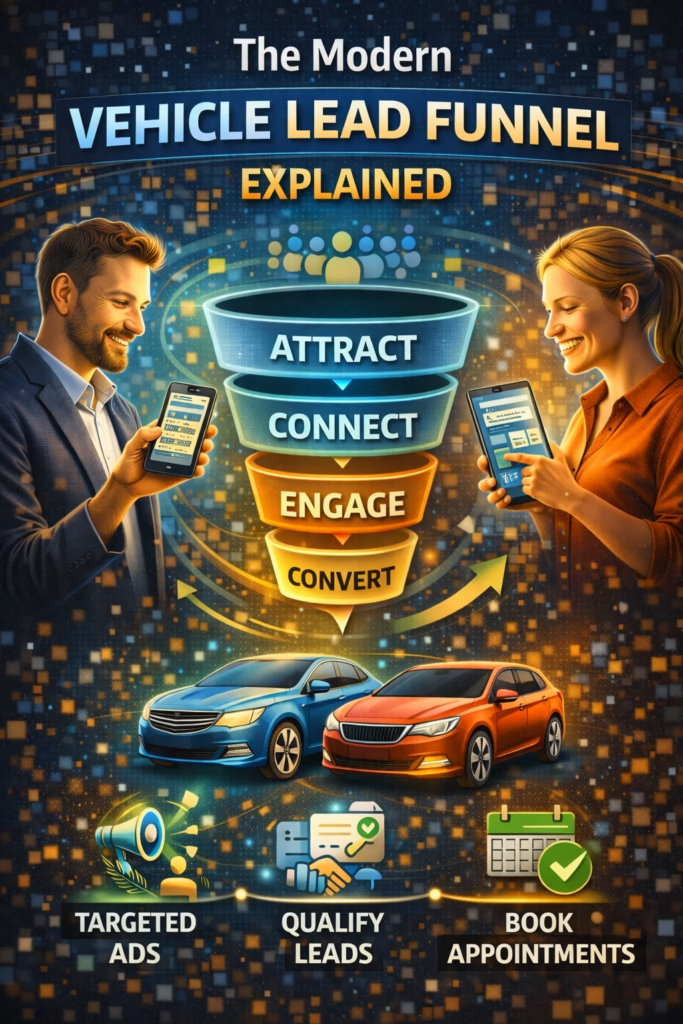
The Modern Vehicle Lead Funnel Explained is a Marketplace-first system that turns listings into messages, messages into appointments, and appointments into sold units—using proof photos, clear offers, instant replies, automated follow-up, and tight tracking.

Modern Vehicle Funnel: Listings Photos Offer Messenger Follow-Up Appointments

Note: This is general marketing guidance. Keep listings accurate and compliant with platform rules and local advertising laws. Avoid misleading pricing, condition claims, or duplicated spam listings.

Introduction

The Modern Vehicle Lead Funnel Explained starts with a simple truth: cars are an “instant intent” purchase. Buyers don’t browse vehicles the way they browse furniture. When they message you, they’re already comparing options and trying to move quickly.

That means your funnel doesn’t need complicated tricks. It needs a repeatable system that does four things better than your competition:

  • Gets visibility where buyers scroll (Marketplace + multi-channel listing)
  • Builds trust fast (proof photos + transparency)
  • Converts messages into appointments (scripts + next-step questions)
  • Prevents leakage (follow-up + tracking)

Big idea: Most “lead problems” are actually funnel leakage problems—slow replies, weak photos, vague offers, and no follow-up.

Expanded Table of Contents

1) What a modern vehicle lead funnel is

A modern funnel turns attention into action. In vehicles, the funnel can be simplified into five stages:

  1. Impression: buyer sees your listing
  2. Inquiry: buyer messages or calls
  3. Qualification: budget + timeline + trade-in/financing
  4. Appointment: test drive or inspection scheduled
  5. Close: deal, paperwork, delivery

Pro move: Optimize for “inquiry → appointment” speed. That’s where most dealers lose sales.

2) How vehicle buyers behave in 2025–2026

Vehicle buyers now shop like this:

  • They scroll quickly and judge trust in seconds
  • They message multiple sellers at once
  • They ask “available?” because it’s the fastest button
  • They ghost if the next step isn’t clear

What buyers want instantly

Is it still available? Is the price firm? Any issues? Clean title? Can I come today? Do you offer financing? Will you take a trade?

Rule: If your listing answers the top questions upfront, your leads become higher intent automatically.

3) Channel stack: Marketplace + syndication + local search

The modern vehicle funnel uses a channel stack. Marketplace is often the fastest, but you should not depend on one platform.

ChannelRoleStrengthBest practice
Facebook MarketplaceFast leadsLocal intent + instant messagingFresh listings + quick scripts
Other marketplacesExtra inventory reachMore surface areaConsistent photos + accurate details
Google (Maps/SEO)Trust + inbound callsHigh buyer intentGBP optimization + reviews + inventory pages
RetargetingBring back shoppersHigher close rateShort-window reminders + appointment CTA

Note: Keep your info consistent across platforms (price, mileage, condition). Inconsistency kills trust.

4) What to list: the “surface area” strategy

Leads come from surface area: more quality listings across your inventory means more impressions across searches.

What buyers search by

  • Make/Model: “Camry,” “F-150,” “Civic”
  • Year range: “2016–2019”
  • Price: “under 10k,” “15k”
  • Payment: “financing,” “down payment”
  • Features: “4x4,” “AWD,” “third row,” “sunroof”

High-intent “lead magnets”

HookExampleWhy it works
Financing“Easy financing options”Unlocks payment buyers
Trade-in“Trades welcome”Increases reply rate
Warranty“Warranty available”Boosts trust
Availability“Test drives today”Creates urgency
Proof“Clean title / service records”Reduces skepticism

5) Photo system: make your listings obviously real

Vehicles have one job in photos: remove doubt. The best listings look real, clean, and transparent.

The 14-photo vehicle system

  1. Front 3/4 angle (hero)
  2. Rear 3/4 angle
  3. Side profile (driver)
  4. Side profile (passenger)
  5. Odometer close-up
  6. VIN plate (optional, privacy-safe)
  7. Dashboard (no warning lights)
  8. Infotainment screen
  9. Front seats
  10. Rear seats
  11. Trunk/cargo
  12. Engine bay
  13. Tires (tread proof)
  14. Any notable cosmetic issues (honesty photo)

Rule: Honest listings close faster. A single “issue photo” can increase trust and reduce wasted conversations.

Photo mistakes that kill leads

  • Dirty vehicle and cluttered backgrounds
  • No odometer photo
  • Only 3–5 photos
  • Heavy filters that hide condition

6) Marketplace SEO: titles that match buyer searches

Marketplace search rewards match. Your title should include year + make + model + trim/feature + key hook.

Title formula

[Year] [Make] [Model] [Trim/Feature] – [Mileage] mi – [Key Hook]
Examples:
• 2018 Honda Civic EX – 82k mi – Backup Cam – Clean Title
• 2016 Ford F-150 4x4 – 119k mi – Crew Cab – Trades Welcome
• 2019 Toyota Camry SE – 61k mi – Financing Available

Keywords to rotate (high intent)

financing trade in clean title AWD 4x4 one owner service records warranty backup camera third row

Avoid: ALL CAPS and keyword stuffing. Keep titles readable.

7) Offer strategy: price signals, financing, trade-ins

Vehicle buyers message when the offer feels credible, clear, and easy to act on.

Offer clarity checklist

  • Transparent price: list the real price you’ll honor
  • Condition clarity: no surprises on title or known issues
  • Next step: “test drive today” or “appointment times”
  • Optional hooks: financing/trade-in/warranty if available

Offer block (copy/paste)

✅ Price: $____
✅ Mileage: ____ mi
✅ Title: (clean/rebuilt) – disclosed
✅ Features: (top 3)
✅ Test drives: available (today/this week)
✅ Financing / trades: (if available)

Pro move: If you offer financing, say so early. It increases reply rate dramatically in many markets.

8) Description templates (copy/paste)

Template A: Dealer / lot listing

✅ [Year] [Make] [Model] [Trim]
Price: $____
Mileage: ____ mi
Title: (Clean / Rebuilt) – clearly stated

Highlights:
• (Feature #1)
• (Feature #2)
• (Feature #3)

Financing: (available / not available)
Trades: (welcome / considered)
Test drives: (today / by appointment)

Reply “TEST DRIVE” + your city and I’ll send available times.

Template B: Private seller (high trust)

✅ For sale: [Year] [Make] [Model]
Price: $____ (reasonable offers considered)
Mileage: ____ mi
Title: (clean) in hand

Recent maintenance:
• (item #1)
• (item #2)

Known issues (if any):
• (honest note)

Reply with your preferred time today/tomorrow for a viewing/test drive.

Template C: Financing hook listing

✅ [Year] [Make] [Model] — Financing Options
Price: $____
Down payment options: (varies by approval)
Mileage: ____ mi

Reply “FINANCE” + your city and I’ll confirm the next steps and test-drive times.

9) Message scripts that convert “Is this available?”

Speed wins. Your first reply should confirm availability, ask one question, and offer the next step.

Instant reply (universal)

Yes — it’s available ✅
Are you looking to come by today or later this week?

Also, will you be paying cash or wanting financing/trade-in?

Price + next step

Yep ✅ It’s $____.
I can do a quick test drive today or tomorrow.

What time works best, and are you cash or financing?

Handle “lowest price?”

I can help ✅
Are you most focused on lowest price, or monthly payment?

If you tell me cash vs financing + your timeline, I’ll confirm the best option and a test-drive time.

Rule: Every message ends with a question that qualifies timeline + payment type.

10) Follow-up SOP to recover ghost leads

Ghosting is normal. Follow-up is your unfair advantage.

3-touch follow-up sequence

TimingMessageGoal
20–40 minQuick check-in + test drive timesRe-engage
Same dayConfirm availability + appointment slotsCreate action
Next dayAlternate option / payment angleSave the lead

Follow-up #1

Quick check-in ✅
Did you still want to see it?

Tell me today/tomorrow + cash or financing, and I’ll confirm a time.

Follow-up #2

Heads up ✅ We’ve had a few people ask about it today.
If you want a slot, reply with a time today/tomorrow and whether you’re cash or financing.

Follow-up #3

Still shopping? ✅
If this isn’t the right fit, tell me your budget + must-have features (AWD/4x4/3rd row) and I’ll send the closest option.

11) Appointment setting: the fastest path to a sale

Vehicle deals close when buyers show up. Your funnel should push every lead toward a scheduled test drive or inspection.

Appointment checklist

  • Offer two time slots immediately
  • Confirm address only after time confirmation
  • Send a reminder 1–2 hours before
  • Confirm payment type (cash/finance/trade)

Pro move: “Two options” beats “When do you want to come?” because it reduces decision friction.

12) KPIs that predict consistent vehicle sales

KPIWhat it meansTarget
Active listingsVisibility surface areaMarket-dependent; track trend
Messages per weekLead volumeIncrease steadily
Median response timeConversion leverage< 5 minutes (good), < 1 minute (best)
Appointment rateInquiry → test driveImprove with scripts
Show-up rateAppointments completedImprove with reminders
Close rateAppointments → soldImprove with offer clarity

Truth: Most sellers don’t need more leads—they need a faster appointment workflow and consistent follow-up.

13) 30–60–90 day rollout plan

Days 1–30 (Build the funnel foundation)

  1. Standardize photo checklist (14-photo system)
  2. Write listing templates for each vehicle type
  3. Implement instant reply scripts + follow-up sequence
  4. Post/refresh consistently (without spam duplication)
  5. Track response time + appointments weekly

Days 31–60 (Convert more of the same leads)

  1. Identify top-performing listings and replicate the structure
  2. Test offer hooks: financing, trade-in, warranty
  3. Improve titles for year/make/model match
  4. Build a simple pipeline: new → qualified → appointment → show → closed

Days 61–90 (Scale volume and consistency)

  1. Expand active listings and rotate inventory
  2. Increase appointment-setting speed
  3. Reduce no-shows with reminders and confirmations
  4. Measure close rate and refine offers

14) 25 Frequently Asked Questions

1) What is the modern vehicle lead funnel?

A system that turns listings into inquiries, inquiries into appointments, and appointments into sold vehicles through proof photos, offer clarity, fast replies, follow-up, and tracking.

2) Why does Facebook Marketplace generate fast vehicle leads?

Local intent plus instant messaging creates high velocity browsing and quick inquiries.

3) What converts “Is this available?” into a real buyer?

Confirm availability, ask timeline, ask cash vs financing/trade, and offer appointment times.

4) How fast should I respond?

Under 5 minutes is good; under 1 minute is best.

5) How many photos should I use?

10–20 is ideal. The 14-photo system covers trust essentials.

6) Should I include the odometer photo?

Yes—it increases trust and reduces time-wasting questions.

7) Do I need to show vehicle issues?

If there are noticeable issues, an honest photo can increase trust and speed up closing.

8) What should my title include?

Year + make + model + trim/feature + mileage + hook.

9) What offer hooks increase replies?

Financing options, trade-ins welcome, warranty available, and test drives today.

10) Should I mention financing if I offer it?

Yes. It can dramatically increase inquiry volume.

11) How do I handle “lowest price?”

Ask whether they’re optimizing for cash price or monthly payment, then move to appointment.

12) What’s the fastest way to close more deals?

Increase appointment rate and reduce no-shows.

13) How do I reduce no-shows?

Confirm time, send reminders, and ask a short confirmation question.

14) Should I give the address right away?

Share it after confirming an appointment time to reduce flakes.

15) How often should I post?

Consistently—daily or several times per week—while avoiding identical duplication.

16) Are duplicate listings bad?

Identical duplicates can look spammy; vary photos, titles, and timing.

17) What KPI matters most?

Response time and appointment rate are leading indicators of sales.

18) What’s a good follow-up sequence?

A 3-touch sequence: 20–40 minutes, same day, next day.

19) Can automation help vehicle leads?

Yes—automation helps speed-to-lead and consistent follow-up.

20) Do I need a CRM?

Not required, but tracking leads prevents leakage and improves close rate.

21) How do I track what listings work?

Track messages per listing, appointment rate, and close rate by vehicle type.

22) Does Google Maps matter for vehicle sales?

Yes for dealers—Maps and reviews add trust and inbound calls.

23) What’s the biggest mistake sellers make?

Slow responses and no appointment workflow.

24) What’s the fastest improvement I can make today?

Implement instant reply scripts and offer two appointment times in every conversation.

25) How do I scale the funnel?

Increase listing surface area, maintain photo quality, and systemize follow-up and appointment setting.

15) 25 Extra Keywords

  1. The Modern Vehicle Lead Funnel Explained
  2. vehicle lead funnel
  3. Facebook Marketplace car leads
  4. auto lead generation system
  5. used car lead funnel
  6. dealership lead funnel
  7. vehicle listing strategy
  8. Marketplace vehicle listing cadence
  9. vehicle photo checklist for leads
  10. car listing title formula
  11. vehicle description template
  12. instant reply scripts for car leads
  13. follow up sequence vehicle inquiries
  14. appointment setting for car sales
  15. test drive booking script
  16. trade in leads Marketplace
  17. financing leads Marketplace
  18. warranty offer vehicle listing
  19. how to get more car leads
  20. how to sell cars on Facebook Marketplace
  21. increase dealership appointments
  22. reduce no shows test drives
  23. car sales KPIs response time
  24. vehicle marketing funnel 2026
  25. high intent vehicle leads

© 2026 Your Brand. All Rights Reserved.
General information only—confirm compliance with platform policies and applicable advertising rules before contacting leads.

The Modern Vehicle Lead Funnel Explained Read More »

How AI Filters Serious Buyers Automatically

ChatGPT Image Feb 13 2026 01 46 27 PM
How AI Filters Serious Buyers Automatically

How AI Filters Serious Buyers Automatically

How AI Filters Serious Buyers Automatically is a repeatable system that instantly qualifies leads, tags intent, routes serious buyers to booking, and protects your team from time-wasters—without losing good opportunities.

AI Buyer Filtering System: Instant Reply Intent Scoring Qualification Routing Follow-Up Booking

Note: This is general guidance. Follow platform policies, privacy rules, and applicable consumer protection laws. Avoid deceptive automation and be transparent when necessary.

Introduction

How AI Filters Serious Buyers Automatically comes down to one truth: most teams don’t have a lead problem—they have a lead handling problem.

Serious buyers show up every day, but they don’t announce themselves. They look like everyone else in the first message. If your response is slow, vague, or inconsistent, they disappear.

Big idea: AI doesn’t “replace sales.” It removes the chaos in the first 5 minutes—so serious buyers get prioritized automatically.

Expanded Table of Contents

1) The 7-step system AI uses to filter serious buyers

AI filters serious buyers by doing the same job a top salesperson does—faster and more consistently.

1) Respond instantly

Speed-to-lead prevents buyer drift and stops competitors from winning the first conversation.

2) Confirm availability + value

Short confirmation builds confidence and keeps the buyer engaged.

3) Ask one qualifying question

One question at a time keeps friction low and answers clear.

4) Detect intent signals

AI listens for timeline, budget, location, and commitment language.

5) Score the lead

Assign a simple score so routing is automatic and predictable.

6) Route to the right next step

Book serious buyers. Nurture uncertain buyers. Deprioritize noise.

7) Follow up strategically

Most serious buyers go quiet once—AI recovers them with clean follow-up.

Rule: The first response should do two things: (1) build trust, (2) ask a question that reveals seriousness.

2) Buyer intent signals: what AI should detect

Serious buyers rarely say “I am serious.” They reveal it through signals.

High-intent signals

  • Timeline: “today,” “this week,” “asap,” “can I come now?”
  • Logistics: “where are you located?” “what times can I see it?”
  • Commitment language: “I can put a deposit,” “I’m ready,” “I’ll bring cash”
  • Specific questions: VIN, maintenance, title status, financing terms, availability
  • Direct scheduling: “can I do 6pm?”

Low-intent signals

  • “lowest?” “best price?” with no context
  • “maybe” / “just looking” / “for a friend” with no next step
  • Repeated vague questions answered in the listing
  • Won’t share city/zip or timeframe

Pro move: AI should not “judge” buyers. It should prioritize based on likelihood to schedule soon.

3) Qualification questions that feel helpful (not robotic)

AI wins by asking simple questions that buyers expect—and making it feel like assistance, not interrogation.

The 4 core qualifiers (works for most industries)

QualifierAI QuestionWhat it reveals
Goal“What are you trying to do—buy now, compare options, or schedule a visit?”Intent level
Location“What city/zip are you in?”Logistics + seriousness
Budget“Are you trying to stay under $___, or are you flexible for the right option?”Fit + negotiation style
Timeline“When do you want to do this—today, this week, or later?”Purchase urgency

Vehicle / real estate add-ons

  • Payment type: “Are you paying cash, financing, or still deciding?”
  • Visit window: “Do mornings or evenings work better for you?”

Rule: Ask one question per message. Multiple questions in one reply increases drop-off.

4) Intent scoring model: simple, reliable, and scalable

You don’t need a complex model to start. Use a simple points system your team understands.

Simple intent score (0–10)

SignalPointsExample
Gives city/zip+2“I’m in 14623”
Timeline: today/this week+3“Can I come tonight?”
Asks a serious detail+2VIN, title, financing terms
Schedules a time+3“Does 6pm work?”
Only asks “lowest?”-2No context
Refuses basics-3No location/timeline after multiple asks

Routing suggestion: 8–10 = hot, 5–7 = warm, 0–4 = cold/noise.

5) Routing rules: who gets booked vs nurtured

Filtering works when the next step is automatic.

Routing map

Hot (8–10)

Action: Offer two time windows and lock an appointment.

Perfect ✅
I can get you scheduled.
Option A: [time window]
Option B: [time window]
Which works best?

Warm (5–7)

Action: Send 2 options, ask one qualifier, and re-check availability.

I can help ✅
Are you looking for [Option 1] or [Option 2]?

Reply 1 or 2 + your city and I’ll confirm availability.

Cold (0–4)

Action: Short answer + one question + graceful exit.

Got it ✅
What city are you in and when are you looking to do this?

If you’re just browsing, I can send info when you’re ready.

Rule: AI should escalate only when the buyer shows intent, not just because they messaged.

6) Auto-reply scripts that convert and filter

The best scripts do three things: confirm, qualify, and move forward.

Instant first reply (universal)

Yes — it’s available ✅
Quick question so I can help fast:
Are you trying to do this today, this week, or later?

(Reply: today / this week / later)

Price question response

Yep ✅ price is $____.
Are you trying to stay under a budget, or are you flexible for the right fit?

What city are you in?

“Is this still available?” conversion

Yes ✅
Do you prefer pickup/visit today, or do you want the next available time this week?

What city/zip?

Pro move: Short replies outperform long replies. Keep it human and option-based.

7) Handling objections automatically (without sounding defensive)

Objections are signals, not rejections. AI should respond calmly and guide the buyer to the next step.

Objection: “I’m just looking”

No problem ✅
When you ARE ready, what matters most—lowest price, best condition, or a specific feature?

Reply 1/2/3 and I’ll point you to the best match.

Objection: “Can you hold it?”

I can sometimes ✅
Are you planning to come today or tomorrow?

If you want, I can confirm the next available time window.

Objection: “Too expensive”

I hear you ✅
Is your goal to stay under $___, or do you want the best value in this range?

Reply with your budget + city and I’ll confirm the best options.

8) Guardrails: compliance, safety, and trust

Filtering should improve buyer experience—not create risk.

Guardrails checklist

  • Truth only: don’t invent availability, pricing, condition, or features
  • Privacy: don’t collect unnecessary sensitive info
  • Transparency: if required by policy/law, disclose automation appropriately
  • Escalation: route complex questions to a human (financing specifics, legal questions, disputes)
  • Stop rules: honor “stop” or opt-out requests immediately where applicable

Important: Always follow the platform’s messaging rules and local regulations for sales and marketing communications.

9) Follow-up automation: recover the “silent serious” buyer

Many serious buyers go quiet after the first message because they got busy, got distracted, or started comparing options. AI should follow up without spamming.

3-touch follow-up sequence

TimingMessageGoal
20–40 minShort check-in + one questionRe-engage
Same dayOffer two time windowsBook
Next dayOffer alternate optionSave lead

Follow-up #1

Quick check-in ✅
What city are you in and when were you looking to do this?

(today / this week / later)

Follow-up #2

Still available ✅
If you want, I can schedule a quick visit.
Option A: [time]
Option B: [time]
Which works?

Follow-up #3

Still shopping? ✅
What’s your budget + your city?
I’ll confirm the best match and next steps.

10) Operations: tags, CRM fields, and team handoff

Filtering becomes scalable when every conversation is tagged and routed consistently.

Recommended tags

Hot (8–10) Warm (5–7) Cold (0–4) Budget Known Timeline Known Location Known Appointment Set Needs Human

Simple handoff note format

Lead Score: __/10
Location: ____
Timeline: ____
Budget: ____
Next Step: [Booked / Needs call / Needs options]
Notes: ____

Rule: If AI collects location + timeline, a human can close faster with fewer back-and-forth messages.

11) KPIs that prove filtering is working

KPIWhat it meansTarget
Median response timeSpeed-to-lead advantage< 1 minute (best), < 5 minutes (good)
Qualified lead rate% who share location + timelineIncrease weekly
Appointment set rateBooked from inbound messagesTrack weekly
Human time savedMinutes avoided on low-intent chatsMeasure monthly
Show/close rateLead quality improvementImprove with better routing

Pro move: If appointment rate is low, your AI is likely asking the wrong first question or not offering time windows soon enough.

12) 30–60–90 day rollout plan

Days 1–30 (Install the filter)

  1. Write your 3–5 core scripts (first reply, price, availability, scheduling)
  2. Implement one-question qualification (timeline first is a strong default)
  3. Set intent scoring and routing rules (hot/warm/cold)
  4. Add tags and handoff notes in your CRM
  5. Track response time, qualified rate, and appointment rate weekly

Days 31–60 (Increase quality)

  1. Improve signals: add budget + location collection for warm leads
  2. Optimize objection handling scripts
  3. Reduce friction: shorter replies, more options
  4. Introduce follow-up sequence to recover silent buyers

Days 61–90 (Scale the system)

  1. Expand routing: new buckets by product/service type
  2. Build a knowledge base for consistent answers
  3. Measure human time saved and conversion lift
  4. Systemize escalation rules for complex cases

13) 25 Frequently Asked Questions

1) How does AI filter serious buyers automatically?

By responding instantly, asking qualification questions, scoring intent signals, tagging the lead, and routing serious buyers to booking while nurturing or deprioritizing low-intent messages.

2) What’s the best first question to ask?

Timeline is a strong first question: today, this week, or later.

3) Will AI reduce lead volume?

It may reduce low-quality chatter, but it typically increases booked appointments and conversions.

4) What is intent scoring?

A simple points model that ranks leads based on behaviors and answers (city, timeline, scheduling).

5) What signals show a buyer is serious?

Scheduling language, timeline urgency, location sharing, and specific questions.

6) What signals show low intent?

Vague questions, no timeline, no location, and repeated “lowest?” without context.

7) Should AI ask multiple questions at once?

No—one question per message keeps response rates higher.

8) How does AI avoid sounding robotic?

Short replies, natural language, option-based questions, and empathy.

9) How fast should AI respond?

Instantly or within seconds when possible.

10) What’s the best way to book appointments?

Offer two time windows and ask the buyer to choose A or B.

11) Can AI handle objections?

Yes—common objections can be handled with calm scripts and a next-step question.

12) What if the buyer asks something complex?

AI should escalate to a human and capture location/timeline first when possible.

13) Does AI help reduce ghosting?

Yes, with consistent follow-up sequences and option-based messages.

14) How many follow-ups are ideal?

Usually 3 touches across 24–36 hours is a clean starting point.

15) Should AI collect budget?

Yes, but only after building trust—typically after timeline or location.

16) Should AI collect phone numbers?

Only if necessary and appropriate. Many platforms prefer in-app messaging.

17) Can AI improve lead quality?

Yes, by routing high-intent leads faster and reducing wasted human time.

18) How do I measure success?

Qualified lead rate, appointment set rate, response time, and conversion.

19) Will buyers know it’s AI?

Sometimes. If it’s helpful and fast, most buyers don’t care.

20) Is AI allowed on all platforms?

Rules vary—always check platform policies and stay compliant.

21) What’s the biggest AI mistake?

Long replies that don’t end with a clear next-step question.

22) How do I avoid spam behavior?

Don’t over-message, avoid duplicates, and respect opt-outs.

23) What’s the best routing structure?

Hot/warm/cold is simple and effective for most businesses.

24) Can AI increase revenue?

Yes—by capturing leads faster, increasing bookings, and reducing drop-off.

25) What’s the fastest improvement I can make today?

Install an instant first reply that asks timeline and collects city/zip.

14) 25 Extra Keywords

  1. How AI Filters Serious Buyers Automatically
  2. AI lead qualification system
  3. AI buyer intent scoring
  4. automated lead screening
  5. AI Messenger auto reply
  6. AI chat qualification questions
  7. lead routing automation
  8. AI follow up sequence
  9. speed to lead automation
  10. filter time wasters automatically
  11. automated appointment booking leads
  12. AI sales assistant for inbound leads
  13. AI pre qualification scripts
  14. intent scoring model for leads
  15. AI lead tagging CRM
  16. automated lead triage system
  17. how to qualify buyers fast
  18. automated sales conversations
  19. AI objection handling scripts
  20. AI customer acquisition automation
  21. lead qualification workflow
  22. high intent lead identification
  23. AI-first contact system
  24. buyer filtering automation
  25. appointment rate improvement automation

© 2026 Your Brand. All Rights Reserved.
General information only—confirm compliance with platform policies, privacy rules, and applicable laws before automating communications.

How AI Filters Serious Buyers Automatically Read More »

Vehicle Listings That Generate Conversations

ChatGPT Image Feb 13 2026 01 46 25 PM
Vehicle Listings That Generate Conversations

Vehicle Listings That Generate Conversations

Vehicle Listings That Generate Conversations is a repeatable system to turn scrolls into messages—using proof photos, clear titles, honest details, trust signals, and fast follow-up that books test drives.

Vehicle Lead System: Photos Title SEO Pricing Hooks Trust Signals Cadence Messenger

Note: This is general marketing guidance. Follow platform rules and local laws. Always be truthful about condition, history, and pricing.

Introduction

Vehicle Listings That Generate Conversations don’t happen by accident. They’re engineered. Most vehicle posts fail because they create doubt: blurry photos, vague descriptions, missing details, or a seller who replies too slowly.

Buyers are emotional and skeptical at the same time. They want the deal, but they’re scanning for red flags. Your job is to remove friction and build trust fast—before they message someone else.

Big idea: You don’t “get more leads” by posting more. You get more leads by making each listing easier to trust and easier to act on.

Expanded Table of Contents

1) The 6-part framework that triggers buyer messages

To build Vehicle Listings That Generate Conversations, you need six controllable levers:

1) Proof photos

Clear, complete, daylight photos that remove doubt.

2) Searchable title

Year + make + model + trim + hook + location.

3) Pricing clarity

One price, clear terms, simple reason why it’s fair.

4) Trust signals

VIN, title status, maintenance, condition honesty.

5) Speed-to-lead

Fast replies turn curiosity into action.

6) Next-step script

Two test-drive windows and one qualifying question.

Rule: If you want more messages, improve photos and trust signals first. Then optimize title and pricing hooks.

2) Buyer psychology: why they message (and why they don’t)

Buyers message when three things happen at the same time:

  • Desire: the vehicle matches what they want
  • Confidence: it looks real and trustworthy
  • Ease: they know exactly what to do next

What stops messages

  • Missing year/mileage/title info
  • Dark photos or only 3–5 photos
  • Vague “runs great” with no details
  • Price with no explanation and no flexibility language
  • Seller replies slowly or answers without a next step

Pro move: Your listing should answer the top 8 buyer questions before they ask them.

3) Photo system: proof beats polish

Most buyers decide whether to message in the first 3 photos. Your photos must feel real, current, and complete.

The 20-photo vehicle checklist

  1. Front 3/4 (daylight)
  2. Rear 3/4 (daylight)
  3. Driver side profile
  4. Passenger side profile
  5. Wheels/tires close-up
  6. Odometer
  7. Dashboard (no warning lights)
  8. Center console / infotainment
  9. Front seats
  10. Rear seats
  11. Trunk/cargo
  12. Engine bay
  13. VIN plate (or door jamb/VIN area)
  14. Title status proof (if appropriate)
  15. Service records photo (optional)
  16. Any known flaw close-up (honesty builds trust)
  17. Underbody/rust area (if relevant)
  18. Key fob / spare key
  19. Roof/hood close-ups (condition)
  20. Extra angle of the best feature (sunroof, leather, etc.)

Fast win: Daylight, level horizon, and a clean background can double reply rate without changing anything else.

4) Title SEO: how buyers search on Marketplace

Buyers search by year, make, model, trim, and sometimes one feature. Your title should match their query exactly.

Title formula

[Year] [Make] [Model] [Trim] – [Top Hook] – [Title Status] – [City]
Examples:
• 2017 Honda Civic EX – Great MPG – Clean Title – Rochester
• 2016 Ford F-150 XLT – 4x4 – Strong Runner – Clean Title – Local
• 2019 Toyota RAV4 LE – Backup Cam – Well Maintained – Available Today

High-intent keywords to rotate

clean title one owner service records no lights new tires great mpg 4x4 AWD backup camera heated seats sunroof trade-in

Avoid: ALL CAPS, keyword stuffing, and vague titles like “Nice car” or “Runs great.”

5) Pricing hooks that start conversations

Pricing is emotional. Your goal isn’t to “win the cheapest.” Your goal is to create a reason to message.

Conversation-starting price hooks

HookExampleWhy it works
Clarity“$9,900 firm — priced to sell”Filters time-wasters, boosts serious inquiries
Flexibility“$9,900 OBO — fair offers considered”Invites messages without sounding desperate
Justification“Priced for mileage + recent tires/brakes”Builds confidence and reduces negotiation
Urgency“Available today — first come”Pushes buyers to schedule quickly

Pro move: Add one sentence that explains why the price is fair (maintenance, condition, tires, clean title, etc.).

6) Trust signals that filter serious buyers

Trust signals reduce low-quality messages and increase serious ones.

Trust signal checklist

  • VIN available (send on request or show VIN plate photo)
  • Title status (clean, rebuilt, etc. — be honest)
  • Mileage stated clearly
  • Maintenance summary (oil changes, brakes, tires)
  • Known issues stated (small flaw honesty boosts confidence)
  • Test-drive readiness (two time windows offered)

Rule: The more transparent you are, the fewer “random” messages you get—and the more buyer-ready conversations you create.

7) Description templates (copy/paste)

Template A: clean and trust-heavy

✅ [Year] [Make] [Model] [Trim]
Mileage: [___]
Title: [Clean/Rebuilt/etc.]
Price: $____ [Firm/OBO]

Highlights:
• [Feature 1]
• [Feature 2]
• [Feature 3]

Maintenance:
• [Recent work: tires/brakes/oil/etc.]

Notes:
• [Any honest flaw, if applicable]

Next step:
Message “TEST DRIVE” + your city.
I’ll send 2 time options.

Template B: conversation-first

Available ✅
If you’re looking for a reliable [sedan/SUV/truck] with [hook], this is it.

$____ • [Firm/OBO]
Clean title • [Mileage]

What matters most to you:
1) Lowest price
2) Condition/maintenance
3) Features

Reply 1/2/3 + your city and I’ll set up a test drive.

Template C: dealer-style (high clarity)

✅ Vehicle Details
• Year/Make/Model/Trim: [____]
• Mileage: [____]
• Title: [____]
• Drivetrain: [FWD/AWD/4x4]
• Fuel: [Gas/Hybrid/etc.]

✅ Features
• [____]
• [____]

✅ Purchase
• Price: $____
• Available: [Today/This week]
Message your city for the next test-drive times.

8) Posting cadence without spam

Freshness helps visibility. But duplicates cause problems. Refresh smart.

Cadence framework

ActionCadenceHow to vary
Initial listingDay 1Best hero photo + full description
Refresh #1Day 4–7New first photo + new hook in title
Refresh #2Day 10–14Swap 3–5 photos + shorten copy
OngoingWeeklyRotate trust signals and features

Avoid: Copy/paste duplicates with the same photos and same title in a short window.

9) Messenger scripts that book test drives

Your first reply should confirm availability, qualify lightly, and offer two time windows.

Instant reply (universal)

Yes — it’s available ✅
Are you looking to buy this week, or just browsing?

What city are you in? I’ll send the next test-drive times.

Two-window booking

I can set a test drive ✅
Option A: [Day/time window]
Option B: [Day/time window]

Which works best?

Handle “lowest price?”

I can help ✅
Are you trying to stay under a budget, or do you want the cleanest condition?

Reply with your budget + city and I’ll confirm if this one fits and send test-drive times.

Rule: Every message ends with a question (city + timeline + test drive).

10) Follow-up SOP to recover ghost leads

Ghosting is normal. Your follow-up should be short and option-based.

3-touch follow-up sequence

TimingMessageGoal
20–40 minCheck-in + test-drive windowsRe-engage
Same dayConfirm availability + reminderCreate action
Next dayOffer alternate / ask preferenceSave lead

Follow-up #1

Quick check-in ✅
Did you still want to see it?

Option A: [time]
Option B: [time]

Follow-up #2

Still available ✅
If you want it, I can confirm a test-drive time today or tomorrow.
A or B?

Follow-up #3 (alternate)

Still shopping? ✅
What are you looking for (make/model + budget)?
I can tell you if this is the best fit or suggest a better option.

11) KPIs that predict 20–100+ leads/month

KPIWhat it meansTarget
Photo completenessTrust and click-through15–25 photos per listing
Messages per weekLead volume10–25+ (market dependent)
Median response timeConversion leverage< 5 minutes (good), < 1 minute (best)
Test drives scheduledSales momentumTrack weekly
Show rateLead qualityImprove with trust signals + scripts

Truth: Response speed + trust signals can double conversions without spending a dollar on ads.

12) 30–60–90 day rollout plan

Days 1–30 (Build conversation machine)

  1. Standardize the 20-photo vehicle checklist
  2. Create 6–10 title variants per vehicle (hooks + location)
  3. Use one description template and a trust signal checklist
  4. Implement instant reply + two-window test drive scheduling
  5. Track response time and test drives weekly

Days 31–60 (Increase lead quality)

  1. Add honest flaw notes + maintenance summary
  2. Improve the first 3 photos (daylight, clean angles)
  3. Test “firm” vs “OBO” language strategically
  4. Use follow-up SOP to recover ghost leads

Days 61–90 (Scale visibility)

  1. Refresh weekly with new first photo + title hook
  2. Double down on hooks that create the most messages
  3. Standardize pipeline stages for lead handling
  4. Measure show rate and optimize scripts

13) 25 Frequently Asked Questions

1) What are vehicle listings that generate conversations?

Listings engineered to trigger messages using proof photos, searchable titles, clear pricing, trust signals, and fast follow-up that moves buyers to test drives.

2) What’s the best first photo?

A daylight front 3/4 angle with a clean background.

3) How many photos should I include?

15–25 photos typically performs best for trust and engagement.

4) What should be in the title?

Year + make + model + trim + hook + location.

5) Should I include mileage?

Yes. Always include mileage clearly.

6) Should I include the VIN?

Yes—either show the VIN plate photo or say “VIN available on request.”

7) What’s the best way to handle tire-kickers?

Ask one qualifying question (timeline + city) and offer two test-drive windows.

8) How fast should I respond?

Under 5 minutes is good; under 1 minute is best.

9) What details matter most in the description?

Title status, mileage, maintenance, features, and any known issues.

10) Does honesty about flaws hurt sales?

It usually helps by increasing trust and reducing wasted conversations.

11) Should I say “firm” or “OBO”?

Depends on your goal: “firm” filters; “OBO” increases message volume.

12) What’s a good pricing hook?

A short sentence explaining why the price is fair (maintenance, condition, tires, etc.).

13) How do I book more test drives?

Offer two specific time windows and ask them to choose A or B.

14) How do I reduce ghosting?

Use a 3-touch follow-up sequence and keep messages short.

15) What should my first reply be?

Confirm availability, ask timeline, ask city, then offer test-drive windows.

16) Are service records worth mentioning?

Yes. Even a simple maintenance summary increases confidence.

17) Does location matter in the title?

Yes. It helps local discovery and filters out distant shoppers.

18) How often should I refresh the listing?

Weekly is a common baseline—change the first photo and title hook.

19) Can I reuse the same photos?

Better to rotate at least the first photo and a few angles to keep it fresh.

20) Should I include “available today”?

Yes, if true. Urgency increases messages.

21) What features create the most clicks?

AWD/4x4, great MPG, clean title, new tires, backup camera, heated seats.

22) Do short descriptions work?

Short can work if key details are included; missing details reduce trust.

23) How do I handle “trade” messages?

State your trade policy clearly (yes/no) and redirect to the next step.

24) What’s the biggest mistake sellers make?

Too few photos and slow replies.

25) What’s the fastest improvement I can make today?

Upgrade the first 3 photos to daylight proof shots and add a two-window test drive script.

14) 25 Extra Keywords

  1. Vehicle Listings That Generate Conversations
  2. vehicle listings that get messages
  3. car listing strategy for Facebook Marketplace
  4. how to write a vehicle listing
  5. vehicle listing photo checklist
  6. car listing title formula
  7. Marketplace vehicle lead generation
  8. vehicle listing pricing psychology
  9. car listings that generate leads
  10. how to sell a car on Marketplace
  11. best car listing description template
  12. vehicle trust signals VIN clean title
  13. how to get serious buyers on Marketplace
  14. test drive scheduling script
  15. vehicle follow up sequence for buyers
  16. reduce ghosting Marketplace buyers
  17. how to increase car listing responses
  18. vehicle listing cadence refresh strategy
  19. auto lead system without paid ads
  20. speed to lead vehicle sales
  21. how to filter tire kickers
  22. car listing maintenance summary
  23. best hooks for vehicle listings
  24. how to price a used car listing
  25. vehicle listing KPIs messages per week

© 2026 Your Brand. All Rights Reserved.
General information only—follow platform policies and local laws. Always disclose accurate condition and title status.

Vehicle Listings That Generate Conversations Read More »

The New Playbook for High-Intent Rental Leads

ChatGPT Image Feb 12 2026 12 46 43 PM
The New Playbook for High-Intent Rental Leads

The New Playbook for High-Intent Rental Leads

The New Playbook for High-Intent Rental Leads is a modern system to attract renters who are ready to move, convert them into showings fast, and close leases consistently—using Marketplace intent, portal stacking, proof listings, instant replies, follow-up, and streamlined showings and screening.

High-Intent Rental Lead Engine: Marketplace Intent Portal Stacking Proof Listings Instant Replies Follow-Up Showings

Note: This is general guidance. Follow fair housing laws, local rental regulations, and platform rules. Apply screening criteria consistently for all applicants.

Introduction

The New Playbook for High-Intent Rental Leads exists because the rental market changed. Renters move faster. Attention spans are shorter. And “being listed” is no longer enough.

In 2026, the winners aren’t necessarily the managers with the biggest budgets. The winners are the managers with the fastest systems.

High-intent rental leads behave differently than casual browsers:

  • They message multiple listings quickly
  • They want clarity on price, deposit, pets, and availability immediately
  • They choose whoever responds fastest with a clean next step

This playbook teaches you how to attract the right renters and convert them before they drift to the next listing.

Big idea: High-intent rental leads are not “found.” They’re manufactured through clarity, proof, and speed.

Expanded Table of Contents

1) What high-intent rental leads are (and how to spot them)

The New Playbook for High-Intent Rental Leads starts with a definition: high-intent renters have a timeframe and they act.

High-intent behaviors

  • They share a move-in date without being asked twice
  • They ask about showings (not “is this real?”)
  • They confirm occupants/pets quickly
  • They ask about deposit/application steps
  • They respond within minutes or hours, not days

Low-intent behaviors (not bad—just not urgent)

  • “Just looking” or “maybe in a few months”
  • Won’t provide move-in date
  • Asks only “lowest price?” without any other info
  • Ghosts after you send details

Rule: Your goal is not to eliminate low-intent leads—it’s to build a system that prioritizes high-intent leads automatically.

2) The high-intent framework: 5 levers that create fast-moving renters

High-intent rental leads come from five controllable levers:

1) Clarity

Rent, deposit, pets, availability, utilities, and requirements are obvious.

2) Proof

Real photos, consistent details, and legitimacy reduce fear and friction.

3) Speed

Fast response converts high-intent renters before they move on.

4) Showing access

Multiple time options and a simple scheduling workflow reduce drop-off.

5) Follow-up

Consistent follow-up captures renters who get distracted or compare options.

Pro move: When your listing is clearer, your leads become higher intent—because low-intent browsers self-filter out.

3) Channel stack: where high-intent renters actually come from

High-intent renters show up in places where they can act quickly. Your channel stack should reflect that.

ChannelWhy it produces high intentHow to win
Facebook MarketplaceFast messaging and local urgencyFresh listings + instant replies + clear requirements
Rental portalsMore structured applicationsComplete details + quick follow-up
Google Maps/SEOTrust + local “property manager near me” intentGBP + reviews + location pages
Referrals/renewalsPre-trusted demandReferral prompts + renewal workflows

Rule: Marketplace creates speed. Portals create structure. Maps/SEO creates compounding demand.

4) Listings that filter out low-quality leads and attract movers

Your listing is your filter. If you publish vague listings, you get vague leads. If you publish clear listings, you get serious renters.

Title formula (high-intent)

[Beds/Baths] + [Area] + [Hook] + [$ Rent] + [Availability]
Examples:
• 2BR/1BA – Updated – $1,395 – Available Now
• 1BR – Laundry – $1,050 – March Move-In
• 3BR House – Garage – Pets OK – $1,895 – Showings This Week

First 6 lines (copy/paste)

✅ Rent: $___ / month
✅ Deposit: $___
✅ Beds/Baths: __ / __
✅ Availability: (date)
✅ Pets: (policy)
✅ Reply “SHOWING” + your move-in date for times

High-intent CTA lines

Reply “SHOWING” + move-in date Send your city + timeframe Confirm occupants + pets I’ll send available times

Avoid: “Message for details” without giving rent/deposit. It attracts low-quality volume and wastes time.

5) Proof photos that increase showing bookings

High-intent renters still need proof. Proof reduces scam fear and helps renters commit to a showing quickly.

The 10-photo rental set

  1. Exterior front (daylight)
  2. Living room wide shot
  3. Kitchen wide shot
  4. Main bedroom
  5. Bathroom
  6. Second bedroom/office
  7. Closets/storage
  8. Laundry/parking
  9. Neighborhood context
  10. Details card image (rent + availability + schedule steps)

Fast win: Add a details card image—many renters decide based on skimming photos.

6) Pricing signals that create urgency without looking desperate

Renters interpret pricing as a signal. Confusing pricing creates low-intent conversations. Clear pricing creates action.

Pricing clarity checklist

  • Rent clearly stated
  • Deposit clearly stated
  • Application fee disclosed (if applicable)
  • Utilities clearly stated
  • Availability date stated

Urgency without hype

• “Showings this week” (better than “HURRY!!!”)
• “Next available showing times: ___” (creates momentum)
• “Available (date)” + “reply with move-in date” (filters serious renters)

Pro move: People don’t need pressure—they need a clear path to a showing.

7) Speed-to-lead: the hidden conversion multiplier

If you want more high-intent rental leads, you must convert leads fast. In competitive markets, speed-to-lead is a competitive advantage.

Response time targets

Response speedWhat happensReality
< 1 minuteYou win the raceBest conversion
< 5 minutesStill competitiveSolid performance
1–3 hoursLead coolsMany renters move on
Next dayMostly lostLow conversion

Rule: Instant replies create the perception of professionalism and increase showing bookings.

8) Messaging scripts that qualify and book showings

Your goal is to turn a message into a showing, quickly.

Instant reply (universal)

Yes — it’s available ✅
What move-in date are you targeting?

If you reply with move-in date + how many occupants + pets (yes/no),
I’ll send the next available showing times.

Showing booking script

Great ✅ I can do showings:
• Today: __:__ / __:__
• Tomorrow: __:__ / __:__

Which works best? Also confirm move-in date + pets (yes/no).

Handle “Is this still available?” (high-intent version)

Yes ✅
What’s your move-in date? If it fits your timeline,
I’ll send the next showing times right now.

Rule: Always end with one simple question that moves the lead forward.

9) Showing workflow: more completed showings, fewer no-shows

High-intent rental leads become leases when showings happen fast and reliably.

No-show reduction checklist

  • Offer two time slots immediately
  • Send a reminder 1–2 hours before
  • Ask a confirming question (move-in date)
  • Confirm occupants/pets briefly before showing

Pro move: Showings are your true conversion metric. Optimize for completed showings, not just inquiries.

10) Screening SOP that keeps speed and compliance

Screening delays kill momentum. Your system must be consistent, fast, and compliant.

Pre-screen questions (high signal)

To confirm fit ✅
1) Target move-in date?
2) How many occupants?
3) Any pets? (type/weight)
4) Monthly household income (approx.)?
5) Any evictions in the last 7 years?

Compliance note: Apply your criteria consistently for all applicants. Follow fair housing laws and local requirements.

11) Follow-up sequence that recovers ghost leads

High-intent renters can still ghost when they’re comparing options. Follow-up recovers deals.

3-touch follow-up sequence

TimingMessageGoal
20–40 minutesCheck-in + showingsRe-engage
Same dayConfirm availability + timesCreate action
Next dayAlternate optionSave lead

Follow-up #1

Quick check-in ✅
Did you still want to see it?

Reply with your move-in date and I’ll send showing times.

Follow-up #2

Heads up ✅ We’re scheduling showings today.
If you want a time slot, reply with your move-in date + pets (yes/no).

Follow-up #3

Still looking? ✅
If this one isn’t perfect, tell me your budget + move-in date and I’ll send the closest match.

12) KPIs that prove you’re attracting high-intent renters

KPIWhat it tells youTarget
Move-in dates capturedIntent levelIncrease with scripts
Median response timeConversion multiplier< 5 min good, < 1 min best
Showings scheduledPipeline momentumTrack weekly
Showings completedReal conversionReduce no-shows
Applications submittedHigh intentOptimize listing clarity
Inquiry → lease conversionSystem qualityImprove monthly

Truth: High-intent rental leads are the result of clarity + proof + speed + follow-up.

13) 30–60–90 day rollout plan

Days 1–30 (Create high-intent flow)

  1. Standardize listing templates and photo checklist
  2. Publish rent/deposit/pets/availability clearly
  3. Implement instant replies + showing scripts
  4. Launch follow-up sequence
  5. Track response time + showings weekly

Days 31–60 (Increase conversion)

  1. Improve pricing clarity and reduce friction
  2. Reduce no-shows with confirmation reminders
  3. Standardize screening SOP
  4. Scale best channels into one pipeline

Days 61–90 (Systemize across units)

  1. Replicate winning templates across portfolio
  2. Measure inquiry → showing → application → lease
  3. Double down on what increases completed showings
  4. Build owner reporting dashboards for KPIs

14) 25 Frequently Asked Questions

1) What is the new playbook for high-intent rental leads?

A system built on clarity, proof, speed-to-lead, showing access, and consistent follow-up across Marketplace, portals, and Maps/SEO.

2) What are high-intent rental leads?

Renters who have a near-term move-in timeline and are willing to schedule a showing or apply when the unit fits.

3) How do I attract more high-intent renters?

Publish clear pricing and requirements, use proof photos, respond instantly, and offer showing times immediately.

4) Does Facebook Marketplace produce high-intent rental leads?

Yes, it often produces fast inquiries due to local intent and messaging behavior.

5) Do rental portals produce better applicants?

Often yes, because submissions are more structured—use both channels for best results.

6) What makes a listing “high intent”?

Clear rent, deposit, pets, availability, and an obvious next step to schedule a showing.

7) What response time should I aim for?

Under 5 minutes is good; under 1 minute is best.

8) What should my first message say?

Confirm availability, ask move-in date, then send showing times.

9) What questions qualify leads best?

Move-in date, occupants, pets, approximate income, eviction history—asked consistently.

10) How do I reduce low-quality inquiries?

Stop hiding details. Put price and requirements in the first lines.

11) How many photos should I use?

10+ bright, wide-angle photos covering core rooms and exterior.

12) What is a details card image?

An image that repeats rent, beds/baths, availability, and scheduling steps for skimmers.

13) How do I create urgency without hype?

Use “showings this week” and specific time options rather than dramatic language.

14) What causes renters to ghost?

They message many listings. Slow or unclear responses cause drop-off.

15) What follow-up works best?

A short 3-touch sequence that keeps the next step simple.

16) How do I book more showings?

Offer two time slots immediately and ask one confirming question.

17) How do I reduce no-shows?

Send reminders, confirm details, and require time confirmation.

18) Can automation help rental leads?

Yes—automation improves response speed and follow-up consistency.

19) What’s the best KPI to track?

Response time and completed showings are leading indicators of leases.

20) How do I track lead intent?

Track how many leads provide a move-in date and accept a showing time.

21) How do I stay compliant?

Use consistent criteria and follow fair housing laws and local rules.

22) Should I refresh listings?

Yes—regular refresh helps visibility and improves lead quality.

23) What’s the fastest improvement I can make today?

Instant reply + showing options + move-in date question in every conversation.

24) What converts a lead into a lease fastest?

Fast response, quick showings, consistent screening, and clear next steps.

25) Why is this playbook “new”?

Because it’s built for modern renter behavior: fast messaging, short attention, and high competition.

15) 25 Extra Keywords

  1. The New Playbook for High-Intent Rental Leads
  2. high intent rental leads
  3. rental leads that convert
  4. Facebook Marketplace rental leads strategy
  5. Marketplace rental inquiry scripts
  6. rental portal lead stacking
  7. Google Maps SEO property management
  8. instant reply rental leads
  9. automated follow up rental inquiries
  10. book rental showings faster
  11. reduce rental lead ghosting
  12. rental listing template copy paste
  13. proof photos for rental listings
  14. rental lead qualification questions
  15. move in date screening script
  16. rental showing no show reduction
  17. inquiry to lease conversion rate
  18. property manager leasing workflow
  19. rental marketing playbook 2026
  20. always on rental lead system
  21. rental marketing systems that work
  22. high quality rental inquiries
  23. 30 60 90 day rental funnel plan
  24. rental lead generation system for managers
  25. vacancy reduction marketing strategy

© 2026 Your Brand. All Rights Reserved.
General information only—confirm compliance with platform policies and applicable privacy rules before sending marketing messages.

The New Playbook for High-Intent Rental Leads Read More »

Rental Marketing Systems That Work 24/7

ChatGPT Image Feb 12 2026 12 46 39 PM
Rental Marketing Systems That Work 24/7

Rental Marketing Systems That Work 24/7

Rental Marketing Systems That Work 24/7 are always-on funnels that keep your listings visible, capture inquiries any time, reply instantly, and follow up automatically until showings are booked and leases are signed.

24/7 Rental Funnel: Always-On Listings Marketplace + Portals Maps/SEO Instant Replies Follow-Up Showings

Note: This is general guidance. Follow fair housing laws, local rental regulations, and platform rules. Apply screening criteria consistently for all applicants.

Introduction

Rental Marketing Systems That Work 24/7 solve a simple problem: rental demand doesn’t show up only during office hours.

People apartment hunt at night, on weekends, during lunch breaks, and while riding in a car. They message multiple listings quickly. If your response takes hours (or a full day), the lead often goes to the first manager who replies with a clear next step.

A true 24/7 rental marketing system does three things at once:

  • Stays visible: your listings stay fresh and discoverable across platforms
  • Captures intent: renters can message immediately without friction
  • Converts automatically: instant replies + follow-up guide the renter to a showing

Big idea: “24/7” is not just about getting inquiries—it’s about moving them forward while you sleep.

Expanded Table of Contents

1) What “24/7 rental marketing” really means

Rental Marketing Systems That Work 24/7 are not “more ads.” They are systems that keep your units visible and keep renters moving forward even when your team is offline.

The three pillars of 24/7 performance

1) Always-on listings

Your properties remain discoverable through consistent freshness, photo quality, and keyword match.

2) Instant engagement

Renters receive a response immediately with a clear next step and simple questions.

3) Automated follow-up

Interested renters don’t get lost. Follow-up nudges them toward scheduling.

Rule: If your system can’t respond fast after hours, you don’t have 24/7 marketing—you have “part-time conversion.”

2) The 24/7 rental funnel (the only 5 steps that matter)

Every rental marketing system can be simplified into five stages:

  1. Visibility: renter sees your listing
  2. Inquiry: renter messages
  3. Qualification: you confirm fit quickly
  4. Showing: you schedule and complete a showing
  5. Lease: application, approval, deposit, signed lease

Pro move: Most teams obsess over “visibility.” Top teams obsess over the speed from inquiry → showing scheduled.

3) Always-on visibility: how to keep listings active and fresh

“Always-on” doesn’t mean duplicating spam listings. It means keeping your listings fresh, accurate, and engaging so platforms keep showing them.

Freshness checklist

  • Update availability date immediately
  • Rotate the lead photo weekly
  • Refresh the first 5 lines (rent, deposit, pets, availability, next step)
  • Retire stale listings and publish a new variation with new images when needed

Simple weekly rotation plan

DayActionWhy it matters
MonSwap lead photo + update headlineFreshness signal
WedImprove first 5 lines + add clarityHigher quality leads
FriAdd a new photo set or details cardTrust and engagement
SunAudit stale listings and replaceClean inventory

Avoid: identical duplicate listings with identical photos posted at the same time.

4) Channel stack: Marketplace, portals, Maps/SEO, and retargeting

True Rental Marketing Systems That Work 24/7 don’t rely on one channel. They stack channels so demand is always coming from somewhere.

ChannelRoleStrengthBest practice
Facebook MarketplaceFast inquiriesHigh urgency, instant messagingFresh listings + instant reply scripts
Rental portalsStructured applicantsMore complete submissionsFull listing details + fast follow-up
Google Maps/SEOLong-term local demandTrust + compounding trafficGBP + reviews + property pages
RetargetingBring back warm leadsHigher conversionShort window reminders + showings

Rule: Use Marketplace for speed, portals for structure, Maps/SEO for compounding demand.

5) Listing templates that generate after-hours inquiries

After-hours renters want clarity. Your listing must answer the main questions quickly.

Rental title formula

[Beds/Baths] + [Area] + [Hook] + [$ Rent] + [Availability]
Examples:
• 2BR/1BA – Near Downtown – Updated – $1,395 – Available Now
• 1BR – Quiet Building – Laundry – $1,050 – March Move-In
• 3BR House – Garage – Pets OK – $1,895 – This Week Showings

First 6 lines (copy/paste)

✅ Rent: $___ / month
✅ Deposit: $___
✅ Beds/Baths: __ / __
✅ Availability: (date)
✅ Pets: (policy)
✅ Reply “SHOWING” + your move-in date for times

Description Template A (high conversion)

✅ (Unit type) — Available (date)
Highlights:
• (Top feature #1)
• (Top feature #2)
• (Top feature #3)

Utilities: (included / tenant pays)
Parking: (details)
Pets: (policy)

To schedule: reply with your move-in date + how many occupants + pets (yes/no).
I’ll send available showing times.

Pro move: Add a “details card” image that repeats rent, beds/baths, and availability. It increases inquiries when people skim.

6) Proof photos that reduce scam skepticism

Renters fear scams. Proof photos reduce friction and increase showings scheduled.

The 10-photo rental set

  1. Exterior front (daylight)
  2. Living room wide shot
  3. Kitchen wide shot
  4. Main bedroom
  5. Bathroom
  6. Second bedroom/office
  7. Closets/storage
  8. Laundry/parking
  9. Neighborhood context
  10. Details card image (rent + availability + how to schedule)

Fast win: Bright photos with wide angles beat “fancy editing.” The goal is trust, not art.

7) Instant replies that qualify and schedule showings

Most after-hours leads are lost because nobody responds. Your instant reply should confirm availability and ask 1–2 questions that push toward a showing.

Instant reply (universal)

Yes — it’s available ✅
What move-in date are you targeting?

If you share move-in date + how many occupants + pets (yes/no), I’ll send showing times.

Fast showing booking script

Great ✅ I can do showings:
• Today: __:__ / __:__
• Tomorrow: __:__ / __:__

Which works best? Also confirm your move-in date + pets (yes/no).

Rule: Every message ends with one clear question that advances the deal.

8) Follow-up automation that recovers ghost leads

Even with instant replies, many renters stop responding. Follow-up automation recovers these leads and keeps your pipeline full.

3-touch follow-up sequence

TimingMessageGoal
20–40 minutesQuick check-in + showingsRe-engage
Same dayConfirm availability + time slotsCreate action
Next dayAlternate optionSave lead

Follow-up #1

Quick check-in ✅
Did you still want to see it?

Reply with your move-in date and I’ll send showing times.

Follow-up #2

Heads up ✅ We’re scheduling showings today.
If you want a time slot, reply with your move-in date + pets (yes/no).

Follow-up #3

Still looking? ✅
If this one isn’t perfect, tell me your budget + move-in date and I’ll send the closest match.

Pro move: Follow-up wins because it’s rare. Most managers never do it consistently.

9) Showing workflows that reduce no-shows

To make your system truly 24/7, showings must be easy to book and hard to miss.

No-show reduction checklist

  • Offer two time slots immediately
  • Send address only after time confirmation
  • Send a reminder 1–2 hours before
  • Ask one confirming question (move-in date)

Goal: maximize completed showings, not just inquiries.

10) Screening SOP: consistent, compliant, fast

Screening delays are silent vacancy creators. Use consistent questions and fast next steps.

Pre-screen questions (high signal)

To confirm fit ✅
1) Target move-in date?
2) How many occupants?
3) Any pets? (type/weight)
4) Monthly household income (approx.)?
5) Any evictions in the last 7 years?

Compliance note: Apply screening criteria consistently for all applicants and follow fair housing laws.

11) KPIs that prove your system is working

KPIWhy it mattersTarget
Inquiry volumeDemandTrack trend
Median response timeConversion multiplier< 5 min good, < 1 min best
Showings scheduledPipeline progressTrack weekly
Showings completedTrue conversionReduce no-shows
Applications submittedSerious intentImprove with process clarity
Inquiry → lease conversionSystem qualityOptimize monthly

Truth: If you improve response time and completed showings, vacancy time drops—even without more traffic.

12) 30–60–90 day rollout plan

Days 1–30 (Build the always-on foundation)

  1. Standardize listing templates and photo checklist
  2. Set instant replies for after-hours inquiries
  3. Implement follow-up sequence
  4. Refresh listings daily with accurate availability
  5. Track response time and showings scheduled weekly

Days 31–60 (Increase quality and conversion)

  1. Improve pricing clarity (rent, deposit, fees)
  2. Reduce no-shows with confirmation reminders
  3. Standardize screening SOP
  4. Scale best-performing channels into one pipeline

Days 61–90 (Systemize and scale portfolio-wide)

  1. Replicate winning listing templates across units
  2. Measure inquiry → showing → application → lease conversion
  3. Double down on what produces completed showings
  4. Build owner reporting dashboards for KPIs

90-day goal: Inquiries coming in 24/7—and a system that books showings even when your team is offline.

13) 25 Frequently Asked Questions

1) What are rental marketing systems that work 24/7?

Always-on listing visibility plus instant replies and automated follow-up that converts inquiries into showings day and night.

2) Why do rental leads get missed after hours?

Because renters message multiple listings quickly and choose whoever responds first with a clear next step.

3) What platform generates the fastest rental inquiries?

Facebook Marketplace often generates fast messages due to local intent and instant messaging.

4) Are rental portals still important?

Yes. They often deliver more structured applicants and should be part of a channel stack.

5) Does Google Maps/SEO matter for rentals?

Yes, it provides compounding local demand and trust over time.

6) What is “speed-to-lead”?

How quickly you respond to an inquiry. It’s one of the biggest conversion multipliers.

7) What response time should I aim for?

Under 5 minutes is good. Under 1 minute is best.

8) What should an instant reply include?

Availability confirmation, one key question (move-in date), and the next step (showing times).

9) How do I qualify leads quickly?

Ask consistent questions: move-in date, occupants, pets, income, eviction history.

10) How do I reduce low-quality inquiries?

Publish clear pricing, deposit, pet policy, utilities, and requirements in the first lines.

11) How many photos should I use?

10+ bright, wide-angle photos including exterior, kitchen, living, bedrooms, and bathroom.

12) What is a “details card” image?

An image that repeats rent, beds/baths, availability, and how to schedule—useful for skimmers.

13) How often should I refresh listings?

Daily small updates and weekly variation tests are common for maintaining freshness.

14) Should I post duplicate listings?

Avoid identical duplicates. Keep listings unique and accurate.

15) How do I book more showings?

Offer two time slots immediately and ask one confirming question.

16) How do I reduce no-shows?

Confirm time, send reminders, and only send exact address after confirmation.

17) Why do renters ghost?

They message multiple listings and go with whoever responds clearly and quickly.

18) What follow-up works best?

A short 3-touch sequence that keeps the next step simple.

19) Can automation replace human leasing?

Automation should handle speed and consistency; humans close and manage exceptions.

20) How do I stay compliant with fair housing?

Apply screening criteria consistently and avoid discriminatory language.

21) What KPI matters most?

Response time and completed showings are the strongest predictors of faster leasing.

22) How do I track results?

Track inquiries, response time, showings scheduled/completed, applications, and leases.

23) What is “always-on visibility”?

Keeping listings fresh, accurate, and active so platforms keep distributing them.

24) What is the fastest improvement I can make today?

Set instant replies and follow-up messages so no after-hours inquiry goes unanswered.

25) What’s the core benefit of a 24/7 rental system?

It compresses vacancy time by converting inquiries into showings immediately, even after hours.

14) 25 Extra Keywords

  1. Rental Marketing Systems That Work 24/7
  2. 24/7 rental lead generation
  3. always on rental marketing funnel
  4. rental inquiry automation system
  5. Facebook Marketplace rental leads
  6. Marketplace rental posting cadence
  7. instant reply scripts for rentals
  8. automated follow up rental leads
  9. book showings faster rental inquiries
  10. reduce rental vacancy time
  11. rental listing template copy paste
  12. rental marketing channel stack
  13. Google Maps SEO for property managers
  14. rental portal lead generation
  15. after hours rental leads
  16. speed to lead KPI rentals
  17. rental showing no show reduction
  18. rental screening SOP compliant
  19. rental lead qualification questions
  20. inquiry to lease conversion rate
  21. rental marketing automation workflow
  22. property management marketing system
  23. 30 60 90 day rental funnel plan
  24. rental marketing systems for landlords
  25. always active rental listings strategy

© 2026 Your Brand. All Rights Reserved.
General information only—confirm compliance with platform policies and applicable privacy rules before sending marketing messages.

Rental Marketing Systems That Work 24/7 Read More »

How Landlords Fill Units Without Listing Sites

ChatGPT Image Feb 12 2026 12 46 30 PM
How Landlords Fill Units Without Listing Sites

How Landlords Fill Units Without Listing Sites

How Landlords Fill Units Without Listing Sites is a repeatable system to generate renter inquiries and showings using local visibility, platform distribution, proof-based photos, and fast follow-up—without relying on traditional listing portals.

Organic Fill System: Visibility Distribution Photos Cadence Speed-to-Lead Follow-Up

Note: This is general marketing guidance. Keep rental criteria fair and compliant, follow platform rules, and avoid discriminatory language.

Introduction

How Landlords Fill Units Without Listing Sites is becoming more common because renters don’t only search on portals anymore. Many start on the platforms they already scroll daily—especially local social feeds—then message whoever looks real, responds fast, and can schedule a showing quickly.

Listing sites can still work, but they often come with higher competition, fees, and slower feedback loops. If you can build an organic pipeline, you gain control: you decide when to post, what to emphasize, and how fast leads move.

Big idea: Landlords who fill units without portals win on two things: consistent visibility and speed-to-lead.

Expanded Table of Contents

1) Why landlords are moving away from listing sites

Traditional listing portals can produce leads, but they also introduce constraints landlords don’t control: ranking rules, paid placement, and an ocean of competing listings. Many landlords want an approach that is cheaper, faster, and more predictable.

Portal friction

  • Paying to compete against other paid listings
  • Leads that “shop around” slowly
  • Lower visibility once the listing ages

Organic advantage

  • You control posting frequency
  • You control the message and photos
  • Renter replies can happen the same day

Truth: In most markets, faster follow-up closes more leases than spending more on ads.

2) The organic channels that replace portals

To fill units without listing sites, you need a channel mix. The goal is to place the same unit in multiple places renters already search.

High-velocity channels

  • Facebook Marketplace: fast inquiries, huge local reach
  • Local Facebook groups: neighborhood + city groups (follow group rules)
  • Referral flywheel: past tenants, friends, and local network
  • Community boards: local pages, neighborhood hubs, or school/community boards (where allowed)
  • Signs + QR code: “For Rent” sign that drives to a short form or message

Control channels (you own them)

  • Google Business Profile (if applicable for management brand)
  • Simple landing page (one-page “available rentals” + contact)
  • Email/text list (waitlist of renters who asked before)

Pro move: Organic doesn’t mean random. It means you distribute consistently and track what fills units fastest.

3) Facebook Marketplace rentals: the visibility engine

Marketplace works because renters scroll it like a feed but search it like a portal. The best part: you can keep your listing “fresh” through consistent activity and variants.

The Marketplace rental loop

  1. Post a clear, proof-based listing
  2. Respond instantly with a short script
  3. Offer two showing windows
  4. Follow up three times if they ghost
  5. Refresh weekly with a new photo + title variant

Important: Don’t clone identical posts. Rotate photos and titles, use accurate availability, and stay within platform policies.

4) Local signals: how renters actually search

Renters search by location first, then features. Most don’t type a full address—they search “near downtown,” “close to the hospital,” “near campus,” or “in [neighborhood].”

Local signal checklist

  • Neighborhood name
  • Closest major landmark (downtown, hospital, university, base)
  • Commute-friendly wording (“near I-90,” “close to Route __”)
  • City + area keywords in title and first lines of description

Rule: Put the area in the title, and repeat it in the first 2–3 lines.

5) Photo framework: proof beats perfection

Perfect photos help, but proof photos fill units faster. Renters want to know it’s real and available.

The 10-photo rental set

  1. Hero: living room (bright, wide)
  2. Kitchen
  3. Main bedroom
  4. Bathroom
  5. Second bedroom/bonus room
  6. Storage/closet
  7. Entry/hallway
  8. Exterior/curb view
  9. Amenity (laundry/parking/patio)
  10. Proof shot (leasing info card / office sign / consistent branded image)

Photo mistakes that kill inquiries

  • Dark rooms, clutter, or distorted wide angles
  • No kitchen/bathroom photos
  • Only exterior shots
  • Too many repetitive angles

Fast win: Take photos at the same time of day (midday), and keep a consistent “first photo” style.

6) Titles that rank: renter SEO on social platforms

Titles should match what renters type. Keep it simple: beds/baths + area + hook + availability.

Title formula

[Beds/Baths] + [Neighborhood/Area] + [Hook] + [Availability]
Examples:
• 2BR / 1BA – Near Downtown – In-Unit Laundry – Available Now
• 3BR – Pet Friendly – Parking Included – Move-In Ready
• Studio – Utilities Included – Walkable Area – Available [Date]

Hook keywords to rotate

available now pet friendly utilities included parking included in-unit laundry updated move-in ready private entrance near campus near hospital

Avoid: ALL CAPS, excessive emojis, or misleading claims.

7) Description templates that pre-qualify

Template A: quick-scanner friendly

✅ [Beds/Baths] in [Neighborhood/Area]
Rent: $____ • Deposit: $____
Available: [Date]

Highlights:
• [Amenity 1]
• [Amenity 2]
• [Amenity 3]

To schedule a showing, message:
1) Move-in date
2) # of occupants
3) Pets (yes/no)

Template B: speed-to-showing

✅ Available [Now/Date] — showings this week
Rent: $____ • Deposit: $____

Message your:
• Move-in date
• # of occupants
• Pets (yes/no)

I’ll send the next available showing times.

Rule: Make the next step obvious. If renters don’t know what to do, they leave.

8) Posting cadence without spam

Without listing sites, consistency becomes your distribution advantage. The key is to refresh smart—not duplicate mindlessly.

Safe cadence framework

ActionCadenceHow to keep it clean
New unit postDay 1Strong hero photo + clear availability
Variant refreshDay 4–7New first photo + new title hook
Second refreshDay 10–14Swap 2–3 photos and shorten description
Weekly cycleOngoingRotate hooks (laundry, parking, pets)

Avoid: Posting the same copy and photos repeatedly in a short window.

9) Messaging scripts: from “Is this available?” to showing

Speed wins. Your reply should confirm availability, ask 2–3 qualifiers, and offer showings.

Instant reply (universal)

Yes — it’s available ✅
What’s your move-in date and how many occupants?

Any pets? I’ll send the next showing times.

Two-window scheduling

I can schedule you ✅
Option A: [Day/time window]
Option B: [Day/time window]

Which works best?

Pre-qualify politely

Quick question so I don’t waste your time ✅
Do you meet the income requirement of [rule]?

If yes, I can get you booked for a showing.

Pro move: Every message ends with one easy question. That keeps momentum.

10) Follow-up SOP: recover ghost leads

Most renters message multiple listings. Follow-up is how you win them back.

3-touch follow-up sequence

TimingMessageGoal
20–40 minCheck-in + showtime optionsRe-engage
Same dayConfirm availability + two windowsBook showing
Next dayAlternate option / ask preferencesSave lead

Follow-up #1

Quick check-in ✅
Do you want to see it this week?

Option A: [time]
Option B: [time]

Follow-up #2

Still available ✅
If you’d like it, I can schedule the next showing.
A or B?

Follow-up #3 (alternate)

Still looking? ✅
What’s your budget + move-in date?
I can send 1–2 similar options.

11) Simple pipeline + tracking for landlords

You don’t need enterprise software to operate like a pro. You need a simple pipeline so you don’t lose leads.

Pipeline stages

  • New: inquiry received
  • Qualified: move-in date + occupants + pets collected
  • Scheduled: showing time confirmed
  • Showed: tour completed
  • Applied: application submitted
  • Leased: signed and deposit received
  • Lost: no response after follow-up

Weekly tracking (simple)

[ ] # inquiries per week
[ ] median response time
[ ] showings scheduled
[ ] applications received
[ ] days vacant

Rule: Filling units is predictable when you can measure the pipeline.

12) 30–60–90 day rollout plan

Days 1–30 (Launch organic fill system)

  1. Standardize unit info fields (rent, deposit, availability, requirements)
  2. Create a 10-photo set and proof shot
  3. Write 6–8 title variants using local hooks
  4. Implement instant reply + two-window scheduling script
  5. Track response time and showings weekly

Days 31–60 (Increase visibility)

  1. Add distribution channels (Marketplaces, groups, referrals)
  2. Set weekly refresh cadence (new first photo + new title hook)
  3. Implement 3-touch follow-up SOP
  4. Create a waitlist list for renters who missed out

Days 61–90 (Scale + systemize)

  1. Template your process for every unit type
  2. Use pipeline stages to prevent missed leads
  3. Optimize based on which hooks convert best (pets, laundry, parking)
  4. Reduce vacancy by tightening response time and showing scheduling

13) 25 Frequently Asked Questions

1) Can landlords fill units without Zillow or listing sites?

Yes. Many fill units using Facebook Marketplace, local groups, referrals, and fast follow-up that schedules showings quickly.

2) What replaces listing sites the best?

Local platforms with high attention (Marketplace and community channels) plus a consistent refresh cadence.

3) What matters most when not using portals?

Visibility and speed-to-lead.

4) How fast should I reply?

Under 5 minutes is strong; under 1 minute is best.

5) What should my first reply include?

Availability confirmation + move-in date + occupants + pets + next showing times.

6) What makes renters click?

Bright hero photo, clear rent, clear availability, and one strong hook.

7) Should I include the address?

Often, it’s better to include the neighborhood/area and confirm exact location after initial qualification.

8) What is a proof photo?

A photo that makes the listing feel real and legitimate—like a branded info card or consistent leasing identity.

9) How many photos should I post?

10 is a great baseline: living, kitchen, beds, bath, exterior, and amenities.

10) How often should I refresh?

Weekly is a common baseline, rotating photos and title hooks.

11) How do I avoid spam issues?

Don’t clone identical posts. Use variants and keep availability accurate.

12) Do local groups work?

Yes, when you follow group rules and post in a helpful, non-spammy way.

13) How do I reduce ghosting?

Use a 3-touch follow-up sequence and offer two showing windows.

14) What’s the best way to schedule showings?

Give two options and ask them to choose A or B.

15) Should I put requirements in the listing?

Yes—briefly. It saves time and reduces unqualified inquiries.

16) What should be in the first lines?

Rent, deposit, availability, and the exact next step to schedule.

17) Can I build a waitlist without portals?

Yes. Keep a list of renters who asked and message them when new units open (within compliance rules).

18) Do signs still work?

Yes, especially with a QR code linking to a quick message or short form.

19) What local keywords help most?

Neighborhood, downtown, campus, hospital, base, and major road access terms.

20) What’s the biggest mistake landlords make?

Slow responses and unclear next steps.

21) Do I need professional photography?

Not required, but bright and clean photos significantly boost inquiries.

22) How do I track what works?

Track inquiries, response time, showings scheduled, applications, and days vacant.

23) What if I have multiple units?

Build templates, rotate variants, and use a pipeline to manage leads consistently.

24) Can automation help small landlords?

Yes. Even one unit benefits from instant replies, follow-up, and consistent refresh cycles.

25) What’s the fastest improvement I can make today?

Set an instant reply script that collects move-in date, occupants, and pets—then offers showing options.

14) 25 Extra Keywords

  1. How Landlords Fill Units Without Listing Sites
  2. fill rental units without Zillow
  3. rent apartments without listing portals
  4. Facebook Marketplace rental leads
  5. organic renter lead generation
  6. landlord rental marketing system
  7. how to rent without apartment sites
  8. rental posting cadence
  9. rental listing refresh strategy
  10. renter messaging scripts
  11. speed to lead rentals
  12. instant reply for rental inquiries
  13. rental showing scheduling script
  14. follow up sequence for renters
  15. reduce vacancy without ads
  16. local rental marketing
  17. neighborhood keyword rental listing
  18. rental listing photo checklist
  19. how to get more renter inquiries
  20. rental lead pipeline for landlords
  21. how to pre qualify renters
  22. rentals without paid ads
  23. fill vacancies faster landlord
  24. 30 60 90 day rental marketing plan
  25. rental listing automation for landlords

© 2026 Your Brand. All Rights Reserved.
General information only—confirm compliance with platform policies, fair-housing requirements, and applicable privacy rules before messaging prospects.

How Landlords Fill Units Without Listing Sites Read More »

Rental Listings at Scale: Automation for Managers

ChatGPT Image Feb 12 2026 12 46 28 PM
Rental Listings at Scale: Automation for Managers

Rental Listings at Scale: Automation for Managers

Rental Listings at Scale: Automation for Managers is a repeatable operating system for visibility + speed-to-lead—keeping units active across platforms, replying instantly, and moving renters to showings and applications faster.

Scale System: Distribution Freshness Proof Speed Follow-Up Tracking

Note: This is general marketing guidance. Keep listing details accurate, follow platform rules, and stay fair-housing compliant in all ads and screening.

Introduction

Rental Listings at Scale: Automation for Managers solves the biggest modern leasing problem: renters move fast, but most listing operations move slow.

Even great units sit vacant when listings go stale, inquiries get missed, and showings don’t get scheduled quickly. At scale—10 units, 50 units, 200 units—manual posting and manual messaging becomes a vacancy machine.

Big idea: You don’t need “more marketing.” You need a system that keeps listings fresh and responds instantly—every day.

Expanded Table of Contents

1) The 6 principles of rental listings at scale

To execute Rental Listings at Scale: Automation for Managers, focus on principles—not hacks. Scale is built on repeatable rules:

1) Distribution beats one platform

Renters search in multiple places. Your system should, too.

2) Freshness drives visibility

Platforms reward active listings. Stale posts disappear.

3) Proof drives clicks

Clear photos + accurate info = trust and more inquiries.

4) Speed wins the renter

Fast replies schedule the showing before competitors respond.

5) Friction kills applications

Confusing steps and unclear requirements lose good renters.

6) Tracking makes scale predictable

If you can’t measure it, you can’t improve it.

Rule: When in doubt, improve response time and listing clarity before spending on ads.

2) The architecture of a scalable listing system

Scaling rentals isn’t “post more.” It’s building a reusable listing library that can be distributed and refreshed automatically.

The scalable listing stack

LayerWhat it includesWhy it matters
Unit datarent, deposit, beds/baths, availability, address zone, requirementsPrevents mistakes and inconsistency
Photo set10–15 images + 1 “proof” imageImproves click rate and trust
Title variants3–8 keyword versionsCaptures different searches
Description templateshort, scannable, requirements up frontPre-qualifies renters
Message scriptsinstant reply + qualification + showing schedulingConverts inquiries to tours
Follow-up rules3-touch sequence + remindersRecovers leads that ghost

Pro move: Treat each unit like an “asset package” that can be republished cleanly without rewriting anything.

3) Distribution: where to post and why multi-channel wins

Renters don’t use one platform. When you distribute across multiple channels, you increase lead volume without increasing spend.

High-velocity + high-intent channel mix

  • High velocity: Facebook Marketplace, local FB groups (where allowed), social shares
  • High intent: rental portals, Google, your website
  • Local discovery: Google Business Profile (when applicable), neighborhood terms in titles

Important: Scaling should not mean cloning identical posts everywhere. Use unique variants, rotate photos/titles, and keep availability accurate.

4) Freshness: posting cadence without spam

At scale, visibility is a freshness game. You need a refresh cadence that keeps units active without violating platform guidelines.

Practical cadence for managers

ActionCadenceHow to do it safely
Post new unitsDailyPublish 1–10/day depending on portfolio
Refresh active unitsWeeklyRotate first photo + new title variant
Retire stale unitsMonthlyArchive low performers and replace with updated variants

Rule: Refresh winners, retire losers, and keep the system moving.

5) Photo system: proof, trust, and click-through

At scale, photos aren’t “nice to have.” They’re your conversion engine. Great photos reduce skepticism and increase inquiries.

The 10-photo rental system

  1. Hero: living room wide shot (bright)
  2. Kitchen wide shot
  3. Bedroom wide shot
  4. Bathroom
  5. Second bedroom / office (if applicable)
  6. Closet/storage
  7. Entry/hallway
  8. Building exterior / curb (no personal info)
  9. Amenity (laundry/parking/patio)
  10. Proof shot (leasing sign / office corner / branded info card)

Proof matters: Renters click what feels real. One “proof” image can outperform ten generic images.

6) Title + keyword layer: renter search SEO

Titles are your visibility engine. Use renter language: beds/baths + neighborhood + one major hook.

Title formula

[Beds/Baths] + [Neighborhood/Area] + [Hook] + [Availability]
Examples:
• 2BR / 1BA – Near Downtown – In-Unit Laundry – Available Now
• 3BR Townhome – Garage Parking – Pet Friendly – Move-In Ready
• Studio – Walkable Area – Utilities Included – Available [Date]

Keyword hooks to rotate

available now move-in ready pet friendly in-unit laundry parking included utilities included near downtown updated kitchen new floors private entrance no smoking

Avoid: ALL CAPS, keyword stuffing, or misleading claims. Clarity wins.

7) Description templates that pre-qualify renters

Template A: standard unit

✅ [Beds/Baths] in [Neighborhood]
Rent: $____ • Deposit: $____
Available: [Date]

Highlights:
• [Amenity 1]
• [Amenity 2]
• [Amenity 3]

To schedule a showing, message:
1) Move-in date
2) # of occupants
3) Pets (yes/no)

Template B: high-intent (fast scheduling)

✅ Available [Now/Date] — showings this week
Rent: $____ • Deposit: $____

Quick requirements:
• Income: [rule]
• Background/credit: [rule]
• Pets: [policy]

Message your move-in date + city/area and I’ll send the next showing times.

Rule: Put rent + availability + next step in the first 4 lines. Mobile scanners decide fast.

8) Speed-to-lead automation: instant replies that convert

The fastest responder usually wins the renter’s attention. Automation helps you reply instantly, qualify quickly, and schedule showings.

Instant reply (universal)

Yes — it’s available ✅
To confirm fit: what’s your move-in date and how many occupants?

Any pets? I’ll send the next showing times.

Showing options (two-window close)

I can schedule you ✅
Option A: [Day/time window]
Option B: [Day/time window]

Which works best?

Pre-qualify without sounding harsh

Quick question so I don’t waste your time ✅
Do you meet the income requirement of [rule]?

If yes, I can get you the next showing times.

Pro move: Every reply ends with one simple question. That keeps the conversation moving forward.

9) Follow-up SOP: recover ghosts and schedule more showings

Ghosting is normal. Your follow-up should be short, helpful, and option-based.

3-touch follow-up sequence

TimingMessageGoal
20–40 minQuick check-in + scheduling optionsRe-engage
Same dayConfirm availability + two time windowsBook showing
Next dayOffer alternate unit / similar optionSave the lead

Follow-up #1

Quick check-in ✅
Do you want to see this one this week?

Option A: [time window]
Option B: [time window]

Follow-up #2

Heads up ✅ It’s still available.
If you’d like it, I can schedule the next showing.

Which time works better: A or B?

Follow-up #3 (alternate option)

Still looking? ✅
If this one isn’t perfect, what’s your budget + move-in date?
I can send 1–2 similar options.

10) Leasing ops: pipeline stages, tags, and tracking

At scale, you need a simple pipeline so no lead gets lost.

Pipeline stages

  • New: inquiry received
  • Qualified: move-in date + occupants + pets collected
  • Scheduled: showing time confirmed
  • Showed: tour completed
  • Applied: application submitted
  • Approved: approved pending lease
  • Leased: signed and deposit received
  • Lost: no response after follow-up sequence

Weekly tracking (simple)

[ ] # active listings (by platform)
[ ] # inquiries per week
[ ] median response time
[ ] # showings scheduled
[ ] # applications
[ ] days vacant per unit

Rule: What gets tracked gets filled faster.

11) KPIs that predict faster fills

KPIWhat it meansTarget
Median response timeSpeed-to-lead< 5 minutes (good), < 1 minute (best)
Inquiry → showing rateScheduling effectivenessImprove with scripts + options
Showing → application rateFit + follow-upImprove with clarity + checklist
Days vacantOperational performanceDowntrend month over month
Cost per leaseEfficiencyLower as automation matures

Truth: Most portfolios don’t need more leads. They need fewer missed leads.

12) 30–60–90 day rollout plan

Days 1–30 (Build the system)

  1. Standardize unit data fields (rent, deposit, availability, requirements)
  2. Create photo checklist and update top units first
  3. Write 5–8 title variants per unit type
  4. Implement instant reply + qualification script
  5. Start a weekly KPI review: response time, inquiries, showings

Days 31–60 (Expand distribution + refine)

  1. Publish across additional platforms (as applicable)
  2. Set refresh cycles (weekly photo/title rotation)
  3. Build follow-up automation (3-touch sequence)
  4. Improve showing scheduling with two-window options

Days 61–90 (Scale across portfolio)

  1. Apply templates to every unit type
  2. Roll pipeline stages to staff or a shared inbox
  3. Introduce application checklist and post-showing follow-up
  4. Optimize based on channel-level performance

13) 25 Frequently Asked Questions

1) What does “rental listings at scale” mean?

It means keeping many units visible across multiple platforms with consistent posting, accurate availability, fast responses, and repeatable follow-up.

2) Why do listings go stale?

Platforms prioritize fresh activity and engagement. Old posts lose placement over time.

3) What is the biggest benefit of automation?

Consistency and speed—keeping listings active and responding quickly to inquiries.

4) Can automation reduce vacancy?

Yes, because faster replies and follow-up convert more inquiries into showings and applications.

5) What’s the #1 KPI to improve first?

Median response time.

6) How fast should I respond to inquiries?

Under 5 minutes is strong; under 1 minute is best.

7) How do I avoid spammy duplicate listings?

Use unique variants: rotate photos, titles, and hooks, and keep availability accurate.

8) What should always be in the first lines of a listing?

Rent, deposit, availability, and the next step to schedule a showing.

9) Why do renters message multiple listings at once?

They’re optimizing for speed and availability—whoever responds first often wins.

10) What makes renters click on a listing?

Bright hero photo, clear price, availability, and one strong hook (laundry/parking/pets).

11) Should I include requirements in the listing?

Yes—briefly. It reduces wasted inquiries.

12) What’s the best first reply to “Is this available?”

Confirm availability, ask move-in date/occupants/pets, then offer showing times.

13) How do I schedule showings faster?

Offer two time windows and ask them to choose one.

14) How many follow-ups should I send?

Three touches is a strong baseline: within an hour, same day, next day.

15) What’s the best way to reduce no-shows?

Send reminders and confirm details the day of the showing.

16) How do I increase applications?

Send an application checklist right after the showing and follow up the same day.

17) Why do renters not apply after a tour?

Confusing steps, unclear requirements, or they found a faster option elsewhere.

18) What’s a “proof shot” for rentals?

A photo that makes the listing feel real—like an office sign, branded info card, or consistent leasing identity.

19) Do I need professional photos?

Not always, but bright, clean, wide shots dramatically improve click-through and inquiries.

20) What’s the best posting cadence?

Post new units daily (as available) and refresh winners weekly with rotated photos/titles.

21) Should I post on Facebook Marketplace?

In many markets, yes—it’s a high-velocity channel for renter inquiries.

22) What if my team can’t respond instantly?

Use automated instant replies to capture details and schedule next steps.

23) How do I keep availability accurate at scale?

Centralize unit data and update status immediately when units are leased or held.

24) What’s the most common operational failure?

Missed messages and slow follow-up.

25) What’s the fastest improvement I can make today?

Implement instant replies + two-window showing scheduling in every conversation.

14) 25 Extra Keywords

  1. Rental Listings at Scale: Automation for Managers
  2. rental listing automation
  3. property manager automation system
  4. rental marketing automation
  5. how to automate rental listings
  6. multi platform rental posting
  7. Facebook Marketplace rental leads
  8. rental listing refresh cadence
  9. renter inquiry automation
  10. speed to lead property management
  11. rental lead follow up sequence
  12. rental showing scheduling script
  13. rental application checklist
  14. reduce vacancy with automation
  15. property management lead tracking
  16. rental listing photo checklist
  17. rental listing title formula
  18. rental listing SEO keywords
  19. rental marketing KPIs
  20. inquiry to showing conversion
  21. showing to application conversion
  22. portfolio leasing automation
  23. scalable leasing operations
  24. rental lead pipeline stages
  25. 30 60 90 day rental marketing plan

© 2026 Your Brand. All Rights Reserved.
General information only—confirm compliance with platform policies, fair-housing requirements, and applicable privacy rules before messaging prospects.

Rental Listings at Scale: Automation for Managers Read More »