Market Wiz AI

Uncategorized

How to Sell More Roofing Services with Lead Generation: Getting More Homeowner Leads
863937920308878025
How to Sell More Roofing Services with Lead Generation: Getting More Homeowner Leads | Market Wiz

How to Sell More Roofing Services with Lead Generation: Getting More Homeowner Leads

Your Roofing Lead-Gen Blueprint by Market Wiz

Table of Contents

Introduction: Why Roofing Lead Gen Is Critical

Roofing contractors thrive on consistent, qualified homeowner leads. With roofs being essential yet unpredictable, you must capture demand the moment it arises—whether for emergency repairs, full replacements, or insurance claims. This guide walks you through crafting a website and marketing engine that attracts, captures, and converts more homeowner leads.

1. Understanding Your Homeowner Audience

1.1 Roof Repair Seekers

Homeowners facing leaks or storm damage want urgency, local trust, and quick quotes. Highlight “Same‑Day Inspection” calls to action.

1.2 Replacement & Installation Buyers

Those budgeting for a new roof will compare materials and costs. Offer downloadable roofing style guides in exchange for contact details.

1.3 Insurance Claim Customers

After hail or windstorms, many file claims. Create dedicated pages explaining the claims process and offer a free damage assessment.

2. Optimizing Your Website for Leads

2.1 Clear Roofing CTAs & Contact Buttons

Place “Get My Free Quote” and “Schedule Inspection” buttons in your header, footer, and sticky sidebar. Use contrasting colors to draw the eye.

2.2 Landing Pages for Services & Promotions

Create dedicated landing pages for emergency services, new installations, and seasonal discounts. Strip navigation to focus visitors on your lead form.

2.3 Mobile Speed & UX Considerations

Ensure your site loads under 3 seconds on mobile. Use large tappable buttons and concise forms to capture leads from homeowners on the go.

3. Driving Traffic with SEO & PPC

3.1 Local Roofing SEO Best Practices

Optimize meta tags and site content with “roof repair near me,” neighborhood names, and storm-related keywords. Maintain up‑to‑date Google Business Profile with photos and reviews.

3.2 Google Ads for Emergency Repairs

Bid on high‑intent terms like “emergency roof repair” and schedule ads to run during and after severe weather events for maximum impact.

3.3 Facebook Lead Ads for Seasonal Campaigns

Use Facebook Lead Ads offering “Free Gutter & Roof Inspection” to capture homeowner details without leaving the platform.

4. Lead Magnets & Interactive Tools

4.1 Free Roof Inspection Checklists

Offer a PDF checklist—“5 Signs Your Roof Needs Repair”—gated by an email opt‑in to educate prospects and build trust.

4.2 Instant Estimate Calculators

Embed a simple tool to estimate project costs by square footage; require name and email to display full results.

4.3 Interactive Damage Quizzes

Quiz: “What’s Wrong with Your Roof?” that recommends solutions and captures leads before revealing answers.

5. Streamlined Lead Capture Methods

5.1 Pop‑Ups & Slide‑Ins by Intent

Trigger a slide‑in discount offer when a visitor scrolls halfway down a service page or shows exit intent.

5.2 Chatbots & Live Chat Qualifiers

Deploy a chatbot that asks homeowners about their roof issues and collects contact info for a follow‑up call.

5.3 Minimal‑Field Contact Forms

Start with just name and phone; follow up via SMS or email to gather project details and schedule inspections.

6. Nurturing Leads with Email & SMS

6.1 Appointment Confirmation Sequences

Send an immediate email confirmation, followed by an SMS reminder 24 hours before the inspection to reduce no‑shows.

6.2 Follow‑Up Reminders & Deals

Automate a 3‑part follow‑up: thank‑you email, project proposal, and a limited‑time discount to motivate booking.

6.3 Upsell to Maintenance Plans

After completing a job, send an email offering annual roof tune‑up packages at a discounted rate for repeat business.

7. Referral & Partnership Strategies

Incentivize satisfied customers to refer neighbors with gift cards or service credits. Partner with insurance agents and realtors to receive homeowner referrals and co‑market roof maintenance programs.

8. Measuring & Optimizing Performance

  • Form Conversion Rate: Track percentage of visitors who submit quotes.
  • Cost per Lead: Calculate for SEO, PPC, and social channels.
  • Lead-to-Booking Ratio: Measure how many leads become scheduled inspections.
  • A/B Testing: Run monthly tests on headlines, CTAs, and form layouts.

Conclusion & Next Steps

By understanding homeowner needs, optimizing your website, deploying targeted SEO/PPC, and using engaging lead magnets, you’ll generate more qualified roofing leads. Implement one new tactic today—whether a quiz, calculator, or pop‑up—and measure its impact. Iterate based on results, and watch your service appointments climb.

25 Frequently Asked Questions

1. How do I get more roofing leads online?

Optimize for local SEO, run targeted PPC campaigns, and use lead magnets like free inspection checklists.

2. What call-to-action works best?

“Get My Free Quote” and “Schedule a Same-Day Inspection” in contrasting buttons above the fold.

3. Should I use pop-ups?

Yes—timed by scroll or exit intent and offering real value to avoid annoyance.

4. How many fields in a form?

2–4 fields initially (name, phone, email, issue) to minimize friction.

5. Is a chatbot worth it?

Yes—chatbots can qualify and capture 10–20% more leads by engaging visitors instantly.

6. How soon follow up leads?

Within 5–10 minutes; rapid response greatly boosts conversion rates.

7. What’s a good form conversion rate?

Aim for 5–8% on service pages; optimize through testing to exceed 10%.

8. How to measure lead quality?

Track lead-to-booking and lead-to-sale ratios by source.

9. Should I offer an estimate calculator?

Yes—instant cost estimates build trust and encourage form submissions.

10. What’s the best SEO strategy?

Focus on local keywords, claim your GMB listing, and gather customer reviews consistently.

11. How do I reduce bounce rate?

Improve page speed, clear CTAs, and relevant content matching ad or organic intent.

12. Can I integrate forms with CRM?

Absolutely—use native integrations or tools like Zapier to sync leads in real time.

13. How often test pages?

Monthly for landing pages; quarterly for sitewide UX and speed improvements.

14. Do homeowners prefer email or SMS?

Use both: email for proposals, SMS for urgent reminders and confirmations.

15. How to encourage referrals?

Offer gift cards or service credits to customers who refer new roofing jobs.

16. What metrics matter most?

Cost per lead, conversion rate, lead-to-inspection ratio, and customer acquisition cost.

17. Should I gate all content?

Gate only high-value assets; keep basic educational content free to build trust and SEO.

18. How to handle unsubscribes?

Honor immediately and remove from all marketing lists to maintain compliance.

19. Is video effective?

Yes—short demo videos of repairs and testimonials can boost engagement by 20%.

20. What’s progressive profiling?

Collect minimal info up front, then ask for more details in follow-up interactions.

21. How to optimize for mobile?

Ensure fast load times, large buttons, and simplified navigation for smartphone users.

22. What’s the best ad spend?

Allocate 60% to high-intent search ads and 40% to retargeting and social lead ads.

23. How to track ROI?

Attribute booked jobs and revenue to specific channels and campaigns in your CRM.

24. Can I use progressive web apps?

Yes—PWAs improve mobile experience and allow offline access to budgets and quotes.

25. What’s the first step?

Audit your website’s lead forms and CTAs, then implement one high-value lead magnet to test performance.

25 Extra Keywords

  1. roofing leads online
  2. roof repair lead generation
  3. free roofing quote
  4. roof inspection checklist
  5. emergency roof repair SEO
  6. roofing PPC campaigns
  7. Facebook roofing lead ads
  8. roof damage quiz
  9. roofing estimate calculator
  10. roof replacement landing page
  11. roofing chatbot integration
  12. mobile roofing website
  13. roofing CRM integration
  14. progressive profiling roofing
  15. roofing heatmap analysis
  16. roofing form conversion
  17. roofing local SEO tips
  18. roofing Google Business
  19. roofing Instagram ads
  20. roofing email nurture
  21. roofing SMS reminders
  22. roofing referral program
  23. roofing service bundles
  24. roofing analytics dashboard
  25. Market Wiz roofing guide

© 2025 Market Wiz. All Rights Reserved.

How to Sell More Roofing Services with Lead Generation: Getting More Homeowner Leads Read More »
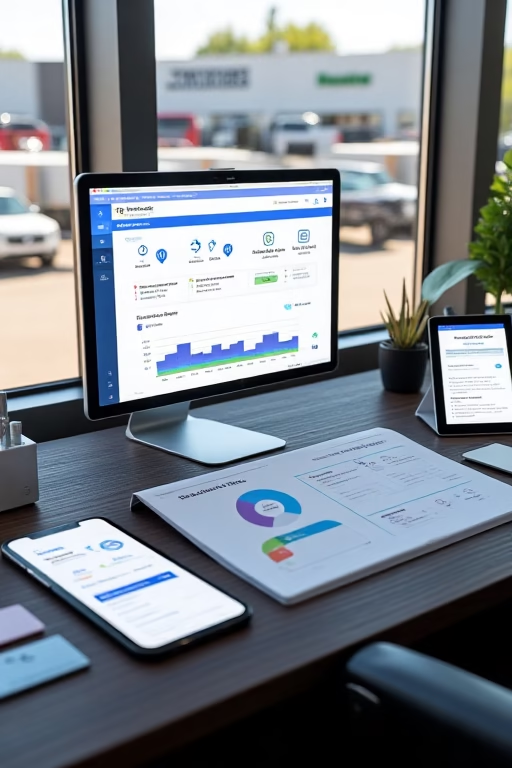
How to Sell More Truck Sales with Lead Generation: Optimizing Your Website

863936871263148280
How to Sell More Truck Sales with Lead Generation: Optimizing Your Website | Market Wiz

How to Sell More Truck Sales with Lead Generation: Optimizing Your Website

Your Dealership’s Digital Conversion Playbook by Market Wiz

Table of Contents

Introduction: Your Website as a Lead Magnet

Your dealership website isn’t just a digital brochure—it’s your 24/7 lead engine. By fine‑tuning every element—from calls to action to interactive tools—you can transform casual visitors into qualified truck buyers who schedule test drives and request quotes. Let’s dive into actionable steps to optimize your site for maximum lead generation.

1. Understanding Your Online Audience

1.1 Fleet Managers & Commercial Buyers

These decision‑makers prioritize total cost of ownership, reliability, and bulk‑purchase incentives. Tailor your messaging to highlight service packages, volume discounts, and uptime guarantees.

1.2 Owner‑Operators & Independent Buyers

Focus on financing options, trade‑in values, and vehicle versatility. Showcase owner testimonials and fuel‑efficiency calculators to build trust.

1.3 Finance‑Driven vs. Feature‑Driven Shoppers

Some buyers hunt the best rates, others chase specs like towing capacity or cab comfort. Segment your site content and CTAs to speak directly to each persona’s priorities.

2. Homepage & Navigation Optimization

Place primary CTAs—“Get a Quote,” “Schedule a Test Drive”—above the fold in contrasting colors. Use mega‑menus or clear tabs for “Inventory,” “Financing,” and “Service.” Ensure your hero banner rotates to feature top‑selling models, special offers, and customer success stories.

3. Landing Page Best Practices

  • Dedicated Pages: Create separate landing pages for new model launches, financing offers, and service bundles.
  • Minimal Distractions: Remove header navigation and footer links to keep visitors focused on your lead form.
  • Social Proof: Embed short video testimonials, star ratings, and real‑world fleet stats.

4. Lead Capture Forms & CTAs

Keep forms succinct—name, email, phone, and “Model of Interest.” Use multi‑step forms to ask more questions only after initial opt‑in. Anchor CTAs like “Get Your Instant Quote” to scroll‑triggered pop‑ups and slide‑ins when visitors linger on model detail pages.

5. SEO & Content Strategy for Trucks

Optimize on‑page SEO with long‑tail keywords: “2025 heavy‑duty pickup pricing” or “fleet truck dealers near me.” Publish in‑depth guides—“Choosing the Right Work Truck”—and comparison articles to attract organic traffic and capture leads via embedded CTAs.

6. Interactive Tools & Lead Magnets

6.1 Financing Calculators

Embed calculators that estimate monthly payments and trade‑in values after minimal input—name and email—to unlock full results.

6.2 Model Comparison Charts

Allow side‑by‑side spec comparisons with a “Get Comparison PDF” button gated by a quick lead form.

6.3 eBook Download

Offer a free guide—“10 Tips for Maximizing Resale Value” —and require an email address to download.

7. Chatbots & Live Chat Engagement

Implement AI chat widgets to greet first‑time visitors, answer FAQs, and collect lead details. Route high‑value queries to sales reps via instant notifications. Use canned responses for inventory availability and scheduling test drives.

8. Mobile Responsiveness & Page Speed

With over 60% of truck buyers browsing on mobile, ensure responsive design and PageSpeed Insights scores above 90. Compress images, leverage browser caching, and use a CDN to minimize load times.

9. Analytics & Continuous A/B Testing

Track key metrics: form conversion rate, bounce rate on landing pages, and CTA click‑throughs. Run A/B tests on headlines, button colors, and form placements. Use heatmaps and session recordings to uncover friction points and refine your lead funnel weekly.

Conclusion & Next Steps

Optimizing your truck sales website is an ongoing journey: understand your personas, sharpen CTAs, deploy interactive tools, and test relentlessly. Start by auditing your homepage, launching one high‑value lead magnet, and setting up an A/B test for your primary CTA. Iterate based on data and watch your pipeline fill with qualified truck-buying prospects.

25 Frequently Asked Questions

1. How many CTAs should my homepage have?

2–3 clear CTAs above the fold—“Get a Quote,” “Schedule Test Drive,” and a secondary link like “View Inventory.”

2. What’s the ideal form length?

3–5 fields initially; use progressive profiling to gather more details later.

3. Are pop‑ups effective?

Yes—when timed by intent and offering real value, they can boost opt‑ins by 20–30%.

4. How do I reduce bounce rate?

Ensure fast load times, clear navigation, and relevant landing‑page content matched to ad or link sources.

5. Should I gate all interactive tools?

Gate only high‑value tools (financing calculators, comparison PDFs); keep basic info freely accessible for SEO.

6. How soon should I follow up a web lead?

Within 5 minutes for highest conversion—set automated alerts to your sales team.

7. What metrics matter most?

Form conversion rate, CTA click‑through rate, and lead‑to‑appointment ratio.

8. How often test website changes?

Launch A/B tests weekly and analyze results monthly to implement meaningful improvements.

9. Do chatbots actually convert?

When configured well, chatbots can capture 10–15% of site visitors as leads by providing instant assistance.

10. How to optimize for SEO?

Use long‑tail keywords, schema markup, and regularly publish truck‑focused content with embedded CTAs.

11. What’s a good mobile load time?

Aim for under 2 seconds to minimize abandonment, especially on inventory pages.

12. How to track session recordings?

Use tools like Hotjar or Microsoft Clarity to see where visitors click and scroll on key pages.

13. Should I use AMP?

Implement AMP for your most critical landing pages to boost mobile speed and ranking.

14. How do I segment visitors?

Use UTM parameters, chat qualifiers, and form questions to tag leads by interest and persona.

15. What’s progressive profiling?

Collect basic info first (name, email), then ask for additional details in subsequent interactions.

16. How often review analytics?

Weekly for quick insights, monthly for deeper trend analysis and strategic adjustments.

17. Can video content help?

Yes—short demo videos embedded on landing pages can increase conversions by up to 20%.

18. How to maintain list quality?

Regularly clean bounced emails, remove inactive leads, and segment by engagement level.

19. What’s the role of social proof?

Testimonials and star ratings on landing pages build trust and can lift conversions by 15%.

20. How do I integrate CRM?

Use native integrations or Zapier to sync web leads into your sales pipeline in real time.

21. Should I offer live chat after hours?

Yes—AI chatbots can capture leads 24/7 and schedule callbacks for your team.

22. How to optimize images?

Compress photos, use modern formats (WebP), and lazy-load below‑the‑fold images.

23. What’s the best CTA color?

Contrast is key—use a color that stands out from your site’s palette and test variations for performance.

24. How to measure ROI?

Calculate revenue from leads traced back to specific website elements versus the cost of development and ads.

25. What’s the first step?

Conduct a site audit focusing on CTAs, load speed, and mobile UX—then implement one high‑impact change.

25 Extra Keywords

  1. truck dealership website conversion
  2. lead capture forms trucks
  3. CTA best practices automotive
  4. truck sales landing pages
  5. dealership chatbots
  6. mobile optimization truck site
  7. truck financing calculator
  8. fleet management lead magnets
  9. progressive profiling forms
  10. dealer site A/B testing
  11. inventory SEO trucks
  12. schema markup automotive
  13. virtual truck tour embed
  14. Hotjar heatmaps truck site
  15. lead scoring dealership
  16. CRM integration truck leads
  17. exit intent pop-up trucks
  18. progressive web app truck
  19. lazy load images trucks
  20. dealership UX best practices
  21. truck sales organic traffic
  22. UTM tracking dealership
  23. dealer site performance
  24. WebP image trucks
  25. Market Wiz truck guide

© 2025 Market Wiz. All Rights Reserved.

How to Sell More Truck Sales with Lead Generation: Optimizing Your Website Read More »

How to Sell More Houses with Lead Generation: Attracting Buyers & Sellers

863487235431858756
How to Sell More Houses with Lead Generation: Attracting Buyers & Sellers | Market Wiz

How to Sell More Houses with Lead Generation: Attracting Buyers & Sellers

Your Dual‑Channel Real Estate Growth Guide by Market Wiz

Table of Contents

Introduction: Why Lead Gen Matters for Agents

In an increasingly competitive housing market, having a reliable influx of both buyer and seller leads is your greatest asset. By mastering lead generation—from your website to your email and SMS workflows—you can maintain a steady pipeline, shorten sales cycles, and close more transactions. This guide equips you with actionable tactics to attract, engage, and convert prospects on both sides of the fence.

1. Defining Your Target Audience

1.1 Buyer Personas: First‑Time, Move‑Up, Luxury

Create profiles: budget range, desired neighborhoods, financing needs, and lifestyle preferences. Tailor messaging to each segment.

1.2 Seller Personas: Downsizers, Investors, Relocators

Identify motivations—retirement downsizing, rental cash flow, job transfers. Address pain points like timing, pricing, and staging advice.

1.3 Dual‑Market Overlaps

Spot prospects who both sell and buy simultaneously—offer bundled services and seamless transition planning.

2. Optimizing Your Real Estate Website

2.1 Clear Buyer & Seller CTAs

Separate “Get Your Home Valuation” and “Browse Listings” buttons. Use distinct colors and concise labels to reduce friction.

2.2 Dedicated Landing Pages

Build pages focused solely on buyer or seller offers—no distractions. Include testimonials and social proof to build trust.

2.3 Search‑Friendly Property Listings

Implement schema markup and user-friendly filters (price, beds, neighborhoods) to capture organic search leads.

3. High‑Value Lead Magnets

3.1 “Home Valuation” Sellers Tool

Offer instant, data‑driven estimates in exchange for property address and contact info.

3.2 “Instant Mortgage Estimate” Buyers Tool

Provide rate and payment calculators with minimal input, capturing email for full report delivery.

3.3 Neighborhood Guides & Market Reports

Craft downloadable PDFs on local school scores, crime stats, and resale values to position yourself as an expert.

3.4 Interactive Home‑Search Quizzes

Quiz: “Which Neighborhood Fits Your Lifestyle?” Collect email at the end to send tailored listings.

4. Capturing & Segmenting Leads

4.1 Pop‑ups & Slide‑ins with Intent Targeting

Display special offers when visitors show exit intent or dwell on listing pages for over 30 seconds.

4.2 Live Chat & Chatbot Qualifiers

Use chatbots to qualify queries with quick questions—rent vs. buy, budget range—and capture contact details.

4.3 Form Tactics: Minimal Fields & Progressive Profiling

Start with name and email; ask additional questions in follow‑up steps to keep friction low.

5. Nurturing Buyers & Sellers

5.1 Email Drips for Homebuyers

Sequence: welcome → new listings → financing tips → neighborhood insights → call‑to‑action for showing.

5.2 Seller Follow‑Up Sequences

Sequence: valuation delivery → staging tips → recent comps → seller testimonials → listing consultation invite.

5.3 SMS Alerts: Open Houses & Price Changes

Send short texts for upcoming open houses and immediate price reduction notifications to active leads.

6. Converting Leads into Appointments

6.1 Virtual Tour Invitations

Offer 3D walkthroughs by request; leads sign up for an email link and agent follow‑up.

6.2 “Book a Consultation” Micro‑Conversions

Embed calendar widgets in emails and landing pages to let prospects self‑schedule calls or visits.

6.3 Incentivized Call‑to‑Action Offers

“Schedule a showing this week and get a $100 home improvement voucher” drives immediate action.

7. Measuring & Optimizing Performance

7.1 Key Metrics & Dashboards

Track website form conversion rate, cost per lead, lead source, and lead‑to‑appointment ratio.

7.2 A/B Testing Headlines & CTAs

Test wording (“Get My Valuation” vs. “Instant Home Estimate”) and button colors for incremental lifts.

7.3 Feedback Loops & Continuous Improvement

Collect lead feedback on forms and surveys to refine offers; iterate monthly based on data.

Conclusion & Next Steps

By defining precise personas, optimizing your site, deploying compelling lead magnets, and nurturing through email/SMS, you’ll convert more visitors into buyers and sellers. Begin with one new magnet today, set up an automated drip, and monitor results. Refine continuously, and watch your real estate business thrive.

25 Frequently Asked Questions

1. What’s the ideal form length?

3–5 fields for initial capture; ask more in follow‑up communications.

2. How often should I email leads?

Weekly to bi‑weekly for active nurture; monthly for long‑term drip.

3. Are pop‑ups effective?

Yes—when timed by intent and offering true value, they can boost opt‑ins by 20–30%.

4. How do I avoid annoying visitors?

Limit pop‑up frequency, respect mobile UX, and provide easy close buttons.

5. Should I gate all content?

Gate only premium assets; keep basic information public for SEO and trust.

6. How do I segment buyer vs. seller leads?

Include a quick radio‑button question in your forms: “Are you buying or selling?”

7. What’s a good email open rate?

Aim for ≥25% in real estate nurture campaigns.

8. Can I use emojis in subject lines?

Sparingly—one or two to draw attention without seeming unprofessional.

9. How fast should I follow up?

Within 5–10 minutes for highest conversion rates.

10. Should I use SMS?

Yes—SMS open rates exceed 90% and are ideal for urgent alerts.

11. How do I measure lead quality?

Track lead‑to‑appointment and lead‑to‑closing ratios by source.

12. What CRM features matter most?

Automated drip workflows, lead scoring, and real‑time alerts.

13. How often test website changes?

Monthly for landing pages; quarterly for sitewide UX adjustments.

14. What tools track user sessions?

Hotjar, Crazy Egg, and Microsoft Clarity provide heatmaps and recordings.

15. How to handle unsubscribes?

Honor immediately and remove from all future communications.

16. Can I integrate chat transcripts?

Yes—capture them in your CRM to inform follow‑up and improve scripts.

17. What’s a triggered email?

An email sent automatically in response to a user action, like downloading a guide.

18. How do I optimize for SEO?

Use keyword‑rich titles, meta descriptions, and schema markup on listings.

19. Should I offer incentives?

Yes—time‑limited vouchers or free consultations drive faster action.

20. How do I track conversions?

Use UTM parameters and CRM attribution to tie leads back to campaigns.

21. What’s progressive profiling?

Collect basic info first, then ask for details in subsequent interactions.

22. How often update lead magnets?

Quarterly to keep content fresh and relevant.

23. What’s the role of social proof?

Testimonials and review widgets on landing pages can boost conversions by 15%.

24. Can I repurpose content?

Yes—turn blog posts into checklists, webinars into on‑demand videos, etc.

25. What’s the first step?

Audit your website’s CTAs and implement one high‑value lead magnet to test lift.

25 Extra Keywords

  1. real estate lead capture
  2. buyer lead magnet
  3. seller valuation tool
  4. real estate landing page
  5. HVAC lead generation
  6. chatbot for realty
  7. property search quiz
  8. email drip real estate
  9. SMS alerts open house
  10. progressive profiling forms
  11. neighborhood market guide
  12. schema markup listings
  13. interactive mortgage calculator
  14. virtual home tours
  15. A/B testing CTAs
  16. form conversion optimization
  17. Hotjar real estate insights
  18. CRM integration realty
  19. local SEO real estate
  20. pop-up intent targeting
  21. progressive lead forms
  22. exit intent offers
  23. lead scoring real estate
  24. conversion rate realty
  25. Market Wiz real estate

© 2025 Market Wiz. All Rights Reserved.

How to Sell More Houses with Lead Generation: Attracting Buyers & Sellers Read More »

How to Sell More HVAC Services with Lead Generation: Converting Website Visitors

863483945486956022
How to Sell More HVAC Services with Lead Generation: Converting Website Visitors | Market Wiz

How to Sell More HVAC Services with Lead Generation: Converting Website Visitors

Your HVAC Lead-to-Booking Blueprint by Market Wiz

Table of Contents

Introduction: The Lead Gen Imperative for HVAC

In a crowded HVAC marketplace, converting website visitors into service bookings is your fastest route to growth. Effective lead generation turns passive browsers into active prospects by guiding them through targeted calls to action, value‑driven offers, and timely follow‑up. This guide from Market Wiz shows you how to attract, capture, and convert HVAC leads directly from your website.

1. Understanding Your Website Audience

1.1 Homeowners Seeking Repairs

These visitors arrive with urgent needs—broken ACs or heaters. Offer “Book a Same‑Day Repair” buttons prominently to capture their attention immediately.

1.2 Prospective Maintenance Subscribers

Homeowners interested in cost savings and peace of mind. Promote annual maintenance plans with a free checklist or discount code in exchange for their email.

1.3 Commercial & Property Managers

Facilities managers require reliable service and reporting. Provide downloadable case studies and fleet‑service brochures as gated content to qualify these high‑value leads.

2. Optimizing Your Website for Lead Capture

2.1 Clear Calls to Action & Contact Options

Use contrasting buttons labeled “Schedule Service” and “Get a Quote” in your header and footer. Simplify contact forms to three fields: name, phone, and service type.

2.2 Pop‑ups & Slide‑ins with Intent Targeting

Trigger a slide‑in offering a 10% discount when a visitor shows exit intent or scrolls 50% down the page.

2.3 Live Chat & Chatbots for Instant Engagement

Deploy an AI chatbot to handle after‑hours inquiries and collect contact details. Escalate qualified leads to live agents during business hours.

2.4 Mobile Performance & Speed

Optimize images, enable AMP for key pages, and implement caching to ensure forms load instantly on mobile—critical as over 60% of HVAC inquiries come from smartphones.

3. Lead Magnet Strategies for HVAC

3.1 Free Maintenance Checklists

Offer a PDF “6‑Point HVAC Safety Checklist” to capture emails. Follow up with an SMS reminder to schedule inspection.

3.2 Seasonal HVAC Savings Vouchers

Provide a downloadable coupon for pre‑season tune‑ups—effective in spring and fall when inquiries peak.

3.3 Energy Efficiency Guides

Publish an eBook on “Lowering Your Energy Bills” and gate it behind a lead form. Position yourself as a trusted advisor.

3.4 Interactive Troubleshooter Tools

Embed a simple symptom‑checker quiz that recommends solutions and captures contact info before delivering results.

4. Nurturing Leads with Email & SMS

4.1 Welcome & Appointment Confirmation Sequences

Immediately after signup or booking, send a confirmation email and follow with an SMS reminder 24 hours before the appointment.

4.2 Seasonal Maintenance Reminders

Automate emails and texts six months post‑service, offering easy rescheduling for tune‑ups.

4.3 Upsell & Membership Plan Promos

Use drip emails to introduce filter replacement bundles and VIP maintenance subscriptions to existing customers.

5. Follow‑Up & Closing Techniques

5.1 Rapid Response Protocols

Ensure every web form submission triggers an instant SMS and email to the lead and a notification to your sales team for immediate outreach.

5.2 Personalized Service Proposals

Send tailored quotes via email, referencing the customer’s specific system make/model and issues discussed.

5.3 Service Bundles & Incentives

Offer “Book today and save 15% on duct cleaning” bundles to encourage fast decision‑making.

5.4 Sales Call Scripts & SMS Templates

Equip your reps with templated scripts and SMS messages that include dynamic fields for name, issue, and proposed solution, ensuring consistency and efficiency.

6. Measuring & Optimizing Conversion Rates

6.1 Key Metrics to Track

Monitor form conversion rate, cost per lead, and leads-to-bookings ratio to identify top-performing channels.

6.2 A/B Testing Website Elements

Test button colors, form placements, and headline copy to incrementally lift sign‑up rates.

6.3 Heatmaps & User Session Recording

Use tools like Hotjar to see where visitors click and scroll—optimize pages based on real user behavior.

6.4 Continuous Improvement Loops

Review performance monthly, implement changes, and re‑test to drive ongoing enhancement in lead quality and quantity.

Conclusion & Next Steps

By mastering website optimization, lead magnets, rapid follow‑up, and data‑driven refinement, your HVAC business can convert more visitors into booked customers. Start by auditing your site’s CTAs, implement one new lead magnet today, and set up an automated drip. Iterate based on results, and watch your service calendar fill up.

25 Frequently Asked Questions

1. What’s the best call-to-action for HVAC websites?

“Schedule Your Service” and “Get a Free Quote” buttons prominently placed above the fold.

2. How many fields should my lead form have?

3–5 fields (name, phone, email, service type) to minimize friction and maximize conversions.

3. Do pop‑ups really work?

Yes—when timed by intent (exit or scroll) and offering a clear benefit, pop-ups can boost opt-ins by 30%.

4. Should I use chatbots?

Absolutely—chatbots capture leads 24/7 and qualify prospects before handing off to agents.

5. How soon should I follow up a new lead?

Within 5 minutes—rapid response increases conversion rates by up to 400%.

6. What lead magnet performs best?

Free maintenance checklists and seasonal discount vouchers tailored to local climate needs.

7. How do I track mobile performance?

Use Google Analytics’ mobile reports and Lighthouse audits to monitor load times and UX issues.

8. Is SMS necessary?

Yes—SMS open rates exceed 90%, making it ideal for confirmations and urgent reminders.

9. How often should I test landing pages?

At least monthly—to continuously optimize copy, design, and CTAs based on user data.

10. What’s a good form conversion rate?

Aim for 5–8% on high-intent pages; optimize to achieve 10% or more.

11. How do I measure lead quality?

Track the percentage of leads that convert to booked services and revenue per lead source.

12. Can I use video on my landing page?

Yes—short explainer videos can increase conversions when they load quickly and add value.

13. What times are best for SMS reminders?

Send SMS between 8 am–6 pm local time and 24 hours before appointments.

14. How do I reduce bounce rate?

Improve page speed, ensure mobile‑friendly design, and match ad copy to landing page content.

15. Should I gate all content?

Gate only high‑value assets—guides and checklists—while keeping basic information freely accessible.

16. How do I handle unsubscribes?

Honor immediately, remove from all marketing lists, and provide a confirmation message.

17. What CRM features are essential?

Real‑time lead alerts, automated drip workflows, lead scoring, and integration with your website forms.

18. How do I segment HVAC leads?

By service interest (repair, install, maintenance), location, and inquiry source to personalize follow‑up.

19. What’s a good email open rate?

Aim for ≥25% on HVAC nurture campaigns—higher indicates strong subject lines and relevance.

20. How often should I review analytics?

Weekly for quick wins, monthly for strategic planning and A/B test analysis.

21. Can I integrate chat transcripts?

Yes—log transcripts in your CRM to inform follow‑up and improve scripts over time.

22. What’s a triggered email?

An email sent automatically when a user takes a specific action, like filling a form or downloading a guide.

23. How do I optimize for voice search?

Include FAQ structured data and conversational keywords like “Where to find HVAC repair near me.”

24. What’s the role of social proof?

Testimonials and review widgets on landing pages build trust and can lift conversions by 15%.

25. What’s the first step?

Conduct a website audit to identify conversion blockers, then implement a high‑value lead magnet and track results.

25 Extra Keywords

  1. HVAC website conversion
  2. lead magnet HVAC
  3. HVAC pop-up forms
  4. HVAC chatbot integration
  5. mobile HVAC website speed
  6. maintenance plan lead gen
  7. energy savings guide HVAC
  8. troubleshooter HVAC tool
  9. email drip HVAC services
  10. SMS appointment reminders
  11. rapid response HVAC leads
  12. HVAC service bundles promo
  13. landing page A/B test HVAC
  14. heatmap HVAC website
  15. session recording HVAC
  16. CRM lead scoring HVAC
  17. form conversion HVAC
  18. Google Ads HVAC
  19. Facebook Lead Ads HVAC
  20. local HVAC SEO tips
  21. Yelp HVAC listing optimization
  22. HVAC review widget
  23. virtual HVAC demo
  24. eBook checklist HVAC
  25. Market Wiz HVAC guide

© 2025 Market Wiz. All Rights Reserved.

How to Sell More HVAC Services with Lead Generation: Converting Website Visitors Read More »

How to Sell More Cars with Lead Generation: Capturing & Closing More Deals

863483277619528039
How to Sell More Cars with Lead Generation: Capturing & Closing More Deals | Market Wiz

How to Sell More Cars with Lead Generation: Capturing & Closing More Deals

Your Ultimate Lead-to-Deal Playbook by Market Wiz

Table of Contents

Introduction: The Power of Lead Generation

In today’s competitive auto market, selling more cars hinges on a steady stream of qualified leads. A well‑tuned lead generation engine not only fills your pipeline but also ensures you’re engaging buyers at peak interest. This guide unveils strategies to attract, capture, qualify, and ultimately close more automotive sales, transforming cold prospects into loyal customers.

1. Building a Robust Lead Generation Engine

1.1 Optimizing Your Website for Conversions

Design clear CTAs (“Schedule a Test Drive,” “Get Your Free Quote”) above the fold. Use pop-ups and slide-ins sparingly to offer lead magnets like “Free Maintenance Guide.” Ensure mobile responsiveness and fast load times.

1.2 Leveraging Paid Search & Social Ads

Run targeted Google Ads on keywords like “best SUVs near me” and Facebook Lead Ads promoting special incentives. Use lookalike audiences to expand reach beyond your current list.

1.3 Social Media Lead Magnets

Offer downloadable checklists (“Top 5 Fuel‑Efficient Cars”) in exchange for email or phone. Promote via Instagram Stories with “Swipe Up” links and pinned Facebook posts.

1.4 Local SEO & Directory Listings

Optimize your Google Business Profile with updated hours, photos, and reviews. Ensure NAP consistency across directories (Yelp, Cars.com) to boost visibility for local searches.

2. Capturing Leads Effectively

2.1 High-Impact Lead Magnets

Use eBooks, video tours, and exclusive discount codes (“$500 off any purchase”) to entice form fills. Gate valuable content behind contact capture forms.

2.2 Chatbots & Live Chat

Deploy AI‑driven chatbots to answer FAQs instantly and collect contact details. Escalate complex queries to live agents to maintain momentum.

2.3 Virtual Test Drives & Video Walkarounds

Offer on‑demand video demos. Visitors who request a virtual tour submit contact details, creating warm, engaged leads.

2.4 Online Appointment Scheduling

Integrate a calendar widget for test-drive bookings. A seamless scheduler reduces friction and captures phone and email automatically.

2.5 Pay-Per-Lead Partnerships

Partner with automotive listing sites and finance portals that deliver pre‑qualified leads. Monitor quality and ROI tightly to avoid wasted spend.

3. Qualifying & Nurturing Leads

3.1 Rapid Response Protocols

Contact new leads within 5 minutes—response time increases conversion by up to 400%. Automated SMS and email notifications alert sales reps immediately.

3.2 Lead Scoring & Prioritization

Assign points for actions like model page views, form submissions, and chat engagement. Prioritize high‑score leads for personal follow-up.

3.3 Email & SMS Drip Workflows

Deploy a 5‑step email sequence: welcome, vehicle match, testimonial, incentive, and scheduling prompt. Supplement with SMS reminders for urgency.

3.4 Personalized Follow-Up Templates

Use merge tags for name, model, and inquiry details. Example: “Hi {FirstName}, ready to test drive the {Model} you viewed?” to increase reply rates.

4. Closing More Deals

4.1 Virtual Consultations & Demos

Offer one‑on‑one video calls to discuss features, pricing, and financing. Capture final objections and close remotely.

4.2 Finance Calculator & Trade-In Tools

Embed instant payment calculators and trade‑in estimators on your site. Leads who use these tools are 3× more likely to buy.

4.3 Time-Sensitive Incentives

Use countdown timers in emails and landing pages: “Offer ends in 48 hours.” Scarcity drives faster decisions.

4.4 Transparent Pricing & Digital Contracts

Provide up‑front pricing and e‑contract signing to reduce in‑person hurdles. A frictionless process increases final sign‑rate.

5. Measuring & Optimizing Your Funnel

5.1 Key Metrics & KPIs

Track form conversion rate, cost per lead, lead-to-deal ratio, and average time to close. These metrics highlight bottlenecks.

5.2 A/B Testing Landing Pages

Test headlines, CTAs, and imagery to boost conversion. Even a 10% lift on landing pages can yield hundreds of extra leads monthly.

5.3 CRM Reporting & Attribution

Use CRM dashboards to attribute deals to original channels and campaigns. Optimize budget towards highest‑ROI sources.

5.4 Continuous Improvement Cycle

Monthly review meetings to analyze data, refine messaging, and adjust targeting. Incremental changes compound over time.

Conclusion & Next Steps

Lead generation is the engine that powers increased car sales. By optimizing your website, capturing high‑intent prospects, qualifying efficiently, and closing with urgency and transparency, you’ll fill your pipeline and accelerate revenue. Start by auditing your current funnel, implementing one new capture tactic, and tracking your results. Iterate, scale, and watch your sales climb.

25 Frequently Asked Questions

1. How quickly should I follow up new leads?

Within 5 minutes—speed increases conversion rates exponentially.

2. What’s a high-converting lead magnet?

Guides on “Best Family SUVs” or “How to Trade In Your Car” with an incentive code.

3. How many form fields is ideal?

Keep to 3–5 fields (name, email, phone, model interest) to minimize friction.

4. Should I gate video content?

Yes—require contact details for exclusive virtual test-drive videos.

5. What’s a good chat response time?

Under 30 seconds for live chat; under 2 minutes for chatbot handoff.

6. How do I score leads?

Assign points for high-intent behaviors like multiple page views or demo requests.

7. What frequency for drip emails?

5–7 emails over two weeks, then switch to less frequent check-ins.

8. Should I use SMS?

Yes—SMS boosts open rates and prompts faster responses for appointment reminders.

9. How to measure cost per lead?

Total ad/spend divided by number of leads captured.

10. What’s an acceptable lead-to-deal ratio?

Aim for 5–10% initially, then optimize towards 15–20% over time.

11. How to reduce drop-offs?

Streamline forms, speed up load times, and clarify next steps on landing pages.

12. Can I outsource lead capture?

Yes—partners can feed vetted leads, but monitor quality and ROI closely.

13. What CTA works best?

“Schedule Your Free Test Drive” and “Get Your Instant Quote” drive action.

14. How often review analytics?

Weekly for tactical tweaks; monthly for strategic planning.

15. How to integrate with CRM?

Use native integrations or Zapier to sync leads in real time.

16. What landing page builder to use?

Tools like Unbounce, Leadpages, or your dealer platform’s native pages.

17. Should I retarget abandoned visitors?

Yes—use display and social ads to bring them back to your lead forms.

18. How to handle low-quality leads?

Implement lead scoring, disqualify early, and focus on high-scoring prospects.

19. How to improve email open rates?

Use personalized subject lines and A/B test send times.

20. What’s dynamic content?

Custom content blocks that change based on lead’s interests or behaviors.

21. How do I optimize ad spend?

Shift budget to top-performing keywords, audiences, and platforms.

22. What demos convert best?

Short virtual test drives highlighting key features and benefits.

23. Should I use chatbots?

Yes—they qualify leads automatically and gather contact info 24/7.

24. How to handle GDPR?

Obtain explicit consent and provide clear opt-out options on every form.

25. What’s the first step?

Audit your current landing pages, add one new lead magnet, and measure lift.

25 Extra Keywords

  1. automotive lead generation
  2. car dealership landing pages
  3. auto sales lead magnets
  4. virtual test drive lead capture
  5. dealership chatbots
  6. paid search for auto dealers
  7. Facebook lead ads cars
  8. local car dealership SEO
  9. online appointment scheduling cars
  10. pay-per-lead auto programs
  11. lead scoring automotive
  12. email drip campaigns car sales
  13. SMS reminders dealership
  14. finance calculator integration
  15. digital contract signing auto
  16. CRM integration dealership
  17. A/B testing auto landing page
  18. lead-to-deal conversion auto
  19. cost per lead automotive
  20. retargeting abandoned auto leads
  21. dynamic content emails auto
  22. GDPR auto lead compliance
  23. virtual showroom cars
  24. MRR growth auto dealership
  25. Market Wiz auto guide

© 2025 Market Wiz. All Rights Reserved.

How to Sell More Cars with Lead Generation: Capturing & Closing More Deals Read More »

How to Sell More Commercial Real Estate with Email: High-Ticket Client Outreach

863482528147739465
How to Sell More Commercial Real Estate with Email: High‑Ticket Client Outreach | Market Wiz

How to Sell More Commercial Real Estate with Email: High‑Ticket Client Outreach

Your CRE Email Playbook by Market Wiz

Table of Contents

Introduction: Email as Your CRE Closer

In commercial real estate, relationships and timing are everything. A carefully crafted email can open doors to boardrooms and drive multi‑million‑dollar deals. This guide walks you through building an elite contact list, targeting high‑ticket prospects with precision messaging, and deploying sequences that nurture, inform, and ultimately convert.

1. Identifying High‑Ticket Buyer Personas

1.1 Institutional Investors

Pension funds and REITs seek stable, long‑term returns. Emphasize predictable cash flow, cap rate analysis, and sector performance insights.

1.2 Private Equity & Funds

Private equity groups hunt for value-add and opportunistic plays. Highlight redevelopment potential, IRR projections, and exit strategies.

1.3 Corporate Tenants & End‑Users

Corporations lease or purchase for operations. Showcase location advantages, customization options, and lease flexibility.

1.4 Strategic Partnerships

Joint ventures and co‑development partners value synergy. Present co‑investment benefits, project pedigrees, and partner success stories.

2. Building a Premium Email List

2.1 Data Sources & Enrichment

Leverage commercial databases (CoStar, Real Capital Analytics), LinkedIn Sales Navigator, and industry events to compile decision‑maker contacts.

2.2 Opt‑In Strategies for Executives

Offer gated whitepapers—market outlooks, cap rate benchmarks—and require opt‑in to capture quality email addresses.

2.3 Maintaining List Hygiene

Regularly validate emails, remove bounced and inactive addresses, and segment by engagement level to preserve sender reputation.

3. Crafting Your Email Outreach Strategy

3.1 Value‑First Cold Emails

Open with a brief market insight or unique data point before introducing your proposition. Demonstrate expertise and respect their time.

3.2 Personalized Property Teasers

Send concise summaries tailored to their portfolio needs—include high‑res renderings, key metrics, and a “request more info” CTA.

3.3 Market Insight Newsletters

Monthly briefs on sector trends, upcoming dispositions, and legislative changes. Position yourself as their go‑to CRE advisor.

3.4 Case Study & Success Stories

Show real examples of deals you’ve closed—before/after valuations, partnership outcomes, and testimonials from top firms.

4. Designing High‑Impact Email Sequences

4.1 Initial Contact Sequence

Day 1: Value email; Day 3: Teaser follow‑up; Day 7: Case study share; Day 10: Invitation to call or meeting.

4.2 Follow‑Up & Objection Handling

Respond to non‑responses with new data points, answer common questions proactively, and offer short calls versus formal meetings.

4.3 Exclusive Preview Invitations

Invite top prospects to private property viewings or investor webinars—highlight limited availability to drive action.

4.4 Deal‑Closing Reminders

As deadlines approach, send succinct reminders with urgent language and clear next steps: “Offer window closes Friday.”

5. Email Content & Best Practices

  • Keep subject lines under 60 characters and include specific value: “New Value‑Add Office Opportunity in CBD.”
  • Use personalized salutations and reference mutual connections or past interactions.
  • Embed analytics charts or teasers as images—link to full reports hosted on your site.
  • End with a single, clear CTA: “Schedule a 15‑min call,” “View full CIM” or “Confirm your interest.”

6. Automation & CRM Integration

Connect your email platform to Salesforce, HubSpot, or your brokerage CRM. Trigger sequences based on opens, link clicks, or form submissions. Align tasks for follow‑up calls and track all interactions in one view.

7. Measuring Success & Optimizing

  • Open Rate: Benchmark ≥30% for high‑value CRE emails.
  • Click‑Through Rate: Aim for ≥8% on property links.
  • Response Rate: Track replies and meeting bookings per 100 emails.
  • Deal Conversion: Attribute closed deals to specific email touches for true ROI.
  • Continuously A/B test subject lines, send days, and content formats to refine performance.

Conclusion & Next Steps

Email remains the linchpin of high‑ticket CRE outreach. By building a pristine, permissioned list, delivering personalized insights, and orchestrating multi‑step sequences, you can transform cold contacts into committed investors. Start by mapping your personas, drafting your first value‑first email, and scheduling your initial sequence. Then analyze, iterate, and scale—closing bigger deals faster.

25 Frequently Asked Questions

1. How large should my initial email list be?

Focus on quality over quantity—start with 200–500 well‑researched contacts in your top tiers.

2. What’s a good subject line open rate?

Aim for ≥30% opens; anything below 20% signals you need stronger value propositions or better segmentation.

3. How often send newsletters?

Monthly to quarterly—maintain consistency without flooding busy executives’ inboxes.

4. Should I include attachments?

Avoid bulky attachments; instead link to secure online data rooms or CIM downloads.

5. How do I personalize at scale?

Use merge tags and conditional blocks in your email platform to insert company names, deal metrics, and recipient roles.

6. What’s the ideal sequence length?

4–6 touches over 2–3 weeks balances persistence with respect for prospect bandwidth.

7. How do I nurture non‑responders?

Switch to new content angles—market updates or success stories—and adjust send cadence.

8. Can I automate meeting booking?

Yes—integrate Calendly or similar tools to enable one‑click meeting scheduling directly from the email.

9. What metrics drive ROI?

Track meetings booked, proposals delivered, and deals closed attributed to each email touch.

10. How do I maintain compliance?

Follow CAN‑SPAM and GDPR: include clear unsubscribe links, physical address, and honor requests promptly.

11. Should I use plain text or HTML?

Mix both—plain text for cold outreach to feel personal, HTML for newsletters to showcase visuals.

12. How do I handle forwarded emails?

Encourage forwarding with “share with a colleague” lines and include universal links rather than personalized tokens.

13. What’s a win in CRE email?

Securing a meeting with a decision‑maker or request for a full CIM within your first sequence.

14. How often clean my list?

Quarterly—remove invalid addresses, unsubscribes, and contacts unengaged for 6+ months.

15. How to segment by deal size?

Tag contacts based on AUM or company tier, then tailor messaging to expected transaction ranges.

16. Can I include video teasers?

Yes—embed thumbnail images linked to hosted videos for property flyovers or CEO interviews.

17. How do I measure engagement?

Monitor opens, link clicks, replies, and CRM task completions tied to each email.

18. How do I avoid spam filters?

Authenticate your domain (SPF/DKIM), maintain list hygiene, and write clear, non‑spammy copy.

19. Should I offer exclusives in email?

Yes—invite recipients to off‑market deals or private investor previews to heighten interest.

20. What’s the best send time?

Mid‑week mornings (Tuesday–Thursday, 9–11 am) align with executives’ inbox patterns.

21. How do I track forwarded opens?

Use generic tracking pixels rather than personalized ones to capture engagement from forwarded reads.

22. How to optimize for mobile?

Use responsive templates, concise subject lines, and clear single‑column layouts for mobile readability.

23. Can I integrate SMS?

Yes—send brief SMS follow‑ups to high‑value prospects after key email touches.

24. How to scale my outreach?

Document winning templates, train your team on best practices, and gradually expand to new target markets.

25. What’s the first step?

Identify your top 50 high‑value prospects, research their needs, and send your first value‑first cold email this week.

25 Extra Keywords

  1. CRE email outreach
  2. commercial real estate drip campaign
  3. investor personalization email
  4. property teaser email template
  5. high-ticket email marketing
  6. institutional investor emails
  7. REIT investor outreach
  8. boardroom email sequences
  9. market insight newsletter CRE
  10. deal closing reminder email
  11. exclusive preview invitation
  12. CRM email automation CRE
  13. email open rate commercial real estate
  14. email compliance CAN-SPAM
  15. GDPR for commercial emails
  16. email A/B testing CRE
  17. responsive email templates
  18. email segmentation CRE
  19. gmail promotions tab avoidance
  20. video thumbnail email link
  21. email unsubscribe process
  22. list hygiene best practices
  23. forward-friendly email design
  24. salesforce email integration CRE
  25. Market Wiz CRE guide

© 2025 Market Wiz. All Rights Reserved.

How to Sell More Commercial Real Estate with Email: High-Ticket Client Outreach Read More »

How to Sell More Restaurant Orders with SMS: Last-Minute Specials & Deals

863481656269372573
How to Sell More Restaurant Orders with SMS: Last-Minute Specials & Deals | Market Wiz

How to Sell More Restaurant Orders with SMS: Last-Minute Specials & Deals

Your Real-Time Revenue Booster by Market Wiz

Table of Contents

Introduction: Harnessing SMS for Urgency

When a table goes empty or kitchen prep lags, SMS lets you fill seats and plates instantly. With open rates above 90%, a well-timed text can convert browsers into diners on the spot. This guide reveals how to segment your list, craft irresistible last-minute specials, and comply with regulations to maximize revenue.

1. Understanding Your SMS Audience

1.1 Regular Diners & Loyalty Members

Loyal guests appreciate exclusive early-access deals. Tag high-frequency visitors to send premium specials before general release.

1.2 Nearby Office Workers

Office lunch crowds respond to midday offers. Geo-fence your messages to areas within a 1–2 mile radius of your location.

1.3 Late-Night Cravers

For bars and kitchens open late, target patrons who frequently order after 9 pm with snack or small-plate discounts.

1.4 Weekend Brunch Crowd

Weekend brunchers plan ahead. Send Friday afternoon teasers for bottomless brunch or family-friendly combos.

2. Last-Minute SMS Campaign Types

2.1 Lunch Rush Specials

“11 am–1 pm: Today only, gourmet sandwich & side for $12.99. Reply ‘YES’ to reserve your spot!”

2.2 Dinner Hour Deals

“Tonight 5–7 pm: 2-for-1 starters with any entrée purchase. Show this text to your server.”

2.3 Happy Hour & Bar Bites

“Happy Hour is ON until 8 pm! $4 craft beers & half-price wings. Join us now!”

2.4 Weekend Brunch Bundles

“Saturday brunch special: Bottomless mimosas + avocado toast for $18. Limited seats—RSVP by replying ‘BRUNCH’.”

2.5 Holiday & Event Flash Offers

“Valentine’s Day flash: Free dessert with any entrée if you book before 3 pm today. Text ‘LOVE’ to claim.”

3. Crafting Compelling Texts

  • Keep messages under 160 characters.
  • Use personalization: “Hi {{FirstName}},” “Your favorite burger…”
  • Include a clear CTA: Reply, show text, or click a short link.
  • Convey urgency: “Today only,” “Limited seats,” “Ends at 3 pm.”

4. Timing & Frequency Best Practices

Limit texts to 4–8 per month. Send during meal decision windows: 10–11 am for lunch, 4–5 pm for dinner. Avoid early mornings and after 8 pm to respect customer downtime.

5. Compliance & Opt-Out Management

Obtain explicit opt-ins with clear language: “Text JOIN to 12345.” Include “Reply STOP to unsubscribe” in every message. Honor opt-outs immediately to maintain trust and avoid fines under TCPA and GDPR.

6. Integrating with Loyalty & Reservations

Sync your SMS platform with your reservation system and loyalty program. Automatically tag members who redeem SMS offers, and follow up with personalized thank-you texts or bonus points reminders.

7. Tracking & Optimizing ROI

  • Delivery Rate: Aim for ≥90% by using clean lists and reputable gateways.
  • Response Rate: Measure replies and code redemptions to gauge engagement.
  • Click-Through Rate: Monitor links to reservation pages.
  • Conversion Rate: Track table fills, order uptick, and average check size from SMS campaigns.
  • Refine send times, copy, and offers based on performance trends.

Conclusion & Next Steps

Last-minute SMS specials can be your secret weapon to fill slow shifts and boost checks. Start by segmenting your audience, crafting concise offers, and scheduling texts around peak ordering windows. Monitor results, iterate on offers, and integrate loyalty rewards to turn one-off visitors into repeat customers—one text at a time.

25 Frequently Asked Questions

1. How often can I text my customers?

4–8 times per month is a good balance between visibility and respect.

2. What’s the best time to send lunch deals?

Between 10 am and 11 am to catch decision-makers before they order elsewhere.

3. How do I get customers to opt in?

Use clear CTAs: “Text JOIN to 12345 for VIP deals.” Offer an immediate incentive like 10% off.

4. Can I include emojis?

Yes—sparingly. One or two relevant emojis can boost engagement without seeming unprofessional.

5. How do I measure success?

Track delivery, response, click-through, and conversion rates tied to your SMS offers.

6. What opt-out text is required?

Include “Reply STOP to unsubscribe” in every message to comply with regulations.

7. Can I send MMS images?

Yes—MMS can include appetizing menu shots, but keep file sizes small to ensure delivery.

8. How do I avoid spam filters?

Use a reputable SMS gateway, maintain clean lists, and avoid spammy keywords like “FREE” in excess.

9. Should I personalize texts?

Always—use {FirstName} and reference past orders or preferences for higher relevance.

10. How long should messages be?

Under 160 characters for SMS; up to 300 for MMS if including media.

11. What’s a good response rate?

5–15% response rate indicates strong relevance and timing.

12. Can I integrate SMS with my POS?

Yes—many platforms sync with reservation and POS systems to automate redemptions and track ROI.

13. How do I handle STOP replies?

Automate the removal of numbers and send a confirmation text like “You have been unsubscribed.”

14. Are there legal hours to send texts?

Send between 8 am and 9 pm local time to respect customer quiet hours.

15. How do I build my SMS list?

Collect numbers via web forms, hostess stand sign-ups, and social media CTAs.

16. What gateway should I use?

Choose a Tier‑1 SMS gateway with strong carrier relationships for high deliverability.

17. How do I A/B test SMS?

Test different offers, send times, and CTAs on small segments before scaling.

18. Can I combine SMS and email?

Yes—email for detailed newsletters, SMS for urgent, action-driving offers.

19. What metrics matter most?

Delivery, reply rate, click-through, and actual orders booked from SMS.

20. How do I avoid message fatigue?

Limit frequency, rotate offers, and monitor unsubscribe rates closely.

21. Should I segment by spend level?

Yes—offer VIP deals to high-spenders and entry-level specials to budget-conscious guests.

22. How often review analytics?

Weekly for immediate tweaks, monthly for strategic adjustments.

23. What’s a good click-through rate?

10–20% is strong for SMS with a clear, concise CTA.

24. How do I integrate loyalty points?

Include loyalty balance reminders in texts and bonus point offers for SMS redemptions.

25. What’s the first step?

Create a simple “Lunch Rush” SMS offer, send to a small geo-fenced segment, and measure response before expanding.

25 Extra Keywords

  1. restaurant SMS specials
  2. last-minute lunch deals
  3. text-to-dine offers
  4. geo-fenced SMS marketing
  5. happy hour text blasts
  6. SMS reservation reminders
  7. stop unsubscribe SMS
  8. SMS compliance TCPA
  9. MMS menu images
  10. VIP diner texts
  11. SMS open rates restaurant
  12. SMS A/B testing tips
  13. SMS loyalty rewards
  14. SMS click-through measurement
  15. SMS frequency best practices
  16. SMS timing restaurant
  17. SMS personalization tokens
  18. SMS ROI tracking
  19. SMS reservation link
  20. SMS discount codes
  21. SMS geo-targeted offers
  22. SMS platform integration
  23. SMS message templates
  24. SMS marketing guide
  25. Market Wiz SMS blueprint

© 2025 Market Wiz. All Rights Reserved.

How to Sell More Restaurant Orders with SMS: Last-Minute Specials & Deals Read More »

How to Sell More Home Services with Email & SMS Marketing: Personalized Offers

863129986494658729
How to Sell More Home Services with Email & SMS Marketing: Personalized Offers | Market Wiz

How to Sell More Home Services with Email & SMS Marketing: Personalized Offers

Your Home Services Growth Blueprint by Market Wiz

Table of Contents

Introduction: Why Personalization Matters

Generic blasts won’t cut it in today’s home services market. Homeowners expect messages tailored to their needs—whether that’s a furnace tune‑up in winter or gutter cleaning in fall. By leveraging data-driven segmentation and dynamic content, you can deliver the right offer at the right time via email and SMS, boosting response rates and driving more bookings.

1. Building Your Contact List

Gather emails and phone numbers at every touchpoint: website form fills, service calls, in‑home visits, and social media ads. Incentivize sign‑ups with a free “Home Maintenance Checklist” downloadable guide. Ensure you collect explicit consent for both email and SMS, listing expected message frequency upfront to maintain compliance and trust.

2. Segmenting Your Audience

2.1 Service-Type Segments

Group contacts by services they’ve inquired about—HVAC, plumbing, landscaping—to tailor offers accordingly.

2.2 Location-Based Segments

Segment by zip code or neighborhood to send region‑specific promotions, like winter heating checks in colder areas.

2.3 Value & Loyalty Segments

Identify high‑value repeat customers and VIPs to receive exclusive offers and early access to new services.

3. Crafting Personalized Email Campaigns

3.1 Welcome & Onboarding Series

Send a friendly welcome email immediately after signup, followed by a brief survey to uncover top service needs. Day 3: Highlight your most popular service with customer testimonials.

3.2 Triggered Service Reminders

Use time‑based or usage‑based triggers—e.g., six months after last HVAC service—to send reminder emails with a booking link and seasonal tips.

3.3 Special Promotion & Upsell Offers

Craft targeted emails promoting add‑on services—like air filter bundles with HVAC tune‑ups—using dynamic product recommendations based on past purchases.

3.4 Re-Engagement Drips

For dormant contacts, deploy a 3‑email series offering a limited‑time discount or a free safety inspection to rekindle interest.

4. SMS Marketing for Home Services

4.1 Appointment Reminders & Confirmations

Text customers 24 hours and 1 hour before scheduled appointments, including technician name and arrival window to reduce no‑shows.

4.2 Same-Day Promotions

Send flash SMS deals—“Today only: 20% off plumbing leak detection. Reply YES to schedule”—to fill open slots.

4.3 Service Follow-Up & Feedback

After service completion, text a thank‑you message with a feedback link and a small coupon for their next booking.

5. Integrating Email & SMS Flows

Coordinate channels so emails handle detailed content and links, while SMS delivers concise CTAs. Example: send an email with a full seasonal maintenance guide, then follow up via SMS with “Check your inbox for our spring service guide—lets schedule!” to drive opens.

6. Personalization Best Practices

  • Use dynamic fields: {FirstName}, {ServiceType}, and {LastServiceDate}.
  • Reference past interactions: “Based on your last AC tune‑up in May...”
  • Customize offers by segment: VIPs get early access, new customers get introductory discounts.

7. Automation & Workflow Examples

Set up multi‑step workflows: trigger a welcome email, send a follow‑up SMS three days later, schedule a reminder email one week before predicted service need, and a final SMS 48 hours prior to offer expiration. Use conditional paths to branch based on engagement.

8. Analytics & Optimization

  • Open Rate: Aim for ≥25% on emails and ≥85% on SMS.
  • Click‑Through & Reply Rates: Track link clicks and SMS replies to gauge interest.
  • Conversion Rate: Measure booked appointments and service revenue from each channel.
  • Segmentation Performance: Compare response by segment to refine targeting.

Conclusion & Next Steps

By combining the depth of email with the immediacy of SMS—and personalizing every message—you can dramatically increase service bookings and customer loyalty. Start by building a clean, consented list, segmenting your contacts, and launching a simple welcome email followed by an SMS reminder. Measure results, iterate on your templates, and expand into promotional and re‑engagement flows to keep your pipeline full all year round.

25 Frequently Asked Questions

1. How many emails and texts should I send monthly?

4–6 emails and 4–6 SMS messages per month balance engagement with respectfulness.

2. What opt‑in language works best?

Use clear prompts: “Enter your email & phone for exclusive home care tips and deals.”

3. How do I handle unsubscribes?

Automatically honor opt‑out requests and remove contacts from both channels promptly.

4. When is best time to send SMS?

Weekdays between 9 am and 7 pm local time for optimal open rates.

5. Can I include images in SMS?

Use MMS sparingly due to size; instead link to images hosted online.

6. How to personalize emails?

Use dynamic tokens for name, service history, and next recommended service.

7. What subject lines drive opens?

Benefit‑driven lines: “Keep Cool This Summer—AC Tune‑Up Special Inside.”

8. Should SMS and email content match?

Keep messaging consistent in tone and offer, but tailor length and detail per channel.

9. How do I measure ROI?

Track bookings and revenue attributed to email and SMS campaigns versus costs.

10. What compliance laws apply?

Follow CAN‑SPAM (US), TCPA for SMS, and GDPR if serving EU residents.

11. How do I segment by service type?

Tag leads by inquiry—HVAC, plumbing, landscaping—and filter workflows accordingly.

12. Can I automate follow‑ups?

Yes—use your CRM to trigger messages based on dates, service history, or user actions.

13. What metrics matter most?

Open rates, click‑through rates, reply rates (SMS), and conversion to booked services.

14. How often update templates?

Review quarterly to refresh offers and seasonal messaging.

15. Should I A/B test?

Absolutely—test subject lines, SMS length, and send times for continuous improvement.

16. How to re‑engage inactive contacts?

Use special “We Miss You” offers with a short expiry to prompt action.

17. What CTA works best in SMS?

Single, clear actions: “Reply YES to book,” “Click here to schedule.”

18. How do I avoid spam filters?

Authenticate your domain, maintain clean lists, and avoid spammy phrases.

19. Can I integrate with my website?

Embed opt‑in forms and chat widgets to capture contacts directly into your CRM.

20. What’s a good email preview text?

Use 50–100 characters to supplement subject lines and entice opens.

21. How do I track SMS replies?

Use an SMS platform that logs inbound messages and integrates with your CRM.

22. Should I include customer reviews?

Yes—social proof in emails boosts trust and encourages bookings.

23. How to handle busy seasons?

Increase message frequency slightly during peak times, but monitor unsubscribe rates.

24. Can I use emoji?

In SMS sparingly; avoid in professional emails. One emoji can draw attention without seeming unprofessional.

25. What’s the first step?

Audit your current contact database, segment into at least two groups, and launch a simple welcome email + SMS appointment reminder workflow.

25 Extra Keywords

  1. home services email SMS
  2. HVAC SMS reminders
  3. plumbing email drip
  4. landscaping text marketing
  5. service reminder workflows
  6. email personalization home services
  7. SMS appointment confirmations
  8. seasonal service promotions
  9. dynamic email content
  10. SMS compliance TCPA
  11. CAN-SPAM home services
  12. email A/B testing tips
  13. SMS open rates average
  14. CRM integration home services
  15. SMS exclusive offers
  16. email subject lines services
  17. service follow-up templates
  18. SMS flash deals
  19. email nurture sequences
  20. home maintenance checklist
  21. SMS re-engagement campaigns
  22. customer loyalty emails
  23. SMS link tracking
  24. email preview text tips
  25. Market Wiz home guide

© 2025 Market Wiz. All Rights Reserved.

How to Sell More Home Services with Email & SMS Marketing: Personalized Offers Read More »

How to Sell More Used Cars with SMS Marketing: Best Text Message Strategies

863128316826132280
How to Sell More Used Cars with SMS Marketing: Best Text Message Strategies | Market Wiz

How to Sell More Used Cars with SMS Marketing: Best Text Message Strategies

Your SMS Sales Accelerator by Market Wiz

Table of Contents

Introduction: Texting Your Way to More Sales

SMS marketing offers unparalleled open rates and immediacy—key advantages for moving used vehicles. When you reach prospects’ pockets with timely, relevant texts, you can spark interest, drive showroom visits, and seal deals faster than any email campaign alone. In this guide, Market Wiz shares proven SMS strategies tailored for used car dealerships.

1. Understanding Your Buyer Personas

1.1 First-Time Buyers

Often budget‑minded and eager for guidance, these shoppers respond to texts offering financing tips and starter‑car recommendations.

1.2 Value Seekers

Hunting the best deals, they’re triggered by price‑drop alerts and exclusive discounts sent via SMS.

1.3 Weekend Warriors

Looking for adventure rigs—trucks, SUVs—they engage with messages highlighting off‑road features or weekend test‑drive slots.

1.4 Family‑Focused Shoppers

Prioritizing safety and space, they appreciate texts showcasing family‑friendly models and maintenance package deals.

2. Building a Compliant SMS Subscriber List

Collect phone numbers at every touchpoint: website inquiries, showroom visits, and service appointments. Use clear opt‑in language—“Text TRUCKS to 12345 to receive exclusive offers”—and provide simple STOP instructions. Maintain a double‑opt‑in where possible to ensure list quality and legal compliance.

3. High-Impact SMS Campaign Types

3.1 New Arrival Alerts

“Just in: 2018 Toyota Tacoma—low miles, loaded! Reply YES for details.” Early notifications create urgency and exclusivity.

3.2 Price Drop Notifications

“Price reduced: 2019 Honda CR-V now $2,000 off. Schedule your test drive: [link].” Time‑sensitive deals drive action.

3.3 Service & Maintenance Reminders

“Your 2017 Ford F‑150 is due for service. Book now and get a complimentary inspection: [link].” Maintains engagement and trust.

3.4 Exclusive SMS‑Only Deals

“SMS Insider Deal: 10% off any used vehicle this weekend only. Show this text at the counter.” Rewards loyalty and word‑of‑mouth referrals.

4. SMS Best Practices & Optimization

4.1 Timing & Frequency

Limit texts to 4‑6 per month, sent between 9 am and 8 pm local time. Avoid weekends early morning or late nights.

4.2 Personalization Tokens

Use {FirstName}, {MakeModel}, and {Location} to make messages feel one‑on‑one and relevant.

4.3 Clear Calls to Action

Include a single, obvious action: “Reply YES,” “Call now,” or a direct link to schedule.

4.4 A/B Testing

Experiment with message length, tone, and CTA phrasing. Track response and conversion rates to refine your approach.

5. Compliance & Delivery Tips

Follow TCPA and GDPR guidelines: obtain explicit consent, honor STOP requests immediately, and maintain records. Use a reputable SMS gateway to optimize delivery rates and avoid carrier filtering.

6. Tracking Performance & ROI

  • Delivery Rate: Aim for ≥95% by using carrier‑approved senders.
  • Response Rate: Track replies to measure engagement.
  • Click‑Through Rate: Monitor link clicks for offer effectiveness.
  • Conversion Rate: Attribute showroom visits and sales to specific campaigns.

Conclusion & Next Steps

SMS marketing is a powerful lever for boosting used car sales when executed thoughtfully. Start by growing a clear, consented list, then deploy targeted alerts and exclusive offers. Monitor performance, iterate on your messaging, and you’ll transform dormant leads into enthusiastic buyers—one text at a time.

25 Frequently Asked Questions

1. How many SMS messages can I send per month?

Limit to 4–6 per month to maintain engagement without overwhelming subscribers.

2. What is the best time to send texts?

Between 9 am and 8 pm local time on weekdays and weekend afternoons for peak attention.

3. How do I get explicit opt‑in?

Use clear signup prompts on your website and showroom: “Text JOIN to 12345 for offers.”

4. What content performs best?

Short, urgent messages with a single CTA—new arrivals, price drops, and exclusive deals.

5. Can I include images or videos?

Use MMS for images, but keep file sizes small. Alternatively, link to hosted media.

6. How do I handle STOP requests?

Automate immediate opt‑out when subscribers text STOP; confirm opt‑out with a final message.

7. What compliance laws apply?

Follow TCPA (US) and GDPR (EU) by obtaining consent, providing opt‑out, and honoring do-not-disturb times.

8. How do I personalize messages?

Use dynamic tokens for name and vehicle of interest: “Hi {FirstName}, the {MakeModel} you viewed is back in stock.”

9. What gateway should I use?

Select a Tier‑1 SMS gateway with local carrier connections for high deliverability.

10. How do I measure ROI?

Track sales and appointments linked to each SMS campaign and compare to SMS platform costs.

11. Should I integrate with CRM?

Yes—sync SMS data with your CRM to trigger automated follow-ups and record responses.

12. How do I avoid carrier filtering?

Use approved sender IDs, avoid spammy language, and maintain high opt‑in rates.

13. Can I A/B test SMS content?

Yes—test message wording, send times, and CTA phrasing across small segments.

14. What opt‑out language is required?

Include “Reply STOP to unsubscribe” in each message to comply with regulations.

15. How do I build my list?

Capture numbers via web forms, trade shows, service visits, and social media prompts.

16. How long should messages be?

Keep under 160 characters for SMS; up to 300 for MMS if including media.

17. Should I combine SMS with email?

Yes—a multi-channel approach amplifies reach and supports longer-form email content.

18. How do I re‑engage inactive numbers?

Send a “We Miss You” offer with a special discount; remove non‑responders after one attempt.

19. What KPIs matter most?

Delivery rate, response rate, click‑through rate, and conversion to showroom visits.

20. Can I schedule texts in advance?

Yes—use your SMS platform’s scheduling feature to plan campaigns ahead of time.

21. How do I segment my list?

Group by vehicle interest, purchase timeline, and engagement level for tailored messaging.

22. How often review performance?

Check campaign metrics weekly and perform deeper analysis monthly for strategic adjustments.

23. What makes a good CTA?

Actionable, urgent language: “Reply YES,” “Book Test Drive,” or “Claim Offer Now.”

24. Can I use short links?

Yes—shorten URLs for cleaner messages and to track click metrics accurately.

25. What’s the first step?

Implement a simple “New Arrival Alert” SMS, measure its response, and expand into other campaign types.

25 Extra Keywords

  1. used car SMS alerts
  2. dealership text marketing
  3. SMS vehicle price drop
  4. automotive MMS campaigns
  5. SMS compliance TCPA
  6. SMS call to action
  7. SMS personalization tokens
  8. dealership SMS ROI
  9. SMS lead nurturing cars
  10. automotive SMS gateway
  11. text scheduling dealership
  12. SMS delivery optimization
  13. SMS opt‑in strategies
  14. SMS unsubscribe process
  15. SMS A/B testing tips
  16. SMS segmenting subscribers
  17. short links SMS tracking
  18. SMS exclusive offers
  19. SMS maintenance reminders
  20. SMS test drive booking
  21. SMS open rate cars
  22. SMS response metrics
  23. SMS personalization cars
  24. SMS text frequency
  25. Market Wiz SMS guide

© 2025 Market Wiz. All Rights Reserved.

How to Sell More Used Cars with SMS Marketing: Best Text Message Strategies Read More »

How to Sell More Truck Sales with Email Sequences: Converting Cold Leads

863127934574039519
How to Sell More Truck Sales with Email Sequences: Converting Cold Leads | Market Wiz

How to Sell More Truck Sales with Email Sequences: Converting Cold Leads

Your Email Nurturing Blueprint for Truck Dealerships by Market Wiz

Table of Contents

Introduction: Warming Up Cold Truck Leads

Cold leads often slip through the cracks when dealerships rely on one‑off outreach. By deploying targeted email sequences, you can guide these prospects through a structured journey—building trust, showcasing inventory, and prompting actions like test‑drive bookings. This guide unveils proven frameworks to convert cold inquiries into confident buyers.

1. Understanding Cold Buyer Personas

1.1 Fleet Managers

Focused on total cost of ownership and uptime. Emails should highlight bulk purchase discounts, service packages, and fleet management tools.

1.2 Construction Contractors

Need rugged, reliable trucks. Showcase durability specs, hauling capacities, and real‑world jobsite testimonials.

1.3 Small Business Owners

Balancing budget and branding. Emphasize financing options, custom wrap services, and versatility for multiple use cases.

1.4 Owner‑Operators

Looking for comfort and resale value. Feature cab amenities, fuel efficiency stats, and certified pre‑owned options.

2. Building a Robust Email List

Capture prospects via website forms, trade‑show sign‑ups, and SMS opt‑in promotions. Offer a “Truck Buyer's Guide” PDF in exchange for email addresses, ensuring GDPR/TCPA compliance and clear expectations on follow‑up frequency.

3. Crafting Effective Email Sequences

3.1 The Introduction & Trust‑Builder

Day 1: Welcome email with dealership credentials, video tour of facilities, and a brief survey on needs.

3.2 Vehicle Showcase Drip

Day 3–7: Send curated offers: heavy‑duty models one day, light‑duty pickups the next, each with specs and customer success stories.

3.3 Test‑Drive Invitation Flow

Day 9: Invite to schedule a no‑obligation test drive, include an easy calendar link and a one‑time concierge number for special assistance.

3.4 Financing & Lease Offer Sequence

Day 12–14: Present competitive financing and lease offers, break down payment scenarios, and include a calculator tool link.

3.5 Re‑Engagement for Dormant Leads

Day 21: “We Miss You” email with exclusive incentive—free service plan with any purchase booked in the next 7 days.

4. Email Content Best Practices

  • Personalize with {FirstName}, {CompanyName}, and {ModelInterestedIn} tokens.
  • Keep subject lines under 50 characters, focused on benefits (“Cut Fuel Costs with Our New Diesel Trucks”).
  • Use clear calls to action: “Book Test Drive,” “Calculate Your Payment,” or “Get Fleet Quote.”
  • Include high‑res images or short demo videos hosted on your site for faster load.

5. Automation & Workflow Optimization

Leverage your CRM to link website behavior—browsed pages, video views—to automated triggers. Monitor sequence drop‑offs and adjust timing or content. Regularly cleanse your list of unsubscribes and unengaged addresses to maintain sender reputation.

6. Measuring Success & Iteration

  • Open Rate: Target ≥25% for initial sequences.
  • Click‑Through Rate: Aim for ≥5% by testing different CTA placements.
  • Conversion Rate: Track test‑drive bookings and quote requests attributed to each email.
  • Run A/B tests on subject lines and send times, iterating weekly.

Conclusion & Next Steps

Email sequences transform sporadic cold contacts into engaged prospects. Begin by mapping your personas, building a clean list, and deploying the five‑step sequence outlined above. Measure key metrics, refine content, and watch cold leads ignite into showroom appointments and closed deals.

25 Frequently Asked Questions

1. How many emails in a sequence?

5–7 emails spread over three weeks balances persistence without fatigue.

2. When is best time to send?

Mid‑week mornings (Tuesday–Thursday, 9–11 am) yield highest engagement.

3. Should I segment by industry?

Yes—tailor to fleet vs. contractor vs. owner‑operator for higher relevance.

4. How to track ROI?

Attribute bookings via unique CTA links and measure against email campaign costs.

5. Use images or videos?

Both—images for quick load, videos hosted externally with thumbnail links.

6. How to handle unsubscribes?

Honor immediately and suppress future sends to maintain compliance.

7. What’s a good open rate?

25–30% indicates strong subject lines and list quality in automotive.

8. Should I A/B test?

Always—test subject, sender name, and timing for optimization.

9. How to re‑engage cold leads?

Use a “We Miss You” incentive email after initial sequence concludes.

10. Can I include discounts?

Yes—time‑limited offers boost urgency and conversions.

11. How to build the list?

Capture leads via web forms, trade show kiosks, and SMS opt‑in campaigns.

12. What CRM to use?

Choose one with robust email automation like HubSpot, Salesforce, or DealerSocket.

13. How often refresh content?

Quarterly for evergreen sequences, monthly for promotional inserts.

14. Should SMS be added?

Yes—pair emails with SMS reminders for test drives and quote follow‑ups.

15. How to personalize?

Use dynamic tokens for name, company, model, and browsing data.

16. What metrics matter most?

Open, click‑through, reply, and conversion rates drive optimization.

17. How to reduce spam risk?

Authenticate domain (SPF/DKIM), clean lists, and avoid spammy keywords.

18. How to handle slow responders?

Trigger a re‑engagement email after 30 days of inactivity.

19. Can I integrate video demos?

Yes—embed thumbnails linking to hosted video walkarounds.

20. How to scale campaigns?

Duplicate workflows for each persona and adjust messaging accordingly.

21. How to segment demographics?

Use job title, company size, and past purchase behavior for fine segmentation.

22. What’s a good click rate?

5–7% click‑through indicates strong CTA placement and content.

23. Should I include FAQs?

In longer nurture sequences, yes—address common objections proactively.

24. How to automate follow-ups?

Use CRM triggers based on user actions—email opens, link clicks, form fills.

25. What’s first step?

Define your buyer personas, then map a 5‑email sequence and launch a pilot to measure engagement.

25 Extra Keywords

  1. truck sales email drip
  2. cold lead conversion trucks
  3. dealership email follow-up
  4. fleet manager email template
  5. truck test drive email
  6. email subject lines trucks
  7. automotive drip campaign
  8. email CTA test drive
  9. dealership CRM integration
  10. truck financing email
  11. re-engagement email trucks
  12. email personalization tokens
  13. open rate automotive
  14. email A/B testing dealer
  15. email list building trucks
  16. vehicle showcase email
  17. lease offer email sequence
  18. truck sales ROI email
  19. cold lead nurture sequence
  20. dealer marketing automation
  21. email deliverability trucks
  22. spam compliance dealership
  23. email and SMS integration
  24. drip campaign best practices
  25. Market Wiz truck guide

© 2025 Market Wiz. All Rights Reserved.

How to Sell More Truck Sales with Email Sequences: Converting Cold Leads Read More »

Scroll to Top