Market Wiz AI

Uncategorized

Content That Converts: What to Post for Leads
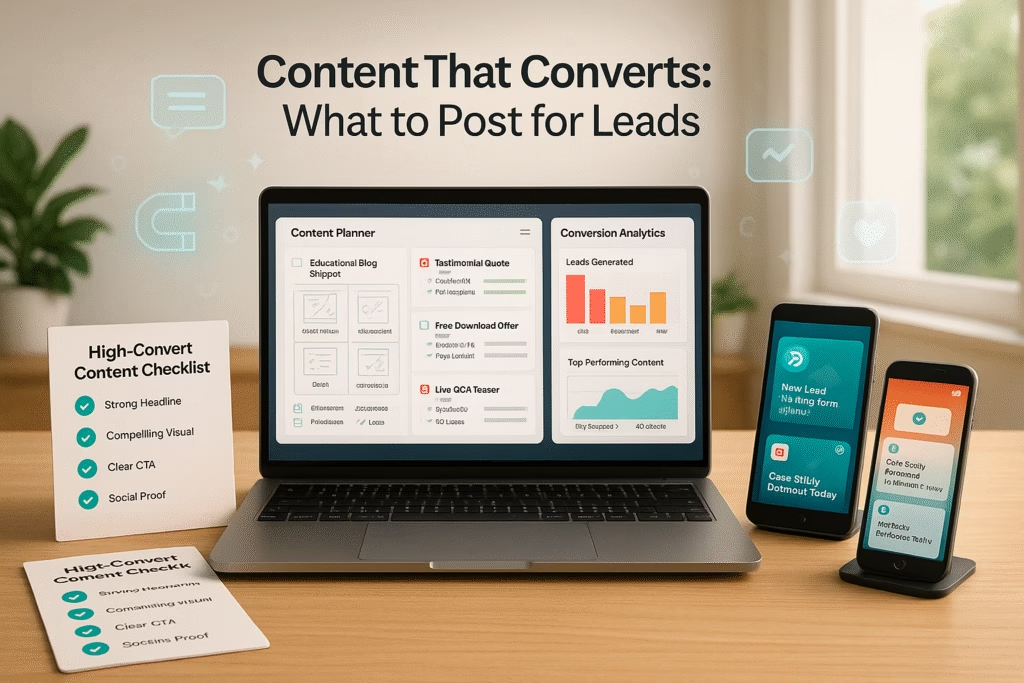
ChatGPT Image Jun 4 2025 01 21 35 PM
Content That Converts: What to Post for Leads | Market Wiz AI

Content That Converts: What to Post for Leads

Expert Lead-Generating Content by Market Wiz AI

Table of Contents

Introduction: Content That Converts: What to Post for Leads

Content That Converts: What to Post for Leads is the cornerstone of a thriving inbound marketing strategy. Rather than casting a wide net with generic ads, you craft targeted, valuable content designed to guide prospects from discovery to decision. This post delves into the psychology behind effective content, pinpoints the formats that outperform for lead generation, and outlines actionable steps to build a content engine that consistently fills your pipeline with qualified leads.

1. Why Content That Converts Matters

1.1 The Psychology of Conversion

Decision-making often hinges on perceived value and trust. Content That Converts: What to Post for Leads works by addressing pain points head-on, offering solutions, and demonstrating credibility. When prospects find your material helpful—whether a detailed how-to or a candid client story—they begin to view you as a trusted advisor, making them more inclined to share contact details or request a demo.

1.2 Establishing Audience Trust

Trust is earned, not bought. Educational resources—guides, webinars, case studies—showcase your expertise and transparency. Compared to traditional advertising, which interrupts and demands attention, high-value content earns attention by providing immediate, relevant insights. This authenticity fosters a deeper connection, making leads more receptive when you ask them to take action.

1.3 Content vs. Traditional Ads

Paid ads can generate quick visibility, but they often lack depth. In contrast, content marketing builds a long-term asset that continues to attract and nurture leads over time. A well-written blog post, optimized for search, can rank for months, driving organic traffic and leads continuously—whereas an ad stops performing once the budget is exhausted.

2. Defining Your Audience & Goals

2.1 Building Buyer Personas

Not all readers are ready to convert. Develop detailed buyer personas—demographics, job roles, challenges, and preferred channels—to tailor your content. For instance, a CFO persona might prioritize ROI-focused case studies, whereas a marketing manager persona seeks practical how-to guides and templates. Persona specificity ensures each piece of content resonates with the right decision-maker at the right time.

2.2 Mapping the Customer Journey

The buyer’s journey typically passes through awareness, consideration, and decision phases. Map out content that aligns with each stage: awareness (introductory blog posts, infographics), consideration (comparisons, in-depth guides, webinars), and decision (live demos, free trials, detailed case studies). This structured approach prevents gaps and guides prospects smoothly toward conversion.

2.3 Setting SMART Content Objectives

Establish Specific, Measurable, Achievable, Relevant, and Time-bound goals for your content. Examples include “Generate 200 new email subscribers from our eBook download by Q3” or “Achieve a 10% conversion rate on our next webinar sign-up within 6 weeks.” Clear benchmarks enable you to gauge success and tweak strategies mid-campaign.

3. Types of Content That Generate Leads

3.1 In-Depth Blog Articles & Guides

Long-form blog posts (1,500+ words) that thoroughly address a specific topic—such as “The Ultimate Guide to B2B Email Marketing”—attract organic traffic and position your brand as an authority. By weaving in examples, data, and actionable steps, you deliver value while naturally embedding calls to action like “Subscribe for more insights” or “Download our free template.”

3.2 Real-Life Case Studies & Testimonials

Case studies provide social proof by showcasing measurable results from past clients. Structure them as challenge, solution, results narratives—complete with data points (“saw a 45% increase in ROI”) and quotes. Feature a prominent CTA: “See how we can replicate this success for your business—book a consultation today.”

3.3 Webinars, Workshops & Live Q&As

Interactive webinars on niche topics—like “Advanced LinkedIn Lead Generation” or “Optimizing Your Sales Funnel”—enable real-time engagement. Require registration to capture attendee information. Follow up with on-demand recordings and supplementary materials to nurture leads further down the funnel.

3.4 Downloadable Checklists, Templates & Whitepapers

Practical assets—SEO audit checklists, social media calendar templates, or whitepapers on industry trends—serve as high-value lead magnets. Gate them behind simple forms that ask for name, email, and company. The perceived value of a well-designed toolkit encourages sign-ups and fosters goodwill.

3.5 Bite-Sized Videos & Social Media Shorts

Short, 30–60 second videos—explaining a quick tip or highlighting a client success—perform excellently on social channels. For example, a quick “3 Ways to Improve Your Email Open Rates” video on LinkedIn or Instagram Reels can link back to a longer blog or gated asset. These easily digestible snippets pique curiosity and drive traffic.

3.6 Personalized Email Sequences

Once a lead is captured, nurture them with automated email sequences tailored to their interests. A new subscriber who downloaded a checklist might receive follow-up emails with case studies, video tutorials, and finally, a personalized offer or demo invitation. Segmenting based on content consumed ensures relevance and higher engagement.

3.7 Interactive Quizzes & Calculators

Engage users with interactive tools—“What Type of Marketer Are You?” quiz or “Website Conversion Rate Calculator.” Upon completion, request an email address to send personalized results or a detailed report. This approach combines engagement with valuable data capture.

4. Distribution Channels & Strategies

4.1 Search Engine Optimization for Blogs

Optimize each blog post for targeted keywords, including the focus phrase “Content That Converts: What to Post for Leads” in the title, URL, and opening paragraph. Use descriptive subheadings and include internal links to cornerstone pages. Encourage backlinks through guest posts and influencer outreach to boost domain authority and organic ranking.

4.2 Video SEO on YouTube & Social Media

Create complementary videos—tutorials, case study breakdowns, or expert interviews—on YouTube. Optimize titles and descriptions with relevant keywords. Embed videos in your blog posts to increase dwell time. On social platforms like LinkedIn and Instagram, add captions and transcripts to improve visibility and accessibility.

4.3 Social Platforms: LinkedIn, Facebook & Instagram

Distribute content where your personas are most active. Use LinkedIn for B2B whitepapers and case studies, leveraging LinkedIn Articles or SlideShare uploads. On Facebook, share infographics and webinar invitations within relevant groups. Instagram highlights bite-sized tutorials and visual testimonials, using Stories and Reels to drive traffic back to your website.

4.4 Email Marketing Tactics

Segment lists by interest and engagement. Send targeted newsletters featuring recent blog posts, upcoming webinars, and exclusive downloads. Craft compelling subject lines—“Get Our Ultimate Lead Gen Checklist Now”—and place clear CTAs within the email body. Use personalization tokens ({{first_name}}) to increase open and click-through rates.

4.5 Content Repurposing Across Channels

Maximize reach by adapting one asset into multiple formats: convert a long-form blog into an infographic, extract key points into a Twitter thread, transform a case study into a SlideShare presentation, or break a webinar into short social media clips. This strategy ensures consistent messaging across touchpoints without reinventing the wheel.

5. Crafting High-Impact Content

5.1 Keyword Research & Topic Validation

Use tools like Ahrefs, SEMrush, or Google Keyword Planner to identify relevant search terms with decent volume and manageable competition. Validate topics by checking search intent—review top-ranking pages, examine featured snippets, and study related queries. Focus on questions prospects ask at each funnel stage.

5.2 Compelling Headlines & Hooks

Your headline must promise value and ignite curiosity—e.g., “5 Proven Content That Converts: What to Post for Leads.” Use numbers, power words (“Proven,” “Ultimate”), and specific language. In the introduction, open with a surprising fact or statistic—“Did you know 65% of marketers report blog posts as their top lead source?”—to hook readers immediately.

5.3 Storytelling Framework & Structure

Structure your content using the PAS framework (Problem, Agitate, Solution) or the Hero’s Journey narrative. Begin by empathizing with your audience’s challenge, detail the consequences of inaction, and present your content as the roadmap to success. Use subheadings, bullet points, and short paragraphs to maintain readability.

5.4 Designing Engaging Visual Assets

Visuals break up text and clarify complex concepts. Use charts to illustrate data, infographics to summarize processes, and branded custom images to reinforce identity. Tools like Canva offer templates for quick, on-brand visuals. Always include alt text for accessibility and SEO benefits.

5.5 Writing Clear, Persuasive CTAs

CTAs guide readers toward the next step. Position them logically—after a valuable insight or at the end of a section where you present a solution. Use action verbs (“Download,” “Register,” “Get Your Free Copy”) and emphasize the benefit: “Get Your Free Lead Magnet Now.” Ensure buttons or links stand out visually for easy clicking.

6. Measuring Performance & Iterating for Better Results

6.1 Defining Key Performance Indicators

Track metrics that directly tie to lead generation: unique visitors, time on page, scroll depth, click-through rate on CTAs, and form submission rates. For video content, monitor view count, average view duration, and engagement (likes, shares, comments). Establish baseline metrics to measure growth over time.

6.2 Conducting A/B Tests on Content Elements

Experiment with two versions of headlines, headings, CTAs, or images. For instance, test “Download Our Free Template” versus “Get Your Free Lead Gen Template” to see which yields a higher conversion rate. Use A/B testing tools (Google Optimize, Optimizely) to gather statistically significant data before committing to one variation.

6.3 Funnel Analysis & Drop-off Points

Use Google Analytics or similar platforms to visualize user paths—from landing page to form submission. Identify where visitors exit the funnel (e.g., bounce on hero section, abandon form). Optimize those pages: simplify forms, add trust badges, or enhance introductory copy to reduce friction.

6.4 Continuous Content Improvement Loop

Review analytics data quarterly. Update underperforming content by refreshing statistics, adding new examples, or improving readability. Republish with a current date and promote updated content through newsletters and social channels. This iterative approach keeps your content relevant and improves its conversion potential over time.

7. Conclusion & Next Steps

Content That Converts: What to Post for Leads is a strategic process, not a one-off task. By understanding your audience’s needs, selecting the right content formats, optimizing distribution, and rigorously measuring outcomes, you’ll build a sustainable pipeline of qualified leads. Follow these next steps to kickstart your lead-generating content machine:

  1. Define Personas & Goals: Conduct research to flesh out buyer personas and set SMART objectives for each content piece.
  2. Create a Flagship Asset: Develop a high-value resource—such as an eBook or webinar—designed to capture leads and showcase your expertise.
  3. Build a Distribution Plan: Map out channels and timing—SEO-optimized blog, email sequences, social media teasers—ensuring each asset reaches its intended audience.
  4. Produce & Publish: Craft your content with compelling headlines, story-driven narratives, and clear CTAs. Release according to schedule.
  5. Analyze & Optimize: Monitor key metrics, run A/B tests, and iterate on underperforming elements to continuously improve conversion rates.

Implement these steps today to transform traffic into tangible leads. With Content That Converts: What to Post for Leads guiding your strategy, you’ll cultivate a content ecosystem that reliably drives growth and ROI.

25 Frequently Asked Questions

1. What is “Content That Converts: What to Post for Leads”?

This phrase refers to creating specific types of content—like guides, case studies, and interactive tools—explicitly designed to generate and capture qualified leads by offering value and building trust.

2. How do I identify my target audience?

Use analytics, surveys, and direct interviews to gather demographic and psychographic data. Combine this with social media insights and CRM data to create detailed buyer personas, capturing challenges and preferences.

3. Which content format is best for top-of-funnel awareness?

Long-form, SEO-optimized blog posts and short educational videos perform well for awareness. They address common questions (“What is inbound marketing?”) and attract organic search traffic.

4. How do I capture leads from a blog post?

Embed lead magnets—such as whitepapers or checklists—behind a simple opt-in form. Place CTAs strategically within the post (mid-article and at the end) to invite readers to download these resources in exchange for their email.

5. Are case studies effective for all industries?

Yes—case studies work across B2B and B2C sectors. They demonstrate real-world outcomes and provide social proof. Tailor the narrative to highlight metrics and results relevant to your audience’s industry.

6. How often should I host webinars?

Quarterly webinars strike a balance between producing high-quality content and maintaining audience interest. For fast-paced industries, consider bi-monthly sessions to stay top-of-mind.

7. What makes a great lead magnet?

A great lead magnet solves a specific problem, is easy to consume, and delivers immediate value—like a concise checklist or template. It should align with your audience’s pain points and tie into your broader service offerings.

8. How do I optimize blog posts for SEO?

Incorporate the focus keyword “Content That Converts: What to Post for Leads” in the title, first paragraph, and subheadings. Use related long-tail keywords, optimize images with descriptive alt text, and build internal and external links.

9. What metrics indicate content success?

Key metrics include organic traffic, time on page, scroll depth, CTA click-through rate, form submission rate, and social shares. These metrics reveal both engagement and lead generation effectiveness.

10. How do I A/B test headlines?

Use tools like Google Optimize or your CMS’s built-in A/B testing feature. Create two headline variations, split traffic equally, and measure click-through rates and time on page to determine which performs better.

11. How do I repurpose a blog post?

Convert blog content into an infographic, break it into a video script for YouTube or social media, extract quotes for social posts, and summarize key points in an email newsletter. This maximizes reach and reinforces messaging.

12. Is interactive content really worth the effort?

Yes—interactive quizzes or calculators engage users actively and provide personalized feedback. Because they require user input, they tend to generate higher-quality leads who are invested in the result.

13. How do I write persuasive CTAs?

Begin with an action verb—“Download,” “Register,” “Start”—and highlight the benefit—“Download Your Free Guide” or “Register for Our Webinar.” Keep CTAs concise and place them after sections where you’ve established credibility or value.

14. How frequently should I update cornerstone content?

Review and refresh cornerstone assets every 6–12 months. Update statistics, add new examples or case studies, refine guidance based on industry changes, and republish with a current date to maintain relevance and SEO value.

15. What’s the ideal length for a lead-generating blog?

Aim for 1,500–2,500 words for in-depth articles that cover a topic comprehensively. Longer posts tend to rank better in search and provide ample opportunity to include detailed insights, visuals, and multiple CTAs.

16. How do I promote my content on social media?

Create teaser posts—snippets of valuable insights, eye-catching quotes, or short video clips—and link back to the full article or resource. Use platform-specific features like LinkedIn Carousel posts, Instagram Stories swipe-ups, and Twitter threads.

17. Should I use paid ads to boost content?

Paid ads can amplify reach, especially for high-value assets like eBooks or webinars. A small budget for targeted ads on LinkedIn or Facebook can accelerate lead capture, but focus first on optimizing organic performance before investing heavily in paid promotion.

18. How do I choose the right distribution channel?

Select channels based on where your personas are most active. For B2B decision-makers, LinkedIn and email are often effective. For B2C audiences, Instagram and Facebook may yield better engagement. Use analytics to validate channel performance over time.

19. How do I maintain a consistent content schedule?

Use a content calendar—spreadsheet or project management tool—to plan topics, assign responsibilities, and set deadlines. Block out time for research, writing, editing, and design. Regular review meetings ensure accountability and help you adapt to shifting priorities.

20. Can I automate content promotion?

Yes—tools like Buffer, Hootsuite, or Later let you schedule social posts in advance. Email platforms like Mailchimp and HubSpot automate drip campaigns. However, maintain a personal touch by responding to comments and updating scheduled posts based on real-time events.

21. How do I incorporate visual storytelling?

Integrate high-quality images, infographics, and data visualizations to break up text and illustrate key points. Videos—explainer clips or animated graphs—enhance engagement. Ensure visuals align with your brand’s style and color palette.

22. How do I handle content distribution for international audiences?

Translation and localization are crucial. Adapt idioms, examples, and references to resonate with local cultures. Use hreflang tags to help search engines serve the correct language version to users in different regions.

23. What common mistakes should I avoid?
  • Neglecting SEO best practices—optimizing too late or not at all.
  • Overloading posts with CTAs—balance value with promotion.
  • Ignoring performance data—without metrics, you can’t refine effectively.
  • Focusing only on top-of-funnel content—nurture mid- and bottom-funnel leads as well.

24. How do I stay updated on content marketing trends?

Follow industry blogs (Content Marketing Institute, HubSpot), subscribe to marketing newsletters, and participate in webinars. Join professional communities on LinkedIn or specialized Slack channels to exchange best practices.

25. Where can I find more resources on Content That Converts: What to Post for Leads?

Visit Market Wiz AI’s blog for deep-dive tutorials, downloadable content planners, and real-world case studies. Download our free “Lead-Generating Content Workbook” for templates and checklists to streamline your strategy.

25 Extra Keywords

  1. lead generation content tips
  2. high-conversion blog topics
  3. case study lead magnet
  4. webinar lead generation strategy
  5. downloadable template for leads
  6. interactive quiz for lead capture
  7. SEO-optimized lead content
  8. content repurposing tactics
  9. email nurture sequence templates
  10. social media lead generating posts
  11. video content for lead conversion
  12. infographic for lead magnets
  13. CTA best practices for blogs
  14. buyer persona content mapping
  15. A/B testing for headlines
  16. content calendar for lead gen
  17. LinkedIn content for B2B leads
  18. Facebook ad vs. organic content
  19. Instagram lead capture tips
  20. Google Analytics lead tracking
  21. Blog engagement metrics
  22. Optimizing CTAs for conversions
  23. Content workflow automation tools
  24. client testimonial video script
  25. Market Wiz AI content guide

© 2025 Market Wiz AI. All Rights Reserved.

Content That Converts: What to Post for Leads Read More »

Promote Your Local Business With Zero Budget Using TikTok & Reels

ChatGPT Image Jun 4 2025 01 14 11 PM
Promote Your Local Business With Zero Budget Using TikTok & Reels | Market Wiz AI

Promote Your Local Business With Zero Budget Using TikTok & Reels

Organic Short-Form Video Strategies by Market Wiz AI

Table of Contents

Introduction: Promote Your Local Business With Zero Budget Using TikTok & Reels

Promote Your Local Business With Zero Budget Using TikTok & Reels by leveraging organic short-form video content that resonates with your neighborhood audience. In this comprehensive guide, Market Wiz AI will walk you through setting up optimized profiles, crafting engaging videos, and executing cost-free strategies to boost local visibility and foot traffic without spending a penny. Let’s dive into actionable techniques to elevate your local brand using these powerful platforms.

1. Why Promote Your Local Business With Zero Budget Using TikTok & Reels?

1.1 The Rise of Short-Form Video

Short-form videos have exploded in popularity, capturing attention through dynamic, snackable content. Platforms like TikTok and Instagram Reels prioritize authentic, creative clips that encourage users to stay and explore more. For local businesses, this means your storefront, service demos, and neighborhood highlights can quickly gain traction, even with zero ad spend.

1.2 Organic Reach vs. Paid Ads

Both TikTok and Instagram reward engaging, high-retention content by pushing it to more users. When you focus on organic creativity—emphasizing local relevance—you tap into algorithmic boosts that showcase your videos to nearby audiences. Unlike costly ad campaigns, organic short-form videos build trust through authenticity and community involvement.

1.3 Connecting with Neighborhood Audiences

Local clients respond best to content that reflects their community’s character. By referencing neighborhood landmarks, local slang, or regional events, your short-form videos feel relatable and genuine. This connection fosters loyalty, encouraging viewers to visit your business in person and spread the word within their social circles.

2. Setting Up for Success

2.1 Choosing a Clear Username & Bio

Select a username that aligns with your business name and is easy to search. In your bio, include your location and a brief value proposition—“YourCity’s go-to bakery for fresh sourdough.” Add a link to your Google Maps listing or website to guide viewers directly to your physical address.

2.2 Optimizing Profile for Local Discovery

Use a high-quality profile picture featuring your logo or storefront. Enable location services so your posts show up in local feeds. On Instagram, activate “Professional Account” settings to access insights and set your “Business Category” to something like “Local Restaurant” or “Pet Grooming Service.”

2.3 Linking to Your Business Offline

Display your TikTok and Instagram handles on in-store signage, business cards, and receipts. Add QR codes linking directly to your profiles so walk-in customers can follow you instantly. Encourage staff to mention your social channels during conversations with patrons.

3. Content Ideas to Attract Local Clients

3.1 Behind-the-Scenes Tours

Take viewers on a quick tour of your workspace—show the coffee roasting process, the baker assembling pastries, or the mechanic tuning engines. Caption each step with local references: “Roasted fresh in Downtown YourCity every morning!” This transparency builds authenticity and curiosity.

3.2 Customer Spotlights in Your Community

Film brief testimonials from happy customers discussing why they love your business. Example: “Meet Laura—she’s been getting her haircut here for 5 years!” Overlay text with the customer’s neighborhood to highlight the local connection. Authentic praise from real people drives trust and word-of-mouth.

3.3 Showcasing Local Sourcing and Partnerships

Highlight local suppliers—“Our veggies come fresh from YourTown Farm!”—and collaborations with nearby businesses. These videos emphasize your commitment to the community and encourage supporters of those partners to check you out as well.

3.4 Quick Tips & Tricks Related to Your Industry

Share 15–30 second how-tos: “How to keep your houseplants alive this summer,” or “3 easy dog grooming tips.” Provide valuable information, then invite viewers to visit for more personalized advice. These educational snippets position you as an expert in your field.

3.5 Highlighting Local Events & Collaborations

Cover neighborhood events—farmers’ markets, street fairs, charity runs—by posting fast-paced montages that feature your involvement. Tag event organizers and use event-specific hashtags. Followers who attended the same event will recognize you and feel a stronger connection.

4. Platform-Specific Tactics

4.1 TikTok Trends and Local Hashtags

Monitor trending sounds and challenges, then adapt them to your locale—“Turning the #FlipTheSwitch challenge into a bakery glow-up: from dough to freshly baked!” Use local hashtags like #YourCityEats or #LocalBizYourTown to reach neighborhood users browsing for community content.

4.2 Instagram Reels Best Practices

Leverage Reels’ editing features—add text overlays highlighting your address or special offer. Use local music or trending audio, and include location tags every time. Post Reels consistently at peak local engagement times (e.g., lunchtime or early evening) to maximize visibility.

4.3 Utilizing Duets, Stitches, and Remixes on TikTok

Engage with local creators by dueting or stitching their videos—“Love this YourCity skateboard trick? We can custom paint your board in-store!” Collaborative content taps into existing audiences and fosters community relationships without spending money.

4.4 Leveraging Instagram Reels Remix and Collabs

Partner with a local influencer for a Reel—“Cooking collaboration with @LocalChef: their secret sauce meets our homemade pasta!” Remix their footage or tag them in your video to cross-promote. These collaborations broaden your reach organically.

5. Production Tips on a Shoestring Budget

5.1 Basic Equipment Recommendations

A modern smartphone is your primary camera. Add a ring light for even lighting and a small tripod for steady shots. If possible, use a clip-on lavalier mic (~$20) to improve audio quality, especially for customer testimonials and tutorials.

5.2 Scripting and Storyboarding Efficiently

Keep scripts to bullet points: Hook (first 3 seconds to pique interest), Core Content (main message in 20–30 seconds), Call to Action (last 5–7 seconds prompting a visit or follow). Sketch a quick storyboard on paper or in a note app to plan shots, saving time during filming.

5.3 Quick Editing Tools and Apps

Use free mobile editors like CapCut, InShot, or Adobe Premiere Rush. Focus on snappy cuts, clear text overlays, and a catchy local-themed background track. Keep transitions simple—jump cuts and quick zooms maintain pace and feel dynamic.

5.4 Encouraging User-Generated Content

Invite customers to share their own short clips—“Show off your new haircut and tag us!” Offer a small reward, like a discount or feature in a “Customer of the Week” Reel. Repost UGC (with permission) to foster community and reduce your content workload.

6. Engagement Strategies Without Spending Money

6.1 Responding to Comments and DMs

Engage promptly—aim to reply within 24 hours. Acknowledge compliments, answer questions, and direct viewers to your location or website. Personal responses build rapport and signal to algorithms that your content is valuable.

6.2 Collaborating with Local Micro-Influencers

Identify micro-influencers (2K–10K followers) with genuine community connections. Offer them a complimentary service or product in exchange for a short shout-out video. Their endorsement introduces you to their local audience, amplifying reach organically.

6.3 Participating in Local Challenges and Trends

Join neighborhood-specific hashtags or viral challenges—“#YourCityDanceOff at our storefront!” Engage with other local businesses by dueting or stitching their content, creating a sense of camaraderie and mutual promotion without monetary exchange.

6.4 Cross-Promoting in Local Online Communities

Share your best short-form videos in local Facebook groups, Nextdoor, or community forums. Always follow group rules—provide value rather than blatant promotion. Offering free tips or highlighting community events encourages positive reception.

7. Measuring Success & Iteration

7.1 Key Metrics to Track Organically

Monitor the following to gauge impact:

  • Views and Watch Time: Indicates how engaging your content is.
  • Engagement Rate (Likes, Comments, Shares): Reflects how viewers interact with your videos.
  • Follower Growth: Tracks new local followers gained after each post.
  • Profile Visits & Link Clicks: Measures interest in learning more or finding your location.
  • UGC Submissions: Counts customers creating content about your business.

7.2 A/B Testing Content Formats

Test variations—two different hooks, contrast between user-generated vs. branded footage, or different CTAs. Compare performance (views, engagement) to determine which approach resonates best with your local audience.

7.3 Adjusting Strategies Based on Feedback

Use comments, direct messages, and polls to gather community input—“Which product should we feature next?” Refine future content based on preferences, ensuring your videos remain relevant and compelling to local viewers.

8. Conclusion & Action Plan

Promote Your Local Business With Zero Budget Using TikTok & Reels by implementing authentic, community-focused short-form videos that resonate with neighborhood audiences. Follow these action steps to get started:

  1. Optimize Your Profiles: Choose a clear username, craft a bio with location keywords, and add a link to your Google Maps listing or website.
  2. Plan Your Content Pillars: Develop ideas around behind-the-scenes tours, customer spotlights, local sourcing, quick tips, and event coverage.
  3. Produce on a Budget: Use your smartphone, a ring light, and free editing apps. Script concise videos with a strong hook, clear value, and a call to action.
  4. Engage Strategically: Respond promptly to comments and DMs, collaborate with micro-influencers, and share videos in local online communities.
  5. Measure and Iterate: Track views, watch time, engagement, and follower growth. A/B test different hooks and refine content based on local feedback.

By following these steps, you’ll harness the power of TikTok and Instagram Reels to promote your local business—boosting visibility, engagement, and foot traffic—all without spending a cent. Start creating and connecting with your community today.

25 Frequently Asked Questions

1. What does it mean to “Promote Your Local Business With Zero Budget Using TikTok & Reels”?

It means leveraging organic short-form video content on TikTok and Instagram Reels—without paid ads—to increase your local brand’s visibility, engagement, and foot traffic by creating authentic, community-focused clips.

2. Do I need a huge following to see results?

No. Even accounts with smaller follower counts can go viral locally if content resonates with the community. Focus on quality, relevance, and consistency to build momentum.

3. How do I find local hashtags for my posts?

Search platform-specific hashtag suggestions by typing your city or neighborhood name. Check competitors and local businesses for inspiration. Tools like Hashtagify can also suggest trending local tags.

4. How often should I post short-form videos?

Aim for 2–3 times per week to maintain consistency. Adjust frequency based on your capacity and audience response—more frequent posting can accelerate growth but must be sustainable.

5. Can I reuse the same video on both TikTok and Reels?

Yes, but ensure you adjust captions, hashtags, and orientation if needed. TikTok and Instagram have slightly different audience behaviors—tailor captions and CTAs accordingly.

6. What’s a good length for a local business video?

15–30 seconds is ideal for capturing attention quickly. You can extend to 60 seconds if the content requires more explanation, but keep it concise and engaging throughout.

7. How do I keep production costs down?

Use your smartphone with a ring light and tripod. Edit videos on free mobile apps like CapCut or InShot. Encourage customers to submit their own clips to feature user-generated content.

8. How can I encourage customer spotlights?

Offer a small incentive—like a discount or feature on your page—for customers who film a short testimonial. Use clear instructions and a simple hashtag to track submissions.

9. What kind of behind-the-scenes content works best?

Show daily routines—like a chef preparing menu items, baristas mastering latte art, or employees organizing your shop. Brief, authentic glimpses into your operations resonate with viewers.

10. How do I collaborate with local micro-influencers?

Identify influencers with 2K–10K local followers whose audience aligns with yours. Offer a free product or service in exchange for a short video shout-out. Co-create content that benefits both parties.

11. How important are geotags?

Geotags are crucial for local discovery. When users search for content in your area, geotagged posts appear in “Nearby” feeds. Always include your business location.

12. How do I measure if my videos drive foot traffic?

Include a unique promo code in your videos that customers can mention in-store. Track redemptions or use Google Analytics UTM parameters on links that lead to directions or contact pages.

13. Should I add captions to my videos?

Yes. Many users watch without sound. Captions ensure viewers understand your message and improve accessibility. Use platform auto-caption features or add text overlays manually.

14. What’s the best time to post for local engagement?

Analyze your platform’s insights to identify when local followers are most active—often weekday evenings (6–9 PM) or weekend afternoons (1–4 PM). Test posting times and adjust based on performance.

15. How do I handle negative comments?

Respond politely and constructively. Offer solutions or invite the commenter to discuss offline. A calm, helpful reply demonstrates professionalism and can turn critics into advocates.

16. Can I use copyrighted music?

Use royalty-free tracks from platform libraries—TikTok’s commercial audio library, Instagram’s licensed music options, or YouTube Audio Library—to avoid copyright issues and maintain monetization eligibility.

17. How do I create a call to action?

Keep CTAs simple and direct: “Visit us today for a free sample,” “Follow for local tip of the week,” or “Tag a friend who’d love this!” Place CTAs at the end of your video and reinforce in the caption.

18. How do I repurpose long-form content?

Extract 15–30 second highlights—key tips or memorable moments—from longer videos. Use them as standalone short-form clips with clear captions and CTAs directing viewers to the full content.

19. What if I don’t have any video experience?

Start simple. Use your phone in natural light, film short clips, and edit with intuitive mobile apps. Focus on authenticity over polish—viewers appreciate genuine, relatable content.

20. How can I stay updated on local trends?

Join local Facebook groups, follow community hashtags on Instagram and TikTok, and subscribe to neighborhood newsletters. Monitor local news and events calendars to identify timely content opportunities.

21. Should I post the same content in local Facebook groups?

Yes, but adapt your format to each community’s rules. Provide value—share a quick tip rather than a mere promotional link. Engage with group members to build trust before posting business content.

22. How do I keep my content calendar organized?

Create a simple spreadsheet or use a free tool like Trello. Map out one video idea per week based on your content pillars, assign filming days, and schedule posting times to maintain consistency.

23. What’s the ideal video format for Reels vs. TikTok?

Both use vertical 9:16 format, but Instagram prefers polished visuals with on-brand aesthetics, while TikTok favors raw, authentic clips. Tailor your editing style—use Reels for refined transitions and TikTok for spontaneous energy.

24. How often should I revisit my strategy?

Review analytics monthly to identify top-performing videos and audience engagement patterns. Iterate your content based on these insights and adjust to new local trends each quarter.

25. Where can I find more resources on Promote Your Local Business With Zero Budget Using TikTok & Reels?

Visit Market Wiz AI’s blog for in-depth tutorials, free downloadable templates, and community forums. Download our “Local Video Content Planner” to map out a month’s worth of zero-budget short-form ideas tailored to your neighborhood.

25 Extra Keywords

  1. zero budget local marketing
  2. TikTok local business strategy
  3. Instagram Reels organic reach
  4. short-form video for small biz
  5. community-focused content tips
  6. local hashtag best practices
  7. user-generated video campaigns
  8. mobile video editing apps
  9. free social media growth tips
  10. Foot traffic via TikTok
  11. Reels engagement tactics
  12. micro-influencer local collaborations
  13. geotagging for business
  14. DIY video production
  15. local event video coverage
  16. customer testimonial clips
  17. quick business tips on Reels
  18. TikTok duet marketing
  19. Instagram Reels remix feature
  20. local community challenges
  21. short-form CTAs for small biz
  22. video marketing ROI free
  23. Market Wiz AI social media guide
  24. Neighborhood TikTok trends
  25. consistency in short-form posts

© 2025 Market Wiz AI. All Rights Reserved.

Promote Your Local Business With Zero Budget Using TikTok & Reels Read More »

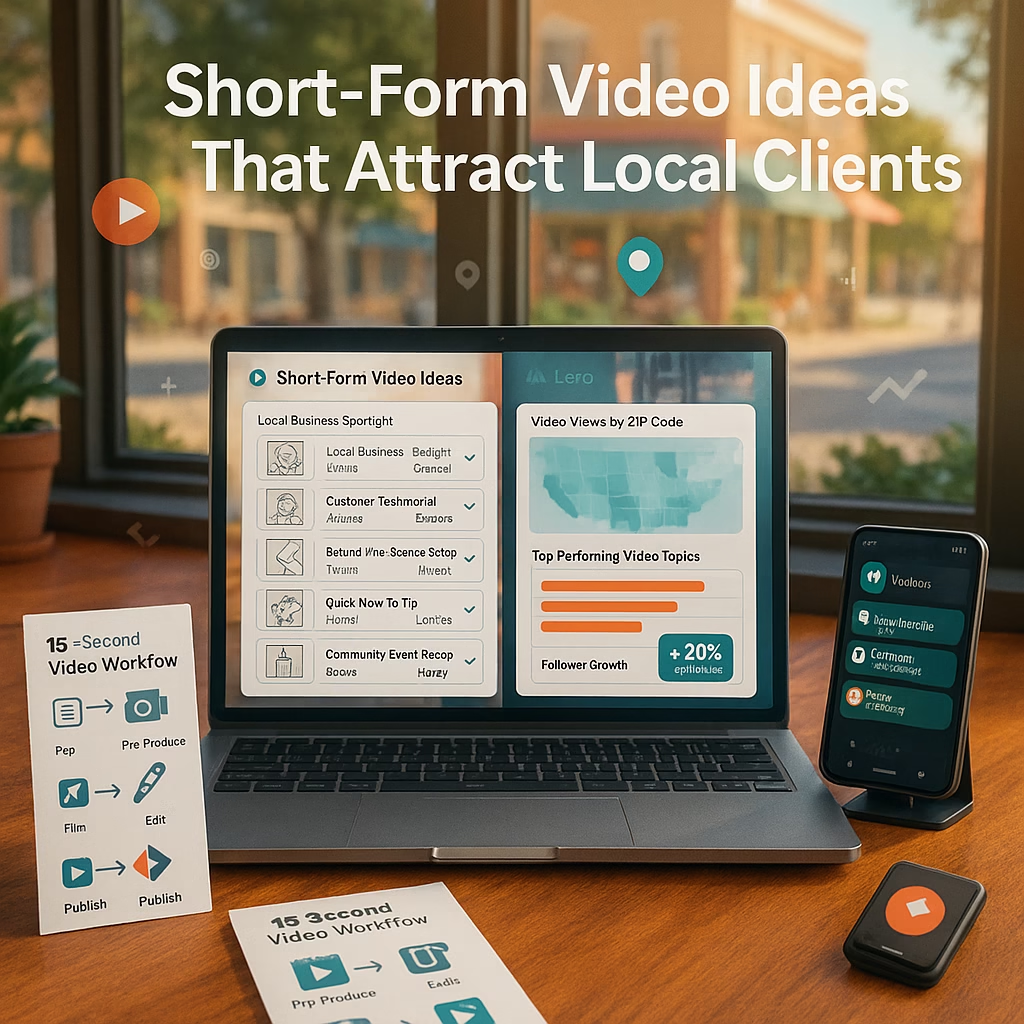
Short-Form Video Ideas That Attract Local Clients

ChatGPT Image Jun 4 2025 01 09 33 PM
Short-Form Video Ideas That Attract Local Clients | Market Wiz AI

Short-Form Video Ideas That Attract Local Clients

Engage Your Neighborhood Audience and Drive Foot Traffic by Market Wiz AI

Table of Contents

Introduction: Short-Form Video Ideas That Attract Local Clients

Short-Form Video Ideas That Attract Local Clients begin with recognizing that today’s audiences crave quick, authentic glimpses of businesses in their neighborhood. Whether you run a café, boutique, fitness studio, or service-based operation, creating bite-sized videos tailored to your community can boost brand awareness, foster trust, and drive foot traffic. In this guide, Market Wiz AI presents actionable concepts, step-by-step strategies, and creative prompts to help you craft compelling short-form videos that resonate with local viewers and turn them into loyal customers.

1. Why Short-Form Video Ideas That Attract Local Clients Work

1.1 The Power of Snackable Content

In an era of constant scrolling, attention spans have shrunk. A 15–60 second clip that delivers value immediately can capture interest faster than a long-form video. Short-form videos fit seamlessly into users’ feeds, allowing them to digest your message and take action without committing to a lengthy watch. For local businesses, this means conveying your unique offering—be it a signature dish, a special service, or a weekend sale—in a concise, memorable way.

1.2 Building Community Connection

Local audiences value familiarity and authenticity. When viewers see snippets of your shop, meet your staff, or get insider tips on neighborhood events, they feel a personal connection. By inherently focusing on community-centric content—like highlighting a local festival or showcasing a customer’s success story—you foster rapport and position your business as an integral part of the neighborhood fabric.

1.3 Algorithmic Boosts for Local Reach

Platforms like TikTok, Instagram, and YouTube prioritize engagement metrics—watch time, likes, comments, shares. When your short-form video garners local interactions (comments from nearby users, shares within community groups, or location tags), algorithms increasingly recommend your content to other users in the same area. Strategically using geotags and hyper-local hashtags amplifies this effect, ensuring your videos reach the right audience in your city or neighborhood.

2. Understanding Your Local Audience

2.1 Demographic and Psychographic Insights

Before creating any content, define who your ideal local client is. Are they young professionals seeking after-work happy hour spots? Families looking for weekend activities? Seniors searching for specialty services? Use tools like Google My Business insights, platform analytics (Instagram Insights, TikTok Analytics), and local chamber of commerce data to identify age ranges, interests, and peak usage times in your community.

2.2 Local Trends, Culture, and Interests

Every neighborhood has its own vibe—festivals, eateries, hangout spots, and community events. Subscribe to local newsletters, monitor community Facebook groups, and follow micro-influencers in your area to stay informed. Creating videos that reference a popular local coffee shop, highlight a weekend farmers’ market, or celebrate a hometown sports victory shows that you’re attuned to what matters to your neighbors.

2.3 Competitor and Neighbor Analysis

Review how similar businesses in your vicinity leverage short-form video. Identify which formats generate high engagement—tutorials, behind-the-scenes, challenges—and which fall flat. Pay attention to comment threads: are viewers asking questions, sharing recommendations, or tagging friends? Use these insights to differentiate your content by filling gaps or offering fresh perspectives.

3. Content Pillars for Local Engagement

3.1 Business Behind-the-Scenes

Give viewers a sneak peek into your daily operations. Capture a 30-second montage of baristas crafting latte art, chefs plating colorful dishes, or staff setting up displays. Narrate with quick captions—“Freshly brewed at 7 AM!”—to emphasize authenticity and craftsmanship.

3.2 Customer Spotlights and Testimonials

Feature genuine success stories from satisfied clients. Ask a regular customer to film a short clip explaining what they love about your service—“I’ve been coming here every Saturday for two years because of their friendly staff.” Overlay text with local identifiers—“Proudly serving Downtown Riverside”—to reinforce community ties.

3.3 Neighborhood Highlights and Local Guides

Position yourself as a local authority by producing quick tours. For example: “3 Hidden Gems in Old Town” or “Best Breakfast Spots Near Main Street.” Film in under a minute: show each location’s facade, a key highlight, and a brief voiceover. Tag each spot, encouraging cross-promotion and collaboration.

3.4 Quick Tips and How-Tos

Create educational snippets that address common local pain points. If you’re a home improvement store, share “How to Winterize Your Porch in 30 Seconds.” If you run a salon, demonstrate “3 Quick Hairstyles for Summer Heat.” Keep instructions succinct, with on-screen text and time-lapse footage for efficiency.

3.5 Event Coverage and Live Snippets

Attend local fairs, charity runs, or community workshops. Capture dynamic 15–30 second highlight reels—festival dances, vendor booths, or friendly crowds. Use upbeat local music, add text overlays such as “See you at the Community BBQ this Saturday!” to drive attendance and local buzz.

4. Platform Strategies and Features

4.1 TikTok Trends and Local Hashtags

Leverage trending sounds or challenges but add a local twist. For instance, if a cooking hack is trending, showcase how you use local ingredients: “TikTok’s viral pancake hack—made with eggs from Riverside Farm!” Include hashtags like #RiversideEats #LocalBusiness to capture nearby viewers.

4.2 Instagram Reels Tactics for Small Biz

Use Reels to blend lifestyle and promotional content. Create a 30-second video featuring a staff pick of the week—“Meet our barista Ava—her latte of choice is the Rose Vanilla Latte!” Use location tags, local song snippets, and mention neighborhood landmarks to increase discoverability in Explore feeds.

4.3 YouTube Shorts for Searchable Clips

Optimizing Shorts with searchable titles—“How to Find the Best Coffee in Downtown”—makes your videos easy to find when locals search. Add descriptive text overlays and end screens with a call to action: “Subscribe for more local tips!” Encourage viewers to hit the location-aware “Nearby” tab on YouTube.

4.4 Facebook Stories and Group Engagement

Share Stories featuring daily specials—“$2 Tacos Today Only!”—and pin them to highlights labeled “Local Deals.” Post identical videos in hyper-local Facebook groups (check group rules) to reach community members. Use polls—“Which local charity should we support next?”—to spark conversation and engagement.

5. Production Tips on a Shoestring Budget

5.1 Essential Gear for Crisp Clips

You don’t need a professional camera; a recent smartphone suffices. Invest in a small ring light ($20–$30) to illuminate faces evenly and a mini tripod ($15) for stable shots. For clearer audio, use a clip-on lavalier microphone ($25) when filming dialogues or testimonials.

5.2 Scripting to Capture Attention

Write a simple outline: Hook (first 3 seconds to grab attention), Value (main content in next 30–45 seconds), Call to Action (last 5–10 seconds prompting a visit, follow, or share). Use bullet-point scripts rather than full paragraphs to keep delivery natural and conversational.

5.3 Quick Editing with Mobile Apps

Use free or low-cost mobile editors like InShot, CapCut, or Adobe Premiere Rush. Focus on snappy cuts, bold text overlays for key points, and royalty-free music from platform libraries. Keep transitions simple—jump cuts and quick zooms maintain pace without complex edits.

5.4 Leveraging User-Generated Content

Encourage customers to share their own 15–30 second clips—unboxing, product use, or testimonials—tagging your business. Repost user videos (with permission), adding branded text overlays. This not only generates authentic content but also fosters community involvement.

6. Distribution and Engagement Tactics

6.1 Consistent Posting Cadence

Post at least three short-form videos per week to build momentum. Use platform analytics to identify peak local engagement times—often weekday evenings (6–9 PM) or weekend afternoons (1–4 PM). Schedule posts accordingly to maximize views and interactions.

6.2 Smart Hashtag and Geotag Use

Combine broad local tags (#YourCityEats, #ShopLocalYourTown) with niche tags (#VeganBurgersYourCity, #PetGroomingYourNeighborhood). Always geotag your location—“YourCity, YourState”—to tap into location-based discovery features on Instagram and TikTok.

6.3 Interaction Through Comments and DMs

Respond to comments within 24 hours. Pin top comments—especially inquiries about hours or location—to provide immediate info. For direct messages, set up quick replies for common questions (“We’re open until 9 PM tonight!”) while customizing personalized responses when needed.

6.4 Partnering with Local Micro-Influencers

Identify micro-influencers (2K–10K followers) who engage strongly with local audiences. Offer them a free product or service in exchange for a short video shout-out. Co-create content—like a collaborative “Local Food Tour” featuring multiple neighborhood eateries—to cross-pollinate audiences and expand reach.

7. Measuring Success and Optimizing Content

7.1 Key Metrics for Local Videos

Track metrics that indicate both reach and local impact:

  • View Count: Number of times the video is watched.
  • Watch Time Percentage: Proportion of the video viewers complete.
  • Engagement Rate: Combined likes, comments, shares divided by views.
  • Follower Growth: Increase in local followers after each video.
  • Clicks to Action: “Get Directions” or link clicks in profile that lead to in-store visits.

7.2 A/B Testing Hooks and CTAs

Create two versions of a short video—one with a question-based hook (“Did you know our café uses locally roasted beans?”) and another with a bold statement (“Taste the best espresso in town!”). Compare engagement metrics to see which hook resonates more. Similarly, test CTAs (“Visit us today!” vs. “Stop by this weekend for 20% off!”) to optimize conversions.

7.3 Iteration Based on Community Feedback

Use polls, question stickers, and direct comments to solicit viewer opinions—“Which local event should we feature next?” Analyze feedback to refine content themes. If customers ask about operating hours or new menu items, produce a quick explanatory clip, demonstrating responsiveness and care.

8. Conclusion & Next Steps

Short-Form Video Ideas That Attract Local Clients blend authenticity, community focus, and strategic platform use to grow your local presence. By consistently producing behind-the-scenes glimpses, customer spotlights, neighborhood guides, quick tips, and event highlights, you’ll build a loyal following that translates into foot traffic and word-of-mouth referrals. Remember to tailor each video to the platform—TikTok for trends, Instagram Reels for polished visuals, YouTube Shorts for searchable content, and Facebook Stories for community engagement. Leverage minimal equipment, engage with viewers promptly, and iterate based on real-time feedback to refine your approach.

Next Steps:

  1. Plan a content calendar mapping one video idea per pillar each week.
  2. Choose your primary platform—start with TikTok or Instagram—and set up profiles optimized with local keywords and geotags.
  3. Draft brief storyboards focusing on a 3-second hook, 30-second value, and 5-second call to action.
  4. Gather basic gear—a smartphone, tripod, and ring light—to ensure consistent quality.
  5. Schedule posts during peak local activity times and monitor metrics weekly to refine your strategy.

Implement these Short-Form Video Ideas That Attract Local Clients to connect authentically with your neighborhood, enhance brand awareness, and drive more in-person visits. Your local community is waiting—start creating today.

25 Frequently Asked Questions

1. What qualifies as a “Short-Form Video Idea That Attracts Local Clients”?

Short-Form Video Ideas That Attract Local Clients focus on concise, community-specific content—highlighting local landmarks, customer stories, behind-the-scenes glimpses, or quick neighborhood tips—to resonate with nearby viewers and encourage in-person engagement.

2. How long should these videos be?

Aim for 15–60 seconds. For platforms like TikTok and Reels, 15–30 seconds maximizes retention. YouTube Shorts allow up to 60 seconds, but shorter is often more impactful for local audiences.

3. Which platform is best for reaching local clients?

It depends on your audience: TikTok is great for younger demographics; Instagram Reels reach a broad age range; YouTube Shorts appeals to people searching specific topics; Facebook Stories engage older local users. Consider where your customers spend time online.

4. How do I find relevant local hashtags?

Search within the platform for your city or neighborhood name, check local events’ tags, and observe competitors’ posts. Tools like Hashtagify and All Hashtag can also suggest popular local tags based on your geographic region.

5. Do I need professional equipment to create these videos?

No—start with a modern smartphone that records in HD, a simple ring light for consistent lighting, and a tripod for stability. This setup is usually sufficient for short-form video production on a budget.

6. How often should I post short-form videos?

Post at least 2–3 times per week to stay top-of-mind. Consistency builds momentum and visibility. Adjust frequency based on your team’s capacity and audience response.

7. How do I script a concise yet engaging video?

Use a three-part structure: Hook (0–3 seconds to grab attention), Value (main message in 20–40 seconds), Call to Action (final 5–10 seconds prompting viewers to visit, follow, or share). Keep scripts as bullet points to maintain an authentic delivery.

8. What metrics should I track to measure success?

Track views, watch time percentage, likes, comments, shares, follower growth, and link click-throughs (e.g., “Get Directions” clicks). Also monitor local foot traffic or sales uplifts tied to video campaigns.

9. Can I repurpose existing content into short-form videos?

Yes—extract highlights from longer videos, convert blog tips into quick how-to clips, or use customer testimonials from email campaigns as 15–30 second soundbites. Repurposing saves time while maximizing content value.

10. What type of local content resonates the most?

Neighborhood events, behind-the-scenes snippets, staff introductions, customer success stories, and local tips (e.g., best walking paths, hidden cafés) often perform strongly because they reinforce community ties and offer practical value.

11. How do I encourage viewers to engage with my content?

Ask direct questions in captions—“Which neighborhood park should we feature next?”—and invite viewers to comment or tag friends. Use interactive stickers (polls, quizzes) on Instagram Stories to prompt participation.

12. Should I add captions or text overlays?

Yes—many users watch without sound. Adding captions ensures your message is understood. Text overlays also highlight key points and calls to action, improving retention and clarity.

13. How do I handle negative or off-topic comments?

Respond politely and constructively. If a comment is off-topic, guide the user back—“Thanks for sharing! We specialize in [service]; how can we help you today?” For negative feedback, address concerns and offer to discuss offline to demonstrate professionalism.

14. How can I make my videos more discoverable locally?

Use geotags, local community hashtags, and mention neighborhood landmarks in captions. Collaborate with local businesses or events to cross-promote. Encouraging UGC with location tags also amplifies local discoverability.

15. What’s the ideal posting schedule?

Analyze platform analytics for peak local engagement—often weekday evenings (6–9 PM) or weekend afternoons (1–4 PM). Test posting times and adjust based on viewership spikes and comment activity.

16. How do I solicit user-generated content?

Run a local contest—ask customers to film themselves using your product or service, tagging your business. Offer a modest incentive like a discount or feature in a highlight reel. Always obtain permission before reposting.

17. Can I collaborate with local micro-influencers?

Absolutely—identify influencers with 2K–10K local followers whose niche aligns with yours. Offer them free services or products in exchange for a short video shout-out. Co-create content that benefits both audiences.

18. How do I keep my video strategy fresh?

Rotate through content pillars—behind-the-scenes, testimonials, quick tips, event coverage—so you don’t repeat the same format. Stay updated on local happenings and incorporate trending audio or challenges with a local twist.

19. What are common mistakes to avoid?
  • Overly promotional content without value—mix in educational or entertaining elements.
  • Ignoring comments and DMs—engagement fosters community.
  • Inconsistent posting—maintain a reliable schedule to build momentum.
  • Neglecting captions—ensure accessibility and clarity.

20. How do I share my videos across multiple platforms?

Format your video for each platform: vertical 9:16 for TikTok and Reels, square 1:1 for Instagram feed posts, and 9:16 for Facebook Stories. Reupload with platform-specific hashtags and descriptions to maximize reach.

21. How can I integrate short-form videos into email marketing?

Embed a static thumbnail with a play button GIF linking to the full video on your website or social platform. Tease the content in the email—“Watch how we support local charities—click here!”—to drive clicks and engagement.

22. What’s the best way to handle sudden local trends?

Stay agile: keep a list of quick video ideas ready for trending topics. Use a simple storyboard template that you can fill in quickly, film on your phone, and edit within an hour. The faster you respond, the more algorithmic favor you gain.

23. How do I measure direct foot traffic from videos?

Include a unique promo code or ask viewers to mention the video when they visit. Track redemptions or use Google Analytics UTM parameters on links leading to location-based directions to gauge impact.

24. Can I use copyrighted music in my videos?

Use royalty-free music from platform libraries (TikTok’s commercial tracks, Instagram’s audio library, YouTube Audio Library) to avoid copyright strikes. Always verify usage rights, especially if selling products or services.

25. Where can I find more resources on Short-Form Video Ideas That Attract Local Clients?

Visit Market Wiz AI’s blog for deep-dive tutorials, downloadable video templates, and community forums. Download our free “Local Video Content Planner” to map out your next month of short-form video ideas tailored to your neighborhood.

25 Extra Keywords

  1. local short-form video marketing
  2. neighborhood TikTok ideas
  3. Instagram Reels for local business
  4. YouTube Shorts neighborhood guide
  5. Facebook Stories local engagement
  6. small business video tips
  7. community-focused video content
  8. hyperlocal video marketing
  9. quick neighborhood tour videos
  10. customer testimonial short clips
  11. behind-the-scenes local business
  12. micro-influencer collaborations
  13. local hashtag strategies
  14. mobile editing for small biz
  15. budget-friendly video production
  16. short-form video ROI
  17. video CTA for foot traffic
  18. local event highlight videos
  19. viral local video ideas
  20. authentic neighborhood clips
  21. user-generated local content
  22. local business video planner
  23. Market Wiz AI video guide
  24. community engagement videos
  25. short-form content best practices

© 2025 Market Wiz AI. All Rights Reserved.

Short-Form Video Ideas That Attract Local Clients Read More »

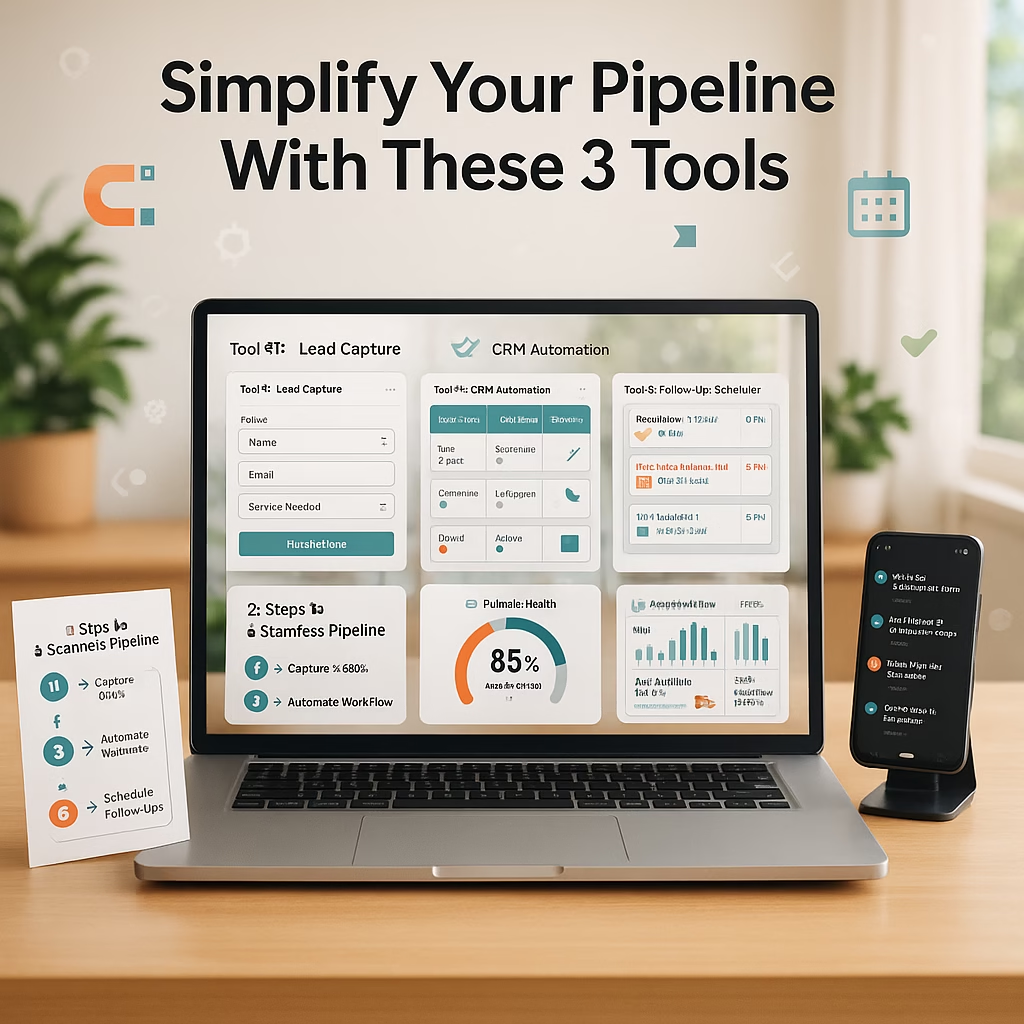
Simplify Your Pipeline With These 3 Tools

870947860986748274
Simplify Your Pipeline With These 3 Tools | Market Wiz AI

Simplify Your Pipeline With These 3 Tools

Optimize Your Sales Process by Market Wiz AI

Table of Contents

Introduction: Simplify Your Pipeline With These 3 Tools

Simplify Your Pipeline With These 3 Tools to cut through the clutter, gain real-time visibility into your sales funnel, and close more deals without drowning in manual processes. By leveraging Pipedrive for visual pipelines, HubSpot CRM for centralized contacts, and Airtable for customizable data management, you can create a streamlined system that fits your busy schedule and drives revenue growth.

1. Why Simplify Your Pipeline With These 3 Tools?

1.1 Overcoming Complexity

Many business owners struggle with disjointed spreadsheets, scattered contact lists, and follow-up oversights. Simplify Your Pipeline With These 3 Tools provides a unified approach, consolidating data and tasks in environments designed for efficiency.

1.2 Time Savings and Visibility

By adopting these tools, you reduce time spent toggling between apps. A clear, visual pipeline in Pipedrive shows deal stages at a glance, HubSpot CRM centralizes every interaction, and Airtable offers flexible data views—all leading to faster decision-making.

1.3 Boosting Conversion Rates

Automated follow-ups, prioritized tasks, and centralized lead data ensure no prospect falls through the cracks. When you Simplify Your Pipeline With These 3 Tools, you close the loop between capture and conversion, resulting in higher close rates and repeat business.

2. Tool 1: Pipedrive for Visual Pipeline Management

2.1 Key Features of Pipedrive

  • Drag-and-Drop Pipeline: Move deals through stages effortlessly for a snapshot of progress.
  • Activity Scheduler: Schedule calls, emails, and meetings directly within each deal.
  • Customizable Deal Stages: Tailor stages to match your unique sales process, from “New Lead” to “Closed-Won.”
  • Goal Tracking: Set revenue targets and monitor progress in real time.

2.2 Setting Up Your First Pipeline

  1. Create a new pipeline: Name stages like “Qualification,” “Proposal,” “Negotiation,” and “Closed.”
  2. Import existing deal data: Use CSV import or API integrations to populate Pipedrive quickly.
  3. Assign owners and permissions: Ensure each team member has access to relevant pipelines and specific stages.

2.3 Automating Tasks in Pipedrive

With Pipedrive’s workflow automation, you can:

  • Automatically create follow-up tasks when a deal enters a new stage.
  • Send email reminders if a lead remains stagnant for more than X days.
  • Notify sales reps via Slack or email whenever a high-value deal moves to “Proposal.”

3. Tool 2: HubSpot CRM for Centralized Contact Management

3.1 HubSpot’s Free Tier Benefits

  • Unlimited Contacts: Store as many leads as you need without extra cost.
  • Email Tracking & Templates: Know when prospects open your emails and use pre-built templates to save time.
  • Deal Pipelines: Visualize deals alongside contact records for a holistic view.
  • Live Chat Widget: Capture leads directly from your website into HubSpot CRM.

3.2 Integrating Email and Calendar

Connect your Gmail or Outlook to:

  • Log every email interaction automatically under the correct contact record.
  • Sync calendar events to ensure meetings are tracked and associated with deals.

3.3 Creating Automated Follow-Up Sequences

Use HubSpot’s Workflow features to:

  • Send a series of personalized emails based on lead behavior—downloads, page visits, or event sign-ups.
  • Assign tasks to sales reps when a lead engages—e.g., opens a pricing page or clicks a link in an email.
  • Trigger internal notifications when a lead reaches a predefined “Lead Score” threshold, indicating readiness for outreach.

4. Tool 3: Airtable for Customizable Data & Collaboration

4.1 Building Custom Tables and Views

Airtable allows you to:

  • Create a “Leads” base with fields for Name, Email, Source, Deal Stage, and Notes.
  • Use multiple views—Grid, Kanban, Calendar—to visualize leads by different criteria.
  • Filter and sort records dynamically—e.g., show only “Hot Leads” or “Contacts in Month of June.”

4.2 Linking Records Across Bases

Link your “Leads” table to other bases for:

  • Company Database: Associate each lead with a company profile containing industry, size, and address.
  • Engagement Tracker: Maintain a separate base for calls, emails, and meeting notes—linked back to the lead record.

4.3 Automations and Shared Workspaces

Use Airtable Automations to:

  • Send Slack or email notifications when a record’s “Deal Stage” changes to “Proposal.”
  • Create tasks in Asana or Trello for follow-up when a lead is labeled “High Priority.”
  • Share filtered Views with stakeholders—marketing sees “New Leads,” while sales sees “Qualified Prospects.”

5. Combining These Tools into One Cohesive Workflow

To truly Simplify Your Pipeline With These 3 Tools, integrate them into a seamless process:

  1. Lead Capture: Website visitors fill out a HubSpot form or engage a Pipedrive-integrated chatbot, creating a contact in both HubSpot CRM and Pipedrive.
  2. Initial Qualification: Use Airtable to enrich lead data—link to company profiles and record preliminary notes from chat interactions.
  3. Pipeline Management: Moves deals through Pipedrive’s visual pipeline while HubSpot tracks ongoing email communications and lead scores.
  4. Task Automation: Airtable triggers a Slack notification when a lead’s stage in Pipedrive updates to “Qualified,” prompting reps to check HubSpot for detailed engagement history.
  5. Reporting & Review: Weekly, pull data from all three tools into a Google Data Studio dashboard—track lead volume, response times, and deal velocity.

6. Best Practices for Busy Business Owners

6.1 Keeping Data Clean

Regularly audit your CRM and Airtable bases to:

  • Merge duplicate contacts between HubSpot and Pipedrive.
  • Ensure consistent naming conventions—use dropdowns rather than free text wherever possible.
  • Archive or delete stale leads that haven’t engaged in over six months to maintain focus on active prospects.

6.2 Balancing Automation and Personal Touch

While automations drive efficiency, personal outreach closes deals:

  • Use templates for initial follow-ups, but customize subject lines and first sentences based on lead behavior.
  • Schedule a personal call or video chat for any lead that reaches the “Opportunity” stage in Pipedrive.

6.3 Delegation and Shared Responsibility

If you’re stretched thin, delegate data entry and follow-up reminders to an assistant or junior sales rep. Establish clear guidelines on updating Airtable records and moving deals within Pipedrive to prevent confusion.

6.4 Reviewing Metrics Regularly

Set aside 30 minutes each week to:

  • Review the number of new leads captured by HubSpot forms and Pipedrive chatbots.
  • Check Airtable views for “Hot Leads” and “Stuck Deals” to identify bottlenecks.
  • Monitor average deal cycle length and adjust your follow-up cadence accordingly.

7. Conclusion & Action Steps

Simplify Your Pipeline With These 3 Tools is about creating a lean, efficient sales ecosystem that empowers busy business owners to focus on building relationships and closing deals. Follow these action steps to implement your workflow:

  1. Choose and Set Up: Sign up for Pipedrive, HubSpot CRM, and Airtable. Implement basic configurations—create your first pipeline in Pipedrive, import contacts into HubSpot, and build a “Leads” base in Airtable.
  2. Integrate and Automate: Connect your website forms, chatbots, and email parser to HubSpot and Pipedrive. Set up Airtable Automations to trigger alerts and sync tasks.
  3. Define Qualification Criteria: Establish fields and tags in each tool to identify high-priority leads based on behavior, engagement, and demographics.
  4. Build Workflows: Create automated sequences—Pipedrive tasks, HubSpot email follow-ups, Airtable notifications—for each stage of the pipeline.
  5. Monitor and Optimize: Use a combined report to track key metrics: new leads, response times, deal velocity, and conversion rates. Iterate on your workflows based on data insights.

By integrating Pipedrive, HubSpot CRM, and Airtable, you’ll transform a fragmented process into a streamlined pipeline—allowing you to focus on what matters most: growing your business and delighting customers.

25 Frequently Asked Questions

1. What does “Simplify Your Pipeline With These 3 Tools” mean?

It means using Pipedrive for pipeline visualization, HubSpot CRM for managing contacts and communications, and Airtable for customizable data tracking and collaboration, creating a cohesive, efficient sales system.

2. Why should I use Pipedrive for my pipeline?

Pipedrive offers a drag-and-drop interface for deal stages, making it easy to see deal progress and forecast revenue. Its activity scheduler and automation features help you follow up consistently without manual tracking.

3. Can I use HubSpot CRM for free?

Yes—HubSpot CRM’s free tier includes unlimited contacts, basic deal pipelines, email tracking, and live chat widgets. It’s an ideal starting point for managing leads without upfront costs.

4. How does Airtable differ from a traditional CRM?

Airtable functions like a flexible spreadsheet-database hybrid. You can create custom tables, link records, and build views like Kanban and Calendar. It’s not a dedicated CRM but excels at organizing and collaborating on data from multiple sources.

5. Do I need all three tools, or can I start with just one?

You can start with one tool—e.g., HubSpot CRM—for basic contact management. However, combining Pipedrive and Airtable adds specialized pipeline visualization and customizable data workflows, respectively, leading to more advanced efficiency.

6. How do I integrate Pipedrive with HubSpot CRM?

Use Zapier to create Zaps that sync contacts and deals between Pipedrive and HubSpot. For instance, when a new contact is added in HubSpot, create a corresponding deal in Pipedrive with predefined fields.

7. Can Airtable automate notifications to Slack?

Yes—Airtable Automations allow you to set triggers (e.g., a new record in a specific view) and actions (sending messages to Slack channels), ensuring your team stays informed about lead status changes in real time.

8. How do I prevent duplicate records across these tools?

Implement unique identifiers, such as email addresses or phone numbers, and enable duplicate detection rules in HubSpot and Pipedrive. Regularly audit your Airtable base for repeated entries and merge or delete duplicates.

9. Can I track email opens and clicks with HubSpot?

Yes—HubSpot’s email tracking notifies you when a recipient opens an email or clicks a link. This data helps you gauge interest and time your follow-ups effectively.

10. How do I create a custom view in Airtable?

In your base, click “Add a view” and choose Grid, Kanban, Calendar, or Gallery. Apply filters and sort orders to display only relevant records—such as leads in a particular stage or from a specific source.

11. What’s the best way to train my team on these tools?

Run a live demo showing how leads move through Pipedrive, how contacts are managed in HubSpot, and how Airtable consolidates data. Provide quick reference guides and record tutorial videos for future onboarding.

12. How often should I review my pipeline dashboard?

A weekly review is ideal—spend 15–30 minutes each Monday reviewing new leads, stalled deals, and conversion metrics. Adjust workflows based on insights, ensuring continuous improvement.

13. Can I use Airtable to track marketing campaigns?

Yes—create a “Campaigns” table in Airtable with fields for channel, budget, start/end dates, and results. Link campaign records to leads to analyze which efforts generate high-quality prospects.

14. How do automations in Pipedrive work?

Pipedrive’s workflow automation triggers actions—like task creation or email sending—based on conditions (e.g., deal moves to stage X). Configure automations under “Tools & Integrations” > “Workflow Automation.”

15. What metrics should I track to measure success?

  • Number of new leads captured weekly
  • Average time from lead capture to first contact
  • Deal conversion rate by stage
  • Revenue generated per lead source

16. How do I keep my Airtable base secure?

Use Airtable’s permission settings to restrict access—grant “Creator” or “Editor” roles only to those who need to modify records. Enable two-factor authentication on your Airtable account for added security.

17. Can I customize email templates in HubSpot?

Absolutely—HubSpot provides a template library. Modify templates with your branding, and use merge tags ({{first_name}}, {{company}}) to personalize at scale.

18. How do I escalate a high-value deal?

In Pipedrive, tag the deal as “High Value.” Set up an automation to notify senior reps via Slack or email whenever a deal’s value exceeds a threshold. In HubSpot, increase the lead score and assign tasks to top-tier sales staff.

19. What common mistakes should I avoid?
  • Overcomplicating workflows—start simple and iterate.
  • Neglecting data hygiene—regularly clean and update records.
  • Relying solely on automation—maintain personal outreach for key prospects.
  • Ignoring mobile access—ensure your team can update and view data on the go.

20. How do I integrate a scheduling tool like Calendly?

Connect Calendly to HubSpot using the native integration; scheduled events automatically create meetings in HubSpot, and you can log call outcomes directly. Use Zapier to sync Calendly events into Pipedrive or Airtable if needed.

21. Can I track social media interactions in HubSpot?

Yes—HubSpot’s Social Inbox integrates with LinkedIn, Facebook, and Twitter. You can monitor mentions, schedule posts, and convert social interactions into leads directly.

22. How do I share Airtable views with stakeholders?

Click “Share” on the view, generate a shareable link, and set permissions—“Read-only” for external stakeholders or “Editor” for internal collaborators. You can also embed views on internal dashboards.

23. What’s the best way to transition from spreadsheets to these tools?

Export your spreadsheet as a CSV and import into HubSpot or Pipedrive. In Airtable, import the CSV into a new base. Map fields correctly during import and validate data in a test run before full migration.

24. How do I ensure my team adopts these tools?

Provide clear documentation, hold kickoff training sessions, and assign a tool champion to answer questions. Offer incentives—like recognition or small rewards—for consistent usage and accurate data entry.

25. Where can I find more resources on Simplify Your Pipeline With These 3 Tools?

Visit Market Wiz AI’s blog for detailed tutorials, video walkthroughs, and downloadable templates to optimize your pipeline with Pipedrive, HubSpot CRM, and Airtable. Join our community forum to share best practices and learn from peers.

25 Extra Keywords

  1. pipeline management tools
  2. visual sales pipeline Pipedrive
  3. HubSpot CRM automation
  4. Airtable sales tracking
  5. lead tracking integration
  6. streamline sales process
  7. Pipedrive workflow automation
  8. HubSpot email templates
  9. Airtable base collaboration
  10. sales dashboard creation
  11. automated lead routing
  12. mobile CRM solutions
  13. centralized contact management
  14. customizable pipeline stages
  15. task reminders in CRM
  16. CRM data cleanliness
  17. Zapier Pipedrive HubSpot
  18. Calendly CRM integration
  19. AI chatbot for leads
  20. HubSpot free CRM features
  21. Pipedrive deal probability
  22. Airtable automation scripts
  23. Slack notifications CRM
  24. real-time lead alerts
  25. Market Wiz AI pipeline guide

© 2025 Market Wiz AI. All Rights Reserved.

Simplify Your Pipeline With These 3 Tools Read More »

Lead Tracking for Busy Business Owners

870502705880143929
Lead Tracking for Busy Business Owners | Market Wiz AI

Lead Tracking for Busy Business Owners

Efficient Lead Management by Market Wiz AI

Table of Contents

Introduction: Lead Tracking for Busy Business Owners

Lead Tracking for Busy Business Owners is the ultimate guide for entrepreneurs and small business owners who juggle countless responsibilities yet cannot afford to overlook a single prospect. Whether leads arrive via website forms, social media messages, or live events, a streamlined system ensures every inquiry is captured, organized, and followed up promptly. In this blog, we’ll delve into efficient strategies, essential tools, and best practices to implement a robust lead-tracking process that fits seamlessly into your hectic schedule.

1. Why Lead Tracking for Busy Business Owners Matters

1.1 Impact of Missed Leads

Failing to track leads can cost more than immediate revenue; it erodes reputation and trust. Prospects who don’t hear back often assume the business is unresponsive, leading to lost sales and negative word-of-mouth.

1.2 Time Constraints and Effective Tracking

Busy business owners lack the luxury of manual data entry and follow-up. Without an automated, reliable system, leads slip through during meetings, errands, or travel. Lead Tracking for Busy Business Owners provides a framework that captures information at the moment it arrives.

1.3 Benefits of Streamlined Lead Tracking

A well-designed lead-tracking system:

  • Ensures no inquiry goes unnoticed.
  • Reduces manual workload through automation.
  • Prioritizes high-value prospects with minimal effort.
  • Improves conversion rates and customer satisfaction.

2. Essential Tools & Platforms

2.1 Lightweight CRM Solutions

When time is scarce, simple CRM platforms like HubSpot CRM (free tier), Zoho CRM, and Pipedrive offer the right balance between features and ease of use. These tools allow you to log leads, assign tasks, and view dashboards without overwhelming complexity.

2.2 Chatbots and Lead Capture Widgets

Embed AI-driven chatbots (ManyChat, Tidio) on your website to capture visitor details 24/7. These bots prompt visitors for contact information and qualification details, pushing data directly into your CRM so you never miss a lead, even outside office hours.

2.3 Email Parsing and Automation

Use email parsing tools like Mailparser or Parseur to automatically extract leads from inbound emails—whether from inquiry forms or third-party platforms—and send parsed data to your CRM or Google Sheets for real-time tracking.

2.4 Mobile Apps for On-the-Go Tracking

Choose platforms with robust mobile apps—HubSpot, Pipedrive, and Zoho allow you to add notes, update lead statuses, and schedule follow-ups from your phone, ensuring you stay on top of leads during travel or client visits.

3. Setting Up Your Lead Tracking System

3.1 Defining Your Lead Sources

Identify all touchpoints where leads may originate: website forms, social media (Facebook, LinkedIn), live events, referrals, and third-party directories. Assign unique tags or sources in your CRM to each channel to track performance effectively.

3.2 Automating Data Entry

Leverage integrations and APIs to automate lead capture:

  • Connect web forms (Typeform, Gravity Forms) directly to your CRM.
  • Use Zapier or Integromat to funnel leads from social media ads into CRM.
  • Enable chatbots to push captured data without manual intervention.

3.3 Establishing Lead Qualification Criteria

Define what makes a lead “qualified”—budget minimums, geographic location, or service interest. Create custom fields or tags in your CRM so that each incoming lead is automatically scored or labeled based on these criteria.

3.4 Integrating Across Channels

Ensure your CRM aggregates all lead information in one place. Sync your CRM with email marketing tools (Mailchimp, ActiveCampaign), scheduling apps (Calendly), and messaging platforms (WhatsApp Business, Facebook Messenger) to centralize lead interactions.

4. Designing a Fast, Consistent Workflow

4.1 Capturing Leads Instantly

Set up triggers so that as soon as a lead submits a form or engages with a chatbot, an entry is created in your CRM and a notification is sent to your preferred channel (email, Slack, or SMS).

4.2 Assigning and Prioritizing Follow-Up Tasks

Automate task creation based on lead priority:

  • High-Priority Leads: Immediately assign to yourself or a team member with a “Call within 30 minutes” task.
  • Medium-Priority Leads: Schedule an email or SMS follow-up within 2 hours.
  • Low-Priority Leads: Add to a nurture sequence, sending automated educational content over the next week.

4.3 Scheduling Automated Reminders

Use your CRM’s automation features to send reminders before follow-up tasks are due. For example, receive a daily digest of pending tasks each morning to ensure you address every lead promptly.

4.4 Reporting and Visibility

Create a weekly dashboard that shows:

  • Number of new leads by source
  • Leads contacted vs. pending
  • Conversion rate per source
  • Average response time

Review this dashboard weekly to identify bottlenecks and adjust your workflow.

5. Best Practices for Busy Business Owners

5.1 Keeping Data Clean

Regularly audit your CRM to remove duplicate or stale leads. Standardize data entry fields—ensure phone numbers, emails, and company names follow consistent formats to avoid confusion.

5.2 Balancing Automation and Personal Touch

While automated follow-ups save time, supplement them with personalized calls or messages for high-value prospects. A quick voice note or tailored email subject line can make a significant difference in engagement.

5.3 Delegation and Shared Responsibility

As a busy business owner, delegate lead tracking tasks to a trusted assistant or junior team member. Assign clear guidelines—who handles which lead stages—so nothing falls through the cracks, even when you’re tied up with other priorities.

5.4 Reviewing Metrics Regularly

Set aside 30 minutes each week to review KPI reports: lead volume, response times, and conversion rates. Use these insights to refine lead qualification criteria and tweak workflows to stay efficient.

6. Common Challenges & Solutions

  • Overwhelming Lead Volume: Solution: Implement AI chatbots to handle initial qualification, passing only high-potential leads to you.
  • Manual Data Entry Errors: Solution: Use form integrations and email parsing to automate entry and reduce typos.
  • Inconsistent Follow-Up: Solution: Automate task creation and reminders so no lead goes cold.
  • Poor Visibility into Lead Status: Solution: Maintain a real-time dashboard and conduct weekly reviews to track progress.

7. Conclusion & Next Steps

Lead Tracking for Busy Business Owners is about building a lean, efficient system that captures every inquiry, qualifies prospects quickly, and ensures timely follow-ups. To implement this process:

  1. Identify all lead sources and configure integrations to capture data automatically.
  2. Choose a CRM that offers straightforward automation and a mobile app for on-the-go access.
  3. Set up chatbots or smart forms to gather lead information 24/7.
  4. Define clear qualification criteria and implement automated scoring or tagging.
  5. Create workflows that assign tasks, send reminders, and deliver automated follow-ups.
  6. Review metrics weekly to identify gaps, optimize processes, and keep your pipeline healthy.

By adopting these strategies, Busy Business Owners can maintain control over their leads, improve conversion rates, and grow their business without sacrificing precious time.

25 Frequently Asked Questions

1. What is Lead Tracking for Busy Business Owners?

Lead Tracking for Busy Business Owners refers to the practice of capturing, organizing, and following up on leads using streamlined, mostly automated methods so that business owners with limited time can ensure no inquiry is missed.

2. Why can’t I just use a spreadsheet?

Spreadsheets lack real-time automation, reminders, and integration capabilities. A dedicated CRM automates lead capture, sends reminders, and syncs data across channels—essential for busy owners who cannot manually update sheets.

3. Which CRM is best for small business owners?

Popular choices include HubSpot CRM (free tier), Zoho CRM, and Pipedrive. They offer straightforward interfaces, essential automation, and mobile apps, making them ideal for busy owners.

4. How do I capture leads when I’m offline?

Use AI chatbots on your website or social media. They collect visitor information and push it to your CRM even when you’re unavailable, ensuring leads are captured 24/7.

5. What are chatbots, and do I need one?

Chatbots are automated conversation tools that engage visitors, ask qualifying questions, and collect contact details. They’re crucial for instant lead capture and qualification when you can’t respond manually.

6. How do I prioritize which leads to contact first?

Define qualification criteria (e.g., budget, location, need urgency) and set up scoring in your CRM. Leads with high scores get immediate follow-up tasks assigned, ensuring you focus on the most promising opportunities.

7. Can I track leads on my phone?

Yes—choose a CRM with a robust mobile app (HubSpot, Pipedrive, Zoho) so you can view new leads, update statuses, and complete tasks directly from your smartphone.

8. How do I avoid duplicate leads?

Enable duplicate detection rules in your CRM, which match incoming leads by email or phone number. Regularly merge or remove duplicates during your weekly CRM audit.

9. What information should I collect from leads?

At minimum: name, email, phone number, and how they heard about you. Additional fields—company name, budget range, and timeline—help qualify and segment leads.

10. How often should I follow up with a new lead?

Aim to make initial contact within 15–30 minutes. If there’s no response, schedule a second follow-up 24 hours later. Use automated reminders to stay on schedule.

11. Can lead tracking improve my conversion rates?

Yes—by ensuring prompt follow-up and proper qualification, you increase engagement and reduce the chances of leads dropping off, ultimately boosting conversion rates.

12. How do I integrate social media leads into my CRM?

Use tools like Zapier or native integrations (HubSpot Social Inbox, Pipedrive WebForms) to automatically push leads from Facebook Lead Ads, Instagram DMs, or LinkedIn messages into your CRM.

13. What’s the best way to handle event-generated leads?

Use mobile lead capture apps like Pipedrive’s LeadBooster or HubSpot’s Eventbrite integration. Scan business cards or QR codes and sync data directly into your CRM for immediate follow-up.

14. How do I set up automated reminders?

Most CRMs allow you to create workflow automations: e.g., when a new lead is created, assign a “Call Lead” task due in 30 minutes, and send a notification to your phone or email.

15. How can I ensure my data stays organized?

Use standardized dropdowns and required fields in your lead capture forms. Regularly audit data—merge duplicates, update outdated information, and delete irrelevant records.

16. Is it worth delegating lead tracking?

Yes—if you’re extremely busy, hiring a virtual assistant or junior team member to monitor the CRM, respond to simple inquiries, and escalate hot leads can free you to focus on closing deals.

17. How do I measure the success of my lead-tracking system?

Track metrics such as average response time, leads contacted vs. leads captured, conversion rate per source, and the number of tasks completed. Reviewing these weekly helps identify improvement areas.

18. Can I capture leads via email without manual copying?

Yes—use email parsing tools (Mailparser, Parseur) to automatically extract lead details from inquiry emails and send them to your CRM, eliminating manual data entry.

19. How do I set realistic follow-up expectations?

Communicate with leads immediately via automated acknowledgment: “Thanks, we received your inquiry—expect a call within 30 minutes.” Meeting or beating that expectation builds trust and sets a positive tone.

20. What if my CRM doesn’t integrate with certain tools?

Use middleware like Zapier or Integromat to bridge the gap. These platforms connect hundreds of apps, ensuring leads flow smoothly into your CRM from any source.

21. How do I keep my lead-tracking process simple?

Avoid complex workflows initially. Start with core steps: capture lead, assign priority, schedule follow-up. Layer additional automations gradually as you refine your process.

22. What common mistakes should I avoid?

Avoid these pitfalls:
• Over-automating without personalization—balance is key.
• Neglecting data hygiene—dirty data leads to missed opportunities.
• Ignoring mobile access—ensure you can update leads on the go.
• Failing to review metrics—without data, you can’t improve.

23. Can I use spreadsheets alongside my CRM?

While CRMs are preferable, small businesses can start with a spreadsheet if they have low lead volume. Use Google Sheets with form integrations and Zapier to mimic basic CRM functions until growth demands a dedicated platform.

24. How do I train my team on lead-tracking best practices?

Provide a concise manual outlining procedures: how to enter new leads, update statuses, and schedule follow-ups. Conduct a brief live training session and record it for future reference.

25. Where can I find more resources on lead tracking?

Visit Market Wiz AI’s blog for in-depth tutorials, downloadable templates, and case studies on effective lead tracking. Join our community forum to learn from other busy business owners’ experiences.

25 Extra Keywords

  1. automated lead capture
  2. fast lead management
  3. on-the-go CRM tools
  4. lead assignment automation
  5. CRM reminders
  6. mobile lead tracking
  7. HubSpot lead tracking
  8. Zoho lead capture
  9. Pipedrive mobile CRM
  10. email parsing tools
  11. AI chatbot lead capture
  12. lead scoring for small business
  13. CRM data cleanup
  14. Zapier CRM integration
  15. Integromat lead workflows
  16. quick follow-up strategies
  17. lead tracking best practices
  18. social media lead integration
  19. Google Sheets CRM alternative
  20. lead tracking dashboard
  21. CRM task automation
  22. lead prioritization methods
  23. small business lead nurturing
  24. CRM mobile notifications
  25. Market Wiz AI lead guide

© 2025 Market Wiz AI. All Rights Reserved.

Lead Tracking for Busy Business Owners Read More »

How to Never Miss a Lead Again (AI + CRM)

870501131774621349
How to Never Miss a Lead Again (AI + CRM) | Market Wiz AI

How to Never Miss a Lead Again (AI + CRM)

Never Lose Opportunities with Smart Automation by Market Wiz AI

Table of Contents

Introduction: How to Never Miss a Lead Again (AI + CRM)

How to Never Miss a Lead Again (AI + CRM) starts with a fundamental shift: combining the precision of artificial intelligence with the organization of a solid Customer Relationship Management system. In today’s fast-paced environment, leads can slip through unnoticed—forms left unanswered, inquiries buried in inboxes, or sales reps overwhelmed by volume. This guide provides a step-by-step blueprint to capture every lead, qualify prospects instantly, and ensure timely follow-ups, guaranteeing your team never overlooks an opportunity.

1. Understanding AI + CRM Synergy

1.1 What Does AI + CRM Mean?

AI + CRM refers to the integration of artificial intelligence technologies—such as machine learning, natural language processing, and predictive analytics—into a CRM platform. This blend enables smart automation of repetitive tasks, intelligent lead scoring, and personalized customer interactions based on data-driven insights.

1.2 Common Lead Leakage Points

Even with a CRM, leads can be lost at various stages:

  • Unanswered Inquiries: Forms submitted outside business hours without immediate acknowledgment.
  • Poor Prioritization: High-quality leads buried under generic inquiries.
  • Delayed Follow-Up: Manual reminders fail, resulting in slow responses.
  • Fragmented Touchpoints: Leads captured but not funneled into CRM, e.g., chat conversations or social media messages.

1.3 Benefits of AI-Enhanced CRM

Integrating AI into CRM eliminates these gaps by:

  • Instant Lead Capture: Chatbots and smart forms feed data directly into CRM.
  • Automated Qualification: Machine learning models score leads in real-time.
  • Predictive Follow-Up: AI suggests optimal follow-up times and channels.
  • Continuous Learning: AI refines algorithms from each interaction, improving accuracy over time.

2. Automated Lead Capture Methods

2.1 AI Chatbots and Virtual Assistants

Deploy AI-powered chatbots on your website and social media channels. These bots:

  • Greet Visitors: “Hi! How can I help you today?”
  • Collect Key Information: Ask name, email, and inquiry type, then push data into CRM automatically.
  • Qualify Immediately: Use decision-tree logic—“Are you looking for pricing or a consultation?”—to tag lead categories.

2.2 Web Form Smart Capture

Enhance static forms with AI-based features:

  • Auto-Fill & Validation: Predictive text that reduces form abandonment.
  • Intent Detection: NLP analyzes open-text fields to categorize urgency and need.
  • Real-Time Sync: Upon submission, a webhook or API call ensures the lead enters CRM instantly, triggering immediate acknowledgment.

2.3 Social Media & Messenger Integrations

Connect Facebook Messenger, Instagram DMs, and LinkedIn messages to your CRM:

  • Chat Ads: Run “Click to Messenger” campaigns that start conversations, with bots capturing prospects.
  • DM to CRM: Use tools like Zapier to convert social media messages into CRM leads, preserving conversation history.
  • Auto-Tagging: AI classifiers scan message content to apply appropriate tags—“Product Inquiry,” “Support Request,” etc.

2.4 Email Parsing and Intelligent Routing

Leverage AI to parse inbound emails and route them correctly:

  • Keyword Extraction: Machine learning models highlight critical details (company size, budget).
  • Automatic Assignment: Based on rules—“If keyword ‘urgent’ appears, assign to senior rep.”
  • Trash vs. Lead Filtering: AI filters out spam or low-value emails, ensuring only qualified leads reach reps.

3. AI-Powered Lead Qualification

3.1 Scoring Leads with Machine Learning

Use AI models trained on historical CRM data to assign scores to incoming leads:

  • Behavioral Signals: Page visits, content downloads, time spent on pricing page.
  • Demographic Fit: Company size, industry, job title extracted via AI enrichment tools.
  • Engagement Patterns: Email open rates, chatbot interaction depth, social media engagement.

3.2 Predictive Insights and Lead Prioritization

AI can forecast which leads are most likely to convert by analyzing patterns. High-scoring leads are flagged as “Hot,” triggering real-time notifications to sales reps for immediate outreach.

3.3 Segmentation and Dynamic Lists

Instead of static lists, AI creates dynamic segments—“Leads with score above 80,” “Engaged in last 7 days,” or “Webinar Attendees.” CRM automatically updates these segments as new data arrives, ensuring follow-up campaigns target the right audience.

4. Building Intelligent Follow-Up Workflows

4.1 Trigger-Based Email Sequences

Craft email workflows activated by lead actions:

  • Welcome Sequence: Immediately after form submission: “Thanks for your interest! Here’s an overview of our services.”
  • Behavioral Triggers: If a lead revisits pricing page, send “Not sure which plan fits? Let’s chat.”
  • Re-Engagement: AI detects inactivity for 14 days and sends a personalized “Still interested in [product]?” email.

4.2 SMS and Messenger Automations

Complement email with quick, personalized SMS or Messenger messages:

  • Immediate Acknowledgment: “We received your inquiry, {{FirstName}}. A rep will be in touch shortly.”
  • Call-to-Action Nudges: “Schedule a demo in one click: [Link].”
  • Follow-Up Prompts: “Checking in—did you get a chance to review our proposal?”

4.3 Task Automation for Sales Reps

Automate task creation so no follow-up is missed:

  • New Hot Lead: Create task “Call within 10 minutes,” assign to rep, send Slack notification.
  • No Response: If lead doesn’t reply to initial outreach in 48 hours, schedule a “Second Attempt” task with a reminder.
  • Deal Stage Change: When AI predicts high propensity to buy, assign follow-up tasks like “Send proposal” or “Schedule demo.”

4.4 Personalized Nurturing Messages

AI analyzes lead interests and purchase history to craft hyper-personalized messages:

  • Content Recommendations: “Since you downloaded our eBook on SEO, here’s a case study on local search optimization.”
  • Product Suggestions: “You viewed our Pro Plan; did you know it includes dedicated support?”

5. Analytics & Tracking for Seamless Handoffs

5.1 Real-Time Dashboards

Use AI-enhanced dashboards to monitor lead flow:

  • Inbound Leads Count: See live numbers by source—web forms, chatbots, social campaigns.
  • Qualified vs. Unqualified: Gauge how many leads meet the AI score threshold for “Sales Ready.”
  • Response Time Metrics: Track average time from lead capture to first contact. Benchmarks should be under 15 minutes.

5.2 Lead Source Attribution

AI tools can stitch together omnichannel touchpoints—email, chat, ad clicks—to attribute conversions accurately. Understand which channels drive the most high-value leads and allocate budget accordingly.

5.3 Conversion and Drop-Off Monitoring

Visualize the funnel: from raw inquiry to qualified lead to opportunity to closed-won. AI flags bottlenecks—e.g., 30% of leads drop off after initial email. Address these gaps with targeted interventions.

5.4 AI-Driven Recommendations

AI continuously analyzes data to suggest optimizations:

  • Best Time to Call: Based on historical engagement patterns, AI recommends optimal call windows for each lead.
  • Email Subject Lines: Suggested subject lines proven to increase open rates for your industry.
  • Lead Re-Engagement Timing: AI identifies when previously cold leads are most likely to re-engage.

6. Recommended AI + CRM Platforms

6.1 HubSpot AI Add-Ons

HubSpot’s AI features include:

  • Predictive Lead Scoring: Analyzes past conversions to score new leads.
  • Content Assistant: Drafts emails and blog outlines within CRM.
  • Conversation Intelligence: Transcribes sales calls and highlights key moments automatically.

6.2 Salesforce Einstein

Einstein AI for Salesforce offers:

  • Einstein Lead Scoring: Prioritizes leads based on conversion probability.
  • Einstein Opportunity Insights: Sends alerts when deals are at risk or when there’s an ideal moment to engage.
  • Einstein Bots: Web and SMS chatbots that gather lead data and schedule follow-ups in Salesforce.

6.3 Zoho CRM with Zia AI

Zoho’s Zia AI capabilities include:

  • Zia Lead Scoring: Learns from past deals to rank incoming leads.
  • Zia Sales Assistant: Conversational bot that captures leads from website and social channels.
  • Zia Insights: Provides anomaly detection, trend analysis, and suggestion of next best actions.

6.4 Freshsales Freddy AI

Freddy AI within Freshsales features:

  • Freddy’s Deal Insights: Predicts which deals will close and when.
  • Freddy for Email: Auto-generates email responses and summarizes email threads.
  • Freddy Chatbot: Engages website visitors, captures leads, and schedules appointments directly in Freshsales.

6.5 Pipedrive Merge AI Tools

Pipedrive’s AI integrations include:

  • Smart Data Capture: Scan business cards and email signatures to auto-fill contact fields.
  • LeadBooster Chatbot: Qualifies website visitors and delivers leads to Pipedrive automatically.
  • Deal Probability Scores: AI estimates the likelihood of winning each deal based on historical win rates.

7. Best Practices for Implementation

7.1 Data Hygiene and Preparation

Maintaining clean data ensures AI models remain accurate:

  • Standardize Contact Fields: Use consistent formatting for phone numbers, emails, and addresses.
  • Remove Duplicates: Merge or delete duplicate records before training AI scoring models.
  • Enrich Data: Use third-party services to append missing company information, industry tags, and technographic details.

7.2 Training Your Team on AI Tools

Successful adoption requires buy-in and education:

  • Hands-On Workshops: Conduct interactive sessions where reps practice using predictive scoring dashboards and automation workflows.
  • Documentation & Quick Reference Guides: Provide step-by-step instructions and video tutorials to reinforce learning.
  • Ongoing Coaching: Assign an AI champion to answer questions and share best practices during weekly huddles.

7.3 Balancing Automation and Human Touch

Automation accelerates tasks but should not replace personal connection:

  • Customize Email Templates: Use AI to suggest content, then personalize with specific references to the lead’s company or pain points.
  • Schedule Real Human Check-Ins: After AI-driven sequences, set tasks for reps to call high-priority leads.
  • Gather Feedback: Periodically survey leads about their experience—ensure automated messages feel helpful, not robotic.

7.4 Continuous Improvement with Feedback Loops

AI thrives on data. Continuously refine by:

  • Monitoring Model Accuracy: Compare AI lead scores against actual conversion outcomes—retrain models quarterly.
  • A/B Testing Workflows: Experiment with different email cadences, subject lines, and chatbot scripts to measure engagement uplift.
  • Incorporating Rep Insights: Sales reps flag mismatches—e.g., high-scoring leads that underperformed—helping refine AI parameters.

8. Conclusion & Action Plan

How to Never Miss a Lead Again (AI + CRM) is more than just a tagline—it’s a strategic commitment to capturing every opportunity and nurturing prospects with precision. Start implementing today with this action plan:

  1. Audit Your Current Lead Flow: Map every touchpoint where leads can enter—web forms, chatbots, social media, email.
  2. Choose Your AI-Enabled CRM: Evaluate platforms like HubSpot, Salesforce Einstein, Zoho Zia, Freshsales Freddy, or Pipedrive’s AI tools based on your budget and requirements.
  3. Clean and Enrich Your Data: Standardize fields, remove duplicates, and enrich records with third-party data to feed accurate AI models.
  4. Deploy AI-Driven Capture Tools: Implement chatbots, smart forms, and email parsing to ensure every inquiry lands in your CRM instantly.
  5. Build Qualification Models: Configure AI lead scoring rules, set thresholds for “Hot Leads,” and automate task creation for immediate follow-up.
  6. Design Intelligent Workflows: Create email, SMS, and task automations that adapt based on lead behavior and score updates.
  7. Monitor and Optimize: Use real-time dashboards to track lead status, response times, and conversion rates. Conduct A/B tests and retrain models quarterly.

By following these steps, your organization will consistently capture, qualify, and nurture leads, ensuring no prospect falls through the cracks. Embrace AI + CRM to elevate your sales process, improve efficiency, and ultimately never miss a lead again.

25 Frequently Asked Questions

1. What does “How to Never Miss a Lead Again (AI + CRM)” entail?

It refers to combining artificial intelligence with a CRM system to automate lead capture, qualification, and follow-up, ensuring every inquiry is tracked and managed without manual oversight.

2. Do I need coding skills to implement AI + CRM?

No. Most AI-enabled CRM platforms like HubSpot, Zoho CRM, and Freshsales provide no-code interfaces for setting up chatbots, lead scoring models, and automated workflows.

3. How quickly can I see results after implementing AI + CRM?

Basic setup—like integrating a chatbot and email automation—can be completed within a week. Expect to see improved lead capture rates and faster response times immediately; AI-driven lead scoring accuracy improves over 2–3 months as the system learns from data.

4. What data do I need for AI lead scoring?

Historical CRM data: closed-won vs. closed-lost leads, demographic info (company size, industry), behavioral signals (email opens, website visits), and engagement metrics (meeting attendance, content downloads).

5. Can small businesses afford AI-enabled CRM?

Yes. Many CRM providers offer tiered pricing—start with basic AI features on an affordable plan. For instance, Zoho CRM’s Standard tier includes lead scoring, while HubSpot’s AI features are available in mid-level packages.

6. How do AI chatbots integrate with my website?

Most AI chat platforms (ManyChat, Drift, Intercom) provide a snippet of JavaScript code. Simply paste the snippet into your website’s header. The chatbot appears on your site, capturing visitor data and syncing directly with your CRM via API or Zapier.

7. How is AI-based lead scoring different from manual scoring?

Manual scoring relies on salesperson judgment—assigning points based on predefined rules. AI-based scoring uses machine learning to analyze complex patterns in historical data, often achieving more accurate predictions of conversion likelihood.

8. What if my CRM doesn’t have built-in AI?

You can still leverage AI by integrating external tools. For example, use third-party predictive lead scoring platforms (Infer, MadKudu) that sync with your CRM, analyzing lead data and updating scores accordingly.

9. How do I ensure my AI models remain accurate?

Continuously feed fresh data into the model—mark outcomes (won/lost), update behavioral signals, and retrain the algorithm quarterly. Monitor model performance metrics (precision, recall) to identify drift and retrain as needed.

10. Can AI help with lead attribution?

Yes. AI algorithms analyze multi-touchpoint data—ad clicks, email interactions, social engagements—to attribute conversions accurately. This helps identify which marketing channels deliver the highest-quality leads.

11. How do I integrate AI-powered email automation?

Within your CRM, enable AI email assistants (e.g., HubSpot’s AI content suggestions) or connect to third-party tools (SalesLoft, Outreach) that provide AI-driven email cadence recommendations. Map triggers—like lead score changes—to initiate email sequences automatically.

12. What role does predictive analytics play in CRM?

Predictive analytics forecasts outcomes such as which deals will close this quarter, which customers are at risk of churn, and optimal next-best actions. CRM dashboards display these insights, enabling data-driven decision-making.

13. Is AI lead qualification legal under GDPR?

Yes, as long as you obtain explicit consent before processing personal data. Clearly inform users that their data may be used for automated decision-making. Provide options to opt out and ensure data subject rights are upheld.

14. Can AI handle multilingual leads?

Many AI chatbots and NLP engines support multiple languages. Configure your chatbot to detect user language and switch to appropriate flows. Likewise, AI lead scoring can process diverse language inputs if properly trained.

15. How do I measure the ROI of AI + CRM?

Compare pre-implementation metrics—lead capture rate, response time, conversion rate—against post-implementation performance. Calculate incremental revenue from improved conversion and savings from reduced manual labor, then subtract implementation costs.

16. What challenges should I anticipate during rollout?

Common challenges include data inconsistencies, user resistance to new tools, and AI model misalignment. Address by cleaning data beforehand, providing thorough training, and running pilot tests to refine AI parameters before full launch.

17. Can I customize AI workflows for different product lines?

Absolutely. Most platforms let you create separate pipelines or segments. Train AI models on historical data specific to each product line, creating unique scoring rules and follow-up sequences that match each audience’s behavior.

18. How do I protect sensitive lead data within AI + CRM?

Use CRM platforms that offer encryption at rest and in transit, role-based access controls, and audit logs. Limit AI data access to only necessary fields and ensure compliance with data protection regulations (GDPR, CCPA).

19. How often should I retrain my AI models?

Typically every 3–6 months, or whenever significant changes occur—like a new product launch or a major marketing campaign shift. Regular retraining ensures the model stays aligned with evolving customer behaviors.

20. Can AI suggest pricing strategies to increase conversions?

Some advanced platforms analyze market data, competitor pricing, and historical win/loss ratios to recommend optimized price points. These recommendations can be tested via A/B pricing experiments to maximize revenue.

21. What is the difference between predictive and prescriptive AI in CRM?

Predictive AI forecasts outcomes (e.g., lead-to-opportunity conversion), while prescriptive AI suggests specific actions (e.g., “Contact this lead via SMS at 3 PM”). Prescriptive AI takes it a step further by recommending next-best steps.

22. How do I handle AI model bias?

Bias can occur if training data is skewed. Mitigate by ensuring diverse datasets, reviewing model outputs for inconsistencies, and implementing fairness checks. Regularly audit AI recommendations to detect and correct biases.

23. Can AI automate upsell and cross-sell suggestions?

Yes. AI analyzes purchase history and customer profiles to identify upsell or cross-sell opportunities. Automated workflows can then trigger personalized messages—“Based on your recent purchase of X, you might also like Y.”

24. What’s the role of human oversight in AI-driven CRM?

Humans remain essential for handling complex negotiations, interpreting nuanced customer signals, and providing empathy. AI augments by handling repetitive tasks, but human reps ensure relationship-building and close deals effectively.

25. Where can I find more resources on AI + CRM integration?

Visit Market Wiz AI’s blog for case studies, whitepapers, and video tutorials on integrating AI with leading CRM platforms. Join our community forum to discuss best practices and learn from other businesses’ experiences.

25 Extra Keywords

  1. AI-powered CRM solutions
  2. automated lead capture
  3. machine learning lead scoring
  4. CRM automation tools
  5. AI chatbot lead generation
  6. predictive lead qualification
  7. sales follow-up automation
  8. AI sales pipeline management
  9. real-time lead notifications
  10. AI-driven customer insights
  11. HubSpot AI features
  12. Salesforce Einstein setup
  13. Zoho Zia AI tutorial
  14. Freshsales Freddy AI guide
  15. Pipedrive AI integration
  16. lead attribution AI
  17. email parsing AI
  18. chatbot CRM integration
  19. dynamic lead segmentation
  20. AI sales forecasting
  21. AI prescriptive analytics
  22. CRM data enrichment
  23. GDPR AI compliance
  24. AI-driven marketing automation
  25. Market Wiz AI lead solutions

© 2025 Market Wiz AI. All Rights Reserved.

How to Never Miss a Lead Again (AI + CRM) Read More »

Use Facebook Messenger as a CRM (Genius Hack)

870500302845929879
Use Facebook Messenger as a CRM (Genius Hack) | Market Wiz AI

Use Facebook Messenger as a CRM (Genius Hack)

Revolutionize Your Customer Management by Market Wiz AI

Table of Contents

Introduction: Use Facebook Messenger as a CRM (Genius Hack)

Use Facebook Messenger as a CRM (Genius Hack) to streamline communication, manage leads, and nurture customer relationships without investing in costly software. By leveraging Facebook’s ubiquitous messaging platform, small businesses and entrepreneurs can centralize conversations, automate follow-ups, and track engagement—all within the familiar Messenger interface. In this post, we’ll explore how to transform Facebook Messenger into a robust CRM tool that boosts efficiency and strengthens customer loyalty.

1. Why Use Facebook Messenger as a CRM (Genius Hack)?

1.1 Ubiquity of Messenger

More than 1.3 billion people use Facebook Messenger monthly. By meeting customers where they already are, you eliminate friction—no app installs or new platforms required. This massive user base makes Messenger an ideal channel for capturing leads and handling inquiries in real time.

1.2 Real-Time Conversations & Engagement

Unlike email, Messenger offers instant, conversational interactions. Quick replies, read receipts, and typing indicators give both parties context, leading to faster responses and higher engagement. Customers appreciate immediate answers, and businesses can capitalize on that momentum to move leads through the funnel.

1.3 Low Barrier to Entry

Most businesses already maintain a Facebook page. Enabling Messenger only requires flipping a switch. There’s no additional cost for the basic messaging functionality—a stark contrast to subscription-based CRM platforms. This “Genius Hack” leverages existing infrastructure to minimize overhead while maximizing impact.

2. Core Features to Leverage

2.1 Contact Organization with Labels & Tags

Facebook Business Suite allows you to categorize conversations using customizable labels. Tag leads by status—“New Lead,” “Qualified,” “VIP”—and filter your inbox to prioritize follow-ups. Proper tagging ensures no conversation slips through the cracks.

2.2 Automated Replies & Chatbots

Use ManyChat or Chatfuel to build chatbots that greet visitors, collect contact details, and answer FAQs. By automating initial responses—“Hi there! Thanks for reaching out. What can we help you with today?”—you engage users immediately and capture vital information even when you’re offline.

2.3 Inbox Filtering & Saved Replies

Saved replies enable quick, consistent answers to common questions—pricing, availability, location. Combine with inbox filters to segment conversations: unread messages, messages with attachments, or flagged threads. This organization saves time and improves customer satisfaction.

2.4 Integration with CRM Tools

While Messenger can function as a standalone CRM, integrating it with platforms like HubSpot, Zoho CRM, or Airtable amplifies capabilities. Use Zapier to automatically push new Messenger contacts into your CRM—ensuring seamless data sync and centralized reporting.

3. Step-by-Step Setup Guide

3.1 Enabling Messenger for Business

1. Go to your Facebook Page Settings > Messaging.
2. Toggle on “Allow people to contact my Page privately.”
3. Customize your greeting message under “Response Assistant.”

Now your page is ready to receive Messenger inquiries—no developer required.

3.2 Installing Chatbot Platforms

1. Sign up for ManyChat (manychat.com) or Chatfuel (chatfuel.com).
2. Connect your Facebook Page during onboarding.
3. Create a “Welcome Message” flow that collects user’s name, email, and inquiry type.
4. Test the bot by sending a message to your Page, ensuring tags and custom fields populate correctly.

3.3 Creating Tags and Custom Fields

1. In Facebook Business Suite, navigate to “Inbox” > “Labels.”
2. Add labels like “New Lead,” “Follow-Up,” “Closed Deal,” or “Support Request.”
3. Assign labels manually or configure your chatbot to apply tags based on user responses.

Tags let you quickly filter and prioritize conversations—key to using Messenger as a CRM.

3.4 Automating Lead Capture

1. In ManyChat, use the “User Input” card to ask for Name and Email.
2. Map inputs to custom fields (e.g., {{first_name}}, {{email}}).
3. Use a Zapier integration: When a new subscriber is added in ManyChat, create a contact record in HubSpot or Airtable.
4. Send an automated confirmation message: “Thanks {{first_name}}! We’ll be in touch shortly.”

4. Designing Efficient Messenger Workflows

4.1 Lead Qualification Sequences

Build a simple bot sequence:
• Step 1: “Welcome! Can you share your budget range?”
• Step 2: “Which service are you interested in—Consultation, Support, or Demo?”
• Step 3: “Thanks! A team member will reach out within 30 minutes. What’s the best email to contact you?”

Each answer triggers a tag: “Hot Lead,” “Budget < $500,” etc., enabling prioritization.

4.2 Follow-Up and Nurturing Templates

Use saved replies for consistent follow-ups:
• “Hi {{first_name}}, just checking if you had time to review our proposal?”
• “Hello {{first_name}}, here’s a quick demo video link: [Video URL]. Let me know your thoughts.”

Combine with scheduled broadcasts: send a “We miss you” message to “Cold Leads” tagged over 14 days ago.

4.3 Appointment Booking via Messenger

Integrate with a scheduling tool like Calendly or Square Appointments:
• When user selects “Book Appointment,” the bot replies with a Calendly link.
• Calendly confirmation triggers a follow-up via Zapier to send “Your appointment is confirmed for {{date_time}}.”

This sequence transforms Messenger into a full booking engine—no phone calls needed.

4.4 Customer Support Escalation

Implement a support workflow:
• Bot asks: “What’s your issue—Billing, Technical, Other?”
• Based on response, assign labels and route conversation to the appropriate team member.
• Notify via Slack or email when a new support inquiry arrives, ensuring rapid resolution.

5. Analytics & Tracking in Messenger

5.1 Monitoring Response Times

Track average response times in Facebook Business Suite under “Insights” > “Messages.” Aim for under 15 minutes to maintain a “Very Responsive” badge, which builds trust and encourages more inquiries.

5.2 Tracking Conversions from Messenger

Set up UTM parameters in links shared via Messenger. For example: ?utm_source=messenger&utm_medium=chat&utm_campaign=crm_hack. In Google Analytics, filter traffic by these UTMs to measure how many website visits or form submissions originated from Messenger conversations.

5.3 Using Facebook Insights & Pixel

Install Facebook Pixel on your website. When a lead clicks a link from Messenger and completes a conversion (e.g., sign-up, purchase), Pixel records the event. In Ads Manager, view “Outbound Click” and “Lead” metrics to quantify Messenger-driven ROI.

5.4 Reporting Metrics to Optimize Performance

Key metrics to review weekly:
• Number of new Messenger contacts
• Tag distribution (Hot vs. Cold leads)
• Conversion rate from Messenger to qualified lead
• Average response time
• Customer satisfaction based on feedback tags (Positive vs. Negative)

Use a Google Sheets integration via Zapier to log these metrics automatically for trend analysis.

6. Best Practices for Messenger as CRM

6.1 Personalization & Tone

Even automated messages should feel human. Use merge tags—“Hi {{first_name}}!”—and adapt your tone to match your brand voice. Avoid robotic phrases; write as though you’re chatting with a friend.

6.2 Response Time Expectations

Set clear expectations with an initial automated greeting: “Thanks for messaging us! We’ll get back to you within 15 minutes.” Meeting or exceeding that timeline builds credibility and reduces frustration.

6.3 Privacy & Compliance

Inform customers how their data will be used: “By providing your email, you agree to receive updates and promotional messages.” Comply with GDPR and CCPA by enabling users to request data deletion and opt out of marketing communications.

7. Recommended Tools & Integrations

7.1 ManyChat & Chatfuel

ManyChat offers an intuitive drag-and-drop builder, allowing you to create flows that capture leads, send broadcasts, and tag users—all without coding. Chatfuel provides similar capabilities with a focus on ease of use. Both integrate natively with Facebook Pages.

7.2 Zapier & Integromat Workflows

Zapier connects ManyChat to hundreds of apps—automatically add new subscribers to Google Sheets, send Slack notifications for high-value leads, or create HubSpot contacts. Integromat (Make) offers advanced scenario capabilities for multi-step automations at a lower cost.

7.3 Syncing with External CRMs (HubSpot, Zoho)

Use Zapier to push new Messenger leads into HubSpot’s free CRM or Zoho’s SMB plan. Map fields—Name, Email, Inquiry Type—to CRM properties. When a lead’s tag changes to “Qualified,” trigger an automated email sequence through the CRM.

7.4 Analytics Dashboards

Combine Facebook Insights data with Google Sheets using Supermetrics or Zapier to build custom dashboards in Google Data Studio. Monitor Messenger-specific KPIs—response time, conversation volume, and conversion rates—alongside website analytics.

8. Troubleshooting Common Issues

8.1 Chatbot Not Responding

Ensure your chatbot is published and connected to the correct Facebook Page. Check ManyChat’s “Live Chat” view to confirm the flow is active. If the bot isn’t replying, verify that the user’s input triggers match the configured keywords or buttons.

8.2 Tags Not Applying Correctly

Review your Messenger settings: tags must be created in Business Suite before using them in chat flows. In ManyChat, ensure the “Action” card applies the correct tag under “Set Custom Field” > “Tag.”

8.3 Zapier Integration Failing

Check Zap history for errors—common issues include expired tokens, missing mapping fields, or rate limits. Re-authenticate your Facebook Page in Zapier and confirm that any required fields (email, name) are not blank.

8.4 Slow Response Times

If response times exceed your target, consider adding team members to handle incoming conversations. Use “Assigned to” features in Business Suite to distribute messages. Alternatively, create more robust automated flows to answer FAQs without human intervention.

9. Conclusion & Next Steps

Use Facebook Messenger as a CRM (Genius Hack) to transform your customer interactions, streamline lead management, and boost conversions—all without investing in expensive software. By leveraging Messenger’s built-in features—labels, saved replies, and chatbots—alongside integrations like ManyChat and Zapier, you can build a fully functional CRM that fits in your pocket.

  1. Enable Messenger on Your Facebook Page: Turn on messaging and set up a friendly greeting.
  2. Install a Chatbot Platform: Use ManyChat or Chatfuel to automate initial responses and capture contact details.
  3. Create Tags & Custom Fields: Organize conversations by lead stage, inquiry type, and priority.
  4. Build Automated Workflows: Design qualification sequences, follow-up templates, and appointment booking flows.
  5. Integrate with Your CRM: Use Zapier to sync Messenger contacts into HubSpot or Zoho for centralized reporting.
  6. Monitor & Optimize: Track response times, conversation volumes, and conversion rates using Facebook Insights and Google Data Studio.
  7. Refine & Scale: as your audience grows, add multilingual flows, advanced chat triggers, and deeper analytics to keep improving ROI.

Start implementing this Genius Hack today—Use Facebook Messenger as a CRM (Genius Hack) and watch your customer relationships flourish while saving time and resources.

25 Frequently Asked Questions

1. What does “Use Facebook Messenger as a CRM (Genius Hack)” mean?

It means repurposing Facebook Messenger’s business tools—labels, chatbots, saved replies—as a lightweight customer relationship management system. By organizing and automating conversations, you track leads and manage customer interactions without a separate CRM platform.

2. Do I need a paid subscription to use Messenger as a CRM?

No. Facebook Messenger and Business Suite are free. You may choose to pay for a chatbot platform (ManyChat, Chatfuel) or integration services (Zapier), but basic tagging and messaging features incur no additional cost.

3. How do I tag and organize contacts in Messenger?

In Facebook Business Suite, open the Inbox, select a conversation, click “Label” at the top, and choose or create a tag (e.g., “New Lead,” “Follow-Up,” “VIP”). Use labels to filter and prioritize your messages.

4. Which chatbot platform is best for beginners?

ManyChat is often recommended for its intuitive drag-and-drop interface, extensive templates, and free tier that supports basic lead capture, automated replies, and tagging. Chatfuel is another user-friendly option with similar capabilities.

5. How can I capture email addresses via Messenger?

Use your chatbot’s “User Input” feature to ask, “What’s your email address?” then map the response to a custom field (e.g., {{email}}). Set up an automation—via Zapier—to push that email into your CRM or Google Sheet.

6. How do I set up automated follow-ups?

In ManyChat, build a flow triggered by a tag change or a specific keyword. For example, when a user is tagged “Qualified,” send a follow-up message after 24 hours: “Hi {{first_name}}, just checking if you have any questions about our proposal?”

7. Can I book appointments through Messenger?

Yes. Integrate Calendly or Square Appointments by sharing a scheduling link in your chatbot flow. Use Zapier to send reminders: when a user books via Calendly, trigger an SMS or Messenger message confirming the appointment.

8. How do I track conversions from Messenger?

Append UTM parameters to any links shared in Messenger (e.g., ?utm_source=messenger&utm_medium=chat&utm_campaign=crm_hack). In Google Analytics, filter by these UTMs to see how many users from Messenger complete desired actions (form fills, purchases).

9. What metrics should I monitor in Messenger?

Key metrics include:

  • Average response time (aim for < 15 minutes)
  • Total number of new conversations
  • Number of labeled “Hot Leads”
  • Conversion rate of Messenger leads to customers
  • Open and click-through rates of Messenger broadcasts

10. How do I ensure I comply with privacy laws?

Include a brief consent message—“By providing your email, you agree to receive updates” and honor opt-out requests immediately. Use Facebook’s data access tools to delete user data upon request, ensuring GDPR and CCPA compliance.

11. Can I integrate Messenger with HubSpot CRM?

Yes—use Zapier to connect ManyChat to HubSpot. Configure a Zap: when a new subscriber is added in ManyChat, create or update a contact in HubSpot. Map fields like name, email, and tags for seamless syncing.

12. What if I receive spam messages?

Enable Message Filtering in Business Suite: go to Inbox > Filter > “Spam” or “Message Requests.” For chatbots, implement keyword validation—ask qualifying questions before capturing contact details to filter out irrelevant messages.

13. How do I manage multiple team members in Messenger?

In Facebook Business Suite, add team members under “Page Roles.” Assign “Moderator” or “Admin” roles as needed. Use “Assigned to” features in the Inbox to distribute conversations and prevent overlap.

14. Can I send bulk messages to all my Messenger contacts?

Yes—using ManyChat or Chatfuel’s broadcasting feature, you can send messages to tagged segments (e.g., “Hot Leads”). Ensure compliance with Facebook’s 24-hour rule: you can only send promotional content within 24 hours of the user’s last message.

15. How do I handle users who don’t respond to automated messages?

After the initial automated follow-up, tag them “No Response.” Schedule a secondary message after 7 days: “Hi {{first_name}}, just wanted to circle back—can I assist with anything?” If still no response, archive the conversation or move to a “Dormant” tag.

16. What’s the best way to store conversation history externally?

Use Zapier to log new customer details and conversation snippets into Google Sheets or Airtable. Set up a Zap: when a new message arrives containing “Lead,” append row to a designated sheet with timestamp, user ID, and message content.

17. Can I use Messenger as a CRM on mobile?

Yes—Facebook’s Business Suite mobile app provides access to labels, saved replies, and basic analytics. ManyChat also offers a mobile interface for managing chatbot flows and broadcasts on the go.

18. How do I segment Messenger contacts effectively?

Use chatbot questions to segment based on interest: “Are you interested in Product A or Service B?” Then apply corresponding tags. You can also segment by geography—“Where are you located?”—to tailor localized offers.

19. How often should I clean up my Messenger inbox?

Schedule a monthly review: archive conversations older than 30 days tagged “Closed” or “Dormant.” Delete spam and merge duplicate user profiles. This ensures your inbox remains organized and responsive.

20. Can I A/B test Messenger messages?

Yes—create two variations of a message flow (A and B) in ManyChat. Randomly assign new subscribers to either flow and track key metrics (clicks, replies). Compare performance to determine which messaging style yields better engagement.

21. How do I automate re-engagement of past customers?

Tag customers after purchase as “Former Client.” Set up a broadcast: “Hi {{first_name}}, we miss you! Enjoy 20% off your next order—valid until [date].” Use date-based conditions in ManyChat to trigger this message 90 days post-purchase.

22. What are common pitfalls when using Messenger as a CRM?

Watch out for:

  • Over-automation: Too many bot messages can feel impersonal.
  • Poor tagging practices: inconsistent tags lead to mis-segmented contacts.
  • Ignoring analytics: without monitoring metrics, you can’t optimize workflows.

23. How do I escalate complex issues from Messenger to a phone call?

In your flow, include a step: “Would you like to speak with our team over the phone? Reply ‘CALL’ to schedule.” When a user replies “CALL,” tag them “Phone Request” and send an automated message: “Please share your preferred time, and we’ll call you then.”

24. Can I collect payments directly in Messenger?

Facebook Pay is available in some regions. Enable it in Business Manager: Settings > Payments. Alternatively, share secure payment links (Stripe, PayPal) in your chat flow: “To complete payment, click here: [Payment Link].” Zapier can notify you when payment is received.

25. Where can I find more tutorials on this hack?

Visit Market Wiz AI’s blog for in-depth guides, video walkthroughs, and downloadable chatbot templates. Join our community forum to exchange tips on using Messenger as a CRM and stay updated on new features and best practices.

25 Extra Keywords

  1. Messenger CRM hack
  2. Facebook Messenger lead management
  3. use FBM as CRM
  4. Messenger chatbot CRM
  5. automate Messenger follow-ups
  6. ManyChat CRM integration
  7. Chatfuel lead capture
  8. Messenger labels and tags
  9. Messenger saved replies
  10. Zapier Messenger integrations
  11. Messenger pipeline tracking
  12. Facebook Business Suite CRM
  13. Messenger response time metrics
  14. UTM tracking Messenger leads
  15. Messenger appointment booking
  16. customer support via Messenger
  17. Messenger GDPR compliance
  18. Messenger A/B testing
  19. Zapier HubSpot Messenger
  20. ManyChat automation workflows
  21. Messenger sales funnel
  22. Facebook Pixel Messenger
  23. Messenger metrics dashboard
  24. Messenger re-engagement campaigns
  25. Market Wiz AI Messenger CRM guide

© 2025 Market Wiz AI. All Rights Reserved.

Use Facebook Messenger as a CRM (Genius Hack) Read More »

Best CRM Alternatives for Small Business Owners

870500062327760283
Best CRM Alternatives for Small Business Owners | Market Wiz AI

Best CRM Alternatives for Small Business Owners

Affordable, User-Friendly CRM Options by Market Wiz AI

Table of Contents

Introduction: Best CRM Alternatives for Small Business Owners

Best CRM Alternatives for Small Business Owners can transform how you manage customer relationships without the burden of high subscription fees or steep learning curves. Small teams need straightforward, affordable, and scalable solutions—tools that fit limited budgets while delivering essential CRM functionality. In this guide, we’ll explore why conventional enterprise CRMs often fall short for small businesses, the criteria to select an SMB-friendly option, and a curated list of the top 10 best CRM alternatives for small business owners in 2025.

1. Why Seek Best CRM Alternatives for Small Business Owners?

1.1 High Costs of Enterprise CRMs

Major CRM platforms—Salesforce, Microsoft Dynamics 365, or Oracle—charge upwards of $75–$150 per user, per month. For a team of five, annual licensing easily exceeds $36,000. These costs are prohibitive for small businesses, especially startups or local shops with tight budgets.

1.2 Complexity vs. Small Team Needs

Enterprise CRMs are feature-rich but often overkill: deep customization options, complex reporting modules, and extensive configuration requirements. Small business owners need simplicity—intuitive interfaces, minimal setup time, and essential features like contact management, pipeline tracking, and basic reporting.

1.3 Flexibility & Scalability Considerations

As small businesses grow, they need CRM solutions that can scale incrementally. Paying for advanced modules upfront is wasteful if your team isn’t ready to use them. The best CRM alternatives for small business owners offer tiered pricing or free tiers, allowing companies to start small and upgrade as needed.

2. Key Criteria for Choosing Small Business CRM Alternatives

2.1 Cost & Pricing Models

Look for free plans or low-cost subscriptions ($0–$15/user per month) that include core CRM features. Evaluate hidden costs, such as add-ons, user limits, or per-contact fees, to ensure predictable budgeting.

2.2 Ease of Use & Onboarding

Small business owners often lack dedicated IT support. Prioritize CRMs with drag-and-drop interfaces, pre-built templates, and step-by-step setup wizards. A short learning curve accelerates adoption among team members.

2.3 Essential Features for SMBs

  • Contact & Lead Management: Centralized database for storing customer information.
  • Pipeline & Deal Tracking: Visual pipelines or boards to monitor sales stages.
  • Task & Activity Logging: Reminders, calls, emails, and notes to track interactions.
  • Basic Reporting: Dashboards showing lead sources, conversion rates, and revenue forecasts.
  • Email Integration: Sync with Gmail, Outlook, or popular email clients for one-click logging.

2.4 Integration Capabilities

Ensure the CRM integrates with your existing tools—email marketing platforms, e-commerce stores, accounting software, or project management apps. Native integrations or Zapier connections save time and reduce manual data entry.

3. Top 10 Best CRM Alternatives for Small Business Owners

3.1 HubSpot CRM (Free & Scalable)

Overview: HubSpot CRM offers a robust free tier, including contact management, deal pipelines, email tracking, and basic reporting. It scales into paid Marketing, Sales, and Service Hubs as your needs grow.

  • Price: Free for unlimited users; paid tiers start at $50/month per hub.
  • Pros: Intuitive interface, free forever plan, integrated marketing tools.
  • Cons: Advanced features require upgrading to paid hubs, can become costly.

3.2 Zoho CRM (Affordable All-in-One)

Overview: Zoho CRM combines lead and contact management with sales automation, workflow rules, and basic analytics. Their Standard plan is $12/user per month, and they offer a free plan for up to 3 users.

  • Price: Free for 3 users; Standard $12/user/month; Professional $20/user/month.
  • Pros: Custom fields, workflow automation, multi-channel support (email, phone, social).
  • Cons: UI can feel dated; learning curve for advanced workflows.

3.3 Airtable (Flexible, No-Code Database)

Overview: Airtable is a hybrid spreadsheet-database tool that many small businesses repurpose as a lightweight CRM. Its free tier includes unlimited bases with 1,200 records per base, and the “Essential” plan is $10/user per month.

  • Price: Free; Essential $10/user/month; Plus $20/user/month.
  • Pros: Highly customizable views (Grid, Kanban, Calendar), robust integrations via Airtable Automations and Zapier.
  • Cons: Lacks some built-in CRM-specific features (pipeline analytics, lead scoring).

3.4 Pipedrive (Pipeline-Focused CRM)

Overview: Pipedrive centers on visual deal pipelines, helping teams focus on the most important activities. Plans start at $14.90/user per month, offering email sync, customizable pipelines, and workflow automations.

  • Price: Essential $14.90/user/month; Advanced $24.90/user/month.
  • Pros: Easy pipeline management, automation of repetitive tasks, mobile app.
  • Cons: Limited reporting on lower tiers; additional costs for email marketing features.

3.5 Trello + Butler (Kanban CRM Workflow)

Overview: While not a traditional CRM, Trello can be customized for contact and deal tracking using boards and cards. The built-in Butler automation enables rule-based triggers. Trello’s free tier is generous; Premium is $10/user per month.

  • Price: Free; Premium $10/user/month; Enterprise pricing varies.
  • Pros: Visual organization, simple drag-and-drop, powerful automation recipes with Butler.
  • Cons: Requires manual configuration for CRM use, lacks native contact-level analytics.

3.6 Freshsales (Intuitive, AI-Enabled)

Overview: Freshsales (by Freshworks) provides contact management, built-in phone, email, and lead scoring. The Growth plan starts at $15/user per month, offering AI-based insights and workflow automation.

  • Price: Free Growth plan for small teams; paid plans start at $15/user/month.
  • Pros: AI lead scoring, built-in phone, customizable sales sequences.
  • Cons: Advanced AI features only on higher tiers; UI can be overwhelming initially.

3.7 Streak CRM (Built into Gmail)

Overview: Streak embeds directly within Gmail, turning your inbox into a CRM. Ideal for businesses that rely heavily on email. Free tier available; Solo plan is $15/user per month.

  • Price: Free; Solo $15/user/month; Pro $49/user/month.
  • Pros: Seamless Gmail integration, simple setup, pipeline views inside email.
  • Cons: Limited if your team uses non-Gmail email; fewer advanced analytics.

3.8 Insightly (Project Management + CRM)

Overview: Insightly combines CRM and project management. The Plus plan is $29/user per month, including advanced reporting, workflow automation, and integration with Google Workspace.

  • Price: Free for 2 users; Plus $29/user/month; Professional $49/user/month.
  • Pros: Project management integration, custom dashboards, robust API.
  • Cons: Higher price point; feature overlap may be unnecessary for pure CRM use.

3.9 Bitrix24 (Free Tier with Collaboration Tools)

Overview: Bitrix24 offers a free tier for up to 12 users, including contact management, deal pipelines, task management, and basic telephony. Paid plans start at $39/month for 5 users.

  • Price: Free for 12 users; Basic $39/month (5 users); Standard $79/month.
  • Pros: Built-in collaboration (chat, video calls), free telephony minutes, on-premise option.
  • Cons: Steeper learning curve; interface can feel cluttered.

3.10 Copper (G Suite-Integrated CRM)

Overview: Copper (formerly ProsperWorks) tightly integrates with Google Workspace, making it easy to manage contacts, pipelines, and tasks directly from Gmail and Google Docs. Plans start at $25/user per month.

  • Price: Basic $25/user/month; Professional $59/user/month.
  • Pros: Native G Suite integration, automated data capture from Gmail, intuitive UI.
  • Cons: Reliant on Google Workspace ecosystem; fewer customization options outside Gmail.

4. Implementing Your Chosen CRM

4.1 Data Migration from Spreadsheets

Most CRMs allow CSV import for contacts and deals. Steps:

  1. Export your existing contacts and pipeline data from Google Sheets or Excel as CSV files.
  2. Map columns (Name, Email, Phone, Company, Deal Stage) during import.
  3. Review imported records for accuracy and fill any missing fields manually.

4.2 Customizing Fields & Pipelines

Tailor the CRM to match your sales process:

  • Create custom fields relevant to your business (e.g., “Service Type,” “Client Tier,” “Renewal Date”).
  • Define deal stages—Lead, Qualified, Proposal Sent, Negotiation, Closed Won/Lost.
  • Set up automation rules—when a deal moves to “Proposal Sent,” assign a follow-up task automatically.

4.3 Onboarding Your Team Without IT Support

Adopt a phased rollout:

  1. Begin with a pilot group—assign 1–2 team members to test features and gather feedback.
  2. Develop quick reference guides—screenshots with step-by-step instructions for common tasks.
  3. Host short training sessions (30–45 minutes) to demonstrate basic functions: adding contacts, moving deals, logging activities.

4.4 Training & Best Practices

Ensure consistent usage:

  • Establish data entry standards—format for phone numbers, naming conventions for companies.
  • Schedule regular check-ins—weekly or bi-weekly reviews to ensure data hygiene and pipeline accuracy.
  • Encourage adoption—highlight time savings, improved visibility, and easy follow-ups to motivate team members.

5. Cost Comparison & Value Analysis

Below is a high-level cost comparison of the top CRM alternatives for small business owners. All pricing is accurate as of June 2025 and may change:

  • HubSpot CRM: Free core CRM; paid hubs start at $50/month per hub.
  • Zoho CRM: Free for 3 users; $12/user/month for Standard plan.
  • Airtable: Free; $10/user/month for Essential plan.
  • Pipedrive: $14.90/user/month (Essential plan).
  • Trello Premium: $10/user/month; uses Butler automation (may require Power-Up costs).
  • Freshsales: Free Growth plan; $15/user/month for paid tier.
  • Streak CRM: Free; $15/user/month for Solo plan.
  • Insightly: Free for 2 users; $29/user/month for Plus plan.
  • Bitrix24: Free for 12 users; $39/month for Basic (5 users).
  • Copper: $25/user/month for Basic plan.

When evaluating value, factor in:

  • Feature Set: Are essential CRM features included in the free or low-cost tiers?
  • Support & Onboarding: Does the provider offer free resources, community forums, or affordable support packages?
  • Integration Costs: Will you incur additional expenses using connectors like Zapier for workflow automation?

6. Tips for Maximizing CRM Effectiveness on a Budget

  • Leverage Free Tiers: Start with free plans to test functionality—upgrade only when you need advanced features.
  • Use Built-In Templates: Many CRMs offer pre-built pipelines, email templates, and workflow automation recipes—use these to avoid custom development.
  • Automate Repetitive Tasks: Set up rule-based triggers to create tasks, send follow-up emails, or update deal stages automatically.
  • Integrate With Existing Tools: Connect with Google Workspace, Mailchimp, or QuickBooks to centralize data and avoid duplicate entry.
  • Conduct Regular Audits: Monthly reviews of pipeline health, data hygiene, and user usage stats ensure you’re getting ROI on your CRM investment.

8. Conclusion & Next Steps

Best CRM Alternatives for Small Business Owners offer powerful, budget-friendly solutions tailored to the needs of small teams. By focusing on core features—contact management, pipeline tracking, basic reporting—and prioritizing ease of use, you can avoid overpaying for enterprise-grade CRMs. To get started:

  1. Identify Your Must-Have Features: List the essential functionalities—email integration, pipeline visualization, task automation.
  2. Test Free Plans: Sign up for the free tiers of HubSpot, Zoho, Airtable, or Pipedrive to evaluate user-friendliness and fit.
  3. Migrate Your Data: Export existing contacts from spreadsheets and import into your chosen CRM, mapping fields accurately.
  4. Onboard Your Team: Conduct brief training sessions, create quick-reference guides, and designate CRM champions to assist colleagues.
  5. Monitor Usage & ROI: Track key metrics—user adoption, deal velocity, revenue growth—and adjust your strategy accordingly.
  6. Scale as Needed: Upgrade plans or integrate additional tools (email marketing, accounting software) once your CRM usage justifies it.

By following these steps and leveraging one of the Best CRM Alternatives for Small Business Owners, you’ll streamline sales processes, improve customer relationships, and foster sustainable growth—all while keeping costs under control.

25 Frequently Asked Questions

1. What makes a CRM a good alternative for small businesses?

Small business CRM alternatives are characterized by affordable pricing (often free or <$15/user per month), intuitive user interfaces, core features like contact and pipeline management, and minimal setup complexity—enabling small teams to adopt quickly without a dedicated IT resource.

2. Can I start with a free plan and upgrade later?

Yes—many SMB-focused CRMs (HubSpot, Zoho CRM, Airtable) offer free tiers with essential features. You can upgrade to paid plans as your business scales, unlocking advanced automation and analytics when needed.

3. How difficult is it to migrate from spreadsheets to a CRM?

Most CRMs support CSV import for contacts and deals, mapping columns during the process. It typically takes 30–60 minutes to export data from Google Sheets or Excel and import it into a new CRM, followed by a short review to fix mapping errors or missing fields.

4. Which CRM is the easiest for a non-technical team?

HubSpot CRM is widely regarded as user-friendly, with a guided setup wizard, drag-and-drop pipelines, and integrated knowledge base articles. Pipedrive’s visual interface and simple deal stages also make it easy for non-technical users.

5. Are Airtable or Trello truly viable as CRMs?

Yes—Airtable’s customizable tables and Kanban views allow you to build a lightweight CRM tailored to your workflow. Trello can serve as a pipeline board with cards representing deals or contacts. Both require manual configuration but offer flexibility and no-code automation with built-in or third-party integrations.

6. How do I handle email tracking and automation on a budget?

Use a CRM with built-in email sync (HubSpot Free, Zoho CRM Free) or integrate with free/low-cost email automation tools (Mailchimp Free, MailerLite Free). For SMS, leverage trial credits from Twilio or low-cost plans from SimpleTexting to automate appointment reminders or follow-ups.

7. What features should I prioritize when choosing a CRM alternative?

Prioritize:

  • Contact & lead management: centralized database
  • Deal tracking: pipeline or Kanban view
  • Task & activity logging: reminders for follow-ups
  • Email integration: one-click email logging
  • Basic reporting: dashboards for sales metrics
Advanced features like AI lead scoring or complex workflows can wait until you grow.

8. How can I integrate my CRM with my existing tools?

Most SMB CRM alternatives offer native integrations with Google Workspace, Microsoft 365, Mailchimp, or accounting software like QuickBooks. If native integrations are limited, use Zapier or Make to connect disparate tools—e.g., new contact in CRM triggers a Mailchimp email sequence.

9. Can I use a CRM alternative without a dedicated IT person?

Absolutely—these alternatives are designed for ease of use. They include intuitive dashboards, setup wizards, and extensive documentation. Many offer in-app tutorials and community forums to help you onboard without requiring an IT professional.

10. How do I ensure data security on a small business CRM?

Use strong, unique passwords and enable two-factor authentication (2FA). Limit user permissions—grant “View Only” or “User” roles as needed. Ensure regular backups (automated via CRM or export data monthly) and choose platforms compliant with GDPR or CCPA if you handle customer data from those regions.

11. Is it possible to switch CRMs later without losing data?

Most CRMs allow you to export contacts, deals, and activity logs as CSV files. When migrating, map fields carefully in the new system. While you may lose some custom workflow configurations, the core data remains portable between platforms.

12. How long does it take to set up a small business CRM alternative?

Basic setup—importing contacts, customizing fields, and configuring a simple pipeline—can take 1–2 hours. More complex configurations, like automation rules and integrations, may require a few additional hours but can usually be completed in a single day by a small-business owner or operations manager.

13. Can Trello with Butler replace a paid CRM?

For very small teams, yes. Trello’s card-based system can track deals and contacts, and Butler automations handle repetitive tasks (e.g., moving cards when tasks are completed). However, Trello lacks built-in contact records and detailed reporting, so consider Airtable or a dedicated CRM as you grow.

14. How do I track sales performance in free CRM plans?

Free CRM tiers like HubSpot’s include basic dashboards showing deal pipeline stages, contact sources, and activity metrics. Alternatively, export CRM data to Google Sheets and create pivot tables or charts in Google Data Studio for deeper insights without additional cost.

15. What’s the best way to train my team on a new CRM without disrupting workflows?

Adopt a phased approach:

  • Identify CRM champions: a small group to pilot features and gather feedback.
  • Create short video tutorials or slide decks highlighting core tasks (adding contacts, moving deals, logging calls).
  • Host a 30-minute kickoff session to demonstrate the CRM and answer questions.
  • Offer ongoing support: set up a shared “CRM Questions” channel in Slack or Teams for quick assistance.
This incremental approach minimizes disruption.

16. How do I keep my CRM data clean and organized?

Implement:

  • Consistent naming conventions for companies and contacts.
  • Validation rules—require fields like “Email” and “Phone” before saving.
  • Monthly data audits—identify duplicates, incomplete records, and outdated info.
  • Use built-in deduplication tools (HubSpot, Zoho) to merge duplicate contacts automatically.
Clean data ensures accurate reporting and reliable segmentation.

17. Can I automate task reminders in these CRM alternatives?

Yes—most alternatives include built-in task automation. For example:

  • HubSpot: Automated tasks when deals reach certain stages.
  • Pipedrive: “Activities” feature with reminders and recurring tasks.
  • Airtable: Automations that create tasks in Trello or send emails when a field changes.
Integrate with calendar tools (Google Calendar) for push notifications on desktops and mobile devices.

18. How do I choose between CRM alternatives if they all seem similar?

Consider:

  • Primary Use Case: If you rely heavily on email, Streak (Gmail integration) may be ideal. For pipeline visualization, Pipedrive excels.
  • Team Size & Budget: Airtable might suffice for a solo entrepreneur, whereas a 10-person team may benefit from Zoho’s multi-user free tier.
  • Growth Plans: If you plan to add marketing automation, HubSpot’s free CRM smoothly upgrades into paid Marketing Hub features.
Trial multiple tools side by side for 1–2 weeks to see which aligns best with your workflow.

19. Are there any hidden costs with “free” CRM alternatives?

Potential hidden costs include:

  • Contact or User Limits: Once you exceed record limits (Airtable free tier caps, Bitrix24’s free user limit), you must upgrade.
  • Add-Ons: Some features (email marketing, advanced reporting) require paid modules or integrations.
  • Integration Fees: Using Zapier or Make to connect apps may incur additional monthly fees once you exceed free task limits.
  • Storage Fees: If you store large file attachments (e.g., in Airtable), you may need to upgrade to a higher tier.
Review each tool’s pricing page carefully to anticipate future expenses as you grow.

20. How do I handle CRM subscriptions when my team grows?

Plan ahead by:

  • Estimating additional seats or storage you’ll need in 6–12 months.
  • Comparing tiered pricing—some CRMs offer volume discounts beyond 10 or 20 users.
  • Monitoring actual usage—if you’re not hitting feature limits, consider staying on your current plan until usage increases.
Choose a CRM with transparent upgrade paths so you can scale seamlessly.

21. Can I use multiple CRM tools simultaneously?

Generally, it’s best to consolidate on one system to avoid data fragmentation. However, you can use a lightweight tool (like Airtable) for specific workflows (e.g., project-based contacts) alongside a main CRM. Use integrations (Zapier) to sync critical contact details between platforms.

22. Is there a steep learning curve for tools like Zoho CRM or Pipedrive?

Both platforms offer extensive documentation, video tutorials, and community forums. Basic setup—importing contacts, customizing pipelines—takes 1–2 hours. Advanced features (workflow rules, custom modules) may require additional training but are not mandatory for initial use.

23. How do I ensure my team adopts the new CRM?

Drive adoption by:

  • Highlighting benefits—time saved, better lead visibility, easier follow-ups.
  • Assigning champions—team members who evangelize the tool and answer peers’ questions.
  • Offering incentives—recognition or small rewards for completing data entry tasks on time.
Regularly share success stories—like winning deals faster—to reinforce the CRM’s value.

24. What kind of reporting can I expect on free plans?

Free CRM plans typically include:

  • Basic dashboards—total contacts, deals in each stage, and recent activities.
  • Contact source tracking—to see where leads originate (web forms, email campaigns).
  • Simple pipeline analytics—conversion rates between stages and deal velocity.
For more advanced reporting—custom charts, forecasting, or revenue attribution—you may need to upgrade to a paid tier or export data to Google Data Studio.

25. Where can I find templates and tutorials for these CRM alternatives?

Market Wiz AI’s blog offers downloadable templates (Airtable bases, CSV import guides), video tutorials, and step-by-step walkthroughs for each of the Best CRM Alternatives for Small Business Owners. Join our community forum to share tips and learn from other SMB owners’ experiences.

25 Extra Keywords

  1. affordable CRM for startups
  2. free CRM for small teams
  3. no-code CRM solutions
  4. small business contact management
  5. pipeline CRM alternatives
  6. HubSpot vs Zoho for SMB
  7. Airtable CRM template
  8. best CRM 2025
  9. Pipedrive pricing small business
  10. Trello CRM workflow
  11. Freshsales for small teams
  12. Gmail CRM integration
  13. Insightly project CRM
  14. Bitrix24 free tier features
  15. Copper G Suite CRM
  16. Zapier CRM automation
  17. CRM data migration guide
  18. CRM onboarding best practices
  19. SMB CRM user adoption tips
  20. CRM cost comparison chart
  21. AI in small business CRM
  22. mobile CRM apps 2025
  23. CRM integration Google Workspace
  24. CRM scalability for startups
  25. Market Wiz AI CRM guide

© 2025 Market Wiz AI. All Rights Reserved.

Best CRM Alternatives for Small Business Owners Read More »

Referral Program That Gets Clients to Sell For You

870206165231903412
Referral Program That Gets Clients to Sell For You | Market Wiz AI

Referral Program That Gets Clients to Sell For You

Transform Customers into Advocates by Market Wiz AI

Table of Contents

Introduction: Referral Program That Gets Clients to Sell For You

Referral Program That Gets Clients to Sell For You is more than a marketing tactic—it’s a strategic approach to harness your happiest customers as active promoters. Rather than spending heavily on ads, you tap into existing relationships, leveraging word-of-mouth to drive new business. In this comprehensive guide, you’ll learn how to design, automate, and optimize a referral system that transforms satisfied clients into brand ambassadors, growing your customer base organically and sustainably.

1. Why a Referral Program That Gets Clients to Sell For You Works

1.1 The Psychology of Trust and Social Proof

People trust recommendations from friends and family far more than traditional advertising. A referral program that gets clients to sell for you capitalizes on this trust: when a current customer shares your product or service, the new prospect perceives a lower risk and is more likely to purchase. Social proof, demonstrated through testimonials and personal experiences, amplifies credibility and accelerates decision-making.

1.2 Cost Efficiency Compared to Paid Acquisition

Acquiring customers through paid channels—PPC, social ads, or display ads—can be expensive, with costs per acquisition rising steadily. By contrast, a referral program leverages existing clients, reducing acquisition costs. While you may offer discounts or rewards, the return on investment is typically higher, as referred customers often have a higher lifetime value and exhibit stronger loyalty.

1.3 Building Community Around Your Brand

A successful referral program fosters a sense of community. Clients feel valued when they are rewarded for sharing, and prospective customers appreciate becoming part of a community endorsed by someone they trust. Over time, this shared experience cultivates brand advocacy, word-of-mouth momentum, and a deeply engaged customer base.

2. Designing an Irresistible Referral Incentive

2.1 Choosing Rewards That Motivate Your Audience

Not all rewards are created equal: the most effective referral program that gets clients to sell for you offers incentives aligned with your customers’ needs. Consider:

  • Discounts or Credits: A percentage off their next purchase or account credit encourages repeat business.
  • Exclusive Access: Early access to new products or services creates a sense of exclusivity.
  • Cash or Gift Cards: Tangible rewards resonate, though they may cost more money up front.
  • Experiential Rewards: Free upgrades, event tickets, or premium support enhance perceived value.

2.2 Structuring Tiered or Double-Sided Incentives

Double-sided incentives reward both the referrer and the referred, maximizing motivation. For example:

  • Referrer receives a $20 credit, while the new customer gets 10% off their first purchase.
  • Tiered rewards: 1 referral = 10% off; 3 referrals = a free product; 5 referrals = VIP membership.

This structure encourages ongoing advocacy, as clients seek to unlock higher reward levels by referring multiple friends.

2.3 Ensuring Simplicity and Clarity

A referral program that gets clients to sell for you must be easy to understand and participate in. Key considerations:

  • Clear Instructions: Provide step-by-step guidance: “Share your unique link via email or social media; when a friend makes a purchase, you both receive your rewards.”
  • Transparent Terms: Outline eligibility, reward delivery timelines, and any restrictions (e.g., referral must spend a minimum amount).
  • Minimal Friction: Eliminate complex forms or multiple approval steps—streamline the referral and reward process.

3. Integrating Referral Tracking and Automation

3.1 Selecting the Right No-Code Referral Tools

Numerous no-code platforms facilitate a referral program that gets clients to sell for you without requiring a developer:

  • ReferralCandy: Simple setup, automated tracking, and customizable reward rules.
  • Friendbuy: Advanced segmentation and analytics for deeper insights.
  • Hivebrite: Community-focused referral features to engage brand advocates.
  • Gleam: Versatile promotions tool with built-in referral widgets.

Evaluate based on pricing, integration capabilities (Shopify, Stripe, or custom), and ease of use for both you and your clients.

3.2 Setting Up Automated Referral Links & Landing Pages

Once you’ve chosen a platform:

  • Create Unique Referral Links: Each customer receives a personalized URL, automatically generated by the referral tool.
  • Design a Dedicated Landing Page: A clear, branded page explains the program benefits—“Refer a Friend & Earn Rewards!”—and outlines steps for both parties.
  • Embed Social Share Buttons: Make it effortless to post referral links on Facebook, Twitter, LinkedIn, and via email.

3.3 Ensuring Accurate Attribution and Fraud Prevention

Accurate tracking is vital. Features to look for:

  • Cookie-Based Tracking: Ensures that referrals are correctly attributed even if the user completes their purchase days later.
  • IP Address and Email Validation: Prevents self-referrals and spam.
  • Manual Approval Workflow: Optionally review and approve each referral to weed out invalid or fraudulent attempts.

4. Motivating Clients to Actively Promote

4.1 Leveraging Gamification and Leaderboards

Introduce friendly competition by showcasing top referrers. A referral program that gets clients to sell for you often features:

  • Referral Leaderboards: Publicly display the top advocates for the month, complete with reward tiers and progress bars.
  • Badges and Status: Award digital badges—“Bronze Referrer,” “Silver Referrer,” “Gold Referrer”—to recognize achievements.
  • Milestone Celebrations: Send congratulatory emails when a client reaches a referral milestone, reinforcing their efforts.

4.2 Encouraging Storytelling and User-Generated Content

Clients love sharing personal experiences. Encourage them to:

  • Post Testimonials: Share a story about how your product solved a problem, tagging your brand.
  • Create Video Reviews: Offer small incentives for short video testimonials that highlight genuine usage.
  • Use Branded Hashtags: Establish a unique hashtag—“#MyBrandReferral”—to track user-generated content and extend program reach.

4.3 Providing Ongoing Program Updates and Recognition

Keep participants engaged by:

  • Monthly Newsletters: Highlight top referrers, new rewards, and success stories.
  • Direct Messages: Send personalized thank-you notes or small surprise rewards to active referrers.
  • Social Media Shout-Outs: Publicly recognize clients who bring in exceptional referrals, reinforcing community spirit.

5. Maintaining and Scaling Your Program

5.1 Regularly Refreshing Rewards and Messaging

A stagnant referral program loses momentum. Maintain excitement by:

  • Rotating Rewards: Introduce limited-time bonuses—“Double points this month!”—to reinvigorate participation.
  • Seasonal Campaigns: Align incentives with holidays or product launches, creating time-sensitive urgency.
  • Message Variations: Test new email subject lines and landing page copy to prevent fatigue and improve conversion rates.

5.2 Expanding to New Segments and Markets

Once your core customer base is engaged, consider:

  • Segment-Specific Programs: Tailor referral incentives for high-value clients, VIP customers, or strategic partners.
  • Geographic Expansion: Launch localized referral campaigns in new regions with region-specific rewards.
  • Cross-Promotions: Partner with complementary businesses—if a gym refers clients to a nutritionist, both share referral benefits.

5.3 Partnering with Complementary Brands

Collaborate with non-competing businesses targeting similar audiences. For example:

  • A boutique hotel partners with a local tour operator—each client referral earns discounts on stays or tours.
  • A coffee shop teams up with a bakery—referrals result in free pastries or specialty drinks.

These partnerships expand your reach and add mutual value without increasing acquisition costs.

6. Analyzing Referral Program Performance

6.1 Key Metrics to Track (Referral Rate, Conversion, LTV)

To evaluate a referral program that gets clients to sell for you, monitor:

  • Referral Rate: Percentage of total customers who refer at least one friend.
  • Conversion Rate: Percentage of referred prospects who become paying customers.
  • Customer Lifetime Value (LTV): Compare LTV of referred customers versus non-referred.
  • Cost per Referral: Total incentive costs divided by number of successful referrals.
  • Referral Program ROI: Incremental revenue generated by referrals minus incentive expenses.

6.2 A/B Testing Incentives and Messaging

Continuously optimize by splitting your audience:

  • Test Different Rewards: Offer a $10 discount vs. a free gift card to see which yields higher referral volume.
  • Test Landing Page Copy: Experiment with “Give $10, Get $10” against “Share and Score a Free Gift.”
  • Analyze Results: Use built-in analytics from your referral tool or export data to Google Sheets for deeper segmentation.

6.3 Iterating Based on Data Insights

Leverage insights to refine your program:

  • If referral rates are low, simplify the process or increase the perceived value of rewards.
  • If conversion rates of referred prospects lag, enhance your onboarding experience or offer additional incentives upon signup.
  • Regularly survey participants to understand motivators and barriers, then adjust accordingly.

7. Common Pitfalls and How to Avoid Them

7.1 Overcomplicating Your Program

Complex sign-up procedures, convoluted reward structures, or opaque rules deter participation. Keep your referral program that gets clients to sell for you straightforward:

  • One-click referral link sharing
  • Clear reward thresholds—“Refer one friend, get a $10 credit”
  • Transparent timelines—“Rewards delivered within 48 hours of purchase”

7.2 Neglecting Follow-Up and Communication

Failing to keep referrers informed kills enthusiasm. Mitigate by:

  • Automated notifications—“Your friend made a purchase! Your $10 credit is on its way.”
  • Regular reminders—“You have 2 pending referrals; refer one more to unlock the next reward.”
  • Personal outreach to top advocates—“Thank you for referring 10 friends! We appreciate your support.”

7.3 Failing to Reward Fairly

Overvaluing or undervaluing rewards creates imbalance. Ensure your referral program that gets clients to sell for you offers equitable returns:

  • Benchmark against competitor programs—don’t promise unrealistic rewards.
  • Validate costs—ensure that incentive expenses don’t exceed the margin generated by referred sales.
  • Adjust based on performance—if referrals surge, consider reducing per-referral rewards or introducing tiered caps.

8. Conclusion & Action Plan

Referral Program That Gets Clients to Sell For You is a powerful engine for organic growth, capitalizing on trust and social proof. To implement your own:

  1. Define Clear Goals: Decide on target referral volume, program duration, and budget for incentives.
  2. Select a User-Friendly Tool: Choose a no-code referral platform that integrates seamlessly with your existing systems.
  3. Design Simple, Valuable Rewards: Offer incentives that resonate with your customers—discounts, exclusive access, or cash rewards.
  4. Automate Tracking & Distribution: Ensure every referral is accurately attributed and every reward is delivered promptly.
  5. Engage and Motivate Advocates: Use gamification, recognition, and regular communication to keep participation high.
  6. Monitor Key Metrics: Track referral rates, conversion, cost per referral, and LTV to gauge success and guide optimizations.
  7. Avoid Common Pitfalls: Maintain simplicity, communicate transparently, and reward fairly to sustain momentum.
  8. Iterate and Scale: Use data-driven insights to refine incentives, expand to new segments, and partner with complementary brands.

By following this plan, you’ll empower your happiest customers to become your most effective sales force—driving sustainable growth with minimal advertising spend.

25 Frequently Asked Questions

1. What is a referral program that gets clients to sell for you?

It’s a structured incentive system where existing customers are rewarded for referring new clients. Through personalized links or codes, referred customers receive benefits, and advocates earn rewards in return.

2. How do I choose the right reward for my referral program?

Select rewards that align with customer preferences and your margins—discounts, store credit, free products, or exclusive perks. Survey a small group of loyal customers to validate options.

3. Can a small local business afford to run a referral program?

Absolutely—start with low-cost rewards like discounts or free add-ons. Since referral customers often have higher lifetime value, the program typically pays for itself through increased sales.

4. How do I track referrals without technical expertise?

Use no-code referral platforms (ReferralCandy, Friendbuy) that generate unique links and automatically track clicks, conversions, and reward fulfillment—no coding required.

5. What is a double-sided incentive?

A double-sided incentive rewards both the referrer and the referred. For example, the referrer gets a $10 credit, and the new customer receives 10% off their first purchase, benefiting both parties.

6. How can I prevent fraudulent or self-referrals?

Implement measures such as IP address checks, email or phone validation, and manual approval workflows to verify the legitimacy of each referral before issuing rewards.

7. How do I motivate clients to actively refer friends?

Gamify the process with leaderboards, badges, and tiered rewards. Recognize top referrers with public shout-outs, small bonuses, or exclusive access to new products.

8. How often should I communicate program updates to participants?

Send updates monthly—highlight top referrers, new incentives, or success stories. Avoid over-communication that may lead to unsubscribes; focus on adding value with each message.

9. What metrics should I track to measure success?

Key metrics include referral rate (percentage of customers who refer), conversion rate (percentage of referred leads who purchase), cost per referral, and lifetime value of referred customers compared to non-referred.

10. Can I run a referral program on social media alone?

While social media can amplify reach, you still need a system to generate unique referral links, track conversions, and deliver rewards. Use a referral platform with social sharing integrations.

11. How do I integrate a referral program with my existing website?

Most no-code referral tools provide a snippet of code or a plugin for popular platforms (Shopify, WordPress) to embed referral widgets, forms, and share buttons on your site without development work.

12. Are there legal considerations for referral incentives?

Ensure compliance with consumer protection laws and advertising regulations. Clearly disclose the terms, avoid misleading claims, and include opt-out options for participants who change their minds.

13. How can I use email effectively to promote my referral program?

Send an announcement email to your entire subscriber base, follow up with reminders, and highlight success stories in newsletters. Use segmentation to target your most loyal customers first.

14. Should I limit the number of referrals a single customer can make?

Set reasonable caps or tiered rewards to prevent abuse—e.g., maximum of 10 referral rewards per customer per quarter. This maintains program integrity and controls costs.

15. How do I encourage referred customers to make a purchase?

Provide a compelling incentive—like a discount or bonus—valid only for first-time purchases through referral links. Ensure the landing page clearly communicates the offer and simplifies the checkout process.

16. Can referral programs work for service-based businesses?

Yes—whether you run a salon, gym, or consulting agency, you can reward clients for introducing new customers. Offer free sessions, service upgrades, or credit toward future bookings.

17. How long should a referral program run?

Continuous programs that run indefinitely tend to build momentum over time. However, seasonal or limited-duration campaigns—e.g., “Refer in June, earn double rewards”—can boost short-term engagement.

18. What’s a good way to announce my referral program?

Use a multi-channel approach: website banners, email blasts, social media posts, and in-store signage. Keep messaging consistent, highlighting benefits and easy steps to participate.

19. How do I handle customer support for referral inquiries?

Provide a dedicated FAQ page and email alias (e.g., [email protected]) to address common questions. For personalized issues, allow customers to submit support tickets or chat directly with your team.

20. What technology integrates well with referral programs?

Look for referral tools that integrate with your ecommerce platform (Shopify, WooCommerce), CRM (HubSpot, Salesforce), or email marketing system (Mailchimp, Klaviyo) to sync data and trigger automated workflows.

21. How do I calculate ROI for my referral program?

Track revenue from referred customers over a set period, subtract total incentive costs, and divide by program operational costs. A positive ROI indicates that referred customer acquisition is more cost-effective than other channels.

22. Should I offer different rewards for different customer segments?

Personalize incentives based on customer value—premium clients might appreciate exclusive experiences, while new customers might respond to discounts. Segment your audience and tailor rewards accordingly.

23. How do I deal with negative feedback about the program?

Monitor feedback channels—social media comments, support emails, and survey responses. Address concerns promptly, clarify program rules, and adjust terms or messaging to eliminate confusion.

24. Can I combine referral marketing with loyalty programs?

Yes—hybrid programs reward customers both for repeat purchases and for referrals. For example, grant loyalty points for each referral in addition to earned points from regular transactions.

25. Where can I find more resources and templates?

Visit Market Wiz AI’s blog for downloadable referral templates, step-by-step video tutorials, and a community forum where business owners share best practices for referral programs.

25 Extra Keywords

  1. customer referral strategies
  2. client advocate marketing
  3. word-of-mouth growth tactics
  4. referral incentive ideas
  5. double-sided referral rewards
  6. no-code referral tools
  7. referral program ROI
  8. referral tracking software
  9. social proof marketing
  10. viral referral campaigns
  11. referral landing page design
  12. gamified referral program
  13. referral program best practices
  14. automated referral workflows
  15. client referral success stories
  16. referral fraud prevention
  17. influencer referral partnerships
  18. referral program analytics
  19. customer loyalty incentives
  20. referral marketing automation
  21. peer-to-peer marketing
  22. referral program mistakes
  23. scaling referral programs
  24. referral program templates
  25. Market Wiz AI referral guide

© 2025 Market Wiz AI. All Rights Reserved.

Referral Program That Gets Clients to Sell For You Read More »

Follow-Up Automation for Local Businesses (No Tech Skills)

870205343819382897
Follow-Up Automation for Local Businesses (No Tech Skills) | Market Wiz AI

Follow-Up Automation for Local Businesses (No Tech Skills)

Effortless Customer Retention by Market Wiz AI

Table of Contents

Introduction: Follow-Up Automation for Local Businesses (No Tech Skills)

Follow-Up Automation for Local Businesses (No Tech Skills) is the ultimate solution for small shops, salons, restaurants, and service providers who want to retain customers without hiring a full-time marketing team or learning complicated software. This guide demonstrates how any local business can set up automated follow-ups—via email, SMS, or messaging apps—using only intuitive, no-code tools. You’ll learn how to capture contact details, design simple workflows, and track results, all while keeping your focus on serving customers.

1. Understanding Follow-Up Automation

1.1 What Is Follow-Up Automation?

Follow-Up Automation refers to the process of sending pre-scheduled, triggered messages to customers without manual intervention. These messages can be appointment reminders, post-service thank-yous, or promotional offers, delivered via email, SMS, or messaging apps based on specific customer actions or dates.

1.2 Why Local Businesses Need It

Local businesses often rely on word-of-mouth and repeat customers. Automated follow-ups ensure no customer falls through the cracks—whether it’s reminding a diner of a reservation, thanking a salon guest after their treatment, or offering a discount to a retail shopper. By keeping in touch automatically, local businesses build loyalty and increase lifetime value.

1.3 Debunking the “Too Technical” Myth

Many local owners believe “Follow-Up Automation for Local Businesses (No Tech Skills)” is impossible without an IT background. In reality, user-friendly platforms with drag-and-drop interfaces, templates, and step-by-step wizards make it easy for anyone to automate communications—no coding or technical setup required.

2. Benefits of Follow-Up Automation

2.1 Boosting Customer Retention

Automated follow-ups help you stay top-of-mind. A timely message—such as a “Thank you for dining with us” email—transforms one-time visitors into repeat customers. Consistent communication nurtures relationships and encourages diners, clients, or shoppers to return sooner.

2.2 Saving Time & Resources

Manually sending reminders or thank-you notes is time-consuming. Follow-Up Automation for Local Businesses (No Tech Skills) frees up hours each week by handling routine messages automatically. With templates and triggers in place, you devote more time to customer service and operations.

2.3 Increasing Revenue from Existing Clients

It costs five times more to acquire a new customer than to retain an existing one. Automated messages offering special deals—for example, “Get 15% off your next haircut”—encourage repeat business and upsells, boosting revenue without additional ad spend.

3. No-Tech Tools for Follow-Up Automation

3.1 Email Marketing Platforms (Free & Low-Cost)

Platforms like Mailchimp, Sendinblue, and MailerLite offer free tiers that local businesses can use to send automated email sequences. Choose a platform with:

  • Drag-and-Drop Editor: Create appealing email templates without needing HTML knowledge.
  • List Segmentation: Organize contacts by purchase date, service type, or location.
  • Automation Workflows: Pre-built workflows allow you to send welcome messages, appointment reminders, and follow-up offers.

3.2 SMS Automation Services

SMS open rates exceed 90%, making it a powerful channel for appointment reminders and flash promotions. Tools like TextMagic, Twilio (no-code options), and SimpleTexting provide intuitive dashboards to schedule and send SMS blasts or one-off messages. Look for:

  • Pre-Designed Templates: Ready-made SMS layouts for confirmations, reminders, and reviews.
  • Keyword Triggers: When customers text keywords like “BOOK,” automatically send confirmation or next steps.
  • Scheduling Features: Set messages to send at optimal times—24 hours before an appointment, or during weekday lunch hours for retail offers.

3.3 Messenger Bots & Chat Widgets

Facebook Messenger bots (via ManyChat or Chatfuel) and website chat widgets (via Tidio or Crisp) engage visitors instantly. Without any coding, you can:

  • Greet Visitors: “Welcome! Need to book a service? Type ‘Book’ to get started.”
  • Collect Customer Info: Ask for name, email, and phone number, then push these details to your email or CRM.
  • Send Automated Responses: “Thank you! We’ve received your request. Our team will follow up within 1 hour.”

3.4 Appointment Reminders via Calendar Integrations

Use free scheduling tools like Calendly or Square Appointments to let customers book online. Integrate with Google Calendar and use Zapier to trigger reminder emails or SMS:

  • Automated Reminders: Send “Reminder: Your appointment is tomorrow at 3 PM” via email or SMS without manual effort.
  • Reschedule Options: Include a link that allows clients to reschedule, reducing no-shows and maintaining a professional image.
  • Follow-Up Surveys: After the appointment, send a feedback survey automatically to capture satisfaction and reviews.

4. Step-by-Step Setup Guide

4.1 Capturing Customer Contact Information

Start by collecting customer details at every touchpoint:

  • Point of Sale: Ask for email or phone when checkout occurs.
  • Online Booking: Configure your booking form to require contact info before confirming an appointment.
  • In-Store Sign-Up: Use a tablet or printed signup sheet for walk-in customers interested in future promotions.

Ensure all data is centralized in one location—your email platform or a simple spreadsheet—and regularly import new contacts into your automation tool.

4.2 Creating Automated Email Drip Campaigns

Within your chosen email platform (e.g., Mailchimp):

  1. Import Contacts: Upload your customer list and segment by category (e.g., “Dined Last Month,” “Service Completed”).
  2. Choose a Template: Pick a pre-designed layout for appointment reminders or post-purchase thank-you emails.
  3. Set Triggers: For example, when a new contact is added to “Dined Last Month,” send a “We Miss You” email after 30 days.
  4. Schedule Follow-Ups: Create a sequence—Email 1: Thank you; Email 2: Feedback request after 3 days; Email 3: Special offer after 14 days.
  5. Activate Automation: Turn on the workflow and monitor performance in the analytics dashboard.

4.3 Setting Up SMS Reminders Without Coding

Choose a user-friendly SMS service (e.g., SimpleTexting):

  1. Upload Contact List: Import phone numbers with custom fields like appointment date or purchase date.
  2. Create Message Templates: Write messages like “Reminder: Your haircut is tomorrow at 2 PM. Reply YES to confirm.”
  3. Define Triggers: Use built-in scheduling to send SMS 24 hours before the appointment date stored in your list.
  4. Test & Go Live: Send test messages to verify timing, then activate the campaign to run automatically.

No technical integration is required—most platforms guide you through each step with on-screen prompts.

4.4 Integrating Messenger Follow-Ups

With ManyChat or Chatfuel:

  1. Connect Your Facebook Page: Grant the platform permission to send and receive messages on your business page.
  2. Build a Simple Flow: Start with a greeting: “Welcome! To book an appointment, type ‘Book.’” Then ask for name and phone number.
  3. Set Automated Replies: If someone types “Book,” automatically send “Thanks! Please choose your preferred date” with a quick reply button.
  4. Export Lead Data: Configure the bot to send captured details to your email or automation tool for further follow-up.
  5. Schedule Broadcasts: Send periodic messages to your Messenger audience—“We’ve updated our menu; check it out!”—keeping customers engaged.

5. Best Practices for Local Businesses

5.1 Timing & Frequency of Follow-Ups

Strike the right balance—too many messages annoy customers; too few and they forget you. Best practices include:

  • Appointment Reminders: Send 24 hours and 2 hours before the appointment.
  • Post-Service Thank-Yous: Within 24 hours of service completion, express gratitude and request feedback.
  • Promotional Offers: Limit to once per month to avoid unsubscribes—highlight exciting events or seasonal specials.

5.2 Personalization Without Complexity

Even with automated messages, personalization improves open rates and engagement. Use merge fields to insert:

  • Customer Name: “Hi {{FirstName}}, thank you for visiting us!”
  • Service Detail: “Your dental cleaning is scheduled for {{AppointmentDate}}.”
  • Relevant Offers: “Enjoy 10% off on your next haircut, {{FirstName}}!”

Most no-code tools automatically handle these merge fields once you collect accurate contact data.

5.3 Maintaining Compliance & Privacy

Follow legal guidelines for messaging:

  • Obtain Consent: Always ask permission before sending SMS—opt-in can be a checkbox on your booking form.
  • Include Opt-Out Options: “Reply STOP to unsubscribe” in every SMS to comply with regulations.
  • Secure Data: Protect customer information with strong passwords and two-factor authentication on all platforms.

Staying compliant not only avoids fines but builds trust with your clientele.

6. Real-World Use Cases

6.1 Restaurants & Appointment Reminders

A local bistro uses Follow-Up Automation for Local Businesses (No Tech Skills) to send reservation reminders via SMS: “Reminder: Your table for two at Gourmet Bistro is tomorrow at 7 PM. Reply YES to confirm.” Confirmations reduce no-shows by 30% and fill last-minute cancellations with waitlist customers.

6.2 Salons & Spa Booking Confirmations

A neighborhood salon automates WhatsApp messages using a chatbot builder: “Hi {{FirstName}}, this is a reminder of your manicure appointment on {{AppointmentDate}} at 3 PM. Reply reschedule to change your slot.” Clients appreciate the convenience, leading to higher retention and fewer walk-ins.

6.3 Retail & Post-Purchase Follow-Ups

A boutique clothing store captures emails at checkout and triggers an email series: Day 1: “Thank you for shopping with us, {{FirstName}}!”; Day 7: “How’s your new purchase? Leave us a review and get 10% off next time.” This sequence drives reviews and repeat visits, increasing average order value.

6.4 Home Services & Maintenance Reminders

An HVAC company uses Follow-Up Automation for Local Businesses (No Tech Skills) to schedule seasonal maintenance SMS: “Hello {{FirstName}}, it’s time for your annual HVAC check-up. Reply YES to book a convenient slot.” Automated reminders boost scheduling efficiency and smooth out seasonal demand.

7. Tracking Performance & ROI

Measure success by monitoring key metrics:

  • Open Rates: Track email open percentages to gauge subject line effectiveness.
  • Click-Through Rates: Measure how many recipients engage with links (e.g., booking forms or feedback surveys).
  • Appointment Confirmation Rate: Percentage of SMS recipients who reply YES to confirm.
  • Repeat Purchase Rate: Number of customers returning after receiving a promotional follow-up.
  • No-Show Reduction: Compare no-show rates before and after implementing reminders.

Use built-in analytics in your email or SMS platform, or export data into Google Sheets for simple pivot tables. Tracking ROI—revenue generated from follow-up campaigns divided by platform costs—demonstrates tangible value to stakeholders.

8. Conclusion & Next Steps

Follow-Up Automation for Local Businesses (No Tech Skills) empowers small shops, salons, and service providers to enhance customer retention, streamline operations, and boost revenue without hiring developers or spending on enterprise software. By selecting intuitive email and SMS platforms, building simple automated workflows, and adhering to best practices, any local business can implement a robust follow-up system. Start today by:

  1. Choosing a user-friendly email platform (Mailchimp, MailerLite) and SMS service (SimpleTexting).
  2. Gathering and organizing customer contact information from bookings and purchases.
  3. Setting up basic email and SMS automation workflows for reminders and thank-yous.
  4. Personalizing messages with merge fields and scheduling at optimal times.
  5. Monitoring performance metrics and refining your campaigns to maximize ROI.

With these steps, your local business will maintain consistent customer engagement—building loyalty and growing sales—all without technical complexity.

25 Frequently Asked Questions

1. What does “Follow-Up Automation for Local Businesses (No Tech Skills)” mean?

It refers to setting up automated messages—via email, SMS, or messaging apps—without needing coding or IT expertise. Small business owners use intuitive, no-code platforms to create workflows.

2. Do I really need follow-up automation for my small shop?

Yes—automated reminders and thank-you messages ensure customers remember appointments and promotions, reducing no-shows and driving repeat business without extra staff effort.

3. Which email tool is best for beginners?

Mailerlite and Mailchimp are ideal. Both offer free tiers, drag-and-drop editors, and pre-built automation templates suited for appointment reminders and post-purchase follow-ups.

4. How much does SMS automation cost?

Costs vary by provider: SimpleTexting starts around $25/month for 500 messages. Twilio offers pay-as-you-go at $0.0075/SMS. Many platforms provide “lite” plans specifically for small businesses.

5. Can I add customers to automation from my point-of-sale system?

Yes—use Zapier or Integromat to connect your POS (Square, Shopify) with your email/SMS platform. When a sale is made, customer details automatically sync to the automation list.

6. How do I ensure my messages don’t annoy customers?

Follow best practices: limit promotional texts to once a month, send reminders 24 hours before appointments, and always include opt-out instructions in SMS.

7. How do I collect email addresses ethically?

Ask customers at checkout or booking to opt in for updates. Clearly state how you’ll use their email—“We’ll send appointment reminders and occasional promotions.”

8. What’s the ideal timing for appointment reminders?

Send two reminders: 24 hours before the appointment and again 2 hours prior. This reduces no-shows significantly and accommodates last-minute scheduling changes.

9. Can I personalize SMS messages?

Absolutely—most SMS platforms support merge fields, allowing you to insert customer names, appointment dates, or service types automatically into each message.

10. How do I handle unsubscribes?

Include “Reply STOP to unsubscribe” in every SMS. Maintain an unsubscribe list and ensure your platform automatically excludes those numbers from future campaigns.

11. What information should go into a follow-up email?

At minimum: a thank-you message, confirmation of service or purchase, next steps (e.g., “Schedule your next appointment”), and a link to feedback or reviews.

12. Is a chatbot necessary for follow-up automation?

Not strictly—chatbots enhance engagement by answering FAQs and capturing leads 24/7. But you can start with simple email and SMS workflows before adding chatbot functionality.

13. How do I track if customers open my emails?

Email platforms provide open-rate and click-through metrics in their analytics dashboards. Review these weekly to see which subject lines and content resonate most.

14. Can I automate follow-ups for multiple locations?

Yes—segment your contact lists by location. Create separate workflows per branch, tailoring messages to specific addresses, phone numbers, and local promotions.

15. What if my customers don’t respond to automated messages?

If open or engagement rates are low, refine your subject lines, experiment with different send times, or adjust message content to be more value-driven—like special discounts.

16. Are there templates for local business follow-ups?

Most email and SMS platforms offer templates labeled “Appointment Reminder,” “Post-Purchase Thank You,” and “Re-Engagement.” Customize these with your business name and branding.

17. How do I integrate Google Calendar with SMS reminders?

Use a tool like Zapier: when a new event is created in Google Calendar (e.g., “Haircut: John Doe at 3 PM”), trigger Zapier to send an SMS via Twilio to John’s number 24 hours before the event.

18. Can I resend a follow-up if someone doesn’t open the first email?

Yes—set up a conditional workflow: if the first email isn’t opened within 48 hours, send a slightly altered subject line or a reminder version of the message.

19. How do I measure ROI of my follow-up automation?

Calculate additional revenue from repeat bookings or increased appointments vs. the cost of your email/SMS platform. Track incremental sales by comparing periods before and after automation implementation.

20. Should I offer discounts in follow-up messages?

Occasionally—use limited-time offers to re-engage customers who haven’t visited in a while. Balance promotional content with value-driven messages (tips, updates) to avoid sounding salesy.

21. Can I automate social media follow-ups?

Yes—tools like ManyChat can send Messenger follow-ups automatically when a customer interacts with your Facebook Page. You can also schedule Instagram or Facebook posts reminding customers of events or specials.

22. How do I segment my customer list effectively?

Segment by behavior or date: “New Customers” (first purchase within 30 days), “Loyal Customers” (3+ visits), or “Dormant” (no activity in 90 days). Tailor messages to each segment’s needs.

23. What privacy laws should I consider?

Comply with CAN-SPAM (email) and TCPA (SMS) regulations in the U.S. Include clear opt-in/opt-out mechanisms, honor unsubscribe requests promptly, and store customer consents securely.

24. How can I collect feedback after service?

Automate a feedback request: “Thanks for visiting! Please rate your experience (1-5) by replying with a number.” Use simple surveys via SMS or email to capture quick responses.

25. Where can I find more templates and tutorials?

Visit Market Wiz AI’s blog for downloadable email/SMS templates, step-by-step video guides, and tips on scaling your follow-up automation strategy.

25 Extra Keywords

  1. local business automation
  2. no-code follow-up tools
  3. small business email automation
  4. SMS reminders for appointments
  5. Messenger bot for local services
  6. customer retention automation
  7. automated appointment confirmations
  8. no tech CRM for local shops
  9. easy follow-up workflows
  10. automated thank-you messages
  11. customer feedback SMS template
  12. Mailchimp local business guide
  13. SimpleTexting tutorial
  14. Zapier for local business
  15. Google Calendar SMS reminders
  16. ManyChat local business bot
  17. automated review requests
  18. appointment no-show reduction
  19. email drip campaigns small biz
  20. local service re-engagement
  21. SMS marketing compliance
  22. opt-in SMS strategies
  23. personalized follow-up messages
  24. automated loyalty program
  25. Market Wiz AI local automation

© 2025 Market Wiz AI. All Rights Reserved.

Follow-Up Automation for Local Businesses (No Tech Skills) Read More »

Scroll to Top