

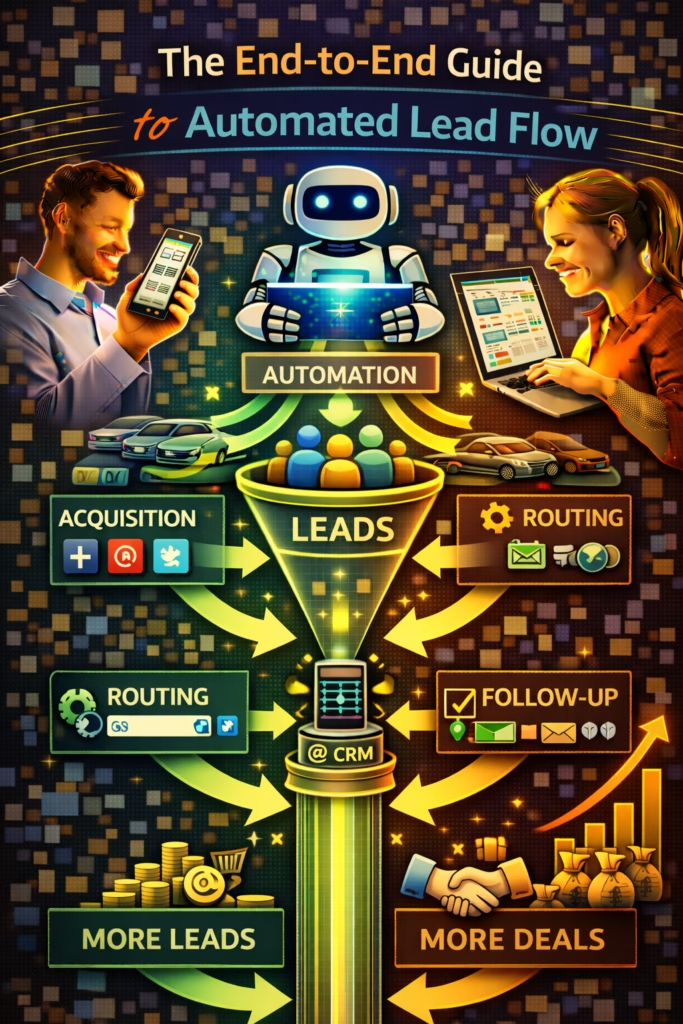
The End-to-End Guide to Automated Lead Flow
The End-to-End Guide to Automated Lead Flow shows you how to turn platforms into predictable lead assets—by automating capture, response, qualification, booking, follow-up, and reporting without adding staff.
Note: This is general guidance. Follow platform policies, privacy rules, and advertising/marketing regulations in your region. Avoid spam and misleading claims.
Introduction
The End-to-End Guide to Automated Lead Flow exists for one reason: most businesses don’t have a lead problem—they have a leak problem.
Leads don’t disappear. They leak through slow replies, missed follow-ups, unclear next steps, and inconsistent visibility.
Automation fixes leaks by making the system consistent. The goal isn’t to “robotize” your business. The goal is to protect your time while making buyers feel supported instantly.
Big idea: Automated lead flow is not one tool. It’s a pipeline with stages—and each stage has one job.
Expanded Table of Contents
- 1) What automated lead flow really means
- 2) The lead flow architecture (end-to-end map)
- 3) Stage 1: Traffic that you can actually sustain
- 4) Stage 2: Capture systems that prevent lead loss
- 5) Stage 3: Speed-to-lead automation (the #1 lever)
- 6) Stage 4: Qualification that feels natural
- 7) Stage 5: Booking and next steps without friction
- 8) Stage 6: Routing to the right person/tool
- 9) Stage 7: Follow-up sequences that close gaps
- 10) Stage 8: Reputation and proof loops
- 11) Stage 9: Retargeting and reactivation
- 12) SOPs, guardrails, and compliance basics
- 13) KPIs and dashboards for automated lead flow
- 14) 30–60–90 day rollout plan
- 15) 25 Frequently Asked Questions
- 16) 25 Extra Keywords
1) What automated lead flow really means
Automated lead flow is the system that moves a prospect from interest to action with minimal manual effort and minimal lead leakage.
Automated lead flow is not
- “Spam blasts”
- “Set it and forget it” messaging
- One chatbot with no routing, no follow-up, no tracking
Automated lead flow is
- Consistent visibility (steady traffic inputs)
- Instant response (speed-to-lead)
- Simple qualification (one step at a time)
- Clear next step (booking/call/pickup/quote)
- Follow-up that rescues non-responders
- Tracking and iteration (KPIs)
Rule: If you can’t see each stage in a dashboard, you don’t have automated lead flow—you have guesswork.
2) The lead flow architecture (end-to-end map)
Every industry has different offers, but the lead flow architecture is the same.
| Stage | Job | Common failure | Automation fix |
|---|---|---|---|
| Traffic | Get attention | Inconsistent posting | Cadence + rotation |
| Capture | Convert interest to inquiry | Unclear CTA | One-step CTA + frictionless entry |
| Speed-to-Lead | Keep momentum | Slow replies | Instant reply + intent question |
| Qualify | Sort good fits | Over-questioning | Progressive questions (1 at a time) |
| Book | Lock next step | No clear action | Booking links + fallback options |
| Route | Send to the right place | Lost handoff | CRM pipeline + notifications |
| Follow-Up | Rescue non-responders | Lead leakage | Sequences + reminders |
| Report | Improve the system | No measurement | Dashboards + weekly reviews |
Pro move: Build the pipeline so each stage hands the lead to the next stage automatically.
3) Stage 1: Traffic that you can actually sustain
Automated lead flow dies if traffic is inconsistent. The best traffic sources are the ones you can run every week with predictable effort.
Traffic sources dealers and local businesses commonly use
- Marketplace listings (organic)
- Classified listings (organic/paid add-ons)
- Google Business Profile (local intent)
- Short-form video (reels/shorts)
- Website landing pages (conversion hub)
- Referrals (reputation loop)
Rule: Sustainable traffic beats “big campaign spikes.” Consistency is compounding.
4) Stage 2: Capture systems that prevent lead loss
Capture means converting browsing into an inquiry. The capture system should be designed for low friction and clarity.
Capture best practices
- One clear CTA (not five competing CTAs)
- Ask one question that moves the lead forward
- Use a simple intake form when needed (but keep it short)
- Offer two entry paths: message-first and booking-first
High-performing CTA question templates
Universal
“Are you looking for today or this week?”
Local
“What city/zip are you in?”
Fit
“What size/budget range are you aiming for?”
Inventory
“Which option are you interested in?”
Pro move: Capture succeeds when the buyer feels guided—not interrogated.
5) Stage 3: Speed-to-lead automation (the #1 lever)
Speed-to-lead is the biggest conversion lever in most local industries. It protects momentum.
When buyers message, your system must answer immediately—even if your team is busy.
Instant reply template (first message)
Yes — I can help ✅

Quick question so I point you the right way:
Are you looking for today or this week?

And what city/zip are you in?
Why this works
- Confirms you’re real
- Moves the lead forward with two simple questions
- Creates a natural handoff for booking or inventory options
Rule: If your reply time is slow, you don’t have a lead system—you have a lead leak.
6) Stage 4: Qualification that feels natural
Qualification is how you identify high-intent leads without scaring off normal buyers. The biggest mistake is asking too much, too soon.
Progressive qualification (one question at a time)
- Timing: today vs this week
- Location: city/zip
- Fit: budget range or key requirement
- Next step: book a call/visit or confirm availability
Avoid: Long forms and heavy intake before the buyer feels supported.
7) Stage 5: Booking and next steps without friction
Automated lead flow becomes real when you consistently convert conversations into booked steps.
Common “next steps”
- Appointment booking
- Call scheduling
- In-store visit
- Pickup/delivery scheduling
- Quote request confirmation
Booking message template
Perfect — the fastest way is to lock a quick time.
Would you rather:
A) Book a time now, or
B) Tell me a good time window and I’ll confirm the next available?
Rule: Give two easy options. The lead should never wonder what to do next.
8) Stage 6: Routing to the right person/tool
Routing is what keeps automation from feeling messy. Every lead should land in the correct place automatically.
Routing examples
- High-intent leads → sales rep notification + pipeline stage
- Low-intent leads → nurture sequence + light follow-ups
- Service requests → support queue
- After-hours leads → instant reply + booking prompt
Simple routing rule set
If lead answers timing + location → mark "Qualified"
If lead asks price only and no response → send follow-up sequence
If lead books → mark "Booked" and notify owner
If lead goes quiet → move to "Nurture" and re-engage later
Pro move: Routing reduces chaos and prevents “who’s handling this lead?” confusion.
9) Stage 7: Follow-up sequences that close gaps
Follow-up is the highest ROI stage because most leads don’t close in the first message. They close because your system stays present.
Follow-up cadence (simple and effective)
- +15 minutes: helpful nudge
- +24 hours: alternative options
- +3 days: check-in with a question
- +7 days: “still looking?” reactivation
Follow-up templates
+15 min: Just checking — are you looking for today or this week?

+24 hr: If that option isn’t a fit, what budget range are you aiming for? I’ll suggest the best match.

+3 days: Still looking, or did you already get taken care of?

+7 days: Quick check-in — do you want me to keep an eye out for something similar?
Rule: Follow-up should feel like help, not pressure.
10) Stage 8: Reputation and proof loops
Automation increases volume. Proof increases conversion. When proof loops are built into your system, lead quality improves over time.
Proof loop examples
- After successful sale/service → request a review
- Share real photos and clear details consistently
- Use simple “what to expect” process clarity
Pro move: Proof reduces friction at every stage—especially booking.
11) Stage 9: Retargeting and reactivation
Not every lead is ready today. Retargeting and reactivation turn “not now” into “later.”
Reactivation ideas
- Monthly check-in with a question
- New inventory alerts (if relevant)
- Seasonal reminders
- “Still looking?” campaign to old inquiries
Rule: The best automation systems don’t just respond—they re-engage.
12) SOPs, guardrails, and compliance basics
Automation scales your messaging. That means you need guardrails to keep it compliant, respectful, and consistent.
Minimum guardrails
- Avoid misleading claims
- Avoid spam patterns and excessive repetition
- Keep messages helpful and conversational
- Make opt-out easy where required
- Store and handle lead data responsibly
Important: If you operate across multiple regions, confirm privacy/marketing rules for your jurisdiction and platform-specific policies.
13) KPIs and dashboards for automated lead flow
Automation should be measured. Otherwise, you can’t improve it.
| KPI | What it measures | Target direction |
|---|---|---|
| Leads/day | Top-of-funnel volume | Up |
| Median response time | Speed-to-lead | Down |
| Qualified rate | Lead quality + process clarity | Up |
| Booked next steps | Revenue predictor | Up |
| No-response rate | Leak indicator | Down |
| Follow-up recovery rate | Rescued leads | Up |
| Close rate | Sales outcomes | Up |
Pro move: Weekly review + one improvement per week is how automated lead flow compounds.
14) 30–60–90 day rollout plan
Days 1–30 (Build the foundation)
- Choose 2–3 sustainable traffic sources
- Implement instant reply + two-question qualifier
- Set up a basic pipeline (New → Qualified → Booked → Won/Lost)
- Create a simple follow-up sequence
- Start tracking response time and booked steps
Days 31–60 (Reduce leakage)
- Add routing rules (qualified vs nurture)
- Improve capture CTAs and booking messages
- Test thumbnails/titles/hooks if using listings
- Implement review/proof requests after wins
Days 61–90 (Scale reliably)
- Expand content and listing variation to increase surface area
- Add reactivation campaigns to old inquiries
- Standardize SOPs and guardrails
- Dashboard review weekly + optimize one stage at a time
Rule: Automated lead flow scales best when you improve one stage per week—not everything at once.
15) 25 Frequently Asked Questions
1) What is automated lead flow?
A system that automates the steps from inquiry to qualification, booking, follow-up, and reporting.
2) What are the core stages of automated lead flow?
Traffic, capture, speed-to-lead, qualification, booking, routing, follow-up, and reporting.
3) What’s the fastest automation win?
Speed-to-lead: instant replies and a simple next-step question.
4) Why does speed-to-lead matter?
It protects momentum and reduces lead leakage after the first message.
5) How do I qualify leads without annoying them?
Ask one question at a time and keep it helpful.
6) What’s the best first question?
“Are you looking for today or this week?”
7) What’s the best second question?
“What city/zip are you in?”
8) What’s the biggest mistake in automated lead systems?
Automating traffic but not follow-up—so leads still leak.
9) Should I automate follow-ups?
Yes—follow-up sequences rescue leads who don’t respond immediately.
10) How many follow-ups is reasonable?
A short sequence over 7 days often works: 15 minutes, 24 hours, 3 days, 7 days.
11) What should follow-ups say?
Helpful questions and options—not pressure.
12) What KPIs should I track first?
Leads/day, response time, qualified rate, booked next steps, and close rate.
13) What’s the best KPI for revenue prediction?
Booked next steps—appointments, visits, pickups, or scheduled calls.
14) Do I need a CRM?
It’s strongly recommended to prevent lost leads and measure outcomes.
15) What’s routing in lead automation?
Rules that send leads to the right person or pipeline stage automatically.
16) What is a nurture lead?
A lead that isn’t ready now but may convert later with follow-up.
17) How do I reduce no-response leads?
Improve the first reply, simplify questions, and use follow-ups.
18) How do I improve booking rates?
Make the next step obvious and offer two easy options.
19) Should I use a booking link?
Often yes—but also offer a fallback option for people who won’t click links.
20) Does automation replace staff?
It reduces busywork and protects response speed. Staff still matter for closing and delivery.
21) How do I keep automation from sounding robotic?
Use short, helpful messages and one question at a time.
22) What’s the role of proof in lead flow?
Proof increases trust and raises conversion across the pipeline.
23) How quickly can automated lead flow improve results?
Often within 1–2 weeks, with compounding improvements over 30–90 days.
24) What’s the best rollout approach?
Build the foundation first, then reduce leakage, then scale reliably.
25) What should I optimize first if I’m overwhelmed?
Speed-to-lead and follow-up—those protect the most revenue.
16) 25 Extra Keywords
- The End-to-End Guide to Automated Lead Flow
- automated lead flow
- lead automation system
- automated lead generation
- speed to lead automation
- AI lead response
- automated follow up sequences
- lead qualification automation
- appointment booking automation
- CRM lead routing
- lead pipeline automation
- marketplace lead automation
- Facebook Marketplace lead generation
- Craigslist lead automation
- OfferUp lead generation automation
- local lead generation system
- organic lead flow strategy
- lead conversion workflow
- reduce lead leakage
- follow up automation for small business
- lead tracking dashboard
- booked appointment KPI
- automated customer journey
- 2026 lead generation automation
- end to end lead pipeline













