

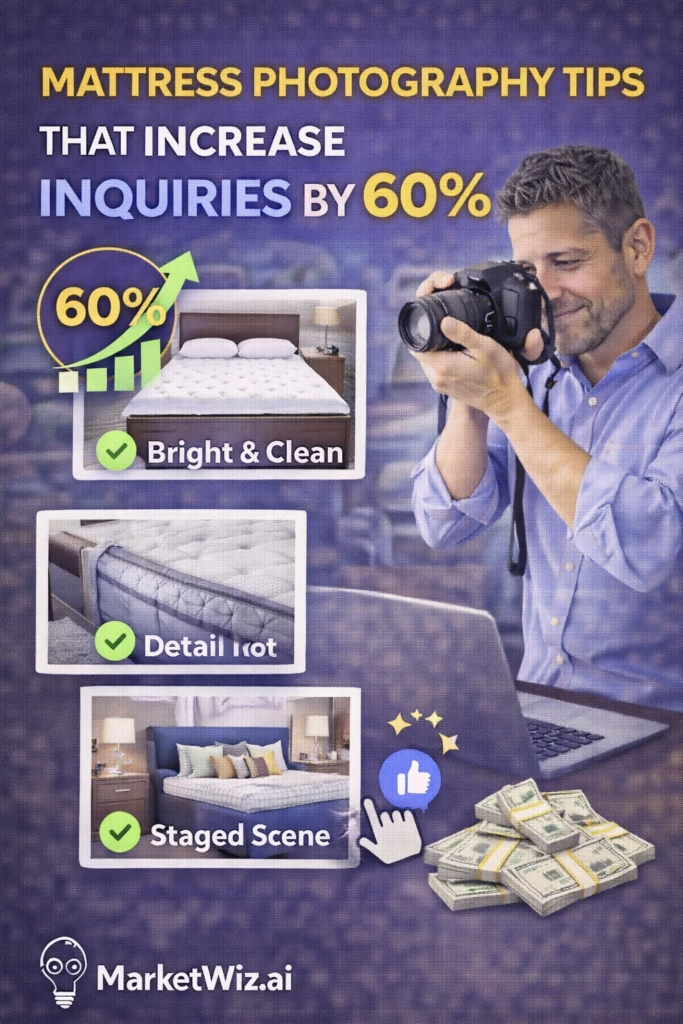
Mattress Photography Tips That Increase Inquiries by 60%
Mattress Photography Tips That Increase Inquiries by 60% is a step-by-step system for taking clean, trustworthy photos that win clicks and turn browsers into messages—especially on Facebook Marketplace, OfferUp, Craigslist, and local store pages.
Note: Use real photos whenever possible. Real photos build trust and typically convert better than stock images on marketplaces.
Introduction
Mattress Photography Tips That Increase Inquiries by 60% starts with one simple idea: people don’t message listings they don’t trust. And on marketplaces, photos are your trust signal.
Most mattress listings fail because photos are:
- Too dark (buyers can’t judge condition)
- Too close (buyers can’t understand size and shape)
- Too random (buyers can’t picture how it looks in a room)
- Missing proof (brand/model, tags, thickness, edges)
This guide gives you the exact shot list, setup, and optimization process to produce photos that look premium—even with a phone.
Expanded Table of Contents
- 1) Why mattress photos drive inquiries more than price
- 2) The 7 rules of high-converting mattress photography
- 3) The perfect setup: lighting, staging, and background
- 4) The exact shot list (12 photos that sell)
- 5) Phone camera settings and quick edits (no over-editing)
- 6) Trust shots: proof that reduces skepticism
- 7) Platform-specific tips: Marketplace vs OfferUp vs Craigslist
- 8) The biggest photo mistakes that kill inquiries
- 9) A repeatable 10-minute photo workflow
- 10) KPIs: how to measure inquiry lift from photos
- 11) 30–60–90 day rollout plan
- 12) 25 Frequently Asked Questions
- 13) 25 Extra Keywords
1) Why mattress photos drive inquiries more than price
On most marketplace listings, buyers decide in seconds:
- Is it real? (Do I trust this seller and item?)
- Does it look clean? (Is it worth my time?)
- Is it easy? (Can I get it quickly with clear steps?)
Photos answer those questions immediately. If your photos look professional and consistent, buyers message even when you’re not the cheapest option.
Reality: Great photos increase inquiries because they reduce uncertainty.
2) The 7 rules of high-converting mattress photography
- Bright beats dramatic. Buyers want clarity, not mood lighting.
- Show full shape first. One wide “hero” image should explain everything.
- Prove cleanliness. Crisp fabric detail shots reduce skepticism.
- Show thickness and edges. Profile shots increase perceived value.
- Use consistent backgrounds. Clean room or seamless wall = higher trust.
- Include context. A bed frame or staged room increases appeal.
- Don’t over-edit. Keep colors accurate and avoid filters.
Important: If the mattress is used, be truthful and photograph any flaws clearly to avoid returns and bad reviews.
3) The perfect setup: lighting, staging, and background
Lighting (fastest upgrade)
- Best: Indirect daylight near a large window.
- Avoid: Strong overhead lights that create yellow shadows.
- If using lights: Two soft lights at 45° angles, slightly above the mattress height.
Background
- Use a clean wall and uncluttered floor.
- Remove random objects (laundry baskets, cords, boxes).
- Keep the camera level—straight lines feel professional.
Staging
- Put the mattress on a simple frame if possible (increases perceived value).
- Add one clean neutral comforter/pillow set for lifestyle shots (optional).
- Use a lint roller or fabric brush for top surface before shooting.
Pro tip: A clean “hotel look” photo can out-convert a bare mattress photo, as long as you still show the mattress clearly in other shots.
4) The exact shot list (12 photos that sell)
If you only follow one section of this guide, follow this shot list. It’s designed to answer buyer questions before they ask.
| # | Photo | Purpose |
|---|---|---|
| 1 | Hero wide shot (full mattress, clean background) | Wins the click |
| 2 | Wide shot from opposite corner | Confirms shape and condition |
| 3 | Top-down surface shot | Shows cleanliness and pattern |
| 4 | Side profile (shows thickness) | Increases perceived value |
| 5 | Corner/edge close-up | Shows stitching and structure |
| 6 | Texture close-up (fabric detail) | Builds trust |
| 7 | Label/brand tag shot (if applicable) | Proof + reduces skepticism |
| 8 | Model name shot (if available) | Lets buyers research = more confidence |
| 9 | Mattress in a staged room / on frame | Shows lifestyle appeal |
| 10 | Scale shot (person hand / pillow / ruler) | Communicates thickness/size |
| 11 | Accessories included (protector, base, etc.) | Justifies price |
| 12 | Any flaw close-up (only if needed) | Honesty = fewer problems later |
Ordering tip: Put #1 as the cover image. Put #4 and #9 early in the gallery to increase time-on-listing.
5) Phone camera settings and quick edits (no over-editing)
Phone settings
- Turn on grid lines (keeps shots level).
- Use 1x camera (avoid wide distortion).
- Tap to focus on the mattress surface.
- Lower exposure slightly if whites are blowing out.
- Clean the lens before shooting.
Fast edit checklist (30 seconds per photo)
1) Straighten (level lines)
2) Crop (keep mattress centered)
3) Brightness +10–20 (just enough)
4) Warmth: neutral (avoid yellow)
5) Sharpen slightly (if needed)
6) Avoid heavy filters
Don’t: Use heavy HDR or dramatic contrast. It makes fabrics look fake and triggers skepticism.
6) Trust shots: proof that reduces skepticism
Inquiries increase when buyers feel safe messaging. The following photo types are “trust multipliers”:
- Label/tag shot: proves you have the item and the brand/model is real.
- Thickness profile: supports value claims (pillow top, hybrid, etc.).
- Clean seam and corner close-ups: reduces fear of stains/tears.
- In-room shot: makes it feel like a real product, not a sketchy listing.
Trust rule: If you anticipate a buyer question, answer it with a photo.
7) Platform-specific tips: Marketplace vs OfferUp vs Craigslist
Facebook Marketplace
- Your cover image matters most—make it the clean hero shot.
- Use a bright photo; darker covers get fewer clicks.
- Add variety early in the gallery (wide + profile + lifestyle).
OfferUp
- Photo clarity matters: clean backgrounds + bright lighting.
- Lifestyle shot helps because OfferUp feels more “consumer retail.”
- Keep the first image extremely clean and simple.
Craigslist
- Photos still matter, but clarity and detail are key.
- Include “proof” photos (tag and thickness) to reduce spam suspicion.
- Use fewer but stronger images if loading is slow (6–10).
Universal: No clutter, no dark shots, no weird angles. Keep it clean and simple.
8) The biggest photo mistakes that kill inquiries
- Dark photos (buyers assume stains or damage)
- Only close-ups (buyers can’t visualize size)
- Messy background (low trust)
- Angles that distort shape (looks suspicious)
- Over-edited filters (looks fake)
- No thickness shot (harder to justify price)
- No proof shot (brand/model/tag)
Reality: Most “low price” listings are ignored because the photos look risky.
9) A repeatable 10-minute photo workflow
0:00–1:00  Clean + remove clutter + wipe lens
1:00–2:00  Set mattress on frame / clean floor
2:00–4:00  Shoot wide hero + wide alternate + in-room shot
4:00–6:00  Shoot thickness profile + corner + seam close-ups
6:00–7:00  Shoot top-down surface + texture detail
7:00–8:00  Shoot label/model tag + included accessories
8:00–10:00 Quick edits: straighten, crop, brighten slightly
Consistency beats perfection: A repeatable workflow is how you scale photo quality across 50+ listings.
10) KPIs: how to measure inquiry lift from photos
Photo Performance KPIs
• Views per listing (7-day window)
• Click-through (if available)
• Messages per listing
• Message-to-appointment rate
• Time-to-first-message (how fast buyers message after posting)
• Saved listings / follows (if platform shows it)
• Close rate by photo set (A/B test covers)
Simple test: Use the same title and price on two listings over time, but swap the cover image style. Track messages per view.
11) 30–60–90 day rollout plan
Days 1–30 (Standardize)
- Create one “photo station” area with consistent lighting.
- Adopt the 12-photo shot list for every listing.
- Pick 3 cover photo styles and test them.
- Track messages per listing weekly.
Days 31–60 (Optimize)
- Identify your best-performing cover style and standardize it.
- Improve staging for premium items (simple bedding set).
- Add more trust shots (labels, thickness, edges).
- Build category-specific shot lists (mattress, adjustable base, etc.).
Days 61–90 (Scale)
- Train staff with a 1-page photo SOP.
- Create a weekly “refresh” process for top listings.
- Implement consistent file naming and reuse strong photos responsibly.
- Continue A/B testing covers to improve inquiry rate.
Outcome: Cleaner photos → higher trust → higher inquiries → more sales.
12) 25 Frequently Asked Questions
1) What mattress photos increase inquiries the most?
A clean hero wide shot, thickness profile, surface detail, and a lifestyle/context shot.
2) Should I use stock photos?
Real photos usually convert better on marketplaces because they build trust and prove the item is real.
3) How many photos should a mattress listing have?
Ideally 8–12 strong photos that answer buyer questions before they ask.
4) What lighting is best?
Bright indirect daylight near a window is ideal.
5) Should the mattress be on a frame?
If possible, yes. It increases perceived value and makes the listing look more premium.
6) What’s the best cover image?
A bright, clean wide shot showing the full mattress with minimal clutter.
7) Do lifestyle photos help?
Yes, especially for premium items. Just ensure you also show the actual mattress clearly.
8) How do I show thickness?
Use a side profile shot with the camera level and the mattress edges visible.
9) How do I show cleanliness?
Use surface and texture close-ups with good lighting and accurate color.
10) Should I show labels/tags?
If available, yes—labels and model tags are trust multipliers.
11) What if the mattress is used?
Be honest. Show any flaws clearly and photograph the surface in bright light.
12) Should I use filters?
Avoid heavy filters. Buyers prefer accurate, trustworthy photos.
13) What phone camera setting matters most?
Keeping the shot level and using good lighting.
14) Can I use the same photos for multiple platforms?
Yes—just ensure they’re real, clear, and compliant with each platform’s rules.
15) What ratio is best?
For marketplaces, standard portrait or square can work. Always keep the mattress centered and fully visible.
16) Why do dark photos get fewer inquiries?
Buyers assume dark photos hide stains or damage.
17) How many angles should I show?
At least two wide angles plus close-ups and a profile shot.
18) What background is best?
A clean wall, uncluttered floor, and consistent lighting.
19) Should I include accessories in photos?
Yes, if included. It increases perceived value and reduces questions.
20) What’s the fastest improvement?
Better lighting + a clean hero shot + a thickness profile photo.
21) How do photos reduce lowball offers?
Premium photos increase perceived value and attract higher-quality buyers.
22) How do I avoid distortion?
Use the 1x lens, keep the camera level, and avoid extreme wide angles.
23) How do I test if photos improved performance?
Track messages per view and A/B test cover images over a 7–14 day window.
24) Do videos help?
Yes. A short walkthrough video can increase trust and inquiries.
25) What should I do today?
Follow the 12-photo shot list and replace your cover image with a clean, bright hero shot.
13) 25 Extra Keywords
- Mattress Photography Tips That Increase Inquiries by 60%
- mattress photography tips
- mattress photos for Facebook Marketplace
- how to photograph mattresses
- mattress listing photo angles
- mattress product photography
- increase mattress inquiries
- mattress listing cover photo
- best lighting for mattress photos
- how to stage a mattress for photos
- mattress thickness photo
- mattress texture close-up
- trust signals mattress listing
- mattress OfferUp photos
- mattress Craigslist photos
- mattress Marketplace conversion
- phone camera mattress photography
- mattress photo checklist
- mattress listing optimization
- mattress sales photos
- increase Facebook Marketplace messages
- how to take product photos with a phone
- mattress photography setup
- mattress marketing visuals
- mattress photography workflow













