

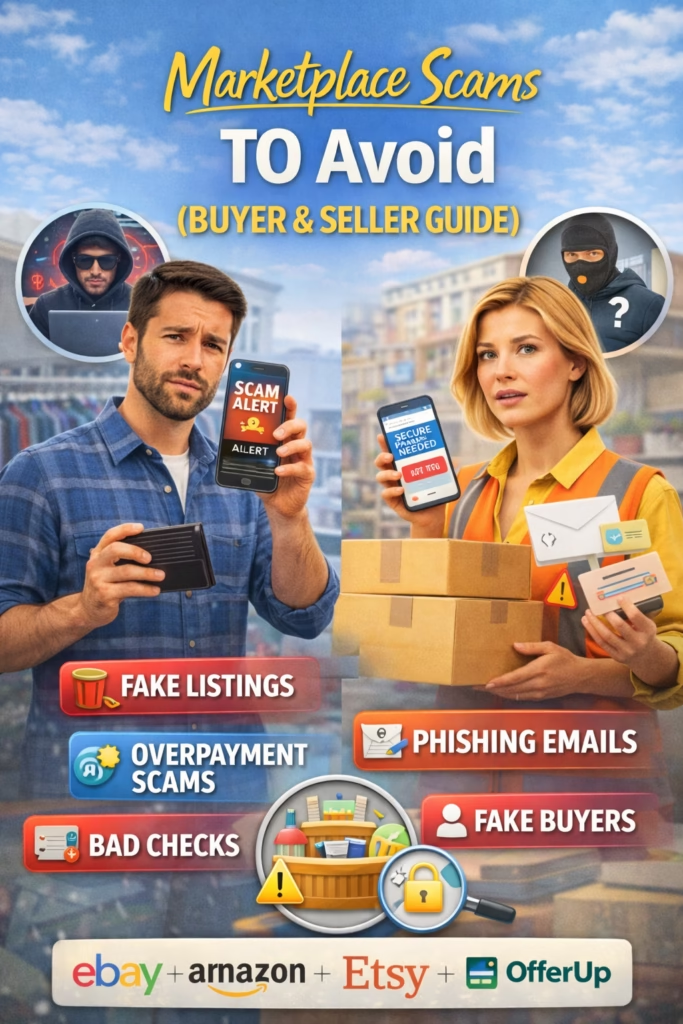
Marketplace Scams to Avoid (Buyer & Seller Guide)
Marketplace Scams to Avoid (Buyer & Seller Guide) is a practical safety playbook for buying and selling on Facebook Marketplace, Craigslist, OfferUp, and local marketplaces—so you keep your money, your items, and your identity safe.
Note: This guide is general safety information, not legal advice. If you believe you’re being scammed, stop communicating, report the user to the platform, and consider contacting local authorities when appropriate.
Introduction
Marketplace Scams to Avoid (Buyer & Seller Guide) matters because online marketplaces work on trust—but scammers work on speed, confusion, and pressure. The good news is that most scams follow predictable patterns.
In this guide you’ll learn:
- The most common scam types (for buyers and sellers)
- The red flags that predict a scam early
- Safe payment + meetup + delivery rules that prevent most losses
- Copy/paste scripts to stay firm without sounding rude
- A safety SOP you can apply to every transaction
Goal: Make “safe selling and buying” your default, so scams bounce off your process.
Expanded Table of Contents
- 1) How marketplace scams work (the scammer playbook)
- 2) Universal red flags (buyer & seller)
- 3) Buyer scams to avoid (if you’re selling)
- 4) Seller scams to avoid (if you’re buying)
- 5) Safe payment rules (what to accept and what to avoid)
- 6) Safe meetups + pickups (no-drama checklist)
- 7) Shipping + delivery scams and how to prevent them
- 8) Identity theft and phishing: links, codes, and fake support
- 9) Copy/paste safety scripts (polite but firm)
- 10) Safety checklists (buyer and seller)
- 11) Safety KPIs for high-volume sellers
- 12) 30–60–90 day safety SOP rollout
- 13) 25 Frequently Asked Questions
- 14) 25 Extra Keywords
1) How marketplace scams work (the scammer playbook)
Most scams succeed because they force you into one of three mistakes:
- Leaving the platform (so you lose protections)
- Trusting “proof” that isn’t real (screenshots, emails, fake confirmations)
- Acting fast under pressure (deposit, shipping, code, link)
Scammer strategy: create urgency, complicate the transaction, and isolate you from the platform’s safeguards.
2) Universal red flags (buyer & seller)
These red flags apply across Facebook Marketplace, Craigslist, OfferUp, and most local marketplaces:
Pressure + urgency
- “I need it right now” + demands exceptions
- “I’m sending someone else” with weird constraints
- “Pay/ship now or I’m gone”
Off-platform behavior
- Wants to move to text/email immediately
- Asks you to click a link to “verify”
- Asks for codes (2FA/Google Voice)
Payment weirdness
- Overpayment + refund request
- Sends “confirmation” screenshots
- “Business account upgrade” nonsense
Story doesn’t match reality
- Too cheap to be true
- Can’t answer basic item questions
- Copy-paste messages that ignore your details
Rule: If you feel rushed or confused, stop. Legit buyers/sellers tolerate clarity.
3) Buyer scams to avoid (if you’re selling)
Scam #1: “I sent payment” (fake confirmation)
Buyer sends a screenshot or email claiming payment is complete.
Defense: Only trust what you see inside your own payment app/bank. No exceptions.
Scam #2: Overpayment + refund request
Buyer “accidentally” overpays and asks you to refund the difference.
Defense: Never refund from a payment you didn’t confirm fully cleared. Cancel the transaction and restart clean.
Scam #3: Code verification / Google Voice / “security code”
Buyer asks you to send a code “to prove you’re real.” That code can be used to hijack accounts.
Defense: Never share codes. Real buyers don’t need codes to buy.
Scam #4: Shipping label scam / stolen label
Buyer provides a label or insists on a specific shipping method. Sometimes it’s fraudulent.
Defense: Use your own shipping process, your own labels, and track everything.
Scam #5: “My cousin will pick it up” with weird payment instructions
Third-party pickup isn’t always a scam—but scammers use it to create confusion.
Defense: Confirm pickup name, ETA, and payment method clearly before release.
Scam #6: Chargeback-friendly payments (after pickup)
Buyer pays with a method that can be reversed after they leave.
Defense: Understand reversibility risk. Prefer methods that are verifiable and have clear transaction records.
Scam #7: “Fake support” message to recover your listing/account
You get a message pretending to be platform support asking for login info or codes.
Defense: Never provide credentials. Use official help channels inside the platform.
4) Seller scams to avoid (if you’re buying)
Scam #1: Deposit or “hold fee” pressure
Seller demands a deposit to “hold it” and disappears.
Defense: Avoid deposits to strangers. If you must, use a platform-protected method and document everything.
Scam #2: Too-good-to-be-true pricing
High-demand item priced far below market to attract quick payments.
Defense: If it’s wildly underpriced, assume risk and insist on inspection first.
Scam #3: Fake photos / stolen listing
Seller uses photos from another listing or website.
Defense: Ask for a custom photo (today’s date on a note, or a specific angle).
Scam #4: Off-platform payment link
Seller sends you a link to “pay” or “confirm.” It can be phishing.
Defense: Don’t click. Use trusted methods and official platform checkout if available.
Scam #5: Shipping-only seller who refuses local meetup
Seller claims they’re out of town but can “ship immediately.”
Defense: High risk. Use protected checkout and only buy when buyer protection is real and verifiable.
Scam #6: Bait-and-switch at meetup
Item condition or model changes at pickup.
Defense: Inspect before paying. Be willing to walk away.
5) Safe payment rules (what to accept and what to avoid)
Safe payment is less about “which app” and more about verification and reversibility.
Payment safety rules (universal)
- Verify inside your own account (not screenshots, not emails)
- Don’t release items before you confirm funds
- Don’t accept weird “upgrade” or “business account” claims
- Keep records: item, price, date, and buyer/seller name
Quick classification (practical, not perfect)
| Method | Safer when… | Higher risk when… |
|---|---|---|
| Cash | Meet in public, verify bills, count together | Large amounts with no safe meetup plan |
| Platform checkout | Buyer protection is clearly active | Off-platform “pay link” is used instead |
| Peer-to-peer apps | You verify funds in-app and understand rules | You trust screenshots or accept “pending” as paid |
Reminder: Always check your own app/account. “Pending” is not “paid.”
6) Safe meetups + pickups (no-drama checklist)
Most local transactions can be made safe with a few consistent habits.
Meetup safety checklist
- Meet in a public place with cameras (or a police station safe-exchange zone if available).
- Bring a friend for higher-value items.
- Share meetup details with someone you trust.
- Keep communication on-platform until the meetup is confirmed.
- Inspect item before paying (buyers) / confirm payment before release (sellers).
Rule: If someone refuses safe meetup standards, it’s a decision—not a debate.
7) Shipping + delivery scams and how to prevent them
Shipping increases risk because you lose face-to-face verification. If you ship, use a system.
Seller shipping protections
- Use tracked shipping and keep receipts.
- Photograph the packing process for higher-value items.
- Use your own label process; avoid “send me your email” payment links.
- Document item condition and serial/model details (where appropriate).
Buyer shipping protections
- Prefer platform-protected checkout when available.
- Ask for a verification photo/video before payment.
- Avoid “I’ll ship tomorrow, pay now” pressure.
High-risk pattern: Seller insists on off-platform payment for shipping-only deals.
8) Identity theft and phishing: links, codes, and fake support
Many marketplace “scams” are really identity theft attempts.
Never share
- Verification codes (2FA)
- Login credentials
- Bank login or “confirm identity” link clicks
- Personal data beyond what the transaction truly requires
Common phishing angles
- “Click here to verify you’re real”
- “Platform requires you to confirm your account”
- “I can’t message you—send your email/phone”
Rule: If it involves a link or code, it’s a scam until proven otherwise.
9) Copy/paste safety scripts (polite but firm)
Script 1: Staying on-platform
Thanks! For safety, I keep communication and details here in the app.
If you tell me your city and pickup/delivery preference, I’ll confirm next steps.
Script 2: Refusing codes/verification
I don’t share verification codes or click external links.
Happy to continue here—what time were you hoping to meet?
Script 3: Payment verification (seller)
Sounds good. I’ll mark it as sold once payment shows as received in my app.
Screenshots/emails can be delayed, so I only go by the app itself.
Script 4: No deposits (buyer)
I don’t send deposits. I’m happy to meet and pay once I see the item.
What public location/time works for you?
Script 5: Safe meetup boundary
I only meet in public locations for safety.
If that doesn’t work, no worries—we can cancel.
Tip: Calm boundaries increase safety and also make you look more legitimate.
10) Safety checklists (buyer and seller)
Buyer checklist
- Insist on inspection before paying
- Avoid deposits to strangers
- Meet in public locations
- Beware too-good-to-be-true prices
- No links, no codes, no “verify” requests
Seller checklist
- Verify payment in your own app/account
- No release before payment is confirmed
- Keep communication on-platform
- Use public meetups or safe exchange zones
- Document condition for high-value items
Power move: Create a one-paragraph “Safety Policy” you paste into messages when needed.
11) Safety KPIs for high-volume sellers
Safety + Quality KPIs (weekly/monthly)
• Scam attempts flagged (count)
• Off-platform requests (count)
• Chargeback/dispute rate
• No-show rate
• Refund/return rate
• Average response time
• % of leads moved to scheduled meetup/delivery
North Star: More scheduled meetups + fewer dispute events + fewer “weird” conversations.
12) 30–60–90 day safety SOP rollout
Days 1–30 (Foundation)
- Create saved replies for: on-platform, no codes, payment verification, no deposits.
- Standardize meetup locations and safety steps.
- Adopt a “verify payment in-app” rule with zero exceptions.
- Track scam attempts and patterns weekly.
Days 31–60 (Process)
- Document a simple Safety SOP for your team.
- Add item documentation steps for high-value listings.
- Improve listing clarity (reduces scammy/low-quality leads).
- Set escalation rules (when to block/report immediately).
Days 61–90 (Optimization)
- Review scam patterns and refine scripts.
- Reduce risky transaction types (shipping-only with off-platform payment).
- Improve screening questions to filter suspicious leads faster.
- Train new team members using real examples.
Outcome: A repeatable safety system that reduces losses and increases trust and conversion.
13) 25 Frequently Asked Questions
1) What are the most common marketplace scams to avoid?
Off-platform payment requests, fake payment confirmations, overpayment/refund scams, verification-code scams, phishing links, shipping label scams, and deposit pressure scams.
2) How can sellers avoid fake payment scams?
Verify payments in your own app/account. Never trust screenshots or emails as proof of payment.
3) Is “pending” the same as paid?
No. Only release items once funds show as received and available in your account.
4) Are deposits safe on marketplaces?
Deposits are risky with strangers. If used, keep everything documented and use protected methods when possible.
5) What’s the most common buyer scam?
Fake payment confirmations and the overpayment/refund trick are very common patterns.
6) What’s the most common seller scam?
Deposit pressure on a too-good-to-be-true listing, or fake photos with shipping-only demands.
7) Why do scammers ask for my phone number?
To move you off-platform, reduce protections, or attempt verification-code scams.
8) What is a verification code scam?
They try to get you to share a code so they can hijack accounts or create accounts using your number.
9) Should I click a link to “verify” a buyer/seller?
No. Verification should happen through official platform tools and your own payment app/account.
10) Where should I meet for local transactions?
Public places with cameras, or police station safe exchange zones when available.
11) Should I meet at my home?
For safety, many prefer public meetups. If home pickup is necessary, use precautions and consider having someone with you.
12) How do I verify a seller has the item?
Request a custom photo/video: specific angle, today’s date on a note, or a unique detail.
13) How do I prevent bait-and-switch?
Inspect the item before paying and be willing to walk away.
14) Can scammers fake shipping labels?
Yes—shipping can be manipulated. Use your own shipping process and keep documentation.
15) What if a buyer says they can’t pay in-app?
Use a safe alternative you can verify. Avoid unusual methods or “upgrade” claims.
16) What does “overpayment scam” look like?
They send “extra” and ask you to refund or forward money. Later the original payment is reversed or never clears.
17) What should I do if I suspect a scam?
Stop communication, don’t click links, don’t share codes, report the user, and block if appropriate.
18) How can high-volume sellers protect themselves?
Use scripts, standardized policies, verified payments, and a documented safety SOP.
19) Is it safe to accept cash?
It can be, if you meet in a safe place, verify bills, and follow consistent rules.
20) What’s the best way to reduce scam attempts?
Clear listings, strong boundaries, staying on-platform, and refusing links/codes.
21) Are “someone else will pick it up” messages always scams?
No, but they are higher risk. Confirm identity, pickup details, and verified payment before release.
22) Can scammers impersonate platform support?
Yes. Never provide credentials or codes. Use official help inside the platform.
23) Should I give out my email address?
Usually no. Keep transactions on-platform and avoid off-platform links.
24) What if a buyer refuses public meetup?
Cancel. Safe meetups are a reasonable requirement.
25) What’s the fastest safety upgrade I can make today?
Adopt three rules: stay on-platform, verify payments in your own account, and never share codes or click links.
14) 25 Extra Keywords
- Marketplace Scams to Avoid (Buyer & Seller Guide)
- Facebook Marketplace scams to avoid
- Craigslist scams buyer seller guide
- OfferUp scams to avoid
- online selling scams prevention
- fake payment confirmation scam
- overpayment refund scam
- verification code scam marketplace
- phishing link marketplace scam
- safe payment methods marketplace
- public meetup safety tips
- avoid deposit scams online
- shipping scams marketplace
- buyer protection marketplace tips
- seller safety checklist marketplace
- buyer safety checklist marketplace
- how to avoid getting scammed online selling
- marketplace fraud prevention
- avoid chargebacks marketplace sellers
- how to verify a seller online
- how to verify payment marketplace
- safe pickup location tips
- marketplace identity theft prevention
- marketplace scam scripts
- marketplace safety SOP













