

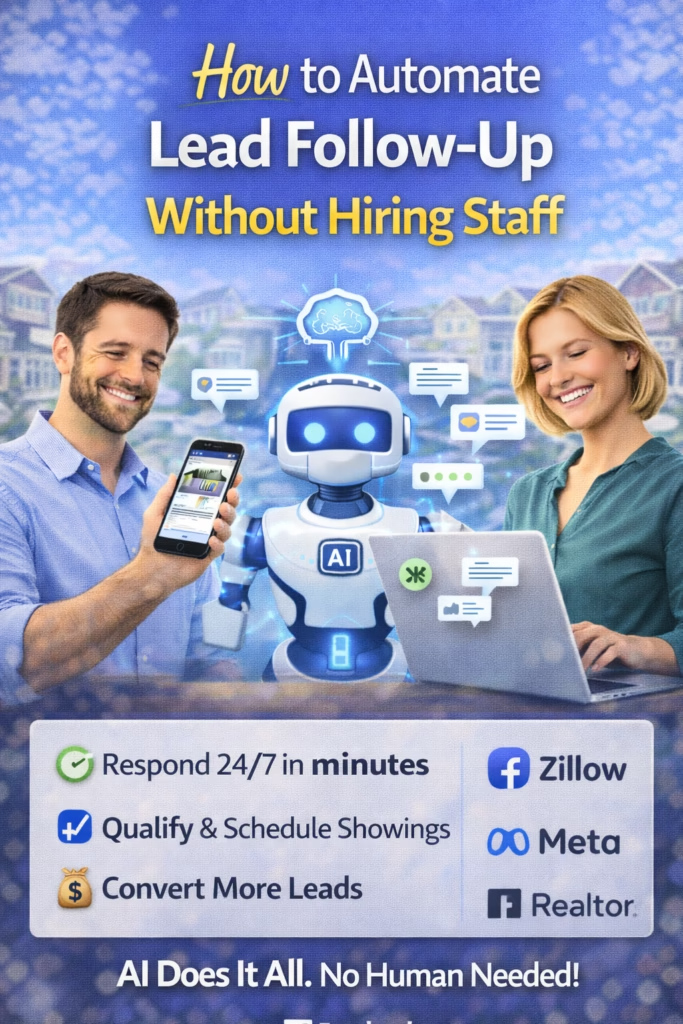
How to Automate Lead Follow-Up Without Hiring Staff
How to Automate Lead Follow-Up Without Hiring Staff is the step-by-step blueprint to reply instantly, follow up consistently, route the right leads to a human, and book appointments—without adding headcount.
Note: If you use SMS/email outreach, confirm consent requirements and applicable privacy/telemarketing rules in your location.
Introduction
If your business is getting inquiries—but leads are still slipping through the cracks—your problem is rarely “not enough leads.” It’s usually speed-to-lead and follow-up consistency.
How to Automate Lead Follow-Up Without Hiring Staff is about building a small system that does what a great team member would do: respond fast, ask the right questions, keep the conversation moving, and schedule the next step. Once it’s built, it runs every day—without burnout.
Big idea: Automation doesn’t replace humans. It replaces the busywork that causes humans to miss money.
Quick Answer (TL;DR)
To automate lead follow-up without hiring staff, you need 5 pieces: (1) instant reply to every inquiry, (2) missed-call text back, (3) 2–3 qualifying questions, (4) a structured follow-up sequence (7–14 days), and (5) lead routing + appointment booking. This turns “inquiries” into “appointments” consistently.
Fast win: Set up missed-call text back + instant reply today. You’ll recover leads you’re currently losing.
Expanded Table of Contents
- 1) Why leads go cold (and why hiring isn’t the fix)
- 2) The 5-part follow-up automation stack
- 3) Speed-to-lead: the #1 conversion multiplier
- 4) Capture: forms, calls, DMs, and Marketplace inquiries
- 5) Instant reply scripts that feel human
- 6) Qualification: the 3 questions that route leads correctly
- 7) Follow-up sequences (7-day + 14-day templates)
- 8) Routing rules: who gets notified and when
- 9) Appointment booking automation (without friction)
- 10) CRM tagging and pipeline stages
- 11) KPIs to track weekly
- 12) 30–60–90 day rollout plan
- 13) 25 FAQs
- 14) 25 extra keywords
1) Why Leads Go Cold (And Why Hiring Isn’t the Fix)
Most leads don’t disappear because they “weren’t interested.” They disappear because:
- Slow response: the lead reached out, waited, and moved on
- No structure: the lead didn’t get guided to a next step
- No follow-up: you sent one message and stopped
- No routing: the right person didn’t get notified fast enough
Reality: Hiring helps only if the new person follows a system. A system helps even if you never hire.
2) The 5-Part Follow-Up Automation Stack
How to Automate Lead Follow-Up Without Hiring Staff starts by building these five blocks in order:
Block 1: Instant reply
Every inquiry gets an immediate response (text/email/DM) to keep intent alive.
Block 2: Missed-call text back
When someone calls and you miss it, they get a text instantly.
Block 3: Qualification
Ask 2–3 questions that determine fit, urgency, and routing.
Block 4: Follow-up sequence
7–14 days of structured touches that gently drive to booking.
Block 5: Routing + booking
High-intent leads notify a human immediately. Low-intent leads get nurtured. Everyone gets a booking path.
System rule: If the lead doesn’t book now, the system keeps the relationship warm until they do.
3) Speed-to-Lead: The #1 Conversion Multiplier
Leads are emotional. They reach out when motivation peaks. Your goal is to catch that moment.
| Timing | What happens | What to do |
|---|---|---|
| 0–5 minutes | Intent is highest | Instant reply + 1 question |
| 5–30 minutes | Still good | Reply + propose next step |
| Hours later | Lead cools | Follow-up sequence must rescue it |
Fast win: Your automation should reply instantly, then hand off to a human only when it matters.
4) Capture: Forms, Calls, DMs, and Marketplace Inquiries
Follow-up automation starts with capturing leads from every channel:
- Website forms: contact, quote, booking
- Phone calls: inbound + missed calls
- SMS: text-to-inquire numbers
- Social DMs: Facebook, Instagram
- Marketplaces: Facebook Marketplace, OfferUp, Craigslist inquiries
Rule: Every channel should end up in one pipeline (one CRM view).
5) Instant Reply Scripts That Feel Human
Short messages win. One question at a time wins. Avoid paragraphs.
Instant reply (universal)
Got it — I can help.
Quick question: are you looking to do this ASAP, or just pricing it out for now?
Instant reply (service business)
Thanks for reaching out — happy to help.
What city are you in, and what’s the main issue you’re dealing with?
Instant reply (real estate buyer inquiry)
Yes — I can help.
What area are you targeting and what price range feels comfortable?
Missed-call text back (copy/paste)
Hey! Sorry I missed your call — I can help.
What are you looking for, and what’s the best time to call you back?
Best practice: Ask one clear question → wait → then ask the next question.
6) Qualification: The 3 Questions That Route Leads Correctly
You don’t need 10 questions. You need 3 that determine fit and urgency:
| Question | What it reveals | Example |
|---|---|---|
| Timeline | Urgency | “ASAP or later this month?” |
| Location | Service area / routing | “What city/zip?” |
| Goal / budget | Fit + offer | “What outcome are you aiming for?” |
Routing logic: High urgency + good fit → notify human instantly. Low urgency → nurture sequence.
7) Follow-Up Sequences (7-Day + 14-Day Templates)
Most people need multiple touches. The key is to stay helpful and not annoying.
7-day sequence (simple and effective)
Day 0: Instant reply + 1 qualifying question
Day 1: "Just checking — do you still want help with this?"
Day 2: "If you tell me your city + timeline, I can send a quick estimate range."
Day 3: "What’s the #1 goal you want from this? (price, speed, quality)"
Day 5: "Want to hop on a quick 10-min call to map the next step?"
Day 7: "Last nudge — want me to close this out or keep it open?"
14-day sequence (for higher-ticket or longer decisions)
Day 0: Instant reply + qualify
Day 1: Quick check-in
Day 3: Offer a helpful tip or FAQ answer
Day 5: Offer two time options for a call
Day 7: Share a proof point (review/case study line)
Day 10: "Still deciding or ready to move forward?"
Day 14: "Want me to keep you in the loop or close this out?"
Reminder: Keep messages short. Don’t repeat the exact same wording.
8) Routing Rules: Who Gets Notified and When
Routing is what prevents automation from becoming a dead end.
Routing rules (example)
- If timeline = ASAP → notify sales/owner immediately
- If budget/fit = high → notify immediately
- If message includes “ready”, “today”, “call me” → notify immediately
- If timeline = “just researching” → nurture sequence
- If location outside service area → offer alternatives or referral
Rule: Automation qualifies and warms. Humans close.
9) Appointment Booking Automation (Without Friction)
Booking is where follow-up becomes revenue. The easiest close is offering two time options.
Two-time-option booking (copy/paste)
Perfect — want to do a quick call to map the next step?
I have [Today 6:30pm] or [Tomorrow 11:00am]. Which works better?
Calendar link booking (simple)
Easy — here’s my link to grab a time that works for you:
[calendar link]
If you tell me your preferred time window, I can also lock it in for you.
Booking rule: Don’t ask “When are you free?” Offer options.
10) CRM Tagging and Pipeline Stages
Your automation becomes powerful when your CRM is clean.
Recommended stages
- New Lead
- Contacted
- Qualified
- Appointment Set
- No Show
- Won
- Lost
- Nurture
Recommended tags
Rule: If it isn’t tagged, it can’t be optimized.
11) KPIs to Track Weekly
| KPI | What it tells you | How to improve |
|---|---|---|
| Response time | Speed-to-lead health | Instant reply + missed-call text-back |
| Contact rate | Script effectiveness | Shorter messages + clearer questions |
| Appointment set rate | Pipeline strength | Two-time-option close |
| Show rate | Commitment quality | Confirmations + reminders |
| Cost per appointment | Efficiency | Optimize source + routing |
Optimization rule: Fix response time first. Then fix scripts. Then scale volume.
12) 30–60–90 Day Rollout Plan
Days 1–30 (Fast wins)
- Install missed-call text-back
- Add instant reply to forms/DMs
- Write 5 short scripts (by lead source)
- Launch a 7-day follow-up sequence
- Implement tags + routing rules
Days 31–60 (Compounding)
- Upgrade qualification questions per niche
- Split sequences by intent (hot vs warm)
- Add appointment confirmations + reminders
- Build a nurture “weekly value” touch
Days 61–90 (Systemize + scale)
- A/B test scripts (openers + booking asks)
- Improve routing rules based on outcomes
- Track KPIs weekly and fix weak links
- Scale lead sources with confidence
Want a done-for-you AI follow-up system?
13) 25 Frequently Asked Questions
1) What is lead follow-up automation?
It’s a system that replies instantly, qualifies leads, runs follow-ups, routes high-intent leads to a human, and books appointments automatically.
2) Does automation reduce conversions?
Usually the opposite—automation improves speed-to-lead and consistency, which typically increases conversions when scripts sound human.
3) What’s the fastest automation to set up?
Missed-call text-back and instant reply for forms/DMs.
4) How many follow-ups should I send?
Most businesses benefit from 7–14 days of structured follow-up, then light nurture.
5) What channels should I automate?
Text, email, and DMs are the most common. Calls can be routed to humans.
6) How do I keep messages from sounding robotic?
Keep them short, ask one question at a time, and reference the lead’s original request.
7) What if a lead says “stop”?
Honor opt-out requests immediately and comply with applicable rules for your region.
8) How do I qualify leads quickly?
Ask timeline, location, and goal/budget.
9) Should I use a calendar link?
Yes, but also offer two time options for less friction.
10) What if leads don’t reply to the first message?
That’s normal. The sequence is built for non-responders.
11) How do I route hot leads to a human?
Use triggers like “ASAP,” “today,” “call me,” or high budget/strong fit to notify instantly.
12) How do I prevent no-shows?
Send confirmation + reminder messages and restate the value of the call.
13) Do I need a CRM?
Strongly recommended—tracking outcomes is essential for optimization.
14) What pipeline stages should I use?
New Lead, Contacted, Qualified, Appointment Set, No Show, Won, Lost, Nurture.
15) How do I measure success?
Track response time, contact rate, appointment set rate, and show rate.
16) Can automation handle objections?
Yes—early objections can be handled with short answers and a push to the next step.
17) Should I automate after-hours only?
No—automation helps during business hours too because speed matters.
18) What’s the most common follow-up mistake?
Only sending one message and stopping.
19) How do I avoid spamming leads?
Use fewer, more helpful touches, vary the message, and always give an easy next step.
20) Can automation work for high-ticket services?
Yes—especially for qualification and booking, while humans handle closing.
21) What’s the best first question to ask?
Timeline is often the most useful: “ASAP or just researching?”
22) How long should follow-up messages be?
1–2 short lines is ideal in most cases.
23) What if I have multiple locations?
Use routing rules based on city/zip to send leads to the right location.
24) What’s the quickest way to increase bookings?
Offer two time options and send reminders.
25) What’s the fastest improvement I can make today?
Turn on missed-call text-back and instant reply for new inquiries.
14) 25 Extra Keywords
- How to Automate Lead Follow-Up Without Hiring Staff
- automate lead follow up
- lead follow up automation
- AI lead response system
- automated texting for leads
- CRM follow up automation
- speed to lead system
- appointment booking automation
- lead nurturing sequence
- missed call text back
- automated follow up messages
- follow up system for small business
- lead routing automation
- automated lead qualification
- sales follow up automation
- marketing automation for small business
- AI customer service automation
- SMS follow up sequence
- email follow up automation
- how to stop leads from ghosting
- increase appointment set rate
- reduce response time leads
- automated booking workflow
- follow up templates
- lead management automation













