

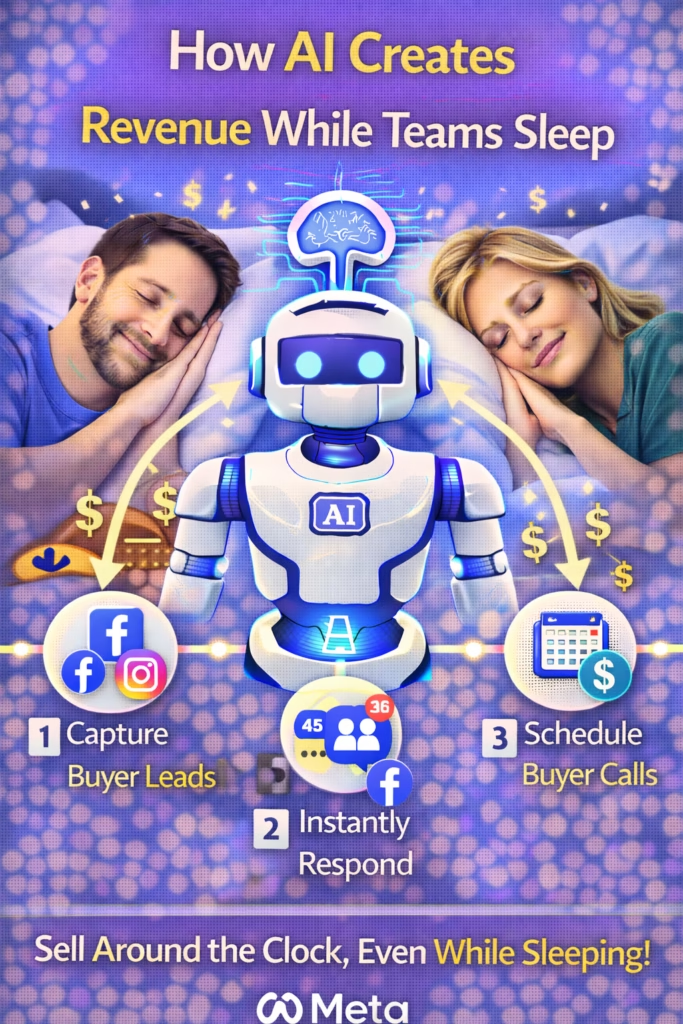
How AI Creates Revenue While Teams Sleep
How AI Creates Revenue While Teams Sleep is the 24/7 system that captures after-hours inquiries, replies instantly, qualifies leads, and books next steps—so revenue is created when humans are offline.
Note: This is general operations/marketing guidance. Confirm privacy, consent, and platform messaging rules before automating outreach.
Introduction
How AI Creates Revenue While Teams Sleep starts with one uncomfortable truth: most leads don’t disappear because they were “bad.” They disappear because nobody responded fast enough, nobody gave a clear next step, and nobody followed up.
After-hours is where this problem gets expensive. Leads come in at night, on weekends, during dinner, and while your team is handling other customers. Those leads are high intent, but their attention window is short.
Big idea: A 24/7 AI first-contact layer turns “missed” inquiries into booked calls, tours, and orders—without adding headcount.
Expanded Table of Contents
- 1) Why after-hours leads are more valuable than you think
- 2) The 6-part AI revenue engine (what it actually does)
- 3) Speed-to-lead: the multiplier that creates revenue overnight
- 4) Qualification that routes leads automatically (without friction)
- 5) Next-step options that create bookings fast
- 6) Follow-up automation that recovers “ghost” leads
- 7) Human handoff: where AI should stop
- 8) Safeguards: keeping automation compliant and trustworthy
- 9) Copy/paste scripts for 24/7 first contact
- 10) Operations: pipeline, tags, and tracking
- 11) KPIs that prove revenue is being created
- 12) 30–60–90 day rollout plan
- 13) 25 Frequently Asked Questions
- 14) 25 Extra Keywords
1) Why after-hours leads are more valuable than you think
After-hours leads have a unique pattern: they are often mid-decision. They’re comparing options, trying to plan, and wanting clarity fast.
Three reasons after-hours leads convert well
- They’re active shoppers: they have time to browse and message multiple providers.
- They’re urgency-driven: move-in, purchase deadlines, pain points, travel, life events.
- They reward fast responders: the first clear reply wins attention.
Reality: If your first response happens “tomorrow,” your competitor already earned trust tonight.
2) The 6-part AI revenue engine (what it actually does)
AI doesn’t “magically” create revenue. It creates revenue by executing the steps humans fail to do consistently—especially when the team is offline.
1) Instant first response
Confirms the inquiry and prevents the lead from going cold.
2) Context capture
Collects the minimum info needed: timeline, location, budget, requirements.
3) Qualification
Routes high-fit leads to booking and low-fit leads to info or alternatives.
4) Next-step options
Offers easy choices: call windows, tour times, quote windows, booking link.
5) Follow-up SOP
Automatically re-engages leads who go silent (the biggest leak).
6) Human handoff
Hands off to a team member when the lead is ready to close.
Rule: AI should do the repetitive work. Humans do the closing and exceptions.
3) Speed-to-lead: the multiplier that creates revenue overnight
How AI Creates Revenue While Teams Sleep is mostly about one thing: response speed. AI wins by replying immediately, consistently, and with a clear next step.
Speed standards
| Time to first reply | Lead experience | Conversion tendency |
|---|---|---|
| < 1 minute | “They’re on it.” | Highest bookings |
| < 5 minutes | Professional | Strong bookings |
| 30–120 minutes | Uncertain | Lower bookings |
| Next day | “They’re not responsive.” | Often lost |
Pro move: If you improve nothing else except speed-to-lead, you often increase bookings without spending an extra dollar on ads.
4) Qualification that routes leads automatically (without friction)
Qualification doesn’t mean interrogation. It means asking one clean question that routes the conversation.
The best first qualification questions
- Timeline: “Is this for today/this week, or later?”
- Location: “What city/zip are you in?”
- Requirements: “Any must-haves?”
- Budget band: “What range are you aiming for?” (optional)
Rule: Ask one question, then offer options. Don’t stack questions.
5) Next-step options that create bookings fast
Most leads die because nobody offered the next step. The fix is simple: give 2–3 choices.
Option-based next steps (templates)
Perfect ✅ I can help.
What’s best for you?

1) Quick call (10 minutes)
2) Text details + pricing/options
3) Book the next available time
Booking window approach
I can get you scheduled ✅
Do you prefer:

• Today: 4–6pm
• Tomorrow: 10am–12pm
• Tomorrow: 3–5pm
Avoid: “Let me know if you have questions.” It creates no action.
6) Follow-up automation that recovers “ghost” leads
Ghosting is normal. Follow-up is how you recover revenue that would otherwise disappear overnight.
3-touch follow-up sequence
| Timing | Message | Goal |
|---|---|---|
| 20–60 min | Quick check-in + choice | Re-engage |
| Same day | Confirm availability + next step | Book |
| Next day | Alternate option | Save lead |
Follow-up #1
Quick check-in ✅
Do you still want help with this?

Reply 1) YES  2) NOT YET
and I’ll send the next step.
Follow-up #2
Still available ✅
If you want to move forward, I can get you scheduled today.

Do you prefer daytime or evening?
Follow-up #3 (alternate)
Still shopping? ✅
If this isn’t the perfect fit, tell me your budget + timeline and I’ll send better options.
7) Human handoff: where AI should stop
The best systems use AI for the first 80%: response, routing, and booking. Humans handle nuance, negotiation, and closing.
Handoff triggers
- Lead confirms timeline + fit
- Lead requests a custom quote or exception
- Lead is ready to book immediately
- Lead expresses an objection that requires judgment
Rule: Automate first contact and follow-up. Keep the close human.
8) Safeguards: keeping automation compliant and trustworthy
Automation should feel helpful, not spammy. Safeguards protect trust and reduce policy risk.
Safeguards checklist
- Transparency: avoid pretending to be a specific person if it’s not.
- Frequency caps: don’t over-message; stick to your SOP touches.
- Opt-out handling: if someone says stop, stop immediately.
- Accurate info: availability, pricing, and terms must be truthful.
- Human override: easy escalation to a team member.
Note: Platform rules vary. Keep messages natural and avoid spam patterns.
9) Copy/paste scripts for 24/7 first contact
Script A: Universal instant reply
Thanks for reaching out ✅
I can help.

Quick question so I send the right next step:
Is this for today/this week, or later?

What city/zip are you in?
Script B: After-hours “we’ll confirm in the morning” (without losing momentum)
Got it ✅
We’re currently after-hours, but I can lock in your next step now.

Would you prefer:
1) A quick call tomorrow
2) Text details + options
3) Book the next available slot
Script C: Lead asks price
Yes ✅ Starting at $____ depending on options.
To confirm the best price for you, what’s your timeline (today/this week/later)?

If you share your city, I’ll send the best next step.
Script D: “Just browsing”
No problem ✅
When you’re ready, I can send the best options for your situation.

What’s the #1 thing you care about most: price, speed, or quality?
Script E: Booking push
Perfect ✅
I can get you scheduled.

Do you prefer:
• Daytime
• Evening

And what city are you in?
10) Operations: pipeline, tags, and tracking
If AI is creating revenue while your team sleeps, you’ll see it in pipeline stage movement and booked next steps.
Pipeline stages
- New: inquiry received
- Contacted: instant reply sent
- Qualified: timeline + location captured
- Next step offered: options sent
- Booked: appointment set
- Closed: sale/lease/contract complete
- Lost: no response after follow-up SOP
Tagging model (simple)
Hours: After-hours Hours: Business hours Urgency: 0–7 days Urgency: 8–30 days Fit: High Fit: Low Source: Marketplace Source: Website
Pro move: Track after-hours leads separately. That’s where “sleep revenue” shows up clearly.
11) KPIs that prove revenue is being created
| KPI | What it measures | Target direction |
|---|---|---|
| Median first response time | Speed-to-lead | Down |
| After-hours contact rate | Coverage | Up |
| Lead → booked rate | Conversion | Up |
| No-response leads | Leak size | Down |
| Follow-up completion rate | SOP consistency | Up |
Truth: If AI shortens response time and completes follow-up consistently, bookings rise even with the same lead volume.
12) 30–60–90 day rollout plan
Days 1–30 (Capture after-hours revenue)
- Deploy instant replies on every channel
- Use 1-question qualification (timeline + city)
- Implement the 3-touch follow-up SOP
- Add pipeline stages and basic tags
- Track after-hours lead volume + bookings weekly
Days 31–60 (Increase booking rate)
- Standardize scripts for common questions/objections
- Improve next-step options (time windows, booking link)
- Refine qualification to reduce low-fit time waste
- Define handoff triggers for humans
Days 61–90 (Scale safely)
- Add safeguards (caps, escalation, opt-out handling)
- Optimize by stage conversion rates
- Expand coverage for weekends/holidays
- Double down on sources that perform now that follow-up is consistent
13) 25 Frequently Asked Questions
1) How does AI create revenue while teams sleep?
By responding instantly, qualifying leads, offering next steps, and following up—so leads don’t cool off overnight.
2) What is an “after-hours lead engine”?
A system that handles first contact and booking 24/7.
3) What is speed-to-lead?
The time between inquiry and first reply.
4) What response time should I target?
Under 5 minutes is good; under 1 minute is best.
5) Why do after-hours leads matter?
They are often high intent and contacting multiple providers.
6) What should AI ask first?
One routing question like timeline or location.
7) What should AI avoid doing?
Negotiating complex exceptions or closing deals that require judgment.
8) Can AI book appointments?
Yes, if you provide clear booking options and rules.
9) How many follow-ups should be automated?
A simple 3-touch SOP covers most cases.
10) What follow-up style works best?
Short, helpful, and option-based with a clear question.
11) Will automation feel spammy?
Only if it’s repetitive or overly aggressive. Keep it natural and capped.
12) Do I need a full CRM?
No, but pipeline stages and tags make results measurable.
13) What’s the fastest win?
Instant reply + next-step options.
14) What’s the second biggest win?
Consistent follow-up.
15) How do I route low-fit leads?
Offer helpful info and a softer next step instead of wasting human time.
16) What’s a good “next step”?
A call, tour, quote window, or booking link.
17) Should AI disclose it’s automated?
Policies vary; don’t misrepresent identity. Keep messaging honest and helpful.
18) Can AI handle multiple channels?
Yes—forms, DMs, texts, and chats can all feed the same pipeline.
19) How do I measure success?
Response time, booked rate, and fewer no-response leads.
20) What if the AI makes a mistake?
Use safeguards: escalation triggers and accurate knowledge base.
21) What’s the best first qualification question?
Timeline is often the cleanest first filter.
22) How does AI reduce burnout?
It handles repetitive questions and follow-ups automatically.
23) Does AI replace staff?
No—AI handles first contact and routing; staff closes and manages exceptions.
24) How fast can this be deployed?
Basic instant replies and SOPs can be implemented quickly, then refined over 30–90 days.
25) What’s the long-term benefit?
More consistent bookings and higher conversion without needing more ad spend.
14) 25 Extra Keywords
- How AI Creates Revenue While Teams Sleep
- AI revenue automation
- after hours lead capture
- 24/7 lead response system
- AI first response scripts
- speed to lead automation
- automated lead qualification
- AI appointment booking
- automated follow up SOP
- recover ghost leads
- after hours inquiry conversion
- lead handling automation
- AI sales routing
- lead pipeline stages
- lead tracking tags
- increase booking rate
- reduce no response leads
- AI customer messaging
- inbound lead management automation
- weekend lead capture
- overnight lead conversion
- AI handoff to human
- automation safeguards messaging
- lead conversion KPIs
- 30 60 90 day automation rollout













