Market Wiz AI

Market Wiz

With ingenious automation fused with human dedication 24/7, Market Wiz puts the local marketing competition on notice – they’ve created a new standard operating system for dominating every digital front.All-Platform Compatibility: Facebook, Craigslist, Google, you name it. This system plays well with all the big players, ensuring your ads are everywhere they need to be.The Cherry on Top: There's a ton more under the hood, each feature adding more muscle to your marketing efforts.Bottom line: Market Wiz.ai isn’t just another tool; it’s your 24/7 digital marketing powerhouse. In the world of local advertising, it's the smartest move you’ll make.Market Wiz automates your online ads.|

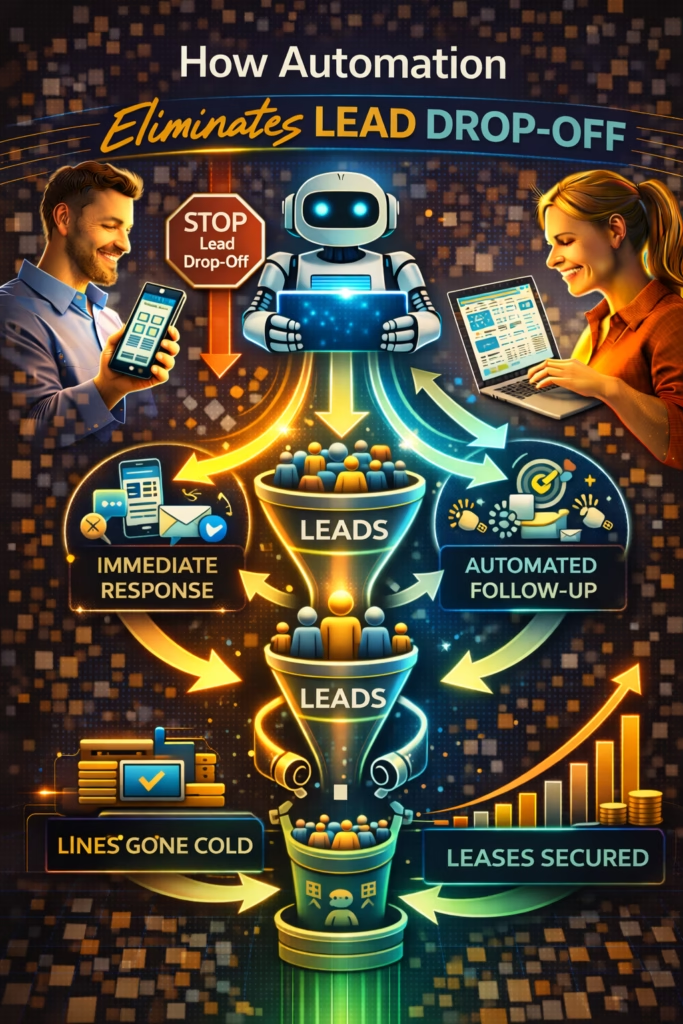
How Automation Eliminates Lead Drop-Off
ChatGPT Image Feb 23 2026 01 45 35 PM
How Automation Eliminates Lead Drop-Off

How Automation Eliminates Lead Drop-Off

How Automation Eliminates Lead Drop-Off is a system to protect every inquiry—by responding instantly, qualifying quickly, routing correctly, and following up consistently until the lead books or opts out.

Lead Drop-Off Prevention System: Speed-to-Lead Qualification Routing Follow-Up CRM Stages Reporting

Note: This is general guidance. Ensure automated messaging follows platform rules and applicable privacy/consent requirements.

Introduction

How Automation Eliminates Lead Drop-Off matters because lead drop-off is the hidden tax on growth. You can have great marketing, great ads, great Marketplace listings, and a great website—and still lose the sale because the lead didn’t get handled correctly.

Lead drop-off usually looks like this: a message comes in, it sits too long, the customer finds another option, and your team never even knows you were “in the running.” Or someone asks a question, you reply, they disappear, and nobody follows up because the day got busy.

The fix is not “try harder.” The fix is a system: instant responses, simple qualification, clear next steps, and follow-up that never forgets.

Big idea: Automation doesn’t create demand—automation protects demand.

Expanded Table of Contents

1) Why leads drop off (the real causes)

Lead drop-off isn’t usually caused by “bad leads.” It’s caused by friction and delay.

The most common causes

  • Slow response time: the lead goes cold fast
  • No clear next step: the conversation floats with no action
  • Too many questions at once: the lead feels overwhelmed
  • Inconsistent answers: different staff say different things
  • No follow-up: normal ghosting becomes a lost sale
  • Broken handoffs: “I’ll have someone call you” never happens
  • Inbox overload: messages get buried

Truth: Most businesses don’t need more leads—they need less leakage.

2) Speed-to-lead: the #1 drop-off eliminator

How Automation Eliminates Lead Drop-Off starts with speed-to-lead because response time is the highest-leverage variable you can control.

Speed-to-lead targets

Response TimeImpactReality
< 1 minuteBestYou win “first responder” battles
< 5 minutesStrongStill competitive in most markets
15+ minutesRiskyLead may already be moving on
HoursPainfulYou’re competing late and tired

Rule: If you fix speed-to-lead, you fix a huge portion of drop-off automatically.

3) The handoff gap: where most leads die

The handoff gap is when a lead needs a human, but no human actually takes it—fast.

Examples of a handoff gap

  • AI answers initial questions but doesn’t schedule a next step
  • Staff is busy and doesn’t see the “hot lead” notification
  • Lead gets routed to the wrong department
  • No one “owns” the conversation

Handoff rule (simple)

If intent score is high OR lead asks to book:
→ offer 3 time options
→ confirm location + best contact method
→ assign owner and set a next-step timestamp

Pro move: Every lead should have an owner within minutes, not hours.

4) One-question qualification that prevents stalls

Leads drop off when conversations become work. The fix is one question at a time.

The best one-question qualifiers

timeline city/zip budget range pickup vs delivery property type

Universal qualifier script

Absolutely ✅
Quick question so I can guide you correctly:
Are you trying to do this today or this week?

What city/zip are you in?

Rule: Qualify fast, then move to the next step.

5) Routing rules: send each lead to the right next step

Drop-off happens when leads get the wrong next step. Routing fixes that.

Simple routing map

Lead TypeSignalNext Step
HotTimeline + location + asks to bookOffer 3 time options
WarmInterested but unclear timelineAsk one qualifier + send options
ColdVague / browsing / “just looking”Nurture + proof + soft follow-up
SupportService questionsFAQ response + route to support queue

Avoid: treating every lead the same. That’s how hot leads cool off.

6) Follow-up automation that recovers lost revenue

Most businesses lose money because they stop after the first reply. But ghosting is normal behavior.

3-touch sequence (baseline)

TimingMessage StyleGoal
20–40 minutesQuick check-in + one questionRestart
Same dayOptions-based schedulingBook
Next dayAlternate option + proofSave

Follow-up scripts (copy/paste)

#1 Quick check-in ✅
Just checking in — did you still want to move forward?
Are you trying to do this today or this week?

#2 Options ✅
Which works better:
A) Today 4–6
B) Tomorrow 12–2
C) Saturday 10–12

#3 Alternate + proof ✅
If that one isn’t perfect, tell me your budget + timeline and I’ll send a better match.
(Also happy to send a quick example so you can compare.)

Rule: Follow-up isn’t pressure. Follow-up is customer service.

7) Missed-call text-back: the silent conversion boost

Missed calls are stealth drop-off. The caller is high intent, and then they disappear if no one answers.

Missed-call text-back template

Hey! Sorry we missed your call ✅
How can I help today?

Quick question: what city/zip are you in and are you trying to do this today or this week?

Why it works: It instantly re-opens the conversation while the lead is still motivated.

8) Marketplace inbox automation (high volume without chaos)

Marketplaces can generate huge inquiry volume, but volume without automation creates drop-off.

Marketplace conversion system

  1. Instant reply with one qualifier
  2. Send two options, not a wall of text
  3. Ask for location early
  4. Offer booking windows
  5. Run follow-up sequence automatically

Instant Marketplace reply

Yes — it’s available ✅
Pickup today or delivery this week?

What city/zip are you in? I’ll confirm the fastest options.

9) CRM stages, tags, and pipeline hygiene

Automation eliminates drop-off best when the pipeline is visible.

Stages (simple)

  • New → inquiry received
  • Qualified → timeline + location collected
  • Options Sent → next steps offered
  • Booked → time scheduled
  • Closed → sale complete
  • Lost → no response after follow-up

Tags (fast routing)

Hot Warm Cold Needs Financing Needs Delivery Price Shopper Appointment Requested

Rule: If a lead has no stage, it will drop off.

10) Copy/paste templates for instant replies + follow-ups

Template A: Universal first reply

Absolutely ✅ I can help.
Quick question: are you trying to do this today or this week?

What city/zip are you in? I’ll confirm the fastest options.

Template B: Price question + next step

Yes ✅ The price is $___.
Are you looking to do this today or this week?

What city/zip are you in? I’ll confirm availability and the fastest next step.

Template C: Options-based booking

Perfect ✅ I can get you scheduled.
Which works best:
A) Today 4–6
B) Tomorrow 12–2
C) Saturday 10–12

Template D: Polite close / stop chasing

No worries ✅
If you still want help later, just reply “READY” and tell me your city.
I’ll jump back in and get you the fastest options.

11) KPIs that prove drop-off is shrinking

KPIWhat it measuresTarget
Median response timeSpeed-to-lead health< 5 min (good), < 1 min (best)
Qualification rateHow many provide timeline/locationUpward trend
Booked rateLeads converted to scheduled next stepsUpward trend
Follow-up recoveryGhosted leads revivedUpward trend
Time-to-next-stepHow fast leads get optionsDownward trend

Pro move: Track drop-off by stage. You can’t fix what you can’t see.

12) 30–60–90 day rollout plan

Days 1–30 (Stop the bleeding)

  1. Install instant replies on calls/forms/messages
  2. Use one-question qualification
  3. Deploy 3-touch follow-up automation
  4. Standardize CRM stages + tags
  5. Measure response time weekly

Days 31–60 (Increase bookings)

  1. Add options-based scheduling scripts
  2. Refine routing rules (Hot/Warm/Cold)
  3. Reduce long messages and friction
  4. Measure follow-up recovery rate

Days 61–90 (Make it predictable)

  1. Expand automation to all inbound sources
  2. Create dashboards for stage-based drop-off
  3. Optimize handoffs and ownership rules
  4. Double down on the highest converting sources

Outcome: More bookings and sales without needing more traffic.

13) 25 Frequently Asked Questions

1) What is lead drop-off?

When someone inquires but never becomes a booked call, appointment, or sale—usually due to delays or missing next steps.

2) What causes lead drop-off the most?

Slow response time and inconsistent follow-up.

3) How does automation eliminate lead drop-off?

It replies instantly, qualifies quickly, routes correctly, and follows up consistently.

4) What should we automate first?

Speed-to-lead: instant replies plus a follow-up sequence.

5) How fast should we respond?

Under 5 minutes is good; under 1 minute is best.

6) Do follow-ups annoy leads?

Not when they’re short, helpful, and option-based.

7) How many follow-ups should we do?

Three touches is a strong baseline.

8) What’s the best qualifier question?

Timeline: “Today, this week, or later?”

9) Should we ask for city/zip?

Yes—location reduces friction and improves routing.

10) What’s the handoff gap?

When a lead needs a human, but no human takes it quickly.

11) How do we fix handoffs?

Assign an owner, set a next-step timestamp, and notify immediately.

12) Do missed calls matter?

Yes—missed-call text-back can recover high-intent leads.

13) How do we handle high-volume marketplace inboxes?

Instant reply + qualification + follow-up automation.

14) What’s the best first reply structure?

Confirm + one question + next-step offer.

15) Do we need a CRM?

Strongly recommended for visibility and ownership.

16) What stages should we use?

New, Qualified, Options Sent, Booked, Closed, Lost.

17) How do we measure drop-off?

Track stage conversion and time-to-next-step.

18) Can automation book appointments?

Yes—options-based scheduling is highly effective.

19) What’s the biggest scripting mistake?

Too many questions and too much text.

20) Do we still need humans?

Yes—humans close; automation protects and routes.

21) Will automation increase conversions with the same traffic?

Often, yes—because it reduces leakage.

22) What’s the fastest improvement today?

Instant reply plus a timeline question.

23) How do we avoid sounding robotic?

Use short, natural language and keep messages option-based.

24) What industries benefit most?

Any with high inquiry volume: local services, rentals, auto, retail, real estate.

25) What’s the long-term outcome?

Predictable lead-to-customer conversion without increasing payroll.

14) 25 Extra Keywords

  1. How Automation Eliminates Lead Drop-Off
  2. lead drop off automation
  3. stop lead leakage
  4. speed to lead automation
  5. automated follow up system
  6. lead conversion automation
  7. AI inbox automation
  8. missed call text back automation
  9. marketplace messaging automation
  10. automated lead qualification
  11. lead routing automation
  12. appointment booking automation
  13. options based scheduling script
  14. CRM stages for leads
  15. pipeline hygiene
  16. reduce ghosting leads
  17. follow up sequence for leads
  18. instant reply templates
  19. reduce time to next step
  20. lead management automation
  21. sales pipeline automation
  22. 24/7 lead response
  23. improve lead conversion rate
  24. lead nurturing automation
  25. AI managed leads

© 2026 Your Brand. All Rights Reserved.
General information only—confirm compliance with platform policies and applicable privacy/consent rules before automating marketing messages.

How Automation Eliminates Lead Drop-Off Read More »

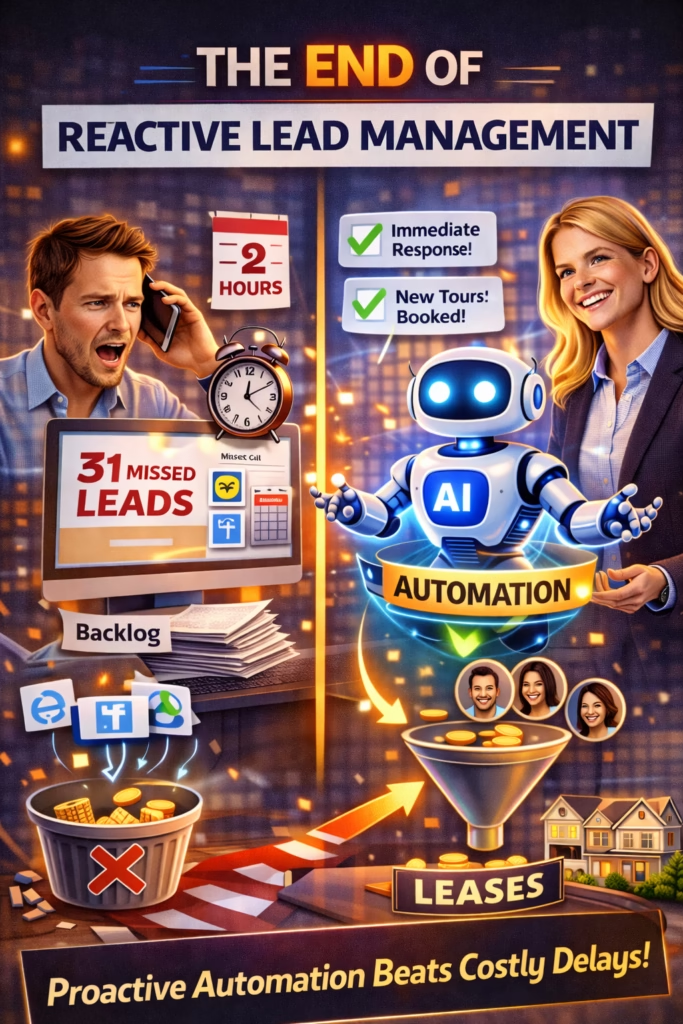
The End of Reactive Lead Management

ChatGPT Image Feb 23 2026 01 45 32 PM
The End of Reactive Lead Management

The End of Reactive Lead Management

The End of Reactive Lead Management is the blueprint for replacing inbox chaos with a proactive lead system—built on instant replies, qualification, routing, follow-up SOPs, pipeline stages, and KPI loops that prevent lead leakage.

Proactive Lead System: Capture Instant Reply Qualify Route Follow-Up Track

Note: This is general guidance. Keep claims accurate and comply with platform policies, consent/privacy rules, and any applicable marketing regulations for your region and industry.

Introduction

The End of Reactive Lead Management isn’t a slogan. It’s a market reality.

In 2026, the businesses that win don’t “work harder” inside their inbox. They build systems that respond instantly, qualify leads automatically, and keep every opportunity moving—even when the owner is asleep, on a job site, or in meetings.

Reactive lead management is what happens when your entire revenue engine depends on:

  • Someone noticing a message
  • Someone having time to respond
  • Someone remembering to follow up

Big idea: If your process depends on memory, your growth will always be capped.

Expanded Table of Contents

1) What reactive lead management is (and why it fails)

Reactive lead management means your “system” is essentially: wait for leads → react when you can.

Common symptoms

  • Messages sit for hours (or overnight)
  • Someone replies, but doesn’t ask a next-step question
  • Follow-up depends on memory
  • Leads are scattered across platforms
  • No one can answer “How many are in the pipeline?”

Reality: Competitive markets don’t punish you for being bad. They punish you for being slow and inconsistent.

2) Lead leakage: where revenue disappears

Lead leakage is the gap between inbound demand and closed revenue. It’s usually caused by delays and inconsistency—not lack of leads.

The five biggest leakage points

1) Slow first response

Leads message multiple businesses. The fast responder wins the conversation.

2) No qualification

If you don’t capture city/timeline/budget, you can’t guide the next step.

3) No next step

Helpful answers are not a process. You must ask a question.

4) No follow-up

Quiet leads often convert with one more touch.

Rule: Don’t measure “leads.” Measure “booked next steps.” That’s where revenue begins.

3) Speed-to-lead and the new response-time standard

Speed-to-lead is the simplest upgrade with the biggest impact—because most competitors are still slow.

What “good” looks like

Response timeMeaningTypical outcome
< 1 minuteBest-in-classHighest conversation share
< 5 minutesStrongCompetitive conversion
15–60 minutesWeakLeads drift to others
Hours+ReactiveHigh leakage

Instant reply template (universal)

Yes — I can help ✅
Quick question so I send the right options:

Are you looking to do this today or this week?

Pro move: Ask one question. Do not send paragraphs. Keep the lead replying.

4) The proactive lead system model

The proactive model is simple: every lead is captured, replied to, qualified, routed, followed up, and tracked—without relying on memory.

Proactive lead system pillars

Capture

Unify leads from all sources into one view.

Instant reply

Respond immediately with a question that moves the lead forward.

Qualification

Collect the minimum info needed to propose a next step.

Routing

Send high-intent leads to humans faster.

Follow-up

Recover quiet leads with consistent SOP touches.

Tracking

Measure booked next steps and optimize weekly.

Rule: If the system runs when you’re busy, it’s real. If it stops, it’s still reactive.

5) Capture: unify leads across channels

Reactive management is usually a channel problem: DMs on one platform, calls on another, forms in email, and notes in someone’s head.

Capture checklist

  • Every channel routes into one pipeline (CRM, sheet, or inbox that’s actually monitored)
  • Every lead has a timestamp, source, and status
  • Every lead has an owner (human or automation)

Minimum lead fields

- Name (if available)
- Source (FB/CL/OfferUp/Google/Website/etc.)
- City/Zip
- Timeline (today / this week / later)
- Need (service/product)
- Status (New / Qualified / Booked / Closed / Lost)

Common trap: “We’ll add it later.” If it’s not captured immediately, it’s often lost.

6) Instant replies: scripts that move the lead forward

Instant replies are the difference between “inquiry” and “conversation.” The goal is not to answer everything—it’s to get the next message.

Instant reply (generic)

Yes — it’s available ✅
Are you looking to do this today or this week?

Instant reply (service business)

Yes — we can help ✅
What city are you in, and are you looking for today or this week?

Instant reply (inventory)

Yes — still available ✅
What city are you in? I’ll confirm the fastest pickup/delivery options.

Rule: Your first reply should always end with a question.

7) Qualification: one question that changes everything

Qualification is how you stop wasting time and start booking next steps. You don’t need 12 questions. You need one that creates motion.

The highest leverage qualification question

“Are you looking to do this today or this week?”

Two-question qualification (when needed)

1) What city/zip are you in?
2) Is it today, this week, or later?

Avoid: Asking for everything up front. Leads drop when the process feels like homework.

8) Routing: treat high-intent leads differently

Routing prevents your best leads from being handled like “just another message.” High-intent leads deserve immediate human attention.

High-intent signals

  • “Can I pay today?” / “When can I come now?”
  • “I need this today.”
  • “What’s the address?” / “Can you send invoice?”
  • They answer quickly and clearly

Routing rules (simple)

  • High intent → notify human within 1 minute
  • Medium intent → automation qualifies and proposes next step
  • Low intent → nurture and collect basics

Handoff summary (copy/paste)

Lead summary ✅
- Source: ______
- City/Zip: ______
- Timeline: ______
- Need: ______
- Best next step: ______

9) Follow-up SOP: where the hidden money lives

Follow-up is the line between “we got a lot of inquiries” and “we closed a lot of deals.” Reactive businesses do it randomly. Systems do it consistently.

3-touch follow-up SOP

TimingMessageGoal
20–40 minQuick check + questionRestart
Same dayOptions + next stepBook
Next dayAlternate optionSave

Follow-up #1

Quick check-in ✅
Did you still want to move forward?

What city are you in, and is it today or this week?

Follow-up #2

I can send options ✅
Reply with your city + timeline and I’ll confirm the fastest next step.

Follow-up #3

Still shopping? ✅
Tell me your budget + must-haves and I’ll point you to the best fit.

Pro move: Make the follow-up feel helpful, not desperate—always include a question.

10) Pipeline stages and SLAs

Reactive lead management collapses because nobody knows what stage a lead is in. Pipelines make it visible. SLAs make it consistent.

Pipeline stages (simple)

  • New → first message received
  • Qualified → city + timeline captured
  • Options Sent → pricing/availability/next step provided
  • Booked → appointment/pickup/call scheduled
  • Closed → paid and completed
  • Lost → no response after SOP

Response-time SLAs

SLAStandardWhy it matters
First reply< 5 minutesWins the conversation
Qualified follow-up< 15 minutesMaintains momentum
Booked confirmationImmediateReduces drop-off

Rule: A pipeline without SLAs becomes reactive again. Speed must be enforceable.

11) Automation guardrails and compliance basics

Automation should create consistency and protect trust—not create spam risk.

Guardrails that keep automation safe

  • Keep claims accurate (no false urgency or guarantees)
  • Respect platform messaging limits and rules
  • Use human escalation for sensitive or complex situations
  • Store only necessary lead info and handle it responsibly

Reminder: If you market via text/email, confirm consent requirements and local regulations. Keep opt-out pathways where required.

12) KPIs that prove the system is working

KPIWhat it meansTarget direction
Median response timeSpeed-to-leadDown
Qualified rateLeads with city/timeline capturedUp
Booked rateLeads that schedule a next stepUp
Follow-up recoveryLeads saved by SOPUp
Close rateBooked → closedUp

Best KPI: Booked next steps. If that’s rising, revenue follows.

13) 30–60–90 day rollout plan

Days 1–30 (Stop the bleeding)

  1. Install instant replies on all channels
  2. Deploy 3-touch follow-up SOP
  3. Define pipeline stages and response-time SLAs
  4. Begin weekly KPI tracking

Days 31–60 (Build the engine)

  1. Unify capture across channels into one pipeline
  2. Implement routing for high-intent leads
  3. Standardize scripts and handoff summaries
  4. Optimize based on KPI trends

Days 61–90 (Scale and compound)

  1. Increase surface area (more listing/content entry points)
  2. Automate weekly reporting and action plans
  3. Retire weak scripts and double down on best performers
  4. Document SOPs for team consistency

Rule: Install → measure → optimize → scale. Systems beat hustle every time.

14) 25 Frequently Asked Questions

1) What is reactive lead management?

Handling leads only when they show up—replying late and relying on memory instead of a system.

2) Why is reactive lead management a problem?

It creates slow responses, inconsistent follow-up, and high lead leakage.

3) What replaces reactive lead management?

A proactive lead system: instant replies, qualification, routing, follow-up SOPs, pipeline tracking.

4) What is lead leakage?

The gap between inbound inquiries and booked next steps or closed revenue.

5) What is speed-to-lead?

How quickly you respond after a lead contacts you.

6) What response time should I target?

Under 5 minutes is strong; under 1 minute is best-in-class for messages.

7) Do instant replies feel robotic?

Not if they’re short, helpful, and end with a simple question.

8) What’s the best first message?

Confirm availability and ask a timeline question.

9) What’s the best qualification question?

“Are you looking to do this today or this week?”

10) Should I ask multiple questions at once?

Usually no—one at a time keeps the lead replying.

11) What is lead routing?

Sorting leads by intent and escalating high-intent leads quickly.

12) What are high-intent signals?

“Today,” “ready now,” “can I pay,” “where are you located,” rapid replies.

13) What is a follow-up SOP?

A consistent sequence of messages for non-responders.

14) How many follow-ups should I send?

Three touches is a strong baseline.

15) What should follow-ups say?

Short check-in + a question that creates a next step.

16) What is a pipeline?

Stages that show where each lead is in the process.

17) Why do pipelines matter?

They prevent leads from being forgotten and make performance measurable.

18) What is an SLA in lead management?

A response-time standard you commit to and enforce.

19) What KPIs matter most?

Response time, qualified rate, booked rate, follow-up recovery, close rate.

20) What KPI predicts revenue best?

Booked next steps.

21) Will automation reduce ad spend?

Often yes—because you convert more of your existing demand.

22) Is automation safe on platforms?

It can be, if you follow rules, avoid spam, and keep messages accurate.

23) What should be escalated to humans?

Negotiations, complex requests, complaints, and sensitive issues.

24) How quickly can results improve?

Speed-to-lead and follow-up often improve results immediately.

25) What’s the fastest improvement today?

Install instant replies that ask a question and deploy a follow-up SOP.

15) 25 Extra Keywords

  1. The End of Reactive Lead Management
  2. reactive lead management
  3. proactive lead system
  4. lead response automation
  5. speed to lead
  6. instant reply scripts
  7. automated follow up
  8. follow up SOP leads
  9. lead routing workflow
  10. pipeline management
  11. booked appointment KPI
  12. reduce lead leakage
  13. lead conversion system
  14. inbox management automation
  15. lead qualification scripts
  16. response time SLA
  17. automated sales process
  18. CRM pipeline stages
  19. high intent lead routing
  20. sales automation for small business
  21. marketing automation workflows
  22. local lead management system
  23. convert more leads without ads
  24. 2026 lead management blueprint
  25. prevent missed leads

© 2026 Your Brand. All Rights Reserved.
General information only—confirm compliance with platform policies and applicable privacy/marketing rules before deploying automated messaging, routing, or follow-up sequences.

The End of Reactive Lead Management Read More »

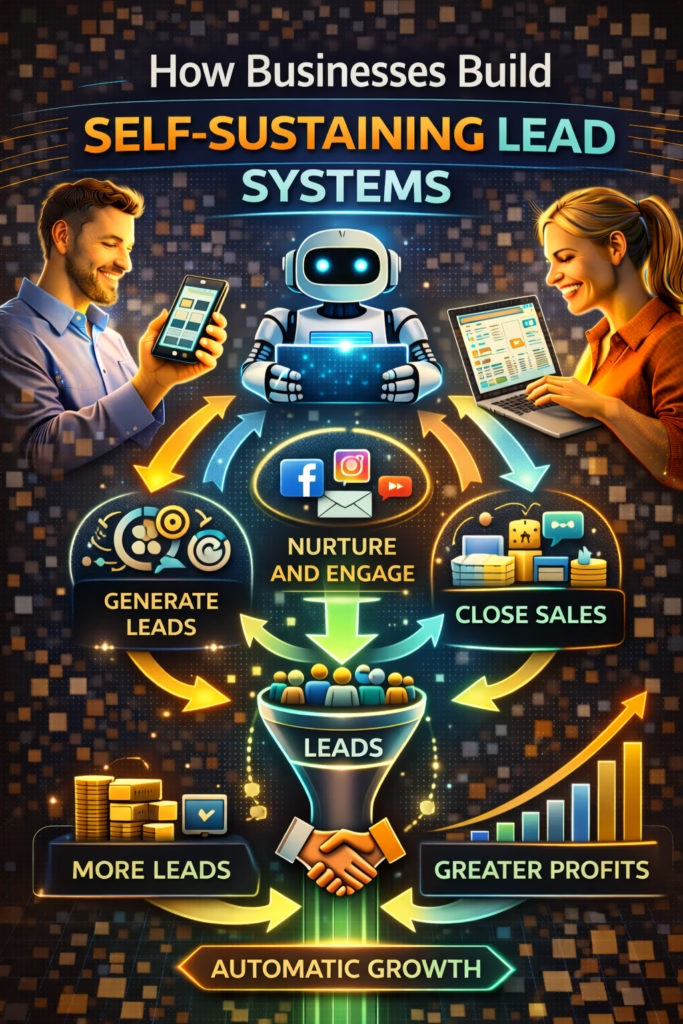
How Businesses Build Self-Sustaining Lead Systems

ChatGPT Image Feb 22 2026 01 35 22 PM
How Businesses Build Self-Sustaining Lead Systems

How Businesses Build Self-Sustaining Lead Systems

How Businesses Build Self-Sustaining Lead Systems is a flywheel approach: compounding distribution channels + clear offers + proof + automation that turns interest into booked conversations.

Self-Sustaining Lead Flywheel: Offer Proof Distribution Speed Follow-Up Compounding

Note: This is general marketing guidance. Keep your outreach compliant with platform rules and applicable privacy/consent requirements.

Introduction

How Businesses Build Self-Sustaining Lead Systems starts with a mindset shift: lead generation is not a campaign. It’s infrastructure.

Campaigns are temporary. You launch, you spend, you get a spike, you stop, and everything drops. Infrastructure is different. Infrastructure keeps working because it compounds—through repetition, proof, and distribution.

The best businesses don’t rely on a single channel. They build a lead ecosystem where each part strengthens the others: better offers create more conversions; more conversions create more reviews; more reviews improve local visibility; better visibility produces more inbound; and automation ensures the inbound becomes conversations—without constant manual effort.

Big idea: A self-sustaining lead system is built once, then improved forever.

Expanded Table of Contents

1) What “self-sustaining” actually means

A self-sustaining lead system is not “free leads forever.” It’s a system where effort creates assets that keep paying off.

Self-sustaining means:

  • You generate leads even when you’re not actively spending more
  • Your conversions improve because proof accumulates
  • Your response and follow-up are consistent (no lead leakage)
  • Your channels reinforce each other (compounding)

Reality: You still work. But the work shifts from “panic posting” to “system tuning.”

2) The lead flywheel model (compounding growth)

How Businesses Build Self-Sustaining Lead Systems is best explained as a flywheel:

1) Offer

Make the value obvious and the next step easy.

2) Proof

Show real outcomes: reviews, photos, numbers, testimonials.

3) Distribution

Publish consistently across channels that compound over time.

4) Speed + Follow-Up

Convert interest into conversations with automation.

5) Outcomes

Every sale becomes proof that makes the next sale easier.

Rule: If your system isn’t creating proof, it can’t compound.

3) Offer engineering: make “yes” easy

Most lead systems fail because the offer is vague. People don’t inquire when they’re confused.

Offer clarity checklist

  • Who it’s for: the buyer should identify instantly
  • What they get: outcome-based, not feature-based
  • How it works: simple steps
  • Timeline: when they can expect results
  • Next step: book / call / message (one clear action)

Offer positioning template

✅ [Outcome] for [Specific Buyer]
✅ [Key proof or differentiator]
✅ [Fast next step] (book/call/message)
✅ [Low-friction detail] (pricing range / availability / delivery / same-day)

Pro move: Your offer should answer “Why you?” in one sentence.

4) Proof assets: the trust engine that compounds

Proof is the compounding layer of a self-sustaining system. Proof reduces skepticism and increases conversion.

High-performing proof assets

  • Reviews and screenshots (with permission where needed)
  • Before/after examples
  • Short “customer outcome” stories
  • Local proof: location, team, storefront, fleet, signage
  • FAQs answered publicly (turn objections into content)

Rule: Every week, add at least one new proof asset to the system.

5) Distribution channels that compound over time

Self-sustaining lead systems use channels that continue producing after the post is published.

Compounding channels

ChannelWhy it compoundsBest use
Local SEO / Google Business ProfileRankings + reviews accumulateHigh-intent local buyers
MarketplacesHigh inbound volume + searchImmediate inquiries
YouTube / ShortsSearch + algorithm distributionProof and trust
Email listOwned audienceRepeat/referral loops
Referral engineWord-of-mouth compoundsHigh-quality leads

Avoid: relying on a single channel. Self-sustaining means multi-channel reinforcement.

6) Marketplace-driven inbound as a volume layer

Marketplaces are a powerful volume layer because shoppers already have intent. But they can overwhelm teams without automation.

Marketplace listing system (simple)

  1. Rotate offers weekly (keep it fresh)
  2. Use proof photos and clear titles
  3. Respond instantly with a qualifier question
  4. Offer next-step options (booking windows)
  5. Follow up with a 3-touch sequence

Instant reply (copy/paste)

Yes — it’s available ✅
Quick question: are you trying to do this today or this week?

What city/zip are you in? I’ll confirm the fastest options.

7) Local SEO as the long-term foundation

Local SEO is the most “self-sustaining” channel because it compounds with time and proof.

The local SEO compounding loop

  • More customers → more reviews
  • More reviews → better ranking
  • Better ranking → more calls
  • More calls → more customers

Weekly local SEO habits

  • Post proof content (photos, short updates)
  • Request reviews from recent customers
  • Answer Q&A publicly
  • Track calls/messages and top keywords

Rule: Local SEO is slow at first, then becomes your cheapest leads.

8) Speed-to-lead automation: protect every opportunity

Speed-to-lead is what turns distribution into results. Without it, leads leak.

What to automate first

  • Instant reply (under 60 seconds)
  • One-question qualification
  • Routing by intent
  • Follow-up cadence

Target: Under 5 minutes response. Under 1 minute is best.

9) Follow-up SOPs that recover lost leads

Follow-up makes your system self-sustaining because it converts leads you already paid for (time or money).

3-touch follow-up sequence

TimingMessageGoal
20–40 minutesQuick check-inRe-engage
Same dayOffer optionsBook
Next dayAlternate optionSave
#1 Quick check-in ✅
Did you still want to move forward?
Are you trying to do this today or this week?

#2 Options ✅
Which works better:
A) Today 4–6
B) Tomorrow 12–2
C) Saturday 10–12

#3 Alternate ✅
If that one isn’t perfect, tell me your budget + timeline and I’ll send a better match.

10) CRM stages, tags, and lead ownership

Systems sustain when nothing is invisible. CRM stages create visibility.

Pipeline stages

  • New
  • Qualified
  • Options Sent
  • Booked
  • Closed
  • Lost

Tags that improve routing

Hot Warm Cold Needs Financing Needs Delivery Price Shopper

Rule: Every lead has an owner and a next step.

11) KPIs that prove the system is compounding

KPIWhat it indicatesTarget direction
Response timeLead protectionDownward
Booked rateConversion healthUpward
Follow-up recoveryRevenue savedUpward
Review velocityLocal SEO compoundingUpward
Organic share of leadsSelf-sustaining progressUpward

Rule: If your organic share is rising, your system is becoming self-sustaining.

12) 30–60–90 day rollout plan

Days 1–30 (Install the system)

  1. Clarify offer and create proof assets
  2. Deploy instant reply + one-question qualification
  3. Launch follow-up SOP (3-touch)
  4. Set CRM stages and lead ownership rules
  5. Start weekly local proof posting

Days 31–60 (Increase conversion)

  1. Refine scripts based on objections
  2. Improve routing and next-step options
  3. Expand distribution across marketplaces + content
  4. Increase review velocity with a request process

Days 61–90 (Make it self-sustaining)

  1. Double down on compounding channels
  2. Measure organic share of leads
  3. Build weekly reporting and accountability
  4. Scale what works and retire what doesn’t

Outcome: A system that produces leads consistently—even when you’re not “running a campaign.”

13) 25 Frequently Asked Questions

1) What is a self-sustaining lead system?

A repeatable flywheel that generates and converts leads using compounding channels plus automation for response and follow-up.

2) How long does it take to build one?

Many businesses see improvements within 30–90 days, with compounding benefits over time.

3) Do self-sustaining lead systems mean “free leads”?

No. It means effort turns into assets that keep producing over time.

4) What’s the biggest reason lead systems fail?

Lead leakage: slow response and inconsistent follow-up.

5) What’s the fastest win?

Instant reply automation + one qualifier question.

6) Which channels compound best?

Local SEO, reviews, content platforms, marketplaces, and referrals.

7) What role do marketplaces play?

They provide high volume inbound inquiries that can convert quickly with fast replies.

8) How do we avoid spam on marketplaces?

Rotate unique listings, vary photos/titles, and keep inventory accurate.

9) Why is local SEO self-sustaining?

Because rankings and reviews accumulate and keep producing calls.

10) What proof assets matter most?

Reviews, real photos, outcomes, and case-style stories.

11) What KPI shows compounding?

Rising organic share of total leads.

12) How do we qualify leads efficiently?

Ask one question at a time: timeline or location.

13) How many follow-ups should we use?

Three touches is a strong baseline.

14) How do we prevent leads from slipping through?

CRM stages + lead ownership + automation.

15) Can small businesses do this?

Yes—small businesses benefit the most because they can’t hire huge teams.

16) Do we still need ads?

Ads can help, but conversion systems should be installed first.

17) How do referrals fit in?

Referrals are a compounding channel that grows as outcomes grow.

18) What’s the best weekly habit?

Add proof: post, review requests, Q&A answers.

19) What’s the biggest implementation mistake?

Overly complex scripts and too many questions.

20) How do we keep it consistent?

Document SOPs and automate the repetitive parts.

21) How do we track attribution?

Ask “How did you find us?” and tag source in the CRM.

22) Can automation handle objections?

Simple objections, yes; complex ones should route to humans.

23) What’s the best next step after automation?

Increase distribution and proof generation.

24) What does “lead flywheel” mean?

A system where outcomes create proof that increases future conversions.

25) What’s the simplest win today?

Instant reply + timeline question + options-based next step.

14) 25 Extra Keywords

  1. How Businesses Build Self-Sustaining Lead Systems
  2. self sustaining lead generation system
  3. predictable lead system
  4. lead generation flywheel
  5. compounding lead channels
  6. marketplace lead system
  7. local SEO lead system
  8. automation for lead response
  9. speed to lead automation
  10. AI inbox triage
  11. automated lead qualification
  12. lead routing automation
  13. follow up SOP for leads
  14. reduce lead leakage
  15. increase booked appointments
  16. organic lead generation system
  17. reputation engine for leads
  18. review velocity strategy
  19. content velocity for leads
  20. CRM stages for lead tracking
  21. lead ownership process
  22. referral loop marketing
  23. marketing system that compounds
  24. lead system without ads
  25. 24/7 lead conversion automation

© 2026 Your Brand. All Rights Reserved.
General information only—confirm compliance with platform policies and applicable privacy/consent rules before automating marketing messages.

How Businesses Build Self-Sustaining Lead Systems Read More »

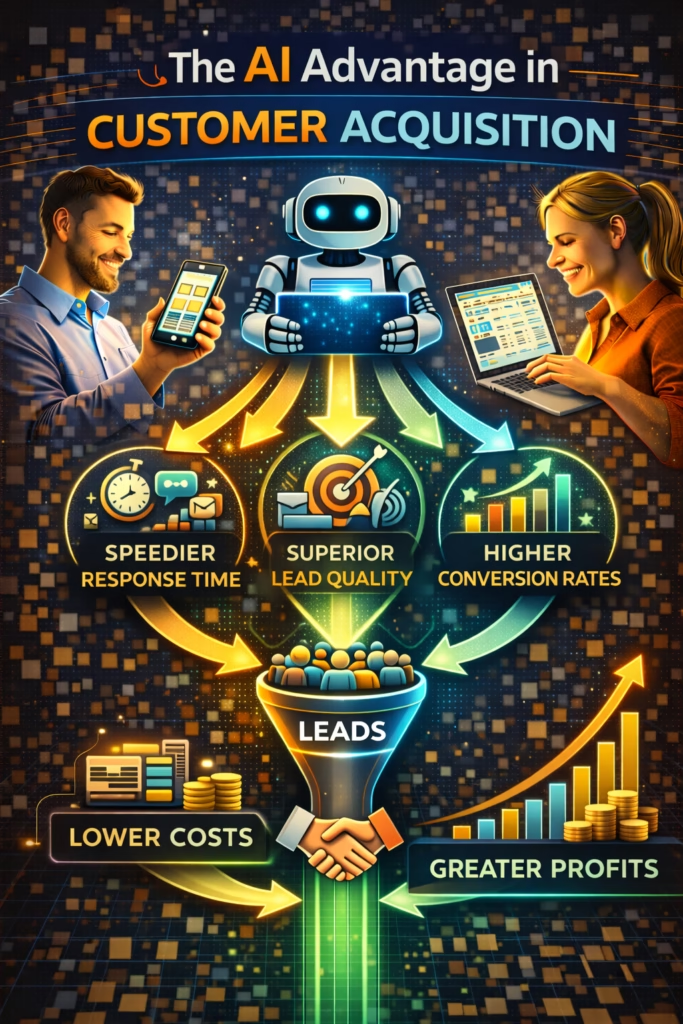
The AI Advantage in Customer Acquisition

ChatGPT Image Feb 22 2026 01 35 24 PM
The AI Advantage in Customer Acquisition

The AI Advantage in Customer Acquisition

The AI Advantage in Customer Acquisition is the ability to generate more customers from the same traffic—by responding instantly, filtering intent, and converting conversations into bookings automatically.

AI Acquisition Engine: Speed Intent Qualification Routing Follow-Up Reporting

Note: This is general guidance. Ensure automated messaging follows platform rules and applicable privacy/consent requirements.

Introduction

The AI Advantage in Customer Acquisition is simple to explain: buyers pick the business that makes the next step easiest.

For years, “acquisition” meant buying attention. Run ads, bid on keywords, increase spend. But in 2025–2026, the real advantage is no longer only traffic—it’s what happens after the click, the call, or the Marketplace message.

That’s where AI wins. It responds instantly, qualifies consistently, follows up automatically, and routes the best opportunities to the fastest next step—without burning payroll.

Big idea: AI doesn’t replace marketing. It makes marketing finally pay off.

Expanded Table of Contents

1) The shift: acquisition is now an operations problem

When businesses say “we need more leads,” they often mean “we need more customers.” But customers don’t come from lead volume alone. Customers come from lead handling.

In most markets, there is plenty of interest. The breakdown happens in the gap between inquiry and next step:

  • Slow replies
  • Inconsistent answers
  • No clear next step
  • No follow-up
  • Leads fall through the cracks

AI advantage: AI closes the gap between interest and action—at scale, consistently.

2) Speed-to-lead is the first AI advantage

The first measurable advantage AI delivers is response time. And response time is not a “nice to have.” It’s a conversion lever.

What instant response changes

More replies

When you reply fast, you capture the lead before they message five other options.

More bookings

Speed shortens the decision cycle. Buyers stay “hot” longer.

Less staff load

Fast replies reduce long threads and repeated re-explanations.

Higher trust

Fast, consistent responses feel professional and reliable.

Targets: Under 5 minutes is good. Under 1 minute is best.

3) Intent detection: prioritize the buyers who will convert

AI also wins because it can identify who is serious—instantly.

High-intent signals AI detects

today this week available how to book appointment delivery financing deposit zip price total

Simple scoring model (0–10)

SignalPointsMeaning
Timeline provided (today/this week)+3Near-term action
Location/zip provided+2Lower friction
Asks about next steps+3Ready to move
Asks about price/total cost+2Decision stage

Routing: 7–10 = Hot, 4–6 = Warm, 0–3 = Cold/nurture.

4) One-question qualification that scales

The fastest path to better conversion is not a long form. It’s one question that reveals intent.

Best one-question qualifiers

  • Timeline: “Are you trying to do this today, this week, or later?”
  • Location: “What city/zip are you in?”
  • Budget: “What range are you trying to stay under?”

Instant reply (copy/paste)

Yes — I can help ✅
Quick question: are you trying to do this today or this week?

What city/zip are you in? I’ll confirm the fastest options.

Why it works: The lead who answers with specifics becomes high-intent automatically.

5) Routing and next-step design (options win)

AI doesn’t just “chat.” The purpose is to move the buyer to a next step.

Options-based next steps (high conversion)

I can get you scheduled ✅
Which works better:
A) Today 4–6
B) Tomorrow 12–2
C) Saturday 10–12
Reply A/B/C and I’ll confirm.

Rule: If a conversation has no next step, it’s not acquisition—it’s entertainment.

6) Follow-up automation that recovers revenue

Most money is lost after the first reply. Not because the lead is “bad,” but because humans don’t follow up consistently.

3-touch follow-up sequence

TimingMessageGoal
20–40 minutesQuick check-in + one questionRe-engage
Same dayOffer optionsBook
Next dayAlternate optionSave
#1 Quick check-in ✅
Did you still want to move forward?
Are you trying to do this today or this week?

#2 Options ✅
Which works better:
A) Today 4–6
B) Tomorrow 12–2
C) Saturday 10–12

#3 Alternate ✅
If that one isn’t perfect, tell me your budget + timeline and I’ll send a better match.

7) Channels where AI creates the biggest lift

AI works everywhere, but it creates the biggest advantage in channels where speed and volume matter.

High-leverage channels

  • Marketplaces: high inquiry volume and “first responder wins” dynamics
  • Missed calls: instant text-back increases conversion
  • Form leads: rapid follow-up prevents drop-off
  • DMs: inbox triage and qualification reduces human load

Reminder: Always maintain compliance and respect platform messaging rules.

8) Content velocity + local proof at scale

Customer acquisition also benefits from AI-generated content velocity—when done carefully and authentically.

What content should prove

  • You are real (photos, location, team)
  • You are trusted (reviews, testimonials, outcomes)
  • You are clear (pricing ranges, offers, timelines)
  • You are easy (simple next steps)

Pro move: Pair fast inbox automation with “proof content” that reduces skepticism before the first message.

9) CRM tags, stages, and visibility

AI acquisition becomes a machine when your CRM is organized. Tags and stages make priorities obvious.

Recommended tags

Hot Warm Cold Needs Financing Needs Delivery Appointment Requested Price Shopper

Pipeline stages

  • New
  • Qualified
  • Options Sent
  • Booked
  • Closed
  • Lost

Rule: If you can’t see the pipeline, you can’t scale acquisition.

10) KPIs that prove AI is working

KPIMeaningTarget direction
Median response timeSpeed advantageDownward
Qualification rateScript effectivenessUpward
Booked rateNext-step conversionUpward
Follow-up recoveryLeads savedUpward
Staff time per bookingEfficiencyDownward

Pro move: Measure booked rate for Hot leads vs Warm leads to validate intent scoring.

11) ROI math: AI vs hiring vs ads

The AI advantage is often cheaper than hiring and more durable than increasing ad spend.

Why AI outperforms “more ads”

  • Ads increase volume, but don’t fix lead leakage
  • AI increases conversion from existing traffic
  • AI improves response time 24/7
  • AI standardizes qualification and follow-up

Rule: Fix conversion before you scale traffic. AI helps you do that without scaling payroll.

12) 30–60–90 day rollout plan

Days 1–30 (Install the core advantage)

  1. Deploy instant replies across top channels
  2. Implement one-question qualification
  3. Tag leads Hot/Warm/Cold
  4. Launch 3-touch follow-up automation
  5. Track response time + booked rate weekly

Days 31–60 (Increase bookings)

  1. Add options-based booking scripts
  2. Refine scoring using real outcomes
  3. Clean CRM stages and enforce ownership
  4. Measure follow-up recovery rate

Days 61–90 (Scale predictably)

  1. Expand to additional channels and listings
  2. Build weekly reporting dashboards
  3. Optimize staffing around closing, not replying
  4. Double down on the channels with highest booked rate

Outcome: More customers from the same traffic—without adding payroll.

13) 25 Frequently Asked Questions

1) What is the AI advantage in customer acquisition?

Instant responses, consistent qualification, automated follow-up, and smart routing that converts more customers from the same traffic.

2) Where should I start?

Speed-to-lead automation and one-question qualification.

3) Does AI replace my sales team?

No. AI handles repetitive steps so humans focus on closing and complex situations.

4) What’s the biggest conversion killer?

Slow response time and lack of follow-up.

5) How fast should we respond?

Under 5 minutes is good; under 1 minute is best.

6) How do we identify high intent?

Timeline, location, next-step language, and specificity.

7) What’s the best qualifier question?

“Are you trying to do this today, this week, or later?”

8) How many follow-ups should we use?

Three touches is a strong baseline.

9) How do we avoid spam?

Short, helpful messages with options and one question.

10) What channels benefit most?

Marketplaces, missed calls, form leads, and DMs.

11) Can AI book appointments?

Yes, by offering options and confirming details.

12) What if our leads are low quality?

Use qualification and nurture paths to protect hot leads.

13) How do we route leads?

Hot leads to a priority queue, warm leads to qualification, cold leads to nurture.

14) What KPIs matter?

Response time, qualification rate, booked rate, and follow-up recovery.

15) How do we measure ROI?

Compare booked and closed outcomes before vs after AI systems.

16) Will AI help even with the same lead volume?

Yes—conversion improvements often create immediate lift.

17) Is AI only for big companies?

No. Small businesses benefit the most because they can’t hire large teams.

18) How do we keep CRM clean?

Auto-tag and auto-stage leads based on conversation events.

19) What’s the biggest implementation mistake?

Too many questions and overly long scripts.

20) How quickly can results show up?

Often within weeks as response and follow-up improve.

21) Does AI help with after-hours leads?

Yes—24/7 response is a major advantage.

22) Should we still run ads?

Yes, but fix conversion first so ads become profitable faster.

23) Can AI handle objections?

Simple ones, yes; complex ones should route to humans.

24) What is the long-term benefit?

Predictable acquisition with lower payroll burden.

25) What’s the simplest win today?

Instant reply + timeline question + options-based booking.

14) 25 Extra Keywords

  1. The AI Advantage in Customer Acquisition
  2. AI customer acquisition strategy
  3. AI lead generation system
  4. AI sales automation
  5. speed to lead AI
  6. AI intent detection
  7. automated lead qualification
  8. automated lead routing
  9. AI follow up system
  10. lead conversion automation
  11. inbox triage automation
  12. marketplace lead automation
  13. missed call text back automation
  14. options based booking script
  15. increase bookings with AI
  16. scale customers without hiring
  17. reduce lead leakage
  18. CRM tagging automation
  19. pipeline automation for sales
  20. local business AI marketing
  21. 24/7 lead response
  22. AI managed leads
  23. conversion rate optimization AI
  24. customer acquisition automation
  25. AI demand generation

© 2026 Your Brand. All Rights Reserved.
General information only—confirm compliance with platform policies and applicable privacy/consent rules before automating marketing messages.

The AI Advantage in Customer Acquisition Read More »

Why Automation Wins in Competitive Local Markets

ChatGPT Image Feb 22 2026 01 35 17 PM
Why Automation Wins in Competitive Local Markets

Why Automation Wins in Competitive Local Markets

Why Automation Wins in Competitive Local Markets explains the real advantage: automation creates faster response, greater visibility surface area, consistent follow-up, stronger proof, and weekly optimization—so you convert more of the same local demand.

Local Competitive Advantage: Speed-to-Lead Surface Area Proof Follow-Up Reviews KPI Loops

Note: This is general guidance. Keep claims accurate, follow platform policies, and comply with applicable privacy/marketing laws. Avoid spam, deceptive listing practices, and misleading guarantees.

Introduction

Why Automation Wins in Competitive Local Markets comes down to one reality: in most cities, demand is not scarce—attention and speed are.

Local buyers compare options quickly. They message multiple businesses. They skim reviews. They choose the first one that feels legitimate and replies like a professional.

In a competitive market, the difference between “busy” and “struggling” is rarely your service quality. It’s operational execution:

  • How fast you respond
  • How consistently you show up
  • How credible you look on first glance
  • How reliably you follow up

Big idea: Automation doesn’t create demand. It captures demand before your competitors do.

Expanded Table of Contents

1) The economics of competitive local markets

Competitive local markets have three common traits:

1) More options than buyers can evaluate

Buyers shortcut decisions using reviews, trust signals, and responsiveness.

2) Low switching cost

A buyer can message five competitors in 30 seconds. You are always one slow reply away from losing.

3) Attention rewards consistency

Platforms surface businesses that respond quickly and keep content fresh.

Automation fits the economics

Automation creates reliable consistency, which is what competitive markets require.

Pro move: Don’t think “how do I get more leads?” first. Think “how do I convert more of the leads I already get?”

2) Lead leakage: why most local businesses lose by default

Lead leakage is the gap between inbound interest and booked next steps. Competitive markets magnify this gap.

The top leakage points

  • Slow response (minutes become hours)
  • No next step (you answer but don’t move them forward)
  • Inconsistent follow-up (you “meant to” but forgot)
  • Unclear offers (buyers can’t tell what happens next)
  • No proof (no reviews/photos, so they move on)

Rule: If you’re “getting leads” but not growing revenue, you have a leakage problem—not a traffic problem.

3) Speed-to-lead: the compounding advantage

Speed-to-lead is the simplest competitive advantage because most businesses fail at it.

Why speed matters locally

  • Local buyers are active right now, not “someday.”
  • They message multiple providers at once.
  • The first professional response often wins the first conversation.

Instant reply template (copy/paste)

Yes — I can help ✅
Quick question so I send the right options:

Are you looking to do this today or this week?

The conversion question

“Are you looking to do this today or this week?”

Common mistake: Answering questions without asking a question. Conversations stall when you don’t move the lead forward.

4) Surface area: how visibility beats “better ads”

In competitive local markets, visibility is a volume game and a variety game. The winners are everywhere—without looking spammy.

Surface area means

  • More offers across more buyer intents
  • More content assets and listings that stay fresh
  • More entry points into your business (DMs, calls, forms)

Local intent map (example)

Buyer intentAngleWhat it captures
Urgency“Available today / same-week”Ready-now buyers
Price“Best value / transparent pricing”Deal shoppers
Trust“Proof photos / reviews / warranty”Skeptics
Convenience“Delivery / fast scheduling”Busy buyers
Quality“Premium upgrade”Higher-ticket buyers

Rule: If you want more leads, don’t just publish more. Publish more variety so different buyers find you.

5) Proof wins: reviews, photos, and credibility signals

Competitive markets punish “unknown” businesses. Proof is what converts browsing into booking.

The proof stack

Reviews

Social proof that reduces risk. Buyers trust what others experienced.

Photos / video proof

Authenticity. Real work, real inventory, real team.

Clarity

Clear pricing, availability, and next step reduces hesitation.

Consistency

Repeated presence makes you feel established.

One-line trust builder (copy/paste)

Happy to answer questions ✅
Tell me your city and timeline and I’ll confirm the fastest option.

Avoid: Fake reviews, exaggerated claims, or “guarantees” you can’t back up. Competitive markets expose that fast.

6) Follow-up automation: the hidden revenue layer

Most local businesses don’t lose because they’re bad. They lose because they don’t follow up.

3-touch follow-up SOP (baseline)

TimingMessageGoal
20–40 minQuick check-in + questionRestart
Same dayOptions + next stepBook
Next dayAlternate optionSave

Follow-up #1

Quick check-in ✅
Did you still want to move forward?

What city are you in, and is it today or this week?

Follow-up #2

I can send options ✅
Reply with your city + timeline and I’ll confirm availability/pricing.

Follow-up #3

If this isn’t perfect ✅
Tell me your budget + must-haves and I’ll point you to the best fit.

Pro move: Follow-up is not pressure. It’s service. Quiet leads often just got busy.

7) Lead routing: treat high-intent leads differently

Not all leads deserve equal time. Competitive markets reward triage.

Simple routing rules

  • High intent (“today,” “ready,” “can I pay now?”) → alert a human immediately
  • Medium intent → AI qualifies and offers options
  • Low intent (“just looking”) → nurture and collect basics

Handoff summary template (copy/paste)

Lead summary ✅
- Channel: ______
- City/Zip: ______
- Timeline: ______
- Budget/Needs: ______
- Best next step: ______

Rule: Humans should enter after qualification or at “ready to buy,” not at “is this available?”

8) Local SEO upkeep: automation that compounds

Local SEO is repetitive: updating service pages, posting updates, answering FAQs, responding to reviews, and keeping business info consistent.

Automation-friendly local SEO tasks

  • Weekly Q&A posting (based on common inquiries)
  • Review response drafts (human-approved)
  • Service-area and category consistency checks
  • Monthly “freshness” posts (offers, seasonal tips, proof)

Pro move: Consistency beats “one big SEO push.” Automation wins because it keeps the profile active every week.

9) Operational systems: deliver fast without burnout

Automation wins only if your operations can keep up. When the engine works, volume increases. Systems prevent chaos.

Minimum viable ops stack

  • Pipeline stages: New → Qualified → Options Sent → Booked → Closed → Lost
  • Standard replies with one question at a time
  • Scheduling rules (time windows, confirmations)
  • Escalation rules (exceptions go to humans)

Rule: If it requires memory, it will eventually break. SOPs beat hustle.

10) KPIs that prove you’re winning

KPIWhat it meansWhat to improve
Median response timeSpeed-to-leadInstant replies, routing
Qualified rateLead clarityBetter questions, scripts
Booked rateNext steps scheduledOffer options, scheduling
Follow-up recoverySaved leadsSOP timing and wording
Close rateRevenue conversionOps + handoff quality

Best KPI: Booked next steps. It predicts revenue better than “lead count.”

11) 30–60–90 day rollout plan

Days 1–30 (Win on speed and consistency)

  1. Deploy instant reply + qualification question
  2. Install a 3-touch follow-up SOP
  3. Standardize pipeline stages and handoff notes
  4. Start weekly KPI tracking (response time, booked rate)

Days 31–60 (Win on visibility surface area)

  1. Create 20–50 content/listing variants by intent
  2. Refresh top performers weekly (new first photo/title)
  3. Standardize proof and review workflows
  4. Implement routing for high-intent leads

Days 61–90 (Compound and optimize)

  1. Scale cadence responsibly without duplicates
  2. Automate weekly reporting and action plans
  3. Retire weak angles and double down on winners
  4. Document SOPs so results don’t depend on individuals

Rule: Install → measure → optimize → scale. Competitive markets reward iteration.

12) 25 Frequently Asked Questions

1) What does it mean to compete in a local market?

Winning nearby customers who compare options quickly based on visibility, trust, responsiveness, and availability.

2) Why does automation matter more in competitive local markets?

Because competition increases lead leakage. Automation improves speed-to-lead, consistency, and follow-up.

3) What is the fastest way to beat local competitors?

Respond faster, follow up consistently, publish more proof, and track KPIs weekly.

4) Does automation replace good service?

No—automation helps you deliver speed and consistency so your service gets the chance to win.

5) What is lead leakage?

The gap between inbound inquiries and booked next steps due to slow replies or missed follow-up.

6) What is speed-to-lead?

How quickly you respond after a lead reaches out.

7) What response time should I target?

Under 5 minutes is strong; under 1 minute is best-in-class for messages.

8) Why do leads ghost?

They message multiple businesses and choose the fastest, clearest option.

9) What should my first message say?

Confirm availability and ask a timeline question to move the conversation forward.

10) What’s the best qualification question?

“Are you looking to do this today or this week?”

11) What’s surface area?

The number of visibility assets you have across buyer intents and channels.

12) Why does surface area matter?

More entry points increases inbound demand—especially when assets stay fresh.

13) What proof matters most locally?

Reviews, real photos, clear offers, and consistent brand presence.

14) Does follow-up really increase revenue?

Yes—follow-up often recovers leads competitors lose.

15) How many follow-ups should I send?

Three touches is a strong baseline.

16) What should follow-ups include?

A short check-in and a simple question that creates a next step.

17) What is lead routing?

Sorting leads by intent and escalating high-intent leads to a human quickly.

18) Should I automate everything?

No—escalate exceptions, negotiations, and sensitive issues to humans.

19) Can automation help local SEO?

Yes—posting cadence, Q&A, review response drafts, and freshness updates.

20) What’s the best KPI for growth?

Booked next steps.

21) What should I track weekly?

Response time, inbound volume, qualified rate, booked rate, close rate.

22) How long until results improve?

Speed-to-lead and follow-up can improve results immediately; compounding systems show over 30–90 days.

23) Will automation reduce ad spend?

Often yes—because you convert more of your existing demand.

24) What’s the biggest mistake businesses make?

Inconsistent posting and slow responses.

25) What’s the fastest improvement today?

Install instant replies that ask a question and deploy a follow-up SOP.

13) 25 Extra Keywords

  1. Why Automation Wins in Competitive Local Markets
  2. local marketing automation
  3. competitive local markets strategy
  4. speed to lead local business
  5. instant reply automation
  6. automated follow up system
  7. lead leakage prevention
  8. local lead conversion automation
  9. local SEO automation
  10. Google Business Profile automation
  11. review generation workflow
  12. proof based marketing
  13. surface area marketing strategy
  14. marketplace lead engine
  15. messaging conversion scripts
  16. booked appointment KPI
  17. lead routing automation
  18. pipeline tracking local sales
  19. reduce lead ghosting
  20. follow up SOP local leads
  21. compounding marketing systems
  22. organic local lead generation
  23. automation ROI local business
  24. outperform local competitors
  25. 2026 local marketing blueprint

© 2026 Your Brand. All Rights Reserved.
General information only—confirm compliance with platform policies and applicable privacy/marketing rules before deploying automated messaging, posting cadences, or review workflows.

Why Automation Wins in Competitive Local Markets Read More »

Automated Rental Marketing for Multi-Unit OwnersAutomated Rental Marketing for Multi-Unit Owners

ChatGPT Image Feb 22 2026 01 35 20 PM
Automated Rental Marketing for Multi-Unit Owners

Automated Rental Marketing for Multi-Unit Owners

Automated Rental Marketing for Multi-Unit Owners is the practical blueprint for filling vacancies faster across a multi-unit portfolio—using consistent listing systems, instant replies, qualification, showing coordination, and follow-up automation.

Vacancy-Filling System: Listings Syndication Instant Replies Qualification Showings Follow-Up

Note: This is general guidance. Rental screening and communications must comply with fair housing, privacy, and local regulations. Keep listings accurate and avoid discriminatory language or inconsistent screening practices.

Introduction

Automated Rental Marketing for Multi-Unit Owners solves a problem every portfolio owner knows too well: the marketing work scales faster than your time.

One unit vacant is annoying. Ten units vacant across multiple buildings becomes operational chaos—especially when inquiries arrive in waves, at night, or on weekends.

Automation is not about “spamming listings.” It’s about building a repeatable system that does three things better than humans can do consistently:

  • Publish and refresh listings with a stable cadence
  • Respond instantly and capture qualification details
  • Follow up so good renters don’t slip away

Big idea: Vacancies don’t kill portfolios—slow response and inconsistent systems do.

Expanded Table of Contents

1) The multi-unit vacancy problem (why “more units” creates more leakage)

In single-family rentals, vacancy is mostly a marketing problem. In multi-unit portfolios, vacancy becomes a systems problem.

What changes at 10+ units

Inquiries become constant

Multiple units create multiple inbound streams—across multiple platforms and days.

Lead leakage increases

Missed replies, slow replies, and inconsistent follow-up become normal without automation.

Listings get stale faster

What “worked last month” stops working when inventory changes and photos don’t refresh.

Showing coordination becomes a bottleneck

Scheduling conflicts and no-shows eat time and delay leasing decisions.

Pro move: Treat leasing like a pipeline (New → Qualified → Scheduled → Applied → Approved → Leased), not like a series of random messages.

2) What automated rental marketing actually is

Automation is not “set it and forget it.” It’s building a reliable machine that runs the repetitive steps—so your team can focus on the human steps.

The automated rental marketing loop

  1. Publish listings across channels with consistent data
  2. Respond instantly to inquiries (24/7 coverage)
  3. Qualify leads using the same questions every time
  4. Schedule showings with fewer back-and-forth messages
  5. Follow up automatically when leads go quiet
  6. Track KPIs by unit and building

Rule: The system must be consistent even when you’re busy—because vacancy doesn’t pause.

3) Listing surface area: how to win attention without ad spend

Most portfolio owners under-post. They treat listings like a one-time upload. In reality, listings need surface area and variety.

Surface area means

  • Multiple listings for multiple units
  • Multiple angles for the same unit (within platform rules)
  • Multiple platforms to meet renters where they browse
  • Fresh first photos and titles to prevent “stale” performance

Surface area map (multi-unit example)

Renter intentListing angleWhat it attracts
Budget-focused“Best value 2BR near ___”Price-sensitive renters
Move-in urgency“Available now / quick move-in”Immediate movers
Pet owners“Pet-friendly + nearby parks”Pet renters
Commute-driven“Minutes to ___ (work/school)”Schedule-based renters
Amenities“In-unit laundry / parking / gym”Amenity seekers

Important: Keep everything accurate. Don’t imply amenities or terms you don’t offer.

4) The modern listing stack: photos, copy, and proof

In rental marketing, the first photo and first sentence do most of the work. Automation helps you maintain quality by standardizing what “good” looks like.

Proof-based photo checklist

  1. Bright hero shot (living room or best feature)
  2. Kitchen (full coverage)
  3. Bedroom(s)
  4. Bathroom(s)
  5. Exterior / building entry
  6. Parking (if applicable)
  7. Amenity shots (laundry, gym, pool)
  8. Floor plan (if available)

Listing clarity block (copy/paste)

✅ Rent: $____ /mo
✅ Beds/Baths: __ / __
✅ Available: ______
✅ Deposit/Fees: ______
✅ Pet policy: ______
✅ Showing options: self-tour / scheduled tour
✅ Reply with your move-in date + monthly income range to get the fastest tour time.

Pro move: Add a “next step” line that asks for two qualification details. This filters noise and speeds scheduling.

5) Cadence: refresh schedules that fill units faster

Multi-unit leasing improves when listings stay “alive.” A cadence plan keeps units visible even when you’re juggling showings.

Simple cadence model for portfolios

  • Daily: refresh priority units (new photos/title variations)
  • 2–3x/week: publish or rotate unit angles (amenities/commute/pet)
  • Weekly: audit underperformers and replace first photo + headline
  • Monthly: retire stale listings and create fresh variants with updated proof

Rule: You don’t need more listings—you need more consistent freshness.

6) Marketplace + social inquiries: turning DMs into showings

Marketplaces and social messaging are powerful because they reduce friction. Renters don’t want a form. They want answers now.

What DM-based renters want

  • Is it available?
  • What’s the rent and total move-in?
  • When can I see it?
  • What’s required to apply?
  • Do you allow pets?

Pro move: Build one “renter quick facts” reply that answers common questions and ends with a scheduling question.

7) Instant replies and speed-to-lead for rentals

Speed-to-lead is a vacancy killer. The fastest responder often wins the showing—and the lease.

Instant reply (rental version)

Yes — it’s available ✅
Quick question so I send the right tour times:

When are you looking to move in (this week / this month / later)?

Qualification question #2 (choose one)

Simple fit

How many people would be living there?

Scheduling

Do you prefer a weekday or weekend tour?

Rule: Ask one question at a time. It keeps the renter replying.

8) Qualification workflows that save time (and reduce no-shows)

Qualification isn’t about being “strict.” It’s about saving time and giving renters a clear path.

Portfolio-friendly qualification fields

  • Desired move-in date
  • Unit type needed (1BR/2BR/3BR)
  • Pets (yes/no, type)
  • Monthly income range (optional, depending on process)
  • Tour preference (weekday/weekend)

Qualification micro-script

Perfect ✅
To confirm the best unit and tour time:
1) Move-in date?
2) 1BR or 2BR?
3) Any pets?

Compliance note: Screening must follow fair housing and local rules. Use consistent criteria and avoid discriminatory language.

9) Showing coordination at scale

Showings are the bottleneck for multi-unit owners. Automation reduces the scheduling back-and-forth and cuts no-shows.

Two common showing models

Scheduled tours

Great for staffed buildings and higher-ticket units. Automation proposes time windows and confirms details.

Self-guided tours (where allowed)

Great for volume. Automation can send instructions, rules, and reminders to reduce chaos.

Tour booking options (copy/paste)

Tour times ✅
A) Today 4–6
B) Tomorrow 11–1
C) Saturday 10–12

Which one works best? (Reply A/B/C)

Confirmation message

Confirmed ✅
You’re set for [DAY] at [TIME].
Address: ______

If anything changes, just reply here and we’ll adjust.

Rule: Confirm tours. Remind tours. No-shows drop when renters feel the process is organized.

10) Follow-up SOPs that recover “quiet” renters

Renters ghost for one reason: they found a faster path elsewhere. Follow-up gives them a reason to re-engage.

3-touch rental follow-up SOP

TimingMessageGoal
30–60 minQuick check + questionRestart
Same dayTour optionsBook
Next dayAlternate unit/typeSave

Follow-up #1

Quick check-in ✅
Do you still want to tour?

What’s your move-in date (this week / this month / later)?

Follow-up #2

I can get you a tour time ✅
Do you prefer weekday or weekend?

Follow-up #3

If this unit isn’t perfect ✅
Would you prefer 1BR or 2BR? I can send the best current option.

Pro move: Offer an alternate unit or unit type in follow-up #3. That saves leads when inventory shifts.

11) Screening workflows and compliance guardrails

Marketing automation should not create inconsistent screening. The safest approach is consistency and clear disclosure.

Guardrails to keep screening consistent

  • Use the same application steps for every lead
  • Use the same qualification questions (where appropriate)
  • Avoid language that implies preference for protected groups
  • Escalate sensitive or unclear situations to a human

Application handoff message (copy/paste)

Next step ✅
If you want to apply, I’ll send the application instructions.
What’s your move-in date and which unit size (1BR/2BR) are you applying for?

Reminder: Fair housing rules vary and are high-stakes. Confirm requirements with qualified counsel for your market and process.

12) KPIs across multiple buildings

Portfolio owners need KPIs by building and by unit type. Otherwise, you can’t diagnose what’s working.

KPIWhat it tells youWhy it matters
Median response timeSpeed-to-leadPredicts tours
Inquiry-to-tour rateConversion to showingsPredicts leases
Tour-to-application rateUnit desirabilityShows offer fit
Application-to-lease rateProcess efficiencyShows screening friction
Days vacant per unitTrue vacancy performancePortfolio profit driver

Rule: Track “days vacant” and “inquiry-to-tour” weekly. Those are the earliest warning signals.

13) 30–60–90 day rollout plan

Days 1–30 (Install the basics)

  1. Standardize listing templates and photo checklists
  2. Set cadence rules for refresh and rotation
  3. Deploy instant replies + 2–3 qualification questions
  4. Install a 3-touch follow-up SOP
  5. Track response time and inquiry-to-tour rate weekly

Days 31–60 (Reduce bottlenecks)

  1. Standardize tour booking options and confirmations
  2. Implement basic lead routing (high intent → human)
  3. Improve first photos/titles for underperforming units
  4. Build a consistent application handoff message

Days 61–90 (Scale across the portfolio)

  1. Expand surface area to all units and buildings
  2. Retire stale listings and create fresh variants
  3. Optimize weekly on inquiry-to-tour and days vacant
  4. Document SOPs so leasing doesn’t depend on memory

Pro move: Treat each building like a mini-business. Track winners by location and unit mix.

14) 25 Frequently Asked Questions

1) What is automated rental marketing?

Using systems to publish listings, respond instantly, qualify renters, schedule tours, and follow up automatically.

2) Why is automation especially helpful for multi-unit owners?

Because you’re handling many inquiries and vacancies at once, and missed leads create longer vacancy.

3) What’s the fastest way to reduce vacancy?

Improve speed-to-lead, increase listing freshness, and deploy follow-up SOPs.

4) Which channels work best for rentals?

Major rental platforms, local search, and messaging channels where renters can DM quickly.

5) What matters most in a listing?

First photo, clear rent/terms, and a simple next step.

6) How often should I refresh listings?

Regularly—daily for priority units, weekly audits for underperformers.

7) What is speed-to-lead?

How quickly you reply after an inquiry.

8) What response time should I target?

Under 5 minutes is strong; faster is better in DM channels.

9) Why do renters ghost?

They found a faster path elsewhere or didn’t get a clear next step.

10) What qualification questions work best?

Move-in date, unit size, and pets are simple and effective.

11) Will qualification reduce inquiries?

It reduces low-intent noise and increases scheduling quality.

12) How do I reduce no-shows?

Offer time windows, confirm tours, and send reminders.

13) Can AI schedule showings?

Yes—by offering time options and confirming details.

14) What is a follow-up SOP?

A repeatable sequence for non-responders.

15) How many follow-ups should I send?

Three touches is a strong baseline.

16) What should follow-ups say?

Short check-in, scheduling question, and alternate unit option.

17) Can automation handle screening?

Automation can collect information, but screening must be consistent and compliant.

18) What compliance risks should I watch for?

Fair housing compliance and consistent screening criteria.

19) Should I use stock photos?

Real unit photos convert better and reduce distrust.

20) What KPI predicts leases best?

Inquiry-to-tour rate and tour-to-application rate.

21) What KPI measures true vacancy performance?

Days vacant per unit.

22) How do I track performance across buildings?

Segment KPIs by building and unit type.

23) How fast can automation show results?

Speed-to-lead and follow-up can improve results immediately.

24) Will automation reduce marketing spend?

Often yes—because it converts more of existing inbound demand.

25) What’s the fastest improvement today?

Instant reply that asks move-in date + a 3-touch follow-up SOP.

15) 25 Extra Keywords

  1. Automated Rental Marketing for Multi-Unit Owners
  2. rental marketing automation
  3. multi-unit property marketing
  4. apartment leasing automation
  5. vacancy reduction system
  6. AI renter inquiries
  7. speed to lead rentals
  8. instant reply rental leads
  9. rental lead qualification
  10. showing scheduling automation
  11. follow up SOP rentals
  12. fill vacancies faster
  13. portfolio leasing systems
  14. property manager automation
  15. rental listing cadence strategy
  16. Marketplace rental leads
  17. social media rental marketing
  18. rental inquiry to tour rate
  19. tour to application rate
  20. days vacant per unit
  21. leasing pipeline tracking
  22. automated tour confirmations
  23. renter screening workflow
  24. fair housing compliant messaging
  25. 2026 rental marketing blueprint

© 2026 Your Brand. All Rights Reserved.
General information only—confirm compliance with fair housing, privacy, and local regulations before deploying automated rental marketing or screening workflows.

Automated Rental Marketing for Multi-Unit OwnersAutomated Rental Marketing for Multi-Unit Owners Read More »

Scaling Leads Without Scaling Payroll

ChatGPT Image Feb 21 2026 01 49 08 PM
Scaling Leads Without Scaling Payroll

Scaling Leads Without Scaling Payroll

Scaling Leads Without Scaling Payroll is the modern approach to growing pipeline and revenue without adding headcount—by using automation to reply instantly, qualify consistently, and follow up relentlessly.

Payroll-Free Scaling Levers: Speed-to-Lead AI Triage Qualification Routing Follow-Up Reporting

Note: This is general guidance. Ensure automated messaging follows platform rules and applicable privacy/consent requirements.

Introduction

Scaling Leads Without Scaling Payroll is not a theory. It’s a necessity.

Most businesses hit a painful ceiling: lead volume increases, but conversion drops because the team can’t keep up. The inbox fills, response time slows, follow-up slips, and the very demand you worked so hard to create gets wasted.

The answer is not always “hire more people.” The answer is to stop treating lead handling like an informal task and start treating it like a system. When your system is built correctly, your current team can handle significantly more leads—because the repetitive work is automated and the high-trust work is protected.

Big idea: Most payroll growth is a response to process failure, not true workload.

Expanded Table of Contents

1) Why lead growth usually forces payroll growth

Lead growth forces payroll growth when your business relies on humans for every step of lead handling.

The usual failure pattern

  1. Marketing increases lead volume
  2. Inbox response time slows down
  3. Hot leads stop replying
  4. Bookings drop, despite more interest
  5. Leadership hires to “fix it”

Truth: Hiring often happens because the system is missing automation and routing—not because demand is truly unmanageable.

2) The leverage model: what AI should do vs humans

Scaling Leads Without Scaling Payroll works when you assign the repetitive tasks to AI and reserve the high-trust steps for humans.

Automate (AI-managed)Keep human (high-trust)
Instant repliesComplex objections
FAQ responsesNegotiation and closing
Qualification (one question at a time)Consulting and recommendation
Routing (right offer, right person)Relationship-based follow-through
Follow-up cadenceFinal confirmation and payment

Rule: Humans should enter when the lead is qualified and ready for a next step.

3) Speed-to-lead: the cheapest “conversion upgrade”

Before you hire anyone, reduce your response time. It’s the fastest path to more conversions without increasing spend.

What speed improves

  • Conversation rate (more leads actually reply)
  • Booking rate (more next steps scheduled)
  • Close rate (less shopping drift)
  • Staff efficiency (less chasing)

Target: Under 5 minutes is good. Under 1 minute is best.

4) AI inbox triage: protect hot leads first

The first scaling move is not “answer everything.” It’s “answer the best leads instantly.”

High-intent signals

today this week available delivery financing deposit application tour book zip

Priority routing model

PriorityDefinitionResponse
HotSpecific timeline/location/next stepImmediate options + booking
WarmInterested but vagueOne qualifier question
ColdNon-responsive or genericNurture + follow-up cadence

Pro move: AI should tag and route leads before humans even open the inbox.

5) Qualification and routing that scales

Qualification should be lightweight and consistent. One question at a time prevents drop-off and increases reply rate.

Best one-question filters

  • Timeline: “Are you looking to do this today, this week, or later?”
  • Location: “What city/zip are you in?”
  • Budget: “What range are you trying to stay under?”

Routing logic

If timeline = today → offer A/B/C booking windows
If timeline = this week → send top options + booking windows
If timeline = later → send nurture + ask preference

Rule: The routing step must create a next step, not a conversation loop.

6) Follow-up SOPs that recover lost revenue

Follow-up is where payroll usually gets added, because humans forget. Automation removes that problem.

3-touch follow-up sequence

TimingMessage TypeGoal
20–40 minutesHelpful check-in + one questionRe-engage
Same dayOptions-based schedulingBook
Next dayAlternate optionSave lead
#1 Quick check-in ✅
Did you still want to move forward?
Are you trying to do this today or this week?

#2 Options ✅
Which works better:
A) Today 4–6
B) Tomorrow 12–2
C) Saturday 10–12

#3 Alternate ✅
If that one isn’t perfect, tell me your budget + timeline and I’ll send a better match.

7) Marketplace-driven demand: high volume, high opportunity

Marketplaces create enormous lead volume at low cost, but they overwhelm teams without automation.

Why marketplaces scale without payroll (when automated)

  • High inbound message volume
  • Buyers are already in “shopping mode”
  • Fast replies win disproportionately
  • Automation prevents inbox backlog

Marketplace triage reply (copy/paste)

Yes — it’s available ✅
Are you looking for pickup/delivery today or later this week?

What city/zip are you in? I’ll confirm the fastest options.

Avoid: identical duplicate listings and spammy repetition. Rotate offers and keep inventory accurate.

8) CRM hygiene: tags, stages, and handoffs

Scaling without payroll requires clean visibility. If your team can’t see what’s hot, they waste time on everything.

Recommended tags

Hot Warm Cold Needs Financing Delivery Needed Appointment Requested Price Shopper

Pipeline stages

  • New
  • Qualified
  • Options Sent
  • Booked
  • Closed
  • Lost

Rule: If it’s not in a stage, it’s not real work—it’s invisible work.

9) KPIs that predict scalable lead handling

KPIWhy it mattersTarget direction
Median response timeConversation shareDownward
Qualification rateScript effectivenessUpward
Booked rateReal conversionUpward
Follow-up recoveryRevenue savedUpward
Staff time per bookingPayroll leverageDownward

Pro move: Measure how many bookings happen without a human typing the first 2 messages.

10) Payroll vs automation ROI math

The business case is not “AI is cool.” The business case is that automation is often cheaper than hiring—and improves outcomes faster.

What payroll adds (and what it doesn’t)

  • Payroll adds coverage—but only if staffed correctly
  • Payroll adds variability—different people respond differently
  • Payroll doesn’t guarantee follow-up consistency
  • Payroll doesn’t solve after-hours response without shifts

What automation adds

  • Instant response 24/7
  • Consistent qualification and routing
  • Follow-up that never forgets
  • Tracking and reporting built-in

Rule: Hire when your team is spending time closing—not when they’re drowning in repetitive replies.

11) Scripts and templates (copy/paste)

Instant reply (universal)

Yes — I can help ✅
Are you looking to do this today or this week?

What city/zip are you in? I’ll confirm the fastest options.

Options-based booking

I can get you scheduled ✅
Which works better:
A) Today 4–6
B) Tomorrow 12–2
C) Saturday 10–12
Reply A/B/C and I’ll confirm.

Handle “lowest price?”

I can help ✅
Is your priority the lowest price, or the best overall fit/quality?

Tell me your budget + timeline and I’ll send the best option.

Nurture reply for warm leads

Totally ✅
What matters most to you—price, speed, or best quality?

Reply with your city + priority and I’ll send the best match.

12) 30–60–90 day rollout plan

Days 1–30 (Stop hiring for inbox work)

  1. Deploy instant reply automation across top channels
  2. Implement one-question qualification
  3. Tag leads Hot/Warm/Cold automatically
  4. Launch the 3-touch follow-up SOP
  5. Track response time and booked rate weekly

Days 31–60 (Increase bookings)

  1. Add routing paths and options-based booking
  2. Refine scripts based on objections
  3. Clean CRM stages and enforce lead ownership
  4. Measure follow-up recovery improvements

Days 61–90 (Scale predictably)

  1. Expand to additional channels and listings
  2. Improve lead scoring with real outcomes
  3. Build reporting and weekly team accountability
  4. Optimize staffing around closing, not replying

Outcome: More leads handled, more bookings created, and more revenue captured—without adding payroll.

13) 25 Frequently Asked Questions

1) How do you scale leads without scaling payroll?

By automating response, qualification, routing, and follow-up so humans only handle high-trust steps.

2) What is the fastest improvement?

Instant reply automation with one qualifier question.

3) What’s the biggest bottleneck when leads increase?

Inbox backlog and slow response time.

4) Does automation work for local businesses?

Yes—local buyers often choose who responds first.

5) How fast should we respond?

Under 5 minutes is good; under 1 minute is best.

6) How many follow-ups should we send?

Three touches is a strong baseline.

7) How do we avoid sounding spammy?

Use short messages with options and one question.

8) What’s the best qualifier question?

Timeline or location.

9) How do we prioritize leads?

Tag Hot/Warm/Cold based on specificity and intent signals.

10) What are high-intent signals?

Timeline (“today”), location/zip, next steps (“book”), delivery/financing questions.

11) Do we still need humans?

Yes—humans close, advise, and handle complexity.

12) Will automation reduce staff workload?

Yes—especially repetitive replies and follow-ups.

13) Should we automate scheduling?

Offer options and confirm availability before promising specifics.

14) What KPIs matter most?

Response time, booked rate, and follow-up recovery.

15) How do we measure ROI?

Track booked outcomes and compare conversion before vs after.

16) Does this replace paid ads?

It can reduce the need for more spend by improving conversion from existing traffic.

17) What if our leads are low quality?

Use one-question qualification to surface intent and route low-intent to nurture.

18) What channels benefit most?

Marketplaces, high-volume inbox channels, and missed-call recovery flows.

19) How do we prevent missed leads?

Instant replies plus follow-up cadence.

20) What’s the biggest implementation mistake?

Long scripts and too many questions.

21) How soon can we see results?

Often within weeks as response time and follow-up improve.

22) What’s the best way to keep CRM clean?

Auto-tag and auto-stage leads based on conversation events.

23) What if we already have a CRM?

Great—automation should feed it clean tags, notes, and stages.

24) Can automation handle objections?

Simple objections, yes. Complex ones should route to humans.

25) What’s the long-term benefit?

Predictable lead conversion and scalable operations without constant hiring.

14) 25 Extra Keywords

  1. Scaling Leads Without Scaling Payroll
  2. scale leads without hiring
  3. increase leads without headcount
  4. lead management automation
  5. AI managed leads
  6. automated lead response
  7. speed to lead system
  8. AI inbox triage
  9. lead qualification automation
  10. lead routing automation
  11. follow up automation system
  12. reduce inbox backlog
  13. increase booked appointments
  14. options based booking script
  15. marketplace lead scaling
  16. local lead generation systems
  17. CRM tagging automation
  18. pipeline stage automation
  19. reduce lead leakage
  20. improve conversion without ads
  21. 24/7 lead response
  22. lead recovery sequence
  23. staff efficiency lead handling
  24. conversion optimization automation
  25. AI sales assistant for leads

© 2026 Your Brand. All Rights Reserved.
General information only—confirm compliance with platform policies and applicable privacy/consent rules before automating marketing messages.

Scaling Leads Without Scaling Payroll Read More »

Elementor #How AI Filters High-Intent Leads Automatically

ChatGPT Image Feb 21 2026 01 49 11 PM
How AI Filters High-Intent Leads Automatically

How AI Filters High-Intent Leads Automatically

How AI Filters High-Intent Leads Automatically is a practical system for prioritizing the buyers who are most likely to convert—by detecting intent signals, scoring conversations, and routing hot leads to the fastest next step.

High-Intent Filtering Engine: Signals Scoring Qualification Routing Follow-Up Reporting

Note: This is general guidance. Ensure automated messaging follows platform rules and applicable privacy/consent requirements.

Introduction

How AI Filters High-Intent Leads Automatically matters because most lead systems treat every inquiry the same. That’s the problem.

In the real world, some leads are ready to buy now and others are just browsing. When your team spends the same effort on both, response times slow down, hot leads cool off, and revenue becomes unpredictable.

AI filtering fixes this by triaging conversations in real time—prioritizing “ready-to-act” leads, asking a single qualifying question, and routing the best opportunities to the fastest next step.

Big idea: You don’t need more leads. You need to recognize the best leads faster.

Expanded Table of Contents

1) What “high-intent” really means

High intent isn’t a vibe. It’s behavior. A high-intent lead signals they are close to taking a next step.

Examples of high-intent behavior

  • Asks about availability (“Can I get this today?”)
  • Asks about price or total cost
  • Asks about timing (“How soon can you deliver / schedule?”)
  • Asks about requirements (“What do I need to qualify?”)
  • Provides location (“I’m in __ zip”) without being asked
  • Requests next steps (“How do I book?”)

Rule: High intent = the lead is moving toward action, not just asking generic questions.

2) The intent signals AI looks for

AI can detect intent using message content, timing, and behavior.

Signal categories

Message signals

Keywords and phrases indicating purchase readiness: “today,” “deposit,” “delivery,” “tour,” “financing,” “available,” “application,” “down payment.”

Specificity signals

Leads who give details (zip, budget, timeframe) are usually higher intent than vague inquiries.

Speed signals

Fast replies and quick back-and-forth typically indicate a hotter lead.

Friction signals

Repetitive “lowest price?” without specifics often indicates low intent or negotiation-only behavior.

Reminder: Don’t assume low intent means “bad.” It often means “needs nurture.”

3) Lead scoring: simple frameworks that work

You don’t need a complex scoring model to win. You need a consistent one.

Simple 0–10 score model

SignalPointsWhy it matters
Provides timeline (today/this week)+3Near-term action increases conversion
Provides location/zip+2Removes friction for scheduling/availability
Asks about next steps+3Shows readiness to commit
Asks about price/total cost+2Moves conversation toward decision
Vague “is this available?” only+1Light intent, needs qualification
No response after follow-up-2Cooling signal

Routing threshold: Score 7–10 = hot (priority), 4–6 = warm (nurture), 0–3 = cold (automated follow-up).

4) Conversation-based filtering (the fastest method)

The most effective filter is a single qualifying question that reveals intent.

Best one-question intent filters

  • Timeline filter: “Are you trying to do this today, this week, or later?”
  • Location filter: “What city/zip are you in?”
  • Budget filter: “What range are you trying to stay under?”

Pro move: The lead who answers with specifics becomes high-intent automatically.

Instant reply that filters intent

Yes — it’s available ✅
Quick question: are you looking to move forward today or this week?

If you tell me your city/zip, I’ll confirm the fastest options.

5) Routing logic: where hot leads should go

Filtering matters only if routing is fast. High-intent leads should hit the most conversion-focused path immediately.

Lead TypeDefinitionRouteNext Step
HotTimeline + specificsPriority queueOffer options + booking windows
WarmInterested but unsureNurture pathSend best options + ask preference
ColdVague / unresponsiveAutomated follow-upShort nudges + alternate option

Rule: Hot leads get options. Warm leads get clarity. Cold leads get nurture.

6) Filtering low-quality leads and time-wasters

AI filtering protects staff time by identifying patterns that often don’t convert.

Common low-quality patterns

  • Only asks “lowest price?” and ignores follow-up questions
  • Never provides location or timeline
  • Long negotiation with no next step
  • Spam messages or repeated copy/paste

Important: Don’t “reject” these leads. Move them into a low-priority nurture path so hot leads don’t suffer.

7) Marketplace inquiry triage (Is this available?)

Marketplace leads are often high volume and low context. The fastest win is to turn a generic inquiry into a specific one.

Best Marketplace triage reply

Yes — it’s available ✅
Are you looking for pickup/delivery today or later this week?

What city/zip are you in? I’ll confirm the fastest options.

How AI identifies high intent from Marketplace

  • Mentions today or this week
  • Asks about delivery or financing
  • Provides zip or time availability
  • Requests a call or wants to book

Rule: The second message determines intent more than the first.

8) Follow-up automation that surfaces intent

Follow-up is not just recovery—it’s filtering. People who respond to follow-up with specifics are high intent.

3-touch follow-up sequence

TimingMessageFilter Goal
20–40 minShort check-in + one questionTrigger a specific reply
Same dayOffer optionsPrompt scheduling
Next dayAlternate optionReveal preference

Follow-up templates

#1 Quick check-in ✅
Did you still want to move forward?
If yes, are you trying to do this today or this week?

#2 Options ✅
Which works better:
A) Today 4–6
B) Tomorrow 12–2
C) Saturday 10–12
Reply A/B/C.

#3 Alternate ✅
If that one isn’t perfect, tell me your budget + timeline and I’ll send a better match.

9) CRM tags, stages, and reporting

Filtering only matters if you can see it. Tag leads so the team always knows priority.

Recommended tags

Hot (7–10) Warm (4–6) Cold (0–3) Price Shopper Needs Financing Needs Delivery Tour/Appointment Requested

Minimum pipeline stages

  • New
  • Qualified
  • Options Sent
  • Booked
  • Closed
  • Lost

Rule: Hot leads should never sit in “New” without an owner.

10) KPIs that prove the system is working

KPIMeaningTarget direction
Median response timeSpeed-to-lead strengthDownward (< 5 min good, < 1 min best)
% leads tagged HotHigh-intent identificationStable/understood
Hot lead booked rateConversion on best leadsUpward
Follow-up recoveryGhosts converted to repliesUpward
Staff time per booked leadEfficiencyDownward

Pro move: Compare booked rate for Hot vs Warm leads. The gap proves filtering value.

11) 30–60–90 day rollout plan

Days 1–30 (Deploy filtering)

  1. Define intent signals (timeline, location, next step)
  2. Deploy one-question qualification across channels
  3. Implement a simple 0–10 scoring model
  4. Tag leads Hot/Warm/Cold automatically

Days 31–60 (Improve routing and bookings)

  1. Route Hot leads to priority queue
  2. Use options-based booking scripts for Hot leads
  3. Refine low-quality filtering into nurture paths
  4. Measure Hot lead booked rate weekly

Days 61–90 (Scale and optimize)

  1. Expand scoring rules using objections and outcomes
  2. Improve follow-up sequences by segment
  3. Build weekly reporting and accountability
  4. Optimize staffing based on lead priority distribution

Outcome: Faster conversion on best leads, fewer missed opportunities, and less time wasted on low-intent threads.

12) 25 Frequently Asked Questions

1) What is a high-intent lead?

A lead close to action—asking about timing, price, next steps, or providing details like zip and availability.

2) How does AI filter high-intent leads automatically?

By detecting intent signals, scoring leads, asking one qualifier question, and routing hot leads to priority next steps.

3) What’s the best intent signal?

Timeline. “Today” or “this week” usually indicates high intent.

4) What’s the best qualifier question?

“Are you looking to do this today, this week, or later?”

5) How do I score leads simply?

Use a 0–10 model with points for timeline, location, and next-step language.

6) Do low-intent leads matter?

Yes, but they should go to nurture so hot leads get priority.

7) Can AI filtering work on marketplaces?

Yes—especially by converting “Is this available?” into a timeline/location response.

8) How do I prevent staff burnout?

Prioritize hot leads and automate low-intent handling.

9) What’s the role of follow-up in filtering?

Follow-up reveals which leads are real by triggering specific replies.

10) How many follow-ups should I use?

Three touches is a strong baseline.

11) How do I avoid sounding spammy?

Use short messages with options and one question.

12) What tags should I use?

Hot/Warm/Cold plus key needs like financing, delivery, or appointment requested.

13) What’s the most important KPI?

Hot lead booked rate and response time.

14) Should AI automatically book appointments?

It can offer options and schedule, but confirm availability before promising specifics.

15) What’s the biggest mistake with lead scoring?

Making it too complex and never using it for routing.

16) How do I handle “lowest price?” leads?

Ask whether they want lowest price or best fit, then request budget and timeline.

17) Can AI reduce missed leads?

Yes—by responding instantly and following up consistently.

18) How do I keep warm leads moving?

Send best options and ask preference, then offer booking windows.

19) How do I reduce ghosting?

Use options-based scheduling and follow-up cadence.

20) Does AI filtering replace humans?

No—it helps humans focus on the highest-value conversations.

21) How soon can I see results?

Often within weeks as response time drops and routing improves.

22) What channels benefit most?

Marketplaces, inbound calls/texts, and high-volume inbox channels.

23) How do I measure success?

Compare booked rate and close rate before vs after filtering.

24) What’s the fastest improvement today?

Deploy an instant reply that asks timeline and location.

25) What’s the long-term benefit?

Predictable conversion, better staff efficiency, and more revenue from the same traffic.

13) 25 Extra Keywords

  1. How AI Filters High-Intent Leads Automatically
  2. AI lead filtering
  3. high intent leads
  4. AI lead scoring
  5. automated qualification
  6. conversation based lead scoring
  7. lead triage automation
  8. marketplace inquiry triage
  9. intent signals in messages
  10. lead scoring framework
  11. hot lead routing
  12. warm lead nurture sequence
  13. low quality lead filtering
  14. reduce time wasters leads
  15. speed to lead prioritization
  16. AI qualification scripts
  17. follow up automation leads
  18. CRM tags for lead intent
  19. lead priority queue
  20. booked rate optimization
  21. lead conversion efficiency
  22. automated appointment booking options
  23. intent based routing
  24. predictable lead conversion
  25. AI managed lead pipeline

© 2026 Your Brand. All Rights Reserved.
General information only—confirm compliance with platform policies and applicable privacy/consent rules before automating marketing messages.

Elementor #How AI Filters High-Intent Leads Automatically Read More »

How AI Replaces Repetitive Marketing Tasks

ChatGPT Image Feb 21 2026 01 49 06 PM
How AI Replaces Repetitive Marketing Tasks

How AI Replaces Repetitive Marketing Tasks

How AI Replaces Repetitive Marketing Tasks is the modern marketing playbook for removing manual busywork—posting, replies, follow-up, routing, repurposing, and reporting—without losing quality or brand voice.

Automation Stack: Posting Instant Replies Follow-Up Routing Repurposing Reporting

Note: This is general guidance. Keep claims accurate, follow platform rules, and comply with applicable privacy/marketing laws. Avoid spam, duplicates, and misleading automation.

Introduction

How AI Replaces Repetitive Marketing Tasks starts with a simple truth: most “marketing effort” isn’t creative. It’s repetitive.

Posting the same offers in different cities. Answering the same questions. Following up with leads that went quiet. Copying details from messages into spreadsheets. Building weekly reports. Repurposing one video into five formats.

Those tasks matter—because they keep demand flowing—but they don’t need a human brain every time.

Big idea: AI doesn’t replace good marketing. It replaces friction, delay, and inconsistency.

Expanded Table of Contents

1) What “repetitive marketing tasks” really are

Repetitive marketing tasks are the recurring, operational steps that keep your pipeline moving:

  • Publishing offers across channels
  • Answering common questions
  • Collecting lead details
  • Sending reminders and follow-ups
  • Logging activity and generating reports

Key distinction: Strategy is deciding what to say. Repetition is delivering it consistently. AI wins at delivery.

2) Why automation now beats hustle

Hustle works—until inbound volume increases. Then consistency breaks.

Manual marketing creates

  • Slow response times
  • Inconsistent messaging
  • Missed follow-up
  • Team burnout

AI-driven marketing creates

  • Instant replies
  • Consistent qualification
  • Reliable follow-up
  • More booked next steps

Rule: If your system requires “remembering,” it will eventually fail. Systems must run even when you’re busy.

3) The 12 highest-ROI tasks AI replaces first

If you want fast ROI, start with the tasks that happen every day and directly touch leads.

#TaskWhat AI doesOutcome
1Instant first repliesResponds immediately with a questionLess ghosting
2Lead qualificationCaptures city/timeline/budget/needsBetter routing
3Follow-up SOPSends 3–5 touch sequenceRecovered revenue
4Lead routingFlags high-intent for human handoffFaster closes
5FAQ answersHandles common questions consistentlyLess staff load
6Offer templatesGenerates on-brand variantsMore surface area
7Content repurposingTurns one asset into multiple postsMore consistency
8Caption + hashtag generationCreates platform-specific versionsFaster publishing
9Message summarizationSummarizes convos for closersClean handoff
10CRM loggingAuto-creates lead notesLess admin
11Review requestsSends polite requests post-serviceMore reviews
12Weekly reportingGenerates KPI snapshots automaticallyBetter decisions

Pro move: Start with tasks tied to speed-to-lead and follow-up. That’s where most businesses leak revenue.

4) Core AI workflows that run modern marketing

Think in workflows, not features. A workflow is a repeatable path from input → output.

Workflow A: Inbound DM conversion

Message → instant reply → qualify → offer options → book → confirm → follow-up.

Workflow B: Posting cadence

Offer template → variations → scheduling → rotation → refresh → retire/replace.

Workflow C: Content repurposing

One video → Shorts script → captions → hooks → thumbnails → cross-posting.

Workflow D: Weekly performance

Pull metrics → summarize → identify winners → create next week’s actions.

Rule: If you can describe it as steps, you can automate most of it.

5) AI-assisted posting systems that scale safely

Posting is repetitive by nature: titles, descriptions, variants, and location tweaks. AI reduces the time, but the system must be responsible.

Safe posting principles

  • Rotate content (avoid identical duplicates)
  • Vary first images and titles to keep assets fresh
  • Keep details accurate (pricing/terms/location)
  • Limit volume to quality capacity (don’t outpost your ability to respond)

Posting template block (copy/paste)

✅ Title: [Clear benefit + product/service]
✅ Price: $___ (or truthful range)
✅ Availability: [today/this week]
✅ Location: [city/area]
✅ Next step: Reply with your city + timeline for the fastest option

Avoid: misleading pricing, spam duplication, and “bait” hooks that can trigger distrust or flags.

6) Instant replies and lead qualification (speed-to-lead)

Instant response is the #1 conversion lever in messaging channels. AI can respond in seconds, every time.

Instant reply (universal)

Yes — I can help ✅
Quick question so I send the right options:

Are you looking to do this today or this week?

Qualification question #2 (choose one)

Location-based businesses

What city/zip are you in?

Budget-driven offers

What budget range are you aiming for?

Rule: Ask one question at a time. That’s how you keep replies coming.

7) Follow-up automation: the “hidden revenue” layer

Most leads don’t say “no.” They go quiet. Follow-up turns quiet into booked.

3-touch baseline follow-up SOP

TimingMessageGoal
20–40 minQuick check + questionRestart conversation
Same dayOptions + clear next stepBook
Next dayAlternate optionSave the lead

Follow-up #1

Quick check-in ✅
Did you still want to move forward?

Reply with your city and whether it’s today or this week, and I’ll confirm the fastest next step.

Follow-up #2

Just making sure you got this ✅
If you want options, tell me your city + timeline and I’ll send the best match.

Follow-up #3

Still shopping? ✅
If this isn’t perfect, tell me your budget + must-haves and I’ll point you to the best option.

Pro move: Follow-up should be helpful, not pushy. Offer an alternate path, not pressure.

8) Lead routing and triage: don’t treat all leads equally

AI can sort leads instantly so your team spends time where it counts.

Simple routing rules

  • High intent (“today”, “available now”, “ready to book”) → alert human closer
  • Medium intent (needs info) → AI qualifies and offers options
  • Low intent (“just looking”) → nurture and collect basics

Handoff summary template

Lead summary ✅
- Channel: ______
- City/Zip: ______
- Timeline: ______
- Budget/Needs: ______
- Best next step: ______

Rule: Humans should enter after the lead is qualified or high-intent—not at the first “Is this available?”

9) Content repurposing: one asset → many channels

Most teams create content once and stop. AI makes it easy to produce consistent variants.

Repurposing map

OriginalAI repurposes intoWhy it works
1 video3 hooks + 3 captions + 3 CTAsMore testing
1 offer10 listing anglesMore surface area
1 reviewPost + short script + graphic textProof at scale
1 FAQBlog section + post + DM replyConsistency

Pro move: Build a “content bank” of proof, FAQs, offers, and objections—then let AI generate weekly variations.

10) Reviews and reputation workflows

Reviews are repetitive too: request, remind, respond. AI helps maintain consistency.

Review request (copy/paste)

Thanks again — really appreciate you ✅
If you have 30 seconds, could you leave a quick review?
It helps more than you’d think.

If you want, reply “link” and I’ll send it.

Note: Follow platform policies and local regulations. Don’t offer incentives where prohibited.

11) Reporting and KPI dashboards without manual work

Reporting should take minutes, not hours. AI can summarize performance and generate actions.

Weekly KPI checklist

[ ] Inbound messages/leads
[ ] Median response time
[ ] Qualified rate
[ ] Booked next steps
[ ] Show rate
[ ] Close rate
[ ] Top 5 offers/angles
[ ] Biggest leak (where ghosting happens)

Rule: Reporting should answer: “What worked? What didn’t? What do we do next week?”

12) Guardrails: voice, quality, and compliance-safe automation

AI works best with rules. Guardrails keep quality high and risk low.

Brand voice guardrails

  • Keep replies short and human
  • Use simple language and one question at a time
  • Always offer a next step (options)
  • Never overpromise

Escalation guardrails

  • Escalate pricing exceptions and negotiations
  • Escalate angry/frustrated leads
  • Escalate anything sensitive or unclear
  • Escalate “I’m ready to buy now”

Reminder: Don’t automate spam. Don’t mislead. Don’t fabricate inventory, pricing, availability, or results.

13) KPIs that prove ROI

KPIWhat it provesHow AI helps
Median response timeSpeed-to-leadInstant replies
Qualified rateLead clarityConsistent questions
Booked ratePipeline momentumOptions + scheduling
Close rateRevenue conversionLess leakage + better handoff
Cost per closeEfficiencyConvert more of existing inbound

Pro move: Track “booked next steps” as your primary KPI. It predicts revenue better than raw lead count.

14) 30–60–90 day rollout plan

Days 1–30 (Replace the daily busywork)

  1. Deploy instant replies + 1–2 qualification questions
  2. Implement 3-touch follow-up SOP
  3. Standardize offer templates and posting variants
  4. Start weekly KPI reporting

Days 31–60 (Replace the operational leaks)

  1. Install routing/triage rules
  2. Implement handoff summaries to closers
  3. Repurpose top-performing content into weekly cadence
  4. Refine scripts based on ghosting points

Days 61–90 (Scale safely)

  1. Increase posting surface area without duplication
  2. Expand automation to review requests and reporting
  3. Optimize weekly on booked rate and close rate
  4. Document SOPs so performance doesn’t depend on memory

Rule: Automate one system at a time. Install, measure, optimize—then expand.

15) 25 Frequently Asked Questions

1) What are repetitive marketing tasks?

Recurring actions like posting, answering common questions, following up, routing leads, and reporting.

2) How does AI replace repetitive marketing tasks?

By generating consistent content, replying instantly, capturing key lead details, routing, and sending follow-ups automatically.

3) Will AI make my marketing feel robotic?

Not if you use guardrails: short phrasing, one question at a time, and brand voice rules.

4) What’s the biggest benefit of AI in marketing?

Consistency at scale—less leakage, faster response, and more booked next steps.

5) What tasks should not be fully automated?

Sensitive claims, negotiations, angry leads, and complex exceptions should be escalated.

6) Does AI replace marketers?

No—AI replaces repetitive execution. Humans still drive strategy, creativity, and closing.

7) What’s the best first automation to deploy?

Instant replies + lead qualification + follow-up SOP.

8) What’s speed-to-lead?

How quickly you respond after a lead reaches out.

9) What response time should I target?

Under 5 minutes is strong; under 1 minute is best-in-class for DMs.

10) Why do leads ghost?

They message multiple sellers. Slow replies and no next step loses momentum.

11) Can AI qualify leads?

Yes—by asking consistent questions and capturing key fields.

12) Can AI book appointments?

Yes, when integrated with scheduling tools.

13) What is lead routing?

Sorting leads by intent and sending high-intent leads to a human quickly.

14) What is a follow-up SOP?

A repeatable sequence that re-engages non-responders.

15) How many follow-ups should I send?

Three touches is a strong baseline.

16) What should follow-up messages include?

A short check-in, a clear next step, and an alternate option.

17) Can AI help with posting?

Yes—templates, variants, and rotation plans reduce manual work.

18) How do I avoid spammy automation?

Rotate content, avoid identical duplicates, keep claims accurate, and follow platform rules.

19) Does AI help with content repurposing?

Yes—turn one asset into hooks, captions, short scripts, and platform-specific posts.

20) Can AI help with review requests?

Yes—automated polite requests and reminders improve review volume.

21) What should I track weekly?

Inbound volume, response time, qualified rate, booked next steps, and close rate.

22) Best KPI for revenue prediction?

Booked next steps.

23) Will AI reduce marketing spend?

Often yes—by converting more of your existing inbound.

24) How fast can I see results?

Usually within days for speed-to-lead; 30–90 days for broader systems.

25) What’s the fastest improvement today?

Deploy instant reply + qualification question + follow-up SOP that always asks a question and offers options.

16) 25 Extra Keywords

  1. How AI Replaces Repetitive Marketing Tasks
  2. AI marketing automation
  3. automate repetitive marketing tasks
  4. marketing workflow automation
  5. AI lead follow up
  6. instant reply automation
  7. AI customer messaging
  8. lead routing automation
  9. AI qualification scripts
  10. conversation funnel automation
  11. automated appointment booking
  12. content repurposing with AI
  13. AI social media posting
  14. listing automation strategy
  15. reduce lead ghosting
  16. follow up SOP automation
  17. AI marketing SOP
  18. weekly marketing reporting automation
  19. AI KPI dashboard
  20. modern lead generation systems
  21. marketing operations automation
  22. AI for small business marketing
  23. AI for inbound lead conversion
  24. automated review request system
  25. 2026 marketing automation blueprint

© 2026 Your Brand. All Rights Reserved.
General information only—confirm compliance with platform policies and applicable privacy/marketing rules before sending automated messages.

How AI Replaces Repetitive Marketing Tasks Read More »

Why Speed-to-Lead Is Now an AI Problem

ChatGPT Image Feb 21 2026 01 46 11 PM
Why Speed-to-Lead Is Now an AI Problem

Why Speed-to-Lead Is Now an AI Problem

Why Speed-to-Lead Is Now an AI Problem explains why modern inbound conversion is won in minutes—not hours—and how AI becomes the only scalable way to reply instantly, qualify consistently, and follow up without dropping leads.

Speed-to-Lead Engine: Instant Replies Qualification Routing Appointment Booking Follow-Up KPI Tracking

Note: This is general guidance. Keep messaging accurate, follow platform rules, and comply with applicable privacy and marketing laws. Avoid spam and misleading claims.

Introduction

Why Speed-to-Lead Is Now an AI Problem comes down to a brutal reality: your leads are not waiting. They’re shopping. They’re messaging multiple businesses. They’re choosing the fastest path to a clear next step.

In older marketing eras, being “good” at follow-up meant replying same day. In 2025–2026, that’s often too slow—especially in messaging-first channels like Marketplace, Instagram DMs, website chat, and SMS.

Big idea: Speed isn’t a nice-to-have. It’s the conversion gate.

Expanded Table of Contents

1) What speed-to-lead really means

Speed-to-lead is the time between when a lead takes an action (DMs you, texts you, fills a form, calls, clicks a button) and when you respond with a helpful next step.

Speed-to-lead includes two clocks

Clock #1: First response

How quickly you acknowledge and engage the lead.

Clock #2: Time to next step

How quickly you book the appointment, showing, demo, pickup, or quote call.

Pro move: “Instant response” without “booked next step” is just fast small talk.

2) Why speed-to-lead matters more now

Most markets are more competitive. Most buyers are more impatient. And the channels that produce leads are increasingly tap-to-message environments where the easiest reply wins.

What changed

  • Buyers message multiple options at once
  • Decision windows shrink to minutes
  • After-hours inbound is normal
  • Messaging platforms reward speed and consistency

Reality check: A 2-hour response time can feel like “no response” in DM-first channels.

3) The economics: speed multiplies the same leads

Speed doesn’t just “help.” Speed changes your unit economics because it converts more of the leads you already paid for (or earned organically).

ScenarioWhat happensBusiness impact
Slow repliesMore ghosting, fewer booked next stepsLower close rate; need more traffic
Fast repliesMore conversations reach schedulingHigher close rate; traffic becomes optional fuel
Fast + follow-upRecovered leads you would have lostBest ROI channel: your own pipeline

Rule: Before you buy more leads, convert more of the leads you already get.

4) Modern buyer behavior (how they actually shop)

Most buyers don’t research one business at a time. They multi-thread.

The “multi-thread buyer” pattern

  1. They browse and short-list 3–10 options
  2. They message 3–5 at once
  3. They choose the one that replies fast and makes the next step easy
  4. They stop responding to the rest

Translation: Ghosting is often not rejection. It’s selection—of the faster competitor.

5) Why humans can’t win speed at scale

Humans are great closers. Humans are not great at 24/7 instant response—especially across multiple channels.

The four bottlenecks

  • Sleep and schedules: leads don’t arrive only when you’re available
  • Context switching: replying across platforms kills focus
  • Consistency: different reps ask different questions
  • Follow-up fatigue: humans stop after the first message

Truth: Even the best team drops leads when volume spikes.

6) What AI does better (and where humans stay essential)

AI is not replacing closers. AI is replacing delay and inconsistency.

AI should handle

  • Instant first reply
  • Qualification questions
  • Capturing key fields (city, timeline, budget, needs)
  • Routing and triage
  • Follow-up SOP
  • Scheduling options and confirmations

Humans should handle

  • Complex objections
  • Negotiation and closing
  • Edge cases and exceptions
  • High-trust relationship building
  • High-ticket consultative calls

Rule: AI creates momentum. Humans close momentum.

7) The conversation funnel: from message to booked next step

A speed-to-lead system is not “reply fast.” It’s a funnel with stages.

Conversation funnel stages

  • Engage: confirm + acknowledge instantly
  • Qualify: ask 1–2 questions that move the lead forward
  • Offer options: give next-step choices (A/B/C)
  • Book: schedule appointment/showing/demo
  • Confirm: send confirmation and reduce no-shows
  • Follow-up: recover non-responders

Pro move: Don’t optimize “message count.” Optimize “booked next steps.”

8) Copy/paste scripts that convert fast

Instant reply (universal)

Yes — I can help ✅
Quick question so I send the right options:

Are you looking to do this today or this week?

Second question (capture location / routing)

Got it ✅ What city/zip are you in?

Offer options (book next step)

Perfect ✅ I can get you set up:
A) Today 4–6
B) Tomorrow 11–1
C) Saturday 10–12

Which one works best?

If they’re “just browsing” (nurture)

No worries ✅
What’s your ideal budget range and your timeline?
I’ll point you to the best next step when you’re ready.

Rule: One message = one job. Don’t overload the first reply.

9) Routing and triage: catch high intent instantly

Not all leads deserve the same attention. AI is excellent at sorting.

Simple triage buckets

BucketSignalAction
High intentReady now / asks price / wants availabilityEscalate + book now
Medium intentTimeline soon, needs infoQualify + offer options
Low intentBrowsing, vagueNurture + collect basics

Pro move: Route “ready now” leads to a human in real time, with the AI summary included.

10) Follow-up automation: where hidden revenue lives

Most businesses answer once and stop. That’s where the money leaks. Follow-up recovers leads you already earned.

3-touch follow-up SOP (baseline)

TimingMessageGoal
20–40 minQuick check-in + questionRestart
Same dayOptions + urgency (truthful)Book
Next dayAlternate option / planSave

Follow-up #1

Quick check-in ✅
Did you still want to move forward?
What city are you in, and are you looking for today or this week?

Follow-up #2

Just a heads up ✅
If you want the fastest option, reply with your city and I’ll confirm the next step.

Follow-up #3

Still shopping? ✅
If this isn’t perfect, tell me your budget + must-haves and I’ll point you to the best match.

Rule: Follow-up should add clarity, not pressure.

11) Human handoff: when the closer steps in

The best AI systems don’t replace humans—they tee them up with context.

What the AI should pass to the closer

  • Lead name (if available)
  • Channel (Marketplace/DM/form)
  • City/zip
  • Timeline (today/this week/this month)
  • Budget range / needs
  • Objections asked
  • Best next-step recommendation

Pro move: Your closer should open with: “I saw you’re in ___ and looking for ___ this week—want the fastest option?”

12) KPIs to track weekly

KPIWhat it meansTarget
Median response timeSpeed-to-lead< 5 min good; < 1 min best
Qualified rateInfo capturedUp with better scripts
Booked rateAppointments/showings/demosUp with options
Show rateNo-shows vs attendedImprove with confirmations
Close rateRevenue conversionImproves with speed + follow-up

Truth: “Leads” are not the metric. “Booked next steps” is the metric.

13) 30–60–90 day rollout plan

Days 1–30 (Install speed)

  1. Define your 1–2 qualification questions
  2. Deploy instant reply scripts across channels
  3. Implement 3-touch follow-up SOP
  4. Track response time + booked rate weekly

Days 31–60 (Install consistency)

  1. Add routing and triage (high intent → human)
  2. Standardize handoff summaries
  3. Add scheduling options and confirmations
  4. Refine scripts based on ghosting points

Days 61–90 (Install scale)

  1. Expand to all inbound channels
  2. Improve nurture flows for longer timelines
  3. Optimize weekly on booked rate and show rate
  4. Retire weak scripts and double down on winners

14) 25 Frequently Asked Questions

1) What does speed-to-lead mean?

How quickly you respond after a lead messages, calls, or submits a form.

2) Why is speed-to-lead now an AI problem?

Because inbound happens 24/7 and buyers choose whoever responds fastest and books the next step.

3) What response time is good?

Under 5 minutes is strong; under 1 minute is best.

4) Does instant response increase conversions?

Yes—especially in messaging-first channels.

5) Why do leads ghost?

They pick the fastest competitor or lose momentum if no next step is offered.

6) What is a conversation funnel?

A DM-to-appointment system: confirm, qualify, offer options, book, follow up.

7) What should the first reply say?

Confirm, ask a question, offer a next step.

8) Best qualification question?

Location + timeline (or budget + timeline) depending on your offer.

9) Can AI qualify leads?

Yes—consistently and instantly.

10) Can AI book appointments?

Yes if integrated with scheduling tools.

11) What is routing and triage?

Sorting leads by intent and sending the right ones to a human quickly.

12) How does AI reduce workload?

AI handles repetitive replies, captures info, and follows up automatically.

13) Do I still need humans?

Yes—humans close, handle exceptions, and build relationships.

14) Which channels benefit most?

Marketplace, DMs, web chat, SMS, inbound forms.

15) What’s the risk of slow replies?

Lost leads, more ghosting, lower booked rate.

16) What is a follow-up SOP?

A consistent sequence that re-engages non-responders.

17) How many follow-ups?

Three touches is a strong baseline.

18) What should follow-ups include?

Check-in, clear next step, alternate option.

19) How do I make AI sound human?

Short sentences, one question at a time, clear options, consistent tone.

20) Best KPI for conversion?

Booked next steps.

21) What should I track weekly?

Inbound volume, response time, qualified rate, booked rate, close rate.

22) Can AI reduce ad spend?

Often yes—by converting more of the same leads.

23) Is AI only for big companies?

No—small businesses benefit heavily from after-hours coverage.

24) How fast can results show?

Within days, because you’re improving conversion immediately.

25) Fastest improvement today?

Instant reply + 3-touch follow-up SOP that always asks a question and offers options.

15) 25 Extra Keywords

  1. Why Speed-to-Lead Is Now an AI Problem
  2. speed-to-lead
  3. AI speed-to-lead
  4. lead response time automation
  5. instant lead response
  6. AI auto reply system
  7. follow up automation
  8. inbound lead conversion
  9. conversation funnel
  10. appointment booking automation
  11. lead routing and triage
  12. reduce lead ghosting
  13. instant reply scripts
  14. DM to appointment system
  15. speed to lead strategy 2026
  16. automated lead qualification
  17. AI sales assistant for inbound leads
  18. 24/7 lead response
  19. after hours lead coverage
  20. booked next steps KPI
  21. reduce marketing waste
  22. lead nurturing automation
  23. AI customer response system
  24. sales follow up SOP
  25. modern lead generation economics

© 2026 Your Brand. All Rights Reserved.
General information only—confirm compliance with platform policies and applicable privacy/marketing rules before sending automated messages.

Why Speed-to-Lead Is Now an AI Problem Read More »

Scroll to Top