

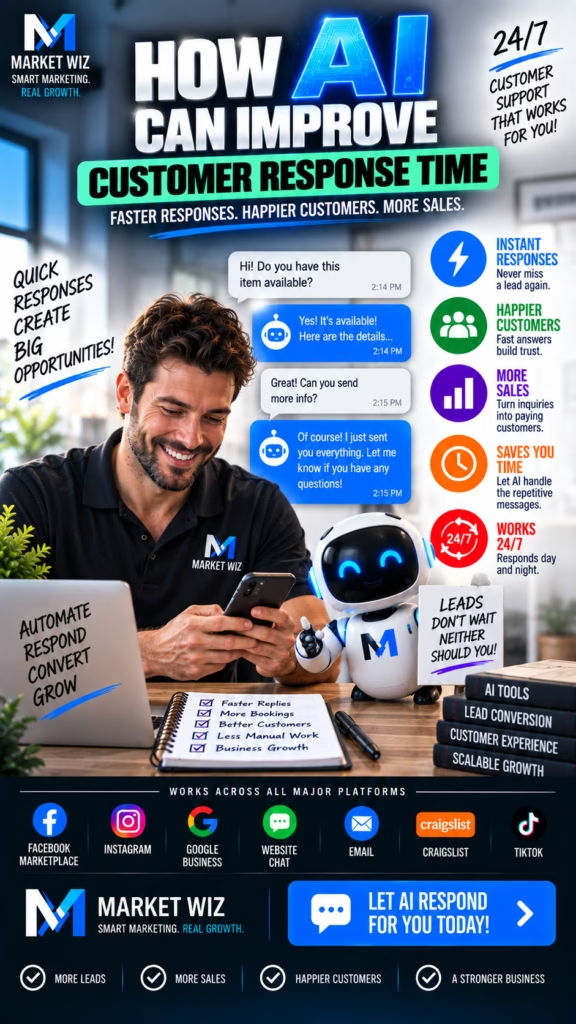
How AI Can Improve Customer Response Time
AI automation can help businesses respond to new inquiries faster, organize incoming leads, collect important customer information, route opportunities to the right team member, automate follow-up, support appointment scheduling, and create a more consistent customer experience across the entire lead journey.
Why Customer Response Time Matters More Than Ever
Customers have more ways to contact businesses than ever before. Website forms, phone calls, social media, online advertising, Google Business Profiles, email, scheduling tools, chat experiences, and other digital channels can all create new inquiries.
That increased accessibility creates an important operational challenge: businesses need a reliable process for handling those inquiries.
A prospective customer may contact a company while comparing several providers at the same time. If the inquiry sits unnoticed in an inbox, spreadsheet, social platform, or CRM queue, the customer may continue searching.
Faster response does not mean businesses should rush through every interaction. It means removing unnecessary delays between customer interest and a useful next step.
Artificial intelligence and automation can help accomplish this by handling repetitive administrative tasks immediately while allowing employees to concentrate on conversations that require experience, judgment, and human attention.
The goal of AI customer response automation is not simply speed. The goal is to combine speed, organization, context, qualification, and human follow-through so that prospective customers receive a more consistent experience.
What Is AI Customer Response Automation?
AI customer response automation is the use of artificial intelligence, software integrations, CRM workflows, routing rules, and automated communication to help businesses process customer inquiries more efficiently.
Instead of relying on an employee to manually notice every new inquiry, copy customer information into another system, notify the correct salesperson, create a task, and schedule follow-up, portions of that workflow can happen automatically.
A typical automated response workflow might:
- Detect a new customer inquiry.
- Record the lead source.
- Capture available customer information.
- Create or update a CRM contact.
- Send an appropriate acknowledgment.
- Ask relevant qualification questions.
- Route the opportunity to the correct employee.
- Trigger an internal notification.
- Offer an appropriate scheduling option.
- Create follow-up tasks when necessary.
- Track what happens next.
The exact workflow depends on the company, its industry, its customer journey, and the communication channels it uses.
Use AI to Acknowledge New Inquiries Faster
One of the simplest opportunities for automation is acknowledging that a customer's inquiry has been received.
Without automation, a form submission might remain unnoticed until an employee checks an inbox. A social inquiry might wait until someone logs into the platform. A request submitted outside business hours might not be seen until the following morning.
Automated workflows can help close that gap.
Immediate acknowledgment creates clarity
A customer should understand that the business received the inquiry and what may happen next. Depending on the situation, an automated response might collect additional information, provide a scheduling path, or explain that a team member will continue the conversation.
This provides momentum without requiring an employee to manually send every initial response.
Respond to Customer Interest Outside Business Hours
Customers frequently research companies outside normal working hours. A homeowner may request an estimate after dinner. A buyer may inquire about inventory late at night. A business owner may complete a contact form early in the morning before starting work.
A company does not necessarily need employees working around the clock to acknowledge those inquiries.
AI-supported systems can collect information, create a lead record, provide relevant initial information, and prepare the inquiry for human follow-up.
After-hours automation can preserve context. When employees return, they can begin with the information already collected rather than starting the customer conversation from zero.
Automatically Capture Customer Information
Fast response becomes more valuable when it is connected to accurate information.
Businesses often lose efficiency because customer details are spread across emails, forms, text threads, social platforms, handwritten notes, call records, and spreadsheets.
Automation can help create a more structured lead record from the beginning.
Information may include:
- Customer name
- Phone number
- Email address
- Location
- Product or service requested
- Project type
- Preferred appointment time
- Desired completion timeline
- Lead source
- Campaign source
- Relevant customer notes
Collecting this information systematically can make the next conversation more productive.
Use AI to Qualify Leads Before Human Follow-Up
Not every inquiry requires the same response. A company may receive questions from people outside its geographic area, prospects looking for products it does not carry, existing customers needing support, job applicants, vendors, and highly qualified prospective customers.
Treating all of these inquiries identically can slow the entire response process.
Qualification creates structure
AI-supported workflows can ask predetermined questions designed around the company's actual business requirements.
For a contractor, this might include project type and location. For a dealership, it might include the specific unit or product of interest. For a commercial company, it could include property size, business requirements, timing, or desired location.
The collected information can then determine what happens next.
Route Each Inquiry to the Right Person Faster
Even when a business responds quickly, customers can still experience delays if the inquiry reaches the wrong employee.
Manual forwarding creates additional steps. Someone receives the lead, reads it, determines who should handle it, forwards the information, and waits for the next employee to notice it.
Automated lead routing can remove several of those steps.
Routing rules can be based on:
- Geographic territory
- Business location
- Product category
- Service requested
- Customer type
- Sales representative
- Department
- Lead source
- Availability
- Qualification status
Use Automated Notifications to Keep Teams Moving
Automation does not need to replace the employee who handles the customer. In many situations, its most useful role is making sure that employee knows exactly when action is required.
New qualified inquiries can trigger internal notifications. Important leads can be assigned automatically. Follow-up tasks can be generated. Managers can receive alerts when a lead has remained untouched beyond a defined threshold.
This creates accountability without requiring someone to manually monitor every channel throughout the day.
Connect AI Response Automation to the CRM
A customer response system becomes significantly more useful when interactions are connected to a centralized customer record.
The CRM can serve as the operational history of the relationship. It can show where the lead originated, what information was collected, which employee owns the opportunity, whether an appointment was scheduled, and what follow-up remains.
Automation can help maintain CRM consistency
Instead of relying entirely on manual data entry, configured integrations can create contacts, update fields, assign owners, record lead sources, create tasks, change stages, and trigger subsequent workflows.
Cleaner CRM data also creates better reporting.
Improve Website Lead Response With AI
A business website may generate inquiries from contact forms, quote requests, appointment requests, chat experiences, product questions, and landing pages.
Each of those actions can become the beginning of an automated workflow rather than simply generating another email notification.
Turn forms into workflows
When a form is submitted, the system can capture the source page, create the lead, assign the appropriate category, acknowledge the customer, notify the team, and trigger the next relevant step.
This transforms a basic website form into part of the company's sales infrastructure.
Use AI to Improve Phone Inquiry Handling
Phone calls remain important for businesses where customers want quick answers, estimates, availability information, appointments, or detailed conversations.
AI-supported phone workflows can assist with structured interactions such as collecting initial information, identifying the reason for the call, routing inquiries, supporting scheduling, and creating lead records.
Know when human involvement matters
Complicated sales discussions, sensitive customer concerns, unusual situations, detailed negotiations, and questions requiring specialized expertise may be better handled by knowledgeable employees.
AI should make those employees more effective by organizing context before the conversation whenever possible.
Build an Automated Process for Missed Calls
A missed phone call is different from an anonymous website visitor. Someone made a deliberate effort to contact the company.
Businesses can create workflows that identify missed calls, create a CRM activity, notify the appropriate team member, and trigger an appropriate follow-up process.
Measure why calls are being missed
Tracking missed calls can also reveal operational patterns. A company may discover that most missed calls happen during lunch, after hours, during seasonal demand spikes, or when particular employees are unavailable.
Those insights can influence staffing and automation decisions.
Use AI Automation to Speed Up Appointment Scheduling
Scheduling can create unnecessary back-and-forth when customers and employees exchange multiple messages simply to find an available time.
When appropriate, qualified prospects can be directed toward available appointment options based on the company's scheduling rules.
Appointments may include:
- Sales consultations
- Project estimates
- Property tours
- Product demonstrations
- Discovery calls
- Installation appointments
- Store visits
- Virtual meetings
- On-site evaluations
Scheduling automation can also update the CRM and notify the appropriate employee.
Automate Follow-Up When Customers Do Not Respond
A customer may submit an inquiry and then become busy. A salesperson may leave a voicemail without receiving a callback. A prospect may request an estimate but need time before making a decision.
These situations require organized follow-up rather than assuming every opportunity will progress after one contact attempt.
Use automation to support consistency
Configured workflows can create reminders, schedule appropriate follow-up communications, update lead status, and notify employees when human intervention is required.
This can help sales teams maintain consistent processes across larger lead volumes.
Use Customer Data to Make Automated Responses More Relevant
Fast responses become less useful when they are completely disconnected from the customer's inquiry.
If a prospect asks about a specific product, location, project, or service, the workflow should preserve that context whenever possible.
Relevant information can improve continuity
Available lead data may allow workflows to reference the customer's location, requested service, product of interest, appointment request, or previous interaction.
Personalization should be based on legitimate customer information and designed to make the interaction clearer rather than artificially pretending an automated system knows more than it actually does.
Prioritize High-Intent Customer Inquiries
Businesses with significant lead volume may need a way to distinguish routine inquiries from opportunities requiring immediate attention.
AI-supported qualification and routing can help organize inquiries based on predetermined business criteria.
Priority indicators might include:
- Immediate project need
- Requested appointment
- Relevant geographic location
- Specific product availability question
- Existing customer status
- Project type
- Commercial versus residential inquiry
- Sales stage
- Requested timeline
Priority rules should reflect the company's actual sales process rather than treating every lead as identical.
Help Sales Teams Spend More Time on Conversations
Salespeople often spend substantial time performing administrative tasks that are necessary but repetitive.
Copying information between systems, creating contacts, assigning tasks, sending routine confirmations, setting reminders, updating lead stages, and preparing follow-up can consume time that could otherwise be spent speaking with customers.
Automation can reduce some of this workload.
Automate Repetition
Use workflows for structured tasks such as lead capture, notifications, CRM updates, routing, and reminders.
Keep Human Expertise
Allow employees to focus on customer questions, recommendations, relationship building, estimates, negotiations, and decisions.
Use AI to Support Customer Service Response Time
AI response automation is not limited to new sales leads. Existing customers may also benefit from faster routing and more organized communication.
A customer may need appointment information, basic account guidance, status information, department routing, or help determining the correct next step.
Separate simple tasks from complex situations
Routine questions and structured requests may be suitable for automation. Complaints, unusual circumstances, complicated account issues, or situations requiring judgment should be escalated appropriately.
AI Response Automation for Home Service Companies
Home service businesses often receive leads when customers are actively trying to solve a problem. Contractors, painters, HVAC companies, plumbers, electricians, roofers, garage builders, remodelers, and other local companies can receive inquiries from several marketing channels at once.
AI-supported workflows can help collect the customer's location, project type, requested work, timing, and contact information before routing the opportunity.
Local qualification is especially useful
A contractor can determine whether the customer's location falls within its real service area before assigning the lead to the appropriate estimator or salesperson.
AI Response Automation for Retail and Product Leads
Product-focused businesses frequently receive questions about availability, price, financing, dimensions, delivery, colors, models, or store locations.
Structured automation can collect the product of interest and basic customer information before routing the inquiry to the appropriate employee.
Preserve product context
When someone asks about a particular product, the sales team should ideally know which item generated the inquiry. Capturing that information can reduce repetitive questions and create a smoother conversation.
AI Response Automation for Real Estate and Property Leads
Property inquiries can be highly specific. Prospects may contact a company about one apartment, commercial unit, mobile home, development, rental property, or listing.
Automation can capture the property, location, desired timing, contact details, and other relevant information before routing the prospect to the appropriate representative.
Qualified prospects can then move toward a phone conversation, property tour, application, consultation, or other appropriate next step.
Scale Faster Customer Response Across Multiple Locations
Multi-location companies face an additional routing challenge. A lead may belong to a specific branch, salesperson, territory, service area, department, or regional manager.
Automation can help determine where the inquiry belongs based on information such as ZIP code, city, requested location, product, service, or lead source.
Create consistent standards across locations
Centralized workflows can establish common response processes while still routing customers to the correct local team.
Management can then compare response performance across markets.
Track Customer Response Time With Better Metrics
Businesses cannot improve response performance consistently if they do not measure it.
Reporting should go beyond the number of leads generated. Management should understand what happened after each inquiry entered the system.
Useful response metrics include:
- Time to first response
- Time to human follow-up
- Percentage of leads acknowledged
- Percentage of leads assigned
- Lead routing time
- Missed call follow-up time
- Appointment conversion rate
- Qualification rate
- Follow-up completion rate
- Sales conversion rate
- Lead source performance
Measure Time to First Response
Time to first response is one of the clearest metrics for evaluating how quickly a company acknowledges customer interest.
The measurement begins when the customer submits an inquiry and ends when the business provides its first meaningful acknowledgment or response.
Automation can dramatically reduce unnecessary waiting for channels that support immediate workflow triggers.
Separate automated response from human response
Businesses may benefit from tracking both. An automated acknowledgment can happen immediately, while a qualified human follow-up may occur afterward according to the company's process.
Reduce Lead Loss Caused by Disconnected Systems
Customer response problems often come from fragmented systems rather than employee effort.
One employee watches website forms. Another manages social media. Someone else answers phones. Leads are stored in spreadsheets. The CRM is updated inconsistently. Follow-up depends on individual memory.
This structure creates opportunities for inquiries to be delayed or forgotten.
Connect the workflow
A more organized system connects lead sources with CRM records, notifications, assignments, scheduling, follow-up, and reporting.
Improve Customer Experience Without Over-Automating
Automation should make it easier for customers to interact with a company. It should not trap them inside unnecessary workflows or make it difficult to reach a person when human help is needed.
Design around the customer's objective
Someone requesting an appointment should be guided toward scheduling. Someone asking a basic question should receive relevant information. Someone with a complicated issue should have an appropriate path to a knowledgeable employee.
Effective automation reduces friction while preserving flexibility.
Design a Smooth Handoff From AI to Human Employees
One of the most important elements of customer response automation is determining when automation should stop and human involvement should begin.
A strong handoff includes context. The employee should be able to see what the customer asked, which information was collected, which product or service is involved, and what has already been communicated.
Avoid making customers repeat themselves
Requiring customers to explain the same situation again after an automated interaction creates unnecessary frustration. Relevant information should follow the lead whenever the systems allow it.
Common AI Customer Response Mistakes
AI does not automatically improve customer response simply because a business installs new software. The workflow still needs thoughtful design, accurate information, clear routing, and ongoing management.
Common mistakes include:
- Automating without defining the customer journey
- Using generic responses for every inquiry
- Failing to preserve customer context
- Not connecting automation to the CRM
- Sending leads to the wrong department
- Collecting unnecessary information
- Creating too many automated steps
- Failing to provide a human escalation path
- Ignoring after-hours inquiries
- Failing to monitor missed calls
- Not tracking response time
- Failing to measure qualified outcomes
- Allowing outdated information to remain in workflows
- Using automation without regular testing
How to Build an AI Customer Response System
Businesses can approach AI response automation as a structured operational project rather than trying to automate everything at once.
A practical implementation process can include:
- Map every current lead source.
- Identify where customer inquiries are stored.
- Measure current response times.
- Document the existing customer journey.
- Define qualification criteria.
- Define geographic routing rules.
- Identify repetitive administrative tasks.
- Connect supported lead sources to a central workflow.
- Create consistent CRM fields.
- Build immediate acknowledgment workflows.
- Create internal notifications.
- Configure lead assignment rules.
- Build qualification workflows.
- Connect appointment scheduling where appropriate.
- Create follow-up sequences.
- Establish human escalation rules.
- Track response metrics.
- Review customer outcomes.
- Test workflows regularly.
- Improve automation based on real performance data.
Continuously Improve AI Response Performance
Customer response automation should evolve as the business learns more about its customers.
A qualification question may turn out to be unnecessary. A routing rule may need adjustment. Certain leads may require faster human attention. Customers may consistently ask a question that should be addressed earlier in the workflow.
Use actual conversations to improve automation
Sales and customer support employees can provide valuable feedback because they see where automated workflows succeed and where customers still experience confusion.
Combining employee feedback with measurable performance data can make the system more useful over time.
Turn Faster Customer Response Into a Business Growth System
Customer response automation becomes especially powerful when it is connected to the rest of the customer acquisition process.
Marketing creates awareness. Search visibility helps customers discover the business. Advertising and social media generate interest. Websites capture inquiries. AI automation helps organize the response. Sales employees continue qualified conversations. CRM workflows maintain follow-up. Reporting connects those activities to outcomes.
Instead of treating each inquiry as an isolated event, the business can build a repeatable process from initial discovery through customer conversion.
Speed is most valuable when it is connected to a complete system. Faster response should lead to better organization, clearer qualification, stronger follow-up, more productive human conversations, and measurable business outcomes.
30 FAQs About AI and Customer Response Time
1. How can AI improve customer response time?
AI can improve customer response time by automatically acknowledging inquiries, collecting basic information, routing leads, updating CRM records, triggering notifications, supporting qualification, and initiating configured follow-up workflows.
2. What is AI customer response automation?
AI customer response automation uses artificial intelligence and automated workflows to help businesses manage incoming inquiries and complete repetitive communication and lead management tasks more efficiently.
3. Can AI respond to leads instantly?
Configured AI systems can provide immediate acknowledgment or an appropriate initial response when a lead enters through supported channels.
4. Can AI respond to customers after business hours?
AI-supported systems can acknowledge inquiries, collect information, create lead records, and prepare next steps outside normal business hours.
5. Why is customer response time important?
Fast and organized responses can reduce customer uncertainty, confirm that an inquiry was received, and help businesses continue conversations while prospective customers remain actively interested.
6. Can AI improve lead response time?
Yes. AI can automate repetitive parts of lead handling such as acknowledgment, information collection, routing, CRM updates, internal notifications, and follow-up triggers.
7. Can AI qualify leads automatically?
AI-supported workflows can collect predetermined qualification information such as location, customer need, project type, timing, and other business-specific criteria.
8. Can AI route leads to the correct employee?
Automated routing rules can direct leads based on factors such as location, product, service, department, customer type, availability, or other configured criteria.
9. Can AI update a CRM automatically?
When supported integrations are configured, automation can create or update CRM records with lead details, source information, status, notes, and workflow activity.
10. Can AI help schedule appointments?
AI-supported scheduling workflows can help qualified customers move toward available appointments, consultations, estimates, demonstrations, or other appropriate next steps.
11. Can AI handle website leads?
AI and automation can help process inquiries generated through website forms, chat experiences, scheduling tools, and other supported lead capture systems.
12. Can AI help with social media inquiries?
Depending on platform capabilities and integrations, automation can assist with organizing or responding to supported social media inquiries and routing qualified conversations to employees.
13. Can AI help manage phone inquiries?
AI-supported phone workflows can assist with structured tasks such as initial information collection, routing, scheduling, and lead record creation where appropriate.
14. Can AI help businesses manage missed calls?
Automation can help document missed calls, trigger internal notifications, create follow-up tasks, and organize appropriate next steps.
15. Can AI automate customer follow-up?
AI and automation can support configured follow-up sequences, reminders, CRM tasks, lead status updates, and other repetitive customer communication workflows.
16. Does AI customer response automation replace employees?
AI is often most useful for handling repetitive tasks while employees manage complex questions, relationship building, negotiations, unusual situations, and important customer decisions.
17. Can AI personalize customer responses?
AI-supported workflows can use available customer and lead information to create more contextually relevant responses when configured appropriately.
18. How does AI help sales teams respond faster?
AI can reduce repetitive administrative work by capturing information, creating records, routing leads, generating notifications, organizing qualification data, and preparing follow-up tasks.
19. Can AI prioritize high-intent leads?
Businesses can configure qualification and routing rules around indicators such as customer need, location, requested service, urgency, timing, and other relevant information.
20. Can AI response automation work for local businesses?
Yes. Local businesses can use AI-supported workflows for website inquiries, local leads, appointment requests, customer questions, qualification, routing, follow-up, and CRM management.
21. Can AI response automation work for home service companies?
Home service companies can use AI-supported workflows to acknowledge inquiries, collect project details, identify service areas, organize appointments, route leads, and support follow-up.
22. Can AI response automation work for multiple locations?
AI-supported systems can route inquiries according to location, department, service area, branch, product, or other configured rules.
23. What customer information can AI collect?
Depending on the workflow, AI can collect information such as name, phone number, email, location, product or service needed, project details, desired timing, and preferred next step.
24. Can AI help reduce manual lead management?
Yes. Automation can reduce repetitive tasks such as data entry, notifications, routing, CRM updates, reminders, qualification steps, and basic follow-up administration.
25. How can businesses measure customer response time?
Businesses can track metrics such as time to first response, time to human follow-up, percentage of inquiries acknowledged, lead routing time, appointment conversion, and follow-up completion.
26. What is time to first response?
Time to first response measures the period between a customer's inquiry and the business's initial meaningful acknowledgment or response.
27. Can AI help prevent leads from being forgotten?
CRM automation, task creation, reminders, routing, status tracking, and follow-up workflows can reduce the likelihood that qualified inquiries remain unattended.
28. Can AI improve the customer experience?
When implemented appropriately, AI can reduce unnecessary waiting, make information collection more organized, improve routing, and provide a clearer path to the next step.
29. What should businesses automate first?
Businesses can begin with repetitive and measurable processes such as lead acknowledgment, CRM record creation, internal notifications, lead routing, scheduling support, and follow-up reminders.
30. What is the goal of AI customer response automation?
The goal is to create a faster, more consistent, and more organized process for moving customer inquiries from initial contact toward qualified conversations and appropriate business outcomes.
30 Additional SEO Keywords for AI Customer Response Automation
Businesses building content around AI response automation can use relevant keyword themes to support service pages, educational resources, industry pages, local landing pages, FAQs, and customer acquisition campaigns.
Build a Faster, More Organized Customer Response System With AI
Customer response time is not simply a customer service metric. It is part of the complete customer acquisition process.
Every marketing channel eventually depends on what happens after a prospect takes action. A company can invest heavily in SEO, Google Maps, social media, advertising, video, email, and website traffic, but those investments become less valuable when qualified inquiries are handled inconsistently.
AI automation can help connect the gap between marketing activity and human conversation.
New inquiries can be acknowledged immediately. Customer information can be organized automatically. Qualification questions can help determine what the prospect needs. Routing rules can direct opportunities to the correct employee. CRM integrations can preserve the history of the interaction.
Scheduling workflows can make it easier for qualified customers to take the next step. Follow-up automation can help prevent opportunities from disappearing simply because a prospect did not respond to the first attempt.
Most importantly, employees can spend less time moving information between disconnected systems and more time having productive conversations with customers.
Businesses can then measure the entire process using response time, qualification rates, appointments, opportunities, sales, customer outcomes, and revenue.
AI does not eliminate the importance of human communication. When implemented well, it helps human communication happen sooner, with better context and a more organized path forward.
That combination of speed, consistency, automation, and human expertise can transform customer response from an administrative task into a scalable part of business growth.
Want Faster Customer Response With AI Automation?
Market Wiz AI helps businesses build AI-powered customer acquisition systems that connect lead generation, rapid response, qualification, CRM workflows, appointment scheduling, follow-up, local marketing, and performance tracking into a more organized growth process.
Get Started With Market Wiz AI© Market Wiz AI. Third-party platform names and trademarks belong to their respective owners. Market Wiz AI is not affiliated with or endorsed by those third-party platforms unless expressly stated.














Improve Response to Social Media Leads
Social media can generate valuable customer conversations, but managing those inquiries becomes difficult when employees are monitoring multiple accounts and platforms.
Depending on the capabilities and integrations available for each platform, automation can help organize incoming inquiries, capture lead details, provide appropriate initial responses, and move qualified opportunities into a central CRM or sales process.
Do not let platform fragmentation slow the customer journey
The goal is to reduce the number of places employees need to monitor manually while still maintaining an appropriate customer experience.