

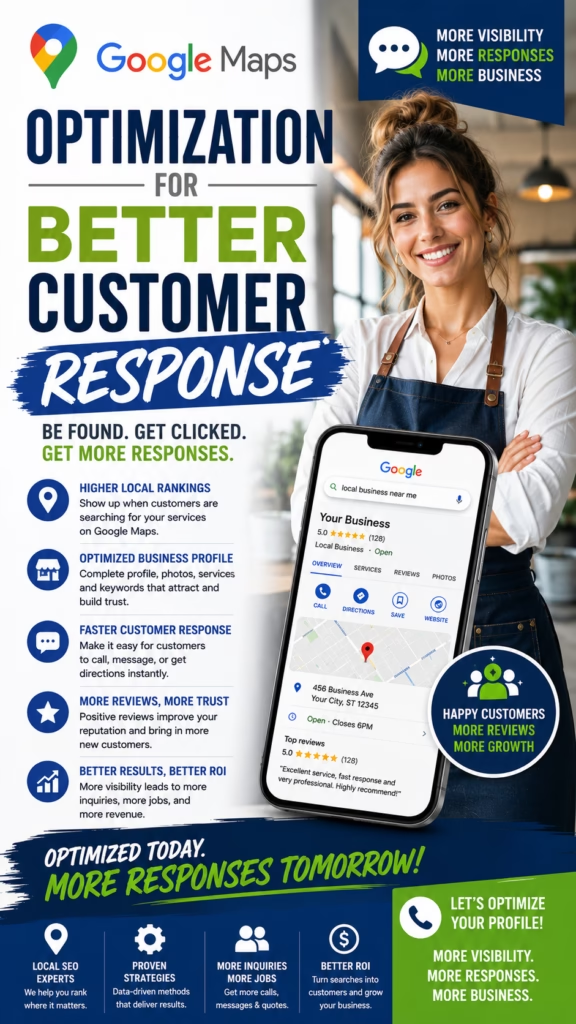
Google Maps Optimization for Better Customer Response
Google Maps Optimization for Better Customer Response helps local businesses improve profile trust, increase calls, generate more messages, and turn Google Maps visibility into real customer action.
Introduction
Google Maps Optimization for Better Customer Response is about more than showing up in local search. Ranking is only the first step. The real goal is getting people to call, message, request a quote, book an appointment, visit your store, or choose your business over nearby competitors.
Many businesses appear on Google Maps but still do not get enough responses because their profile is incomplete, their photos are weak, their reviews are not strong enough, their services are unclear, their hours are outdated, or their call-to-action is not obvious. Better customer response comes from reducing doubt and making the next step easy.
Google Maps optimization works best when your profile answers customer questions before they leave for a competitor.
Whether you run a contractor business, moving company, dental office, appliance repair company, retail store, restaurant, medical office, cleaning company, landscaper, or local service business, your Google Maps profile should prove trust quickly and guide customers toward action.
Main idea: Google Maps Optimization for Better Customer Response works best when your profile is complete, trusted, visually strong, locally relevant, and easy to contact.
Table of Contents
- 1) Why customer response matters more than visibility
- 2) How customers decide who to contact
- 3) Optimizing Google Business Profile basics
- 4) Choosing accurate business categories
- 5) Writing a stronger business description
- 6) Optimizing services and products
- 7) Using local keywords naturally
- 8) Building review trust
- 9) Responding to reviews professionally
- 10) Adding photos that increase confidence
- 11) Using Google Posts for response growth
- 12) Improving calls from Google Maps
- 13) Improving website clicks from Google Maps
- 14) Improving direction requests and visits
- 15) Improving quote and appointment requests
- 16) Building service-area relevance
- 17) Supporting Maps with website pages
- 18) Tracking response quality
- 19) Common response-killing mistakes
- 20) Final thoughts
- 21) FAQs
- 22) Extra keywords
1) Why Customer Response Matters More Than Visibility
Visibility matters, but response matters more. A business can appear on Google Maps and still lose customers if the profile does not build enough trust or explain the next step clearly.
Better customer response means more people who view your listing choose to call, click, message, visit, or request service.
Better customer response can mean more:
- Phone calls
- Website clicks
- Direction requests
- Quote requests
- Appointment bookings
- Store visits
- Service inquiries
- Product questions
- Form submissions
- Booked jobs
The best Google Maps profiles are built for action, not just exposure.
2) How Customers Decide Who to Contact
Customers compare businesses quickly. They look at reviews, photos, distance, hours, services, profile completeness, website quality, and how easy it is to contact the business.
Customers usually ask:
Is this business close enough?
Do they offer what I need?
Do they have good reviews?
Do the photos look real?
Are they open now?
Can I call easily?
Can I request a quote?
Do they seem trustworthy?
Is the website helpful?
What is the fastest next step?
Customer response improves when your profile answers these questions immediately.
3) Optimizing Google Business Profile Basics
A complete Google Business Profile makes your business easier to understand and easier to contact. Missing details can create hesitation.
Profile basics to optimize:
- Business name
- Primary category
- Secondary categories
- Phone number
- Website link
- Business hours
- Address or service area
- Business description
- Services or products
- Photos
Complete information reduces friction and increases customer confidence.
4) Choosing Accurate Business Categories
Categories help Google and customers understand what your business does. The primary category should match your main service or business type as closely as possible.
Category examples:
Moving company
Remodeler
Plumber
Dentist
Appliance repair service
Cleaning service
Landscaper
Restaurant
Retail store
Medical office
Choose accurate categories. Wrong categories can attract poor leads and confuse customers.
5) Writing a Stronger Business Description
Your business description should clearly explain who you help, what you offer, where you serve, and why customers should contact you.
Business description structure:
Who you are
Main services or products
Service area or location
Customer benefit
Trust signal
Simple contact direction
A clear description helps customers quickly decide whether your business is the right fit.
6) Optimizing Services and Products
Services and products help customers understand what they can contact you for. These sections should be accurate, simple, and updated when offerings change.
Optimization ideas:
- Add core services
- Add product categories
- Use customer-friendly names
- Write simple descriptions
- Add pricing when appropriate
- Update availability
- Match website pages
- Remove outdated offers
Clear services and products help customers contact you for the right reason.
7) Using Local Keywords Naturally
Local keywords help your profile and website match customer search intent. Use keywords naturally in services, descriptions, posts, pages, and FAQs.
Natural keyword examples:
local moving company
bathroom remodeler
appliance repair near me
family dentist
interior painting contractor
same-day cleaning service
lawn care company
local mattress store
emergency plumber
nearby restaurant
Use keywords naturally. Keyword stuffing can make content feel low quality.
8) Building Review Trust
Reviews are one of the strongest drivers of customer response. Customers use reviews to decide whether a business feels safe, reliable, and worth contacting.
Ways to build review trust:
- Ask satisfied customers politely
- Send a review link after service
- Follow up after appointments or jobs
- Train staff to mention reviews
- Never pressure customers
- Respond to every review
- Use feedback to improve
- Keep review generation consistent
Strong reviews can turn profile views into calls faster than almost any other trust signal.
9) Responding to Reviews Professionally
Review responses show future customers how your business communicates. Thank happy customers and respond calmly to concerns.
Positive review response:
Thank you for choosing our local team. We appreciate your support and are glad we could help.

Negative review response:
Thank you for your feedback. We are sorry your experience did not meet expectations. Please contact our office so we can review the details and work toward a resolution.
Professional review responses can improve trust with customers who are comparing options.
10) Adding Photos That Increase Confidence
Photos make your business feel real. Customers want to see your storefront, team, work, products, service vehicles, office, or project results before contacting you.
Photo ideas that improve response:
- Storefront photos
- Team photos
- Product photos
- Service vehicle photos
- Before-and-after photos
- Office photos
- Showroom photos
- Equipment photos
- Job-site photos
- Customer-approved project photos
Real photos reduce doubt and help customers feel comfortable contacting you.
11) Using Google Posts for Response Growth
Google Posts can give customers fresh reasons to call, click, or visit. Use them for updates, offers, service reminders, product highlights, seasonal messages, and appointment openings.
Google Post ideas:
Appointment openings
Quote request reminder
Seasonal service reminder
New product spotlight
Before-and-after project
Local offer
Customer education tip
Holiday hours
Service update
New inventory announcement
Google Posts keep your profile active and give customers more reasons to respond.
12) Improving Calls From Google Maps
Calls increase when customers trust the profile and the phone action is easy. Your profile should make calling feel like the obvious next step.
Ways to improve calls:
- Use the correct phone number
- Keep hours accurate
- Show strong reviews
- Add service descriptions
- Use call-focused Google Posts
- Add real photos
- Respond to reviews
- Train staff to answer quickly
A missed call can become a lost customer, so response speed matters after optimization.
13) Improving Website Clicks From Google Maps
Customers click the website when they want more proof or details. Your website should reinforce the profile and guide visitors toward action.
Website click conversion elements:
- Clear headline
- Visible phone number
- Quote or appointment form
- Service pages
- Location pages
- Review highlights
- Real photos
- FAQs
- Fast mobile speed
- Clear CTA buttons
Google Maps traffic converts better when the website continues the same trust-building message.
14) Improving Direction Requests and Visits
Retail stores, restaurants, clinics, showrooms, and local offices should make visiting easy. Accurate location information, hours, photos, and parking details can help.
Visit-focused profile improvements:
Accurate address
Updated hours
Storefront photo
Interior photos
Parking details if useful
Product or service highlights
Holiday hour updates
Google Posts about availability
Clear website directions
Fast phone response
Direction requests improve when customers feel confident the business is open, real, and worth visiting.
15) Improving Quote and Appointment Requests
Service businesses should make quote and appointment requests simple. Customers should know what details to send and what happens next.
Quote and appointment improvements:
- Add quote form link
- Use appointment link if available
- Explain services clearly
- Add service-area details
- Use estimate-focused posts
- Show before-and-after photos
- Highlight reviews
- Respond quickly to inquiries
The easier the request process feels, the more customers will take action.
16) Building Service-Area Relevance
Service-area businesses need to show where they operate. This helps customers understand whether the business can help them.
Service-area relevance ideas:
Add accurate service areas
Mention nearby cities naturally
Create city pages
Collect reviews from different areas
Post local project photos
Use service-area FAQs
Build internal links
Keep contact information consistent
Service-area clarity helps turn local searches into qualified leads.
17) Supporting Maps With Website Pages
Your website should support Google Maps optimization with relevant service, product, and location pages. These pages help customers and search engines understand your business better.
Useful website pages:
- Main service pages
- City pages
- Product pages
- Appointment pages
- Quote request pages
- Review pages
- Photo gallery pages
- FAQ pages
- Contact page
- About page
Strong website pages help turn Google Maps clicks into real customer responses.
18) Tracking Response Quality
Tracking helps you understand whether optimization is creating better customer action. Do not only track rankings. Track calls, clicks, visits, bookings, and revenue.
Track these Google Maps response metrics:
Phone calls
Website clicks
Direction requests
Appointment inquiries
Quote requests
Message volume
Booked jobs
Store visits
Review growth
Profile interactions
The best optimization strategy measures customer response, not just profile visibility.
19) Common Response-Killing Mistakes
Many businesses lose customers because their Google Maps profile creates confusion or doubt. Small details can have a big impact on response.
Common mistakes include:
- Incomplete profile
- Wrong categories
- Outdated hours
- Weak reviews
- No review responses
- Few photos
- No services listed
- Broken website link
- Slow phone response
- No tracking
Customer response drops when the profile does not feel current, trusted, or easy to act on.
20) Final Thoughts
Google Maps Optimization for Better Customer Response helps local businesses turn visibility into action. The goal is not simply to appear in Google Maps. The goal is to make customers trust your business enough to call, click, request a quote, book an appointment, or visit.
The strongest strategy includes a complete Google Business Profile, accurate categories, strong reviews, professional review responses, real photos, clear services, Google Posts, natural local keywords, service-area relevance, supportive website pages, and response tracking.
Final takeaway: Better customer response happens when your Google Maps profile proves trust quickly and makes the next step easy.
21) FAQs
1) What is Google Maps Optimization for Better Customer Response?
It is the process of improving a Google Business Profile and supporting local SEO assets so more customers call, click, message, visit, or request service.
2) Why does customer response matter?
Customer response matters because rankings only help if people take action after seeing the profile.
3) How can Google Maps increase calls?
Google Maps can increase calls when the profile has strong reviews, clear services, accurate hours, real photos, and an easy phone action.
4) What should a Google Business Profile include?
It should include accurate business information, categories, phone number, website, hours, services, products, photos, and description.
5) Do reviews improve customer response?
Yes. Reviews build trust and help customers feel more confident contacting the business.
6) Should businesses respond to reviews?
Yes. Professional review responses show future customers that the business communicates well.
7) Do photos help customer response?
Yes. Real photos make the business feel more legitimate and trustworthy.
8) What photos should businesses add?
Add storefront photos, team photos, product photos, service photos, before-and-after photos, office photos, and project photos.
9) Are Google Posts useful?
Yes. Google Posts can share updates, offers, appointment openings, service reminders, and product highlights.
10) What are local keywords?
Local keywords are search phrases that combine services, products, business types, or customer needs with local intent.
11) Should services be added to the profile?
Yes. Clear services help customers understand what they can contact the business for.
12) Should products be added to the profile?
Yes, if relevant. Product sections can help retail and showroom businesses generate more interest.
13) How do businesses improve quote requests?
Use clear services, strong photos, review trust, quote forms, appointment links, and estimate-focused CTAs.
14) How do businesses improve store visits?
Keep address, hours, storefront photos, directions, product details, and availability information accurate.
15) What is service-area relevance?
Service-area relevance means making it clear where your business works through profile settings, website pages, content, and reviews.
16) Does the website affect Google Maps response?
Yes. A strong website can turn Google Maps clicks into calls, forms, appointments, and sales.
17) What should the website include?
It should include service pages, location pages, reviews, photos, FAQs, contact forms, phone number, and clear CTAs.
18) What should businesses track?
Track calls, website clicks, direction requests, quote requests, appointments, messages, booked jobs, and visits.
19) What hurts customer response?
Incomplete profiles, weak reviews, outdated hours, poor photos, unclear services, broken links, and slow replies hurt response.
20) Can Google Maps reduce paid ad costs?
It can create organic local customer actions that may reduce reliance on paid ads over time.
21) What industries benefit from better Maps response?
Contractors, movers, repair companies, medical offices, dentists, restaurants, retailers, cleaners, landscapers, and local services can benefit.
22) How often should a profile be updated?
Update the profile whenever hours, services, products, photos, availability, or contact details change.
23) What is the biggest Google Maps mistake?
The biggest mistake is focusing only on rankings while ignoring trust, conversion, and customer response.
24) What is the best way to get better customer response?
Complete the profile, earn reviews, add real photos, clarify services, use Google Posts, and make calls or quote requests easy.
25) What is the best Google Maps optimization tip?
Build every profile section around customer trust and one clear next step.
25) Extra Keywords
- Google Maps Optimization for Better Customer Response
- Google Maps optimization
- Google Business Profile optimization
- local SEO
- customer response
- Google Maps leads
- local business marketing
- Google Maps customer calls
- Google Maps lead generation
- Google Maps profile optimization
- Google Business Profile leads
- Google Maps website clicks
- Google Maps direction requests
- Google Maps quote requests
- Google Maps appointment requests
- Google Maps service optimization
- Google Maps photo optimization
- Google review strategy
- Google Posts for business
- local map pack SEO
- local customer acquisition
- Google Maps conversion
- Google Maps response strategy
- Google Maps business growth
- local SEO customer response













