

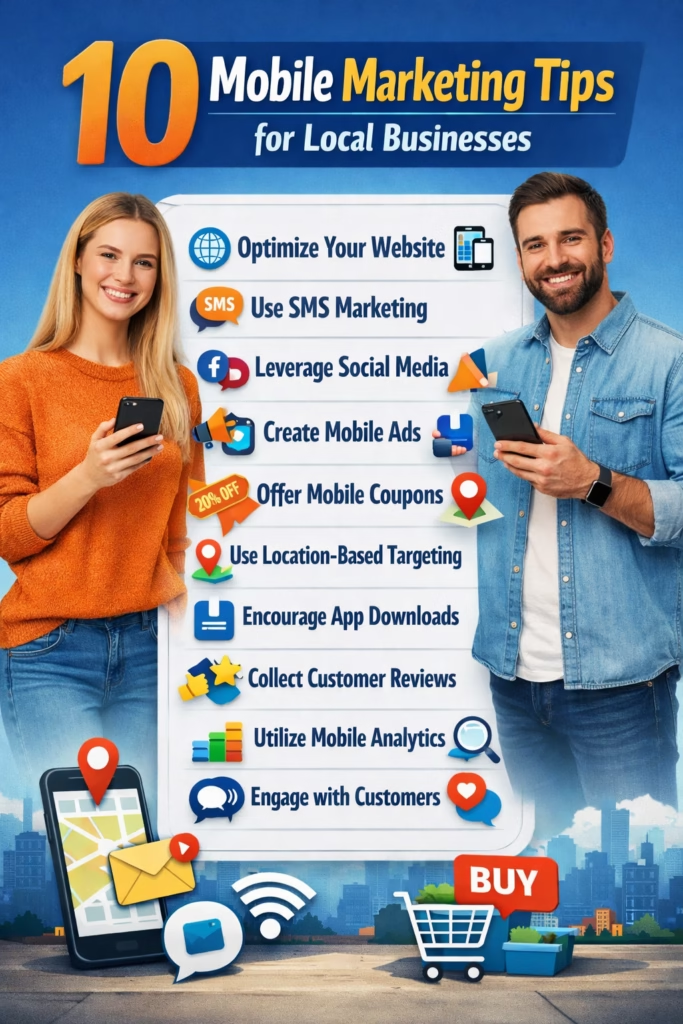
10 Mobile Marketing Tips for Local Businesses
10 Mobile Marketing Tips for Local Businesses help you turn smartphone traffic into calls, texts, bookings, and walk-ins—without wasting money on clicks that never convert.
Note: This is general marketing guidance. Confirm consent requirements and applicable privacy rules before sending SMS and email messages.
Introduction
10 Mobile Marketing Tips for Local Businesses matters because mobile is where local buying decisions happen. People search on a phone when they need something now—then they pick whoever is easiest to contact.
If your marketing looks good on desktop but feels annoying on a phone, you’ll lose leads even when you’re ranking well. Mobile marketing for local businesses is about removing friction: one-tap calls, one-tap texting, fast pages, clear offers, and fast follow-up.
Core idea: Mobile conversion is a race. The business that answers first and makes it easiest to book wins.
Expanded Table of Contents
- 1) Tip #1: Think “mobile-first,” not “mobile-friendly”
- 2) Tip #2: Speed wins (page load + tap-to-action)
- 3) Tip #3: Put click-to-call and click-to-text above the fold
- 4) Tip #4: Win Google Business Profile on mobile
- 5) Tip #5: Make Maps your “front door”
- 6) Tip #6: Run call-focused ads (not traffic ads)
- 7) Tip #7: Use single-goal mobile landing pages
- 8) Tip #8: Automate SMS follow-up without being spammy
- 9) Tip #9: Collect reviews like it’s a daily habit
- 10) Tip #10: Track mobile KPIs that actually matter
- 11) Mobile optimization checklist (copy/paste)
- 12) 30–60–90 day rollout plan
- 13) 25 Frequently Asked Questions
- 14) 25 Extra Keywords
1) Tip #1: Think “mobile-first,” not “mobile-friendly”
Mobile-friendly means your site works on a phone. Mobile-first means your marketing is built for a one-handed, low-attention, high-intent user.
10 Mobile Marketing Tips for Local Businesses starts here: your phone visitor wants answers in seconds.
Mobile-first questions your page must answer instantly
- What do you do?
- Do you serve my city/area?
- How much does it cost (or what’s the starting price)?
- How fast can you do it?
- How do I contact you in one tap?
Simple rule: If a lead has to pinch-zoom, hunt for your phone number, or scroll for your offer—you’re losing money.
2) Tip #2: Speed wins (page load + tap-to-action)
On mobile, every second of load time costs conversions. People don’t “wait,” they back out and click the next business.
What to optimize first
- Largest images: compress and properly size hero images
- Sticky header bloat: reduce heavy scripts and popups
- Font loading: avoid loading too many font weights
- Above-the-fold: prioritize CTA buttons and proof
Fast win: Remove popups that cover the screen on first load. Mobile users hate those.
3) Tip #3: Put click-to-call and click-to-text above the fold
This is the highest-impact change in most 10 Mobile Marketing Tips for Local Businesses audits: make it ridiculously easy to contact you.
Best mobile CTA button layout
Button A: Call Now
For urgent services (HVAC, plumbing, locksmith, towing, repairs).
Button B: Text Us
For shoppers who want quick pricing, availability, or options.
Mobile CTA microcopy examples
- Call Now — “Get a quote in 2 minutes”
- Text Us — “Tell us your city + what you need”
- Book — “Pick a time (takes 30 seconds)”
Avoid: “Contact Us” as the only button. It’s vague and lowers action.
4) Tip #4: Win Google Business Profile on mobile
For local businesses, mobile search often ends inside Google—before someone even reaches your website. That’s why the 10 Mobile Marketing Tips for Local Businesses playbook treats Google Business Profile (GBP) like your real homepage.
GBP mobile optimization checklist
- Correct categories (primary + relevant secondary)
- Accurate service area and business hours
- High-quality photos (recent, consistent, real)
- Products/services filled out with keywords
- Weekly posts (offers, updates, photos)
- Enable messaging if you can respond fast
- Reviews: consistent flow + owner replies
Quick win: Add a short “What to expect” description and include your top service + your city.
5) Tip #5: Make Maps your “front door”
Mobile users often tap the map pack, not the organic results. Winning mobile means you look great on Maps: clear photos, strong reviews, correct info, and fast response.
What mobile users look at first (in order)
- Star rating and review count
- Photos (does this look legit?)
- Distance / service area relevance
- Hours (open now?)
- Call button / directions
Maps hack: Use photos that match what customers expect (trucks, storefront, team, before/after, products). Stock photos can reduce trust.
6) Tip #6: Run call-focused ads (not traffic ads)
If you’re paying for clicks, your goal should be calls, texts, or bookings—not “website visits.” A traffic campaign can look great in analytics while producing weak leads.
Best mobile ad types for local businesses
- Call-only / call extensions (urgent services)
- Click-to-message (quick quotes, product questions)
- Lead form ads (when you need structured info)
- Retargeting to bring back visitors who didn’t convert
Mobile ad rule: Every ad should lead to a one-tap action: call, text, or book.
7) Tip #7: Use single-goal mobile landing pages
A high-converting mobile landing page has one job: get a call, text, or booking. Not “tell your whole story.” Not “show everything you do.”
Mobile landing page structure (local services)
Headline: Service + City + Benefit
Subhead: Quick promise (speed/price/guarantee)
Buttons: Call / Text / Book (above fold)
Proof: 3 bullets + review snippet
Service Area: list cities or ZIPs
Process: 3 steps (request → schedule → complete)
FAQ: top 5 objections
Final CTA: repeat buttons
Avoid: giant sliders, multiple menus, long introductions, and “learn more” loops.
8) Tip #8: Automate SMS follow-up without being spammy
SMS follow-up is one of the biggest local revenue multipliers—if you keep it short and helpful.
Instant reply SMS template (copy/paste)
Hey! Thanks for reaching out 👋
To help fast:
1) What are you looking for?
2) What city/zip are you in?
3) Are you trying to do this ASAP or just pricing?

Reply here and we’ll send the next step.
2-step follow-up (no response)
# Follow-up 1 (24 hours)
Just checking in—do you still need help with this?

# Follow-up 2 (72 hours)
If timing changed, no worries. Want me to hold a spot for you this week?
Best practice: Stop after 2–3 follow-ups unless the lead responds. Respect attention and consent.
9) Tip #9: Collect reviews like it’s a daily habit
On mobile, reviews function like your “trust shortcut.” They replace the time a customer would normally spend researching.
Review request SMS (copy/paste)
Hey! Quick favor 🙏
If we did a great job, could you leave a short review? It helps local customers find us.

(Review link here)
Thank you!
Owner reply framework
- Thank them by name
- Mention the service they got
- Reinforce the benefit (“fast scheduling,” “clear communication”)
- Invite them back
Review velocity matters: A steady stream of new reviews can outperform a business with lots of old reviews.
10) Tip #10: Track mobile KPIs that actually matter
Mobile marketing success is not “more traffic.” It’s more conversions from the traffic you already have.
Mobile KPIs to track weekly
| KPI | Why it matters | Target |
|---|---|---|
| Median response time | Speed-to-lead drives bookings | 5–15 minutes |
| Call-to-lead ratio | Measures CTA effectiveness | Rising over time |
| Click-to-call rate | Mobile conversion health | Improving monthly |
| Booking rate | Shows funnel efficiency | Improving monthly |
| No-show rate | Fix with reminders and reschedule flows | Downward trend |
| Close rate | Measures sales + lead quality | Upward trend |
Simple truth: If response time improves, conversions usually improve.
11) Mobile optimization checklist (copy/paste)
✅ Mobile Checklist
[ ] Phone number is tappable on every page
[ ] Text/Message button available on key pages
[ ] Primary CTA above the fold
[ ] Page loads fast on mobile
[ ] GBP is complete (services, photos, posts)
[ ] Reviews requested weekly (minimum)
[ ] Landing pages have one goal (call/text/book)
[ ] Forms are short (3–5 fields)
[ ] Follow-up templates exist (instant + 2-step)
[ ] Tracking for calls and lead sources is active
Action: If you do nothing else this week, add a sticky “Call” + “Text” bar on mobile and speed up the homepage.
12) 30–60–90 day rollout plan
Days 1–30 (Foundation)
- Fix mobile CTAs: click-to-call, click-to-text, booking.
- Improve page speed and remove intrusive popups.
- Optimize GBP: categories, services, photos, posts.
- Implement instant SMS response and missed-call text back.
Days 31–60 (Conversion)
- Build single-goal mobile landing pages per core service.
- Launch call-focused ads and retargeting.
- Create follow-up templates for top objections.
- Start a weekly review request system.
Days 61–90 (Optimization)
- Track KPIs weekly and improve weak links.
- Test different CTAs and landing page headlines.
- Improve no-show rate with reminders and reschedules.
- Document the mobile process as an SOP for your team.
13) 25 Frequently Asked Questions
1) What is mobile marketing for local businesses?
Mobile marketing focuses on driving calls, texts, bookings, and visits from smartphones using mobile-first SEO, GBP, ads, and fast conversion paths.
2) Why does mobile matter more than desktop for local businesses?
Local buying intent often happens on-the-go. Mobile users want immediate action—call, message, directions, or booking.
3) What’s the #1 mobile conversion upgrade?
Put click-to-call and click-to-text above the fold and on every important page.
4) Do I need a mobile app?
Most local businesses don’t need an app. A fast mobile website + GBP + SMS follow-up usually wins.
5) How do I get more calls from Google on mobile?
Optimize GBP, improve reviews, add call buttons, and run call-focused search ads with extensions.
6) Should I use SMS marketing?
Yes, if you follow consent rules and keep messages helpful and minimal.
7) What should my instant reply message say?
Ask for service/product, city/zip, and timing—then provide the next step.
8) How many follow-ups should I send to a lead?
Typically 2–3 unless they respond. Don’t spam.
9) How do I reduce mobile no-shows?
Use confirmations, 24-hour reminders, and same-day reminders with a reschedule option.
10) What’s the best mobile landing page style?
Single-goal pages with strong CTA buttons above the fold, proof, service area, and short FAQs.
11) Should I use long forms on mobile?
No. Keep forms short: 3–5 fields, or use texting as the primary capture.
12) What role do reviews play in mobile marketing?
Reviews are the fastest trust signal on mobile and can heavily influence map pack clicks.
13) How often should I post on GBP?
Weekly is a strong baseline for local visibility and engagement.
14) Is “mobile-friendly” good enough?
Not usually. Mobile-first means the experience is designed for one-tap action and fast answers.
15) What should be on my mobile homepage?
Service + city, benefits, proof, and call/text/book buttons—immediately visible.
16) Should I remove popups on mobile?
If they block content or CTA buttons, yes. They often reduce conversions.
17) What ads work best on mobile for local businesses?
Call-focused search ads, click-to-message ads, and retargeting.
18) How do I track mobile leads accurately?
Use call tracking numbers, lead source fields, and conversion events for calls and form submissions.
19) What is “speed-to-lead”?
How fast you respond after a lead reaches out. Faster response usually means higher close rates.
20) Should I prioritize Maps or my website?
Both, but many mobile leads convert inside Maps first. Treat GBP as a priority asset.
21) How do I improve map pack ranking?
Accurate GBP setup, strong review flow, relevant content, and consistent business info (NAP).
22) Can mobile marketing work for retail stores?
Yes—store hours, directions, click-to-call, inventory highlights, and reviews are key.
23) What’s the most common mobile marketing mistake?
Making it hard to contact you: hidden phone numbers, slow pages, and vague CTAs.
24) What’s the fastest improvement I can make today?
Add click-to-call and click-to-text buttons above the fold and enable missed-call text back.
25) What’s the long-term strategy for mobile success?
Make contact frictionless, keep GBP active, maintain review velocity, and measure KPIs weekly.
14) 25 Extra Keywords
- 10 Mobile Marketing Tips for Local Businesses
- mobile marketing strategy for local business
- mobile first local SEO
- click to call optimization
- click to text marketing
- mobile landing page best practices
- google business profile mobile optimization
- maps marketing for local businesses
- local SEO on mobile
- SMS follow up templates
- missed call text back
- speed to lead local marketing
- reduce mobile bounce rate
- mobile conversion rate optimization
- local business phone leads
- call focused Google Ads
- mobile marketing for contractors
- mobile marketing for home services
- mobile marketing for retail stores
- review strategy for local business
- GBP posts strategy
- mobile website speed optimization
- local map pack tips
- mobile appointment booking tips
- mobile lead generation tactics













