

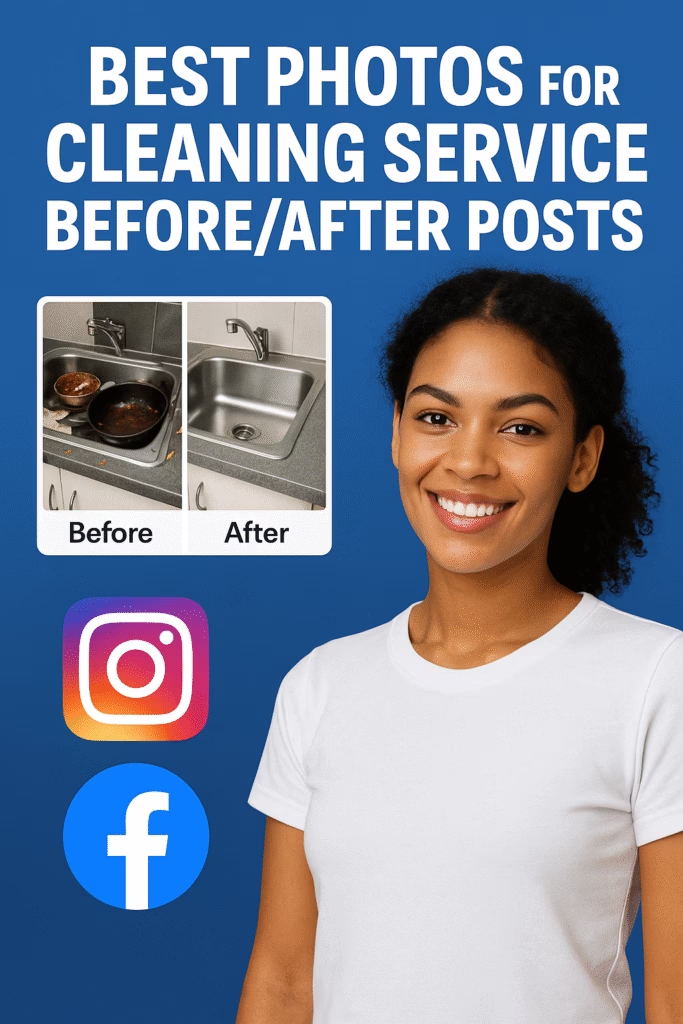
Best Photos for Cleaning Service Before/After Posts
Show the shine. Book the job. A simple visual system for consistent, click-worthy proof.
Note: This guide shares general marketing practices. Obtain client consent for photos, hide personal info, and follow platform policies.
Introduction
Best Photos for Cleaning Service Before/After Posts is more than a filter and a thumbs-up. It’s a repeatable process: same angle, same height, same light—so the difference looks undeniable. In this playbook you’ll get shot lists, angles, lighting tips, editing settings, export sizes, caption blueprints, and a 30–60–90 plan to turn photos into paid appointments.
Expanded Table of Contents
- 1) Why “Best Photos for Cleaning Service Before/After Posts” works
- 2) Core Angles & Framing (Rooms & Surfaces)
- 3) Lighting & Phone Settings (iPhone • Android)
- 4) Consistency Checklist (Same Spot, Same Shot)
- 5) Staging & Privacy (Policy-Safe)
- 6) Editing Workflow (Mobile 3-Minute Pass)
- 7) Export Sizes for Social, Marketplace, Website
- 8) Caption Blueprints & Overlay Rules
- 9) Gallery Order & Storytelling
- 10) Accessibility (Alt Text • Readability)
- 11) KPIs & Dashboard (From Views to Bookings)
- 12) 30–60–90 Day Rollout Plan
- 13) Troubleshooting & Optimization
- 14) 25 Frequently Asked Questions
- 15) 25 Extra Keywords
1) Why this works
- Clarity beats claims: Identical framing creates proof without heavy text or hype.
- Pattern recognition: Audiences learn your look—square crop, level lines, bright whites.
- Speed to publish: A 3-minute edit gets results online while interest is fresh.
2) Core Angles & Framing (Rooms & Surfaces)
Kitchen
- Sink & faucet close-up (limescale, shine)
- Stove & backsplash (grease removal)
- Countertop sweep (clutter → clear)
- Appliance fronts & handles
Bathroom
- Shower glass (soap scum → crystal)
- Tile & grout 45° corner
- Vanity & mirror (avoid reflection)
- Toilet base & floor seam
Floors & Baseboards
- Low 18–24″ angle down hall for dust line
- Baseboard edge macro (dust → detail)
- High-traffic doorway scuffs
Windows & Entry
- Window pane against outdoor light (streak test)
- Entry doorknob/plate (fingerprints → polish)
- Mudroom bench & shoe tray (order restored)
Framing rule: Show 2 walls plus a sliver of the third for depth; keep verticals vertical.
3) Lighting & Phone Settings (iPhone • Android)
| Device | Mode | Settings | Notes |
|---|---|---|---|
| iPhone (recent) | Photo | Grid on • tap focus • exposure −0.3 to −0.7 • 1× lens | Lens height ~48–52″; avoid 0.5× distortion |
| Android (recent) | Photo/Pro | ISO 100–200 • 1/60–1/125 • WB Auto/Daylight | Lock exposure if brightness shifts |
| Lighting | Natural first | Open blinds • turn on all lights | Avoid mixed color temps if possible |
4) Consistency Checklist (Same Spot, Same Shot)
5) Staging & Privacy (Policy-Safe)
- Hide mail, photos, documents, brand labels, and addresses.
- Get written consent to photograph; avoid faces—especially children.
- Use clean towels/props in the “after” to signal freshness without deception.
- No heavy text overlays; small logo bottom corner is fine.
6) Editing Workflow (Mobile 3-Minute Pass)
- Auto-straighten & crop to 1:1 or 4:5 (keep identical across before/after).
- Exposure +0.2 to +0.4; Highlights −20 to −40; Shadows +10 to +20.
- White balance: nudge warm for interiors; keep consistent across the pair.
- Clarity/Structure +5 to +8 (go easy to avoid halos).
- Copy/paste settings from “before” to “after”.
7) Export Sizes for Social, Marketplace, Website
| Placement | Aspect | Size | Notes |
|---|---|---|---|
| Instagram/Facebook Feed | 1:1 | 1200×1200 | Side-by-side collage or carousel |
| Portrait Feed | 4:5 | 1080×1350 | Maxes screen real estate |
| Stories/Reels | 9:16 | 1080×1920 | Keep text in safe area |
| Marketplace Gallery | 1:1 / 4:3 | 1200×1200 / 1600×1200 | Lead with biggest impact pair |
| Blog/Link Preview | 1.91:1 | 1200×630 | For Open Graph shares |
File name convention: room-surface_city-mmdd_before.jpg • room-surface_city-mmdd_after.jpg
8) Caption Blueprints & Overlay Rules
Short Conversion Caption
Kitchen sink & backsplash — 45 minutes, zero harsh smells.
Want this shine? Comment "QUOTE" or tap the calendar link.
Carousel Caption (Room Story)
Before ➜ After: stove, counters, handles, backsplash.
Insured team. Supplies included. Flexible times this week.- Overlays: only room name + time spent (small, lower corner).
- Cite brand/products only if allowed; avoid health or efficacy claims.
9) Gallery Order & Storytelling
- Start with the most dramatic “after”.
- Follow with a split or swipe pair (before on left, after on right).
- Show details: faucet shine, grout lift, baseboard edge.
- End with a friendly CTA (book link or DM keyword).
10) Accessibility (Alt Text • Readability)
- Alt text example: “Bathroom shower glass — before cloudy with soap scum; after clear with visible tile lines.”
- Keep text overlays 14–18 px equivalent; high contrast over light background.
11) KPIs & Dashboard (From Views to Bookings)
Top: Save rate • Profile taps • DM starts
Middle: Reply time • Quote requests • Calendar clicks
Bottom: Bookings • No-show rate • Review rate • Repeat jobs
UTM idea: utm_source=instagram&utm_medium=organic&utm_campaign=before_after_cleaning
12) 30–60–90 Day Rollout Plan
Days 1–30 (Foundation)
- Create a 12-angle shot list & room checklist.
- Set mobile preset; standardize 1:1 and 4:5 crops.
- Publish 3 carousels/week; log metrics.
Days 31–60 (Momentum)
- Add Reels with quick wipes and timer captions.
- Test square vs portrait; track save rate & DMs.
- Introduce booking link + “QUOTE” keyword reply.
Days 61–90 (Scale)
- Localize captions by neighborhood/ZIP.
- Batch shoot “after” libraries for evergreen use.
- Promote top posts; prune low performers.
13) Troubleshooting & Optimization
| Symptom | Likely Cause | Fix |
|---|---|---|
| “After” looks dull | Exposure too low / color cast | Lift exposure +0.3; warm WB; reduce highlights |
| Warped lines | Ultra-wide lens too close | Step back; use 1× lens; straighten in edit |
| Low DMs despite views | Weak CTA / order | Lead with most dramatic “after”; add DM keyword |
| Policy flags | Heavy text overlays | Reduce text; keep small logo; use caption for detail |
14) 25 Frequently Asked Questions
1) How many photos per before/after post?
3–7 is ideal: a hero pair + 2–4 detail pairs.
2) Should I use side-by-side or swipe?
Swipe carousels perform well; test a split image for the hero.
3) Do vertical portraits outperform square?
Often yes in feed (4:5). Always A/B test.
4) What’s the best phone lens?
Use the main 1× camera for natural lines.
5) How do I avoid mirror reflections?
Shoot at an angle; keep the camera lower; step aside.
6) Any tips for glass & windows?
Expose slightly darker; wipe in one direction; polish last.
7) How do I show floor shine?
Low angle toward a light source to reveal reflection.
8) Can I watermark?
Small corner logo only; heavy text can reduce reach.
9) Is natural light enough?
Usually. Turn on ambient lights and balance exposure.
10) What editing app should I use?
Any app with straighten, WB, highlights/shadows, and clarity.
11) How do I match framing exactly?
Mark foot position; use gridlines; note lens height.
12) Should I add timers (“45 minutes”)?
Yes—small overlay or caption builds credibility.
13) What about product mentions?
Only if permitted by the client and platform; avoid claims.
14) Can I include people?
Avoid faces; focus on surfaces; get consent if any person is visible.
15) Are collages good?
Use sparingly; clarity first. Carousel series usually wins.
16) Should I show trash bags or clutter?
Only if tasteful; keep the frame professional and respectful.
17) What if lighting changes between shots?
Take both within minutes and lock exposure to match.
18) How do I write alt text?
Describe the surface, condition before, and improvement after (120–160 chars).
19) What’s a good posting cadence?
3×/week baseline; pin your best for 48–72 hours.
20) Will reels help?
Yes—quick wipes or tap-to-reveal sequences boost saves.
21) How soon should I reply to DMs?
Under 2 minutes is ideal; use saved replies after hours.
22) Can I shoot in HDR?
Light HDR only; avoid the “glow” look on metal/tiles.
23) How do I keep brand consistency?
Standard crop, logo placement, and caption voice.
24) First upgrade to buy?
Short tripod + small LED panel; next, a clip-on polarizer.
25) First step today?
Pick 3 rooms, mark your angles, and capture one clean before/after set.
15) 25 Extra Keywords
- Best Photos for Cleaning Service Before/After Posts
- cleaning before after ideas
- maid service photo angles
- janitorial marketing images
- bathroom before after cleaning
- kitchen deep clean photos
- grout cleaning before after
- window streak free photos
- baseboard dust removal pics
- floor shine photography
- house cleaning instagram tips
- facebook cleaning carousel
- reels cleaning transitions
- marketplace cleaning gallery
- photo edit cleaning workflow
- alt text cleaning posts
- cleaning overlay rules
- booking link captions
- cleaning brand consistency
- housekeeping marketing visuals
- commercial janitorial photos
- move out clean photos
- eco friendly cleaning visuals
- cleaning kpis social media
- cleaning photo checklist 2025













