Market Wiz AI

September 17, 2025

Marketplace Creative That Books Weekend Wet Test Appointments

Marketplace Creative That Books Weekend Wet Test Appointments — 2025 Spa Retail Playbook

Marketplace Creative That Books Weekend Wet Test Appointments

Turn casual scrollers into scheduled, high-intent showroom demos with proof-first visuals and instant booking.

Introduction

Marketplace Creative That Books Weekend Wet Test Appointments is a visual + copy system engineered for marketplaces (e.g., local listings, community boards) where attention is scarce and policy is strict. Use access-first photography, compliant overlays, and two-window CTAs to move people from “looks nice” to “I’m booked for Saturday.”

Targets to Aim For (first 30 days): Chat→Booked ≥ 30–45% No-Show ≤ 10% (use deposits + reminders) Show→Quote ≥ 60% Quote→Sold ≥ 35–50%

Compliance matters: use your own photos, show real availability/pricing, avoid exaggerated performance claims, and respect marketplace rules and local regulations. Include opt-out in SMS follow-ups.

Expanded Table of Contents

1) Why “Marketplace Creative That Books Weekend Wet Test Appointments” Works

  • Signal-first: show what shoppers can feel this weekend—jets, ergonomics, quietness.
  • Binary choices: “Sat 10–12 or Sun 2–4?” cuts friction and back-and-forth.
  • Compliant clarity: clean overlays and transparent add-ons reduce flags and mistrust.
  • Instant routing: AI triage pushes hot chats into calendar blocks in under a minute.

2) Visual System: The 5-Frame Gallery

FrameContentPurpose
1. Hero (Steam + Jets)Close-up of water jets with steamStops scroll; sells “feel” not specs
2. Comfort FitShot with headrests/ergonomic seatsSignals relaxation + body support
3. Quiet ProofDecibel meter photo near spaHandles noise objection visually
4. Energy ClarityPlacard: est. kWh/mo (range)Addresses cost concern without hype
5. Booking CTAOverlay with “Book Weekend Wet Test”Calls to action without breaking policy

Marketplace Creative That Books Weekend Wet Test Appointments thrives on proof shots: steam, jet ripple, dB meter, and an energy card readers can understand at a glance.

3) On-Image Overlays That Survive Policy

  • Keep overlays short: “Book Weekend Wet Test • Towels Provided.”
  • Use small corner badges; avoid price-in-image if platform forbids it.
  • Accessibility: high contrast, readable on 5–6” screens.

4) Titles & Price Framing That Earn Clicks

TemplateExampleWhy it Works
[Model/Size] • Weekend Wet Test6-Seat Hydro • Weekend Wet TestIntent + availability
Quiet • Energy-Smart • Book Your Wet TestQuiet • Energy-Smart • Book Your Wet TestBenefits first
Private Soak Demo • Towels ProvidedPrivate Soak Demo • Towels ProvidedRemoves friction

Show transparent pricing or “range + add-ons” in description, not on-image (policy dependent).

5) Descriptions Built for Weekend Booking

• Private 20-minute wet test (robes/towels provided)
• Quiet check: dB photo at idle + jets
• Energy card: typical kWh/mo (range; climate dependent)
• Add-ons: cover, steps, lifter; delivery/installation options available
• Book now: reply with DAY (Sat/Sun) + TIME (10–12 / 2–4)

Attach a short list of models available for wet test and note any age/health advisories.

6) Chat Scripts: From “Is This Available?” to Confirmed Slot

INSTANT (T+0m)
“Yep! Want a private weekend wet test? Sat 10–12 or Sun 2–4. Towels provided.”

IF THEY PICK A WINDOW
“Perfect. I’ll hold [Sat 10:30] for 10 minutes. Drop your name + best number for confirmation + directions.”

CONFIRMATION
“Booked for [Sat 10:30]. You’ll get a reminder Fri 5pm + day-of tracker. Bring swimwear; we provide robes/towels.”

Always capture name + phone/email before sending directions. Include opt-out on texts.

7) Policy-Safe Do’s & Don’ts

  • Do: use original photos, disclose add-ons, and include availability windows.
  • Don’t: make unverifiable performance claims or bury fees.
  • Do: provide health/safety notes and sanitation practices.

8) AI, Inbox Routing & Calendar Blocks

  • AI triage replies with the two windows; routes booked leads to calendar and CRM.
  • Missed-call text-back: “Want [Sat 10:30] or [Sun 2:30]? Reply 1 or 2.”
  • Reminders: Fri 5pm + Sat/Sun T-2h with map pin and parking note.

9) KPIs & Optimization Cadence

Chat→Booked

≥ 30–45% (optimize first reply).

No-Show Rate

≤ 10% with deposits + reminders.

Show→Quote

≥ 60% when demos are private.

Quote→Sold

35–50% with bundle credit.

Flag Rate

≤ 1%; fix overlays/titles.

Response Time

< 60s AI / < 5m human.

10) 30–60–90 Day Rollout Plan

Days 1–30 (Foundation)

  1. Shoot the 5-frame gallery; design compliant overlays.
  2. Stand up AI instant reply + missed-call text-back.
  3. Create two weekend blocks (Sat 10–12, Sun 2–4) with buffer.

Days 31–60 (Momentum)

  1. Test 3 title variants; rotate hero frames; add dB and energy cards.
  2. Measure Chat→Booked and no-show; add refundable deposit if needed.

Days 61–90 (Scale)

  1. Expand to weekday evenings; add “VIP after-hours” option.
  2. Collect photo reviews mentioning “wet test” for social proof.

11) 25 Frequently Asked Questions

1) What is “Marketplace Creative That Books Weekend Wet Test Appointments”?

A visual/copy framework that drives booked wet tests from marketplace listings.

2) Which photos matter most?

Steam + jets, ergonomic seats, dB meter, energy card, and a booking CTA slide.

3) Should we include price on the image?

Usually no—most platforms restrict it. Put pricing in the description transparently.

4) Do towels and robes increase bookings?

Yes—removes friction and privacy concerns; mention in overlay/description.

5) How long is a wet test?

10–20 minutes is plenty to evaluate comfort, jets, and noise.

6) Can we run group demos?

Private sessions convert better; offer group showroom tours separately.

7) What about safety and sanitation?

Display water chemistry logs; sanitize between demos; share a safety brief.

8) Do deposits reduce no-shows?

Yes—refundable or credit-applied deposits improve show rate.

9) Should we show energy usage?

Provide an estimated kWh/month range with assumptions; no guarantees.

10) Are decibel photos useful?

Very—noise is a top objection; show idle vs. jets.

11) What if the marketplace flags our post?

Remove price-in-image, reduce text overlays, and avoid promotional phrasing that violates rules.

12) Which title format wins?

Benefit • Intent • CTA (e.g., “Quiet • Energy-Smart • Book Your Wet Test”).

13) What’s the best first chat reply?

Offer two weekend windows immediately and ask for name + best number.

14) Can AI book the slot automatically?

Yes—route to calendar with confirmation + directions and opt-out link.

15) How do we handle accessibility/privacy concerns?

Private room/curtains; robes/towels; clear expectations in confirmation.

16) Should we collect reviews after wet tests?

Yes—ask for a photo review mentioning “wet test” and cleanliness.

17) What if demand exceeds slots?

Create a waitlist; open an early weekday evening block.

18) What add-ons convert best?

Cover lifter, steps, chemicals bundle, and extended warranty where available.

19) Should we show financing?

Provide transparent examples in description; keep specifics for the showroom.

20) How fast should we reply?

< 60 seconds via AI; < 5 minutes human for complex questions.

21) Can we cross-post to local groups?

Yes—respect group rules; rotate creative to avoid duplication flags.

22) What if someone only wants availability?

Answer directly, then offer the two time windows to move toward a booking.

23) Do we list model names?

List a few wet-testable models; avoid unsupported superlatives.

24) How do we reduce cancellations?

Deposit + T-24/T-2 reminders + easy reschedule keyword.

25) First step today?

Shoot the 5-frame gallery, post with two weekend windows, and enable instant chat replies.

12) 25 Extra Keywords

  1. Marketplace Creative That Books Weekend Wet Test Appointments
  2. weekend wet test booking
  3. hot tub marketplace creative
  4. spa demo appointment
  5. private wet test towels provided
  6. steam jets close up photo
  7. quiet spa decibel meter
  8. energy card kWh per month
  9. policy safe image overlay
  10. two window booking CTA
  11. AI chat triage spa
  12. missed call text back demo
  13. showroom directions map pin
  14. wet test deposit credit
  15. sanitation log wet test
  16. hot tub bundle credit
  17. cover lifter upgrade
  18. spa steps chemicals bundle
  19. after hours VIP wet test
  20. photo review wet test
  21. flag rate reduction marketplace
  22. compliant marketplace copy
  23. thumb stopping spa images
  24. wet test confirmation sms
  25. 2025 spa retail playbook

© 2025 Your Brand. All Rights Reserved.

Marketplace Creative That Books Weekend Wet Test Appointments Read More »

Hot Tub Delivery Scheduling Flow That Reduces No-Shows

Acutting e 209272586 14 40 38
Hot Tub Delivery Scheduling Flow That Reduces No-Shows — 2025 Field Ops Playbook

Hot Tub Delivery Scheduling Flow That Reduces No-Shows

Keep customers ready, crews efficient, and schedules intact with a proof-first delivery system.

Introduction

Hot Tub Delivery Scheduling Flow That Reduces No-Shows is a friction-free process that blends confirmations, site-prep proof, smart routing, and AI reminders. The result: fewer void trips, happier installers, and five-star reviews that sell the next spa.

Targets to Aim For (first 60 days): No-Show Rate ≤ 3% Reschedule Lead Time ≥ 24h On-Time Arrival ≥ 90% Post-Delivery CSAT ≥ 4.8/5

Safety & compliance: follow electrical codes, lifting/crane regulations, HOA rules, and privacy laws when collecting photos/videos. Always provide opt-out on SMS reminders.

Expanded Table of Contents

1) Why “Hot Tub Delivery Scheduling Flow That Reduces No-Shows” Works

  • Clarity: customers get exact steps with visuals, not vague promises.
  • Commitment: deposit + signed prep checklist increases show-up rate.
  • Convenience: two time windows and live tracking reduce anxiety.
  • Consistency: automated, timestamped reminders prevent “I forgot.”

2) The Delivery Flow: 9 Steps End-to-End

StepOwnerWhat HappensOutcome
1. BookingSalesTake deposit; capture access notes; pick two windowsSlot reserved
2. ConfirmationCSREmail/SMS with prep checklist + upload linkCustomer knows requirements
3. Proof IntakeCSRCustomer uploads driveway/path/pad photos + gate widthsFeasibility verified
4. Route PlanDispatcherCluster jobs; crane/crew assignment; buffer timeEfficient day map
5. T-72/T-24 RemindersAISMS + one-tap confirm/rescheduleNo surprises
6. T-2 Live TrackerDriverLink with ETA; “I’m on the way” buttonCustomer ready
7. Arrival & WalkthroughCrewFinal path check; safety brief; installSmooth placement
8. HandoverCrewStartup, chemical basics, QR for owner guideConfident owner
9. T+24 Follow-UpAICare tips + review request + support linkHappy review

3) Site-Prep Checklist & Photo Proof

  • Pad: level, load-rated base; dimensions vs. spa footprint.
  • Electrical: dedicated GFCI, amp per model (installer/qualified electrician).
  • Pathway: gate width, tight turns, slopes, soft ground, stairs count.
  • Obstacles: AC units, trees, wires; crane required? (attach quote if yes).
  • Water source & drainage: hose length; safe drain route.

Ask customers to upload 4–6 photos: street → driveway → gate → path → pad → overhead. Use a secure link; label with Order#_LastName.

4) Messaging Cadence: T-7 to T+24

ON BOOKING (Email + SMS)
“Confirmed for [DATE]. Choose your window: [8–11a] or [1–4p]. Prep checklist + photo link inside.”

T-72 HOURS (SMS)
“Ready for delivery on [DATE]? Reply 1 to confirm, 2 to reschedule. Need crane? We can help.”

T-24 HOURS (Email + SMS)
“Tomorrow’s the day. Clear the path, keep pets inside, and have adult present. Reply HELP with questions.”

T-2 HOURS (SMS + Tracker)
“On our way. Live ETA: [link]. Reply RESCHEDULE if urgent, or CALL to speak to dispatch.”

T+24 HOURS (Email)
“How’s the spa? Here’s startup/chem video, warranty QR, and support chat. Reviews help neighbors find us.”

5) Routing & Time Windows (With/Without Crane)

  • Cluster by ZIP & driveway type: avoid backtracking and soft-ground sites after rain.
  • Buffers: 30–45 minutes between jobs; 60–90 for crane sets.
  • Crane coordination: confirm permits, staging area, and lift plan; customer initials.
  • Seasonal tweaks: earlier start in summer heat; daylight-aware scheduling in winter.

6) Terms, Deposits & Reschedule Policy

  • Deposit applies to delivery; transferable once if ≥24h notice.
  • No adult present = no-go; redelivery fee disclosed upfront.
  • Weather/unsafe conditions: company may reschedule at no charge.
  • Photo proof required 72h prior; crane fees quoted/approved in writing.

7) Day-of Ops: Arrival, Walkthrough, Sign-Off

  1. Knock + intro + safety brief; confirm path matches photos.
  2. Protective mats placed; spotter assigned; lift or dolly per plan.
  3. Set spa; connect per local code; fill/startup demo if contracted.
  4. Customer signs digital checklist + receives QR owner guide.

8) Tools & Automations (AI + CRM)

TriggerAutomationOutcome
Booking createdSend confirmation + prep link; create T-72/T-24 tasksCustomer clarity
Photos uploadedFlag issues (gate width, stairs) to dispatcherNo day-of surprises
T-72 unconfirmedAI SMS + auto-dial; offer new windowsFewer no-shows
Truck en routePush tracker link via SMSHigher readiness
Delivery completeSend care video + review requestMore five-star reviews

9) KPIs & Dashboards That Matter

No-Show Rate

Goal ≤ 3%.

On-Time Arrival

Goal ≥ 90%.

Prep Compliance

Photos received by T-72 ≥ 95%.

Reschedule Notice

≥ 24h for 90% of changes.

Crew Utilization

Drive time vs. on-site ratio.

Post-Delivery CSAT

≥ 4.8/5 with comments.

10) 30–60–90 Day Implementation Plan

Days 1–30 (Foundation)

  1. Publish prep checklist + photo uploader; add to booking flow.
  2. Turn on T-72/T-24/T-2 reminders with one-tap confirm/reschedule.
  3. Create crane policy and digital initials field.

Days 31–60 (Momentum)

  1. Cluster routing by ZIP; add tracker links; measure no-show baseline.
  2. Train crews on arrival script and digital sign-off.

Days 61–90 (Scale)

  1. Launch AI issue-detection on photos (stairs/width/overhead).
  2. Quarterly policy audit; adjust buffers by season and traffic data.

11) 25 Frequently Asked Questions

1) What is “Hot Tub Delivery Scheduling Flow That Reduces No-Shows”?

A standardized system for booking, confirming, and reminding customers with visual prep and live tracking.

2) Why do hot tub deliveries no-show?

Poor prep, unclear time windows, forgotten appointments, or last-minute conflicts.

3) How do photo uploads help?

They confirm path width, obstacles, and pad readiness—preventing day-of surprises.

4) What reminder schedule works best?

On booking, T-72h, T-24h, and T-2h with a live tracker link.

5) Do deposits reduce no-shows?

Yes—paired with a fair reschedule policy (≥24h notice).

6) How long should time windows be?

3-hour windows for standard deliveries; 4–6 with crane or complex sites.

7) What if the path is too narrow on arrival?

Reschedule with crane or alternative route; document and adjust fees if applicable.

8) Can AI read photos for issues?

Yes—flag likely width conflicts, stairs, or overhead obstructions for dispatcher review.

9) Should customers be home?

Yes—an adult must be present to approve placement and sign off.

10) How do we handle weather?

Safety first—reschedule at no charge; send new windows immediately.

11) Are tracker links necessary?

They cut “where are you?” calls and improve readiness.

12) What training do crews need?

Arrival script, safety brief, lift plan, customer demo, and digital sign-off.

13) How do we manage HOA constraints?

Collect HOA rules during booking; require approvals before routing.

14) What’s a good reschedule policy?

One free reschedule ≥24h notice; late changes incur a disclosed fee.

15) Should we confirm electrical?

Yes—verify dedicated GFCI circuit and amperage per model (licensed electrician).

16) How do we prevent damaged lawns/paths?

Use protective mats; plan the route; avoid saturated ground when possible.

17) Do we need crane permits?

Where required—coordinate with the crane company and local authorities.

18) What if customers don’t upload photos?

CSR calls with examples; offer on-site pre-check (paid) if needed.

19) How do we measure improvement?

Track no-show rate, prep compliance, and on-time arrival monthly.

20) Can we text chemical care tips after delivery?

Yes—send T+24 startup/chem video and quick reference guide.

21) How do we avoid double-booking?

Shared calendar, route constraints, and AI conflict checks.

22) What’s the best way to collect reviews?

Ask at T+24 with a photo prompt; provide direct review links.

23) Should we watermark install photos?

Light watermark is fine; get permission if homes are identifiable.

24) How do we handle steep slopes?

Extra crew, winch/dolly, or crane; evaluate from photos first.

25) First step today?

Enable the T-72/T-24/T-2 reminder sequence and add the photo uploader to your confirmation email.

12) 25 Extra Keywords

  1. Hot Tub Delivery Scheduling Flow That Reduces No-Shows
  2. hot tub delivery scheduling
  3. spa delivery no-shows
  4. delivery reminder spa
  5. hot tub site prep checklist
  6. spa delivery photo upload
  7. crane hot tub delivery
  8. white glove spa install
  9. live delivery tracker link
  10. two window scheduling
  11. GFCI hot tub circuit
  12. driveway gate width
  13. protective mat pathway
  14. delivery reschedule policy
  15. on time arrival metric
  16. crew utilization rate
  17. post delivery csat
  18. spa startup chemistry
  19. owner guide qr code
  20. ai reminder sequence
  21. dispatcher route cluster
  22. seasonal delivery buffers
  23. hoa delivery approvals
  24. no show reduction spa
  25. 2025 hot tub logistics

© 2025 Your Brand. All Rights Reserved.

Hot Tub Delivery Scheduling Flow That Reduces No-Shows Read More »

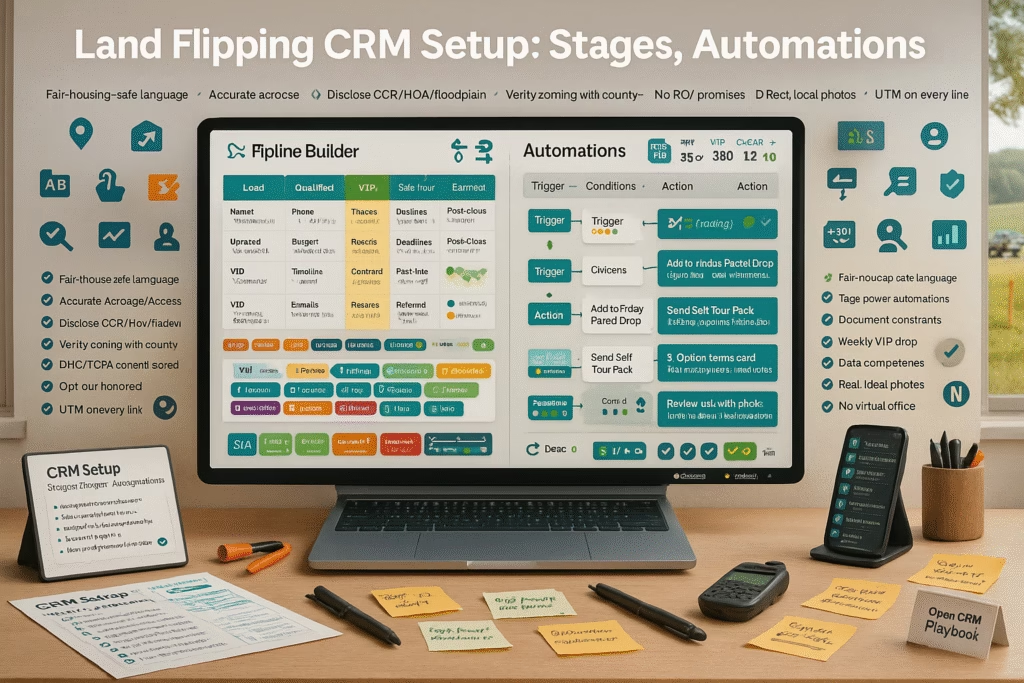
Land Flipping CRM Setup: Stages, Tags, Automations

ChatGPT Image Sep 17 2025 10 44 40 AM
Land Flipping CRM Setup: Stages, Tags, Automations — 2025 Deal OS

Land Flipping CRM Setup: Stages, Tags, Automations

Build a calm, repeatable deal machine—where every parcel knows its next step.

Introduction

Land Flipping CRM Setup: Stages, Tags, Automations is your deal operating system. With crisp pipelines, a useful tag taxonomy, and a few battle-tested automations, you’ll stop guessing where a parcel sits and start moving it—predictably—from lead to signed to closed.

Targets to aim for (first 60 days): Speed-to-reply: <60s AI / <5m human Lead→Offer Sent ≥ 45% Offer→Signed ≥ 20–35% Days-on-Deal (acq) ≤ 21

Stay compliant: honor DNC/SMS consent, keep clean records, and never misrepresent access, utilities, or zoning. Every automation should include an easy opt-out.

Expanded Table of Contents

1) Why “Land Flipping CRM Setup: Stages, Tags, Automations” Works

  • Clarity: everyone knows the next action by stage definition.
  • Context: tags convert generic follow-ups into relevant ones.
  • Cadence: automations prevent lead decay and deal stall-outs.

2) Blueprint: Two Pipelines, One Contact

PipelinePurposeOwnerExit States
AcquisitionsSeller to signed contractAcq manager / VASigned / DQ / Nurture
DispositionsParcel to buyer and closedDispo managerAssigned / Closed / Nurture

Keep a single contact record. Use roles and parcel-specific notes to avoid duplicates.

3) Acquisitions Stages (Seller Journey)

  1. New Lead — source captured; instant SMS/email; task “Call in 5 min”.
  2. Contacted — confirm ownership & intent; gather price expectations.
  3. Underwriting — access, utilities, comps, topo/flood, photos.
  4. Offer Drafted — MAO math, rationale, contingencies.
  5. Offer Sent — e-sign link + two windows for review.
  6. Negotiation — counters, terms, timeline.
  7. Signed — open title/escrow; seller checklist.
  8. Closed — record, reconcile, archive docs.
  9. Nurture/DQ — reason tagged; quarterly check-ins.

4) Dispositions Stages (Buyer Journey)

  1. Buyer Opt-In — county/size/budget captured.
  2. VIP Qualified — proof shared; funds verified if applicable.
  3. Parcel Match — hook email/SMS + proof pack folder.
  4. Call Booked — map/comps walkthrough.
  5. Offer Received — LOI or PSA.
  6. Assigned / Into Escrow — title/attorney engaged.
  7. Closed — review + referral request.
  8. Nurture — keep avatar and county tags fresh.

5) Tag Taxonomy & Naming Rules

Use Group:Value for clean searchability.

County/Geo

TX-Travis

AZ-Mohave

FL-Putnam

Access

Access-Paved

Access-Gravel

Access-Uncertain

Utilities

Power-LotLine

Water-Meter

Sewer-Septic

Buyer Avatar

Builder-BuyBox

Homesteader

Recreational

Risk/Status

Title-Cloud

Flood-Partial

Slope-Moderate

6) Required Fields & Layout

  • Parcel: APN, county, acres, GPS pin, zoning, access type, utilities status.
  • Contact: role(s), phone, email, address, preferred channel.
  • Deal Math: MAO, exit scenario, hold costs, target fee.
  • Dates: created, last touch, offer sent, signed, COE.
  • Docs: proof pack link (maps, photos, utilities, comps), title files.

7) Automations That Do the Heavy Lifting

TriggerAutomationOutcome
New LeadInstant SMS/email + task “Call in 5 min”Zero lead decay
Move→UnderwritingCreate checklist task setConsistent analysis
Offer SentT+24/T+72 nudges + two time windowsHigher signature rate
SignedOpen escrow ticket + seller checklistFewer surprises
Dispo MatchBlast proof pack to tagged buyersFaster offers
Stale 7dEscalate to owner + next actionPrevents stall-outs

8) Daily Rituals: Kanban Hygiene

  • AM triage: clear New Lead/Contacted to zero.
  • Underwriting stand-up: 3 blockers, 3 next actions.
  • Dispo daily: one VIP send tied to live inventory.
  • PM audit: overdue tasks, COEs, document completeness.

9) KPIs & Simple Dashboards

Speed-to-Reply

<60s AI / <5m human.

Lead→Offer

≥45% with checklists.

Offer→Signed

20–35% by market.

Days-on-Deal

Acq ≤21; Dispo ≤30.

Revenue/County

Double down on winners.

List Velocity

New VIP buyers/week.

10) Plug-and-Play Copy Blocks

ACQ SMS (T+0m)
“Thanks for reaching out about your parcel near [City]. Review maps & numbers [Today 4:30] or [Thu 10:30]?”

OFFER EMAIL (Subject)
“Offer + Map Overlay — [APN], [County] — 15-min walkthrough?”

DISPO SMS
“[Acres] ac w/ [Access/Power] near [Landmark]. Map + comps [Today 4:30] or [Fri 10:30]? Reply EMAIL to receive the proof pack.”

AUTO TASK
“If stage=Underwriting and no comps link, create task ‘Pull 3 sold & 3 active comps’ due today.”

11) 30–60–90 Day Implementation Plan

Days 1–30 (Foundation)

  1. Create Acq/Dispo pipelines; add stages and required fields.
  2. Turn on instant replies + missed-call text-back.
  3. Build proof pack folder structure by county/APN.

Days 31–60 (Momentum)

  1. Launch Offer Sent, Signed, and Stale Deal automations.
  2. Segment buyers by avatar and county; send 2 proof-backed parcels/week.

Days 61–90 (Scale)

  1. Integrate e-sign, calendar, phone/SMS, and title webhooks.
  2. Quarterly clean-up: merge duplicates, prune unused tags, refresh templates.

12) 25 Frequently Asked Questions

1) What is “Land Flipping CRM Setup: Stages, Tags, Automations”?

A structured method to manage seller and buyer journeys with clear stages, meaningful tags, and time-saving automations.

2) Why two pipelines instead of one?

Acquisitions and Dispositions have different actions, owners, and exit states—separate pipelines reduce confusion.

3) Which stages are essential on Acquisitions?

New Lead, Contacted, Underwriting, Offer Sent, Negotiation, Signed, Closed, Nurture/DQ.

4) Which stages are essential on Dispositions?

Buyer Opt-In, VIP Qualified, Parcel Match, Call Booked, Offer Received, Assigned/Escrow, Closed, Nurture.

5) How should I name tags?

Use Group:Value (e.g., Access-Paved, Power-LotLine) to keep filters tidy.

6) What fields are must-have?

APN, county, acres, GPS, zoning, access, utilities, MAO, dates, proof pack link.

7) What’s a proof pack?

Parcel map + GPS pin, access photos, utility notes, topo/flood, and comps—stored in a linkable folder.

8) Best first reply to a new seller lead?

Instant SMS thanking them and offering two windows for a 15-minute map/offer walkthrough.

9) How do I stop deals from stalling?

Stale-deal triggers that escalate to the owner and create a clear next step.

10) Should I keep disqualified leads?

Yes—tag the reason and add to quarterly check-ins; situations change.

11) Can AI qualify leads?

AI can capture basics and book calls; humans handle negotiation and edge cases.

12) How do I manage duplicates?

Nightly dedupe by phone/email; merge into one contact record.

13) What KPIs matter most early on?

Speed-to-reply, Lead→Offer, Offer→Signed, and Days-on-Deal.

14) How often should I message my buyer list?

1–2 parcels/week with proof packs; segment by county and avatar.

15) Do I need call tracking?

Yes—to tie revenue to source and protect your ad spend.

16) Should I store documents in the CRM?

Store in cloud folders (by county/APN) and link them in the CRM record.

17) How do I improve Offer→Signed?

Send a comp map image with rationale and offer two review windows.

18) What if utilities are uncertain?

Note what’s verified, what’s pending, who you contacted, and the date.

19) How do I tag buyer avatars?

Homesteader, Builder-BuyBox, Recreational—add county preferences and budget bands.

20) Can I bulk text buyers?

Yes—with consent and tight segmentation to keep relevance high.

21) What’s a healthy Days-on-Deal?

Acq ≤ 21 days; Dispo ≤ 30, depending on market and deal size.

22) How do I train a VA?

Stage definitions, daily huddles, and checklists tied to each stage.

23) Should I automate comps?

Partially—use saved searches; human reviews for accuracy.

24) What about owner-financed deals?

Add terms fields (down, rate, term) and automate payment reminders post-close.

25) First step today?

Create both pipelines, add the stages above, and turn on instant replies + stale-deal alerts.

13) 25 Extra Keywords

  1. Land Flipping CRM Setup: Stages, Tags, Automations
  2. land flipping CRM
  3. acquisitions pipeline land
  4. dispositions pipeline land
  5. buyer avatar tags
  6. county geotagging APN
  7. access utilities tagging
  8. proof pack folder
  9. offer sent automation
  10. signed contract workflow
  11. title escrow webhook
  12. kanban deal stages
  13. speed to reply kpi
  14. comp map overlays
  15. two window booking
  16. missed call text back
  17. stale deal escalation
  18. revenue by county
  19. vip land buyers
  20. owner finance tracking
  21. utm source capture
  22. dedupe contacts crm
  23. parcel doc links
  24. automation checklist
  25. 2025 land crm system

© 2025 Your Brand. All Rights Reserved.

Land Flipping CRM Setup: Stages, Tags, Automations Read More »

Facebook Marketplace Posting That Fills Your Land Buyer List

ChatGPT Image Sep 17 2025 10 52 04 AM
Facebook Marketplace Posting That Fills Your Land Buyer List — 2025 Lead Engine

Facebook Marketplace Posting That Fills Your Land Buyer List

Turn casual scrollers into GPS-pin verified leads and VIP cash buyers—without getting flagged.

Introduction

Facebook Marketplace Posting That Fills Your Land Buyer List is a repeatable system for compliant titles, access-first photos, transparent pricing, and instant replies that route prospects into an SMS/email list. When every post asks for the right micro-commitment—size, budget, and timeline—your list compounds weekly.

Targets to Aim For (first 30 days): Chat→Opt-In ≥ 40% Opt-In→Call ≥ 20% Flag Rate ≤ 1% Speed-to-Reply < 60s (AI) / < 5m (human)

Policy matters. Keep prices real, disclose fees, avoid financing claims you can’t honor, and never misrepresent access, zoning, or utilities. Use your own images and follow local advertising rules.

Expanded Table of Contents

1) Why “Facebook Marketplace Posting That Fills Your Land Buyer List” Works

  • Signal beats sizzle: access photos, GPS pins, and utility notes build real trust.
  • Micro-commitments: ask size+budget+timeline to qualify fast.
  • Binary choices: two windows to talk eliminate back-and-forth.
  • Consistency: rotating SKUs keep you on top of search results.

2) The 5-Part Listing Framework

PartWhat to includeWhy it matters
Hero PhotoRoad frontage + parcel outlineProves physical access instantly
TitleAcreage + hook + city/ZIPExact-match search terms
PriceReal number or verified range + feesTrust + fewer flags
ProofGPS pin, utility status, topo/flood noteUnderwriting in minutes
CTA“SIZE + ZIP” plus two call windowsGuides the next step

3) Photo Checklist: Access, Utilities, Topo, Proof

  • Approach road → frontage → interior trail (3-shot sequence).
  • Utility cues: power on lot line, water meter, nearby transformer (if applicable).
  • Map overlays: parcel outline, topo, flood (screenshots labeled).
  • Signpost with parcel ID (optional) and a gps: 34.123,-85.456.

4) Titles & Price Framing That Earn Clicks

TemplateExamplePurpose
[Acres] ac — Road Access — [City]12.4 ac — Road Access — AthensAccess first
[Acres] ac — Power at Lot — [ZIP]5.0 ac — Power at Lot — 78641Utility signal
[Hook] — [Acres] ac near [Landmark]Surveyed & Perked — 2.1 ac near LakeImmediate de-risking

Facebook Marketplace Posting That Fills Your Land Buyer List starts with titles that answer the #1 investor question: “Can I reach it and build?”

5) Descriptions That Pre-Qualify Without Pressure

• Access: Paved road frontage on [Road]; driveway cut possible.
• Utilities: Overhead power on lot line; water well typical (buyer to verify).
• Topo: Gentle slope; flood X (no SFHA).
• Price: $XX,XXX + customary closing costs; cash or buyer-arranged financing.
• Next step: Reply with SIZE (1–20 ac?) + ZIP + timeline (30/60/90 days).
• Call windows: Today 4–6 or Fri 10–12 for a 15-min walkthrough.

6) Reply Scripts That Turn Chats Into Opt-Ins

INSTANT (T+0m)
“Yep, still available. What SIZE are you hunting (1–5, 5–10, 10+) and ZIP for drive time?”

IF SIZE + ZIP GIVEN
“Great match. Want a 15-min map + comps walkthrough [Today 4:30] or [Fri 10:30]?
Drop your best email to send the proof pack.”

PRICE-ONLY ASK
“I can send two fits: ‘Best Price/Acre’ and ‘Closest to [City]’. Size + ZIP?”

Always harvest email + phone with consent before sending the proof pack.

7) Compliance & Policy-Safe Posting

  • Use real photos you own; no misleading overlays.
  • Show price clearly; disclose closing costs and any fees.
  • Avoid guaranteed outcomes (entitlements, perc) unless documented.
  • Respect fair housing/land-use rules and platform commerce policies.

8) Inbox Automation, Missed-Call Text-Back & Tagging

  • Route chats to a unified inbox; auto-tag by size band and county.
  • Missed-call text-back: “Sorry we missed you—map + comps review [Today 4–6] or [Fri 10–12]?”
  • Proof pack link (folder): parcel map, GPS pin, access photos, utility notes, comps.

9) KPIs, Benchmarks & Weekly Optimization

Chat→Opt-In

≥ 40% with the scripts above.

Opt-In→Call

≥ 20% with two windows.

Call→Offer

Track per SKU/county.

Flag Rate

≤ 1%; fix titles/duplication.

Time-to-Underwrite

< 15 minutes using proof packs.

List Growth

New buyers/week by avatar.

10) 30–60–90 Day Rollout Plan

Days 1–30 (Foundation)

  1. Create proof pack template and folder structure by parcel/county.
  2. Write 6 title variants; shoot the access-first photo set.
  3. Enable instant replies + missed-call text-back; set two call windows daily.

Days 31–60 (Momentum)

  1. Post 2–3 listings/day with unique photos/titles per city/ZIP.
  2. Track Chat→Opt-In and adjust first lines; prune duplicate phrasing.

Days 61–90 (Scale)

  1. Expand to adjacent counties; duplicate winners; refresh maps/comps monthly.
  2. Segment your list (cash buyers, builder buy-box, owner-finance curious).

11) 25 Frequently Asked Questions

1) What is “Facebook Marketplace Posting That Fills Your Land Buyer List”?

A posting and reply system that turns marketplace chats into opted-in land buyer leads.

2) Which photos matter most?

Access sequence (approach road, frontage) + utility cues + topo/flood overlays.

3) How often should I post?

1–3 times per day per market with unique images/titles to avoid flags.

4) Do I include GPS pins?

Yes—use a short link or the coordinates in the description.

5) What if utilities are uncertain?

Say what’s known, what’s pending, who you contacted, and the date.

6) Should I show price per acre?

Helpful for investors; include total price and any fees.

7) How do I avoid getting flagged?

Unique photos, real pricing, no claims you can’t document, and no spammy repetition.

8) What’s the best first reply?

Ask size + ZIP + timeline, then offer two call windows.

9) Can AI handle replies?

Yes, for speed and routing; humans handle comps, access nuance, and negotiations.

10) Should I send comps in chat?

Send after opt-in; keep chat concise, move to email/SMS for proof packs.

11) How do I qualify buyers?

Capture size band, budget band, county interest, and closing timeline.

12) What about owner financing?

If you offer it, present clearly labeled illustrative examples and legal disclaimers.

13) Can I use drone shots?

Yes—label features (road, lot line, utilities) for clarity.

14) How do I manage duplicates across cities?

Change photos, titles, and first lines; avoid posting identical content.

15) What metrics matter most?

Chat→Opt-In, Opt-In→Call, Flag Rate, and Time-to-Underwrite.

16) Should I watermark photos?

Small corner watermark is fine; don’t obscure key details.

17) How do I schedule calls efficiently?

Use two preset windows and calendar deep links.

18) What if a listing goes viral with unqualified interest?

Pin a sizing/budget message and route to a waitlist form.

19) Where do I store proof packs?

Cloud folder per parcel with short links in your templates.

20) How do I keep my list warm?

Weekly emails with new parcels, access photos, and honest updates.

21) Can I cross-post to groups?

Yes—respect group rules, rotate angles, and avoid spammy duplication.

22) What disclosures should I include?

Access/utility status, closing costs, and any restrictions known.

23) Do map screenshots count as photos?

Yes—add them as the last images with labels.

24) How fast should I follow up after a missed call?

Under 5 minutes; use missed-call text-back with two windows.

25) First step today?

Shoot the access sequence for one parcel, write a title from Section 4, and enable instant replies.

12) 25 Extra Keywords

  1. Facebook Marketplace Posting That Fills Your Land Buyer List
  2. land buyer list growth
  3. marketplace land posting
  4. access road frontage photo
  5. gps pin parcel map
  6. power on lot line
  7. water meter confirmation
  8. topography flood overlay
  9. land comps price per acre
  10. policy safe land listing
  11. two window call booking
  12. missed call text back land
  13. ai inbox routing land
  14. buyer opt in script
  15. county specific land leads
  16. builder buy box match
  17. owner finance illustrative terms
  18. access easement proof
  19. marketplace title templates
  20. access first photo checklist
  21. cloud proof pack folder
  22. flag rate reduction
  23. land investor sms follow up
  24. local land buyer pipeline
  25. 2025 land lead engine

© 2025 Your Brand. All Rights Reserved.

Facebook Marketplace Posting That Fills Your Land Buyer List Read More »

Scroll to Top