Market Wiz AI

August 28, 2025

facebook marketplace posting tool for shed companies
Acutting e 3453387431 20 54 42
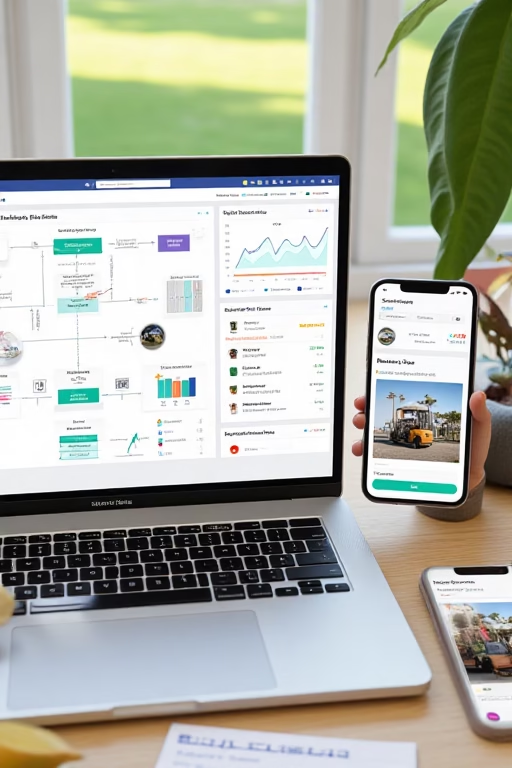
Facebook Marketplace Posting Tool for Shed Companies (2025 Playbook)

Facebook Marketplace Posting Tool for Shed Companies

Automate compliant listings, reply in minutes, and turn clicks into booked installs.

Introduction

facebook marketplace posting tool for shed companies isn’t just software—it’s a revenue system. Done right, it pulls your best models into clean listings, rotates photos and copy, answers messages with access qualifiers, and books showroom or onsite assessments without phone tag.

Targets to aim for: Speed-to-first-reply ≤ 90s Message → booked visit ≥ 55–70% Show rate ≥ 80–90% Quote turnaround ≤ 24h Policy compliance: 100%

Educational content only. Always follow platform terms, truthful advertising rules, and local marketing/communications laws. Avoid misleading claims or unverifiable discounts.

Expanded Table of Contents

1) Why Marketplace Still Crushes for Sheds

1.1 High-Intent Local Shoppers

People browse Marketplace when they’re ready to buy locally. A fast, useful reply moves them from “price browsing” to “delivery planning.”

1.2 Conversational Commerce Advantage

Messaging lowers friction. The right facebook marketplace posting tool for shed companies gives instant replies, schedules, and reminders—no back-and-forth delays.

2) What a Great Posting Tool Must Do

2.1 Listing Templates & Rotation

  • Reusable templates per size/grade/style (8×12 gable, 10×16 barn, 12×24 modern)
  • Automatic rotation of primary photo, color, and opening line
  • Local city/county tokens injected into copy (truthful, not stuffed)

2.2 Inbox Automations & Handoffs

  • Saved replies that collect ZIP, gate width, and surface type
  • Missed-message alerts; after-hours autoresponder that books next-day times
  • One-tap human takeover for complex cases (HOA, crane access)

2.3 Calendar & CRM Sync

  • Offer two specific time options; prevent double-booking
  • Push notes, photos, and qualifiers to CRM stages automatically

3) Listing Architecture That Converts

3.1 Titles that Set Expectations

  • “10×16 Barn • From $X,XXX • Local Delivery Available”
  • “12×24 Modern • 3-Week Lead Time • Book a Site Check”
  • “8×12 Gable • W/ Ramp Option • Zip {####} Quotes”

3.2 Photo Standards (Truthful & Clear)

  • Exterior (front/side), interior, floor, roofline, door hardware
  • Optional upgrades (windows, lofts, electrical)—label clearly
  • Delivery equipment (tilt-bed/mule) to set realistic expectations

3.3 Copy Blocks You Can Paste

SHORT:
In-stock sheds with local delivery. From $ ranges by size/style.
Reply with ZIP + gate width + surface (asphalt/concrete/grass)
and we’ll hold Thu 5:30 or Sat 10:00 for a quick plan.
LONG:
Sizes: 8×12, 10×16, 12×20, 12×24. Styles: gable, barn, modern.
Upgrades: ramps, windows, lofts, electrical.
Delivery: tilt-bed/mule access. Most installs 2–4 weeks after booking.
Pricing shown is “From $” and varies by size, options, and delivery.
Share ZIP, surface, and gate width for an exact quote + earliest slots.

4) Pricing: “From $” Ranges, Delivery & Add-Ons

  • Use clear From $ ranges per size/style to anchor expectations
  • Quote delivery separately (distance, access, surface)
  • List add-ons with factual notes (lead time, install steps)

5) Access & Base Qualifiers (The 7 Key Questions)

1) ZIP code?
2) Intended use (storage/office/workshop/cabin)?
3) Gate/side access width (ft)?
4) Surface (asphalt/concrete/grass/gravel)?
5) Slope or low wires/branches?
6) Base preference (gravel pad/concrete/blocks)?
7) Install timeline (this week / 2–4 weeks / browsing)?

These reduce surprise crane days and keep margins intact—core to any facebook marketplace posting tool for shed companies.

6) Automation Without Getting Flagged

6.1 Cadence Rules

  • Moderate posting frequency per market; quality & uniqueness over volume
  • Rotate focus (sizes/styles) rather than duplicating

6.2 Creative Uniqueness

  • Vary title, first photo, first paragraph, and call-to-action
  • Localize details truthfully (city names, lead-time ranges)

6.3 Human QA Gates

  • Final review on pricing, lead times, and photo accuracy
  • Keep claims grounded and verifiable

7) First-Reply Scripts (SMS/Chat/Email)

Hi {First}! Quick quote for your area—what’s your ZIP and gate width?
Two quick times to plan delivery: Thu 5:30 or Sat 10:00. (Reply STOP to opt out)
Subject: Quick shed delivery check + two times
Thanks for messaging! Surface type (asphalt/concrete/grass) and ZIP help us quote.
We can hold Thu 5:30 or Sat 10:00 for a 10-min plan.
Quote note:
Pricing assumes tilt-bed/mule access with safe clearance.
Crane quoted if required after access photos.

8) Booking Flows: Showroom • Onsite • Virtual

  • Showroom: two time options → map pin/parking → “bring yard photos”
  • Onsite: address + access photos → base recommendation → quote
  • Virtual: configurator screenshare → price range → deposit link

9) 3D Configurator → Marketplace → Quote

Pull saved configurations (size, doors, windows, upgrades) into listings. After chat, draft a factual “From $” quote with delivery assumptions and optional crane line item.

10) Google Business Profile Synergy

  • Link booking from GBP messaging and Posts
  • Add Products for best-sellers with From $ notes
  • Post weekly “What we’re installing” + one-tap booking

11) KPIs & Dashboards to Review Weekly

  • Messages → booked visit %, show rate
  • Quote acceptance %, upgrade attach (ramps, windows, lofts)
  • Days-to-install, review velocity, refund/redo rate

12) 30–60–90 Day Implementation Plan

Days 1–30: Foundation

  1. Create 6 unique listing templates; shoot authentic photo sets
  2. Load saved replies + two-time booking links
  3. Wire CRM stages and tags; enable missed-message alerts

Days 31–60: Scale

  1. Expand styles and local variants; standardize quote notes
  2. Add virtual consult flow; publish pad/HOA guides
  3. Start weekly KPI reviews; prune low performers

Days 61–90: Optimize

  1. A/B test titles, first image, and opening line
  2. Tighten routing rules; add weather-backed waitlist
  3. Automate post-install review requests

13) Troubleshooting: Low Replies, No-Shows, Policy Flags

  • Low replies: use real photos, clarify lead time, and ask one simple question
  • No-shows: reminders at T-24/T-2/T-30m, send map pin/parking
  • Policy flags: reduce frequency, increase uniqueness, ensure truthful claims

When tuned, your facebook marketplace posting tool for shed companies becomes a reliable, compounding appointment engine.

14) 25 Frequently Asked Questions

1) What exactly is a Marketplace posting tool?

Software and workflows that create/rotate listings, manage replies, and book visits while staying within platform rules.

2) How fast should we reply?

Within 90 seconds for best conversion.

3) What photos matter most?

Exterior (multiple angles), interior, floor, roofline, upgrades, and delivery equipment.

4) Can we list exact prices?

Use honest From $ ranges. Quote delivery separately and factually.

5) Do we need a CRM?

Yes—track stages, notes, photos, quotes, and delivery status.

6) How do we reduce tire-kickers?

Ask for ZIP, surface, and gate width in the first reply; offer two specific times.

7) Can after-hours be automated?

Yes—send friendly autoresponses, collect qualifiers, and book next-day slots.

8) Should we watermark photos?

Light branding is fine. Keep images clear and truthful.

9) How often should we post?

Moderate cadence with unique variants; quality beats volume.

10) What opening line works?

“ZIP + gate width + surface for a fast quote. Thu 5:30 or Sat 10:00 work?”

11) Can we run promos?

Yes—time-boxed, truthful offers (e.g., ramp discount or delivery credit).

12) What about HOA or permits?

Share neutral checklists; avoid guarantees. Encourage local confirmation.

13) How do we handle tight access?

Request photos; plan mule or crane; add line item in the quote.

14) Can we connect the tool to a 3D configurator?

Yes—pull saved builds into listings and quotes for continuity.

15) Which CTAs convert?

“Book a site check,” “Hold two times,” and “Get a delivery window.”

16) How do we prevent double-booking?

Use a calendar hold with two options and automatic conflict checks.

17) What KPIs matter?

Reply speed, message→booked %, show rate, quote acceptance, upgrade attach.

18) Should we show delivery equipment?

Yes—builds trust and sets realistic expectations.

19) How long should listings be?

Short listing + link to more details. Keep key facts up front.

20) Can the tool send reminders?

Yes—at T-24/T-2/T-30m with map pin and reschedule link.

21) How do we manage multiple lots?

Separate numbers/calendars by location; route by ZIP.

22) Can it trigger review requests?

Yes—post-install, with optional photo request. Never gate reviews.

23) What if messages spike on weekends?

Autos reply, collect qualifiers, and book; staff handles edge cases Monday.

24) Do videos help?

Short walk-throughs increase trust and reduce questions.

25) First step today?

Draft 3 unique templates, shoot fresh photos, load saved replies, and connect calendar + CRM.

15) 25 Extra Keywords

  1. facebook marketplace posting tool for shed companies
  2. shed marketplace automation
  3. portable building listings manager
  4. shed lead capture Facebook
  5. two-time booking script sheds
  6. missed-message autoresponder sheds
  7. mule vs crane delivery planning
  8. gravel pad vs concrete slab guide
  9. access qualifier questions sheds
  10. shed configurator to quote
  11. marketplace creative rotation
  12. unique listing variants local
  13. shed showroom appointment tool
  14. onsite assessment booking sheds
  15. shed CRM pipeline stages
  16. upgrade attach rate sheds
  17. map pin reminder sheds
  18. policy-safe marketplace posting
  19. local delivery window sheds
  20. review request automation sheds
  21. photo standards for sheds
  22. From price ranges sheds
  23. shed sales KPI dashboard
  24. lead time ranges sheds
  25. 2025 shed marketplace playbook

© 2025 Your Brand. All Rights Reserved.

facebook marketplace posting tool for shed companies Read More »
craigslist ad automation for shipping container companies

ChatGPT Image Aug 28 2025 04 58 09 PM
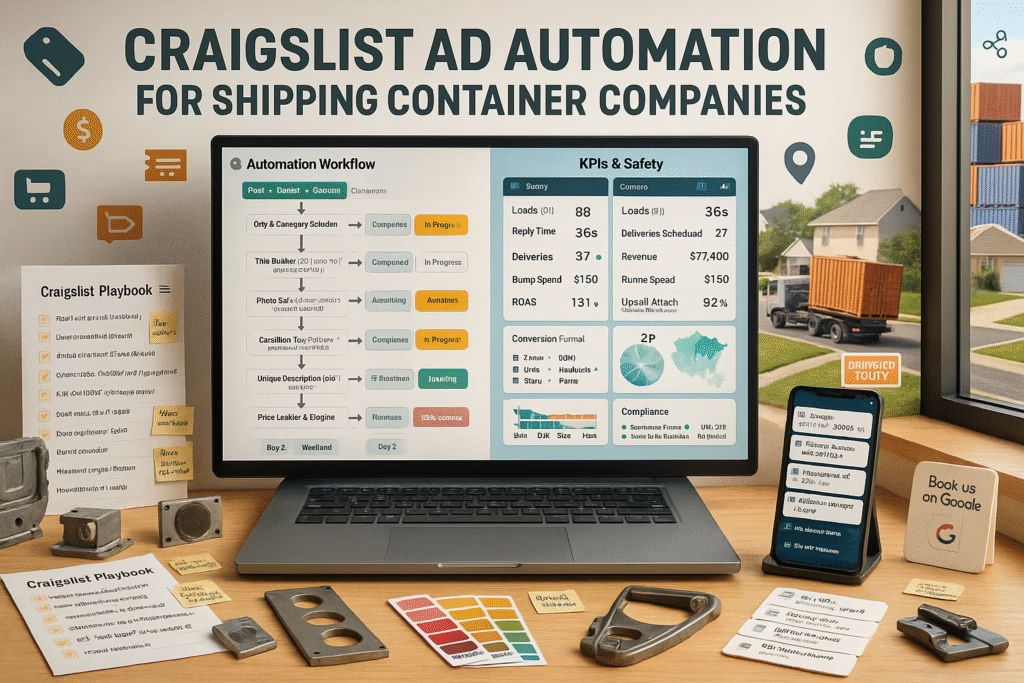
Craigslist Ad Automation for Shipping Container Companies (2025 Playbook)

Craigslist Ad Automation for Shipping Container Companies

Systemize posts, keep compliance tight, and turn inquiries into scheduled deliveries.

Introduction

craigslist ad automation for shipping container companies is the fastest way to turn local search intent into phone calls, quotes, and truck routes—if you do it the right way. This playbook shows you how to structure compliant listings, rotate creative, price with “From $” ranges, reply in minutes, and measure the funnel from impression to installed box.

Targets to aim for: Time-to-first-reply ≤ 5 minutes Lead → Quote ≥ 60–75% Quote → Deposit ≥ 25–40% No-show viewings ≤ 10% Duplicate flags: 0

This guide is educational. Follow all Craigslist terms, local laws, truthful advertising standards, and never attempt to evade platform rules. Accuracy beats aggression.

Expanded Table of Contents

1) Why Craigslist Still Prints Local Demand for Containers

1.1 Intent & Proximity

Buyers search Craigslist to find nearby containers they can see soon and deliver fast. Your job: match that intent with clear, local inventory and easy next steps.

1.2 Why Compliance Wins Long-Term

Accurate categories, honest photos, and realistic ETAs build reputation—and prevent flags or account disruptions that stall your pipeline.

2) Account & Category Setup

2.1 Choosing the Right Category

  • For sale → business/commercial - by dealer (common for containers)
  • Use a single, appropriate category per market—avoid cross-posting duplicates

2.2 Location, Service Radius, and Contact Options

  • Set your nearest yard or showroom city; state delivery radius clearly in the ad
  • Offer phone and Craigslist relay email; include hours and typical response time

3) Ad Architecture: Titles, Photos, and Copy That Convert

3.1 Title Frameworks

  • “20ft/40ft Containers • Cargo-Worthy • Local Delivery”
  • “High Cube 40’ • Wind & Water Tight • From $X,XXX + Delivery”
  • “New (One-Trip) 20’ • Next-Week Delivery • Zip {####}”

3.2 Photo Checklist

  • Exterior (both sides), doors closed & open, floor, roof line, corner castings
  • Close-ups of condition (W&WT, CW, One-Trip markings) and any cosmetic wear
  • Delivery equipment shots (tilt-bed/mule) to set expectations

3.3 Copy Blocks (Paste & Personalize)

SHORT:
20’ & 40’ shipping containers in stock (standard & high cube). 
Wind & Water Tight and Cargo-Worthy options. Local delivery available. 
Text ZIP for a quote + earliest delivery window.
LONG:
Sizes: 20’, 40’, 40’ High Cube (9’6”).
Grades: One-Trip (like new), Cargo-Worthy, Wind & Water Tight.
Delivery: Tilt-bed / mule. Most zips 3–7 weekdays. Photos are typical inventory.
Pricing shown is “From $” and varies by grade, color, and zip. 
Reply with your ZIP, surface (asphalt/concrete/grass), and gate width for an exact quote.

4) Pricing Strategy: “From $” Ranges, Delivery, Add-Ons

  • List From $ for each size/grade to set expectations without over-promising
  • Separate delivery charge; mention factors (distance, access, surface)
  • Offer add-ons: locks, paint, ramps, doors, vents—priced clearly

5) Automation Without Getting Flagged

5.1 Cadence & Rotation

  • Post a limited number of unique ads per market per day (quality > volume)
  • Rotate focus (20’ WWT, 40’ HC CW, One-Trip) instead of duplicating

5.2 Variants & Uniqueness

  • Vary titles, first paragraph, and photo sets
  • Avoid repeating identical content across nearby cities

5.3 Human QA Gates

  • Human approval on pricing and condition labels
  • Spot-check live links, phone number, hours, and map before publishing

This is how craigslist ad automation for shipping container companies scales safely.

6) Lead Capture & Routing (Phone, SMS, Email Relay)

  • Use a tracked phone number for Craigslist; note response hours in the ad
  • Enable missed-call textback: “ZIP + surface for delivery quote”
  • Triage email relay: auto-reply with qualifying questions and two call times

7) AI Follow-Up: Qualify, Quote, Book

First reply (SMS/Email):
Thanks for reaching out! To quote accurately, can you share:
1) ZIP  2) Gate width (ft)  3) Surface (asphalt/concrete/grass)
Two quick times for a call: Thu 5:30 or Sat 10:00.
Quote note:
Pricing assumes tilt-bed/mule access with safe clearance. 
Crane quoted if required after access photos.

8) CRM, Tags & Pipelines for Container Sales

Stages: New → Qualified → Quote Sent → Deposit → Scheduled → Delivered → Review. Tag by size (20/40/40HC), grade (OT/CW/WWT), and source (CL City). Attach photos & delivery notes.

9) KPIs & Dashboards That Matter

  • Calls, texts, relay replies per ad
  • Lead → Quote %, Quote → Deposit %, Days-to-Delivery
  • Refund/return rate, review velocity post-delivery

10) 30–60–90 Day Launch Plan

Days 1–30: Foundation

  1. Pick category; write 6 unique ad templates; shoot authentic photos
  2. Set tracked phone; enable missed-call textback and canned replies
  3. Publish a modest cadence; start CRM pipeline

Days 31–60: Scale

  1. Expand to adjacent cities with unique variants
  2. Standardize quote notes and delivery FAQs
  3. Start weekly KPI review; prune low-performing templates

Days 61–90: Optimize

  1. A/B test titles, first image, and opening line
  2. Dial delivery radius & fees based on acceptance rate
  3. Automate post-delivery review requests

11) Troubleshooting: Flags, Ghosting, Low Response

  • Flags/ghosting: reduce frequency, improve uniqueness, verify category accuracy
  • Low response: add real photos, clarify delivery timing, offer two call times
  • Too many tire-kickers: request ZIP/surface/gate width up front

12) 25 Frequently Asked Questions

1) What category should I post in?

Commonly “for sale → business/commercial - by dealer.” Choose the most accurate single category for your market.

2) How often can I post?

Keep cadence modest and unique per market. Quality & uniqueness beat volume.

3) Can I cross-post the same ad to multiple cities?

Avoid duplicates. Create distinct variants per city with local details and different photos.

4) What photos do buyers trust?

Real inventory: doors, floor, roof line, and condition markings, plus delivery equipment.

5) Should I list exact prices?

Use “From $” ranges per size/grade; delivery is quoted by ZIP and access.

6) How fast should I reply?

Within 5 minutes. Use saved replies asking for ZIP/surface/gate width and offer two call times.

7) Can I link to my website?

Follow Craigslist policies. If allowed, keep links relevant and helpful.

8) What’s the best title style?

Size + Grade + Benefit + Local cue, e.g., “40’ HC • Cargo-Worthy • Local Delivery.”

9) How do I reduce flags?

Accurate category, unique copy, authentic photos, realistic claims, and moderated cadence.

10) Should I include delivery fees?

Explain that delivery is distance/access-based; provide a quick quote with ZIP.

11) How do I handle after-hours?

Use auto-replies + missed-call textback; book next-day call slots.

12) Do high cube containers need special mention?

Yes—call out 9’6” height and typical uses; include photos.

13) Can I advertise modifications?

Yes—list add-ons (doors, vents, ramps) with clear pricing and timelines.

14) How do I qualify serious buyers?

Ask for ZIP, surface, gate width, and timeline. Offer two call times immediately.

15) What’s a good response script?

“Thanks! ZIP + surface + gate width for a quote. Thu 5:30 or Sat 10:00 for a quick call?”

16) Should I watermark photos?

Light branding is fine; keep images clear and honest.

17) How many photos per ad?

Use as many as allowed—aim for 6–12 showing condition and delivery.

18) Can I post multiple sizes in one ad?

Yes—list options; avoid clutter and keep pricing ranges straightforward.

19) What delivery notes prevent disputes?

State access assumptions, surface requirements, and crane as a potential line item.

20) How do I track ROI from Craigslist?

Use a unique call number, tags in CRM (source=CL City), and a booking reason field.

21) What’s a healthy close rate?

From quote to deposit, 25–40% is a solid target depending on market and grade mix.

22) Should I run promotions?

Yes—clear, time-boxed offers (e.g., “$100 delivery credit in ZIP #### this week”).

23) How do I manage multiple yards?

Separate ad banks per yard/city with unique photos and numbers; route leads by ZIP.

24) What about returns or warranty?

Explain condition grades, refund policies, and any warranty coverage plainly.

25) First step today?

Create three unique templates (20’ WWT, 40’ HC CW, One-Trip), shoot authentic photos, and publish a modest cadence with tracked phone.

13) 25 Extra Keywords

  1. craigslist ad automation for shipping container companies
  2. shipping container craigslist postings
  3. 20ft container for sale local
  4. 40ft high cube cargo worthy
  5. wind and water tight container ads
  6. one-trip container listings
  7. container delivery quote zip
  8. tilt-bed mule delivery notes
  9. container modifications pricing
  10. container ramps and vents
  11. business commercial by dealer ads
  12. local container stock photos
  13. from price container ranges
  14. container ad title templates
  15. missed call textback container
  16. AI follow up containers
  17. container CRM pipeline
  18. city specific container ads
  19. container sales KPI dashboard
  20. quote to deposit rate
  21. delivery access checklist
  22. gate width surface requirement
  23. container ad ghosting fix
  24. unique ad variants craigslist
  25. 2025 container sales playbook

© 2025 Market Wiz AI. All Rights Reserved.

craigslist ad automation for shipping container companies Read More »

AI That Builds Your Google Rankings Automatically (Google Maps)

Acutting e 2062350123 20 53 29
AI That Builds Your Google Rankings Automatically (Google Maps) — 2025 Playbook

AI That Builds Your Google Rankings Automatically (Google Maps)

Turn daily micro-actions—posts, photos, reviews, Q&A, citations—into compounding Map Pack growth.

Introduction

AI That Builds Your Google Rankings Automatically (Google Maps) is not magic—it’s disciplined automation. The winners publish helpful GBP content, add real geo-tagged photos, answer Q&A, request/answer reviews, sync listings, and keep their location pages fresh. AI just makes those “boring but critical” tasks happen on schedule, with consistent quality and zero guesswork.

Targets to aim for: New photos: 5–10/week Posts: 2–3/week Review requests: 15–30/mo Q&A answered: < 24h Listing sync accuracy: 99%+

This guide is educational—not legal advice. Avoid misleading claims, never gate reviews, follow platform policies, and comply with local marketing & privacy laws.

Expanded Table of Contents

1) Why “Unsexy” Tasks Win the Map Pack

1.1 Proximity, Relevance, Prominence (Plain-English)

Google aims to show nearby businesses (proximity) that clearly match the search (relevance) and look trustworthy/popular (prominence). You can’t move your building, but you can improve relevance (categories, services, content) and prominence (reviews, photos, brand mentions).

1.2 Activity & Trust as Tie-Breakers

When competitors are close, activity (fresh posts/photos) and trust signals (reviews answered, Q&A) help decide who earns the click.

2) System Overview: AI That Builds Your Google Rankings Automatically (Google Maps)

  • GBP content engine: drafts & schedules Posts, product cards, service updates.
  • Photo engine: renames files descriptively, adds compliant metadata, rotates staff/locations.
  • Review/Q&A engine: requests ethically, detects new reviews, proposes personable replies.
  • Listings engine: audits and fixes NAP across major directories.
  • Local-page engine: refreshes location/service pages with small weekly updates.

The result: consistent quality signals. That’s the heart of AI That Builds Your Google Rankings Automatically (Google Maps).

3) Google Business Profile Automation (Step-by-Step)

3.1 Categories, Services, Attributes

  • Set correct primary category; add accurate secondary categories.
  • List services plainly (no keyword stuffing) with short, helpful descriptions.
  • Complete attributes (accessibility, payment types, amenities).

3.2 Products & “From $” Ranges

Use product cards for popular items/packages. Share factual From $ ranges and delivery/lead-time notes.

3.3 Posts Cadence & Ideas

  • Mon: Tip/mini-guide
  • Wed: Before/after or case snippet
  • Fri: Weekend hours + one-tap booking

3.4 Messaging & CTA Links

Enable messaging where available. Use saved replies with one-tap actions (call, directions, booking, quote).

4) Photos & Short Video: The Geo-Trust Flywheel

  • Exterior, interior, team, process, results, community events
  • Keep edits light; avoid heavy text overlays
  • Post 5–10 fresh visuals weekly; mix short vertical clips

5) Reviews: Ethical Requests & Fast Responses

  • Request after positive interactions; never require specific wording or star levels
  • Share direct review links; respond within 24–48h
  • Thank positives; stay factual and calm for negatives
SMS (opt-in): Thanks for choosing us today! If you have a moment,
would you share your experience here? {short-link} (Reply STOP to opt out)

6) Q&A: Preempt Objections, Build Confidence

  • Seed common questions and answer clearly
  • Update answers when policies/hours change
  • Escalate complex questions to staff quickly

7) Listings & Citations: NAP Consistency at Scale

  • Audit Name, Address, Phone (NAP) across major directories
  • Fix mismatches; remove duplicates where possible
  • Add a handful of relevant local/industry listings monthly

8) Location & Service Pages: Useful, Not Fluff

  • Each location page: consistent NAP, map embed, services, FAQs, fresh photos
  • Service pages: processes, timelines, checklists, and realistic “From $” ranges
  • Add tiny updates weekly (new photo, testimonial, micro-FAQ)

9) Automation Recipes (Copy/Paste)

9.1 Weekly Content

Mon 09:00 → GBP Post: 120–180 words tip + CTA (Call/Book)
Wed 12:00 → Photo batch: 3–5 images (exterior, work-in-progress)
Fri 08:30 → GBP Post: weekend hours + offer/booking link

9.2 Review & Q&A

Daily 17:00 → Check new reviews & Q&A; propose replies; human approve
Sat 10:00 → Send review request batch for the week's closed jobs

9.3 Listings

1st of month → Listings audit; fix mismatches; submit 1–2 new citations

10) Tracking & KPIs That Matter

  • GBP: calls, messages, direction requests, photo views, post views
  • Website: UTM-tagged sessions, conversions, assisted conversions
  • Reputation: review velocity, average rating, response time
  • Content: publish cadence adherence

11) 30–60–90 Day Implementation Plan

Days 1–30: Foundation

  1. Fix categories/services/attributes; enable messaging
  2. Publish 12–24 product cards with factual “From $” notes
  3. Start weekly Post/photo cadence; set up review requests
  4. Audit NAP + top listings; remove duplicates

Days 31–60: Momentum

  1. Seed Q&A; standardize reply library
  2. Add location/service page updates weekly
  3. Begin monthly micro-PR/citation adds

Days 61–90: Optimization

  1. A/B test Post angles and CTAs
  2. Expand photo/video themes; showcase team/process
  3. Tighten UTMs; build a simple KPI dashboard

12) Troubleshooting: Suspensions, Duplicates, Low Views

  • Profile suspension: review guidelines; submit honest documentation; avoid aggressive changes during review
  • Duplicate listings: request merge; keep one canonical NAP everywhere
  • Low photo/views: increase cadence and variety; lighten edits; add behind-the-scenes

Consistency beats bursts. That’s how AI That Builds Your Google Rankings Automatically (Google Maps) compounds over time.

13) 25 Frequently Asked Questions

1) Does AI guarantee top rankings?

No. AI streamlines tasks that influence visibility, but no one can guarantee rankings.

2) What’s the fastest win?

Fix categories/services, publish two Posts per week, and start ethical review requests.

3) How many photos per week?

5–10 diverse, authentic images is a solid baseline.

4) Should we geo-tag photos?

Keep metadata natural and truthful; focus on authenticity and variety.

5) What should a GBP Post include?

One helpful idea, a real photo, and a single clear CTA (call, directions, book).

6) Can AI answer reviews?

AI can draft courteous replies; a human should approve, especially for negative reviews.

7) How often to add products?

List core items now; refresh monthly or when inventory/services change.

8) Is messaging worth it?

Yes—faster replies mean more appointments; use saved replies for speed.

9) What’s NAP and why care?

Name, Address, Phone. Consistency across the web supports trust and discovery.

10) Should we hide our address?

Only if truly service-area only. Storefronts should display an accurate address.

11) How many Posts is too many?

Quality beats quantity. Two to three helpful Posts weekly is great.

12) Do UTM links matter?

Yes—use UTMs on website/booking links to see which efforts drive actions.

13) What about holiday hours?

Update them—wrong hours hurt trust and customer experience.

14) Can we remove bad reviews?

Only if they violate policies. Otherwise, respond professionally.

15) What are good KPIs?

Calls, messages, directions, review velocity, photo/post views, and conversions.

16) Do citations still matter?

Yes—get the basics accurate; add relevant/local ones gradually.

17) Should we run offers?

Yes—keep them specific, honest, and time-bounded.

18) Can AI schedule Posts?

Yes—batch draft, human approve, then schedule for the week.

19) How do we pick secondary categories?

Only add ones that truly reflect your services to avoid confusion.

20) How fast to answer Q&A?

Within 24 hours. Faster is better.

21) Are stock photos okay?

Sparingly. Real photos build more trust and engagement.

22) Do we need location pages if we have GBP?

Yes—GBP + a useful location page works together for discovery and conversion.

23) How do we avoid keyword stuffing?

Write naturally for people. Explain services plainly and helpfully.

24) Can AI hurt us?

Misconfigured automation can. Keep a human approval step and follow policies.

25) First step today?

Set a simple cadence: 2 Posts/week, 5 photos/week, daily review/Q&A checks, monthly listings audit.

14) 25 Extra Keywords

  1. AI That Builds Your Google Rankings Automatically (Google Maps)
  2. AI Google Maps rankings
  3. Google Business Profile automation
  4. local SEO automation system
  5. Map Pack visibility growth
  6. GBP posts scheduler AI
  7. review request automation
  8. Q&A monitoring Google
  9. geo photo workflow
  10. listings & citations sync
  11. NAP consistency tool
  12. location page optimizer
  13. service page updater
  14. UTM tracking GBP
  15. call tracking local SEO
  16. messaging saved replies
  17. product cards GBP
  18. From price ranges GBP
  19. holiday hours updates
  20. duplicate listing merge
  21. local PR citations
  22. photo cadence strategy
  23. review response library
  24. Google Maps conversion tips
  25. 2025 local SEO playbook

© 2025 Your Brand. All Rights Reserved.

AI That Builds Your Google Rankings Automatically (Google Maps) Read More »

AI-Driven Booking Systems That Are Exploding for Shed Companies

Acutting e 1939172990 20 52 40
AI-Driven Booking Systems That Are Exploding for Shed Companies (2025 Playbook)

AI-Driven Booking Systems That Are Exploding for Shed Companies

Turn every inquiry into a scheduled site check, a delivery slot, or a showroom visit—automatically.

Introduction

AI-Driven Booking Systems That Are Exploding for Shed Companies isn’t just a trend—it’s an operational shift. The teams winning the Map Pack and weekend traffic are using AI to reply in under 90 seconds, qualify delivery access, surface the right model/size from a configurator, and book an onsite assessment or showroom consult without a single phone tag loop.

Targets to aim for: Speed-to-first-reply ≤ 90s Lead → booked visit ≥ 55–70% Show rate ≥ 80–90% Quote turnaround ≤ 24h No-show ≤ 10–12%

Educational content only—always follow messaging consent rules, delivery/installation safety standards, and platform policies. Keep pricing/claims factual.

Expanded Table of Contents

1) Why AI Booking Is Exploding for Shed Sellers

1.1 Intent-Decay & Weekend Rush

Shoppers browse on weeknights and weekends. If your reply lands instantly with two appointment options, they stop comparison shopping and start planning delivery.

1.2 From “How much?” to “Here’s your plan”

Fast, useful replies pivot to access, base prep, HOA, and delivery logistics—where your expertise shines and margins hold.

2) The Booking Stack (Architecture)

2.1 Capture

  • Website chat + “Text us” widget
  • Lead forms on model pages & 3D configurator
  • Marketplace/OfferUp/Craigslist messages
  • Missed-call textback so every ring becomes a conversation

2.2 Router

  • Assign by delivery radius/zip, model complexity, crew availability
  • Tag by use case: storage, office, cabin, workshop

2.3 CRM Stages & SLAs

New → Qualified → Visit Booked → Quote Sent → Deposit → Scheduled → Installed → Review. SLAs: reply ≤ 90s; confirm appointment within 15m; quote ≤ 24h; reminder cadence at T-24/T-2/T-30m.

3) Shed-Specific Qualifiers (Access, HOA, Base)

Intended use? (storage/office/workshop/cabin)
Size & style? (8x12, 10x16; gable/barn/modern)
Delivery zip + surface? (asphalt/concrete/grass)
Access limits? (gate width, slope, low wires/trees, tight turns)
Foundation/base? (gravel pad, concrete slab, blocks)
HOA/permit? (need docs or setback notes?)
Timeline? (this week / 2–4 weeks / browsing)

These create accurate ETAs and fewer surprise crane days—why AI-Driven Booking Systems That Are Exploding for Shed Companies deliver real ROI.

4) First-Reply Scripts (SMS/Chat/Email/Phone)

4.1 SMS (Opt-in)

Hi {First}—we can check delivery access & give a ballpark.
Two quick times for a 10-min plan: Thu 5:30 or Sat 10:00?
(Reply STOP to opt out)

4.2 Email

Subject: Quick delivery check + two times
Thanks for reaching out about your shed. Can you share gate width & surface?
I can hold Thu 5:30 or Sat 10:00 for a short call. We’ll confirm size & base.

4.3 Missed-Call Textback

Sorry we missed you. Want me to pencil in Thu 5:30 or Sat 10:00
for a quick site check plan? Zip + gate width helps.

5) Booking Flows: Showroom, Onsite, Virtual

  • Showroom Visit: two times → map pin/parking → “bring list” (yard photos, gate width)
  • Onsite Assessment: address & access photos → base recommendation → quote
  • Virtual Consult: screenshare configurator → price range → deposit link

6) 3D Configurator → Booking → Quote

AI reads the saved build (size, doors/windows, upgrades), suggests base and delivery window, then offers two appointment slots. After the call, it drafts a factual “From $” quote with delivery notes and optional crane line item.

Delivery Note Template

Pricing assumes tilt-bed/mule access with safe clearance.
Crane/forklift quoted if needed after site photos.

7) Google Business Profile: Clicks to Bookings

  • Primary category: Shed builder / Portable building manufacturer (as applicable)
  • Enable messaging; use saved replies with booking link
  • Weekly Posts: “What we’re installing this week” + one-tap booking
  • Products: best-sellers with From $ and lead time ranges

8) Reducing No-Shows & “Not Ready Yet” Leads

  • Reminders at T-24/T-2/T-30m with map pin and reschedule link
  • No-show saver: “Move to Mon 8:30 or Tue 3:00?”
  • “Not ready” track: send pad guide + HOA checklist; re-offer times in 7 days

9) Multi-Lot & Mobile Crew Scheduling

  • Unique numbers and calendars per lot/region
  • Auto-route installs by crew skills (mule vs crane days)
  • Weather buffers and backfill waitlist texts

10) KPIs & Dashboards

  • Speed-to-first-reply, booking rate, show rate
  • Quote acceptance, upgrade attach (windows, lofts, electrical)
  • Days-to-install, revenue per booked visit, review velocity

11) 30–60–90 Day Implementation Plan

Days 1–30: Foundation

  1. Turn on chat + textback; wire to CRM stages
  2. Load qualifiers and two-time reply scripts
  3. Publish booking link across site/GBP/social

Days 31–60: Scale

  1. Integrate 3D configurator handoff → quote template
  2. Add showroom + onsite playbooks; standardize pad guidance
  3. Start weekly Posts and product updates

Days 61–90: Optimize

  1. A/B test first messages and time windows
  2. Refine routing rules; add weather-backed waitlist
  3. Automate review requests after install

12) Troubleshooting: Flags, Weather, Permits

  • Low replies: shorten first message; include two concrete times
  • Weather delays: auto-reschedule + “first-out” priority the next clear day
  • Permit/HOA friction: send neutral checklist and suggest local confirmation; avoid guarantees

This is the heartbeat of AI-Driven Booking Systems That Are Exploding for Shed Companies: speed, clarity, and credible next steps.

13) 25 Frequently Asked Questions

1) What is an AI-driven booking system for sheds?

A workflow that auto-replies, qualifies delivery/access, and books showroom or onsite visits with reminders and quotes.

2) How fast should it reply?

Under 90 seconds for best conversion.

3) Can it read 3D configurator data?

Yes—AI can parse size/options and prefill quotes and base recommendations.

4) Do we need a CRM?

Highly recommended to track stages, quotes, installs, and reviews.

5) What about after-hours inquiries?

AI books tomorrow’s slots, gathers access photos, and queues for human review.

6) How do we reduce no-shows?

Two-option times, clear map pin, and reminders at T-24/T-2/T-30m.

7) Can it handle multiple lots?

Yes—separate numbers/calendars, route by zip and crew load.

8) Will it work with marketplace leads?

Yes—send two times and request gate width & surface photo.

9) Can we take deposits in the flow?

Offer secure links after quote approval; keep terms factual.

10) Do we list exact prices in chat?

Use From $ ranges with drivers (size, base, access, options); confirm in quote.

11) What images increase booking?

Real installs, access examples, base types, and delivery equipment.

12) What if access is tight?

Collect photos; plan mule or crane; add line item clearly.

13) Can it trigger review requests?

Yes—after install; never gate or require positive wording.

14) How do we manage weather?

Auto-reschedule, notify crew and customer, and prioritize earliest slots.

15) Does it integrate with calendars?

Yes—hold events and avoid double-booking across teams.

16) Are SMS messages compliant?

Obtain consent and include opt-out language where required.

17) Can it upsell options?

Yes—windows, electrical, lofts, ramps during quote/visit confirmation.

18) How do we track ROI?

Use UTMs/call tracking; measure revenue per booked visit and per channel.

19) What KPIs matter most?

Speed-to-reply, booking rate, show rate, quote acceptance, days-to-install.

20) Can it send prep guides?

Yes—pad/HOA checklists with photos of acceptable bases.

21) How do we treat “just browsing” leads?

Send configurator link + base guide; re-offer times in 7 days.

22) Is voice support included?

Missed-call textback + voicemail-to-text; book callbacks.

23) Can it manage multiple crew types?

Route crane vs mule installs by access notes and crew skills.

24) Will agents lose control?

No—AI does the repetitive steps; humans confirm quotes and set expectations.

25) First step today?

Wire chat/textback → router → CRM, load two-time scripts, and publish your booking link on GBP and model pages.

14) 25 Extra Keywords

  1. AI-Driven Booking Systems That Are Exploding for Shed Companies
  2. shed appointment automation
  3. portable building booking system
  4. 3D shed configurator leads
  5. mule vs crane delivery planning
  6. gravel pad vs concrete slab guide
  7. shed delivery access checklist
  8. missed call textback sheds
  9. showroom visit scheduling sheds
  10. onsite shed assessment booking
  11. shed CRM pipeline
  12. quote automation sheds
  13. AI follow-up for shed companies
  14. GBP messaging shed builder
  15. map pack booking sheds
  16. shed upsell options automation
  17. multi-lot calendar routing
  18. weather delay rescheduling
  19. HOA shed permit checklist
  20. delivery ETAs for sheds
  21. two-time booking script sheds
  22. review request automation sheds
  23. install crew scheduling AI
  24. shed sales KPIs dashboard
  25. 2025 shed booking playbook

© 2025 Market Wiz AI. All Rights Reserved.

AI-Driven Booking Systems That Are Exploding for Shed Companies Read More »

Scroll to Top