
Market Wiz AI

August 24, 2025

best local seo service for pool companies
ChatGPT Image Aug 24 2025 02 10 20 PM
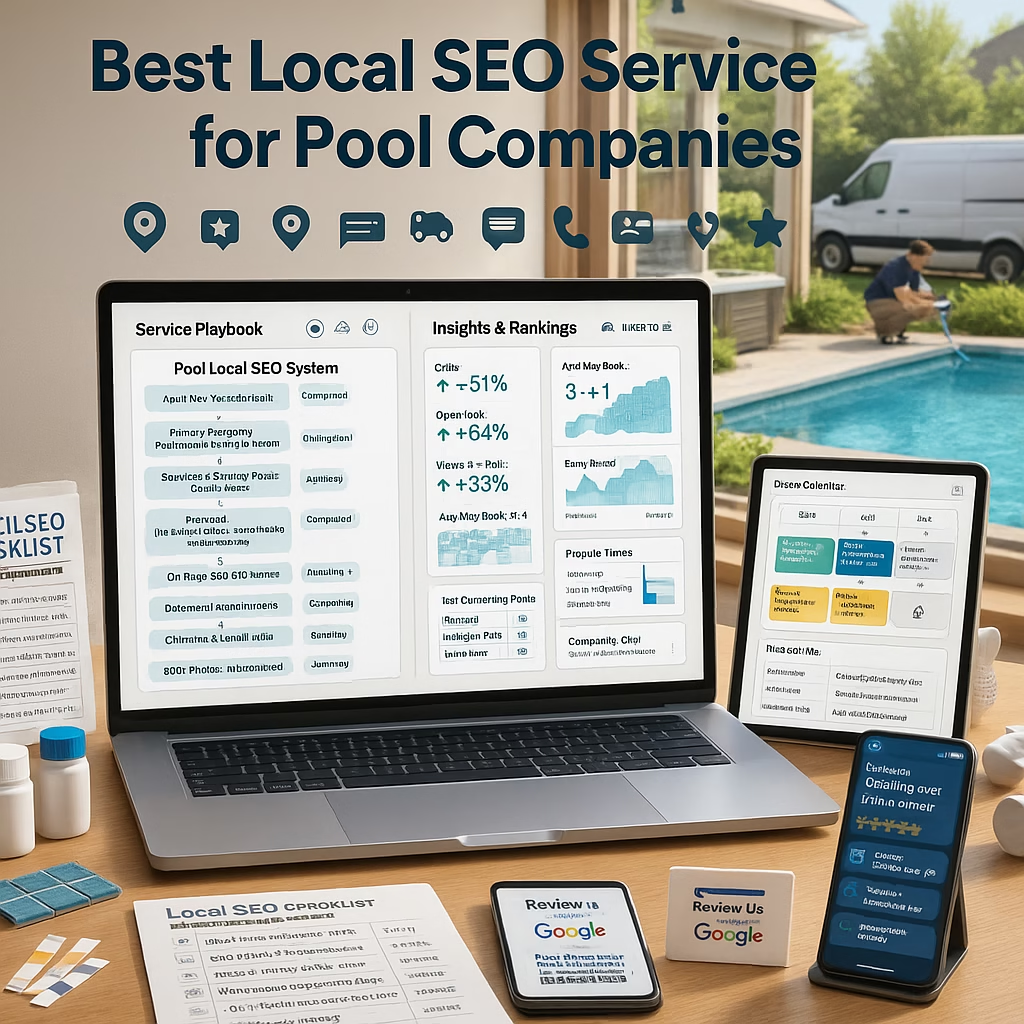
Best Local SEO Service for Pool Companies (2025 Guide)

Best Local SEO Service for Pool Companies

Own the Map Pack, outrank the competition, and turn searches into scheduled estimates.

Introduction

best local seo service for pool companies is the phrase every builder, service team, and retail store googles right before peak season. The truth: the “best” isn’t a logo—it’s a tight operating system that blends Google Business Profile (GBP), city pages, reviews, and conversion tracking so you rise in the Map Pack and book more on-site estimates, openings, cleanings, and remodels.

Benchmarks to aim for: Views → calls/messages ≥ 3.5% Lead → booked estimate ≥ 50% Quote → won ≥ 35% Review velocity: 15–30/mo/location New media: 5–10 photos/week

You’ll see the focus term—best local seo service for pool companies—used naturally for strong on-page relevance.

Table of Contents

1) The Pool SEO Framework

1.1 What Local SEO Covers

For pool companies—builders, service/cleaning, renovation, retail—local SEO means GBP optimization, on-site city/service pages, reviews, media cadence, citations, and reliable tracking.

1.2 Ranking vs. Converting

Ranking gets you seen; conversion wins appointments. The best local seo service for pool companies optimizes both: keywords and click-to-message funnels, photos and scripted replies.

2) Google Business Profile That Ranks & Converts

2.1 Category Stack & Attributes

  • Primary: the closest match to your core (e.g., “Swimming pool contractor” or “Pool cleaning service”).
  • Secondaries only if truly offered: “Pool repair service,” “Hot tub store.”
  • Attributes: on-site service, estimates, wheelchair access, payment types.

2.2 Products & Services

  • Products: “New Pool Builds — From $X,” “Pool Remodel — From $Y,” “Weekly Service — From $Z.”
  • Services: opening/closing, tile & coping, equipment upgrades; keep language factual.

2.3 Messaging & Scheduling

Enable Messages with an instant reply offering two time options and asking city, scope (build/clean/repair), and photos of the yard or equipment pad.

3) On-Site SEO: City Pages & Service Hubs

3.1 Page Template

  • H1: Service + City (“Pool Remodeling in {City}”).
  • Intro paragraph with value prop + service area map.
  • Before/after gallery, short case study, FAQs, CTAs.

3.2 E-E-A-T Proof

Add crew bios, licenses (if applicable), brand partnerships, and project counts with dates. Use real photos with city captions.

3.3 Internal Links & Schema

Link city pages ↔ service pages. Mark up LocalBusiness/Service schema; keep NAP consistent sitewide.

4) Content Playbook (2025)

4.1 Problem → Solution → Proof

  • “Green pool to blue in 48 hours: process & cost drivers.”
  • “Heat pump vs. gas heater: what’s right for {Climate}?”

4.2 Media Cadence

Upload 5–10 photos/week to GBP and blogs: excavations, steel, plaster, equipment swaps, cleanings.

4.3 Seasonal Calendar

Spring openings, mid-summer algae prevention, fall closings, winterization tips—each with a booking CTA.

5) Review Engine (No Gating)

5.1 Ask Moments

  • New build fill day; remodel reveal; successful repair.
  • Weekly route milestone (clear water after fix).

5.2 One-Tap Requests

QR/NFC cards on-site; SMS within 24 hours with a single clean review link (include opt-out instructions).

5.3 Response Framework

“Thanks for trusting us with your pump upgrade in {City}—we’ll share this with the service crew.”

6) Citations & Local Links

  • Maintain accurate listings across reputable directories.
  • Earn links via local sponsorships, suppliers, and neighborhood associations.
  • Keep Name–Address–Phone identical everywhere.

7) Tracking & KPIs

  • UTMs on every GBP link/post/product; unique call numbers per channel.
  • CRM stages: New → Qualified → Estimate → Won/Lost → Review.
  • Monitor Views→Actions, booking rate, show rate, close rate, and review velocity.

8) How to Choose the Best Local SEO Service

8.1 Questions to Ask

  • How will you grow reviews without gating?
  • What’s your city page template and proof strategy?
  • How do you measure Map Pack lifts beyond rank screenshots?

8.2 Red Flags

  • Guaranteed rankings, private blog networks, duplicate content.
  • No call tracking or CRM attribution.

8.3 Sample Scope

  • GBP overhaul + monthly media posts.
  • 3–6 city pages/quarter with case studies.
  • Review engine setup and monthly KPI reports.

9) 30–60–90 Day Launch Plan

Days 1–30: Foundation

  1. Audit GBP, categories, attributes, hours; enable Messages.
  2. Create 10–15 Product/Service cards with “From $” ranges.
  3. Publish 2 city pages + a service hub; add LocalBusiness schema.
  4. Start review one-tap links; upload 30 proof photos.

Days 31–60: Scale

  1. Ship 2 more city pages; add 2 case studies with before/after.
  2. Launch click-to-message campaigns feeding GBP inbox.
  3. Citations cleanup + 3 local partnerships for links.

Days 61–90: Optimize

  1. A/B test first photo, auto-reply, and booking windows.
  2. Refine internal links; add FAQs to top city pages.
  3. Monthly KPI dashboard: actions, bookings, close rate, reviews.

10) Troubleshooting: Views, Calls, or Shows

  • Low views: refresh photos weekly; add city captions; expand categories/services accurately.
  • Low calls/messages: use “From $” context and clearer CTAs; enable tap-to-text/chat.
  • Low shows: send map pin, parking notes, and reschedule link; confirm with name + time.

Consistency compounds—how the best local seo service for pool companies quietly wins the season.

11) 25 Frequently Asked Questions

1) What makes a service the “best” for pool companies?

A repeatable system: GBP + city pages + reviews + local links + reliable tracking, customized to builders and service routes.

2) How fast can Map Pack results improve?

Timelines vary by competition and proximity. Many see stronger engagement within 30–90 days with steady media and reviews.

3) Do “Products” on GBP matter for services?

Yes—use them to merchandise builds, remodels, openings/closings, and weekly service with “From $” ranges.

4) Should we list exact prices?

Use “From $” with drivers (pool size, equipment, access). Keep claims factual.

5) Are city pages still useful in 2025?

Absolutely—when they contain proof: photos, mini case studies, and local FAQs.

6) How many reviews per month should we aim for?

15–30 per location is a strong, sustainable target.

7) What’s the best auto-reply for GBP Messages?

Thank them, ask city + scope, request a quick photo, and offer two appointment options.

8) Do videos help on GBP?

Yes—20–40s vertical clips of builds, repairs, or crystal-clear water lift engagement.

9) How important are citations today?

Quality matters more than quantity. Ensure NAP consistency and reputable directories.

10) Can we run multiple locations under one site?

Yes, with unique location pages, phones, and photos—avoid duplicate content.

11) What KPIs should we track weekly?

Actions (calls/messages), booking rate, show rate, close rate, review velocity.

12) Should we enable chat on our website?

Yes—route to the same two-option scheduling flow as GBP Messages.

13) How do we handle negative reviews?

Respond within 72 hours, acknowledge, offer next steps, and move details offline.

14) Do backlinks still matter?

Relevant local links (suppliers, associations, sponsorships) help prominence and trust.

15) How often should we post photos?

Weekly; aim for 5–10 with city captions and service tags.

16) Can we automate review requests?

Yes—send one-tap links after key milestones; never gate or incentivize.

17) Does Schema really help?

It clarifies entities and services—use LocalBusiness/Service schemas with accurate data.

18) What’s a healthy close rate for estimates?

35%+ is solid; improve with proof assets and follow-up cadence.

19) Are branded search ads worth it?

They can protect your name and complement Map Pack traffic, especially in competitive metros.

20) How do we measure GBP ROI?

UTMs on links, unique call numbers, CRM pipeline attribution to booked and won jobs.

21) Do FAQs on city pages help?

Yes—answer local permitting basics (high-level), soil/yard access topics, and seasonal timelines.

22) Should we list permits and legal details?

Stay high-level and factual; avoid legal advice. Route specifics to licensed pros or your office.

23) What causes GBP suspensions?

Inaccurate names/addresses, virtual offices, or policy violations—keep data verifiable.

24) How many city pages is too many?

Quality over quantity: start with top 4–8 service areas and expand with real proof.

25) First step to start today?

Enable Messages, add 10–15 Products/Services with “From $,” publish two city pages, and launch one-tap review links.

12) 25 Extra Keywords

  1. best local seo service for pool companies
  2. pool builder Google Maps SEO
  3. pool service local SEO
  4. pool remodeling SEO strategy
  5. GBP optimization for pool contractors
  6. pool cleaning company reviews
  7. city pages for pool companies
  8. pool contractor citation cleanup
  9. map pack ranking pool industry
  10. pool company photo cadence
  11. from price services GBP
  12. two option scheduling messages
  13. UTM tracking pool leads
  14. call tracking for pool contractors
  15. service hub pool equipment upgrades
  16. local backlinks pool suppliers
  17. pool renovation case studies SEO
  18. multi location pool SEO
  19. review engine pool businesses
  20. pool opening closing SEO
  21. algae cleanup local pages
  22. pump heater upgrade SEO
  23. tile coping repair SEO
  24. pool store local marketing
  25. 2025 pool company SEO playbook

© 2025 Market Wiz AI. All Rights Reserved.

best local seo service for pool companies Read More »

craigslist ad automation for mattress stores

Acutting e 308268549 18 04 03
Craigslist Ad Automation for Mattress Stores (2025 Playbook)

Craigslist Ad Automation for Mattress Stores

Fill your calendar with showroom visits while your team focuses on closing.

Introduction

craigslist ad automation for mattress stores is the fastest way to turn late-night shoppers and weekend deal hunters into booked appointments and paid tickets—without spamming or breaking rules. In this 2025 playbook, you’ll build a compliance-first system for templated listings, image batches, pricing updates, fast replies, and attribution that proves ROI.

Targets to aim for: List-to-inquiry ≥ 4.5% Inquiry → booked visit ≥ 45% No-show ≤ 15% Median first reply ≤ 2 minutes Photo coverage: 6–10 images per listing

You’ll see the focus phrase—craigslist ad automation for mattress stores—used naturally throughout for strong on-page relevance.

Table of Contents

1) Principles & Policies

1.1 Compliance-First Automation

  • No scraping, no CAPTCHA bypassing, no mass-post spam. Keep all tools within platform rules.
  • One listing per SKU/offer per geo at a time. Rotate, don’t duplicate.
  • Use verified accounts and accurate business info. Avoid misleading claims.

1.2 Categories, Fees & Local Rules

Choose the most accurate category (e.g., “household/furniture—by dealer”). Some regions or categories may include fees; verify current rules for your city before scaling.

2) Tech Stack You Actually Need

2.1 Templates, Image Batches, Links

  • Snippet library for titles, features, and store policies.
  • Batch image processing (resize to platform-friendly dimensions; add subtle brand frame).
  • Short, human-readable URLs for appointment pages (if links are allowed—otherwise use phone/text CTAs).

2.2 Inbox Hub & CRM

Route Craigslist replies to a shared inbox integrated with SMS. Your CRM should tag source=Craigslist, capture contact, and trigger reminders.

2.3 UTM & Call Tracking

Add unique phone numbers per channel and UTM’d links on forms/booking pages you share off-platform.

3) Listing Architecture for Conversion

3.1 Titles That Filter, Not Clickbait

  • “NEW Queen Mattress — From $249 — Same-Day Pickup {City}”
  • “King Cooling Hybrid — Factory Warranty — Delivery Available”
  • Include size, core benefit, and availability.

3.2 7-Part Description Framework

  1. Who it’s for: side sleepers, hot sleepers, guest room, student sets.
  2. Specs: profile height, foam/hybrid type, cover feature (cooling/antimicrobial).
  3. From-price: transparent starting price; upsell tiers noted.
  4. What’s included: warranty basics, removal options (if offered).
  5. Availability: pickup hours, delivery radius, timing windows.
  6. CTA: “Text ‘QUEEN’ to (###) for 2 pickup times today.”
  7. Store info: address, parking, appointment option.

3.3 From-Price & Inventory Notes

Use ranges (“From $X”) and list limited stock where true. Keep claims factual; avoid financing promises.

4) Creative System: Photos & Overlays

4.1 Required Angles

  • Top/front, side profile, corner close-up, fabric/quilting detail, law tag (cropped), boxed shot (if bed-in-box).

4.2 Brand-Safe Frames

Use a thin border with store name, city, and size (“King • Cooling Hybrid”). No aggressive watermarks that obstruct detail.

4.3 Batch Workflow

Export 1200–1600px JPGs, compress for speed, name files with size-model-color for easy reuse.

5) Automation Workflows (Policy-Safe)

5.1 Template Merge & Scheduling

Auto-fill titles/specs/price from a catalog sheet into approved templates. Schedule posts during high-intent windows (evenings/weekends) per local rules.

5.2 Rotation & De-duplication

Rotate SKUs and price points. Avoid posting the same ad repeatedly; update media/copy and allow reasonable intervals.

5.3 Auto-Archive & Relist Rhythm

Archive sold/out-of-stock ads, relist with updated images and availability. Keep a changelog for compliance.

6) Reply System: Scripts That Book Visits

First Reply (≤2 min)

“Thanks for reaching out about the Queen Hybrid. Are you looking for cooling or firm support? I can hold 5:30p or 7:00p pickup today.”

Price Clarifier

“The model shown starts from $349 before delivery/tax. We also have a pillow-top from $399.”

Availability + Address

“We’re at {Address}. Parking in front. Text HERE when you arrive for loading help.”

No-Show Saver

“Can I move you to Sat 10:30a or Sat 1:00p? I’ll set a reminder.”

7) Offers & Financing (Factual, No Promises)

  • Good/Better/Best: basic foam → cooling hybrid → latex hybrid.
  • Bundles: mattress + platform + protector (value stack).
  • Financing: state availability and where to apply; avoid approval guarantees in ads.

8) Tracking, UTMs & Revenue Attribution

  • Unique phone number for Craigslist; missed-call textback enabled.
  • Short link to a simple booking page (if you share links). Append UTMs for source=craigslist.
  • CRM pipeline: New → Qualified → Booked → Showed → Sold → Review.

9) Multi-Location Governance

  • Separate accounts where required, distinct contact info, and inventory per location.
  • Photo backgrounds that clearly match each showroom to avoid confusion.

10) 30–60–90 Day Rollout Plan

Days 1–30: Foundation

  1. Build templates (titles, 7-part description, replies). Photograph top 20 SKUs.
  2. Set unique phone numbers + missed-call textback and CRM tags.
  3. Post 8–12 listings across sizes/price points with clear “from” pricing.

Days 31–60: Scale

  1. Introduce bundle listings; test weekend vs. weekday post times.
  2. Launch review request engine for buyers (no gating).

Days 61–90: Optimize

  1. A/B test first photo and title format; refine reply scripts.
  2. Expand to nearby cities (if allowed) with localized photos and inventory.

11) Troubleshooting: Flagging, Low CTR, Ghosting

  • Flagging: duplicate posts, wrong categories, exaggerated claims. Fix and slow your cadence.
  • Low CTR: weak first photo or vague titles. Add size + benefit + availability.
  • Ghosting: replies not seen? Verify email forwarding, check spam filters, add SMS option.

Never use tools that bypass platform security or terms. Scale responsibly.

12) 25 Frequently Asked Questions

1) Can I fully automate posts?

Automate templates and timing, but keep posting and verification within platform rules. Avoid any CAPTCHA-bypass or prohibited tools.

2) How often should I post?

Rotate SKUs and avoid duplicates. 1–3 fresh listings per day per city is a safe, sustainable rhythm.

3) What time performs best?

Evenings and weekends typically show higher intent; test your local market.

4) Should I show exact prices?

Use “From $” to reflect starting configurations. Keep numbers accurate to avoid complaints.

5) Do I need different images per listing?

Yes—change angles/frames and include SKU-specific details to prevent duplicate flags.

6) Can I link to my website?

If you add links, ensure they are relevant and non-promotional. Many shoppers prefer calling/texting directly.

7) What sizes sell best via classifieds?

Queen and King drive most inquiries; keep at least one budget and one mid/high-tier option live.

8) How do I handle deliveries?

State realistic windows and fees. Offer pickup instructions and loading help.

9) How fast should I reply?

Under 2 minutes is ideal. Use scripted replies and two appointment options.

10) Should I collect deposits by text?

Send secure payment links only; never request card details by message.

11) Can I promote financing?

State that financing is available and link to application info. Avoid approval guarantees.

12) How do I manage no-shows?

Automated reminders at T-24/T-2/T-30m, plus an easy reschedule option.

13) What if posts get flagged?

Review category accuracy, photo/text uniqueness, and policy compliance. Reduce posting frequency temporarily.

14) Do bundles work?

Yes—mattress + platform + protector is a high-converting value stack.

15) Is “open box” allowed?

If accurate. Be transparent about condition and warranty details.

16) Should I watermark images?

Use a thin brand frame; avoid heavy watermarks that obscure details.

17) Can I repost the same ad daily?

No. Rotate SKUs and update media/copy; respect platform frequency norms.

18) How many photos should I include?

6–10 per listing is a strong benchmark.

19) Do reviews help classifieds?

Mention “Hundreds of local 5★ reviews—ask for link” in the description; share proof when asked.

20) Should I list warranty terms?

Share high-level warranty basics; keep details in-store or on your policy page.

21) Can I post in multiple nearby cities?

Only if you serve them and follow local rules. Localized photos and inventory help.

22) What about pillows and protectors?

Great add-on listings for value shoppers and bundle upsells.

23) Is it okay to say “lowest price”?

Avoid unverifiable superlatives. Use factual benefits and availability.

24) How do I measure ROI?

Track calls, appointments, shows, and sales with channel-specific numbers and UTMs.

25) First step to start today?

Photograph top SKUs, build templates, set up a dedicated phone line with textback, and post 3 listings with clear “from” pricing.

13) 25 Extra Keywords

  1. craigslist ad automation for mattress stores
  2. mattress classifieds posting system
  3. automate mattress store listings
  4. mattress dealer craigslist templates
  5. queen mattress from price ad
  6. king hybrid mattress listing
  7. mattress photos batch workflow
  8. compliance craigslist furniture dealer
  9. missed call text back mattress
  10. two-option booking script
  11. mattress bundle advertisement
  12. local pickup mattress ad
  13. delivery available mattress listing
  14. latex hybrid mattress ad
  15. bed-in-a-box craigslist
  16. mattress store reply templates
  17. craigslist inventory rotation
  18. UTM tracking classifieds
  19. call tracking mattress sales
  20. multi-location mattress governance
  21. flagged post prevention tips
  22. classifieds conversion scripts
  23. from-price mattress marketing
  24. mattress buyer appointment flow
  25. 2025 mattress marketing playbook

© 2025 Market Wiz AI. All Rights Reserved.

craigslist ad automation for mattress stores Read More »

New Google Business Profile Tactics for Hot Tub Companies (2025 Update)

Acutting e 1280551168 18 03 09
New Google Business Profile Tactics for Hot Tub Companies (2025 Update)

New Google Business Profile Tactics for Hot Tub Companies (2025 Update)

Win the Map Pack. Book more wet tests. Fill the service calendar.

Introduction

New Google Business Profile Tactics for Hot Tub Companies (2025 Update) is the operating system top spa retailers and service teams use to turn local intent into booked showroom visits, site checks, and recurring maintenance plans. This playbook shows how to structure your category mix, “Products,” photo cadence, messaging, and review engine—while staying policy-safe and laser-focused on conversions.

Benchmarks to aim for: Profile views → calls/messages ≥ 3.2% Lead → showroom/wet test booking ≥ 50% No-show ≤ 12% 15–30 new reviews/month per location 5–10 new photos weekly

You’ll see the focus phrase—New Google Business Profile Tactics for Hot Tub Companies (2025 Update)—used naturally across this guide for strong on-page relevance.

Table of Contents

1) Map Pack Math: Proximity, Relevance, Prominence

1.1 What You Control

  • Complete categories/attributes and accurate hours.
  • Fresh posts, products, photos, and Q&A.
  • Steady, policy-safe review growth and fast message replies.

1.2 Signals Google Reads on Spa Profiles

  • Media freshness and geo-relevant captions.
  • Engagement: messages, calls, direction requests.
  • Prominence: volume/recency of reviews and consistent NAP citations.

2) Core GBP Setup (That Ranks & Converts)

2.1 Category Stack & Attributes

  • Primary: Hot tub store (or closest fit). Secondaries: Swim spa store, Spa repair service, Pool & spa supply—only if offered.
  • Attributes: wheelchair access, delivery, installation, appointment required (if true), payment types.

2.2 Hours, Service Areas, Holiday Updates

  • Separate Sales vs. Service hours if they differ.
  • Keep holiday hours current to avoid “closed” flags.

2.3 Messaging, Bookings & Q&A Hygiene

  • Enable Messages with an instant auto-reply offering two appointment times for a wet test or showroom consult.
  • Seed Q&A with pricing ranges, delivery windows, electrical basics (high level, non-advisory), and maintenance plan info.

3) “Products” & Services: From-Price Cards That Pre-Qualify

3.1 Spa Models as Evergreen Product Cards

  • 4–5 Seat Hot Tub — From $X: dimensions, seating, jets, shell colors.
  • 6–7 Seat Hot Tub — From $Y: energy features, cover lifter, steps.
  • Swim Spa — From $Z: length options, current system, install notes.

3.2 Services Menu

  • White-Glove Delivery — From $A
  • Startup & Water Balance — From $B
  • Monthly Maintenance Plan — From $C
  • Keep language factual; avoid guarantees or medical claims.

3.3 Sold/Out-of-Stock Rotation

Move sold units to a “Recently Installed” post; swap new photos to preserve relevance and avoid disappointment.

4) Media Cadence: Photos & Short Videos that Lift CTR

4.1 Must-Have Angles

  • Showroom: top sellers with dimensions.
  • Installs: before/after pad photos, cover lifter, steps.
  • Service proof: clean filters, water clarity (no customer faces without consent).

4.2 Captioning

Use {City} + model + a standout feature: “Energy-saving circulation pump in Asheville.”

4.3 UGC & Consent

Get written consent before posting at-home installs. Keep claims lifestyle-focused and factual.

5) Review Velocity (No Gating)

5.1 Ask Moments

  • Delivery day when install is complete.
  • Startup success (“jets running, water balanced”).
  • After a resolved service ticket.

5.2 QR/NFC & SMS One-Taps

Hand a review card; send a one-tap SMS within 24 hours. Include opt-out instructions for SMS.

5.3 Response Framework

“Thanks for trusting us with your 6-seat hot tub in {City}—we’ll share this with our delivery team!”

6) AI Messaging & Two-Option Scheduling

  • Auto-reply with two slots (“Thu 4:30” or “Sat 10:00”) for showroom consult or wet test.
  • Qualify: seats, space dimensions, deck/pad status, timeline, budget range (from-price based).
  • Send calendar invite + reminders at T-24/T-2/T-30m; include parking + entry notes.

7) Local Content that Converts (City Pages & FAQs)

  • City pages with real photos, delivery options, and local testimonials.
  • High-level electrical/prep checklists (non-advisory) and water-care basics.
  • Answer top questions from your GBP Q&A to keep messaging consistent.

8) Service Department Visibility (Recurring Plans)

  • Add “Products” for Monthly Maintenance, Filter Service, Winterization, Spring Startup.
  • Post before/after service shots and turnaround times.

9) Paid Boosts: Click-to-Message & Branded Search

  • Backstop organic with brand + “near me” search ads.
  • Click-to-Message ads route into your two-option booking flow (Messenger/WhatsApp/SMS).

10) UTMs, Call Tracking & KPI Dashboard

  • UTMs on every GBP link/post/product; unique call numbers per channel.
  • Weekly KPIs: views→calls/messages, booking rate, show rate, sales, service ROs, reviews.

11) Multi-Location Governance & Spam Defense

  • Unique phones, hours, photos, and posts for each location.
  • Report spam/duplications; keep names/address consistent with real signage.

12) 30–60–90 Day Rollout Plan

Days 1–30: Foundation

  1. Fix categories/attributes; enable Messages; split Sales/Service hours.
  2. Add 12–20 “Products” (models + services) with “From $” ranges.
  3. Upload 40 proof photos; seed 6 Q&A; create review one-tap links.

Days 31–60: Scale

  1. Publish two city pages; post weekly updates and 20–40s videos.
  2. Start click-to-message + branded search; build Good/Better/Best offers.

Days 61–90: Optimize

  1. A/B test first photo, auto-reply, and booking windows; expand winning zips.
  2. Dashboard booking, show, close, ARPC, reviews; coach team on handoffs.

13) Troubleshooting Low Views, Calls, or Shows

  • Low views: weak categories/products/photos—refresh weekly; add city captions; publish city pages.
  • Low calls/messages: add “From $” context, availability, and tap-to-call/chat CTAs.
  • Low shows: send map pin, parking, wet-test checklist; easy reschedule link.

Iterate on these New Google Business Profile Tactics for Hot Tub Companies (2025 Update) and performance compounds.

14) 25 Frequently Asked Questions

1) What’s the best primary category for a hot tub retailer?

Use the closest match to “Hot tub store.” Add repair/service/supply only if you truly offer them.

2) Do “Products” help rank or just convert?

Both. They improve relevance for model/feature queries and create extra click paths to message or call.

3) Should I list exact prices?

Use transparent “From $” ranges with drivers (seating, features, delivery). Avoid misleading claims.

4) How often should we upload photos?

5–10 fresh photos weekly: installs, showroom, service proof, and team shots (with consent).

5) Do videos help on GBP?

Yes—20–40s vertical clips lift engagement and message rates.

6) What should our auto-reply say?

Thank them, ask seats/space/timeline, and offer two appointment options for a wet test or consult.

7) Can we talk electrical requirements in chat?

Stay high-level and factual. Avoid advice; route specifics to qualified staff or licensed pros.

8) Does enabling Messages affect ranking?

It boosts engagement and conversions—both correlate with stronger performance.

9) How many “Product” cards?

12–20 covering core seat counts, swim spas, delivery/startup, and maintenance plans.

10) What’s a good review goal?

15–30 new reviews/month per location, with responses within 72 hours.

11) Can we ask for reviews after a service call?

Yes—after resolution. Use a one-tap link; never gate reviews.

12) Should we separate Sales and Service hours?

Yes if they differ—reduces frustration and missed calls.

13) How do we track calls from GBP?

Use a unique call number and UTMs on all links; attribute revenue in your CRM.

14) What posts work best?

New arrivals, installs, service specials, and buyer guides with city tags.

15) Any risks that trigger suspension?

Misleading names, virtual addresses, and inaccurate categories. Keep data verifiable.

16) Multi-location tips?

Unique phones, photos, and posts per location; avoid duplicate content.

17) Should we show financing?

Provide factual availability and links; avoid approval promises.

18) What about swim spas?

Create separate product cards and city content; highlight length options and install notes.

19) How fast should we reply to messages?

Under 60 seconds with AI; humans step in for final details.

20) Do backlinks and citations still matter?

Quality local citations and relevant links support prominence; keep NAP consistent.

21) Best KPIs to watch weekly?

Views→calls/messages, booking rate, show rate, closed sales, service ROs, review velocity.

22) Can we list “wet test” as a product?

List it as a service or an Offer with a booking link and clear timing.

23) Should we post technician photos?

Yes—humanizes service. Keep images clean and policy-safe.

24) Do city pages still help?

Yes—pair local photos/testimonials with clear CTAs and schedule links.

25) First steps to start today?

Enable Messages + missed-call textback, add “From $” product cards, upload 40 proof photos, and seed Q&A.

15) 25 Extra Keywords

  1. New Google Business Profile Tactics for Hot Tub Companies (2025 Update)
  2. hot tub store Google Maps
  3. spa dealer Map Pack SEO
  4. swim spa local SEO
  5. hot tub GBP products
  6. spa delivery and startup service
  7. wet test appointment booking
  8. missed call text back spa
  9. AI messaging for hot tub leads
  10. hot tub review engine
  11. service plan products GBP
  12. city pages hot tub store
  13. photo cadence spa installs
  14. from price spa models
  15. click to message spa ads
  16. UTM tracking spa sales
  17. multi location spa SEO
  18. holiday hours GBP update
  19. Q&A seeding hot tub
  20. swim spa appointment ads
  21. local citations spa dealer
  22. GBP suspension prevention
  23. service department visibility
  24. wet test conversion rate
  25. 2025 hot tub marketing playbook

© 2025 Market Wiz AI. All Rights Reserved.

New Google Business Profile Tactics for Hot Tub Companies (2025 Update) Read More »

How AI Follow-Up Converts Cold Leads for Carport Companies in Under 5 Minutes

Acutting e 3562112353 13 25 52
How AI Follow-Up Converts Cold Leads for Carport Companies in Under 5 Minutes (2025 Playbook)

How AI Follow-Up Converts Cold Leads for Carport Companies in Under 5 Minutes

Be first to reply, first to schedule, first to install.

Introduction

How AI Follow-Up Converts Cold Leads for Carport Companies in Under 5 Minutes isn’t hype—it’s the practical way dealers and installers turn lukewarm clicks from Maps, Facebook, OfferUp, and Craigslist into booked site checks and paid deposits. The playbook below shows exactly how to respond in seconds, qualify safely, present “from” pricing, and offer two appointment options without adding staff.

Targets to aim for: First reply ≤ 60s Lead → appointment ≥ 55% No-show ≤ 12% Quote recovery ≥ 18% New reviews/month 10–20

You’ll see the focus phrase—How AI Follow-Up Converts Cold Leads for Carport Companies in Under 5 Minutes—used naturally for strong on-page relevance.

Table of Contents

1) Why Speed Wins Carport Jobs

1.1 The “Under-5-Minute” Edge

Shoppers ping 2–3 providers. The first credible reply that confirms feasibility and offers two time slots often wins—even before drawings or exact quotes.

1.2 Buyer Intent Signals

  • High intent: size in feet, roof style, pad photos, timeline.
  • Medium: “ballpark price,” “metal vs. wood,” city named.
  • Low: single “how much” with no details—still salvageable.

1.3 Human + AI Handoffs

AI acknowledges, qualifies, and books. Your rep confirms structural options, permits, and final pricing. Every answer is logged so no one re-asks basics.

2) System Architecture

2.1 Channels

  • SMS/WhatsApp for speed and photo intake (site/pad/space).
  • Chat/Messenger for website/social capture.
  • Email for diagrams and documents.

2.2 CRM + Calendar + Payments

  • Pipeline: New → Qualified → Site Check → Quote → Won/Lost → Install → Review.
  • Calendar holds for estimators; deposit/payment links (no card details in chat).

2.3 Productized Offers

Cards like “18×21 Regular Roof — From $X (installed)” keep expectations clear while you finalize specs.

3) Lead Capture That Converts

3.1 5-Field Form + Photo Intake

Name, phone, zip, size/roof preference, urgency + upload (pad/space photo). One page, one tap submit.

3.2 Missed-Call Textback

“Sorry we missed you—carport size and roof style? I can hold Thu 4:30 or Sat 10:00 to confirm on-site.”

3.3 Two-Option Booking Logic

Offer 2 times, then 2 more if declined. Auto-send calendar invite + reminders at T-24/T-2/T-30m.

4) Qualification: Site, Size, Surfaces, Setbacks

4.1 Access & Surface

  • Pad type (concrete, gravel, dirt) and photo.
  • Access width/overhead obstacles (non-technical checklist).

4.2 Size & Roof

  • Common: 12×21, 18×21, 20×26, 24×31; Regular vs. A-frame vs. Vertical.
  • Wind/snow upgrade interest (human confirms spec—no engineering claims in chat).

4.3 City/County Basics

AI can collect address/city for your team to check local requirements. Avoid legal/permitting advice in chat—route to staff.

5) Script Library (Copy + Paste)

First Reply

“Thanks for reaching out! Are you looking at 12×21, 18×21, or another size—and do you prefer regular, A-frame, or vertical roof? I can hold Thu 4:30 or Sat 10:00 to confirm on-site.”

Photo Ask

“Could you send a quick photo of the spot (and pad if poured)? That helps confirm access and installation timing.”

Price Range

“Most 18×21 regular installs in {City} start from $X depending on roof and anchors. We’ll confirm after the site check.”

No-Show Saver

“No worries—want me to hold Mon 8:30 or Tue 3:00 instead?”

6) The Under-5-Minute Speedrun (Step-by-Step)

  1. 0:00–0:30 AI acknowledges, asks size/roof, offers two time slots.
  2. 0:30–1:30 Captures zip and pad/space photo; logs into CRM.
  3. 1:30–2:30 Shares transparent “from $” range & install window.
  4. 2:30–3:30 Confirms site check time; sends calendar invite + map pin.
  5. 3:30–5:00 Sends prep checklist (pets/gates/vehicle moves) and reschedule link.

Now your human estimator walks in with context, not questions.

7) Google Business Profile + Marketplaces Feed the Funnel

  • Primary category: carport supplier / metal construction (as applicable). Add truthful attributes.
  • “Products”: 12–20 cards (sizes/roofs) with “From $” ranges; weekly photos of installs and anchors (non-instructional).
  • Marketplace/OfferUp: post 3–5 best-sellers weekly; DM keyword triggers your two-option flow.

8) Offer Architecture Without Discounting

  • Good/Better/Best: Regular / A-frame / Vertical + anchor upgrade.
  • Value stacks: site check, install window, clean-up, proof photos.
  • Financing: factual availability; avoid approval guarantees.

9) Review Velocity & Social Proof

  • Ask at “wow” moment: pad confirmed or install day.
  • One-tap review link; responses within 72 hours mentioning size/city.

10) KPIs & Attribution (UTMs Done Right)

  • First reply time, appointment rate, show rate, quote→won, review velocity.
  • UTMs on every link; unique call numbers per channel; revenue by source dashboard.

11) 30–60–90 Day Rollout Plan

Days 1–30: Foundation

  1. Enable Messages + missed-call textback; add 12–20 product cards with “from $.”
  2. Install chat + 5-field form; write two-option auto-replies.
  3. Upload 30 proof photos; seed 6 Q&A; launch review engine.

Days 31–60: Scale

  1. Publish 2 city pages; start click-to-message ads; post Marketplace weekly.
  2. Integrate calendar and payment links; build Good/Better/Best offers.

Days 61–90: Optimize

  1. A/B test first replies, thumbnails, and appointment windows; expand winning zips.
  2. Dashboard booking, show, close, ARPC, reviews; coach team on handoffs.

12) Troubleshooting: Views, Replies, Shows

  • Low views: weak categories/photos—refresh weekly; add city captions; publish city pages.
  • Low replies: unclear ranges—add “From $” by size/roof; ensure tap-to-text is obvious.
  • Low shows: send map pin, prep checklist, reschedule link; confirm specific slot with a name.

Iterate weekly and you’ll truly execute How AI Follow-Up Converts Cold Leads for Carport Companies in Under 5 Minutes.

13) 25 Frequently Asked Questions

1) Does AI replace my sales team?

No—AI handles speed, intake, and scheduling; humans finalize specs, pricing, and permits.

2) What’s the ideal first reply time?

Under 60 seconds for SMS/chat; under 2 minutes for email.

3) Can AI give quotes?

AI should share “from $” ranges and collect site data; final quotes come from your team.

4) How do we reduce no-shows?

Send T-24/T-2/T-30m reminders with map pin and prep checklist; easy reschedule link.

5) Should we enable Google Messages?

Yes—pair with instant two-option auto-replies for faster bookings.

6) What photos should we ask for?

The install spot, pad (if any), and any access constraints (gates, overhead lines).

7) Can AI send deposit links?

Yes—use secure payment links; never collect card details in chat.

8) Best channels for carport leads?

Maps/GBP, Marketplace/OfferUp, search/click-to-message, and referrals.

9) How many follow-ups are best?

3–4 touches over 7–10 days; stop on opt-out.

10) What KPIs matter weekly?

First reply, appointment rate, show rate, quote→won, review velocity.

11) Multi-location playbook?

Unique phones, hours, photos per location; avoid duplicate content.

12) Should we publish pricing?

Use “From $” ranges with drivers (size, roof, anchors) to pre-qualify.

13) How do we handle permitting questions?

Collect address/city; state that your team will confirm requirements—avoid legal guidance in chat.

14) Do product cards help rank or just convert?

Both—more relevance and extra click paths to call/message.

15) Is video worth it on Maps?

Short 20–40s reels (before/after installs) lift engagement and messages.

16) Can AI route to the right territory?

Yes—route by zip and calendar availability; tag by city/county.

17) How do we handle price shoppers?

Reframe to value: install timing, anchor options, warranty, clean-up; offer Good/Better/Best.

18) What about financing?

Provide factual info and links; no approval promises.

19) Do reviews impact map ranking?

Fresh, consistent reviews improve prominence and conversions—never gate.

20) Can AI schedule installers?

AI proposes time windows; dispatch confirms based on routes and SLAs.

21) How many product cards?

12–20 spanning common sizes/roofs + 3 services (site check, pad prep coordination, removal).

22) Where should UTMs go?

Every profile link/post/ad; unify inside your CRM to attribute revenue.

23) What causes GBP suspension?

Misleading names, virtual addresses, or policy violations—keep data accurate and verifiable.

24) Are click-to-message ads worth it?

Yes—great for size/roof/delivery questions; route into two-option scheduling.

25) First step today?

Enable Messages + missed-call textback, add “From $” product cards, upload proof photos, and launch two-option auto-replies.

14) 25 Extra Keywords

  1. How AI Follow-Up Converts Cold Leads for Carport Companies in Under 5 Minutes
  2. carport AI lead follow-up
  3. carport appointment automation
  4. missed call text back carport
  5. two-option booking script carport
  6. carport Google Business Profile
  7. carport marketplace automation
  8. carport size and roof selection
  9. carport install site check
  10. carport quote from pricing
  11. carport CRM pipeline
  12. carport review engine
  13. vertical roof carport leads
  14. A-frame carport inquiries
  15. regular roof carport pricing
  16. anchor upgrades carport
  17. city pages carport SEO
  18. UTM tracking carport sales
  19. click to message carport ads
  20. carport lead qualification flow
  21. carport dispatch scheduling
  22. carport install prep checklist
  23. carport proof photos
  24. multi-location carport SEO
  25. 2025 carport marketing playbook

© 2025 Market Wiz AI. All Rights Reserved.

How AI Follow-Up Converts Cold Leads for Carport Companies in Under 5 Minutes Read More »

Scroll to Top