
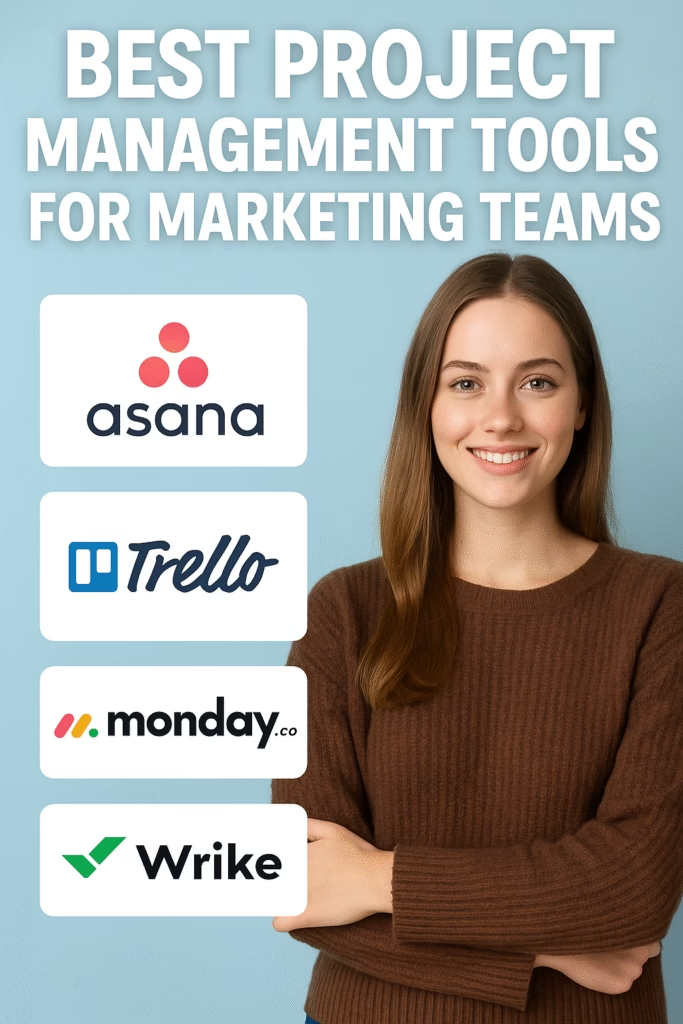
Best Project Management Tools for Marketing Teams
From ideas to launches: how to pick, configure, and scale the right platform for campaigns, content, and creative ops.
Introduction
Best Project Management Tools for Marketing Teams isn’t a single app—it’s a fit. The right platform mirrors how marketers actually work: capturing briefs quickly, routing creative for review, orchestrating multi-channel campaigns, and proving impact with clean dashboards. This guide shows you how to evaluate tools against real marketing workflows, then roll out a stack your team will actually use.
Note: Examples below are tool-agnostic. Use the evaluation matrix and templates to compare your top vendors in a fair pilot.
Expanded Table of Contents
- 1) Evaluation Criteria for Marketing PM
- 2) Work Views: Kanban • Gantt • Calendar • Campaign
- 3) Brief Intake & Request Portals
- 4) Proofs & Approvals (Creative, Legal, Brand)
- 5) Content & Campaign Calendars
- 6) Automation Recipes & SLAs
- 7) Integrations: Ads, Social, CRM, Files, BI
- 8) Resource & Capacity Planning
- 9) Budget, Estimates & Cost Tracking
- 10) Templates: Briefs, Checklists, SOPs
- 11) Governance, Roles & Permissions
- 12) Reporting & KPIs (From Views to Revenue)
- 13) AI for Marketing Ops
- 14) Security, Compliance & Audit Trails
- 15) 30–60–90 Day Rollout Plan
- 16) Tool Evaluation Matrix (Sample)
- 17) Troubleshooting & Optimization
- 18) 25 Frequently Asked Questions
- 19) 25 Extra Keywords
1) Evaluation Criteria for Marketing PM
| Capability | Why Marketers Need It | Questions to Ask |
|---|---|---|
| Brief intake | Eliminate Slack/Email chaos | Custom form fields? Conditional logic? Requester portal? |
| Multi-view boards | Different roles, different views | Kanban, Gantt, Calendar, List, Campaign timeline? |
| Proofing | Fast creative approvals | Frame-accurate video? Compare versions? Required approvers? |
| Automation | Hit SLAs at scale | Trigger on status/date/form? Reusable recipes? |
| Integrations | No double entry | Native connectors for ads/social/CRM/cloud drives? |
| Resources | Prevent bottlenecks | Capacity heatmaps? Skills tags? PTO calendars? |
| Reporting | Prove ROI | Task → Campaign → Pipeline attribution? |
| Governance | Protect brand & data | Roles, field-level perms, audit logs, SSO/SCIM? |
2) Work Views: Kanban • Gantt • Calendar • Campaign
- Kanban: Great for creative production & agile marketing.
- Gantt/timeline: Visualize dependencies for launches & events.
- Calendar: Editorial and social scheduling in one glance.
- Campaign/Program: Roll up multiple workstreams into a single outcome.
3) Brief Intake & Request Portals
Standardize requests so every task starts ready. Use conditional forms to show only relevant fields (e.g., “video” reveals duration, aspect ratio, voiceover).
Required fields:
• Goal & KPI • Audience • Channels • Assets needed
• Due date & SLA • Brand tier (flagship/evergreen/seasonal)
4) Proofs & Approvals (Creative, Legal, Brand)
- Route drafts by asset type (static, video, landing page).
- Require approvers by role; enable threaded, anchored comments.
- Lock versions; maintain a single source of truth.
Tip: Set “auto-remind every 24h” on overdue proofs.
5) Content & Campaign Calendars
- Unify blog, email, social, ads, and events in one calendar.
- Color-code by channel and campaign; add UTMs in the task.
- Auto-generate publishing checklists per asset.
6) Automation Recipes & SLAs
Recipes
- “New request” → assign triage + set due date based on SLA
- “Design → Proof” status → notify approvers + attach checklist
- Overdue by 24h → escalate to channel lead
SLAs
- Creative: first draft in 3–5 business days
- Legal: review within 48 hours
- Urgent lane: executive approvals in under 24 hours
7) Integrations: Ads, Social, CRM, Files, BI
| System | Purpose | Integration Examples |
|---|---|---|
| Ads & Social | Performance feedback loops | Push UTM’d links; pull post IDs & metrics |
| CRM | Lead & revenue attribution | Campaign and asset IDs synced |
| Cloud Drives/DAM | Assets & versions | Link to source files; lock “approved” status |
| BI/Data | Dashboards | Expose task/campaign metadata to BI layer |
8) Resource & Capacity Planning
- Map roles and skills (designer, copy, video, web, PM).
- Use capacity heatmaps; avoid over-allocating hidden work.
- Plan sprints for production; leave 20% buffer for interrupts.
9) Budget, Estimates & Cost Tracking
- Estimate time/cost at the brief stage.
- Track actuals vs estimates to forecast staffing.
- Tag spend to campaigns for ROI narratives.
10) Templates: Briefs, Checklists, SOPs
Brief Templates
- Ad set brief
- Email promo brief
- Landing page brief
- Video storyboard brief
Checklists
- Pre-launch QA
- Accessibility pass
- Brand & legal review
- UTM & pixel validation
11) Governance, Roles & Permissions
- Define who can create projects, edit fields, and approve creative.
- Lock critical fields (budget, brand tier, KPIs) behind permissions.
- Maintain audit logs for regulated verticals.
12) Reporting & KPIs (From Views to Revenue)
Throughput
Tasks started/finished, cycle time, on-time %
Quality
Revision count, proof turnaround, error rate
Impact
Campaign pipeline, influenced revenue, CAC
Capacity
Work in progress, resource utilization
UTM idea: utm_source=pm&utm_medium=ops&utm_campaign=tooling_2025
13) AI for Marketing Ops
- Generate draft briefs from meeting notes.
- Summarize proofs, highlight unresolved comments.
- Tag tasks with predicted effort and risk.
14) Security, Compliance & Audit Trails
- SSO/SCIM for user lifecycle; enforce 2FA.
- Role-based access for sensitive launches.
- Retention policies for assets and comments.
15) 30–60–90 Day Rollout Plan
Days 1–30 (Foundation)
- Pick 2–3 teams for pilot (content, paid, creative).
- Build request forms, core templates, and statuses.
- Migrate active work; run one full sprint in the tool.
Days 31–60 (Momentum)
- Add proofing and automation; integrate with files & CRM.
- Publish campaign calendar and executive dashboards.
- Collect feedback; reduce columns/fields causing friction.
Days 61–90 (Scale)
- Roll out resource planning; train role leads.
- Harden governance; lock KPIs; finalize SOPs.
- Quarterly optimization cadence; archive stale workflows.
16) Tool Evaluation Matrix (Sample)
| Criterion | Weight | Tool A | Tool B | Tool C |
|---|---|---|---|---|
| Intake & forms | 15% | 4.5 | 4.0 | 3.5 |
| Proofing & approvals | 15% | 4.0 | 4.5 | 3.0 |
| Views (Kanban/Gantt/Calendar) | 10% | 4.5 | 4.0 | 4.0 |
| Automation | 10% | 4.0 | 3.5 | 4.5 |
| Integrations | 10% | 4.5 | 4.0 | 3.5 |
| Resource planning | 10% | 4.0 | 3.5 | 4.0 |
| Reporting | 10% | 4.0 | 4.5 | 3.5 |
| Governance/security | 10% | 4.5 | 4.0 | 4.0 |
| Usability & adoption | 5% | 4.0 | 4.0 | 4.0 |
| Total (weighted) | — | — | — | — |
Score in a real pilot with your data; avoid slide-only decisions.
17) Troubleshooting & Optimization
| Symptom | Likely Cause | Fix |
|---|---|---|
| People revert to spreadsheets | Too many fields/columns | Simplify views; hide advanced fields by default |
| Approvals take days | No SLAs or reminders | Auto-notify approvers; escalate after 24–48h |
| Missed deadlines | No capacity visibility | Enable workload view; hard cap WIP |
| Hard to prove impact | No UTM discipline | Template UTM fields + BI sync |
18) 25 Frequently Asked Questions
1) What are the Best Project Management Tools for Marketing Teams?
Platforms that combine request intake, multi-view planning, proofing, automation, integrations, and reporting in one hub.
2) How big should my pilot be?
Two to three pods (content, creative, paid) for 4–6 weeks with real deliverables and SLAs.
3) Kanban or Gantt?
Both—Kanban for production flow; Gantt for launches and dependencies.
4) Do I need built-in proofing?
If you ship creative weekly, yes. Otherwise, use a proofing add-on with version control.
5) How do we manage ad-hoc requests?
Route everything through a standardized request portal with required fields.
6) What about events and webinars?
Create an Event template: milestones (venue, landing page, speakers), assets, promo plan, and checklist.
7) How should we track revisions?
Lock versions in proofing; count revision cycles as a quality KPI.
8) Can we integrate with CRM?
Yes—sync campaign IDs and track influenced pipeline for attribution.
9) What’s a good SLA for creative?
First draft in 3–5 business days; rush lanes under 24 hours for executives.
10) How do we handle legal review?
Create a legal lane with required approver role and automatic reminders.
11) How do we prevent burnout?
Use capacity views, limit WIP, and reserve a buffer for interrupts.
12) What permissions model works best?
Role-based: creators edit; requesters comment; approvers sign off; admins govern.
13) Should we use sprints?
Yes for production teams; keep campaign orchestration on a timeline view.
14) How do we manage agencies/freelancers?
Guest access with restricted fields; use contracts on asset usage and SLAs.
15) Where do assets live?
In a connected DAM/cloud drive with “approved” status synced to tasks.
16) How do we measure tool ROI?
Track cycle time, on-time rate, revision count, and influenced pipeline.
17) What’s the best calendar setup?
One master calendar filtered by channel, region, and campaign.
18) How do we keep data clean?
Use required fields and dropdowns; avoid free-text for KPIs.
19) Can AI help with briefs?
Use AI to suggest headlines, audiences, and checklists from meeting notes.
20) How often should we optimize workflows?
Quarterly—review usage, prune fields, and align templates to goals.
21) What about accessibility?
Include alt-text, color-contrast checks, and subtitles in your checklists.
22) How to handle multi-region teams?
Use locale fields, regional calendars, and translation steps in templates.
23) Can we manage budgets in the tool?
Track estimates/actuals; sync spend data to BI for financial reporting.
24) How do we sunset old workflows?
Archive boards quarterly; migrate only active patterns into new templates.
25) First step today?
Stand up a request portal, publish three core templates, and run a 6-week pilot.
19) 25 Extra Keywords
- Best Project Management Tools for Marketing Teams
- marketing project management software
- creative proofing and approvals
- marketing request intake forms
- content calendar platform
- campaign management timeline
- kanban for marketing teams
- gantt for launch planning
- marketing resource capacity planning
- marketing automation recipes
- marketing dashboards and KPIs
- UTM workflow templates
- brand governance workflow
- cross-functional collaboration
- marketing CRM integration
- ads and social integration
- content ops playbook
- video proofing tool
- asset management DAM integration
- marketing SOP templates
- executive marketing reporting
- AI for marketing operations
- request to approval SLAs
- global campaign calendar
- 2025 marketing PM guide
MarketWiz AI
Your business deserves an AI marketing system
MarketWiz AI runs your local SEO, listings, content and lead follow-up for less than an agency retainer.
See plans and pricing →Black Friday: get a free custom website ($2,500 value) with any new plan through Nov 30. Details
Published by MarketWiz AI
MarketWiz AI is run by Jeff DeSantis, whose company has worked in local business marketing since 2015. Our guides are researched with linked sources and never include made-up client results. How we write our guides